
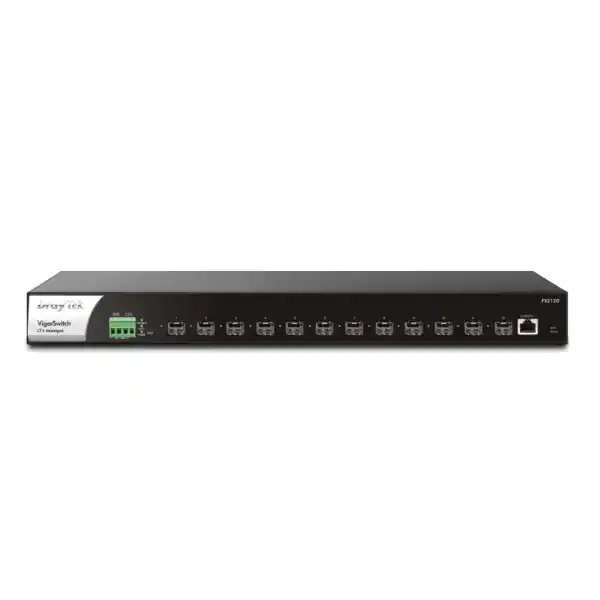
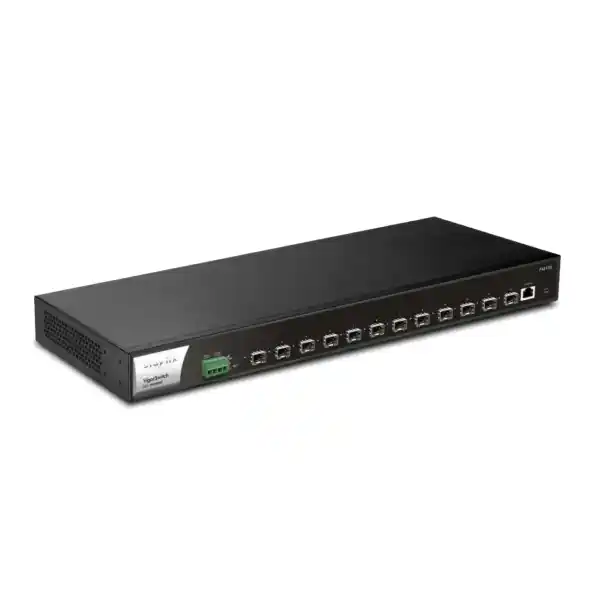
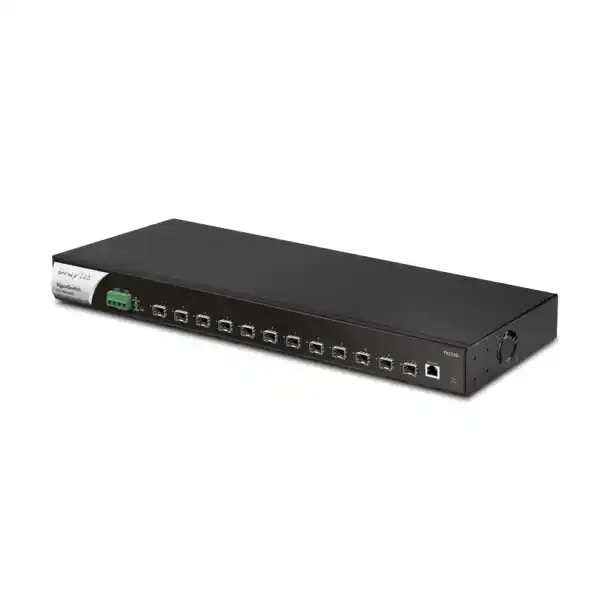
DrayTek VigorSwitch FX2120 in Dubai, UAE
A purpose-built full-fiber 10 Gigabit aggregation switch for enterprises, service providers, data-intensive offices, server rooms and distributed network architectures that need dense SFP+ connectivity, deterministic VLAN control and centralized operations in a compact 1U form factor.
178.56 Mpps forwarding rate
16 Mbit packet buffer
1U rackmount chassis
Each front-panel SFP+ interface can be used for 1GbE or 10GbE fiber/DAC connectivity, simplifying mixed-speed backbone transitions.
The rated switching capacity aligns with full-duplex operation across twelve 10 Gigabit interfaces without an architectural oversubscription penalty at the switching-fabric level.
A high packet-forwarding rating makes the platform relevant to traffic mixes that contain large numbers of small packets as well as conventional bulk data flows.
Low platform consumption is useful in UAE racks where thermal density, UPS sizing and ongoing energy overhead are important design considerations.
High-density 10G aggregation
Twelve SFP+ ports provide a clean way to concentrate multiple 10GbE uplinks into a single rack unit. In an enterprise building, the FX2120 can act as a distribution switch receiving fiber from several access switches. In a server room, it can connect hypervisors, NAS appliances, security appliances and upstream routing. For an ISP or managed service environment, the same port density can be used to concentrate customer or service links while maintaining VLAN and QoS separation.
1G-to-10G migration flexibility
The SFP+ interfaces support both 1000 Mbps and 10 Gbps operation, allowing existing Gigabit fiber segments to coexist with new 10 Gigabit links. This is useful during phased campus refreshes because the aggregation switch can be installed first, followed by progressive upgrades to optics and downstream hardware. Migration can therefore be scheduled around business needs instead of being constrained by a single all-or-nothing cutover.
Port architecture and physical interface planning
The front of the VigorSwitch FX2120 is intentionally simple: twelve SFP+ network interfaces and one RJ-45 console port for local administration. There are no built-in 10GBASE-T copper ports, no 1GbE RJ-45 access block and no PoE outputs. This architecture makes the model most appropriate when the majority of backbone connections are fiber-based or when short rack-to-rack/server links can use compatible direct-attach copper cables. It is important to plan optics separately because the switch chassis itself does not transform a fiber requirement into a specific wavelength or reach. Transceiver selection must be matched to fiber type, link distance, connector standard, patch-panel design and the equipment at the far end.
For intra-rack connections, a passive SFP+ DAC can offer a lower-cost and low-latency option where supported and where cable length is short. For links between racks, floors or buildings, optical modules are generally preferred. Multimode fiber is common for short data-center or campus spans, while single-mode optics are typically selected for longer reach or where existing structured fiber infrastructure is single-mode. DrayTek lists accessories including its DAC-CX10 direct-attach cable, DAM-FX10 optical transceiver range and DAM-EX10 10GBase-T RJ-45 SFP+ module. Actual module compatibility, thermal behavior and required reach should be checked against the precise bill of materials before purchase.
The console interface is valuable during commissioning and recovery because it provides a management path independent of the production switching configuration. In a properly documented enterprise deployment, the console connection, management VLAN, administrative IP address and credentials should all be recorded as part of the handover pack. For high-availability sites, administrators should also decide whether out-of-band console access will be available through a terminal server or remote management appliance.
Switching performance: interpreting 240 Gbps and 178.56 Mpps
Switch specification sheets typically publish both bandwidth and packet-rate figures because they describe different aspects of performance. The FX2120 is rated for 240 Gbps of switching capacity. Twelve 10GbE ports operating full duplex represent 120 Gbps of one-way interface bandwidth and 240 Gbps when transmit and receive directions are counted together. The published switching capacity therefore corresponds to the aggregate full-duplex bandwidth of the installed ports. For network architects, this is an important baseline because it indicates that the switching fabric is designed around the full port complement rather than a heavily oversubscribed internal architecture.
The 178.56 Mpps forwarding-rate figure is equally relevant. Large-file transfers can consume high bandwidth with relatively modest packet rates, but DNS queries, transactional applications, voice traffic, certain storage patterns and security-service flows can create large numbers of small frames. A switch that has enough raw gigabits per second but an inadequate packet-processing rate can still become constrained in these conditions. The published 64-byte forwarding rate demonstrates that the platform is engineered for line-rate class packet handling across the 10GbE port set under specification conditions.
The switch also carries a 16 Mbit packet buffer and supports jumbo frames up to 12 KB. Buffering helps absorb short-lived traffic bursts when multiple ingress flows contend for a smaller set of egress interfaces. Jumbo-frame support can be useful in storage, virtualization and high-throughput server networks because larger Ethernet frames reduce per-packet overhead, but jumbo MTU should only be enabled when every device along the end-to-end path is configured consistently. A mismatch can create difficult-to-diagnose application failures, fragmentation or black-hole behavior.
In practical UAE deployments, sizing should not stop at theoretical switching capacity. Architects should model north-south Internet traffic, east-west server traffic, backup windows, CCTV retention transfers, cloud synchronization, storage replication and inter-building trunks. The FX2120 provides substantial headroom for these use cases, but the placement of the switch, port-channel design and upstream firewall/router capacity still determine the end-to-end user experience.
Layer 2+ design: VLANs, inter-VLAN routing and gateway offload
The VigorSwitch FX2120 supports up to 512 VLANs and includes 802.1Q tag-based VLANs as well as MAC-based, protocol-based, management, voice and surveillance VLAN functions. This allows one physical fiber fabric to carry multiple logically separated networks. A business can keep users, servers, IP phones, cameras, guest services, management interfaces and building systems in distinct broadcast domains while transporting those VLANs across common 10GbE trunks.
Its L2+ capability extends into static routing and VLAN routing. In a design where several internal VLANs exchange significant amounts of traffic, routing those flows directly on the switch can prevent unnecessary traffic from traversing the upstream firewall or router. Consider a virtualization cluster in one VLAN accessing a storage network in another, or an internal application subnet serving multiple office VLANs. If security policy permits local routing, the switch can forward that traffic at the aggregation layer, preserving firewall resources for Internet security, VPN, advanced inspection and policy boundaries that genuinely require those services.
This does not mean every inter-VLAN flow should bypass a security appliance. Segmentation architecture must distinguish between performance-driven routing and security-enforced routing. Sensitive server zones, payment networks, OT systems, tenant segments and guest environments may still need firewall inspection even when the switch can technically route them. A good design uses Layer 3 switching where appropriate and explicit firewall boundaries where risk or compliance demands them.
The FX2120 also provides DHCP server capability, which can be valuable for selected local networks, labs, isolated service segments or contingency operation. In larger enterprises, DHCP is often centralized on dedicated infrastructure, but having the function available in the switch increases design flexibility and can simplify smaller branch or service-provider scenarios.
Spanning Tree protection
Support for STP, RSTP and MSTP allows network designers to control Layer 2 redundancy and prevent loops. RSTP accelerates convergence relative to classic STP, while MSTP helps map groups of VLANs to different spanning-tree instances in more complex topologies. The correct mode depends on the wider switching estate and should be standardized rather than configured independently on each device.
Link aggregation
The FX2120 supports static aggregation and IEEE 802.3ad LACP, with up to eight link-aggregation groups and as many as eight member links per group. LACP can increase total available bandwidth and add link resilience where the peer device supports a compatible bundle. Per-flow hashing means a single conversation normally stays on one member link, while multiple flows can be distributed across the group.
LACP sizing and resilient uplink strategy
Link aggregation is one of the most useful features in a 10G aggregation switch because it lets architects combine several physical interfaces into one logical connection. On the FX2120, a pair of 10GbE links can form a 20Gbps aggregate between compatible switches, routers or servers; larger bundles are possible where the topology and peer device justify them. However, aggregated bandwidth must be interpreted correctly. Hash-based load balancing typically assigns individual flows to a member link based on source/destination addressing and possibly transport information. A single TCP session should not be expected to consume the arithmetic sum of all members. The benefit appears when many simultaneous flows are spread across the bundle.
Resilience can be as important as bandwidth. If a two-member LACP trunk loses one fiber, optic or interface, the logical link can remain operational on the surviving member, reducing the operational impact of a single physical failure. This is valuable for server clusters, downstream access-switch stacks and upstream core connections. Care must be taken not to create a false sense of redundancy by routing all member fibers through the same tray, patch panel or riser. True infrastructure resilience considers physical path diversity, power diversity and failure domains as well as logical port-channel configuration.
The FX2120 itself does not provide physical stacking according to its published specification. Therefore, when two switches are deployed for higher availability, they should be designed as distinct devices rather than assumed to behave as one stack. The capabilities of the connected equipment determine whether multi-chassis link aggregation or equivalent techniques are available. Where they are not, Spanning Tree and routed redundancy may provide a more predictable high-availability pattern.
QoS for voice, video, storage and critical applications
The switch provides eight QoS queues and supports scheduling methods including Strict Priority Queuing and Weighted Round Robin. It can classify and prioritize traffic through mechanisms that include 802.1p class of service, DSCP, CoS-to-DSCP handling and IP precedence. Rate limiting is also supported. These tools become valuable when multiple traffic types share the same 10GbE trunks and congestion must be managed predictably.
Voice traffic generally requires low latency and low jitter rather than huge bandwidth. Backup traffic, by contrast, may tolerate delay but can fill a link aggressively. Surveillance streams are sustained and predictable, while virtual-machine migrations can create very large short-duration bursts. A sensible QoS policy ensures that bulk replication does not impair voice signalling, interactive business systems or control-plane traffic. The switch also supports LLDP-MED, which can assist compatible voice deployments by advertising network policy information and simplifying endpoint behavior.
QoS should be engineered end to end. Marking packets on the FX2120 is not enough if the next router, firewall or service-provider edge discards or rewrites those markings. Administrators should establish a consistent class model across switches, WAN devices and security appliances. They should also avoid marking everything as high priority, because a priority class is only meaningful when less critical traffic remains in lower classes.
For managed deployments, FourTeck can align switch QoS with routing, firewall and voice policies through FourTeck IT Services UAE, helping ensure the configuration reflects application requirements rather than relying on generic default templates.
Security controls at the switching layer
The VigorSwitch FX2120 includes a broad set of access-layer and Layer 2 security functions even though its primary role is aggregation. Supported mechanisms include 802.1X and MAC authentication, RADIUS and TACACS+ authentication services, IP Source Guard, Dynamic ARP Inspection, DHCP Snooping, IP conflict detection and prevention, loop protection, storm control and DoS-defense functions. These controls address common risks inside Ethernet networks, where a misconfigured device or malicious endpoint can cause disruption before traffic ever reaches a perimeter firewall.
DHCP Snooping can help establish trusted DHCP behavior by differentiating legitimate server-facing paths from untrusted access paths. Dynamic ARP Inspection can use validated addressing information to reduce the risk of ARP spoofing. IP Source Guard can restrict source addressing based on known bindings. When these controls are deployed together and tuned correctly, they create a stronger Layer 2 trust model than VLAN separation alone.
The switch also supports access control lists based on IP or MAC criteria and provides two levels of administrator privilege with multiple administrator accounts. Operationally, that enables organizations to separate day-to-day monitoring from higher-risk configuration privileges. Secure management services such as HTTPS and SSH v2 are available alongside legacy protocols such as HTTP and Telnet; production designs should prefer encrypted management and restrict administrative access to dedicated management networks wherever possible.
No switch feature substitutes for a next-generation firewall when deep inspection, application control, threat prevention, VPN termination or Internet-edge policy is required. The most robust architecture combines hardened switch configuration with appropriate firewall controls. Organizations building that layered model can review complementary security services and products through Firewall Dubai by FourTeck.
IP conflict detection and prevention in operational networks
Duplicate IP addresses are a surprisingly common source of intermittent network incidents. They can arise after a static device is configured with an address already leased by DHCP, when equipment is cloned from a template without changing its network identity, or when a malicious host deliberately impersonates another address. Symptoms can include unreliable connectivity, ARP-table instability, random service interruptions and remote-management failures. Because the fault occurs at a fundamental addressing layer, application teams may initially misdiagnose it as a server or Internet problem.
DrayTek includes IP Conflict Detection and Prevention in the FX2120. The detection component can identify conflicting address behavior and alert administrators, while the prevention component is designed to block a conflicting or malicious host. This is especially valuable in environments containing large numbers of fixed-address appliances such as CCTV systems, NVRs, printers, building controllers and specialized operational devices.
A disciplined deployment still requires accurate IP address management. The switch can help detect and contain conflicts, but administrators should maintain structured DHCP scopes, reserved addresses, static-IP documentation and standardized subnet conventions. In a multi-site UAE organization, those practices become increasingly important because overlapping subnets and undocumented static assignments can create problems when VPNs, SD-WAN overlays or data-center consolidation are introduced later.
Multicast, IPTV and surveillance-aware traffic handling
The VigorSwitch FX2120 supports IGMP Snooping, IGMP Querier functionality, MLD Snooping for IPv6, multicast group filtering and throttling, Multicast VLAN Registration and up to 256 multicast groups according to DrayTek’s published specification. These capabilities help control multicast distribution so that receivers get the traffic they require without flooding every port in the VLAN.
Multicast is important in IPTV, digital signage, market-data distribution, certain conferencing systems and some video applications. Without snooping, a Layer 2 switch may replicate multicast streams broadly, consuming unnecessary bandwidth on links whose endpoints did not request the content. IGMP Snooping observes membership signaling and builds a forwarding view so streams can be constrained to interested ports. The querier function becomes useful in VLANs that do not already have an appropriate multicast router generating queries.
IPv6 networks use MLD rather than IGMP for multicast listener discovery, and MLD Snooping provides the corresponding Layer 2 optimization. Because many enterprises now operate dual-stack networks, supporting both IPv4 and IPv6 multicast control reduces the risk that an IPv6 migration inadvertently creates unmanaged flooding behavior.
ONVIF-friendly operation for CCTV aggregation
A distinctive capability of the DrayTek switching platform is ONVIF-aware surveillance management. The FX2120 can discover ONVIF devices, present a surveillance topology, provide real-time video viewing from compatible cameras and expose basic maintenance operations such as network settings, time settings, reboot and factory reset for supported devices. These functions can give network administrators a more operationally useful view of a CCTV deployment than generic MAC and port tables alone.
This can be useful when the FX2120 is used as a fiber aggregation point between camera access switches, NVRs and server infrastructure. In a large warehouse, hotel, campus or commercial site, administrators may need to identify which network branch serves a failed camera, confirm the camera address, or determine whether the problem is at the endpoint, access switch or backbone. Topology-aware visibility shortens that troubleshooting path.
The FX2120 itself does not provide PoE power, so it will not directly power cameras connected by copper Ethernet. In a surveillance architecture it is better viewed as the aggregation layer above PoE access switches, media converters or fiber-connected NVR infrastructure. This distinction should be understood during bill-of-materials design so the required PoE power budget remains available at the edge.
OpenFlow 1.3 and SDN use cases
The FX2120 supports OpenFlow 1.3 and a published OpenFlow table size of 1920 entries. DrayTek positions this capability for software-defined networking scenarios in which forwarding behavior can be controlled by an SDN architecture rather than configured solely through traditional switch interfaces. OpenFlow can expose counters, meters and programmable actions covering Ethernet fields, VLAN identifiers and priorities, IP addressing, DSCP, protocols, NAT-related actions and TCP/UDP source or destination information.
Potential applications include rate control, differentiated QoS, IPTV traffic policy and specialized IoT or managed-service designs. Service providers may use programmable forwarding to create differentiated services or centralize traffic policy decisions. Enterprises may be interested where the switch participates in a broader automation or laboratory environment. Traditional switching mode remains available for organizations that do not require SDN.
DrayTek explicitly notes that OpenFlow functionality on these platforms is project-based and must be activated by DrayTek HQ. That operational condition should be accounted for during project planning. A procurement team should not assume that buying the hardware alone immediately enables every SDN capability without activation or project coordination.
For most UAE enterprise buyers, OpenFlow will be an optional strategic feature rather than the primary purchase driver. The core value of the FX2120 remains its dense 10G SFP+ port set, Layer 2+ feature set, multicast controls, security functions and management ecosystem. Nevertheless, OpenFlow support helps protect the investment for organizations that may later introduce programmable networking practices.
Central management: web GUI, VigorRouter SWM, VigorACS and VigorConnect
The switch can be managed locally through a web-based graphical interface that displays ports and hardware status. Local services include HTTP, HTTPS, Telnet and SSH v2, while SNMP v1/v2c/v3, RMON groups, SNTP, LLDP, LLDP-MED, mail alerts and configuration backup/restore support broader operational integration. Dual-image support provides additional firmware resilience by maintaining two software images, which can reduce recovery risk during upgrades.
For networks already using compatible DrayTek routers, Switch Management through VigorRouter can provide automatic discovery, profile-based provisioning, VLAN configuration, hierarchy views, monitoring and remote maintenance. This is particularly convenient in branch environments where an administrator wants consolidated visibility without manually logging into every switch. The router can discover managed switches on the LAN side and present them through a centralized hierarchy.
VigorACS offers a broader software-management platform for provisioning, monitoring, hierarchy views, alarms, scheduled maintenance, reporting and remote maintenance across supported DrayTek routers, access points and switches. The FX2120 specification lists VigorACS management support from firmware version 3.7.0. VigorConnect is another management option providing discovery, auto-provisioning, monitoring, alarms and scheduled maintenance, also listed from firmware 3.7.0 for this model.
Management architecture should be selected according to scale. A single FX2120 can be administered locally, but a multi-site estate benefits from centralized configuration standards, scheduled firmware policy, alerting and inventory visibility. If the wider infrastructure uses non-DrayTek products, SNMP and standardized operational processes can still integrate the switch into an existing NMS framework.
Management hardening
Place switch administration on a dedicated management VLAN, restrict access through ACLs, prefer HTTPS and SSH, use SNMPv3 where possible, synchronize time with a trusted NTP source and send alerts to monitored mail or logging systems. Administrative privileges should be assigned according to role rather than shared through one unrestricted account.
Configuration governance
Back up configuration before and after major changes, document optics and connected devices by port, define a firmware-upgrade process and maintain a rollback plan. In environments with change-control requirements, treat VLAN, trunk, routing and ACL modifications as production changes with peer review and maintenance-window discipline.
IPv6 readiness and dual-stack planning
The FX2120 is designed for IPv6-aware networks and supports features including MLD Snooping, IPv6 ACL capabilities and IPv6 DNS resolver functionality. This matters because IPv6 adoption is not only an Internet-edge issue. Once IPv6 is enabled on clients, servers or WAN connections, the switching layer must understand relevant multicast, security and management behavior so that the network remains controlled rather than operating IPv6 as an unmonitored parallel plane.
Dual-stack enterprise networks should define IPv6 addressing, router advertisements, DNS, ACL policy and monitoring with the same discipline used for IPv4. Simply allowing IPv6 to exist without governance can create visibility gaps. MLD Snooping helps constrain IPv6 multicast delivery in a manner analogous to IGMP Snooping for IPv4 multicast. IPv6 ACLs can support policy enforcement at the switching layer, while upstream firewalls should apply corresponding inspection and filtering to routed IPv6 traffic.
When procuring a backbone switch for a multi-year lifecycle, native IPv6 awareness is therefore a practical requirement even when the current environment remains primarily IPv4. It allows the aggregation layer to remain useful as addressing strategy evolves.
Deployment topology 1: enterprise core/distribution aggregation
In a medium-sized office, school, clinic, warehouse or hospitality property, the FX2120 can serve as a compact fiber distribution switch. Downstream access switches on different floors or zones can connect through 10GbE SFP+ uplinks, while one or more upstream links connect to the firewall, router, server network or another core switch. VLAN trunks carry user, voice, Wi-Fi, surveillance and management networks over the same fiber while preserving logical segmentation.
A common design would allocate pairs of interfaces to key access layers using LACP, reserve additional ports for server or NVR systems, and use remaining ports for upstream connectivity. The 12-port density should be mapped carefully because a resilient two-link design consumes interfaces quickly. For example, four downstream switch groups using two links each account for eight ports, while a two-port uplink consumes another two and leaves two for server or expansion use. Port-capacity planning should therefore include both current requirements and a realistic growth reserve.
Where sensitive VLANs must pass through a next-generation firewall, those VLANs can remain Layer 2 trunks through the FX2120 and be routed by the security appliance. Less sensitive high-volume internal flows can be routed directly on the switch if policy permits. This hybrid approach can balance performance, security and equipment utilization.
Deployment topology 2: server room and virtualization fabric
The FX2120 can also be used as a compact server-room switch where 10GbE is required for virtualization hosts, backup systems, NAS appliances, application servers and security appliances. Fiber SFP+ or compatible DAC links can connect host network adapters directly to the switch, depending on transceiver and NIC compatibility. VLANs can separate management, live migration, storage, backup and production server traffic even when those services share physical interfaces through tagged trunks.
Virtualization increases east-west traffic because workloads may communicate locally between hosts and storage platforms rather than traversing the Internet gateway. A 10GbE switching layer prevents the network from becoming a constraint during VM migration, backup and replication operations. The 12 KB jumbo-frame capability may be useful for storage or migration networks where all endpoints support a consistent MTU. Before enabling jumbo frames, administrators should test the complete path rather than assuming that server and switch settings alone are sufficient.
The absence of physical stacking should be considered when designing dual-switch server connectivity. Redundancy options depend on the server operating system, hypervisor, NIC teaming mode and upstream topology. Active/standby NIC teams can connect to separate switches without requiring multi-chassis aggregation, while more advanced active/active designs require careful compatibility validation. Where application uptime is critical, the switching topology should be designed alongside compute and storage redundancy rather than as a separate afterthought.
For UAE server-room projects that need additional compute, storage, rack or infrastructure guidance, related deployment capabilities are available through the broader FourTeck global technology portfolio.
Deployment topology 3: ISP, MSP and service-provider edge
DrayTek specifically positions the FX2120 for ISP and enterprise environments with intensive data transmission. In a service-provider or managed-service context, twelve SFP+ ports can aggregate customer handoffs, downstream switches or service nodes while VLAN, QinQ and QoS features maintain separation and traffic control. QinQ is particularly relevant where a provider needs to transport customer VLAN tags inside an additional service-provider VLAN tag across a shared infrastructure.
OpenFlow 1.3 adds another option for service providers that want programmable behavior, although DrayTek requires project-based activation. Standard mode still supports conventional VLAN, LACP, routing, multicast and management functions. The switch can therefore be deployed in a traditional service design initially and considered for SDN use later if project requirements justify it.
Provider environments should pay special attention to management isolation, authentication, logging and rate control. A shared aggregation switch must avoid configuration leakage between customers or services. Management traffic should be separated, TACACS+ or RADIUS can centralize administrator authentication, and ACL policy should be reviewed against the service model. Where customer handoffs use optics supplied by different parties, a strict transceiver and optical-power documentation process helps reduce troubleshooting time.
The 28.9W maximum power rating and 1U footprint can be attractive in edge racks, POP locations and compact managed-service cabinets where power and cooling capacity are limited. However, the site design must still consider the thermal contribution of installed SFP+ optics, particularly when using 10GBase-T SFP+ modules, which can run warmer than optical or passive DAC solutions.
Power architecture, rack integration and environmental limits
The VigorSwitch FX2120 is a 1U rackmount unit measuring approximately 441 × 197 × 44 mm and weighing about 2.67 kg. Its shallow depth can simplify installation in communications cabinets where full-depth data-center switches may be difficult to accommodate. The main power input is rated for AC 100–240V at 2A, and the switch also provides a 12V DC backup power input. DrayTek lists a maximum power consumption of 28.9W for the platform.
The presence of a backup DC input can improve power resilience when the site design includes a suitable secondary source. It should not be interpreted as automatic end-to-end high availability by itself: the secondary supply path, UPS architecture, distribution units and upstream equipment must also be resilient. In critical racks, power cabling should be labeled and routed so that a technician can identify primary and backup sources without tracing cables under pressure during an incident.
Published operating temperature is 0°C to 50°C with 10% to 90% non-condensing humidity. Storage temperature is listed from -20°C to 70°C with 5% to 90% non-condensing humidity. UAE installations should be designed so the equipment remains within those limits even during high outdoor temperatures or partial cooling failures. Network switches should not be installed in unconditioned enclosures merely because their average power draw is modest. Optical modules and adjacent equipment also contribute heat, and dust accumulation can reduce cooling efficiency over time.
A rack installation should include appropriate front/rear clearance, labeled fiber management, bend-radius control, patch-cord strain relief and documented port numbering. The included rack-mount kit supports standard installation, while a structured patching plan prevents dense SFP+ cabling from obstructing the front panel or making optic replacement difficult.
Fiber optic and DAC selection methodology
The correct optic is determined by more than interface speed. A 10GbE requirement should be translated into physical distance, fiber type, connector presentation, wavelength, patch-panel path and remote-interface compatibility. For a short connection between adjacent rack devices, a passive SFP+ DAC may offer the simplest and most economical solution. For multimode fiber inside a building, an appropriate short-reach optical module may be suitable. For long campus or inter-building links, single-mode optics are typically used. The final transceiver choice must be validated for the intended reach and fiber plant.
When an existing cable plant is reused, the installer should verify fiber category, connector cleanliness and end-to-end loss rather than relying on labels alone. Older multimode runs may not support the same 10GbE distance as modern fiber. A light-source and power-meter test, or OTDR analysis where appropriate, can identify excessive loss, bad splices or damaged connectors before the network goes live.
SFP+ ports also make sparing strategy important. Keeping compatible replacement optics and DACs onsite can significantly reduce recovery time because a failed transceiver can otherwise appear identical to a switch-port or fiber-path fault. Spare optics should be labeled by type and reach, not stored as an undifferentiated collection of modules.
For mixed 1GbE and 10GbE environments, port speed and optics should be recorded in the as-built documentation. Because each FX2120 SFP+ slot can support 1GbE or 10GbE, clear records prevent accidental installation of the wrong module or incorrect assumptions during troubleshooting.
VLAN architecture for UAE enterprise environments
A 10G aggregation switch is most effective when VLAN design is structured around security zones and operational functions. Typical enterprise segments might include corporate users, wireless clients, guest wireless, IP telephony, CCTV, servers, management interfaces, printers, building-management systems and backup infrastructure. The FX2120 can carry these VLANs across high-speed trunks while its Layer 3 functions route selected networks locally.
The management VLAN should be treated differently from ordinary user networks. Switches, access points, controllers and infrastructure management interfaces should generally reside on a dedicated subnet reachable only from authorized administrative hosts or jump systems. This limits exposure of management services and makes monitoring more precise. Voice and surveillance VLAN features can simplify endpoint classification in compatible deployments, while LLDP-MED helps voice devices obtain policy information.
Surveillance traffic often benefits from its own VLANs because camera streams are continuous and may be numerous. NVR access, camera management and user viewing can then be controlled explicitly. Guest traffic should remain isolated from internal resources and normally be routed directly to a security gateway. Server VLANs can be divided further according to sensitivity, application tier or trust level where firewall policy requires it.
The FX2120 supports 512 VLANs, which is more than enough for many mid-sized organizations, but the goal should not be to create VLANs simply because capacity exists. Each VLAN adds routing, DHCP, monitoring and documentation requirements. A maintainable architecture uses segmentation where it solves a security, broadcast, operational or policy need and keeps naming and ID conventions consistent across the site.
Migration from Gigabit aggregation to 10 Gigabit Ethernet
Organizations often reach the limits of a Gigabit backbone gradually. The first symptom may be slow backups or large-file copies, followed later by degraded CCTV playback, longer virtual-machine migrations or access switches whose combined client traffic regularly exceeds one uplink. Replacing the aggregation layer with the FX2120 can provide a structured path to 10GbE because the SFP+ interfaces accept both 1GbE and 10GbE operation.
A low-risk migration usually begins with an inventory of current uplinks, fiber type, VLAN trunks, spanning-tree roles, link aggregation, management addressing and optics. The new switch can then be preconfigured with VLANs, trunks, management services and security controls before the maintenance window. Existing Gigabit fiber links may initially move to the FX2120 at their current speed, after which selected uplinks can be upgraded to 10GbE as downstream hardware and optics become available.
Testing should validate more than link lights. Engineers should confirm VLAN reachability, native/tagged behavior, LACP state, routing, multicast, QoS markings, monitoring, logging and failover. If jumbo frames are introduced as part of the refresh, they should be tested separately from the basic cutover to avoid combining multiple variables in one troubleshooting event.
This staged approach is particularly useful when maintenance windows are limited or when multiple floors and business units cannot be upgraded simultaneously. The FX2120 becomes the common backbone platform while edge modernization progresses over time.
When the FX2120 is the right fit—and when it is not
The FX2120 is a strong fit when the design calls for several 10GbE fiber connections in a compact L2+ managed switch. Typical requirements include aggregating access-switch uplinks, providing a 10G server-room backbone, interconnecting firewalls and routers, concentrating NVR/video infrastructure or building a compact ISP/service-provider edge. It is also attractive where low chassis power consumption and a shallow 1U format matter.
It is not the correct primary access switch when endpoints require many RJ-45 copper ports. There are no built-in copper access ports and no PoE budget. IP phones, cameras and access points that need PoE must connect through a separate PoE switch or suitable powering infrastructure. Likewise, organizations needing large chassis stacking or very high port counts may require a different class of platform.
Buyers should also distinguish L2+ routing from a full enterprise routing or security platform. The switch can perform VLAN and static routing, but it is not intended to replace a next-generation firewall, advanced WAN router or high-end dynamic-routing core in designs that depend on those capabilities. Product selection should therefore start from topology and traffic requirements rather than from a single headline specification.
A practical procurement process reviews required port count, optics, expected growth, redundancy, security boundaries, management model and support expectations together. That approach prevents underbuying the chassis or overlooking the accessories required to make the 10G links operational.
Standards and interoperability considerations
Published standards support includes IEEE 802.3ab 1000Base-T, 802.3ae 10GBase-X, 802.3x flow control, Ethernet auto-negotiation, 802.1Q VLANs, 802.1p class of service, 802.1d STP, 802.1w RSTP, 802.1s MSTP, 802.3ad LACP, 802.1ad QinQ, 802.1X port access control, 802.1AB LLDP and 802.3az Energy Efficient Ethernet. Standards support improves interoperability, but a multi-vendor design should still be validated in the intended topology because default settings and vendor-specific enhancements can differ.
LACP, for example, requires compatible configuration at both ends of a link. VLAN tagging depends on matching tagged and untagged expectations. MSTP requires consistent region parameters if multiple switches are expected to participate in the same instance design. LLDP can simplify discovery, but some organizations disable discovery protocols on selected boundaries for security reasons. Interoperability therefore comes from both standards and disciplined configuration.
During commissioning, engineers should create a test matrix covering expected port speeds, optic types, LACP state, VLAN forwarding, failover, multicast behavior, management access and monitoring. That test record becomes especially valuable later if firmware changes or network expansion introduce unexpected behavior.
Licensing and feature activation considerations
The base switch feature set includes the core Layer 2+, VLAN, routing, multicast, QoS, security and management functions described on DrayTek’s product specification. However, buyers should specifically note that OpenFlow functionality is project-based and requires activation by DrayTek HQ. If SDN is part of the project scope, activation requirements should be confirmed before the deployment schedule is finalized.
Firmware version also matters because management-platform support and feature behavior can evolve. DrayTek lists VigorConnect and VigorACS support for the FX2120 from firmware 3.7.0. A new deployment should begin by checking the shipping firmware, current recommended firmware and any relevant release notes before production rollout. Firmware upgrades should be handled through change control, with configuration backups and rollback procedures in place.
The procurement quotation should therefore distinguish physical hardware, optics/DACs, optional project-based feature activation, installation labor, configuration, support and any remote-management platform requirements. That prevents a technically correct chassis selection from becoming an incomplete project bill of materials.
Procurement factors for Dubai and the UAE
UAE network projects often operate on compressed implementation schedules, which makes accurate bill-of-materials planning particularly important. For the FX2120, the chassis alone is only part of the solution. Each intended connection needs the correct SFP or SFP+ module, DAC or adapter strategy. Rack availability, fiber patch leads, patch panels, UPS capacity, labeling, console access and installation windows should be validated before shipment to site.
For multi-site rollouts, it is useful to standardize optic part numbers and keep a defined spare ratio. This reduces the number of module types technicians must support and simplifies replacement logistics. Where single-mode links are used between buildings, the project team should also validate pathway ownership, splice points and optical loss. If a third-party structured-cabling contractor is responsible for fiber, switch commissioning should still include a joint end-to-end link test.
Support expectations should be written into the project scope. Some organizations need only hardware supply, while others require preconfiguration, installation, migration, post-cutover monitoring and ongoing maintenance. A switch at the aggregation layer can affect many users when misconfigured, so professional change planning is often more valuable than saving a small amount on initial setup.
FourTeck can assist with UAE supply, optics selection, rack integration, migration design and operational handover. For enterprise purchasing enquiries, contact the team through the FourTeck channels rather than choosing transceivers solely from generic online descriptions, because a few compatibility details can determine whether a 10GbE link comes up reliably.
Sizing the FX2120 for actual traffic demand
A twelve-port 10G switch provides substantial aggregate capacity, but port count and traffic topology should be modeled before purchase. Begin by identifying every physical connection that requires the aggregation switch, then classify it by speed, redundancy requirement and expected growth. A single resilient connection may consume two ports if LACP is used. Dual upstream paths and dual-homed servers can therefore consume the available interface count faster than a simple endpoint tally suggests.
Next, separate peak bandwidth from average bandwidth. Backups may run only at night but can saturate links. Surveillance streams are steady but numerous. Virtual-machine migration is intermittent yet very bandwidth intensive. Internet traffic may be limited by WAN speed, while internal file and storage traffic can run at full LAN rates. Sizing should consider the simultaneous combination of these workloads, not isolated benchmark numbers.
Finally, reserve capacity for growth. If a design requires eleven of the twelve ports on day one, there is little operational room for an additional access switch, temporary migration link or server expansion. In such cases, two FX2120 units or a larger platform may be more appropriate. Conversely, if a site needs only four 10G uplinks and no realistic expansion, a smaller switch might be more economical. Good engineering matches the product to a defined requirement rather than maximizing specification numbers for their own sake.
The FX2120 is particularly compelling when the calculated requirement sits close to its natural profile: six to twelve high-speed fiber/DAC connections, managed VLAN segmentation, some local routing, resilient uplinks and centralized operational visibility.
Installation and commissioning workflow
A production installation should begin with bench staging rather than first configuration at the rack. Record the switch serial and asset details, verify the firmware version, apply the agreed management IP, create administrator accounts, configure secure management services and load the VLAN, trunk, routing, LACP, multicast and security template. Configuration should be backed up before the device leaves staging.
At the rack, confirm power and grounding arrangements, mount the switch securely and route fiber without violating bend-radius requirements. Clean optical connectors before insertion. Install optics according to the port plan, label both ends of every link, and validate link speed and optical status. When multiple identical fibers are present, labels are essential because swapping two trunk members can cause confusing topology behavior even when all link lights appear normal.
Commissioning tests should include management reachability, time synchronization, SNMP monitoring, alarm delivery, VLAN access, trunk tagging, LACP state, spanning-tree role, static or VLAN routing, DHCP if used, multicast behavior, QoS and failover. A controlled disconnect test can prove that redundant links behave as intended. If the switch is part of a CCTV environment, ONVIF discovery and surveillance topology should also be tested with representative devices.
After cutover, capture a final configuration backup and produce an as-built record containing port assignments, optics, VLAN IDs, IP addresses, routing, LACP groups, management settings and any deviations from the approved design. This documentation reduces recovery time and supports future expansion.
Operational monitoring and maintenance
Once deployed, the FX2120 should be monitored as critical infrastructure rather than treated as a passive appliance. SNMP can feed interface utilization, status and system information to an NMS. Mail alerts can notify administrators about selected events, while centralized DrayTek platforms can provide broader device hierarchy, alarms and maintenance functions. Baseline metrics are useful because they reveal trends before users report performance problems.
Interface utilization should be reviewed over time to identify trunks that are consistently approaching capacity. CRC or physical errors can point to optic, fiber or connector problems. Frequent topology changes may indicate loops, unstable links or poor spanning-tree design. Unexpected MAC movement can indicate cabling changes or redundant-path issues. Monitoring is most effective when alerts are tuned to actionable thresholds instead of generating continuous low-value noise.
Firmware maintenance should follow a scheduled process with release-note review, configuration backup and rollback planning. Dual-image support can assist with firmware resilience, but it does not eliminate the need for controlled upgrades. Large estates should validate new firmware on a representative device or low-risk site before broad deployment.
Physical maintenance matters too. Fiber connectors should remain clean, cable strain should be controlled, rack temperature should be monitored and blocked ventilation should be corrected. Spare optics, console cables and configuration backups should be available to support rapid restoration during incidents.
Troubleshooting approach for 10G fiber links
When a 10GbE link fails to establish, troubleshooting should proceed from physical compatibility upward. Confirm that both endpoints support the selected module type and speed. Verify that the transceivers match the fiber plant and each other, check connector orientation and cleanliness, and confirm that transmit and receive paths are not crossed incorrectly at patch panels. For single-mode links, validate wavelength and reach. For DACs, confirm vendor and device compatibility.
If the physical link is up but traffic fails, review VLAN tagging, LACP configuration, spanning-tree state and port security. A trunk mismatch can allow some traffic while silently dropping other VLANs. An LACP mismatch may cause one side to bundle links while the other treats them independently. Spanning Tree may intentionally block a path that an engineer expects to forward. ACL or source-guard policy can also create selective failures.
Performance problems should be analyzed with counters and traffic patterns rather than assumed to be bandwidth limits. Check link utilization, packet errors, drops, QoS queues and upstream bottlenecks. A 10GbE switch cannot make a 1GbE server NIC, overloaded firewall or slow storage array perform at 10Gbps. The end-to-end path is only as fast as its constrained element.
Documenting normal operating values during commissioning gives administrators a comparison point. When an incident occurs months later, knowing the normal utilization, error count and topology state can quickly distinguish a new fault from expected behavior.
Why 10G fiber aggregation is valuable in modern UAE networks
The shift to faster wireless, richer video, centralized storage and cloud-connected applications has changed the role of the campus backbone. A 1GbE access port may still be sufficient for many individual users, yet hundreds of those users, cameras and access points converge on shared uplinks. The aggregation layer therefore needs substantially more bandwidth than a typical endpoint. Ten Gigabit Ethernet provides a practical balance of mature ecosystem, broad optic availability and enough capacity for many mid-sized environments.
Fiber is also advantageous across long building runs and electrically noisy environments. It avoids copper distance limitations, provides electrical isolation and can reuse established structured fiber plants when the cabling grade supports 10GbE. In UAE campuses, warehouses and multi-floor commercial properties, fiber trunks are often already present between telecommunications rooms, making a dense SFP+ switch a natural aggregation choice.
The FX2120 delivers that 10G concentration without adding the cost and power budget of a PoE access layer that may not be required in the core. Its 28.9W maximum chassis consumption is modest for twelve 10GbE-capable ports, and its 1U form factor fits conventional network racks. For organizations moving from mixed Gigabit infrastructure toward higher-capacity backbones, those characteristics can make the platform a focused and efficient upgrade.
Compatibility questions to answer before ordering
First, identify the exact device at the far end of each intended link. Confirm whether it uses SFP, SFP+, RJ-45 10GBase-T or another interface type. Second, record fiber type and distance for every run. Third, determine whether each link needs one path or redundant paths. Fourth, define the VLANs and link-aggregation settings that must be reproduced from the existing environment. Fifth, confirm whether any connected servers or storage systems require jumbo frames.
The design should also define how the switch will be managed. If VigorRouter SWM, VigorACS or VigorConnect will be used, firmware requirements and platform access should be included in the deployment plan. If an existing third-party NMS will monitor the switch, SNMP version, credentials, trap destinations and monitoring templates should be prepared. If TACACS+ or RADIUS will authenticate administrators, reachability to those services must exist before relying on them as the only login path.
Finally, decide which functions will be handled on the switch and which remain on external systems. Will DHCP run centrally or locally? Which VLANs are routed by the FX2120, and which traverse a firewall? Is multicast querying performed by the switch or another router? Are QoS markings trusted from endpoints or rewritten at the access layer? Clear answers avoid overlapping services and inconsistent policy.
FourTeck can use these questions to convert a product request into a deployment-ready quotation rather than a chassis-only order that leaves critical optics, cabling or configuration decisions unresolved.
Decision recap: where the FX2120 delivers the most value
Choose it for fiber density
Twelve SFP+ ports make the FX2120 a strong aggregation option when a site needs many 1G/10G fiber or DAC connections in one rack unit.
Choose it for L2+ control
VLAN routing, static routes, DHCP, spanning tree, LACP, multicast, QoS and security controls provide more than basic Ethernet forwarding.
Choose it for managed operations
Local web management, secure CLI access, SNMP, alerts, dual images and DrayTek centralized-management options support structured administration.
Do not choose it for PoE access
The platform has no copper access-port block and no PoE output. Pair it with appropriate access switches where endpoint power is required.
Quotation input checklist for DrayTek VigorSwitch FX2120 Dubai projects
Providing the following information with an enquiry allows the proposed configuration to be checked for port capacity, optic selection and deployment scope before quotation. It also reduces the chance that an otherwise correct switch order arrives without the transceivers or services needed for commissioning.
Number of FX2120 switches, including any cold spare or high-availability units.
Count of 1GbE and 10GbE links, plus whether each connection is single or redundant.
Multimode or single-mode fiber, approximate run length and connector/patch-panel details.
Models of access switches, servers, firewalls, routers, storage devices or NVRs at the far end.
Required VLANs, trunking, static routes, inter-VLAN routing and firewall boundaries.
Supply only, staging, rack installation, migration, testing, documentation or ongoing support.
Plan the FX2120 as a complete 10G solution
A reliable 10G deployment depends on the switch, optics, fiber plant, topology, VLAN design, routing, power resilience and management process working together. FourTeck can assist UAE customers with product supply, compatible transceivers, configuration, migration, rack integration and post-deployment support for the DrayTek VigorSwitch FX2120.

Reviews
There are no reviews yet.