
DrayTek VigorSwitch G2100 UAE – Compact Managed Gigabit Switching with Fiber Uplinks
The DrayTek VigorSwitch G2100 is designed for networks that need more control than an unmanaged desktop switch but do not need the cost, power budget or port density of a larger enterprise chassis. Its eight copper Gigabit access ports and two Gigabit SFP interfaces create a practical ten-port switching platform for branch offices, retail sites, villas with structured cabling, professional offices, surveillance networks, edge cabinets and distributed business locations across the UAE.
What the VigorSwitch G2100 is built to do
The VigorSwitch G2100 sits in an important middle ground between simple connectivity and full enterprise switching. It is a Layer 2+ platform, which means it handles the familiar switching functions expected from a managed access device while also providing selected Layer 3 functions such as static routing, VLAN routing and DHCP server capabilities. For a small site, that combination can reduce unnecessary traffic hair-pinning through the internet gateway. Inter-VLAN flows that belong entirely inside the local network can be routed at the switch, leaving the security gateway to concentrate on internet access, VPN, inspection, policy enforcement and wide-area connectivity.
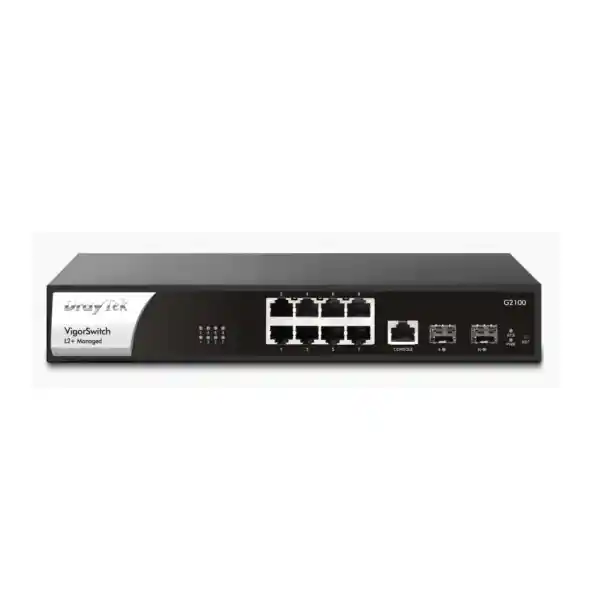
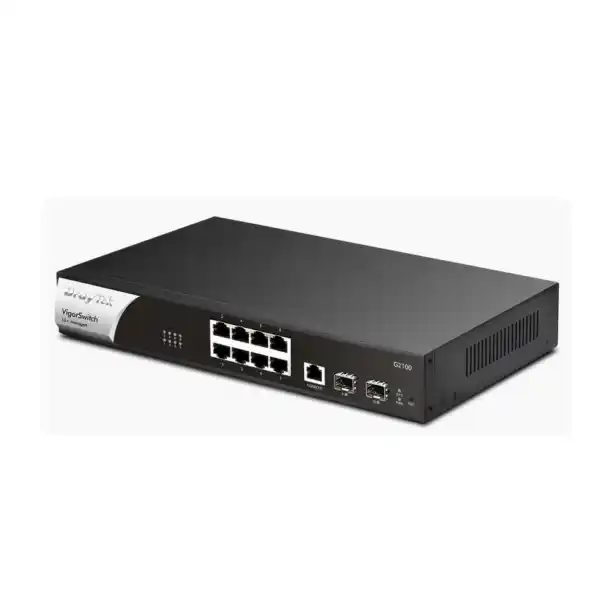
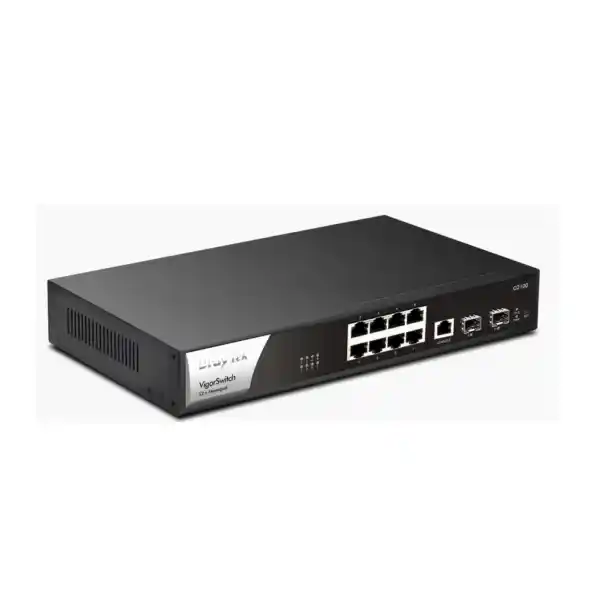
Physically, the design is straightforward: eight 10/100/1000Base-T Ethernet ports support standard copper access connections, while two 1000Mbps SFP slots provide optical or compatible copper-transceiver uplinks depending on the selected module and cabling plan. A console interface supports local administrative access. The switch offers a stated 20Gbps switching capacity, which aligns with the full-duplex aggregate bandwidth of ten 1Gbps data interfaces, and a forwarding rate of 14.88 million packets per second for 64-byte frames. A 4.1Mbit packet buffer, an 8K MAC address table and jumbo frame support up to 9KB make the platform suitable for normal business access switching, NAS connectivity, server edge connections and structured VLAN designs within its scale.
The G2100 is specifically the non-PoE member of the VigorSwitch 2100 family. It does not provide 802.3af, 802.3at or 802.3bt power output to connected devices. That distinction matters when planning access points, IP phones, cameras, door controllers or other powered endpoints. Those devices require their own power injectors, local power adapters, or a separate PoE switch. Where power delivery is not required, however, the absence of PoE can be an advantage: procurement is simpler, maximum switch power consumption is low, and the unit fits naturally into cabinets where endpoints already receive power from another source.
For UAE projects, the G2100 is especially relevant to small branch networks in Dubai, Abu Dhabi, Sharjah and the Northern Emirates where administrators want predictable Gigabit switching, fiber-ready uplinks, segmentation, secure admission controls, surveillance awareness and centralized visibility without deploying a much larger platform. FourTeck can position the device as part of a wider network design together with firewalling, structured LAN services, Wi-Fi and endpoint connectivity. For broader infrastructure planning, customers can also explore FourTeck UAE for integrated networking and security solutions.
Hardware architecture and port map
8 × Gigabit Ethernet
Ports 1–8 operate at 10/100/1000Mbps with auto-negotiation, making them suitable for desktop PCs, printers, servers, NVRs, wireless access points with independent power, VoIP systems with local power and general wired endpoints.
2 × 1G SFP
Ports 9–10 are Gigabit SFP slots. They can be used for fiber uplinks between floors, cabinets or buildings when paired with suitable transceivers and fiber type. They are 1G SFP, not 10G SFP+ interfaces.
RJ-45 console
A dedicated console connection gives engineers a local administration path for commissioning, troubleshooting and recovery workflows where direct management access is preferred.
1U rack format
The chassis is 270 × 181 × 44mm and rack-mountable in a 1U space with the appropriate brackets. This compact depth is useful in wall cabinets and smaller branch racks.
From a capacity perspective, the 20Gbps switching fabric is correctly matched to the physical interfaces. Each of the ten Gigabit data ports can send and receive simultaneously, and the stated switching capacity reflects that full-duplex aggregate. In real deployments, observed throughput depends on frame size, traffic patterns, enabled functions, congestion and endpoint behavior, but the architecture is designed for wire-speed access switching within the intended scale. The published 14.88Mpps forwarding rate at 64-byte packet size is also consistent with ten Gigabit interfaces operating at the Ethernet minimum-frame forwarding rate.
The 8K MAC address table is ample for branch and small-office use. MAC table size determines how many source addresses the switch can learn before it must rely more frequently on flooding behavior for unknown unicast destinations. A typical office with dozens or a few hundred clients will operate well below this limit, leaving substantial headroom for virtual machines, IP devices, phones, cameras and transient devices. The 4.1Mbit buffer is intended for short bursts and contention events rather than sustained oversubscription. When multiple access ports simultaneously push traffic toward a single 1Gbps uplink, queueing can occur; correct network sizing therefore matters more than headline port counts.
Jumbo frame support up to 9KB can be useful in controlled storage, backup or server segments where every endpoint along the path uses a consistent MTU. Administrators should avoid enabling larger frame sizes indiscriminately. A mismatched MTU can produce difficult-to-diagnose symptoms such as partial connectivity, stalled application sessions or poor performance. In a mixed business LAN, 1500-byte Ethernet frames remain the safest default unless there is a defined application requirement and a complete end-to-end validation plan.
Power input is universal AC 100–240V, and maximum power consumption is rated at approximately 18W. That relatively modest electrical requirement can simplify UPS sizing. For a branch cabinet, an engineer can calculate total UPS load by adding the switch, firewall, ISP equipment, NAS and other local electronics, then applying the desired runtime and growth margin. Because the G2100 does not power downstream devices, camera or wireless access point power consumption does not draw from the switch itself and must be included separately in the electrical design.
Layer 2 control: VLANs, trunks, loops and aggregated links
The biggest operational reason to choose a managed switch like the VigorSwitch G2100 is controlled segmentation. Instead of placing every endpoint into one broadcast domain, the switch can separate departments, device types and trust levels using IEEE 802.1Q VLAN tagging. A common branch design might allocate one VLAN to corporate workstations, one to guest wireless traffic, one to IP surveillance, one to voice devices, one to building systems and one to network management. Trunk links can carry multiple tagged VLANs toward a firewall, router, another switch or a virtualization host, while access ports present an untagged network to ordinary endpoints.
The platform supports tag-based VLANs along with MAC-based and protocol-based VLAN mechanisms, management VLAN functionality, Voice VLAN and Surveillance VLAN. These options let an administrator automate or simplify traffic separation when the environment has predictable endpoint types. Voice and surveillance awareness can reduce manual port-by-port administration, but deployment teams should still document the chosen VLAN IDs, gateway addresses, DHCP scopes, uplink tagging and policy boundaries. Automatic classification should complement a deterministic design rather than replace it.
Published DrayTek materials have listed different maximum VLAN counts depending on document and firmware generation, with regional datasheets showing 256 and the current global product table showing higher capability. For production procurement, the practical approach is to validate the required VLAN scale against the exact firmware build planned for deployment. Most branch networks need far fewer VLANs than either figure, so the important consideration is not the theoretical maximum but whether the design cleanly maps users, devices, applications and management traffic into enforceable security zones.
GVRP support can help distribute VLAN registration information dynamically, while basic QinQ functionality provides service-provider-style VLAN stacking for selected scenarios. QinQ can preserve a customer VLAN tag inside an outer service tag, which is useful when transporting segregated Ethernet services across an intermediate network. For typical SMB deployments this feature may never be used, but its presence gives system integrators more flexibility when the switch participates in metro-Ethernet or multi-tenant access designs.
Loop prevention is handled through familiar spanning-tree standards: IEEE 802.1D STP, 802.1w RSTP and 802.1s MSTP. RSTP improves convergence compared with legacy STP, while MSTP lets multiple VLANs be mapped into spanning-tree instances so different logical paths can be used across redundant topologies. These protocols are essential when switches are connected with redundant links. Without a loop-prevention mechanism, a Layer 2 loop can multiply broadcast and unknown-unicast traffic until network service collapses. Correct root bridge selection, path-cost planning and edge-port configuration are therefore core commissioning tasks.
The G2100 also supports static and LACP link aggregation. Up to four aggregation groups can be configured, with up to eight member interfaces per group subject to the available physical ports and topology. Link aggregation combines multiple physical links into one logical bundle for redundancy and additional aggregate capacity. It does not make a single ordinary traffic flow exceed the speed of one member link; a hashing algorithm distributes different flows according to available criteria. In this model, an engineer might use two copper ports as an LACP uplink to a compatible server or another switch, leaving the SFP interfaces for redundant fiber paths, or aggregate links in other layouts that suit the site.
Traffic engineering should account for oversubscription. Eight 1Gbps access devices can theoretically generate more traffic than one 1Gbps uplink can carry. If a site routinely performs large backups, media transfers or east-west server traffic, the uplink architecture should be selected with those workloads in mind. The G2100 is best suited to environments whose sustained aggregate traffic fits comfortably within Gigabit uplinks. Sites that require multi-gigabit or 10Gbps uplink capacity should select a higher-tier switch rather than expecting VLAN configuration or link aggregation alone to eliminate every bottleneck.
Layer 3 functions and local VLAN routing
Layer 2+ switching becomes valuable when a branch network contains multiple VLANs that need to communicate locally. On a pure Layer 2 switch, devices in different VLANs must send traffic to an external router or firewall for inter-VLAN forwarding. That design is often desirable when every cross-zone connection needs deep security inspection, but it can be inefficient for trusted high-volume local flows. The G2100 includes static routing and VLAN routing so selected traffic can remain on the switching platform instead of traversing the WAN gateway.
A practical example is a branch with an application server VLAN and a staff workstation VLAN. If internal policy permits direct access, the switch can host VLAN interfaces and route between the subnets at local switching speed. The default route can still point toward the security gateway for internet-bound traffic. This architecture reduces unnecessary load on the router, but it changes the enforcement point: once inter-VLAN traffic is routed on the switch, firewall rules on an upstream gateway may no longer see that traffic. Network architects must therefore decide whether performance or centralized inspection has priority for each flow.
Static routes suit predictable branch topologies. They are simple, deterministic and easy to audit, but they do not automatically adapt to complex path changes. The G2100 is not positioned as a dynamic-routing core switch, so deployments requiring OSPF, BGP, VRFs or large routed campus architectures should use a platform designed for those functions. Within its scope, static routing can connect local subnets cleanly and support a default route toward the main gateway.
DrayTek documentation also lists DHCP server capability on the platform, with availability tied to firmware generation in some materials. This can be useful for a compact branch where a switch needs to provide addressing for one or more local VLANs, or as part of a carefully planned service topology. In many business networks, DHCP remains centralized on the firewall, server or dedicated IPAM service because that makes reservations, logging and address policy easier to manage. The switch-based option should therefore be treated as an architectural tool rather than a mandatory configuration.
The Layer 3 routing table is published as a shared resource in newer datasheets, with approximately 1.5K entries across prefix routes, static routes and ACL-related use. That scale is far above what an ordinary branch requires but reinforces the intended role: targeted local routing, not an internet-scale routing table. Engineers designing large rule sets should verify resource consumption and firmware behavior before committing to a complex configuration.
Security controls for access-layer hardening
A managed access switch is part of the security architecture, not merely a cable concentrator. The VigorSwitch G2100 supports multiple mechanisms that reduce the risk of unauthorized access, accidental address conflicts and local Layer 2 attacks. These include 802.1X and MAC-based authentication, RADIUS and TACACS+ integration, access control lists, DHCP Snooping, Dynamic ARP Inspection, IP Source Guard, storm control, denial-of-service defenses, port isolation and IP conflict prevention.
IEEE 802.1X provides port-based network access control. In a correctly designed environment, an endpoint or user authenticates before the access port transitions into the authorized state. A RADIUS server makes the admission decision, allowing organizations to tie network access to identity rather than trusting every connected cable. MAC authentication can support devices that do not implement an 802.1X supplicant, although MAC addresses are weaker identifiers because they can be observed and spoofed. For this reason, MAC-based admission should be combined with segmentation and least-privilege policy.
DHCP Snooping helps establish a trusted mapping between IP addresses, MAC addresses, VLANs and switch ports by monitoring DHCP exchanges. It can also distinguish trusted DHCP-server-facing ports from untrusted access ports, limiting the risk that a rogue DHCP server distributes malicious gateway or DNS information. Dynamic ARP Inspection can use validated bindings to reject suspicious ARP messages, reducing exposure to common man-in-the-middle techniques on local Ethernet segments. IP Source Guard further restricts traffic whose source addressing does not match expected bindings.
IP conflict detection and prevention is particularly useful in mixed administrative environments. Duplicate IP addresses can create intermittent failures that resemble cabling problems, application faults or unstable routing. The switch can monitor for conflicts and notify administrators, and DrayTek positions the prevention function as a way to block a misconfigured or malicious host responsible for a duplicate address. In a branch with printers, cameras, access-control equipment and statically addressed appliances, this can shorten troubleshooting time considerably.
Access control lists give administrators another layer of policy enforcement. Depending on the rule design, ACLs can match IP or MAC attributes and permit or deny specified traffic. ACLs should be documented carefully because switch-level filtering can otherwise become an invisible policy layer that complicates incident analysis. A good operational standard is to record each ACL purpose, owner, change ticket, source/destination scope and expected application dependency in the network documentation.
Storm control helps contain excessive broadcast, multicast or unknown-unicast traffic so one malfunctioning endpoint does not consume the entire broadcast domain. Loop protection complements spanning tree in environments where accidental patching can create loops. Together, these controls improve resilience against both human error and local traffic anomalies.
For security projects that include gateway policy, VPN, intrusion prevention or internet-edge protection, the access switch should be planned together with the firewall rather than in isolation. The FourTeck Firewall Dubai practice can help align VLAN boundaries, uplink tagging, gateway interfaces and security rules so that Layer 2 segmentation and Layer 3/7 enforcement support the same design intent.
QoS, voice handling and traffic prioritization
The G2100 provides eight QoS queues with scheduling options including strict priority and weighted round robin. Quality of Service becomes important when different applications compete for the same uplink. Real-time voice is sensitive to latency and jitter, while large backups, software updates and file transfers can tolerate delay. By classifying traffic and mapping it into appropriate queues, an administrator can protect critical application experience during congestion.
The switch understands common marking methods such as IEEE 802.1p Class of Service, DSCP and IP Precedence. In a well-managed network, endpoints or upstream systems apply markings according to an agreed policy, and the switch preserves or rewrites those markings as appropriate. QoS must be consistent from access layer to WAN edge; prioritizing a packet on one switch has limited value if the firewall or service provider ignores the class later in the path.
Voice VLAN and LLDP-MED support simplify IP telephony integration. LLDP-MED can advertise network policy to compatible phones, helping them discover voice VLAN and QoS parameters without extensive manual port configuration. This capability is useful even though the G2100 does not supply PoE. Phones connected to this model must receive electrical power from an adapter, injector or another arrangement, but their Ethernet traffic can still be classified, segmented and prioritized by the switch.
Rate limiting is available when an administrator needs to cap traffic on specific interfaces or classes. This is useful for guest access, test devices or equipment that should not consume an entire uplink. Rate limits should be chosen from real application requirements. Setting a low arbitrary cap may create user complaints and retransmissions; setting every port to the maximum removes the control’s purpose.
For branches using cloud voice, remote desktops, SD-WAN or critical SaaS applications, QoS should be treated as one part of a capacity plan. A congested 1Gbps internet circuit, oversubscribed SFP uplink or high-latency WAN cannot be fixed solely with switch queue settings. Monitoring and baseline measurements should establish whether the bottleneck is LAN contention, WAN bandwidth, server performance or application behavior before a QoS policy is tuned.
ONVIF surveillance awareness for camera networks
Surveillance is one of the G2100’s differentiating use cases. The switch can recognize ONVIF-compatible devices, present surveillance topology information and provide management visibility designed around IP camera environments. ONVIF is widely used for interoperability among IP surveillance devices, and native awareness at the switch can help an engineer identify which camera is connected to which port and how surveillance endpoints are arranged.
The surveillance topology view can be valuable when a site has cameras distributed across offices, corridors, entrances or retail areas. Instead of relying only on a generic MAC table, the switch can present device-oriented information that makes operational support more intuitive. DrayTek documentation also describes real-time video viewing and selected ONVIF device maintenance functions such as network settings, reboot and reset operations on compatible devices. Actual behavior depends on camera interoperability and firmware, so commissioning should include validation with the exact camera models deployed.
Recent DrayTek materials also describe ONVIF snapshot alert and monitoring functions intended to help administrators identify when a camera becomes unavailable. On the G2100, which is non-PoE, the switch cannot power-cycle a camera by removing and restoring PoE output because it has no PoE circuitry. Recovery behavior therefore depends on the endpoint and external powering method. If automated PoE power cycling is a core requirement, the PoE-capable P2100 or another PoE switch is the more appropriate hardware choice.
Surveillance VLAN functionality can isolate camera traffic from general user devices. A recommended design usually places cameras and NVR interfaces in dedicated subnets, restricts administrative access, and allows only required management and recording flows. Camera networks are often long-lived and contain embedded devices that receive firmware updates less frequently than PCs; segmentation reduces the blast radius if an endpoint is compromised.
Bandwidth sizing should account for camera count, resolution, codec, frame rate, scene complexity and recording mode. Eight cameras each averaging 8Mbps produce roughly 64Mbps of continuous traffic, while higher-resolution streams or multiple streams can raise that total. The G2100’s Gigabit ports provide ample raw capacity for many small surveillance deployments, but uplinks toward an NVR must be sized for the aggregate stream plus viewing, backup and management traffic. The switch’s 1G SFP interfaces can be useful when the NVR is located in another cabinet or building and fiber is preferred for distance or electrical isolation.
IPv6, multicast and modern network compatibility
The VigorSwitch G2100 supports IPv4 and IPv6-related features, including IPv6 ACL capabilities, MLD Snooping and IPv6 DNS resolver functionality according to DrayTek’s product information. IPv6 readiness matters even in organizations that still use private IPv4 addressing internally, because operating systems and applications may enable IPv6 by default. A switch that understands multicast listener behavior and can apply appropriate policy reduces the risk of treating IPv6 as an unmanaged side channel.
For IPv4 multicast, the switch supports IGMP Snooping and an IGMP Querier function. IGMP Snooping allows the switch to learn which ports have interested receivers for a multicast group instead of flooding the traffic to every interface in the VLAN. This can improve efficiency for IPTV, multicast video, discovery and specialized applications. The published platform supports hundreds of multicast groups, sufficient for its normal branch role.
MLD Snooping provides a comparable function for IPv6 multicast membership. Multicast design should still be application-led: administrators should identify which systems depend on multicast, where the querier resides, and whether filtering or throttling is required. Overly aggressive filtering can break service discovery, while uncontrolled multicast can waste bandwidth and CPU resources on endpoints that do not need the traffic.
The switch’s standards support includes IEEE 802.3 Ethernet, 802.3u Fast Ethernet, 802.3ab Gigabit Ethernet, 802.3x flow control, 802.1Q VLAN tagging, 802.1p CoS, 802.1D/802.1w/802.1s spanning tree variants, 802.3ad link aggregation, 802.1ad QinQ, 802.1X access control, 802.1AB LLDP and 802.3az Energy Efficient Ethernet. This standards-based foundation is important in multi-vendor networks because the switch can participate in familiar protocols rather than requiring a fully proprietary topology.
Local and centralized management
The G2100 supports conventional local management methods including HTTP, HTTPS, Telnet and SSH v2, together with configuration backup and restore functions. For production deployments, encrypted management through HTTPS or SSH should be preferred over clear-text protocols. Management interfaces should reside on a dedicated VLAN wherever practical, and access should be limited to trusted administrator subnets or jump hosts.
SNMP support includes v1, v2c and v3. SNMPv3 is preferred when authentication and privacy are required. Monitoring systems can use SNMP to collect interface counters, errors, link state, utilization and hardware status, allowing a branch switch to be integrated into broader network operations. RMON groups, logging, time synchronization and mail alerts provide additional operational telemetry. Correct NTP or SNTP time is particularly important because event timestamps are far more useful during troubleshooting when devices agree on the current time.
LLDP and LLDP-MED provide neighbor discovery. LLDP lets the switch identify directly connected network devices and advertise its own identity and capabilities. This can make cabling audits and topology diagrams easier to maintain. LLDP-MED extends the concept for media endpoints such as IP phones, supporting discovery of voice-oriented policy and location information in compatible environments.
One of DrayTek’s stronger ecosystem advantages is centralized switch management. Compatible Vigor routers can discover and manage VigorSwitch devices through DrayTek’s Switch Management functions, presenting a hierarchical topology and simplifying tasks such as VLAN provisioning, port status checks, configuration backup, reboot and monitoring. This is useful for small IT teams that want a single operational view at a site rather than logging into every switch individually.
VigorConnect provides local software-based management for supported DrayTek switches and access points, while VigorACS offers centralized remote management functions for larger distributed estates. Depending on software version and licensing, administrators can use these platforms for provisioning, monitoring, alarms, scheduled maintenance and reporting. Firmware compatibility should always be checked before building an operational process around a specific management function.
The product also supports multiple administrator accounts and privilege levels. Role separation is important when service desk staff need monitoring access while senior network engineers retain configuration privileges. Credentials should be unique, default passwords should be changed during commissioning, and centralized authentication should be used where available. Configuration backups should be captured before and after major changes so rollback remains possible.
Organizations that want the switch commissioned as part of a complete managed environment can combine hardware procurement with professional implementation through FourTeck IT Services UAE, covering site assessment, VLAN planning, switch configuration, migration, documentation and operational handover.
Performance planning and realistic sizing
Selecting a switch should start with traffic engineering rather than port count alone. The G2100 offers ten Gigabit data interfaces, but only eight are conventional RJ-45 access ports. The two SFP interfaces are commonly used for uplinks, leaving eight copper endpoints directly attached. If a site needs more than eight copper devices, designers can connect a downstream switch, but that introduces another oversubscription point and may reduce the simplicity that makes the G2100 attractive. For sites with fifteen or twenty wired endpoints, a 24-port managed switch may be a cleaner design.
The 20Gbps switching capacity is non-blocking relative to the ten Gigabit ports at full duplex, but congestion can still occur whenever many sources send toward one destination. An access layer can move frames internally at high speed while a single server, firewall or uplink remains limited to 1Gbps. Engineers should identify the expected north-south and east-west traffic patterns. Internet browsing tends to be bursty and often fits easily; centralized backups, video editing, virtualization storage and large local file copies can generate sustained traffic that merits faster uplinks than this switch provides.
Latency-sensitive workloads such as voice and interactive applications benefit from keeping utilization below saturation and using QoS where congestion cannot be avoided. A common operational target is to leave meaningful headroom on uplinks rather than plan for continuous 95–100 percent use. Monitoring should track five-minute and one-minute averages, but engineers should also review microburst symptoms, queue drops and interface errors because short congestion events may disappear inside long averaging windows.
Buffer memory can absorb transient bursts, but no finite switch buffer can compensate for sustained oversubscription. When traffic arrives at 4Gbps and exits at 1Gbps for an extended period, the queue eventually fills and packets are dropped. TCP may recover by reducing its send rate, while UDP real-time traffic may experience visible or audible loss. Good design reduces the frequency and duration of these events through adequate uplink bandwidth and well-defined application flows.
The SFP interfaces are suitable for fiber uplinks where cable distance, electrical interference or building-to-building connectivity makes copper undesirable. Transceiver selection must match fiber type and link budget. Multimode modules are common for shorter intra-building runs, while single-mode optics support longer distances. Both ends of the link must use compatible speed, wavelength, connector type and optical characteristics. The G2100 ports operate at 1Gbps, so installing a 10G SFP+ optic does not turn them into 10Gbps interfaces.
For storage workloads, 9KB jumbo frames can reduce per-packet processing overhead, but the practical benefit on a 1Gbps branch switch is workload-dependent. Jumbo frames should only be enabled where servers, NICs, hypervisors and every intermediate device share a compatible MTU. A mixed MTU design can be worse than leaving the network at the standard 1500-byte default.
A good sizing exercise therefore records endpoint count, expected growth, number of VLANs, uplink type, estimated peak throughput, multicast use, voice or video requirements, surveillance bitrate, local server traffic, security controls, availability targets and management integration. This produces a defensible selection rather than choosing a switch based only on the label “Gigabit.”
Typical UAE deployment scenarios
Branch office
Use separate VLANs for staff, guest Wi-Fi, voice, management and shared services, with a fiber or copper uplink toward the branch firewall. Local VLAN routing can be enabled selectively where east-west inspection is not required.
Retail location
Segment point-of-sale, back-office PCs, digital signage, guest wireless and surveillance traffic. ACLs and port isolation can reduce unnecessary communication between endpoint classes.
Surveillance edge
Connect independently powered cameras and use ONVIF visibility plus a dedicated surveillance VLAN. A 1G SFP uplink can carry aggregated camera traffic to an NVR in another rack.
Villa or smart property
Separate owner devices, automation systems, entertainment equipment, guest Wi-Fi and security systems. Fiber can link an outbuilding or remote cabinet where copper distance is unsuitable.
Professional services office
Provide controlled access for workstations, printers, NAS devices and voice endpoints while integrating RADIUS, 802.1X and SNMP monitoring for stronger IT governance.
Distributed enterprise edge
Deploy consistent VLAN and management templates across multiple compact branches, using compatible DrayTek centralized management tools to standardize configuration and monitoring.
In Dubai and Abu Dhabi, many branch networks are installed in compact wall cabinets rather than full-depth data-center racks. The G2100’s 270mm chassis depth can be helpful in these spaces, but installation planning should still consider cable bend radius, SFP clearance, ventilation and service access. The operating temperature range is rated from 0°C to 50°C, so the equipment should be installed in a conditioned indoor environment. A closed cabinet in an uncooled utility area can exceed safe temperatures during UAE summer conditions even if the room appears acceptable at other times of year.
UPS protection is recommended where branch uptime matters. A switch drawing up to around 18W has modest electrical requirements, but the complete network stack may include an ISP ONT, router, firewall, Wi-Fi controller, NVR and other devices. UPS runtime calculations should use the combined real load and battery aging margin. Surge protection and proper earthing are also important in professionally installed network cabinets.
For organizations with sites beyond the UAE, a consistent access-layer standard can simplify operations, although local power, support and procurement conditions should be checked for each country. FourTeck’s Africa network solutions portal provides a route for customers planning deployments across multiple regional markets.
G2100 versus P2100: avoid the most common procurement mistake
The DrayTek VigorSwitch G2100 and P2100 are closely related, but they should not be treated as interchangeable. Both offer eight Gigabit RJ-45 data ports, two 1G SFP interfaces, Layer 2+ switching, 20Gbps switching capacity and a broad feature set. The crucial difference is power delivery. The P2100 provides PoE/PoE+ on its eight copper access ports with a published 140W PoE budget, while the G2100 provides no PoE output.
Choose the G2100 when connected devices have their own power, when PoE injectors already exist, when the switch is primarily aggregating servers or non-PoE endpoints, or when a lower-power non-PoE access switch is the desired design. Choose a PoE model when the switch must directly power IP cameras, Wi-Fi access points, VoIP phones or other powered devices. This decision should be made before purchase because PoE cannot be added to a non-PoE switch through a firmware setting.
Even within a PoE design, power budget matters. A switch with eight powered ports does not necessarily have enough total wattage to drive eight high-consumption devices at their maximum simultaneously. Engineers add the maximum expected load of all endpoints, include startup behavior where relevant, and retain safety margin. With the G2100, this calculation moves outside the switch because endpoint power comes from other equipment.
Another frequent misunderstanding concerns the SFP ports. Both G2100 SFP slots are Gigabit interfaces. They are not 10G SFP+ ports, and the device is not a multi-gigabit access switch. If a project needs 2.5GbE access for Wi-Fi 6/6E/7 access points or 10Gbps aggregation for servers, a different DrayTek model should be selected. Correctly matching link speed to the application avoids replacing equipment soon after installation.
Configuration methodology for a clean deployment
A disciplined deployment process begins before the switch is mounted. Engineers should create a logical design showing VLAN IDs, subnet ranges, gateway locations, DHCP sources, trunk ports, access-port assignments, management address, DNS and time sources, RADIUS/TACACS+ servers and monitoring destinations. Each port should have a documented purpose so that later changes do not depend on visual cable tracing alone.
During staging, update firmware to a release approved for the organization, record the existing version and save a known-good baseline configuration. Set a unique device name that reflects site and rack location. Assign the management IP to the planned management VLAN, configure the default gateway if remote management is needed, synchronize time, create administrator accounts and disable unused clear-text management protocols where business requirements allow.
Next, configure VLANs and trunks. The uplink to the firewall or distribution switch should carry only the VLANs required at that site. Native or untagged VLAN behavior should be explicit to avoid mismatches between devices. Access ports should have a single intended VLAN unless voice or other special tagging is part of the design. Unused ports can be administratively disabled or placed in an isolated parking VLAN.
Spanning tree should be configured deliberately, especially if there is more than one path between switches. The intended root bridge must have a predictable priority. Edge ports connected to endpoints can use appropriate fast-convergence behavior, while inter-switch links remain fully participating. Loop-protection features can provide additional safeguards, but no protection replaces accurate patching and labeling.
Security features can then be introduced in stages. DHCP Snooping requires correct trust configuration on the server or uplink ports. Dynamic ARP Inspection and IP Source Guard depend on accurate bindings, so they should not be enabled blindly on a production VLAN without testing. 802.1X projects require coordination among switch, authentication server, endpoint supplicant and fallback policy. A phased pilot avoids accidentally disconnecting critical printers, phones or embedded devices.
QoS configuration should reflect the real marking policy. If phones use DSCP EF for voice, for example, verify that the switch recognizes and preserves the chosen markings and that the WAN edge applies a compatible queueing policy. Avoid classifying every business application as “high priority”; if every queue receives priority treatment, the distinction loses meaning.
Monitoring should be enabled before handover. Configure SNMPv3 where supported by the monitoring platform, syslog destinations, mail alerts if appropriate, and interface descriptions. Establish a baseline of normal utilization and error counters. This makes future incidents easier to diagnose because support staff can compare current behavior with a known healthy state.
Finally, export the production configuration, update the network diagram, record SFP part numbers and fiber paths, document port assignments and capture the device serial information in the asset register. A well-documented eight-port switch can be easier to support than an undocumented 48-port switch, and the quality of the handover often has more long-term operational value than any individual feature.
Technical specification summary
| Category | DrayTek VigorSwitch G2100 |
|---|---|
| Switch type | Layer 2+ managed Gigabit Ethernet switch |
| Copper ports | 8 × 10/100/1000Base-T RJ-45 |
| Fiber interfaces | 2 × 1Gbps SFP |
| Console | 1 × RJ-45 console |
| Switching capacity | 20 Gbps |
| Forwarding rate | 14.88 Mpps at 64-byte frames |
| Packet buffer | 4.1 Mbit |
| MAC table | 8K entries |
| Jumbo frames | Up to 9KB |
| VLAN | 802.1Q tag-based, MAC-based, protocol-based, management, voice and surveillance VLAN functions; published maximum varies by firmware/document |
| Layer 3+ | Static routing, VLAN routing and DHCP server support dependent on firmware |
| Spanning tree | STP, RSTP and MSTP |
| Link aggregation | Static and LACP; up to 4 groups, up to 8 members per group subject to physical-port availability |
| Multicast | IGMP Snooping/Querier, MLD Snooping, multicast filtering and throttling features |
| QoS | 8 queues, SPQ/WRR, CoS, DSCP, IP Precedence and rate limiting |
| Security | 802.1X/MAC authentication, RADIUS/TACACS+, ACL, DHCP Snooping, DAI, IP Source Guard, IP conflict prevention, storm control and loop protection |
| Surveillance | ONVIF discovery, topology, video-view and device-management functions on compatible devices |
| PoE | No PoE output on G2100 |
| Management | Web GUI, CLI access, SNMP, RMON, LLDP/LLDP-MED, Vigor Router SWM, VigorConnect and VigorACS support depending on firmware |
| Power | AC 100–240V @ 0.7A; maximum consumption approximately 18W |
| Dimensions | 270 × 181 × 44mm |
| Weight | Approximately 1.78kg |
| Operating environment | 0°C to 50°C, 10–90% non-condensing humidity |
Specifications can vary with firmware, region and product revision. Confirm exact firmware support and transceiver compatibility before final deployment.
Why fiber uplinks matter in branch networks
Copper Ethernet is convenient inside a room or floor, but fiber solves several problems that appear in larger properties and distributed buildings. Standard twisted-pair Ethernet has a practical channel limit around 100 meters. Fiber supports much longer distances, depending on optic and cable type, and is not affected by electromagnetic interference in the same way as copper. It also provides electrical isolation between endpoints, which can be useful when connecting separate buildings or areas with different grounding conditions.
The G2100’s two SFP slots let an installer create a fiber uplink and retain another optical interface for redundancy, a secondary switch, an NVR, or a different distribution path. In a simple topology, port 9 could connect to the primary distribution switch while port 10 remains available for expansion. In a redundant topology, both links can participate in spanning tree or, when terminating on a compatible logical peer, an aggregation design. The exact architecture depends on what is connected at the far end.
Transceiver choice must be engineered rather than improvised. A 1000BASE-SX module is typically used with multimode fiber for shorter distances, while 1000BASE-LX or vendor-supported alternatives may be used with single-mode fiber for longer runs. Connector style, usually LC on modern SFP optics, must match patch cords and panel adapters. Optical receive power should remain within the transceiver’s supported range; excessive loss from dirty connectors, poor splices or long runs can cause intermittent links even when LEDs appear normal.
Fiber cleaning is an operational discipline. Dust on an LC connector can produce attenuation and reflection issues that create packet errors or prevent link establishment. Installers should inspect and clean connectors using appropriate fiber tools and avoid touching ferrule ends. Patch leads should respect bend radius and should not be crushed by rack doors.
Because the ports are Gigabit SFP rather than SFP+, the optical link remains 1Gbps regardless of whether a faster transceiver physically fits. Compatibility should be checked against DrayTek’s supported module guidance. When a branch is expected to grow beyond 1Gbps aggregate uplink demand, it is usually better to choose a switch with native 10G SFP+ uplinks during the initial project rather than plan an immediate replacement.
Operations, troubleshooting and lifecycle management
Day-two operations determine whether a managed switch delivers long-term value. The first troubleshooting question is often physical: is the port up, at what speed, and are errors increasing? A cable fault may cause a link to negotiate at 100Mbps instead of 1Gbps or generate CRC errors. Interface statistics should be checked before assuming the firewall or application is at fault. Replacing a suspect patch lead with a known-good cable is a fast diagnostic step.
When a device cannot communicate, verify VLAN membership and tagging. An endpoint on an access port expects untagged traffic unless it is explicitly VLAN-aware. A trunk mismatch can place frames into the wrong VLAN or drop them completely. Engineers should compare both ends of every inter-switch or switch-to-firewall link rather than inspecting only one configuration.
If DHCP fails, confirm that the client VLAN reaches the intended DHCP server and that DHCP Snooping trust settings are correct. A security feature designed to block rogue servers can also block the legitimate server if the uplink is misclassified. If ARP or IP Source Guard is enabled, validate the binding table. Security controls should produce logs that explain why traffic was rejected; retaining those logs is far more efficient than disabling features randomly during an incident.
For performance complaints, compare ingress and egress rates. A saturated uplink with low access-port utilization suggests aggregation congestion. High discard counters point toward queue pressure. Duplex mismatches are less common with modern auto-negotiation but can still occur with unusual equipment or forced settings. CPU and management responsiveness should also be observed if the switch is processing large control-plane event volumes.
Multicast complaints require checking snooping state, querier presence and group memberships. Voice issues require validating latency, jitter, packet loss, VLAN assignment and end-to-end QoS treatment. Surveillance problems require checking camera bitrate, uplink utilization, ONVIF discovery and NVR health. The managed feature set provides the visibility to investigate these conditions instead of treating the LAN as a black box.
Firmware should be managed through a controlled lifecycle. Read release notes, back up configuration, schedule a maintenance window and confirm rollback options. Avoid upgrading every device the moment a new release appears unless it addresses a relevant security or stability issue. Conversely, leaving network infrastructure on very old firmware indefinitely can create security and compatibility risk. A quarterly or semiannual review cadence is common for branch infrastructure, with urgent fixes handled faster.
Asset records should include model, serial number, location, management IP, firmware version, support entitlement, purchase date and replacement planning. Compact switches are inexpensive relative to network downtime, so organizations with many branches may keep a spare unit pre-staged with a standard template. This can reduce restoration time if hardware fails.
Procurement considerations for UAE organizations
A switch quote should describe more than the chassis. The project team should confirm whether SFP modules are required, what fiber type is installed, whether rack mounting accessories are included, what power cable standard is supplied, and whether professional configuration is part of the scope. If the switch replaces an existing device, migration planning should include current VLANs, uplink configuration, port descriptions, security controls and maintenance window requirements.
For a new site, structured cabling readiness matters. Copper runs should be certified for Gigabit Ethernet, patch panels should be labeled, and fiber cores should be tested. A managed switch cannot compensate for damaged cabling or poor termination quality. Documentation from the cabling contractor should become part of the network handover pack.
Organizations should also decide whether they need spare hardware. A single branch may accept next-business-day replacement, while a retail chain or critical operational site may require an on-site spare. The low power and compact size of the G2100 make spare storage straightforward. A spare can be preloaded with baseline firmware and a template, although site-specific addressing and uplink details must be handled carefully.
Warranty and support terms can differ by reseller and region. Buyers should verify the offered warranty, return process and availability of technical assistance rather than relying on assumptions from another market. They should also confirm the exact hardware revision delivered if a deployment depends on a particular firmware capability.
Transceivers deserve separate attention. Low-cost third-party optics may work, but vendor compatibility and supportability should be considered. For a business-critical link, a supported optic reduces ambiguity during troubleshooting. If third-party optics are standardized, record vendor, part number, wavelength and tested compatibility so replacements can be sourced consistently.
FourTeck can supply the switch within a broader network scope, including firewall integration, VLAN design, migration planning, optical uplinks and monitoring. For corporate profiles, additional product categories and regional capabilities, visit FourTeck Global.
Frequently asked technical questions
Does the G2100 provide PoE?
No. The VigorSwitch G2100 is the non-PoE model. It passes Ethernet data but does not provide electrical power to access points, IP cameras, phones or other powered devices.
How many Gigabit ports are available?
There are eight 10/100/1000Base-T RJ-45 ports and two 1Gbps SFP slots, giving ten Gigabit data interfaces in total.
Are the SFP ports 10 Gigabit?
No. They are 1Gbps SFP interfaces. Projects that require 10Gbps aggregation should use a model equipped with SFP+ ports.
Can the switch route between VLANs?
Yes. The Layer 2+ feature set includes VLAN routing and static routing. Engineers should decide whether local routing or firewall-based inter-VLAN inspection is more appropriate for each traffic flow.
Can it be centrally managed?
Yes. DrayTek supports management through compatible Vigor Router switch-management functions, VigorConnect and VigorACS, with exact feature availability depending on firmware and platform versions.
Does it support 802.1X?
Yes. 802.1X port access control and RADIUS integration are available, along with MAC authentication options for endpoint classes that do not run an 802.1X supplicant.
Is it suitable for IP cameras?
Yes for data switching and ONVIF-oriented visibility, provided cameras have an independent power source. If the switch itself must power the cameras, use a PoE model instead.
Can it fit in a rack?
Yes. The chassis is 1U high and DrayTek lists rack mounting for the G2100. Its approximately 181mm depth is compact for many branch cabinets.
Does it support link aggregation?
Yes. Static aggregation and IEEE 802.3ad LACP are supported. Aggregation improves redundancy and aggregate throughput across multiple flows but does not make a single normal flow exceed one member link’s speed.
What is the maximum power draw?
Published specifications list approximately 18W maximum consumption for the switch itself. Endpoint power is separate because the G2100 has no PoE budget.
Decision recap: when the VigorSwitch G2100 is the right fit
Strong fit
Choose the G2100 when the site needs up to eight copper Gigabit access ports, one or two 1G fiber uplinks, managed VLANs, Layer 2 security, static/VLAN routing, QoS, ONVIF-aware surveillance features and centralized DrayTek management.
It is particularly attractive for compact branches and small equipment rooms where endpoints do not require switch-delivered power and where 1Gbps uplinks provide sufficient capacity.
Consider another model
Select a different platform if you need PoE/PoE+ output, more than eight copper access ports, 2.5GbE access, 10Gbps SFP+ uplinks, dynamic enterprise routing, hardware stacking or much higher sustained aggregate throughput.
Those are architecture limits, not configuration issues, so identifying them before purchase prevents unnecessary replacement cost later.
The G2100 works best when used deliberately. It is not a “small switch that does everything,” nor does it need to be. Its value comes from combining the right capabilities for a modest access layer: full Gigabit connectivity, optical uplink flexibility, practical Layer 3 functions, VLAN and QoS control, useful security features and mature management options. A well-sized G2100 can deliver a clean, supportable branch design without introducing the cost and operational complexity of a larger switching platform.
Before purchasing, validate three points first: whether any attached device needs PoE, whether 1Gbps uplinks are sufficient for the next several years, and whether eight copper access ports provide enough capacity after growth. If all three answers align with the G2100, the rest of its feature set gives administrators substantial control over segmentation, resiliency and operations.
Quotation input checklist
To prepare an accurate UAE quotation and avoid missing optics, cabling or implementation tasks, provide the following project information. A complete input set allows the hardware and services scope to be matched to the real network requirement rather than quoting only a switch chassis.
Number of locations, number of G2100 units per site and whether spare units are required.
Current wired-device count, expected growth and any devices that require PoE.
Multimode or single-mode fiber, approximate distance, connector type and required SFP quantity.
VLAN IDs, subnet ranges, gateway location, DHCP source and required trunk links.
Firewall model, 802.1X/RADIUS needs, ACL requirements and management-network policy.
Camera count, average bitrate, NVR location, ONVIF compatibility and power method.
Need for Vigor Router management, VigorConnect, VigorACS, SNMP, syslog or email alerts.
Whether the scope includes configuration, migration, rack installation, testing, documentation and handover.
Plan the switch, uplinks and VLAN design as one system
A reliable branch LAN is created by matching switch capacity, fiber optics, security segmentation, firewall interfaces, endpoint power and operational management. FourTeck can review the intended topology, confirm whether the non-PoE G2100 is the appropriate model, specify compatible uplink requirements, and prepare a deployment scope for UAE projects. Share your endpoint count, PoE needs, fiber distances, VLAN requirements and existing firewall details to receive a properly engineered quotation rather than a chassis-only estimate.

Reviews
There are no reviews yet.