
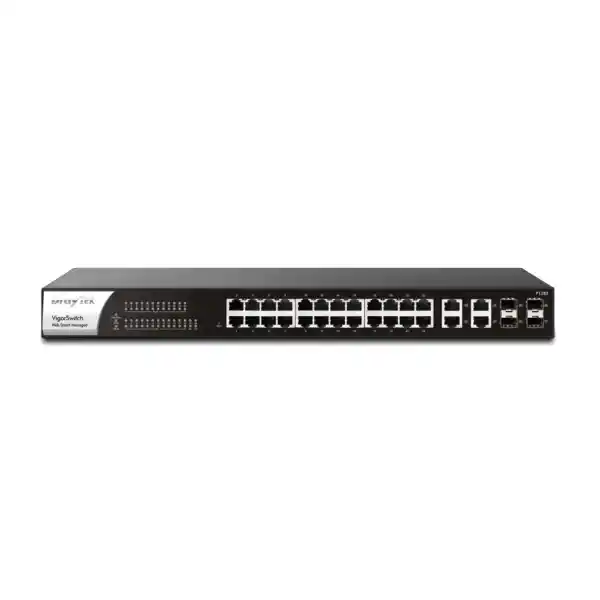
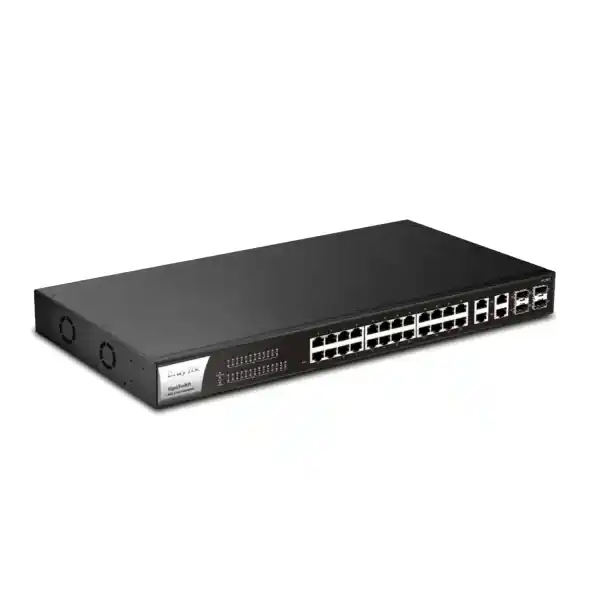
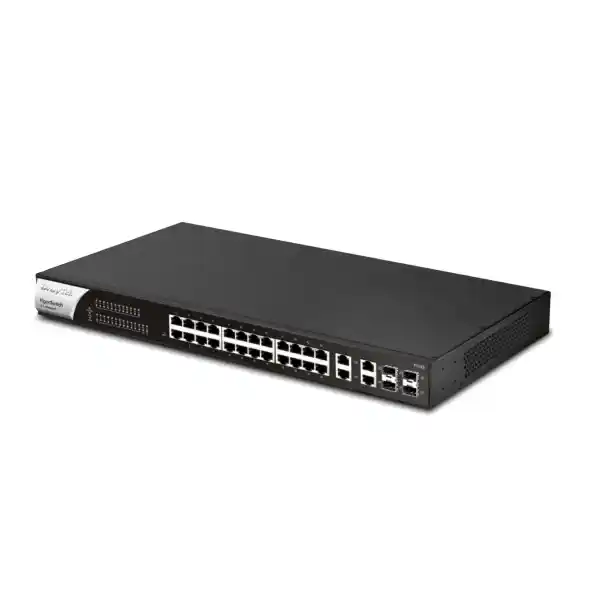
DrayTek VigorSwitch P1282
A 24-port Gigabit PoE/PoE+ Web Smart switch with four Gigabit RJ45/SFP combo uplinks, a 400-watt PoE budget and practical Layer 2 controls for cameras, access points, IP phones and business edge networks.
Choose the VigorSwitch P1282 when a site needs up to 24 Gigabit powered endpoints, standard 802.3af/at PoE, sensible VLAN and QoS controls, ONVIF-oriented surveillance tools and up to four flexible 1GbE copper-or-fiber uplink positions without moving to a more complex Layer 3 access switch.
What the DrayTek VigorSwitch P1282 is designed to do
The DrayTek VigorSwitch P1282 is a Web Smart Layer 2 Ethernet switch aimed at organisations that need high PoE density and useful network control without the operational weight of a feature-heavy campus core platform. Its main value is the combination of 24 Gigabit Ethernet access ports, PoE and PoE+ power delivery on all 24 access ports, four flexible Gigabit RJ45/SFP combo ports, and a substantial 400-watt shared PoE budget. That makes the platform particularly relevant to small and medium offices, retail branches, hospitality back-office networks, clinics, schools, warehouses, villas with structured low-voltage systems, surveillance installations and distributed workspaces where endpoints need both connectivity and power from the access switch.
The switch belongs in the access layer rather than the routed core. It forwards Ethernet frames, supports 802.1Q VLAN segmentation, link aggregation, spanning-tree protection, multicast controls, quality of service and a set of operational safeguards. It is not presented as a Layer 3 routing switch, and buyers should not plan around static routing, inter-VLAN routing or an integrated DHCP server on this model. In a typical UAE deployment, those functions remain on a firewall, security gateway, router or Layer 3 distribution device, while the P1282 handles endpoint connectivity, PoE delivery and Layer 2 segmentation.
For IT teams comparing it with unmanaged PoE hardware, the advantage is visibility and policy. The web interface exposes port status, configuration, VLAN membership, PoE scheduling and monitoring functions that are unavailable on a simple plug-and-play switch. DrayTek also adds features that are unusually practical for camera-heavy and branch environments, including IP conflict detection and prevention, ONVIF surveillance topology functions, ping-based device checking and PoE recovery behavior. The result is a switch that can reduce common operational friction such as unreachable cameras, accidental duplicate IP addresses, forgotten port assignments and unnecessary truck rolls to power-cycle powered devices.
For procurement in Dubai, the P1282 is best assessed as a complete access-layer component rather than a port-count purchase. Cable distance, PoE load, uplink design, VLAN plan, UPS sizing, cabinet ventilation, SFP optics, endpoint class and future growth should all be confirmed before a quotation is finalized. FourTeck can align the switch with the broader UAE network, security and structured-cabling design through FourTeck UAE and related implementation services.
Hardware architecture and port map
Ports 1–24: powered Gigabit access
Ports 1 through 24 are standard 10/100/1000BASE-T RJ45 Ethernet interfaces and are the primary endpoint ports. They can carry ordinary Gigabit Ethernet traffic and supply standards-based PoE to compatible devices. Because each access interface can negotiate Ethernet speed independently, the switch can support a mixed estate of legacy 100 Mbps appliances and modern Gigabit endpoints while keeping the uplink architecture consistent.
These are the ports normally assigned to IP cameras, wireless access points, IP phones, door controllers, intercoms, thin clients and other edge devices. The fact that all 24 access positions are PoE-capable gives designers freedom to redistribute powered equipment later without discovering that only certain sockets support power.
Ports 25–28: copper or SFP combo uplinks
The four uplink positions are Gigabit combo interfaces. A combo port provides an RJ45 copper option and an SFP fiber option that represent the same logical interface; it is not two simultaneously usable ports. This detail matters when calculating total active port count. The switch therefore offers 28 logical Gigabit positions in total, not 32 simultaneous interfaces.
The combo design is useful in Dubai buildings where one uplink may run over ordinary Category 6 copper inside a communications room while another needs fiber to reach a distant floor, guard house, warehouse section or secondary cabinet. Optic type and fiber class must match the installed plant, connector format and required distance.
DrayTek publishes a switching capacity of 56 Gbps and a 64-byte forwarding rate of 41.7 Mpps for the P1282. Those figures are consistent with a 28-port Gigabit forwarding design sized to carry full-duplex traffic across the logical ports under appropriate conditions. The vendor also specifies a 4.2 Mbit packet buffer and support for jumbo frames up to 9 KB. The exact switching-silicon model is not publicly identified in the standard product specification, so a responsible design should use the published functional and performance limits rather than inventing an ASIC model or promising undocumented silicon behavior.
PoE engineering: 400 watts is a shared budget, not 400 watts per port
The VigorSwitch P1282 supports IEEE 802.3af PoE and IEEE 802.3at PoE+ across its 24 access ports. A compliant 802.3af powered device can request up to the standard PoE class envelope, while an 802.3at device can request a higher amount suitable for more demanding access points, PTZ cameras and other equipment. The most important sizing number is the shared 400-watt PoE budget. That budget is allocated across the switch, so the design must account for the sum of endpoint requirements rather than assuming every port can draw its maximum theoretical value at the same time indefinitely.
A simple design example shows why this matters. Twelve fixed cameras averaging 9 watts each consume roughly 108 watts. Six access points averaging 16 watts use another 96 watts. Four IP phones at 6 watts add 24 watts. The approximate steady load becomes 228 watts, leaving healthy headroom within the 400-watt system budget for start-up transients, camera heaters or infrared illuminators, future devices and normal variation. By contrast, a project that expects 24 high-power endpoints each close to 25 watts would exceed the switch budget even though every access port is individually PoE+ capable. The solution would be to redistribute powered devices, add another PoE switch, reduce endpoint draw or select a platform with a larger power budget.
PoE planning should use endpoint maximum input requirements rather than only observed idle consumption. Wireless access points can increase draw when more radios, USB peripherals or higher transmit power are active. PTZ cameras can spike while motors, heaters or infrared LEDs operate. Door-control devices may energize locks or auxiliary equipment. Conservative budgeting avoids nuisance power denials when the network is busiest or when environmental conditions change.
The P1282 also supports PoE scheduling. In a branch environment, scheduling can power selected devices down outside business hours where operationally appropriate, then restore them automatically. The feature can reduce energy consumption and can also enforce operating policies for noncritical equipment. It should not be applied blindly to security cameras, emergency phones, access-control infrastructure, alarms or any endpoint that must remain available continuously.
For resilience, include the switch itself in UPS planning. DrayTek specifies AC input of 100–240 V at 6.5 A and a maximum switch power consumption of approximately 460.3 watts. UPS sizing should account for the switch’s own load, the connected PoE endpoints, desired runtime, battery aging and any additional rack equipment. In UAE communications rooms, cooling and ventilation also need attention because a heavily loaded PoE switch converts a meaningful amount of electrical power into heat inside the cabinet.
VLAN segmentation for business, voice and surveillance traffic
The VigorSwitch P1282 supports up to 512 VLANs and provides several VLAN assignment methods, including 802.1Q tag-based VLAN, MAC-based VLAN, protocol-based VLAN, a management VLAN, a voice VLAN and a surveillance VLAN. In practical network design, these controls allow the access layer to separate different trust zones even when all endpoints share one physical switch. An office can keep corporate workstations, guest Wi-Fi, IP phones, cameras, building-management devices and switch administration in distinct broadcast domains while using one physical cabling and switching platform.
An 802.1Q tagged uplink normally carries multiple VLANs toward a firewall or routed distribution device. Access ports are then assigned to the required untagged VLAN for ordinary endpoints, while trunk-style ports can carry tagged VLANs to compatible access points, downstream switches or virtualization hosts. Because the P1282 does not provide general Layer 3 routing, inter-VLAN communication should be enforced upstream. That is often desirable because it lets a firewall apply rules such as allowing a camera VLAN to reach only the NVR and DNS services, or allowing guest Wi-Fi to reach the internet without reaching internal servers.
Voice VLAN support is useful in unified-communications networks where IP phones need predictable segmentation and traffic prioritization. Surveillance VLAN functions similarly help camera estates remain logically distinct from office users. These conveniences do not remove the need for deliberate port policy: installers should still document native VLANs, allowed tags, uplink roles and expected endpoint behavior. Incorrect native VLAN configuration can produce connectivity that appears intermittent even though the physical link remains healthy.
For security-focused networks, pair access-switch segmentation with a properly configured gateway. FourTeck’s Firewall Dubai practice can align VLAN boundaries with firewall zones, access policies, DHCP scopes and WAN security so that Layer 2 segmentation on the P1282 corresponds to enforceable routing policy rather than becoming a cosmetic VLAN plan.
Spanning Tree, loop protection and link aggregation
Ethernet loops can disable an otherwise healthy office network very quickly. The P1282 supports classic IEEE 802.1D Spanning Tree Protocol and IEEE 802.1w Rapid Spanning Tree Protocol, along with loop protection. RSTP is generally the more useful option for contemporary access networks because it can reconverge more quickly when a redundant path changes state. The design objective is not merely to turn RSTP on, but to establish a predictable topology with an intentional root bridge, appropriate path costs and documented uplinks.
A common small-building topology uses two uplinks from an access switch toward redundant upstream devices. Without aggregation or spanning tree, parallel Layer 2 paths can form a forwarding loop. If the upstream design supports LACP and both physical links terminate on the same logical switching system, link aggregation can combine links for redundancy and additional aggregate bandwidth. If the paths terminate on separate devices that do not operate as one logical peer, spanning tree is normally required instead. The architecture should be selected before cables are connected so that redundancy does not become instability.
The switch supports up to eight link-aggregation groups, with up to eight members per group, using static aggregation or LACP. LACP allows compatible peers to negotiate membership and can make cabling errors easier to detect than a purely static bundle. Aggregation increases total capacity across multiple flows but does not normally make a single ordinary Ethernet session exceed the speed of one member link because the switch hashes flows across bundle members.
For branch networks, a two-link LACP uplink can be valuable when many cameras, access points and workstations share the same upstream path. Designers should still remember that each combo uplink position is 1 Gigabit. A heavily utilized surveillance system with dozens of high-bitrate cameras, local NVR traffic and concurrent office traffic may require careful traffic measurement or a higher-performance switch model with 10GbE uplinks.
Quality of Service for voice, video and business applications
Eight queues
The switch provides eight QoS queues, giving administrators multiple priority levels for differentiating delay-sensitive and best-effort traffic.
SPQ and WRR
Strict Priority Queuing and Weighted Round Robin provide different scheduling behaviors for traffic that must be served first versus traffic that should receive a weighted share.
CoS and DSCP
Classification options include 802.1p CoS, DSCP, CoS-to-DSCP mapping and IP precedence, helping the access layer preserve an intentional end-to-end policy.
QoS is most effective when it solves a measured contention problem and when markings are trusted only from appropriate sources. A phone may legitimately mark RTP voice packets for expedited handling, while a general client PC should not necessarily be allowed to elevate arbitrary traffic. On the P1282, administrators can use class-of-service mechanisms and rate limiting to keep a busy endpoint or broadcast-heavy segment from dominating shared resources.
In a converged UAE office, a reasonable policy might prioritize voice RTP, preserve signaling traffic, provide predictable treatment for interactive business applications and leave bulk backups at normal or lower priority. Camera streams can require substantial bandwidth but are often tolerant of slightly more latency than live voice. The correct policy depends on topology, uplink utilization and application requirements. Excessive strict-priority traffic can starve lower-priority queues, so strict priority should be reserved for traffic with a genuine latency requirement.
QoS cannot create bandwidth. If a 1GbE uplink is continuously saturated by legitimate traffic, classification decides who waits; it does not turn the link into a 10GbE path. Capacity planning should therefore come before queue tuning. Measure peak traffic, NVR recording load, Wi-Fi backhaul demand and server flows, then use QoS to protect sensitive traffic within the available capacity.
ONVIF surveillance functions: why this switch is especially relevant to CCTV networks
One of the more distinctive capabilities of the VigorSwitch P1282 is its ONVIF-oriented surveillance feature set. The switch can discover compatible ONVIF devices, present surveillance topology information, expose camera viewing functions and provide basic maintenance actions for compatible devices. This gives a network administrator a device-centric view of the camera estate rather than only a list of Ethernet MAC addresses and port counters.
In a conventional switch, identifying a failed camera may involve checking the NVR, matching an IP address to a MAC address, mapping that MAC to a switch port and then asking someone on site to power-cycle the camera. The P1282 can shorten that workflow by associating supported ONVIF camera information with the connected network and by allowing power-cycle recovery through PoE. The value is operational: the physical switch becomes an active troubleshooting point for the surveillance system instead of a passive transport layer.
DrayTek also documents ONVIF snapshot alert behavior. When a monitored camera becomes unavailable, an alert can include the latest available snapshot to help operators identify the affected location. Combined with PoE recovery, the system can attempt to restore service automatically if the fault is a camera lockup rather than a cable cut, physical damage, switch failure or upstream problem. This does not replace a video-management platform, but it can reduce the time needed to isolate simple endpoint failures.
For UAE surveillance projects, maintain a clear separation between network availability and security-system compliance. Camera retention policy, recording standards, cybersecurity, physical security regulations and authority requirements vary by deployment type and location. The switch provides transport and management tools; it does not by itself define legal recording retention or guarantee compliance with any particular security authority specification.
Bandwidth sizing remains important. A camera that averages 6 Mbps may burst above that depending on codec, frame rate, scene complexity and settings. Twenty cameras can therefore create a substantial continuous stream toward an NVR. Put the NVR, uplinks and camera VLAN on a topology that minimizes unnecessary hairpinning, and verify whether a 1GbE uplink is appropriate for the number and bitrate of cameras planned.
IP conflict prevention and LAN device watchdog
Duplicate IP addresses are a common source of intermittent branch-network faults. A manually configured camera, printer or controller can be set to an address that already belongs to another device. Two endpoints then answer for the same IP, producing unstable ARP behavior and failures that may appear to move from one device to another. The VigorSwitch P1282 includes IP conflict detection and prevention functions intended to identify this condition and, where configured, block the misconfigured or malicious host.
This feature is particularly useful in mixed static-and-DHCP environments. Cameras, NVRs, access controllers and building systems are often assigned static addresses, while client devices obtain leases dynamically. Poor IP address management can create overlaps between static ranges and DHCP scopes. Conflict monitoring at the switch adds a second line of operational defense, but the long-term fix should still be a well-documented addressing plan with reserved infrastructure ranges and coordinated DHCP configuration.
The LAN Device Check function uses ping monitoring to test whether selected devices remain reachable. When a monitored endpoint stops answering, the switch can send an email alert and, for PoE endpoints, cycle the port power as a recovery action. This is valuable for remote branches because many embedded devices recover from transient software faults after a power restart.
A watchdog should be configured with care. Some devices intentionally ignore ICMP echo, can become temporarily busy during firmware upgrades, or may take several minutes to boot. An aggressive watchdog interval could create a reboot loop. Define realistic timeout and recovery behavior, exclude maintenance windows where appropriate, and make sure critical devices are tested before automated power cycling is placed into production.
Multicast and IGMP controls
The P1282 supports IGMP Snooping for IPv4 multicast environments, including IGMP v2 and v3 behavior, and it can act as an IGMP Querier. These controls matter whenever multicast is used for IPTV, certain video-distribution platforms, discovery applications or specialized enterprise services. Without snooping, a Layer 2 switch may flood multicast frames broadly like broadcast traffic, sending a copy to ports that do not need it. Snooping observes group membership and forwards multicast more selectively.
The querier function is useful on networks where no upstream multicast router is present to send membership queries. In that situation, the switch can maintain group state more reliably. Engineers should confirm the multicast application requirements before enabling or disabling querier behavior because duplicate queriers, mismatched VLAN design and incorrect filtering can cause hard-to-diagnose stream problems.
For camera networks, remember that most ordinary camera-to-NVR recording is unicast. IGMP is not a substitute for correct NVR sizing or uplink bandwidth. Its value appears when an application specifically uses multicast. Similarly, multicast discovery protocols may not automatically cross VLAN boundaries because VLANs intentionally separate broadcast and multicast domains; any cross-VLAN discovery requirement should be addressed at the gateway or application architecture.
The P1282 is therefore well suited to access-layer multicast containment, but it should not be treated as a full multicast-routing platform. The upstream router or firewall remains responsible for routed multicast functions if the project requires them.
Management, administration and centralized operations
Local administration is available through web services and command-oriented management options including HTTP, HTTPS, Telnet and SSH v2. In production, encrypted management methods should be preferred. Place the management address in a restricted management VLAN, limit administrator source networks through access controls, use strong credentials and disable legacy clear-text services when they are not needed. The switch supports two levels of administrative privilege, allowing organisations to separate routine operational access from higher-impact configuration authority.
Configuration backup and restore functions simplify replacement and change control. Before major VLAN, aggregation or security modifications, export a known-good configuration and document the firmware state. In a multi-site environment, standardized templates reduce drift between branches, but each site still needs site-specific values such as management IP, uplink ports, VLAN IDs and PoE schedules.
SNMP v1, v2c and v3 are supported for monitoring. Where the monitoring platform supports it, SNMPv3 is preferable because it can provide stronger authentication and privacy than the older community-string models. Switch monitoring should include interface errors, link transitions, utilization, PoE state and hardware alerts. A port that remains up but accumulates CRC errors can indicate cabling problems long before a user reports an outage.
LLDP allows network devices to advertise identity and connection information to neighbors. Even when LLDP-MED is not used, LLDP helps an engineer map which uplink connects to which adjacent switch and reduces mistakes during remote troubleshooting. SNTP time synchronization should also be configured so alerts and logs contain timestamps that align with firewalls, servers and monitoring tools.
The P1282 can participate in DrayTek’s centralized management ecosystem. Vigor Router Switch Management can discover, provision and monitor compatible switches, while VigorConnect and VigorACS provide broader management functions in suitable deployments. Central management is useful for organisations with multiple UAE branches because it can reduce the need to log into each switch individually for routine checks, configuration changes or maintenance.
For wider infrastructure support including switching, Wi-Fi, server-room design and managed services, FourTeck’s IT Services UAE team can incorporate the VigorSwitch into an operational plan that includes monitoring, documentation, backups, structured changes and escalation procedures.
Security capabilities and realistic boundaries
IP Source Guard
Helps enforce expected source-IP behavior at the access layer and adds another control against certain forms of address misuse.
Storm control and DoS defense
Traffic-control functions can limit disruptive broadcast or abnormal traffic conditions that would otherwise consume switching resources.
Loop protection
Adds protection against accidental physical or logical loops at the access edge, supplementing spanning-tree design.
Access lists
Management access controls can reduce exposure of administrative services and should be combined with a dedicated management network.
Encrypted administration
HTTPS and SSH v2 support enable protected management sessions when configured instead of legacy clear-text protocols.
VLAN isolation
Multiple VLAN types make it practical to separate users, cameras, voice devices and infrastructure while upstream security policies control routed access.
The security feature set is useful, but expectations must remain aligned with the model. The P1282 is not specified with 802.1X/MAC authentication, Dynamic ARP Inspection or DHCP Snooping on the standard published feature matrix. A project that requires network access control, per-user authentication, full DHCP-snooping trust boundaries or more advanced first-hop security should select a switch that explicitly supports those functions rather than assuming they exist because other managed switches offer them.
Similarly, segmentation is only one layer of security. Cameras, access points and phones should have current firmware, unused services disabled, strong credentials and appropriately restricted internet access. The upstream firewall should control traffic between VLANs and toward the internet. Monitoring should alert on unexpected port activation, repeated link flaps or new endpoints in sensitive segments.
Physical format, environmental limits and rack design
The VigorSwitch P1282 is a 1U rack-mountable switch measuring approximately 440 × 281.3 × 44 mm. DrayTek lists the unit at about 4.3 kg in its specification data. The standard package includes rack-mount hardware, a power cord and quick-start documentation. The 1U form factor fits ordinary network cabinets, but cabinet depth should be checked because patch leads, fiber bends, power cables and rear ventilation require additional space beyond the metal chassis dimensions.
The published operating temperature range is 0 to 50°C with 10 to 90 percent non-condensing operating humidity. Storage is specified from -20 to 70°C and 5 to 90 percent non-condensing humidity. These numbers are equipment limits, not a recommendation to run a communications room near 50°C. UAE installations should target a controlled environment with reliable air conditioning, filtered airflow and enough rack clearance that the switch does not recirculate hot exhaust from servers, UPS systems or other PoE switches.
PoE density increases thermal load. A lightly loaded switch powering a few phones behaves differently from the same chassis delivering hundreds of watts to cameras and access points. Designers should calculate rack heat, not just switch count. Where the communications cabinet shares space with server hardware, the broader power and cooling plan can be coordinated through Server Dubai infrastructure services.
Cable management is equally important. PoE current and bundled copper runs can raise cable temperatures, particularly in dense pathways. Use cable category, conductor gauge and bundle practices suitable for the intended PoE load. Avoid tightly packing large bundles of marginal cable above ceilings in hot environments. Patch panels should be labeled by switch port and endpoint so troubleshooting does not depend on tracing cables manually.
Fiber uplinks require correct bend radius and clean connectors. SFP optics should be selected for the fiber type, wavelength, connector and distance. Do not assume that an SFP module is compatible purely because it fits the slot mechanically. For a copper uplink, verify the horizontal run remains within Ethernet channel limits and that grounding and pathway design suit the site.
Performance sizing and traffic engineering
The published 56 Gbps switching capacity and 41.7 Mpps forwarding rate describe the switch fabric under defined test conditions; they do not mean every real network application will see line-rate performance under every packet size and feature combination. Application performance also depends on endpoint NICs, cable quality, traffic patterns, duplex negotiation, queueing, uplink contention and upstream devices. The correct way to size an access switch is to estimate traffic sources, identify oversubscription points and determine whether bursts can be absorbed without unacceptable delay.
For office users, average utilization is often far below one Gigabit per desk. Twenty workstations may comfortably share a one- or two-gigabit aggregate uplink when most traffic is email, SaaS and ordinary browsing. Surveillance is different because cameras generate continuous streams. Ten cameras at 8 Mbps produce around 80 Mbps before overhead; twenty cameras at the same bitrate approach 160 Mbps. Add live viewing, NVR replication and user traffic and the uplink can become significant. Wireless networks can also produce large burst loads when many clients download updates or move data simultaneously.
The four combo uplink ports let designers distribute traffic. For example, one link can feed a firewall, another an NVR or video core, a third an upstream switch and a fourth provide redundancy or a dedicated service. LACP can combine compatible links where the topology supports it. The best arrangement depends on which traffic must traverse which device. A direct NVR connection can reduce camera traffic on the firewall uplink if routing policy and VLAN design allow it.
Jumbo-frame support up to 9 KB can reduce per-packet overhead for certain storage or server traffic, but only when the entire path is configured consistently. A single device with a smaller MTU can cause fragmentation, drops or confusing application failures. Standard 1500-byte Ethernet remains the safest default unless a specific workload justifies larger frames and the network is controlled end to end.
When future bandwidth growth is expected, compare the P1282 with newer switch classes that provide 10GbE or multi-gigabit uplinks. The P1282 remains appropriate when endpoint links are Gigabit and the 1GbE combo uplinks match the aggregate workload. It should not be forced into a design that is already known to need multi-gigabit wireless backhaul or high-rate server aggregation.
Deployment patterns in Dubai and the UAE
Office access layer
Connect desktops, IP phones and access points to the 24 powered access ports, place users and voice in separate VLANs, and trunk those VLANs to the firewall. Use QoS to protect voice and monitor uplink utilization before increasing aggregation capacity.
CCTV and NVR network
Use PoE+ ports for ONVIF cameras, a surveillance VLAN for isolation and a dedicated uplink or local NVR path where appropriate. Enable camera monitoring and conservative PoE recovery policies after testing.
Retail branch
Combine POS terminals, phones, access points, cameras and back-office devices on one managed PoE platform while separating them by VLAN. The 1U chassis keeps the communications cabinet compact.
Warehouse or light industrial edge
Power fixed cameras, wireless APs and networked controllers from one cabinet, then use fiber through an SFP combo position to cross electrically noisy or longer building links where copper is unsuitable.
Hospitality back office
Segment staff systems, voice, cameras and selected service devices while powering distributed endpoints centrally. The design should reserve sufficient PoE headroom for access-point upgrades and camera expansion.
Education or clinic floor
Use VLANs to keep administrative endpoints, guest Wi-Fi and surveillance separated, while RSTP and documented uplinks protect the access layer from accidental loops during moves and changes.
Across all these patterns, the network should be designed around the application and site conditions rather than around a generic port count. A switch with unused ports but an exhausted PoE budget is undersized. A switch with available PoE power but a saturated uplink is also undersized. The correct project checks both dimensions.
Detailed specification reference
| Category | DrayTek VigorSwitch P1282 |
|---|---|
| Switch class | Web Smart Layer 2 Gigabit PoE switch |
| Access interfaces | 24 × 10/100/1000BASE-T RJ45 with PoE/PoE+ |
| Uplink interfaces | 4 × 1GbE RJ45/SFP combo positions |
| PoE standards | IEEE 802.3af and IEEE 802.3at |
| PoE budget | 400 watts shared across powered access ports |
| Switching capacity | 56 Gbps |
| Forwarding rate | 41.7 Mpps at 64-byte packets |
| Packet buffer | 4.2 Mbit |
| Maximum jumbo frame | 9 KB |
| VLAN scale | Up to 512 VLANs; tag, MAC, protocol, management, voice and surveillance VLAN functions |
| Spanning tree | STP and RSTP |
| Aggregation | Static and LACP; up to 8 groups and 8 members per group |
| Multicast | IGMP Snooping v2/v3 and IGMP Querier |
| QoS | 8 queues, SPQ, WRR, CoS, DSCP, CoS-DSCP, IP precedence and rate limiting |
| Security and stability | IP Source Guard, storm control, DoS defense, IP conflict prevention and loop protection |
| Management | HTTP/HTTPS, Telnet, SSH v2, SNMP v1/v2c/v3, SNTP, LLDP, config backup/restore and mail alerts |
| Central management | Vigor Router SWM, VigorConnect and VigorACS support |
| Form factor | 1U rack mount |
| Dimensions | 440 × 281.3 × 44 mm |
| Power input | AC 100–240 V, 6.5 A |
| Maximum consumption | Approximately 460.3 W |
| Operating temperature | 0 to 50°C |
| Operating humidity | 10 to 90% non-condensing |
Published specifications can vary by firmware and regional hardware revision. Confirm current supplied-unit documentation during project design, especially where a specific management or interoperability feature is mandatory.
How to size the VigorSwitch P1282 before ordering
Start with an endpoint schedule. List every device that will connect now and during the planned service life: cameras, access points, phones, printers, controllers, workstations and uplinks. Mark which devices require PoE, their maximum wattage, expected VLAN, approximate bandwidth and physical location. This single worksheet usually reveals whether 24 powered access ports are sufficient and whether the 400-watt budget has acceptable reserve.
Next, calculate PoE headroom. Do not size to 399 watts simply because the switch is rated at 400 watts. Leave capacity for startup behavior, future endpoints and replacement devices that may draw more than the original equipment. Projects that expect sustained loads near the power ceiling are usually better served by distributing the load across two switches or selecting a higher-budget model. The extra headroom improves operational flexibility and can reduce the risk that one new camera or access point forces an unexpected redesign.
Then map uplinks. Determine where traffic exits the switch, whether the uplink is copper or fiber, whether one or more links are aggregated, and whether the camera/NVR path can remain local. Estimate peak traffic rather than only average traffic. Include software updates, backups, video playback and Wi-Fi client bursts. If a single 1GbE uplink is expected to approach saturation for long periods, reconsider the topology or switch class.
Verify cable paths and rack conditions. A 1U switch still needs front patching space, rear power clearance and airflow. Fiber needs bend radius; copper needs category and distance validation. The UPS must support the switch and the downstream powered devices for the required runtime. A 400-watt PoE budget can materially change UPS capacity compared with a non-PoE switch.
Finally, verify feature requirements. If the project needs 10GbE uplinks, PoE++, 2.5GbE access ports, 802.1X authentication, DHCP snooping, Dynamic ARP Inspection or Layer 3 routing, the P1282 is not the correct assumption simply because it is managed. Make those requirements explicit in the bill of materials so the chosen platform matches the design.
This sizing process also improves quotation quality. It prevents a vague request for “one 24-port PoE switch” from turning into later change orders for extra power, optics, patch panels, UPS capacity or a second switch.
What the P1282 does not provide
Clear limitation statements are important in network procurement because similar-looking switches can have very different capabilities. The VigorSwitch P1282 is not a 10GbE switch. Its uplink combo ports are Gigabit Ethernet, whether used with RJ45 copper or 1G SFP modules. If an access layer is feeding a high-capacity server cluster, Wi-Fi 7 deployment or dense camera aggregation point, a switch with 10GbE SFP+ uplinks may be more appropriate.
The model also does not provide PoE++ under the published specification. Its powered access ports are 802.3af/at. Endpoints that require 802.3bt power levels should be matched to a PoE++ switch or a suitable injector. Similarly, the standard feature matrix does not position the P1282 as a routed Layer 3 switch. Routing, gateway, DHCP server and inter-VLAN firewall policy should remain on an upstream router, firewall or Layer 3 switch.
The published matrix does not list 802.1X/MAC authentication, Dynamic ARP Inspection or DHCP Snooping as supported P1282 features. Organisations with strict network-access-control requirements should select hardware that explicitly includes the required security controls. Do not rely on features from a different VigorSwitch model or newer product family.
These limitations do not make the P1282 unsuitable; they define the use case. For a conventional Gigabit access layer with a high 802.3af/at PoE budget, VLAN segmentation, practical QoS, surveillance tooling and centralized DrayTek management, the design is straightforward. For multi-gigabit, PoE++ or advanced access-control projects, choose a platform built for those requirements.
Installation and commissioning methodology
A clean deployment begins before the switch is mounted. Record the switch serial and asset tag, confirm rack position, label patch-panel mappings and document the proposed management address. Verify the UPS circuit and cabinet ventilation. If fiber uplinks are planned, clean the connectors and validate optical type before installation. If copper uplinks are used, certify the link or at minimum test continuity, pair mapping and negotiated speed.
After physical installation, update the management credentials and configure only encrypted administration services that the operations team needs. Set the management VLAN, default gateway and time synchronization. Back up the initial configuration. Next, create VLANs and port profiles with descriptive names so future engineers can understand which ports belong to users, phones, cameras or uplinks.
Configure spanning tree and uplink aggregation before connecting redundant links. If LACP is used, validate the bundle from both ends and confirm that member links are forwarding as expected. If RSTP is used for redundant paths, verify the intended root bridge and blocked/forwarding roles. Test failover by disconnecting one path during a controlled maintenance window.
For PoE devices, connect endpoints in stages while monitoring total power draw and port classification. Validate that cameras, access points and phones negotiate the expected link speed. A device that falls back to 100 Mbps may still work, but it can indicate a damaged pair, incorrect termination or cable issue that deserves correction. Where ping watchdog or ONVIF recovery is enabled, test failure behavior intentionally rather than assuming the automation will operate as planned.
Commission QoS after basic connectivity is stable. Verify voice calls under load, camera recording, Wi-Fi backhaul and any latency-sensitive application. Check port counters for CRC errors, drops and unexpected broadcast rates. Establish a baseline so later troubleshooting can distinguish a new fault from normal behavior.
Finally, hand over documentation: switch management details, configuration backup, VLAN table, port map, PoE schedule, uplink diagram, optic types, UPS information and support contacts. Good documentation is part of the network architecture because it reduces recovery time when a future technician must work on the system.
Maintenance, firmware and lifecycle operations
Managed switches should be treated as maintained infrastructure, not install-and-forget appliances. Review vendor firmware periodically for security fixes, stability improvements and feature updates. Before any firmware change, read the release notes, export a configuration backup and confirm whether intermediate upgrade steps are required. Schedule the change during a suitable maintenance window because the switch will normally reboot, temporarily interrupting both data connectivity and PoE power to attached devices.
A PoE switch reboot can have wider consequences than an ordinary access-switch reboot. Cameras may take several minutes to reconnect and resume recording. Access points must boot and rejoin their controller or cloud service. Phones re-register and may temporarily lose emergency or business calling. Door and control systems may also be affected. Change planning should therefore include application owners, not only network administrators.
Configuration backups should be versioned and associated with dates. If an engineer changes VLAN tagging, aggregation or PoE schedules, save a new backup rather than overwriting the only known-good file. Keep a simple change log that explains why a change was made. This is particularly useful in multi-branch organizations where similar switches may have slightly different configurations.
Hardware monitoring should include fan and power behavior where exposed by the platform, interface errors, PoE consumption and repeated endpoint recovery events. A camera that needs automated PoE cycling every day may be failing, overheating or running unstable firmware. A watchdog that masks the symptom indefinitely can delay a proper repair. Use automation to restore service quickly, then investigate recurring events.
Lifecycle planning should also consider spares. For critical sites, keeping a compatible preconfigured spare switch or a documented rapid-replacement process can reduce downtime dramatically. The spare must still be checked periodically for firmware, configuration compatibility and battery-backed configuration storage where applicable.
Frequently asked technical questions
Does every one of the 24 RJ45 access ports support PoE+?
Yes. The 24 access ports are specified for IEEE 802.3af/at PoE/PoE+. The 400-watt total budget is shared across the switch, so endpoint power requirements must be added together.
Are there four copper uplinks plus four SFP uplinks?
No. There are four combo positions. Each logical combo interface can use its RJ45 or SFP medium. Treat them as four active uplink positions, not eight simultaneous ports.
Can the switch route between VLANs?
The P1282 is positioned as a Web Smart Layer 2 switch and the published matrix does not provide static or VLAN routing. Use a firewall, router or Layer 3 switch for inter-VLAN routing.
Can it power PoE++ devices?
The published specification lists 802.3af and 802.3at, not 802.3bt PoE++. A device that requires PoE++ should be matched with suitable 802.3bt power equipment.
Is it suitable for CCTV?
Yes, especially when camera power stays within the 400-watt budget and traffic fits the 1GbE uplink design. ONVIF discovery, topology, monitoring and PoE recovery functions add useful surveillance-oriented operations.
Can multiple uplinks be bonded?
Yes. Static aggregation and LACP are supported, with up to eight groups and up to eight members per group. The peer device must be configured compatibly.
Does it support a separate management VLAN?
Yes. A management VLAN is listed among the supported VLAN types. Restrict switch administration to trusted networks and use encrypted access wherever possible.
Should a UAE deployment use a UPS?
For business-critical phones, Wi-Fi and surveillance, a UPS is strongly advisable. Size it for the switch, real PoE load, any adjacent equipment and the required battery runtime.
Decision recap: where the VigorSwitch P1282 fits well
The DrayTek VigorSwitch P1282 is a strong fit when the project requires a rack-mount Gigabit access switch with many powered endpoints and practical business management features. Its 24 PoE/PoE+ access ports can simplify structured deployments because phones, cameras and access points receive both data and power over one cable. The 400-watt PoE budget gives significantly more headroom than many entry-level 24-port PoE switches, while the four 1GbE combo uplinks let the site mix copper and fiber according to building layout.
The switch also stands out for operational features around surveillance and branch reliability. ONVIF discovery and monitoring can reduce camera troubleshooting time. Ping watchdog behavior can automatically recover selected PoE endpoints. IP conflict prevention helps identify a class of addressing fault that is especially common in networks with manually configured cameras and controllers. VLAN, RSTP, LACP, IGMP and QoS provide the expected tools for a managed Layer 2 access design.
The main decision boundary is uplink and feature scale. If the deployment requires 10GbE, PoE++, multi-gigabit access, routed Layer 3 services or advanced access-authentication controls, select a different switch class. If the project is fundamentally a Gigabit access-layer design with conventional 802.3af/at endpoints, the P1282 remains a clean, understandable architecture.
Quotation input checklist for an accurate Dubai/UAE BOM
Provide the following project information with the quotation request. A precise input list reduces the chance of receiving a switch-only quote that later requires additional optics, UPS capacity, modules or cabling changes.
Number of cameras, access points, phones, controllers, workstations and spare ports required now and during the growth period.
Maximum watts per powered endpoint, not only the average observed consumption, plus any devices expected to use higher PoE classes.
Copper or fiber, building-to-building requirement, fiber type, connector type and approximate route length.
User, guest, voice, camera, management and any special-purpose networks, including which device will provide the gateway and DHCP service.
Camera bitrates, Wi-Fi backhaul expectations, local server traffic, internet speed, NVR location and any backup or replication flows.
Available U-space, cabinet depth, ventilation, power circuit, UPS model, target runtime and cooling environment.
Single uplink, LACP bundle, redundant path, spare switch strategy and acceptable recovery time during a hardware or power incident.
Supply only, rack-and-stack, VLAN configuration, firewall integration, camera network setup, monitoring, documentation or ongoing managed support.
Plan the P1282 as part of the network, not as an isolated box
FourTeck can review endpoint count, PoE consumption, uplink design, VLAN structure, firewall policy, fiber requirements, UPS sizing and rack conditions before the bill of materials is finalized. This is especially useful for CCTV and Wi-Fi projects where port count alone does not reveal power or bandwidth bottlenecks.
For UAE deployments, provide a simple floor or rack diagram if available. The design can then identify switch placement, fiber transitions, camera/NVR traffic paths, management addressing and the interfaces that should be reserved for growth.
Recommended pre-sales output
- Validated switch and PoE sizing
- Copper/fiber uplink recommendation
- VLAN and gateway responsibility map
- UPS and rack power estimate
- Implementation and testing scope
- Documented BOM with required accessories

Reviews
There are no reviews yet.