
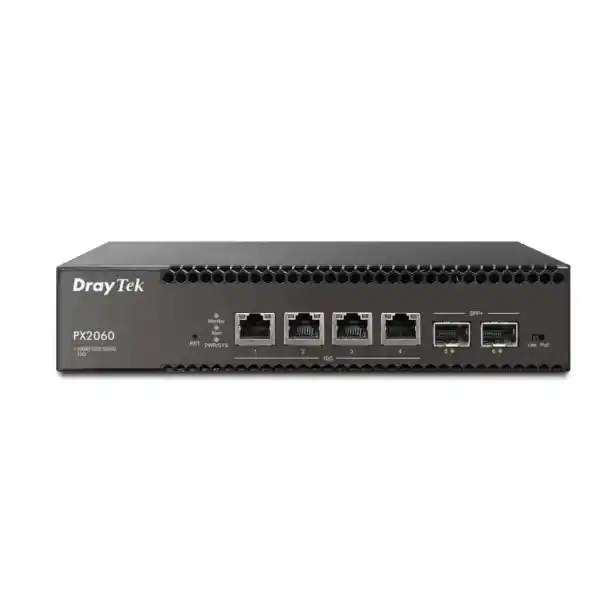
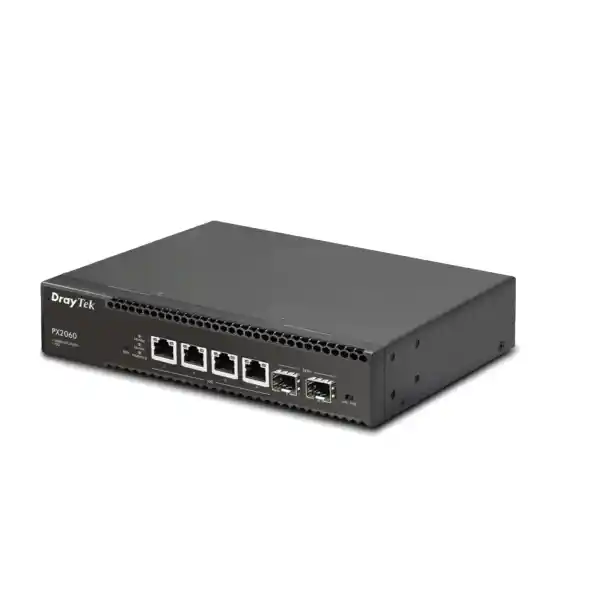
DrayTek VigorSwitch PX2060 in Dubai, UAE
A compact six-port managed switching platform for organizations that need 10-gigabit copper access, 10G fiber uplinks, IEEE 802.3bt PoE++ delivery and practical Layer 3 services without deploying an oversized chassis. The VigorSwitch PX2060 is designed for bandwidth-intensive edge roles including Wi-Fi 7 access points, high-resolution IP surveillance, NAS access, virtualization hosts, studio workstations, smart-office endpoints and branch infrastructure.
Deployment Snapshot
Ideal when a project needs a small number of very fast powered endpoints rather than dozens of 1GbE ports.
What the DrayTek VigorSwitch PX2060 is designed to solve
Modern access networks increasingly contain a small group of devices that exceed the practical limits of conventional Gigabit Ethernet. A Wi-Fi 7 access point can require multigigabit backhaul, a high-performance NAS may provide 10GbE interfaces, modern workstations can move large creative or engineering datasets at several gigabits per second, and high-resolution surveillance systems can generate sustained east-west traffic that should not always traverse the security gateway. The VigorSwitch PX2060 addresses this specific design problem with four copper ports that negotiate from 100 Mbps through 1G, 2.5G, 5G and 10G, plus two SFP+ interfaces supporting 1G or 10G fiber connectivity. That port mix lets a network designer place fast powered endpoints at the edge while preserving dedicated optical uplinks toward a core, distribution switch, storage fabric or another building.
The platform is especially relevant where port count is less important than per-port capability. A typical 24-port PoE access switch may offer abundant connectivity but only 1Gbps to each endpoint and a limited number of higher-speed uplinks. The PX2060 takes the opposite approach: fewer ports, but every copper access interface can scale to 10GbE and supply PoE, PoE+ or PoE++ power depending on the powered device. This makes it useful for premium access layers, focused project zones and technology refreshes where installing a large switch would waste rack space, electrical capacity and budget.
For Dubai and wider UAE deployments, this architecture is attractive in offices, hospitality environments, education facilities, clinics, warehouses, retail sites, security rooms, smart villas, media studios and distributed branches. Project teams can source broader UAE networking and integration support through FourTeck UAE, while organizations planning firewall segmentation around this switching layer can also review the dedicated Firewall Dubai portfolio.
Copper PoE++ Ports
RJ45 interfaces support 100M/1G/2.5G/5G/10G Ethernet and IEEE 802.3af, 802.3at and 802.3bt power delivery.
SFP+ Uplinks
Flexible optical or DAC uplinks for backbone, storage, distribution and inter-switch connections at 1G or 10G.
PoE Power Budget
Enough shared power for high-draw access points, cameras and smart edge devices, with up to 60 W supported on a compatible port.
Switching Capacity
Sized for simultaneous full-duplex traffic across the six 10-gigabit-capable interfaces without creating an obvious internal port-speed bottleneck.
Port architecture: understanding the six high-speed interfaces
Ports 1 through 4 are the defining interfaces of the PX2060. Each uses a standard RJ45 connector but supports multiple Ethernet rates, allowing the switch to connect legacy Fast Ethernet devices as well as 1GbE, 2.5GbE, 5GbE and 10GbE clients. This rate flexibility is operationally valuable because networks rarely transition to 10G in a single step. A branch can connect an existing 1GbE camera today, replace it with a 2.5G or 5G endpoint later, and eventually attach a 10GbE appliance without changing the access switch. Auto-negotiation lets the port select a mutually supported speed with the connected device and cabling environment.
The same four copper interfaces supply PoE power. Support for IEEE 802.3af, 802.3at and 802.3bt means the switch can serve a broad range of powered devices, from conventional phones and cameras through higher-consumption wireless access points and intelligent edge hardware. DrayTek specifies IEEE 802.3bt Type 3 support with a maximum output of 60 W on a compatible port and an aggregate switch PoE budget of 140 W. The distinction between per-port capability and total budget matters during design: four attached devices could each negotiate high PoE classes, but the combined allocation must remain within the available system budget. A proper bill of materials should therefore calculate the maximum or expected consumption of every endpoint rather than simply counting ports.
Ports 5 and 6 are SFP+ slots designed for fiber or other compatible transceiver-based links. They support 1Gbps and 10Gbps operation, giving the designer two dedicated uplink paths that do not consume the powered copper interfaces. In a compact branch, one SFP+ port might connect to the main distribution switch while the second provides a path to a storage segment, another switch, or a physically separated network zone. In a building deployment, fiber is especially useful when link distance, electromagnetic interference, grounding considerations or pathway constraints make copper unsuitable.
Because all six interfaces are 10G-capable, the switch can be used in designs where traffic must remain fast end to end. A 10GbE workstation can communicate with a 10GbE NAS through the switch, a high-performance wireless access point can forward traffic to a 10G core, or multiple camera streams can be aggregated toward an NVR without forcing every flow through a 1Gbps uplink. As always, real application performance depends on endpoint capability, cabling, transceivers, protocol overhead, storage performance and the rest of the network path, so switch port speed should be treated as one component of system sizing rather than a guaranteed application throughput figure.
PoE++ engineering for Wi-Fi 7, surveillance and smart edge devices
Power over Ethernet is one of the PX2060’s most important deployment advantages because high-performance network devices increasingly need more electrical power as well as more bandwidth. A Wi-Fi 7 access point may include multiple radios, advanced antenna arrays, security processing and high-speed Ethernet interfaces. Modern PTZ cameras can combine heaters, infrared illuminators, motors and analytics. Smart building endpoints can include sensors, processors and auxiliary interfaces. Supplying these devices from the switch simplifies installation by carrying power and data over the same structured cabling path while centralizing power protection at the network cabinet.
The 140 W aggregate budget should be planned deliberately. Consider a hypothetical design with two high-performance access points drawing up to 45 W each and two cameras drawing 20 W each. The combined maximum would be 130 W, which fits inside the published 140 W switch budget. By contrast, four devices each requiring 45 W would total 180 W and therefore exceed it. The switch may have four physically capable PoE++ ports, but port count alone does not guarantee that every connected endpoint can simultaneously draw the maximum permitted by its PoE class. FourTeck project sizing should use the manufacturer’s maximum power requirement for every powered endpoint, include operating margin and account for any future device upgrade planned during the life of the switch.
PoE scheduling and monitoring features add an operational layer beyond raw power delivery. Administrators can control power availability according to time windows, monitor ports and use device-check mechanisms that test the reachability of LAN equipment. For supported scenarios, a failed endpoint can trigger a PoE power cycle, which may restore a frozen camera or access point without a technician physically disconnecting a cable. This can be valuable in UAE sites where a network cabinet is difficult to access, located outside normal office hours, or managed centrally by an IT team serving many branches.
PoE auto-recovery should still be deployed thoughtfully. Rebooting a device is useful when loss of response indicates an endpoint software fault, but it is not a substitute for diagnosing cabling defects, excessive temperature, overloaded power design, VLAN configuration errors or upstream outages. A good operations policy combines automated recovery with alerts, event logging and escalation. For managed services, monitoring and structured support around switching, wireless, servers and user infrastructure can be coordinated through FourTeck IT Services UAE.
120 Gbps switching capacity
The published switching capacity is 120 Gbps. That figure aligns with a six-port architecture in which each interface can run at 10Gbps in each direction: six ports multiplied by 10Gbps multiplied by two directions equals 120Gbps of aggregate full-duplex switching bandwidth. This is the appropriate design envelope for a switch intended to operate all ports at their top negotiated rate without an obvious internal bandwidth deficit at the port layer.
DrayTek also publishes a forwarding rate of 89.28 million packets per second for 64-byte frames. Packet rate matters because applications made of many small packets can stress packet-processing resources differently from bulk transfers dominated by large frames. Network architects evaluating voice, camera signaling, transactional systems, virtualization and mixed business traffic should consider both bandwidth and packet-forwarding characteristics.
12 KB jumbo-frame support
The PX2060 supports jumbo frames up to 12 KB. Larger Ethernet frames can reduce protocol overhead in controlled environments such as storage traffic, virtualization hosts and high-speed workstation transfers. They can be beneficial when every device along the path is configured consistently and supports the selected MTU.
Jumbo frames should not be enabled casually across an entire business LAN. MTU mismatches can cause fragmentation problems, dropped packets or difficult-to-diagnose application behavior. A better approach is to define where a larger MTU provides measurable value, validate end-to-end support across NICs, switches, routers and storage systems, and preserve standard MTU where compatibility is more important than marginal efficiency.
Layer 2 switching, VLAN design and segmentation
The VigorSwitch PX2060 provides the VLAN functions expected from a managed business switch. IEEE 802.1Q tag-based VLANs allow multiple logical networks to share a physical uplink while remaining separated at Layer 2. DrayTek lists support for up to 512 VLANs and additionally provides MAC-based VLAN, protocol-based VLAN, management VLAN, voice VLAN and surveillance VLAN features. These options allow the device to participate in structured segmentation designs rather than acting only as a high-speed unmanaged bridge.
A common UAE office deployment might separate corporate users, guest wireless, IP telephony, surveillance cameras, building systems and management traffic into different VLANs. The high-speed access ports can carry tagged trunks to Wi-Fi access points that broadcast multiple SSIDs, while the SFP+ uplink transports the same VLANs toward a firewall or core switch. Separate broadcast domains improve policy control and fault containment, although segmentation is only effective when upstream firewall rules, access controls and routing policies are designed consistently.
Voice VLAN and surveillance VLAN functions are useful where endpoints should be classified automatically. The switch can recognize supported device traffic patterns or identifiers and place appropriate endpoints into a logical segment while applying suitable service priority. LLDP-MED support is particularly relevant for VoIP deployments because capable phones can discover network policy information, simplifying VLAN assignment and QoS configuration. Automatic classification reduces repetitive port-by-port administration, but critical deployments should still document the resulting VLAN behavior so troubleshooting teams understand how each endpoint is being assigned.
QinQ, based on IEEE 802.1ad, extends VLAN tagging by allowing one tagged frame to be encapsulated within another service tag. This can be useful for managed networks, multi-tenant environments or provider-like designs where customer VLAN identifiers must traverse a shared infrastructure without collision. While small offices may never require QinQ, its presence broadens the role of the PX2060 in specialist environments, labs and service-delivery projects.
Spanning Tree Protocol support includes STP, RSTP and MSTP. These technologies protect Ethernet networks against Layer 2 loops while allowing deliberate redundant paths. RSTP provides faster convergence than classic STP, while MSTP can map groups of VLANs to different spanning-tree instances. In a small six-port switch, loop prevention remains important because one accidental patch cable can create a broadcast storm capable of disrupting the whole segment. DrayTek also includes loop-detection mechanisms that can block problematic ports, providing an additional operational safeguard.
Wire-speed VLAN routing and local Layer 3 services
A notable differentiator is the switch’s ability to perform VLAN routing rather than requiring every inter-VLAN packet to travel through the Internet gateway. In networks where large volumes of authorized traffic move between local segments, routing at the switch can reduce unnecessary load on the firewall or router. An example is a workstation VLAN accessing an internal file server VLAN. If organizational security policy permits direct Layer 3 communication, the switch can route that traffic locally while the perimeter firewall remains focused on Internet access, advanced security inspection and the flows that specifically require policy enforcement there.
This capability should not be interpreted as a reason to bypass security controls. The correct design depends on the trust relationship between VLANs. A user VLAN and a CCTV VLAN may intentionally require firewall inspection, while two internal server networks may have a different policy. The PX2060 also provides access-control mechanisms, but a managed switch is not equivalent to a next-generation firewall. Network architects should decide which flows belong at the switching layer and which should traverse a security gateway based on application sensitivity, compliance obligations, logging requirements and threat model.
The integrated DHCP server is useful for local resilience and contained networks. DrayTek specifically positions the combination of DHCP and VLAN routing as a way to keep local communications functioning even if the gateway router is unavailable. Cameras, NVRs, PBX systems, file servers and internal applications may continue communicating inside the LAN while an Internet edge device is offline. This can be particularly useful in operational environments where local video recording, telephony or production functions must continue independently of WAN connectivity.
Static routes provide additional control over reachability. The switch can therefore act as a compact Layer 3 node in a branch architecture, though network planners should keep the routing design understandable. The more routing intelligence distributed across switches, the more important it becomes to maintain IP addressing plans, gateway assignments, route documentation and monitoring. For many small and medium deployments, a simple model with a few locally routed VLANs and a clear default path to the firewall delivers the best balance of performance and manageability.
Link aggregation, uplink resiliency and bandwidth planning
The PX2060 supports link aggregation using static groups or IEEE 802.3ad LACP. DrayTek specifies up to eight aggregation groups with up to eight members per group, subject of course to the physical ports available on this six-port model. LACP can combine multiple physical interfaces into one logical link, increasing aggregate bandwidth across multiple traffic flows and allowing a surviving member to continue carrying traffic if another member fails.
The practical benefit of aggregation must be understood correctly. A two-link 10G LAG can provide up to 20Gbps of aggregate capacity across suitable flows, but a single conventional flow is normally hashed to one member and therefore remains limited by the bandwidth of that physical link. Exact load-distribution behavior depends on the switch’s hashing implementation and the traffic characteristics. LACP is excellent for distributing many sessions from many devices, but it should not be sold as a guarantee that one TCP transfer will use the sum of all member links.
A compact design might aggregate the two SFP+ interfaces toward a distribution switch for additional uplink capacity or resiliency, leaving all four copper ports dedicated to powered endpoints. Alternatively, one optical interface can carry the production uplink while the other connects to a specialized network such as storage or surveillance. Because the PX2060 has only six ports, every physical interface is valuable; the topology should be selected according to traffic concentration, redundancy requirements and future growth rather than assuming that an aggregation pair is always the best use of both SFP+ slots.
For high-availability requirements, designers should consider the entire path, not only the switch uplink. Dual fibers into one upstream switch protect against a transceiver or cable fault but not against failure of the upstream chassis. True path resilience may require different upstream devices, redundant gateways and an architecture that supports loop-free failover. The PX2060 provides useful building blocks such as LACP and spanning-tree protocols, but the final availability level is a system property created by the whole topology.
QoS with eight queues
Eight QoS queues and support for SPQ and WRR scheduling allow administrators to prioritize important application classes. Classification can use CoS, DSCP, CoS-to-DSCP handling and IP precedence so voice, control traffic or other critical services can receive appropriate treatment during congestion.
IGMP and MLD snooping
IGMP snooping for IPv4 and MLD snooping for IPv6 help keep multicast streams confined to ports that actually need them. This matters for surveillance, IPTV, discovery protocols and other multicast-heavy environments where uncontrolled flooding would waste bandwidth.
802.1X access control
IEEE 802.1X allows port access to be authenticated through a RADIUS-backed identity workflow. Combined with MAC/IP controls and VLAN policy, it can strengthen edge security compared with relying solely on physical possession of an Ethernet socket.
RADIUS and TACACS+
Central authentication services can be integrated into switch administration, helping organizations avoid isolated local credentials and align network-device access with broader operational security practices.
Quality of Service for voice, wireless and business-critical traffic
High interface speed reduces congestion risk but does not eliminate it. Traffic can still converge on a single uplink, a WAN circuit, a server interface or a lower-speed downstream device. Quality of Service mechanisms help determine which packets receive preferential treatment when contention occurs. The PX2060 supports CoS, DSCP and IP precedence based handling and provides eight queues with strict-priority and weighted-round-robin scheduling options.
Strict Priority Queuing is useful when a small amount of delay-sensitive traffic must be transmitted before lower-priority queues, but excessive strict-priority traffic can starve other applications. Weighted Round Robin allocates service across queues according to configured weights and is often better for balanced enterprise traffic. A thoughtful design may place voice signaling and RTP media into high-priority classes, business applications into assured classes and bulk backup traffic into lower-priority treatment.
QoS markings must be trustworthy to be useful. If every endpoint can mark itself as highest priority, the policy loses meaning. Access-layer switches can normalize or map classifications according to administrative rules, while routers and firewalls should preserve or remark values as appropriate at network boundaries. Wireless networks add another layer because Wi-Fi multimedia categories and wired DSCP policies must align if real-time applications are to receive end-to-end treatment.
The practical objective is not to make every application faster. QoS is designed to protect the traffic that suffers most when latency, jitter or packet loss increases. Voice and interactive collaboration are obvious examples, while large backups generally tolerate delay. The switch’s queueing features provide the control plane for that policy, but good results depend on correct classification, capacity planning and consistent treatment across the full path.
Security controls at the managed switching layer
The PX2060 provides multiple controls that improve local network hygiene. Access Control Lists can filter traffic according to IP or MAC criteria, 802.1X can authenticate endpoints before granting network access, and RADIUS or TACACS+ can centralize administrative identity. These mechanisms do not replace a firewall, but they reduce the assumption that every connected device should receive unrestricted Layer 2 or Layer 3 access.
IP-MAC binding is designed to associate approved IP addresses with specific hardware addresses. In a controlled environment, this can reduce accidental conflicts and make simple IP spoofing more difficult. DrayTek highlights use cases involving IP phones, NAS devices, file servers, cameras and management PCs. The feature is particularly useful for infrastructure endpoints expected to remain at predictable addresses, though administrators should maintain accurate records when devices are replaced or NICs change.
IP conflict detection and prevention helps identify duplicate addressing. Duplicate IPs can cause intermittent reachability, ARP instability and confusing application failures. In a business network with static cameras, printers, controllers and servers, a single manually assigned address that overlaps with DHCP or another static device can consume significant troubleshooting time. Automated detection shortens the path from symptom to cause.
Storm control and DoS-defense functions help limit certain classes of disruptive traffic at the switching layer. Combined with loop detection and spanning tree, they improve resilience against both configuration mistakes and some forms of malicious or abnormal behavior. Exact thresholds should be chosen carefully because overly aggressive controls can block legitimate bursts, while overly loose settings may provide little protection.
Secure management protocols are equally important. The model supports HTTPS and SSHv2 in addition to legacy management methods. Production deployments should prefer encrypted administration, restrict management access to trusted VLANs or IP ranges, use unique credentials or centralized authentication, keep firmware maintained and disable unnecessary services. A high-speed switch is part of the security perimeter of the LAN even when it is not the Internet firewall.
ONVIF-friendly surveillance management
Surveillance support is a distinctive part of the PX2060 feature set. DrayTek describes ONVIF-aware discovery, topology visualization, live video access and device maintenance functions. In camera networks, ONVIF provides a standardized interface that helps compatible devices from different vendors expose discovery and management capabilities. The switch can recognize ONVIF devices across VLANs, which simplifies visibility in segmented surveillance environments.
A topology view helps administrators understand which cameras and NVRs are connected, reducing the need to map devices manually from MAC tables and port labels. Live-view integration can assist with identifying a camera during maintenance: rather than tracing only a device name or IP address, an engineer can see what the camera is viewing and confirm the physical location. Remote maintenance controls can provide convenient access to device information, network settings, time settings and reboot functions for supported endpoints.
Snapshot alerts add a visual operational cue when a camera becomes unavailable. The latest recorded snapshot can help an administrator identify the affected view, while PoE recovery can attempt to restart the endpoint. This workflow is useful in distributed CCTV deployments because an alert can contain enough context for the service desk to understand which scene is impacted before dispatching a technician.
The 10G port architecture is also relevant to high-performance surveillance. Most individual cameras do not need 10Gbps, but specialized cameras, NVRs, analytics appliances and aggregation nodes may benefit from multigigabit connectivity. More importantly, the switch can combine several camera or appliance flows and send them toward a 10G uplink without immediately imposing a 1G bottleneck. VLANs, multicast controls and QoS can keep surveillance traffic organized alongside other business services.
Security architects should still isolate surveillance equipment according to risk. Cameras can be long-lived embedded devices and may not receive the same update cadence as user computers. Placing them in a dedicated VLAN, limiting their permitted destinations and controlling management access reduces exposure. The PX2060 provides the local segmentation tools, while a firewall can enforce policy where traffic must cross trust boundaries.
IPv6-ready switching
The switch includes IPv6-oriented features such as MLD snooping, IPv6 ACL capability and IPv6 DNS resolver support. As UAE enterprises adopt dual-stack or IPv6-first services, the access layer must handle multicast discovery and security policy in both protocol families rather than treating IPv6 as an unmanaged exception.
IPv6 deployment should be intentional. Network teams should include router advertisements, DHCPv6 where used, DNS, access lists, logging and monitoring in the design. Simply enabling IPv6 on endpoints without matching controls can create a parallel communication path that is less visible to operations teams.
Energy Efficient Ethernet
IEEE 802.3az Energy Efficient Ethernet support can reduce interface power consumption during low-traffic periods by allowing compatible links to enter lower-power states. This does not change the primary reason to deploy the PX2060, but it contributes to efficient operation where edge equipment runs continuously.
PoE endpoints normally dominate the switch’s energy profile, so overall electrical planning should focus first on the powered-device budget, UPS sizing, thermal load and equipment-room design. EEE is an incremental efficiency feature rather than a substitute for correct power engineering.
Centralized management with DrayTek platforms
The VigorSwitch PX2060 can be managed locally through its web interface and can also participate in broader DrayTek management workflows. Central Switch Management through compatible Vigor routers can provide switch discovery, provisioning, monitoring, hierarchy views, remote PoE device reboot and simplified VLAN configuration. For organizations already operating DrayTek routing infrastructure, this can reduce the number of independent interfaces an administrator must visit for routine changes.
VigorACS provides a larger-scale management model for supported DrayTek routers, access points and switches. DrayTek lists functions such as provisioning, monitoring, alarm handling, remote maintenance, scheduled maintenance and reporting, with PX2060 support identified from VigorACS 3 version 3.8.1. This is useful for resellers, MSPs and enterprises operating multiple locations because standard configurations and health information can be maintained centrally rather than independently at each branch.
SNMP v1, v2c and v3 support allows the switch to integrate with third-party monitoring systems. SNMPv3 should generally be preferred where possible because it adds stronger security than older community-string approaches. Monitoring can include interface state, traffic counters, hardware health and event conditions, depending on the management system and available MIB information. Syslog, alerts and centralized authentication should be combined with monitoring so operational teams can distinguish a transient port flap from a persistent device or topology problem.
Management design is often overlooked in product selection. A switch may meet every bandwidth requirement but still be expensive to operate if configuration is inconsistent or faults are hard to locate. The PX2060’s combination of local GUI, central DrayTek management and standard protocols gives organizations several ways to fit the device into their operating model. The best choice depends on whether the site is standalone, part of a DrayTek estate, or integrated into a heterogeneous enterprise monitoring platform.
Physical format, power and environmental planning
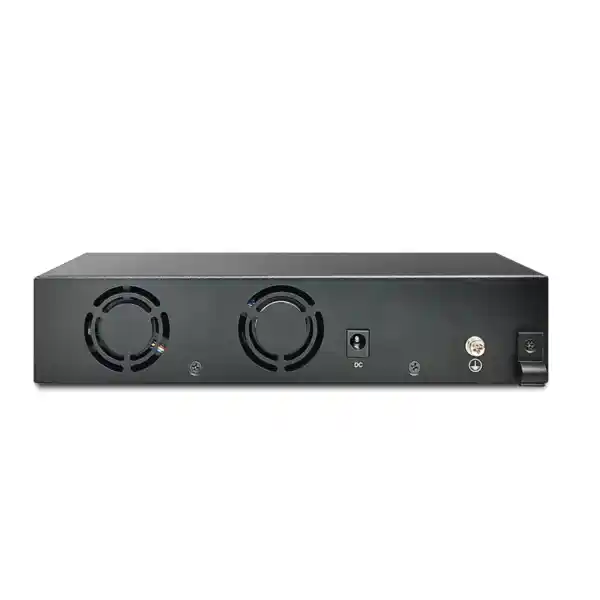
DrayTek specifies a compact chassis measuring 215 × 185 × 44 mm and identifies the unit as rack-mountable in a 1U context with a rack-mount kit included. Its shallow footprint can be helpful in compact network cabinets, branch racks and equipment areas where depth is limited. The package also includes a power adapter and quick-start guide. As with any active network device, the installed orientation should provide clear airflow and service access around cables and optics.
The power input is specified as DC supplied from a 100–240 V AC source through the adapter, and DrayTek lists maximum power consumption of 165.7 W. The difference between switch power consumption and the 140 W PoE budget is important: the unit itself consumes energy to operate its switching electronics and conversion circuitry, so upstream UPS and circuit sizing should use the maximum system requirement rather than only the PoE figure. A UPS should be selected according to total attached equipment load, desired runtime, battery aging margin and any other devices sharing the same protected circuit.
The published operating-temperature range is 0 to 50 °C, with storage from -20 to 70 °C. Operating humidity is 10 to 90 percent non-condensing. UAE deployments deserve particular attention to room cooling. Outdoor ambient temperature can exceed the switch’s supported operating range, and enclosed wall cabinets can become substantially hotter than the surrounding room. The equipment should therefore be installed in a controlled indoor environment or an appropriately engineered enclosure that keeps internal temperature within specification.
Dust, poor airflow and overloaded cabinets can raise component temperature even when the room itself is air-conditioned. Network racks should be maintained as engineered infrastructure: unused cable loops should not obstruct ventilation, power adapters should be secured, fiber bends should remain within acceptable radius and copper patching should be organized so technicians can service the switch without disturbing unrelated circuits. For adjacent server and storage infrastructure, organizations can review Server Dubai solutions from FourTeck.
Cabling strategy for 2.5G, 5G and 10G copper links
Multigigabit Ethernet was created partly to extract more performance from existing twisted-pair cabling, but the achievable rate depends on cable category, installation quality, distance and electromagnetic environment. A device may negotiate 2.5G or 5G over cabling that cannot reliably sustain 10G. New deployments intended to use the PX2060 at 10G should be designed with suitable structured cabling, certified termination and tested channel performance rather than assuming any RJ45 cable will provide the advertised port speed.
For short equipment-room links, high-quality patch leads simplify 10GbE connectivity. For longer horizontal cabling, the project team should choose category and installation practice appropriate to 10G requirements. Alien crosstalk, bundle size, patch-panel quality and temperature can affect margin. A cabling certification report is valuable because it distinguishes a switch or endpoint fault from a physical-layer problem when a link falls back to a lower negotiated rate.
Power delivery adds another design consideration. Higher PoE loads increase current through the cable pairs and can create additional heat in large bundles. The PX2060 has only four powered copper ports, so bundle heating from one switch is naturally limited, but a rack may contain many PoE switches and hundreds of energized cables. Cabling systems should be selected and installed according to the relevant standards and local project requirements, especially for high-power PoE devices.
The switch’s rate flexibility is useful during migration. An installed access point may initially connect at 2.5GbE over current cabling, while a future recable enables 10GbE without replacing the switch. That phased approach can reduce disruption, but it should be documented in the network plan so procurement teams understand which links are currently capable of full 10G and which are intentionally operating at lower negotiated speeds.
Fiber uplink design and SFP+ transceiver considerations
The two SFP+ slots provide flexibility that fixed optical interfaces cannot. A project can select transceivers according to fiber type, distance and upstream equipment. Short-range multimode optics are common inside buildings and data rooms, while single-mode options are used for longer distances. Direct-attach copper cables may be appropriate for very short rack-level 10G connections where both devices support the selected DAC.
Transceiver compatibility should always be validated before procurement. SFP+ modules are physically standardized, but switch vendors can impose firmware, diagnostics or coding requirements. The optical budget must also match the cable plant: transmitter power, receiver sensitivity, connector loss, splice loss and fiber attenuation determine whether a link has adequate margin. Selecting optics purely by connector shape can lead to avoidable interoperability problems.
Where the SFP+ ports connect buildings, network designers should consider electrical isolation, pathway diversity and physical protection. Fiber naturally avoids conductive paths between buildings and is generally preferred where ground-potential differences or lightning exposure make copper undesirable. Redundant fibers should not share the same vulnerable pathway if the objective is true physical resilience.
At 10Gbps, cleanliness matters. Contaminated fiber connectors can cause intermittent errors, reduced optical margin or complete loss of link. Installation teams should inspect and clean connectors using appropriate methods, label both ends of every fiber and record which optics are installed. These operational basics often have more impact on long-term stability than small differences between switch feature lists.
Use case 1: Wi-Fi 7 access layer for a premium office
A Wi-Fi 7 deployment can create an unusual access-layer requirement: only a few wired devices are needed, but each access point may require more than 1Gbps of backhaul and more electrical power than traditional PoE can provide. In this scenario, the PX2060 can connect up to four high-performance access points on its multigigabit PoE++ ports, subject to the aggregate 140 W power budget and the actual power requirement of the chosen APs.
Each AP can carry multiple SSIDs mapped to separate VLANs, such as corporate, guest, voice, IoT and operations. The switch transports tagged VLANs from the access points toward the core using one or both 10G SFP+ uplinks. QoS policies can prioritize voice or collaboration traffic, while the management VLAN remains restricted to authorized administrators. Where local routing is suitable, the PX2060 can route selected VLANs; where inspection is required, traffic can be sent to the firewall.
This architecture gives the wireless layer room to grow beyond Gigabit Ethernet. The most important validation items are AP Ethernet speed, maximum PoE requirement, cable capability, uplink design and Internet/WAN capacity. Installing a 10G-capable switch does not by itself make wireless clients achieve 10Gbps, but it removes a common wired bottleneck between high-performance access points and the rest of the network.
Use case 2: high-resolution surveillance aggregation
For a CCTV project, the four powered ports can connect cameras or edge video devices while the SFP+ interfaces provide high-speed paths to an NVR, core switch or security operations network. Surveillance VLAN features, ONVIF discovery and topology views simplify day-to-day administration. Device Check and PoE recovery can help restore an unresponsive camera remotely, while snapshot alerts provide visual context when a camera goes offline.
The bandwidth plan should be based on camera bitrate rather than nominal port speed. Resolution, frame rate, codec, scene complexity and recording profile determine actual traffic. A group of conventional cameras may use only a fraction of 10GbE, but analytics appliances, multi-sensor cameras, recording servers and aggregated streams can justify the faster interface. The 10G uplinks also provide headroom for future camera expansion elsewhere in the topology.
Security is essential. Cameras should not share unrestricted Layer 2 access with employee devices. A dedicated surveillance VLAN, controlled management access, strong endpoint credentials and firewall rules between security zones create a more defensible design. Multicast snooping can prevent discovery or video multicast traffic from flooding unrelated ports.
Use case 3: 10G workstation and NAS workgroup
Creative teams, CAD users, media production staff, engineers and data-heavy analysts often need to move large files between a small number of workstations and local storage. A PX2060 can create a compact high-speed workgroup where 10GbE clients communicate with a 10GbE NAS or server. The switch’s 120Gbps fabric is well matched to its six high-speed ports, while 12 KB jumbo-frame support is available if the full end-to-end storage path benefits from a larger MTU.
Storage performance must be sized independently. A 10GbE link has a theoretical line rate of 10Gbps, but a NAS may be limited by disk configuration, CPU, protocol, encryption, client storage or SMB/NFS settings. Solid-state arrays and multiple concurrent users are more likely to utilize the network than a single slow disk. The value of 10G is not only headline throughput; it can also provide lower transfer times and more headroom when several users access storage concurrently.
VLAN routing can isolate storage from general user networks while still permitting authorized workstations. ACLs and upstream firewall rules should restrict access to sensitive datasets. If the storage system connects through one SFP+ port and the rest of the network through the other, the design should account for which traffic remains local and which uses the uplink.
Use case 4: compact branch core or high-speed IDF
Some branch sites need only a handful of high-value links: a wireless AP, a camera appliance, a local server, a conference system and an optical uplink to the building backbone. Deploying a 24- or 48-port switch for this role wastes space and leaves most ports unused. The PX2060 is better aligned to a small, high-performance edge where each interface has a defined purpose.
Its DHCP and VLAN-routing capability can keep essential local services operating if the branch router is unavailable. Static routes can direct internal networks, while the default path points toward the security gateway. If the branch is managed through compatible DrayTek infrastructure, centralized switch management can reduce remote-support effort and provide visibility across multiple sites.
A branch-core role should still consider availability. The PX2060 uses a single external power path rather than a redundant internal PSU architecture, so organizations with strict uptime requirements should protect it with a suitably sized UPS and determine whether a spare unit, redundant topology or different switch class is necessary. Compactness is an advantage only when it aligns with the business continuity target.
Sizing methodology before ordering the PX2060
A correct switch selection starts with requirements rather than model preference. First, list every endpoint that will connect directly to the switch. Record interface type, required speed, PoE standard, maximum watts, VLAN role and physical cable path. This immediately reveals whether four copper access ports are sufficient and whether any endpoint must use SFP+ rather than RJ45.
Second, total the PoE requirement. Use maximum supported draw rather than average consumption when the project needs a conservative design. Compare the result with the 140 W shared budget and preserve margin for startup behavior and future upgrades. If the endpoint total exceeds the budget, adding injectors defeats some of the simplicity of a PoE switch; a larger PoE platform may be more appropriate.
Third, estimate traffic direction. A switch can have plenty of raw fabric capacity yet still be constrained by one uplink if most traffic leaves the box. Determine whether flows are primarily local, Internet-bound, storage-bound or directed to a core. If four 10G endpoints regularly send heavy traffic to one 10G uplink, the uplink becomes the concentration point. A second link or different topology may be justified.
Fourth, define segmentation and routing. List VLANs, subnets, gateways and the security policy between them. Decide which inter-VLAN traffic can be routed directly on the switch and which must traverse a firewall. Identify voice, surveillance, guest and management segments, and document any 802.1X or RADIUS requirement.
Fifth, validate cabling and optics. For copper, confirm the channel can support the intended multigigabit or 10G rate. For fiber, specify transceiver type, fiber type, distance, connector and upstream compatibility. Do not leave optics as an unspecified accessory because a switch without correct transceivers cannot complete the planned uplink.
Finally, define operational ownership. Decide whether the switch will be managed locally, through a compatible Vigor router, through VigorACS or by another monitoring platform. Record firmware policy, configuration backup, administrator authentication, alerting, spares and support escalation. These steps turn a hardware purchase into an operable network service.
Technical specification summary
| Copper interfaces | 4 × RJ45, 100M/1G/2.5G/5G/10G Ethernet |
| PoE support | IEEE 802.3af PoE, 802.3at PoE+, 802.3bt PoE++; up to 60 W on a compatible port |
| PoE budget | 140 W shared |
| Fiber interfaces | 2 × SFP+, supporting 1G/10G |
| Switching capacity | 120 Gbps |
| Forwarding rate | 89.28 Mpps at 64-byte frames |
| Jumbo frame | Up to 12 KB |
| VLAN scale | Up to 512 VLANs |
| Link aggregation | Static and LACP, up to 8 groups |
| QoS | 8 queues, SPQ and WRR, CoS/DSCP/IP precedence handling |
| Layer 3 | Static route, VLAN routing, DHCP server |
| Multicast | IGMP snooping/querier, MLD snooping, multicast filtering and MVR |
| Access security | ACL, 802.1X, RADIUS, TACACS+, IP-MAC binding, conflict prevention |
| Management | Web GUI, HTTPS, SSHv2, SNMP v1/v2c/v3, Vigor Router SWM, VigorACS |
| Dimensions | 215 × 185 × 44 mm |
| Maximum power consumption | 165.7 W |
| Operating environment | 0–50 °C; 10–90% RH non-condensing |
How the PX2060 compares conceptually with conventional access switches
The most important comparison is architectural rather than brand-specific. Conventional access switches prioritize port density. They are built to connect many ordinary endpoints, commonly at 1GbE, and may include a small number of 10G uplinks. The PX2060 prioritizes speed and power per access port. It is therefore a strong fit when the requirement is four exceptional endpoints instead of twenty-four ordinary ones.
If a project needs 20 desk phones, 30 cameras or a full floor of user outlets, the PX2060 is not designed to replace a high-density PoE switch. If a project needs two Wi-Fi 7 APs, a 10GbE workstation, a high-speed edge appliance and dual 10G fiber uplinks, the architecture becomes much more compelling. Choosing by port count alone can obscure this distinction.
The 140 W power budget also reflects a focused design. It is substantial relative to four ports but lower than the budgets available on large enterprise PoE chassis. The correct question is whether it powers the intended endpoints with margin, not whether its absolute wattage is larger than another switch. Likewise, 120Gbps of switching capacity is a natural match for six 10G-capable full-duplex ports; capacity should be evaluated relative to the physical interface layout.
For UAE procurement teams, the practical choice should combine interface requirements, power, uplink topology, management integration, support model and lifecycle planning. A smaller switch that precisely matches the requirement can be more efficient than a larger platform with unused ports, while a high-density device is clearly preferable when the project is expected to grow well beyond four powered endpoints.
Deployment checklist for Dubai and UAE projects
Before installation, confirm the exact number and model of connected endpoints, including the network speed each endpoint supports. Many devices described as “multigigabit” support 2.5G but not 5G or 10G. Others may have two network ports with different capabilities. Recording the exact NIC specification avoids paying for link speed the endpoint cannot use or assuming a fallback rate that is not supported.
Next, verify electrical requirements. List each powered device’s PoE standard and maximum wattage, add them together and compare the result with the 140 W budget. Determine whether a UPS will protect the switch and how long critical endpoints must remain online during an outage. Because the switch can power cameras or wireless infrastructure, UPS runtime affects several network services simultaneously.
Check cabinet dimensions and temperature. The chassis is compact, but the power adapter, cable bend radius and fiber management consume additional space. UAE sites with wall-mounted cabinets should be inspected for heat buildup, especially when installed near ceilings, service rooms or non-conditioned spaces. The switch’s 50 °C maximum operating specification is not a target temperature; cooler operation generally improves environmental margin.
Validate VLAN and IP plans before patching endpoints. Create a table showing port number, connected device, native VLAN, tagged VLANs, PoE requirement, IP assignment method and expected speed. This simple document makes deployment and later troubleshooting far easier. It also reveals configuration conflicts before the switch goes into production.
Plan firmware and management access. Use secure HTTPS or SSH, define administrator roles, integrate RADIUS or TACACS+ where appropriate and restrict the management plane to trusted networks. If the switch is to be managed through VigorACS or a compatible Vigor router, confirm the required firmware and management versions before handover.
Finally, perform acceptance testing. Confirm negotiated port speed, PoE allocation, VLAN membership, routing, Internet reachability, failover behavior, monitoring visibility and application performance. For fiber, check link status and optical health where diagnostics are available. For copper 10G, use structured cabling test results and monitor for errors. A signed acceptance record establishes that the installed system matches the design at handover.
Configuration approach for a clean first deployment
A reliable initial configuration begins with the management plane. Assign the switch a documented management IP address, configure DNS and time settings, use NTP where available, change default credentials and restrict administration to a dedicated management VLAN. Accurate time is especially important because logs, alerts and authentication events are difficult to correlate when devices disagree on timestamps.
Create VLANs next, using names that reflect function rather than temporary project labels. Define which ports are access interfaces and which are trunks. An AP port may be untagged in a management VLAN while carrying tagged SSID VLANs. A camera port is typically untagged in the surveillance VLAN. An uplink to the core may carry many tagged VLANs. Clear naming and documentation prevent accidental exposure between network zones.
Configure Layer 3 only after Layer 2 behavior is validated. Add VLAN interfaces, DHCP pools and static routes deliberately, then test reachability. If a firewall is the policy enforcement point between segments, avoid creating a direct switch route that bypasses it. If local routing is desired for performance, use switch ACLs and network design rules appropriate to the organization’s risk model.
Apply QoS after the basic forwarding path is stable. Define trust boundaries, map CoS or DSCP markings and verify that priority queues behave as intended. For voice, test under actual congestion rather than assuming a configuration is effective because markings appear in the GUI. For Wi-Fi, align wired policy with wireless QoS settings.
Configure monitoring and alerts last, then treat them as part of production readiness. SNMP, centralized logs, device checks and ONVIF monitoring should be tested by creating a controlled fault and confirming the operations team receives the expected signal. An alerting function that has never been tested should not be assumed to work during an outage.
Save and back up the final configuration after acceptance. Document switch firmware, optics, connected devices, VLANs, IP addressing, administrator method and physical rack location. This handover package is as important as the device itself for long-term maintainability.
Operational maintenance and lifecycle practices
Managed switches are often installed and then ignored until something fails. A better approach is to include the PX2060 in a routine network-maintenance program. Review firmware releases, configuration backups, administrator accounts, event logs, port errors, PoE consumption and environmental conditions on a defined schedule. Monitoring trends can reveal a failing cable, unstable endpoint or growing bandwidth requirement before it becomes a user-visible outage.
Firmware updates should follow change-control practice. Read release notes, confirm compatibility with central management systems, back up the configuration and schedule a maintenance window appropriate to the site. Where multiple switches are deployed, update a representative device first and observe it before applying the same version everywhere. This reduces the operational risk of a widespread upgrade issue.
PoE utilization deserves periodic review because endpoints change. A switch originally installed with two moderate-power APs may later receive higher-performance replacements. If the new devices draw more power, the total could approach the 140 W limit even though the number of connected ports is unchanged. Keeping an updated PoE budget prevents unexpected allocation problems after an upgrade.
Optics and cabling should also be inspected when errors increase. Dirty fiber connectors, marginal copper terminations and damaged patch leads can create intermittent symptoms that resemble switch faults. Checking physical-layer counters and replacing a known-good patch component is often faster than making unnecessary configuration changes.
Finally, periodically reassess whether the original topology still fits the business. The PX2060 is intentionally compact. If a site grows from four high-speed endpoints to twelve, the right answer may be to add an aggregation layer or migrate to a higher-density switch rather than chaining many small switches. Lifecycle planning keeps the network simple as requirements expand.
Procurement considerations for the UAE market
A professional quotation should identify more than the switch itself. Confirm the exact DrayTek VigorSwitch PX2060 model, required SFP or SFP+ transceivers, fiber patch leads, copper patch cords, rack-mount accessories, UPS capacity and any installation or configuration service. If the switch is part of a wider wireless, firewall, server or surveillance deployment, those dependencies should be included in one design so interface and power assumptions are consistent.
Availability and lead time can vary with distribution stock. For projects with a fixed installation date, confirm stock before scheduling site work. If the switch is one component of a larger bill of materials, identify which items have the longest lead time and place procurement around those dependencies rather than assuming every component will arrive simultaneously.
Warranty and support expectations should be explicit. Determine who performs first-line diagnosis, who holds configuration backups, whether a spare unit is required and what replacement turnaround the business can tolerate. A branch that loses all wireless and camera connectivity when one compact switch fails may justify an on-site spare even if the switch itself is reliable.
FourTeck can align the switch with the wider UAE network stack, including firewall segmentation, structured deployment, server connectivity and operational support. The objective should be a complete working design rather than an isolated hardware sale.
Frequently asked technical questions
Can all four RJ45 ports run at 10Gbps?
Yes, the copper interfaces are designed for 100M/1G/2.5G/5G/10G operation. Achieving 10G requires a compatible endpoint and cabling channel. The published 120Gbps switching capacity matches six 10G-capable ports operating full duplex.
Does every PoE port provide 60 W simultaneously?
The ports support 802.3bt Type 3 with up to 60 W on a compatible port, but the total PoE budget is 140 W. The combined demand of all connected powered devices must remain within that shared budget.
Can it route between VLANs?
Yes. The PX2060 supports VLAN routing, static routing and DHCP server functions. Whether traffic should be routed locally or sent through a firewall depends on the organization’s security and inspection requirements.
Is it suitable for Wi-Fi 7?
It is well aligned with high-performance access points because it combines multigigabit/10G copper with PoE++. Confirm each AP’s Ethernet speed and maximum PoE requirement before sizing the final installation.
Does it support surveillance features?
Yes. DrayTek includes surveillance VLAN functions, ONVIF discovery and topology features, live-view integration, endpoint maintenance, snapshot alerts and PoE recovery workflows for supported cameras.
Can it be centrally managed?
Yes. It supports centralized workflows through compatible Vigor Router Switch Management and VigorACS, as well as standard management methods including web access, SSH and SNMP.
Why deployment quality matters as much as the switch specification
A 10G PoE++ switch can only deliver its intended value when the rest of the system is engineered to the same standard. A poor cable channel can force a 10G port to negotiate at a lower rate. An undersized UPS can shut down access points and cameras during a short power event. A flat VLAN design can expose infrastructure that should be isolated. Incorrect transceivers can prevent fiber links from coming up. Uncontrolled QoS markings can make priority queues ineffective. Each of these failures can occur even when the switch itself is functioning exactly as designed.
For this reason, FourTeck treats the PX2060 as part of an architecture rather than a standalone component. The network edge, firewall, wireless layer, servers, cabling, power and monitoring platform should share one design. This is particularly important in compact networks because one device may concentrate several critical roles. A switch with only six ports can still carry the connectivity for an entire premium wireless zone or security system.
Documentation is a low-cost way to protect the investment. Label every port and cable, record VLANs and IP addresses, save configuration backups and maintain a rack elevation. Store optical module types and serial information where the support team can find them. A well-documented small network is usually easier to operate than a larger network built from more expensive hardware but poor operational records.
The PX2060’s feature set rewards that disciplined approach. Its fast interfaces, Layer 3 services, access controls, surveillance functions and centralized management allow one compact switch to perform several jobs, but the value is greatest when each function is deliberately configured and monitored.
Decision recap: when the DrayTek VigorSwitch PX2060 is the right fit
Choose it for high-speed powered endpoints
The strongest fit is a site with up to four important copper devices that benefit from 2.5G, 5G or 10G connectivity and may require PoE++. Wi-Fi 7 APs, premium cameras, edge appliances and specialized workstations are typical examples.
Choose it when 10G uplinks matter
Two SFP+ ports make sense when a compact edge needs dedicated high-speed fiber connectivity to a core, storage platform, another building or a redundant/aggregated distribution path.
Choose it for managed segmentation
VLANs, VLAN routing, DHCP, ACLs, 802.1X, QoS and multicast controls provide a substantial management feature set for branches and specialist edge networks.
Look elsewhere for high port density
If the project needs dozens of standard PoE endpoints, a larger access switch will usually be more appropriate. The PX2060 is intentionally optimized for a small number of high-performance connections.
Quotation input checklist for FourTeck UAE
Providing the following information allows the technical team to size the PX2060 deployment accurately and avoid missing accessories or power constraints in the quotation.
Models, quantities, supported Ethernet rates and whether each device needs PoE, PoE+ or PoE++.
Maximum wattage per powered endpoint and whether UPS runtime is required during utility interruption.
Fiber type, approximate distance, connector type, upstream switch model and whether one or two 10G uplinks are planned.
Corporate, guest, voice, camera, IoT, storage and management segments plus any required inter-VLAN policy.
Existing cable category and test status, or new structured cabling requirement for 2.5G/5G/10G service.
Standalone GUI, Vigor Router SWM, VigorACS, SNMP monitoring, RADIUS/TACACS+ and required alerting workflow.
Consult FourTeck for a complete PX2060 deployment
For a production-ready quotation, FourTeck can validate the switch against your endpoint count, PoE requirement, fiber topology, VLAN architecture, firewall policy, cabling and management platform. This is particularly valuable when the PX2060 will support Wi-Fi 7 access points, high-resolution CCTV, NAS/storage traffic or a compact branch core, because those workloads combine bandwidth, power and security requirements.
A good proposal should include the exact switch, compatible uplink optics where required, patching, rack installation, power protection and configuration scope. The result is a network component that is correctly sized for the site rather than merely a box with spare theoretical capability.
Technical accuracy note
Published performance values describe the switch platform under vendor-defined conditions. Real throughput and application performance depend on packet size, endpoint hardware, cabling, optics, protocol overhead, configuration and the wider network path. PoE planning must use the actual powered-device requirements and remain within the switch’s 140 W shared budget. Features can also depend on firmware version, so production deployments should use a maintained firmware release and verify required functions before handover.

Reviews
There are no reviews yet.