
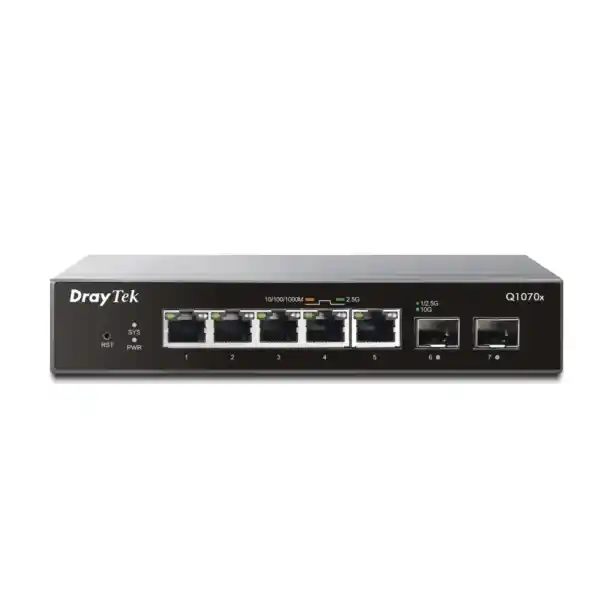
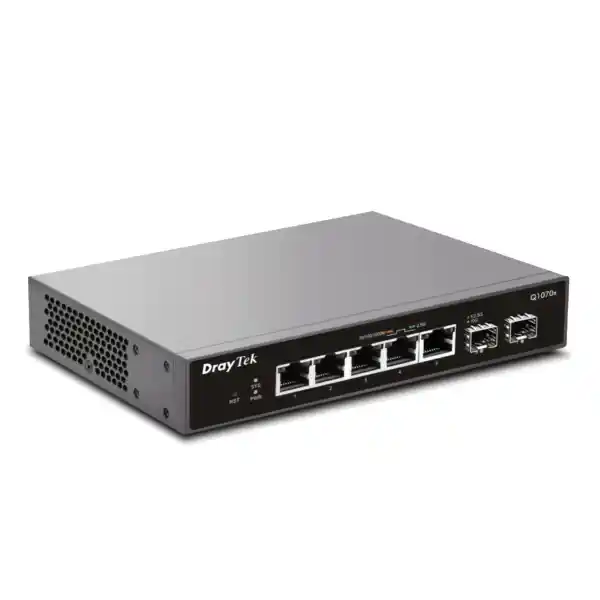
DrayTek VigorSwitch Q1070x in Dubai, UAE
A compact five-port 2.5GbE access switch with dual 10GbE SFP+ uplinks for offices, branches, Wi-Fi 6 edge networks, workstations, NAS platforms and high-throughput local services that have outgrown ordinary Gigabit Ethernet.
Best fit when you need
More than 1Gbps at the edge, a clean 10Gbps path to the core, silent operation in occupied spaces, and practical Smart Lite controls without deploying a full enterprise Layer 3 access platform.
Direct answer: what is the VigorSwitch Q1070x?
The DrayTek VigorSwitch Q1070x is a compact Smart Lite Ethernet switch intended to modernise the access layer where conventional 1GbE links have become a bottleneck. Its five copper ports negotiate at 10Mbps, 100Mbps, 1Gbps or 2.5Gbps, allowing businesses to reuse suitable existing copper cabling while giving compatible endpoints substantially more bandwidth than ordinary Gigabit Ethernet. Two dedicated SFP+ interfaces provide high-speed uplink or downlink connectivity at up to 10Gbps, which is useful when multiple 2.5GbE edge devices need to share a fast path to a core switch, router, server, storage platform or aggregation layer.
DrayTek specifies 65Gbps of switching capacity and a forwarding rate of 48.36 million packets per second for 64-byte frames. The hardware also supports jumbo frames up to 10KB and a 16K MAC address table, making it technically well matched to high-throughput local traffic such as workstation-to-NAS transfers, media production, backup jobs, virtualisation traffic and multi-gigabit wireless backhaul. The Q1070x is the non-PoE member of this compact family. If powered Ethernet for access points, cameras or other devices is required, the related PQ1070x should be evaluated instead; procurement teams should not assume the Q1070x itself supplies PoE.
For Dubai and wider UAE deployments, its strongest design advantage is density without excess infrastructure. The unit is small, fanless and low-power, so it can sit in a quiet office, meeting room, retail back office, AV cabinet or small branch location where a conventional rack-scale switch may be physically awkward or operationally unnecessary. At the same time, features such as 802.1Q VLAN segmentation, QoS, storm control, loop protection, LLDP, IPv4 and IPv6 multicast awareness, management VLAN capability and browser-based administration give network teams more operational control than an unmanaged multi-gigabit switch.
Core hardware specifications
Copper access
Five RJ-45 multi-gigabit Ethernet ports supporting 10/100/1000/2500Mbps. This is the primary edge-facing interface set for PCs, NAS appliances, Wi-Fi access points with local power, servers, AV endpoints and other Ethernet devices.
High-speed uplinks
Two SFP+ ports designed for fibre modules or compatible direct-attach connectivity, with support for 1G, 2.5G and 10G operation according to DrayTek’s global specification. They can be used for aggregation, server links or inter-switch uplinks.
Switching engine
65Gbps switching capacity with a published 48.36Mpps forwarding rate for 64-byte packets. This level of fabric capacity is intended to keep simultaneous multi-gigabit edge traffic moving without forcing every flow through a 1Gbps choke point.
Frame and table resources
An 8Mbit packet buffer, 16K MAC address table and jumbo-frame support up to 10KB provide practical headroom for bursty local traffic, larger Ethernet frames and mixed client populations in small business or branch environments.
Power and acoustics
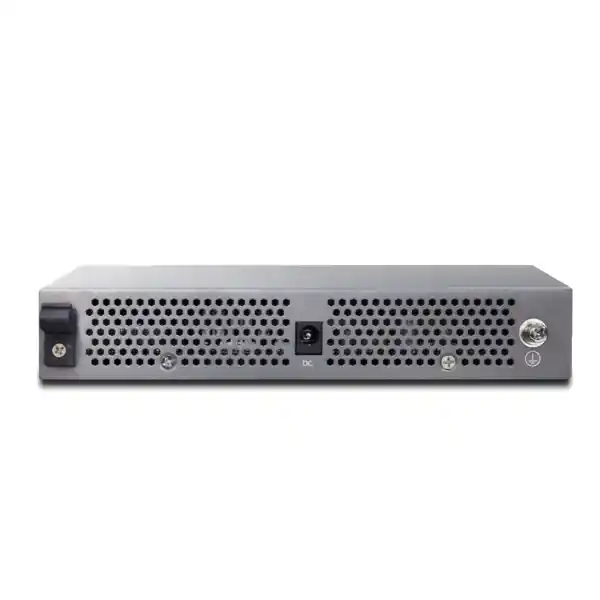
The Q1070x uses a 12V DC input and has a published maximum power consumption of 12W. A fanless design removes fan noise and avoids a moving component that otherwise requires airflow clearance and may accumulate dust.
Physical profile
The chassis measures approximately 175 × 114 × 32mm. Its compact footprint suits desktops, shelves and controlled wall-mount deployments where the installation requires multi-gigabit switching close to users or devices.
Why 2.5GbE matters in a modern UAE network
The jump from 1GbE to 2.5GbE is often more practical than moving every endpoint directly to 10GbE. Many business laptops, mini workstations, desktop motherboards, Wi-Fi 6 access points and NAS systems now ship with 2.5GbE interfaces, while a large installed base of structured cabling can support 2.5GBASE-T under suitable channel conditions. This creates a useful upgrade path: organisations can increase edge throughput without immediately replacing every horizontal copper run, every endpoint adapter and every access switch with expensive 10GbE hardware.
For wireless networks, the relevance is straightforward. A Wi-Fi 6 or later access point can have an aggregate wireless capacity above 1Gbps, yet its real wired performance is constrained if the Ethernet uplink remains fixed at 1Gbps. A 2.5GbE switch port increases the wired ceiling and gives the AP more room to carry simultaneous client traffic. The Q1070x does not provide PoE, so any connected access point must have its own power source or receive power through a separate supported arrangement. That makes the model particularly attractive where the access points already use local adapters or where the switch is being used for non-PoE edge devices.
For storage and creative workflows, a 2.5GbE link can significantly improve file-transfer throughput compared with 1GbE when the NAS, client storage and application stack are fast enough. The result is not automatically 2.5 times faster in every application; disks, SSD arrays, protocols, CPU load, encryption and file size all influence end-to-end performance. The key architectural benefit is that Ethernet stops being the first obvious bottleneck. In Dubai offices with centralised project files, surveillance exports, CAD datasets, VM images or media assets, that extra bandwidth can translate into shorter transfer windows and less contention between concurrent users.
Dual 10GbE SFP+ uplinks
The two SFP+ interfaces are the most important reason the Q1070x works as more than a simple edge speed upgrade. If five 2.5GbE clients were connected to a switch with only a 1GbE uplink, the network could still experience severe congestion whenever several clients communicated with upstream services at the same time. A 10GbE path to an aggregation switch, NAS, server or router dramatically increases the available upstream bandwidth.
SFP+ also gives designers media flexibility. Depending on compatible transceivers and deployment distance, the uplink can use fibre for electrical isolation and long runs or a suitable direct-attach copper cable for short rack-to-rack or device-to-device connections. Transceiver compatibility, optical type, fibre type, connector type, wavelength and remote-end capability should be confirmed before ordering.
A useful aggregation pattern
A common small-site design is to place the Q1070x near a group of bandwidth-heavy users and connect one SFP+ port upstream at 10Gbps to the core. The second SFP+ interface can be used for a local 10GbE storage target, another downstream switch or future expansion. This arrangement reduces unnecessary copper distance, keeps high-volume local traffic efficient and avoids replacing a larger existing core solely to add several 2.5GbE endpoints.
Where redundancy or advanced link aggregation is required, engineers should validate the exact firmware feature set and architecture rather than assuming enterprise chassis behaviour. The Q1070x is positioned as Smart Lite, so the correct design approach is to use its documented feature set deliberately rather than treating it as a substitute for a full L2+ or Layer 3 campus switch.
Port-by-port design guidance
Ports 1 through 5 are the multi-gigabit RJ-45 access ports. Their ability to negotiate multiple speeds makes mixed-device migration much easier than an all-or-nothing upgrade. Existing 100Mbps or 1Gbps endpoints can remain connected while selected workstations, NAS systems or access points move to 2.5GbE. This matters in phased UAE refresh projects because endpoint hardware is often replaced on different procurement cycles. The switch can support the transition without requiring every attached device to be upgraded simultaneously.
Ports 6 and 7 are the SFP+ interfaces. When one is used for a 10GbE uplink, the other can serve a secondary high-bandwidth connection. Engineers should decide whether that secondary port provides more business value as a server/NAS link, a downstream multi-gigabit access segment or a spare path reserved for maintenance and expansion. The decision should follow observed traffic flows. If most heavy traffic stays local between users and storage, placing the storage target directly on a 10GbE port can reduce congestion. If most traffic is internet-, data-centre- or core-bound, both SFP+ links may be more useful for aggregation or topology flexibility.
The switch also has a reset control. Operational teams should document its location and behaviour because physical access to network devices is part of the security model. A compact switch installed in an accessible meeting room or retail cabinet should not be treated like a locked data-centre appliance. Where possible, mount it in a controlled enclosure, protect the power adapter, label uplinks clearly and restrict who can physically reset or disconnect the unit.
Because the Q1070x is non-PoE, port planning is clean but power planning remains external. Every connected powered device must have its own electricity source. For desktops, servers and NAS devices this is normal. For wireless access points, cameras, phones or sensors, verify how each endpoint will be powered before selecting this model. If eliminating local adapters is a design objective, compare against a PoE-capable switch instead of adding ad hoc injectors that complicate troubleshooting.
VLAN segmentation for small and branch environments
The Q1070x supports port-based VLANs and 802.1Q tag-based VLANs, giving network administrators a practical way to separate traffic domains even in a compact installation. VLANs are useful when a single physical switch must carry business users, guest access, management interfaces, AV equipment, lab devices or storage traffic without placing everything in one broadcast domain. The exact VLAN design should follow the routing and firewall architecture because a switch creates Layer 2 separation; communication between VLANs still depends on an upstream routing device and the security policies applied there.
A branch example might assign user workstations to one VLAN, network-management addresses to a second VLAN and a locally attached NAS to a controlled server VLAN. The SFP+ uplink can carry those VLANs as tagged traffic to the upstream gateway or core, provided the remote switch and router configuration matches. This approach preserves the speed advantage of 2.5GbE at the edge while keeping logical segmentation consistent with the wider corporate design.
Management VLAN capability is particularly relevant when the device is installed outside the main server room. Administrators can avoid exposing the switch management plane broadly to ordinary endpoint networks. The management design should be paired with strong credentials, HTTPS access where supported, controlled source networks and configuration backups. Even a small access switch becomes an operational dependency once multiple users rely on it, so its management plane deserves the same basic hygiene as larger infrastructure.
When commissioning VLANs, avoid changing several parameters at once. Define the intended untagged VLAN for each access port, define tagged membership on uplinks, verify the upstream trunk, confirm management reachability and then test cross-VLAN policy from the router or firewall. A methodical process prevents the common situation where an administrator unintentionally removes their own access by changing the management or native VLAN before the upstream path is ready.
QoS, queues and traffic handling
Seven QoS queues
The platform provides seven QoS queues. Multiple queues allow traffic classes to be treated differently during contention instead of processing every frame as identical. This is useful for latency-sensitive voice, collaboration or control traffic sharing links with bulk file transfers.
SPQ and WRR scheduling
Strict Priority Queueing can prioritise selected traffic aggressively, while Weighted Round Robin can distribute service among queues. The correct method depends on traffic mix; overusing strict priority can starve lower-priority traffic during sustained congestion.
CoS and DSCP awareness
Class of Service and DSCP markings can be used to map traffic into appropriate queues when the wider network applies a consistent QoS policy. Marking alone does not create bandwidth, but it helps determine which traffic is serviced first when links are busy.
Rate limiting
Rate controls can prevent an individual flow or port from consuming disproportionate capacity. In practice, limits should be used only where there is a clear policy reason because artificially restricting a 2.5GbE access port can negate the performance objective of the upgrade.
QoS design is most effective when applied end to end. A switch can classify and schedule traffic locally, but once traffic crosses a router, firewall, WAN circuit or service-provider link, the next device needs compatible policies. For a Dubai branch using cloud voice, Microsoft 365, hosted applications and local storage, the sensible approach is to identify where congestion actually occurs. If the WAN is the bottleneck, edge-switch QoS may help preserve markings but the critical queueing decision occurs at the WAN edge. If local backups saturate an uplink to the core, switch-level queueing and scheduling become more directly relevant.
Storm control and loop protection
Small Ethernet networks can fail dramatically because of simple Layer 2 mistakes. A patch cable connecting two access ports together, a misconfigured downstream switch or an unmanaged device creating an accidental loop can generate broadcast or unknown traffic at a rate that overwhelms a segment. The Q1070x includes loop protection and storm-control functionality to reduce the impact of these conditions. These controls are not a substitute for disciplined topology design, but they provide useful safeguards for a compact switch likely to be installed near users rather than deep inside a locked core.
Spanning Tree Protocol and Rapid Spanning Tree Protocol support are also part of the platform’s documented capabilities. RSTP is generally useful where there are intentional redundant Layer 2 paths because it can converge faster than classic STP. A small site should still keep the topology as simple as possible. Adding redundant cables without understanding root-bridge placement, port roles and failover behaviour can create instability rather than resilience.
During commissioning, network teams should record every uplink and downstream switch connection, confirm whether redundancy is intentional, set appropriate loop safeguards and test failure behaviour during a maintenance window. If the switch is used purely as a single-uplink edge device, the design can remain straightforward. If both SFP+ ports participate in a redundant topology, the engineer should validate the exact supported feature set, remote-switch configuration and convergence behaviour under the firmware deployed at the site.
Multicast and IPv6-aware operation
Multicast control becomes important in networks carrying IPTV, AV distribution, conferencing, surveillance viewing or other one-to-many streams. The Q1070x supports IGMP Snooping for IPv4 and MLD Snooping for IPv6. Snooping allows the switch to observe multicast group membership and forward streams more selectively instead of flooding multicast traffic to every port. That can improve efficiency on a small multi-gigabit access segment, particularly when only one or two endpoints consume a high-bitrate stream.
IPv6 readiness should also be considered even if a current office still operates primarily on IPv4. Modern endpoint operating systems, cloud services and service-provider environments increasingly use IPv6, and local networks often carry IPv6 control traffic even before a full production migration. DrayTek documents IPv6-oriented functions including MLD Snooping and IPv6 ACL capability, although feature availability and firmware behaviour should always be checked against the release installed on the exact device.
A practical deployment policy is to decide whether IPv6 is intentionally supported, intentionally blocked at specific boundaries or simply unmanaged. The third option is usually the least desirable. If IPv6 is enabled, include it in security policy, DNS design, monitoring and troubleshooting. If it is not yet part of the production architecture, ensure the switch and upstream gateway are configured consistently rather than leaving unexpected traffic paths. The Q1070x provides useful awareness, but the overall IPv6 security posture is still determined by the routing, firewall and endpoint environment.
Management and operational control
The Q1070x provides local HTTP and HTTPS management, configuration backup and restore, dual-image support, SNTP and LLDP. These capabilities are enough for disciplined small-site operations when combined with a documented change process. HTTPS should be preferred over plain HTTP whenever practical because management credentials and session information should not traverse the local network in clear text.
Configuration backups are especially important before firmware upgrades, VLAN changes or uplink reconfiguration. A compact switch may appear simple, but reconstructing multiple VLANs, QoS rules and port settings from memory during an outage wastes time. Keep an exported configuration with the site documentation and record the installed firmware version.
DrayTek ecosystem management
DrayTek documents VigorRouter switch management integration for the Q1070x. Availability of central management functions can vary by product family and firmware, so procurement teams should verify the exact management workflow required for their environment before standardising at scale.
If the organisation needs large-fleet telemetry, advanced role-based administration, extensive SNMP automation or controller-based policy orchestration, compare the Smart Lite capabilities against a higher-tier managed switch. The Q1070x is strongest when the objective is compact multi-gigabit switching with practical controls, not when the project requires a full campus-management stack.
Fanless design, thermal planning and UAE installation practice
A fanless switch is attractive in occupied spaces because it produces no fan noise and avoids the mechanical wear associated with small high-speed fans. The Q1070x’s low maximum power draw also reduces the heat load compared with larger PoE or high-density switches. However, fanless does not mean temperature is irrelevant. The chassis still relies on passive heat dissipation and must be installed where air can circulate around it.
DrayTek specifies an operating temperature range of 0°C to 45°C and non-condensing operating humidity from 10% to 90%. In the UAE, indoor air-conditioned environments normally fall comfortably inside that range, but enclosed wall boxes, roof spaces, outdoor cabinets, warehouses and unconditioned service rooms can exceed it. The switch should not be placed in direct sun, against heat-generating equipment or inside a sealed enclosure without checking the worst-case internal temperature.
Power quality is another regional planning point. The device uses an external 12V DC adapter. For business-critical sites, connect the adapter to a suitable UPS-backed circuit so brief utility interruptions do not drop local network connectivity. If the connected NAS, router and upstream switch are UPS-protected but the Q1070x is not, the high-speed segment still fails during a power event. Power protection should be designed for the full service chain rather than for individual appliances in isolation.
Wall mounting can simplify installations near workgroups, but the mounting surface should be secure and cable strain must be managed. SFP+ fibre patch leads should not be sharply bent, and DAC cables should not hang from the SFP+ cage under their own weight. Use proper cable management, service loops and labels. The result is a small installation that remains supportable when another engineer visits months later.
Use case 1: high-speed workstation and NAS cluster
Consider a design team with four workstations that regularly move large project files to a central NAS. If every workstation and the NAS are attached to Gigabit Ethernet, simultaneous transfers can quickly become constrained. The Q1070x allows each workstation to connect at up to 2.5Gbps while the NAS can use a 10GbE SFP+ link if its interface supports it. That creates a much more appropriate bandwidth ratio: individual clients have faster access, and the storage target has a wider connection capable of serving multiple clients concurrently.
The storage platform still needs enough disk throughput. A single slow hard drive cannot fill a 10GbE link, while an SSD array, NVMe cache or well-designed RAID configuration may make better use of the network. SMB multichannel, NFS behaviour, antivirus scanning, encryption, CPU utilisation and file sizes also affect observed throughput. Network design should therefore be validated with actual application testing rather than a simple port-speed assumption.
This pattern is appealing because it localises the upgrade. The rest of the office can remain on an existing 1GbE access network while the design group receives multi-gigabit connectivity where it has measurable value. One SFP+ port can connect to the NAS and the other can provide a 10GbE uplink to the wider network. VLANs can separate storage and user traffic if the routing and security architecture requires it.
Use case 2: Wi-Fi 6 edge aggregation
Modern wireless access points can generate more aggregate traffic than a 1GbE uplink comfortably carries. A 2.5GbE wired connection helps preserve the benefit of a higher-capacity radio platform. The Q1070x can therefore sit behind one or more locally powered Wi-Fi 6 access points, with each AP connecting to a 2.5GbE port and the switch forwarding traffic upstream through 10GbE SFP+.
Because the Q1070x does not supply PoE, it is best suited to AP deployments where power is already provided by manufacturer adapters, separate PoE injectors or another approved method. When the project goal is a clean single-cable AP installation, a PoE switch may be operationally better. The correct model decision should include total power budget, per-port PoE class, UPS sizing and cable distance, not just Ethernet speed.
For guest and corporate wireless networks, VLAN tagging can carry separate SSIDs toward the router or firewall. The switch should be configured so the AP-facing port presents the required tagged or untagged VLANs, while the 10GbE uplink transports those VLANs to the gateway. This is a common design in Dubai offices, hospitality back-office environments, training rooms and compact commercial spaces where wireless density is increasing but a full access-switch replacement is unnecessary.
Use case 3: branch-office multi-gigabit island
A branch may have only a few endpoints that justify faster-than-Gigabit connectivity: perhaps an engineering workstation, a local backup server, a conferencing appliance and a shared storage device. Replacing a 24- or 48-port access switch solely for those systems can be inefficient. The Q1070x creates a small multi-gigabit island connected back to the existing distribution layer over 10GbE.
The branch can retain its normal 1GbE access switch for printers, phones and ordinary desks while high-bandwidth endpoints move to the Q1070x. This keeps the upgrade targeted and reduces change risk. VLANs can extend the same corporate segmentation model into the new switch, and QoS can protect latency-sensitive services when local links become busy.
Before deployment, confirm that the upstream switch has a compatible 10GbE SFP+ interface and that the chosen optic or DAC is supported at both ends. Also check whether the existing core can actually forward the anticipated traffic. A 10GbE physical link into an overloaded router or firewall does not automatically improve application performance. Capacity planning should consider the entire path from endpoint to service.
Use case 4: AV, meeting-room and content workflows
Corporate AV has become increasingly IP-based. High-resolution content distribution, recording, conferencing, signage and editing systems can create sustained traffic that is inconvenient on shared 1GbE links. A silent fanless switch is also preferable in meeting rooms and production spaces where acoustic noise is noticeable. The Q1070x combines these requirements by providing faster copper access with no fan.
Multicast features can help when the AV platform distributes one stream to multiple receivers, while VLANs can keep AV traffic separate from general office users. QoS can give control or conferencing traffic priority over bulk content transfers. The exact AV protocol, multicast behaviour and vendor requirements should be validated before installation because some professional AV platforms expect specific IGMP querier behaviour, PTP timing characteristics or switch settings beyond basic multicast snooping.
For a modest room or local studio that primarily needs high-speed endpoint connectivity and straightforward segmentation, the Q1070x can be a strong fit. For large-scale AV-over-IP with strict timing, hundreds of streams or specialised multicast control, select the switch based on the AV vendor’s certified design rather than port speed alone.
What the Q1070x is not
The Q1070x is not a PoE switch. It should not be purchased under the assumption that its 2.5GbE copper ports will power access points, cameras or phones. The related PQ1070x family member is the PoE-oriented alternative and has a different power architecture. This distinction is critical for procurement because a network can be electrically and operationally incomplete even when the Ethernet port count is correct.
It is also not positioned as a full Layer 3 enterprise access switch. DrayTek’s current global specification does not list a routing table, VLAN routing or built-in DHCP server for this model. Inter-VLAN routing, WAN policy and firewall enforcement should therefore remain on an upstream router, firewall or Layer 3 switch. That separation is often desirable in a small-site design, but it must be planned intentionally.
Finally, it is not a substitute for capacity analysis. A 10GbE uplink does not guarantee 10Gbps application performance. Endpoints, storage, transceivers, cabling, protocol overhead, security inspection and upstream devices all influence results. The Q1070x removes common Layer 2 bottlenecks, but performance must still be measured end to end.
Understanding these boundaries helps organisations use the switch where it is strongest: as a compact, power-efficient, manageable multi-gigabit access device with fast uplinks and practical Layer 2 controls.
Technical specification table
| Category | DrayTek VigorSwitch Q1070x specification |
|---|---|
| RJ-45 ports | 5 × 10/100/1000/2500Mbps multi-gigabit Ethernet |
| SFP+ ports | 2 × SFP+ with 1G/2.5G/10G support |
| Switching capacity | 65Gbps |
| Forwarding rate | 48.36Mpps at 64-byte frames |
| Packet buffer | 8Mbit |
| MAC address table | 16K entries |
| Maximum jumbo frame | 10KB |
| VLANs | Up to 32; port-based and 802.1Q tag-based VLAN support; management VLAN capability documented |
| Spanning tree | STP and RSTP |
| Multicast | IGMP Snooping v1/v2/v3; MLD Snooping support documented |
| QoS | 7 queues; SPQ and WRR; CoS, DSCP and CoS-DSCP; rate limiting |
| Traffic protection | Storm Control and Loop Protection |
| Management | HTTP, HTTPS, configuration backup/restore, dual image, SNTP, LLDP, VigorRouter switch management |
| Power input | DC 12V @ 1A |
| Maximum power consumption | 12W |
| Dimensions | 175 × 114 × 32mm |
| Operating environment | 0°C to 45°C; 10% to 90% non-condensing humidity |
| PoE | Not provided on Q1070x; evaluate PQ1070x when PoE is required |
Specifications should be reconfirmed against the shipping hardware revision and firmware at the time of quotation because vendors may update software capabilities, regional bundles and accessory availability.
Sizing the Q1070x correctly
Start with endpoint count, but do not stop there. Five copper ports disappear quickly once a NAS, workstation, access point and local server are connected. If the project needs seven or eight multi-gigabit copper devices now, purchasing a five-port switch because it is compact creates an immediate expansion problem. Count present endpoints, expected additions over the next 24 to 36 months and any temporary devices used for maintenance or testing. Reserve capacity where practical.
Next, map traffic direction. Five 2.5GbE clients produce an aggregate theoretical edge bandwidth higher than a single 10GbE uplink, although real applications rarely drive all ports at line rate simultaneously. If the workload can generate sustained concurrent traffic, use the second SFP+ interface strategically. Local storage traffic can stay on a directly attached 10GbE server, while internet or corporate traffic uses the uplink. Alternatively, a larger switch with more uplink capacity may be a better architectural choice.
Then check security boundaries. If three departments share the switch but require different trust zones, confirm VLAN design, firewall routing and management access. A compact switch can carry multiple zones, but the upstream gateway must have the interfaces, subinterfaces, performance and policy needed to inspect traffic between them.
Finally, assess operational requirements. Does the business need SNMP-based monitoring, central templates, advanced access control, 802.1X, DHCP snooping or other enterprise features? The current global Q1070x specification does not list several controls common on higher-tier managed switches. If those features are mandatory, select a different model rather than assuming future firmware will close the gap. A correctly sized switch is not simply one with enough ports; it is one whose performance, management and security functions match the site standard.
FourTeck can help align the switch with upstream firewalls, routers, fibre modules, cabling and support requirements. For UAE procurement and integration assistance, visit FourTeck UAE or review broader implementation capabilities through FourTeck IT Services UAE.
Cabling and physical-layer considerations
Multi-gigabit Ethernet is attractive because it can often use existing structured copper cabling, but existing does not always mean suitable. Cable category, channel length, connector condition, patch-panel quality, bundle temperature, electromagnetic environment and termination workmanship affect performance. Before a large rollout, test representative runs at 2.5Gbps under actual conditions. A link that negotiates at 2.5Gbps but produces errors is not a successful upgrade.
For SFP+ uplinks, select media based on distance and environment. A short passive DAC can be cost-effective inside a cabinet or between adjacent devices when both ends support it. Fibre is preferable for longer links, cross-room pathways, building distribution and environments where electrical isolation matters. Optical links require the correct transceiver type at both ends, matching wavelength, supported fibre and clean connector end faces. Many intermittent fibre problems come from contamination rather than electronics, so inspection and cleaning should be part of commissioning.
Do not mix assumptions about SFP and SFP+. The cage may physically accept various modules, but speed support and module compatibility depend on device firmware and vendor implementation. Confirm whether the remote device expects 1G, 2.5G or 10G and use a module supported at that rate. For business-critical links, keep a spare compatible optic or DAC on site, especially in branches where replacement delivery could delay recovery.
Label every cable at both ends with switch name, port number and destination. Compact switches are often added later than the main cabling system, and informal patching can become difficult to trace. Good labelling turns a five-minute remote-support instruction into a controlled task instead of guesswork.
Security design around a Smart Lite switch
The Q1070x should be treated as one component of the security architecture, not as the security boundary itself. VLANs can separate traffic at Layer 2, but an upstream firewall or routing platform determines which VLANs can communicate and what services are allowed. Where sensitive endpoints are connected, place them in purpose-built VLANs, route them through policy enforcement and log important access events at the gateway.
The current global specification does not list 802.1X or MAC authentication, DHCP snooping, Dynamic ARP Inspection or IP Source Guard for this model. Organisations that require those controls for zero-trust access, campus NAC or anti-spoofing policy should select a switch family that explicitly provides them. This is an important distinction between Smart Lite and more advanced managed tiers.
For the management plane, use HTTPS, a non-default strong administrator password and a dedicated management VLAN where feasible. Restrict access at the upstream firewall so ordinary user networks cannot reach the switch administration interface. Keep configuration backups and apply vendor firmware updates under a controlled maintenance process. Dual-image capability provides additional resilience during upgrades, but it does not remove the need for backups and rollback planning.
Physical security also matters. A person with access to the switch can disconnect uplinks, move cables between VLAN-assigned ports or reset the device. In public, retail or shared office locations, install the switch inside a locked enclosure or controlled IT area rather than leaving it openly accessible. Security is strongest when physical, Layer 2 and upstream firewall controls reinforce one another.
Deployment with firewalls and routers
Because the Q1070x is primarily a Layer 2 Smart Lite switch, the upstream router or firewall remains central to gateway services. A typical topology uses the switch for high-speed access, tags multiple VLANs onto a 10GbE uplink and terminates those VLANs on a capable firewall, router or Layer 3 core. The gateway then applies DHCP, inter-VLAN routing, internet access, security inspection and policy controls.
The gateway must be sized for the resulting traffic. A 10GbE physical uplink does not mean the firewall can inspect 10Gbps of encrypted or security-processed traffic. Review real firewall throughput for the enabled feature set, including IPS, antivirus, application control, SSL inspection and VPN services where applicable. If inter-VLAN transfers must remain at multi-gigabit speed, consider whether routing should occur on a high-performance Layer 3 core instead of forcing all local traffic through a lower-throughput WAN firewall.
FourTeck’s Firewall Dubai platform can be used to explore firewall-side solutions for segmented networks, while FourTeck Global provides a wider view of infrastructure capabilities. The most reliable design pairs switch performance with a gateway sized for the actual security workload.
For branch VPN environments, also consider the bandwidth leaving the site. A 2.5GbE workstation may copy local files very quickly but still be limited by a 500Mbps internet circuit or VPN tunnel. Communicating that distinction to users prevents unrealistic expectations and helps justify where multi-gigabit investment delivers measurable value.
Commissioning methodology
A disciplined commissioning process begins before the switch is powered. Record the serial number, physical location, asset owner, intended management address, VLAN plan, uplink media, remote-end port and power source. Confirm that the adapter supplied is correct for the regional bundle. Where a UPS is used, document the outlet or PDU connection so support staff can identify it during maintenance.
After power-up, change administrator credentials and establish secure HTTPS management. Configure the management network, system time and any required VLANs. Apply port descriptions if the interface supports them or maintain an external port map. Save a baseline configuration before introducing complex changes. If firmware must be updated, read the release notes, export the current configuration and schedule the change when brief interruption is acceptable.
Then validate every link. Confirm negotiated speed, error counters, VLAN membership and reachability. On 2.5GbE endpoints, run practical throughput tests rather than checking only the link icon. A successful negotiation with high packet errors may indicate a cabling problem. On SFP+ links, verify optical levels when diagnostics are available, or at minimum check stability during sustained transfer. Test failover or loop behaviour if the topology includes redundant links.
Application validation comes last. Copy representative large files, test voice or video calls, access critical cloud systems and observe whether QoS or rate policies behave as intended. Record baseline performance so future troubleshooting has a reference. A commissioning report should state what was tested, not merely that the switch was installed.
Once stable, back up the final configuration and store it with the network documentation. This small step significantly reduces recovery time after replacement, reset or configuration error.
Troubleshooting multi-gigabit performance
When a user reports that a 2.5GbE connection is slow, start with the negotiated link speed. A damaged cable, unsuitable adapter or endpoint driver can cause the connection to fall back to 1Gbps or 100Mbps. Check the switch port status and the endpoint NIC properties. Replace patch leads with known-good cables before changing complex settings.
If the link is correctly negotiated at 2.5Gbps, identify the test path. Internet speed tests measure the ISP circuit and remote server as much as the local switch. To validate local switching, use two capable endpoints or a workstation and a fast local server. Ensure both devices can actually generate and receive the traffic rate being tested. CPU limits, storage speed and protocol settings frequently become the bottleneck once Ethernet is upgraded.
For SFP+ issues, verify module compatibility, fibre type, polarity, cleanliness and remote-end configuration. A multimode optic connected over the wrong fibre or a mismatched single-mode wavelength will not behave correctly. DAC cables can also be vendor-sensitive. Confirm support rather than assuming every passive cable is interchangeable.
If only certain VLANs fail, inspect tag membership on both ends of the uplink and verify the native or untagged VLAN. Mismatched trunk settings are common after a switch migration. If all traffic fails after a management VLAN change, connect from a port or network that belongs to the new management segment, or restore the previous configuration according to the site’s recovery plan.
For intermittent problems, look for loops, storms, high error counters, thermal conditions and power instability. A compact switch is often installed in places that are easy to overlook, so physical inspection remains important even when remote management is available.
Procurement considerations for Dubai and the UAE
A correct quotation should specify the exact model as VigorSwitch Q1070x, not PQ1070x, and should identify the required regional power adapter. Buyers should also state whether SFP/SFP+ optics, DAC cables, fibre patch leads, wall-mount accessories, UPS protection or installation services are required. These items are often omitted from a switch-only quote but are necessary for a complete deployment.
Optics should be quoted based on distance and fibre type, not simply as “10G SFP+.” A short in-rack DAC, a 10G multimode SR optic and a single-mode LR optic solve different physical requirements. Where links connect different vendor platforms, confirm transceiver compatibility at both ends. If the site has an existing optical distribution frame, record connector type and available fibre cores before ordering.
Warranty and replacement logistics also matter. For a small switch supporting several high-value users, the cost of keeping one spare unit may be lower than the productivity loss associated with waiting for an RMA. Branches outside central Dubai should consider their replacement lead time and the availability of local technical staff. A good support plan includes configuration backup, spare media and clear cabling records.
For multi-site UAE projects, standardise the bill of materials where possible. Using the same switch, optics, DACs and port conventions across offices makes support easier and reduces spare-part complexity. However, standardisation should follow requirements: if one site needs PoE or more than five copper ports, choose the correct model rather than forcing the Q1070x into a role it was not designed to fill.
FourTeck can scope the switch together with routing, firewall, Wi-Fi, cabling and server-side requirements so that quoted components form a working system rather than an isolated parts list.
Compatibility and firmware discipline
Switch specifications evolve through firmware, and some vendor matrices mark functions as future support or project-dependent. Procurement teams should therefore separate hardware capability from currently released software capability. If a feature is mandatory on day one, confirm it in the firmware version that will actually ship. Do not base a production design on an asterisked future feature unless there is a formal delivery commitment appropriate to the project.
Before updating firmware, read the release notes for fixes, known issues and configuration changes. Export the configuration, record the current version and verify that a recovery image is available where supported. Apply upgrades during a maintenance period even if the switch is small; a reboot can disconnect multiple users and services at once.
For third-party SFP+ modules and DACs, compatibility can be more important than headline optical specifications. A module may be electrically compliant yet rejected or misreported by a particular switch. For deployments that must be predictable, use vendor-confirmed or field-proven components and record their part numbers in the site standard.
The same discipline applies to endpoint NICs. Update drivers and firmware on 2.5GbE adapters when troubleshooting negotiation or stability issues. Multi-gigabit copper is mature, but endpoint quality varies widely. A network switch cannot compensate for a poorly behaved USB Ethernet adapter, damaged patch lead or misconfigured energy-saving driver setting.
Decision framework: is the Q1070x the right switch?
Strong fit
Choose it when you need up to five 2.5GbE copper endpoints, one or two 10GbE SFP+ connections, compact dimensions, silent operation and practical VLAN/QoS controls without PoE.
Good targeted upgrade
It works well as a high-speed island beside an existing 1GbE network, particularly for NAS users, media workstations, locally powered Wi-Fi 6 APs and branch servers.
Reconsider for PoE
If access points, phones or cameras must receive power from the same Ethernet cable, evaluate a PoE-capable model. The Q1070x itself does not provide PoE.
Reconsider for enterprise NAC
If the project requires 802.1X, DHCP snooping, DAI, IP Source Guard or broad controller-based management, select a higher-tier switch that explicitly lists those features.
Check port growth
Five copper ports are ideal for compact deployments but leave limited expansion. If six or more multi-gigabit endpoints are expected soon, a larger model may be a better long-term purchase.
Check uplink ecosystem
Confirm that the upstream device has compatible SFP+ capability and that the selected optic or DAC is supported. The benefit of 10GbE depends on the complete path.
Quotation input checklist
For an accurate UAE quotation, provide the information below. It allows the switch, uplink media, power protection and installation scope to be sized as one system rather than quoted separately.
Number of 2.5GbE workstations, NAS systems, servers, access points or other devices now and expected within the next two to three years.
Confirm whether any attached endpoints require PoE. If yes, the Q1070x may need to be replaced by a PoE-capable alternative.
State the distance to the core switch, router, firewall, server or NAS and whether fibre already exists between locations.
Identify multimode fibre, single-mode fibre, DAC or copper requirements and the connector type where existing fibre infrastructure is used.
List user, guest, server, AV, management or other VLANs that must traverse the switch and the upstream device that will route them.
Provide room type, rack or wall location, expected temperature, UPS availability and whether the switch will be installed in an occupied space.
Final consultation panel: design the complete 2.5GbE path
The most effective Q1070x deployment treats the switch as part of an end-to-end bandwidth path. That means validating the endpoint NIC, copper cabling, VLAN architecture, SFP+ media, upstream switch or firewall, storage performance and WAN limits together. A 2.5GbE access port is valuable when the rest of the path can use the extra throughput; otherwise the bottleneck simply moves somewhere else.
For a typical Dubai office, start by identifying two or three workflows that currently suffer from Gigabit congestion. Measure them, then design around those flows. A NAS-heavy department may benefit from a direct 10GbE storage connection. A wireless-heavy floor may need several 2.5GbE AP uplinks and a 10GbE path to the core. A branch may need only a small high-speed segment beside its existing access switch. Each case uses the same hardware differently.
FourTeck can support the surrounding infrastructure decision, including uplink optics, compatible core switching, firewall sizing, structured cabling, UPS planning, commissioning and documentation. The objective is not merely to install a faster switch; it is to create a predictable service path that remains supportable after handover.
For UAE project planning, compare current network requirements, planned growth and mandatory security features before ordering. If the Q1070x matches the port count and control requirements, its combination of five 2.5GbE ports, dual 10GbE SFP+, 65Gbps switching capacity and fanless low-power operation makes it a highly efficient compact upgrade. If the project needs PoE, more copper ports or enterprise NAC controls, choosing a different model at the design stage will produce a cleaner and more supportable network.

Reviews
There are no reviews yet.