
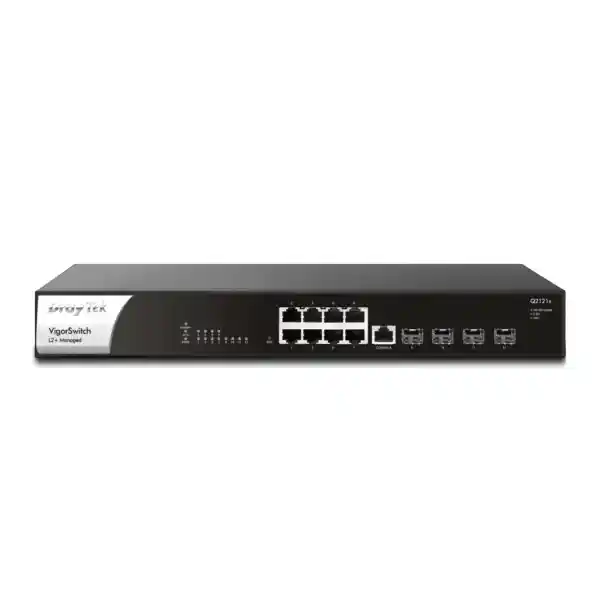
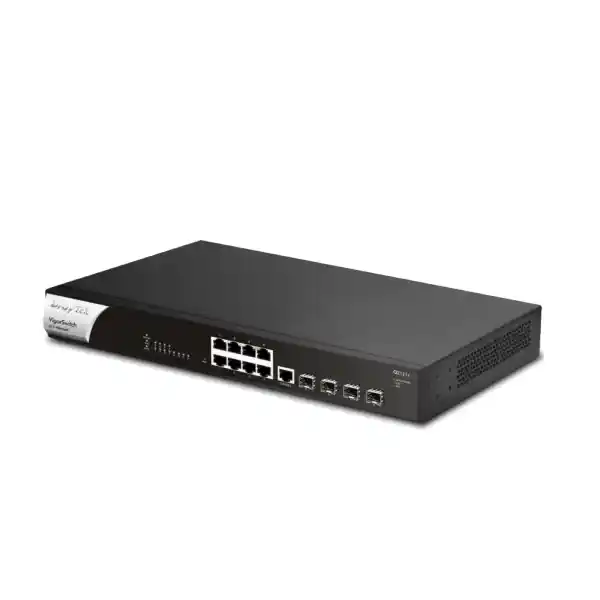
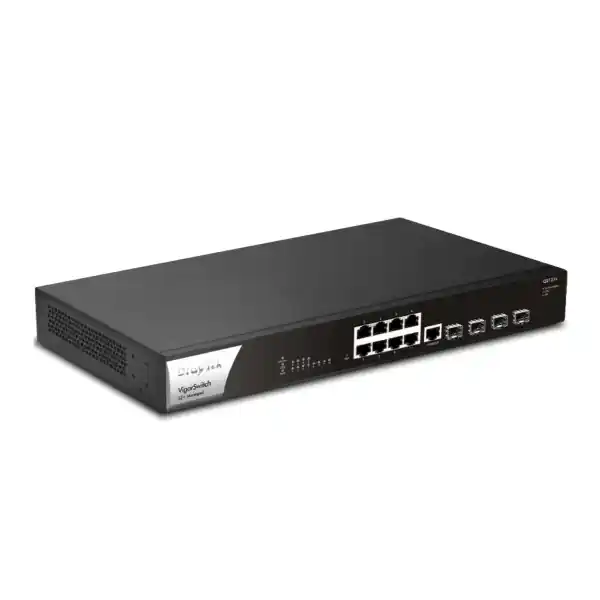
DrayTek VigorSwitch Q2121x Dubai, UAE
The DrayTek VigorSwitch Q2121x is a business-class L2+ managed multigigabit switch built for organisations that need more than Gigabit Ethernet at the access layer without moving every endpoint to 10GbE. Eight copper 2.5GbE ports serve high-throughput workstations, Wi-Fi 6 or Wi-Fi 6E access points with local power, NAS systems, edge servers and other multigigabit devices, while four SFP+ interfaces provide 1GbE or 10GbE fiber and DAC connectivity for uplinks, aggregation, storage or inter-switch trunks. With 120 Gbps switching capacity, 89.28 Mpps forwarding, Layer 3 static and VLAN routing, DHCP server capability, comprehensive VLAN functions, security controls, multicast management and DrayTek centralized management, it is suitable for compact enterprise, professional office, hospitality, education, retail, surveillance-management and branch-network designs in Dubai and across the UAE.
What the VigorSwitch Q2121x is designed to solve
Many UAE business networks have reached a point where a conventional 1GbE access switch becomes the bottleneck, but a complete move to 10GbE copper is unnecessarily expensive, power-hungry or difficult to justify. Modern Wi-Fi access points can move more than one gigabit of aggregate traffic, workstations increasingly use 2.5GbE NICs, creative teams move multi-gigabyte files to central NAS platforms, and small virtualisation hosts often need faster east-west connectivity. The Q2121x addresses that middle ground. Each of its eight copper ports can negotiate at 10 Mbps, 100 Mbps, 1 Gbps or 2.5 Gbps, allowing older equipment and newer multigigabit clients to coexist on the same switch. This protects existing cabling investments where Cat5e or better cabling is already installed and appropriately tested, while still creating a meaningful performance step above Gigabit Ethernet.
The four SFP+ ports are equally important to the design. A small switch can become congested if many fast edge devices are forced through one low-speed uplink. By providing four 1G/10G SFP+ interfaces, the Q2121x can use one or more 10GbE links toward a router, firewall, core switch, storage platform or another access switch. Link Aggregation Control Protocol can combine appropriate links for resilience and added aggregate bandwidth when both ends support a compatible design. This gives network architects room to create a compact aggregation layer rather than treating the unit as a simple desktop switch.
The model is deliberately non-PoE. That distinction matters in procurement. The Q2121x has no PoE, PoE+ or PoE++ power budget, so it should not be specified when cameras, phones or access points must receive electrical power from the switch. In those cases the PoE-capable VigorSwitch PQ2121x is the more directly comparable DrayTek platform. The non-PoE Q2121x is appropriate when endpoints have separate power supplies, when PoE is delivered through another access layer, or when a design intentionally separates high-speed data switching from endpoint power delivery. Making this choice early prevents a common deployment mistake and keeps the bill of materials aligned with the actual endpoint requirements.
Verified hardware and forwarding specifications
Multigigabit access architecture: why 2.5GbE matters
The practical value of 2.5GbE is not simply that it is two and a half times the nominal line rate of 1GbE. Its value comes from removing an access-layer ceiling while preserving broad Ethernet compatibility. A user can connect a legacy printer at 100 Mbps, a standard desktop at 1 Gbps and a modern workstation at 2.5 Gbps without creating separate switching islands. For network refresh projects this allows the edge to evolve incrementally. The switch can remain useful through several client refresh cycles because port speed is negotiated according to each attached device.
Wi-Fi is a common reason to deploy multigigabit Ethernet. High-capacity Wi-Fi 6 access points can serve many concurrent devices, and aggregate radio throughput can exceed what a single 1GbE wired uplink can comfortably transport. The Q2121x provides the wired data-rate headroom for such access points when the AP is powered locally or through an external injector. Designers must still verify the actual Ethernet interface of the selected access point, its power method and the expected real-world wireless load. A 2.5GbE switch port does not automatically make every AP faster, but it removes a potential wired bottleneck in designs where the radio system can generate more than a gigabit of aggregate traffic.
The same logic applies to storage and workstation traffic. A 2.5GbE file-transfer path can shorten backup windows and improve large media-file workflows compared with a 1GbE path, provided the NAS, client NIC, disk subsystem and upstream path can all sustain the load. Network performance is end to end. Installing a faster access switch while leaving a 1GbE uplink, overloaded storage array or undersized firewall in the path simply moves the bottleneck. FourTeck therefore treats switching design as part of an overall network capacity model rather than as a single-device purchase. Customers planning wider infrastructure upgrades can review FourTeck IT Services UAE for integration, migration and infrastructure support.
The Q2121x also supports 10 KB jumbo frames. Jumbo frames can reduce per-packet overhead in selected storage, backup or server-to-server workflows, but they should be enabled only when the complete Layer 2 path supports the chosen MTU and the application benefits from it. Mixed or inconsistent MTU configurations can create difficult troubleshooting conditions. For general office endpoints, leaving standard Ethernet MTU settings is normally the safest approach. For iSCSI-like storage, large backup streams or controlled server segments, a validated jumbo-frame design may be appropriate.
8 × 2.5GbE
Flexible copper access for multigigabit clients while remaining backward compatible with 1G, 100M and 10M Ethernet endpoints.
4 × 10G SFP+
High-speed aggregation options for core uplinks, server links, fiber distribution, direct-attach connections and redundant topologies.
L2+ services
VLAN routing, static routing and DHCP services help local traffic move efficiently and reduce unnecessary dependency on an upstream router.
Non-PoE design
Best suited to separately powered devices or architectures where PoE is provided by a different switch, injector or dedicated access layer.
10G SFP+ uplinks, optics and aggregation planning
Four SFP+ interfaces make the Q2121x unusually flexible for a compact eight-port copper switch. Each SFP+ interface supports 1G or 10G operation, so a design can connect to existing 1G fiber infrastructure today and migrate to 10G optics later, subject to module compatibility and link requirements. For rack-to-rack or same-rack connections, a compatible SFP+ direct-attach copper cable can be attractive because it is simple, low-latency and does not require separate optical transceivers. For longer runs, fiber optics may be more appropriate. The correct optic depends on fiber type, wavelength, distance, connector plant and the devices at both ends of the link.
A key design decision is how many SFP+ ports to dedicate to uplinks. A small office may use one 10G uplink to a firewall or core switch and keep the remaining ports available for a NAS, server and future expansion. A branch with two upstream switches may use redundant trunks. A high-throughput workstation cluster may connect several 2.5GbE endpoints to the Q2121x and use two 10G links in a link aggregation group toward a core. Although link aggregation increases aggregate capacity and can provide path resiliency, a single traffic flow is generally mapped to one member link according to the devices’ hashing behaviour. Therefore, two aggregated 10G links should not automatically be interpreted as a 20Gbps single-session path.
The switch supports up to eight aggregation groups with up to eight members per group using static aggregation or IEEE 802.3ad LACP. In practice the physical port count defines what is possible on this specific chassis, and engineers should reserve ports for management, server links and future growth rather than consuming every interface immediately. LACP is normally preferable where the peer supports it because the participating devices can negotiate and monitor the bundle, but the complete configuration must be matched at both ends.
Fiber projects in Dubai also require attention to patch-panel type, transceiver temperature ratings, cleaning procedures, labeling and light-level budgets. The switch’s SFP+ slots are only one component in that optical path. An installation with incompatible multimode and single-mode optics, wrong wavelengths or contaminated connectors can fail even when the switch configuration is correct. FourTeck can source and integrate network switching as part of broader UAE infrastructure requirements through FourTeck UAE, with final optics selected against the actual cabling route and peer equipment.
Layer 2 resiliency and loop control
Managed switching is valuable because Ethernet networks can fail dramatically when loops are created without a control protocol. The Q2121x supports classic STP, Rapid Spanning Tree Protocol and Multiple Spanning Tree Protocol. STP provides foundational loop prevention, RSTP converges more quickly in supported topologies, and MSTP can map multiple VLANs into spanning-tree instances for more controlled Layer 2 designs. Which mode to use depends on the surrounding switch estate. In mixed-vendor environments, edge settings, root-bridge priorities and allowed VLANs should be documented rather than left entirely to defaults.
Loop protection is also listed among the platform’s security and stability functions. This is useful at the access edge where an accidental patch cable, unmanaged downstream switch or incorrectly connected wall outlet can create a Layer 2 loop. Storm control can further limit broadcast, multicast or unknown traffic conditions that might otherwise consume bandwidth and destabilize the LAN. These controls are not a substitute for a clean topology, but they provide defense in depth against common cabling and configuration mistakes.
Energy Efficient Ethernet under IEEE 802.3az is supported as part of the Ethernet standards set. In enterprise design, EEE behaviour should be considered alongside latency-sensitive applications and peer compatibility. Most environments can use defaults, while highly controlled real-time or specialist systems may require validation. The broader standard set includes IEEE 802.3, 802.3u, 802.3ab, 802.3bz and 802.3ae for the supported Ethernet speeds, as well as 802.3x flow control, 802.1Q VLAN tagging, 802.1p class of service, 802.3ad link aggregation, 802.1ad QinQ, 802.1X port access control and 802.1AB LLDP.
VLAN architecture for business segmentation
The Q2121x supports up to 512 VLANs and several VLAN assignment methods, including 802.1Q tag-based VLANs, MAC-based VLANs, protocol-based VLANs, a dedicated management VLAN, voice VLAN and surveillance VLAN. This breadth is useful in offices where a single physical switching fabric must carry multiple logical networks. A typical UAE office might separate corporate users, guest Wi-Fi, IP telephony, CCTV, building-management systems, servers and network administration. Segmentation reduces unnecessary broadcast scope and gives firewalls or routing policies clear security boundaries.
Tag-based VLANs remain the normal foundation. Access ports can present one untagged network to a simple endpoint, while trunk ports carry multiple tagged VLANs toward routers, access points, hypervisors or other switches. Voice VLAN and surveillance VLAN functions help classify dedicated device categories, while LLDP-MED can simplify VoIP endpoint discovery and policy exchange. MAC-based and protocol-based VLANs can support specialised environments but should be used with a clear operational reason because more dynamic classification increases troubleshooting complexity.
GVRP and basic QinQ are supported. QinQ can be useful when transporting customer or departmental VLAN tags across another tagged service domain, although the exact service-provider or campus design must be validated end to end. In managed office networks, most deployments will rely on conventional 802.1Q trunks rather than QinQ. The important point is that the Q2121x has enough VLAN functionality to act as more than an unmanaged edge concentrator.
Segmentation design should start with policy, not with arbitrary VLAN numbers. Decide which groups must communicate, where inter-VLAN inspection is required, which services require broadcast discovery, how guest traffic reaches the internet and whether servers should be accessible from user segments. Once those flows are defined, VLAN IDs, IP subnets, DHCP scopes, ACLs and routing can be mapped consistently. This avoids the common problem of creating many VLANs without a clear security model or documentation.
Layer 3 static routing and VLAN routing
DrayTek positions the Q2121x as an L2+ switch, and the platform includes static routing and VLAN routing. This enables selected inter-VLAN traffic to be handled locally at the switch instead of being sent through an upstream router for every hop. In a well-designed LAN that can reduce latency and preserve firewall or router capacity for traffic that actually needs deeper policy enforcement, internet access, VPN termination or WAN routing.
Local routing should be used thoughtfully. If two VLANs require firewall inspection, threat prevention or application policy between them, routing those networks directly on the switch may bypass controls that would otherwise be applied by a security gateway. A common architecture therefore routes trusted high-volume internal segments locally while forcing sensitive cross-zone traffic through a firewall. The exact decision should be based on security policy, not only on throughput.
DHCP server capability
The Q2121x also supports DHCP server functions. This can be useful in isolated LANs, branch segments, temporary deployments or resilience scenarios where address assignment should continue without relying on another local device. For larger environments, DHCP is often centralised on a server, firewall or dedicated appliance, but having DHCP capability in the switch adds design flexibility.
Whichever device supplies DHCP, scope ownership should be unambiguous. Two active DHCP servers offering overlapping pools can create inconsistent gateways, DNS assignments and IP conflicts. DHCP snooping on the Q2121x can help control untrusted DHCP behaviour by distinguishing trusted infrastructure ports from edge ports. This security function works best when switch port roles and uplinks are deliberately defined.
Access security: 802.1X, RADIUS, TACACS+, DHCP snooping and source protection
The Q2121x includes a collection of controls intended to make the access layer more defensible. Authentication server support includes RADIUS and TACACS+, and the switch supports 802.1X and MAC authentication. 802.1X is useful when an organisation wants devices or users to authenticate before receiving normal network access. A RADIUS-backed design can return network policy such as VLAN membership according to identity or device posture, depending on the wider authentication platform. MAC-based authentication can provide a transitional mechanism for devices that cannot run a supplicant, although MAC addresses are not strong secrets and should not be treated as equivalent to certificate-based identity.
DHCP snooping protects the address-assignment process by restricting DHCP server responses to trusted paths. Dynamic ARP Inspection can use trusted DHCP binding information to reduce ARP spoofing opportunities, while IP Source Guard can restrict source addresses observed on access ports. These technologies are most effective when deployed together with disciplined port configuration. If every port is marked trusted or binding data is incomplete, the intended protection can be weakened. Change control therefore matters whenever uplinks, static-IP systems or server ports are moved.
IP Conflict Detection and IP Conflict Prevention are particularly relevant to mixed business networks where static devices, printers, cameras and manually configured systems may overlap with DHCP pools. The switch can identify conflicting use of addresses and can block a misconfigured or malicious host according to supported feature behaviour. That can shorten troubleshooting compared with discovering an IP conflict only after users report intermittent connectivity. Mail alert functions can notify administrators about IP conflicts and other operational events.
The device also provides traffic-control functions including storm control and DoS defense, access-list capabilities, loop protection, multiple administrator accounts with two privilege levels, and encrypted management options such as HTTPS and SSH v2. Security hardening should disable or restrict unneeded management protocols. Telnet is supported but is unencrypted, so a production configuration should normally prefer SSH and HTTPS and limit management access to trusted administration networks. SNMPv3 is available and should be preferred when monitoring systems support it because it can provide stronger authentication and privacy than legacy SNMP versions.
Switch security is only one part of the network control plane. Internet edge protection, VPN, application security and threat inspection usually remain functions of a firewall or secure gateway. Organisations planning a combined switching and security refresh can use FourTeck Firewall Dubai to coordinate firewall requirements with VLAN, routing and uplink design so that enforcement points match the intended segmentation policy.
Quality of Service for voice, video and business applications
The Q2121x provides eight QoS queues and supports Strict Priority Queueing and Weighted Round Robin scheduling. It can classify and prioritise traffic using Class of Service, DSCP, CoS-to-DSCP handling and IP Precedence. These features matter when latency-sensitive voice or interactive traffic shares links with backups, file transfers or software distribution. Without policy, a large bulk transfer can fill buffers and increase delay or jitter for real-time traffic even though the switch itself has substantial forwarding capacity.
A good QoS design starts at the trust boundary. Administrators decide whether endpoint markings are trusted, rewritten or ignored. Voice handsets and managed access points may be trusted to apply known markings, while unmanaged user devices normally should not be allowed to claim the highest priority simply because an application sets DSCP values. LLDP-MED can assist VoIP deployment by advertising network policy to compatible devices, and the switch’s automatic voice VLAN capabilities can help identify voice endpoints and assign the intended service class.
QoS does not create bandwidth; it decides which traffic receives preferential treatment when contention exists. Therefore, a saturated 1GbE upstream link remains a capacity problem even if voice packets are prioritised. The four 10G SFP+ interfaces give engineers more options to remove bottlenecks rather than attempting to solve every capacity issue with packet prioritisation. For high-throughput environments, use QoS and adequate bandwidth together.
Multicast handling for IPTV, conferencing and surveillance
Multicast applications can consume unnecessary bandwidth if a switch floods multicast frames to ports that do not need them. The Q2121x supports IGMP Snooping v2 and v3, including the DrayTek-listed BISS capability, an IGMP Querier, MLD Snooping v1 and v2 for IPv6-oriented multicast control, multicast filtering and throttling, and Multicast VLAN Registration. It supports up to 256 multicast groups according to the manufacturer specification.
IGMP Snooping listens to membership signalling so multicast can be forwarded only toward ports with interested receivers. In networks without a multicast router, an IGMP Querier may be required to keep membership state current. MLD performs a related role for IPv6 multicast. These controls are relevant in IPTV, digital signage, video distribution, conferencing and some surveillance workflows. Incorrect multicast settings can produce symptoms that resemble general congestion, so deployments should document where querier functions live and which VLANs carry multicast services.
MVR can help separate multicast source traffic from subscriber VLANs in appropriate designs, while throttling can control how many multicast groups a port may join. These are advanced functions and should be configured against application requirements. For a conventional office with no multicast application beyond routine discovery protocols, the default design can remain much simpler.
ONVIF-friendly surveillance management
Although the Q2121x does not supply PoE power, it includes ONVIF-oriented features for IP surveillance visibility and maintenance. It can recognise compatible ONVIF devices, present surveillance topology information, support real-time viewing functions and expose basic device maintenance operations such as network settings, time settings, reboot and factory reset where the camera and implementation permit. This can be useful in environments where cameras receive power from dedicated PoE switches but traffic is aggregated through the Q2121x.
DrayTek also describes ONVIF camera snapshot alerts and monitoring capabilities. The operational concept is that the switch can check camera availability and help administrators identify a camera that has gone offline. On PoE-capable models, automated power recovery may be part of the recovery path; on the non-PoE Q2121x, there is no PoE output to power-cycle a directly connected camera. That difference should be reflected in support procedures. A camera connected through another PoE switch may still need recovery at that powered access device.
For surveillance projects, switch capacity must be sized against camera bitrate, retention architecture and NVR uplinks. Eight 2.5GbE ports are far more bandwidth than typical individual cameras require, but the model may make sense as a compact aggregation node or as part of a converged business network where CCTV traffic shares infrastructure with other services. VLAN separation, IGMP behaviour where multicast viewing is used, NTP consistency and secure management are all more important than simply choosing the highest port speed.
Management: local GUI, CLI access and DrayTek central platforms
The Q2121x can be administered locally through a web-based graphical interface and supports HTTP, HTTPS, Telnet and SSH v2 management services. Configuration backup and restore, dual image support and two-level administrator privilege help with lifecycle operations. In production, encrypted management should be preferred, configuration backups should be stored outside the switch and firmware changes should follow change-management procedures with rollback planning.
For monitoring and automation, the switch supports SNMP v1, v2c and v3, RMON groups 1, 2, 3 and 9, sFlow and SNTP. SNMP can feed network management systems with health and interface data, while sFlow provides sampled traffic visibility that can help identify heavy users or unexpected traffic patterns. SNTP keeps device time aligned, which is essential when correlating switch logs with firewall, server, wireless and authentication events. Reliable time synchronisation is a simple but frequently overlooked requirement in incident analysis.
Mail alert functions cover events such as port status, port speed, system restart, IP conflicts, hardware monitoring, device checks and ONVIF camera snapshots. Alerting should be tuned so that administrators receive actionable events rather than excessive noise. For example, an expected workstation port going down at the end of every workday may not need email notification, while a core uplink or infrastructure device losing connectivity may require immediate attention.
The switch integrates with DrayTek VigorRouter Switch Management for discovery, provisioning, monitoring, hierarchical views and maintenance in compatible DrayTek environments. It can also be managed through VigorConnect and VigorACS, with DrayTek listing Q2121x support from firmware version 2.8.1 for those platforms. Central management is particularly useful when multiple branches use repeatable VLAN and switch configurations because administrators can apply consistent templates and monitor device health without logging into every unit separately.
Centralised management does not eliminate the need for documented local recovery access. A branch switch should have recorded management IP information, credential ownership, backup configuration, console-access procedure and firmware baseline. If the WAN is unavailable, local staff or field engineers may need console or LAN-side access to restore service. Operational documentation should therefore be maintained alongside any cloud or server-based management platform.
Web GUI
Graphical port and status visibility for local configuration, monitoring, VLAN assignment and feature administration.
VigorRouter SWM
Suitable for DrayTek-centric LANs that need discovery, provisioning, hierarchical views and switch maintenance from a compatible router.
VigorACS / VigorConnect
Central operations for fleets of supported DrayTek devices, including monitoring, provisioning, alerts and scheduled maintenance workflows.
Deployment scenario 1: Wi-Fi 6 multigigabit aggregation
A professional office may have several Wi-Fi 6 access points distributed through meeting areas, open offices and customer spaces. If those APs expose 2.5GbE Ethernet but receive power from local adapters or dedicated injectors, the Q2121x can collect their data links at multigigabit speed. One or two 10G SFP+ interfaces can then connect the switch to a core or firewall. This architecture avoids forcing several high-capacity APs through individual 1GbE switch ports while preserving the option to run separate wireless VLANs for corporate users, guests, voice and IoT devices.
Sizing starts with realistic aggregate demand rather than adding theoretical radio rates. Wireless throughput varies with channel width, client capability, RF conditions, airtime contention and protocol overhead. It is therefore useful to review historical usage, expected client count and application mix. The 2.5GbE AP uplink is valuable when bursts exceed 1Gbps or when many clients share the AP, but the total upstream design should still match expected simultaneous traffic rather than the sum of all advertised radio maximums.
Because the Q2121x has no PoE, this scenario requires a deliberate power plan. If the project preference is to power access points directly from the switch, choose a PoE-capable model instead. If AP power is already delivered through another system, the Q2121x can focus purely on data switching and aggregation.
Deployment scenario 2: creative office, engineering studio or NAS workgroup
Teams working with CAD files, video assets, photography libraries, large project archives or virtual-machine images often experience the limitations of Gigabit Ethernet long before general office users do. Eight 2.5GbE ports allow a compact workgroup to connect high-performance desktops and a NAS at more than Gigabit speed. The SFP+ ports can then provide a 10GbE path to a larger storage array, backbone switch or server. This creates a cost-conscious hierarchy: 2.5GbE where users need faster access and 10GbE where traffic aggregates.
Storage performance must be verified independently. A single mechanical disk may not sustain 2.5GbE of useful file throughput, while SSD arrays or RAID systems may exceed it easily. SMB settings, encryption, CPU capability, filesystem overhead and concurrent workload also affect results. Network upgrades should therefore be measured with end-to-end file or application tests rather than only interface-speed indicators.
Jumbo frames can be considered for controlled storage networks, but the safest deployment is to validate the entire path before enabling a larger MTU. The switch’s 10 KB jumbo-frame support provides headroom, yet the chosen MTU must also be accepted by every server NIC, NAS interface, VLAN path and peer switch. Inconsistent settings can produce silent fragmentation or connectivity problems that are difficult to diagnose.
Deployment scenario 3: branch core or compact aggregation switch
The Q2121x can operate as a compact branch core when the site does not need a high port count but does need multiple high-speed uplinks. Access switches can connect through SFP+ or copper where appropriate, VLANs can be routed locally, and DHCP services can be provided if the branch architecture requires them. The 16K MAC table and 512-VLAN capacity are comfortably above the needs of many small and mid-size branches, although actual design limits should consider the complete topology rather than only published maximums.
A branch-core design should decide which device acts as spanning-tree root, which gateway owns each VLAN, where DHCP is served and which traffic must traverse the firewall. If the Q2121x performs inter-VLAN routing for trusted networks, static routes must point toward the security gateway or upstream router for remote destinations. Return routing on upstream devices must also include the branch VLANs. Asymmetric or missing routes are a common cause of connectivity failures after moving from pure Layer 2 switching to L2+ routing.
Resiliency may use LACP uplinks, spanning-tree alternate paths or dual upstream connections, but the switch itself is a single 1U appliance with one listed AC power input and no backup power input. Sites that require device-level redundancy should deploy redundant switching architecture rather than expecting one chassis to provide high availability by itself. Power resilience can be improved with a suitable UPS, but a UPS does not replace a second switch where continuous availability is required during hardware failure.
Important design limitation: no PoE output
The most important procurement check for the Q2121x is simple: it does not provide Power over Ethernet. None of the eight 2.5GbE RJ-45 ports supplies 802.3af, 802.3at or 802.3bt power. A VoIP handset, IP camera, access point or other powered device that expects electricity from the Ethernet cable will not be powered by this switch. The data connection may still work if the endpoint has an independent power source, but power delivery must be solved separately.
This is not a weakness when the design does not require PoE. Removing a PoE subsystem keeps maximum switch power consumption low at 25.4 W and can make sense for server rooms, desktop workgroups, storage aggregation and inter-switch use. It also avoids paying for a PoE budget that will never be consumed. The correct purchasing decision depends on the endpoint list.
For projects where all eight multigigabit ports should power access points or cameras, compare the DrayTek PQ2121x, which is the closely related PoE/PoE+ model with a 140 W power budget. For larger powered deployments, port count and power budget should be calculated together because having enough PoE-capable ports does not guarantee enough total watts for every endpoint at maximum draw.
Capacity planning and oversubscription methodology
A switch selection should be based on traffic patterns, not only on port count. The Q2121x provides eight 2.5GbE copper ports, representing up to 20 Gbps of one-direction aggregate edge line rate, plus four 10G SFP+ interfaces. Its published 120 Gbps switching capacity aligns with the full-duplex switching requirement implied by the physical interface mix. That means the internal switching fabric is designed for the port set, but real application performance still depends on packet sizes, feature configuration, peer equipment and traffic distribution.
Oversubscription becomes relevant when many access devices share fewer upstream links. Eight endpoints each sustaining 2.5Gbps could theoretically generate 20Gbps in one direction. If all that traffic must cross a single 10GbE uplink at the same moment, the uplink is oversubscribed two to one. In many office networks that is perfectly acceptable because users burst rather than transmit continuously. In storage, backup, media or lab environments, sustained simultaneous flows are more likely, so dual 10G aggregation or multiple destination links may be justified.
Packet rate matters too. Small packets create more forwarding work than large packets at the same bit rate. DrayTek specifies 89.28 Mpps forwarding at 64-byte packets. Engineers evaluating specialist workloads should compare packet-rate requirements as well as gross throughput. For most office and branch traffic, the platform’s published forwarding performance is well above typical demand.
The 12 Mbit packet buffer helps absorb short bursts, but buffers are finite. Sustained congestion eventually causes queuing or packet loss regardless of buffer size. Therefore, use monitoring to identify interfaces that remain near line rate, check error and discard counters, and increase upstream capacity when contention is structural rather than occasional.
Physical installation, rack design and environmental considerations
The Q2121x is a 1U rack-mountable switch measuring approximately 355 × 205 × 44 mm. The package includes rack-mounting hardware, a console cable, power cord, quick-start material and rubber pads according to DrayTek’s product information. Before installation, confirm rack depth, front and rear cable clearances, PDU outlet type, airflow path and access for the console cable. A compact chassis still needs clean cable management so copper patch leads and fiber jumpers do not obstruct neighboring equipment.
The listed operating temperature is 0 to 45°C with 10 to 90 percent non-condensing humidity. In Dubai, equipment rooms can exceed safe limits quickly if air conditioning fails, especially in compact communications closets. The environmental rating should therefore be treated as a boundary, not a normal target. Maintain controlled room temperature, monitor cabinet heat and avoid installing active electronics in unconditioned locations exposed to direct sun, dust or high humidity.
Maximum device power consumption is specified at 25.4 W. When sizing a UPS, include the switch together with firewall, router, servers, storage and any external PoE injectors. The Q2121x itself has no listed backup power input, so continuous operation during a mains outage depends on the upstream UPS or site power architecture. UPS runtime should be calculated using the total protected load rather than the switch alone.
Fiber ports require additional physical care. Keep dust caps on unused transceivers and patch-panel ports, clean connectors with appropriate tools and avoid bending fiber below its specified radius. Label both ends of each link with source, destination and port number. These simple practices reduce troubleshooting time and prevent avoidable optical losses.
Recommended deployment workflow for UAE projects
1. Inventory endpoints
List every device, NIC speed, power method, VLAN requirement and expected traffic profile. Confirm which endpoints truly support 2.5GbE and which need PoE.
2. Validate cabling
Test existing copper cabling and document fiber type, distance and connector path. Faster ports cannot compensate for defective or inappropriate cabling.
3. Design VLAN policy
Define security zones, IP subnets, DHCP ownership, trunk membership, native or untagged behaviour and inter-VLAN routing policy before configuration.
4. Size uplinks
Estimate concurrent traffic and decide whether one 10G uplink, multiple independent 10G links or LACP best matches the usage pattern.
5. Harden management
Use HTTPS and SSH, restrict the management VLAN, prefer SNMPv3, change default credentials, define administrator roles and disable unused services.
6. Baseline and monitor
Save configuration backups, record firmware, capture normal interface utilisation and error counters, and establish alerting before the network enters full production.
Operational hardening checklist
Start by placing the switch management interface on a dedicated management VLAN rather than exposing it to every user subnet. Restrict administrative access with access lists and upstream firewall policy. Use HTTPS instead of HTTP and SSH v2 instead of Telnet. Where SNMP monitoring is required, prefer SNMPv3 with strong authentication and privacy settings. Create named administrator accounts where supported, assign the least privilege required and store credentials in an approved password-management system.
Enable 802.1X where the organisation has a RADIUS identity infrastructure and endpoint support. For devices that cannot run 802.1X, use alternative controls such as MAC authentication or tightly defined access ports, understanding their limitations. Configure DHCP snooping trust only on legitimate DHCP server or uplink ports, then evaluate Dynamic ARP Inspection and IP Source Guard for supported access segments. Test static-IP devices carefully before enforcing binding-dependent controls.
Set spanning-tree priorities intentionally so the desired core or distribution switch becomes root. Enable edge protections according to the network design and avoid connecting unmanaged loops. Use LACP consistently on both ends of aggregated links, and document which physical ports belong to each bundle. Trunks should carry only required VLANs rather than every VLAN by default.
Keep system time synchronised through SNTP and direct logs or alerts to monitored destinations. Schedule configuration backups after approved changes. Before firmware upgrades, review release notes, back up configuration, confirm maintenance access and plan a rollback path. Dual-image capability can improve recovery options, but it does not replace a tested backup and console-access procedure.
Finally, monitor real performance. Interface utilisation, packet discards, errors, link flaps, spanning-tree changes and unusual multicast behaviour can reveal problems before users report them. sFlow can support traffic visibility while SNMP and RMON supply operational counters. A managed switch produces useful telemetry only when someone collects and interprets it.
How Q2121x compares with typical alternatives
Compared with a basic eight-port Gigabit managed switch, the Q2121x provides substantially faster access interfaces and four 10G SFP+ ports rather than a small number of 1G uplinks. That makes it better suited to multigigabit Wi-Fi, high-performance workstations, compact storage networks and aggregation roles. The management feature set is also broader than a simple smart switch, particularly around L2+ routing, DHCP, security and DrayTek ecosystem integration.
Compared with the VigorSwitch PQ2121x, the main purchasing difference is PoE. Both families target eight 2.5GbE copper ports and four 10G SFP+ interfaces with 120 Gbps switching capacity, but the PQ2121x adds eight PoE/PoE+ ports and a 140 W power budget. That makes the PQ model more appropriate for directly powering access points, phones and cameras. The Q2121x consumes far less power itself and is appropriate when PoE is unnecessary.
Compared with the larger VigorSwitch Q2200x, the Q2121x has fewer copper multigigabit ports. The larger model can make more sense when a single rack needs a denser 2.5GbE access layer. The Q2121x is attractive where eight copper ports are enough, where several 10G connections are valuable and where compact deployment cost matters more than maximum edge density.
Compared with an unmanaged 2.5GbE switch, the Q2121x offers VLAN segmentation, spanning tree, link aggregation, QoS, multicast controls, security features, routing functions and central management. An unmanaged product may be sufficient for a tiny flat LAN, but it cannot provide the same operational control or segmentation. Business networks with multiple services, guest access, VoIP, surveillance or compliance requirements usually benefit from managed switching.
Procurement considerations for Dubai and the UAE
A complete quotation should specify more than the switch model. Confirm rack-mount requirement, power-cord type, SFP or SFP+ optics, DAC cables, fiber patch leads, copper patch leads, UPS capacity, cabinet accessories and any installation or migration services. If the switch will connect to an existing firewall or core, record the exact interface type and supported transceivers at both ends. A 10G port on each device does not guarantee that any arbitrary optic will interoperate.
For upgrades in occupied offices, plan the migration sequence. Export the old switch configuration, map physical ports, record VLAN membership and identify any static link aggregation or special QoS policy. Preconfigure the Q2121x where practical, label new patch leads and move critical uplinks during an approved maintenance window. After cutover, test DNS, DHCP, internet access, internal application reachability, voice calls, wireless SSIDs and any surveillance streams. Do not consider the project complete just because port LEDs are green.
Warranty and support expectations should also be documented. Confirm the supplied hardware revision, purchase channel, available firmware and local support path at the time of quotation. If central management is part of the design, confirm compatibility with the specific VigorRouter, VigorConnect or VigorACS environment in use. DrayTek lists VigorConnect and VigorACS support for this model from firmware 2.8.1, but production deployments should still use an approved, current firmware release suitable for the organisation.
FourTeck supports network projects in the UAE and can coordinate switch selection with firewalls, wireless, structured network design and IT services. Customers with multi-country infrastructure can also reference FourTeck Global for broader portfolio context while keeping the Dubai deployment aligned to local project requirements.
Frequently asked technical questions
Does the VigorSwitch Q2121x provide PoE?
No. The Q2121x is the non-PoE model. Its eight 2.5GbE copper ports carry data only. Endpoints that require PoE must receive power from another switch, an injector or a separate power supply. The related PQ2121x is the PoE/PoE+ variant.
Can the copper ports run at 1GbE?
Yes. The eight RJ-45 ports support 10M, 100M, 1G and 2.5G Ethernet rates. This makes the switch suitable for mixed-speed environments during a gradual client upgrade.
Are the SFP+ ports 10G only?
They support 1G and 10G operation according to the manufacturer specification. Optics or DAC compatibility, fiber type and peer-device requirements still need verification for each link.
Can the switch route between VLANs?
Yes. The Q2121x supports VLAN routing and static routing as part of its L2+ feature set. Security policy should determine whether a given inter-VLAN flow is routed locally or sent through a firewall.
How many VLANs does it support?
DrayTek specifies up to 512 VLANs. The switch supports tag-based, MAC-based, protocol-based, management, voice and surveillance VLAN functions.
Does it support LACP?
Yes. Up to eight link aggregation groups are supported, with up to eight members per group at the platform feature level, using static aggregation or LACP. Physical port availability determines the practical configuration.
Is it suitable for a server room?
Yes, particularly as a compact multigigabit access or aggregation switch. Its 1U form factor, four 10G SFP+ ports and L2+ functions are useful in small server rooms. Device-level redundancy, power architecture and environmental controls must still be designed separately.
Can it be centrally managed?
Yes. DrayTek provides integration with compatible VigorRouter Switch Management, VigorConnect and VigorACS. The manufacturer lists VigorConnect and VigorACS support from firmware 2.8.1 for this model.
Does it support SNMPv3?
Yes. SNMP v1, v2c and v3 are supported. SNMPv3 is normally the preferred option when the monitoring platform can use authenticated and encrypted management traffic.
Can it support surveillance networks?
Yes for switching, VLAN, multicast and ONVIF-oriented management functions, but remember that the Q2121x does not power cameras. A separate PoE source is required for cameras that need power over Ethernet.
Engineering notes for migration from 1GbE
A move from 1GbE to 2.5GbE is usually less disruptive than a full 10GBase-T refresh, but it should still be treated as an engineering change. Start by checking client adapters. Some laptops require USB-C or Thunderbolt multigigabit NICs, while desktops may need PCIe adapters. Driver versions, energy-saving settings and operating-system configuration can affect negotiation. Confirm that endpoints actually link at 2.5Gbps after migration rather than assuming the higher rate.
Cabling quality becomes more visible at faster speeds. Existing Cat5e may support 2.5GBase-T under the applicable standard, but installation quality, cable length, patch panels, couplers and electromagnetic conditions all matter. Certification testing is preferable to guessing. If a port repeatedly downshifts, accumulates errors or flaps, investigate the physical layer before changing switch firmware or higher-level policy.
Uplink design should be upgraded at the same time when traffic requires it. Moving eight clients from 1G to 2.5G while keeping a single 1G uplink simply creates a new bottleneck. The Q2121x’s SFP+ ports are intended to solve that aggregation problem, so use 10G uplinks where the core supports them. If the existing core has only 1G fiber, the SFP+ slots can still operate at 1G during a staged migration.
Finally, compare before-and-after metrics. Measure file-transfer throughput, WAN speed where relevant, application response time and interface utilisation. A successful upgrade should solve a defined performance problem rather than merely change link-speed indicators.
What is included and what is not
DrayTek lists the rack-mount kit, console cable, power cord, quick-start guide and rubber pads in the box. SFP and SFP+ transceivers, direct-attach cables, fiber patch leads, structured cabling, UPS hardware and network integration services should be treated as separate items unless the quotation explicitly includes them. This distinction is important because the four SFP+ cages cannot establish a fiber link without appropriate modules or DAC cables.
No PoE injectors or external endpoint power supplies should be assumed to be included with the switch. If Wi-Fi access points or cameras are part of the project, their power accessories must be listed in the bill of materials. Similarly, central management platforms may have their own deployment, server or licensing considerations depending on the selected DrayTek solution and scale.
A project quotation should therefore identify switch hardware, optics, patching, configuration, migration, testing and support as separate deliverables. Clear scope avoids ambiguity when the installation reaches site.
Why this platform fits many SME and mid-market networks
The Q2121x sits in a useful performance tier. It is faster than ordinary Gigabit access switching, less complex than a chassis system and equipped with enough management functionality for structured business networks. Eight copper ports suit compact clusters of high-performance devices, and four SFP+ interfaces provide an unusually high ratio of uplink capacity to access ports. That combination is useful where a small number of endpoints need significant bandwidth or where the switch acts as an aggregation node rather than a dense user-access switch.
Its L2+ features also reduce dependence on external routers for every local function. VLAN routing and DHCP can be enabled where appropriate, while security functions such as 802.1X, DHCP snooping, DAI, IP Source Guard and IP conflict prevention support a more controlled edge. QoS, multicast features and LLDP-MED make the switch relevant to converged networks carrying voice, video and general data.
The best fit remains a design question. A 48-user office may need multiple higher-density switches, a PoE-heavy wireless deployment may be better served by the PQ family, and a network requiring device-level high availability may use redundant cores. The Q2121x should be selected where its eight-port multigigabit edge, four 10G uplinks and non-PoE architecture match the actual requirement.
Decision recap: when the Q2121x is the right choice
Choose it when
You need eight multigigabit copper connections, several 10G uplinks, managed VLAN segmentation, L2+ routing and strong operational controls, while endpoints have independent power.
Choose a PoE model when
The switch must directly power access points, phones, cameras or other 802.3af/at devices. In that case, evaluate the PQ2121x or another PoE-capable platform with adequate wattage.
Choose a denser switch when
More than eight 2.5GbE edge ports are required in one rack. Port density, PoE requirements and the number of 10G uplinks should be sized together.
Add redundancy when
The site cannot tolerate a single-switch failure. Use a redundant architecture and suitable power protection rather than relying on one chassis for continuous availability.
Quotation input checklist for DrayTek VigorSwitch Q2121x Dubai
Providing the following information allows a technically accurate quotation and avoids late changes to optics, power or integration scope.
Number of switches, Dubai or UAE site location, rack availability and installation window.
Number of 2.5GbE devices, their NIC speeds, traffic role and whether any device requires PoE.
Peer switch or firewall model, desired 1G/10G speed, link count and whether LACP is required.
Fiber type, approximate distance, connector type, existing patch panels or need for DAC cables.
VLAN count, inter-VLAN routing, DHCP location, multicast use, voice, CCTV and guest-network requirements.
SNMP platform, RADIUS/TACACS+, VigorACS or VigorConnect use, management VLAN and alerting requirements.
Plan the Q2121x as part of the complete network, not as an isolated switch
A successful multigigabit deployment aligns client NIC speeds, copper cabling, 10G uplinks, VLAN policy, routing, firewall inspection, Wi-Fi capacity and monitoring. The DrayTek VigorSwitch Q2121x provides a strong compact foundation for that architecture with eight 2.5GbE ports, four 10G SFP+ interfaces and a broad L2+ feature set, but the surrounding infrastructure determines whether those capabilities translate into measurable business performance.
For a Dubai or UAE quotation, provide the endpoint count, PoE requirements, existing firewall or core model, uplink distance, fiber type and required management platform. FourTeck can then match the switch, optics, cabling and implementation scope to the intended topology rather than supplying a generic parts list.
4 × 1/10G SFP+
120 Gbps switching
89.28 Mpps forwarding
16K MAC entries
512 VLANs
L2+ static/VLAN routing
No PoE output

Reviews
There are no reviews yet.