
DrayTek VigorSwitch Q2300x UAE
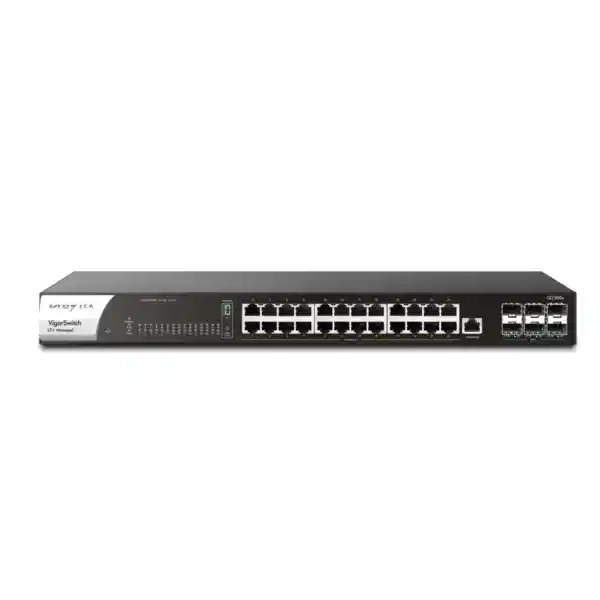
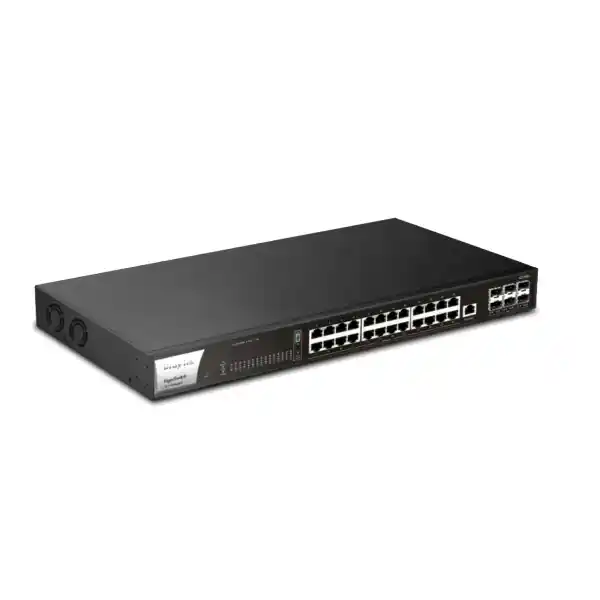
The DrayTek VigorSwitch Q2300x is a 1U, non-PoE L2+ managed switch engineered for networks that need dense 2.5GbE access, high-speed 10G fiber aggregation, practical Layer 3 services, and centralized operations without the cost or power profile of a full enterprise chassis. With 24 multi-gigabit copper ports and six SFP+ interfaces, the platform is particularly relevant to UAE offices, schools, hospitality environments, clinics, retail headquarters, surveillance networks, Wi-Fi 6 refresh projects, branch data rooms, and growing SMB campuses.
Direct answer
Choose the Q2300x when you need twenty-four 2.5GbE edge ports, multiple 10G uplinks, VLAN routing, strong Layer 2 controls, and stackable administration, but do not need the access switch itself to power endpoints by PoE. It is an effective bridge between traditional 1GbE switching and all-10GbE access designs.
Why the VigorSwitch Q2300x matters in a modern UAE network
Many access networks in Dubai and across the UAE are reaching a practical transition point. Endpoints may still include large numbers of 1GbE devices, but Wi-Fi 6 access points, creative workstations, engineering systems, local storage appliances, virtualization hosts, high-resolution imaging stations, and aggregation links increasingly exceed what a single 1GbE connection can comfortably deliver. Replacing every copper access connection with 10GbE can be unnecessary and expensive. The Q2300x addresses the middle of that transition by offering 2.5GbE over familiar twisted-pair cabling at the access layer while providing six 10G SFP+ ports for higher-capacity distribution, server, storage, or inter-switch connections.
That port architecture enables a useful design pattern: keep endpoints on copper, use multi-gig where the endpoint can exploit it, retain compatibility with slower Ethernet clients, and concentrate traffic into fiber or direct-attach 10G links toward the firewall, core, storage layer, or another switch. The result can be a substantial performance uplift without forcing an all-or-nothing cabling and transceiver migration.
The switch also includes Layer 3 functions such as static routing, VLAN routing, and DHCP server capabilities. In suitable designs this allows local inter-VLAN traffic to be switched and routed within the LAN, reducing the amount of east-west traffic that must traverse a security gateway simply to move between internal segments. Security policy still belongs at the right enforcement point, so not every VLAN should necessarily be routed locally. However, where trusted internal segments exchange heavy traffic, hardware-based VLAN routing can improve efficiency and reduce pressure on upstream devices.
Port architecture and traffic engineering
The twenty-four copper interfaces support 10BASE-T, 100BASE-TX, 1000BASE-T, and 2.5GBASE-T behavior through standard Ethernet auto-negotiation. This matters operationally because a migration does not require every device to be multi-gig capable on day one. A legacy printer can negotiate at 100 Mbps, an ordinary workstation can remain at 1GbE, and a suitable access point or high-performance desktop can negotiate at 2.5GbE on the same switch family.
The six SFP+ interfaces support 1G and 10G operation, giving the designer options for short-reach direct attach, optical fiber between racks or floors, server uplinks, storage connections, and switch-to-switch trunks. With six high-speed ports, a design can separate core uplinks, redundant paths, storage traffic, and stack or aggregation requirements instead of consuming a single pair of uplinks for every function.
The published 240 Gbps switching capacity is consistent with a non-blocking class of design for the fitted port mix when both transmit and receive directions are considered. The published forwarding rate of 178.56 Mpps is also important for small-packet workloads because bandwidth alone does not describe packet-processing demand. Voice signaling, transactional applications, monitoring traffic, some security flows, and heavily segmented environments may create large packet counts even when total throughput is below interface line rate.
Important: Q2300x is not a PoE switch
The Q2300x should not be confused with the related PQ2300xb. The Q2300x provides the same concept of dense 2.5GbE access and 10G SFP+ aggregation, but it does not provide a PoE budget and does not power access points, cameras, IP phones, or other powered devices from its Ethernet ports.
This distinction is important in procurement. If endpoints already have local power, if the switch is intended for servers and workstations, or if powered devices are connected through separate injectors or another PoE access layer, the non-PoE design may be appropriate. If the objective is to power a large Wi-Fi, CCTV, or IP telephony deployment directly from the switch, the PoE-capable sibling or another PoE platform should be sized instead.
For mixed environments, a practical topology is to use Q2300x as a multi-gig aggregation or high-speed access switch alongside dedicated PoE switches. This avoids paying for unused PoE power electronics on ports serving non-PoE devices while preserving high-speed interconnection between the switching layers.
Core technical specifications
| Copper access ports | 24 × RJ-45, 10/100/1000/2500 Mbps |
| Fiber / uplink ports | 6 × SFP+, supporting 1G/10G |
| Switching capacity | 240 Gbps |
| Forwarding performance | 178.56 Mpps at 64-byte frame measurement |
| Packet buffer | 16 Mbit |
| Jumbo frame | Up to 12 KB |
| VLAN scale | Up to 512 VLANs |
| Link aggregation | Static and LACP; up to 8 groups and up to 8 members per group |
| Stacking | Up to 4 units; line or ring topology on supported firmware |
| Layer 3 functions | Static route, VLAN route, DHCP server |
| Management services | HTTP/HTTPS, Telnet, SSH v2, SNMP v1/v2c/v3, RMON, SNTP, LLDP, LLDP-MED, mail alert, DrayTek management integration |
| Power | AC 100–240V; DC 12V backup input; maximum published power consumption 60W |
| Form factor | 1U rack mount, 440 × 281 × 44 mm |
| Operating environment | 0 to 50°C; 10% to 90% non-condensing humidity |
Published performance represents vendor laboratory capability. Real throughput depends on frame size, topology, enabled features, endpoint behavior, optical modules, cabling, traffic mix, and upstream infrastructure.
2.5GbE access: where the additional bandwidth is useful
Wi-Fi 6 and high-throughput wireless
A modern access point can aggregate traffic from dozens of wireless clients. Even if no single Wi-Fi client sustains more than 1Gbps, the combined traffic of many clients can exceed a 1GbE wired uplink. A 2.5GbE switch port gives compatible APs more wired headroom. Because the Q2300x is non-PoE, AP power must come from another suitable source, but the Ethernet data path can still exploit 2.5GbE.
Workstations and content creation
Design, CAD, media, architecture, and engineering teams often move large project files to local storage. For these users, 2.5GbE can reduce transfer times compared with 1GbE while avoiding the adapter, switch, and cabling cost of 10GbE on every desk. The improvement is especially visible when the server or NAS side is connected through 10G or aggregated uplinks.
NAS, backup, and local storage
SMB NAS systems increasingly ship with 2.5GbE ports. Connecting these appliances at their native interface rate can improve scheduled backup windows, file synchronization, and restore operations. Careful uplink sizing is still required because several 2.5GbE users can collectively saturate a single 10G uplink during concurrent transfers.
Migration without forklift replacement
Because multi-rate copper ports negotiate down to ordinary Ethernet speeds, the switch can be introduced into an existing network without replacing all connected equipment. Faster interfaces can be adopted selectively. This supports phased refresh cycles, reduces operational disruption, and allows cabling validation to occur as individual areas are upgraded.
Cabling considerations for 2.5GBASE-T in real installations
One reason 2.5GbE is attractive is its ability to operate on installed balanced copper cabling when that cabling meets the required channel performance. Nevertheless, an upgrade should not assume every old cable run is suitable. Patch-panel quality, terminations, untwisted conductor length at jacks, old patch leads, electromagnetic interference, bundle temperature, cable damage, and undocumented extensions can affect the stability of higher signaling rates.
For a UAE office upgrade, the sensible process is to audit the current cabling category and pathway, certify critical runs, replace suspect patch cords, and ensure the patching architecture remains within structured-cabling limits. New installations should use a cabling specification selected for the required rate, length, pathway, environmental conditions, and future expansion. Data centers and equipment rooms should also consider airflow around dense copper patch fields because cabling congestion can impair cooling and maintenance access.
Autonegotiation can mask cabling problems because a link that fails at 2.5GbE may fall back or behave intermittently. Monitoring interface errors, link flaps, negotiated speeds, and CRC counters after migration is therefore part of a professional deployment. The goal is not merely to make a link come up, but to verify that it remains stable under sustained traffic and realistic environmental conditions.
10G SFP+ uplinks and aggregation design
Six SFP+ interfaces give the Q2300x significant flexibility for its size. In a branch or medium office, two ports may be used as redundant uplinks to a distribution pair, another pair may connect servers or storage, and the remaining interfaces may support an additional switch, a firewall pair, or other high-speed resources. In a simpler network, one or two 10G uplinks may be enough while the remaining ports provide growth capacity.
SFP+ is a physical interface form factor rather than a guarantee that every optical module will be interoperable. Transceiver selection should match fiber type, distance, wavelength, connector, link budget, and vendor support policy. Short rack-to-rack or intra-rack links may be candidates for supported direct-attach copper cables. Building-to-building links normally require optical design that considers the fiber plant, splice loss, patch panels, route length, grounding boundaries, and surge exposure. Never substitute a convenient optic for a documented design when the connection crosses a campus or exposed pathway.
Link aggregation can combine multiple physical links into a logical group and can improve resilience as well as aggregate capacity. The switch supports static aggregation and LACP, with up to eight groups and up to eight members in a group. The design must still account for hashing behavior. A single flow is generally placed on one physical member according to the selected hashing method, so an eight-link LAG does not imply one TCP session will become eight times faster. The benefit appears when many flows are distributed across the members, when multiple servers communicate concurrently, or when a member fails and traffic is rebalanced onto surviving links.
When the Q2300x sits behind a firewall, uplink sizing should reflect actual routed and internet traffic rather than raw access-port totals. Twenty-four 2.5GbE ports represent a large theoretical edge capacity, but user networks rarely drive every endpoint at line rate simultaneously. Conversely, storage, backup, virtualization, and local east-west workflows can create concentrated bursts. Traffic baselining before the upgrade provides better guidance than simply dividing port counts by uplink bandwidth.
VLAN design, segmentation, and local routing
The Q2300x supports 802.1Q tag-based VLANs as well as MAC-based, protocol-based, management, voice, and surveillance VLAN functions. Up to 512 VLANs provides ample logical segmentation for most SMB and medium-enterprise environments. The value of this scale is not to create hundreds of VLANs without reason. It is to give the network architect enough space to separate security zones, departments, building services, voice, wireless SSIDs, cameras, management systems, guest access, labs, and temporary project networks cleanly.
A good VLAN design begins with policy. Devices that have different trust levels or different administrative ownership should normally not share a broadcast domain simply because they are on the same floor. Camera networks, guest Wi-Fi, corporate wireless, IP phones, facilities systems, user desktops, servers, and network-management interfaces often deserve separate logical zones. The tagging plan should then define which switch ports are access or trunk links, which VLAN is untagged or native where applicable, and how allowed VLAN lists are constrained on every trunk.
The Q2300x can perform VLAN routing so traffic between selected VLAN interfaces is handled on the switch. This can reduce latency and preserve firewall capacity for traffic that actually requires stateful security inspection. It is especially useful for trusted server-to-client workflows or high-volume local services. However, local Layer 3 routing should not be used to bypass security requirements. Where two segments must be isolated by application policy, threat prevention, user identity, content controls, VPN policy, or deep inspection, the inter-zone path should remain through the appropriate security gateway.
For larger deployments, document the IP addressing plan and Layer 3 boundary before configuration. Each switched virtual interface should have a clear subnet, gateway responsibility, DHCP relationship, access policy, and monitoring owner. Static routes must also be coordinated with the upstream firewall or router so return paths are symmetrical and reachable. A technically correct VLAN configuration can still fail operationally if routing ownership is ambiguous.
Spanning Tree and loop resilience
The switch supports STP, RSTP, and MSTP. These protocols protect Ethernet networks against Layer 2 loops that can create broadcast storms and destabilize an entire site. RSTP generally provides faster convergence than classic STP, while MSTP is useful when VLAN groups need to map to different spanning-tree instances in more complex networks.
Loop protection should be treated as one layer of resilience, not a substitute for correct topology. Access ports should be configured for their role, unused ports should be disabled or controlled, and trunk links should be explicitly documented. Where redundant uplinks exist, LACP may be preferable to intentionally blocked parallel links because it can use multiple paths concurrently while maintaining one logical bundle.
The right combination of STP mode, root-bridge placement, LAG design, and stack topology depends on the network. Before a migration, record the current spanning-tree root and path costs. After the change, confirm that the intended switch remains root where expected and that no accidental topology change has moved critical traffic through a slower or less resilient path.
Stacking up to four switches
Current DrayTek firmware for the Q2300x family supports stacking of up to four compatible units in line or ring arrangements. Stacking is useful when a site needs a larger port count but wants centralized administration under a logical stack concept rather than separate stand-alone switches.
The operational benefit is not merely fewer login screens. A consistent stack can simplify common configuration, firmware coordination, VLAN deployment, diagnostics, and monitoring. Ring topology can also improve stack-path resilience compared with a single-ended line, provided the physical design and selected ports are implemented according to the vendor guidance.
Stacking should be planned before transceiver and uplink procurement because stack connectivity consumes physical resources and changes cable placement. The designer should calculate how many SFP+ interfaces remain available for core, server, and storage links after the stack topology is built. Firmware alignment and configuration backup procedures are also critical before adding or replacing stack members.
Security features for access-layer control
Switch security is different from firewall security. A managed switch is primarily responsible for controlling Layer 2 access, protecting local forwarding behavior, authenticating devices where required, and reducing the risk created by rogue or misconfigured endpoints. The Q2300x supports a useful set of controls for this role, including 802.1X and MAC authentication, RADIUS and TACACS+ integration, IP Source Guard, Dynamic ARP Inspection, DHCP Snooping, access lists, storm control, DoS defense functions, loop protection, and IP conflict detection or prevention.
DHCP Snooping can establish trusted and untrusted DHCP directions and maintain binding information that other controls use. Dynamic ARP Inspection can use trusted binding data to help reject invalid ARP behavior, reducing exposure to certain local spoofing scenarios. IP Source Guard helps restrict traffic based on expected source information. These functions are most effective when the VLAN, uplink trust boundary, DHCP infrastructure, and static-device exceptions are designed carefully. Enabling them without preparing bindings for printers, cameras, servers, or statically addressed equipment can create avoidable outages.
802.1X is useful when wired access should be authenticated against a central identity service. MAC-based authentication can support devices that cannot perform full 802.1X, though it provides a different assurance level and should not be treated as equivalent user identity. RADIUS supports centralized authentication and policy workflows, while TACACS+ can be relevant for administrator authentication and command-control strategies in environments that use it.
Management-plane protection matters just as much as endpoint controls. Use HTTPS and SSH rather than insecure alternatives wherever practical, restrict management interfaces to dedicated administrative VLANs or source ranges, use SNMPv3 where appropriate, assign separate administrator accounts, back up configuration after approved changes, and send logs to a centralized collection platform. A switch with strong features can still be exposed if its management interface is reachable from guest, IoT, or ordinary user networks.
QoS for voice, video, collaboration, and business-critical applications
The Q2300x supports eight QoS queues, strict priority and weighted round-robin scheduling approaches, and classification based on CoS, DSCP, CoS-to-DSCP behavior, and IP precedence. QoS becomes important when traffic must share a constrained uplink or when bursts can delay latency-sensitive applications. Voice, interactive video, VDI, transaction systems, and control traffic may require lower latency and jitter than bulk backup or software distribution.
The first QoS design decision is the trust boundary. If endpoints are permitted to mark any traffic as high priority, users or applications can accidentally or intentionally consume expedited queues. In many networks the access switch should trust markings only from known devices, remark traffic at the edge, or classify selected traffic based on VLAN or other policy. LLDP-MED can assist voice deployments by communicating network policy information to compatible IP phones and supporting automatic voice-VLAN behavior.
Strict priority scheduling can protect delay-sensitive traffic but should be bounded to prevent starvation of lower-priority queues. Weighted scheduling is often more forgiving for general enterprise traffic because it guarantees some service across classes. Rate limiting can also prevent a single port or traffic class from consuming disproportionate bandwidth. The appropriate configuration depends on the upstream WAN capacity, the number of phones and video endpoints, and whether congestion occurs primarily at the access layer, firewall, WAN edge, or internet circuit.
QoS cannot create bandwidth. It decides which traffic is serviced first when contention exists. Therefore a recurring problem of 95–100% link utilization should trigger capacity planning as well as queue tuning. Monitoring before and after QoS changes is essential to distinguish true congestion from packet loss, application latency, DNS delay, wireless interference, or server-side performance issues.
Multicast, surveillance, and ONVIF-aware operations
Multicast traffic can become inefficient when a switch floods streams to ports that do not need them. The Q2300x supports IGMP Snooping, IGMP Querier functionality, MLD Snooping for IPv6 multicast, multicast group controls, and multicast VLAN registration features. In IPTV, video distribution, market-data, conferencing, or specialized industrial environments, these capabilities help constrain multicast forwarding to interested receivers.
The platform also includes surveillance-oriented functions and ONVIF awareness. It can discover supported ONVIF devices, present surveillance topology information, assist with device maintenance, and provide monitoring-related workflows. This can be valuable in distributed CCTV networks because switch administrators gain more context about which cameras or NVR components are attached to particular ports and VLANs.
However, the Q2300x itself does not provide PoE. A camera connected directly to a Q2300x port requires an independent power source. In many CCTV designs, the Q2300x therefore works best as an aggregation or core switch receiving uplinks from PoE camera switches. The surveillance VLAN and ONVIF-oriented visibility can still be relevant even when endpoint power is delivered elsewhere.
For surveillance networks, bandwidth should be calculated from camera count, codec, resolution, frame rate, scene complexity, retention design, and whether clients view multiple streams concurrently. A 10G aggregation path can provide substantial headroom, but storage throughput and NVR interface capacity must be sized as part of the same system rather than assuming the switch alone determines performance.
Management architecture: local, router-integrated, and centralized
Web and CLI-style access
The web interface provides a practical method to configure ports, VLANs, security controls, routing, QoS, and monitoring. HTTPS should be preferred over HTTP for routine administration. SSH v2 provides secure command-line access where supported by the operating model. Restrict both interfaces to trusted management networks and named administrators.
VigorRouter switch management
In DrayTek environments, compatible Vigor routers can discover and manage switches through Switch Management features. This can centralize common tasks such as topology viewing, VLAN provisioning, status checks, and maintenance, which is helpful for branch offices that do not require a separate controller appliance.
VigorConnect and VigorACS
Supported DrayTek software management platforms can extend monitoring and maintenance across larger device estates. Centralization is valuable when an organization operates several sites and needs consistent templates, alarms, scheduled maintenance, firmware oversight, and remote troubleshooting rather than one-by-one administration.
SNMP, RMON, logs, and alerts
SNMP v1, v2c, and v3 support allows the switch to feed network-management systems. RMON groups, syslog-oriented workflows, mail alerts, device checks, and port monitoring help operations teams identify faults. For production networks, monitoring should include interface utilization, errors, temperature or hardware status where exposed, link flaps, and configuration changes.
Power, cooling, rack, and resilience planning
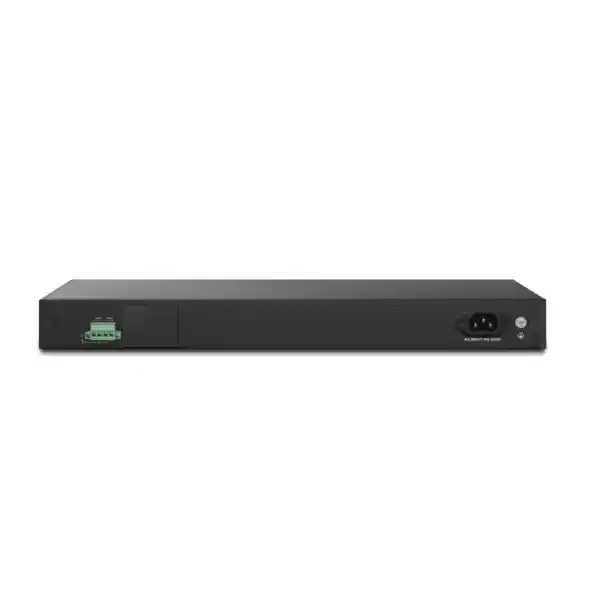
The Q2300x is a 1U rack-mountable switch measuring approximately 440 × 281 × 44 mm. The published maximum power consumption is 60 watts, with an AC 100–240V input and a 12V DC backup input. The backup power capability can improve resilience when implemented with a compatible, properly engineered secondary supply arrangement. It should not be confused with dual hot-swappable enterprise PSUs; procurement teams should validate the exact backup-power method and accessory requirements for the intended installation.
The operating temperature range is published as 0 to 50°C, with 10% to 90% non-condensing humidity. UAE equipment rooms can experience elevated ambient temperatures if cooling is undersized or if air circulation is obstructed. Rack planning should therefore account for the heat load of the switch together with firewalls, PoE switches, UPS systems, servers, and other equipment. Maintain clear airflow paths, avoid excessive cable bundles in front of ventilation areas, and monitor room temperature independently of the switch.
Power resilience is a system property. A switch connected to a UPS can still become unavailable if the upstream firewall, optical converter, server, or access layer lacks backup power. For critical sites, calculate UPS runtime based on the complete network path. Also confirm that any DC backup arrangement, UPS output, and rack power distribution meet local electrical requirements and the equipment manufacturer specifications.
Because this model is non-PoE, its own power draw is more predictable than a switch with a large PoE budget. That can simplify UPS sizing when the switch mainly serves workstations, storage, servers, or aggregation links. If the broader network includes PoE switches, include their worst-case endpoint load in the power model rather than using only the switch chassis consumption.
Deployment scenarios
SMB core or collapsed core
In a smaller site, the Q2300x can act as a collapsed core where access, server, and uplink connectivity converge. VLAN routing can handle selected east-west flows, while 10G ports connect the firewall, server hosts, storage, or secondary switches. This reduces device count but requires careful availability planning because a single switch becomes more critical.
High-speed access layer
The switch can serve a floor of 1G and 2.5G user devices with 10G uplinks to a distribution layer. This is useful for CAD, media, engineering, financial, or research environments where selected desks need more than 1GbE but 10GbE to every endpoint is not justified.
Wi-Fi data aggregation
Where access points receive power from injectors or another source, 2.5GbE data ports can prevent the wired side from becoming a 1GbE ceiling. 10G uplinks then aggregate traffic from multiple APs toward the firewall or core. VLAN trunking supports multiple SSIDs mapped to corporate, guest, voice, or IoT segments.
Server and storage edge
For small virtualization or storage environments, 2.5GbE ports can connect NAS appliances and management interfaces while SFP+ provides 10G connectivity to selected hosts. Jumbo frames can be used where the complete path supports a consistent MTU, but they should be introduced only after verifying every intermediate device.
CCTV aggregation
PoE camera access switches can uplink into the Q2300x over 1G or 10G links, keeping high-volume surveillance traffic separated from ordinary office traffic. Surveillance VLANs, multicast controls, ONVIF-oriented visibility, and fast uplinks make the platform relevant to larger camera environments when endpoint power is handled elsewhere.
Branch standardization
Organizations with several UAE branches can standardize on a common switch model where branch density is similar. Central management, configuration backup, SNMP, alerting, and stack options simplify support. Standardization should still allow smaller and larger sites to use models appropriate to local port counts and PoE requirements.
Sizing methodology: how to decide whether Q2300x is the right switch
Start with endpoint count, but do not stop there. Inventory each physical device, its current interface speed, expected future interface speed, PoE requirement, VLAN, criticality, traffic profile, and physical location. Reserve ports for growth, test equipment, temporary users, spare uplinks, and maintenance. A switch with exactly enough ports on day one often becomes operationally restrictive before its planned replacement date.
Next, classify bandwidth. Ordinary office users may average very little throughput but create short bursts. Workstations moving large files may sustain 1–2.5Gbps. Wi-Fi APs can aggregate many users. Surveillance streams are continuous but individually predictable. Backup traffic may be extremely bursty and schedule-driven. Storage links and virtualization hosts can consume multiple gigabits for long periods. These patterns determine whether the six 10G uplinks provide enough aggregation capacity and how many should be bonded or made redundant.
Then evaluate Layer 3 and security boundaries. If every VLAN must traverse a next-generation firewall for policy inspection, the switch’s VLAN routing capability may be used sparingly. If trusted internal VLANs exchange large volumes, local routing can be valuable. Document which subnets route on the switch, which route on the firewall, and where default routes or static routes point. Avoid hidden Layer 3 boundaries that only one engineer understands.
Finally, size management and resilience. Determine whether the site needs standalone administration, integration with a DrayTek router, software-based central management, or a stack. Define configuration backup frequency, firmware maintenance windows, spare strategy, monitoring, syslog retention, SNMP credentials, and incident escalation. Hardware selection is complete only when operations can support the device throughout its lifecycle.
For a professional UAE deployment, the bill of materials should include more than the switch. Consider rack hardware, compatible optics or DAC cables, fiber patch cords, copper patch cords, labeling materials, UPS capacity, cable management, console access, spare transceivers, configuration services, testing time, and documentation. The cheapest switch-only quotation can become the most expensive project if these dependencies are discovered during installation.
Example topology for a medium UAE office
Consider an office with two dozen high-performance wired endpoints, six wireless access points, a virtualization server, a NAS, IP telephony, CCTV, and a next-generation firewall. A practical design could place the Q2300x at the core/access boundary for non-PoE high-speed endpoints and use separate PoE switches for phones, cameras, and AP power. The PoE switches uplink at 10G where traffic justifies it, while the firewall connects through one or more high-speed links sized for the internet and inter-zone traffic profile.
Corporate user, voice, camera, guest, server, management, and building-service networks are separated into VLANs. The camera and guest VLANs route through the firewall because they require strict policy enforcement. A trusted user-to-server VLAN pair may be routed locally on the Q2300x if the organization’s security design permits it and if this traffic would otherwise consume significant firewall capacity. The management VLAN is accessible only from designated administrator devices.
The virtualization server or NAS may connect to one or more SFP+ links depending on its interfaces. A storage flow should not share the same constrained uplink as every user if backup windows are sensitive. LACP can be used where both endpoints support it and where multiple concurrent flows will benefit. Interface descriptions should record the far-end device, rack, patch-panel location, VLAN role, and expected speed.
This topology illustrates why port speed alone is not the design. The successful network combines physical capacity, segmentation, upstream security, redundancy, power, management, and documentation. The Q2300x contributes the high-density multi-gig switching layer, but overall performance depends on the complete path from endpoint to application.
IPv6 readiness
IPv6 support is increasingly important even in networks where most application traffic is still IPv4. The Q2300x includes IPv6-related controls such as MLD Snooping and IPv6 ACL capability, and its management feature set is designed for dual-stack environments. Network teams should not treat IPv6 as harmless simply because they have not intentionally deployed it. Endpoints may enable IPv6 automatically, and unmanaged IPv6 paths can bypass IPv4-only assumptions.
A deliberate IPv6 policy should define whether the organization will support dual stack, suppress unwanted router advertisements, monitor IPv6 addressing, and maintain equivalent segmentation and security controls across both protocol families. If IPv6 is deployed, multicast behavior becomes particularly relevant because Neighbor Discovery and other functions rely on multicast rather than IPv4-style ARP broadcast behavior.
Monitoring systems, AAA services, syslog platforms, DNS, and management stations should be evaluated for IPv6 compatibility as part of any dual-stack rollout. Operational visibility is critical; enabling a protocol without ensuring logging and troubleshooting tools understand it can increase mean time to resolution during incidents.
Firmware and lifecycle practices
Validate before upgrade
Read the release notes, verify the hardware model, confirm feature dependencies, back up the running configuration, record the current firmware version, and schedule an appropriate maintenance window. A feature such as stacking may depend on a minimum firmware level, so firmware state must be part of design documentation.
Test critical functions
After maintenance, verify management access, VLAN trunks, LACP state, spanning-tree role, routing, DHCP-related controls, authentication, monitoring, and application reachability. A switch can appear online while a single untested VLAN or security binding remains broken.
Maintain configuration discipline
Store dated backups after every approved change and maintain a human-readable change log. If central management is used, define whether the controller or the local device is the configuration authority. Avoid undocumented emergency changes that later conflict with templates or stack synchronization.
Plan replacement, not just deployment
Record purchase date, warranty or support details, software lifecycle, spare strategy, and dependencies such as optics. This makes future replacement faster and helps procurement avoid mixing incompatible transceivers or assuming an old configuration can be copied unchanged to a new platform.
UAE procurement and deployment considerations
Enterprise networking procurement in the UAE should account for availability, authorized supply channels, warranty handling, lead time, firmware support, optics compatibility, implementation services, and after-sales engineering. A model number alone is not a complete specification. Buyers should verify the exact regional power cord, accessories, rack kit, transceiver requirements, and any management licenses or platform dependencies associated with their intended deployment.
Project timelines can be affected by transceiver availability more than switch availability. If a design needs specific single-mode, multimode, or DAC connectivity, identify those parts in the quotation rather than treating them as later accessories. The same applies to fiber patch leads and patch-panel connector types. An LC optic does not solve a physical path that terminates differently without the correct patching.
Installation should include configuration documentation and acceptance testing. At minimum, record switch hostname, management IP, firmware, administrator access method, VLAN database, uplink mapping, LAG members, spanning-tree role, static routes, NTP or SNTP source, monitoring destination, and configuration backup location. For critical networks, include before-and-after throughput tests and failover tests where redundant links are deployed.
FourTeck can support broader infrastructure planning through the FourTeck UAE main site, security-focused integration through Firewall Dubai, deployment and operational support through FourTeck IT Services UAE, and multi-country infrastructure requirements through the FourTeck global site.
Migration from 1GbE switching
A migration from a 1GbE access switch to the Q2300x should start with dependency mapping. Identify every connected device and the service it supports. Note static IP addresses, unusual VLAN tagging, port-security bindings, voice-VLAN behavior, uplink trunks, spanning-tree settings, multicast dependencies, and management integrations. Copying only port VLANs is not sufficient if the old switch also enforces access controls or supplies PoE.
The PoE difference is especially critical. A legacy switch may be powering phones, cameras, and access points even if the project is primarily about increasing data throughput. Replacing it with a non-PoE Q2300x without providing alternate power will immediately disconnect those devices. During assessment, classify each port as powered or non-powered and record the endpoint’s PoE standard and wattage where applicable.
Prepare the Q2300x offline where possible. Load the approved firmware, create management settings, build VLANs, configure uplinks, establish LACP groups, define security controls, and import monitoring parameters before moving production cables. During cutover, migrate uplinks first or according to a documented sequence that preserves management access. Move endpoints in logical groups and validate each group before continuing.
After cutover, verify negotiated speeds. A 2.5GbE-capable endpoint that connects at 1GbE may have driver, cable, adapter, autonegotiation, or intermediate patching issues. Check interface errors under load. Confirm that LLDP information identifies expected neighbors and that DHCP Snooping, ARP inspection, or source guard has not blocked legitimate static devices.
Keep the rollback plan until the network has passed functional and load testing. A well-run migration is reversible until acceptance criteria are met. Configuration backups of both old and new switches, labeled cables, and a port mapping sheet make rollback practical rather than theoretical.
Performance planning beyond headline switching capacity
A 240 Gbps switching capacity figure is useful, but it does not answer every performance question. Real application performance depends on packet size, traffic distribution, queueing, uplink contention, endpoint protocol stacks, storage speed, server CPU, firewall inspection throughput, WAN bandwidth, and retransmissions. A switch may forward at line rate while users still experience slow applications because the bottleneck exists elsewhere.
Small packets place more pressure on packet-per-second capability than large file-transfer frames. The published 178.56 Mpps rate therefore provides additional context. Jumbo frames can improve efficiency for selected storage or server workloads, but only when configured consistently end to end. Mixing MTUs without understanding the path can create fragmentation, black-hole behavior, or difficult application failures.
Buffering also matters during microbursts. The Q2300x lists a 16 Mbit buffer. Short bursts can occur when several 2.5GbE sources converge on a slower or oversubscribed egress path. QoS, rate limiting, and uplink design can reduce loss, but no finite buffer can compensate for sustained oversubscription. Monitoring dropped packets and queue counters during peak periods is more informative than relying solely on average utilization graphs.
Capacity planning should use a combination of interface telemetry, application knowledge, and business growth assumptions. Record 95th percentile utilization, peak bursts, backup windows, conference periods, software deployment schedules, and seasonal demand. Then reserve headroom for failover; if two uplinks normally share traffic, the surviving link should be able to carry an acceptable load when one member is lost.
Operational checklist after installation
Physical validation
Confirm rack screws, cable strain relief, airflow clearance, power feeds, UPS labeling, console access, transceiver seating, fiber polarity, and cable labels. Inspect that no patch lead blocks cooling or creates sharp fiber bends.
Layer 2 validation
Verify VLAN membership, trunk allowed lists, LACP state, spanning-tree root and port roles, LLDP neighbors, loop protection, interface speed and duplex, error counters, and MAC-address learning.
Layer 3 validation
Test gateway reachability, static routes, VLAN interfaces, DHCP relationships, DNS reachability, upstream return paths, and security policies. Confirm that management traffic uses the intended route and does not leak into user networks.
Security validation
Check management ACLs, administrator accounts, AAA servers, DHCP Snooping trust ports, Dynamic ARP Inspection behavior, source guard exceptions, unused port state, SNMP credentials, and logging destinations.
Monitoring validation
Ensure the monitoring platform sees the switch, interface naming is correct, alerts are routed to the right team, clocks are synchronized, and logs contain useful timestamps. Establish baseline CPU, memory, link, and error behavior where available.
Documentation and handover
Store the configuration backup, topology diagram, IP plan, VLAN table, port map, firmware version, optic inventory, support contacts, and change record. Handover should leave the next engineer able to operate the switch without rediscovering the design.
Who should choose the Q2300x?
The strongest fit is an organization that needs substantially more access bandwidth than 1GbE, wants multiple 10G uplink options, values advanced VLAN and security controls, and does not need PoE from these particular ports. It is also attractive where an organization already uses DrayTek routing or centralized management and wants operational consistency across the LAN.
It is not automatically the right choice for every environment. A site that primarily connects PoE cameras, phones, and access points may be better served by a PoE model. A data center requiring 10G or faster on every server may need a higher-density SFP+/SFP28 platform. A very small office with only a handful of 1GbE users may not benefit from the Q2300x’s capacity. The right decision comes from endpoint mix, traffic, growth, resilience, and operations rather than from maximum port speed alone.
For mixed networks, the switch can occupy a valuable middle position: 2.5GbE where copper flexibility matters, 10G where aggregation matters, Layer 3 routing where local efficiency matters, and centralized controls where operational consistency matters. That combination is why multi-gig L2+ switches have become useful building blocks in modern office and campus refresh projects.
Frequently asked technical questions
Does every copper port support 2.5GbE?
Yes. The Q2300x provides twenty-four RJ-45 multi-gigabit ports that support 10 Mbps, 100 Mbps, 1GbE, and 2.5GbE operation through Ethernet autonegotiation. Actual negotiated speed depends on the endpoint, adapter, cabling, driver, and link quality.
Can the Q2300x power Wi-Fi access points?
No. The Q2300x is the non-PoE model. It can carry 2.5GbE data for compatible access points, but the AP must receive power from a suitable external injector, local power supply, or separate PoE infrastructure. For direct switch-powered deployment, consider an appropriate PoE model.
Can the switch route between VLANs?
Yes. The platform supports VLAN routing and static routing features. Whether traffic should route locally on the switch or pass through a firewall depends on security policy, inspection requirements, performance, and network architecture.
How many switches can be stacked?
Current DrayTek documentation lists stacking support for up to four compatible Q2300x units, with line and ring topology options on supported firmware. Firmware versions should be aligned and the stack design should be validated before production deployment.
Does it support 10G optics?
Yes. Six SFP+ ports support 1G and 10G operation. Transceivers and DAC cables should be selected according to DrayTek compatibility guidance, fiber type, distance, and the far-end device.
Can I use jumbo frames?
The published maximum jumbo-frame size is 12 KB. Jumbo MTU should only be enabled when every device in the relevant end-to-end path supports the chosen frame size. Inconsistent MTU is a common source of difficult connectivity problems.
Is 2.5GbE useful if my internet circuit is slower?
Yes. LAN speed affects local file transfer, server access, backup, Wi-Fi aggregation, virtualization, and communication between internal systems. Internet bandwidth is only one traffic path. A site with a 1Gbps internet circuit can still benefit from 2.5GbE or 10G internal links.
Can it be centrally monitored?
Yes. The switch supports SNMP and DrayTek management options including router-based switch management and supported VigorConnect or VigorACS workflows. The best platform depends on the number of sites, operational model, and existing DrayTek estate.
Decision recap
Choose it for
Dense 2.5GbE copper access, six 10G SFP+ uplinks, L2+ segmentation, local VLAN routing, advanced LAN security, QoS, multicast control, stacking, and centralized management.
Do not overlook
It is non-PoE. Check endpoint power, cabling quality, SFP+ optics, stack port consumption, firewall boundaries, UPS runtime, firmware level, and management-plane security before ordering.
Best design outcome
Use multi-gig where it improves endpoint or AP performance, aggregate correctly into 10G, keep security-sensitive inter-VLAN traffic through the firewall, and document the entire Layer 2 and Layer 3 topology.
Procure as a system
Quote the switch together with optics or DACs, patching, rack accessories, UPS impact, installation, configuration, testing, monitoring, and support so the project is deployable on arrival.
Quotation input checklist
Number of 1G and 2.5G endpoints today, expected three-year growth, spare-port requirement, and any dedicated server or storage connections.
Identify every phone, AP, camera, or IoT device that needs switch-delivered power. Q2300x itself does not provide PoE.
Specify copper DAC, multimode fiber, or single-mode fiber, distance, connector, far-end platform, and redundancy requirement for each 10G connection.
List required VLANs, subnet gateways, DHCP locations, routes, firewall-inspected zones, trusted local-routing flows, voice policies, and surveillance segmentation.
State whether 802.1X, RADIUS, TACACS+, DHCP Snooping, ARP inspection, IP Source Guard, ACLs, SNMPv3, and dedicated management networks are required.
Define stack requirement, uplink redundancy, UPS runtime, backup power strategy, centralized management platform, monitoring system, logging, and spare-unit policy.
Final consultation panel: build the switch into the network, not the other way around
The DrayTek VigorSwitch Q2300x delivers a useful combination of twenty-four multi-gig copper ports, six 10G SFP+ interfaces, 240 Gbps switching capacity, VLAN routing, robust Layer 2 controls, stacking, and centralized management. Its strongest deployments begin with an application and topology assessment rather than a simple port-count match.
Before purchasing, confirm whether endpoints need PoE, identify how much traffic will cross each 10G uplink, decide which VLANs should route locally, specify the security boundary, validate copper and fiber infrastructure, calculate power resilience, and determine whether standalone, router-based, or centralized management is appropriate.
For UAE projects, share the endpoint inventory, existing switch model, VLAN plan, firewall model, rack location, uplink distances, fiber type, PoE requirements, and expected growth. This allows the final bill of materials to include the correct switch quantity, supported uplink components, cabling accessories, installation scope, configuration work, and post-deployment validation.
Recommended information to send
• Site and rack location
• Number of copper endpoints
• 2.5GbE device count
• PoE device count and wattage
• Required 10G uplinks and distances
• Fiber type and connector
• VLAN and subnet list
• Firewall/router model
• Redundancy or stack requirement
• Central monitoring requirement

Reviews
There are no reviews yet.