
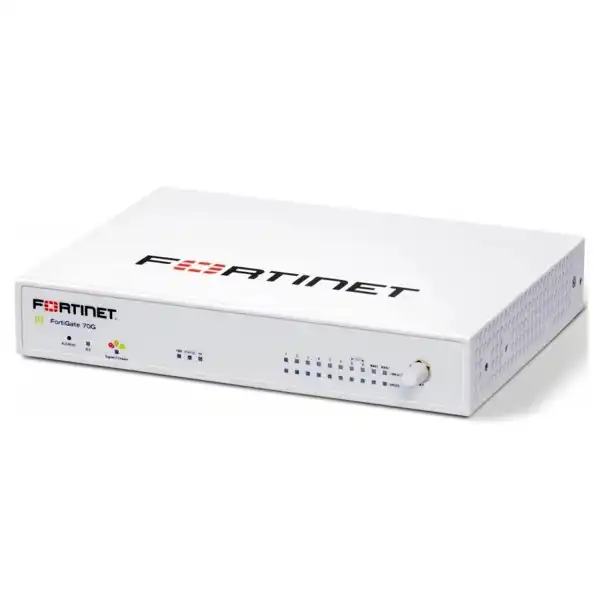
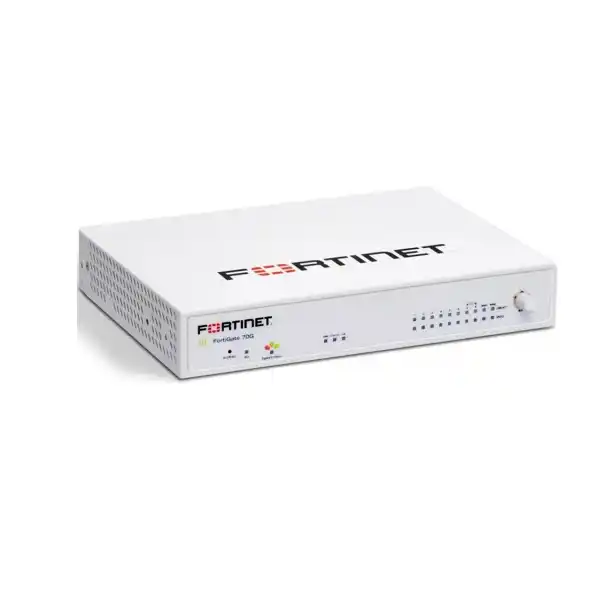
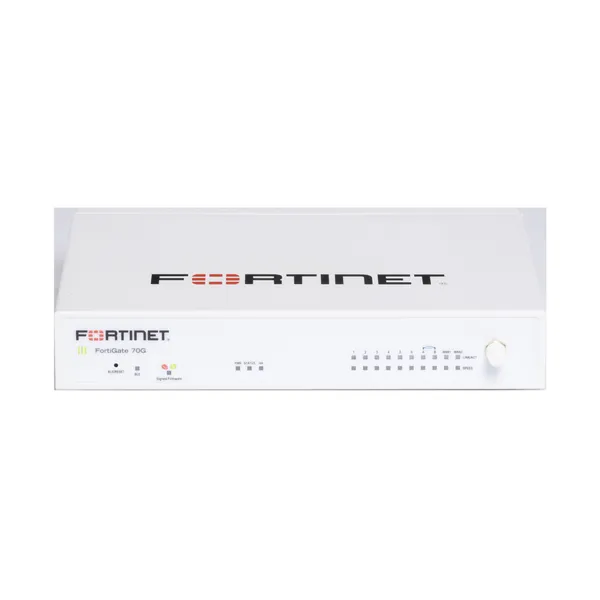
Fortinet FortiGate 70G Firewall in Dubai, UAE
The FortiGate 70G is a desktop next-generation firewall for organisations that need to combine branch security, routing, SD-WAN and encrypted site connectivity without moving to a large rack platform. It is particularly relevant to businesses refreshing older branch firewalls, building repeatable security at distributed sites, or preparing for higher encrypted traffic and application-control requirements.
Firewall throughput
IPS throughput
NGFW throughput
IPsec VPN throughput
Concurrent sessions
A direct answer for buyers evaluating the 70G
Fortinet FortiGate 70G is a branch-oriented next-generation firewall that brings firewall policy, application control, intrusion prevention, secure SD-WAN and IPsec VPN functions into the FortiOS operating environment. It is best considered by small and midsize organisations, distributed enterprises, retail or hospitality branches, clinics, professional offices and other sites that need more security capacity than a basic router. Before proceeding, confirm the real inspected-traffic requirement rather than relying only on headline firewall throughput. Buyers should also verify the exact license bundle, FortiCare term, remote-access design, the need for WiFi or PoE, existing VLAN and switch integration, high-availability expectations, and the correct FortiOS release for the planned feature set.
What the FortiGate 70G does
The appliance sits at the network edge and controls traffic between internet links, internal networks, remote sites and permitted applications. FortiOS provides the policy framework for firewalling, segmentation, routing and SD-WAN. Security inspection capabilities can be expanded through relevant FortiGuard subscriptions, and support coverage can be selected through FortiCare options.
For a branch deployment, that combination can reduce the number of separate devices used for basic WAN routing and security policy. The 70G should still be sized around enabled security profiles, actual packet mix, encrypted traffic, connection rates and growth expectations. A 10 Gbps firewall figure does not mean every security feature will run at 10 Gbps simultaneously.
Who should shortlist it
The 70G is a practical shortlist candidate when a business needs a compact physical firewall for a branch or main office with multiple Ethernet segments, one or more WAN links, site-to-site VPN connectivity and stronger application-aware security than a consumer or basic SMB router can provide.
It may be less appropriate when the requirement demands large numbers of high-speed optical interfaces, very high threat-inspection bandwidth, substantial local log storage, or a specific remote-access function that is not supported on the intended FortiOS release. In those cases, a larger FortiGate model or a different architecture should be evaluated before purchase.
Business challenges the 70G can help address
Branch security sprawl
A branch may have separate devices for routing, firewalling and WAN failover. FortiOS allows many of these network-edge controls to be coordinated on one appliance, subject to the selected subscriptions and design.
Multiple internet circuits
Built-in SD-WAN capabilities can support policy-based use of multiple links. The value depends on the WAN providers, SLA objectives, application priorities and how health checks are configured.
Encrypted site connectivity
IPsec VPN performance is a significant sizing factor for inter-branch and branch-to-head-office links. Fortinet lists up to 7.1 Gbps IPsec VPN throughput for the 70G series under its stated test method.
Growing session counts
Fortinet lists 1.4 million concurrent sessions and 100,000 new sessions per second, figures that can be relevant to busy branches using cloud services, guest networks and many connected devices.
Core capabilities in practical terms
Policy firewalling
Controls traffic between WAN, LAN, VLAN and routed segments using FortiOS policies and objects.
Intrusion prevention
IPS can inspect traffic for known attack patterns when the relevant security services and profiles are configured.
Application control
Policy decisions can consider applications rather than only ports and IP addresses, depending on configured inspection.
Secure SD-WAN
Supports WAN path selection and branch connectivity policies as part of FortiOS, with service options available for broader orchestration needs.
IPsec VPN
Provides encrypted site-to-site connectivity and supported remote-access designs, with exact methods dependent on FortiOS and client requirements.
Is the FortiGate 70G a good fit for your requirement?
| Requirement | Suitable when | Confirm before ordering |
|---|---|---|
| Branch perimeter firewall | A desktop appliance with multiple GE RJ45 connections meets the physical design. | Threat-inspection bandwidth, VLAN count, WAN count and future growth. |
| Site-to-site VPN | The IPsec design fits the listed tunnel and throughput limits. | Encryption settings, number of tunnels, failover and peer compatibility. |
| Dual-WAN or multi-WAN | The site needs application-aware path selection or WAN resilience. | ISP handoffs, static IPs, routing protocol needs and SLA checks. |
| Advanced threat controls | The chosen FortiGuard bundle includes the required services. | Subscription tier, term and renewal approach. |
| Integrated WiFi or PoE | A 70G family variant is selected instead of assuming the base unit has those functions. | Exact SKU, PoE budget, wireless region and access-point design. |
Verified FortiGate 70G technical information
The figures below reflect Fortinet’s July 2026 product matrix for the FG/FWF-70G series. Fortinet states that performance values are “up to” figures and can vary with system configuration. IPS, application-control, NGFW and threat-protection figures are measured using Fortinet’s documented test conditions with logging enabled. Use the table as a sizing reference, not as a guarantee for every production network.
| Brand | Fortinet |
| Product | FortiGate 70G |
| SKU | FG-70G |
| Product type | Next-generation firewall / secure networking appliance |
| Form factor | Desktop |
| Interfaces | 10 × GE RJ45 |
| Firewall throughput | Up to 10 / 10 / 10 Gbps for 1518 / 512 / 64 byte UDP packets |
| IPsec VPN throughput | Up to 7.1 Gbps, 512-byte test |
| IPS throughput | Up to 2.5 Gbps, enterprise mix |
| NGFW throughput | Up to 1.5 Gbps, enterprise mix |
| Threat protection throughput | Up to 1.3 Gbps, enterprise mix |
| SSL inspection throughput | Up to 1.4 Gbps, IPS average HTTPS test |
| Application control throughput | Up to 3.6 Gbps, HTTP 64K test |
| Firewall latency | 2.46 μs |
| Concurrent sessions | Up to 1.4 million |
| New sessions per second | Up to 100,000 |
| Firewall policies | 5,000 |
| Gateway-to-gateway IPsec tunnels | 200 |
| Client-to-gateway IPsec tunnels | 500 |
| Virtual domains | 10 default / 10 maximum |
| Maximum FortiSwitches | 24 |
| Maximum FortiAPs | 96 total / 48 tunnel mode |
| Local storage | No local storage listed for the base 70G; Fortinet lists 64 GB for the 71G variant |
| Power supply | Single AC power supply |
| Family variants | WiFi and PoE variants exist; exact functions depend on the selected SKU |
| Availability | Contact FourTeck for current UAE options |
Licensing, FortiOS and feature dependencies
The hardware appliance and the security-service entitlement are separate purchasing decisions. FortiGate can provide core firewalling and networking functions, while FortiGuard subscription bundles add services such as intrusion-prevention updates, malware protection, application control and web-security functions according to the selected package. FortiCare support is also available in different service levels and terms. Do not assume that an advertised appliance-only price includes the security services your policy design requires.
Remote access deserves particular attention. Fortinet’s July 2026 product matrix does not publish SSL-VPN throughput or a recommended SSL-VPN tunnel-mode user figure for the FG/FWF-70G row. Fortinet has also changed SSL-VPN support behavior across FortiOS releases on some lower-memory platforms. For any project that depends on remote-user VPN, confirm the exact FortiOS target, client method and supported architecture before finalising the bill of materials. IPsec VPN remains a separate capability and has its own published performance figure.
The same caution applies to WiFi and PoE. The base FG-70G should not be described as an integrated WiFi or PoE appliance simply because the broader 70G family includes those variants. If the site needs local wireless radio functionality or PoE power delivery, the exact variant and regional requirements should be checked.
A practical purchase and deployment journey
Measure the real traffic
Document internet bandwidth, east-west routing, encrypted traffic, peak sessions, cloud application use and the security profiles that will be enabled.
Choose the exact SKU
Decide whether the base FG-70G is appropriate or whether the design calls for a WiFi, PoE or storage-equipped variant in the same family.
Select services and support
Match FortiGuard coverage and FortiCare term to the security policy, support expectations and lifecycle plan rather than buying a bundle only by price.
Plan interfaces and migration
Map WANs, VLAN trunks, LAN segments, management access, IPsec peers, routing, DHCP and change-window requirements before installation.
Validate before cutover
Test policies, failover, DNS, application access, VPN, logging and rollback procedures before moving production traffic.
Security performance: size for inspected traffic, not only raw firewall speed
A common buying mistake is to compare products only by firewall throughput. Raw firewall performance is useful, but it represents a lighter processing case than a policy stack that also performs intrusion prevention, application identification, malware inspection and HTTPS inspection. For the 70G, Fortinet lists up to 10 Gbps firewall throughput, while its enterprise-mix NGFW figure is 1.5 Gbps and threat-protection figure is 1.3 Gbps. Those lower values are often more relevant to a real branch that enables multiple security controls.
The correct interpretation is not that the appliance is “slow” under security inspection. It is that different functions demand different processing work, and every vendor publishes multiple test profiles for that reason. When the internet circuit is 1 Gbps, for example, a buyer should ask whether the firewall must inspect nearly all of that traffic, how much is encrypted, whether web filtering and application control will be active, and whether site-to-site tunnels will carry additional data at the same time. Growth matters as well; an office with a 500 Mbps connection today may move to 1 Gbps or more within the hardware lifecycle.
FourTeck can help translate bandwidth, user count and security-policy requirements into a more practical sizing discussion. Where a workload is close to the published security limits, it may be sensible to compare the 70G with a higher model rather than purchasing without headroom.
Secure SD-WAN and branch connectivity
The 70G is not only a packet-filtering appliance. FortiOS includes SD-WAN functionality that can be used to steer traffic across multiple WAN links according to health checks, policy and application needs. This can be useful in Dubai and UAE branches that combine fibre, broadband or other carrier services and want a controlled failover or path-selection strategy.
A successful SD-WAN deployment starts with the WAN design, not with a checkbox. Buyers should document which applications require low latency, which services are permitted to use backup circuits, whether public IP addresses must remain stable, how inbound services are published, and how dynamic routing or static routes interact with failover. Where branches connect back to a head office or data centre, the IPsec overlay design should be considered at the same time. Fortinet publishes up to 7.1 Gbps IPsec VPN throughput for the 70G series, but real encrypted throughput depends on tunnel configuration, packet sizes and concurrent security functions.
For multi-site organisations, consistency is often as important as maximum speed. Standard interface naming, policy objects, VPN templates, firmware practices and logging can reduce operational variation between branches. If central management or large-scale orchestration is part of the project, confirm the necessary Fortinet management products, subscriptions and implementation scope rather than assuming they are included with the appliance.
Operational visibility, FortiSwitch and FortiAP integration
A branch firewall often becomes part of a wider access network. Fortinet’s product matrix lists support values of up to 24 FortiSwitches and 96 FortiAPs in total, with 48 FortiAPs in tunnel mode, for the 70G series. Those numbers are platform maximums, not a recommendation that every 70G deployment should control networks of that size. Controller scale, user experience, logging, security inspection and failure-domain design all need to be considered together.
For an organisation already using FortiSwitch or FortiAP, the 70G may fit a converged Fortinet branch design where the firewall participates in access-layer management and policy. The operational benefit can be a more consistent view of users, devices and network segments, but the exact design depends on FortiLink topology, switch models, AP models, VLAN requirements and software compatibility. Existing Cisco, Aruba, HPE or other switching can also be connected using standard Ethernet and VLAN designs; buyers do not have to replace the entire LAN simply because they deploy a FortiGate.
Before migrating, identify which switch currently performs inter-VLAN routing, which device is the default gateway, where DHCP resides, and how management access is secured. A firewall replacement can expose hidden network dependencies, so documenting the current topology is an important part of reducing cutover risk.
Ideal business environments and use cases
Distributed offices
Branches that need consistent perimeter policies, IPsec connectivity and WAN failover can evaluate the 70G as part of a standardised deployment pattern.
Retail and hospitality sites
Sites with corporate, guest, payment, IoT or operational networks can use VLAN segmentation and policy controls, provided the design is sized and configured correctly.
Professional offices
Law, consultancy, engineering, finance and similar offices may value secure web access, application control, VPN and reliable dual-WAN policy in one branch appliance.
Healthcare and clinics
Clinics can use firewall segmentation to separate business, clinical, guest and device networks. Compliance outcomes still depend on the complete policy, endpoint and data-protection architecture.
Education and training centres
Application controls, content-security services and multiple network segments can support managed internet access for staff, learners and devices, subject to licensing and policy.
Warehouse and light industrial sites
Branch security can separate office users, cameras, handheld devices and operational equipment, while encrypted connectivity links the site to central systems.
Integration and operational considerations
Replacing a firewall affects routing, DNS, DHCP, public services, VPNs, logging and sometimes authentication. A technically suitable appliance can still create migration problems if these dependencies are not captured before the change. Start by collecting the current interface map, VLAN IDs, gateway addresses, static routes, NAT rules, published services, VPN peers and administrative access methods. If the existing firewall uses policy objects with inconsistent names, clean mapping during migration can make future operations easier.
Authentication is another design area. Decide whether policies will rely only on network addresses or whether identity-aware controls are needed. If directory integration, multi-factor authentication or endpoint integration is required, confirm the related Fortinet components, software compatibility and licenses. Logging should also be planned from the beginning. The base 70G does not have the 71G’s listed 64 GB local storage, so organisations that need longer log retention or central analysis should determine the appropriate FortiAnalyzer, FortiGate Cloud or other logging architecture and subscription.
Operational ownership should be clear after deployment. Someone must be responsible for firmware planning, policy review, configuration backups, subscription renewal, certificate expiry, VPN changes and incident troubleshooting. FourTeck can include configuration or support requirements in the quotation discussion when requested, but the exact service scope should be agreed rather than assumed.
Buyer questions to resolve before ordering
Procurement checklist for a clean quotation
✓ Confirm exact FG-70G or alternate family SKU
✓ Required appliance quantity
✓ Deployment city and site count
✓ Current and planned WAN bandwidth
✓ Number of WAN connections
✓ VLAN and internal interface plan
✓ Required FortiGuard service bundle
✓ Subscription and FortiCare term
✓ IPsec and remote-access requirements
✓ WiFi or PoE requirement
✓ Central management and logging needs
✓ Installation, migration and testing scope
How FourTeck can assist with selection and deployment planning
FourTeck can help buyers turn a general “we need a firewall” request into an orderable requirement. The discussion can begin with user count, WAN bandwidth, site topology, security services, remote access and the number of branches. From there, the aim is to confirm whether the FG-70G is an appropriate model, which service bundle should be quoted, and whether any supporting licenses, management products or implementation work must be added.
For a replacement project, share the current firewall model and a high-level description of the configuration. This helps identify migration concerns such as interface count, VLAN trunks, NAT policies, VPN peers and routing. For a new site, a simple network diagram, ISP details and user/device estimates are often enough to start the sizing conversation. FourTeck can also discuss installation, configuration and support scope when those services are required.
Explore FourTeck firewall products, review network security services, or send the project requirement for quotation coordination.
UAE availability and support guidance
Contact FourTeck to confirm current FortiGate 70G availability in the UAE. Supply can depend on the exact model, chosen FortiGuard bundle, FortiCare term, quantity, regional SKU and vendor lead time. A hardware-only requirement and a three-year security bundle are different purchase items, so the quotation should clearly identify the appliance and the service entitlement being supplied.
Delivery and project coordination can be discussed after the exact requirement is confirmed. If installation or configuration is needed, include the site details, change window, internet circuits, existing firewall information and expected migration scope in the request. Warranty and support handling should be confirmed against the quoted FortiCare coverage and current vendor policy rather than assumed from general market listings.
Dubai, Abu Dhabi, Sharjah and Ajman project coverage
Organisations planning FortiGate deployments across Dubai, Abu Dhabi, Sharjah and Ajman can use one requirement review to define a consistent branch standard while still accounting for site-level differences. FourTeck can coordinate quotation discussions for the appliance, license term, remote-access needs, configuration scope and delivery planning. For multi-site projects, provide a simple site list with WAN bandwidth, user or device count, required security services and any local switching or wireless dependencies. This makes it easier to identify where one standard 70G design works and where a different model or variant may be necessary.
GCC Availability
FourTeck can assist businesses planning FortiGate 70G requirements across GCC markets with model review, licensing questions, quotation coordination and deployment planning. A regional project may involve the United Arab Emirates, Saudi Arabia, Kuwait, Qatar, Bahrain or Oman, but the same hardware and subscription assumptions should not automatically be applied to every destination. Product supply, licensing, delivery schedules, service visits and vendor lead times can vary by country, exact model, quantity and project scope.
For a useful regional quotation, share the destination country for each site, required quantity, preferred FortiGuard and FortiCare term, planned deployment date, installation expectations and any local power or connectivity considerations. If the project spans several branches, FourTeck can also help organise a common technical baseline and identify exceptions. For Kuwait-focused requirements, buyers can also review FourTeck Kuwait information. Current availability should always be confirmed for the exact bill of materials before scheduling a rollout.
Africa Availability
Organisations with branches or projects in Africa can contact FourTeck to review FortiGate 70G hardware, subscription, accessory, configuration and support requirements before procurement. The correct plan may differ between sites because connectivity, shipping routes, power conditions, licensing region, local implementation capability and vendor lead time are not identical across markets. East African deployments in locations such as Kenya and Uganda, for example, may have different fulfilment and project-coordination considerations from deployments elsewhere on the continent.
Share the destination country, exact firewall requirement, quantity, internet bandwidth, preferred deployment schedule and whether installation or remote configuration assistance is expected. This allows FourTeck to review the request without promising local inventory or fixed delivery timing. Buyers can use FourTeck Africa resources, Kenya information and Uganda information as regional starting points while confirming the exact model and service scope for each project.
Related products, services and alternatives to consider
FortiGate 50G
Consider when the branch is smaller and the inspected-traffic, session and interface requirements fit the lower model. Compare actual security throughput before deciding.
FortiGate 90G
Consider for higher performance, more advanced interface requirements or additional headroom. The 90G is not a direct drop-in substitute; sizing should be requirement based.
70G PoE / FortiWiFi variants
Useful when integrated PoE or wireless functionality is part of the site design. Exact regional SKU, wireless rules and power requirements must be confirmed.
FortiGuard subscriptions
Security bundles determine which advanced protection services are licensed. Select the bundle by required controls and term rather than by label alone.
Configuration and migration
Include deployment assistance when the project needs policy migration, VLAN redesign, VPN cutover, SD-WAN setup, testing or handover documentation.
You can also review Fortinet firewall options in Dubai for broader model and deployment guidance.
Why businesses contact FourTeck for FortiGate planning
A firewall quotation can become confusing when it mixes appliance hardware, service bundles, support terms and implementation work. FourTeck’s role in the buying process is to help clarify those components. That can include confirming the model, reviewing whether the 70G has enough capacity, identifying required license terms, discussing management and logging, and making sure the quotation reflects the deployment instead of a generic bundle.
For existing Fortinet customers, the conversation may focus on lifecycle planning, renewal alignment or moving from an older F-series appliance to a newer platform. For new Fortinet customers, more attention may be needed around feature mapping, migration and administrator familiarity. In either case, a short requirements call can prevent avoidable ordering errors such as selecting the wrong variant, underestimating inspected traffic or omitting a needed subscription.
For company information, visit about FourTeck.
What buyers are usually trying to work out before choosing a 70G
Most organisations researching this model are not simply asking whether it is “fast.” They are trying to decide whether its security throughput, interface layout, licensing model and deployment options are appropriate for a specific branch. That means the useful questions are practical: Can it handle a 1 Gbps internet circuit with inspection enabled? Is it a sensible replacement for an older FortiGate? Does it include the security services? How does the base 70G differ from a 71G, PoE or FortiWiFi variant? What is required for remote users? How should a quote be structured?
Can it handle a 1 Gbps internet connection?
Potentially, but the answer depends on what the firewall must do with that traffic. Fortinet lists 1.5 Gbps NGFW throughput and 1.3 Gbps threat-protection throughput for the 70G. If a site expects sustained near-gigabit traffic with several inspection profiles, encrypted applications, VPN traffic and growth, it is better to validate headroom instead of treating 1 Gbps as an automatic fit.
Is the 70G the same as the 71G?
They belong to the same series but are not the same hardware SKU. Fortinet’s current product matrix lists 64 GB of local storage for the 71G, while no local storage is listed for the base 70G. If local log storage matters, do not assume the 70G includes the 71G storage configuration.
Does the appliance price include FortiGuard services?
Not necessarily. The market includes hardware-only offers and multi-year bundles that combine the appliance with FortiCare and FortiGuard services. A meaningful quotation should identify the exact SKU and term. Two offers can look very different in price because one is hardware only while another includes several years of security subscriptions.
What about remote-user VPN?
Treat remote access as a design item, not an assumed checkbox. Fortinet’s July 2026 matrix does not publish SSL-VPN tunnel figures for the 70G row, and FortiOS support for SSL-VPN has changed on some platforms. Confirm the target FortiOS release and whether the planned remote-access method is IPsec, agentless access or another supported architecture.
Buyers also frequently compare the 70G with older 60F or 70F appliances and with nearby G-series models. The useful comparison is not generation alone. Look at threat-protection throughput, SSL inspection, session capacity, physical interfaces, storage, software support, power and the security functions that will actually be enabled. An older appliance may still meet a small branch requirement, while a new project may benefit from the G-series performance and current lifecycle. Conversely, a site with multi-gigabit security inspection or specialised interfaces may need to move above the 70G even though the raw firewall number sounds sufficient.
For quotation preparation, the best information to provide is surprisingly simple: the number of sites, approximate users and devices, current and planned internet bandwidth, existing firewall model, number of WAN circuits, VPN requirements, required security controls, license term preference and whether installation is required. A network diagram is helpful but does not have to be elaborate. Even a sketch showing WAN, firewall, core switch, VLANs and remote sites can reveal whether the interface and routing design is straightforward.
Another common question is whether the 10 GE RJ45 interfaces mean 10-gigabit Ethernet ports. In Fortinet’s product matrix, “10x GE RJ45” means ten Gigabit Ethernet RJ45 interfaces, not ten 10-Gigabit Ethernet ports. That distinction matters for buyers who have 2.5G, 5G or 10G handoffs from an ISP or core switch. If higher-speed physical interfaces are mandatory, compare a model that explicitly lists those port types.
Finally, think about operations after purchase. Firmware management, security-subscription renewal, configuration backup, certificate expiry, VPN changes and log review continue throughout the appliance lifecycle. A branch firewall is not a one-time installation. Building those operational responsibilities into the purchasing decision is often more valuable than saving a small amount on the initial hardware line item.
Decision questions that deserve a clear answer
Should I buy hardware only or a security bundle?
Buy according to the required controls and lifecycle. Hardware-only can be appropriate for a specific existing entitlement or limited use case, but most production NGFW deployments need current security services and support. Compare quotations by exact SKU, subscription contents and term rather than by appliance name alone.
How much performance headroom should a branch keep?
Enough to absorb growth and inspection peaks. If projected inspected traffic is already close to the published NGFW or threat-protection figure, consider the next model. Headroom is useful for software changes, encrypted traffic growth, additional users and temporary bursts.
Can the 70G connect to non-Fortinet switches?
Yes, using standard Ethernet and VLAN designs. FortiSwitch integration is an option, not a requirement for basic connectivity. When connecting to an existing switch stack, confirm trunking, VLAN tags, gateway placement, spanning-tree considerations and management reachability.
Do I need the 71G instead?
Choose it when its storage capability is part of the design. Fortinet lists 64 GB local storage for the 71G, while the base 70G has no local storage listed in the current matrix. Central logging may still be preferable even when local storage is present.
What information does FourTeck need for a quote?
Model, quantity, license term and deployment context are the essentials. Add WAN bandwidth, user count, VPN needs, site location and installation scope. That is normally enough to identify whether the requested 70G configuration makes sense or whether an alternative should be reviewed.
What should be tested at installation?
Test the paths the business actually depends on. Verify internet access, DNS, published services, critical SaaS applications, VLAN routing, WAN failover, IPsec tunnels, logging and administrator access. Record a rollback plan before the production cutover.
Frequently asked questions
What is the Fortinet FortiGate 70G designed for?
It is designed as a compact FortiGate next-generation firewall for distributed enterprise and branch environments. It combines firewalling, secure networking and SD-WAN functions in FortiOS, with advanced security services depending on the selected FortiGuard subscriptions.
What is the firewall throughput of the FortiGate 70G?
Fortinet’s July 2026 product matrix lists up to 10 / 10 / 10 Gbps firewall throughput for 1518, 512 and 64 byte UDP packet tests. Actual production performance varies with traffic, configuration and enabled security functions.
What are the NGFW and threat-protection figures?
Fortinet lists up to 1.5 Gbps NGFW throughput and 1.3 Gbps threat-protection throughput using its enterprise-mix test conditions. These figures are more useful than raw firewall throughput when advanced inspection will be enabled.
Does the base FG-70G include local storage?
Fortinet’s current product matrix does not list local storage for the base 70G. It lists 64 GB for the 71G variant. Confirm the exact SKU if local log storage is part of your requirement.
Does FortiGate 70G include WiFi or PoE?
Do not assume the base FG-70G includes either function. Fortinet lists WiFi and PoE variants within the 70G family. The exact model and regional SKU must be confirmed before ordering.
What FortiGuard license should I choose?
The right bundle depends on the security services you need, the desired support coverage and the subscription term. FourTeck can review the required controls and quote an appropriate bundle rather than assuming one package fits every branch.
Can the 70G be used for IPsec VPN?
Yes. Fortinet lists up to 7.1 Gbps IPsec VPN throughput for the 70G series and platform limits of 200 gateway-to-gateway and 500 client-to-gateway IPsec tunnels. Real designs should be checked against encryption settings and traffic load.
What should I confirm for remote-user VPN?
Confirm the intended FortiOS release and remote-access architecture before ordering. Fortinet’s current matrix does not publish SSL-VPN tunnel performance for the 70G row, and support behavior has changed across FortiOS releases on some platforms.
Is the FortiGate 70G available in Dubai?
Contact FourTeck to confirm current UAE availability. Supply can vary by model, bundle, quantity, regional SKU and vendor lead time, so availability should be checked against the exact quotation request.
What should I send FourTeck for an accurate quotation?
Send the required quantity, site location, internet bandwidth, approximate user and device count, VPN needs, preferred license term and whether installation or migration support is required. If replacing another firewall, include its model and a high-level network diagram.
Prepare a requirement-based FortiGate 70G quotation
Share your site count, bandwidth, user estimate, VPN requirement and preferred subscription term. FourTeck can help confirm whether the base FG-70G is the right fit, identify the license and support components, and discuss configuration or migration scope for your UAE project.

Reviews
There are no reviews yet.