
HPE Aruba Networking CX 6200 Series • R8Q72A
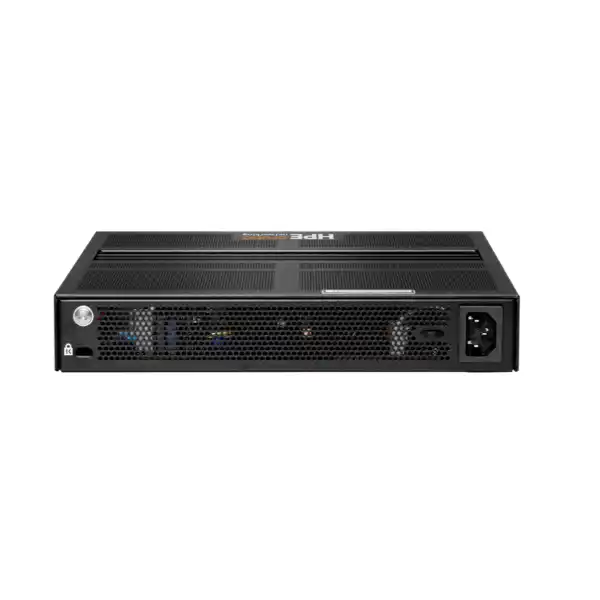
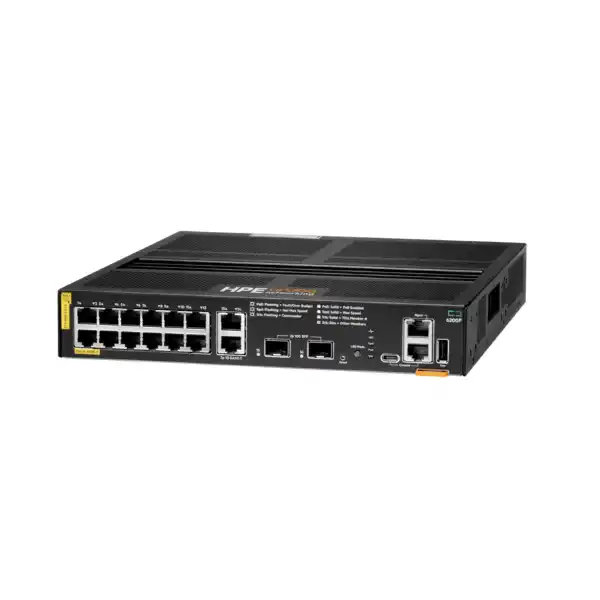
HPE Aruba Networking CX 6200F 12G Class4 PoE 2G/2SFP+ 139W Switch
A compact, fanless AOS-CX access switch for organizations that need twelve Gigabit Class 4 PoE ports, dedicated copper connectivity, 1/10GbE SFP+ uplinks and a controlled 139W PoE budget at the network edge. The R8Q72A model is designed for business access-layer deployments where switch size, noise, uplink speed, endpoint power and operational consistency all matter.
Direct answer for buyers evaluating R8Q72A
The HPE Aruba Networking CX 6200F 12G Class4 PoE 2G/2SFP+ 139W Switch is a fixed, stackable access switch in the CX 6200 family. It is mainly used to connect and power devices such as wireless access points, IP phones, cameras and other Ethernet endpoints while providing managed Layer 2 and selected Layer 3 capabilities through AOS-CX. It is most relevant to branch, small-campus, retail and distributed enterprise environments that require a compact port count rather than a 24- or 48-port access switch. Before proceeding, confirm the total PoE wattage, uplink type, transceiver compatibility and growth requirement. FourTeck can help determine whether R8Q72A is correctly sized, which optics or accessories are needed, whether Aruba Central management is part of the design, and what configuration or installation scope should be included in the quotation.
What the CX 6200F 12G PoE switch is designed to do
R8Q72A sits at the access layer: the point in a business network where user devices, phones, cameras, wireless access points and other Ethernet systems physically connect. Rather than treating the switch as a simple port multiplier, an enterprise deployment uses it to apply segmentation, quality of service, access policies, monitoring and routing functions in a controlled manner. The CX 6200 family runs HPE Aruba Networking AOS-CX, giving organizations a common operating model across supported CX switching environments. For a smaller location, this can make the 12-port unit useful when the network needs enterprise management and 10GbE-capable uplinks without filling a full-width 24- or 48-port access switch purely to obtain the required software and operational model.
The defining characteristic of this exact model is not just its twelve PoE ports. R8Q72A combines those twelve Class 4 PoE access interfaces with two additional 100M/1G copper ports and two 1/10GbE SFP+ ports. That layout gives designers several ways to separate powered endpoints, local non-PoE connections and upstream connectivity. In a branch design, for example, the SFP+ ports may be allocated to resilient fiber uplinks or to Virtual Switching Framework links, while copper ports serve local devices. The precise use depends on topology, transceiver choice, VLAN design and whether the switch operates as a standalone unit or as part of a supported VSF stack.
The 139W PoE budget is a major sizing factor. Class 4 PoE can provide up to 30W at an individual port, but the switch cannot provide the maximum to all twelve ports simultaneously because the aggregate power budget is 139W. A buyer therefore needs to total the realistic maximum draw of the powered devices, not merely count PoE ports. A branch with twelve low-draw IP phones can have a very different requirement from a branch with high-power wireless access points and PTZ cameras, even when both use twelve physical Ethernet ports. Allowing sensible headroom for endpoint replacement and future additions reduces the risk of purchasing a switch that has enough sockets but insufficient available PoE budget.
Who should consider this 12-port CX 6200F model
The R8Q72A is most compelling where the required number of powered access ports is modest but the organization still wants a managed enterprise switching platform. Typical candidates include branch offices with a small user population, retail or hospitality sites with a defined number of access points and phones, security or building zones that need a local PoE aggregation point, training or meeting areas, remote operations rooms, small healthcare or professional-service locations, and distributed sites where standardized AOS-CX operations are preferred across many branches.
A 12-port platform can also make sense when physical space and acoustics matter. HPE lists the R8Q72A as fanless, which removes fan noise from the switch itself. This can be useful in open offices, classrooms, meeting rooms or shallow equipment areas where a continuously audible fan would be undesirable. Fanless does not mean the switch can be placed in any enclosure. Heat still has to dissipate, ventilation must not be blocked, the installation must remain within the specified environmental limits, and the PoE load affects thermal planning. The switch should therefore be positioned in a location that provides appropriate airflow, secure cabling and reliable power.
Organizations should also consider this model when 10GbE-capable SFP+ uplinks are required but endpoint density is low. The two SFP+ interfaces can reduce the likelihood that a branch is constrained to a 1GbE uplink when traffic from multiple access devices is aggregated. However, the presence of two SFP+ ports does not automatically mean a specific fiber distance or optic is supported. SFP/SFP+ transceiver choice is a compatibility decision. The transceiver family, wavelength, fiber type, link distance and software support level should be checked against HPE Aruba Networking’s current transceiver guidance before the bill of materials is finalized.
Verified technical specifications for HPE R8Q72A
| Specification | R8Q72A detail |
|---|---|
| Brand | HPE Aruba Networking |
| Product family | CX 6200 Switch Series, fixed CX 6200F model |
| Manufacturer part number | R8Q72A |
| PoE access ports | 12 × 10/100/1000BASE-T Class 4 PoE, up to 30W per port |
| Additional copper ports | 2 × 100M/1G ports |
| SFP uplink ports | 2 × 1G/10G SFP+ ports |
| PoE standards | IEEE 802.3af and 802.3at |
| Total PoE budget | Up to 139W Class 4 PoE power |
| Power supply | Fixed internal power supply |
| Cooling | Fanless |
| Switching capacity | 68 Gbps |
| Throughput | Up to 45.1 Mpps |
| Processor | Quad Core ARM Cortex-A72 at 1.2 GHz |
| Memory / flash | 8 GB DDR4 / 16 GB eMMC |
| Packet buffer | 6 MB |
| Management ports | RJ-45 console, USB-C console, OOBM and USB Type-A host |
| VSF stack size | Up to 8 members; R8Q72A stacking compatibility is restricted to R8Q72A and R8V13A 12-port variants |
| Dimensions | 4.39 cm H × 25.4 cm W × 30.6 cm D |
| Weight | 3.24 kg |
| Operating temperature | 0°C to 45°C up to 5,000 ft; altitude derating applies above 5,000 ft |
| Operating humidity | 5% to 95% at 40°C, non-condensing |
Specifications above are based on current HPE Aruba Networking documentation for R8Q72A. Regional cord options, supported transceivers, current software recommendations and available support or subscription services should be confirmed for the intended UAE deployment before ordering.
Port layout: why the combination matters
The twelve Gigabit Class 4 PoE ports are the primary edge interfaces. Each can negotiate standard Ethernet rates of 10, 100 or 1000 Mbps and can power compatible IEEE 802.3af or 802.3at endpoints. This is suitable for many common office and branch devices, but the correct design starts with the endpoint specification. A powered device has both a data requirement and a power requirement. An access point might only need a 1GbE data connection but still draw considerably more power than a handset. A camera may be low bandwidth yet require additional power for heaters, infrared illumination or pan-tilt-zoom motors. The switch selection should therefore be based on both dimensions rather than port count alone.
Two additional 100M/1G copper interfaces provide useful flexibility for non-PoE equipment or local links. Their role should be planned deliberately rather than assumed. In a small branch they may connect a firewall, a local server, an out-of-band device or another piece of infrastructure where PoE is unnecessary. Keeping some non-PoE connectivity separate can also preserve the twelve powered ports for devices that actually need them. The network diagram should identify which interfaces are intended for clients, infrastructure, uplinks and management so the final configuration does not depend on improvised cabling at installation time.
The two 1/10GbE SFP+ ports provide higher-speed fiber or direct-attach possibilities where supported. A 10GbE uplink can be particularly useful if several access points or high-traffic edge devices converge on the switch. However, bandwidth design should consider the full path. A 10GbE optic on R8Q72A cannot overcome a 1GbE bottleneck farther upstream, and a link aggregation design needs compatible configuration on both ends. If the same SFP+ ports are also needed for VSF, the design must account for that consumption. FourTeck can review the intended topology and help identify whether two SFP+ ports are enough for the required uplinks, stack links and resilience strategy.
PoE planning for the 139W power budget
The most common purchasing mistake with a compact PoE switch is to assume that twelve PoE-capable ports mean twelve ports can all draw 30W at once. The R8Q72A is rated for up to 139W of Class 4 PoE power across the switch. Twelve devices at the full 30W Class 4 ceiling would represent 360W, far beyond that aggregate budget. In practice, many endpoints draw much less than their maximum class, but the design still needs a defensible power calculation. Collect the maximum or planned draw of each powered device, add the figures, and leave headroom for startup behavior, endpoint replacements and reasonable growth.
Consider an illustrative branch with six IP phones at 7W each, three cameras at 12W each and two access points at 20W each. The nominal total would be 118W. That might appear to fit within 139W, but the remaining margin is modest. If one access point is replaced later with a higher-power model or a camera requires more power than expected, the design can become constrained. The numbers in a real bill of materials must come from the actual endpoint specifications and the intended power configuration; this example is only a method for thinking about the calculation.
PoE prioritization and configuration can also matter during an abnormal power condition. Network teams should decide which endpoints are critical and how the switch should behave if aggregate demand approaches the available budget. For example, voice or security devices may have different operational priorities from convenience endpoints. This is not simply a switch feature decision; it is part of the network’s resilience policy. Where the branch is expected to grow beyond the available 139W budget, a larger CX 6200F PoE model, a second access switch or a redesigned distribution of powered devices may be a better choice than operating permanently near the limit.
Power planning should also include the upstream electrical environment. Confirm the available mains circuit, regional power cord option, UPS strategy, rack or enclosure ventilation, and whether other devices share the same UPS. The switch has a fixed internal power supply rather than the modular power architecture found in some larger enterprise platforms. If power-supply redundancy is a mandatory requirement at the individual-switch level, that requirement should be evaluated against other switch models or architectures before R8Q72A is selected.
AOS-CX management and Aruba Central considerations
The CX 6200 family uses AOS-CX, HPE Aruba Networking’s switching operating system. For buyers, this matters because a switch is not selected only by physical interfaces; the operational model determines how configurations are created, monitored, audited and maintained. AOS-CX supports enterprise access functions including access control lists, quality of service, static routing and access OSPF routing within the capabilities documented for the series. The platform is designed to provide a consistent management approach across supported CX environments, which can be valuable when a distributed branch estate has to be operated by a central network team.
HPE Aruba Networking Central supports the CX 6200 Switch Series with compatible software versions. Central can be relevant where the organization wants cloud-based visibility and configuration workflows across multiple sites. The required Central subscription, licensing tier, tenant design and feature scope should be treated as separate decisions from the hardware purchase. A buyer should not assume that a cloud-management subscription is included simply because the switch supports Central. Equally, the presence of Central support does not remove the need to define local management addressing, administrative access, logging, authentication and change-control practices.
For a single small branch, local AOS-CX administration may be sufficient depending on operational policy. For dozens or hundreds of sites, centralized management can become more attractive because inventory, firmware governance, monitoring and configuration consistency have greater value at scale. The right choice depends on how many switches are involved, whether the organization already uses Aruba Central, how network administrators authenticate, whether templates or UI-based configuration are preferred, and how software updates are governed. FourTeck can include these questions in the requirement review so the quotation covers the management model rather than just the physical switch.
Software version is another procurement and deployment dependency. HPE publishes minimum and supported AOS-CX versions for different platforms and management functions, and these evolve over time. A new installation should therefore be checked against the current release guidance rather than built around an old version mentioned in a historical project document. Where the switch will join an existing environment, compatibility with the deployed firmware train, configuration standards and automation tools should be reviewed before maintenance windows are scheduled.
Virtual Switching Framework: an important R8Q72A restriction
The CX 6200F family supports HPE Aruba Networking Virtual Switching Framework, which allows supported switches to operate as a logical stack with a unified control and management plane. For R8Q72A, the compatibility rule is particularly important: current HPE guidance states that R8Q72A can stack with R8Q72A and the TAA 12-port variant R8V13A, but not with the 24- or 48-port CX 6200F models or CX 6200M models. This is a buyer-relevant distinction because a general statement such as “CX 6200F supports eight-member stacking” can be misleading if it is interpreted as permission to mix any CX 6200 model.
Up to eight supported 12-port members can form the VSF arrangement, subject to current software and configuration requirements. The inter-switch links use standard Ethernet interfaces rather than a proprietary stacking module, and the correct link speed, transceiver or cable must be validated. HPE documentation also notes long-distance stacking possibilities with suitable long-range transceivers, but that should not be interpreted as blanket support for any optic. Each proposed transceiver must be checked against the current HPE transceiver guide and the installed software version.
From a design perspective, stacking can simplify management and increase port scale, but it also changes the failure-domain and cabling plan. The stack topology, uplink distribution, member priorities, power resilience and recovery procedures should be documented. If a branch is likely to grow from one 12-port switch to several units, the team should compare the cost and operational implications of stacking multiple R8Q72A devices against using one or two higher-density access switches. A stack of compact switches can be ideal for distributed placement or incremental growth, but it is not automatically the simplest choice for every rack.
Product-fit matrix
| Requirement | R8Q72A may fit when | Confirm before ordering |
|---|---|---|
| Powered endpoints | No more than twelve PoE access connections are needed and aggregate demand fits the 139W budget. | Maximum wattage of every powered device and growth headroom. |
| Uplink performance | One or two 1/10GbE SFP+ uplinks meet the topology. | Fiber type, optic support, distance, redundancy and any VSF use. |
| Noise-sensitive room | Fanless operation is desirable and the environment can dissipate heat correctly. | Ventilation, ambient temperature, enclosure and PoE load. |
| Centralized operations | The organization wants AOS-CX consistency and may use Aruba Central. | Central subscription, software version, tenant and operational workflow. |
| Stacking | A stack of supported 12-port R8Q72A/R8V13A members matches the design. | Stack links, optics, member count and the restriction against mixing 24/48-port 6200F units. |
| Branch growth | Expected expansion remains within port and power limits. | Three-year endpoint forecast and whether a 24- or 48-port model reduces future replacement. |
Security, segmentation and traffic control at the access layer
An access switch is an enforcement point between endpoints and the rest of the network. The CX 6200 series supports access control lists and enterprise quality-of-service functions, allowing administrators to apply policy to traffic rather than simply forwarding every frame without distinction. The actual configuration should follow the organization’s segmentation architecture. Separate VLANs may be used for corporate users, voice, wireless access points, cameras, building systems or guest-related services, but VLAN count and naming alone do not constitute a security policy. Routing boundaries, firewall enforcement, authentication, ACLs and management-plane controls all need to align.
Quality of service is particularly relevant when the switch carries voice, video or other latency-sensitive traffic alongside ordinary data. The correct design identifies which traffic should be marked, trusted, queued or rate-limited, and where those policies are enforced across the end-to-end path. Configuring QoS on one switch cannot compensate for an upstream WAN or firewall that ignores the same classes. During deployment, FourTeck can help translate the application’s priorities into a switch configuration scope, while the customer or project architect confirms the wider network policy.
Static routing and access OSPF support can be useful when the branch design requires more than pure Layer 2 access. Whether routing should occur on R8Q72A, on a firewall, or on an upstream aggregation switch depends on the architecture. Small sites often benefit from keeping routing boundaries simple; larger or more resilient networks may distribute routing closer to access. The presence of routing capability should therefore be viewed as an architectural option, not a reason to place Layer 3 functions on the switch by default. Route scale, convergence expectations, security inspection and operational ownership should all influence that choice.
Performance context: 68 Gbps switching and 45.1 Mpps throughput
HPE’s current QuickSpecs list 68 Gbps switching capacity and throughput up to 45.1 million packets per second for R8Q72A. These figures describe the forwarding capability of the switch platform; they are not equivalent to application throughput guarantees. Real-world performance depends on packet sizes, traffic patterns, uplink design, endpoint capabilities, protocol overhead, configuration and the rest of the network. For buyer selection, the figures are most useful when compared with the physical interface layout and expected aggregate traffic rather than treated as standalone marketing numbers.
In many branch environments the limiting factor is more likely to be the uplink, WAN service, firewall or endpoint interface than the switch’s raw fabric capacity. Twelve 1GbE clients can create bursty aggregate demand, but few offices sustain line rate on every port simultaneously. Wireless access points can also concentrate multiple user sessions on a single wired port. The two 10GbE-capable SFP+ interfaces give the designer room to avoid a simple 1GbE uplink bottleneck where the upstream network supports a faster connection.
Capacity planning should start with workloads. A branch that mainly carries cloud productivity traffic and voice behaves differently from a branch transferring large imaging files, video archives or backups. CCTV recording patterns can create sustained streams, while user traffic is often bursty. If the switch will aggregate cameras or storage-related traffic, document average and peak rates and verify that the uplink architecture has adequate headroom. If link aggregation is planned, verify support and configuration on both the switch and upstream device. A numeric port count without a traffic model can hide bottlenecks that only appear after installation.
Compatibility and transceiver selection
The SFP+ interfaces create flexibility, but optics are not universal commodities. HPE Aruba Networking maintains transceiver compatibility guidance that identifies supported 1GbE and 10GbE modules, minimum software versions and model-specific restrictions. R8Q72A belongs to the 12-port CX 6200F subset, and current compatibility tables treat those 12-port models separately in several places. That is why a transceiver that works in a different CX 6200F SKU should not automatically be assumed to work in R8Q72A.
Before ordering optics, confirm the media type and distance. Multimode fiber in the same building may require a different optic from single-mode fiber linking floors, buildings or remote rooms. Connector type, existing patch-panel infrastructure, fiber grade and the optical budget all matter. A long-range optic is unnecessary for a short patch, while a short-range optic cannot reliably serve a link beyond its supported distance. For copper direct-attach connectivity, confirm cable type, reach and compatibility at both ends of the link.
The upstream device is equally important. If R8Q72A connects to a firewall, aggregation switch or core, the remote port must support the same speed and optical standard. Auto-negotiation behavior and forced-speed settings can vary by interface type. The project documentation should specify both ends of every uplink, including part number and cable path where possible. This reduces the chance of receiving a switch that is correct but cannot be commissioned because the required optics or patch leads were omitted from the order.
FourTeck can use the topology, fiber type, distance and upstream device details to help prepare a more complete bill of materials. Where compatibility is uncertain or software-dependent, it should be confirmed against current HPE documentation before purchase. This is preferable to selecting transceivers solely by wavelength or connector appearance.
Deployment and installation considerations
The physical installation should be planned around the switch’s compact dimensions, cable entry, power location, ventilation and service access. HPE lists the chassis at approximately 4.39 cm high, 25.4 cm wide and 30.6 cm deep, with a weight of 3.24 kg. This compact width differentiates it from many full-width access switches, but the mounting method and required accessories should still be confirmed for the intended cabinet or rack. Do not assume that every small network enclosure has suitable mounting points, depth, airflow or bend radius for fiber patch leads.
The fanless design reduces acoustic noise but makes ambient conditions and airflow important. HPE specifies an operating temperature range of 0°C to 45°C up to 5,000 feet, with temperature derating at higher altitude, and operating relative humidity of 5% to 95% at 40°C non-condensing. In Dubai and the wider UAE, indoor networking equipment is normally deployed in conditioned spaces. A wall cabinet exposed to direct sun, an unconditioned warehouse enclosure or a poorly ventilated ceiling area can exceed the intended operating environment even when the building itself is air-conditioned.
Cable planning should identify which patch-panel ports feed PoE devices and which endpoints may move later. Labeling both the switch and patch panel reduces troubleshooting time. For access points and cameras, the structured cabling path must meet Ethernet distance and category requirements. Fiber uplinks need appropriate routing and protection, especially where they leave the local room. The deployment plan should also define console access, out-of-band management addressing and how the switch will be reached if the production VLAN configuration is unavailable.
Power protection is a separate design decision. A UPS can maintain the switch and connected PoE endpoints during short outages, but battery sizing must include the load of the switch plus the PoE devices it powers. If the switch powers phones or security equipment, the runtime requirement may be longer than for ordinary desktop connectivity. The UPS should be sized from measured or calculated load and desired runtime rather than selected by switch wattage alone.
Where R8Q72A fits within the CX 6200 family
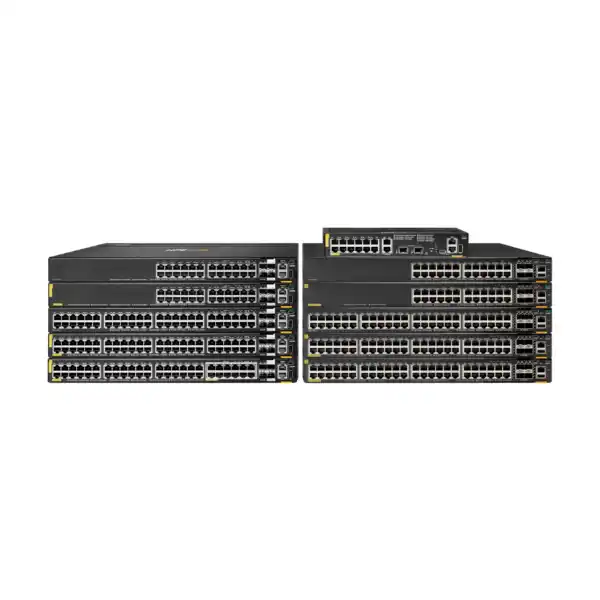
The CX 6200 family includes fixed CX 6200F models and modular CX 6200M models, with different port densities, PoE budgets and interface combinations. R8Q72A is the compact twelve-port Class 4 PoE fixed model with a 139W PoE budget. The family also includes 24- and 48-port fixed models, including PoE variants with higher aggregate power budgets. Those higher-density devices can be more appropriate for standard wiring closets or larger branches where many access devices terminate in one location.
The smaller model should therefore be selected because its density and power profile fit the site, not merely because it is physically smaller. If a branch currently needs ten ports but is expected to add another ten users, cameras or access points, the 12-port model could create an early expansion requirement. Conversely, purchasing a 48-port 740W PoE switch for a location that will never exceed eight or ten modest-power endpoints can consume more space, power budget and capital than necessary. A practical sizing exercise considers current endpoints, three-year growth, PoE draw, uplink needs and resilience.
Stacking compatibility is a decisive family difference. R8Q72A and its TAA counterpart R8V13A are restricted to stacking with each other, so a buyer cannot plan to start with this 12-port model and later add a 48-port CX 6200F into the same VSF stack. If mixed density within one logical stack is a future requirement, the design should be revisited before purchase. The site can still contain different standalone switches or a different topology, but the VSF restriction affects how they can be combined.
When a larger or different switch should be evaluated
More than twelve powered access ports
If the endpoint forecast approaches or exceeds twelve PoE devices, a 24- or 48-port access model may avoid cascading small switches or an early replacement. Count spare ports, temporary devices and likely office expansion rather than only today’s occupied ports.
PoE demand above 139W
High-power access points, cameras or mixed endpoint estates can exceed 139W even with fewer than twelve devices. In that case evaluate a higher-budget PoE model or distribute the powered endpoints across more than one switch.
Individual power redundancy
R8Q72A uses a fixed power supply. If the design requires redundant or field-replaceable power at each access switch, compare platforms that provide the appropriate hardware architecture and confirm the resulting PoE behavior.
Different stack composition
If a single VSF stack must combine higher-density CX 6200F members, the 12-port R8Q72A stacking restriction is important. Select a stack design whose exact members are supported together.
A different family may also be preferable when the project requires higher-speed access ports, advanced uplink capacity, different redundancy, additional modularity or other capabilities beyond the CX 6200F 12G design. The objective is not to force every small branch into the same hardware. The network requirement should determine whether R8Q72A is the right endpoint-density and operational fit.
Branch office use case
A representative branch office may have eight to twelve employees, two wireless access points, several IP phones, a meeting-room device and a security camera. In this environment R8Q72A can act as the local access switch if the total number of powered endpoints and their combined wattage remain within the available budget. The SFP+ interfaces can link the branch access layer to an upstream firewall or distribution switch at 1GbE or 10GbE according to the available infrastructure and traffic requirement. The additional copper ports can be reserved for non-PoE infrastructure where appropriate.
The branch design should still document segmentation. Voice, corporate clients, wireless infrastructure and cameras may have different VLANs and policy requirements. If the branch firewall performs inter-VLAN routing, the switch can carry VLAN trunks upstream. If the switch performs selected Layer 3 functions, routing responsibility needs to be deliberately assigned. Logging, time synchronization, DNS, administrator authentication and configuration backup should also be part of the standard branch template. Consistency across sites is often more valuable operationally than extracting every possible feature from an individual switch.
For a distributed business with many small sites, standardized R8Q72A deployments may simplify spares, templates and support when the site profiles are genuinely similar. However, standardization should not hide local exceptions. A branch with six high-power cameras or a high-density wireless requirement may need a different PoE budget, while a larger office may exceed the port count. A small checklist per location can prevent a standard model from being applied where it does not fit.
Retail, hospitality and distributed-site use case
Retail and hospitality environments often have a mix of powered and unpowered devices: wireless access points, IP phones, cameras, payment-related infrastructure, digital signage controllers and back-office systems. The compact R8Q72A can be useful as a local access-layer node where that device count remains within its port and power limits. The fanless chassis can also be attractive in locations where networking equipment is close to staff or guests, provided the installation environment remains secure and properly ventilated.
These sites place extra importance on physical security and operational continuity. A switch installed in an unlocked cabinet can become a point of tampering, and a poorly planned UPS can cause both network and PoE devices to fail at the same time during a power event. Cable labels, management access, backup configuration and a defined replacement process should be part of the deployment. If a camera or access point is business critical, calculate how a switch outage affects that service and whether local redundancy is required.
Centralized management can be valuable when many distributed sites share a common configuration baseline. Aruba Central support for the CX 6200 family may help organizations that already use or intend to use the platform, subject to the appropriate subscription and software compatibility. The benefit is strongest when the operational process is designed around it: device onboarding, naming, groups, templates, firmware policy, alerts and role ownership should be agreed before a large rollout rather than improvised after installation.
Wireless access point aggregation
One frequent reason to choose a PoE switch is to power wireless access points. R8Q72A can serve this role when the access points use standard 1GbE copper connectivity and their power requirements are compatible with IEEE 802.3af/802.3at Class 4 delivery and the switch’s total 139W budget. The exact AP model must be checked. Some modern access points support or benefit from multigigabit Ethernet or higher PoE classes; in those cases a switch with Smart Rate access interfaces or a larger power architecture may be more appropriate.
Wireless design also affects uplink sizing. Several access points can aggregate many client sessions, so the wired uplink should not be selected solely because each AP has a 1GbE access port. If the branch is expected to carry heavy local or cloud traffic, the 10GbE SFP+ capability can provide useful headroom where the upstream side supports it. VLANs, SSIDs, authentication traffic, guest segmentation and controller or cloud-management paths should be mapped through the switch configuration.
The PoE calculation should use the AP’s required operating power mode, not a generic figure. Some access points reduce radio or USB functionality when insufficient PoE is available. A switch can therefore bring an AP online while still leaving it in a reduced-power state that does not meet the intended design. Confirm the exact AP data sheet, planned radio features and worst-case draw. FourTeck can review both switch and access-point requirements so the PoE budget is treated as part of the wireless design rather than as an afterthought.
IP surveillance and IoT edge considerations
Cameras and other IoT endpoints can appear simple because many use modest bandwidth, but they introduce different planning questions. A camera’s maximum PoE consumption may rise when infrared illumination, heaters or pan-tilt-zoom motors operate. The recording path can create sustained traffic toward a network video recorder or data center. Devices may also be installed outdoors or in remote areas where access-switch placement, surge protection and cabling quality matter. The switch should be sized from the camera specification and retention architecture rather than only from the number of ports.
Segmentation is also important. Cameras, building systems and IoT devices are often placed in dedicated VLANs with restricted access to management servers or cloud endpoints. The CX 6200F can participate in that segmentation, while upstream firewalls or routing policy enforce communications according to the network architecture. Administrative access to the switch should be separated from endpoint networks wherever practical, and monitoring should make unexpected link or power events visible.
If the deployment is security-sensitive, resilience deserves special attention. A single 12-port PoE switch can become the common point of failure for many cameras. Depending on the risk assessment, the project may distribute cameras across multiple switches, use resilient uplinks, provide UPS runtime, or select a topology with higher availability. R8Q72A can be technically capable of powering the devices yet still be the wrong architectural choice if the business cannot tolerate losing all those endpoints together.
Voice and collaboration endpoint considerations
IP phones commonly use PoE and can fit comfortably within a Class 4 access environment, but voice quality depends on more than delivering power. VLAN design, DHCP options where used, quality-of-service marking, call-control reachability and WAN behavior all influence the user experience. The switch configuration should be aligned with the telephony platform and the organization’s voice network standard. If PCs connect through phone pass-through ports, the access-port policy may need to accommodate both voice and data securely.
A small branch with several phones and one or two access points can be a good match for the 139W budget, but the calculation should still use the actual endpoint values. Meeting-room collaboration devices can have different power and bandwidth demands from desktop phones. If a room system requires more than standard Class 4 PoE or uses a different interface, it may need a separate injector, power supply or switch model. Treat such devices as explicit bill-of-material items rather than assuming they behave like an ordinary handset.
Power continuity can be especially important for voice services used during local incidents. If phones depend on switch-supplied PoE, a switch or UPS outage removes both network access and phone power. The required battery runtime should reflect the business continuity plan. If the WAN router, firewall and switch are on separate UPS systems, their runtimes should be coordinated so one device does not remain powered after another critical element has already failed.
Licensing, subscriptions and optional services
The physical R8Q72A hardware should be distinguished from optional management subscriptions, support services and accessories. The switch runs AOS-CX and supports normal local switch operation, while cloud-based Aruba Central management is a separate operational choice. If Central is required, the appropriate device subscription, term and feature scope should be confirmed for the current HPE Aruba Networking licensing model. Do not assume that a hardware quotation automatically includes a Central subscription unless it is explicitly listed.
Support coverage is also separate from the basic product identity. Organizations may have vendor support standards that specify coverage level, duration, response expectations and access to software updates or assistance. The appropriate support option depends on business criticality and the organization’s internal capabilities. A branch switch serving a noncritical training room may have different support needs from a switch powering phones and cameras in a continuously operated site. FourTeck can include support requirements in the quotation discussion without presenting an unverified warranty or service promise.
Transceivers, fiber patch cords, copper patch leads, mounting accessories, console cables, UPS equipment and rack hardware are likewise separate items unless the specific bundle states otherwise. The buyer should review what is included in the vendor package and what must be ordered for the installation. Incomplete accessory planning is a common cause of delayed commissioning because the switch itself arrives on time but cannot be connected to the existing fiber plant or mounted in the intended enclosure.
Configuration considerations before the switch goes live
A production switch should not be commissioned with only a hostname and uplink. The configuration scope needs to reflect the site design. Typical tasks include management IP addressing, secure administrative access, time synchronization, DNS where required, VLAN creation, access and trunk port assignment, spanning-tree settings, link aggregation, PoE behavior, quality of service, ACLs, logging, authentication integration, monitoring and configuration backup. Not every project needs every feature, but the relevant items should be decided before the maintenance window.
Firmware strategy deserves attention. New hardware may arrive with a software version different from the organization’s standard. Upgrading or downgrading should be based on HPE support guidance, feature requirements and compatibility with the wider environment. In a VSF deployment, member compatibility and the correct procedure are important. In a Central-managed environment, the chosen firmware policy should align with the management platform’s supported versions. A documented target version prevents different branches from drifting into inconsistent software states.
Security hardening should cover the switch itself, not just endpoint VLANs. Administrative protocols that are not needed should be disabled or restricted, privileged accounts should follow organizational policy, management traffic should be confined to appropriate networks, and logs should reach the monitoring platform where required. If AAA integration is used, recovery access should be planned so administrators can still reach the device if the authentication service is unavailable. Console and out-of-band access can be valuable during troubleshooting, but they also need physical and credential security.
A configuration handover should include the final running configuration, software version, management address, device name, uplink mapping, VLAN list, optic part numbers, support information and any deviation from the standard design. This documentation turns a one-time installation into an operable asset. FourTeck can scope configuration and documentation assistance according to the customer’s standards and the complexity of the deployment.
Migration from an existing access switch
Replacing an existing switch is not just a physical swap. Before migration, export and review the current configuration, identify every active port, map VLANs, confirm uplink settings, document spanning-tree relationships, check link aggregation and list any endpoint-specific requirements. Old configurations should not be copied blindly because command syntax, defaults and supported features can differ between platforms or software generations. The migration plan should translate the intended network behavior into AOS-CX rather than duplicate historical mistakes.
PoE migration needs special care. The existing switch may have a larger power budget than R8Q72A even if fewer than twelve ports are active. Measure or calculate powered-device demand before moving endpoints. If the current environment uses vendor-specific PoE behavior or nonstandard devices, verify compatibility. Record which ports power critical devices and the expected recovery sequence after a reboot. Some endpoints can take several minutes to restart, so application validation should continue after the Ethernet link first comes up.
Uplink migration may involve changing optics or speeds. If the old switch uses a 1GbE SFP and the new design targets 10GbE, the upstream interface, transceiver pair and fiber path all have to support the change. If the existing fiber is unknown, verify it rather than assuming a 10GbE optic will operate over the same distance. A pre-installation check can identify these dependencies before the maintenance window.
The rollback plan should be practical. Keep the previous configuration and cabling map, define the point at which the team will revert if validation fails, and ensure the old switch remains available until the new unit has passed functional checks. A successful migration confirms endpoint connectivity, PoE state, routing or trunking, management reachability, monitoring, voice or wireless service and any business-critical applications that traverse the switch.
Operational monitoring and lifecycle management
Once deployed, the switch should be monitored as an infrastructure component. Useful operational signals include interface state, errors and discards, uplink utilization, PoE allocation, CPU and memory condition, temperature-related events, spanning-tree changes and configuration changes. The exact monitoring method depends on whether the site uses Aruba Central, another network management platform, syslog, SNMP or a combination. Monitoring should focus on conditions that can be acted upon rather than producing alerts that are routinely ignored.
PoE telemetry can provide early warning that a branch is approaching the 139W budget. If additional devices are installed over time, a site that originally had ample headroom can become constrained. Interface utilization similarly shows whether a 1GbE uplink should be upgraded to 10GbE or whether traffic is unevenly distributed. Capacity review can be performed periodically or when a site expands, rather than waiting for users to report performance problems.
Software maintenance should follow HPE release guidance and the organization’s change process. New releases may contain fixes, security updates or feature changes, but “latest” is not automatically the correct target for every environment. Review current HPE recommendations, dependencies and interoperability before upgrading. If Aruba Central is used, confirm that the selected version is supported by the management platform. In stacked deployments, follow the documented process and understand the expected service impact.
Lifecycle management also includes tracking support status, hardware inventory, serial numbers, installed optics and configuration backups. When HPE publishes lifecycle notices or replacement guidance, organizations should evaluate them against their refresh plans. FourTeck can assist with current model checks, replacement discussions, renewal coordination and planning for future access-layer capacity as requirements change.
What to confirm for an accurate quotation
A useful quotation should describe the complete requirement, not only list “CX 6200F 12G switch.” Start with the exact manufacturer part R8Q72A and required quantity. Then state whether each switch is standalone or part of a VSF design, how many PoE devices will be connected, the maximum expected wattage of those devices, and whether the branch will use 1GbE or 10GbE uplinks. If optics are needed, provide fiber type, distance and the upstream device model.
Next, identify management and service requirements. Specify whether Aruba Central is already in use, whether a new subscription is required, the desired subscription term if known, the target software standard, and whether configuration assistance is needed. If FourTeck is expected to install or migrate the switch, provide the site location, rack or cabinet details, maintenance-window restrictions, current switch model, available configuration, cabling status and any customer security or access procedure.
Support and logistics should also be explicit. The organization may require a particular support duration, purchase documentation, delivery coordination or project schedule. Current UAE availability and lead time can depend on exact part number, quantity, regional options and vendor supply. It is better to request confirmation against the final bill of materials than to assume availability from a generic product listing.
R8Q72A procurement checklist
- Confirm exact non-TAA manufacturer part number R8Q72A.
- Confirm switch quantity and whether spare units are required.
- List every powered endpoint and its maximum PoE requirement.
- Verify aggregate PoE demand fits within the 139W budget with headroom.
- Confirm whether two additional 100M/1G copper ports are needed in the topology.
- Define 1GbE or 10GbE SFP+ uplink requirements.
- Validate SFP/SFP+ optics against current HPE compatibility guidance.
- If stacking, ensure members are limited to supported R8Q72A/R8V13A 12-port variants.
- Confirm rack, cabinet or shelf mounting method and physical clearance.
- Confirm regional power cord, UPS requirement and available electrical circuit.
- Decide whether Aruba Central management is required and identify subscription needs.
- Specify configuration, migration, testing and documentation scope.
- Confirm support coverage requirements and organizational service expectations.
- Request current UAE availability and lead-time confirmation for the final quantity.
Buyer questions before ordering the CX 6200F 12G PoE switch
Is 139W enough for twelve PoE devices?
It depends on the devices. The switch provides up to 139W total PoE power, while each Class 4 port can support up to 30W. Twelve ports do not mean twelve simultaneous 30W loads. Add the maximum expected consumption of all powered endpoints and leave operating headroom. If the calculated demand is close to or above 139W, evaluate a higher-budget switch or distribute endpoints across multiple switches.
Can R8Q72A stack with a 24-port CX 6200F?
No. Current HPE VSF guidance specifically limits R8Q72A to stacking with R8Q72A and the R8V13A TAA 12-port variant. It should not be planned into the same VSF stack as the 24- or 48-port CX 6200F models. If mixed port densities inside one logical stack are required, choose an architecture that supports the intended member combination.
Does the switch support 10GbE uplinks?
Yes. R8Q72A has two 1/10GbE SFP+ ports. The practical link speed also depends on the selected transceiver or cable, the remote device, fiber type and software support. Validate the exact optic against current HPE compatibility documentation rather than ordering by connector type alone.
Is Aruba Central included?
Aruba Central supports the CX 6200 series, but cloud-management subscriptions and their terms should be confirmed separately from the hardware. If Central is part of the requirement, include the number of devices, desired subscription term, current tenant and management objectives in the quotation request.
Can it be used in a quiet office?
The R8Q72A is fanless, so it does not generate fan noise. Placement still has to respect environmental limits and provide adequate ventilation. A closed cabinet with high PoE load can become thermally unsuitable even when the switch itself has no fans.
UAE deployment considerations
For UAE organizations, the key regional consideration is not a different networking principle but the practical deployment environment. The switch should be installed in a conditioned, secure space that remains within the manufacturer’s temperature and humidity limits. Network cabinets in warehouses, outdoor utility spaces or areas affected by direct solar heat need particular attention. The specified 0°C to 45°C operating range assumes the switch itself remains within that ambient condition; room temperature at the building thermostat does not guarantee the temperature inside a densely packed enclosure.
Regional procurement should also confirm the correct power-cord option and any customer-specific compliance or documentation requirement. The base R8Q72A discussed on this page is the non-TAA version; HPE also identifies R8V13A as the TAA 12-port variant. Buyers with a formal TAA requirement should not substitute R8Q72A merely because the hardware description appears similar. The exact procurement policy should determine which part number is acceptable.
Availability can change with quantity, vendor lead time and regional supply. FourTeck does not need to assume stock status to prepare the technical requirement. Once the bill of materials is confirmed, current UAE availability, delivery coordination and any installation or configuration scope can be quoted against the requested quantity and project schedule.
FourTeck assistance for HPE Aruba Networking switch projects
FourTeck can help turn a product name into a deployment-ready requirement. For R8Q72A, that process can begin with endpoint count and PoE demand, then move through uplink design, optics, stacking, management, configuration and support expectations. This is useful when procurement has been asked to obtain a quote but the technical team has not yet finalized the complete bill of materials. Clarifying these dependencies early reduces the risk of ordering the correct switch with the wrong optics, insufficient PoE headroom or an incomplete management subscription.
For migration projects, FourTeck can help define the information needed from the existing environment: current switch model, configuration, VLANs, uplinks, port mapping, PoE devices, firmware standard and maintenance-window constraints. For new installations, the focus shifts to site design, rack or cabinet requirements, cabling, addressing, security policy, configuration templates and acceptance tests. The exact service scope should be agreed in the quotation rather than assumed to be automatically included with the hardware.
Organizations comparing multiple CX models can also request sizing guidance. A 12-port switch is not always cheaper overall if it has to be replaced soon because the site grows, while a larger switch is not automatically better for a small, noise-sensitive branch. FourTeck can help compare port density, PoE budget, uplink requirement, stack design and projected growth so the selected model aligns with the site rather than with a generic standard.
Related options worth comparing
A buyer evaluating R8Q72A should compare nearby choices according to the requirement rather than by model number alone. The R8V13A is the TAA-compliant 12-port counterpart and is relevant where TAA procurement is required. Higher-density CX 6200F PoE models provide 24 or 48 access ports and larger PoE budgets, which can be more suitable for standard wiring closets or sites with greater endpoint density. Non-PoE CX 6200F variants may suit areas where power is not needed at the access ports.
The comparison should include physical size, PoE budget, number of uplinks, stacking rules, expected growth and management consistency. If multigigabit access, higher PoE classes, different redundancy or additional modularity is required, the CX 6200 family may not be the only family to review. The correct alternative depends on the specific missing capability, not simply on choosing the next model up.
Transceivers and Aruba Central subscriptions should be considered related project components rather than substitute products. They can be essential to achieving the intended design but are selected independently of the switch base SKU. Installation and configuration services are likewise optional scope items that should be defined according to the customer’s project plan.
Frequently asked questions
What is the exact manufacturer part number for this switch?
The non-TAA HPE Aruba Networking CX 6200F 12G Class4 PoE 2G/2SFP+ 139W Switch is R8Q72A. The TAA 12-port variant is R8V13A. Procurement teams should use the exact part number required by their policy and region.
How many PoE ports does R8Q72A provide?
It provides twelve 10/100/1000BASE-T Class 4 PoE ports. Each supports up to 30W, while the total switch PoE budget is up to 139W. The aggregate budget must be considered when multiple powered devices are connected.
Does the switch have separate uplink ports?
Yes. It includes two 1/10GbE SFP+ ports in addition to the copper access connectivity. Supported optics and cables depend on the exact transceiver, software version, link distance and the device at the other end, so these should be verified before ordering.
Is the R8Q72A fanless?
Yes. HPE lists this model as fanless. That makes it attractive for noise-sensitive areas, but adequate ventilation and compliance with the operating temperature and humidity limits are still required.
Can the switch be managed through Aruba Central?
The CX 6200 series is supported in Aruba Central with compatible AOS-CX software. The applicable Central subscription and current software requirements should be confirmed for the intended deployment and management features.
How many switches can be placed in a VSF stack?
The 12-port CX 6200F supports VSF stacking up to eight members, but R8Q72A has a model restriction: it can stack with R8Q72A and R8V13A 12-port variants, not with 24- or 48-port CX 6200F members.
What should be supplied to FourTeck for a quotation?
Provide quantity, endpoint count, PoE wattage, uplink speed, fiber type and distance, stack requirement, Aruba Central needs, support expectations and whether installation or configuration is required. This allows the quote to cover important accessories and services instead of only the base switch.
Is the switch currently available in the UAE?
Current availability should be confirmed against the exact R8Q72A part number, requested quantity and vendor lead time. Contact FourTeck for current UAE quotation and delivery coordination rather than relying on an unverified stock assumption.
Final selection guidance
R8Q72A is a specialized member of the CX 6200 family: compact, fanless, equipped with twelve Class 4 PoE Gigabit access ports, two additional 1GbE copper ports and two 1/10GbE SFP+ interfaces, with up to 139W of PoE power. Those characteristics make it a strong candidate for small enterprise access locations where endpoint count is controlled and 10GbE-capable uplinks are useful. Its value is greatest when the design actually benefits from that combination rather than merely requiring “a PoE switch.”
The two most important limits are the PoE budget and the 12-port stacking restriction. The switch cannot power twelve 30W devices simultaneously within a 139W budget, and an R8Q72A VSF stack cannot be expanded by adding 24- or 48-port CX 6200F members. Both points can affect future growth, so they should be considered during procurement rather than discovered after deployment.
A complete decision also checks optics, cabling, management, software, support, physical installation and UPS requirements. If the site will remain small, the fanless form factor and enterprise AOS-CX platform can provide a clean access-layer solution. If the site is expected to grow rapidly, requires a larger PoE budget, needs mixed stack members or demands different redundancy, a larger or different platform should be evaluated. FourTeck can help make that comparison using the actual endpoint list and topology.
Request a UAE quote for HPE Aruba Networking R8Q72A
Send FourTeck the required quantity, PoE endpoint list, uplink details, fiber distance, Aruba Central requirement and installation or configuration scope. FourTeck can help validate the 139W PoE budget, check whether the 12-port model is appropriately sized, review transceiver requirements and coordinate a current UAE quotation. Availability, lead time, support options and regional accessories should be confirmed against the final bill of materials.


Reviews
There are no reviews yet.