
HPE Aruba Networking EdgeConnect 10104 SD-WAN Gateway
A compact four-port EdgeConnect appliance for small branches and remote offices that need centrally orchestrated SD-WAN, encrypted overlay connectivity and policy-based traffic steering without deploying a large branch platform.
Direct answer for buyers
The EdgeConnect 10104 is HPE Aruba Networking’s compact physical SD-WAN gateway for small branch and remote-office sites.
It forms part of an EdgeConnect SD-WAN fabric, steering traffic across internet, MPLS and supported cellular-based WAN transports while policies are centrally managed through EdgeConnect SD-WAN Orchestrator.
Organizations with smaller UAE branches that can remain within the appliance’s 500 Mbps bidirectional WAN ceiling and do not require fibre datapath ports or redundant internal power.
Confirm aggregate WAN bandwidth, physical interface requirements, subscription tier and resilience expectations together. Hardware capacity alone does not determine the correct design.
FourTeck can map site bandwidth, links, ports, licensing, installation, migration and support requirements into an accurate EdgeConnect 10104 quotation for Dubai and UAE deployments.
Where the EdgeConnect 10104 fits
The HPE Aruba Networking EdgeConnect 10104 sits at the compact end of the EdgeConnect hardware range. HPE positions it for small branch and home-office style deployments where the WAN requirement is modest but the site still needs the same architectural approach as a larger enterprise SD-WAN rollout: centralized orchestration, policy-controlled overlays, encrypted connectivity, link steering and application-aware treatment.
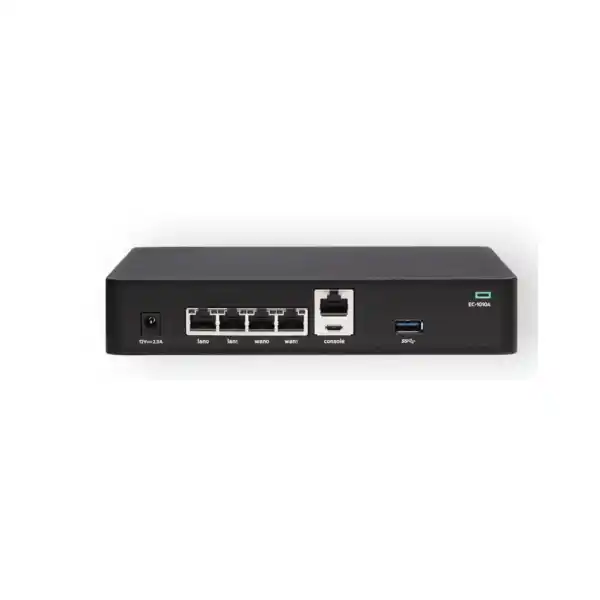
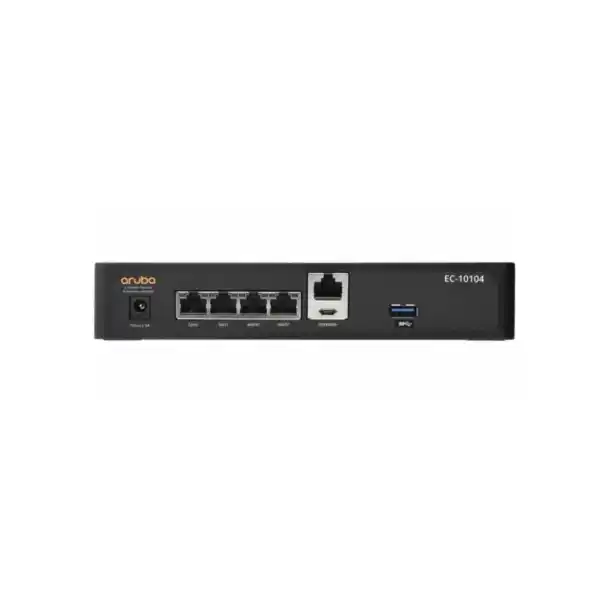
Its practical strength is not raw port density. The appliance has four 10/100/1000BASE-T datapath interfaces, conventionally identified as two LAN and two WAN ports, and HPE documents support for flexible WAN/LAN combinations. This makes the 10104 suitable for branches with straightforward copper Ethernet handoffs, such as a primary business internet circuit plus a secondary circuit or cellular router presented as Ethernet.
The product becomes less attractive when the branch requires native SFP/SFP+ connectivity, PoE on the gateway, more physical datapath ports or a WAN ceiling above 500 Mbps. Those are design signals to compare the EdgeConnect 10106, 10108 or a larger EdgeConnect platform rather than forcing the 10104 into a role outside its intended profile.
Key buyer signal
A 500 Mbps appliance rating should not be interpreted as a recommendation to deploy the gateway at every site with a 500 Mbps internet service. Design margin matters. Encrypted traffic mix, optional services, future circuit upgrades, failover behavior and the bandwidth tier purchased for software all influence the final choice.
For example, a branch with two 300 Mbps links may have a 600 Mbps aggregate provisioned WAN design even though normal usage is lower. That should be evaluated against both the appliance’s published capacity and the selected software bandwidth entitlement. Likewise, if a single surviving circuit during failover must carry the full branch workload, the sizing discussion should consider the failure state rather than only the everyday average.
What the four Ethernet ports mean in a real branch
The 10104 provides four copper Gigabit Ethernet datapath ports. HPE identifies these as LAN0, LAN1, WAN0 and WAN1 in the hardware documentation, while the platform supports flexible combinations of WAN and LAN roles. This is useful for a simple branch where two interfaces face WAN services and the remaining interfaces connect toward the local switching environment or service edge. It also supports up to 64 802.1Q VLANs, so multiple logical networks can be carried without needing one physical gateway interface per segment.
However, logical flexibility does not remove physical constraints. If the service provider delivers fibre directly, a separate media device or a different EdgeConnect model with SFP/SFP+ capability may be cleaner. If the branch needs more than four physical handoffs, multiple directly connected switches, separate management networks or PoE from the SD-WAN appliance, the 10104 may create unnecessary workarounds. Port requirements should therefore be captured at quotation stage, including connector type, link speed, handoff medium and whether an upstream firewall, router or provider CPE remains in the path.
For dual-WAN branches, the appliance can participate in link redundancy and bonding strategies through Business Intent Overlays. The design question is not merely whether two WAN ports exist, but how applications should behave when latency, loss, jitter or availability changes on one path. Voice, ERP, Microsoft 365, SaaS and large file-transfer traffic may each need different steering policy. That is where EdgeConnect orchestration becomes more important than the physical box itself.
Branch internet resilience
Use two independent Ethernet-presented WAN services and apply policy-based path selection. This is a common fit when the branch needs continuity without a large chassis.
Hybrid WAN
The EdgeConnect architecture can combine internet, MPLS and supported cellular-based transport presented through the branch design, helping organizations transition away from single-provider WAN dependence.
SaaS-aware branch
Policy and application awareness can steer cloud-bound traffic without sending every session through a central data center, subject to the organization’s security and inspection architecture.
Remote office standardization
A compact appliance can help standardize policy across many smaller sites while retaining centralized configuration, monitoring and operational visibility through Orchestrator.
Sizing the 10104 correctly
HPE publishes up to 500 Mbps bidirectional WAN capacity for the EdgeConnect 10104 with features and encryption, and up to 200 Mbps as the recommended WAN-optimization level. Those numbers are important boundaries, but they are not a complete site design. A correct sizing exercise begins with the total WAN bandwidth presented to the appliance, the expected traffic profile and the features that will be active. It then checks growth, failure scenarios and the software bandwidth tier.
Record every circuit connected to the appliance. For asymmetric circuits, use the higher direction when assessing bandwidth. Do not size only from today’s average utilization.
If one link fails, determine whether the surviving path must carry all critical traffic. This influences whether a larger appliance or different circuit mix is justified.
WAN optimization, advanced security functions and other services can change license selection and design assumptions. Include them before choosing the SKU set.
A branch scheduled to upgrade from 200 Mbps to 1 Gbps should not be evaluated as a permanent 200 Mbps site. Hardware replacement costs can outweigh a small initial saving.
This is why the 10104 often fits small branches very well but is not automatically the right answer for every branch below 500 Mbps. The best choice preserves operational simplicity and gives the organization enough headroom for the expected service life.
EdgeConnect software subscriptions and licensing
The hardware is only one part of an EdgeConnect SD-WAN purchase. Current HPE Aruba Networking licensing is subscription based and tied to the WAN-side bandwidth of each gateway. HPE offers Foundation and Advanced cloud-hosted subscription tiers, while an on-premises Orchestrator option is also available for organizations that need to operate the management platform in their own environment. Terms and available bandwidth tiers vary by subscription.
Foundation is intended for essential SD-WAN requirements and includes cloud-hosted Orchestrator. Advanced provides broader SD-WAN functionality, more topology flexibility, larger feature limits and access to the full set of bandwidth tiers documented by HPE. Optional WAN Optimization subscriptions are licensed separately where acceleration is required. Because HPE updates commercial SKUs over time, a quotation should use the current ordering guide rather than relying on an old license part number copied from a previous deployment.
A further planning point is fabric consistency. HPE’s current guidance states that subscription tier mixing is not supported within the same EdgeConnect SD-WAN fabric; gateways should use the same Foundation or Advanced tier. That makes licensing a network-wide architecture decision, not just a branch-by-branch purchase detail. A new 10104 added to an existing deployment should therefore be checked against the organization’s current EdgeConnect entitlement and Orchestrator model before it is ordered.
Quotation dependency
A request for “one EdgeConnect 10104” is usually not enough information for an accurate production quote. The hardware may require an associated subscription, a bandwidth tier, optional WAN optimization, support coverage and installation services.
- Foundation or Advanced subscription tier
- Required WAN bandwidth entitlement
- Subscription term
- Optional WAN Optimization requirement
- Cloud-hosted or on-premises Orchestrator architecture
- Existing EdgeConnect fabric licensing model
- Support and deployment scope
Security, routing and segmentation considerations
The EdgeConnect 10104 is not just a basic four-port router. HPE documents IPsec network encryption using AES-256, AES-128 disk encryption, BGP and OSPF routing support, LAN-side protection mechanisms including VRRP and BGP, multiple IPSLA options and support for up to 64 802.1Q VLANs. These capabilities allow the appliance to participate in a structured branch architecture rather than functioning as a simple internet failover box.
Security design still needs context. Organizations may already use dedicated next-generation firewalls, secure service edge platforms, cloud security services or provider-managed controls. EdgeConnect can integrate into those models, and HPE also positions the broader platform for SASE designs, but the correct insertion point depends on where inspection, NAT, remote-access policy and internet security are meant to occur. Replacing an existing firewall is a separate security architecture decision and should not be assumed merely because the SD-WAN platform offers security capabilities.
Segmentation is similarly about policy, not just VLAN count. A branch may separate corporate users, guest access, voice, IoT, payment systems and management traffic. The WAN design should define which segments communicate, which applications receive preferred paths, and whether each segment can break out locally or must traverse a security service. These decisions affect Business Intent Overlay design, route exchange, VRF requirements and potentially the subscription tier selected for the overall fabric.
Orchestrator, monitoring and day-two operations
HPE Aruba Networking EdgeConnect SD-WAN Orchestrator is the central operational layer for multiple EdgeConnect gateways. HPE documents centralized configuration, monitoring and management, along with APIs and streaming notification capabilities. On the individual appliance, ECOS provides a web interface and REST API. The 10104 also supports SSH and HTTPS secure access, SNMPv3, secure syslog with configurable levels, email alerts, local database authentication, RADIUS and TACACS+.
For an operations team, these capabilities matter because SD-WAN value appears after deployment as much as during installation. The team needs a consistent method to view link health, application behavior, historical trends, alarms and policy outcomes across branches. NetFlow and IPFIX support can contribute to broader visibility workflows, while centralized templates and orchestration can reduce configuration drift compared with individually maintained branch routers.
Before rollout, define who will own Orchestrator administration, who can approve policy changes, where logs are retained, how configuration backups are governed and how incidents are escalated. A managed-service approach may suit smaller IT teams, while larger organizations may integrate EdgeConnect into existing network operations, monitoring and IT service-management processes. The technical product is the same, but the operating model strongly influences whether the SD-WAN deployment remains easy to manage after the initial project.
Installation and physical deployment in UAE branches
The 10104 has a compact footprint of about 38.2 mm high, 198.5 mm wide and 153.1 mm deep, with a published weight of approximately 1.14 kg. HPE’s installation guide permits placement on a desktop or shelf and provides wall-mounting guidance. A 19-inch two-post rack installation is also possible with the dedicated EdgeConnect 10104 rack-mount kit, HPE part R9H42A. The standard hardware is therefore flexible for branches where a full-depth rack appliance would be inconvenient.
Compact does not mean that environmental planning can be ignored. HPE specifies an operating range of 0°C to 40°C and 10% to 90% relative humidity, non-condensing. The installation guide recommends at least 10 cm of clearance around the unit for airflow and access, warns against stacking equipment directly on the gateway and states that installation should be performed by a trained professional. These details are particularly relevant in small communications cabinets where heat buildup and crowded power arrangements are common.
The appliance uses a single external power adapter. That means branch resilience planning should consider the quality of the AC supply, UPS availability and the consequence of a single adapter failure. If the site demands fully redundant internal power supplies, the 10104 is not the appropriate hardware class. HPE lists a dedicated 10104 power adapter spare, part R9Y46A, and an accessory kit, part R9Y08A, which can be useful for lifecycle planning depending on the deployment standard.
Useful for compact branch cabinets and controlled office environments.
Supported by the hardware design when installed in accordance with HPE guidance.
Requires the specific rack-mount accessory rather than assuming generic ears are included.
Zero Touch Provisioning and rollout planning
HPE describes the 10104 as suitable for Zero Touch Provisioning when deployed at the site perimeter with internet connectivity and the required orchestration workflow. This can reduce the amount of manual configuration performed at each branch, which is valuable for multi-site UAE rollouts. The practical process still needs careful preparation: the device must be associated with the correct customer environment, WAN addressing must be understood, upstream modem or provider CPE behavior must be documented, and the site must have enough connectivity for the appliance to reach the management service.
A good rollout separates staging from site work. Templates, addressing, labels, licenses, software baseline and policy can be prepared centrally. The branch visit then focuses on cabling, power, physical mounting, WAN handoff verification and controlled cutover. For a migration from an existing router or firewall, the team should document current static routes, dynamic routing adjacencies, NAT behavior, VLANs, DHCP dependencies, voice requirements and any provider-specific settings before disconnecting the old edge.
For larger deployments, a pilot site is usually worth the effort. It allows the organization to validate failover behavior, business intent policies, monitoring, cloud application paths and operational procedures before repeating the design across many branches. The 10104’s small-site role makes it a natural candidate for standardized branch templates, but standardization should follow a validated design rather than preceding it.
When to compare EdgeConnect 10106 or 10108
The 10104 is deliberately compact. HPE positions the EdgeConnect 10106 for small branches with typical WAN bandwidth up to 1 Gbps, while the 10108 is positioned for medium branches up to 2 Gbps. Both also introduce more varied physical connectivity, including SFP/SFP+ and combo interfaces, with PoE-capable RJ45 ports in the published configurations. Those differences are important when a branch is already close to the 10104’s WAN ceiling or requires fibre handoffs.
| Decision area | EdgeConnect 10104 | EdgeConnect 10106 | EdgeConnect 10108 |
|---|---|---|---|
| Typical branch class | Small branch / remote office | Small branch | Medium branch |
| Published WAN level | Up to 500 Mbps | Up to 1 Gbps | Up to 2 Gbps |
| Datapath emphasis | Four copper 1GbE RJ45 ports | Copper plus combo/SFP+ flexibility | Copper plus combo/SFP+ flexibility |
| Best comparison trigger | Straightforward copper WAN, modest branch bandwidth | 1 Gbps growth or fibre requirement | Higher branch throughput and more headroom |
A branch expected to remain around 100–300 Mbps for several years may be well served by the 10104. A site already planning a 1 Gbps circuit, demanding native optical interfaces or needing more physical flexibility should compare the larger branch models before the purchase is finalized.
Limitations that should be explicit before ordering
The 10104 is not intended for branches that need sustained multi-gigabit WAN performance. Sites near the limit should be evaluated with growth and failover traffic in mind.
The four data ports are RJ45 Ethernet. Native fibre handoff requirements are a reason to compare another model rather than assume transceiver support.
The appliance uses one external adapter and does not provide the redundant power architecture found in larger platforms. UPS design and spares may matter at critical sites.
Hardware capacity does not replace the need for a correctly selected EdgeConnect subscription and bandwidth tier. Licensing must be quoted as part of the intended deployment.
Procurement guidance for Dubai and UAE organizations
For UAE buyers, an accurate order should distinguish the FourTeck WooCommerce catalogue SKU from HPE’s manufacturer product number. The standard HPE hardware is identified as R9D72A, with region or localization suffixes used in some ordering contexts. TAA and other compliance variants have different HPE product numbers. If the organization has a mandatory procurement standard, country-of-origin requirement or specific compliance requirement, that should be stated before the quote is issued.
Power-cord localization also deserves attention. HPE ordering guides distinguish localized and no-localization configurations, and the branch installation needs the correct power cord and adapter combination for the UAE environment. For rack deployment, the dedicated R9H42A rack-mount kit should be included when required. Spares strategy can also include the R9Y46A power adapter and relevant accessory kit depending on how many branches are being standardized.
Lead time, commercial availability and support entitlement can change over the product lifecycle, so they should be confirmed at the time of quotation rather than assumed from a historical web listing. The same applies to software subscription part numbers. FourTeck can build the quote from the current HPE ordering structure after the branch bandwidth, quantity, license term and service scope are known.
Practical deployment examples
Retail or service branch with dual internet
A branch has two Ethernet internet services and a local access switch. The 10104 can provide a compact SD-WAN edge while centralized policy prioritizes voice, business applications and cloud services. The design should verify total WAN bandwidth, guest-network segmentation and how internet security is provided.
Remote office transitioning from MPLS
An organization wants to retain MPLS temporarily while introducing broadband. EdgeConnect can support a hybrid transport strategy, allowing policies to choose paths by application and network condition. Migration planning must document routing exchange, existing WAN addressing and the future removal sequence for legacy circuits.
Small site standardized under a global SD-WAN fabric
A multinational already operates EdgeConnect at hubs and larger branches. The 10104 can extend the same operational model to a smaller UAE site, provided its subscription tier matches the fabric and its bandwidth and interface requirements fall within the appliance profile.
Buyer questions about the EdgeConnect 10104
Can the 10104 handle a 500 Mbps branch?
HPE publishes up to 500 Mbps bidirectional WAN capacity. A production design should still allow for traffic mix, feature use, aggregate links, failover and growth rather than treating the published ceiling as automatic headroom.
Does it have SFP or SFP+ ports?
No native optical datapath cages are listed for the 10104. Its four datapath interfaces are copper 10/100/1000 RJ45. Fibre requirements are a strong reason to compare the 10106 or 10108.
Is WAN optimization included automatically?
The hardware supports recommended WAN optimization up to 200 Mbps, but current HPE ordering uses optional WAN Optimization subscription add-ons. The required entitlement should be confirmed in the quote.
Can it be rack mounted?
Yes, HPE documents two-post 19-inch rack mounting with the dedicated EdgeConnect 10104 rack-mount kit, part R9H42A. Desktop, shelf and wall-mount deployment are also supported.
Does it have redundant power supplies?
No. The 10104 uses a single external power adapter. Critical locations should consider UPS protection, spare adapter strategy or a higher-class platform where redundant power is mandatory.
What is needed for an accurate FourTeck quote?
Provide quantity, WAN circuits and speeds, required subscription tier and term, WAN optimization needs, mounting method, migration scope, support requirements and whether the site joins an existing EdgeConnect fabric.
Decision recap
Best aligned to small branches and remote offices with modest WAN requirements.
Up to 500 Mbps bidirectional WAN; design margin still matters.
Four copper Gigabit Ethernet datapath ports; no native SFP/SFP+ on this model.
Choose the correct EdgeConnect subscription tier, bandwidth and term for the fabric.
Dual WAN is possible, but hardware power remains a single-adapter design.
Desktop, wall or rack deployment with the correct mounting accessory and airflow.
What FourTeck needs from the buyer
These inputs allow the quotation and deployment recommendation to reflect the real branch rather than a generic hardware request.
Confirm whether the EdgeConnect 10104 is the right branch gateway
FourTeck can review your UAE branch bandwidth, WAN links, interface handoffs, software subscription, mounting plan and migration requirements, then quote the correct HPE Aruba Networking EdgeConnect configuration without oversizing or under-specifying the site.

Reviews
There are no reviews yet.