
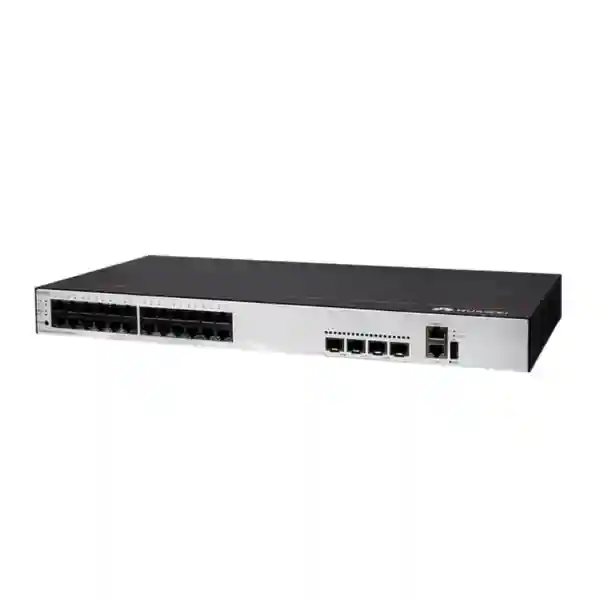
Huawei CloudEngine S1730S-L48T-A 48-Port Gigabit Ethernet Switch
The Huawei CloudEngine S1730S-L48T-A is built for organizations that need many dependable copper Gigabit Ethernet connections at the network edge without introducing unnecessary configuration complexity. With forty-eight 10/100/1000BASE-T ports, it is well suited to desks, printers, fixed workstations, local servers, non-PoE access points with separate power, NVR-side network links, laboratory equipment, building systems, retail endpoints and other wired devices that primarily need stable Layer 2 forwarding and simple Ethernet access.
For UAE buyers, the important design question is not only whether a switch has enough ports. A correct deployment also considers uplink capacity, firewall placement, cable categories, patch-panel density, rack depth, power protection, thermal conditions, growth allowance, traffic concentration, endpoint power requirements and the operational implications of using an unmanaged access switch. This page explains those points in depth so procurement and IT teams can determine where the S1730S-L48T-A fits, where a managed model is preferable, and how to integrate it into a reliable branch or campus topology.
Direct Answer
Choose the S1730S-L48T-A when you need a dense bank of standard Gigabit RJ45 ports and want a straightforward, plug-and-forward access layer.
Choose a managed Huawei S-series model instead when the access switch itself must enforce VLANs, authentication, spanning-tree policy, detailed QoS, telemetry, link aggregation, advanced loop protection, or centralized configuration.
10/100/1000BASE-T Ethernet connections for standard copper LAN endpoints.
Designed for high-density wired access rather than core routing or policy-rich aggregation.
Huawei positions the L family as the simple unmanaged branch of the S1730S portfolio.
Project guidance covers Dubai, Abu Dhabi, Sharjah and wider UAE commercial deployments.
What the Huawei CloudEngine S1730S-L48T-A is designed to do
The S1730S-L48T-A is best understood as a high-port-count Ethernet access device. Its job is to provide forty-eight copper Gigabit interfaces so a large group of nearby wired devices can share connectivity toward an upstream router, firewall, distribution switch or other network device. In practical terms, it can consolidate the horizontal cabling from a floor, communications room, workshop, classroom block, branch office or equipment zone into one compact switching point. That makes the model attractive when the requirement is primarily physical port density and dependable local switching rather than per-port policy control.
Huawei’s broader CloudEngine S1730S family includes different management levels. The L-series is the simplified unmanaged class, while S-series variants are web managed and H-series variants provide fuller management functions. This distinction matters because product names in the same family can look similar while delivering very different operational capabilities. The S1730S-L48T-A should therefore not be specified on the assumption that it carries every VLAN, security, routing, stacking or telemetry feature available on other CloudEngine campus switches. Its value is simpler: dense Gigabit access with low administration overhead.
For a small organization, that simplicity can be useful. A network engineer can connect endpoint cabling, provide an upstream path and place policy enforcement elsewhere in the architecture. For example, a firewall or managed distribution switch can handle routing between subnets, Internet access rules, DHCP services, VPN termination and higher-level segmentation. The S1730S-L48T-A can then function as a straightforward physical access fan-out. This is especially effective when all endpoints on the switch are intended to belong to the same untagged Layer 2 broadcast domain or when a separate physical switch is intentionally dedicated to one network segment.
That same simplicity can become a limitation in larger or compliance-sensitive environments. If administrators need to assign different VLANs to individual access ports, authenticate users with 802.1X, isolate guests from staff, prioritize voice traffic at the access layer, build resilient aggregated uplinks, enforce spanning-tree policy, mirror traffic for security tools or collect rich port telemetry, a managed access switch is usually the better design. FourTeck can help customers compare that requirement with other Huawei access platforms through FourTeck UAE when the project extends beyond simple unmanaged Gigabit connectivity.
Port architecture and line-rate planning
48 copper Gigabit interfaces
Each 10/100/1000BASE-T port can negotiate with standard Ethernet devices at Fast Ethernet or Gigabit Ethernet speeds as supported by the attached endpoint and cabling. In a modern office, most computers, printers, access-control controllers, IP storage appliances and fixed infrastructure devices will negotiate at 1 Gbit/s when the cable plant and network interface are healthy.
Because the switch has forty-eight access interfaces, it can replace multiple smaller desktop switches and reduce the number of unmanaged boxes scattered through a site. Centralizing those links into a rack or communications cabinet improves patching discipline, labeling, troubleshooting and physical security even though the device itself is unmanaged.
Understanding aggregate traffic
Forty-eight Gigabit ports do not mean every endpoint will continuously consume 1 Gbit/s. Office traffic is typically bursty. Web browsing, cloud applications, printing and ordinary file access create periods of activity separated by idle time. The engineering challenge is to estimate how much of that endpoint traffic converges toward one upstream path at the same moment.
As a theoretical design reference, forty-eight full-duplex 1 Gbit/s links represent 96 Gbit/s of bidirectional edge traffic when transmit and receive directions are counted separately. That arithmetic is useful for understanding switch-fabric sizing, but real application planning should focus on the upstream bottleneck, simultaneous user behavior and the workload mix rather than assuming every port operates at maximum load continuously.
Small-packet forwarding demand
Packet rate becomes important when workloads contain large volumes of small Ethernet frames. A line-rate 1 Gbit/s Ethernet port can approach roughly 1.488 million packets per second at the smallest frame size once Ethernet overhead is considered. Across forty-eight ports, the aggregate edge demand can therefore be very high in a synthetic worst case.
Typical office networks rarely resemble that laboratory pattern, but surveillance metadata, financial feeds, industrial gateways, traffic generators, virtualization labs and network-security test environments can produce atypical packet profiles. If the project has deterministic throughput or packet-per-second requirements, request a bill-of-materials review against the exact regional hardware revision before purchase.
Uplink architecture matters
A 48-port access switch is only as useful as the path that carries traffic onward. When many endpoints communicate mainly with local peers on the same switch, upstream demand may be modest. When most traffic goes to a server farm, Internet firewall, cloud edge or remote site, the uplink becomes the key constraint.
The S1730S-L48T-A is not a substitute for a distribution platform with dedicated high-speed optical uplinks. Projects expecting sustained multi-gigabit northbound traffic should consider a managed switch with SFP or SFP+ uplinks so the access layer can connect to aggregation at higher bandwidth and with better resilience options.
Where this switch fits in a UAE network
A good placement for the S1730S-L48T-A is at the edge of a simple wired network where endpoints can share the same Layer 2 environment and where network policy is enforced upstream. Consider a branch office with forty desk users, several shared printers and a few fixed appliances. If all of those devices legitimately belong to one data network, the switch can provide a dense access layer while a separate business firewall handles Internet security, VPN connectivity, DHCP and routing.
Another use case is a dedicated equipment network. A systems integrator may have a rack containing building-management controllers, laboratory instruments, KVM interfaces, storage management ports, digital signage controllers or other non-PoE Ethernet devices that do not require per-port policy. Placing those devices on a physically dedicated switch can be a deliberate architecture choice. The dedicated switch then connects through one controlled path to a managed upstream platform. This physical separation is simple to understand and can reduce configuration dependencies, provided the design does not need logical segmentation inside the 48-port device itself.
Education and training environments may also use dense unmanaged access where temporary devices are frequently connected and disconnected. In a computer lab, for example, administrators may prefer a simple switch when all workstations are rebuilt from a common image and operate on the same subnet. The lack of per-port configuration reduces the chance that a forgotten VLAN or access policy will prevent a replaced workstation from obtaining connectivity. The tradeoff is that administrators also lose the ability to apply those policies when they would be useful.
For multisite organizations, the best approach is often to standardize by network role rather than by one switch model everywhere. Small low-risk areas can use simple unmanaged access, while headquarters floors, voice networks, Wi-Fi aggregation and regulated departments use managed switching. FourTeck’s UAE IT services team can help map endpoint groups, cable runs, firewall zones and growth expectations before selecting the final access-switch mix.
Unmanaged switching: advantages, boundaries and design consequences
The term unmanaged is sometimes interpreted as basic or low quality. That is not the right way to think about it. Management class describes how much configuration and visibility the switch exposes, not whether Ethernet forwarding itself is useful. An unmanaged Gigabit switch can be entirely appropriate for a simple network segment. The correct question is whether the operating model of the site requires functions that live inside the access switch.
The main advantage is operational simplicity. There is no large per-device configuration to maintain, no port-by-port VLAN template to apply and no management plane that branch staff must understand for ordinary use. A replacement can be physically installed, cabled and returned to service with minimal logical setup when the network design is simple enough. This is attractive for remote sites where local technical skills are limited and the organization wants the firewall or upstream managed switch to contain most policy.
The main boundary is control. A managed switch can often assign VLANs per port, protect the topology with spanning-tree features, restrict MAC addresses, provide link aggregation, expose statistics, support monitoring protocols, prioritize classes of traffic and integrate into broader network-management systems. An unmanaged switch generally does not give the administrator that granular interface. This means that a network fault caused by an endpoint, accidental loop or excessive broadcast traffic can be harder to diagnose because the engineer has less switch-level telemetry.
Segmentation is another key issue. Suppose a 48-port communications cabinet serves corporate PCs, guest kiosks, security devices and building-management controllers. Placing all four groups on an unmanaged switch can collapse boundaries that should remain separate. A managed access switch can map ports to distinct VLANs and trunk those VLANs upstream. The S1730S-L48T-A is therefore best used when the attached devices belong to a common trust zone or when physical separation by switch is part of the design.
The decision should be made from the security architecture outward. If the intended design requires the access switch to participate in segmentation, identity control or redundancy, start with those requirements and choose the appropriate managed model. If the switch only needs to provide reliable copper connectivity inside one well-defined segment, the S1730S-L48T-A can offer a clean and economical role.
Structured cabling design for forty-eight Gigabit ports
A 48-port switch usually sits at the center of a substantial copper cabling bundle, so cable design is as important as the switch itself. For new UAE installations, Category 6 is a practical default for Gigabit Ethernet horizontal cabling because it provides performance margin and supports a wide range of future requirements. Existing Category 5e can carry 1000BASE-T when it is correctly installed and certified, but older sites should be tested rather than assumed healthy. Poor terminations, split pairs, excessive untwist, damaged patch cords and marginal patch panels can all cause a Gigabit link to negotiate down or exhibit errors.
A clean rack layout normally uses one or two patch panels aligned with horizontal cable managers and the switch ports. Keeping patch leads short and labeled makes fault isolation much faster. For example, an administrator should be able to identify that switch port 17 corresponds to patch-panel port 17 and room outlet F2-117 without tracing an unstructured bundle. When forty-eight ports are fully populated, inconsistent labeling quickly becomes a major support cost.
Cable length must stay within Ethernet channel limits. The common copper Ethernet model allows up to 100 metres for a channel, typically divided into 90 metres of permanent link plus patching allowance. Real installations should follow the selected cabling standard, manufacturer guidance and site certification process. Long routes across warehouses, external buildings or large compounds may be better served by fibre to a remote managed switch rather than attempting to stretch copper beyond its intended range.
Electromagnetic environment also matters. Data cables should be routed with appropriate separation from power circuits, motors, lifts and other noise sources. Shielded cabling can be useful in certain environments but only when bonding and grounding are designed correctly; installing shielded components without a complete grounding strategy can create new problems. For ordinary office spaces, high-quality unshielded Cat6 installed to standard is often sufficient.
A 48-port switch is also a heat and airflow consideration because dense patching can obstruct rack fronts or sides. Use cable-management fingers, vertical managers and bend-radius discipline so patch leads do not block ventilation. In a UAE communications room, where ambient temperatures can rise quickly if air conditioning stops, orderly cabling helps airflow and makes emergency replacement work significantly easier.
Power, UPS and environmental planning for UAE installations
Use conditioned power
Access switching is part of the communications path, so it should be powered from a suitable UPS where continuity matters. Even when desktop users have laptop batteries, loss of the Ethernet switch can disconnect local servers, printers, time-attendance systems, controllers and other infrastructure. The UPS should be sized for the entire network cabinet, including firewall, routers, optical equipment and any auxiliary devices.
When calculating runtime, use measured or vendor-stated power consumption for every device rather than simply adding power-supply nameplate ratings. Include battery aging, temperature, desired autonomy and future equipment. A modestly loaded UPS generally provides better resilience than one operated near maximum capacity.
Control temperature and dust
The UAE climate makes room-level environmental control especially important. The switch may be installed indoors, but a poorly ventilated cabinet in a warehouse, retail back room or temporary office can experience high temperature and dust loading. Network electronics should be placed in a controlled environment consistent with the manufacturer’s operating specifications.
Do not treat a closed wall cabinet as a sealed thermal solution. Heat from the switch, firewall, UPS and adjacent equipment accumulates. Provide ventilation, conditioned room air and sensible device spacing. Keep filters, fan trays and cabinet vents clean where fitted.
Plan grounding and surge protection
Good building grounding and protected AC distribution reduce risk to network equipment. In sites with outdoor copper runs, industrial equipment or long inter-building links, surge exposure can be significantly greater than in a standard office. Copper Ethernet between separate buildings is often undesirable because electrical potential differences and lightning-related transients can travel through the data path.
Fibre is preferable for many inter-building links because it provides electrical isolation. If the S1730S-L48T-A is used inside one building, connect distant buildings through suitable optical distribution equipment rather than extending copper casually across exposed routes.
Check exact regional power accessories
Hardware bundles can differ by market, revision and supply channel. Before procurement, confirm the exact included AC cord or adapter arrangement, plug type, rack accessories and warranty terms for the UAE-delivered unit. This is particularly important with older or channel-distributed models where stock may originate from different regional batches.
FourTeck can align the quoted bill of materials with the destination site and rack standard so installation teams do not discover missing rails, incompatible power leads or accessory differences during commissioning.
Firewall and Internet-edge integration
In many small and medium networks, the S1730S-L48T-A will sit downstream from a security appliance. The simplest design is firewall LAN interface to access switch, then switch ports to endpoints. The firewall becomes the default gateway and can provide DHCP, DNS forwarding, web security, VPN and Internet policy. This architecture is easy to operate when all switch-connected devices are members of one logical network.
The design becomes more complicated when the firewall presents multiple VLANs on a trunk. A managed switch would normally receive the tagged trunk and map individual access ports into the appropriate VLANs. An unmanaged switch cannot be relied on as a substitute for that managed edge function. Some unmanaged devices may transparently forward tagged Ethernet frames, but that does not provide the controlled port membership, ingress handling or policy enforcement that a properly configured managed switch offers. Therefore, do not design a multi-VLAN access architecture around assumptions about transparent tag forwarding.
If the site has one corporate data network and one separate guest or IoT network, a simple physical design can use separate switches for each security zone, each connected to the appropriate firewall interface or managed upstream port. Physical separation consumes more hardware but can be easy to audit. Whether that is preferable to VLAN-based logical segmentation depends on port counts, growth, rack space, budget and the security model.
The upstream firewall interface speed also deserves attention. Connecting forty-eight Gigabit users through one 1 Gbit/s firewall LAN interface means all northbound traffic shares that single gigabit. That may be perfectly acceptable for an office with a 500 Mbit/s Internet circuit and modest internal services. It may be inadequate for a site that copies large datasets to a server network, performs local backups, or uses multi-gigabit Internet access. The switch should therefore be sized as part of the entire traffic path, not in isolation.
Organizations designing or refreshing the security perimeter can review related firewall deployment options through FourTeck’s global infrastructure portfolio, while the access-switch design can be coordinated with the selected firewall interfaces and throughput targets.
Server, NAS and local-storage connectivity
A Gigabit access switch can connect servers and NAS appliances, but the expected workload determines whether it should. A small file server serving office documents may operate comfortably on a 1 Gbit/s link. A backup server, virtualization host or shared storage array can easily need more. One Gigabit Ethernet link has a raw signalling rate of 1 Gbit/s, and real application throughput is lower after protocol overhead, storage limitations and contention are considered. For routine document access that can be adequate; for large backups or VM storage it may be a bottleneck.
Because the S1730S-L48T-A is an unmanaged access switch, it is not the ideal platform when servers require link aggregation, dedicated storage VLANs, multi-gigabit interfaces or advanced QoS. A managed aggregation or server-access switch should be considered for those roles. The unmanaged device can still serve ordinary management interfaces, low-throughput appliances, out-of-band peripherals or general office endpoints connected to the same network.
When a branch uses a local NAS for shared files, a useful sizing exercise is to estimate concurrent access. If ten users each copy large files at the same time, their aggregate demand can saturate a 1 Gbit/s NAS interface even though the switch has many Gigabit ports. The bottleneck is then the NAS link, not the access switch. Upgrading that one server connection may provide more benefit than changing every desktop port.
For UAE projects combining switching with rack servers, storage, backup appliances or virtualization hosts, FourTeck’s Server Dubai solutions can be used to align server NIC speeds, switch uplinks, storage traffic and backup windows so the network does not become an accidental constraint on compute infrastructure.
IP phones, Wi-Fi access points and the importance of PoE planning
The S1730S-L48T-A is the T model intended for standard Ethernet data access, not a high-density PoE access platform. That distinction is critical in modern offices because phones, wireless access points, cameras and access-control devices are frequently powered through the network cable. A non-PoE switch can carry their data traffic, but the endpoint needs a separate power source, power injector or another PoE-capable device.
For a few isolated devices, injectors may be acceptable. For forty IP phones or a large wireless deployment, individual injectors create unnecessary power adapters, cabling clutter and support complexity. A PoE-capable managed switch is usually more appropriate because it centralizes endpoint power, allows UPS-backed continuity and may expose per-port power status for troubleshooting. The access-switch decision should therefore start with an endpoint inventory that marks which devices require IEEE 802.3af, 802.3at or higher PoE classes.
Voice traffic also benefits from managed access features when the network is converged. Enterprises commonly place phones in a voice VLAN and data devices in another VLAN, sometimes allowing a computer to connect through a phone’s secondary Ethernet port. That topology relies on controlled VLAN behavior and often LLDP-MED or other provisioning mechanisms. The S1730S-L48T-A is not the right place to implement those policies. A separate managed PoE access layer is generally the cleaner choice.
Wi-Fi has similar requirements. Modern access points may need PoE+ and can exceed 1 Gbit/s of aggregate wireless throughput. A standard Gigabit non-PoE port may not match the power or data needs of newer multi-radio APs. Before connecting wireless infrastructure, confirm both its Ethernet speed and its PoE requirement. If an AP has 2.5GbE and needs high-power PoE, select switching that supports those capabilities rather than forcing it onto a 1GbE non-PoE edge.
For organizations planning desk phones or unified communications alongside the wired LAN, the FourTeck IP phone portfolio can help establish device power budgets and port counts before the switch bill of materials is finalized.
Surveillance and IoT deployment considerations
CCTV and IoT projects often appear to be ideal for a 48-port switch because they contain many fixed Ethernet devices. The deciding factor is usually power and segmentation. Most IP cameras are PoE powered, which immediately favors a PoE switch. If cameras already receive power locally or through external injectors, the S1730S-L48T-A can carry Ethernet data, but planners must still consider aggregate video throughput and failure domains.
A typical compressed camera stream may consume only a few megabits per second, but dozens of cameras recording at high resolution, high frame rate or high bitrate can produce substantial continuous traffic. Unlike office browsing, surveillance is not especially bursty; cameras may transmit steadily around the clock. Calculate expected average and peak bitrates per camera, multiply by the active stream count, then include viewing, analytics, failover and overhead. The NVR connection must be sized for the total ingest rate.
Security isolation is equally important. Cameras and IoT devices often have a different trust profile from corporate endpoints. A managed access switch can place them into dedicated VLANs and enforce topology controls. An unmanaged switch is best used only when the entire device population is intentionally part of one isolated physical segment that connects through a controlled upstream gateway. Mixing cameras, staff PCs and building systems on one unmanaged broadcast domain can make later policy enforcement difficult.
Broadcast storms and accidental loops can also be damaging in unattended IoT deployments. Managed switches often include loop-detection and spanning-tree mechanisms that help limit such incidents. With an unmanaged access layer, physical topology discipline becomes more important. Avoid redundant patching between switches unless the devices explicitly support a safe loop-avoidance mechanism. Label inter-switch links clearly and restrict cabinet access so accidental patch loops are less likely.
For industrial or outdoor IoT environments, environmental ratings are another concern. A standard office access switch should not be assumed to tolerate extreme heat, humidity, vibration or unconditioned outdoor enclosures. Use industrial Ethernet hardware where site conditions exceed the device’s specified environment.
Capacity planning: how many of the 48 ports should you actually use?
A switch with forty-eight ports should not automatically be planned for forty-eight permanent users on day one. Spare ports have operational value. They allow desk moves, replacement devices, temporary testing, new printers, additional access-control equipment and business growth without an emergency switch purchase. A common project approach is to reserve roughly ten to twenty percent capacity, but the correct allowance depends on expected growth and the cost of adding another switch later.
If a new office has thirty-eight known wired endpoints, one 48-port switch leaves ten ports free and can be a sensible fit. If the design already has forty-seven required ports and expansion is likely, the switch is effectively full before deployment. In that case, two smaller switches or two 48-port units may create a better growth path. The decision should also consider whether the upstream device can support multiple access-switch connections and whether rack space and UPS capacity are available.
Port count should be based on terminated outlets, not only current users. Structured cabling projects often install two data outlets per desk even if only one is active initially. Meeting rooms, printers, wireless AP locations, reception desks, security panels and spare rooms add more. Building a port schedule from floor plans prevents underestimating the true patching requirement.
It is also useful to classify ports by device type. Create columns for user data, printers, servers, management interfaces, phones, APs, cameras, access control, BMS, guest systems and spare capacity. Mark whether each endpoint needs PoE, whether it belongs to a different VLAN and whether it has unusual bandwidth requirements. This exercise frequently reveals that one 48-port unmanaged switch cannot satisfy the full logical requirement even when it satisfies the physical port count.
A good bill of materials therefore follows the endpoint matrix rather than forcing every device onto the cheapest switch. The S1730S-L48T-A can be one component in a mixed design, serving the simple non-PoE data segment while managed or PoE switches handle other endpoint classes.
Performance engineering for real application traffic
Switch selection should connect Ethernet specifications to actual workflows. An office using Microsoft 365, browser applications, cloud ERP and occasional local printing may generate modest sustained LAN traffic. In that environment, 1GbE access gives each desktop substantial headroom. Even if the Internet circuit is only 200 or 500 Mbit/s, Gigabit switching improves local responsiveness and prevents the access link from becoming the first bottleneck.
Creative teams, engineering groups and media departments behave differently. Large CAD files, video assets, disk images and project repositories can fill a Gigabit link for extended periods. A single sustained file copy can consume most of one user’s 1GbE port, while multiple users can saturate the server or uplink side. If these workloads are common, 2.5GbE, 5GbE or 10GbE access and faster uplinks may be justified. A 48-port 1GbE switch remains useful for ordinary devices, but it should not be expected to provide workstation-class multi-gigabit performance.
Latency on a local Ethernet switch is generally small compared with WAN latency, but congestion and packet loss can still affect application experience. If many endpoints send traffic through one constrained upstream interface, queues build at the bottleneck. Applications that are sensitive to delay, such as voice and interactive video, can suffer even though the access ports themselves show Gigabit link speed. Managed QoS can mitigate some congestion scenarios, but the better first step is correct bandwidth engineering.
Backups deserve special treatment because they are often scheduled simultaneously. Twenty PCs backing up to a local appliance at 2 a.m. can create more LAN traffic than the entire office generates during the day. If backup windows are important, estimate total data volume and available throughput. A 1 Gbit/s path has a theoretical maximum near 125 MB/s before overhead, so moving multiple terabytes can take many hours. Faster server and uplink connections may therefore be required even if user access remains at 1GbE.
The central principle is simple: endpoint port speed, switching capacity, uplink speed, firewall throughput, server NIC speed, storage performance and WAN bandwidth form one chain. Improving only one element does not guarantee application performance. FourTeck can review the chain as a system when preparing the UAE quotation.
Security design when the access switch does not enforce policy
An unmanaged switch reduces the number of policy points inside the LAN, so upstream controls and physical discipline become more important. The firewall or managed distribution switch should define the security boundary for the network segment. Endpoints should still use host firewalls, endpoint protection, secure credentials and patch management because a shared Layer 2 segment allows devices to communicate locally without every packet crossing the perimeter firewall.
If sensitive devices are placed on the same unmanaged segment as general users, consider whether that lateral reach is acceptable. For example, finance workstations, CCTV controllers and guest devices should rarely share one unrestricted broadcast domain. Separate physical switches or managed VLAN-based segmentation are better options. Security architecture should be intentional; unmanaged switching should not become an accidental reason that trust zones disappear.
Physical access to the communications cabinet is another control. Anyone who can patch an arbitrary device into an unused port can potentially join the local network if no authentication exists upstream. Lock the cabinet, document spare ports and disable or isolate unused wall outlets at the patching level when appropriate. In higher-security environments, select managed access switching with 802.1X or MAC-based controls rather than depending on physical measures alone.
Network detection and response tools may also need mirrored traffic, flow data or switch telemetry. An unmanaged switch generally cannot provide the same observability as a managed enterprise model. If security monitoring requires SPAN sessions, SNMP, syslog, sFlow/NetStream or detailed port counters, include those requirements in the switch specification before procurement.
Security teams sometimes prefer simple devices because they have a smaller exposed management plane. That can be an advantage, but it does not remove network risk. The absence of a management interface also means fewer options for active visibility and enforcement. The correct balance depends on the threat model, operational maturity and the purpose of the segment.
Migration from small desktop switches to a centralized 48-port access layer
Many growing offices accumulate multiple five-port, eight-port and sixteen-port switches over time. They may be hidden under desks, daisy chained behind printers or connected through undocumented patch cords. This works temporarily but creates fragile failure points and makes troubleshooting difficult. Consolidating those links into a centralized 48-port switch can improve the physical network even if the new switch is unmanaged.
The migration should begin with discovery. Record which small switches exist, what they connect, where their upstream cables go and whether any endpoint relies on PoE from a current switch. Check for devices using static IP addresses, old 100 Mbit/s interfaces or unusual cabling. If the existing environment has VLAN-aware smart switches, do not replace them blindly with an unmanaged model because their configuration may be performing a function that is not immediately obvious.
Next, move horizontal cabling to a proper patch panel if it is not already terminated there. Label each outlet and patch-port pair. Install the new switch in the cabinet with adequate power and ventilation. Connect the upstream link first, then migrate endpoint groups in batches while testing connectivity. A staged approach makes it easier to isolate faults than moving all forty-eight cables at once.
During migration, watch for loops. Small unmanaged switches may remain connected at desks, and a user can accidentally create two paths back to the new central switch. Without controlled spanning tree, this can cause a broadcast storm that disrupts the segment. Ideally remove unnecessary downstream switches, or connect them through a single clearly documented uplink.
After migration, update network diagrams and patch schedules. A centralized switch only improves supportability if the documentation is kept current. Record the switch model, serial number, rack position, UPS circuit, upstream connection, port assignment and purchase details so future technicians can understand the environment without reconstructing it from cables.
Troubleshooting methodology for the S1730S-L48T-A
Because the switch is unmanaged, troubleshooting relies heavily on physical indicators, endpoint diagnostics and testing from adjacent managed devices. Start with the basics: confirm power, link LEDs, cable seating and whether the endpoint reports a valid Ethernet link. If a port negotiates only 100 Mbit/s when 1 Gbit/s is expected, suspect the cable path or endpoint first because Gigabit Ethernet requires all four twisted pairs.
Swap components methodically. Move the endpoint to a known-good switch port using a known-good patch lead. If the problem follows the endpoint or cable, the switch is less likely to be at fault. If the issue stays with one physical port after cable and endpoint substitution, document it and test further. Avoid changing multiple variables at once because that makes root cause unclear.
For intermittent performance complaints, check the attached device’s network-interface statistics for errors, retransmissions or speed/duplex anomalies. Modern Gigabit Ethernet uses auto-negotiation, and manual speed/duplex settings on old devices can create mismatches. Use auto-negotiation unless there is a specific legacy requirement and both sides are configured compatibly.
If the entire switch segment is slow, examine the upstream path. The access switch may be functioning normally while the firewall, router, server or uplink is saturated. Perform tests to a local peer on the same switch and compare them with tests across the gateway. Good local performance with poor Internet or server performance points away from the access switch and toward the shared upstream resource.
For suspected loops or broadcast storms, disconnect downstream switch links and reconnect them one by one. A sudden recovery after removing one cable is a strong clue. In environments where this risk is significant, migration to a managed switch with spanning-tree and loop-protection features should be considered rather than relying on manual troubleshooting.
Keep one spare tested patch lead and a laptop with Gigabit Ethernet capability in the network cabinet. Simple known-good test equipment often resolves incidents faster than complex software when the access device itself offers limited telemetry.
Lifecycle, stock and compatibility checks for an established Huawei model
The S1730S-L family has been in the market for several years, and Huawei has published lifecycle milestones for software releases within parts of the S1700/S2700 portfolio. For procurement in 2026, buyers should therefore treat stock status, manufacturing batch, warranty path and support expectations as quotation-time checks rather than assuming the model has the same lifecycle position in every channel and region.
This does not mean an established access switch is unsuitable. Many organizations intentionally purchase mature hardware for standardized branches, replacement stock or like-for-like expansion. The key is to understand whether the project needs long-term feature development and centralized software support or simply a stable fixed-function access device. For a new greenfield enterprise campus, a current managed platform may provide a better lifecycle horizon. For a simple legacy expansion, the S1730S-L48T-A may still align well with the requirement.
Compatibility checks should include the exact regional part number, power accessories and intended upstream interface. Because the switch uses standard copper Gigabit Ethernet access, ordinary IEEE-compliant endpoints should interoperate at the physical Ethernet layer. Application compatibility, however, depends on the wider topology, especially VLAN expectations, PoE requirements and any managed network functions that the previous switch supplied.
When requesting a quote, state whether the unit is for new deployment, replacement of an existing S1730S-L48T-A, spare stock, or expansion of an installed Huawei environment. That context lets the supplier propose an exact match or flag a newer alternative if the current requirement would benefit from updated hardware.
Energy and operational efficiency
Huawei positions the CloudEngine S1730S family as energy-conscious access switching. In practice, operational efficiency comes from more than the device’s own wattage. Consolidating multiple small switches into one central unit can reduce the number of power adapters, simplify UPS design and lower the number of unmanaged failure points. It also makes it easier to identify unused ports and remove obsolete downstream hardware.
Energy Efficient Ethernet can reduce link power under low utilization when both sides support the relevant behavior, but total site savings should be evaluated realistically. The largest gains in a network room often come from right-sizing PoE budgets, removing redundant equipment, improving cooling efficiency and selecting server/storage platforms with appropriate power management. A 48-port non-PoE access switch is generally less power-intensive than a heavily loaded PoE switch because it is not supplying endpoint power through Ethernet cables.
Cooling is part of energy cost as well. Every watt consumed by network equipment eventually becomes heat in the room. In the UAE, communications rooms may require continuous air conditioning, so efficient device selection and rack consolidation can reduce both electrical load and cooling demand. The savings from one switch are modest, but standardized efficient design across many branches becomes meaningful.
Operational simplicity also has a human-efficiency dimension. A device that matches the network’s actual complexity can reduce configuration effort. Conversely, using an unmanaged switch where managed functions are needed creates troubleshooting overhead and security workarounds. Efficiency therefore comes from choosing the right management level, not simply the least configurable hardware.
When to choose a managed Huawei alternative instead
A managed switch is preferable when the access layer must actively participate in the network design. The first trigger is VLAN segmentation. If different endpoints on the same physical switch must belong to different logical networks, per-port VLAN configuration is essential. Typical examples include staff, voice, guest, CCTV, building management, point-of-sale and server management networks.
The second trigger is resilience. Managed access switches can support spanning-tree variants, link aggregation and controlled redundant uplinks depending on model. These functions reduce the risk that one cable failure disconnects a floor and prevent redundant Ethernet paths from creating loops. If branch uptime is important and dual uplinks are required, unmanaged switching is usually the wrong architectural layer.
The third trigger is security. Port authentication, DHCP snooping, IP source guard, storm control, MAC limits and other access security features vary by managed model, but they provide controls that a basic unmanaged device cannot. Regulated organizations, large offices and shared buildings often benefit from this deeper policy layer.
The fourth trigger is observability. Network operations teams need to know which port is up, how much traffic it carries, whether errors are increasing and where loops or congestion occur. Managed switches expose counters and monitoring interfaces that make remote diagnosis possible. This matters greatly when IT teams support many branches without on-site engineers.
Finally, consider speed. If the access layer needs 10GbE uplinks or multi-gigabit endpoint ports, move to a model designed for that requirement. The S1730S-L48T-A is a sensible dense 1GbE edge device when simplicity is the goal; it should not be stretched into a role better served by a higher-class access platform.
Deployment examples
Branch office data network
Thirty-five desktops, five printers, two meeting-room controllers and several spare outlets connect to the S1730S-L48T-A. One upstream Gigabit link goes to a firewall. The firewall provides DHCP, Internet security and site-to-site VPN. All switch-connected devices belong to the same trusted branch data subnet.
This is a good fit when Internet bandwidth and local traffic stay well below the shared upstream limit and there is no requirement for voice VLANs or per-port policy.
Dedicated equipment segment
A facility has dozens of controllers, monitoring appliances and maintenance interfaces that all sit inside one isolated engineering network. The 48-port switch provides physical fan-out, while a managed distribution switch or firewall controls the single path between the engineering segment and corporate resources.
This can work well because the device group shares one trust policy and does not need internal port segmentation.
Computer training lab
A classroom has forty student PCs, an instructor workstation and several shared peripherals. All systems are rebuilt from standard images and use one isolated lab subnet. The switch delivers straightforward Gigabit access, while the lab router filters traffic to the campus network.
The simple design minimizes configuration changes when PCs are replaced or seats are rearranged.
Poor-fit example: converged smart office
A new office needs 30 PoE phones, 12 Wi-Fi 6/7 access points, CCTV, staff VLANs, guest VLANs, redundant uplinks and centralized monitoring. Although the raw port count looks close, an unmanaged non-PoE 1GbE switch is not the right access platform.
A managed PoE switch with appropriate uplink speed, VLAN support and power budget should be selected instead.
UAE procurement and project-delivery considerations
Network procurement in the UAE often involves more than a single hardware line item. Corporate customers may need delivery coordination, VAT documentation, serial-number capture, rack installation, labeling, testing, configuration of adjacent devices and support handover. Even though the S1730S-L48T-A itself requires little logical configuration, the surrounding project still benefits from a disciplined implementation plan.
For Dubai and Abu Dhabi offices, confirm whether equipment is delivered to a central warehouse, active office, data room or contractor staging area. Large projects should inspect carton condition and serial numbers before field deployment. If devices are being installed across multiple branches, pre-label each unit with site code and rack position so field teams do not mix allocations.
Warranty expectations should be written into the quotation. Ask whether support is return-to-base, advance replacement, vendor-backed or supplier-managed. For established models, confirm availability of identical replacement stock. If the network depends on one specific legacy model, holding a cold spare may be more practical than assuming same-day channel stock years later.
Projects that require after-hours migration should include a rollback plan. Keep the old switch powered and labeled until the new segment is tested. Photograph the original patching, export any upstream firewall or switch configuration, and identify critical devices that must be restored first. Even a simple physical switch replacement can reveal hidden dependencies such as hard-coded speed settings, undocumented downstream switches or static ARP behavior on legacy equipment.
FourTeck can provide project-based sourcing and infrastructure coordination in the UAE, including adjacent firewall, server and IT-services requirements, so customers receive a coherent bill of materials rather than isolated components.
Pre-installation engineering checklist
Before ordering, count every intended wired endpoint and identify whether it needs data only or data plus PoE. Record expected port speed, VLAN, security zone and location. Confirm that the devices assigned to the S1730S-L48T-A can legitimately share one unmanaged access segment. If not, split the design or select managed switching.
Inspect the rack. Confirm available rack units, mounting method, cabinet depth, front-door clearance, patch-panel positions, power distribution and UPS capacity. Check whether cable managers leave enough space for forty-eight patch leads without blocking airflow or port visibility. If the cabinet is wall mounted, verify weight and ventilation limits.
Inspect the cabling. Verify Cat5e or better for Gigabit Ethernet, test questionable runs, replace damaged patch leads and label both ends. Where links go outside the building or between structures, review whether fibre should replace copper for electrical isolation and distance.
Confirm the uplink design. Identify the upstream firewall, router or managed switch, its available port speed, expected traffic and whether redundancy is needed. If the business expects multi-gigabit northbound traffic, do not rely on a simple single-Gigabit access path. Choose a switch class with dedicated high-speed uplinks.
Review security requirements. Determine whether access ports need VLAN assignment, authentication, MAC restrictions, DHCP protection, guest isolation, port shutdown or monitoring. Any of those needs may point toward a managed model.
Finally, confirm lifecycle and supply details. Ask for exact model, hardware revision where relevant, power accessories, delivery time, warranty and support. This prevents a project from assuming features or accessories that belong to a different S1730S family variant.
Commissioning procedure
Because the S1730S-L48T-A is unmanaged, commissioning is primarily physical and connectivity based. Start by mounting or positioning the unit securely and connecting it to protected power. Verify normal power indication before attaching user devices. Connect the upstream Ethernet path and one test laptop first. Confirm that the laptop receives the expected IP configuration and can reach the default gateway, DNS services and required network resources.
Next, test local Gigabit negotiation. The laptop should report a 1.0 Gbit/s link when connected with a known-good cable and Gigabit-capable NIC. If it negotiates at 100 Mbit/s, replace the patch lead and test another port before continuing. A cable tester that supports wire map and certification is valuable for new installations.
Migrate endpoints in logical groups. For example, connect finance desks first, then general users, then printers and shared appliances. After each group, verify basic reachability and application access. This staged method makes it easier to identify a faulty cable or downstream device than connecting all ports simultaneously.
Observe the network after each major group is added. If connectivity becomes unstable, disconnect the most recent downstream switch or patch change and test again. This is especially important when migrating from daisy-chained small switches because hidden loops may only appear after both ends of an old interconnect are attached.
Once all intended endpoints are online, run representative performance tests. Copy a file to a local server if that workload matters, test Internet throughput within the limits of the WAN circuit, print to shared devices and verify business applications. Record the final port-to-outlet map and attach it to the rack documentation.
Finally, store purchase records, serial details and support contacts with the network inventory. Unmanaged hardware may not appear in a central management platform, so inventory discipline is important for future audits and replacements.
Common specification mistakes to avoid
Do not confuse S1730S-L with S1730S-S or S1730S-H. These families share naming but differ in management capabilities. Requirements copied from a managed S or H model should not be assumed for the L-series switch.
Do not assume every 48-port switch has SFP uplinks. Many enterprise access switches include dedicated optical uplinks, but the exact port map must be checked for the specific model. If fibre uplinks are mandatory, state that requirement explicitly rather than relying on generic family descriptions.
Do not treat non-PoE data ports as powered ports. Phones, APs and cameras may need injectors or a PoE-capable alternative. Adding dozens of injectors after purchase is usually less elegant and less manageable than choosing the correct PoE switch from the start.
Do not size only by port count. Uplink bandwidth, VLAN requirements, resilience, monitoring and security controls may matter more than whether the front panel has forty-eight sockets.
Do not assume old and new regional revisions are identical. Verify the exact quoted unit, accessories, warranty and lifecycle position before issuing a purchase order.
Frequently asked technical questions
Is the Huawei S1730S-L48T-A a managed switch?
The S1730S-L family is positioned as the unmanaged class in the broader CloudEngine S1730S portfolio. It is intended for straightforward Ethernet access rather than detailed per-port configuration. If management features are required, evaluate an S1730S-S, S1730S-H or another current managed Huawei access platform appropriate to the project.
How many Gigabit devices can it connect?
The model is designed around forty-eight 10/100/1000BASE-T Ethernet ports, so up to forty-eight copper Ethernet connections can be attached directly, subject to the exact deployment and any ports reserved for uplink use. Capacity planning should leave spare ports for growth rather than treating every socket as permanently allocated.
Can it power IP phones or cameras?
The T model is intended for standard data access, so PoE should not be assumed. Devices that require power over Ethernet need a suitable PoE switch, an injector or their own power supply. For large voice, Wi-Fi or surveillance deployments, a centralized PoE switch is usually preferable.
Can I use it for VLANs?
An unmanaged access switch is not the right device when you need deliberate per-port VLAN membership and trunk configuration. Use a managed switch when VLAN segmentation must be enforced at the edge.
Can the switch connect to a firewall?
Yes. A common design connects one switch port to a firewall LAN interface, with the firewall acting as gateway and security boundary for the entire access segment. Ensure that the firewall interface and Internet/WAN throughput are sized for the aggregate traffic.
Is one Gigabit uplink enough for 48 users?
It depends on workload. For ordinary office users behind a sub-gigabit Internet connection, one Gigabit upstream path can be adequate. For heavy local server access, backups, media workloads or multi-gigabit Internet, it can become a bottleneck. Estimate simultaneous northbound demand rather than dividing 1 Gbit/s equally by user count.
What cable should be used?
Cat5e supports 1000BASE-T when properly installed, while Cat6 is a strong choice for new business cabling because it provides additional margin. All permanent links and patch cords should be tested and labeled, especially in a fully populated 48-port cabinet.
Is it suitable for a server rack?
It can be part of a rack-based access design, but server data paths should be evaluated separately. High-throughput servers, storage and virtualization hosts may need managed switching, link aggregation or 10GbE and faster interfaces. Use the S1730S-L48T-A for general Gigabit access where that performance level is appropriate.
Sizing worksheet for quotation
A useful quotation request includes more than the model name. Start with the site and delivery city. State whether the switch is for Dubai, Abu Dhabi, Sharjah, Ajman, Ras Al Khaimah, Fujairah, Umm Al Quwain or another UAE location. Include the required quantity and whether units are for immediate deployment, phased rollout or spare stock.
Next, provide the endpoint count and type. An example might be: thirty-two desktops, six printers, four controllers and six spare outlets. Mark any PoE devices separately. If the switch is replacing an existing device, include that model and describe any current VLAN or management configuration so the replacement does not remove hidden functionality.
Describe the uplink. State what the switch connects to, such as a FortiGate firewall, Huawei managed switch, router or ISP device. Include the available port speed and whether the link is copper or fibre. If fibre is required, note connector type, distance and whether optics are already installed. The S1730S-L48T-A should not be selected solely from port count when the real project depends on optical uplinks.
Provide rack and power information. Note whether a 19-inch rack is available, whether rack accessories are required, and whether the communications room has UPS power. If FourTeck is expected to install the equipment, include site-access constraints, working hours and labeling standards.
Finally, state support expectations. Ask for supply only, installation, migration, after-hours cutover, onsite troubleshooting, spare unit, or annual maintenance as needed. Clear project scope produces a more accurate quotation than a hardware-only request.
Why physical topology still matters in a simple network
Unmanaged switching works best when the physical network is intentionally simple. A star topology, where endpoint cables return to one central access switch and that switch has one clear upstream path, is easy to understand and troubleshoot. Problems arise when users add secondary switches, patch the same cabinet through multiple paths or create long undocumented daisy chains.
Daisy chaining is not automatically wrong, but each additional switch creates another failure point and another shared uplink. If five users behind a small downstream switch all copy files simultaneously, they share the bandwidth of that downstream uplink. More importantly, unmanaged loops can be disruptive. Two Ethernet links between the same unmanaged switches may create a forwarding loop because neither side is coordinating a spanning tree.
A better approach is to cable as many endpoints as practical directly back to the central patch panel and switch. Use structured horizontal cabling rather than ad-hoc desktop switching. Where a remote area genuinely needs another switch, document one uplink and consider a managed remote device if resilience or segmentation is required.
Topology also affects troubleshooting. If a user connects through three unknown switches before reaching the network cabinet, link lights at the S1730S-L48T-A cannot tell the technician which intermediate device has failed. Direct home runs make fault isolation faster and reduce dependence on local power adapters under desks.
The S1730S-L48T-A therefore provides the most value as part of disciplined structured cabling, not as permission to build an unplanned mesh of unmanaged switches. Simplicity should be designed, documented and preserved.
Operations and maintenance without a management interface
An unmanaged switch does not eliminate maintenance; it changes the maintenance model. Instead of configuration backups and firmware policy forming the center of operations, the focus moves to physical inventory, cabling quality, spare hardware and upstream monitoring. The network team should know where the switch is installed, what segment it serves and what device monitors the health of the upstream path.
A managed firewall or distribution switch can provide indirect visibility. If the S1730S-L48T-A connects through one upstream port, monitor utilization and errors on that upstream interface. Sudden changes in traffic may indicate a problem inside the unmanaged segment. Endpoint monitoring can also reveal whether a group of devices became unreachable simultaneously, suggesting access-switch power or uplink failure.
Keep cabinet photographs and port maps current. When a technician visits the site, visual documentation helps confirm whether patching has changed. Use durable labels rather than handwritten notes that fade or fall off. If several identical switches are installed, assign each a rack name such as SW-ACC-01 and place that label on the front panel and documentation even though the switch itself cannot store a hostname.
Spare strategy is important. If a branch cannot operate without the switch and the model is not locally stocked, holding a pre-tested spare can reduce downtime. An unmanaged replacement is easy to swap because there is little or no logical configuration to restore, but only if cabling is well labeled. Without documentation, even a simple replacement can become a long tracing exercise.
Periodic cabinet inspections should check power, UPS status, dust, temperature, cable strain and unauthorized downstream switches. These basic controls prevent many failures that software monitoring alone cannot catch.
Planning for future upgrades
Even when the S1730S-L48T-A meets current needs, a network design should anticipate what may change over the next three to five years. The first likely change is endpoint power. More offices are moving to PoE for phones, cameras, access points, displays and IoT gateways. A non-PoE switch can remain useful for ordinary desktops and printers, but new device classes may require a parallel PoE access layer.
The second change is access speed. Gigabit Ethernet is still adequate for many business devices, but high-performance workstations and Wi-Fi access points increasingly use 2.5GbE or faster links. If the cable plant is Cat6 and the rack has space, upgrading one access block later can be straightforward. The current switch can then be reassigned to lower-bandwidth devices rather than discarded.
The third change is security policy. A small business may initially run one flat LAN, then later introduce guest Wi-Fi, compliance segmentation, CCTV isolation and identity-based access. At that point, managed switching becomes more valuable. Designing the rack, patching and addressing plan cleanly today makes that transition easier.
The fourth change is uplink bandwidth. Cloud migration can reduce local server traffic but increase Internet dependence. Conversely, adding local backup or virtualization can increase east-west traffic. Monitor the shared upstream connection and move to higher-speed aggregation when sustained utilization indicates the need.
A mature network does not require every component to be the newest model. It requires each component to have a clear role and a migration path. The S1730S-L48T-A can continue serving stable 1GbE data endpoints even after higher-performance segments move to newer platforms.
Decision recap: is the Huawei S1730S-L48T-A the right fit?
Strong fit when
You need a large number of standard Gigabit copper ports for data-only endpoints.
The connected devices belong to one simple Layer 2 segment or to a physically isolated network.
Policy, routing and Internet security are handled by an upstream firewall or managed switch.
Operational simplicity and straightforward replacement are more important than per-port control.
Consider another model when
You need PoE for phones, APs, cameras or access-control devices.
The access layer must assign VLANs, enforce security controls or provide monitoring.
You need redundant or aggregated uplinks, optical uplinks or multi-gigabit northbound bandwidth.
The network is a greenfield enterprise deployment expected to require centralized lifecycle management and advanced campus features.
Quotation input checklist
Number of units and UAE delivery location.
PCs, printers, controllers, servers, phones, cameras and spare ports.
Identify every device that expects power from the switch.
Destination device, port speed, media type and expected traffic.
Whether one network segment is enough or multiple VLANs are required.
Available rack space, cable management, PDU and backup-power details.
For replacement jobs, provide the old switch model and topology.
Supply only, installation, migration, testing or support contract.
Plan the S1730S-L48T-A as part of the complete LAN, not as an isolated box
The Huawei CloudEngine S1730S-L48T-A is a practical choice for dense, straightforward Gigabit Ethernet access. Its forty-eight copper ports make it useful for branch offices, labs, equipment networks and other environments where many data-only devices need reliable connectivity and where advanced access policy is not required.
The best results come from matching that role with a disciplined upstream design: correctly sized firewall interfaces, certified structured cabling, protected power, controlled physical topology, documented patching and a clear decision about which endpoints belong on the same Layer 2 segment.
FourTeck consultation scope
• Exact model and regional stock confirmation
• Port-count and growth sizing
• Firewall and uplink review
• PoE and managed-switch alternative selection
• Rack, UPS and structured-cabling coordination
• UAE delivery, migration and installation planning

Reviews
There are no reviews yet.