
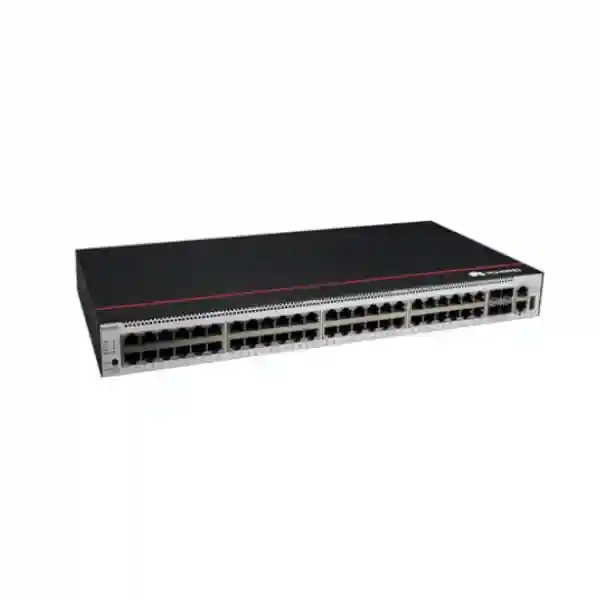
Huawei CloudEngine S5731-S48T4X
A 48-port Gigabit Ethernet campus switch with four fixed 10GE SFP+ uplinks, resilient power architecture, Huawei VRP software, advanced Layer 2/Layer 3 capabilities, iStack, access security and automation features for business-critical wired networks.
Huawei lists 176 Gbit/s device switching capability and 672 Gbit/s system switching capability for the international model.
43.6 × 442 × 420 mm chassis dimensions suit standard enterprise network racks with appropriate depth and airflow clearance.
The S5731-S48T4X supports removable power modules that can be designed for redundant power delivery.
This T4X model is intended for data connectivity. Choose a PoE-capable model when endpoints must receive power through Ethernet cabling.
Huawei CloudEngine S5731-S48T4X overview for UAE enterprise networks
The Huawei CloudEngine S5731-S48T4X is positioned as a standard high-density Gigabit Ethernet access switch for organizations that need substantial copper port density, fixed 10 Gigabit uplinks and enterprise software functions without paying for Power over Ethernet circuitry that may never be used. Its front panel gives a network designer forty-eight 10/100/1000Base-T interfaces for desktops, printers, servers, security appliances, controllers, building systems and other Ethernet endpoints, together with four 10GE SFP+ ports that can be used for uplinks, cross-connects, stack-related designs or high-speed connectivity to aggregation and core layers according to the final architecture. Huawei specifies 125 million packets per second of forwarding performance, 176 Gbit/s device switching capability and 672 Gbit/s system switching capability for this model. Those figures matter because a 48-port access switch is often asked to aggregate many simultaneously active devices into a much smaller number of northbound interfaces.
The platform is built on Huawei’s Versatile Routing Platform, commonly known as VRP. In practical enterprise design, that software foundation is what turns the hardware into more than a simple Layer 2 port concentrator. The S5731-S family includes mature VLAN services, spanning-tree options, link aggregation, IPv4 and IPv6 networking, routing protocols, access control, authentication, multicast, quality of service, operations tools and centralized management interfaces. The device can therefore sit at the access layer in a campus, at an aggregation point in a smaller branch or facility, or in selected server and infrastructure access roles where its combination of copper edge ports and 10GE optics aligns with the traffic model.
For UAE deployments, the design question is not simply whether forty-eight RJ45 ports fit the endpoint count. Engineers should also examine uplink oversubscription, resilience, fiber type, transceiver reach, rack depth, airflow direction, UPS topology, VLAN boundaries, routing location, authentication policy and future expansion. FourTeck approaches the S5731-S48T4X as part of an end-to-end switching architecture rather than as an isolated appliance. Customers can use the broader FourTeck UAE infrastructure portfolio when the switch must be coordinated with racks, structured cabling, routing, firewalls, wireless, servers and site rollout services.
Technical specification snapshot
| Fixed access ports | 48 × 10/100/1000Base-T Ethernet ports |
| Fixed uplink ports | 4 × 10GE SFP+ ports |
| Forwarding performance | 125 Mpps |
| Switching capability | 176 Gbit/s device / 672 Gbit/s system |
| PoE | Not supported on S5731-S48T4X |
| MAC table | Up to 64,000 MAC entries on the series specification |
| VLAN capability | Up to 4,094 VLANs with enterprise VLAN assignment and mapping functions |
| Dimensions | 43.6 × 442 × 420 mm, 1U |
| Management interfaces | ETH management, RJ45 console and USB 2.0 are supported |
| System resources | 1.4 GHz quad-core CPU and 2 GB RAM listed for this hardware family/model table |
| Cooling | Air-cooled with intelligent fan speed adjustment; front-to-rear airflow |
| Long-term operating temperature | -5°C to 45°C at 0–1800 m; derating applies at higher altitude |
| Relative humidity | 5%–95%, non-condensing |
Specifications can vary by software release, regional bundle, power-module selection and licensing. The exact bill of materials should be validated before procurement.
Port architecture: 48 copper access interfaces plus four 10GE optical uplinks
The physical port map is one of the strongest reasons to select the S5731-S48T4X. Forty-eight copper Gigabit Ethernet ports map naturally to a full office floor, department, lab, classroom block, branch distribution frame or structured-cabling patch field. The 10/100/1000Base-T negotiation range also helps in brownfield sites where not every connected device operates at Gigabit speed. Legacy printers, controllers and embedded systems can coexist with modern one-gigabit clients while the switch provides a common operational platform. From a rack-planning perspective, forty-eight access ports in a single rack unit can reduce equipment count compared with distributing the same endpoint population across several lower-density switches, although patch-panel organization and cable management become more important as density increases.
The four SFP+ uplink interfaces are equally important. A single 10GE uplink can already provide substantial northbound bandwidth for a conventional office access block, but four ports provide room for resilient designs. Engineers can build redundant uplinks toward two aggregation switches, use link aggregation where appropriate, reserve interfaces for alternate paths or dedicate a port to another high-bandwidth requirement. The correct use depends on the surrounding topology. Four 10GE ports should not automatically be bundled into a single logical uplink simply because the ports exist; path diversity, failure domains, spanning-tree or routing design, and upstream switch capabilities must be considered first.
Optics must also be selected deliberately. SFP+ is a form-factor and electrical interface, not a statement about fiber distance. Multimode and single-mode transceivers serve different cabling plants, and the optical budget must match fiber type, connector loss, splice loss, link length and the supported module matrix for the selected software and hardware version. Short intra-rack or adjacent-rack links may use appropriate direct-attach or optical solutions if supported, whereas inter-floor and inter-building links typically require fiber optics selected for the installed cable plant. A procurement team should therefore treat the switch, transceivers, patch leads, fiber terminations and upstream ports as one compatibility set rather than separate purchases.
The S5731-S48T4X is explicitly a non-PoE model. That makes it a sensible choice when endpoints have their own power supplies or when the switch is serving servers, PCs, printers, appliances and infrastructure interfaces rather than powering phones, cameras or wireless access points. It can also be used in a mixed campus where PoE access switches serve powered endpoints and the S5731-S48T4X serves data-only zones. If a project requires centralized power delivery to endpoints, the PoE requirement should be established before quotation so that a PoE-capable member of the product family or another suitable platform is chosen instead of attempting to compensate later with injectors.
Switching performance, oversubscription and traffic engineering
Huawei states a forwarding rate of 125 Mpps for the S5731-S48T4X and lists switching capability as 176 Gbit/s at the device level with 672 Gbit/s system capability. Those values should be read together with the physical interface mix. Forty-eight one-gigabit ports can theoretically represent 48 Gbit/s in each direction, while four 10GE uplinks represent 40 Gbit/s of nominal line rate per direction. Real network engineering is not based on simply adding every theoretical port rate, because users and applications have different utilization patterns, packet sizes and burst characteristics. The goal is to determine whether the switch can forward the expected packet load and whether the chosen uplink topology provides sufficient headroom at busy periods.
For an office access layer, an aggregate of 10 or 20 Gbit/s northbound capacity may be ample even though the edge presents forty-eight Gigabit ports. For high-performance workstations, backup targets, storage-adjacent systems, high-resolution media, dense virtualization hosts or large file-transfer environments, peak behavior can be very different. FourTeck recommends collecting interface counters and traffic baselines from the existing environment where possible. Peak-hour utilization, 95th-percentile bandwidth, multicast volume, east-west traffic, broadcast levels and application sensitivity provide a more defensible basis than assuming every user is either idle or fully saturating a port.
Packet rate can be as important as raw bit rate. Many small packets consume forwarding resources differently from a smaller number of large packets carrying the same aggregate throughput. Voice signaling, telemetry, DNS, transactional systems, security traffic and certain application patterns can create substantial packet-per-second demand even at moderate bandwidth. The specified 125 Mpps forwarding figure is therefore a useful design parameter for dense edge environments. Quality of service policies should then be designed to preserve latency-sensitive traffic when uplinks experience contention, with classification and queueing aligned to the organization’s actual applications rather than copied from a generic template.
An access design should also leave operational reserve. Running links at sustained near-saturation increases queue depth and makes traffic bursts more visible to users. Headroom helps absorb changes such as cloud migration, software distribution, endpoint growth and temporary failover onto a surviving uplink. Capacity planning for the S5731-S48T4X is therefore a combination of platform capability, uplink count, link aggregation, upstream architecture and traffic policy. The switch provides a strong foundation, but topology decisions determine how much of that capability is available during both normal operation and failure scenarios.
Layer 2 design: VLAN segmentation, MAC scale and loop prevention
At the access layer, VLAN architecture is often the first control plane decision. The S5731-S series supports up to 4,094 VLANs and includes enterprise functions such as guest VLAN, voice VLAN, GVRP, MUX VLAN, VLAN assignment based on MAC address, protocol, IP subnet, policy or port, and 1:1 or N:1 VLAN mapping. A UAE enterprise can use these capabilities to separate employee devices, guest access, printers, building-management systems, security systems, servers, management interfaces and specialized operational technology while maintaining a common physical switching fabric. The objective is not to create the maximum number of VLANs; it is to define security and broadcast boundaries that correspond to real operational ownership and policy.
The listed 64,000-entry MAC capacity gives the family substantial Layer 2 scale relative to a typical 48-port edge switch. In a straightforward access block, the directly connected endpoint count is small, but the switch may learn many additional addresses through trunks and aggregated links. Large campuses, virtualized environments and multi-service designs can therefore benefit from a larger MAC table. Engineers should still consider where Layer 2 domains begin and end. Extending the same broadcast domain across too many access switches can increase fault propagation and make troubleshooting more complex, even when the hardware table has room for the entries.
Loop prevention remains essential in any topology containing redundant Layer 2 paths. Huawei supports traditional spanning-tree approaches and VLAN-based interoperability features in the S5731-S family. The final design should define root placement, link costs, edge-port behavior and protection mechanisms deliberately. An accidental loop at a single unmanaged downstream device can cause broadcast storms and MAC instability if edge protections are absent. Conversely, an overly conservative spanning-tree design can leave expensive redundant paths unused. Where the surrounding infrastructure supports it, link aggregation can combine physical links and provide logical redundancy while reducing the need for blocked paths.
Segmentation should be documented alongside addressing, gateway location, DHCP scopes, DNS policy and firewall rules. A VLAN number alone does not create a security architecture. For example, a guest VLAN is useful only if upstream routing and firewall policy prevent inappropriate access to corporate resources. A voice VLAN is meaningful when QoS, call-control reachability and endpoint authentication are also considered. FourTeck’s UAE IT services practice can integrate switching configuration with the rest of the network policy so that Layer 2 segmentation remains consistent from the wall outlet to the routed and security layers.
Enhanced Layer 3
The S5731-S family supports enterprise routing functions including static routing and dynamic protocols such as OSPF, IS-IS and BGP, together with VRRP for resilient gateway design. Exact feature scale and licensing should be checked against the intended VRP release.
IPv6 readiness
Mature IPv6 capabilities allow the platform to participate in dual-stack and IPv6-focused enterprise designs. Addressing, routing, ACL policy, monitoring and security controls should be validated end to end rather than treating IPv6 as an isolated switch feature.
Multicast services
The family supports technologies such as IGMP snooping and Layer 3 multicast protocols, making it suitable for controlled delivery of multicast applications such as video distribution, conferencing and enterprise media where the broader network is designed accordingly.
MPLS and VPN functions
Huawei documents MPLS support and multi-instance routing functions for S5731-S deployments. These capabilities can be valuable in service-provider-like enterprise designs and leased-line access roles, subject to software release, license and architecture validation.
Layer 3 routing and gateway placement
A capable access switch gives architects a choice: keep default gateways centralized at the distribution or core, or move selected routing functions closer to the edge. The S5731-S family’s enhanced Layer 3 functions mean the platform can do more than trunk every VLAN upstream. Static routing is appropriate in simple deterministic designs, while protocols such as OSPF can provide dynamic reachability and faster adaptation in routed campus topologies. IS-IS and BGP expand design options for organizations using more advanced routing models. VRRP can be used where redundant default-gateway behavior is required. The correct choice depends on the network’s scale, operational maturity and the capabilities of adjacent switches and firewalls.
Centralized gateways make policy placement straightforward because inter-VLAN traffic naturally passes through a known distribution or security layer. The trade-off is that more east-west traffic must traverse uplinks. Routed access can reduce Layer 2 fault domains and allow more deterministic use of physical links, but it also distributes routing configuration and requires disciplined addressing and operations. In a multi-building UAE campus, for example, routed uplinks can isolate failure domains between buildings, while local VLANs remain contained within each access block. In a smaller office, the simplicity of central gateways may be more valuable than the theoretical benefits of routing at every closet.
Dynamic routing should never be enabled without policy. Route filters, authentication where available, summarization, default-route design, passive interfaces and failure behavior should be planned before implementation. BGP in particular is powerful but should not be introduced merely because the switch supports it. Enterprise teams need a reason for BGP, such as a leaf-spine design, EVPN control plane or sophisticated multi-domain routing requirement. Similarly, VRRP resilience should be tested against the physical uplink topology so that a logical gateway failover does not move traffic onto an unavailable path.
IPv6 deserves the same architecture discipline as IPv4. Dual-stack networks carry two control planes, two addressing systems and potentially two policy surfaces. Engineers should define IPv6 router advertisements, DHCPv6 where applicable, neighbor discovery security, ACLs, routing and monitoring before activating IPv6 broadly. A switch being IPv6-capable is only the beginning; the surrounding firewall, DNS, applications, endpoint operating systems and operational tooling must be equally ready.
iStack scalability and resilient access-layer design
Huawei’s iStack technology can virtualize multiple physical switches into one logical switch; the S5731-S documentation describes support for stacks of up to nine physical members in the family. For operations teams, the most visible benefit is simplified management: rather than treating every access switch as an independent island, a stack can present a consolidated management and configuration model. For designers, stacking also enables expansion of port count and forwarding resources while supporting inter-device link aggregation and member redundancy.
Stacking does not remove the need to think about failure domains. A stack should be designed with physical topology, stack links, member roles, software compatibility, power feeds and upstream connectivity all considered together. If two stacked switches are in the same rack and both power supplies are connected to one UPS circuit, a utility or PDU failure can still take down the entire access block. A stronger design can distribute redundant power inputs, use separate upstream paths and spread critical endpoints across members where operationally appropriate. Maintenance procedures should also account for member replacement, software upgrade strategy and configuration backup.
The four 10GE SFP+ interfaces are valuable in this context because high-speed optical interfaces can participate in resilient connectivity designs. The exact ports and supported stack topology must match Huawei’s documented model and software guidance, so a final implementation plan should validate the chosen stack cabling and feature support. It is also important to decide whether a stack is operationally preferable to independent switches connected through Layer 3. Stacks simplify one class of operation but create a larger logical device. Routed independent access switches can create smaller fault domains but increase management objects.
For many mid-sized enterprise closets, a two-switch resilient design is a practical balance. It can provide enough edge density for growth, redundant uplinks to separate upstream devices and maintenance flexibility. Larger stacks can be justified when port density and centralized management are primary requirements. FourTeck can model both approaches during network design so that the procurement quantity is based on rack and endpoint requirements rather than a generic assumption that more stacking is always better.
Power design, rack engineering and UAE environmental planning
The S5731-S48T4X uses a 1U chassis measuring approximately 43.6 mm high, 442 mm wide and 420 mm deep. Huawei lists a packaged chassis weight of about 8.55 kg for this model. The 420 mm depth means that network racks should be checked for usable rail depth, cable bend radius and rear clearance rather than selected on nominal rack width alone. A dense rack must reserve room for patch panels, horizontal and vertical cable managers, fiber trays, PDUs and ventilation. Good physical design reduces accidental disconnects and makes later moves, additions and changes substantially safer.
Huawei documents removable power modules and 1+1 power backup for the S5731-S48T4X. Compatible module choices depend on the exact bundle and part number. The hardware documentation includes 150 W AC and other compatible modular power options for this family, with common AC ranges appropriate to enterprise power systems. Procurement teams should confirm what is included with the chosen SKU because the base S5731-S48T4X can be supplied without a power module in some ordering structures, while the S5731-S48T4X-A designation is associated with an AC power supply configuration. Treating these as identical commercial bundles can lead to incomplete deliveries.
Power redundancy is meaningful only when the electrical path is also redundant. Two modules plugged into the same PDU on the same UPS provide protection against a single module failure but not against the shared electrical source. Critical deployments should consider separate PDUs or UPS outputs according to site policy, documented labeling and load calculations. The switch’s power draw also contributes to rack heat. Huawei’s published hardware table lists a minimum consumption around 77 W, approximately 101 W at 30 percent traffic load and around 104 W at 100 percent traffic load for the S5731-S48T4X under the referenced test conditions, with maximum consumption listed at 124 W. Actual consumption varies with configuration and environment.
Cooling deserves specific attention in the Gulf region. The switch uses air cooling with intelligent fan speed adjustment and front-to-rear airflow. Huawei specifies long-term operation from -5°C to 45°C at altitudes from 0 to 1800 m, with temperature derating above that elevation, and a 5 to 95 percent non-condensing humidity range. These equipment limits do not mean that a network room should be allowed to run near the maximum continuously. UAE sites should maintain controlled room temperature, remove dust, prevent condensation and ensure rack exhaust does not recirculate into front intakes. Server rooms affected by building HVAC shutdown schedules require special review because after-hours temperature rise can be rapid.
Physical resilience also includes grounding, surge protection, labeling and maintenance access. Huawei publishes surge-protection specifications for service and power ports, but site-level electrical protection is still required. Proper earthing, suitable UPS and surge systems, qualified electrical work and structured cabling practices protect the network as a whole. Outdoor copper runs between buildings should generally be avoided in favor of optical fiber because fiber provides electrical isolation and helps reduce exposure to ground-potential differences and surge events.
Access security: DHCP snooping, ARP protection, authentication and attack defense
A campus access switch is a security enforcement point because every wired endpoint enters the network through it. Huawei documents a broad set of access-security functions for the S5731-S family. DHCP snooping can distinguish trusted and untrusted interfaces, build bindings and help prevent unauthorized DHCP servers from distributing malicious network parameters. Option 82 support can add access-line information for environments that use it. Dynamic rate limiting for DHCP traffic helps reduce the effect of floods that could otherwise burden control-plane resources.
ARP protections address another common Layer 2 risk. The platform supports ARP packet rate limiting and anti-spoofing functions, together with Dynamic ARP Inspection and related inspection mechanisms in the product feature table. These controls are especially useful when combined with reliable DHCP snooping bindings and well-defined trust boundaries. Misconfiguration can also block legitimate devices, particularly systems using static addressing or non-standard provisioning workflows, so security features should be introduced with a documented exception process rather than enabled blindly across every port.
IP Source Guard functions can further bind traffic to expected source information, while local attack defense mechanisms protect the switch itself from malformed packets and common flood patterns. Huawei lists defenses against UDP floods, TCP SYN floods, ICMP floods and fragment attacks, plus CPU attack defense. These controls are not a replacement for a next-generation firewall, IPS or endpoint security platform. They protect different layers. The switch can suppress obviously invalid or unauthorized behavior close to the edge, while a firewall inspects routed traffic, applications and policy boundaries.
Identity-based access can be built using AAA and network access control features. The family supports local authentication as well as RADIUS and HWTACACS mechanisms, and it documents 802.1X, MAC address authentication, portal authentication and hybrid methods. A robust enterprise design typically uses a centralized identity service so that access decisions can follow user or device context. Printers, cameras and specialized embedded devices may require MAC-based exceptions, while managed PCs can often use stronger 802.1X authentication. The exact mix depends on endpoint capabilities and the organization’s directory and NAC platform.
Security policy should be layered with ACLs, VLAN segmentation and upstream firewalls. If a user-facing VLAN should not access server-management interfaces, enforce that restriction in the routed policy path and, where useful, at the switch edge. If a port is dedicated to one known device class, access-mode configuration and authentication can reduce ambiguity. For organizations combining switching with perimeter security, the FourTeck Firewall Dubai practice can align edge controls with segmentation and firewall policy rather than allowing each layer to develop independently.
Quality of Service for voice, video and business-critical applications
Quality of Service becomes important whenever multiple application classes share a constrained uplink. The S5731-S family includes hardware-based ACL and QoS processing, allowing traffic to be classified and handled according to policy. In a typical office, real-time voice and interactive video require low latency and low jitter, while backups, software distribution and bulk file transfers can tolerate more delay. A QoS design identifies these traffic classes, marks or trusts traffic at the correct boundary, maps classes into queues and ensures that the upstream network applies compatible treatment.
The most common QoS mistake is to configure priority everywhere without an end-to-end model. If endpoints can mark all traffic as high priority, congestion policy loses meaning. Trust boundaries should therefore be explicit. Managed IP phones or approved application gateways may be trusted for certain markings, while user PCs may have their traffic remarked according to access policy. Queue bandwidth and priority behavior must also be sized realistically. Strict-priority treatment is valuable for a limited volume of real-time traffic but can starve other classes if the prioritized class is allowed to grow without control.
Multicast is related because video distribution and conferencing may send one stream to many receivers. IGMP snooping allows a switch to forward multicast traffic only toward ports that have joined the relevant group rather than flooding it throughout the VLAN. The series also supports Layer 3 multicast protocols such as PIM variants in supported software. This can be useful for enterprise media, training, signage and specialized operational systems. Multicast routing should be designed deliberately with rendezvous-point strategy, source and receiver locations, security controls and bandwidth monitoring.
Performance troubleshooting should use counters rather than assumptions. Interface utilization, drops, queue statistics, errors, retransmissions and latency tests provide evidence about where congestion occurs. A switch with unused forwarding capacity can still deliver poor application performance if an uplink queue is saturated or a physical link has errors. Conversely, high utilization is not automatically a problem if queues remain healthy and applications tolerate the load. The S5731-S management capabilities provide the telemetry foundation, while operational procedures determine whether teams use that information proactively.
Operations, monitoring and automation with VRP
Enterprise switching costs are heavily influenced by operations. The S5731-S family supports familiar management paths including CLI, SSH, web-based management, SNMP v1/v2c/v3, RMON, logging, port statistics and diagnostic functions. Huawei also lists NETCONF/YANG, which gives automation teams a model-driven interface for configuration and state retrieval. These options let organizations choose between traditional device administration and increasingly automated workflows.
SNMPv3 is generally preferable to older community-string-based versions when the monitoring platform supports it because it provides stronger security controls. Syslog should be sent to centralized logging infrastructure with synchronized time sources so that events across switches, routers, firewalls and servers can be correlated. NTP configuration is therefore operationally important, not cosmetic. Consistent timestamps help incident response teams reconstruct what happened during an outage or security event. Configuration backups should be automated and tested for restoration, with change records linked to maintenance windows and ticketing systems.
Huawei documents zero-touch deployment, USB-based deployment, batch configuration and remote upgrade capabilities for the S5731-S family. In a multi-site UAE rollout, standardized configuration templates can reduce manual error. A repeatable template might define management addressing, AAA, NTP, syslog, SNMP, VLANs, uplink policy, edge-port security, spanning-tree protections and interface descriptions. Site-specific values can then be inserted in a controlled process. Automation is particularly valuable when dozens of branches need to be deployed, because typing commands manually on every device creates unnecessary inconsistency.
Super Virtual Fabric, or SVF, is another Huawei operational model. The S5731-S can function as an SVF client, allowing a core or aggregation layer to centralize aspects of service configuration and client management. Plug-and-play concepts and template delivery can simplify large campus administration. Whether SVF is appropriate depends on the wider Huawei architecture and lifecycle strategy; it should be evaluated as a system capability, not enabled solely because a single switch supports the feature.
Network operations also need lifecycle discipline. Before upgrades, teams should review release notes, hardware compatibility, feature changes and rollback paths. Firmware should be standardized across a stack or managed domain where required. Backups should be captured before changes. Maintenance testing should verify management reachability, uplink state, routing neighbors, authentication, critical VLANs and application connectivity. These practices are more important to uptime than any single headline specification.
VXLAN and BGP-EVPN: when advanced campus virtualization is required
Huawei lists VXLAN Layer 2 and Layer 3 gateway functions, centralized and distributed gateway models, and BGP-EVPN capabilities for the S5731-S series, with the international feature table indicating that these functions require additional licensing. VXLAN can decouple logical network segments from the physical VLAN topology by carrying virtual network identifiers over an IP underlay. BGP-EVPN can provide a control plane for distributing endpoint and reachability information. These technologies are powerful when an enterprise needs scalable segmentation, multi-tenant overlays or an automated fabric architecture.
They are not mandatory for a successful S5731-S48T4X deployment. A conventional campus based on VLANs, trunks, link aggregation and Layer 3 routing may be simpler and completely adequate. Overlay networking introduces an underlay/overlay operational model, new troubleshooting procedures and licensing considerations. Teams should therefore begin with business requirements. If the organization needs consistent logical segments across multiple buildings or an EVPN-based fabric, VXLAN may be justified. If the requirement is simply forty-eight user ports with redundant 10GE uplinks, the additional complexity may offer little value.
A VXLAN project should validate feature scale, software release, license entitlement, controller or automation requirements and interoperability with the rest of the network. The underlay must provide stable IP reachability with sufficient MTU and fast convergence. The overlay must define VNI allocation, gateway placement, route-target policy and endpoint learning. Monitoring must understand both layers so that operators can determine whether a fault belongs to physical transport, routing, EVPN signaling or endpoint policy.
Because licensing can change the commercial bill of materials, advanced features should be stated explicitly during quotation. FourTeck can separate base hardware, power modules, optics, support, software licenses and implementation services so that the customer knows which components are mandatory for the target architecture and which are optional for later expansion.
Office and campus access
Use the 48 copper ports for employee desktops, printers, appliances and non-PoE infrastructure, with redundant 10GE uplinks toward distribution. Segment users and services with VLANs and access policy.
Branch aggregation
In a larger branch, the switch can aggregate local access networks or infrastructure devices while enhanced Layer 3 functions connect the branch routing and security architecture.
Education and training
High port density suits labs and classrooms where PCs are powered locally. VLAN assignment, authentication, multicast handling and traffic controls can separate staff, student and specialized systems.
Retail and distributed sites
The platform can connect POS-adjacent systems, back-office computers, printers and controllers while standardized configuration and remote monitoring simplify multi-location operations.
Healthcare administration
Segment administrative workstations, printers and approved networked equipment while access controls, authentication and resilient uplinks support availability and policy requirements.
Infrastructure access
Data-only ports can serve network appliances, management interfaces and local servers where Gigabit edge connectivity and 10GE aggregation match the traffic profile.
UAE deployment scenarios and topology patterns
In a Dubai or Abu Dhabi corporate office, a common topology uses one or two S5731-S48T4X switches per communications room, depending on endpoint density and resilience requirements. User and printer outlets terminate through structured cabling and patch panels. The switches uplink over fiber to a distribution pair or core. Employee, guest, voice-adjacent, printer and management VLANs are separated by policy, while redundant uplinks protect against a single fiber or upstream-port failure. Because this model is non-PoE, wireless access points and IP phones would normally connect to separate PoE-capable access switches unless powered independently.
For a warehouse or industrial administration area, long copper runs should stay within Ethernet cabling limits and fiber should be used between communications rooms or buildings. Environmental control is especially important where network cabinets sit near loading bays, production areas or dusty spaces. The S5731-S48T4X operating range is robust for enterprise equipment, but direct exposure to heat, dust or humidity outside a controlled room can reduce reliability. Sealed or appropriately rated enclosures, filtered cooling and proper maintenance may be required depending on the site.
In hospitality or education, a single 48-port switch may serve a high number of fixed endpoints while other PoE switches power cameras, access points or phones. This split can make procurement efficient because PoE capacity is purchased only where needed. Uplinks can be diversified to separate aggregation devices, and VLANs can separate administrative, guest-facing, operational and third-party systems. Access-control policies should be stronger on shared or publicly accessible cabling outlets because physical access increases the possibility of unauthorized devices being connected.
Retail chains can standardize a smaller template around the same platform when stores have enough endpoints to justify 48-port density. Remote monitoring, configuration templates and centralized logging are particularly valuable across many branches. Each store can use consistent VLAN IDs, naming conventions and security policy while still receiving site-specific management addresses. A central operations team then sees similar interfaces and diagnostics across the estate, simplifying troubleshooting and staff training.
For organizations operating beyond the UAE, the switch can also participate in a standardized regional network model. FourTeck’s global technology services presence can support organizations that want common design principles across multiple countries while adapting power, support, compliance and logistics to local conditions.
How to size the S5731-S48T4X correctly
Start with physical port demand. Count active copper outlets, not just employees. Include printers, meeting-room equipment, building systems, network appliances, management interfaces and expected growth. Then subtract devices that actually require PoE, because those may belong on a different access switch. A 48-port device should not be planned at 100 percent permanent occupancy if the organization expects changes. Spare ports make moves and temporary connections easier and reduce the pressure to add another switch for a single new endpoint.
Next, measure bandwidth. Estimate typical and peak usage per device class, then compare those patterns with the planned uplinks. Most office endpoints rarely drive one gigabit continuously, so statistical multiplexing makes 10GE uplinks very effective. Specialized workloads are different. A group of engineering workstations copying large datasets or multiple backup sources can create sustained bandwidth. If the switch is used near servers or high-throughput systems, model those flows separately. Uplink redundancy also changes effective capacity during failure because surviving links must carry traffic that normally uses multiple paths.
Then consider feature requirements. Does the network need only Layer 2 access, or will the switch run OSPF, VRRP or other Layer 3 functions? Is 802.1X required? Will DHCP snooping and IP Source Guard be enforced? Is a controller-based Huawei campus architecture in scope? Are VXLAN and BGP-EVPN needed, and therefore are additional licenses required? Will NetStream or another telemetry feature feed a monitoring platform? These questions determine software configuration, license cost and implementation effort.
Power and rack capacity form the next sizing layer. Verify rack depth for the 420 mm chassis plus cable and power clearance. Check available rack units, PDU outlets, UPS load, thermal budget and grounding. If 1+1 power is required, confirm two compatible power modules and the intended source diversity. If the switch must remain available during UPS maintenance, electrical design may be as important as network topology. Document which power feed serves each module so that field technicians do not accidentally disconnect both sides.
Finally, plan lifecycle and support. Decide the software release policy, spare strategy, support entitlement, maintenance window, configuration backup process and replacement procedure. A switch is normally deployed for years, so the operational model matters more than the installation day. Procurement should include the transceivers, patch leads, rack accessories, power modules, licenses and services needed to put the device into production, not merely the chassis part number.
Optics, fiber and cabling selection
The four 10GE SFP+ uplinks give the S5731-S48T4X flexible optical connectivity, but transceiver selection must follow the link design. A 10G multimode optic is typically appropriate for shorter links over supported multimode fiber, while a 10G single-mode optic is used for longer distances over single-mode fiber. Exact reach depends on the optic class and fiber plant. The installed cable must be identified before ordering modules; guessing from connector appearance is risky because LC connectors can be used with both multimode and single-mode systems.
Fiber path loss should account for connector pairs, splices and patch panels, not only cable length. Older multimode grades may not support the same 10G distance as newer fiber. In existing buildings, certification test results can reveal whether an inherited fiber path is suitable. For new UAE offices, single-mode fiber is often considered between telecommunications rooms because it provides excellent distance headroom, but project economics and standards may favor multimode inside certain facilities. The correct choice is a site design decision rather than a property of the switch itself.
Copper cabling for the 48 access ports should also be certified. Gigabit Ethernet requires a suitable structured-cabling channel, and poor terminations can cause negotiation downshifts, errors or intermittent links. Patch leads should be managed so they do not obstruct switch air intakes. Interface descriptions in the switch configuration should correspond to patch-panel and outlet labels. This small discipline makes troubleshooting far faster because an engineer can map a logical port to a physical user location without tracing cables manually.
Transceiver compatibility should be verified against Huawei’s supported module matrix for the target software version. Even where an optic is electrically compatible in theory, vendor qualification, diagnostics and support policy can affect production suitability. A quotation should identify each uplink’s speed, media, wavelength or reach class, connector type and quantity, including spare optics if required. This avoids the common situation where switches arrive but cannot be connected because the correct optical modules were not included.
Migration from an existing access switch
Replacing an access switch is a controlled migration rather than a cable-moving exercise. Begin by exporting the existing configuration and collecting a port map. Identify VLAN membership, trunks, link aggregation, voice settings, port-security rules, disabled interfaces, static speed/duplex settings and special devices. Capture MAC and ARP tables where useful. Review interface error counters and utilization before the migration; this baseline helps distinguish pre-existing cabling problems from issues introduced during the change.
Build the target Huawei configuration in advance. Map old port numbers to new ports and standardize interface descriptions. Confirm management reachability in a staging environment, including AAA, SSH, SNMP, syslog and NTP. If the switch will participate in OSPF, VRRP or other routing, validate neighbor and gateway behavior before user traffic is moved. If DHCP snooping, DAI, IP Source Guard or 802.1X are new additions, consider a phased rollout because security controls can expose undocumented endpoint dependencies.
The maintenance plan should define rollback criteria. A practical sequence is to install and power the new switch, verify software and configuration, connect uplinks, test management, then move endpoint patches in documented groups. Critical systems should be tested immediately after their ports move. Monitoring teams should watch interface state, spanning-tree changes, routing neighbors, authentication logs and error counters. If a stack is involved, stack health and member roles should be checked before production traffic is accepted.
After migration, remove temporary configuration and update diagrams, asset records and rack elevations. Save the running configuration and confirm that the backup system has captured it. Monitor for several business cycles because some devices may communicate only at particular times. Scheduled backups, overnight batch jobs and infrequently used printers can reveal problems that were not visible during the initial validation window.
For complex refresh projects, professional implementation can shorten outage windows and preserve design consistency across many closets. The work should include discovery, low-level design, staging, change control, implementation, validation and handover rather than only physical installation.
Interoperability in mixed-vendor networks
Many UAE enterprises do not operate a single-vendor network from edge to core. The S5731-S family therefore includes standards-based Ethernet, IP, spanning-tree, link aggregation and routing functions that can participate in mixed environments. Huawei also documents VBST for compatibility with PVST/PVST+/RPVST concepts, LNP with functionality similar to DTP, and VCMP with functionality similar to VTP. These features can assist transition scenarios, but interoperability should be proven for the exact configuration rather than assumed from feature names.
Link aggregation is a typical example. Both ends must use compatible modes, member speeds and VLAN settings. Spanning-tree behavior must be examined when vendors use different default priorities or proprietary enhancements. Routing protocols such as OSPF and BGP are standards-based, yet timer values, authentication settings, route policies and implementation details can still create surprises. A lab test or controlled pilot is valuable for business-critical mixed-vendor migration.
Optics are another interoperability boundary. A Huawei switch may connect to an upstream device from another vendor over standard 10GE Ethernet, but each side has its own supported-transceiver policy. The fact that two optics share a wavelength and connector type does not guarantee that both vendors will support the combination operationally. Use qualified modules on each side and confirm the fiber path and link budget.
Management interoperability should also be designed. Monitoring tools need appropriate MIBs or telemetry models, configuration automation may use vendor-specific command syntax, and identity systems must match supported RADIUS or TACACS-style behavior. A mixed-vendor network can be highly reliable when standards and boundaries are explicit; it becomes difficult when teams rely on assumptions inherited from one vendor’s implementation.
S5731-S48T4X versus nearby Huawei model choices
The model code matters. The S5731-S48T4X provides forty-eight 10/100/1000Base-T Ethernet ports and four 10GE SFP+ ports without PoE. The S5731-S48P4X uses the same basic 48-copper-plus-4×10GE port concept but adds PoE+ capability, making it more appropriate for powered endpoints such as phones, cameras and many access points. PoE changes power-module sizing, rack power draw and thermal planning, so it should not be treated as a minor option.
The S5731-S24T4X reduces copper density to twenty-four Gigabit Ethernet ports while retaining four 10GE uplinks. It can be more appropriate for small branches where a 48-port chassis would leave excessive unused capacity. Conversely, deploying two 24-port switches instead of one 48-port switch can create better physical redundancy in some designs, though it consumes more rack space and may increase cost. Port count must therefore be considered together with resilience and growth.
The S5731-S48S4X is a different access profile using primarily optical access ports rather than forty-eight copper RJ45 interfaces. It is suited to fiber-oriented access environments and should not be substituted for the T4X without checking media requirements. Multi-Gigabit models elsewhere in the broader S5731-S family address scenarios where edge devices need more than 1 Gbit/s. The S5731-S48T4X remains a strong fit when the installed cabling and endpoint demand are predominantly one-gigabit copper.
Commercial variants also matter. Huawei documentation differentiates the base S5731-S48T4X from the S5731-S48T4X-A, with the base model associated with modular power and ordering descriptions that may omit a power module, while the -A variant is associated with AC power supply. Procurement should therefore use the complete part number, not only the family name, and confirm included power, rack kit and support entitlement in writing.
Operational best practices after deployment
Once the S5731-S48T4X is live, treat configuration as controlled infrastructure code. Maintain a current backup and record every change. Use meaningful interface descriptions that reference room, patch panel, outlet or connected system. Disable unused access ports or place them in a restricted state according to policy. Standardize management ACLs so that only administration networks can reach SSH, SNMP and web interfaces. Prefer secure protocols and modern authentication options where supported.
Monitor hardware and link health continuously. Interface CRC errors can indicate cabling, optic or physical-layer problems. Unexpected duplex or speed negotiation should be investigated. A rising number of discards may show congestion. Flapping links create operational noise and can trigger topology changes. CPU and memory trends, temperature, power status and fan alarms should feed monitoring. The goal is to detect degradation before users open tickets.
Review MAC address movement and spanning-tree events for signs of loops or unstable downstream equipment. DHCP snooping and authentication logs can expose unauthorized devices. Centralized syslog provides context that local logs may lose after a reboot. NetStream or similar traffic telemetry can help identify top talkers and unexpected flows. Monitoring data is most valuable when thresholds are tuned to normal behavior, because overly sensitive alerts train operations teams to ignore alarms.
Plan software maintenance instead of waiting for a security advisory or bug to force emergency action. Keep track of the approved software train, review vendor release notes and test upgrades on representative equipment when possible. In stacked environments, understand the upgrade behavior and expected service impact. Preserve a rollback image and configuration. Schedule maintenance with application owners so that network failover can be observed under controlled conditions.
Finally, reassess capacity periodically. A switch deployed with ten spare ports may become full after office expansion. Uplinks that were lightly used may see substantial cloud, backup or media traffic a year later. Annual or quarterly capacity review allows growth to be planned rather than handled as an outage. Good switching design is a lifecycle discipline, not a one-time installation.
Licensing and software-release validation
Feature support in enterprise switching is tied to hardware model, software release and licensing. Huawei’s international S5731-S feature table lists VXLAN Layer 2 gateway, VXLAN Layer 3 gateway, centralized gateway, distributed gateway and BGP-EVPN functions as supported with additional licensing. A quotation for a fabric or overlay project should therefore include those licenses explicitly rather than assuming they are included with the chassis.
Even features that do not require extra licenses can change in scale or detail between VRP releases. Before implementation, confirm the target version against the required routing protocols, authentication methods, telemetry, stacking topology, optics and interoperability functions. The same check should be repeated before a major software upgrade. A newer release may add capabilities but also change defaults or remove support for older components.
Support entitlement should be part of the lifecycle plan. Enterprise networks benefit from access to vendor updates, documentation and escalation paths. FourTeck can structure hardware, licensing and deployment as separate quotation lines so that technical stakeholders can verify the full production requirement before purchase.
Frequently asked technical questions
Does the S5731-S48T4X provide PoE?
No. Huawei lists PoE as not supported on the S5731-S48T4X. If phones, cameras or access points need power from the switch, choose a PoE-capable model such as an appropriate P-series variant after confirming the required power budget.
How many 10GE uplinks are available?
Four fixed 10GE SFP+ ports are provided. They can be used according to the topology for uplinks, redundancy or other supported high-speed connectivity. Optics must be selected for the fiber type and distance.
Can it be stacked?
Yes. The S5731-S family supports Huawei iStack, and Huawei documentation describes virtualization of up to nine physical switches into one logical device. The exact stack design should be validated for software and cabling requirements.
Can it run Layer 3 routing?
Yes. The family provides enhanced Layer 3 capabilities and supports routing technologies including OSPF, IS-IS, BGP and VRRP in supported configurations. Required scale, release and licenses should be checked for the project.
What is the switch depth?
The S5731-S48T4X chassis is approximately 420 mm deep, 442 mm wide and 43.6 mm high. Allow additional rear clearance for power cables and front/rear airflow when selecting a rack.
Does it support redundant power?
Yes. Huawei lists 1+1 power backup for the base S5731-S48T4X with removable power modules. Confirm the exact modules included in the commercial bundle and use independent electrical sources where true source redundancy is required.
Does it support network access control?
The family supports 802.1X, MAC address authentication, portal and hybrid authentication, together with RADIUS and HWTACACS-based AAA functions. Integration should be tested against the customer’s identity platform.
Are VXLAN and EVPN included by default?
Huawei lists VXLAN gateway and BGP-EVPN functions as requiring additional licensing in its international feature table. Include licensing in the bill of materials when those capabilities are part of the target design.
Why the S5731-S48T4X fits data-only high-density access
Many network purchases default to PoE switches because PoE is widely used, but that is not always economically or operationally efficient. In an office area dominated by desktops, printers and appliances with independent power, a non-PoE switch avoids carrying a large unused power budget. The S5731-S48T4X keeps the focus on port density, switching performance, uplink capacity, redundancy and software features. This can be particularly attractive in mixed closets where a separate PoE switch already serves phones, cameras and wireless access points.
The four 10GE uplinks make the platform more future-friendly than an access switch with only Gigabit uplinks. As edge traffic grows, 10GE aggregation reduces the likelihood that a single northbound connection becomes the bottleneck. Multiple uplinks also create options for high availability. The switch can therefore support a conventional access-layer role today while leaving room for more resilient or higher-throughput connectivity later, provided the upstream infrastructure is sized accordingly.
The software feature set is equally important. VLAN scale, Layer 3 routing, IPv6, authentication, DHCP and ARP security, management automation, iStack and optional fabric features allow one hardware platform to serve a wide range of enterprise designs. Organizations can begin with a straightforward VLAN-and-uplink configuration and later adopt more advanced capabilities where the business case justifies them. That flexibility helps standardize operations across small and larger sites.
The platform’s value therefore comes from balance: forty-eight familiar copper access ports, fixed 10GE optics, enterprise control-plane functions and resilient hardware options in a single rack unit. It is not a universal choice—PoE, multi-gigabit access or very high-density fiber access require different models—but when the requirement is high-density Gigabit copper without PoE, the S5731-S48T4X is technically well aligned.
Procurement checklist for a complete UAE bill of materials
A correct quotation should identify the exact switch model and commercial part number, not only “S5731-S.” Confirm whether the requested item is S5731-S48T4X or S5731-S48T4X-A, because the power-supply arrangement can differ. Confirm the number and type of power modules, rack-mount accessories and regional power cords. If redundant power is required, include both modules and verify that the site has two suitable feeds.
List every 10GE uplink and its media. For each link, specify multimode or single-mode fiber, approximate distance, optic type, connector, patch-cord quantity and the upstream device. Include spare transceivers when the organization’s support model requires on-site replacements. If link aggregation or dual-homing is planned, quote enough optics for every physical member on both ends.
Document the software feature requirement. Standard Layer 2 and routing designs may use the base capabilities, while VXLAN and BGP-EVPN projects can require additional licensing. Include support entitlement and software update access according to the desired lifecycle. For centralized management or controller-based designs, add any management-platform licenses and services required outside the switch itself.
Implementation services should state what is included: discovery, design, staging, configuration, migration, after-hours work, testing, documentation, knowledge transfer and post-change support. Cabling or fiber remediation should be priced separately if site condition is unknown. A comprehensive bill of materials reduces change orders and avoids the common mistake of purchasing a switch chassis without the optics, power or services required to put it into production.
FourTeck can provide solution scoping around the switch as well as broader network, security and infrastructure integration. For multi-site or standardized projects, the goal is to produce a repeatable BOM and configuration pattern that can be deployed consistently across the UAE while leaving controlled room for site-specific differences.
Implementation methodology for production networks
A production implementation begins with discovery. Gather current network diagrams, VLAN tables, IP plans, routing configurations, firewall dependencies, monitoring requirements, rack elevations and cabling records. Interview application and operations teams to identify critical systems. Do not assume that an undocumented port is unused because it carries little traffic during office hours; some systems operate only overnight or at month-end. Discovery should produce a validated current-state picture and a list of unknowns requiring testing.
The low-level design then translates requirements into exact configuration. Define hostname conventions, management addresses, VRFs or routing instances where required, VLANs, trunk allowed lists, spanning-tree role, link aggregation, routing protocols, authentication, ACLs, DHCP snooping, logging, NTP, monitoring and banners. Map every physical port to its expected endpoint or patch field. Identify whether edge ports require 802.1X, MAC authentication or a static access profile. Specify uplink optic types and labels.
Staging should occur before the maintenance window whenever possible. Install the required software, apply the baseline configuration and verify power, fans, ports and management access. If stacking is used, build and validate the stack before site cutover. If dynamic routing is planned, a lab or isolated test can verify protocol settings without affecting production. Save a clean configuration backup after staging so the device can be restored quickly if the field configuration is altered unexpectedly.
During migration, follow a timed method of procedure with named responsibilities. Record pre-change health, perform the change in defined steps, validate after each stage and maintain a rollback checkpoint. Test user connectivity, gateway reachability, DNS, DHCP, authentication and critical applications. Validate redundant paths by controlled failure testing when the maintenance window permits. Simply seeing green link LEDs is not enough; the network must be proven at the service level.
Handover closes the project. Provide updated diagrams, final configuration, asset data, port maps, software versions, support details and known limitations. Train operations staff on stack health, alarm interpretation, basic diagnostics and replacement procedures. Agree on a post-change monitoring period and responsibility for any optimization. This structured process turns a switch installation into a managed infrastructure change.
Decision recap: where this model is strongest
High-density 1GbE copper access, 10GE optical uplinks, non-PoE endpoint populations, enterprise VLAN/routing features, iStack and secure managed campus switching.
Power-module bundle, software release, licensing, optic compatibility, rack depth, UPS capacity, uplink oversubscription and any mixed-vendor interoperability requirements.
The project requires PoE/PoE+, multi-gigabit copper edge speeds, a primarily fiber access layer or a different uplink density than four 10GE SFP+ interfaces.
Include spare ports, redundant power where required, standardized monitoring, configuration backups, support entitlement, tested firmware processes and documentation.
Quotation input checklist
To prepare an accurate Huawei CloudEngine S5731-S48T4X quotation for the UAE, provide the information below. Clear inputs allow the bill of materials to include the correct power, optics, licensing and implementation scope from the first revision.
Dubai, Abu Dhabi, Sharjah or other UAE location; number of sites; number of switches per site; target installation date.
Number of data-only copper devices today, anticipated growth and any devices that actually require PoE.
Number of 10GE links, single-mode or multimode fiber, link distance and upstream switch models.
Single or redundant power modules, AC or DC requirement and available UPS/PDU feed arrangement.
Layer 2 only, dynamic routing, 802.1X, stacking, VXLAN/EVPN, telemetry, centralized management or other advanced functions.
Supply only, staging, migration, after-hours cutover, configuration, documentation, testing, training and support.
Plan your Huawei S5731-S48T4X deployment with FourTeck UAE
FourTeck can assist with product sourcing, solution sizing, rack and power planning, optic selection, VLAN and routing architecture, security policy, stacking, migration, configuration, testing and multi-site rollout. The objective is to deliver a switch that is correctly integrated into the production network rather than simply delivered as a box.
For a precise proposal, share your endpoint count, uplink distances, existing core or aggregation switch models, required redundancy, software features and installation location. Our team can then build a practical bill of materials and implementation scope for the UAE environment.
Switching, security, cabling, deployment and lifecycle planning for business networks.

Reviews
There are no reviews yet.