
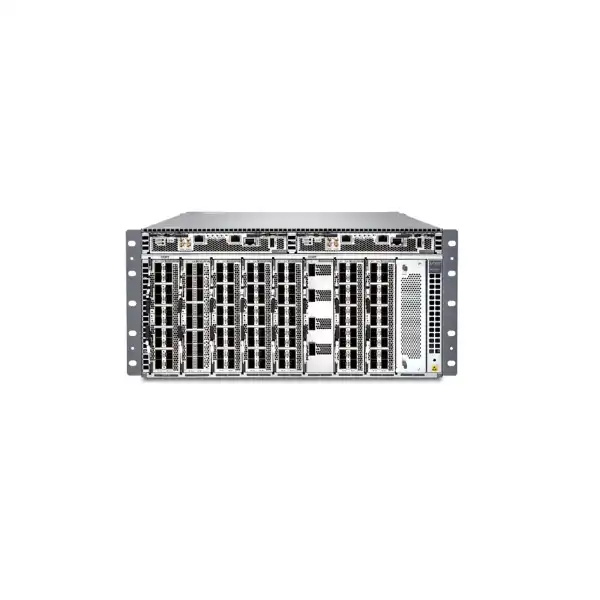
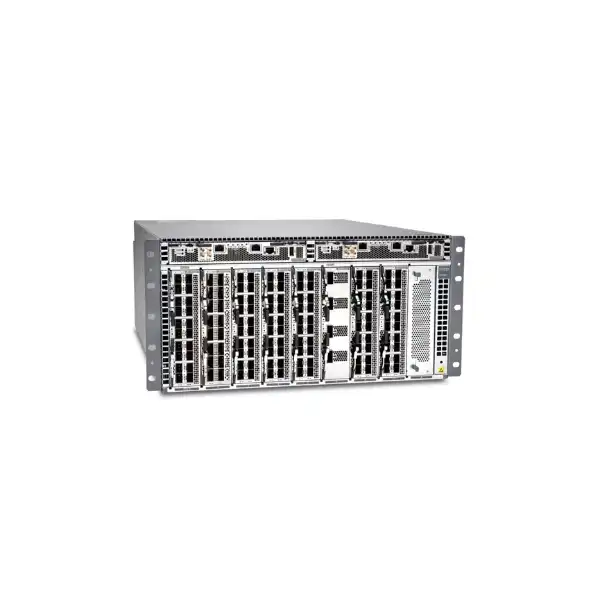
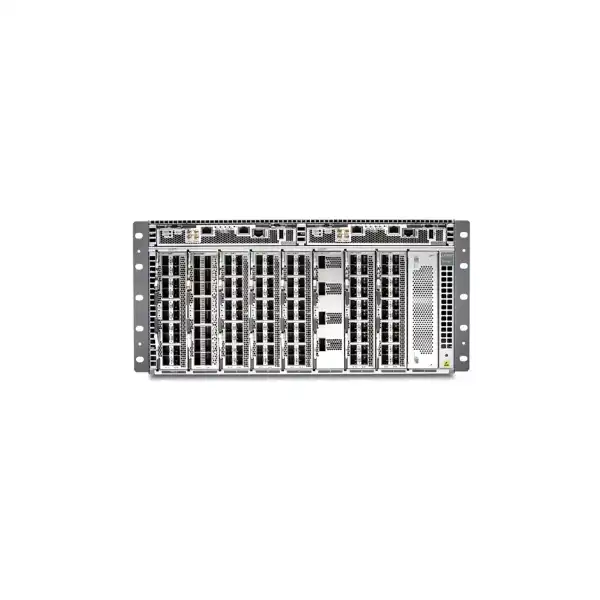
Juniper ACX7509 Cloud Metro Router in Dubai, UAE
A high-capacity 5U modular aggregation platform for operators that need dense multi-rate Ethernet, resilient metro routing, precise timing, strong interface security and a practical migration path from lower-speed services to 100GbE and 400GbE.
Direct answer: what is the Juniper ACX7509?
The Juniper ACX7509 is a modular Cloud Metro router built for high-end aggregation. It provides 4.8 Tbps of system capacity in a 5U chassis and supports a broad range of Ethernet interface speeds through field-replaceable interface modules. It is mainly used where a network must aggregate many access, enterprise, mobile, data-center or wholesale links into resilient metro or service-edge infrastructure without forcing every connection onto the same port speed.
Organizations that should consider it include telecom operators, internet service providers, wholesale carriers, large enterprises, colocation and data-center operators, utilities, transport networks and other environments that need high availability, strong timing, MACsec on supported ports, segment-routing capabilities and a scalable mix of 1GbE through 400GbE connectivity. The most important factor to confirm is not simply the chassis model. The commercial and technical fit depends on the exact FPC mix, optics, power feeds, redundancy level, software license tier, interface breakout requirements and the services that must run at production scale.
FourTeck can help determine whether the BASE or PREMIUM hardware configuration is appropriate, which interface modules and transceivers are required, whether AC or DC power is preferable at the installation site, what licensing level matches the intended feature set, and whether a different ACX model would be more economical for a smaller or more fixed port profile.
Why the ACX7509 exists in the Cloud Metro portfolio
The ACX7509 addresses a specific aggregation problem: many metro networks do not grow in a clean sequence. A site may still carry large numbers of 1GbE or 10GbE business and access circuits while simultaneously introducing 25GbE, 50GbE, 100GbE and 400GbE uplinks. Replacing every legacy edge at once is rarely realistic. A modular system that can fan out toward lower-speed services and aggregate them into much faster core-facing links gives operators more freedom to modernize in stages.
Juniper positions the platform as a high-availability, power-efficient, modular member of the ACX7000 family. Its central architecture is important from an operational perspective because the field-replaceable interface modules act as port extenders rather than independent forwarding systems with their own network processors. That reduces some of the complexity normally associated with large distributed chassis platforms and lets the operator select interface modules according to the access and uplink profile required at a site.
The platform is particularly relevant where low-speed fan-out remains commercially important. A network may serve hundreds of business Ethernet connections, mobile transport links, access rings or utility endpoints but still need 100GbE or 400GbE uplinks toward a metro core. In those circumstances, the important buying question is not whether 400GbE is available. It is how many lower-speed interfaces are required at the same time, where those interfaces must be placed across the chassis, and how the selected mix affects optics, power, rack space, licensing and future expansion.
For Dubai and UAE deployments, this flexibility can be useful in carrier hotels, exchange locations, large enterprise campuses and provider aggregation sites where rack space is valuable and traffic profiles are mixed. However, the 5U footprint and multi-kilowatt power architecture mean it should be treated as an engineered infrastructure purchase rather than a simple fixed-port router replacement.
Core technical characteristics
| Area | ACX7509 detail | Buyer relevance |
|---|---|---|
| System capacity | 4.8 Tbps | Suitable for high-end aggregation, but final sizing still depends on traffic engineering, services and interface mix. |
| Form factor | 5U modular chassis, approximately 60 cm metal-to-metal depth | Rack depth, cable management and rear service clearance should be checked before ordering. |
| Interface range | 1GbE, 10GbE, 25GbE, 40GbE, 50GbE, 100GbE, 200GbE and 400GbE depending on the selected FPC | Allows staged migration and mixed-rate aggregation without choosing one fixed port profile. |
| FPC capacity | Up to eight usable FPC slots | The correct slot plan should be built before quotation so the chassis supports the required fan-out and uplink pattern. |
| Operating system | Junos OS Evolved only | Operations teams should validate feature support, release policy, automation workflows and migration from classic Junos environments. |
| Resilience | BASE and PREMIUM hardware configurations with different control, forwarding and power redundancy | Availability objectives should drive the hardware configuration, not the lowest initial chassis price. |
| Timing and security | PTP Class C capability and MACsec support | Important for mobile transport, critical infrastructure and encrypted metro interconnect requirements. |
FPC choices: the most important configuration decision
The ACX7509 chassis becomes useful only when it is populated with the right field-replaceable interface modules. Buyers should therefore think in terms of an interface architecture rather than a chassis SKU. Juniper provides three principal FPC types for the platform, each aimed at a different bandwidth and fan-out requirement. A mixed deployment can combine these modules across the eight usable slots to create a port profile that reflects the actual network.
20-port low-speed fan-out FPC
The 20-port option supports 1GbE, 10GbE, 25GbE and 50GbE service rates. This module is relevant when the aggregation site must terminate large numbers of lower-speed access or customer-facing connections. It can be especially valuable during migration because the same chassis can continue serving existing lower-rate circuits while faster uplinks are added elsewhere.
16-port 40/100GbE FPC
The 16-port 40GbE/100GbE option is designed for denser high-speed aggregation and core-facing connectivity. It is a practical choice when 100GbE becomes the dominant service or uplink speed but there is still value in having multiple ports per slot. Buyers should validate the required optics, reach, fiber plant and channelization rules before finalizing quantities.
4-port 200/400GbE FPC
The 4-port high-speed option supports 200GbE and 400GbE connectivity for metro-core, data-center or large aggregation uplinks. This module is not automatically necessary in every ACX7509 design. It should be selected when the traffic plan, upstream router capacity and optical design justify these speeds.
A good slot plan starts with current service inventory and a three-to-five-year growth view. Count existing interfaces by speed, estimate which circuits are expected to move to faster rates, identify which uplinks require physical diversity, and reserve enough modular capacity for growth without overbuying expensive high-speed optics on day one. This exercise is often more valuable than comparing headline throughput numbers between routers.
BASE versus PREMIUM hardware configuration
Juniper documents two primary chassis configurations. The distinction affects control-plane resilience, forwarding-engine redundancy and power-supply population, so it should be decided from the service-availability target rather than treated as a cosmetic bundle choice.
ACX7509-BASE
The BASE configuration includes one Routing and Control Board, one Forwarding Engine Board, two fan trays and two 3 kW power supplies, along with the chassis, cable management and blanking panels. It can be suitable for deployments where cost control is important and the network design provides resilience at a higher architectural layer, such as dual routers or alternate site paths.
The practical limitation is that a single RCB and single FEB do not deliver the same component-level redundancy as the PREMIUM configuration. Maintenance planning, failure scenarios and service impact should therefore be modeled carefully before choosing BASE for a critical aggregation node.
ACX7509-PREMIUM
The PREMIUM hardware configuration includes two Routing and Control Boards, two Forwarding Engine Boards, two fan trays and four 3 kW power supplies. It is the more appropriate starting point where the chassis itself is expected to tolerate key component failures and support high-availability operational practices.
This configuration costs more and draws more infrastructure attention, but the additional RCB, FEB and power population can be justified for provider aggregation, mobile transport, data-center interconnect or enterprise core roles where a single hardware failure should not force an outage or emergency maintenance window.
A redundant chassis does not eliminate the need for redundant fibers, upstream peers, power sources and site design. The PREMIUM configuration is strongest when it sits inside an end-to-end availability plan that considers dual feeds, alternate paths, graceful routing behavior, maintenance procedures and monitoring.
High availability and maintenance behavior
The ACX7509 is designed for high-end aggregation where outages can affect many downstream services at once. In redundant builds, the Routing and Control Board and Forwarding Engine Board architecture supports coordinated failover behavior, and Juniper documents support for graceful Routing Engine switchover in appropriate configurations. This matters because a chassis at an aggregation point may carry hundreds of customer, access or transport connections; component redundancy can significantly reduce the operational risk of maintenance or hardware failure.
The Routing and Control Board integrates route-processing, chassis-control and management functions. A chassis can be equipped with one or two RCBs. With two, one operates as primary and the other as backup. The practical buying question is not simply whether a second board exists. The network team must decide how graceful switchover will be configured, what protocols and services must preserve state, how maintenance will be tested, and which events still require a reboot or traffic reconvergence.
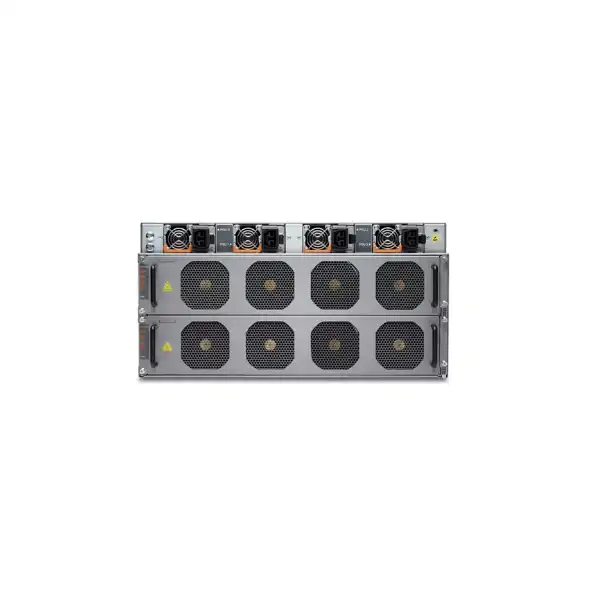
The cooling system uses two hot-insertable and hot-removable fan trays at the rear of the chassis. The fans adapt to temperature and failure conditions, and the platform can increase remaining fan speed when required. That is useful operationally, but it should not be interpreted as permission to compromise room cooling or airflow. The router expects a correctly engineered environment with unobstructed front-to-back airflow and suitable ambient temperature.
For maintenance planning in Dubai, confirm rack access from both front and rear, ESD procedures, spare-part logistics, on-site support coverage and whether line-card or control-board replacement can be performed without disturbing adjacent equipment. A dense chassis is most valuable when the physical operations around it are as deliberate as the logical configuration.
Power design is a procurement dependency, not an afterthought
The ACX7509 uses 3000 W power supply modules and supports AC/high-voltage DC or DC power architectures. The selected chassis build determines the expected power-supply population and redundancy model. Juniper specifies 1+1 power redundancy for the BASE configuration and a higher redundancy design for PREMIUM, with the exact source arrangement depending on whether supplies are connected to the same or separate power sources.
This is important in UAE data centers because a router can fit physically in a rack while still exceeding the planned power budget for that rack. Power calculations should include the selected chassis configuration, FPC types, optics, fan behavior, operating conditions and PDU architecture. Published planning examples show that a fully populated chassis can require well over one kilowatt and can approach or exceed two kilowatts under worst-case configurations, so the engineering team should allocate circuit and cooling capacity with realistic headroom rather than using an optimistic idle figure.
For AC installations, the available voltage and connector environment must match Juniper requirements. The AC power supplies are designed for high-line operation; low-line 110 V input is not supported for the normal AC PSM use case. For DC sites, cable sizing, lugs, breakers, grounding and distribution must be planned according to the facility standard and the router’s current requirements. AC/HVDC and DC power supply types should not be mixed within the same chassis.
An accurate quotation therefore needs more than the word “AC” or “DC.” It should identify the number of independent feeds, required redundancy, plug and cord standard, PDU type, rack location and any site-specific power restrictions. These details prevent a common deployment problem: receiving the correct router but the wrong power accessories for the facility.
Rack, depth, weight and airflow planning
The ACX7509 occupies 5U of rack space in its basic chassis form. The metal-to-metal depth is about 60 cm, but installed depth increases when field-replaceable units, cabling and cable management are considered. Juniper lists approximately 80 cm depth including FRUs in its hardware specifications. This distinction is important when the router is installed in a cabinet rather than an open telecom rack.
Buyers should validate four-post rack compatibility, usable cabinet depth, door clearance, cable bend radius and rear service access. High-density 100GbE and 400GbE optics can create substantial fiber concentration, and poor cable routing can obstruct airflow or make module replacement unnecessarily difficult. The cable plan should separate fiber pathways logically, preserve labeling visibility and keep service loops manageable.
Weight also deserves attention. Depending on configuration, a fully populated modular system is a substantial piece of equipment. Installation should follow approved lifting and rack-mount procedures, with the rack anchored and rated for the combined equipment load. If the chassis is being installed in an existing cabinet with other heavy routers, optical shelves or UPS equipment, the team should confirm rack loading and center of gravity rather than assuming 5U automatically means a lightweight platform.
Airflow is front to back. In a data-center environment, the chassis should align with the site’s cold-aisle/hot-aisle strategy. Blank panels should remain in unused positions where required because they are part of airflow management, not merely cosmetic fillers. In hot regional conditions, facility cooling resilience and sensor monitoring are particularly important because loss of cooling can rapidly become a network-availability event.
Software licensing: Advanced and Premium decisions
ACX software licensing should be included in the original design discussion because the hardware alone does not define the commercial entitlement for every intended service. Juniper supports subscription and perpetual licensing approaches across the ACX family, with Advanced and Premium tiers used to differentiate metro and service-edge capabilities and scale. Current licensing documentation also notes that devices may operate without an installed license key while contractual license compliance still remains the customer’s responsibility. This means procurement and engineering must remain aligned even if the CLI does not immediately block an unlicensed feature.
The Advanced tier is associated with metro service functions such as Layer 2 feature sets, Layer 2 VPN, Layer 3 VPN, timing, hierarchical QoS and telemetry within defined scale limits. Premium is intended for broader metro and service-edge scale and includes higher-scale service capabilities, subject to Juniper’s current licensing terms and the software release in use. Because license structures evolve, the exact license SKU and term should be validated at quotation rather than copied from an old bill of materials.
The right license decision starts with services. List the required VPN types, EVPN or VPLS usage, segment-routing design, timing requirements, telemetry, QoS hierarchy, VRF scale, route scale and any advanced service-edge functions. Then map those requirements to the current Juniper license tier and bandwidth measurement. If a future growth phase is expected to activate more services, decide whether it is better to license for the final state initially or add entitlements later.
For a UAE procurement, also clarify the desired subscription length, software support expectations, renewal ownership and the internal budget model. A technically correct router can still create an avoidable commercial problem if the hardware is purchased as capital expenditure while the recurring software entitlement was never planned by finance or operations.
Junos OS Evolved operational considerations
The ACX7509 runs Junos OS Evolved rather than classic Junos OS. For teams already operating Juniper routers, the command-line environment and operational concepts will be familiar in many areas, but the software architecture and release train are distinct enough that the migration should still be treated deliberately. The network engineering team should confirm that the desired routing, switching, timing, telemetry and automation features are supported on the chosen Junos OS Evolved release for the ACX7509.
A production build normally benefits from a software baseline policy. Instead of installing whatever image happens to ship with the chassis, select a release supported by the organization’s lifecycle, security and interoperability requirements. Validate release notes for known limitations, required feature versions and upgrade paths. If the router will peer with older Junos systems or third-party equipment, test protocol interoperability and any vendor-specific extensions in a lab or controlled maintenance window.
Automation should be considered from the start. High-density aggregation routers can accumulate complex configurations quickly, especially when they terminate many VPNs, QoS policies, telemetry subscriptions and interface services. Standard templates, configuration validation, version control and automated compliance checks reduce the risk of human error. Juniper management and automation tooling may also be relevant depending on the operating model.
Operational readiness should include backup and restore procedures, out-of-band access, console standards, AAA integration, syslog, SNMP or streaming telemetry, NTP and timing policies, software image repositories, change control and rollback planning. The hardware purchase is only the first step; the router becomes dependable when it is integrated into the same disciplined operating framework as the rest of the network.
MACsec and transport security
The ACX7509 supports MACsec, which can be valuable for protecting Ethernet traffic across untrusted or shared transport segments. This is especially relevant for data-center interconnect, wholesale access, enterprise metro services and critical infrastructure where confidentiality and integrity at the link layer may be required. Because MACsec operates differently from IPsec or application-layer encryption, the design should start with the threat model and the physical path being protected.
A buyer should confirm which exact interface modules, optics and port modes will carry encrypted traffic, the intended key-management method, interoperability with the device at the far end, and whether the expected encrypted throughput is supported in the planned software release. The fact that the platform supports MACsec does not by itself guarantee that every conceivable optical mode and operational scenario is equivalent.
In a metro environment, MACsec can be attractive because it secures the Ethernet link without requiring every service to be re-architected as an overlay. However, it also adds operational requirements: key rotation, failure handling, monitoring, troubleshooting and coordination across both endpoints. If the far-end equipment belongs to another provider, contractual and technical alignment is necessary before deployment.
For procurement, security requirements should be written into the bill of materials and acceptance plan. That helps ensure the correct ports, software entitlements and interoperability assumptions are validated before the router is installed in production.
Precision timing for mobile and critical networks
The ACX7509 includes timing capabilities such as PTP Class C support and interfaces relevant to synchronization architectures. This makes it a candidate for mobile transport and other networks where frequency and phase accuracy are operational requirements rather than optional features. In a 4G or 5G environment, timing design can be just as important as packet throughput because radio performance and service quality may depend on stable synchronization across the transport network.
A timing-capable router should not be selected in isolation. The network team needs to identify the grandmaster source, boundary or transparent clock roles, SyncE requirements, holdover expectations, quality-level behavior and how timing will traverse each hop. The choice of optics and topology can also matter. A good design maps timing flows end to end and defines how the system behaves if the primary timing source fails.
For enterprise buyers without synchronization-sensitive applications, this capability may not justify the ACX7509 by itself. In contrast, a telecom operator planning radio access aggregation may treat it as a core requirement. That difference is a useful example of why product selection should be driven by service architecture rather than feature count.
When requesting a quotation, state whether PTP, SyncE or external clock interfaces are part of the project and whether timing validation or deployment assistance is required. That allows the solution to be scoped around the actual operational objective rather than simply supplying a chassis that happens to support timing features.
Where the ACX7509 fits well
Metro aggregation
A strong fit where many access rings or service nodes must converge onto 100GbE or 400GbE uplinks, particularly when lower-speed fan-out remains important.
Service-provider edge
Suitable for providers that need VPN services, QoS, telemetry, timing, strong redundancy and a modular interface strategy at major aggregation or service-edge locations.
Large enterprise core or WAN edge
Potentially appropriate for very large campuses, utilities, transport operators and distributed enterprises with carrier-scale interface density or metro service requirements.
Data-center interconnect aggregation
Useful where multiple Ethernet rates, MACsec, resilient routing and high-speed uplinks must be consolidated in a modular platform rather than a fixed-switch profile.
Mobile transport
Relevant for 4G and 5G aggregation where precise timing, high availability and scalable Ethernet transport are required across metro infrastructure.
When the ACX7509 may be more router than you need
The ACX7509 should not be selected simply because it is powerful. A smaller fixed or semi-modular ACX platform can be more economical where the required interface count is predictable, rack space is tight, power is limited, or the site does not need extensive low-speed fan-out. For example, some ACX7100-family platforms also deliver multi-terabit capacity in compact 1U designs with high-speed Ethernet. If a site primarily needs a few dozen 100GbE or 400GbE ports and does not need eight FPC slots, the smaller form factor may provide a better operational fit.
Conversely, if growth projections exceed the ACX7509’s 4.8 Tbps system capacity or demand a different class of service-edge scale, the buyer should evaluate larger routing platforms rather than relying on optimistic oversubscription. The correct alternative depends on whether the next constraint is throughput, route scale, port density, service features, subscriber scale, rack space or power.
A useful comparison exercise is to calculate cost per required port rather than cost per chassis. Include FPCs, optics, licenses, spares, support, power and rack footprint. A lower chassis price can become more expensive if it requires additional systems, while a larger modular router can be poor value if most slots remain unused for years.
FourTeck can help compare the ACX7509 with nearby Juniper ACX options based on actual port and service requirements. The goal should be to purchase the smallest architecture that comfortably satisfies availability, growth and operational objectives without creating an early forklift upgrade.
Optics and cabling: where many bills of materials go wrong
The chassis and FPCs do not eliminate the need to engineer every optical link. SFP-class, QSFP-class and QSFP-DD interfaces can support different reaches, fiber types, breakout options and optical standards. A project that orders interface modules without matching optics can arrive on site technically incomplete.
For each planned link, document speed, distance, fiber type, connector, wavelength strategy, intermediate patching, whether the far end is Juniper or third party, and whether a direct-attach cable is acceptable. For 100GbE and 400GbE, also confirm whether the requirement is single-lambda, parallel optics, coherent transport or another specific standard. Channelization or breakout should be validated against the exact FPC and software support matrix.
Metro networks often reuse existing fiber plant, and that can be the deciding constraint. A router may support the desired Ethernet speed while the installed optical path does not. Before ordering long-reach optics, confirm link budget, attenuation, patch-panel losses, connector quality and any wavelength-management equipment in the path. If DWDM or coherent optics are involved, the optical architecture should be coordinated with the transport design rather than treated as a commodity transceiver purchase.
For Dubai installations, correct labeling and spare optics are valuable because high-density sites can become difficult to troubleshoot when dozens of similar fiber pairs converge on one chassis. The bill of materials should therefore include not only working optics but also a sensible spare strategy for the critical interface types used at the site.
Sizing the ACX7509 from traffic, not from marketing numbers
The 4.8 Tbps headline throughput is a useful platform boundary, but real sizing begins with traffic patterns. Aggregation networks are rarely symmetrical. Some links are lightly used business access circuits, while a few uplinks carry most of the traffic. The design should therefore model busy-hour throughput, growth, failure conditions and oversubscription rather than simply adding every physical port speed and assuming all ports will run at line rate simultaneously.
Start with current traffic baselines from monitoring systems. Identify the 95th-percentile and peak utilization of each aggregation group, then apply a growth model that reflects actual customer or application trends. Next, simulate common failures: loss of one uplink, one path, one upstream router or one aggregation node. Capacity should remain acceptable during the failure state, not only during normal operation.
Service features can also influence sizing. Complex QoS hierarchies, large VPN counts, telemetry, timing, route scale and control-plane churn all contribute to the operational load even when raw packet throughput looks comfortable. Published scale tables and release-specific limits should be checked for the exact Junos OS Evolved version. A design that fits in bandwidth but exceeds a service-scale limit is still a poor design.
Finally, leave expansion room. Modular platforms are valuable precisely because requirements change. Reserving appropriate slots or interface capacity for future services can be more cost-effective than filling every position on day one. The balance is to avoid both extremes: buying a nearly empty expensive chassis with no clear growth case, or populating a chassis so tightly that the first new project forces another platform purchase.
Migration planning from an existing aggregation router
Replacing a live aggregation platform is a service migration, not a hardware swap. The ACX7509 may terminate routing adjacencies, MPLS or segment-routing services, VPNs, customer VLANs, QoS policies, timing, access-control filters, telemetry and management systems. Each dependency should be inventoried before the first cable is moved.
A practical migration begins with a configuration and service inventory. Map every physical port to its logical services, identify routing neighbors and route policies, record MTU settings, VLAN tags, LAG membership, pseudowires or EVPN instances, QoS classifiers and schedulers, OAM functions, security filters, timing roles and monitoring hooks. This information should then be translated into the Junos OS Evolved target design using standardized templates rather than copied blindly from the old router.
Where possible, build the ACX7509 in parallel. Preload software, licenses, management configuration and test interfaces before the maintenance window. Establish out-of-band access and verify rollback procedures. For large migrations, move services in controlled groups so that problems can be isolated without affecting every customer at once. If dual-homing or routing allows temporary coexistence, use it to reduce the risk of a single cutover event.
Acceptance criteria should be written before migration begins. Confirm routing convergence, expected traffic paths, latency, packet loss, timing quality, encrypted-link status, VPN reachability, QoS behavior and monitoring visibility. A migration is complete when the service behaves correctly and operations can manage it confidently, not merely when the cables have been moved.
Deployment checklist for Dubai and UAE sites
1. Rack and physical access
Confirm 5U space, usable cabinet depth, four-post mounting, front and rear maintenance access, cable-management clearance and the total installed weight of the planned configuration.
2. Power
Document AC or DC feed type, number of independent sources, PDU connectors, breakers, grounding and the redundancy level required for the selected BASE or PREMIUM chassis.
3. Cooling
Verify front-to-back airflow, cold-aisle alignment, ambient temperature control, blanking requirements and facility resilience during cooling alarms or maintenance.
4. Fiber and optics
Create a port-by-port optical schedule covering speed, reach, fiber type, connector, far-end compatibility, breakout requirements and spare transceivers.
5. Software and licensing
Choose a Junos OS Evolved release, verify feature support, map required services to the current Advanced or Premium licensing tier and define software support coverage.
6. Operations
Integrate AAA, logging, telemetry, alarms, configuration backup, out-of-band management, time synchronization and change-control workflows before production traffic arrives.
Procurement details that should appear on the quotation
A professional ACX7509 quotation should describe a complete deployable system rather than a chassis line item. At minimum, the bill of materials should identify the chassis hardware configuration, quantity and type of FPCs, power supply type and count, rack-mounting accessories, cable management, optics or direct-attach cables, software licensing, support entitlement and any spare parts required by the operational policy.
For each FPC, the quote should make the intended port profile understandable. A buyer should be able to look at the bill of materials and see why a particular mix was selected. If the design calls for twenty lower-speed access links, sixteen 100GbE ports and two 400GbE uplinks, the relationship between those requirements and the ordered modules should be explicit. This reduces the risk of receiving correct part numbers that do not support the intended topology.
Optical transceivers should be matched to actual circuits. Avoid generic quantities such as “20 x SFP” without defining speed and reach. If the fiber plant is not yet confirmed, the quotation can separate the router hardware from provisional optics, but that uncertainty should be visible so the project team knows further validation is required.
Commercial terms should also clarify lead time, warranty or support level, software subscription duration, renewal responsibility, implementation scope, delivery location and whether installation, configuration or migration services are included. The goal is to avoid ambiguity between “hardware supply” and “production-ready deployment,” because those are different scopes with different costs and responsibilities.
Common ACX7509 purchasing mistakes
Choosing only by throughput: 4.8 Tbps tells you the platform class but not whether the interface mix, route scale, VPN scale, licensing and site resources fit the project.
Ordering the chassis before the slot plan: the real value of the ACX7509 comes from its FPC combination. Build the port schedule first, then derive module quantities.
Assuming redundancy is automatic: BASE and PREMIUM configurations have different hardware populations. Availability objectives should be mapped to RCB, FEB, power, path and site redundancy.
Forgetting optics: high-speed ports are useful only when the correct transceivers, fiber type, reach and far-end compatibility are known.
Ignoring software licensing: service features and scale can depend on Advanced or Premium entitlement. The license term should be decided with the network and finance teams.
Underestimating power and cooling: a modular chassis with multiple FPCs and high-speed optics requires serious rack power and airflow planning. A spare 5U does not automatically mean the cabinet is ready.
Skipping migration design: service-edge routers carry stateful, policy-rich configurations. A successful deployment needs configuration translation, validation, rollback and operational acceptance, not just hardware installation.
Support, spares and lifecycle planning
A modular aggregation router should be purchased with a support model that reflects the business impact of failure. Consider how quickly failed RCBs, FEBs, FPCs, fan trays, power supplies and optics must be replaced. A telecom or data-center aggregation site may need a different response target from a non-critical enterprise lab or secondary location.
Local spares can reduce recovery time, particularly for optics and field-replaceable modules used across multiple sites. The spare strategy should be based on installed population, component criticality and support lead time. Keeping one spare of every component is not always economical, but keeping no spares at all can make a minor hardware fault depend entirely on logistics.
Software lifecycle matters as much as hardware support. Define which Junos OS Evolved releases are approved, how frequently security and maintenance updates are assessed, who owns upgrade testing and what lab environment is available. Production networks benefit from planned lifecycle windows rather than emergency upgrades after software has already become difficult to support.
When requesting pricing in Dubai, state whether you need manufacturer support, local implementation assistance, remote configuration support, migration services, after-hours cutover assistance or ongoing managed support. Those requirements affect the complete project cost and should be visible at procurement stage rather than added after the hardware arrives.
Buyer questions and practical answers
Is the ACX7509 a fixed router?
No. It is a modular chassis using field-replaceable interface modules. The buyer selects an FPC mix to create the required combination of lower-speed and high-speed Ethernet ports.
What is the system throughput?
Juniper specifies 4.8 Tbps for the ACX7509. Actual deployment sizing should also consider traffic engineering, redundancy conditions and service scale.
Can it support 400GbE?
Yes, with the appropriate 200/400GbE FPC and compatible optics. The upstream device and optical path must also support the intended 400GbE standard and reach.
Does it support lower-speed interfaces?
Yes. A major strength is support for 1GbE, 10GbE, 25GbE and 50GbE through the low-speed fan-out FPC, which can simplify staged migration.
Which operating system does it use?
The ACX7509 runs Junos OS Evolved. The target release should be selected according to feature requirements, support policy and interoperability testing.
Is BASE sufficient for a critical site?
It can be appropriate in some architectures, but PREMIUM provides additional RCB, FEB and power redundancy. The decision should follow the site’s availability model and maintenance requirements.
Are optics included automatically?
Not as a general assumption. Optics should be selected separately according to speed, reach, fiber type and the exact interface plan.
Can FourTeck help with configuration?
Yes. A useful consultation can cover chassis selection, FPC quantities, optics, power architecture, licensing, support and deployment requirements for the UAE site.
A deeper look at interface planning
Interface planning is where the ACX7509 can provide strong value, but it is also where configuration errors become expensive. A service-provider aggregation site may have dozens of 1GbE enterprise circuits, a growing number of 10GbE and 25GbE services, several 100GbE inter-router links and one or two 400GbE core uplinks. The chassis can accommodate that diversity, but only if the FPC arrangement is designed around actual demand.
Begin by classifying ports into customer-facing, access-facing, peer-facing and core-facing groups. For each group, document redundancy. A pair of core uplinks may need to be on different physical modules or follow diverse paths. Customer interfaces may need to be distributed across cards so that a single FPC failure does not affect every high-value circuit. That distribution can be more important than maximizing the number of ports used on one module.
Next, consider migration. A 10GbE circuit may be expected to upgrade to 25GbE or 50GbE within the life of the router. If the selected module supports those rates, the future change can be easier than moving the service to an entirely different platform. Similarly, a current 100GbE uplink may eventually need 400GbE, and reserving a suitable slot can simplify that expansion.
The port schedule should also include optics power and thermal implications. High-speed optical modules can consume meaningful power and produce heat. A chassis populated with many optics should be evaluated under realistic conditions rather than assuming the same power draw as an empty or lightly loaded system.
Finally, document unused capacity intentionally. Spare ports and spare slots are not wasted if they have a defined growth purpose. The key is to know why the headroom exists and how long it is expected to last. That gives finance and operations a defensible reason for the selected configuration.
Traffic engineering, QoS and service assurance
Metro aggregation is not only about forwarding packets. Operators often need to deliver differentiated services with predictable behavior under congestion. The ACX family supports advanced QoS functions, and the licensing model distinguishes capabilities and scale. For a buyer, the important task is to translate commercial service levels into a hierarchy of classifiers, policers, schedulers and queue behaviors that the platform can support at the required scale.
A typical provider may carry internet access, mobile transport, enterprise VPN, voice and management traffic through the same aggregation infrastructure. Each service has different tolerance for delay, jitter and loss. During normal conditions, the links may have enough capacity that QoS policies appear irrelevant. The real test occurs during a failure or traffic spike, when one uplink carries more load and queues begin to build.
Design acceptance should therefore include congestion testing and failure simulation. Validate that priority traffic remains protected, lower-priority traffic is shaped as intended and no class unexpectedly starves another. If hierarchical QoS is used for customer or service-level guarantees, confirm scale and behavior with the selected software entitlement.
Service assurance should also include active and passive monitoring. Streaming telemetry can provide high-resolution visibility into interface utilization, queue depth, errors and system health. Combined with active testing, it can help operations detect deteriorating service before users open support tickets. The monitoring architecture should be designed with data volume, collector capacity and retention policy in mind.
For a production ACX7509 deployment, success is not simply a green interface state. The network team should be able to prove that the platform is forwarding the right traffic over the right paths with the expected quality during both normal and degraded conditions.
Routing scale, VPN scale and control-plane planning
Large aggregation routers often sit at the boundary between simple transport and service-rich routing. The ACX7509 can participate in sophisticated Layer 2 and Layer 3 services, but the buyer should verify the route and VPN scale required by the actual network. A platform can have ample interface bandwidth and still be unsuitable if the number of routes, VRFs, MAC entries or service instances exceeds the intended scale for the selected license and software release.
Create a control-plane forecast alongside the bandwidth forecast. Count current IPv4 and IPv6 routes, expected BGP peers, IGP adjacencies, VPN routing tables, EVPN instances, pseudowires and customer service objects. Then apply growth based on planned network expansion. If the router is expected to take full internet routes, route reflectors or large service-edge duties, confirm that those roles align with Juniper’s published platform and license scale.
Failure scenarios matter here too. During reconvergence, the control plane may process a burst of route updates while traffic shifts across remaining paths. Features such as graceful switchover can reduce impact, but they do not remove the need for sound routing design. Peer timers, BFD policies, route-policy complexity and convergence objectives should be tested in a realistic environment.
For Layer 2 and Layer 3 VPNs, standardize service templates and naming. Consistency reduces mistakes when many circuits are provisioned by different engineers. If automation is planned, define the source of truth and data model before deployment rather than retrofitting automation after hundreds of manually configured services already exist.
A strong ACX7509 design therefore includes two capacity models: one for packets and ports, another for control-plane and service scale. Both must remain healthy across the expected life of the platform.
Security hardening beyond MACsec
MACsec is an important transport-security capability, but router hardening requires a broader operational security plan. Management access should use centralized authentication and authorization, least-privilege roles, encrypted protocols and restricted management networks. Console and out-of-band access should be physically and logically controlled because those paths become critical during outages.
Control-plane protection should be designed for the protocols actually in use. Unnecessary services should be disabled, routing sessions should use available authentication mechanisms where appropriate, and filters should limit which sources can reach management or control-plane interfaces. Logging should capture authentication events, configuration changes, hardware alarms and relevant protocol events without producing so much noise that important alerts are ignored.
Software maintenance is another security dependency. A router running an unsupported or unreviewed software image can accumulate risk even if its configuration is otherwise strong. Establish a process for monitoring Juniper security advisories, assessing exposure, testing fixes and scheduling upgrades. The process should identify who has authority to approve urgent changes when a vulnerability affects production infrastructure.
Configuration backups should be protected as sensitive data because they can contain addresses, routing policy, usernames and operational details. Store them in controlled repositories with version history and access logging. If automation systems hold credentials for the router, protect those secrets through appropriate vaulting and rotation.
Security acceptance for a new ACX7509 should include a review of management reachability, AAA behavior, logging, software level, secure protocols, control-plane filters and any MACsec deployment. This turns security from a feature checklist into an operational control framework.
Monitoring and troubleshooting strategy
A high-capacity aggregation router needs monitoring that can distinguish physical faults, congestion, protocol instability and service problems. Interface counters alone are not enough. The monitoring design should correlate chassis health, FPC status, temperature, fan and power alarms, optical diagnostics, routing adjacencies, queue utilization, VPN state and traffic telemetry.
Start with hardware visibility. Operations should know immediately when a power supply, fan tray, RCB, FEB or FPC changes state. Environmental sensors should be monitored against expected ranges, especially in dense racks. Optical receive and transmit levels should be trended where supported so that gradual fiber degradation can be identified before a hard failure occurs.
For network behavior, collect routing-state changes, BFD events, interface flaps, error counters and utilization. High-resolution telemetry can reveal microbursts or queue congestion that five-minute polling misses. However, telemetry must be designed with collector capacity and retention cost in mind. Sending every metric at very short intervals can overwhelm the monitoring system without improving operational outcomes.
Troubleshooting procedures should be documented for common scenarios: loss of an uplink, optics alarm, FPC issue, RCB switchover, power-source failure, temperature alarm, routing instability and service-specific packet loss. The runbook should identify safe commands, escalation paths and when hardware replacement is required.
The best time to build these procedures is before the router carries production traffic. A planned commissioning test can deliberately trigger safe failure conditions and verify that monitoring, alarms and recovery behave as expected.
How to build an accurate ACX7509 bill of materials
A complete bill of materials begins with requirements, not part numbers. Start by describing the site role: metro aggregation, mobile transport, enterprise core, data-center interconnect or another use case. Then define current and future interfaces by speed, quantity and reach. Add availability requirements, power source, software features, license term, support level and implementation scope. Only then should the design be translated into exact SKUs.
The chassis line should specify whether BASE or PREMIUM hardware redundancy is required. The FPC lines should match the port schedule, with enough capacity for immediate service and planned growth. Transceivers should be itemized by interface type and reach. If some optics are customer-supplied, their compatibility should still be documented.
Power accessories should match the installation country and facility. Rack accessories and cable management should be included where required. Software should be tied to the intended Advanced or Premium capability and chosen term. Support should identify coverage duration and response expectations. If deployment services are included, describe whether they cover staging, configuration, rack installation, testing, migration or only advisory assistance.
Spares can be listed separately so the buyer can distinguish mandatory deployment components from operational inventory. Common candidates include power supplies, fan trays, optics and selected interface modules. The right spare mix depends on support lead time and fleet size.
This requirements-first method produces a quote that can be audited technically. It also makes future changes easier because the project team can see the original assumptions behind each purchased component.
UAE availability and quotation guidance
For Dubai and wider UAE projects, availability can vary by chassis configuration, FPC type, optics, power accessories, software term and support package. A meaningful availability check therefore needs the intended bill of materials rather than the model name alone. High-speed optics and specific modular components can have different lead times from the base chassis.
When requesting a quote from FourTeck, provide the deployment location, required quantity, desired delivery window and whether the project is a new build, expansion or migration. If the final port schedule is not yet known, share current interface counts and expected growth. That is enough to start a sizing conversation and identify the main hardware choices.
For regulated, telecom or critical-infrastructure environments, include any documentation, support or acceptance requirements that must accompany the equipment. If installation will take place in a third-party data center, provide rack and power details early because those may affect the power-cord and mounting plan.
Pricing should be evaluated on the complete solution: chassis, modules, optics, licensing, support and services. Comparing only the bare chassis can create misleading conclusions because two ACX7509 projects may have very different costs depending on the number and type of interfaces, redundancy level and software entitlement.
Implementation journey from design to production
Step 1 — Requirements discovery
Collect port counts, traffic, services, resilience targets, rack and power details, licensing needs and support expectations.
Step 2 — Architecture and slot plan
Choose BASE or PREMIUM, map FPCs to slots, define uplink diversity, select optics and reserve justified growth capacity.
Step 3 — Commercial validation
Confirm exact license tier, subscription term, support, spares, lead times and implementation responsibilities.
Step 4 — Staging
Install the target Junos OS Evolved image, apply baseline configuration, integrate management systems and test hardware health.
Step 5 — Migration and acceptance
Move services in controlled stages, validate routing, optics, QoS, timing, security and telemetry, then document the final as-built state.
Final decision recap
Model fit
Choose the ACX7509 when modular low-speed fan-out, multi-rate aggregation and 4.8 Tbps system capacity justify a 5U chassis.
Capacity
Size from busy-hour traffic, failure conditions, growth, service scale and route scale rather than physical port speed totals alone.
Licensing
Map required VPN, QoS, timing, telemetry and service-edge capabilities to the current Advanced or Premium entitlement.
Compatibility
Validate optics, fiber plant, far-end standards, Junos OS Evolved release, automation systems and management integrations.
Installation
Confirm rack depth, 5U space, weight, front-to-back airflow, AC or DC feeds, power redundancy and cable-management access.
Quotation
Request a complete bill of materials covering chassis, FPCs, optics, power, licenses, support, spares and implementation scope.
What FourTeck needs for an accurate ACX7509 quotation
Number of chassis and Dubai/UAE deployment location.
Interfaces required by speed today.
Expected service and bandwidth expansion over the next few years.
Fiber type, distance and far-end equipment for each high-speed link.
BASE or PREMIUM preference, dual feeds and path-diversity expectations.
AC, HVDC or DC, plus PDU and connector details.
VPN, QoS, timing, telemetry, segment routing and other required services.
Hardware support, software term, staging, installation and migration assistance.
Plan the Juniper ACX7509 around your network, not around a generic chassis
The most successful ACX7509 projects start with a port schedule, traffic model, availability target, optical design and software-service list. FourTeck can turn those inputs into a Dubai/UAE bill of materials covering the correct chassis configuration, FPC mix, optics, licensing, support and implementation scope.

Reviews
There are no reviews yet.