
Enterprise Wi-Fi 7 • Dubai & UAE
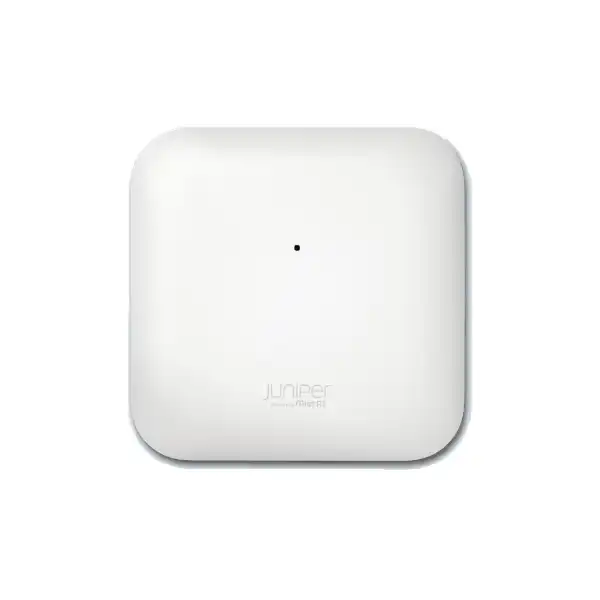
Juniper AP36 Access Point Dubai
The Juniper AP36 is a performance-tier indoor Wi-Fi 7 access point for organisations that want higher wireless capacity, wider 6 GHz channels, multigigabit wired connectivity and cloud-operated assurance without moving to the most feature-heavy access point in the Juniper Mist portfolio. It is particularly relevant for new enterprise WLAN builds, Wi-Fi 6/6E refresh projects and locations where 5 GHz and 6 GHz client density justify 4×4 radio capability.
Direct answer: what is the Juniper AP36 and who is it for?
What exactly is it?
The AP36 is an indoor Juniper Mist Wi-Fi 7 access point. It uses 2.4 GHz, 5 GHz and 6 GHz radios for client service and includes a separate scanning radio so the infrastructure can monitor the RF environment without relying only on the client-serving radios.
What is it mainly used for?
It is primarily used to build high-capacity indoor enterprise WLANs in offices, campuses, retail locations, education spaces and similar environments where modern clients, multigigabit applications and 6 GHz spectrum can improve user experience.
Who should consider it?
Buyers who need Wi-Fi 7 with stronger 5 GHz and 6 GHz radio capacity than an entry 2×2 design, but who do not specifically require the additional location-services or top-tier radio characteristics offered by higher models, should place AP36 on the shortlist.
What must be confirmed first?
Confirm the RF design, UAE regulatory domain, PoE class, switching uplink speed, subscription term and whether the client population can actually use 6 GHz and Wi-Fi 7 capabilities. Peak radio specifications alone do not determine deployment quality.
What can FourTeck determine?
FourTeck can help translate floor area, wall construction, user density, device mix, cabling, switch PoE budget, existing WLAN design and business applications into an AP36 quantity, compatible infrastructure plan and quotation-ready bill of materials.
Why the AP36 occupies an important place in a Wi-Fi 7 refresh
A useful way to evaluate the Juniper AP36 is to see it as a performance-focused indoor access point rather than simply as a replacement for an older AP with a newer Wi-Fi number. The model combines three client-serving bands with different radio characteristics: 2×2:2 operation on 2.4 GHz, 4×4:4 on 5 GHz and 4×4:4 on 6 GHz. This matters because most enterprise migration projects still carry a mixed population of devices. Legacy and IoT endpoints may continue to depend on 2.4 GHz, mainstream corporate laptops and phones usually make heavy use of 5 GHz, while newer Wi-Fi 6E and Wi-Fi 7 clients can take advantage of 6 GHz. The AP36 therefore gives the network designer flexibility to treat each band according to its real purpose instead of assuming all client traffic will migrate at the same speed.
Juniper positions the AP36 as a standard indoor Wi-Fi 7 option for offices, retail and campuses. That positioning is valuable for procurement because it establishes a practical comparison point. A buyer does not need to select the highest model in the family merely because it has the largest headline number. In many enterprise buildings, the better investment is a correctly placed set of AP36 units with sufficient wired uplink capacity, correct PoE, a disciplined channel plan and the right Mist subscriptions. Conversely, very high-density spaces, special location-service projects, antenna-specific environments or designs requiring another physical profile may justify a different model. The decision should follow the environment.
For Dubai organisations, the AP36 is particularly relevant when refreshing access networks that were built around 1GbE switching and Wi-Fi 5 or early Wi-Fi 6 assumptions. The wireless side can now deliver far more aggregate capability than a traditional 1GbE access edge was designed to carry. That does not automatically mean every AP needs sustained multi-gigabit traffic, but it changes the planning discussion. Uplink speed, switch backplane capacity, PoE delivery, structured cabling quality, internet/WAN capacity and application architecture all need to be considered together. An AP36 purchase is therefore best handled as part of a complete access-layer design rather than as an isolated hardware swap.
Verified AP36 hardware and radio specification
| Specification | Juniper AP36 | Buyer relevance |
|---|---|---|
| Wireless standard | Wi-Fi 7 (802.11be), backward compatible with 802.11a/b/g/n/ac/ax | Supports a mixed estate while creating a migration path for newer Wi-Fi 7 clients. |
| 2.4 GHz radio | 2×2:2, up to 688 Mbps supported data rate | Useful for compatibility and many IoT endpoints; usually not the primary capacity band in a dense modern office. |
| 5 GHz radio | 4×4:4, up to 5.76 Gbps supported data rate | Provides strong capacity for the large installed base of 5 GHz corporate clients. |
| 6 GHz radio | 4×4:4, up to 11.53 Gbps supported data rate | Provides access to cleaner spectrum and wider channel options where local regulation and client support permit. |
| Dedicated scanning radio | Yes | Separates RF scanning duties from normal client service, supporting continuous operational visibility. |
| Primary Ethernet | 100/1000/2500/5000/10000 Base-T RJ45, PoE PD | Allows the AP to use multigigabit access switching rather than being constrained to a 1GbE uplink. |
| Secondary Ethernet | 10/100/1000 Base-T RJ45 with 15.4W PSE mode when Eth0 is powered by 802.3bt | Can support selected downstream use cases, but switch power and design requirements must be validated. |
| Full-function power | 29.3W; 802.3bt for full functionality | PoE budget must be calculated at switch and site level, not only per port. |
| Minimum PoE level | 802.3at | Useful for transitional environments, but full-function design should target the documented 802.3bt requirement. |
| Antenna | Integrated internal antenna; peak gain 6 dBi at 2.4 GHz and 8 dBi at 5/6 GHz | Well suited to standard indoor AP placement; specialised directional or external antenna needs point toward AP36M or another design. |
| Physical size | Approx. 23 × 23 × 8.2 cm; 1.5 kg | Mounting surface, ceiling type and bracket selection should be included in installation planning. |
| Operating environment | Indoor; 0°C to 40°C; 10% to 90% humidity | The standard AP36 should be treated as an indoor product; harsh or outdoor areas require a suitable alternative. |
Understanding the tri-band radio design
Tri-band capability is one of the AP36’s most important design attributes, but it should not be interpreted as three interchangeable pools of spectrum. Each band has different propagation, client compatibility and planning behaviour. The 2.4 GHz band generally travels farther and penetrates materials more effectively, yet it has limited channel capacity and is frequently congested by both Wi-Fi and non-Wi-Fi devices. In a modern enterprise, it is often retained for compatibility, specialised devices and coverage continuity rather than used as the main high-throughput band. The AP36’s 2×2:2 2.4 GHz radio is consistent with that role.
The 5 GHz radio is usually the workhorse for a mixed business device population. AP36 provides 4×4:4 operation in this band, giving the access point additional radio resources for supported client and multi-user operation. The practical advantage is not that every laptop becomes a 4×4 client. Many endpoints are 2×2. The value comes from how the AP can serve multiple clients, schedule airtime and maintain capacity in a busy environment. For this reason, client count, traffic profile and channel reuse matter more than simply comparing a peak PHY rate with an internet speed test.
The 6 GHz radio is where Wi-Fi 7 planning becomes especially interesting. AP36 supports 4×4:4 operation and a highest supported data rate of 11.53 Gbps in this band. Wider channels can deliver very high PHY rates, but the usable spectrum depends on the national regulatory domain. Client devices must also support 6 GHz, and 6 GHz coverage generally has different propagation behaviour from 2.4 and 5 GHz. A floor plan designed years ago for 5 GHz cannot automatically be assumed to provide optimal 6 GHz coverage. When 6 GHz performance is a business requirement rather than a bonus, predictive design and post-installation validation become much more important.
The dedicated scanning radio is operationally significant because it allows continuous monitoring tasks to occur without turning a client-serving radio into a part-time sensor. In practical terms, that supports a more observable WLAN. It does not eliminate the need for correct troubleshooting practice, but it helps Mist build a richer view of RF conditions and wireless experience. For IT teams trying to move from reactive ticket handling toward measurable service levels, the scanning architecture is often more valuable than a small increase in theoretical peak throughput.
Wi-Fi 7 value: where performance comes from in the real network
Wi-Fi 7 is frequently marketed through very large headline rates, but an enterprise buyer should evaluate the technology through application behaviour, client capability, spectrum availability and network design. The AP36 can support Wi-Fi 7 features because it is based on 802.11be, while remaining backward compatible with older Wi-Fi generations. This allows an organisation to deploy the infrastructure ahead of the full client refresh cycle. New laptops and phones can gain access to the newer capabilities as they arrive, while existing clients continue to connect using the standards they support.
Channel width is not free capacity
A very wide channel can increase the maximum rate for a compatible client, but it also consumes more spectrum. In multi-AP networks, aggressive channel-width choices can reduce reuse options and increase contention. The correct width depends on spectrum availability, AP density, interference and application goals.
Client capability sets the ceiling
An AP36 does not turn a Wi-Fi 6 or older client into a Wi-Fi 7 client. Endpoint radio generation, stream count, channel support, driver quality and operating system all influence the connection. A client inventory therefore belongs in the design process.
The wired network can become the bottleneck
Because the AP36 offers a 10GbE-capable primary Ethernet interface, it can connect above 1GbE where the switching platform and cabling support it. If the access layer remains 1GbE everywhere, the wireless upgrade may be constrained upstream during high aggregate demand.
Application goals should guide design
Voice, collaboration, dense meeting spaces, large file transfers, cloud desktops, video, guest access and IoT have different airtime and latency characteristics. The correct AP count and channel plan come from those requirements, not from square metres alone.
10GbE uplink planning and why switching matters
The AP36 primary Ethernet interface supports 100 Mbps, 1 Gbps, 2.5 Gbps, 5 Gbps and 10 Gbps Ethernet over RJ45. That range is useful during phased upgrades because it allows the AP to operate with multiple access-switch generations, but it also creates a design decision. A 10GbE-capable port does not mean every location automatically requires a 10GbE switch port; equally, installing a high-performance Wi-Fi 7 AP permanently on a 1GbE access port may leave performance on the table. The right choice depends on expected aggregate traffic, the number of users per AP, channel configuration, application load and future growth.
For greenfield projects, a multigigabit switch edge is often the more durable approach because it aligns the wired network with the capability of modern APs. For an existing site, a staged strategy may be appropriate. AP36 units could be introduced while some access switches are retained, provided the organisation understands the temporary uplink constraint and has verified PoE compatibility. The switch refresh can then be prioritised for the busiest floors or locations. This should be a planned trade-off, not an accidental one discovered after deployment.
Cabling also matters. Existing copper runs should be assessed for length, category, termination quality and real multigigabit performance. A port negotiating below the expected rate can undermine the benefit of the new WLAN and may create intermittent problems that appear to be wireless. During a refresh, it is sensible to test representative cable runs, review patching and confirm the switch model supports the desired Ethernet speed and PoE class simultaneously. Some older switches may support a high PoE budget on certain ports but not multigigabit operation, while others may offer multigigabit speed but insufficient total power for a large AP count.
The second AP36 Ethernet port is a 1GbE interface and can provide 15.4W PSE mode when the primary Eth0 is powered with 802.3bt. That capability can be useful for particular downstream designs, but it should not be treated as a general replacement for access switching. The connected device requirement, VLAN architecture, security policy, cabling path and power budget all need to be checked. If the second port is part of the use case, include it explicitly in the design and quotation rather than assuming it will be available under every power condition.
PoE requirement: design for full functionality, not only for link-up
Juniper documents 802.3at as the AP36 minimum PoE level and 802.3bt as the requirement for full functionality, with 29.3 watts listed for full operation. That distinction deserves attention. A buyer should not interpret “the AP powers on” as evidence that the power design is complete. The correct design target for a normal new AP36 deployment is a switching or injector solution that can deliver the documented full-function requirement while maintaining enough total chassis or switch-stack PoE budget for all connected powered devices.
PoE planning has two layers. The first is per-port capability: can the intended switch port negotiate and provide the required class? The second is aggregate budget: can the switch provide enough power to all ports concurrently under the intended worst-case scenario? A 48-port switch populated with many high-performance access points can create a very different power requirement from the same switch carrying only phones and cameras. Redundant power supplies, UPS sizing and branch power should also be reviewed when wireless availability is business-critical.
If an existing switch only provides 802.3at, the project team should confirm the exact AP36 operating behaviour under that power condition and decide whether the compromise is acceptable during transition. For a new purchase, designing around 802.3bt avoids building a premium Wi-Fi 7 platform on a known power constraint. When requesting a FourTeck quotation, provide the switch model, available PoE standard, total PoE budget and the number of APs expected per switch. That information can expose power issues before hardware reaches site.
Dubai and UAE 6 GHz planning
The UAE has made 5925–6425 MHz available for indoor Wi-Fi use under its regulatory framework. That is directly relevant to AP36 because the access point includes a 6 GHz Wi-Fi 7 radio. However, a global product specification may describe capabilities across a broader range of 6 GHz frequencies than are available in a particular country. The device must therefore be deployed in the correct UAE regulatory domain and operated according to the locally permitted channels and power conditions. Network design should follow the actual UAE settings exposed by the approved software and hardware combination, not a channel plan copied from another country.
This regulatory point has a practical capacity consequence. A Wi-Fi 7 platform can technically support very wide channels, yet the number of non-overlapping channels available in a country is finite. Using the widest possible channel everywhere may be counterproductive in a multi-AP office because it reduces channel reuse. A high-density deployment often benefits from a more conservative channel plan that produces better total system capacity across the floor. The design objective should be consistent user experience, not a maximum laboratory rate on one client near one access point.
The 6 GHz band is also an indoor design opportunity rather than an automatic replacement for 5 GHz. Newer enterprise laptops and phones can use it, but older endpoints cannot. Some specialised corporate devices, scanners, IoT equipment and legacy handheld terminals may remain on 2.4 or 5 GHz for years. A strong AP36 design therefore handles band migration deliberately: encourage capable clients toward cleaner spectrum while retaining stable service for older endpoints. Client steering, WLAN configuration and authentication compatibility should be tested with the real device fleet.
For organisations operating across the GCC or multiple international offices, regulatory differences are especially important. A configuration template should not blindly force identical RF settings in every country. Site assignment, regulatory domain, supported channels and approved power levels must remain correct for each location. FourTeck can help prepare the Dubai/UAE deployment around the local requirement while keeping the broader enterprise WLAN architecture consistent.
Juniper Mist management and the mandatory subscription decision
AP36 is designed to operate as part of the Juniper Mist environment. Juniper states that Mist Wi-Fi Assurance is a mandatory subscription when using Juniper access points. This is a critical procurement point because the bill of materials is not complete when it contains only AP hardware and mounting components. The subscription term must be selected and budgeted. Juniper currently documents 1-year, 3-year and 5-year Wireless Assurance subscription options, with additional services available when the organisation needs broader analytics, virtual assistant, asset or access capabilities.
Wi-Fi Assurance brings operational functions such as WLAN policy creation, radio resource management, service-level experience visibility and troubleshooting features into the Mist cloud operating model. The value is strongest when the organisation uses the platform as an assurance system, not merely as a remote configuration interface. Teams can define what good wireless experience should look like, observe trends and investigate client problems with more context than a traditional “AP up/down” dashboard provides.
Subscription selection should match the operating model. If the main requirement is enterprise WLAN management and assurance, the mandatory wireless service is the foundation. Additional services should be added only when their capabilities map to a real requirement. For example, a company evaluating AI-assisted troubleshooting, advanced analytics, access-control services or asset/location workflows should identify which optional subscriptions are needed and how they are counted. Buying every add-on by default may waste budget; omitting a required service can leave a planned workflow unavailable.
Subscription lifecycle also deserves attention. Renewal dates, AP quantity and organisational growth should be planned so that licensing remains aligned with deployed hardware. If the customer already has a Mist organisation, the quotation should identify whether new AP36 units will consume existing subscription capacity or need additional entitlement. If this is a first deployment, the project should include account setup, organisation and site structure, administrator roles, device claiming and WLAN configuration as part of implementation planning.
AP36 deployment planning: start with requirements, not AP count
A professional wireless design does not begin with a fixed “one access point per X square metres” formula. Area matters, but it is only one input. The correct AP36 quantity depends on floor geometry, wall and door construction, ceiling height, desired minimum signal level, expected client count, application mix, channel width, available spectrum, roaming requirements and interference. A small training room with dense laptop usage can need more wireless capacity than a larger low-occupancy office. A warehouse with tall racks creates different propagation and mounting constraints from a conventional office of the same size.
Predictive planning is valuable because it allows the designer to model likely coverage and capacity before installation. Accurate floor plans should include scale and major construction materials where possible. Concrete cores, lift shafts, metal partitions, acoustic materials, glass treatments and dense storage can all alter RF behaviour. The 6 GHz design deserves particular attention because it may require a different density assumption from an older 2.4/5 GHz network. A site survey or post-deployment validation should then confirm the predictions against the real environment.
Capacity design begins with the number of active clients and what those clients are doing. Fifty mostly idle phones are different from fifty laptops in a live training session. Video calls, large software downloads, cloud backup, VDI, collaboration, POS traffic and voice all create different patterns. For a headquarters floor, peak meeting periods may matter more than the daily average. For retail, guest demand can vary sharply by hour. For education, class changes create roaming bursts and simultaneous reconnects. The network should be designed for the business’s busy moments, not only for a quiet survey period.
Roaming requirements should also influence placement. Access points need enough overlap to support mobility, but excessive RF overlap can create contention and sticky-client behaviour if power and channel settings are poorly tuned. Voice over Wi-Fi, handheld scanners and real-time collaboration are more sensitive to roaming quality than stationary desktops. The AP36 can be part of a strong roaming design, but placement, power, client drivers and authentication infrastructure remain part of the end-to-end result.
Six questions that determine AP36 fit
1. How many clients are active at peak?
Use concurrent active devices rather than employee headcount. Include corporate laptops, phones, tablets, scanners, printers, IoT devices, guest clients and any specialised wireless equipment.
2. How much of the fleet supports 6 GHz?
The answer affects how quickly the organisation can benefit from the additional band. A mixed fleet is normal, but it changes band-steering and channel strategy.
3. What switching is already installed?
Confirm multigigabit port capability, 802.3bt support, total PoE budget, uplink capacity and whether existing copper runs are suitable for the desired Ethernet rate.
4. Is integrated omnidirectional antenna coverage appropriate?
AP36 is the standard internal-antenna model. Directional or external-antenna requirements should trigger evaluation of AP36M or another suitable access point.
5. Is advanced location capability a requirement?
AP36 should not be confused with AP37. Buyers needing Juniper’s vBLE-related location capabilities should compare the models carefully rather than assuming every nearby SKU has identical location hardware.
6. What Mist services are required?
Wi-Fi Assurance is mandatory for Juniper AP operation in Mist. Optional services should then be selected according to operational, analytics, access or asset requirements.
Client compatibility and migration from older Wi-Fi
AP36 is backward compatible with 802.11a/b/g/n/ac/ax, which makes it suitable for phased client migration. This does not mean every legacy client will behave identically on a modern WLAN. Older endpoint radios may have limited channel support, outdated drivers, weak roaming logic or authentication constraints. Before replacing a business-critical wireless environment, build a representative client test matrix. Include the oldest laptops still in service, scanners, printers, payment devices, voice handsets, meeting-room systems, specialist terminals and any device whose failure would interrupt operations.
Wi-Fi 7-capable clients can use the newer standard only when the entire connection permits it. Endpoint hardware, driver, operating system, security configuration and regional channel support all matter. A new AP cannot compensate for an outdated client driver, and a wide channel configuration does not help a client that supports narrower operation. This is why a client inventory often creates more useful project insight than another comparison of theoretical access-point peak rates.
A migration can also expose authentication dependencies. If the existing network uses enterprise 802.1X, certificates, RADIUS, device onboarding or role-based policies, those workflows should be validated as part of the WLAN transition. Guest access should be tested separately from corporate access because portal, DNS, firewall and internet breakout dependencies differ. If the network uses specialised IoT authentication or segmentation, include those endpoints in the pilot rather than assuming that backward compatibility at the radio layer guarantees application continuity.
For large sites, staged migration reduces operational risk. A pilot zone can validate RF design, PoE, switching, Mist onboarding, SSID configuration, identity services and client behaviour before a full-floor rollout. The pilot should include real working conditions, not only an empty office after hours. Once the configuration is stable, templates and site-level settings can be applied more broadly with controlled change windows.
AP36 antennas, mounting and RF geometry
The standard AP36 uses integrated internal antennas. Juniper lists peak antenna gain of 6 dBi at 2.4 GHz and 8 dBi at 5 GHz and 6 GHz. The internal-antenna design is appropriate for conventional indoor ceiling deployments where a predictable general coverage pattern is desirable. It also simplifies procurement because there are no separate external antenna elements to select for a standard AP36 installation.
Mounting location still matters. Ceiling height, orientation and nearby materials can change how RF energy reaches users. An AP hidden above a metal ceiling, installed beside ducting or enclosed in a cabinet may perform very differently from the same AP mounted correctly in open space. Aesthetic constraints should be addressed during design so that the installation team is not forced to compromise RF performance on the day of deployment. If APs must be concealed, the design should consider the material and the resulting attenuation.
The standard AP36 should also not be confused with the AP36M. The AP36M adds antenna flexibility, including software-selectable built-in directional antennas and external antenna support. That can be useful for specific rooms, corridors, high-ceiling areas or specialised coverage geometry, but it creates additional design responsibility. If the project needs directional coverage, external antennas or a nonstandard mounting pattern, selecting AP36 simply because it is in the same family may be the wrong decision.
For a typical Dubai office, the design objective is usually consistent coverage across work areas, meeting rooms, collaboration zones and circulation paths while controlling unnecessary RF leakage. The access point location should be derived from that objective. Corridors are convenient for installers but are not automatically the best RF positions if users are concentrated behind several walls in adjacent rooms. Floor-plan design should always take occupancy and construction into account.
Mist assurance changes how the WLAN is operated
Traditional WLAN operations often revolve around controller alarms, AP status and manual packet captures. Mist’s operating model puts stronger emphasis on user experience, service levels and event context. For an AP36 deployment, that means the hardware becomes part of a larger observability system. The access point feeds telemetry into the cloud platform, where administrators can evaluate connection behaviour, radio conditions and experience indicators. This approach is particularly useful for distributed businesses that want a common operating model across many sites.
Radio Resource Management can help automate channel and power decisions, but automation still benefits from sound design inputs. An access point cannot solve an RF problem created by poor placement, insufficient capacity or unsupported clients simply by changing channels. The best results come from combining a competent physical design with cloud-based optimisation. Operational teams should also define sensible site templates, SSID structure and role permissions so that the Mist organisation remains manageable as the AP count grows.
Troubleshooting workflows should be designed before an outage occurs. Helpdesk staff need to know which client information to collect, which dashboards to check and when to escalate. If optional Marvis capabilities are licensed, those workflows can incorporate AI-assisted investigation, but the licensing should be deliberate. The presence of the AP36 hardware alone does not imply that every optional Mist feature is included.
For managed-service or multi-site environments, administrative boundaries matter. Organisation-level and site-level subscription scopes, administrator roles and configuration inheritance should be reviewed so that one change does not unintentionally affect unrelated locations. A well-structured Mist deployment can simplify expansion; an unplanned structure can make future changes harder even if the individual access points perform well.
Built-in sensors, GNSS and IoT considerations
Juniper lists pressure, temperature and accelerometer sensors for AP36, together with GNSS/GPS support and an IoT radio. These capabilities make the platform more than a simple three-band Wi-Fi transmitter, but buyers should connect each capability to a defined use case before adding it to a project requirement. Sensor availability can support operational context, while IoT radio functions can enable selected integrations in the Mist ecosystem. The exact software feature, supported accessory or integration should be confirmed against current Juniper documentation when it is a purchasing driver.
A current example of model-specific differentiation is Juniper’s support for certain ASSA ABLOY Visionline wireless lock workflows on AP36, where the access point can act as a native Zigbee gateway in the supported architecture. This illustrates why an AP model can be selected for an application beyond normal Wi-Fi client access. It also illustrates the importance of confirming current feature release notes, firmware requirements and subscription dependencies before procurement. A hospitality deployment considering such an integration has a different validation checklist from a standard office WLAN.
AP36 should not, however, be assumed to provide every location-service capability available in the Juniper portfolio. Juniper distinguishes AP37 through vBLE-related functionality, while AP36 is positioned without vBLE. If indoor turn-by-turn engagement, high-precision BLE location or a specific virtual-beacon workflow is central to the business case, compare AP36 with the relevant location-capable model and validate service requirements before ordering.
AP36 vs nearby Juniper Wi-Fi 7 options
The best model is the one that matches the deployment geometry and service requirement. Juniper’s current Wi-Fi 7 portfolio includes several indoor and outdoor options. AP36 is attractive because it combines strong 5/6 GHz radios with a straightforward internal-antenna indoor form factor. The comparison below is intended to guide shortlisting, not replace a site design.
| Model | General fit | Why compare it with AP36? |
|---|---|---|
| AP27 / AP27E | Indoor Wi-Fi 7, lower radio-stream tier than AP36 | Consider when the environment does not need the AP36’s 4×4 5/6 GHz characteristics and a smaller performance tier may meet requirements. |
| AP36M | Same family with directional/external antenna flexibility | Evaluate when integrated omnidirectional antennas are not appropriate for the coverage geometry. |
| AP37 | Indoor Wi-Fi 7 with similar wireless performance characteristics and additional location focus | Compare when vBLE-related location services are a core requirement rather than an optional future idea. |
| AP47 family | Higher-performance indoor Wi-Fi 7 tier | Evaluate for the most demanding high-density environments, greater radio performance needs or architectures that justify the top-tier platform. |
A common procurement mistake is to compare models only by aggregate data rate. Antenna type, spatial streams, Ethernet architecture, PoE, location capability and deployment setting can be more important. AP36 can be the right choice precisely because it avoids paying for a capability the project does not need, while still delivering strong Wi-Fi 7 radio capacity. It can also be the wrong choice when a site needs specialised antennas, location hardware or a more demanding radio architecture. The shortlist should make those trade-offs explicit.
Where AP36 commonly fits
Corporate offices
Open-plan workspaces, meeting suites and collaboration floors can benefit from 4×4 capacity on 5 and 6 GHz, especially during laptop-heavy meetings and hybrid-work activity. Design should account for glass rooms, concrete cores and dense conference zones rather than using a uniform AP spacing rule.
Retail and branch environments
AP36 can combine employee, POS, scanner, guest and modern mobile connectivity in an indoor environment. The device mix should be tested carefully because retail estates often contain legacy 2.4/5 GHz endpoints beside newer consumer clients.
Education and training
Classrooms and training rooms can create concentrated client demand and synchronised traffic bursts. Capacity should be calculated per occupied room, with attention to channel reuse between adjacent spaces and the proportion of 6 GHz-capable devices.
Hospitality back-office and selected guest areas
The AP36 can suit indoor guest and staff connectivity where the coverage pattern is appropriate. Hospitality integrations may also create IoT requirements, but guest WLAN, segmentation, captive portal and property-system dependencies should be validated independently.
Enterprise campuses
AP36 can serve standard indoor spaces as part of a larger campus WLAN while other models cover outdoor areas, specialised antenna zones or very high-density spaces. Consistent Mist management can simplify a mixed-model design.
When AP36 may not be the best choice
A balanced product page should identify limitations as clearly as strengths. AP36 is an indoor access point. It should not be selected for outdoor exposure, harsh industrial conditions or spaces whose temperature and environmental requirements exceed the documented range. Outdoor Wi-Fi should use an access point designed and certified for that environment. Attempting to protect an indoor AP with an improvised enclosure can create thermal, RF, maintenance and compliance problems.
The standard AP36 also uses integrated antennas. If the RF plan requires directional coverage or external antennas, the AP36M exists specifically to provide additional antenna flexibility. Choosing the standard model and then discovering that the venue needs a specialised antenna pattern can create a late redesign. Warehouses, long aisles, high ceilings, auditoriums and unusual room geometry deserve particular antenna review.
Location-services requirements can lead to another model choice. Juniper differentiates AP37 with vBLE capabilities, while AP36 is positioned without vBLE. If the business case includes precise indoor navigation, engagement or asset-location workflows that depend on that hardware capability, a location-focused AP should be evaluated. It is better to make this decision before cabling and mounting are complete than to add a parallel location infrastructure later.
Finally, AP36 may be more capability than a low-density small branch needs, or less than an extreme-density venue requires. A lower-tier Wi-Fi 7 model may provide better economics for modest client loads. A top-tier model may provide a better performance envelope for mission-critical dense environments. FourTeck can compare those alternatives using client count, application load, antenna needs, switch infrastructure and growth expectations rather than assuming the supplied model must be recommended.
Installation workflow for a controlled AP36 rollout
Validate the design
Confirm floor plans, AP locations, cabling, switch ports, PoE budget, channel strategy, subscriptions and regulatory domain before installation begins.
Prepare Mist
Set up or review the Mist organisation, sites, administrator roles and subscriptions. Define naming and configuration standards before onboarding a large AP quantity.
Claim and stage devices
Claim AP36 units using the supported Mist onboarding process, assign them to the right site and verify expected configuration before physical installation at scale.
Install and cable
Use the correct mounting hardware, preserve the planned orientation and connect to the intended multigigabit/PoE switch port. Label cable and switch port relationships accurately.
Validate live service
Test corporate, guest and specialist WLANs with representative clients. Confirm roaming, authentication, DHCP, DNS, internet access and application performance.
Tune from evidence
Use measured RF and client experience to refine power, channels and policies. Do not optimise purely from an empty-site speed test.
Migrating from an existing Cisco, Aruba, Ruckus or older Juniper WLAN
A vendor or generation change introduces more than new access points. The project needs a migration plan for SSIDs, VLANs, authentication, guest services, firewall rules, DHCP scopes, DNS, network access control, monitoring and helpdesk procedures. If the existing WLAN uses a controller-based architecture, moving to Mist also changes operational workflows. The organisation should document what the current environment actually does before attempting to reproduce or improve it.
SSID rationalisation is a useful part of the project. Legacy networks often accumulate separate SSIDs for departments, device types and temporary projects. Each additional SSID consumes airtime through management traffic and increases operational complexity. A refresh is an opportunity to consolidate where policy and identity controls can replace unnecessary network names. This should be done carefully so that specialised devices and business processes are not disrupted.
Authentication deserves a dedicated test plan. Corporate certificate-based access may depend on PKI, RADIUS and device management. Guest access may depend on captive portal, sponsor workflows, SMS/email systems or internet firewall policies. IoT equipment may rely on pre-shared keys or MAC-based workflows. The AP36 radio is only one part of those chains. A successful migration verifies each dependency end to end and establishes a fallback path during cutover.
Physical migration should consider co-channel interference between old and new networks while both are live. Simply adding AP36 units beside an existing WLAN can temporarily create a worse RF environment. The cutover sequence should therefore coordinate old AP shutdown, new AP activation and channel planning. Large offices may be migrated by zone or floor, but boundaries should be selected so roaming and user expectations remain manageable.
Operational migration is equally important. Administrators and helpdesk staff need access to the Mist platform, appropriate roles, naming standards and troubleshooting procedures. The first weeks after cutover should use assurance data to identify recurring client or coverage issues. A project is not complete merely because every AP shows online; completion should be tied to user experience and the agreed business acceptance criteria.
Performance expectations: how to interpret 17.98 Gbps aggregate supported rates
Juniper lists a combined highest supported tri-band data-rate figure of approximately 17.98 Gbps by adding the maximum supported rates of the 2.4, 5 and 6 GHz radios. This is useful for understanding the radio platform’s class, but it should not be treated as a promise that one user, one application or the wired uplink will transfer data at 17.98 Gbps. The figure represents theoretical supported PHY rates across multiple radios under ideal conditions.
Real application throughput is lower because Wi-Fi includes protocol overhead, contention, acknowledgements, management traffic and changing modulation as clients move or encounter interference. Clients also have their own radio limits. A typical laptop may use fewer spatial streams than the AP supports. In a multi-user network, airtime is shared. The goal of a 4×4 access point is therefore not only a higher single-client benchmark; it is to provide a stronger platform for serving many devices efficiently.
The wired uplink is another important reference. AP36 can connect at up to 10GbE on Eth0, which is appropriate for a high-capacity Wi-Fi 7 platform, but the negotiated link rate depends on the connected switch and cabling. Upstream bandwidth can then be constrained by switch uplinks, firewall throughput, WAN circuits, internet services or application servers. A wireless refresh can expose these previously hidden bottlenecks because the access layer is no longer the slowest part of the path.
Performance acceptance should therefore use business metrics. Examples include successful voice and video calls, application response time, roaming continuity, usable throughput at designated work areas, client connection success, latency and experience during peak occupancy. A raw speed test is useful as one diagnostic, not as the only definition of a successful AP36 deployment.
Security and segmentation planning around AP36
Wireless security should be designed as a system rather than attributed to the access point alone. The AP36 provides the radio and Mist-managed WLAN platform, while the security outcome also depends on authentication method, identity source, VLAN or role design, firewall policy, certificate management, endpoint posture and administrator access controls. A project that replaces AP hardware without reviewing these dependencies may preserve old security weaknesses.
Corporate, guest and IoT traffic frequently have different trust models. Corporate users may require identity-based access and internal application reachability. Guests usually need controlled internet access without access to private systems. IoT devices may lack full enterprise authentication support and therefore need constrained network privileges. The WLAN configuration should reflect these differences without creating an unnecessarily large number of SSIDs.
For organisations considering Juniper Mist Access Assurance, that is a separate design and subscription decision from the mandatory Wi-Fi Assurance subscription. Access Assurance can support cloud-based network access control use cases, but the customer should define identity, client and policy requirements before including it. Existing RADIUS or NAC platforms may also remain part of the architecture. The right approach depends on whether the project is a wireless refresh only or a broader access-control transformation.
Administrative security matters too. Mist administrator roles should follow least-privilege principles, particularly in multi-site environments where local IT teams should not necessarily have organisation-wide control. Change processes, API integrations and account lifecycle should be documented. Strong radio technology cannot compensate for weak operational access control.
Dubai procurement checklist for the AP36
Correct model identity
Specify Juniper AP36, not AP36M, AP37 or a generic AP36 family reference. Antenna and location-service differences can materially affect the solution.
UAE regulatory variant
Confirm hardware, regulatory domain and software support appropriate for use in the United Arab Emirates, particularly because 6 GHz operation is country-specific.
Mist Wi-Fi Assurance
Include the mandatory Wi-Fi Assurance subscription and choose a term that aligns with procurement policy, support planning and expected hardware lifecycle.
PoE source
Verify 802.3bt for full functionality, total switch power budget, UPS capacity and whether the deployment uses an existing or new access-switch platform.
Ethernet speed
Decide whether each AP will connect at 1, 2.5, 5 or 10GbE according to expected traffic, switch capability and cabling. Do not assume an old 1GbE edge is automatically sufficient.
Mounting and installation
Confirm ceiling type, bracket requirements, cable paths, access permissions, working-height requirements and installation windows before the site team arrives.
Environmental considerations for UAE indoor deployments
AP36 is specified for indoor operation from 0°C to 40°C with 10% to 90% operating humidity. In a normal air-conditioned Dubai office, those conditions are typically compatible with enterprise indoor use, but the project should still consider local heat exposure. Ceiling voids, enclosed technical spaces, rooms with poor ventilation and locations near external glazing can become significantly hotter than the occupied room below. If an access point location may exceed the specified environment, the design should be changed rather than assuming air-conditioning elsewhere in the building is enough.
Dust and maintenance access also matter. An indoor AP should be mounted where it can be inspected, replaced and serviced without unnecessary disruption. Hotel ceilings, retail decorative panels and executive areas may create access restrictions. During design, the facilities team should confirm how technicians will reach the unit and whether ceiling access requires special permits or after-hours work. A small installation detail can otherwise become a recurring support cost.
Power resilience should reflect the business use case. If Wi-Fi carries voice, POS, operational tablets or other critical workflows, access switches and upstream network devices may need UPS-backed power. Providing battery backup only to the firewall while AP switches lose power does not preserve wireless service. Likewise, a redundant internet connection does not help if the local access layer is a single point of failure. The AP36 itself is one component of the availability design.
Outdoor terraces, loading areas, car parks and semi-exposed corridors require separate evaluation. Even if users are physically close to an indoor AP36, coverage through treated external glass or reinforced walls may be poor. If business coverage is required outdoors, use an access point designed for outdoor operation and plan that RF domain appropriately rather than moving the indoor AP to a vulnerable location.
Designing the wired edge around AP36
A Wi-Fi 7 project is often the right moment to review access switching. The AP36’s 10GbE-capable primary port can connect to multigigabit switching, while full AP functionality is associated with 802.3bt power. Those requirements should be assessed together. A switch that meets only one side of the requirement may force compromise. The ideal access switch also needs enough uplink capacity so that a group of high-performance APs does not contend behind a narrow uplink during peak periods.
The switch design should include more than data-sheet port counts. Calculate how many AP36 units will connect to each switch, the required negotiated Ethernet rate, PoE draw, other powered devices, stack or virtual-chassis topology, uplink bandwidth and redundancy. If the same switch also powers phones, cameras and sensors, include those loads. Apply a realistic margin rather than sizing the PoE supply exactly to the nominal total.
VLAN and routing architecture should be reviewed as the WLAN expands. Large Layer 2 domains can complicate troubleshooting and fault isolation. On the other hand, excessive segmentation can create operational burden. The correct design depends on site count, security policy, client mobility and existing network standards. Mist Edge may be relevant where tunnelling or specific data-plane architectures are required, but many deployments can use local breakout. That decision should be made based on the existing network and application requirements.
For mixed-vendor environments, confirm interoperability at standard boundaries: Ethernet negotiation, VLAN tagging, RADIUS, DHCP, DNS and upstream policy. AP36 does not require a Juniper access switch merely to pass Ethernet traffic, but an organisation may gain operational integration from a broader Juniper Mist wired-and-wireless architecture. The business case should distinguish standards-based compatibility from optional ecosystem integration.
Operational support and lifecycle planning
Enterprise WLAN lifecycle cost extends well beyond the initial access-point price. AP36 projects should include subscription renewals, firmware management, spare strategy, monitoring, helpdesk procedures and change control. The Mist platform can simplify central management, but the organisation still needs ownership of configuration standards, alert handling and renewal planning. A support model that is clear on day one reduces ambiguity when a client-impacting issue appears later.
Firmware should be managed as an operational process. New versions can add features, improve stability or address security issues, while any change can also affect behaviour. Large organisations normally benefit from a staged policy: validate an approved version on representative sites or a pilot group, review outcomes, then deploy more broadly. The exact process should match business risk and Juniper’s current recommended firmware guidance.
Subscription renewal needs similar discipline. Juniper’s Mist subscription model should be tracked alongside AP inventory so that deployed access points remain correctly entitled. If APs are moved between sites or new branches are added, licensing scope and quantity should be reviewed. Multi-year terms may simplify budgeting and reduce annual renewal administration, while shorter terms may suit organisations with uncertain site plans. The procurement team should align technical and commercial lifecycle assumptions.
Spares should be based on business impact and logistics. A single small office may accept next-business-day replacement, while a large campus or hospitality property may keep on-site spare units for rapid swap. Because cloud onboarding and configuration can be centralised, a documented replacement procedure can make hardware recovery straightforward. The spare strategy should also include mounting parts where local installation conditions make them difficult to source quickly.
AP36 buyer questions and practical answers
Does AP36 require a controller?
AP36 is operated through the Juniper Mist cloud architecture rather than a traditional on-premises WLAN controller model. Mist Edge can be used for specific tunnelling/data-plane use cases where required, but the management and assurance model is cloud based.
Is a Mist subscription mandatory?
Yes. Juniper documentation states that Wi-Fi Assurance is a mandatory subscription for Juniper access points. The chosen subscription duration and any optional services should appear in the quotation.
Can AP36 run from 802.3at?
Juniper lists 802.3at as minimum functionality and 802.3bt for full functionality, with full-operation power listed at 29.3W. A new design should normally provide the full documented power level.
Do I need a 10GbE switch port?
Not every deployment requires a 10GbE negotiated link, but the AP supports up to 10GbE on Eth0. Select 1/2.5/5/10GbE according to capacity, cabling and future-growth requirements rather than using the same uplink assumption everywhere.
Will old Wi-Fi devices connect?
The AP is backward compatible with 802.11a/b/g/n/ac/ax, but business-critical legacy devices should still be tested for drivers, authentication and channel support. Standard compatibility does not guarantee identical behaviour for every old endpoint.
Can every client use 6 GHz?
No. The client itself must support 6 GHz, and the WLAN must operate within the UAE regulatory domain. Many older Wi-Fi 6 and legacy devices remain on 2.4 or 5 GHz.
Is AP36 an outdoor access point?
No. AP36 is specified for indoor deployment. Outdoor or harsh areas require an access point designed for those conditions.
What is the difference between AP36 and AP36M?
AP36 uses integrated internal antennas. AP36M adds software-selectable built-in directional antennas and external antenna capability, making it better suited to specialised coverage patterns.
What is the difference between AP36 and AP37?
Their Wi-Fi radio class is similar, but AP37 is differentiated by Juniper’s advanced location/vBLE capabilities. If location services are part of the project, compare the two models carefully.
How many AP36 units do I need?
There is no reliable universal square-metre rule. Quantity depends on floor construction, client density, application demand, channel plan, roaming requirements and the desired experience. A predictive design and validation are the right approach.
What FourTeck should know before preparing an AP36 quotation
An accurate quote can be prepared faster when the buyer provides more than a model name and quantity. For a simple hardware expansion into an existing Mist environment, the essential information includes AP quantity, the existing subscription position, required subscription term and whether mounting accessories are already standardised. For a new WLAN project, the quotation should be built from broader design inputs because switching, licensing and installation may be as important as the AP itself.
Provide floor plans where possible, together with approximate user and device counts by area. Identify meeting rooms, training spaces, high-density zones, warehouses, retail areas or other locations with unusual client demand. Note whether 6 GHz performance is a defined requirement or simply a future capability. If the organisation has a device-management inventory, a summary of laptop and mobile Wi-Fi generations can help estimate the immediate benefit of 6 GHz and Wi-Fi 7.
For infrastructure compatibility, provide the make and model of existing access switches, current port speed, PoE standard, available PoE budget and uplink capacity. If copper cabling is older or undocumented, include that as a risk item. Where the project includes switching upgrades, specify desired redundancy, stack design and uplink architecture. If AP36 Eth1/PSE functionality is part of the use case, state what downstream device is intended.
Finally, identify implementation scope. A supply-only quotation is different from a project that includes predictive design, site survey, installation, cabling, switching changes, Mist onboarding, WLAN migration, testing and handover. Defining these boundaries up front makes commercial comparison more meaningful and reduces change requests later.
Decision recap: is Juniper AP36 the right model?
Model fit
Choose AP36 when a standard indoor internal-antenna Wi-Fi 7 design needs strong 4×4 capacity on both 5 and 6 GHz without a requirement for AP36M antenna flexibility or AP37 vBLE capability.
Power
Plan for 802.3bt and the documented 29.3W full-function requirement. Check the total PoE budget across every switch that will host the APs.
Wired capacity
Use the AP’s multigigabit Eth0 capability intelligently. Determine whether 2.5, 5 or 10GbE is appropriate rather than accepting a legacy 1GbE constraint by default.
Licensing
Include mandatory Mist Wi-Fi Assurance in the bill of materials. Add optional Mist services only when a defined operational or business requirement justifies them.
RF design
Plan 2.4, 5 and 6 GHz separately. UAE 6 GHz rules, client capability, wall loss, channel width and AP density determine the usable benefit.
Implementation
Treat mounting, cabling, Mist onboarding, authentication, migration, validation and support handover as part of the WLAN outcome, not as afterthoughts.
What FourTeck needs from you for an accurate AP36 proposal
Required AP count if known, building/site names and whether this is a new project, expansion or replacement.
Peak concurrent clients, major device types and approximate share of Wi-Fi 6E/Wi-Fi 7 capable endpoints.
Scaled plans and notes on dense rooms, concrete walls, high ceilings, outdoor zones or specialised coverage areas.
Switch make/model, multigigabit capability, 802.3bt support, PoE budget and uplink capacity.
Existing Mist organisation status, current entitlement if any, required term and optional service requirements.
Supply only, design, survey, installation, migration, configuration, testing, support or a combined project.
Plan the Juniper AP36 around your real Dubai network
The AP36 can be an excellent foundation for an indoor Wi-Fi 7 refresh when the RF design, client mix, 6 GHz strategy, PoE and switching edge are aligned. FourTeck can help you validate whether AP36 is the correct model, compare nearby Juniper options where needed, select the Mist subscription term and prepare a practical bill of materials for supply, installation or migration in Dubai and across the UAE.

Reviews
There are no reviews yet.