
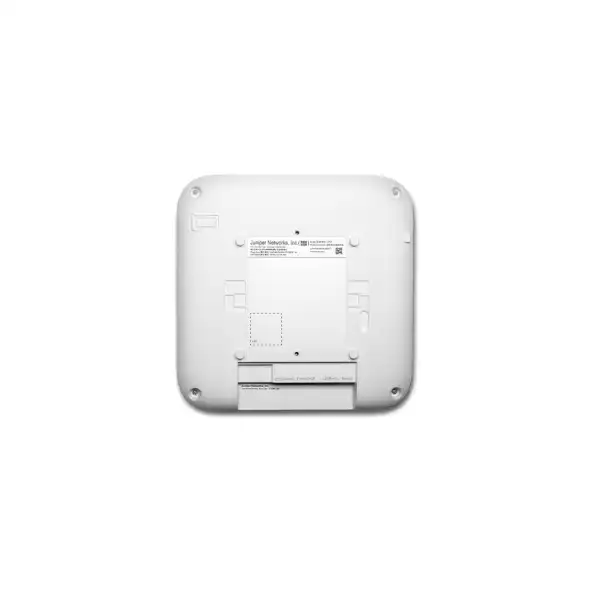
Juniper performance-tier indoor wireless
Juniper AP37 Access Point Dubai
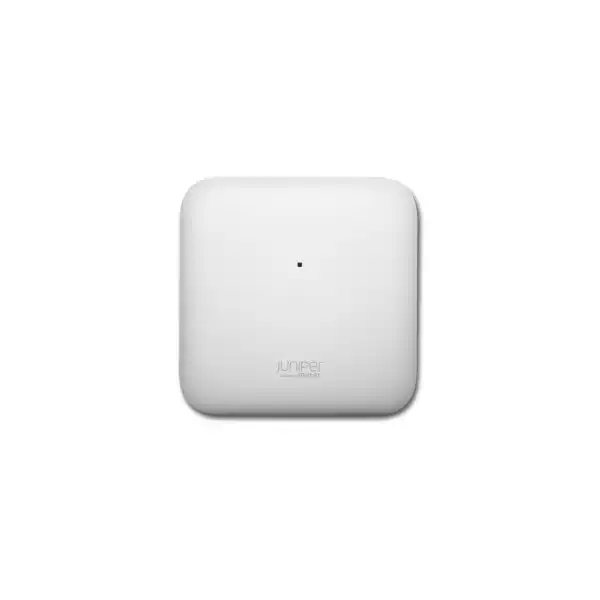
A tri-band Wi-Fi 7 access point built for demanding enterprise interiors, combining 4×4 performance on 5 GHz and 6 GHz, a dedicated scanning radio, Juniper Mist cloud operations, virtual BLE location technology and a multigigabit wired edge.
Direct answer: what is the Juniper AP37 and who is it for?
The Juniper AP37 is an indoor, performance-tier Wi-Fi 7 access point. It serves the 2.4 GHz, 5 GHz and 6 GHz bands, using 2×2:2 on 2.4 GHz and 4×4:4 on both 5 GHz and 6 GHz. A separate fourth radio is dedicated to scanning, WIDS/WIPS, spectrum analysis, sensing and location analytics, so the production radios do not have to carry the full monitoring burden. The AP37 also integrates virtual Bluetooth Low Energy technology, dual-core 802.15.4 radios, Bluetooth 6.0 capability, environmental sensors and GNSS functions.
It is mainly used for high-capacity enterprise indoor wireless. Typical buyers include organizations refreshing older Wi-Fi 5, Wi-Fi 6 or Wi-Fi 6E estates; companies adding 6 GHz capacity; offices with dense video and collaboration use; campuses with large numbers of managed and unmanaged clients; retail and hospitality sites that want wireless plus location capabilities; and IT teams standardizing operations through the Juniper Mist cloud.
The most important factor to confirm is not the headline wireless speed by itself. A correct AP37 design also depends on UAE regulatory domain and frequency availability, client capability, channel plan, AP placement, RF attenuation, switch uplink speed, cabling category, available 802.3bt PoE budget, Mist subscriptions and expected device density. A Wi-Fi 7 AP connected to a constrained 1GbE switch port or powered below its full requirement may not deliver the design outcome the buyer expects.
FourTeck can help determine the right quantity, PoE and switching requirement, subscription mix, deployment architecture and whether AP37 is preferable to AP36, AP47, AP66 or another Juniper access point. That comparison matters because AP37 is differentiated by its integrated vBLE location capability and 4×4 operation on the higher bands, while other models may be more suitable for outdoor spaces, directional antenna needs, lower-cost coverage or higher-end radio requirements.
Why AP37 occupies a useful position in Juniper’s Wi-Fi 7 family
Enterprise wireless selection is often distorted by the assumption that the newest or most expensive access point is automatically the correct choice. The AP37 is more useful when treated as a specific design option: an indoor Wi-Fi 7 platform with strong 5 GHz and 6 GHz radio capacity, internal antennas, location technology and enterprise monitoring built into the access point. Its role is not simply to broadcast three bands. It is designed to combine high-throughput Wi-Fi, continuous RF awareness, operational telemetry and location services in one managed endpoint.
The radio layout is an important part of that identity. The 2.4 GHz service radio is 2×2:2 and supports a highest data rate of 688 Mbps, while the 5 GHz and 6 GHz service radios are each 4×4:4, reaching up to 5.76 Gbps and 11.53 Gbps respectively under the relevant Wi-Fi 7 conditions. Those figures are PHY data rates rather than guaranteed application throughput. Real user performance is shaped by channel width, interference, distance, client radio design, protocol overhead, airtime contention and the wired network behind the AP. Even so, the architecture makes clear where Juniper expects the AP37 to deliver most of its capacity: on the 5 GHz and 6 GHz bands where modern enterprise clients can use wider channels and cleaner spectrum.
A buyer should also notice what the AP37 includes beyond serving radios. Its dedicated fourth tri-band radio performs wireless intrusion detection and prevention functions, spectrum analysis, sensor operations and location analytics. That design is valuable in environments where IT wants continuous RF visibility rather than periodic background scanning performed by a client-serving radio. The AP37 also includes a vBLE directional antenna array, a capability that separates it from the AP36 in Juniper’s current Wi-Fi 7 comparison. If indoor wayfinding, asset visibility or user engagement is in scope, this difference can have more procurement importance than a small variation in raw throughput.
For Dubai and UAE deployments, the AP37 therefore makes the most sense when the project brief calls for premium indoor coverage, 6 GHz readiness, stronger spatial-stream capability on the upper bands, centralized Mist operations and optional location services. If the requirement is purely basic coverage at low client density, the buyer may be purchasing more capability than necessary. If the site is exposed to weather, requires an outdoor rating, needs a directional or external antenna pattern, or calls for a higher performance tier, another model should be evaluated before the bill of materials is finalized.
AP37 radio architecture and Wi-Fi 7 buyer value
2.4 GHz: 2×2:2
The 2.4 GHz radio supports 802.11be while retaining backward compatibility with older generations. In enterprise design this band remains useful for legacy clients, IoT devices and coverage reach, but it is normally not the primary capacity band. Its maximum listed data rate is 688 Mbps.
5 GHz: 4×4:4
The 5 GHz radio provides four spatial streams and a maximum listed rate of 5.76 Gbps. This band remains central to mixed-client estates because mature Wi-Fi 5, Wi-Fi 6, Wi-Fi 6E and Wi-Fi 7 devices can all participate, subject to the standards they support.
6 GHz: 4×4:4
The 6 GHz radio is where the AP37 can exploit Wi-Fi 7’s wider-channel potential most aggressively. Juniper lists a maximum rate of 11.53 Gbps for this band. Country-specific regulatory limits, supported power class and available spectrum must still be confirmed for the UAE deployment.
Dedicated scan radio
A fourth radio covers 2.4, 5 and 6 GHz for WIDS/WIPS, spectrum analysis, sensors and location analytics. This is not an extra client-serving capacity radio; it is an operational radio that strengthens visibility into the RF environment.
Wi-Fi 7 features
The AP37 platform supports 802.11be capabilities including Multi-Link Operation, OFDMA, MU-MIMO, BSS Coloring, wider channels, Multi-RU, preamble puncturing and 4K QAM. Actual use depends on client support, configuration, spectrum and operating conditions.
Backward compatibility
AP37 supports earlier 802.11 generations including a/b/g/n/ac/ax. That allows staged client refreshes, but older devices still consume airtime according to their own capabilities. A Wi-Fi 7 infrastructure refresh does not upgrade the radio design of existing endpoints.
Wi-Fi 7 brings more than a larger speed number. Wider 320 MHz channels can raise peak capacity where spectrum and clients support them. Multi-Link Operation can improve how compatible clients use multiple links. Multi-RU and preamble puncturing can improve spectrum efficiency when parts of a channel are constrained. 4K QAM can increase modulation density under high signal-quality conditions. These are useful advances, but they do not remove the fundamentals of enterprise RF engineering. A client at the cell edge, behind dense concrete, operating with a low-power two-stream radio, or competing for airtime with many devices cannot be expected to experience the maximum rate printed in a data sheet.
This distinction should shape procurement. If the main objective is to increase application consistency for hundreds of users, the design should start with occupancy, traffic profile, device mix and physical layout rather than a simple square-meter coverage ratio. Conference rooms, training spaces, auditoriums, retail zones, hotel public areas and open-plan offices all generate different concurrency patterns. AP quantity is therefore a capacity and RF decision, not just a coverage calculation. In many projects, deploying an appropriate number of AP37 units at lower cell sizes produces a better experience than using fewer high-performance APs at maximum transmit power.
Wired uplink and PoE: the infrastructure decisions that determine AP37 performance
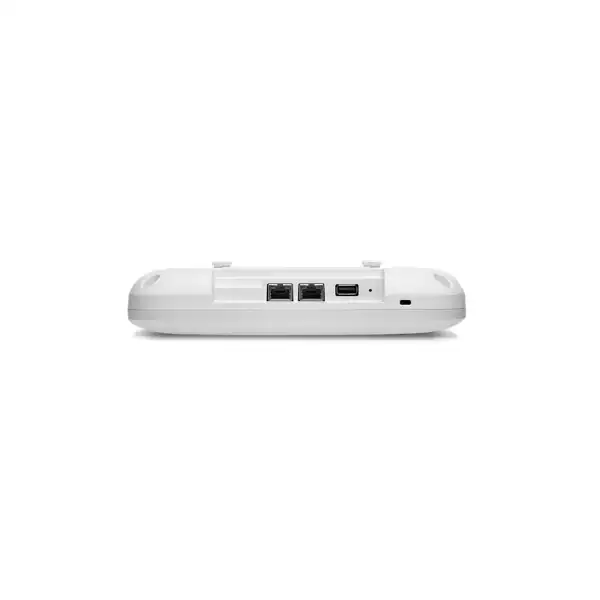
The AP37’s primary Ethernet interface, Eth0, supports 100/1000/2500/5000/10000 Base-T over RJ45 and receives PoE. This matters because a Wi-Fi 7 access point can create more aggregate wireless capacity than a legacy 1GbE access switch port can carry. A project that keeps old 1GbE edge switching may still gain from Wi-Fi 7 features, cleaner spectrum and better radio efficiency, but the wired uplink can become a throughput constraint. For sites buying AP37 specifically to support multigigabit applications, the access-switch design should be reviewed at the same time.
The practical uplink choice depends on traffic expectations rather than the theoretical sum of the wireless PHY rates. Not every client transmits at peak speed simultaneously, and real payload throughput is below PHY rate because wireless includes protocol overhead and shared airtime. Even so, 2.5GbE, 5GbE or 10GbE switching can be justified in busy areas, especially where large numbers of Wi-Fi 6E or Wi-Fi 7 clients use the 5 GHz and 6 GHz radios. The switch also needs an upstream architecture capable of carrying the resulting traffic. A set of AP37 units connected at multigigabit speeds to an oversubscribed access-switch uplink simply moves the bottleneck one layer deeper into the network.
Power requirement must be checked before purchase
Juniper specifies 802.3bt on Eth0 for full AP37 functionality. The published hardware specification lists 29.3 W for full function. With 802.3at, the access point operates with reduced functionality. With 802.3af, the radios are disabled and the unit retains cloud connectivity only. A switch being described as “PoE capable” is therefore not enough; the exact PoE standard and available per-port and total chassis power budget must be confirmed.
Power design should include worst-case simultaneous demand across all APs, phones, cameras and other PoE endpoints connected to the switch. For larger deployments, this often affects switch PSU selection, redundant power planning and UPS sizing. If the AP37 is intended to power another device from its secondary port, the calculation becomes even more important.
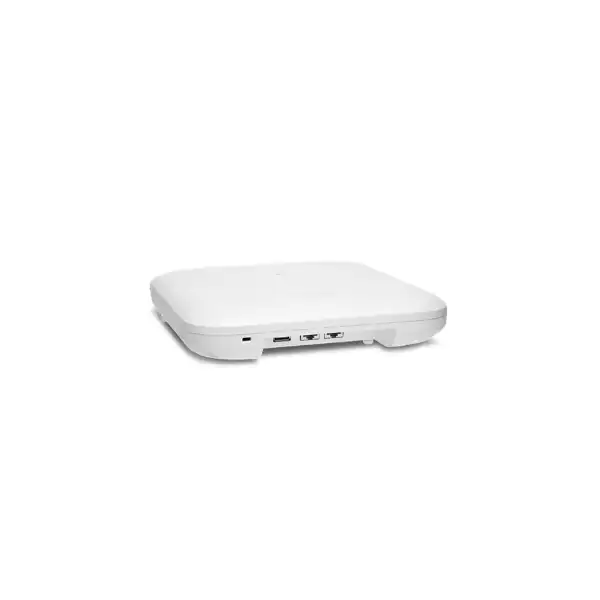
Eth1 is a second RJ45 interface supporting 10/100/1000 Base-T. It can operate as a 15.4 W PoE PSE port when Eth0 is supplied with 802.3bt power. This can be useful in a design where a nearby endpoint needs downstream PoE, but it should not be treated as free power. The switch, AP power mode and connected device requirement all have to be considered. The AP37 also provides a USB 2.0 interface with support up to 4.5 W, adding another possible peripheral dependency to the power calculation.
Cabling is equally important. Existing copper runs should be audited for category, termination quality, length and patching before a project assumes multigigabit or 10GbE service to every AP. Older cabling may negotiate at a lower rate or become less reliable at higher signaling speeds. In a retrofit, a structured cable survey can prevent a situation where premium Wi-Fi 7 access points are installed successfully but are unable to establish the intended wired speed. FourTeck can align AP37 quantities with compatible multigigabit switching, PoE budget and cabling requirements so the bill of materials works as one system rather than a collection of independent parts.
Location, Bluetooth and IoT capabilities built into AP37
The AP37 is not only a Wi-Fi endpoint. Juniper equips it with a directional virtual Bluetooth Low Energy antenna array, dual omnidirectional antennas for the IoT radios, dual-core 802.15.4 radios and Bluetooth 6.0 capability. Juniper positions the vBLE system for indoor location services such as wayfinding, user engagement and asset visibility. This can reduce the operational burden associated with deploying large numbers of battery-powered BLE beacons purely to create a location infrastructure, although the exact solution still depends on software subscriptions, floor plans, site configuration and the business application consuming the location data.
That distinction is especially relevant when comparing AP37 with AP36. Both models share Wi-Fi 7 service-radio architecture at 2.4, 5 and 6 GHz, but the AP37 includes virtual BLE while AP36 does not. A project that expects to use location-based engagement, indoor navigation or asset workflows should therefore evaluate AP37 early rather than assuming those functions can be added later through configuration alone. Conversely, an organization with no present or planned location requirement may find that AP36 or another model deserves comparison, depending on antenna needs, coverage design and commercial priorities.
User engagement
Location-aware experiences can support wayfinding and proximity-based engagement. The AP hardware is only one layer: the corresponding Mist subscription, application logic, privacy policy and site mapping must also be planned.
Asset visibility
BLE-based asset workflows can help organizations locate equipment or tagged items. Tag type, mounting, battery strategy, zone design and the required location accuracy should be validated during solution design.
Environmental awareness
Juniper lists pressure, temperature and accelerometer sensors in AP37, together with L1/L5 GNSS support. These features contribute operational telemetry, but they should not be assumed to replace dedicated environmental, building-control or life-safety sensors.
The subscription model must be understood before a buyer treats location capability as an included finished application. Juniper documents User Engagement, Asset Visibility and Premium Analytics as subscription services, and subscription scope can be tied to sites, organizations or device counts depending on the service. If the AP37 is being justified partly by location outcomes, the quotation should show the required software term alongside the hardware. Otherwise, the organization may own access points with the right physical capability but lack the entitlement required for the intended operational feature.
Data governance is another practical consideration. Location services can involve client presence, movement, dwell time or tagged assets. Organizations in the UAE should define who may access those data, how long they are retained, which business process uses them and whether end-user notices or internal controls are required. These are not reasons to avoid the technology; they are part of deploying it responsibly. A good wireless design therefore connects RF capability, subscriptions, application purpose and governance instead of treating location as a checkbox on the access-point specification.
Juniper Mist management: why the cloud service is part of the product decision
AP37 is designed to operate as part of the Juniper Mist architecture. The Mist cloud provides centralized configuration, monitoring, visibility and operational workflows for Juniper access points. This means the hardware purchase and the management subscription should be evaluated together. Juniper states that Wi-Fi Assurance is a mandatory subscription when using Juniper access points. For procurement teams, that is a material commercial dependency: an AP37 hardware-only quotation is not a complete representation of the operating requirement unless the customer already owns suitable active entitlements.
Cloud-managed operation changes the way wireless teams approach day-two support. Instead of relying only on controller dashboards and manual event correlation, Mist is built around service-level experience metrics, telemetry and AI-driven operational tooling. The objective is not simply to show whether an access point is up or down, but to give network teams context about client experience and likely causes of degradation. In a large Dubai office or multi-site UAE estate, that operational model can be particularly useful because centralized teams may need to troubleshoot locations without being physically present.
The design still requires disciplined configuration. SSIDs, authentication, VLANs, role policies, RF templates, site assignment, firmware strategy, admin permissions and subscription status all need to be planned. Moving management to the cloud does not eliminate enterprise architecture; it changes where configuration and telemetry are processed. Buyers migrating from an older controller-based WLAN should document current WLAN names, authentication methods, RADIUS dependencies, guest-access flows, VLAN mappings, firewall rules, DHCP scopes and roaming requirements before replacing hardware.
Juniper Mist Edge is available when an on-premises data-plane function is required. Juniper describes Mist Edge use cases including tunnel termination, seamless mobility for large campuses, guest traffic tunneling toward a DMZ, IoT segmentation and teleworker services. The AP37 can forward traffic locally or through Mist Edge according to the architecture. This distinction is important for organizations that assume cloud management means all user traffic must traverse the public cloud. Management and data forwarding are separate design considerations.
A useful quotation conversation therefore asks where traffic should break out, whether guest or IoT traffic must be tunneled, how roaming should work across buildings, what authentication system is already present, and which analytics or AI features the organization wants to license. The AP37 hardware enables the RF layer; the surrounding Mist architecture determines how that RF layer is operated at scale.
Licensing and subscription checklist for AP37 buyers
The safest way to quote AP37 is to separate mandatory wireless management from optional business and operational services. Terms and bundles can change, so the exact subscription SKU and duration should be validated at quotation time.
Wi-Fi Assurance
Mandatory for Juniper access points. Confirm the correct term and number of AP entitlements for the organization. If an existing Mist estate is being expanded, verify whether available subscription capacity already covers the new AP37 units.
Marvis
Marvis Virtual Network Assistant is a separate subscription option used for enhanced AI-driven assistance and visibility. Determine whether the customer requires the additional operational capabilities or is standardizing on another service bundle.
User Engagement
Relevant when the AP37 vBLE array is being used for real-time indoor engagement or wayfinding functions. Juniper indicates that User Engagement is supported on APs with vBLE capability.
Asset Visibility
Used for location of tagged resources. Check whether the feature is needed at every site or only selected locations, and align tag strategy, floor plans and operational processes with the subscription scope.
Premium Analytics
Adds advanced analytics and longer-term insight. Juniper documentation notes that wireless analytics data in Premium Analytics requires the corresponding base wireless subscription. Confirm whether reporting depth justifies the additional entitlement.
Subscription term
Juniper offers multiple term lengths across services. Procurement should align subscription duration with support policy, budget cycle and expected AP lifecycle rather than selecting the shortest term automatically.
AP37 technical specifications that matter during design
| Specification | Juniper AP37 | Buyer relevance |
|---|---|---|
| Deployment | Indoor | Do not use AP37 as the default choice for exposed outdoor locations; compare AP66 or another suitable outdoor model. |
| Wi-Fi standard | Wi-Fi 7 / 802.11be, backward compatible with a/b/g/n/ac/ax | Supports phased client migration; older clients continue to connect according to their own radio capabilities. |
| 2.4 GHz radio | 2×2:2, up to 688 Mbps | Suitable for legacy and IoT coverage; not the principal high-capacity band. |
| 5 GHz radio | 4×4:4, up to 5.76 Gbps | Strong fit for mixed enterprise estates where 5 GHz remains heavily used. |
| 6 GHz radio | 4×4:4, up to 11.53 Gbps | Enables high Wi-Fi 7/6E capacity where compatible clients and UAE regulatory conditions allow. |
| Dedicated fourth radio | Tri-band WIDS/WIPS, spectrum, sensor and location analytics radio | Improves RF monitoring without making a serving radio perform all scanning duties. |
| Primary Ethernet | 100/1000/2500/5000/10000 Base-T RJ45, PoE PD | Select multigigabit switching and appropriate cabling where throughput targets require it. |
| Secondary Ethernet | 10/100/1000 Base-T RJ45; 15.4 W PoE PSE mode with 802.3bt on Eth0 | Can support a downstream device in appropriate designs; include that load in the switch PoE budget. |
| Power | 802.3bt full function; 802.3at reduced function; 802.3af cloud connectivity with radios disabled | PoE standard is a mandatory design check, not an optional optimization. |
| USB | USB 2.0, up to 4.5 W | Peripheral use can affect power planning and physical installation. |
| Location / IoT | vBLE array, Bluetooth 6.0, dual-core 802.15.4 radios, pressure/temperature/accelerometer sensors, L1/L5 GNSS | Useful for location and telemetry designs; software subscriptions and business workflow still need definition. |
| Dimensions | 230 x 230 x 45 mm | Coordinate ceiling space, mounting hardware and visual requirements. |
| Weight | 1.55 kg | Mounting surface and bracket installation should be appropriate for the device weight. |
| Operating environment | 0°C to 40°C; 10% to 90% RH non-condensing; altitude to 3,048 m | Check ceiling void temperature and indoor environmental conditions, particularly near hot plant spaces. |
| Infrastructure security | Trusted Platform Module included | Contributes hardware-backed infrastructure security within the platform. |
Maximum wireless rates are published PHY values, not guaranteed application throughput. Supported frequencies and operating parameters vary by regulatory domain. Exact UAE SKU and deployment rules should be validated during quotation.
Designing AP37 coverage for real offices, campuses and public interiors
A professional AP37 deployment begins with the floor plan, not with a fixed “one AP per area” formula. Wireless propagation changes with wall material, ceiling height, furniture, glass, metal, elevator cores, partitions, shelving, neighboring networks and human occupancy. A dense open office can have excellent signal but still need more APs because many active users compete for airtime. A quiet warehouse aisle may need a different design because metal racking shapes propagation. A hotel can need additional access points because guest-room walls attenuate 5 GHz and 6 GHz more than a simple coverage drawing suggests.
The 6 GHz band makes design discipline even more important. Higher-frequency signals typically experience greater attenuation through building materials than 2.4 GHz, and 6 GHz coverage should not be inferred from a legacy 2.4 GHz heat map. Buyers moving from older Wi-Fi often discover that the access-point count required for high-quality 6 GHz service is driven by room boundaries and client behavior, not just by whether some signal reaches every corner. The objective should be usable signal quality and capacity at the client, with sensible roaming boundaries, rather than the widest possible cell.
Channel width is another trade-off. Very wide channels can deliver impressive peak rates, but they consume more spectrum. In a high-density deployment, using narrower channels can create more non-overlapping cells and improve aggregate capacity across many APs. Wi-Fi 7 makes 320 MHz channels possible where spectrum and regulatory conditions allow, but that does not mean every enterprise should configure every AP for 320 MHz. The appropriate channel plan depends on AP count, neighboring RF conditions, client mix and the amount of available spectrum.
Transmit power also needs restraint. Running APs at maximum power can make cells too large, increase co-channel contention and create asymmetric links where the AP can be heard by a client that cannot respond with equivalent power. Mist radio-resource functions can automate parts of RF management, but a sound physical design remains the foundation. Ceiling placement, antenna orientation, separation from obstructions and cabling route should be considered before installation teams drill mounts.
Capacity planning should identify high-concurrency rooms separately. Boardrooms, classrooms, training areas, cafeterias, event spaces and reception zones can have client concentrations far above the surrounding floor. These locations may justify additional APs even when the average floor density appears low. The application mix matters as well. Video calls, cloud desktops, large file transfers, high-resolution media, handheld scanners and low-rate IoT sensors create very different traffic behavior. A design that counts only devices but ignores usage profile can be misleading.
For a Dubai site, FourTeck can use floor plans, expected occupancy, wall information, existing switch locations and application requirements to estimate AP count and identify where an RF survey or validation survey is worthwhile. The result should specify not only how many AP37 units to buy, but also what they connect to, how they are powered, how SSIDs are mapped, which subscriptions are included and what acceptance criteria will be used after installation.
Where Juniper AP37 fits especially well
High-density offices
AP37 suits modern offices where collaboration traffic, cloud applications and mixed Wi-Fi generations need robust 5 GHz and 6 GHz capacity. It is particularly attractive when the organization also wants Mist operations and location capabilities. The design should still separate ordinary desk areas from boardrooms and collaboration zones with much higher concurrency.
Education and campus interiors
Classrooms, lecture spaces, libraries and common areas can experience large changes in device density throughout the day. The AP37’s 4×4 radios on 5 and 6 GHz and dedicated scanning radio can fit well where operations teams need both capacity and RF visibility. Large campuses should also examine roaming and whether Mist Edge is useful.
Retail environments
Retail wireless may support staff devices, POS, scanners, guest access and location-based engagement. AP37’s vBLE capability is a meaningful differentiator when location analytics or customer engagement is part of the strategy. Payment and operational traffic should still be segmented with appropriate security policies.
Hospitality interiors
Hotels and serviced properties need consistent guest experience across rooms, lobbies and meeting spaces. AP37 can provide premium indoor capacity, but room-wall attenuation often drives AP density. A hospitality design should distinguish guest internet, staff operations, IoT, IPTV and event-space requirements instead of treating the property as one RF zone.
Healthcare and enterprise operations
Facilities with large numbers of mobile and IoT endpoints can benefit from centralized visibility and dedicated RF scanning. Application criticality, roaming sensitivity, authentication, device certification and segmentation should be validated carefully before any access-point model is standardized.
Location-aware workplaces
Where wayfinding, asset location, occupancy analysis or proximity engagement is a defined business requirement, AP37’s vBLE array can justify its selection over a Wi-Fi-only alternative. The business workflow, subscription and data-governance model should be established before hardware quantities are locked.
When AP37 may not be the right Juniper access point
A balanced product page should state where the model may be a poor fit. AP37 is an indoor access point with internal antennas. If the project involves exposed outdoor areas, loading bays, building exteriors, courtyards or other locations requiring an outdoor-rated device, an outdoor-capable model such as AP66 or another appropriate platform should be evaluated. Environmental rating, mounting and antenna pattern are not details that can be fixed after purchase.
If the site requires a directional or external antenna solution, AP37 may also be the wrong physical form. Juniper’s family includes models with different antenna options. This can matter in warehouses, long corridors, high ceilings, auditoriums or specialized coverage zones. It is better to select the antenna architecture as part of the RF design than to choose AP37 for its radio specification and later discover that the required radiation pattern is unavailable.
AP37 can also be unnecessary for basic low-density coverage. A small office with modest traffic, few modern clients and no location-services plan may not benefit enough from its performance and vBLE features to justify the investment. In that scenario, a lower-cost Juniper access point may deliver the required service more efficiently. Procurement should be driven by target experience and lifecycle, not by the desire to install the highest specification everywhere.
At the other end, buyers with exceptionally high performance demands should compare AP47. Juniper positions AP47 above AP37 in the Wi-Fi 7 family and provides additional radio capability, including a different high-end architecture and UWB support. AP47 can be the better choice in selected premium spaces, while AP37 remains the more balanced performance-tier option for broad indoor deployment. Mixed-model designs are valid when they are based on clear RF and application requirements.
Finally, an organization that cannot provide appropriate PoE, compatible switching or Mist subscriptions should not assume that AP37 alone will solve the problem. The access point is part of a system. If the existing access layer is due for refresh, combining wireless and switching upgrades may be more economical and operationally cleaner than buying AP37 first and retrofitting infrastructure later.
AP37 vs AP36 vs AP47 vs AP66: practical selection guide
| Decision point | AP36 | AP37 | AP47 | AP66 |
|---|---|---|---|---|
| Primary placement | Indoor | Indoor | Indoor | Indoor / outdoor |
| Radio class | 2×2 on 2.4; 4×4 on 5/6 GHz | 2×2 on 2.4; 4×4 on 5/6 GHz | Higher-end 4×4 Wi-Fi 7 architecture | 2×2 Wi-Fi 7 architecture |
| vBLE | No | Yes | Yes | No |
| UWB | No | No | Yes | No |
| Best fit | Indoor Wi-Fi 7 where vBLE is not required and antenna options may matter | Performance-tier indoor Wi-Fi 7 with integrated vBLE location capability | Premium indoor use where top-tier radio features or UWB are justified | Indoor/outdoor Wi-Fi 7 where environmental deployment flexibility is required |
AP36 is the closest comparison because its service-radio capabilities are similar to AP37, but the absence of vBLE changes its suitability for location-aware use cases. If the business objective is wireless performance only, AP36 deserves evaluation. If virtual BLE is part of the roadmap, AP37 provides that capability in the access point.
AP47 is the model to compare when a project needs Juniper’s higher performance tier or UWB. It may be appropriate in premium-density spaces, but using it everywhere can raise cost without proportional benefit if most areas are well served by AP37. A mixed estate can be sensible when one model covers standard office zones and another covers exceptional spaces.
AP66 addresses a different placement problem because it is intended for indoor/outdoor use. Its 2×2 radio architecture means the comparison is not simply “AP37 but weatherproof.” Site conditions, antenna pattern, throughput expectations and mounting environment should decide between them.
This family comparison is also a reminder to validate the exact regional SKU. Juniper notes that supported frequency bands and regional designations are country specific. The part number quoted for Dubai should therefore match the UAE regulatory domain and the organization’s intended operating environment. Importing a different regional unit merely because it is available can create support, regulatory or warranty complications.
Migration from older Wi-Fi to AP37
Replacing access points one-for-one is rarely the best migration method. Older WLANs may have been designed around 2.4 GHz coverage, different antenna patterns, lower client density or controller-era operating assumptions. Because AP37 adds 6 GHz and uses a modern tri-band architecture, the placement plan should be revalidated. The old mounting position can still be appropriate, but it should earn its place in the new design rather than being accepted automatically.
Start by inventorying the current environment. Record AP models, switch ports, PoE standards, cable categories, controller or cloud management, SSIDs, VLANs, authentication methods, DHCP and DNS dependencies, guest portal behavior, firewall rules, RADIUS servers, certificates and any location services. Measure current pain points such as roaming failures, capacity hotspots, authentication delays or areas with excessive interference. A migration that does not define the existing problem can easily reproduce it with newer hardware.
Next, separate the client estate into capability groups. Identify Wi-Fi 7, Wi-Fi 6E, Wi-Fi 6, legacy 5 GHz and 2.4 GHz-only devices. This shows how quickly the organization can benefit from 6 GHz and other Wi-Fi 7 features. A workforce with many recent laptops and phones may realize value quickly, while an estate dominated by legacy handhelds may see most immediate benefit from better 5 GHz design, monitoring and operations rather than from Wi-Fi 7 peak capabilities.
Switch readiness should be checked before AP rollout. Confirm which ports can deliver 802.3bt, which can negotiate 2.5/5/10GbE, whether the switch uplinks have enough bandwidth and whether the existing UPS and power supplies support the new PoE load. If the old access points ran on lower-power PoE, the wireless project can become a switch-power project even when the switches are otherwise functional.
Configuration migration should be staged. Build the Mist organization and sites, confirm subscriptions, define WLANs and policies, integrate authentication, test a representative AP37 in a controlled area and verify client behavior. Evaluate roaming, voice or collaboration applications, legacy device compatibility and 6 GHz adoption. Firmware policy should be planned rather than left to ad-hoc upgrades after go-live.
A phased approach reduces risk. Pilot one floor or zone, validate operational dashboards and RF behavior, then scale with lessons learned. After installation, perform acceptance testing against agreed criteria such as coverage, client connection success, roaming, application performance and switch-port negotiation. Remove or repurpose old infrastructure only after the new design is stable. This process turns the AP37 refresh into an engineering migration rather than a hardware swap.
Security and segmentation considerations
Wireless security is broader than selecting a modern encryption mode. AP37 supports contemporary enterprise WLAN architecture, but the organization must still decide how users and devices authenticate, which networks they can reach, how guest traffic is isolated, and how IoT devices with limited security capabilities are segmented. The wireless edge should be designed together with switching, identity and firewall policy.
For corporate users, authentication may involve enterprise credentials, certificates or an access-assurance platform. The chosen method should be compatible with endpoint management, directory services and roaming expectations. Guest networks need a clear internet breakout path and should not inherit access to internal resources. IoT and operational devices often require separate VLANs or policy segments because their authentication and patching models differ from managed laptops.
The dedicated scanning radio contributes to wireless security visibility through WIDS/WIPS functions while also providing spectrum analysis. That can help identify unauthorized or suspicious wireless activity, but detection capability is only valuable when alert handling is defined. Operations teams should know which events are informational, which require investigation and how incidents are escalated. Excessive alerts without a response process can create noise rather than security.
AP37 also includes a Trusted Platform Module for infrastructure security. Hardware-backed security is a positive platform characteristic, but it does not replace administrative controls. Mist administrator roles, multi-factor authentication where available, API credentials, configuration changes and subscription management should be governed with least privilege and auditability.
For organizations operating regulated or sensitive workloads in the UAE, the wireless design should be reviewed against internal security standards and applicable regulatory obligations. FourTeck can supply and deploy the infrastructure, but the final policy should reflect the customer’s own security architecture, data classification and compliance requirements. The correct question is not whether AP37 is “secure” in isolation; it is whether the complete WLAN design provides appropriate identity, segmentation, visibility and operational control for the organization’s risk model.
Installation details that affect the final result
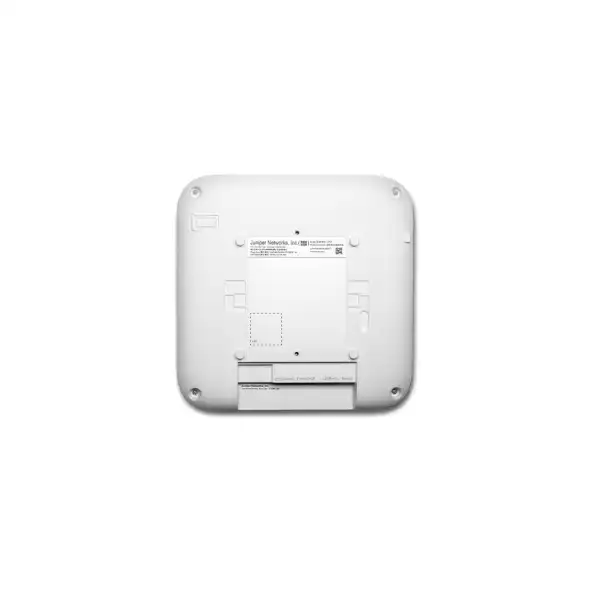
AP37 measures approximately 230 mm by 230 mm by 45 mm and weighs about 1.55 kg. Those dimensions are manageable for normal enterprise ceilings, but mounting should still be planned. The bracket must be appropriate for the surface, the access point should not be placed where decorative metal, ducts or large structural elements significantly obstruct the intended coverage, and cabling should have enough service loop for maintenance without creating strain.
Ceiling void temperature deserves attention in Dubai. Juniper specifies an AP37 operating range of 0°C to 40°C. An indoor room can be comfortably air conditioned while the space above a suspended ceiling runs much hotter, particularly close to roof areas, lighting equipment or mechanical services. The access point itself should be installed in an environment that remains within specification. If the intended location exceeds those conditions, changing the mounting position or model is more appropriate than assuming indoor classification is sufficient.
Cable labeling and switch-port documentation should be completed during installation. Each AP should be traceable to a physical location, switch, port and Mist device record. This makes future troubleshooting substantially easier. A device labeled only “AP-17” is of limited value if the network team cannot immediately identify the room, floor, cable and switch port associated with it.
The regulatory domain and region-specific SKU must be correct before the unit is commissioned. Juniper explicitly notes that supported frequency bands are subject to country-specific restrictions. A UAE project should use the appropriate locally compliant part number and configuration. Frequency availability, transmit-power limits and 6 GHz operation should be treated as regulatory conditions, not as universal features available identically in every country.
Post-installation validation should include more than a green status indicator. Verify Ethernet speed and PoE mode, confirm all intended radios are active, test representative clients, measure signal and SNR in critical zones, check roaming where mobility matters, review channel utilization, inspect Mist health data, and confirm that the AP is assigned to the correct site and policies. If location services are part of the project, floor plans and location settings need separate validation. Good acceptance testing catches infrastructure constraints while the installation team still has access to the site.
Procurement guidance for Juniper AP37 in Dubai and the UAE
A useful AP37 quotation should identify the exact hardware SKU, quantity, regional designation, required mounting components, Mist subscriptions and term, support requirement, and any related switch or power dependencies. If the project includes installation, the scope should also state whether cabling, testing, configuration, migration and post-deployment optimization are included. This prevents a low hardware-only price from being mistaken for the complete project cost.
The buyer should provide enough information to make the quotation accurate. At minimum, state the number of locations, approximate AP quantity if known, number of users and devices, existing switch models, PoE capability, whether multigigabit ports are available, existing Juniper Mist subscription status, and whether location services are required. Floor plans substantially improve design accuracy. For migration projects, sharing the current AP list and WLAN architecture is also useful.
Lead time and regional availability can vary. The exact part number should be confirmed at the time of order rather than inferred from a global data sheet. The access point may also be supplied under different commercial bundles or subscription combinations. FourTeck can align the quotation with the customer’s budget cycle and required subscription duration instead of treating hardware and cloud service as unrelated purchases.
Warranty and support expectations should be written into the order. Juniper lists a limited lifetime warranty for AP37 in its current family comparison, but enterprise customers may still require additional support services, defined replacement targets or partner assistance. Warranty entitlement and support service are related but not identical concepts. Procurement teams should confirm what support response they expect after deployment.
Finally, avoid buying solely from a model name copied from a global website. Enterprise WLAN products are affected by regulatory region, subscriptions, power, mounting and compatibility. The AP37 is a capable platform, but the correct order is the one that matches the UAE deployment and the customer’s architecture. A few minutes spent validating the bill of materials can prevent a larger cost later when an incompatible power plan, missing subscription or wrong regional SKU is discovered during installation.
Frequently asked buyer questions about Juniper AP37
Is AP37 a Wi-Fi 7 access point?
Yes. AP37 supports 802.11be Wi-Fi 7 and remains backward compatible with earlier Wi-Fi standards. Client devices connect according to their own supported generation, so Wi-Fi 6 and older endpoints do not automatically gain Wi-Fi 7 radio features.
Does AP37 support 6 GHz?
Yes. It has a dedicated 4×4:4 6 GHz service radio. Actual supported channels and operating conditions are country specific. The UAE regulatory domain and regional SKU must be verified for the final deployment.
What is the maximum wireless rate?
Juniper lists up to 688 Mbps on 2.4 GHz, 5.76 Gbps on 5 GHz and 11.53 Gbps on 6 GHz, with a combined highest supported tri-band rate of 17.98 Gbps. These are PHY rates, not guaranteed user throughput.
Does AP37 need 10GbE switching?
Not in every deployment, but its primary port supports up to 10GbE. The right uplink speed depends on expected aggregate traffic. Busy Wi-Fi 7 environments should evaluate 2.5GbE, 5GbE or 10GbE instead of assuming a legacy 1GbE port is sufficient.
What PoE is required?
802.3bt is required for full functionality. Juniper states that 802.3at results in reduced functionality, while 802.3af disables the radios and leaves cloud connectivity only. Confirm both per-port capability and total switch power budget.
Does AP37 have a second Ethernet port?
Yes. Eth1 supports 10/100/1000 Base-T. It can provide 15.4 W PoE PSE when the AP receives 802.3bt power on Eth0. Downstream use should be included in the overall PoE calculation.
Is Juniper Mist required?
AP37 is managed through Juniper Mist, and Juniper states that Wi-Fi Assurance is a mandatory subscription for Juniper access points. Confirm entitlement quantity and term as part of the quotation.
Does AP37 support location services?
Yes. AP37 includes Juniper virtual BLE technology and a directional antenna array designed for location use cases. User Engagement, Asset Visibility and some analytics functions require separate subscriptions and site configuration.
Is AP37 suitable outdoors?
AP37 is an indoor model. For exposed environments, compare a suitable outdoor-rated Juniper access point such as AP66 or another model that matches the required environmental rating and antenna pattern.
What is the difference between AP37 and AP36?
Their main Wi-Fi service-radio architecture is similar, but AP37 includes virtual BLE while AP36 does not. AP36 also offers antenna variants in Juniper’s family. Location requirements and antenna design should therefore drive the comparison.
When should AP47 be considered instead?
Consider AP47 for premium indoor areas where Juniper’s higher performance tier, different radio architecture or UWB capability is required. AP37 is often the more balanced option for broad high-performance indoor deployment.
Can existing Wi-Fi 6 clients connect?
Yes. AP37 is backward compatible with 802.11ax and earlier standards. Those clients remain limited to their own Wi-Fi generation and radio capabilities, but they can operate within the same managed WLAN.
Will one AP37 cover an entire office?
That cannot be answered from model specifications alone. Coverage depends on floor plan, walls, client density, channel plan, band, transmit power and required service quality. Professional designs often use multiple smaller cells for capacity and roaming quality.
Do we need a wireless survey?
A survey is especially useful for complex, dense or business-critical sites. Smaller locations may begin with predictive design and then validate after installation. Existing RF conditions and building materials determine how much survey work is justified.
Does 320 MHz always give the best result?
No. Wider channels can increase peak throughput but consume more spectrum. Dense enterprise networks may achieve better aggregate performance with narrower channels and more reuse. Channel width should follow the RF design.
Can AP37 use 1GbE?
Yes, its primary interface supports 1GbE as well as faster rates. The question is whether 1GbE constrains the intended traffic. For high-capacity Wi-Fi 7 projects, a multigigabit access layer should be evaluated.
Can AP37 power another device?
Its secondary Ethernet port can provide up to 15.4 W in PSE mode when the AP receives 802.3bt power on Eth0. Confirm the downstream device requirement and switch power budget before designing around this feature.
What information is needed for a Dubai quotation?
Provide quantity, floor plans, user/device counts, existing switch models and PoE, subscription status, preferred license term, location-service requirements, installation scope and support needs. This allows the hardware and dependencies to be quoted together.
How to size the AP37 project without overspending
Sizing is where product specification becomes business value. A project can overspend by deploying premium APs where lower-tier hardware would meet the requirement, or underspend by reducing AP count until coverage exists but capacity and roaming suffer. The best approach is to define the experience the organization wants to deliver, then select models and quantities that meet that target with sensible growth headroom.
Begin with active concurrency rather than total headcount. A floor with 300 employees may have fewer than 300 active wireless users at any moment, but each person can carry a laptop, phone and wearable. Some devices are idle while others conduct video calls, synchronize files or stream media. Meeting spaces can temporarily concentrate dozens of active clients into a small area. Estimate these peaks by zone instead of dividing building population evenly across access points.
Then consider client capability. A modern Wi-Fi 7 laptop can use features unavailable to a legacy handset, while many enterprise clients remain two-stream devices even when the AP provides four spatial streams. AP37’s 4×4 radios improve infrastructure capability and multi-user behavior, but client radio design still shapes each connection. A realistic capacity plan should not assume every endpoint can receive four spatial streams or use the widest channel.
Application targets should be expressed in operational terms. Do users need stable HD video conferencing, low-latency voice, fast cloud application response, large engineering file transfers, warehouse scanner reliability or guest internet? Each target has different tolerance for contention, roaming and packet loss. This helps prioritize RF quality and AP placement instead of chasing a single speed-test number.
Growth planning should be specific. If the organization expects a 20% headcount increase, more IoT devices, a new collaboration platform or a shift toward Wi-Fi-first offices, include that in the design. Avoid vague “future proofing” used to justify the largest model without evidence. AP37 is already a current Wi-Fi 7 platform; future readiness comes from combining that capability with enough switch capacity, PoE reserve, cabling and subscription planning to support the expected estate.
The final bill of materials can therefore mix AP37 with other models where appropriate. High-density or location-aware zones may use AP37, outdoor zones can use an outdoor AP, and simpler spaces may use a lower-cost indoor model. Standardization has operational benefits, but a single-model policy should not override clear physical or performance differences between spaces. FourTeck can help balance those considerations and present a model mix that remains manageable for the IT team.
Implementation journey for an AP37 deployment
Document coverage, density, applications, roaming, location services, guest access, security and support objectives. A clear outcome prevents the project from becoming a model-count exercise.
Review floor plans, switch models, multigigabit capability, 802.3bt power, cabling, uplinks, UPS capacity and existing WLAN dependencies.
Estimate AP placement and channel strategy, with special attention to 6 GHz attenuation and high-concurrency zones. Use survey work where the environment justifies it.
Include mandatory Wi-Fi Assurance and any required Marvis, User Engagement, Asset Visibility or Premium Analytics services with an appropriate term.
Test representative clients, authentication, roaming, VLANs, guest flows and applications before expanding across the site. Resolve switch or cable bottlenecks early.
Confirm PoE mode, Ethernet speed, RF coverage, channel utilization, client experience and Mist telemetry. Tune after real occupancy rather than treating installation day as the end of the project.
Operational lifecycle and support planning
Enterprise wireless infrastructure remains in service for years, so lifecycle planning is part of buying the AP37 responsibly. The organization should decide who owns Mist administration, how firmware upgrades are approved, how new WLANs are requested, how subscriptions are renewed, and how incidents are escalated. Without those processes, even a well-designed WLAN can become inconsistent over time as configuration changes accumulate.
Firmware policy should balance stability and feature access. Juniper can release updates that add functions, improve interoperability or address defects and security issues. IT teams should maintain a maintenance process that includes release review, pilot validation and controlled rollout for important sites. Automatic upgrades can reduce administrative effort, but critical environments may prefer staged deployment. The chosen policy should be documented in Mist rather than handled differently for every site.
Subscription renewal dates should be tracked with enough lead time for procurement. Because Wi-Fi Assurance is mandatory for Juniper AP operation, renewal is an operational dependency rather than an optional software maintenance line. If the organization also uses location or analytics services, their scope and value should be reviewed at renewal so unused subscriptions are not carried forward automatically and required ones are not accidentally dropped.
Capacity should be revisited after major organizational changes. New floors, higher occupancy, additional IoT devices, office redesign or application shifts can alter the RF environment. Mist telemetry provides useful operational evidence, but physical changes can still justify survey work. An AP37 network designed for one layout may need different placement after walls or meeting rooms change.
Support planning should define replacement handling, spare strategy and partner involvement. Some customers keep local spare APs for critical sites; others rely on vendor replacement processes. Juniper lists limited lifetime warranty for AP37, but the expected business recovery time may justify an additional support service or local spare stock. The correct strategy depends on the criticality of wireless service and how quickly the organization can access the affected site.
Decision recap: is Juniper AP37 the right choice?
Model fit
Choose AP37 when you need high-performance indoor Wi-Fi 7, 4×4 capability on 5/6 GHz and integrated vBLE. Compare another model for outdoor, directional, external-antenna or top-tier UWB requirements.
Capacity
Size by client concurrency, applications, floor plan and 6 GHz RF conditions. Do not rely on maximum PHY data rates or a generic square-meter formula.
Power and switching
Plan 802.3bt for full functionality and evaluate multigigabit switching. Check total PoE budget, cabling and upstream switch capacity before deployment.
Subscriptions
Wi-Fi Assurance is mandatory. Add Marvis, User Engagement, Asset Visibility or Premium Analytics only where the operating or business requirement justifies them.
Regulatory fit
Use the correct UAE regional SKU and validate permitted frequency operation. Global 6 GHz specifications should not be copied directly into a local design without regulatory confirmation.
Deployment quality
Treat installation, configuration, testing and post-live optimization as part of the project. New hardware cannot compensate for poor placement, weak cabling or incomplete migration planning.
What FourTeck needs for an accurate AP37 quotation
Number of APs or number of sites/floors to be designed.
Layouts, approximate dimensions, wall information and high-density rooms.
Expected concurrent clients, device types and important applications.
Existing switch models, available 802.3bt ports, uplinks and cabling.
Existing organization, Wi-Fi Assurance subscriptions and renewal term if applicable.
Whether vBLE, asset visibility, wayfinding, engagement or analytics is required.
Current AP/controller platform, SSIDs, authentication and planned cutover approach.
Supply only, installation, configuration, survey, testing, migration or ongoing support.
Plan the Juniper AP37 around your network, not just the access point
For a dependable AP37 deployment in Dubai or anywhere in the UAE, confirm the correct regional hardware, 802.3bt power, multigigabit switching, cabling, Mist subscription term, RF design and installation scope together. FourTeck can prepare a supply-only quotation or a complete wireless design and deployment proposal based on your floor plans, user density and existing infrastructure.


Reviews
There are no reviews yet.