
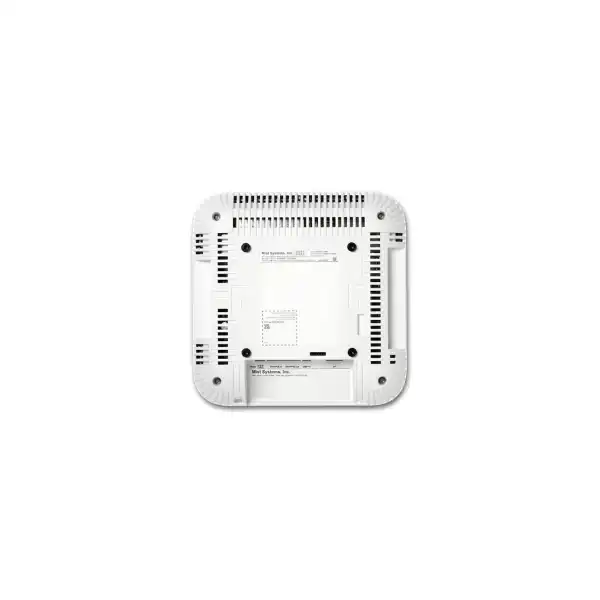
Juniper AP43 Access Point Dubai
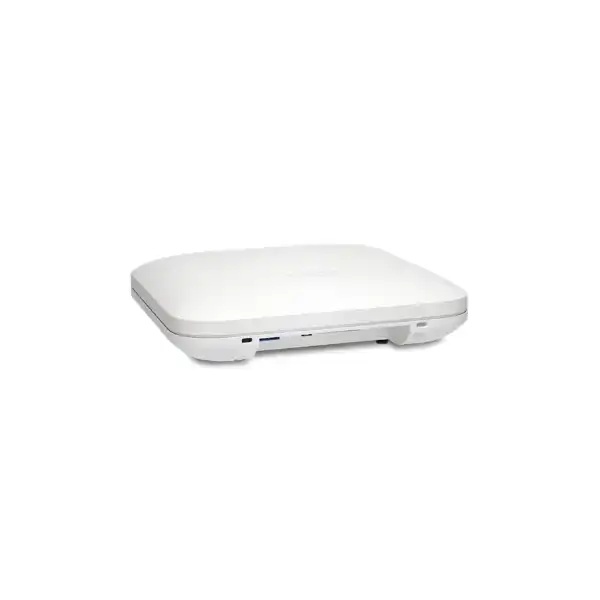
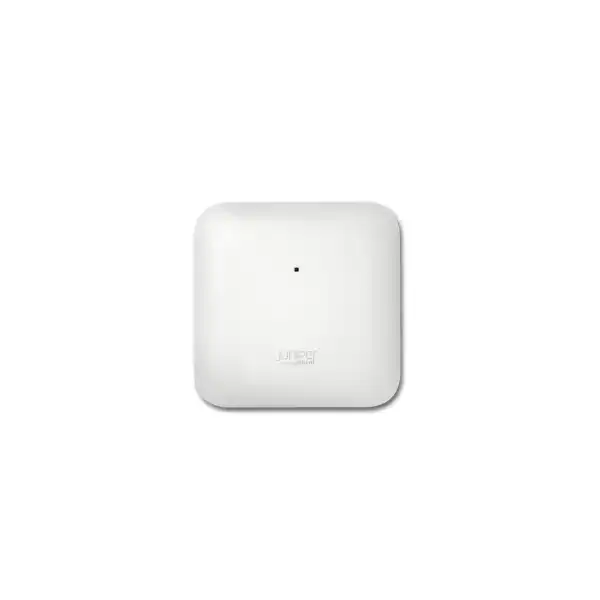
The Juniper AP43 is an indoor enterprise Wi-Fi 6 access point built for organizations that want high-density 4×4 wireless performance together with Juniper Mist cloud operations, dedicated RF visibility, security sensing, and location-aware Bluetooth capabilities. For Dubai and UAE projects, the important purchase is not only the access point itself; it is the correct regional hardware, subscription entitlement, PoE design, mounting method, antenna model, switching capacity, and deployment plan working as one solution.
Direct answer: what the Juniper AP43 is and who should consider it
The Juniper AP43 is a high-performance indoor 802.11ax Wi-Fi 6 access point in the Juniper Mist wireless portfolio. It is mainly used to provide managed enterprise wireless access in offices, campuses, hospitals, education facilities, hotels, retail environments, public venues, and other indoor sites where client experience, RF visibility, operations automation, and location services matter. The platform combines 4×4:4 Wi-Fi radios with a dedicated scanning and security radio, Bluetooth 5.0 capabilities, a 16-element virtual Bluetooth Low Energy antenna array, integrated environmental sensors, and an IoT interface.
Organizations should consider the AP43 when they need more than basic wireless coverage. Its value is strongest where IT teams need measurable service quality, detailed client telemetry, centralized cloud operations, dynamic RF optimization, security monitoring, or indoor location functions. A simple small office that only needs modest Wi-Fi capacity may be better served by a smaller access point, while a new deployment that specifically needs 6 GHz operation should also evaluate Juniper Wi-Fi 6E or newer Wi-Fi generations instead of assuming AP43 is the best fit.
The most important factor to confirm before ordering is the complete deployment architecture: correct regional hardware variant, internal or external antenna model, active Mist Wi-Fi Assurance entitlement, switch port speed, PoE budget, cabling, ceiling or wall mounting conditions, expected client density, RF environment, and any optional location or analytics services. FourTeck can help translate those inputs into an accurate bill of materials and implementation scope for a Dubai or UAE site.
Why the AP43 is different from a basic enterprise access point
Many wireless products can advertise Wi-Fi 6, but that label alone does not describe how useful the product will be in a production network. The AP43 combines the radio platform with Juniper Mist operational telemetry. That distinction matters because enterprise Wi-Fi problems are rarely limited to raw radio speed. A user may connect successfully and still experience poor DNS response, slow DHCP, authentication delays, excessive roaming time, congestion, weak coverage, interference, or application instability. A platform designed around client experience gives administrators more context than an access point that simply reports whether a radio is up or down.
The AP43 also dedicates radio resources to scanning, location, spectrum analysis, and wireless security functions instead of relying only on the serving radios to perform every background task. In practice, that helps an operations team collect RF and client data while the main radios continue serving users. Juniper positions this telemetry as part of the Mist AI operating model, where service-level expectations, anomaly detection, root-cause analysis, and predictive recommendations can reduce the time required to isolate wireless problems.
This does not remove the need for sound RF design. Ceiling height, wall materials, floor layout, neighboring networks, client capabilities, channel width, switch uplinks, authentication architecture, internet access, and application behavior still affect the user experience. The advantage is that the AP43 gives the network team a richer operating foundation for observing those dependencies and managing them consistently across one site or many sites.
Core capabilities translated into buyer outcomes
4×4:4 Wi-Fi 6 radios
The AP43 supports four spatial streams and modern 802.11ax features such as OFDMA, MU-MIMO, 1024-QAM, Target Wake Time, and BSS coloring. The buyer relevance is better efficiency in environments with many modern clients, not a guarantee that every device will reach the access point’s maximum data rate. Client radio capability, signal quality, channel width, interference, protocol overhead, and application traffic all affect real throughput.
Dedicated scanning and security radio
A separate dual-band radio performs background functions including WIDS/WIPS monitoring, spectrum analysis, synthetic testing, location analytics, and RF observation. This matters for teams that want continuous visibility rather than treating monitoring as an occasional troubleshooting activity. The exact security posture still depends on policy, cloud subscriptions, configuration, and the wider network architecture.
Virtual Bluetooth LE location
The integrated 16-element vBLE antenna array is designed for indoor location services such as wayfinding, user engagement, and asset visibility. Juniper’s architecture can create virtual beacons without installing a battery-powered physical beacon at every point. Buyers should still distinguish between wireless access licensing and optional location-service subscriptions when building the commercial scope.
Multigigabit wired connectivity
Eth0 supports 2.5GBase-T as well as 1 Gigabit operation and receives PoE. This is important because a high-capacity access point can be constrained by a 1GbE access layer in some traffic patterns. A multigigabit switch port does not automatically increase wireless speed, but it removes one potential wired bottleneck when the RF design and client load justify higher aggregate throughput.
IoT and environmental awareness
The AP43 includes humidity, pressure, and temperature sensors, plus an IoT interface that can work with analog and digital use cases. These functions can be useful where wireless infrastructure is part of a broader smart-building or location strategy. They should be designed as specific integrations rather than assumed to be plug-and-play replacements for dedicated building-management systems.
Verified AP43 technical specification overview
The table below focuses on specification points that materially affect purchase, switching, installation, and deployment decisions. Regional certification and the exact orderable hardware code should be checked on the quotation.
| Specification | Juniper AP43 detail |
|---|---|
| Deployment | Indoor enterprise access point |
| Wireless standard | 802.11ax Wi-Fi 6 with backward compatibility for 802.11a/b/g/n/ac clients |
| 2.4 GHz radio | 4×4:4, up to 1,148 Mbps supported data rate |
| 5 GHz radio | 4×4:4, up to 2,400 Mbps supported data rate |
| Highest supported data rates | Up to 3.5 Gbps in dual-band operation; internal-antenna documentation also identifies up to 4.8 Gbps in dual-5-GHz operation |
| Dedicated radio | Dual-band radio for WIDS/WIPS, spectrum analysis, synthetic client functions, location analytics, and RF monitoring |
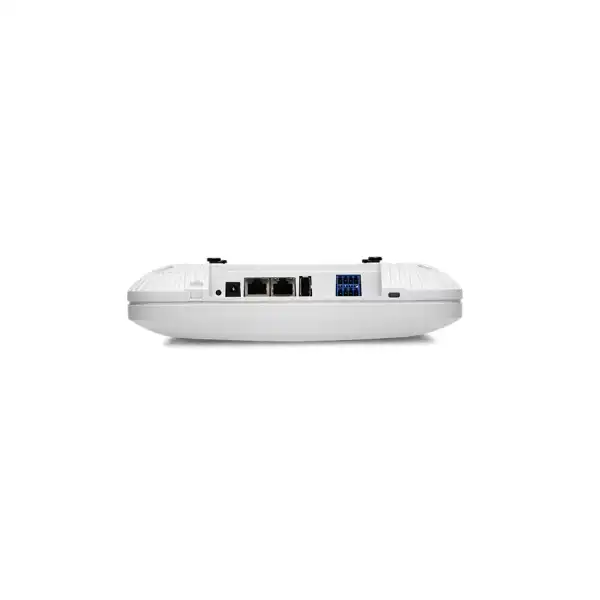
| Primary Ethernet | Eth0: 100/1000Base-T and 2.5GBase-T, RJ45, PoE powered device |
| Secondary Ethernet | Eth1: 10/100/1000Base-T RJ45; optional PoE PSE mode requires 802.3bt power on Eth0 |
| Power options | 802.3at PoE, 802.3bt PoE, or optional 12V/3A DC power supply |
| Bluetooth | Bluetooth 5.0 with 16-element directional vBLE antenna array plus omnidirectional Bluetooth antenna on the internal model |
| Internal antennas | Four 2.4 GHz omnidirectional antennas with 4 dBi peak gain and four 5 GHz omnidirectional antennas with 6 dBi peak gain |
| External antenna variant | AP43E uses six RP-SMA male connectors; antenna selection must match the intended RF design and regional rules |
| Sensors | Humidity, pressure, and temperature |
| Physical size | 222 x 222 x 53 mm |
| Weight | Approximately 1.39 kg excluding mount and accessories |
| Operating environment | Internal antenna model: 0 to 40°C; external antenna model: -20 to 50°C; 10% to 90% relative humidity, non-condensing; up to 3,048 m altitude |
| Security hardware | Trusted Platform Module included for infrastructure security |
| Worldwide order family | AP43-WW for internal antennas and AP43E-WW for external antennas outside the United States; final UAE suitability must be confirmed at ordering |
Understanding AP43 wireless performance without relying on headline speed
The published maximum physical-layer data rates are useful for identifying the radio class, but they should not be treated as expected application throughput. Wi-Fi is a shared medium. Every client competes for airtime, and actual throughput is reduced by protocol overhead, retransmissions, contention, signal quality, client capability, channel width, interference, roaming activity, security overhead, and the traffic pattern itself. A modern 2×2 laptop, for example, cannot consume four spatial streams merely because the access point supports 4×4 operation. The AP’s additional spatial capability is still valuable because it can improve multi-client efficiency and provides a stronger platform for dense environments.
OFDMA allows the access point to divide channel resources more efficiently among compatible Wi-Fi 6 clients. MU-MIMO can serve multiple capable clients in parallel under suitable conditions. BSS coloring helps improve spatial reuse where neighboring Wi-Fi 6 networks would otherwise defer more aggressively. Target Wake Time can reduce power consumption for compatible client and IoT devices by coordinating wake schedules. These features are most useful when the client estate also supports them; an AP43 deployed into a building full of older Wi-Fi 5 or legacy clients still provides service, but not every Wi-Fi 6 efficiency improvement will be realized immediately.
For planning, the buyer should define the business workload rather than asking how many users one AP43 can support as a universal number. Twenty engineers transferring large design files, fifty voice users, eighty classroom devices, and two hundred low-traffic guest phones create very different airtime demands. A capacity plan therefore needs expected concurrent clients, application mix, minimum signal targets, roaming needs, channel availability, and desired redundancy. The access point count should emerge from that design rather than from a generic client-per-AP claim.
2.5GbE uplink: when it matters and what must be checked
The AP43 primary Ethernet interface supports 2.5GBase-T, which is a practical advantage in environments where aggregate wireless traffic can exceed the comfort zone of a single 1GbE uplink. A 2.5GbE connection is especially relevant when the access point serves many high-performance clients, uses wider channels, has strong RF conditions, and carries local traffic toward high-speed servers or applications. In a lower-demand office with internet bandwidth well below 1 Gbps and modest client activity, operating the AP on a 1GbE switch port may still meet business requirements.
The switch must support the intended Ethernet speed and sufficient PoE on the same port. Cabling quality is also part of the design. Existing structured cabling should be assessed for multigigabit operation rather than assumed to support the target rate because the connector fits. Patch panels, patch leads, terminations, distance, bundle conditions, and cable category all contribute to link stability. Where a building has older cabling, a survey or certification test can be more valuable than simply specifying a multigigabit switch.
The AP43 also includes a secondary 1GbE interface. Juniper documents an optional PoE power-sourcing mode on this interface when the AP itself receives 802.3bt power through Eth0. That feature can be useful for specific downstream designs, but it should not be treated as free extra power. The upstream switch PoE class, total switch budget, AP power profile, and intended downstream device all need to be considered together.
Power design for AP43 deployments
802.3at PoE
The AP43 can be powered through an 802.3at-capable switch port. This is often the simplest design for standard deployments because power and data share the Ethernet cable. The switch should still be checked for available total PoE budget across all connected access points, phones, cameras, and IoT equipment. A switch with enough PoE ports can still be underpowered if its total wattage budget is insufficient for the planned device mix.
802.3bt PoE
802.3bt becomes important when the design intends to use the AP43’s optional PoE-out capability on the secondary Ethernet interface. The upstream switch must provide the appropriate power capability on Eth0. This should be documented in the bill of materials so that an installation team does not discover after deployment that the AP comes online but cannot support the intended downstream powered-device behavior.
Optional DC power
The product also supports a 12V/3A DC power supply option. DC can be useful for bench setup, testing, or locations where PoE is not available, but it normally adds separate power cabling and socket dependency. In a managed enterprise rollout, PoE usually produces a cleaner installation and allows centralized power protection through the switch and UPS architecture.
Mist cloud management and the operational model
AP43 is designed to operate with the Juniper Mist cloud. After an access point is claimed to the appropriate organization and site, the cloud platform provides configuration and operational visibility. This approach is useful for organizations with distributed branches because administrators can maintain WLAN policies, monitor service experience, review client behavior, and handle software updates without maintaining a traditional controller appliance at every location.
Mist emphasizes service-level expectations rather than treating infrastructure health as the only success measure. That changes the troubleshooting question from “is the access point online?” to “are users successfully connecting, authenticating, obtaining network services, roaming, and reaching applications within acceptable performance thresholds?” Wireless Assurance can expose the sequence of events around a client session, helping engineers identify whether the problem sits in RF coverage, DHCP, DNS, authentication, WAN performance, or another dependency.
The cloud architecture does not eliminate the need to design failure behavior. Buyers should understand which functions continue locally if internet connectivity to the cloud is interrupted, how authentication dependencies are designed, and whether any site requires additional architecture for tunneling or local services. Business continuity requirements should be captured during design rather than addressed only after deployment.
For multi-site UAE organizations, central cloud management can simplify standardization. A head office, warehouse, retail branch, and remote office can use common WLAN naming and security policies while still allowing site-specific RF and VLAN behavior. That consistency is often more valuable operationally than a single benchmark number because it reduces configuration drift and makes support procedures easier to repeat across locations.
Licensing is part of the product decision, not an afterthought
A Juniper AP43 quotation should not be evaluated as hardware only. Juniper identifies Mist Wi-Fi Assurance as the mandatory subscription for Juniper access points. Wireless Assurance provides the management and assurance foundation used for normal AP operations. Subscription terms are commonly available for one, three, or five years, and the correct quantity must match the number of access points that will consume the service.
Additional services are optional according to the business requirement. Asset Visibility is relevant when the organization wants to locate tagged equipment. User Engagement supports location-driven experiences such as wayfinding and proximity interactions. Marvis Virtual Network Assistant adds conversational troubleshooting and proactive operational workflows. Premium Analytics extends analysis and reporting requirements. A buyer should not pay for every optional service simply because it exists, but should also avoid ordering bare hardware and discovering that the expected management or location capability requires a subscription that was omitted from the budget.
The best commercial approach is to define the intended feature set first and then match subscriptions to that outcome. A standard office refresh may require only Wi-Fi Assurance. A hospital, logistics site, large retail space, or corporate campus may justify additional asset or engagement services. An operations team with a strong AIOps objective may want Marvis. A business intelligence team seeking long-term visitor or network analytics may need Premium Analytics. FourTeck can separate mandatory and optional items in the quotation so that procurement can see exactly what is hardware, what is subscription, and what is implementation service.
Subscription renewal planning should also be included in the lifecycle budget. Juniper documentation states that an expired subscription does not immediately make the access point stop forwarding traffic, but portal access or support may be disabled if the organization does not renew. That means the subscription should be treated as an operational entitlement with a renewal owner, not as a one-time accessory that can be forgotten after installation.
Internal antenna AP43 or external antenna AP43E?
For many offices, classrooms, clinics, hospitality areas, and standard ceiling deployments, the AP43 internal-antenna model is the straightforward choice. It integrates four 2.4 GHz omnidirectional antennas with published peak gain of 4 dBi and four 5 GHz omnidirectional antennas with published peak gain of 6 dBi. An integrated design reduces antenna selection complexity and supports a clean visual installation where the access point can be placed close to the intended RF coverage area.
The AP43E external-antenna model exists for environments where antenna pattern, mounting location, or coverage geometry requires more specialized control. Juniper lists six RP-SMA male connectors on the AP43E: four dual-band connectors for client radios and two dual-band connectors for the third radio. The external antenna itself is a design component, not merely a cosmetic option. Cable loss, antenna gain, polarization, mounting orientation, connector type, permitted transmit power, and regulatory domain all have to be considered.
External antennas can be useful in high-ceiling areas, specialized industrial spaces, directional coverage requirements, or installations where the radio unit must be located separately from the ideal antenna position. However, they introduce more design and installation variables. A buyer should not select AP43E simply because “external antenna” sounds more powerful. The correct question is whether a specific antenna pattern solves a measurable coverage or mounting problem better than the integrated model.
For UAE procurement, the worldwide ordering family documented by Juniper is AP43-WW for the internal model and AP43E-WW for the external model. The final order code and any antenna accessories should be confirmed against current regional authorization and the exact deployment requirements before purchase.
Location services: where AP43 adds a second layer of business value
Wayfinding
Large offices, hospitals, venues, and education sites can use location capabilities to support indoor navigation experiences. The network design must include the relevant Mist location service, mobile application or integration approach, floor maps, calibration expectations, and privacy policy. Wireless hardware is one part of a complete wayfinding service.
Asset visibility
Tagged equipment can be associated with location analytics so operations teams can reduce the time spent searching for movable assets. The result depends on compatible tags, subscription entitlement, AP placement, building geometry, and the accuracy level required by the business process. Asset visibility should be designed around a defined operational workflow rather than purchased as a generic feature.
User engagement
Retail, hospitality, and public-facing environments may use virtual Bluetooth beacons for proximity messaging or contextual digital experiences. The network team should involve the application, marketing, privacy, and security stakeholders early because the business value is created by the complete customer journey, not by the radio feature alone.
Juniper describes the AP43 vBLE array as capable of accurate indoor location without installing battery-powered physical beacons at every location. That can reduce beacon maintenance and make location changes easier because virtual beacon behavior is software-driven. Accuracy claims should nevertheless be treated as design outcomes that depend on the building, AP placement, map quality, tag behavior, and chosen service. A proof of concept can be valuable when location accuracy is commercially important.
Wireless security and dedicated monitoring
The AP43’s dedicated dual-band radio can be used for wireless intrusion detection and prevention functions, spectrum analysis, and continuous monitoring. A dedicated sensor is useful because it can observe the RF environment while the serving radios maintain client connectivity. This helps the network team identify interference sources, neighboring access points, rogue behavior, and other conditions that can affect performance or security.
Wireless security should still be designed as part of the wider identity and network architecture. The access point does not determine on its own whether a business should use WPA2-Enterprise, WPA3-Enterprise, personal security modes, multiple pre-shared keys, certificate-based authentication, guest access, or network access control. Those choices depend on endpoint support, identity platforms, regulatory obligations, segmentation strategy, guest policy, and operational capability.
A UAE enterprise replacing a legacy controller-based WLAN should therefore document authentication sources, RADIUS behavior, certificate lifecycle, VLAN mapping, firewall policy, captive portal requirements, guest internet breakout, IoT onboarding, and any NAC integration before migration. The AP43 provides the wireless edge, but secure access is an end-to-end design that extends through switching, identity, security, and cloud services.
RF design for Dubai offices and indoor commercial spaces
Indoor wireless design in Dubai varies widely by building type. A modern open-plan office with lightweight partitions behaves very differently from a villa-style office with concrete walls, a hotel with repeated guest-room walls, a hospital with equipment-heavy treatment areas, or a warehouse with tall metal racks. The AP43 is an indoor access point, but its presence alone does not determine how many units are required or where they should be installed.
A predictive design starts with floor plans, wall materials, ceiling height, expected user locations, device categories, application requirements, and target signal levels. A physical validation survey can then test assumptions in the actual building. Areas such as meeting rooms, training spaces, cafeterias, auditoriums, reception zones, and executive conference rooms often have higher concurrent demand than surrounding corridors. Designing only for geometric coverage can leave these density hotspots underserved.
The 5 GHz band generally carries the majority of enterprise client traffic because it offers more usable spectrum and better capacity planning than 2.4 GHz. However, channel availability and regulatory rules influence the exact channel plan. Legacy or IoT devices may still depend heavily on 2.4 GHz. The RF design should therefore examine the real client estate instead of disabling or minimizing a band based only on a general rule.
When multiple access points are deployed, channel width should be selected for the building, not for the highest theoretical speed. Wider channels can increase peak throughput but consume more spectrum and reduce channel reuse. In a dense office, narrower channels can often produce better aggregate capacity and more predictable roaming. Mist’s RF optimization can adjust channel and power decisions dynamically, but it still benefits from sensible initial placement and a clear design objective.
Client density and capacity planning
The question “How many users can the AP43 support?” has no useful single answer. Associations are not the same as productive capacity. Hundreds of devices could theoretically be associated while only a small number are active, or a much smaller group could consume significant airtime with video, backups, large file transfers, virtual desktops, voice, or real-time collaboration. Capacity planning therefore starts with concurrent active devices and application behavior.
A typical enterprise employee may carry a laptop and phone, and sometimes a tablet or wearable. Meeting rooms can create sudden density spikes when users gather with multiple devices. IoT endpoints may generate little bandwidth but create a large association count. Voice devices demand low latency and stable roaming rather than high throughput. Guest networks may add unpredictable internet traffic. Each category should be estimated separately where the business environment is large enough to justify detailed planning.
The AP43’s 4×4 radio architecture provides a strong basis for dense client service, but RF cells should remain appropriately sized. Increasing transmit power is not a substitute for additional access points because client devices have their own transmit limits. An AP might be heard far away while the client cannot return a strong enough signal. Balanced power, sensible cell overlap, and sufficient AP density are critical for two-way communication and roaming.
For voice, healthcare, warehousing, or other mobility-sensitive applications, capacity planning should be combined with roaming validation. The project may require minimum RSSI targets, maximum channel utilization, packet-loss objectives, latency expectations, and application-specific tests. A good wireless design expresses those requirements before equipment is mounted so that post-installation acceptance can be measured against agreed criteria.
Roaming and mobility considerations
Roaming decisions are made by client devices, so no access point can guarantee that every handset or laptop will roam at the exact signal level an administrator prefers. The network can create favorable conditions through coherent RF design, consistent SSID and security configuration, appropriate channel reuse, and supported roaming assistance features, but client driver behavior remains part of the outcome.
This is especially important for VoWiFi handsets, scanners, healthcare devices, and mobile terminals that move continuously. A design that works well for stationary laptops may still produce audible voice gaps if AP cells are too large, channel transitions are poorly planned, authentication takes too long, or endpoints cling to distant radios. Validation should therefore include the actual device models that matter to the business.
Mist telemetry can shorten investigation by showing client events and service experience over time. The operational team can correlate a reported problem with association, authentication, DHCP, roaming, and RF conditions rather than relying only on a user description. This is one of the practical reasons to value the management platform alongside the AP hardware.
Mounting, physical installation, and site preparation
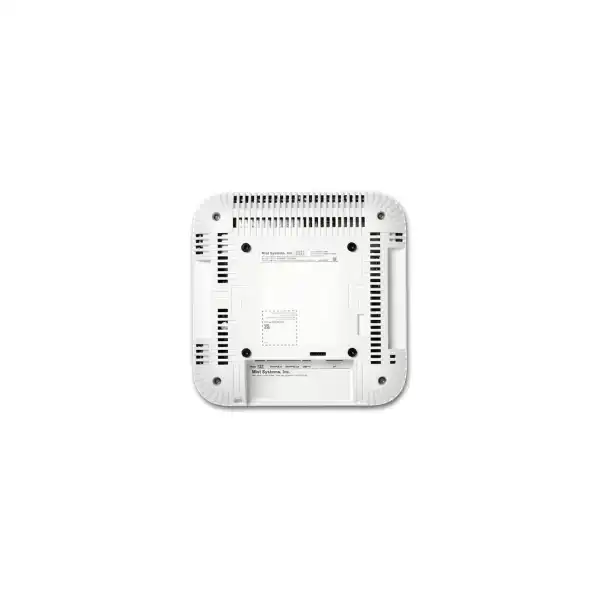
Juniper includes a universal mounting bracket with the AP package and documents additional bracket options for several threaded rod and T-rail formats. The correct mounting method depends on the ceiling system, structural support, access above the ceiling, fire and building requirements, and the desired orientation. A professional installation should secure the AP properly rather than improvising with generic ties or unsupported hardware.
Placement should preserve the intended antenna orientation. Internal-antenna enterprise access points are normally designed around a particular mounting geometry; moving them onto walls, above metal ceiling panels, inside cabinets, or next to large obstructions can change the RF pattern. When aesthetics require hidden installation, the RF impact should be assessed rather than assuming radio waves will behave the same through every material.
Site preparation should also address Ethernet outlet location, cable slack, labeling, grounding and electrical practices where applicable, switch capacity, rack UPS coverage, cable pathway, and access for future maintenance. If the AP is mounted in a high ceiling, lift access and maintenance cost become part of the lifecycle decision. For large rollouts, a standardized labeling method linking each AP serial number, switch port, floor-plan location, and Mist site greatly simplifies operations.
The AP43 internal model is specified for 0 to 40°C operation. The external-antenna model has a broader published temperature range, but it is still an indoor platform. Hot roof voids, unconditioned mechanical spaces, direct sunlight through glazing, or areas exposed to weather should not automatically be treated as normal indoor conditions. If the requirement is genuinely outdoor or environmentally exposed, an outdoor Juniper AP should be evaluated.
Typical AP43 deployment profiles
Corporate offices
Well suited to offices that need cloud-managed Wi-Fi, strong capacity, guest access, collaboration traffic, and visibility across multiple floors or branches. Meeting-room density, video traffic, identity services, and existing PoE switching should be reviewed before deciding AP count.
Healthcare
The combination of mobility, telemetry, and optional location services can be attractive for clinics and hospitals. Medical device compatibility, roaming, privacy, critical application requirements, and asset-tag workflows should be validated with the actual systems in use.
Higher education
Lecture halls, libraries, labs, and student areas can create sharp changes in client density. The AP43 offers a capable platform, but channel reuse, classroom occupancy, BYOD behavior, authentication design, and internet capacity remain central to performance.
Retail and hospitality
Guest Wi-Fi, staff devices, POS systems, scanners, digital services, and optional location engagement can share the same physical infrastructure while remaining logically segmented. The design should distinguish business-critical traffic from guest demand and define privacy and portal requirements clearly.
Warehouses and logistics
AP43 can fit indoor logistics areas where environmental conditions remain within specification. External-antenna AP43E may be considered for specialized coverage geometry. Rack layout, moving inventory, scanner roaming, ceiling height, and metal reflections make on-site RF validation especially valuable.
When AP43 may not be the best choice
A balanced product recommendation includes cases where another model should be evaluated. AP43 is a Wi-Fi 6 access point operating in the 2.4 GHz and 5 GHz bands. If the project requirement specifically calls for 6 GHz operation, additional clean spectrum, Wi-Fi 6E client support, or a newer Wi-Fi generation, the buyer should compare newer Juniper access points rather than purchasing AP43 solely because it is a high-performance model.
For very small offices with modest traffic, limited density, no location-service requirements, and simple management needs, a smaller access point may be more cost-effective. Buying 4×4 capability everywhere does not automatically improve a low-demand network. The budget may be better spent on sufficient AP count, better switching, subscriptions, cabling remediation, or professional RF design.
For outdoor courtyards, yards, loading areas, pools, exposed terraces, or industrial areas subject to dust, moisture, or weather, an outdoor-rated model should be assessed. AP43 is designed for indoor use. Protecting an indoor AP inside an improvised enclosure can alter antenna performance, temperature behavior, and maintainability and should not be considered equivalent to selecting purpose-built outdoor hardware.
Finally, if the organization does not want a subscription-based cloud management model, AP43 may not align with its operational preference. Juniper Mist Wi-Fi Assurance is a mandatory subscription for Juniper access points. Buyers comparing controller-based, on-premises, perpetual-license, or fully standalone approaches should evaluate architecture and lifecycle cost before standardizing on the platform.
AP43 versus newer Juniper Wi-Fi 6E options
AP43 remains a capable 4×4 Wi-Fi 6 platform for 2.4 GHz and 5 GHz environments, but Juniper also offers models that extend 802.11ax into the 6 GHz band. A Wi-Fi 6E model can provide access to additional spectrum for compatible clients, which can be valuable in dense modern environments. The tradeoff is that only clients with 6 GHz support can use that band, and regulatory availability, channel planning, switch capacity, PoE, and device refresh cycles all influence the return on investment.
A business with a large installed base of Wi-Fi 5 and standard Wi-Fi 6 devices may receive strong value from AP43, especially when Mist operations, vBLE, and 4×4 capacity are priorities. A new campus designed for a five-to-seven-year lifecycle with a rapidly growing 6 GHz client population may justify a newer model. The correct decision should consider client refresh plans rather than comparing access-point specifications in isolation.
This comparison is also a reminder that AP family position changes over time. Procurement teams should confirm current Juniper availability, lifecycle notices, recommended upgrade paths, and support terms at the time of quotation. FourTeck can compare AP43 with currently orderable Juniper alternatives using the project’s capacity, spectrum, subscription, budget, and lifecycle requirements rather than assuming that the older or newer model is automatically preferable.
Switching requirements around the AP43
An access-point refresh often exposes limitations in the wired access layer. AP43’s 2.5GbE uplink is most useful when connected to a multigigabit switch port with the required PoE capability. If the existing switch provides only 1GbE, the AP can still connect at that lower rate, but the design should determine whether the uplink could become a bottleneck under expected load. A mixed environment may use multigigabit ports for high-density APs and 1GbE for lower-demand areas, depending on performance objectives.
PoE capacity must be evaluated at both port and chassis level. A 48-port PoE switch may not be able to power 48 access points at the desired class if its shared power budget is too low. Redundant power supplies can affect total capacity and resilience. UPS runtime must also consider the increased switch power draw created by a large wireless rollout. These details are easy to overlook when the project is priced only by access-point quantity.
The upstream switching design should also address VLANs, trunking, management reachability, Quality of Service, authentication traffic, DHCP relay, multicast requirements, and routing. If guest traffic is tunneled to a centralized point using Mist Edge or another architecture, WAN and edge capacity become part of the design. Local breakout reduces central bandwidth dependency but may require consistent firewall and internet policy at each branch.
For organizations already using Juniper EX switches, Wired Assurance can provide a more unified Mist operational view, but AP43 does not require a Juniper switch simply because it is Juniper wireless. Third-party switching can be used when it provides the required Ethernet, PoE, VLAN, and network behavior. The business should choose based on the desired end-to-end operations model, support boundaries, and migration strategy.
Cabling checks before a multigigabit wireless upgrade
Existing Ethernet cabling deserves attention because wireless refresh projects often reuse cable runs installed many years earlier. A link can negotiate at 1GbE successfully and still fail to provide stable 2.5GbE service because of poor termination, damaged cable, excessive length, bad patch leads, or interference. If the AP43 is being purchased specifically to unlock higher aggregate performance, the cabling path should be part of the acceptance test.
Cable certification is especially important in large projects where replacing access points is easy but accessing finished ceilings later is expensive. Testing can identify marginal runs before the rollout team mounts dozens of devices. The project should document which links are expected to negotiate at 2.5GbE and what fallback behavior is acceptable if a run supports only 1GbE.
PoE also places electrical load on the cabling, so bundle size, ambient temperature, and installation quality matter. Professional structured-cabling practice is more reliable than assuming that any existing copper cable is adequate. Where new cabling is being installed, the specification should account for current AP requirements and reasonable future wireless upgrades rather than designing only to the minimum needed today.
Migration from a legacy wireless controller
Moving to Juniper Mist is not merely a hardware replacement if the existing WLAN uses a traditional controller. The migration should inventory every SSID, VLAN, authentication method, captive portal, access policy, QoS rule, multicast dependency, IP addressing scheme, DHCP scope, DNS dependency, firewall rule, and guest workflow. Old networks often contain historical settings that no longer serve a business purpose, so migration can be an opportunity to simplify rather than reproduce every legacy configuration exactly.
A phased deployment can reduce risk. One floor, branch, or defined user group can be migrated first, validated, and used to refine templates before the remainder of the estate changes. This approach is particularly useful when the organization has specialized endpoints such as scanners, printers, medical devices, industrial terminals, or voice handsets. Compatibility testing with those devices should happen before large-scale cutover.
The RF plan may also need to change. Reusing every old AP location is convenient but can waste the capability of a new platform. Older 802.11n or early 802.11ac networks may have been designed around different power levels, channel widths, antenna patterns, or client density. A refreshed predictive design can identify whether locations should move or whether AP count should increase or decrease.
Operational processes should migrate along with technology. Helpdesk teams need to know how to search for a client in Mist, interpret service-level metrics, use packet capture or event data, and escalate issues. A successful project leaves the customer with a supportable operating model, not only access points mounted on ceilings.
Implementation journey for an AP43 project
Collect floor plans, user counts, device types, application requirements, current switching, authentication systems, internet capacity, guest requirements, and pain points. This prevents the project from becoming a simple like-for-like hardware swap without a defined service objective.
Create an RF and wired design covering AP positions, channel strategy, multigigabit switching, PoE budget, cabling, VLANs, security, subscriptions, and optional location services. Decide whether AP43 or AP43E is appropriate in each area.
Claim devices to the Mist organization, create sites and templates, configure WLANs, verify subscriptions, label hardware, and validate switch settings before field installation. Staging reduces time spent troubleshooting configuration while installers are on site.
Mount access points at designed locations, connect certified cabling, confirm PoE and Ethernet negotiation, and document each device against its physical location and switch port. Correct orientation and mounting are part of RF performance.
Test coverage, roaming, authentication, DHCP, DNS, application access, guest workflows, and capacity in representative areas. Use Mist telemetry together with physical testing to identify issues before project acceptance.
Establish monitoring, alert ownership, firmware procedures, subscription renewal responsibility, support escalation, configuration governance, and periodic RF review. The value of an assurance platform grows when teams use its operational data consistently.
Guest Wi-Fi and public access design
AP43 can serve corporate and guest traffic simultaneously through separate WLANs and policies, but guest access should be designed around business and security requirements. A hotel may need branded onboarding and per-room behavior, a corporate office may require simple sponsor approval, and a retail environment may want terms acceptance and analytics. The right workflow should be defined before configuration begins.
Guest traffic is commonly separated from internal resources using VLANs, firewall rules, identity policy, or tunneling architecture. The network should also set realistic bandwidth controls so that large guest downloads cannot consume capacity needed by business applications. Internet circuit size matters: a high-performance AP cannot fix an undersized WAN connection shared by hundreds of guests.
Privacy and data-retention requirements should be reviewed whenever guest portals, analytics, or location services collect user-related information. Technical capability does not determine what data the organization should collect. The deployment should align with the customer’s legal, security, and privacy policies and provide clear ownership for portal content and user-consent processes.
IoT connectivity and segmentation
Enterprise buildings increasingly connect sensors, cameras, displays, printers, access-control devices, handheld terminals, and specialist equipment over the same campus infrastructure. AP43 supports Wi-Fi clients and includes Bluetooth and an IoT interface, but the security design should assume that many IoT devices have limited operating systems, inconsistent patching, or weak identity capabilities.
Segmentation is therefore important. IoT devices can be placed into dedicated VLANs, roles, or policy groups with access limited to the servers and services they actually need. Authentication may use certificates, 802.1X, MAC-based methods, or managed pre-shared keys depending on device capability and the wider Juniper service architecture. The correct approach should be tested against actual endpoints rather than imposed uniformly.
For projects considering the AP43 IoT interface or Bluetooth capabilities, integration responsibility should be clear. The access point can provide useful interfaces and telemetry, but application logic, APIs, device compatibility, cloud service entitlement, and building-system integration may involve separate teams. A proof of concept is often the safest path for novel smart-building use cases.
Environmental sensors: useful context, not a building-management replacement
Juniper lists temperature, humidity, and pressure sensors in the AP43. Because access points are distributed throughout a building, these sensors can provide useful contextual information alongside network telemetry. They may help operations teams observe unusual environmental conditions around equipment locations or support integrations that benefit from additional site data.
However, a network access point should not automatically be treated as a certified replacement for dedicated environmental monitoring, life-safety, or building-control equipment. Sensor accuracy, sampling behavior, placement, calibration, regulatory requirements, and application integration all need to match the intended use case. A ceiling-mounted AP located near an air-conditioning diffuser may report a different condition from the occupied zone below.
The buyer value comes from understanding what the sensor data can contribute to the chosen workflow. If the business has no environmental analytics requirement, the sensors do not need to drive the purchase decision. If the business does have a smart-building project, the technical team should confirm how sensor data is exposed, retained, licensed, and integrated before promising a specific operational outcome.
High availability and resilience considerations
Wireless resilience is broader than buying reliable access points. A user depends on the AP, access switch, switch power supply, UPS, uplink, DHCP service, DNS, authentication platform, firewall, WAN path, and cloud connectivity. Failure in any of these components can appear to the user as “Wi-Fi is down.” An AP43 deployment should therefore be mapped against the organization’s required level of availability.
At the access layer, switches may require redundant power supplies or UPS protection. Distribution and core paths may need redundant uplinks. DHCP and authentication systems should avoid single points of failure for critical sites. The RF design itself can provide overlapping coverage so that a client may reconnect to a neighboring AP if one device fails, but the overlap should not be so excessive that it creates unnecessary co-channel contention.
Cloud-managed architecture also requires an understanding of behavior during WAN interruption. Local data forwarding can continue according to the design, but cloud visibility and some cloud-dependent operations obviously rely on connectivity. Organizations with strict survivability requirements should document which user services must continue during internet, controller, authentication, or power failures and test those scenarios as part of acceptance.
Operational analytics and troubleshooting value
Traditional WLAN troubleshooting often begins after a user reports a vague complaint. By the time an engineer investigates, the client has moved or the condition has disappeared. Mist’s operating model is designed around continuous telemetry, service-level metrics, and stored events so that the team can examine what happened during the affected session. This historical context is particularly valuable for intermittent issues.
A helpdesk can search for a client and examine connection events instead of immediately escalating every wireless complaint to a senior engineer. Network teams can use RF data to distinguish coverage from interference, and application or service dependencies can be investigated with more context. Optional Marvis services can add automated analysis and recommended actions. These capabilities are most effective when operational processes are built around them rather than treated as a dashboard that nobody reviews.
Analytics also supports design validation. If one area repeatedly shows poor service-level performance or unusually high channel utilization, the team can decide whether the issue requires RF tuning, additional capacity, client remediation, switch changes, or application investigation. That feedback loop helps the network improve over time instead of remaining frozen at the day-one design.
Firmware, lifecycle, and change management
Cloud-managed access points simplify software distribution, but organizations should still control change. Automatic updates can reduce exposure to bugs and security issues, while scheduled upgrade windows can protect critical operations. The appropriate policy depends on business tolerance for change, site criticality, and internal governance. Hospitals, call centers, hotels, and 24-hour operations may require more deliberate staging than a small office.
A sensible process uses pilot sites or a small AP group to validate new firmware against the customer’s client estate before broad rollout. This is valuable when the network supports specialized or older devices that may respond differently to wireless changes. Configuration backups, change records, acceptance criteria, and rollback planning remain relevant even when the cloud platform automates much of the software delivery.
Hardware lifecycle is equally important. AP43 belongs to an established Wi-Fi 6 generation, so a new buyer should confirm current orderability, recommended upgrade guidance, support status, and subscription compatibility at the time of purchase. For a large greenfield project, lifecycle horizon may be as important as purchase price. For an expansion of an existing AP43 estate, matching the installed platform may provide operational consistency.
The right answer therefore depends on context. An existing customer with hundreds of AP43 units may prefer to add compatible units for a defined expansion. A customer starting a seven-year campus refresh may compare newer Juniper access points before standardizing. FourTeck can include that lifecycle discussion in the quotation stage instead of presenting AP43 as an automatic choice for every project.
Procurement details that affect quotation accuracy
The simplest request is “price for Juniper AP43,” but a useful enterprise quotation needs more detail. First is the hardware variant: internal antenna AP43 or external antenna AP43E. Second is the regional orderable model appropriate for the UAE. Third is the subscription term and feature set. Fourth is mounting and any external antenna requirement. Fifth is the power and switching design. These items can materially change the bill of materials.
Quantity should be based on an RF design or an existing validated design, not merely floor area. Two buildings with the same square meters can require different AP counts because walls, density, ceiling height, applications, and neighboring RF differ. If the buyer already has a survey, FourTeck can quote against the approved AP count. If not, floor plans and user requirements can be used to scope a survey or predictive design.
The quotation should identify whether access switches already provide sufficient 2.5GbE and PoE capacity. If not, the project may require switch upgrades, additional power supplies, transceivers, uplinks, or cabling remediation. Installation can also be priced separately from hardware so procurement can compare supply-only and supply-and-deploy options without ambiguity.
Finally, support expectations matter. Some customers need only manufacturer entitlement and remote configuration assistance. Others need site survey, physical installation, migration from a legacy WLAN, after-hours cutover, testing, documentation, and ongoing managed support. A detailed scope prevents a low initial hardware price from turning into an incomplete project later.
UAE regional ordering and compliance considerations
Juniper documents AP43-WW and AP43E-WW as worldwide models for markets outside the United States, while US-specific order codes are separate. Regional control matters because wireless devices operate in regulated spectrum and may have country-specific transmit-power, channel, and certification requirements. Buyers should use the model intended and authorized for the deployment country rather than importing an arbitrary unit because it appears cheaper.
The final UAE order code should be confirmed through the current supply channel because manufacturer portfolios, regulatory approvals, and lifecycle status can change. The quotation should also identify whether any power adapter, antenna, bracket, subscription, or accessory is included or separate. Clear line-item descriptions make it easier for procurement to compare offers on an equal basis.
For multi-country organizations, a global standard should still accommodate local regulatory variants. Central IT can standardize on the AP43 platform and Mist configuration while local procurement receives the appropriate hardware. Serial-number inventory, site assignment, subscription ownership, and support entitlement should be managed centrally where possible to simplify lifecycle administration.
What to verify when expanding an existing AP43 network
An expansion project has different risks from a new deployment. The first check is whether the new AP43 units will join the same Mist organization, site design, and subscription pool as the installed estate. Subscription count should cover the additional access points, and renewal dates may need alignment so that the customer does not create many different expiration cycles.
The second check is hardware and antenna consistency. If the existing design uses internal AP43 units in a standardized ceiling layout, adding AP43E units without a specific antenna plan can complicate RF behavior. If external antennas are already used, the new antenna model, cable, gain, orientation, and regulatory configuration should match the approved design.
Third, the switch infrastructure should be checked at the new locations. A building may have mixed generations of access switches, so the fact that existing AP43 devices work elsewhere does not guarantee that every new port supports the same PoE or 2.5GbE behavior. Cabling can also differ between floors or phases of construction.
Finally, the RF design should be updated instead of simply filling visual gaps on a floor plan. Adding an access point changes channel reuse and neighboring cell relationships. Mist can optimize RF dynamically, but the physical placement still determines the range of possible outcomes. A short validation survey after expansion can confirm that the new capacity solves the intended problem.
Buyer questions answered before ordering
Is AP43 Wi-Fi 6 or Wi-Fi 6E?
AP43 is Wi-Fi 6 using 2.4 GHz and 5 GHz. It does not provide a 6 GHz client radio. Projects that require 6 GHz should compare Juniper Wi-Fi 6E or newer options.
Does AP43 require a Mist subscription?
Yes. Juniper identifies Mist Wi-Fi Assurance as the mandatory subscription for Juniper access points. Optional services can be added when features such as asset visibility, user engagement, Marvis, or premium analytics are required.
Can AP43 use a 1GbE switch port?
The primary port supports 1GbE as well as 2.5GbE, so a 1GbE connection can work. Whether it is sufficient depends on the required aggregate performance and client load.
Is AP43 suitable outdoors?
No. AP43 is an indoor access point. Outdoor or exposed environments should use a purpose-built outdoor model that matches the environmental and RF requirements.
What is AP43E?
AP43E is the external-antenna variant. It is appropriate when a specialized antenna pattern or mounting design is required. The antenna system must be selected and installed as part of the RF design.
Does the access point include a mounting bracket?
Juniper documentation states that the AP package includes one universal bracket, with additional bracket types available for specific ceiling and threaded-rod mounting requirements.
How AP43 fits into a cloud-managed branch strategy
For organizations with many branches, the strongest argument for AP43 may be operational consistency. A branch network can be staged before shipment, assigned to a site, and configured from the Mist cloud. Central IT can use common WLAN templates while local staff only need to mount and cable the hardware. This reduces dependence on specialized wireless engineers visiting every office.
Branch architecture still requires local decisions. Internet breakout, corporate WAN access, guest isolation, switch redundancy, local survivability, and authentication dependencies can differ by site. A small branch may tolerate a single access switch, while a business-critical location may need redundant switching and WAN. Cloud management makes the configuration plane simpler but does not erase physical infrastructure choices.
A standardized AP platform also improves spares strategy. The organization can hold a small number of appropriately regionalized AP43 units, claim replacements to the correct site, and restore configuration centrally. The support process should document how failed units are identified, replaced, returned, and removed from inventory so that cloud records and physical assets stay synchronized.
Using AP43 in a campus network
A campus deployment may involve hundreds or thousands of access points across multiple buildings, which makes automation and operational visibility particularly valuable. Templates can standardize WLANs and policy, while site-specific RF behavior adapts to individual buildings. Central telemetry helps the network team compare user experience across locations and identify recurring infrastructure dependencies.
Large campuses also make roaming and IP design more important. User sessions may cross many APs and sometimes multiple switching or routing domains. The network must decide how VLAN boundaries, mobility, DHCP, authentication, guest traffic, and segmentation are handled. Juniper Mist Edge can be part of specific architectures that require tunnel termination or centralized data-plane behavior, but it is not automatically required for every AP43 deployment.
Location services can become more valuable at campus scale because wayfinding and asset tracking address real operational problems. However, the business should prioritize locations where those services have measurable value rather than licensing every feature across every building by default. A hospital may prioritize asset visibility in clinical areas, while a corporate campus may prioritize engagement or wayfinding in visitor spaces.
Capacity planning should be building-specific even when hardware is standardized. A lecture hall, trading floor, auditorium, laboratory, and normal office have different airtime profiles. Standardizing the AP43 does not mean using a uniform AP spacing everywhere. Consistency in hardware should coexist with context-aware RF design.
Application experience: Wi-Fi is only one part of the path
When users say that Wi-Fi is slow, the radio may be only one component of the problem. DNS latency can delay page loads, DHCP problems can prevent devices from obtaining addresses, authentication servers can slow onboarding, WAN congestion can limit cloud applications, and firewall policy can affect specific services. An enterprise wireless platform becomes more valuable when it helps isolate these stages instead of forcing the network team to guess.
The AP43 and Mist ecosystem provide client and service telemetry that can help distinguish connection problems from upstream dependencies. A stable radio link with poor application performance points the investigation beyond RF. Conversely, high retry rates, low signal, or channel congestion can indicate a wireless problem even when the wired network is healthy.
For acceptance testing, businesses should therefore include real applications. A speed test alone does not validate Microsoft Teams, voice, VDI, ERP, cloud storage, POS, scanning, or healthcare workflows. Testing should reflect what users actually do and, where relevant, how they move through the building while doing it.
Designing for voice and real-time collaboration
Voice and video care about latency, jitter, packet loss, roaming, and congestion more than headline throughput. An AP43 can provide the radio capability for demanding real-time applications, but performance depends on RF cell design, Quality of Service, client behavior, WAN capacity, and application infrastructure. A meeting room full of video calls can consume considerable airtime even when each individual stream is modest.
Channel utilization should be kept within practical limits in high-demand areas, and enough APs should be deployed to distribute concurrent traffic. Excessive AP density can also be harmful if channel reuse is poor, so the goal is controlled capacity rather than simply installing more radios. Mist RF optimization can help adjust channel and transmit power, but physical placement remains the foundation.
For Wi-Fi calling or dedicated voice handsets, roaming tests should use the exact devices and security configuration intended for production. Authentication delay, certificate behavior, power-saving settings, and handset firmware can affect call continuity. Network telemetry should be used together with user-side testing to confirm that the entire voice path meets the required experience.
Security policy, identity, and network access control
A modern enterprise WLAN often supports several identity models at once: managed employee devices using 802.1X, personal devices using a separate onboarding process, guests using a portal, and IoT endpoints using certificates, MAC-based policy, or managed pre-shared keys. AP43 can participate in this architecture, but the access policy should be designed around device trust and business role rather than SSID count alone.
Too many SSIDs consume management airtime and complicate support. Where possible, identity-based policy can reduce the need to create a separate SSID for every user group. The exact approach depends on authentication services, endpoint support, segmentation requirements, and whether the customer uses Juniper Access Assurance or another NAC platform.
Certificate-based enterprise authentication can improve security but introduces a certificate lifecycle that must be managed. Guest access may require legal terms and expiration behavior. IoT devices may lack full 802.1X support. These are architecture decisions that should be captured during discovery so the AP43 deployment fits the organization’s identity strategy.
The wireless security sensor capability provides additional RF visibility, but it does not replace firewalling, endpoint security, identity management, patching, or security operations. A secure deployment layers those controls rather than expecting one access point feature to solve every threat scenario.
Troubleshooting scenarios the platform can help clarify
Consider a user who reports that the corporate SSID disconnects every afternoon. A traditional troubleshooting process may start with a site visit and spectrum scan. With continuous telemetry, the operations team can first examine whether the user actually lost association, experienced authentication failure, encountered DHCP delay, moved between APs, or suffered high retries. The investigation becomes evidence-driven before anyone changes the RF design.
Another case is a meeting room where video becomes unstable only during large sessions. The team can review channel utilization, client count, signal quality, retransmission patterns, switch uplink, and WAN load. The solution might be an additional AP, different channel width, a moved AP, a switch upgrade, or more internet bandwidth. The goal is to avoid treating every complaint as “add another access point.”
A third case is onboarding delay. A client may see strong signal yet take a long time to join because the authentication server or DHCP service responds slowly. Mist service-level data can help separate association from network-service stages. That distinction reduces unnecessary radio changes and directs the ticket toward the system actually causing the delay.
This operational context is one of the reasons AP43 buyers should evaluate the complete Mist service package rather than comparing hardware cost alone. The value of faster fault isolation can exceed the cost difference between access-point platforms in organizations where wireless downtime directly affects staff productivity or customer service.
Planning a proof of concept
A proof of concept is useful when the customer is changing wireless vendors, depends on specialized endpoints, or wants to validate location services. The objective should be written before equipment is installed. Suitable goals might include validating Teams calls in a high-density office, roaming performance for scanners, onboarding time with the existing RADIUS service, asset-location accuracy in a defined zone, or multigigabit performance on existing cabling.
The test area should be representative rather than artificially easy. One AP on a desk in an empty room says little about a production deployment. Use the intended mounting height, switch type, PoE method, security configuration, client models, floor plan, and normal application traffic. Where roaming matters, install enough APs to create a realistic mobility path.
Success criteria should be measurable. Examples include target coverage, acceptable roaming interruption, authentication time, application response, channel utilization, or location accuracy. At the end of the proof of concept, the organization should know whether AP43 meets the requirement and what design assumptions need adjustment before large-scale purchase.
Cost planning beyond the access-point unit price
The AP43 hardware price is only one component of the project. A realistic budget may include Mist Wi-Fi Assurance, optional Marvis or location subscriptions, access switch upgrades, PoE capacity, cabling remediation, mounting accessories, external antennas for AP43E, site survey, installation labor, configuration, migration, testing, documentation, and ongoing support. Ignoring these items produces a low headline price but an unreliable project budget.
Subscription term affects both cash flow and lifecycle administration. A multi-year term can align with the expected technology cycle and reduce annual procurement effort, while a shorter term may offer more flexibility. The organization should consider how renewal dates align with budgeting and whether different sites need the same services.
Switching can be a major cost driver if the existing access layer lacks multigigabit ports or sufficient PoE. However, not every AP necessarily needs 2.5GbE. A design can prioritize high-density areas while reusing suitable 1GbE infrastructure elsewhere if performance requirements allow. That targeted approach can improve return on investment without constraining critical locations.
Professional design and validation should be viewed as risk reduction rather than overhead. The cost of moving access points after ceilings are completed, troubleshooting poor roaming, or replacing underestimated PoE infrastructure can exceed the upfront cost of proper planning. A detailed bill of materials linked to an RF and wired design is therefore more useful than a simple per-unit quote.
Documentation and handover requirements
A professional AP43 deployment should finish with documentation that operations teams can actually use. At minimum, the customer should have an updated floor plan showing AP locations and names, a list of serial numbers and Mist assignments, switch port mappings, VLAN and WLAN definitions, subscription information, relevant credentials or role ownership, and any deviations from the design.
The handover can also include RF validation results, test cases, firmware baseline, escalation contacts, renewal dates, configuration standards, and change procedures. For larger customers, documenting a repeatable branch template can simplify future site openings. The network team can then deploy new access points using the same naming, policy, and validation approach.
Operational training should match staff roles. Helpdesk users may only need client search and basic diagnostics. Network engineers may need deeper knowledge of service levels, packet capture, RF behavior, and configuration templates. Administrators need to understand subscriptions, organization settings, roles, and change governance. Clear role-based training helps the customer use the platform rather than depending on the implementation partner for every routine task.
Support strategy for business-critical wireless
Support should be designed around business impact. A normal office may accept next-business-day onsite assistance, while a hotel, hospital, call center, or logistics facility may need faster response. The support plan should define who monitors alerts, who owns first-line troubleshooting, what information is collected before escalation, and how replacement hardware is handled.
Keeping one or more correctly regionalized spare access points can reduce recovery time in large deployments. Spares should be tracked in inventory and periodically checked so they can be claimed, updated, and deployed when needed. If external antennas are used, the replacement procedure should also preserve antenna connections and orientation.
Subscription and support entitlement records should be easy to find. An expired entitlement discovered during an outage creates avoidable delay. Assigning renewal ownership to procurement or IT operations and setting reminders well before expiry helps keep the Mist management environment and vendor support continuously available.
Frequently asked technical questions
What frequencies does Juniper AP43 use?
The AP43 provides client access in the 2.4 GHz and 5 GHz bands. It is a Wi-Fi 6 access point, not a 6 GHz Wi-Fi 6E model.
What are the maximum supported radio data rates?
Juniper specifies up to 1,148 Mbps on the 2.4 GHz 4×4:4 radio and up to 2,400 Mbps on the 5 GHz 4×4:4 radio. These are physical-layer supported rates, not guaranteed application throughput.
Does AP43 support older devices?
Yes. Juniper lists backward compatibility with 802.11a/b/g/n/ac. Legacy clients can connect where configured, although they will not gain all Wi-Fi 6 efficiency features.
What is the purpose of the dedicated radio?
The dedicated dual-band radio supports functions such as wireless security monitoring, spectrum analysis, synthetic client activity, location analytics, and RF observation while the serving radios handle client connectivity.
Can AP43 provide location services?
Yes. The internal model includes a 16-element vBLE antenna array and Bluetooth 5.0 capabilities designed for indoor location use cases. The required Mist location subscription and application workflow must be included separately where needed.
Does AP43 have environmental sensors?
Yes. Juniper lists humidity, pressure, and temperature sensors. Their suitability for a particular monitoring or building-management use case should be confirmed against the required accuracy and integration.
Can AP43 power another device?
The secondary Ethernet interface supports optional PoE PSE mode when the AP receives 802.3bt power on Eth0. The upstream switch power budget and downstream device requirement must be designed together.
What mounting hardware is available?
A universal bracket is included according to Juniper documentation, with additional bracket options for several T-rail and threaded-rod formats. The correct bracket depends on the ceiling or mounting structure.
Decision recap for Juniper AP43 buyers
What FourTeck needs for an accurate AP43 quotation
A precise quotation can be prepared much faster when the following information is available. Not every project needs every item, but these inputs reduce assumptions and help separate required components from optional upgrades.
Number of access points required, number of Dubai or UAE locations, and whether the quantity comes from an approved RF design.
Internal AP43 or external-antenna AP43E, plus any existing antenna specification if the project already has an RF design.
Wi-Fi Assurance term and any optional Marvis, Asset Visibility, User Engagement, or Premium Analytics services.
Switch model, available 1/2.5GbE ports, PoE capability, total power budget, and whether switch replacement is in scope.
Expected users and devices, critical applications, voice or roaming needs, guest access, security, SSIDs, and known coverage issues.
Supply only, staging, survey, mounting, cabling, migration, configuration, after-hours cutover, validation, documentation, and support.
Plan the Juniper AP43 deployment around the business requirement
The AP43 is a strong indoor Wi-Fi 6 platform when 4×4 capacity, Mist cloud operations, dedicated RF visibility, multigigabit Ethernet, and optional location services align with the project. The best result comes from confirming the regional model, subscription term, antenna type, PoE and switch capacity, RF design, mounting, migration, and lifecycle before purchase. FourTeck can prepare a supply-only or deployment quotation for Dubai and UAE organizations using those inputs.

Reviews
There are no reviews yet.