
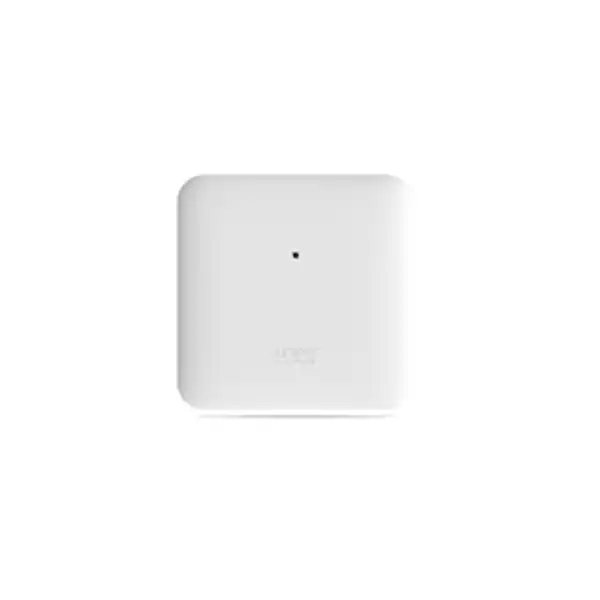
Juniper AP45 Access Point Dubai
The Juniper AP45 is a flagship indoor Wi‑Fi 6E access point built for demanding enterprise wireless environments. It combines 4×4:4 operation across 2.4 GHz, 5 GHz and 6 GHz, a dedicated fourth radio for scanning and analytics, multi-gigabit wired connectivity, Juniper Mist cloud operations and integrated virtual Bluetooth LE capabilities.
Direct answer: what is the Juniper AP45?
Why the AP45 is a different class of enterprise access point
The Juniper AP45 is not simply an older dual-band access point with an additional frequency label. Its design is aimed at enterprises that want to use the 6 GHz spectrum introduced with Wi‑Fi 6E while retaining robust service for the large installed base of 2.4 GHz and 5 GHz clients. Juniper specifies 4×4:4 802.11ax operation on each client-serving band. Maximum advertised data rates are up to 1,148 Mbps on 2.4 GHz, 2,400 Mbps on 5 GHz and 4,800 Mbps on 6 GHz. Those are radio data rates rather than guaranteed application throughput, but they show where the model sits in the Juniper indoor portfolio: it is designed for performance, density and feature headroom rather than minimum-cost coverage.
The 6 GHz band is important because it provides additional spectrum that can reduce competition with long-established 5 GHz networks and allows wider channel planning where regulations, client support and RF conditions permit it. A Dubai deployment should not assume that every endpoint will immediately use 6 GHz. Many corporate laptops, phones, scanners, voice devices and IoT endpoints may remain on 5 GHz or 2.4 GHz. The AP45 therefore earns its value when the wireless design considers the mixed client population rather than treating Wi‑Fi 6E as an automatic speed upgrade for every device.
The dedicated fourth radio also changes the operational model. Instead of asking one of the production radios to spend time performing every monitoring task, Juniper uses a separate radio for tri-band scanning, security monitoring, spectrum analysis, synthetic client functions and location analytics. That separation is useful in networks where troubleshooting quality matters as much as headline radio capacity. For IT teams managing several floors or sites, the ability to combine client-serving radios with always-on visibility can make the AP45 more valuable than a simpler access point that meets only basic coverage requirements.
AP45 technical specification overview
| Specification | Juniper AP45 details |
|---|---|
| Deployment | Indoor enterprise access point |
| Wireless generation | 802.11ax Wi‑Fi 6E with backward compatibility for 802.11a/b/g/n/ac clients |
| Client radios | 2.4 GHz 4×4:4, 5 GHz 4×4:4 and 6 GHz 4×4:4 |
| Maximum radio data rates | Up to 1,148 Mbps at 2.4 GHz, 2,400 Mbps at 5 GHz and 4,800 Mbps at 6 GHz; Juniper lists 8.3 Gbps as the tri-band combined highest supported rate |
| Dedicated monitoring radio | Fourth radio for WIDS/WIPS scanning, spectrum analysis, synthetic client and location analytics functions |
| Ethernet 0 | 100/1000/2500/5000BASE‑T RJ45, used for data and PoE input |
| Ethernet 1 | 10/100/1000BASE‑T RJ45; can provide 802.3af-class PSE output when Eth0 receives 802.3bt power |
| USB | USB 2.0 interface with up to 900 mA output as specified by Juniper |
| Bluetooth | Bluetooth 5.1 with a 16-element directional vBLE antenna array plus omnidirectional Bluetooth antenna |
| Internal AP45 antennas | Four 2.4 GHz omnidirectional antennas with 4 dBi peak gain; four 5 GHz and four 6 GHz omnidirectional antennas with 6 dBi peak gain |
| Dimensions | Approximately 230 mm × 230 mm × 50 mm |
| Weight | Approximately 2.01 kg for AP45 internal-antenna model |
| Operating environment | 0°C to 40°C for the internal-antenna model, 10% to 90% non-condensing relative humidity, up to 3,048 m altitude |
| Hardware security | Trusted Platform Module included for infrastructure security |
Wireless data rates are theoretical PHY rates under supported configurations and should not be read as guaranteed user throughput. Regulatory domain, channel width, client capabilities, interference, cabling, switching and power all affect real deployment performance.
Understanding the three client bands
2.4 GHz: reach and legacy continuity
The 2.4 GHz radio remains important for older endpoints and many IoT devices. AP45 supports 4×4:4 operation here, but 2.4 GHz has fewer non-overlapping channels and is usually the most congested enterprise band. A well-designed network does not try to force every modern client onto 2.4 GHz simply because the signal travels farther. Instead, it uses the band selectively for compatibility, specific coverage needs and devices whose radios are designed around it.
5 GHz: the present enterprise workhorse
The 5 GHz 4×4:4 radio supports up to a 2.4 Gbps advertised data rate and remains central to most enterprise WLANs because the client ecosystem is broad. During a Wi‑Fi 6E refresh, 5 GHz still carries many laptops, mobile devices, voice endpoints and specialized terminals. Channel planning, transmit power and minimum data-rate policies therefore remain critical even when 6 GHz is available.
6 GHz: capacity for capable clients
The 6 GHz radio supports 4×4:4 operation and up to a 4.8 Gbps advertised PHY rate. The practical benefit is additional spectrum and the possibility of wider channels, not a promise that every user will see multi-gigabit application speed. Only compatible Wi‑Fi 6E or newer clients can use this band, and local regulatory rules determine available channels and power modes.
Power design: the AP45 decision buyers should not leave until installation day
The AP45 can operate under different PoE conditions, but the available feature set changes with the delivered power. Juniper documents a dynamic power model. With 802.3af, the AP is essentially in a restricted state intended to obtain cloud connectivity and indicate that more power is required; only limited radio capability is available, Eth0 is constrained to 1 Gbps, Eth1 is disabled and USB is unavailable. This is not a sensible production target for a high-performance AP45 deployment.
With 802.3at, the AP can deliver a useful but reduced configuration. Juniper specifies options such as two radios at 4×4, or all three client radios with 2.4 GHz at 2×2, 5 GHz at 4×4 and 6 GHz at 2×2, while retaining BLE and scanning. PSE output and USB are not available in this mode. That may be acceptable during a phased migration, but it also means the organization has purchased a 4×4:4 tri-band access point without powering the complete design.
For full functionality, plan for 802.3bt and approximately 29.3 W at the powered device according to Juniper’s current PoE reference. This allows tri-radio 4×4 operation, the dedicated scanning radio, BLE, both Ethernet interfaces, PSE output on Eth1 and USB support. The upstream switch therefore needs more than a port that simply advertises PoE. The design team should verify the switch standard, per-port capability, total PoE budget for all APs, redundant power strategy, cable category and actual delivered power over the installed cabling.
For a 40-AP project, for example, checking only whether a switch has 48 PoE ports is insufficient. The power supply and chassis budget must support the aggregate load with the intended redundancy policy. If some switch ports are already powering cameras, phones, sensors or downstream devices, the available budget can be lower than the nameplate maximum. A proper quotation should therefore pair AP quantity with the actual switch model and power configuration rather than treating access points and switching as unrelated purchases.
5GbE uplink: when the wired network becomes part of the wireless design
Eth0 on the AP45 supports 100/1000/2500/5000BASE‑T. This multi-gigabit uplink is important because a high-capacity tri-band AP can generate enough aggregate traffic that a conventional 1GbE edge becomes a potential bottleneck. That does not mean every AP45 installation must immediately run at 5 Gbps, but it does mean the wired access layer should be reviewed as part of the Wi‑Fi 6E project. An organization refreshing APs while leaving old 1GbE-only access switches in place may gain RF capacity yet fail to realize the full benefit under sustained high-load scenarios.
The correct uplink speed depends on actual traffic patterns, concurrency and applications. Many office users spend much of their day on cloud applications, messaging and video meetings that individually consume far less than a gigabit. A single AP may therefore spend long periods well below 1 Gbps aggregate traffic. Conversely, dense collaboration floors, media workflows, large local file transfers, training labs or environments with many simultaneous high-throughput clients can make multi-gigabit connectivity more relevant. The uplink decision should be based on measured or forecast demand rather than on the theoretical sum of radio data rates.
Cabling also matters. Existing structured cabling may support multi-gigabit Ethernet depending on category, length, installation quality and electromagnetic conditions, but it should be validated rather than assumed. In Dubai projects where a ceiling AP replacement is planned without recabling, FourTeck can review switch port capability and the cabling environment alongside the AP specification so that the WLAN refresh does not expose an avoidable wired bottleneck after installation.
Juniper Mist cloud management and mandatory Wi‑Fi Assurance
The AP45 is designed for Juniper Mist cloud operations. Juniper’s current subscription documentation states that Wi‑Fi Assurance is a mandatory subscription when using Juniper access points. For procurement, this means the hardware alone is not a complete operational bill of materials. The quote should include the appropriate subscription quantity and term so that the organization can claim, configure, monitor and operate the APs through the intended Mist service model.
Wi‑Fi Assurance provides the day-to-day wireless management foundation, including functions such as radio resource management, service-level experience metrics, WLAN policy creation, guest Wi‑Fi functions and dynamic packet capture capabilities. Juniper offers subscription durations including one-year, three-year and five-year terms. The preferred term often depends on the organization’s budgeting model, expected hardware lifecycle and desire to avoid short renewal cycles. A multi-year network standardization project commonly benefits from aligning the subscription term with the operational support window, but there is no universal best term.
Additional Mist services can be selected according to requirements rather than added automatically. Asset Visibility supports locating resources using BLE-related capabilities; Marvis Virtual Network Assistant adds AI-driven assistance and troubleshooting; Premium Analytics extends analysis and reporting; engagement capabilities address location-aware digital experiences. Because these services solve different business problems, the buyer should specify whether the AP45 is being purchased only for wireless connectivity or as part of a wider location, analytics or automation initiative.
Subscription scope is also relevant. Some Mist features are consumed at organization level while others can be applied at site level. In a multi-branch UAE organization, this can affect how licenses are allocated when not every site needs the same optional service. A quotation is more accurate when it distinguishes the mandatory wireless subscription from optional feature subscriptions and states the desired term for each service instead of presenting an unexplained software bundle.
Dedicated fourth radio: why monitoring capacity matters
The AP45’s fourth radio is dedicated to monitoring and analytics functions rather than serving ordinary client traffic. Juniper documents tri-band wireless intrusion detection and prevention scanning, spectrum analysis, synthetic client behavior and location analytics among its functions. This architecture supports a key operational goal: preserve visibility without constantly diverting a production client radio from normal service.
Wireless problems are often intermittent. A user may report that a video call failed two hours earlier or that a handheld device roams poorly in only one corridor. Traditional troubleshooting can require a technician to reproduce the problem, capture packets locally and correlate RF conditions with client events. Mist’s telemetry-driven approach is designed to collect richer context continuously. Dynamic packet capture can automatically stream packet information when significant problems are detected, helping support teams investigate without physically placing a sniffer beside the affected client every time.
The monitoring radio also helps security operations by continuously observing the wireless environment for unauthorized or suspicious activity under the platform’s WIDS/WIPS capabilities. That should not be interpreted as a replacement for the organization’s wider security architecture. Wireless monitoring complements identity, endpoint, firewall, segmentation and incident-response controls. The AP45 contributes high-quality wireless visibility, but an enterprise still needs appropriate authentication, authorization and security policy around the WLAN.
For buyers, the useful question is whether operational telemetry has real value to their IT model. In a small office with a handful of users and little support complexity, a simpler AP may be adequate. In a campus, hotel, hospital, school, retail estate or large corporate environment where wireless incidents have business impact, the dedicated sensor capability helps justify a more capable platform.
Virtual Bluetooth LE and location-aware services
The AP45 integrates Bluetooth 5.1 and Juniper’s virtual Bluetooth LE architecture, including a 16-element directional antenna array plus an omnidirectional Bluetooth antenna. The purpose is broader than simply advertising that the access point contains Bluetooth hardware. In the Mist ecosystem, vBLE can support location-oriented experiences such as user engagement, indoor navigation concepts and asset visibility when the appropriate services and application design are in place.
This can be useful in environments where the same wireless infrastructure is expected to support both connectivity and operational intelligence. A healthcare facility may care about locating tagged resources. A large office may want room- or zone-level asset awareness. A retail or hospitality environment may evaluate location-aware engagement. The access point provides the radio foundation, but a successful project still requires the relevant Mist subscription, floor plans, application integration, compatible tags or client applications where applicable, privacy governance and a clear business process that uses the resulting location information.
The key procurement lesson is that vBLE should be treated as a solution capability, not a free standalone outcome. If asset visibility is a requirement, specify the number and type of assets, expected accuracy, building layout, tag ecosystem and desired reporting. If mobile engagement is the goal, define the mobile application, user journey and integration requirements. This prevents a buyer from purchasing capable hardware but leaving the software and operational side undefined.
Organizations that do not need location services can still deploy AP45 for Wi‑Fi. The BLE capability does not make the product inappropriate for a conventional enterprise WLAN. It simply gives the platform additional options that may become valuable later, especially when a site standard is expected to remain in place for several years.
AP45 internal antennas versus AP45E external antennas
The AP45 family is offered with internal and external antenna options. The AP45 discussed on this page is the internal-antenna model. Juniper specifies four 2.4 GHz omnidirectional antennas with 4 dBi peak gain and four omnidirectional antennas for each of the 5 GHz and 6 GHz bands with 6 dBi peak gain. This makes the standard AP45 appropriate for many conventional ceiling or wall deployments where integrated antennas simplify installation and produce a predictable enterprise coverage pattern.
The AP45E provides external antenna connectors and is relevant when the RF design requires specialized antenna patterns or placement. External antennas can solve legitimate design problems, but they add engineering responsibility: the antenna model, gain, cable loss, mounting orientation and regulatory limits must all be considered. A buyer should not select AP45E simply because external antennas sound more powerful. In a normal office ceiling design, the internal AP45 is often cleaner and easier to standardize.
The choice becomes more nuanced in high ceilings, unusual building geometry, directional coverage areas or specialized industrial indoor spaces. There, an RF survey may identify a need for a different pattern. The right approach is to select the antenna architecture from the environment rather than from a preference for visible or external hardware. For Dubai projects, ceiling type, aesthetic requirements, mounting height and structured cabling route should be captured early because they affect both access-point variant and installation accessories.
Mounting and physical installation
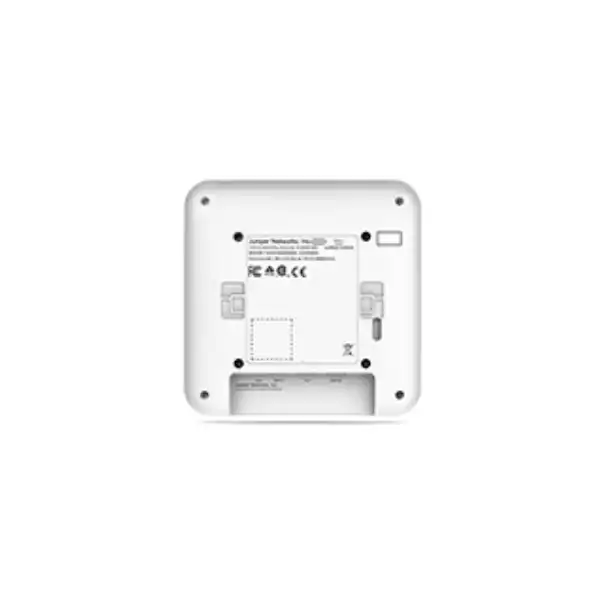
Juniper documents the AP45 as an indoor device measuring about 230 mm by 230 mm by 50 mm and weighing about 2.01 kg. The package includes the APBR-U universal bracket. Juniper supports wall, ceiling and junction-box mounting, and provides additional adapters for several ceiling rail or threaded-rod arrangements. That matters because enterprise ceilings differ substantially: exposed soffits, conventional T-rail grids, recessed rails, drywall, junction boxes and suspended threaded-rod installations may all require different mechanical preparation.
A deployment team should verify the ceiling system before ordering accessories in quantity. Juniper lists options for recessed 9/16-inch and 15/16-inch T-rails, 1.5-inch rails and threaded-rod mounting. The universal bracket covers many standard scenarios, but special ceiling conditions can require a separate adapter. Discovering this only after technicians arrive creates avoidable return visits and delays.
Juniper recommends claiming an AP before mounting because the claim code on the rear can become difficult to access after installation. This is a small operational detail with significant rollout value. In a large deployment, staging the devices, associating claim information with intended locations and then mounting them in a controlled sequence reduces labeling errors and makes post-installation validation easier.
Physical installation quality also affects RF performance. Access points should not be hidden above metal ceilings, placed immediately beside large metal objects or installed in locations chosen only because a network cable happens to be nearby. The final position should reflect the RF design, user distribution and room geometry. Where a ceiling installation is not practical, wall mounting may be possible, but orientation and coverage behavior should still be assessed rather than treated as equivalent by default.
Capacity planning: why client count alone is not enough
Juniper’s hardware specifications list a maximum of 512 clients per radio for AP45. This is a platform limit, not a recommended design target for every application. Enterprise Wi‑Fi performance is governed by airtime, traffic behavior, signal quality, contention, channel width, retransmissions, roaming and application expectations. Hundreds of associated low-traffic IoT clients are a very different load from hundreds of people simultaneously using video collaboration, cloud desktops or large data transfers.
A practical AP quantity calculation starts with physical coverage and expected client density, then checks capacity. Conference rooms, training centers, classrooms, cafeterias, auditoriums and event spaces often need more capacity than their floor area suggests. A corridor may need coverage but relatively little capacity. The design should therefore map people and devices to spaces instead of dividing the building’s square meters by a generic coverage number.
Channel width is another important lever. Wider channels can increase peak throughput for capable clients, especially in 6 GHz, but they consume more spectrum. In dense networks, using the widest possible channel everywhere can reduce the number of distinct channels and increase co-channel contention. The right width depends on available spectrum, AP density, neighboring RF activity and performance goals. Wi‑Fi 6E gives the designer more options, but it does not eliminate RF engineering.
Client capability should also be inventoried. A business may have a fleet of modern Wi‑Fi 6E laptops but still rely on 2.4 GHz handheld scanners, printers or IoT devices. If the design focuses only on the newest endpoints, operational devices can suffer. Conversely, if everything is optimized around legacy clients, the organization may not obtain the benefits of the new 6 GHz capacity. The AP45 is well suited to mixed environments precisely because it has strong radios across all three bands.
For a quotation, useful inputs include user count by area, endpoint types, expected concurrent devices, critical applications, floor plans, wall materials, ceiling height, existing AP locations, switch models and internet or WAN capacity. Those inputs let the design separate a simple hardware refresh from a true capacity-driven wireless redesign.
Wi‑Fi 6E client readiness and security expectations
The 6 GHz band is usable only by clients that support the relevant newer wireless standards and regulatory requirements. Older Wi‑Fi 5 and many Wi‑Fi 6 devices remain on 2.4 GHz or 5 GHz. Before purchasing AP45 primarily for 6 GHz capacity, an organization should assess the percentage of its client estate that can actually use that band during the intended deployment period. A laptop refresh scheduled six months later may make 6 GHz strategically important even if today’s client percentage is modest.
Security configuration is equally important. Modern enterprise WLAN design should plan WPA3 and appropriate enterprise authentication where supported, while maintaining a deliberate strategy for legacy or specialized devices that cannot meet the same requirements. A migration may require separate WLANs or policy treatments for corporate endpoints, guests, IoT devices and operational technology. The access point is only one layer; identity services, certificates, RADIUS or cloud NAC, VLAN or policy design and firewall enforcement shape the actual security posture.
Juniper Mist Access Assurance can provide cloud-based identity and device access-control functions, including 802.1X and additional IoT onboarding options, but it is a separate service decision from the mandatory Wi‑Fi Assurance subscription. Organizations that already use another NAC platform may choose to keep it, provided the integration and policy model are compatible with the intended WLAN architecture. The quotation should therefore distinguish access-point management from network-access control.
A technically strong deployment also documents SSID count, authentication methods, guest onboarding, certificate lifecycle, role or VLAN assignments, IoT exceptions and segmentation boundaries. Excessive SSIDs can consume airtime through management overhead, so the objective should be a clear service design rather than one SSID for every department. Wi‑Fi 6E adds useful spectrum, but sound WLAN hygiene remains essential.
Where AP45 fits in the Juniper access point family
Juniper positions AP45 as a high-performance Wi‑Fi 6E model. It is a stronger fit when 4×4:4 radios, 6 GHz capacity, dedicated scanning and vBLE location capabilities are meaningful. Juniper also offers lower-tier Wi‑Fi 6E access points such as AP34 and AP24, as well as newer Wi‑Fi 7 models in the current portfolio. This means a buyer should compare AP45 against the actual project horizon rather than automatically assuming that the supplied model is the only reasonable choice.
Choose AP45 when
The project needs 4×4:4 tri-band Wi‑Fi 6E, high-density capability, multi-gigabit uplinks, a dedicated monitoring radio and potentially vBLE-based location services. It is particularly relevant when the organization already uses or is standardizing on Juniper Mist operations.
Evaluate AP34 or AP24 when
The site still needs Wi‑Fi 6E but does not require the AP45’s 4×4:4 capacity or vBLE feature set. Lower-tier radios may be more economical in ordinary offices, low-density branches or areas where coverage matters more than peak client capacity.
Evaluate Wi‑Fi 7 when
The project is a new long-life deployment and the client roadmap, switching, budget and regulatory requirements justify moving to the newer generation. A Wi‑Fi 7 model may provide more future headroom, but the value depends on client readiness and the full infrastructure cost.
The strongest procurement process asks what business problem the access point must solve over the next several years. If AP45 already meets the capacity, client and lifecycle requirements, it can remain an excellent Wi‑Fi 6E choice. If the network refresh is expected to last deep into a Wi‑Fi 7 client cycle, compare the newer models before locking the bill of materials. Conversely, do not pay for a newer radio generation simply for marketing value if the branch environment, WAN connection and client estate cannot use the additional capability.
Dubai and UAE deployment considerations
Wireless hardware must be supplied and configured for the correct regulatory domain. Juniper’s published ordering information distinguishes US models from models intended for use outside the United States and notes that regional or country-specific SKUs must be used only in authorized areas. For a Dubai or UAE project, the reseller and customer should confirm the appropriate authorized model and current local regulatory support before shipment and configuration. This is especially important for 6 GHz because permitted spectrum and power modes vary by country and can change over time.
Indoor environmental conditions should also be considered. The internal-antenna AP45 is specified for operation from 0°C to 40°C at 10% to 90% non-condensing relative humidity. In a normally air-conditioned office, hotel or institutional interior this is generally compatible with expected conditions. It is not an outdoor access point, and it should not be installed in exposed external areas, unconditioned rooftop enclosures or other locations that can exceed its environmental rating. Outdoor or harsh-environment requirements should be addressed with a model designed for those conditions.
The building’s construction has a major impact on RF behavior. Reinforced concrete, dense partitions, metalized glass, lift cores, stone finishes and mechanical spaces can attenuate signal or create reflections. A floor plan alone cannot always predict these effects accurately. For a new building, predictive design provides a starting point; for an existing site, survey measurements can validate assumptions and identify interference or coverage gaps.
UAE buyers should also plan logistics at project level: number of access points, subscription start date, mounting accessories, switches or power upgrades, installation schedule, after-hours access, labeling convention, floor-plan documentation and post-deployment acceptance testing. This is more useful than buying APs first and discovering later that licensing, PoE capacity or ceiling adapters were omitted.
Deployment workflow for an AP45 rollout
1. Define the wireless outcome
Document the business applications, user density, client types, roaming expectations, guest requirements and any location-service goals. This prevents the hardware choice from being separated from the service level the business expects.
2. Review floor plans and RF conditions
Assess building materials, ceiling height, neighboring networks, high-density rooms and expected AP locations. Use predictive planning and, where appropriate, onsite survey work to validate coverage and capacity assumptions.
3. Validate switching and PoE
Confirm 802.3bt availability where full AP45 functionality is required, total PoE budget, multi-gigabit port support, uplink capacity, switch redundancy and structured cabling quality.
4. Select subscriptions
Include mandatory Wi‑Fi Assurance for each AP and choose the appropriate term. Add optional Marvis, Asset Visibility, engagement, analytics or access-control services only where the project requirements justify them.
5. Stage, claim and label
Claim APs in Mist before mounting, associate serial or claim information with intended locations, apply site configuration, establish naming conventions and validate firmware or template policies before large-scale installation.
6. Install and validate
Mount the APs with the correct bracket, connect the designed PoE uplink, verify cloud connectivity, confirm expected radio operation and perform coverage, roaming and application validation in representative areas.
Migration from an older wireless network
Replacing an existing wireless platform with AP45 is not only a physical swap. The most successful migrations separate hardware installation from policy migration. Existing SSIDs, VLAN assignments, authentication methods, RADIUS dependencies, guest portals, device exceptions, QoS policies and firewall rules should be documented before the first AP is changed. This creates an opportunity to remove legacy configuration that accumulated over time instead of reproducing every historical setting in the new platform.
A phased rollout is often safer than replacing every floor simultaneously. A pilot area can validate client compatibility, roaming, authentication, application behavior and support workflows. Mixed-vendor coexistence may be possible during migration, but roaming behavior and RF planning should be tested. Two adjacent WLAN systems using the same channels or different policy assumptions can create troubleshooting complexity if the transition is not coordinated.
Switching can also determine the migration sequence. If the current access layer delivers only 802.3af or 802.3at and 1GbE, the organization must decide whether to accept temporary reduced AP45 functionality, upgrade switch hardware first, or deploy new switches and access points together. A temporary compromise may be reasonable if it is documented and scheduled for remediation, but it should not become an accidental permanent state.
Client onboarding requires similar discipline. Corporate 802.1X devices may depend on certificates or supplicant configuration. BYOD devices may need a new onboarding flow. IoT endpoints can be difficult to reconfigure at scale. Guest users care about portal behavior, terms, branding and internet access more than the access-point model. A migration plan should therefore include these user-facing workflows rather than focusing exclusively on RF installation.
Finally, define acceptance criteria before cutover. Useful measures include successful authentication, target coverage in critical spaces, voice or video quality, roaming performance, key application responsiveness, Mist visibility, error rates and support-ticket trends. This turns the AP45 deployment from a hardware delivery project into a measurable network improvement.
Performance expectations: what the advertised numbers do and do not mean
The AP45’s published radio rates are useful for comparing hardware capability, but they are not equivalent to application throughput. Wi‑Fi is a shared medium. Protocol overhead, contention, retransmissions, encryption, channel width, client spatial streams, signal-to-noise ratio and neighboring transmissions all reduce usable throughput below the theoretical PHY rate. Most clients also have fewer spatial streams than the AP itself, so a 4×4 access point frequently serves many 1×1 or 2×2 devices rather than one 4×4 client at the maximum rate.
The benefit of a 4×4 enterprise AP is therefore not limited to achieving one dramatic speed-test result. It provides more radio resources and scheduling flexibility for a population of clients, especially when combined with 802.11ax technologies such as OFDMA, MU-MIMO, BSS Coloring and Target Wake Time. OFDMA can improve efficiency when many clients exchange smaller amounts of data; MU-MIMO can serve compatible clients more efficiently; BSS Coloring helps devices better distinguish overlapping basic service sets; and TWT can improve power behavior for compatible endpoints.
Real application quality also depends on the path beyond the AP. A 5GbE AP uplink does not help if the distribution layer is congested, the WAN circuit is saturated, DNS is slow or the SaaS application is experiencing latency. Mist’s client-to-cloud visibility is intended to help operators distinguish wireless problems from broader path issues, but network design still needs end-to-end capacity planning.
For buyer evaluation, define performance in business terms. A call center may prioritize consistent voice quality and roaming. A design studio may care about fast access to large local files. A school may need predictable capacity during simultaneous online exams. A hotel may prioritize guest density and easy onboarding. AP45 can support all of these patterns when designed correctly, but the RF and network policy should follow the application rather than a generic throughput target.
Operational management after go-live
Juniper Mist’s cloud model is designed to simplify ongoing configuration, firmware management and troubleshooting. AP45 automatically connects to the Mist cloud, retrieves configuration and can receive firmware updates according to the administrator’s chosen process. For a distributed organization, this reduces dependence on local controller appliances and gives central teams a consistent operational view across sites.
The value of cloud management depends on operational discipline. Organizations should define administrator roles, change windows, site templates, WLAN naming, firmware policy, alert routing and escalation paths. A cloud portal does not remove governance; it makes standardized governance easier to implement at scale. Changes should still be tested, documented and deployed in a way that protects business-critical wireless services.
Service-level experience metrics can help teams monitor whether users are meeting expectations across dimensions such as connection, throughput and roaming behavior rather than relying only on AP up/down status. A green access-point LED does not prove that a client had a good experience. Experience-oriented telemetry gives the support team a more useful starting point when a user says that Wi‑Fi is slow or unstable.
Dynamic packet capture and Marvis-related capabilities can further reduce troubleshooting effort, especially across large estates. Optional AI assistance is most valuable when it is integrated into a clear support workflow: service desk staff need to know which questions to ask, network engineers need access to the relevant telemetry, and recurring issues need root-cause remediation rather than repeated one-off fixes.
Lifecycle planning should include subscription renewal dates, firmware support, hardware warranty status, spare strategy and future client generations. Juniper lists a limited lifetime warranty for AP45 in its access-point family comparison, but support service coverage and operational replacement targets should still be confirmed in the commercial proposal. A business-critical WLAN often needs defined response and replacement expectations beyond a generic warranty statement.
Common AP45 use cases in Dubai organizations
Corporate headquarters
High-density office floors benefit from 5 GHz and 6 GHz capacity, while the 2.4 GHz radio continues to support legacy and IoT devices. Multi-gigabit switching, 802.3bt power and well-planned roaming are especially relevant where users move between meeting rooms, collaboration areas and open offices.
Hospitality and guest environments
Hotels and premium guest spaces may value capacity, operational visibility and location-aware services. The WLAN design must still account for room construction, guest onboarding, roaming, internet breakout, privacy and device diversity.
Education and training facilities
Classrooms can place many active clients in a compact area. Capacity planning should use the expected number of simultaneous devices and applications per room rather than simple corridor coverage. 6 GHz can add useful spectrum for newer student and faculty devices.
Healthcare and clinical sites
Healthcare WLANs may carry voice, tablets, workstations and specialized devices while also exploring asset visibility. Reliability, roaming, device compatibility, segmentation and change control generally matter more than peak throughput alone.
Retail and customer-facing venues
Retail sites can combine employee devices, POS-related connectivity, guest Wi‑Fi and potentially engagement or asset functions. The design should isolate business-critical traffic from guests and treat location analytics as a defined solution with appropriate privacy and application integration.
Technology and media workspaces
Teams moving large files or using latency-sensitive real-time tools can benefit from stronger radios and multi-gigabit uplinks, but the entire wired path, storage platform and WAN must be sized to avoid shifting the bottleneck elsewhere.
When AP45 may be more than you need
A balanced recommendation must acknowledge that AP45 is not the right answer for every room. A small branch with modest user density, a 1Gbps WAN connection, limited Wi‑Fi 6E client adoption and no location-service requirement may obtain little practical benefit from a flagship 4×4:4 access point. A lower-tier Juniper model can often deliver the required coverage and cloud-management experience at lower hardware and power cost.
AP45 can also be a poor fit if the switching infrastructure cannot provide the desired PoE and uplink capacity and there is no plan to upgrade it. Running the access point permanently in a reduced-power mode can be technically valid, but it weakens the business case for buying the higher-end model. If the project budget cannot support the surrounding infrastructure, compare a lower-power access point or phase the refresh intentionally.
The model is indoor-rated. It should not be selected for exposed outdoor courtyards, parking areas or building exteriors simply because the RF requirements are similar. Juniper has outdoor-capable access points for those conditions. Environmental suitability is a hard design requirement, not a cosmetic preference.
Finally, a greenfield project with a long refresh cycle should compare current Wi‑Fi 7 options. AP45 remains a capable Wi‑Fi 6E platform, but a buyer investing in new switching, cabling and client hardware at the same time may decide that a newer radio generation better matches the lifecycle. The choice should be justified by client roadmap, application demand, regulatory availability and total cost rather than by generation number alone.
Procurement details that affect the final quotation
For AP45, the hardware model is only the starting point. Juniper’s ordering information distinguishes AP45-US for the United States and AP45-WW for locations outside the United States. UAE supply should be confirmed against current regional authorization and distribution availability. Buyers should avoid sourcing an apparently cheaper regional SKU from another market because regulatory restrictions and warranty conditions can be affected by use outside the authorized area.
The quotation should identify whether the requirement is AP45 with internal antennas or AP45E with external antennas. It should also specify the mandatory Mist Wi‑Fi Assurance subscription term and any optional cloud services. For a new deployment, switch upgrades or PoE injectors may be needed, although an enterprise design normally prefers properly sized PoE switching rather than a large collection of individual injectors.
Mounting accessories should be matched to the ceiling or wall structure. The universal bracket is included, while special adapters may be separate. If the site uses recessed rails, threaded rods or non-standard mounting, the procurement team should provide photographs or ceiling-system details. This is a simple way to prevent installation delays caused by missing mechanical parts.
Support requirements also influence price. Some organizations need only manufacturer warranty coverage; others require defined replacement handling, onsite installation, survey services, configuration, migration, documentation, training or managed support. The quote should separate hardware, software subscriptions, installation and ongoing service so that the buyer can see which cost supports which outcome.
Lead time and project schedule should be coordinated with subscription activation and installation. If a subscription begins significantly before the site is ready, part of the paid term can be consumed before production use. For phased deployments, the buyer should discuss how quantities and activation dates align with each site wave.
Buyer checklist before ordering Juniper AP45
Frequently asked buyer questions
Is Juniper AP45 Wi‑Fi 6E or Wi‑Fi 7?
AP45 is a Wi‑Fi 6E access point using 802.11ax technology across 2.4 GHz, 5 GHz and 6 GHz. It is not a Wi‑Fi 7 model. Organizations planning a new long-life deployment can compare Juniper’s current Wi‑Fi 7 models, but AP45 remains relevant where Wi‑Fi 6E meets the client and lifecycle requirements.
Does AP45 require a controller?
AP45 is designed for Juniper Mist cloud management rather than a traditional on-premises WLAN controller as the normal management plane. Juniper Mist Wi‑Fi Assurance is a mandatory subscription for Juniper access points. Mist Edge may be used for specific traffic-forwarding architectures when required, but it is not the same as a conventional controller dependency.
What PoE does AP45 need?
For full functionality, plan for 802.3bt power. Juniper lists approximately 29.3 W for full operation. The AP can start and operate in reduced configurations on lower PoE levels, but radios and interfaces are restricted. If the goal is full 4×4 tri-band operation with all features, the switching design should provide the required power.
Does AP45 have a 5GbE port?
Yes. Eth0 supports 100/1000/2500/5000BASE‑T over RJ45 and receives PoE. A second Eth1 interface supports up to 1GbE and can provide PoE output in the appropriate 802.3bt-powered configuration. The actual uplink speed should be chosen according to traffic demand and switch capability.
Can older devices connect to AP45?
Yes. Juniper specifies backward compatibility with 802.11a/b/g/n/ac. Older clients will use the bands and protocols they support; they do not gain 6 GHz capability simply because the access point supports it. Client behavior and security compatibility should be tested during migration.
Can AP45 be used outdoors?
No. AP45 is an indoor access point. Exposed outdoor or harsh-environment installations should use an appropriately rated Juniper model. Putting an indoor unit in a protective box is not automatically equivalent to selecting purpose-built outdoor hardware because temperature, moisture, antenna behavior and compliance still matter.
What is the difference between AP45 and AP45E?
AP45 uses integrated internal antennas. AP45E provides external antenna connectors for designs that need specialized antenna patterns. The external-antenna model should be selected only when the RF design and regulatory constraints justify it; many conventional office installations are simpler with the integrated AP45.
Does AP45 include location services automatically?
The hardware includes vBLE-capable Bluetooth architecture, but business outcomes such as asset visibility or mobile engagement depend on the corresponding Mist services, solution design and, where applicable, tags or application integration. Treat location capability as a platform feature that requires a defined use case and software plan.
How many AP45 units do I need?
There is no accurate universal square-meter rule. Quantity depends on floor plan, wall materials, client density, device capabilities, channel plan, ceiling height, application requirements and desired redundancy. A survey or predictive design should determine placement and capacity rather than purchasing by floor area alone.
What should a Dubai AP45 quotation include?
At minimum, identify the correct regional AP hardware, quantity, mandatory Wi‑Fi Assurance term, any optional Mist services, required mounting accessories and whether switching or PoE upgrades are included. If installation is required, add survey, staging, configuration, migration, labeling, testing and documentation scope.
Decision recap: six points that determine whether AP45 is the right fit
What FourTeck needs for an accurate AP45 quotation
A useful quotation can be created much faster when the technical assumptions are clear. The following inputs are the most valuable for a Dubai or wider UAE AP45 project:
Plan the Juniper AP45 around your network, not just the access point
AP45 is most effective when radio design, 802.3bt power, multi-gigabit switching, Mist subscriptions, mounting and client readiness are treated as one solution. FourTeck can help UAE buyers validate these dependencies and build a practical quotation for hardware, subscriptions and implementation services without assuming that the highest-specification option is automatically the right one.

Reviews
There are no reviews yet.