
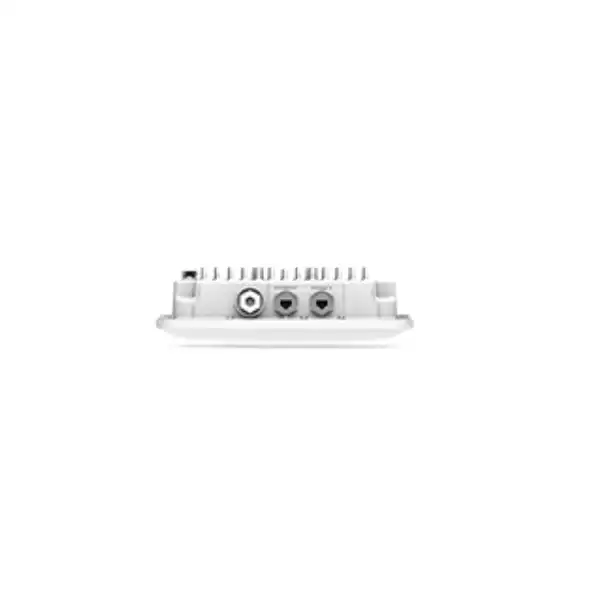
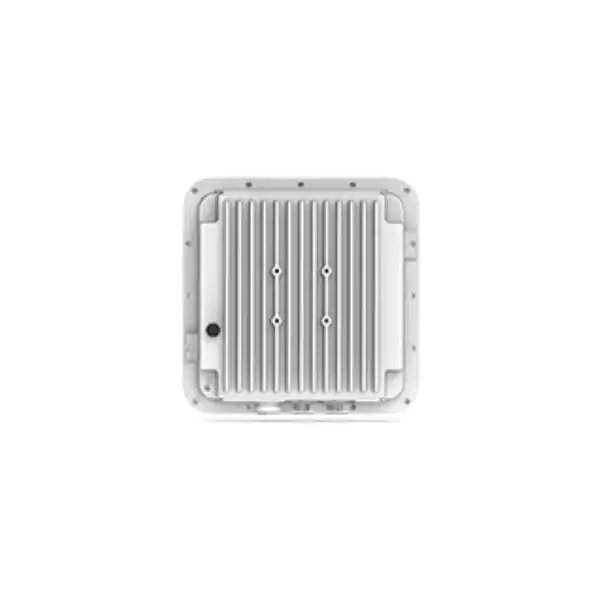
Juniper AP63 Access Point Dubai
The Juniper AP63 is an enterprise outdoor Wi-Fi 6 access point built for organisations that need dependable wireless coverage beyond climate-controlled offices. It combines rugged environmental protection, 4×4:4 802.11ax client connectivity, a dedicated scanning radio, cloud-based operations through Juniper Mist and Bluetooth LE location capabilities in a platform suited to campuses, public venues, transport areas, retail curbside zones and demanding industrial environments.
For a Dubai or wider UAE deployment, the important buying decision is not simply whether AP63 supports Wi-Fi 6. The project must also confirm the internal-antenna AP63 or external-antenna AP63E variant, correct world-region ordering code, PoE budget, Ethernet switching capability, mounting method, coverage objective, client density, RF conditions and the Juniper Mist subscriptions required for the intended operational experience. Those decisions affect both the bill of materials and the quality of the finished wireless network.
Direct answer: what is the Juniper AP63 and who is it for?
What exactly is it?
The Juniper AP63 is a ruggedised outdoor wireless access point based on IEEE 802.11ax, commonly called Wi-Fi 6. Juniper specifies a tri-radio architecture with 4×4:4 client radio capability and a dedicated third radio used for functions such as radio resource management, spectrum analysis, wireless intrusion detection and prevention, synthetic testing and location analytics. It is managed through the Juniper Mist cloud architecture rather than being treated as an isolated standalone outdoor radio.
What is it mainly used for?
AP63 is mainly used where enterprise Wi-Fi must extend into exposed or semi-exposed spaces. Typical applications include outdoor campus areas, pathways, courtyards, loading areas, public venues, transportation environments, industrial yards, warehouses with difficult environmental conditions and curbside service zones. The aim is managed business wireless coverage with enterprise monitoring and policy rather than a simple consumer-grade outdoor hotspot.
Who should consider it?
Organisations already using or planning Juniper Mist wireless are natural candidates, especially when outdoor areas need to be operated under the same visibility, assurance and policy framework as indoor networks. It can also suit greenfield projects where IT teams value cloud management, dedicated scanning, client experience telemetry and location capabilities. Buyers seeking 6 GHz Wi-Fi 6E specifically should compare the AP63 against newer outdoor alternatives such as Juniper AP64 rather than assuming the model is equivalent.
What is the most important factor to confirm?
Confirm the deployment design, not just the access point name. AP63 is available with internal antennas, while AP63E provides external antenna connectors. That choice changes how RF energy is shaped and therefore affects mounting, antenna selection, cable losses, coverage geometry and potentially the complete bill of materials. Power is equally important because the primary 2.5GBase-T interface and optional PoE output behaviour depend on the PoE design.
What can FourTeck help determine?
FourTeck can help define whether AP63 or AP63E is the appropriate variant, estimate access-point quantity from the coverage and capacity objective, identify suitable PoE switching, confirm the correct non-US regional SKU for UAE deployment, review mounting requirements, align Mist subscription needs with operational goals and build a quotation that separates access points, licenses, switches, accessories, installation and support. A proper RF survey or predictive design may still be required for exact placement because outdoor distance alone is not a reliable sizing method.
Why the AP63 is different from a basic outdoor access point
An outdoor access point is often described primarily by weather resistance and radio speed. That is not enough for an enterprise buyer. The Juniper AP63 is designed as part of a managed wireless architecture in which the access point, cloud control plane, assurance telemetry and supporting services work together. This matters because a business network is judged by whether users and devices can connect predictably, roam correctly, obtain network services, reach applications and remain secure—not by whether a datasheet contains a high headline radio rate.
The AP63 uses Wi-Fi 6 features including OFDMA, 1024-QAM, MU-MIMO, Target Wake Time and BSS Coloring. In practical terms, these mechanisms are designed to improve spectrum efficiency, device scheduling and coexistence in modern WLANs. Their value depends on client support, RF conditions, channel planning and application patterns. A warehouse scanner, outdoor tablet, visitor smartphone and IoT endpoint do not behave identically, so the right design considers the actual endpoint mix rather than assuming every client can take full advantage of four spatial streams or the highest modulation rate.
The dedicated third radio is an important architectural feature. Instead of forcing the client-serving radios to perform all scanning and monitoring duties, the additional radio can support continuous functions such as WIDS/WIPS, spectrum analysis, radio resource management, synthetic client testing and location analytics. That does not eliminate the need for good RF engineering, but it gives the Mist platform richer operational data and allows monitoring to remain a first-class part of the WLAN design.
For UAE buyers, the rugged enclosure is equally relevant. Juniper lists IP67 and NEMA 4 compliance and specifies operating temperatures down to -40°C, up to 55°C with solar loading and up to 65°C without solar loading. Those numbers are useful, yet the installation still needs sensible placement, correct cabling, weatherproof terminations, grounding practices appropriate to the site and attention to direct solar exposure. Environmental rating protects the equipment within defined limits; it does not replace good outdoor installation practice.
Juniper AP63 key specifications
The following values are based on Juniper’s published AP63 specifications. Regional ordering codes, supported regulatory domains, subscription packaging and accessory availability should still be reconfirmed at quotation stage because these are commercial and regulatory details that can change.
| Specification | Published AP63 detail | Buyer relevance |
|---|---|---|
| Wireless standard | 802.11ax Wi-Fi 6, backward compatible with 802.11a/b/g/n/ac | Supports modern Wi-Fi 6 clients while retaining compatibility with older 2.4 GHz and 5 GHz devices. |
| Client radio capability | 4×4:4, up to 1,148 Mbps at 2.4 GHz and 2,400 Mbps at 5 GHz | Useful for capacity planning, but real client throughput is lower and depends on channel width, modulation, client capability and RF quality. |
| Combined highest supported rate | 3.5 Gbps dual-band; up to 4.8 Gbps dual-5 GHz on the internal-antenna model | These are aggregate radio data rates, not a promise of single-user Internet throughput. |
| Dedicated third radio | 2×2:2 dual-band sensor radio for WIDS/WIPS, spectrum analysis, synthetic client and location analytics | Provides continuous monitoring and operational telemetry without depending entirely on client-serving radios. |
| Bluetooth | Bluetooth 5.0 with vBLE 16-element directional antenna array plus omnidirectional Bluetooth antenna | Relevant when location, engagement or asset-visibility use cases are part of the project and supported services are licensed. |
| Primary Ethernet | 100/1000Base-T and 2.5GBase-T, RJ45, PoE powered device | A 2.5GbE-capable access switch can avoid a 1GbE wired bottleneck where the design justifies multigigabit uplink capacity. |
| Secondary Ethernet | 10/100/1000Base-T RJ45; optional 802.3af PoE PSE mode when Eth0 receives 802.3bt | Potentially useful for an attached device, but power budget and architecture should be verified rather than assumed. |
| Power | 802.3at PoE with no PoE out, or 802.3bt PoE | Switch PoE standard and budget must be checked before installation, especially when using the secondary port’s PoE output capability. |
| Environmental enclosure | IP67 / NEMA 4 compliant | Designed for exposed outdoor deployments, subject to proper mounting, cabling and environmental practice. |
| Temperature | -40°C to 55°C with solar loading; -40°C to 65°C without solar loading | Important for UAE outdoor placement where direct solar load can materially change thermal conditions. |
| Dimensions | 285 × 285 × 86 mm | Useful for bracket, wall, pole and mounting-clearance planning. |
| Weight | AP63 3.4 kg; AP63E 3.9 kg, excluding mount and accessories | Mounting surface and hardware must safely support the installed assembly, not only the bare access point. |
| Security hardware | Trusted Platform Module (TPM) | Adds hardware-backed infrastructure security capabilities within the platform design. |
Radio architecture, capacity and realistic performance expectations
4×4:4 client radios
Four transmit and receive chains with four spatial streams give the AP63 a strong radio foundation for an enterprise outdoor WLAN. However, many endpoint devices are 1×1 or 2×2 rather than 4×4, so the access point’s value is often in serving multiple devices efficiently and maintaining capacity rather than delivering a 4×4 rate to every client.
Wi-Fi 6 efficiency features
OFDMA, MU-MIMO, BSS Coloring, 1024-QAM and Target Wake Time are part of the Wi-Fi 6 feature set. They can improve efficiency and device behaviour when clients support them, but they do not remove airtime contention or interference. Channel reuse, client distribution and RF design still determine whether those features translate into better user experience.
Dedicated sensor radio
A separate scanning radio gives the system continuous visibility into the RF environment while the client radios focus on service. This helps with spectrum awareness, security monitoring, radio optimisation and synthetic testing. Buyers comparing AP63 with simpler outdoor APs should treat this operational visibility as part of the product value rather than looking only at maximum Mbps.
Juniper specifies maximum data rates of up to 2,400 Mbps on 5 GHz and 1,148 Mbps on 2.4 GHz. Those are PHY-layer rates under supported configurations. Application throughput is lower because wireless frames include protocol overhead, management traffic, contention time, retries, encryption and other factors. The actual performance of a client also depends on its own radio design, negotiated channel width, signal-to-noise ratio, interference, distance, orientation and the capacity of the wired network behind the access point.
Outdoor WLAN design adds another complication: a radio signal can travel much farther in open air than inside an office. That can sound beneficial, but excessively large cells may increase contention, create sticky-client behaviour and make roaming less predictable. High transmit power is therefore not a substitute for careful cell design. For voice, mobile point-of-sale, operational tablets or roaming scanners, the design should prioritise stable cell overlap and usable signal quality rather than chasing maximum coverage distance.
Capacity planning should start with the busiest expected periods. Estimate concurrent clients per coverage zone, identify the applications they use, note whether video or voice is important, and distinguish employee devices from guest or IoT traffic. The number of access points required for capacity can be greater than the number required merely to make an SSID visible. A predictive plan followed by onsite validation provides a much more reliable basis for quantity and placement than a simple square-metre rule.
AP63 versus AP63E: internal or external antennas?
The AP63 family includes an internal-antenna model and the AP63E external-antenna model. Juniper’s ordering information identifies AP63-WW for the internal-antenna model outside the United States and AP63E-WW for the external-antenna model. The right choice is a design question. It should be decided before pricing because an external-antenna deployment introduces antenna type, gain, cable, connector, mounting and regulatory considerations that do not apply in the same way to an integrated-antenna unit.
Choose AP63 internal antennas when
- The required coverage geometry is compatible with the integrated omnidirectional antenna pattern.
- A simpler installation with fewer external RF components is preferred.
- The design does not require a specialised directional antenna to shape coverage along a road, yard, stand, platform or other elongated area.
- The project benefits from a compact, self-contained outdoor access-point assembly.
Evaluate AP63E external antennas when
- Coverage needs to be deliberately shaped with directional or specialised antenna patterns.
- The AP mounting position and desired RF coverage area are not well served by the internal pattern.
- The design team is prepared to select compatible antennas, calculate system gain and cable loss, and respect regional transmit-power requirements.
- The project requires antenna placement flexibility while keeping the access point itself in a practical service location.
Juniper specifies six N-type female connectors on AP63E: four dual-band connectors for client radios and two dual-band connectors for the third radio. That detail makes external antenna design more than a matter of buying one generic antenna. The chosen antenna system must support the radio architecture properly. A quotation should therefore name the intended antenna solution and any relevant RF cables or mounting components rather than leaving them as undefined future items.
In Dubai, external antennas may be attractive for long outdoor corridors, vehicle lanes, yards or perimeter-style coverage, but directional gain must not be used as a shortcut around proper cell planning. The best pattern is the one that serves the intended clients while reducing unnecessary spill into other cells and neighbouring areas. A high-gain antenna can improve one direction while narrowing coverage elsewhere, so it should be selected from an RF objective, not simply because a higher gain figure appears stronger.
Ethernet uplink, PoE and switching requirements
The AP63’s wired side deserves the same attention as its wireless radios. Juniper specifies Eth0 as 100/1000Base-T and 2.5GBase-T over RJ45, and this interface is the PoE-powered device connection. A 2.5GbE uplink can provide more headroom than conventional 1GbE where aggregate wireless traffic and application demand justify it. To use that capability, the access switch port, cabling and intermediate path must also support the intended Ethernet speed. Installing a multigigabit AP on a 1GbE-only switch can still work as a design choice, but the wired uplink becomes a defined ceiling.
Power requirements need careful reading. Juniper lists 802.3at PoE with no PoE output and 802.3bt PoE as power options. It also specifies a secondary Eth1 10/100/1000Base-T RJ45 port with optional 802.3af PoE PSE mode when Eth0 is receiving 802.3bt. In other words, an installation that intends to power a downstream device from the AP63 cannot assume standard PoE+ on the switch will provide the same behaviour. The design must supply the higher power class and check the total switch PoE budget across all deployed units.
This distinction is especially important when AP63 is mounted in a location where technicians hope to connect a camera, sensor or another Ethernet device. The presence of Eth1 does not automatically make the AP a universal outdoor PoE extender. Device power draw, environmental protection of the downstream connection, network segmentation, switch budget and supportability must all be confirmed. If a second device is business critical, it may be operationally better to provide dedicated structured cabling and power rather than create a dependency chain through the access point.
For a new Dubai campus or industrial project, a practical bill of materials often considers multigigabit PoE access switching alongside the APs. For an upgrade project, FourTeck can review the installed switch model, available PoE class, free ports, uplink capacity and cable category before assuming the existing infrastructure can support the desired design. That review can prevent a common procurement mistake: ordering wireless hardware first and discovering later that switching or power upgrades are required.
Juniper Mist cloud management and operational value
AP63 is intended to operate within the Juniper Mist cloud architecture. That changes how buyers should evaluate the product. The access point is not simply a radio with a local configuration page; its value includes centralised provisioning, service-level visibility, RF optimisation, event data and workflow integration delivered through the Mist platform and associated subscriptions. Organisations that want consistent operations across branches, campuses and outdoor zones can use this model to bring exposed areas into the same management framework as the rest of the Juniper wireless estate.
Juniper describes Mist as a microservices cloud architecture. From a buyer’s perspective, the practical consideration is that Internet reachability to the cloud, organisational setup, site assignment, subscription entitlement and administrator access become part of deployment readiness. Before the installer mounts the first AP, the project should confirm who owns the Mist organisation, whether the site already exists, how access points will be claimed, how WLANs and policies will be defined and which team will receive operational alerts after handover.
The platform can also support higher-level services such as Wi-Fi Assurance, Marvis capabilities, Premium Analytics, User Engagement and Asset Visibility, subject to the relevant service and subscription. Those names should not be treated as automatically included features in every AP purchase. A quotation should distinguish hardware from subscriptions and identify which operational outcomes the customer actually needs. A buyer who only needs managed Wi-Fi may require a different subscription bundle from a site that wants location analytics or advanced business insight.
Cloud management does not remove the need for local network discipline. VLANs, DHCP, DNS, firewall policy, Internet connectivity, switch configuration and authentication infrastructure must still work correctly. The advantage is that wireless telemetry can help operations teams isolate whether an experience issue originates in RF, association, authentication, addressing or application reachability. That diagnostic context is particularly useful in outdoor environments where intermittent complaints can be difficult to reproduce manually.
Security monitoring and infrastructure protection
Enterprise outdoor wireless is exposed not only to weather but also to a larger physical and RF environment. The AP63 dedicated third radio supports WIDS/WIPS and spectrum analysis functions, giving the platform visibility into wireless activity around the deployment. That capability can help identify interference, suspicious wireless behaviour and environmental changes, but security teams should still define their policy for detection, containment, guest access and incident response. An access point cannot substitute for a complete wireless security policy.
Juniper also lists a Trusted Platform Module in the AP63. Hardware-backed trust is a useful element of infrastructure security because access points often operate in locations that are less physically controlled than server rooms or office ceilings. Physical mounting should still discourage casual tampering, and cable pathways should avoid exposing easily reachable network connections. For an industrial yard, public venue or transport location, the physical security plan deserves explicit review during installation.
Network segmentation remains important. Employee, guest, operational technology and IoT devices may share radio infrastructure but should not automatically share the same trust boundary. The WLAN architecture should map SSIDs, identity controls, VLANs or policy constructs to the organisation’s security requirements. Where authentication depends on RADIUS, certificates or an identity provider, those systems need to be included in commissioning tests rather than validating only that the AP appears online in Mist.
Outdoor guest Wi-Fi introduces additional design questions around captive portals, Internet-only access, logging expectations and acceptable-use policy. Industrial deployments may instead prioritise predictable communication for scanners, sensors or field devices. The AP63 platform can participate in either architecture, but the security outcome comes from the complete design—including the firewall, switching, identity services and operating procedures—not from the access point alone.
Outdoor deployment design in Dubai and the UAE
Heat and direct solar load
Juniper specifies different upper temperature limits with and without solar loading. That distinction is directly relevant in the UAE. Mounting location, shade, surrounding surface temperature and airflow should be considered, especially on sun-exposed façades, poles and rooftops.
Dust, moisture and sealing
IP67/NEMA 4 protection supports demanding outdoor use, but connectors and cable entries still need correct weatherproof handling. Installation quality around glands, drip loops, cable strain and outdoor-rated cabling influences long-term reliability.
Mounting and wind exposure
The AP itself weighs several kilograms before mounting hardware and accessories. Pole or wall structures should support the complete installed assembly and account for local wind exposure, maintenance access and antenna orientation.
RF reflection and obstruction
Metal cladding, vehicles, machinery, glass, concrete and temporary structures can change outdoor propagation. A drawing that looks open may behave differently after normal site operations begin, so survey validation is valuable.
Power and surge planning
Outdoor copper runs can require additional protection and grounding considerations depending on the site. The project should follow local electrical and cabling standards rather than treating an exterior Ethernet drop as identical to an indoor office run.
Maintenance access
An AP may operate for long periods without intervention, but eventual inspection or replacement should not require excessive disruption. Mounting height, lifting equipment, restricted-area permits and after-hours access can materially affect support cost.
Outdoor WLANs in Dubai can include a mixture of shaded walkways, hot open areas, reflective building fronts, vehicle movement and dense public spaces. These conditions mean a single rule such as “one AP every X metres” is rarely dependable. Coverage design should start from the applications and client devices. A handheld scanner operating close to ground level may have a weaker antenna than a modern laptop; a smartphone in a crowded public venue behaves differently from a fixed industrial sensor. Design to the weakest important client, not the access point’s theoretical reach.
Channel planning also matters because outdoor cells can hear each other across long distances. If too many access points use overlapping channels at excessive power, the WLAN can become noisy even though every client sees a strong signal. Mist radio resource management can help automate channel and power decisions, while the design still needs sensible AP placement and regulatory settings. The system should be commissioned under real or representative operating conditions rather than only in an empty site.
For projects that cross indoor and outdoor zones, roaming should be tested at the physical transition points. A user walking from a lobby to a courtyard, a vehicle moving through a loading zone or staff carrying a voice device along a campus route may traverse several AP cells. The goal is not only coverage in each zone, but a continuous experience across the journey. That often influences where outdoor APs are placed relative to indoor units near doors, windows and sheltered edges.
Common AP63 business use cases
Enterprise campus outdoor areas
Courtyards, connecting walkways, staff gathering areas and campus approaches can be brought into the managed WLAN rather than relying on indoor signal leaking through windows. The design should maintain roaming continuity while avoiding oversized cells that compete with nearby indoor radios.
Public venues and event spaces
Outdoor visitor zones can generate highly variable client density. Capacity, uplink bandwidth, guest policy and peak-event behaviour matter more than empty-site coverage. Dedicated monitoring and cloud telemetry can help operations teams understand experience during busy periods.
Retail curbside and service zones
Businesses may need reliable Wi-Fi for staff tablets, mobile point-of-sale workflows, order collection or handheld devices outside the building. Antenna direction and AP placement should follow the actual service path, not merely the storefront boundary.
Industrial yards and operational sites
Rugged environmental protection is useful where dust, moisture and temperature are concerns. The RF design must account for moving equipment, containers, metal structures and operational safety rules. AP63E may be worth evaluating where a directional antenna is needed.
Transport and outdoor station areas
Passenger, employee or operational connectivity can require coverage across platforms, waiting areas and approach zones. Roaming and high-density behaviour should be tested, and mounting must respect maintenance, safety and physical access restrictions.
Outdoor asset and location projects
The vBLE architecture can be relevant where the organisation plans supported Juniper location services. The project must define the business outcome, subscription requirement, tag ecosystem and expected location accuracy before treating Bluetooth capability as a complete solution by itself.
Licensing and subscription planning
A Juniper AP63 hardware quotation should not be evaluated in isolation from Mist subscriptions. The hardware provides the radio platform, but the cloud-managed operational model depends on the services licensed for the organisation. Exact subscription names, terms and packaging should be validated against the current Juniper commercial catalogue at the time of purchase. This is especially important for multi-year projects because renewal planning affects the long-term operating cost of the WLAN.
Start by defining which outcome the network team expects. Basic managed wireless and assurance requirements differ from projects that want richer analytics, location services or AI-assisted operations. Juniper identifies services such as Wi-Fi Assurance, Premium Analytics, User Engagement and Asset Visibility within the Mist ecosystem, with some capabilities requiring specific subscriptions. A good bill of materials maps each desired capability to the necessary subscription rather than adding service licenses without a use case.
Subscription term alignment is another procurement consideration. If the organisation is adding AP63 units to an existing Mist estate, it may prefer renewal dates that align with existing contracts. For a new deployment, the customer may want one, three or five-year commercial planning depending on policy and budget. The right term is not purely a discount decision; it affects renewal workload, budget predictability and how long the network remains entitled to the management service.
Location and engagement features deserve extra care because buyers sometimes assume Bluetooth hardware automatically includes an end-to-end business application. The AP63 includes vBLE capability, but the full solution can involve service entitlements, analytics, tags or application integration depending on the use case. Define whether the goal is visitor engagement, asset visibility, operational analytics or another workflow, then confirm the specific components required.
FourTeck can structure the quotation so the AP hardware, required Mist subscriptions, optional analytics/location services and support items are visible separately. That makes it easier for procurement and IT teams to understand recurring versus one-time costs and avoids a common issue where a low hardware-only comparison hides the subscriptions needed to deliver the intended operating model.
Mounting, accessories and installation details
Outdoor access-point installation is part radio design, part structured cabling and part mechanical installation. Juniper lists an APOUTBR-KIT that contains flush-mount and articulating mount brackets, and notes that the AP package includes a universal bracket. The exact bracket arrangement required for a wall, pole or other structure should be confirmed against the planned mounting location rather than ordered by habit. The AP63 dimensions and weight mean the substrate and fixings must be suitable for the complete installed assembly.
Cable route quality is equally important. Outdoor Ethernet should be selected and installed for the environment, terminated correctly and protected from mechanical stress. Service loops, drip loops and sealing practices should be handled so water cannot follow the cable path into a connector. If the installation crosses building boundaries or exposed areas, electrical protection and grounding requirements should be reviewed according to applicable site standards.
AP63E installations add RF components. Juniper specifies six N-type female connectors, so the antenna solution must be planned as a system. Antenna model, number of elements, connector compatibility, cable length, cable loss, weatherproofing and mounting orientation all become part of the deployment. Every additional RF cable can introduce loss, which means placing an external antenna far from the AP through long cable runs may undermine the gain expected from the antenna itself.
Installation height affects both coverage and support. Mounting very high can extend line of sight but may reduce signal quality to low-power clients, change downtilt requirements and make maintenance expensive. In a yard or campus, the best location is usually the one that balances RF geometry, physical security, cable access and future serviceability. A predictive survey should therefore use realistic mounting heights and building/site geometry rather than idealised points chosen only for convenience.
After mounting, commissioning should verify more than LED status. Test AP cloud connectivity, switch negotiation, PoE behaviour, WLAN broadcast, authentication, DHCP, DNS, gateway access, application reachability, roaming paths and client experience in the intended coverage area. For AP63E, validate antenna orientation against the design. Recording switch port, cable ID, AP serial, Mist site assignment and physical location during handover makes later support considerably easier.
Sizing the number of Juniper AP63 access points
There is no responsible universal answer to “How many AP63 units do I need?” based only on area. Outdoor wireless quantity is determined by both coverage and capacity. A large open yard with a few operational devices may require fewer radios than a smaller event space containing hundreds of smartphones. The weakest important client, expected user density, application mix, mounting options, obstructions and roaming requirements all influence the design.
Coverage sizing asks whether a client can maintain adequate signal and signal-to-noise ratio across the required area. Capacity sizing asks whether there is enough airtime and channel reuse for the number of active devices and their traffic. These are different problems. An AP might be visible from a long distance outdoors while still being unsuitable for reliable voice, video or transactional traffic at that edge. Designing only to SSID visibility typically creates cells that are too large and difficult to roam between.
The application profile should therefore be documented. Guest browsing is usually tolerant of short fluctuations that would be unacceptable for voice. A scanner transmitting small transactions behaves differently from a high-resolution camera. Mobile point-of-sale traffic may use little bandwidth but require excellent reliability. By ranking applications according to business criticality, the RF design can set sensible targets rather than applying one generic coverage threshold.
Client capability also matters. A modern 2×2 Wi-Fi 6 smartphone may perform well at a location where an older 1×1 handheld struggles. If the business-critical endpoint is the weaker device, design around that endpoint. This is one reason onsite survey measurements can be more valuable than theoretical AP-to-AP calculations. The access point has a capable 4×4 radio system, but the wireless link is always a conversation between two devices.
For a greenfield site, FourTeck can work from drawings, outdoor boundaries, mounting points, expected user/device counts, application types and desired service areas to build an initial estimate. For a mature site with interference or roaming problems, a survey and existing configuration review may be more useful than simply adding more APs. Additional radios placed without channel and power planning can make contention worse, so quantity should be an output of design rather than the first design input.
Growth should be considered without deliberately overbuilding the RF environment. If a venue expects future capacity increases, the design can identify expansion positions, switch ports and cable pathways in advance. That allows the physical infrastructure to anticipate growth while the active radio count remains appropriate for current demand. It is usually easier to add planned capacity later than to fix an over-dense network in which too many radios compete for limited spectrum.
Migration from older outdoor Wi-Fi
Replacing older outdoor access points with AP63 can improve radio capability and operational visibility, but a migration should not be approached as a one-for-one hardware swap without review. An older WLAN may have been designed around different antenna patterns, client behaviour, channel widths and power levels. Newer access points can change cell boundaries, and Wi-Fi 6 efficiency features may alter performance expectations. The physical location that suited a legacy AP is not automatically optimal for AP63.
Start by inventorying the existing environment. Record AP models, antenna types, mounting locations, switch ports, cabling, VLANs, SSIDs, authentication methods, security policies and known problem zones. Then identify which elements are being preserved and which are being redesigned. If AP63 is being introduced into an existing Mist estate, template and site configuration can be planned accordingly. If the migration also changes management platform, the project should include administrator onboarding, cloud organisation design and operating procedures.
Power is a frequent migration dependency. A legacy AP may have used a lower PoE class and a 1GbE switch port. AP63 can operate with 802.3at in a defined mode, but projects wanting the full 802.3bt-dependent behaviour or downstream PoE capability need suitable switches. Existing cabling should also be assessed if the design intends to use 2.5GBase-T. A wireless refresh can therefore uncover a wired-edge upgrade requirement that should be budgeted before rollout.
For AP63E, legacy external antennas cannot be assumed compatible merely because connectors appear similar. Antenna frequency support, gain, number of elements, cable losses, connector type and regulatory limits all need verification. In many cases, treating the antenna system as part of the new RF design is safer than carrying old components forward without complete documentation.
A phased cutover is useful where outdoor connectivity supports operations. Deploy and validate a representative area first, compare client experience, then expand the migration. Keep rollback options for critical zones until authentication, roaming and application tests are complete. This approach turns the refresh into a controlled network change instead of a physical replacement exercise.
Operational monitoring after deployment
A successful AP63 project should end with an operating model, not only a coverage map. Decide who monitors the Mist dashboard, how incidents are escalated, which service-level indicators matter and what information help-desk staff should collect when users report a problem. Outdoor issues are often intermittent and location-specific, so accurate AP naming and site mapping can make troubleshooting much faster.
Baseline the network after commissioning. Record normal client counts, typical channel use, common application patterns and expected performance during representative busy periods. That baseline helps teams distinguish a real degradation from ordinary day-to-day variation. If a public venue has highly seasonal or event-driven use, capture data during those peaks rather than relying only on quiet periods.
Physical inspection should form part of maintenance planning. Weather-resistant equipment still depends on sound mounts, sealed connections and intact cabling. Sites with vibration, construction activity, cleaning processes or high dust exposure may benefit from periodic visual checks. The goal is to catch damaged cables, loose brackets or compromised seals before they create a service incident.
Firmware and cloud feature changes should follow the organisation’s change-management practice. Juniper Mist simplifies central control, but production WLANs still deserve planned validation, especially where specialist clients have limited driver quality. Maintain an inventory of critical device types and include them in post-change testing. An access point can be fully standards-compliant while a particular legacy client behaves poorly after environmental or configuration changes.
Finally, revisit the design when the site changes. New buildings, temporary event structures, racking, vehicles, industrial equipment or landscaping can alter RF propagation. Outdoor wireless is not static simply because the APs are fixed. Mist telemetry can help identify trends, but physical context remains valuable when a previously healthy zone develops new interference or coverage symptoms.
When AP63 may not be the best choice
The AP63 is a strong outdoor Wi-Fi 6 platform, but it should not be recommended automatically. Buyers who specifically require 6 GHz operation or Wi-Fi 6E should compare newer Juniper outdoor options such as AP64. AP63 operates on 2.4 GHz and 5 GHz. That can be entirely appropriate where the client estate and design are focused on those bands, but a project with a stated 6 GHz strategy needs a different model discussion.
A smaller or simpler outdoor AP may also be more appropriate if the site has very low device density, limited operational requirements and no need for the AP63’s feature set. Conversely, extremely high-density or specialised environments may require a broader design involving more cells, sectorised antennas, different model families or architecture changes rather than expecting one high-capability AP to serve an oversized area.
The Mist operating model should fit the organisation. Teams that already standardise on another WLAN management ecosystem may face migration, training and integration work that goes beyond the AP hardware. In a greenfield environment that can be a deliberate strategic decision; in an established multi-vendor network it should be evaluated against operational cost and staff capability.
External-antenna AP63E is not automatically superior to internal-antenna AP63. It is more flexible when coverage must be shaped, but it adds design and installation complexity. Where integrated antennas meet the RF objective, AP63 can reduce the number of components and simplify deployment. Choose AP63E because the antenna pattern requires it, not because external connectors sound more powerful.
The correct buying recommendation should therefore come from the application, site and lifecycle requirement. FourTeck can compare AP63 with the nearest practical alternatives using the factors that matter to the project—frequency bands, antenna architecture, capacity, management, environmental requirements, PoE, support and long-term roadmap—rather than reducing the decision to a single specification.
Procurement details to confirm before ordering in the UAE
Juniper publishes different ordering codes by region. For outside the United States, its AP63 datasheet identifies AP63-WW for the internal-antenna model and AP63E-WW for the external-antenna model. Regional compliance rules still need to be respected, so UAE procurement should confirm the currently authorised SKU through the supply channel. Do not substitute a US-only unit simply because it appears available from another market; regulatory domain and warranty implications matter.
The quotation should identify quantity and exact variant. A line item that says only “AP63” can hide whether internal or external antennas are intended. If AP63E is selected, antenna models and associated accessories should be listed explicitly. Mounting hardware, PoE switching, power accessories if any, cabling, licenses and installation should also be visible enough that procurement can compare complete solutions rather than incomplete hardware prices.
Warranty and support deserve their own line of discussion. Juniper’s current family comparison lists one-year warranty coverage for AP63, while support services can be procured separately according to the required service level. Buyers should confirm the exact support entitlement, replacement process and local service path offered with the quotation. A lower-cost hardware source may not provide the same support experience as an authorised enterprise channel.
Lead time and lifecycle status should be checked at order time because enterprise networking supply changes over time. This page describes the AP63’s published technical characteristics, not a live stock promise. For planned rollouts, ask for availability across the total required quantity and consider whether the organisation wants spare units on site for critical outdoor locations.
Finally, document commercial assumptions. State whether prices include VAT, installation, configuration, RF survey, cabling, civil work, lifts or access equipment, subscriptions and support. Outdoor projects can incur meaningful installation cost that is not visible in the AP price itself. Clear scope prevents a technically correct hardware quote from becoming an incomplete project budget.
Buyer checklist: information that improves an AP63 quotation
AP63 installation journey: from design to handover
Step 1 — Define business and RF requirements
List coverage zones, client types, critical applications, user density and roaming paths. Decide whether the network must support employee, guest, IoT or operational traffic and what level of service each category needs. This produces measurable design objectives rather than a vague instruction to “cover the outdoor area.”
Step 2 — Select AP63 or AP63E
Use internal AP63 when the integrated antenna pattern meets the coverage requirement. Use AP63E when the RF plan needs external antennas to shape coverage. For AP63E, select antenna types, gain, cables and mounts as part of the same design rather than treating them as later accessories.
Step 3 — Validate switching and PoE
Confirm the access switch port supports the required Ethernet rate and PoE standard. If the design needs Eth1 PoE output, verify 802.3bt on Eth0 and the total PoE budget. Review cable category and outdoor path quality before relying on 2.5GBase-T.
Step 4 — Prepare Mist organisation and subscriptions
Establish organisation ownership, sites, administrator roles and subscriptions. Decide how WLAN configuration and policy will be standardised. Pre-stage naming and site assignments so field installation does not become the point where basic cloud governance is first discussed.
Step 5 — Mount and cable correctly
Install brackets on a structurally suitable surface or pole, observe the designed orientation, use weather-appropriate cabling and terminations, and maintain safe service access. For external antennas, protect connectors and respect antenna orientation exactly as designed.
Step 6 — Commission the complete service
Verify cloud connectivity, Ethernet negotiation, power, SSID availability, authentication, addressing, DNS, firewall reachability and application access. Test at representative client locations, not directly below the AP. Walk or drive intended roaming paths where mobility is important.
Step 7 — Document and hand over
Record AP serials, physical locations, switch ports, cable IDs, Mist site assignments, antenna details and support contacts. Provide operations teams with the monitoring and escalation process so the network enters service with clear ownership.
Frequently asked questions about Juniper AP63 in Dubai
Is Juniper AP63 a Wi-Fi 6 or Wi-Fi 6E access point?
AP63 is a Wi-Fi 6 802.11ax access point operating in 2.4 GHz and 5 GHz. It is not a 6 GHz Wi-Fi 6E model. If 6 GHz is a stated design requirement, compare Juniper AP64 or another current model that explicitly supports Wi-Fi 6E rather than assuming AP63 provides the same band set.
Can AP63 be installed outdoors in UAE heat?
The unit is built for outdoor operation and Juniper specifies -40°C to 55°C with solar loading and -40°C to 65°C without solar loading, together with IP67/NEMA 4 enclosure protection. UAE installation should still account for direct solar exposure, mounting surface temperature, cable quality, weatherproof termination and safe maintenance access.
Does AP63 support 2.5GbE?
Yes. Juniper lists Eth0 with 100/1000Base-T and 2.5GBase-T over RJ45. To use 2.5GbE end to end, the switch port and cable path must also support it. A 1GbE switch can become the wired bottleneck even if the access point’s aggregate radio capability is higher.
What PoE does Juniper AP63 need?
Juniper lists 802.3at PoE with no PoE out and 802.3bt PoE. The AP’s secondary Ethernet interface can provide optional 802.3af PoE PSE mode when Eth0 receives 802.3bt. For purchasing, confirm both the PoE standard of each switch port and the aggregate PoE budget across all APs.
What is the difference between AP63 and AP63E?
AP63 uses internal antennas, while AP63E provides external antenna connectors. AP63E is useful when the RF design requires specialised antenna patterns, but it also introduces antenna selection, cable loss, connector sealing and mounting considerations. The external-antenna model should be chosen from a coverage design rather than simply because it offers more installation options.
Does the AP63 require Juniper Mist?
The AP63 is designed to be managed through the Juniper Mist cloud architecture. Deployment planning should therefore include the Mist organisation, site, administrators and the subscriptions required for the intended services. Exact licensing should be quoted according to the current Juniper commercial offering and the capabilities the customer needs.
How many users can one AP63 support?
A useful design should not assign one fixed user count to every AP63. Capacity depends on client capability, airtime demand, channel plan, application mix, RF conditions and service expectations. A low-bandwidth sensor estate can behave very differently from hundreds of active guest smartphones. Size by real concurrency and application demand rather than a generic maximum number.
Can AP63 provide PoE to another device?
Juniper specifies optional 802.3af PoE PSE operation on Eth1 when Eth0 is powered by 802.3bt. Whether that is suitable for the intended downstream device depends on its power requirement, network design and the switch’s total PoE budget. Confirm the complete power chain before using this feature in production.
Does AP63 support Bluetooth location services?
The AP63 includes Bluetooth 5.0 and Juniper’s vBLE antenna architecture. That hardware can support location-related capabilities within the Mist ecosystem, but the full business outcome may require appropriate subscriptions, tags, analytics or application integration. Define the location use case first and then build the required solution components around it.
Can I replace an older outdoor AP one for one with AP63?
Physically replacing one unit with another may be possible, but a one-for-one RF assumption is risky. Antenna patterns, transmit power, mounting, PoE, Ethernet speed and cloud management can differ. Review the old design and validate coverage after migration rather than assuming the previous AP positions are automatically optimal.
Which regional AP63 SKU should UAE buyers consider?
Juniper’s published ordering table identifies AP63-WW and AP63E-WW for markets outside the United States. The actual authorised SKU for UAE delivery should be confirmed at quotation time through the supply channel because regional compliance matters. Avoid importing a different regulatory-domain model solely based on availability or price.
Should I choose AP63 or AP64?
AP63 is an outdoor Wi-Fi 6 model operating on 2.4 and 5 GHz, while Juniper positions AP64 as a Wi-Fi 6E model with 6 GHz support. The better choice depends on client readiness, spectrum strategy, antenna needs, lifecycle plan and commercial factors. If 6 GHz is important, compare AP64 directly rather than selecting AP63 only from familiarity.
Technical buying considerations that affect real-world results
Channel width is one of the most misunderstood settings in outdoor Wi-Fi. Wider channels can increase peak PHY rate, but they consume more spectrum and reduce the number of non-overlapping channels available for reuse. In dense outdoor environments, narrower channels can provide a better overall capacity architecture because more cells can operate without co-channel contention. The right width depends on local regulation, neighbouring networks, client requirements and AP density.
Transmit power also needs restraint. Because outdoor propagation can be strong, setting AP power to maximum may encourage clients to remain connected from too far away, while the lower-power client cannot return frames with equal strength. A balanced WLAN considers both directions of the link. Automated RRM helps, but site design should still avoid placements that force the system to solve fundamentally poor geometry through power adjustments alone.
5 GHz generally offers more channel capacity than 2.4 GHz, while 2.4 GHz can travel farther and remains necessary for some legacy or IoT devices. The AP63 supports both bands. A project should decide how band steering, legacy rates and SSID design are handled so slow clients do not consume disproportionate airtime. This is particularly important in mixed public or industrial environments where endpoint capability varies widely.
Backhaul capacity should match the wireless design. The availability of a 2.5GbE uplink does not mean every deployment must use 2.5GbE, but high-capacity sites should understand the tradeoff if the AP is connected at 1Gbps. Switch uplinks from the access layer to distribution or core also need sufficient aggregate capacity. A network can become constrained upstream even when each AP connection is individually fast.
Authentication architecture matters to user experience. If 802.1X is used, RADIUS reachability, certificate trust and identity system performance become part of the login path. Guest portals introduce DNS, web redirection and Internet dependencies. IoT devices may have limited authentication support. Testing only the radio link therefore misses many common causes of failed wireless sessions. A good acceptance test follows the client from association through application access.
Finally, avoid using benchmark-style maximum rates as a procurement score in isolation. AP63’s value includes ruggedisation, dedicated scanning, Mist integration, location capabilities, multigigabit Ethernet and enterprise operations. Another model may advertise a different peak rate yet fit the application better or worse depending on antenna architecture, spectrum support, lifecycle and management. Evaluate the complete network outcome, not the largest number printed in a table.
Decision recap for Juniper AP63 buyers
What FourTeck needs for an accurate AP63 quotation
A useful quotation can be prepared much faster when the technical scope is clear. Send the information available today; missing RF details can be developed during consultation rather than guessed.
Plan the right Juniper AP63 outdoor Wi-Fi deployment for your UAE site
The AP63 can be a strong fit when a Dubai or UAE organisation needs rugged outdoor Wi-Fi 6, Juniper Mist operations, dedicated RF monitoring and flexible internal or external antenna choices. The quality of the result depends on selecting the correct variant, powering it correctly, designing cells around actual clients and applications, and licensing the cloud services that support the required operating model.
Share your site drawings, required coverage areas, device counts, application priorities, existing PoE switches and preferred support scope. FourTeck can use those inputs to prepare a technically grounded quotation covering the access points, subscriptions, mounting and implementation items required for the project.

Reviews
There are no reviews yet.