
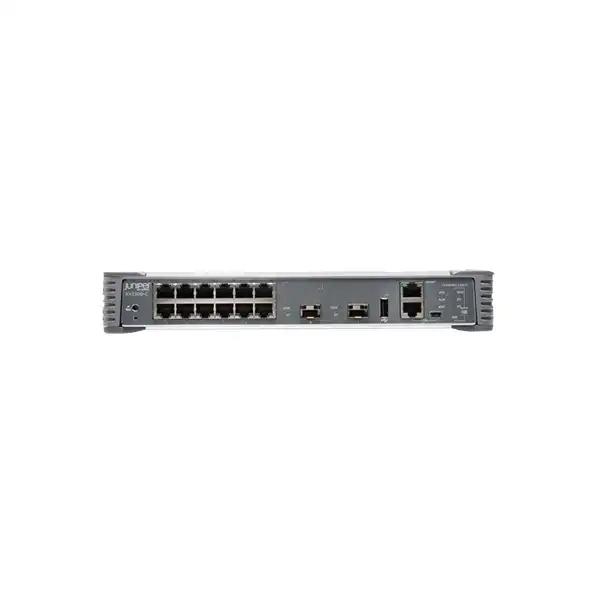
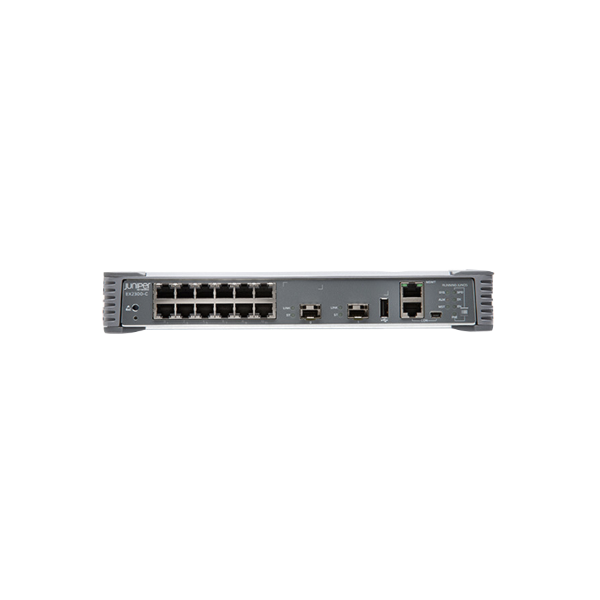
Juniper EX2300-C Ethernet Switch in Dubai
The EX2300-C is a compact, fanless 12-port Juniper access switch available in non-PoE and PoE+ variants. It is designed for locations where enterprise switching features, quiet operation and 10GbE uplinks matter more than high port density. Because the EX2300 family entered its end-of-life process in 2026, a correct Dubai purchase now requires a lifecycle decision as well as a technical one.
Direct answer: what is the Juniper EX2300-C?
2026 lifecycle notice: treat EX2300-C as a time-sensitive procurement
Juniper announced end-of-life for the EX2300 family on 30 April 2026. The published last-order date is 30 September 2026, with end of engineering scheduled for 30 September 2029 and end of support scheduled for 30 September 2031. That lifecycle information materially changes how a business should evaluate an EX2300-C in Dubai. The switch can still make sense where an organization must maintain hardware consistency, replace a failed unit in an established design, expand a known Junos deployment before the order window closes, or fulfill a project specification that explicitly names EX2300-C. It is less compelling for a new greenfield design that expects many years of expansion beyond the published support horizon.
A lifecycle announcement does not make every remaining deployment technically wrong. It means the procurement decision must include timing, support entitlement, spare strategy, software maintenance expectations and replacement planning. A buyer should establish whether the goal is short-to-medium-term continuity or a fresh platform standard. When continuity is the priority, a matching EX2300-C can reduce configuration and operational change. When the project is creating a new branch standard for future rollouts, the current EX4100-F compact family deserves direct comparison because it provides a newer architecture, greater uplink flexibility and a longer forward-looking platform position.
For quotations placed near the last-order date, stock visibility and distributor lead time also matter. FourTeck can structure a quotation around the exact EX2300-C SKU requested, but the final purchasing decision should not assume unlimited future availability. Where the business expects phased deployments, reserve units, long project schedules or later additions, include those quantities in the planning exercise now rather than treating every site as an independent future purchase.
EX2300-C model choice: 12T versus 12P
The EX2300-C name describes a compact product family rather than one single power configuration. Two core models are relevant to most commercial buyers: EX2300-C-12T and EX2300-C-12P. Both provide 12 front-panel 10/100/1000BASE-T access ports, two built-in SFP/SFP+ uplink ports, fanless cooling, a compact 1U chassis and Junos OS. Their most important difference is endpoint power delivery.
EX2300-C-12T: non-PoE compact access
Choose the 12T when connected endpoints already have their own power or do not need power from the Ethernet switch. Typical examples include desktop PCs, printers, servers with copper management interfaces, building controllers with local power, uplinked appliances and other non-PoE devices. Avoid paying for unused PoE capability if the site has no realistic requirement for powered endpoints.
The 12T’s maximum switch power consumption is listed at 20 W, and it does not provide a PoE power budget. This can be attractive in small communications spaces where heat and electrical demand should remain modest. The technical question is not simply whether PoE is needed today; it is whether the 12-port edge location may later add phones, cameras, access points or other powered devices during the expected service life.
EX2300-C-12P: PoE/PoE+ for powered endpoints
Choose the 12P when the switch must power IP phones, cameras, wireless access points or other IEEE 802.3af/802.3at endpoints. All 12 access ports are PoE-capable, but the total available PoE budget is 124 W. That aggregate budget is the sizing constraint: it is not equivalent to providing the maximum PoE+ wattage to all 12 ports simultaneously.
Juniper states that the 12P can supply the full 15.4 W Class 3 level to a maximum of eight ports simultaneously, or the full 30 W PoE+ level to a maximum of four ports simultaneously, with attached devices sharing the budget. A correct quotation therefore needs endpoint quantities and expected draw, not merely the number of PoE-capable ports.
Core specifications for Dubai buyers
| Specification | EX2300-C detail |
|---|---|
| Access ports | 12 × 10/100/1000BASE-T RJ-45 Gigabit Ethernet ports |
| Uplinks | 2 × SFP/SFP+ ports supporting 1GbE or 10GbE with compatible transceivers |
| PoE option | EX2300-C-12P supports PoE/PoE+ on all 12 access ports; EX2300-C-12T does not |
| PoE budget | 124 W total on EX2300-C-12P |
| Switching capacity | 64 Gbps bidirectional packet switching; 47 Mpps Layer 2/Layer 3 throughput for 64-byte packets |
| MAC addresses | 16,000 |
| VLAN IDs | Up to 4093 |
| Jumbo frames | 9216 bytes |
| QoS queues | 8 hardware queues per port |
| Virtual Chassis | Up to four EX2300 switches in one logical management domain, using 10GbE SFP+ uplink ports configured as Virtual Chassis ports; licensing must be confirmed for the purchased SKU |
| Cooling | Fanless |
| Dimensions | Approximately 27.9 × 4.4 × 23.9 cm (W × H × D), 1U height |
| Weight | EX2300-C-12T approximately 2.48 kg; EX2300-C-12P approximately 3.17 kg |
| Operating temperature | 0°C to 40°C under published standard conditions; installation environment and optics temperature ratings must be considered in hotter locations |
Specifications should be tied to the exact ordered SKU, software release and accessory set. Optical modules, mounting kits and subscription services are separate procurement decisions unless specifically included in a quotation.
Performance profile: what 64 Gbps and 47 Mpps mean in practice
Juniper lists the EX2300-C with 32 Gbps unidirectional and 64 Gbps bidirectional packet switching capacity, together with 47 million packets per second of Layer 2/Layer 3 throughput using 64-byte packets. For a 12-port 1GbE access switch with two 10GbE uplinks, that performance profile is intended to support a branch or edge role rather than act as a large aggregation platform. The two uplinks are especially valuable because they allow the access layer to move beyond a single 1GbE uplink bottleneck when the upstream design and optics support 10GbE.
Port count should not be the only sizing measure. A site with eight office users can be more demanding than a site with twelve low-traffic controllers if those eight users rely on heavy file transfer, conferencing, local servers or high-bandwidth wireless access points. Likewise, a switch with twelve 1GbE access ports may serve a camera deployment comfortably if the aggregate video load is moderate, but the uplink design must still account for sustained traffic and recording destinations. Buyers should identify peak traffic paths, not simply count cables.
The EX2300-C also supports 16,000 MAC addresses, up to 4093 VLAN IDs, 9216-byte jumbo frames and eight hardware QoS queues per port. These capabilities are useful for segmented branch designs, voice and data coexistence, monitored edge networks and applications that benefit from larger frames, but configuration must match the wider network. Enabling jumbo frames on one switch does not automatically make the end-to-end path compatible, and QoS settings only deliver consistent behavior when trust boundaries, markings and upstream policies are aligned.
PoE sizing on EX2300-C-12P: budget the watts, not just the ports
The EX2300-C-12P provides PoE and PoE+ on all 12 RJ-45 access ports and has a maximum PoE budget of 124 W. The presence of 12 PoE-capable ports can create the wrong expectation if a project assumes every port can simultaneously deliver 30 W. The correct design method starts with the endpoint power requirement for each connected device and then totals the expected draw with appropriate headroom.
Juniper’s guidance for the 12P provides a practical way to visualize the limitation: the platform can provide 15.4 W Class 3 power to a maximum of eight ports simultaneously, or 30 W PoE+ to a maximum of four ports simultaneously, within the 124 W aggregate budget. Real environments often contain a mixture of device classes, so the exact number of powered ports depends on how much each endpoint negotiates and consumes.
If a branch expects twelve powered endpoints, the EX2300-C-12P can still be appropriate when the combined draw remains below the budget. If several devices are high-power PoE+ consumers, the switch may be unsuitable even though the port count looks sufficient. This is one of the strongest reasons to compare a newer compact platform when replacing a switch in a modern Wi-Fi or security design. The EX4100-F-12P, for example, offers a higher PoE budget with its external adapter and additional power options, which may reduce the need to split powered devices across multiple switches.
Also confirm cabling quality. Juniper notes that IEEE 802.3at Class 4 powered devices require Category 5 or higher cabling. In practice, existing copper cabling condition, patch-panel quality, distance and certification can matter just as much as the switch specification when a PoE endpoint is unstable. A switch replacement should not be expected to cure marginal structured cabling.
10GbE uplinks, SFP/SFP+ optics and upstream design
Each EX2300-C has two SFP/SFP+ uplink ports. These ports support compatible 1GbE SFP and 10GbE SFP+ transceivers, allowing the switch to connect to aggregation or core infrastructure over copper or fiber options supported by Juniper. Optics are not a minor accessory: the selected transceiver must match speed, fiber type, wavelength, connector, reach and the capability of the device at the far end.
The uplink design should reflect redundancy expectations. A simple branch may use one active uplink and reserve the second for growth. A higher-availability site may use both uplinks in a supported link aggregation or resilient topology, depending on the upstream network architecture. If the two ports are repurposed as Virtual Chassis ports, they are no longer available in the same way for ordinary upstream forwarding, so a stacking decision changes the physical design of a compact switch with only two uplink interfaces.
Juniper specifically states that EX2300-C uplink ports can be configured as Virtual Chassis ports and that SFP+ transceivers are required for forming a Virtual Chassis; 1GbE SFP transceivers cannot be used for that purpose. This distinction is easy to miss when a purchasing list simply says “SFP modules.” If the requirement includes Virtual Chassis, the quotation should name the intended SFP+ modules and cabling or direct-attach method rather than leaving the interconnect unspecified.
For Dubai deployments, fiber type and pathway conditions also matter. A short run within a rack may be solved differently from a link between rooms, floors or buildings. Multimode versus single-mode fiber, connector cleanliness, patch-panel availability and environmental temperature can all affect the correct optic. Juniper’s published environmental notes call for attention to extended-temperature optics in conditions beyond the standard operating range. Do not select optics based on price alone.
Virtual Chassis: useful, but licensing and port use must be planned
Juniper Virtual Chassis allows up to four EX2300 switches, including EX2300-C models, to operate as a single logical device for management. For a small environment, that can simplify administration by reducing the number of independently managed switch instances. It can also help a branch expand from one compact switch to several while keeping a coordinated operational model.
The feature is not simply a cable-and-go assumption. Each participating switch needs the appropriate Virtual Chassis entitlement for the chosen licensing model, and EX2300-C ordering includes specific “-VC” SKUs where the paper Virtual Chassis license is included. Juniper’s legacy licensing information also notes that the EX-12-EFL license for EX2300-C-12P/T includes the EX2300-VC feature license. Because Juniper’s software licensing has evolved over the product’s life, buyers should confirm the entitlement that applies to the exact hardware SKU and software plan being purchased rather than relying on an old bill of materials.
There is also a physical tradeoff. EX2300-C has only two SFP/SFP+ uplink ports. When those ports are configured as Virtual Chassis ports, the remaining path to upstream infrastructure must be designed around the resulting topology. This is different from newer compact switches that provide more dedicated or flexible stacking/uplink interfaces. If the requirement needs both resilient 10GbE upstream connectivity and multi-member stacking, compare the port architecture carefully before selecting EX2300-C.
Virtual Chassis is most valuable when it solves a genuine operational problem. For a single 12-port branch switch, standalone management may be simpler. For two or more adjacent EX2300 units, it can reduce management overhead, but a buyer should evaluate whether adding older-generation switches to a new design is preferable to moving to a current platform with a higher supported Virtual Chassis member count and newer feature set.
Junos OS management, Juniper Mist Wired Assurance and licensing
EX2300-C runs Junos OS, giving organizations a common Juniper operating model for configuration, monitoring and policy. The platform can be configured through the Junos command-line interface and supported graphical management workflows. It includes a dedicated management Ethernet port, RJ-45 console interface, mini-USB console interface and USB port, which gives administrators multiple options for initial setup and local recovery workflows.
Juniper currently lists EX2300-C as supporting Juniper Mist Wired Assurance and cloud management. Cloud management is a licensing decision rather than an automatic assumption. Juniper’s current subscription documentation classifies the EX2300-C-12T/P as a Class 1 12-port switch for Wired Assurance subscription SKUs and provides 1-year, 3-year and 5-year options in its subscription framework. Optional associated services such as Marvis for Wired depend on an active Wired Assurance subscription. The right subscription should be tied to the operational requirement, support plan and remaining hardware lifecycle.
This lifecycle interaction deserves attention. A buyer considering a new multi-year cloud subscription for hardware with a published end-of-support date should align terms deliberately. The goal is to avoid buying a management term that does not match the organization’s intended ownership period, refresh plan or vendor support window. Conversely, an existing Mist-managed estate may value keeping a replacement EX2300-C under the same operational platform during a controlled migration.
For standalone deployments, software feature licensing also matters. Juniper offers different licensing structures across software generations, and advanced routing capabilities may require an appropriate feature tier. If the design depends on a specific Layer 3 protocol, Virtual Routing and Forwarding capability, automation feature or cloud assurance service, identify it explicitly in the quotation. “Managed switch” is not a sufficient licensing requirement because two customers can use the same hardware with materially different software and subscription needs.
From an operations perspective, standardization can be a strong reason to retain Junos. Teams that already use Juniper templates, configuration groups, automation scripts, monitoring systems and change-control procedures may prefer an EX-series replacement over introducing an unrelated operating model. That benefit should still be weighed against EX2300 lifecycle timing and whether the newer EX4100-F can preserve the Junos/Mist operational approach while improving forward compatibility.
Layer 2, Layer 3, security and traffic-control considerations
The EX2300-C is more than an unmanaged port expander. Juniper positions the EX2300 family as a feature-rich access platform with enterprise Layer 2 and Layer 3 functions. The exact feature availability depends on software release and licensing, but the platform supports common access-network requirements such as VLAN segmentation, link aggregation, spanning-tree functions, quality of service, access controls and routing features appropriate to its class.
Security at the access layer is particularly relevant in shared offices, retail, branch and campus edge networks. Juniper documents port-security capabilities including DHCP snooping, dynamic ARP inspection and MAC limiting. These functions can help defend against address spoofing, rogue DHCP behavior and certain man-in-the-middle scenarios when they are correctly designed and maintained. They are controls within a broader network security architecture, not substitutes for firewalling, endpoint security, identity management or physical security.
Traffic prioritization is another reason buyers choose an enterprise switch. Eight hardware queues per port allow differentiated treatment of traffic classes, which can support voice, video and business-critical applications. Successful QoS requires consistent classification and marking across endpoints, switches, WAN devices and other network elements. A branch phone system will not gain predictable quality merely because a switch has queues; the policies around those queues must reflect the organization’s traffic design.
sFlow traffic monitoring can provide visibility into network utilization and traffic patterns when integrated with a compatible collector. For operational teams, this can make a compact edge switch easier to troubleshoot than a basic web-managed device. The practical value depends on whether monitoring infrastructure exists and whether the organization has processes to use the telemetry. Observability features should be included in the architecture rather than discovered only after a performance incident.
When the network depends on advanced dynamic routing or newer campus-fabric functions, EX2300-C should be evaluated against the current-generation EX4100-F rather than assumed to be equivalent. The older compact platform remains capable for conventional branch access, but new greenfield designs may benefit from the larger route scale, greater telemetry, more flexible uplinks and newer campus-fabric features available on current models.
Where EX2300-C fits well
Quiet office or meeting area
Fanless cooling removes fan noise, making the EX2300-C suitable for places where a conventional access switch would be acoustically intrusive. Its compact width and shallow depth can also help where there is no full-size network rack.
Small branch edge
A branch with fewer than 12 wired endpoints can gain managed VLANs, QoS, security controls and 10GbE uplink options without deploying a 24- or 48-port chassis. Leave capacity for expected growth rather than sizing to today’s exact cable count.
IP telephony and cameras
The 12P can consolidate Ethernet connectivity and endpoint power for modest PoE estates. It is most appropriate when the summed endpoint load fits within 124 W and the design does not require high-power PoE across most ports simultaneously.
Existing EX2300 estate expansion
Organizations with established Junos templates and EX2300 operations may prefer a matching compact switch for consistency. Because of the 2026 EOL announcement, quantity and timing should be planned now rather than assumed available later.
Retail and service locations
Point-of-sale terminals, printers, small servers, controllers, phones and cameras can often fit a 12-port design. Segmenting business systems from guest, IoT or security traffic can make enterprise switching controls valuable even in a small site.
Replacement of a failed unit
Like-for-like replacement can minimize change when the business needs rapid restoration and already has compatible configurations, optics and support processes. Confirm exact variant, software compatibility and lifecycle before treating every EX2300-C as interchangeable.
When EX2300-C may be the wrong choice
A good product page should make it clear when a platform is not the best fit. EX2300-C has strong qualities for compact access, but several conditions should trigger comparison rather than automatic selection.
- New long-life standardization: if the organization expects to deploy the same switch model for several years, the 2026 last-order date makes EX2300-C unsuitable as a long-term rollout standard.
- High PoE demand: twelve PoE-capable ports do not mean twelve full-power PoE+ ports. A 124 W budget may be too small for high-power wireless, surveillance or mixed endpoint environments.
- More than 12 access ports: if port growth is predictable, jumping directly to a larger current-generation switch can be cleaner than adding multiple compact devices.
- More flexible uplinks or stacking: EX2300-C has only two SFP/SFP+ uplink ports, which also serve as potential Virtual Chassis ports. Modern designs may benefit from dedicated stacking ports and additional multi-rate uplinks.
- Advanced campus fabrics: a greenfield architecture based on newer EVPN-VXLAN capabilities, greater scale or richer telemetry should be evaluated on current platforms.
- Support horizon beyond 2031: projects requiring vendor support well beyond the published end-of-support milestone need a newer hardware choice.
Physical installation: desk, shelf, wall or rack
Compact does not mean installation-free. The EX2300-C is commonly placed on a flat desk or shelf, and Juniper supports additional mounting methods with separately orderable accessories. For a wall or two-post rack installation, the relevant wall-mount or rack-mount kit must be included in the bill of materials. Juniper’s hardware documentation states that EX2300-C mounting brackets are separately orderable rather than standard contents.
For open areas, Juniper also offers a cable guard, which can reduce the risk of cables being accidentally removed. A magnet-mount accessory is listed for suitable deployments. These details matter in retail counters, open offices, classrooms and wall-mounted network points where the switch is more exposed than equipment inside a locked communications rack.
Juniper specifies approximately 10.98 inches wide, 1.72 inches high and 9.4 inches deep, equivalent to roughly 27.9 × 4.4 × 23.9 cm. The chassis is 1U high but narrower than a full 19-inch rack. The 12T weighs about 2.48 kg and the 12P about 3.17 kg. Installation plans should include the weight of attached cables and the mounting hardware, especially when a wall or under-desk location is used.
Clearance and ventilation remain important even though the switch is fanless. Juniper recommends at least 6 inches, or 15.2 cm, of clearance between the front and back of the chassis and adjacent equipment or walls in applicable mounting scenarios. Fanless equipment relies on natural heat dissipation, so enclosing it tightly in an unventilated cabinet can be more problematic than the absence of fans might suggest.
In Dubai, ambient temperature deserves particular attention. The published operating range is 0°C to 40°C under standard conditions. A properly air-conditioned office or communications room can fit that range, while unconditioned utility spaces, rooftop enclosures or cabinets exposed to solar heat may not. Select the installation location and optic temperature grade based on measured environmental conditions rather than building type alone.
Power, cooling and environmental planning
EX2300-C uses a fixed internal AC power supply. Juniper publishes an AC input range of 100 to 240 VAC at 50/60 Hz nominal, which suits common commercial electrical environments when the correct regional power cord and outlet are provided. The 12T is listed with maximum switch consumption of 20 W. The 12P is listed at 24 W when no PoE power is drawn, with an additional 124 W available to powered endpoints within the platform’s rated power design.
Electrical sizing for the 12P should therefore consider both the switch and the powered endpoints. A UPS that is sized only around the switch’s base consumption can deliver far less runtime than expected when cameras, phones and access points draw power through PoE. If business continuity depends on those endpoints, calculate UPS capacity using realistic PoE load and required runtime. The same logic applies to generator-backed circuits and small branch power distribution units.
Fanless operation is one of the platform’s defining attributes. It removes fan noise and one mechanical failure point, but it also means installation should allow convection. Dust buildup, blocked vents and heat from adjacent equipment can reduce thermal margin. In a compact cabinet, placing several heat-producing appliances directly around a fanless switch without airflow can create a local temperature much higher than the room thermostat suggests.
Published environmental limits include 10% to 85% operating relative humidity, noncondensing, and operating altitude up to 5,000 ft / 1524 m. These are equipment limits rather than design targets. A professional installation should aim for stable, clean, conditioned conditions with comfortable margin rather than operating continuously near the maximum ratings.
Sizing the EX2300-C before quotation
A precise quotation depends on more than the requested model name. The following sizing sequence helps determine whether EX2300-C is a fit and which variant should be quoted.
Migration and replacement planning
Replacing an existing compact access switch can look simple because the physical port count is small, but the operational dependencies can be substantial. A controlled migration starts with the running configuration, VLAN assignments, trunk settings, LAGs, spanning-tree behavior, PoE priorities, access controls, authentication settings, management addresses, monitoring integration, logging destinations and uplink transceivers. Documenting these before a change reduces the risk of turning a hardware replacement into a troubleshooting exercise.
For a like-for-like EX2300-C replacement, software version compatibility matters. A saved configuration generated on one Junos release should be reviewed before loading it on another. The target switch may require an approved Junos version based on the organization’s support policy and Juniper’s lifecycle guidance. Backups should include both configuration and any information required to restore local accounts, certificates or automation integrations according to organizational security procedures.
If migrating from EX2300-C to EX4100-F, do not assume a port-for-port clone. The newer platform has a different uplink architecture, power design and feature scale. This is an opportunity to improve design rather than merely translate syntax. Validate optics, uplink media, Virtual Chassis approach, PoE power expectations, Mist adoption status and physical mounting. A migration runbook should identify which settings are intentionally preserved and which are being modernized.
Downtime planning depends on the branch. A small office may tolerate a short after-hours cutover, while a retail store, security-camera network or customer-facing service point may need staged testing and rapid rollback. Preconfigure the replacement switch, label access ports, verify optics, test upstream reachability and confirm PoE endpoints before declaring the change complete. Where possible, keep the old unit available until post-change validation is finished.
For multi-site projects, one successful pilot is more valuable than repeating an untested process. Use the first site to validate configuration templates, software versions, transceiver choices, physical mounting, power behavior and monitoring. Then standardize the deployment package for subsequent locations. This approach is especially relevant when buying remaining EX2300-C units near the last-order date because replacement opportunities later may become progressively limited.
Accessories and compatibility items that should be on the bill of materials
An EX2300-C quotation can be incomplete even when the switch itself is correct. The surrounding components determine whether the unit can actually be installed and connected as intended.
EX2300-C versus EX4100-F: the comparison every new 2026 buyer should make
The compact EX4100-F family is the most relevant current Juniper comparison for a buyer considering a 12-port fanless switch. EX4100-F-12T and EX4100-F-12P preserve the compact 12-port 1GbE access concept while offering a newer architecture and more connectivity options. That does not automatically make EX2300-C the wrong purchase; it changes the decision criteria.
| Decision point | EX2300-C | EX4100-F 12-port models |
|---|---|---|
| Access ports | 12 × 1GbE | 12 × 1GbE |
| Primary uplinks | 2 × 1/10GbE SFP/SFP+ | 2 × multi-rate copper uplinks supporting up to 10GbE, plus additional 10GbE SFP+ stacking/uplink ports |
| Virtual Chassis scale | Up to 4 members | Up to 10 members |
| PoE model | 12P with 124 W total PoE budget | 12P with higher PoE budget options; Juniper lists 180 W with the external AC adapter and up to 300 W under the documented additional powering conditions |
| Switching scale | 64 Gbps bidirectional, 47 Mpps | Higher published data rate and throughput on 12-port models |
| Cooling | Fanless | Fanless on 12T and 12P |
| Lifecycle position | EOL announced in 2026; last order published for 30 September 2026 | Current newer-generation platform and stronger default candidate for new long-life designs |
Choose EX2300-C when continuity has measurable value: matching an installed base, replacing a failed unit, meeting a fixed project specification, preserving spare compatibility or completing a deployment before the order deadline. In those scenarios, changing to a new platform can add testing, configuration and operational work that may not be justified for a limited project.
Choose or strongly evaluate EX4100-F when building a new standard, expanding PoE-heavy locations, needing more uplink flexibility, planning larger Virtual Chassis groups, adopting newer campus-fabric capabilities or expecting the switch model to remain purchasable well beyond 2026. A greenfield project should generally justify why it is selecting EX2300-C rather than treating the older model as the default.
The comparison should be done at solution level, not hardware price alone. Include power adapters where relevant, optics, licenses, support, migration effort, spare strategy, rack accessories, cloud subscriptions and expected refresh date. A lower acquisition cost can be misleading if the organization needs another platform transition sooner than planned.
Dubai procurement guidance
For UAE buyers, the exact quotation should identify model, quantity and use case rather than listing “EX2300-C” without a suffix. The 12T and 12P differ substantially in power capability and power-supply rating. A buyer requesting ten units for office data access may need 12T models, while another buyer requesting ten visually identical chassis for phones and cameras may need 12P units with a carefully calculated PoE load.
Ask for accessory lines to be explicit. If rack mounting is required, include the EX2300-C rack-mount kit. If fiber uplinks are required, state transceiver type and quantity. If the switches will form Virtual Chassis groups, include the appropriate licensing and SFP+ interconnect components. If the project is Mist-managed, include the chosen Wired Assurance term and any associated subscription rather than leaving cloud management as an undefined later step.
Support entitlement should be aligned with the EOL timeline. The published end-of-support date is 30 September 2031, but the actual level and duration of support available to a customer depends on the contract or service entitlement purchased. If the organization expects to keep the hardware after vendor support ends, define the risk and spare policy now. Some environments can accept that model; others have audit, compliance or business-continuity rules that require supported infrastructure.
Project timing is particularly important in August and September 2026 because Juniper’s published last-order date is 30 September 2026. A quote issued before that date is not the same as a completed manufacturer order, and distributor stock may change. Buyers with approved budgets and a genuine need for EX2300-C should avoid leaving technical validation until the final days of the order window. Conversely, urgency should not be used to bypass a proper comparison with EX4100-F where the newer model is a better architectural fit.
FourTeck can prepare the commercial package around the requested exact SKU, but the most useful enquiry includes the deployment context. Quantity, PoE endpoints, uplink type, fiber distance, mounting method, Juniper Mist requirement, Virtual Chassis plan and desired support period allow the quotation to reflect the complete installable solution rather than only a switch chassis.
Buyer questions about the Juniper EX2300-C
Is the EX2300-C still orderable in 2026?
Juniper announced EX2300 EOL on 30 April 2026 and published 30 September 2026 as the last-order date. Availability before that date still depends on the ordering channel, regional stock and lead time. For a Dubai purchase, request the exact SKU and quantity promptly and compare the current EX4100-F if the project is not tied to EX2300-C.
What is the difference between EX2300-C-12T and EX2300-C-12P?
Both have 12 Gigabit Ethernet access ports and two SFP/SFP+ uplinks. The 12T is non-PoE. The 12P supports PoE/PoE+ on all 12 access ports with a 124 W total power budget. The 12P is heavier and has a higher power-supply rating because it powers attached devices.
Can EX2300-C power 12 PoE+ devices at 30 W each?
No. The 12P has 12 PoE-capable ports but only 124 W total PoE budget. Juniper notes full 30 W PoE+ can be supplied to a maximum of four ports simultaneously within the budget. Mixed lower-power devices can allow more powered ports, so calculate the endpoint load.
Does the switch include 10GbE optics?
The EX2300-C provides two SFP/SFP+ uplink slots, but optics are separate unless specifically included by the supplier. Select transceivers according to speed, medium, wavelength, reach, connector and compatibility at both ends of the link.
Can the uplinks run at 1GbE?
Yes. Juniper describes the two uplinks as supporting SFP and SFP+ transceivers, allowing 1GbE SFP or 10GbE SFP+ operation with supported modules. The selected module and far-end interface must match.
Is EX2300-C fanless?
Yes. Both compact 12-port models use fanless cooling. That makes them suitable for noise-sensitive areas, but adequate clearance and ambient temperature control are still required because the chassis relies on natural heat dissipation.
Can EX2300-C be rack mounted?
Yes, using the appropriate separately orderable rack-mount kit. Juniper also supports other mounting approaches for the compact chassis. Do not assume brackets are included in the standard EX2300-C carton; confirm the accessory line in the quotation.
Can multiple EX2300-C switches be stacked?
Juniper Virtual Chassis can connect up to four EX2300 switches as one logical device. On EX2300-C, the SFP+ uplinks can be configured as Virtual Chassis ports. The feature requires correct licensing and 10GbE SFP+ interconnection; 1GbE SFP modules cannot form the Virtual Chassis.
Does EX2300-C support Juniper Mist?
Juniper currently lists EX2300-C as cloud manageable with Wired Assurance. Mist cloud management requires the relevant subscription. Subscription class, term and optional services should be included in the software plan and aligned with the hardware lifecycle.
Is a Mist subscription mandatory for basic switching?
No. EX Series switches can be operated in standalone mode or through Juniper Mist depending on the licensing and management design. Cloud management is valuable for organizations standardizing on Mist, but a simple standalone branch can be managed through Junos without making Mist the operating model.
What is the switching throughput?
Juniper publishes 64 Gbps bidirectional packet switching capacity and 47 Mpps Layer 2/Layer 3 throughput for 64-byte packets. This is appropriate to the platform’s compact 12-port access role; uplink and endpoint traffic patterns still determine real application performance.
How many VLANs and MAC addresses are supported?
Juniper lists up to 4093 VLAN IDs and 16,000 MAC addresses for EX2300-C. These figures provide substantial segmentation and address-table capacity for a small edge switch, though complete network design still depends on software and operational requirements.
Does EX2300-C support jumbo frames?
Yes, Juniper lists jumbo-frame support up to 9216 bytes. End-to-end compatibility is required; every device in the traffic path must support the selected MTU to avoid fragmentation, drops or inconsistent application behavior.
What operating temperature should be planned?
Juniper publishes 0°C to 40°C for standard operation, with additional notes for optic selection in extended conditions. In Dubai, use an air-conditioned communications space and evaluate actual cabinet temperature rather than relying on room temperature alone.
What are the main installation accessories?
Relevant accessories include the EX2300-C rack-mount kit, cable guard and magnet mount, plus the chosen console cable and SFP/SFP+ modules. The exact bill of materials depends on mounting, uplink and management requirements.
Should I buy EX2300-C or EX4100-F?
For a like-for-like replacement, installed-base expansion or fixed specification, EX2300-C can still be practical before the last-order date. For a new long-term deployment, higher PoE demand, more uplink flexibility or modern campus requirements, EX4100-F should normally be compared and may be the stronger choice.
Support and lifecycle strategy after purchase
The EX2300-C’s published end-of-support milestone of 30 September 2031 gives existing customers a defined planning horizon, but support availability is governed by the purchased service entitlement and Juniper policy. Organizations should map that date into the network refresh plan instead of treating it as a distant administrative detail. If a branch rollout will remain in service beyond 2031, decide whether hardware will be refreshed before then or operated without vendor support under an approved risk model.
Spares can become important as hardware approaches and passes last order. A business with many identical EX2300-C units may prefer to hold a limited number of pre-approved replacement units, especially where same-day restoration is important. Spare strategy should reflect failure impact, location count, logistics and the ability to migrate to a new model. Buying excessive spares can lock capital into an aging platform, while buying none can create avoidable downtime later.
Software planning matters as well. Juniper’s published EOL table identifies Junos OS 25.4 as the last software version for the announced EX2300 lifecycle entry. Change policies should account for that ceiling and the end-of-engineering date. Security, feature and bug-fix expectations should be aligned with official support coverage rather than assuming indefinite new software development.
A sensible 2026 purchase therefore includes an exit plan. For a one-off replacement, that may simply mean refreshing the branch at the next scheduled cycle. For a larger estate, it may mean piloting EX4100-F, validating templates and gradually moving sites while EX2300 remains supported. Lifecycle management is easier when the replacement architecture is tested before support pressure becomes urgent.
Decision recap
What FourTeck needs for an accurate EX2300-C quotation
A short requirements note prevents missing accessories, wrong PoE sizing and unsuitable lifecycle assumptions. Include as many of the following details as possible:
Confirm whether EX2300-C is the right 2026 purchase for your Dubai site
FourTeck can quote the required EX2300-C variant together with optics, mounting accessories, licensing, Mist subscriptions and support, or compare it with the newer EX4100-F when lifecycle, PoE capacity or expansion needs make a current platform more appropriate.

Reviews
There are no reviews yet.