
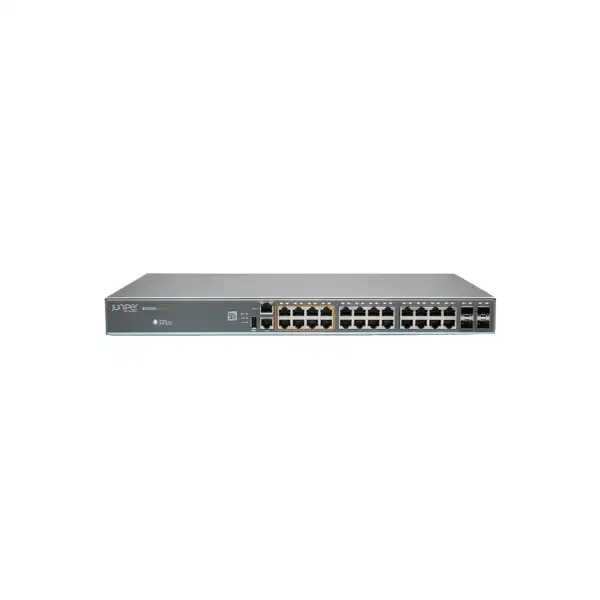
Juniper EX2300 Ethernet Switch Dubai
A practical access-switch family for branch offices, enterprise workgroups and smaller campus networks, with 12-, 24- and 48-port choices, PoE and non-PoE variants, selected 2.5GbE access options, Junos OS, SFP/SFP+ uplinks and support for Juniper Mist Wired Assurance.
Direct answer: what is the Juniper EX2300?
The EX2300 is a Juniper Networks family of fixed-configuration Ethernet access switches. Depending on model, the family provides 12, 24 or 48 copper access ports, Gigabit or selected 2.5GbE connectivity, SFP/SFP+ uplinks, and PoE/PoE+ or non-PoE operation.
It is primarily an access-layer switch for users, IP phones, wireless access points, cameras, printers and other edge devices in small offices, branches, distributed sites and selected campus access closets.
Organizations that already use Junos, want cloud-assisted wired operations through Mist, or need a compact fixed-access platform with 10GbE-capable uplinks should shortlist the family if its port, PoE and resilience profile matches the site.
The exact model. EX2300-24T, EX2300-24P, EX2300-48T, EX2300-48P, EX2300-24MP, EX2300-48MP and compact EX2300-C variants do not have identical port counts, PoE budgets, depth, uplink count or multigigabit capability.
FourTeck can map user/device count, PoE load, uplink media, rack conditions, growth expectations, Junos requirements, Mist management needs, optics, support and deployment scope to the most suitable EX2300 part number and quotation.
Where the EX2300 family fits in an enterprise network
The Juniper EX2300 is best understood as an access switch rather than a universal switching platform. Its job is normally to connect the devices that actually live at the edge of the network: desktops, thin clients, printers, IP phones, Wi-Fi access points, CCTV cameras, door controllers, building systems and other endpoints. Those access ports then feed one or more uplinks toward a distribution, aggregation, firewall or routed core layer. That position matters because it sets realistic expectations. A buyer evaluating an EX2300 for a 24-user branch has very different needs from an operator designing a redundant aggregation layer for hundreds of access switches. The first is a natural EX2300 discussion; the second generally calls for a different switch class with more uplink density, greater hardware redundancy or a larger fabric architecture.
For many Dubai offices, the attraction is the combination of familiar enterprise switching behavior and a relatively compact fixed form factor. Standard 24- and 48-port models provide 1GbE copper edge connectivity and SFP/SFP+ uplink choices. PoE variants can power endpoints over the same Ethernet cable, simplifying desk, ceiling and camera deployments. Multigigabit variants add selected 2.5GbE access interfaces where a normal 1GbE copper edge could become a bottleneck, particularly for access points capable of exceeding one gigabit of aggregate client throughput. The EX2300-C extends the family into lower-density spaces where 12 access ports and a fanless format may be more appropriate than a full-width, higher-port-count closet switch.
The family also matters operationally because it runs Junos OS. Organizations with Juniper routing or switching experience can apply a familiar configuration model, operational commands, logging approach and policy mindset to the access layer. The switches are supported by Juniper Mist Wired Assurance, allowing suitable deployments to use cloud-based onboarding, visibility and assurance workflows. That does not mean every organization needs cloud management. It does mean a buyer can assess the EX2300 not only as a box with ports, but as part of a wider operational model that can include Junos CLI, established automation practices and Mist-based wired assurance.
The main buying mistake is to treat “EX2300” as one specification. It is a family. A non-PoE EX2300-24T, a PoE EX2300-48P, a multigigabit EX2300-48MP and a compact EX2300-C-12P solve related but distinctly different problems. Quotation accuracy therefore depends on identifying the exact endpoint count, the number of powered devices, per-device wattage, copper speed requirements, uplink count and medium, rack space, airflow, power source, management model and expected growth. The rest of this page is structured around those decisions so that a Dubai buyer can move from a generic model name to an implementable bill of materials.
EX2300 model family: the first shortlist
| Model family | Access-port profile | PoE position | Typical buyer fit |
|---|---|---|---|
| EX2300-24T | 24 x 10/100/1000BASE-T plus four SFP/SFP+ uplinks | No PoE | Wired endpoints already powered independently, small access closets and cost-conscious branch switching. |
| EX2300-24P | 24 x 10/100/1000BASE-T plus four SFP/SFP+ uplinks | PoE/PoE+, around 370 W family budget | Typical mixed office access with phones, cameras and wireless APs. |
| EX2300-48T | 48 x 10/100/1000BASE-T plus four SFP/SFP+ uplinks | No PoE | Higher-density copper access where powered endpoints are not required. |
| EX2300-48P | 48 x 10/100/1000BASE-T plus four SFP/SFP+ uplinks | PoE/PoE+, about 750 W class budget in current family literature | Dense voice, Wi-Fi and surveillance edge deployments. |
| EX2300-24MP | 24 access ports, including 8 multigigabit ports capable of 100M/1/2.5GbE, plus four SFP/SFP+ uplinks | PoE/PoE+, around 380 W family budget | Smaller Wi-Fi-heavy sites needing selected 2.5GbE AP connections. |
| EX2300-48MP | 48 access ports, including 16 multigigabit ports capable of 100M/1/2.5GbE, plus six SFP/SFP+ uplinks | PoE/PoE+, about 750 W class budget in current family literature | Higher-density wireless and converged access with more multigigabit demand. |
| EX2300-C-12T / 12P | 12 x 1GbE access with two SFP+ 10GbE uplinks | 12T non-PoE; 12P PoE/PoE+ | Low-density branches, meeting areas, retail spaces and workgroups that benefit from a fanless compact switch. |
Model availability, exact power budgets, transceiver support, power-cord options and licensing should be confirmed against the current Juniper hardware and ordering documentation at quotation time. Published figures can differ slightly between datasheet revisions, especially where maximum PoE budget is expressed as nominal family capacity versus available budget under a specific hardware revision.
How to choose between 24 and 48 access ports
Port count should be based on the number of physical connections that will exist during the intended service life of the switch, not simply the number of employees today. In an office, one person may consume more than one switch port indirectly: a desk phone may have its own port; a PC may connect through the phone or directly; nearby printers, access points, room systems, CCTV cameras, access-control panels and IoT gateways also consume ports. A 24-user branch can therefore outgrow a 24-port switch quickly once non-user endpoints are included. Conversely, buying 48 ports for a site that will permanently use only ten or twelve connections may increase cost, rack footprint and power without adding useful resilience.
A useful planning method is to count every known endpoint by category, add ports for uplink-independent local services, then apply a growth reserve based on the business plan. If a branch has 14 desks, two ceiling access points, six cameras, two printers, one access controller and two meeting-room devices, the physical requirement is already 27 connections before future growth. That is a strong signal to evaluate a 48-port model or divide the requirement across two switches for operational reasons. The decision should then be revisited from a failure-domain perspective: a single 48-port switch is simple, but two smaller switches can provide segmentation of endpoint groups and may allow planned maintenance with less disruption if the network design supports it.
Port utilization should also be assessed by closet, floor and cabling zone. Ethernet copper runs have distance constraints, so a building with 40 total users does not automatically need one 48-port switch if the structured cabling terminates in two telecommunications rooms. In that situation, two 24-port switches may be physically correct even if a 48-port chassis appears cheaper on a per-port basis. The switch should follow the cabling architecture, not fight it. FourTeck quotations can therefore be more accurate when the buyer provides floor plans, rack locations or at least the number of patch panels and endpoints per cabinet.
Another consideration is uplink contention. A 48-port access switch can aggregate more endpoints into the same set of uplink interfaces than a 24-port unit. That is not automatically a problem because user traffic is bursty and access networks are commonly oversubscribed, but the ratio must match the application profile. A call center, ordinary office and retail branch have very different east-west and north-south traffic patterns from a media editing floor or a site transferring large engineering files. The EX2300 offers 10GbE-capable uplinks, which can be appropriate for many access designs, but the number of active uplinks, link aggregation design, optics and upstream switch capability must be validated instead of assuming that access-port count alone determines performance.
PoE and PoE+ sizing: calculate watts, not only ports
The presence of 24 or 48 PoE-capable access ports does not mean every connected device can draw the maximum PoE+ wattage at the same time. The switch has a total PoE power budget, and that budget is shared across powered interfaces. This is one of the most important differences between a correct network bill of materials and a quotation based only on port count. Published Juniper family documentation lists approximately 370 W of PoE budget for EX2300-24P, around 380 W for EX2300-24MP, and about 750 W class budgets for the 48-port PoE models; the compact EX2300-C-12P has a much smaller budget suited to its lower port density. Exact current values should be confirmed against the specific part number and current hardware documentation when ordering.
A proper PoE worksheet lists every powered device, its expected draw and its maximum class or negotiated requirement. A standard desk phone may consume relatively little power, while a modern wireless access point with multiple radios, USB accessories or additional features can require substantially more. Pan-tilt-zoom cameras, video endpoints and specialty building devices may also have higher peak draw. If a buyer says “48 PoE devices,” that is not enough information. Forty-eight low-power phones and forty-eight high-power wireless or camera endpoints impose entirely different demands on the switch power budget.
PoE headroom also matters. Designing exactly to the sum of nominal device consumption can create problems during boot, feature changes or endpoint replacement. A newly installed access point may negotiate more power than the older model it replaces. A camera may use a heater or infrared illuminator under certain conditions. A phone may power a sidecar or peripheral later. The better approach is to reserve sensible capacity and to know which ports would be affected if the budget were exceeded. Network monitoring should also expose actual and allocated PoE consumption so that the operations team can spot erosion of headroom over time.
For Dubai deployments, power and cooling must be considered together. A PoE switch is not only powering itself; it is also converting and delivering substantial electrical power to downstream endpoints. A densely loaded PoE access closet therefore has higher UPS, circuit and thermal requirements than a comparable non-PoE installation. When multiple 48-port PoE switches share a rack, the electrical design should account for switch draw, downstream PoE load, upstream equipment, firewall appliances and environmental systems. It is often better to size the electrical circuit and UPS with actual expected load plus growth headroom than to treat the switch’s nameplate as an isolated figure.
If PoE is not required, a T model can be the cleaner choice. There is no benefit in buying a PoE power subsystem merely because PoE is common in enterprise networks. Conversely, if phones, cameras or access points will be installed later, choosing non-PoE today may create an avoidable replacement or injector requirement. The right answer comes from the endpoint roadmap. FourTeck can turn a device list into a port-and-power matrix before finalizing the EX2300 variant.
When the EX2300 multigigabit models make sense
The EX2300-24MP and EX2300-48MP exist for access networks where 1GbE at the copper edge is not always enough. Juniper specifies selected access interfaces on these models for 100 Mbps, 1GbE or 2.5GbE operation: eight multigigabit ports on the 24MP and sixteen on the 48MP, with the remaining copper access ports operating at standard Gigabit Ethernet. This design is particularly relevant to wireless access points because a modern AP can aggregate traffic from many clients and may exceed one gigabit of useful throughput even though each individual client remains far below that figure.
Multigigabit should not be purchased just because it sounds newer. The endpoint must support a compatible higher copper speed, the installed cabling must be suitable, the AP or device’s real traffic profile should justify the upgrade, and the upstream side of the switch must be able to carry the resulting aggregate traffic. A branch with ordinary PCs and a few moderate-use access points may gain no measurable benefit from 2.5GbE access. In that case a standard EX2300-P can be simpler and less expensive. A dense wireless floor, training facility, hospitality area, education site or collaboration-heavy office can be a stronger candidate if the AP specification and expected client concurrency support the case.
The 48MP also provides six SFP/SFP+ uplink interfaces rather than the four found on the standard 24/48 models and the 24MP. That extra uplink flexibility can matter when the design needs multiple network uplinks, Virtual Chassis connectivity or a combination of both. It should still be planned carefully because using uplink interfaces as Virtual Chassis ports consumes ports that might otherwise carry normal upstream traffic. Physical topology, redundancy and transceiver count therefore belong in the same design conversation as the multigigabit access requirement.
Cabling qualification is often overlooked. Reusing an installed copper plant is attractive, but higher-speed operation is sensitive to cabling category, termination quality, channel length and interference. A multigigabit switch does not fix poor cabling. If the buyer intends to reuse older structured cabling, testing representative links before a large deployment can reduce commissioning surprises. The switch model should be selected after the endpoint and cabling path are understood, not as a substitute for that assessment.
Key published performance and platform characteristics
These figures are useful for platform comparison, but they should not be interpreted as guaranteed application throughput. Real network performance depends on frame size, uplink topology, oversubscription, ACLs, QoS policy, traffic mix, endpoint behavior and the upstream architecture. For an access switch, the more useful question is whether the switching and uplink capacity is appropriate for the endpoint population and traffic model. A branch with ordinary SaaS traffic rarely behaves like a lab test forwarding minimum-size packets at line rate, while a specialized local application may place much greater sustained demand on the same ports.
SFP and SFP+ uplinks: where many quotations become incomplete
The EX2300 family uses SFP/SFP+ uplink interfaces rather than forcing one fixed uplink medium. This flexibility is valuable because the same switch can be connected over copper or fiber depending on the chosen transceiver and supported combination, but it also means the switch itself is often not the complete uplink solution. A quotation must identify the required link speed, fiber type, distance, connector type, remote-side interface and transceiver compatibility. Buying a switch with empty SFP+ cages does not create an optical connection until the correct optics and patch leads are specified.
For a short in-rack link to an upstream switch, a supported direct-attach option may be considered if both ends support it and the distance is suitable. For building backbone links, multimode or single-mode optics may be appropriate depending on the installed fiber and distance. If the buyer has an existing core switch from another vendor, both ends still need standards-compatible and operationally supported transceivers. It is not enough to match “10G” in two datasheets. Wavelength, fiber type, connector, reach, transceiver coding and vendor support policy can all affect the result.
The standard EX2300-24T/P and EX2300-48T/P models provide four SFP/SFP+ uplink ports. The EX2300-C provides two 10GbE uplinks. The EX2300-24MP provides four, while EX2300-48MP provides six. That difference can influence topology significantly. For example, a design may need two upstream links for redundancy and two additional interfaces for Virtual Chassis interconnection. A standard four-uplink model can support such a plan only after the exact VC and upstream topology are mapped. The 48MP’s extra uplinks provide more flexibility, but only if its other characteristics also justify the model.
Virtual Chassis on EX2300 uses uplink interfaces configured as Virtual Chassis ports. Juniper documents support for up to four EX2300 family members, and SFP+ transceivers are used for these VCP links; ordinary SFP transceivers are not used to form the EX2300 Virtual Chassis. This has a procurement consequence: the VC design consumes physical uplink interfaces and needs suitable interconnect media. Buyers should decide whether Virtual Chassis is actually required before ordering optics, because a standalone switch and a four-member VC have different cable, optics, port-allocation and operational plans.
A good quotation therefore states the switch part number and the uplink bill of materials separately. It should also say which optics are for core uplinks, which are for Virtual Chassis links, what fiber patch cords are required, and whether the receiving side already has matching interfaces. This level of detail prevents an installation team from discovering on-site that the switch is correct but the network cannot be physically connected.
Virtual Chassis: useful simplification with design trade-offs
Juniper Virtual Chassis allows multiple compatible switches to operate as a single logical system for management and control purposes. For EX2300, Juniper documents support for up to four members. Different EX2300 family variants can be combined under supported Junos conditions, although software-version history matters for some combinations, especially multigigabit models. The practical value is operational: instead of managing several completely independent switches, administrators can work with one logical configuration and a member-based architecture.
Virtual Chassis does not turn a fixed access switch into a chassis with fully independent redundant power supplies. EX2300 units have integrated power supplies and fans on the standard models, so the physical failure characteristics remain those of the individual members. A VC can improve operational simplicity and provide member-level topology options, but the end-to-end resiliency still depends on how endpoints, uplinks, power feeds and upstream switches are connected. A critical server using a single NIC into one member still has a single access link. A branch with all switches on one UPS still shares that power dependency.
The design also consumes uplink resources. The EX2300 does not have a separate dedicated VC fabric port; uplink ports are configured as VCPs. Those links must be physically cabled with supported SFP+ connectivity, and the topology should avoid creating a fragile chain if better redundancy is required. When the same switch also needs redundant upstream uplinks, the port count and transceiver bill of materials need to be drawn before purchase. This is particularly important on compact models with fewer uplink interfaces.
Licensing should be checked against the current Juniper policy rather than old deployment notes. Current Juniper EX licensing guidance states that base EX Virtual Chassis capability does not require a license, while Advanced or Premium licenses used on a Virtual Chassis must be installed consistently across the member switches. Some older EX2300 documentation contains different blanket language about a VC license, which is why the quotation stage should validate the current Junos release, entitlement and feature set. The buyer should not purchase unnecessary licensing based on an outdated summary, and should not assume advanced features are included simply because the switches can form a VC.
Virtual Chassis is most attractive when several EX2300 switches sit in the same or closely connected access environment and the operational benefit of one logical system outweighs the extra planning. For widely separated branches, independent switches managed through standard automation or Mist may be more appropriate. The architecture should follow failure domains and operations, not the availability of the feature alone.
Junos OS, local operations and Mist Wired Assurance
EX2300 switches run Junos OS, giving organizations access to Juniper’s established configuration and operational model. For teams already operating Juniper infrastructure, this can reduce the cognitive jump between routing, switching and access-layer troubleshooting. Configuration can be managed through traditional Junos methods, while operational commands expose interfaces, Ethernet switching tables, spanning-tree state, PoE status, logs and other platform information. The exact supported feature set depends on the model and Junos release, so production standards should always be built around a tested software version rather than whichever image happens to ship on a newly received unit.
Juniper also supports the EX2300 in Mist Wired Assurance. That allows suitable deployments to onboard, provision and monitor the switch through Juniper’s cloud architecture, with experience-oriented telemetry and automation workflows. For a distributed business with many small sites, cloud-based visibility can reduce the need to treat each branch as an isolated troubleshooting exercise. Operators can standardize templates, gain wired-client visibility and correlate aspects of the access experience with wider Mist-managed environments. This is particularly relevant where Juniper wireless is already part of the network and the buyer wants wired and wireless operations to share a management approach.
Mist support should not be confused with an assumption that every feature is free or that every deployment must be cloud-managed. Subscription, entitlement and feature requirements need to be mapped to the intended operating model. Some organizations may use Junos directly and retain existing monitoring and configuration tooling. Others may value Wired Assurance enough to include the relevant cloud subscription from day one. The decision affects recurring cost, onboarding, account design, operational processes and the skills expected from the IT team.
Software version is another important dependency. Juniper’s Mist support documentation lists minimum platform requirements, but minimum support is not the same as a recommended production release. Older minimum releases may themselves have reached end of support. A deployment plan should therefore identify the JTAC-suggested Junos release appropriate to the hardware and feature requirements, test it against the organization’s templates, and establish an upgrade process. In a controlled enterprise environment, receiving the switch is the start of software lifecycle management, not the end of it.
For Dubai businesses with outsourced IT or a small internal team, the management choice should be made before installation because it changes commissioning. A locally configured standalone switch can be delivered with a base Junos configuration, while a Mist-managed fleet requires tenant access, organization/site structure, subscription readiness, device onboarding and template decisions. FourTeck can scope the deployment around either approach and state what account access or customer-side prerequisites are needed before site work begins.
Layer 2 functions that matter at the edge
An access switch needs more than basic packet forwarding. The EX2300 supports enterprise Layer 2 capabilities including VLAN tagging, spanning-tree options, link aggregation, LLDP, LLDP-MED, 802.1X access control, voice VLAN behavior, quality-of-service marking and Energy Efficient Ethernet on supported 1GbE interfaces. The value of these features is not the length of the specification list; it is how they support a real edge policy. An office may separate corporate users, voice, cameras, guest infrastructure and building systems into different VLANs, then use the upstream firewall or routing layer to control communication between them.
LLDP and LLDP-MED are especially relevant in converged access networks. Phones and other managed endpoints can advertise identity and capability information, helping the network apply voice-oriented policies and giving administrators more visibility into what is connected. 802.1X can add identity-based access control, but it introduces dependencies on authentication servers, certificates, supplicant behavior and exception handling for devices that do not support 802.1X. A switch supporting the protocol is only one component of a successful network-access-control design.
Spanning tree remains important when the physical topology contains redundant Layer 2 paths. The EX2300 supports common standards such as RSTP and MSTP. Correct design avoids accidental loops while allowing intentional redundancy. The choice of root bridge, edge-port behavior, protection features and inter-switch link configuration should be deliberate. In modern networks, many outages attributed to “the switch” are actually configuration failures caused by loops, inconsistent VLANs or incorrect uplink assumptions. A standardized access template reduces that risk.
Link Aggregation Control Protocol can combine compatible Ethernet links into a logical bundle where both ends support the design. At the access layer, this can be used for resilient or higher-capacity upstream connectivity, but the traffic distribution is flow-based rather than a promise that one application flow can use the sum of all member-link bandwidth. The upstream switch, VLAN design and spanning-tree behavior must be considered together. If a Virtual Chassis is used, the location of member links can also affect resilience.
Quality of service is similarly contextual. The EX2300 provides multiple queues per port and supports prioritization mechanisms, but QoS only works when classifications, markings, trust boundaries and congestion points are understood end to end. A phone marking voice traffic does not guarantee priority across an ISP circuit unless the rest of the network honors and maps those markings appropriately. The switch can be a strong enforcement point at the edge, but the policy must be designed as a complete path.
Basic Layer 3 capability: helpful, but know the role boundary
Juniper describes the EX2300 as providing complete Layer 2 and basic Layer 3 switching capabilities. That wording is important. The switch can support routed VLAN interfaces and routing functions useful in many access and branch designs, but it should not automatically be positioned as a replacement for a higher-scale distribution switch or a security appliance. The routing table scale, control-plane resources, resiliency features and interface architecture should be checked against the intended role.
In a small branch, local inter-VLAN routing on the access switch can reduce traffic hairpinning and may simplify certain designs. In other environments, centralizing inter-VLAN policy on a firewall or distribution layer provides clearer security inspection and operational control. The right architecture depends on trust boundaries. If user, camera and guest networks must be tightly isolated, simply routing them locally without appropriate security policy can undermine segmentation objectives. A switch capability should not dictate the security model.
Published EX2300 specifications include thousands of IPv4 and IPv6 routes, with exact scale differing between standard and multigigabit models and between unicast and multicast categories. Those numbers should be treated as platform limits, not a recommendation to load an access switch with a complex enterprise routing table. A buyer planning dynamic routing, extensive multicast or advanced policy should provide the actual requirements so that the feature license, Junos support and platform scale can be validated. If the use case is closer to distribution routing than edge switching, evaluating a higher EX-series platform may be a more sustainable design.
The practical question is therefore not “Can EX2300 route?” but “Should this site route here, and at what scale?” That distinction keeps the design aligned with operations and security. FourTeck can quote an EX2300 as an access platform while separately identifying when the customer’s requested routing role suggests a different switch family or an upstream firewall architecture.
Resilience limits buyers should understand before selecting EX2300
EX2300 is a fixed-configuration access platform with integrated power supplies and fans on the standard models. That keeps the hardware compact and cost effective, but it also defines its resilience boundary. A chassis with dual hot-swappable power supplies can survive a power-supply failure in a way a single integrated-supply switch cannot. If uninterrupted access through an individual hardware failure is a strict requirement, the design may need multiple switches, dual-attached critical endpoints, redundant upstream paths and separate power sources, or it may need a different switch platform that provides the required hardware redundancy directly.
Virtual Chassis can improve logical management and member-level architecture, but it does not erase physical dependencies. Each member still has its own power feed, fan system and physical ports. A two-member VC plugged into the same power strip is not power-resilient. Two uplinks terminating on the same upstream device may not protect against that upstream switch failing. A server with only one access link remains dependent on the member it is connected to. Resilience must be traced as an end-to-end chain from endpoint NIC to access port, switch member, power, uplink, upstream switch, firewall and WAN.
For ordinary user access, this level of hardware redundancy may not be necessary. Many businesses accept that a failed access switch affects one floor or branch until replacement because the cost of eliminating every single point of failure exceeds the business impact. That is a valid design when the risk is explicit. The same tolerance may be unacceptable for a healthcare area, industrial process, critical security system or 24-hour operation. The EX2300 should therefore be selected according to service criticality, not only price per port.
Spares strategy can be a practical middle ground. An organization with many identical EX2300 sites may keep a preconfigured spare or maintain a support contract with defined replacement handling. Standardized configuration, documented optics and consistent rack/cabling practices make replacement faster. This operational approach can sometimes deliver a better total-cost outcome than purchasing high-end redundant hardware at every small branch, while still meeting the organization’s restoration objectives.
Rack depth, airflow, power and Dubai site conditions
Physical fit should be checked before hardware reaches the site. Standard EX2300 models are 1U high and approximately 17.4 inches wide, but chassis depth varies. Published figures put non-PoE 24/48 T models around 10.2 inches deep, EX2300-24P around 12.2 inches, EX2300-24MP around 10 inches, EX2300-48P around 12.2 inches and EX2300-48MP around 14.5 inches. The rack or wall cabinet must have enough usable depth after allowing for front patch leads, rear power cords, cable bend radius and any PDU placement. A cabinet that nominally fits the metal chassis may still be too shallow for a clean installation.
Cooling is equally important in UAE conditions. Juniper’s published operating range for standard EX2300 models extends to 45°C, but a network design should not plan to operate continuously at the edge of a hardware rating. Communications rooms need effective air conditioning, unobstructed airflow and reasonable dust control. A small wall cabinet installed in a poorly ventilated storage area can experience much higher internal temperature than the office outside it. PoE loading adds heat because the switch processes and distributes more power.
The EX2300-C family is notable because it is fanless and designed for low-density environments. That can be helpful in quiet spaces where fan noise would be undesirable, such as small meeting areas, retail locations or workgroups. Fanless does not mean heat-free. The installation still needs the mounting orientation and clearance specified by Juniper, and the surrounding environment must stay within supported limits. A compact switch hidden above a ceiling or inside furniture can be difficult to service and may encounter unsuitable temperature conditions.
Power-cord selection is another regional detail. The exact Juniper part number may be ordered with different power cord options, and local plug/PDU standards must be matched. For rack deployments, many customers use PDUs rather than wall outlets, so connector type should be included in the bill of materials. DC-powered EX2300 variants also exist for specific requirements, but a DC model should only be selected when the site has the appropriate DC power plant and installation competence.
UPS capacity should be calculated from the full rack load and desired runtime. With PoE, remember that the UPS may indirectly support phones, access points and cameras through the switch. That can be an advantage during short outages, but it increases required battery capacity. A useful quotation conversation therefore asks not only “Do you need a UPS?” but “Which services must remain powered, for how long, and what is their combined switch-plus-PoE load?”
Security and access-control planning
A modern access switch is part of the security boundary because it is where devices physically enter the network. EX2300 support for 802.1X, VLANs, MAC-based mechanisms, LLDP and policy features can be used within a broader network-access-control strategy. The design should begin by defining device categories and trust levels. Corporate laptops, employee phones, guest devices, CCTV cameras, printers, building controllers and unmanaged IoT equipment should not automatically receive the same network access simply because they share the same floor.
802.1X can provide strong identity-based admission when combined with a suitable RADIUS or NAC platform, but real sites always contain exceptions. Printers, cameras, AV systems and some IoT devices may not support an enterprise supplicant. The network therefore needs a controlled fallback method, clear authorization policy and monitoring for identity changes. A switch feature cannot compensate for an incomplete identity inventory. During migration, it is common to stage monitoring and profiling before enforcing strict access so that legitimate devices are not unexpectedly disconnected.
Port security also includes simple physical and operational hygiene. Unused ports can be disabled or placed in a restricted state. User-facing ports should be configured as edge ports with the appropriate spanning-tree protections. Trunk interfaces should not be exposed casually in user areas. Management access should be limited to dedicated administrative networks and authenticated securely. Configuration backups, logging, NTP and centralized monitoring make incident response easier because the operations team can reconstruct when a device appeared, which port it used and how the port state changed.
For buyers replacing an unmanaged switch, moving to EX2300 can enable a much stronger access-control model, but the migration should not attempt every security feature on day one without testing. A phased plan can first establish VLAN segmentation and management, then introduce authentication and dynamic policy once endpoint behavior is understood. This reduces risk while still moving the environment toward a controlled edge.
Migration from an existing access switch
Replacing an access switch is deceptively simple when viewed as a hardware swap. The physical task may involve only removing patch leads, mounting a new unit and reconnecting cables, but the network dependencies behind those ports can be substantial. A correct migration inventory should capture VLAN membership, trunk configuration, voice VLAN behavior, PoE requirements, static device settings, LACP bundles, spanning-tree roles, authentication, DHCP relay or routed interfaces, monitoring, management addressing and any locally significant configuration.
Port mapping is one of the easiest ways to reduce outage time. Before change day, record which patch-panel port and endpoint corresponds to each old switch interface. That lets the new EX2300 configuration be prepared in advance and minimizes troubleshooting caused by accidental cable movement. If the existing switch is poorly documented, MAC-address tables, LLDP neighbors and DHCP records can help identify endpoints. Cameras and building systems deserve particular attention because their labels may not match current physical locations.
The migration should also identify differences in default behavior between vendors. VLAN trunk terminology, native VLAN handling, spanning-tree variants, LACP, voice VLAN detection, LLDP settings, PoE priorities and interface defaults can differ. A configuration translated line by line without understanding behavior can create subtle faults. The target state should be expressed as intent: which VLANs are allowed, what is untagged, which devices authenticate, where the root bridge should be, how uplinks aggregate, and what management access is permitted. Junos configuration can then implement that intent cleanly.
A staged cutover is useful when possible. First prepare and update the switch, confirm management access, apply the template, test uplinks and validate monitoring. Then migrate a small set of noncritical endpoints before moving the full patch field. Check DHCP, DNS reachability, internet access, voice registration, AP connectivity, camera recording and application access. Only after those tests pass should the team treat the change as complete. This approach makes rollback easier because problems are discovered while the old infrastructure is still recoverable.
For a multi-site deployment, the first branch should be treated as a pilot rather than simply the first repetition. Lessons about cabling, power, switch firmware, endpoint authentication and template behavior can then be folded into the standard build for later sites. The operational gain from a consistent EX2300 design is greatest when the configuration, naming, uplink layout, logging and documentation are standardized across the fleet.
Five practical deployment patterns
1. Small branch office
A 24-port T or P model can suit a branch with a modest number of desks and shared devices. The deciding factor is usually whether phones, access points or cameras need PoE. A 10GbE uplink can connect the branch access layer to a local firewall, router or aggregation switch where supported. Growth reserve should be included so that a new meeting room or security camera project does not immediately consume all spare interfaces.
2. Dense office floor
A 48-port P model can consolidate desk phones, user devices, APs and other powered endpoints in one access closet. PoE budget and UPS capacity become more important than simple interface count. If many high-throughput APs are planned, the 48MP may be a better comparison because it provides selected 2.5GbE access ports and additional uplink flexibility.
3. Retail or reception location
EX2300-C can fit low-density sites where only a handful of user devices, POS terminals, cameras or APs require access. Its fanless design is useful in noise-sensitive areas, but PoE requirements and physical placement still need review. The compact model can be more appropriate than installing a full 24-port switch with most interfaces unused.
4. Wireless-focused floor
A multigigabit EX2300 can be used where compatible APs justify more than 1GbE per wired connection. The design should count how many APs actually need 2.5GbE, confirm cabling quality, calculate PoE consumption and ensure the uplink layer is not the new bottleneck. This is a capacity design, not simply a product upgrade.
5. Standardized multi-branch fleet
Organizations with many UAE branches can standardize on one or two EX2300 variants, common Junos templates, consistent optics and centralized Mist or existing monitoring practices. The value comes from repeatability: known spares, predictable configuration, faster troubleshooting and easier rollout. A small set of approved models usually reduces support complexity compared with letting every site choose a different switch.
When a different Juniper switch family should be evaluated
EX2300 is not automatically the right answer simply because it is a Juniper access switch. Buyers should evaluate a larger or different platform when the requirements exceed the family’s natural role. Examples include sites needing more hardware redundancy, higher uplink density, larger Virtual Chassis scale, greater route scale, higher-power PoE standards, more extensive multigigabit coverage or advanced campus-fabric capabilities that are better aligned with another EX-series generation. The purpose of comparison is not to disqualify EX2300, but to avoid forcing it into a design where a different platform will have a longer useful life.
A larger site with several access closets may use EX2300 at the edge while employing higher-tier Juniper switches for distribution or core roles. That separation lets each layer use hardware appropriate to its workload. Access switches focus on endpoint connectivity and PoE, while the distribution layer handles more demanding routing, aggregation and redundancy. Trying to save cost by using the same entry-level model everywhere can increase operational risk if the aggregation requirements are beyond the platform’s design.
Wireless modernization is another trigger for comparison. EX2300 multigigabit models provide selected 2.5GbE ports, which can be enough for a defined number of higher-speed access points. If the wireless roadmap requires multigigabit connectivity on most ports, higher per-port PoE power or future speeds beyond 2.5GbE, a newer access platform may be more suitable. The correct choice depends on the AP models being purchased, not a generic assumption that every Wi-Fi upgrade requires a new switch.
Lifecycle and software strategy should also influence the decision. A customer standardizing a network for a long new deployment should ask about current orderability, support milestones, recommended Junos releases and the strategic fit of EX2300 within Juniper’s current portfolio. FourTeck can compare the requested EX2300 against nearby alternatives when the buyer provides the expected deployment lifetime and feature roadmap.
Cost comparisons should use the complete system, not just the chassis price. Include optics, power cords, rack accessories, cloud subscriptions if required, support, spare strategy, installation, migration effort and any additional switching needed because a chosen model lacks a required port or resilience feature. A seemingly cheaper switch can become more expensive if it creates secondary purchases or an early replacement cycle.
Procurement details that should appear on a serious quotation
A useful EX2300 quotation should identify the exact Juniper part number, not only the family name. “Juniper EX2300 switch” is insufficient because the buyer could receive a non-PoE, PoE, multigigabit, compact, 24-port or 48-port product. The line item should make the access-port count and power capability unambiguous. If the design depends on a DC power variant, that must be explicit as well.
Optics and cables should be separate named line items. The quotation should state quantity and type for 1GbE or 10GbE transceivers, identify whether they are for uplinks or Virtual Chassis, and include fiber patch cords or copper interconnects where required. If the customer supplies existing optics, compatibility should be checked rather than assumed. The remote-side switch interface should be identified for every uplink so that both ends are designed as one connection.
Licensing and subscriptions should be described by purpose and term. If Mist Wired Assurance is required, the appropriate subscription should be included for the intended number of switches and term. If Advanced or Premium Junos features are needed, the quotation should match the feature tier and, where relevant, the number of Virtual Chassis members. Base platform capabilities should not be obscured by vague “license package” language, and optional services should be distinguished from hardware requirements.
Support should include the chosen service level and coverage period. The EX2300 family carries Juniper warranty terms, but warranty is not identical to a production support contract. Businesses that need predictable escalation, software support or replacement handling should select the relevant support service. The decision can be based on site criticality: a small noncritical branch may accept a different restoration target from a headquarters floor or customer-facing facility.
Installation scope should also be explicit. Hardware supply only is different from rack mounting, patching, software upgrade, configuration, migration, testing and documentation. If the customer wants a turnkey change, the quotation should state assumptions about rack readiness, power, patch panels, cabling, outage window, remote access and existing configuration. Clear scope prevents disputes and makes the implementation plan realistic.
Finally, logistics matter. UAE buyers may need delivery to multiple emirates or branches, asset tagging, staged rollout or coordination with contractors. If the switches are part of a larger office move, network equipment should be sequenced with cabling, ISP handoff, firewall deployment, Wi-Fi installation and application readiness. A strong quotation is therefore a deployment document as much as a price list.
Installation and commissioning workflow
For a Mist-managed deployment, onboarding and template assignment become part of the same workflow. The switch should appear in the correct organization and site, receive the intended configuration, report health and client information, and be tested from the operational platform the support team will actually use. Commissioning is complete only when the switch is both forwarding traffic correctly and visible through the customer’s normal management process.
Operational monitoring after deployment
A switch that works on installation day still needs ongoing visibility. Interface errors, duplex or speed mismatches, excessive broadcasts, spanning-tree changes, high utilization, transceiver alarms, PoE exhaustion and temperature issues can develop later as users and devices change. Monitoring should therefore include both device health and service indicators. A green “switch up” status is useful, but it does not prove that an AP is receiving enough power or that a congested uplink is delivering acceptable user experience.
sFlow support can help with traffic visibility where the organization has a compatible collector. Standard SNMP or telemetry can provide interface counters, CPU, memory, environmental status and other operational data. Mist Wired Assurance can add cloud-based experience and client insight for organizations using that platform. The tool choice is less important than having defined alerts and ownership. If no one receives or understands the alert, collecting the metric does not improve availability.
Configuration drift should also be controlled. Access switches accumulate one-off changes over time: a temporary VLAN remains, an unused port is left enabled, an emergency exception becomes permanent, or a local password differs from the standard. Central templates, configuration backups and regular review help keep the fleet consistent. This is especially valuable across many branches where manual variation makes support expensive.
PoE monitoring deserves its own threshold. Track both actual draw and remaining budget. When a site is near capacity, the next endpoint refresh could trigger a problem even if all existing devices are stable. Similarly, monitor uplink utilization trends rather than only current peaks. A 10GbE uplink that averaged 10 percent utilization last year may be steadily approaching congestion after a cloud migration or wireless refresh. Trend data turns the switch from a reactive fault domain into a capacity-planning source.
Software lifecycle management completes the operational picture. Maintain a record of the Junos release, evaluate Juniper advisories and recommended versions, schedule upgrades and test them against authentication, routing, Virtual Chassis and Mist functions before broad rollout. Standardized EX2300 fleets make this easier because one tested change can often be repeated across similar sites, subject to model-specific differences.
Common configuration and purchasing mistakes to avoid
Frequently asked buyer questions
Is the Juniper EX2300 a Layer 2 or Layer 3 switch?
It is primarily an access switch with comprehensive Layer 2 functionality and basic Layer 3 capabilities. It can support routed interfaces and routing features, but buyers with heavy distribution-layer routing requirements should compare a higher-capacity platform rather than treating the EX2300 as a universal core switch.
Does every EX2300 provide PoE?
No. T variants are non-PoE, while P variants provide PoE/PoE+. Multigigabit MP models also provide PoE/PoE+, and compact EX2300-C is available in both non-PoE and PoE versions. The exact part number must be specified.
Can EX2300 uplinks run at 10GbE?
Yes, EX2300 uplink interfaces support SFP/SFP+ options, including 10GbE SFP+ where the selected optic and design are supported. The quotation still needs the correct transceivers and fiber or copper connectivity.
How many EX2300 switches can form a Virtual Chassis?
Juniper documents up to four EX2300 family members in a Virtual Chassis. Uplink ports are configured as VCPs, so the interconnect and remaining upstream-port requirements must be planned together.
Does Virtual Chassis require a license?
Current Juniper EX licensing guidance says base Virtual Chassis capability does not require a license. If Advanced or Premium licenses are used on a Virtual Chassis, those licenses should be installed consistently across members. Because older EX2300 documentation contains different wording, confirm the current policy for the chosen Junos release and features.
Can the EX2300 be managed in Juniper Mist?
Yes. Juniper lists EX2300, EX2300 multigigabit and EX2300-C as supported for Mist Wired Assurance. The required software version, subscription and onboarding workflow should be confirmed for the planned deployment.
Which EX2300 supports 2.5GbE?
The multigigabit EX2300-24MP and EX2300-48MP provide selected 100M/1/2.5GbE access ports. The 24MP provides eight such ports, while the 48MP provides sixteen. The remaining copper access ports operate at Gigabit Ethernet.
Is EX2300-C the same as the full-size EX2300?
It belongs to the same broader access family but targets lower-density deployments. EX2300-C provides 12 access ports, two 10GbE uplinks and a fanless compact form factor, making it suitable for smaller spaces where a 24- or 48-port switch would be unnecessary.
Do I need to buy SFP modules separately?
Usually the uplink transceiver choice is a separate design and ordering item. The correct SFP or SFP+ depends on speed, fiber type, distance, connector and the remote device. Do not assume the switch includes the optics needed for your specific backbone.
Can I use EX2300 for IP phones and CCTV cameras?
Yes, PoE/PoE+ variants are designed for powered Ethernet endpoints such as phones, cameras and access points. The key is ensuring that total PoE demand stays within the selected model’s power budget with adequate headroom.
Should I choose 24 ports or 48 ports?
Count every endpoint, not only employees, then add growth reserve and consider where cabling terminates. Two 24-port switches may be better for two cabinets, while one 48-port model may be simpler in a single dense closet. PoE load and uplink contention should be checked at the same time.
Can FourTeck install and configure the switch?
FourTeck can scope hardware supply together with configuration, rack installation, optics, migration, testing and handover. The exact service depends on site readiness, existing network information, outage windows and whether the environment will be managed locally or through Mist.
Support, warranty and lifecycle planning
Juniper publishes an enhanced limited lifetime hardware warranty for the EX2300 family, including specific terms for hardware replacement, software updates and an initial period of JTAC support, with separate coverage periods for certain components. Buyers should read the current warranty terms rather than treating the phrase “lifetime warranty” as equivalent to an unlimited production support contract. Warranty defines manufacturer obligations under stated conditions; a service contract defines the support experience and entitlement needed for an operational environment.
For a business-critical deployment, support planning should identify who opens cases, which organization owns the Juniper entitlement, what replacement objective is needed and whether spare hardware will be kept locally. A head-office floor with hundreds of users may justify stronger support or a spare strategy than a small branch that can tolerate a longer restoration window. The right level is a business decision tied to downtime cost.
Lifecycle is equally important when standardizing on a platform. The buyer should confirm current orderability, end-of-sale announcements if any apply to the exact model, end-of-support milestones and the Junos releases supported on the hardware. A platform can still be technically capable while being a poor choice for a new long-term standard if its support horizon is shorter than the planned deployment life. Conversely, an existing organization with a large EX2300 installed base may value consistency and spares compatibility for an expansion if the lifecycle still fits the project.
Software lifecycle planning should be separated from hardware lifecycle. An EX2300 may support multiple Junos releases, but not every release should remain in production indefinitely. Security fixes, feature support and Mist compatibility evolve. Organizations should maintain a tested upgrade path and a rollback plan, especially for Virtual Chassis or authentication-heavy sites. A large multi-branch estate benefits from a controlled ring model: test on a lab or pilot site, then roll out to a small group before broad deployment.
FourTeck can include support and lifecycle verification in the quotation stage so the buyer sees both acquisition cost and the operational commitment. This is particularly useful when comparing a current EX2300 request against a newer alternative, because the lowest chassis price is not always the lowest multi-year cost.
UAE availability and quotation guidance
For Dubai and wider UAE procurement, the first requirement is the exact EX2300 variant and quantity. Stock position can change, and not every model or power-cord combination has the same local availability. A buyer who can accept both 24-port PoE and multigigabit variants still needs a technical preference because substituting a switch purely on stock can change PoE budget, uplink count, chassis depth and price. FourTeck can check the requested part against the current supply path when the quotation is prepared.
Lead time should be evaluated together with project dates. Office moves, ISP activations and Wi-Fi refreshes often have hard cutover windows. If a required switch or optic has a longer lead time, the network schedule may need to change or an approved alternative may need to be evaluated. Last-minute substitutions should go through the same technical checks as the original model so that power, optics, management and configuration remain compatible.
For multi-site UAE projects, staged delivery can reduce storage and asset-control issues. Hardware can be prepared, labeled and shipped in deployment waves, with each site receiving the correct switch, optics and accessories. Standardized configuration can then be applied by site role. A branch package might include one EX2300-P, two uplink optics, rack hardware, a local power cord, configuration and migration; a headquarters floor may require multiple switches, more optics and a Virtual Chassis design. Treating these as repeatable site kits improves rollout quality.
Pricing should be requested against a complete bill of materials because an isolated switch price can be misleading. Ask for the hardware, optics, licensing or subscriptions where required, support, installation and any migration services as separate understandable components. That makes alternative comparisons clearer and prevents required items from appearing later as unexpected additions.
Decision guide: which EX2300 profile is likely to fit?
| Requirement | Likely EX2300 direction | What still must be confirmed |
|---|---|---|
| Up to 24 ordinary wired endpoints, no powered devices | EX2300-24T | Growth, uplink speed/media, rack depth, support and software. |
| Up to 24 endpoints including phones/APs/cameras | EX2300-24P | Total PoE watts and headroom, not just powered port count. |
| Up to 48 ordinary wired endpoints without PoE | EX2300-48T | Uplink contention, rack power and whether two smaller switches better match cabling zones. |
| Dense converged access with many PoE devices | EX2300-48P | PoE budget, UPS/circuit capacity, cooling and service criticality. |
| Selected APs need 2.5GbE and PoE | EX2300-24MP or EX2300-48MP | Number of multigigabit endpoints, cable quality, PoE draw and upstream capacity. |
| Low-density quiet area | EX2300-C-12T or 12P | PoE need, physical mounting, thermal environment and two-uplink topology. |
This matrix is a starting point, not a substitute for design. Two sites with the same user count can require different switches because one has high-power wireless, another has no PoE, one uses fiber uplinks, and another needs a more resilient architecture. The correct model is the one that satisfies the full set of requirements with sensible headroom.
Decision recap before you order
What FourTeck needs for an accurate EX2300 quotation
For example EX2300-24P, EX2300-48P, EX2300-24MP or EX2300-C-12P.
How many switches, which Dubai/UAE locations and whether rollout is staged.
Users, phones, APs, cameras, printers, building devices and expected growth.
Device models or wattage where possible, not simply “PoE required.”
1GbE/10GbE, copper/fiber, distance, fiber type and upstream switch model.
Standalone Junos, existing automation, Mist Wired Assurance or a mixed operational model.
Number of members, physical location and desired uplink topology.
Hardware only, support term, rack installation, configuration, migration, testing and handover.
Build the right Juniper EX2300 bill of materials for your Dubai site
Share your port count, PoE devices, uplink requirements, rack conditions, management preference and deployment scope. FourTeck can translate those inputs into the correct EX2300 variant, optics, licensing or subscription requirements, support and implementation services—without assuming every EX2300 model is interchangeable.


Reviews
There are no reviews yet.