
Dubai & UAE business deployment
Juniper EX4000 Ethernet Switch: Cloud-Native Access Switching for Dubai & UAE Networks
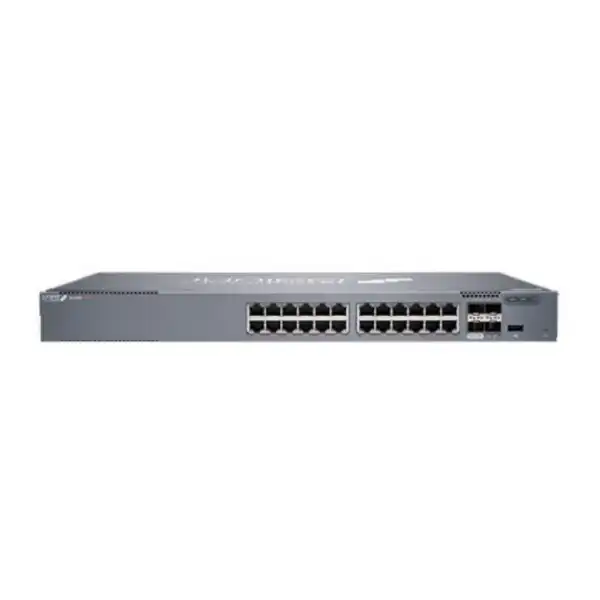
The EX4000 family combines Junos-based access switching with Juniper Mist Wired Assurance, model choices from compact 8- and 12-port units to 48-port access switches, PoE options up to 802.3bt on multigigabit models, 10GbE SFP+ uplinks and six-member Virtual Chassis operation. The main buying decision is not simply port count: it is matching port speed, PoE load, uplink design, licensing, form factor and growth requirements to the intended site.
Direct answer: what is the Juniper EX4000 and who is it for?
What exactly is it? The Juniper EX4000 is a family of fixed-form-factor Ethernet access switches running Junos OS and designed around cloud-managed operations with Juniper Mist Wired Assurance. The line includes non-PoE, PoE+, and multigigabit PoE++ variants rather than one single hardware configuration.
What is it mainly used for? It is primarily intended to connect users, phones, access points, cameras, printers, IoT devices and other edge endpoints in enterprise branches, remote offices and access-layer environments. Models with 2.5GbE and 802.3bt are especially relevant where newer wireless access points or powered devices need more than conventional 1GbE or 30 W PoE+.
Who should consider it? Organisations that want Juniper access switching with Mist cloud onboarding, telemetry, operational visibility and a range of compact-to-48-port models should shortlist EX4000. It can suit greenfield sites as well as selected brownfield refresh projects where the physical port plan, optics and management model are understood.
What is the most important factor to confirm? Confirm the exact EX4000 SKU rather than ordering only by family name. Port count, PoE capability, multigigabit port count, PoE budget, chassis dimensions and power draw vary materially by model. Licensing also affects cloud services and some advanced routing functionality.
What can FourTeck help determine? FourTeck can help map the site requirement to the correct EX4000 model, estimate PoE demand, identify suitable uplink optics and cabling, clarify Mist subscription and software requirements, plan a Virtual Chassis where appropriate, and build a quotation around quantity, support and installation scope.
Understand the EX4000 family before choosing a model
EX4000 is best understood as an access-switch platform with several hardware personalities. The T models are non-PoE choices intended for endpoints that do not need power from the switch. The P models provide 1GbE access with PoE+ up to 30 W per supported access port. The MP models add selected 2.5GbE multigigabit ports and 802.3bt PoE++ capability up to 60 W per access port, while retaining 1GbE ports for conventional devices. This distinction matters because two EX4000 units with the same nominal access-port count can serve very different endpoint populations.
The family also separates compact fanless deployments from standard 1U access-switch use. The EX4000-8P and 12-port models address smaller sites, distributed rooms and places where acoustic or space considerations may matter. The 24- and 48-port models provide denser access connectivity for wiring closets and business floors. Instead of choosing the largest switch automatically, a sound design compares current occupied ports, realistic growth, spare capacity, PoE headroom, uplink utilisation and the cost of unused capacity.
T models: data access without PoE
EX4000-12T, EX4000-24T and EX4000-48T are the non-PoE options. They are appropriate where connected devices have separate power or where paying for a PoE power subsystem adds no business value. For desktops, printers, servers or non-powered network devices, a T model can be a cleaner fit when no powered endpoints are expected on those ports.
P models: 1GbE with PoE+
EX4000-8P, EX4000-12P, EX4000-24P and EX4000-48P target conventional powered-edge designs. They can support common VoIP phones, many cameras, wireless access points and IoT endpoints within each model’s total PoE budget. The correct calculation uses both per-port demand and total simultaneous power, not only the number of PoE-capable sockets.
MP models: multigigabit + PoE++
EX4000-12MP, EX4000-24MP and EX4000-48MP add 2.5GbE access on selected ports and support 802.3bt power delivery up to 60 W per access port. They deserve attention when Wi-Fi 6E, Wi-Fi 7 or other higher-bandwidth powered devices would be constrained by a 1GbE edge link or require power above standard PoE+ levels.
Fixed 10GbE uplinks
Across the line, fixed SFP+ uplink connectivity gives the access layer a 1GbE/10GbE fibre or DAC path depending on the approved optic or cable. On 12-, 24- and 48-port models, two additional SFP+ ports are normally associated with Virtual Chassis and can also be reconfigured as network ports when the design does not use them for chassis interconnects.
Mist cloud operations
EX4000 is positioned as a cloud-native switch family for onboarding, configuration and ongoing operations through Juniper Mist Wired Assurance. That management choice should be planned as part of procurement because the desired Mist capabilities, subscription term, account organisation and operating workflow can affect the commercial package and deployment method.
EX4000 model comparison: ports, PoE and multigigabit choices
The table below summarises the principal access-port and power differences. Uplink and Virtual Chassis planning still needs an optic, cable and topology review, so treat the model choice as the beginning of the bill of materials rather than the entire bill.
| Model | Access ports | PoE class | Published total PoE budget | Typical selection reason |
|---|---|---|---|---|
| EX4000-8P | 8 x 1GbE PoE+ plus 2 x 1GbE non-PoE network ports | PoE+ up to 30 W on 8 powered ports | 120 W | Compact small-site PoE edge |
| EX4000-12T | 12 x 1GbE | Non-PoE | 0 W | Compact data-only access |
| EX4000-12P | 12 x 1GbE | PoE+ up to 30 W per access port | 240 W | Compact powered branch access |
| EX4000-12MP | 4 x 2.5GbE + 8 x 1GbE | PoE++ up to 60 W per access port | 240 W | Small-site Wi-Fi 6E/7 or higher-power edge |
| EX4000-24T | 24 x 1GbE | Non-PoE | 0 W | Mid-density data-only access |
| EX4000-24P | 24 x 1GbE | PoE+ up to 30 W per access port | 370 W | General-purpose 24-port powered access |
| EX4000-24MP | 4 x 2.5GbE + 20 x 1GbE | PoE++ up to 60 W per access port | 480 W | Mixed conventional and multigigabit endpoints |
| EX4000-48T | 48 x 1GbE | Non-PoE | 0 W | Dense data-only floor access |
| EX4000-48P | 48 x 1GbE | PoE+ up to 30 W per access port | 740 W | Dense powered access for phones, APs and devices |
| EX4000-48MP | 8 x 2.5GbE + 40 x 1GbE | PoE++ up to 60 W per access port | 960 W | High-density powered edge with selected 2.5GbE ports |
How to choose the right EX4000 model
A practical selection starts with the endpoint inventory, not the switch catalogue. Count every device that will connect during the design life of the site, then classify each by required Ethernet speed, expected PoE draw, VLAN or security role, and physical cabling destination. A desk phone that negotiates at 1GbE and consumes modest PoE is a very different load from a Wi-Fi 7 access point that may benefit from 2.5GbE and higher power. Treating them as identical “ports” can lead to either an undersized MP allocation or an unnecessarily expensive all-multigigabit design.
Next, decide whether the site needs 12, 24 or 48 access ports in one unit, or whether a smaller distributed switch is operationally preferable. In a conventional wiring closet, a 48-port switch can reduce rack-unit consumption and simplify patching. In a small branch, retail unit, meeting zone or remote office, compact 8- or 12-port hardware can be easier to place. The best design also leaves sensible spare capacity. Spare ports have value when they absorb new users or devices, but an excessive number of empty powered ports can increase capital cost without improving resilience.
PoE requires a second pass. The published total budget is not simply the per-port maximum multiplied by the number of ports. For example, EX4000-48MP can provide up to 60 W on an access port, but the model’s published overall budget is 960 W. That means a design with many high-power endpoints must be calculated as a simultaneous load, with headroom for boot surges, endpoint replacement and future growth. The same principle applies to P models: per-port PoE+ capability does not imply that every port can consume its maximum at once while staying within the chassis budget.
Finally, confirm the uplink and management architecture. Two 1/10GbE SFP+ uplinks are common across the family, while 12-, 24- and 48-port models provide two additional 10GbE SFP+ ports used by default for Virtual Chassis and reconfigurable as network ports. Decide whether those links will serve aggregation, redundancy, or Virtual Chassis before selecting optics. If the site depends on campus-fabric functionality beyond the EX4000’s published positioning, compare a higher EX Series platform rather than forcing the EX4000 into a role for which it was not selected.
PoE planning: power the endpoint, not just the port
Power over Ethernet is often the deciding reason to choose a P or MP model. EX4000 P models provide 802.3at PoE+ up to 30 W on supported ports, while MP models provide 802.3bt PoE++ capability up to 60 W per access port. Juniper also lists Fast PoE and Perpetual PoE features. Fast PoE can supply power during switch start-up before the switch is fully operational, while Perpetual PoE is designed to maintain power to connected powered devices during a switch reboot. These capabilities can be important for devices such as cameras and access points where a management-plane reboot should not automatically create a long power interruption.
The total PoE budget must be modelled using actual endpoint data. Obtain the maximum or planned power draw for each AP, phone, camera, door controller, sensor or other powered device. Group them by closet and add reserve for replacements. If an endpoint can draw 45 W, it is not enough to know that a switch supports “PoE”; the port and chassis must support the required standard and the available remaining budget. Likewise, a 30 W-capable port may serve a device that normally uses far less, but the design should account for its negotiated class and peak behaviour.
For UAE deployments, include UPS and cooling implications in the calculation. A higher PoE budget can translate into more electrical and thermal load in the communications room. The switch specification, expected powered-device load, UPS runtime target and room cooling should be considered together. This is especially important in compact telecom rooms where ambient conditions can rise rapidly if building cooling is interrupted.
PoE budget checkpoints
- Record each powered endpoint and its required IEEE PoE class or maximum wattage.
- Separate 1GbE endpoints from devices that actually need 2.5GbE.
- Add the simultaneous expected draw, not just the number of PoE ports.
- Keep capacity for future APs, cameras or smart-building devices.
- Check UPS capacity and desired runtime under the real PoE load.
- Verify the supported cable category and run quality for multigigabit links.
- Consider whether critical endpoints benefit operationally from Fast and Perpetual PoE.
- Confirm the exact P or MP SKU in the quotation; family-name-only ordering is insufficient.
Uplinks, SFP+ optics and Virtual Chassis design
Every EX4000 design needs an explicit uplink decision. The product family provides two fixed 1GbE/10GbE SFP+ uplink ports. On EX4000 12-, 24- and 48-port models, two additional 10GbE SFP+ front-panel ports are used for Virtual Chassis by default and can be reconfigured as network ports. The compact EX4000-8P is different: it provides two 1GBASE-T ports in addition to its two SFP+ uplinks, and the SFP+ uplinks can be converted to Virtual Chassis ports through configuration. This distinction affects both topology and the bill of materials.
The physical transceiver choice must match distance, fibre type, connector plan and the device at the opposite end. “10GbE SFP+” is an interface category, not a complete optical design. A short rack-to-rack connection may use a supported direct-attach cable where appropriate; longer building or campus links may require fibre optics selected for the installed plant. Existing multimode fibre, single-mode fibre, patch-panel connectors and expected loss budget should be surveyed before ordering. Unsupported or unsuitable optics can turn a straightforward switch installation into a troubleshooting exercise.
Virtual Chassis lets up to six EX4000 switches operate as a single logical device. Juniper documents the ability to mix models within the EX4000 line in the same Virtual Chassis. This can simplify management and allow cross-member link aggregation, while high-availability functions such as graceful Routing Engine switchover, nonstop bridging and nonstop active routing can be relevant in a properly designed chassis configuration. However, logical chassis operation does not remove the need to design physical link redundancy, power resiliency and upstream diversity. Two switches in one logical system can still share a room, UPS, fibre route or upstream dependency.
Use Virtual Chassis when the operational benefits justify consuming the appropriate interconnect ports and when the failure domains are understood. If a site instead needs independent switches with separate control planes, or needs a campus fabric architecture that exceeds the EX4000’s published scope, design accordingly. The availability objective should drive the topology rather than using Virtual Chassis by default simply because the feature exists.
Juniper Mist Wired Assurance: what changes operationally
EX4000 is purpose-built around a cloud-managed operating model with Juniper Mist Wired Assurance. For network teams, that changes the lifecycle from a switch-by-switch configuration mindset toward central onboarding, templates, site attributes, telemetry and experience-oriented operations. Juniper describes Day 0 claiming for new switches and adoption of brownfield switches, Day 1 template-based provisioning and dynamic port profiles, and Day 2 operational visibility with service-level expectations and telemetry. This is particularly valuable where a business operates many branches with limited local IT staff.
Mist Wired Assurance uses telemetry from Junos OS to provide visibility into connected-device experience and switch health. Marvis Virtual Network Assistant can complement this with operational insights and actions around issues such as loops, missing VLANs, misconfigured ports, bad cables, flapping ports and persistently failing clients. The benefit is not that every incident disappears automatically; rather, the platform can reduce the time required to isolate likely causes and can make the network’s observed behaviour easier to understand from a central interface.
Cloud management also introduces prerequisites. The organisation needs a Mist account structure, appropriate subscriptions, internet reachability for cloud communication, an approved security policy for the management model, and a plan for administrator roles. If the company already has Juniper Mist wireless, bringing EX4000 switching into the same operational environment can simplify cross-domain visibility. If it uses a different enterprise-management platform, the buyer should decide whether the operational benefits justify introducing Mist for wired access.
Do not treat the hardware purchase and cloud subscription as unrelated line items. Decide what functionality is expected on Day 1, which team will operate the network, how long the subscription should run, what renewal process procurement will follow, and whether support services should align to the same term. A switch can remain installed for years; the management and licensing plan should be sustainable over that lifecycle.
Junos OS, Layer 2, Layer 3 and security capabilities
The EX4000 runs Junos OS, giving the platform a familiar operational foundation for teams that already use Juniper switching and routing. At the access layer, published capabilities include VLAN tagging, voice VLAN, LLDP and LLDP-MED, Rapid Spanning Tree and Multiple Spanning Tree, link aggregation, routed VLAN interfaces, redundant trunk groups, private VLANs and other conventional enterprise switching functions. Juniper lists up to 32,000 MAC addresses, 9216-byte jumbo frames, 1,020 concurrent active VLANs and VLAN IDs in the 1 to 4094 range. These numbers are useful boundaries when assessing unusual high-scale edge environments, although most branch deployments will be limited by practical design considerations before reaching them.
For access control and edge protection, the published feature set includes 802.1X port access control, MAC limiting, dynamic ARP inspection, IP source guard, DHCP snooping, persistent MAC options and control-plane DDoS protection mechanisms. These features matter only when they are integrated into an access-security policy. For example, enabling DHCP snooping without correctly defining trusted paths can disrupt address assignment, while 802.1X deployments require coordination with an identity or RADIUS service and an exception model for non-802.1X devices. A switch feature list should therefore be translated into an implementation design and test plan.
Layer 3 capability requires particular attention to licensing and intended topology. Juniper documents IPv4 and IPv6 routing, with OSPF and BGP available with a Flex license. If the EX4000 is expected to perform more than basic access switching, confirm the exact software entitlement and feature requirements before purchase. Do not assume that a protocol listed in a general product feature table is included in every commercial bundle or is the best architectural choice for the site.
The practical question is where routing should occur. Many enterprises keep the access layer focused on VLAN termination and uplink it to a distribution or core layer. Others use routed access for specific sites. Either can be valid, but the decision changes redundancy, failure domains, route policy, troubleshooting and licensing. If advanced routing is part of the requirement, include the desired protocols, route scale, high-availability behaviour and integration with existing Junos or third-party infrastructure in the design review.
Switching capacity by model
Juniper publishes non-blocking bidirectional capacity ranging from 60 Gbps for EX4000-8P through 104 Gbps for EX4000-12P/12T, 116 Gbps for EX4000-12MP, 128 Gbps for EX4000-24P/24T, 140 Gbps for EX4000-24MP, 176 Gbps for EX4000-48P/48T and 200 Gbps for EX4000-48MP. These figures reflect model hardware capacity; actual application experience still depends on endpoint speeds, traffic patterns, uplinks and the rest of the network.
A 48-port switch with many active 1GbE clients can generate more aggregate traffic than a single 10GbE uplink can carry at peak, so uplink oversubscription should be a conscious design choice. User access is normally bursty, which makes some oversubscription practical, but backup, media, storage or high-throughput wireless traffic can change the calculation.
Memory and forwarding behaviour
The EX4000 specification lists store-and-forward switching, 4 GB of ECC-protected DRAM and 8 GB of storage across models. Store-and-forward operation means the switch receives and checks the frame before forwarding it, a conventional approach that supports integrity at the cost of a small forwarding delay compared with cut-through techniques.
These hardware values are not a reason to size the network by memory alone. For buyers, more useful questions are the number and type of endpoints, active VLANs, route requirements, uplink utilisation, telemetry expectations and software release. Validate the intended Junos release against Juniper’s current recommended-release guidance before production rollout.
Physical dimensions matter
EX4000 depth varies by model. The compact EX4000-8P and EX4000-12T are approximately 26.4 cm wide and 24.3 cm deep, while standard-width models range from roughly 21.4 cm to 30.4 cm deep depending on variant. The 48P and 48MP are among the deeper units. A shallow wall cabinet that accepts one EX4000 variant may not provide comfortable clearance for another.
Include front patch leads, rear power connection, bend radius, airflow and service clearance when checking cabinet dimensions. Rack-unit count alone is not enough, particularly in small UAE branch cabinets where UPS hardware, fibre trays and routers may share limited depth.
Environmental design
Juniper publishes model-dependent operating temperature ranges generally up to 45°C or 50°C at sea level, with specific conditions for compact fanless variants. The datasheet also notes that fanless SKUs operating beyond 40°C require industrial-grade optics rated for 85°C. This is a meaningful procurement detail in warm telecom rooms.
Environmental ratings do not justify ignoring cooling. A switch placed in a closed cabinet near the upper ambient limit, loaded with PoE and surrounded by other heat-producing devices has less thermal margin. Design the room and cabinet to keep normal conditions comfortably within the supported range.
EX4000 for Wi-Fi 6E and Wi-Fi 7 access points
Newer wireless access points are one of the strongest reasons to evaluate the EX4000 MP variants instead of selecting a conventional 1GbE PoE+ switch automatically. Wi-Fi 6E and Wi-Fi 7 can create a mismatch between radio capability and a 1GbE wired edge if the AP and traffic profile are capable of exceeding that uplink. The EX4000-12MP and EX4000-24MP provide four 2.5GbE access ports, while EX4000-48MP provides eight 2.5GbE access ports. Those ports can be allocated to the APs that need multigigabit access while the remaining 1GbE ports serve phones, printers, cameras and other devices.
Do not infer that every Wi-Fi 7 AP automatically requires 2.5GbE or 60 W. Check the exact access-point Ethernet interfaces, negotiated power requirement, radio configuration, expected client density and traffic. Some APs can operate at reduced capability under a lower PoE class; others may require higher power for full feature operation. The switch design should reflect the AP datasheet and wireless design rather than a generic generation label.
Cabling is equally important. Multigigabit Ethernet is designed to extend higher speeds over suitable twisted-pair infrastructure, but cable category, distance, workmanship, patch panels, termination quality and electromagnetic environment affect real-world performance. A refresh project should identify which cable runs are intended for 2.5GbE and test questionable links rather than assuming every legacy run will deliver the desired rate.
Finally, the uplink must be sized against the aggregate wireless demand. Installing several 2.5GbE APs does not guarantee higher user throughput if the switch has an overloaded upstream connection or the WAN is the actual bottleneck. Model the full path from client to application, including AP, access port, switch uplink, aggregation, firewall, WAN and internet service. The EX4000 can remove one edge constraint, but it cannot compensate for bottlenecks elsewhere.
Use cases: where the EX4000 can fit well
Branch office access
A branch with users, phones, printers and a small number of APs can use a 12- or 24-port model, with PoE chosen only where needed. Mist cloud operations can reduce the amount of local hands-on administration. The WAN router or firewall, switch uplink and cloud-reachability design should be documented before zero-touch style onboarding is expected.
Office-floor switching
A 48-port P or MP model can consolidate a dense floor of users, phones and wireless APs. This design should reserve ports for growth, calculate total PoE, and decide whether dual 10GbE uplinks or a Virtual Chassis topology is appropriate. Patch-panel density, rack depth, UPS capacity and fibre uplinks become as important as the switch SKU.
Wireless-first workspace
An MP model can dedicate its 2.5GbE PoE++ ports to higher-performance APs while retaining 1GbE powered access for other devices. This can avoid paying for multigigabit on every port when only selected endpoints need it. The number of 2.5GbE ports per model is therefore a key sizing figure.
Cameras and IoT
PoE models can centralise data and power for cameras, sensors and selected building devices. Security segmentation, DHCP protection, port access policy and total power budget should be designed together. Camera storage traffic may also produce sustained uplink utilisation, so a surveillance edge should not be sized like a typical bursty user floor.
Distributed compact sites
The compact EX4000-8P and 12-port variants can suit locations where a full-width 24- or 48-port switch would be excessive. Fanless operation on compact models can be useful in acoustically sensitive environments, but cabinet ventilation, ambient temperature and optic temperature rating still need to meet Juniper’s published conditions.
Standardised multi-site rollouts
Organisations opening repeated branches can standardise a small set of EX4000 designs, such as a compact PoE profile and a 24- or 48-port office profile. Mist templates and dynamic port profiles can support consistency, while site-specific attributes preserve local differences. The rollout should include a naming, claim, software, VLAN and support process.
Important limitation: confirm whether EX4000 is enough for the campus architecture
The current Juniper EX4000 product specification identifies the family as a fixed 1U access platform with Wired Assurance and six-member Virtual Chassis, and lists campus fabrics as not supported for the EX4000 entry. This is an important boundary for buyers planning an EVPN-VXLAN campus fabric or a more advanced campus architecture. The EX4000 can be a capable access switch without being the correct platform for every enterprise campus design.
If the requirement is primarily branch access, conventional VLAN-based access, cloud operations and Virtual Chassis, the EX4000 may fit well. If the requirement includes fabric roles, greater high-availability options, different uplink speeds, modularity, more multigigabit density, redundant power architecture or other capabilities beyond the EX4000 specification, compare Juniper EX4100, EX4400 or another suitable EX Series platform based on the exact feature matrix.
This is why model selection should start with architecture rather than price. A lower-cost access switch is not economical if a missing feature forces a redesign later. Conversely, buying a higher platform merely because it offers more features can waste budget where a branch only needs straightforward access switching. The goal is to select the least complex platform that fully supports the documented operating requirement and growth horizon.
Licensing and subscriptions: include them in the design, not after the hardware order
EX4000 procurement can involve both perpetual software licensing and subscription bundles depending on the desired feature set and support package. Juniper’s published ordering information separates licensing classes by switch size, with class categories for 8/12-port, 24-port and 48-port hardware, and lists Advanced and Premium options. Subscription SKUs can include Juniper Mist Wired Assurance and Marvis VNA for terms such as one, three, five or seven years, with support variants available in the ordering structure. Because commercial packaging evolves, the quotation should be based on the current Juniper ordering guide rather than an old project bill of materials.
The key buyer decision is functional: what do you expect the network to do? If the objective is cloud onboarding, monitoring and operational assurance, identify the required Mist service level. If OSPF or BGP is required on the EX4000, Juniper documents those routing protocols as available with a Flex license, so include the appropriate entitlement. If Marvis capabilities are part of the operating model, confirm that the selected subscription includes them. If support-response targets matter, specify the expected service level and location coverage in the quotation.
Align the subscription term with the business lifecycle. A one-year term may suit a pilot but can create annual renewal administration across many branches. A three- or five-year term can simplify planning if the equipment lifecycle and budget are stable. Longer terms should still be evaluated against technology refresh expectations, business leases and expansion plans. Record subscription expiry dates in the asset-management system so renewal does not become an emergency.
For projects replacing an existing Juniper estate, check whether any current licenses, Mist organisation structure or support agreements can influence the migration. Do not assume entitlements automatically move between models. The safest purchasing process ties each hardware SKU to the required software class, subscription term, support service and site quantity before the purchase order is issued.
Dubai installation planning: rack, power, cooling and cabling
A switch installation is successful when the physical environment is treated as part of the network design. Begin with rack or cabinet dimensions. Standard EX4000 24- and 48-port models are approximately 44.1 cm wide, with depth varying by model from about 21.4 cm to 30.4 cm. Compact models are narrower. Verify usable depth after allowing for front patch leads, rear power cable clearance and any door obstruction. In wall-mounted cabinets, shallow depth is often a bigger constraint than rack-unit count.
Power planning should separate switch system consumption from PoE load. Juniper’s published maximum system input power without PoE ranges by model, while the total PoE budget can be much larger. A fully utilised EX4000-48MP environment therefore has very different UPS and thermal implications from an EX4000-48T data-only deployment. When sizing a UPS, use the intended switch and endpoint load, desired runtime, power factor assumptions and other equipment in the cabinet. Include upstream firewall, router, fibre equipment and any local server where they share backup power.
Cooling deserves particular care in UAE sites. Juniper publishes operating-temperature ranges up to 45°C or 50°C depending on model and conditions, but equipment should not be designed to run continuously at the edge of its environmental envelope. Communications rooms benefit from stable cooling, clear airflow and monitoring. High PoE loads, crowded cabinets and dusty filters can raise internal temperatures well above the general room temperature. For fanless SKUs used above 40°C, Juniper specifically calls for industrial-grade optics rated to 85°C, so optics selection can become an environmental requirement rather than simply an optical-distance choice.
Cabling should be surveyed before migration. Confirm patch-panel labels, copper category, fibre type, connector type, link length and spare strands. If 2.5GbE access is planned, identify the exact AP or endpoint runs that need multigigabit operation and test older cabling where condition is uncertain. If 10GbE fibre uplinks are replacing 1GbE links, verify that existing transceivers and fibre plant support the new design.
Finally, plan service access and labelling. A neat switch installation includes readable port labels, documented uplinks, power-cord identification, Virtual Chassis member numbering where used, and an asset record that captures serial numbers, support coverage, software baseline and Mist assignment. These small operational details reduce recovery time when a fault occurs months after installation.
Migration from an existing access switch
Export the old switch configuration and record VLANs, trunks, voice settings, spanning-tree role, LAGs, port descriptions, authentication, DHCP protection, static devices, PoE demand and uplinks. Compare the configuration to the physical patching so the migration is based on reality rather than stale documentation.
Map the intended policy into Junos and Mist constructs. A one-for-one syntax copy from another vendor is rarely appropriate. Decide which legacy exceptions are still needed and which can be removed. Use templates and dynamic port profiles where they improve consistency without hiding site-specific requirements.
Confirm the approved Junos release, Mist organisation, switch claim process and site assignment before the outage. Where possible, stage the switch on a bench, validate cloud connectivity and apply the intended baseline configuration without connecting production endpoints.
Validate a representative phone, AP, camera, printer, user workstation and any special device. Confirm VLAN assignment, DHCP, DNS, authentication, voice operation, PoE draw, negotiated speed and application reachability. Edge cases are easier to correct before a full-floor cutover.
Patch by labelled port groups, monitor the switch and Mist telemetry, and keep a clear rollback threshold. Do not migrate every dependency at once if the site allows a phased approach. A controlled sequence makes it easier to separate cabling, endpoint and configuration faults.
After cutover, check connected-client counts, uplink status, PoE consumption, error counters, authentication, redundancy and application paths. Update diagrams, support records and asset information while the project context is still fresh.
Operations and troubleshooting after deployment
A well-deployed EX4000 should have an operating baseline. Record expected uplink utilisation, normal PoE consumption, connected-client count, software version, error rates and high-level service expectations after the site stabilises. Baselines make later anomalies easier to recognise. Mist Wired Assurance can provide service-level and device visibility, but the network team still needs to know what “normal” looks like for the branch or floor.
When a client fails to connect, troubleshoot in layers. Confirm physical link and negotiated speed; verify PoE if the endpoint needs power; check VLAN or dynamic port profile assignment; confirm authentication and DHCP; then trace DNS and application reachability. For intermittent problems, cable health, port flapping and physical-layer errors are often more productive starting points than immediately changing switch configuration. Marvis actions and Mist telemetry can help surface issues such as bad cables, loops, missing VLANs or persistently failing clients, but changes should still be evaluated in the context of the intended policy.
Software maintenance should be deliberate. Juniper publishes recommended Junos releases, and the preferred production version can change over time as fixes and platform experience evolve. Test significant upgrades against representative features, schedule them within an approved maintenance process and verify the site after the change. If Perpetual PoE is relevant, validate expected endpoint-power behaviour during planned reboot testing rather than assuming every connected device reacts identically.
Configuration governance matters in cloud-managed environments as much as it does with CLI-managed equipment. Control who can change organisation-wide templates, distinguish global policy from site overrides, document emergency exceptions and review stale port assignments. Central management increases consistency when governance is strong; it can also increase the blast radius of a mistaken template if change controls are weak.
When to compare EX4000 with another Juniper EX platform
EX4000 is attractive when the requirement is economical, cloud-native access switching with a mix of 1GbE, selected 2.5GbE, PoE options and Virtual Chassis. It should not be treated as the automatic answer to every access-layer project. A comparison is warranted when the requirement extends beyond its port, power, resiliency or architecture envelope.
Compare upward when…
You need campus-fabric roles, different or faster uplinks, more extensive multigigabit density, a different power architecture, expanded high-availability options, greater scale, or features not supported by the EX4000 specification. EX4100 or EX4400 family options may deserve evaluation depending on the exact design, but compare current datasheets feature by feature rather than assuming a simple linear upgrade path.
Stay with EX4000 when…
The site needs straightforward branch or access switching, the required ports and PoE fit an EX4000 SKU, 10GbE uplinks are appropriate, Mist Wired Assurance is the desired management approach, and six-member Virtual Chassis is sufficient where logical chassis operation is needed. In that case a larger platform can add cost and complexity without improving the business outcome.
Procurement details that determine an accurate EX4000 quotation
A request for “one Juniper EX4000” is not enough to produce a technically complete bill of materials. The family includes ten principal model variants with different port counts, PoE capabilities and power budgets. Start the quotation with the exact model or with enough requirements for the model to be selected. State how many access ports are required now, how many should be reserved for growth, and how many endpoints need PoE+ or PoE++.
Specify uplinks separately. Include the number of uplinks per switch, intended speed, fibre type, approximate distance, connector environment and upstream switch model where possible. If Virtual Chassis will be used, state the number of members, physical arrangement and interconnect method. Optics and cables should be quoted against those facts rather than guessed from the family name.
State the cloud and software expectations. If Mist Wired Assurance is required, provide the desired subscription duration and whether Marvis VNA capabilities are expected. If advanced routing such as OSPF or BGP is part of the design, identify it explicitly so licensing can be checked. Include the expected support response level, contract duration and whether installation, configuration or migration services are needed.
For local deployment, provide the Dubai or UAE site location, number of sites, cabinet type, electrical standard, target cutover date and any access restrictions. If this is a replacement project, share the current switch models and a sanitised summary of VLAN, uplink, authentication and PoE requirements. Those details make it possible to distinguish a simple hardware supply from a migration that needs engineering effort.
Availability and lead time should always be confirmed at quotation stage. Do not base a project schedule on assumed stock. Model availability, optics, license terms and support services can have different lead times, and a complete deployment cannot proceed merely because the chassis itself is available.
Frequently asked questions about Juniper EX4000
Is EX4000 one switch or a product family?
It is a product family. The line includes EX4000-8P, 12T, 12P, 12MP, 24T, 24P, 24MP, 48T, 48P and 48MP. The suffix changes whether the unit is non-PoE, PoE+ or multigigabit PoE++, and port count changes access density. Always quote and order the exact SKU.
Does every EX4000 port support 2.5GbE?
No. Multigigabit access is specific to MP variants and only selected access ports are 2.5GbE. EX4000-12MP and 24MP provide four 2.5GbE ports; EX4000-48MP provides eight. The remaining access ports are 1GbE. This mixed design is useful when only APs or selected endpoints need multigigabit connectivity.
Does every EX4000 provide PoE?
No. T variants are non-PoE. P variants provide PoE+ capability, while MP variants provide higher-power PoE++ capability. If a site connects only data endpoints, a T model can avoid unnecessary PoE capability. If phones, APs or cameras are powered from the switch, use the endpoint inventory to size both ports and total wattage.
What is the maximum PoE budget in the family?
The EX4000-48MP has the largest published total PoE budget in the family at 960 W, with 802.3bt support up to 60 W per access port. Lower models have lower budgets. Total chassis power must still be calculated against the actual simultaneous endpoint load and not inferred from per-port maximum alone.
Can EX4000 form a Virtual Chassis?
Yes. Juniper supports up to six EX4000 switches in a Virtual Chassis, and models within the EX4000 line can be combined. The 12-, 24- and 48-port models have dedicated front-panel SFP+ ports used for Virtual Chassis by default, while the EX4000-8P uses a different port arrangement. Confirm interconnect optics or cables in the design.
Can the Virtual Chassis ports be used as normal network ports?
On the 12-, 24- and 48-port EX4000 models, Juniper documents the two 10GbE SFP+ Virtual Chassis ports as reconfigurable for use as network ports. This can provide additional flexibility when a site does not require Virtual Chassis, but the configuration and intended topology should be planned rather than changed casually after deployment.
Is EX4000 managed through Juniper Mist?
Yes. Juniper positions EX4000 as a cloud-native device managed through Mist Cloud with Juniper Mist Wired Assurance subscriptions. The platform supports cloud onboarding, configuration and operational visibility. Subscription level, term and organisation design should be confirmed as part of the purchase rather than treated as an afterthought.
Does EX4000 run Junos OS?
Yes. EX4000 runs Junos OS and provides telemetry used by Mist AI. Network teams should still select a current recommended Junos release for production and maintain an upgrade process. The minimum version listed in general Mist support guidance is not automatically the version you should deploy today.
Does EX4000 support OSPF and BGP?
Juniper documents OSPF and BGP routing as available with a Flex license. If either protocol is required, state it explicitly during quotation so the software entitlement can be checked. Also confirm that placing those routing functions on the access switch is appropriate for the network architecture.
Can EX4000 be used for campus fabric?
The current Juniper EX4000 product specification lists campus fabrics as not supported and highlights six-member Virtual Chassis instead. If EVPN-VXLAN campus fabric or another fabric role is a requirement, compare other EX Series options whose current specifications explicitly support the needed architecture.
Is the EX4000-8P the same as the 12-port models?
No. EX4000-8P has eight 1GbE PoE+ access ports, two additional 1GbE RJ-45 network ports without PoE and two SFP+ uplinks. Its SFP+ uplinks can be converted for Virtual Chassis use. The 12-port models have a different uplink and dedicated Virtual Chassis port arrangement. Check the port diagram before standardising accessories.
Are the compact models fanless?
Juniper identifies compact fanless variants in the 8- and 12-port part of the family. Fanless operation can reduce acoustic concerns, but it increases the importance of ambient temperature and approved optics. The datasheet calls for industrial-grade optics on fanless SKUs operating above 40°C.
What optics do I need for an EX4000 uplink?
That depends on the distance, fibre type, connector path and upstream equipment. EX4000 provides SFP+ uplink slots, but the correct transceiver could differ between short multimode, longer single-mode or direct-attach scenarios. Use Juniper’s current hardware compatibility information and confirm the fibre plant before ordering.
Can EX4000 power Wi-Fi 7 access points?
The MP models provide 802.3bt PoE++ up to 60 W per access port and selected 2.5GbE links, which can suit many higher-power wireless designs. The exact AP must still be checked for its Ethernet and power requirements. Do not assume every Wi-Fi 7 AP uses the same power class or interface speed.
What should be included in a Dubai EX4000 quote?
Include the exact model and quantity, access-port requirement, endpoint PoE list, uplink speed and distance, optics or DAC requirements, Virtual Chassis plan, Mist subscription term, routing license needs, support level, rack/cabinet information, installation site and migration scope. This avoids a chassis-only quote that omits critical dependencies.
Is a 48-port EX4000 always better value than a 24-port model?
Not necessarily. A 48-port unit can reduce rack density when many ports are needed, but a lightly used site may pay for unused capacity. Two 24-port switches can create different failure domains and upgrade flexibility, while one 48-port switch may be simpler. Compare port growth, redundancy, PoE, rack space and lifecycle rather than price per port alone.
A practical EX4000 deployment journey
Discovery and sizing
Inventory endpoints, current and future port count, PoE class, multigigabit need, VLANs, authentication, uplink demand and physical cabinet constraints. Decide whether the site needs one switch, independent redundant switches or a Virtual Chassis. This phase should produce a model selection rationale rather than only a quantity.
Bill of materials
Select exact EX4000 SKUs, supported uplink optics or cables, power cords, mounting accessories where required, Mist subscription class and term, routing license if applicable, and support service. Add spares where business continuity justifies them. Validate that every line item belongs to the exact hardware variant.
Staging
Claim switches into the intended Mist organisation, set site assignments, confirm the Junos baseline, apply templates and validate cloud reachability. Build VLANs, port profiles, management settings and uplink configuration. If Virtual Chassis is used, stage member identities and interconnects before the production window.
Pilot validation
Connect representative endpoint types and verify authentication, VLAN placement, DHCP, DNS, voice, PoE, multigigabit negotiation, application access and monitoring. Review Mist visibility and ensure alerts are actionable. A pilot should prove the operating model as well as basic packet forwarding.
Production cutover
Use a labelled port-migration plan, verify upstream redundancy, move endpoints in controlled groups and watch errors, PoE consumption and client state. Keep rollback information available until critical applications and business services are confirmed.
Operational handover
Deliver diagrams, switch inventory, license and subscription records, support contacts, admin-role ownership, software baseline, configuration standards and monitoring expectations. A deployment is not complete until the team that will operate it can identify the site, understand the intended design and recover it after a fault.
Decision recap: six points to settle before buying
Choose the precise 8-, 12-, 24- or 48-port T, P or MP SKU. Port count and suffix determine key capabilities.
Calculate endpoint wattage and total simultaneous load. Do not equate maximum per-port power with total chassis budget.
Define 1/10GbE uplink speed, fibre or DAC type, distance, redundancy and whether ports are reserved for Virtual Chassis.
Confirm Mist Wired Assurance, Marvis VNA, term length, support level and any Flex licensing required by the routing design.
Use EX4000 where its access and Virtual Chassis model fits. Compare a different platform if campus-fabric or other unsupported requirements are mandatory.
Verify cabinet depth, UPS capacity, cooling, copper quality, fibre plant, power cords and service access before the installation date.
What FourTeck needs from you for an accurate EX4000 quotation
A short requirement summary is enough to start. The more of the following information you can provide, the more accurately the hardware, licensing, optics and services can be aligned to the project.
Build the right Juniper EX4000 access design for your UAE site
The best EX4000 purchase is the one that matches the endpoint mix, PoE requirement, 2.5GbE demand, 10GbE uplinks, licensing and operating model without paying for unused capability or discovering a missing requirement during installation. FourTeck can help translate your branch, office-floor or refresh requirement into a model-specific bill of materials and deployment scope.


Reviews
There are no reviews yet.