
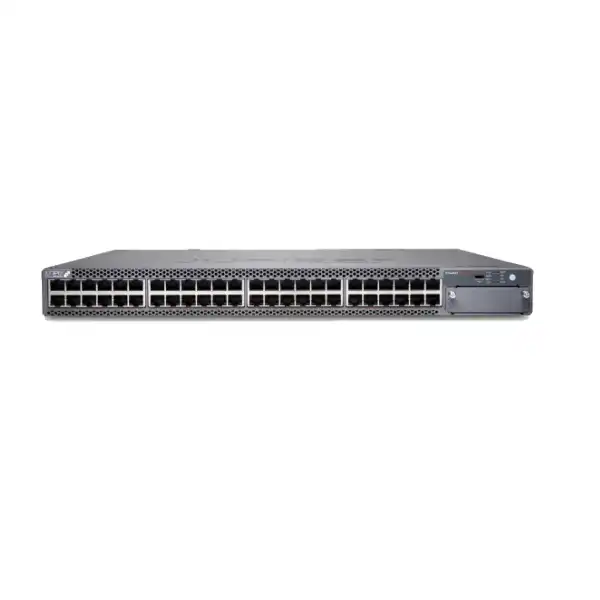
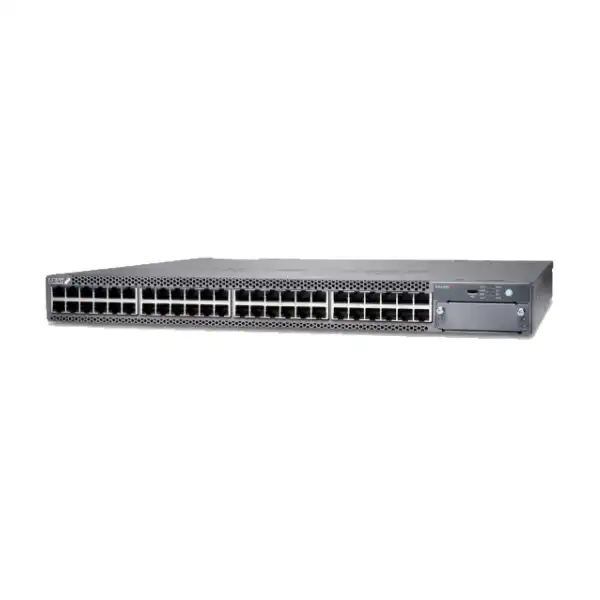
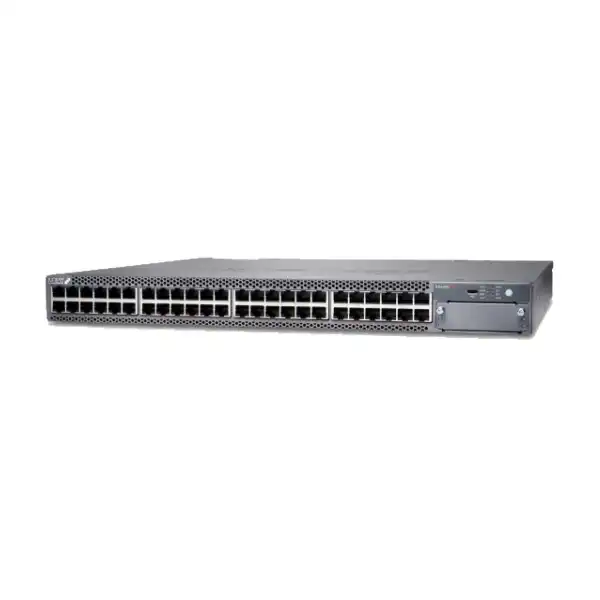
Juniper EX4400-48XP Ethernet Switch Dubai
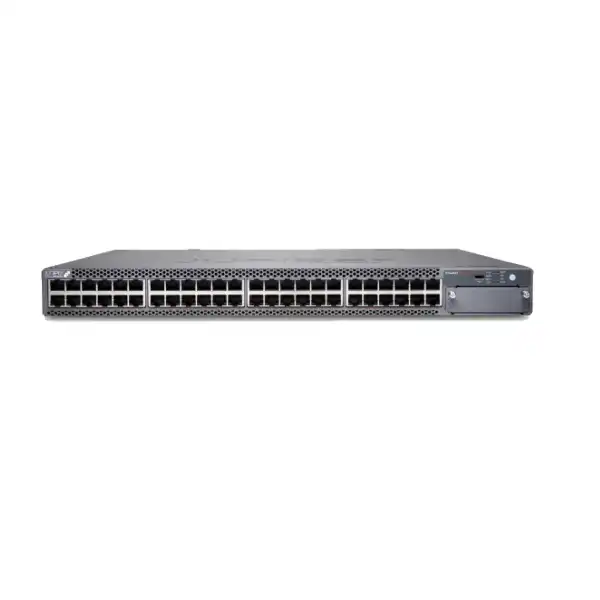
A 48-port 1GbE PoE++ access switch for organizations that need substantial power delivery at the edge, resilient enterprise switching, high-speed uplink options, Virtual Chassis capability and Juniper Mist cloud-assisted operations. The EX4400-48XP is especially worth evaluating when power-hungry access points, cameras, collaboration devices or smart-building endpoints are concentrated on the same access layer.
IEEE 802.3bt PoE++
Up to 90 W per port
Up to 3600 W PoE budget
Mist Wired Assurance capable
Direct answer: what is the Juniper EX4400-48XP?
The Juniper EX4400-48XP is a fixed 1U enterprise Ethernet access switch with 48 copper 10/100/1000BASE-T ports that support IEEE 802.3bt PoE, plus high-speed connectivity intended for uplink and Virtual Chassis designs. It is mainly used at the campus or branch access layer to connect and power wired endpoints such as Wi-Fi access points, IP phones, security cameras, building systems, sensors, workstations and other Ethernet devices.
Organizations should consider this exact model when the project requires many 1GbE edge ports and a much larger PoE budget than a conventional access switch normally provides. The most important factor to confirm is not simply the port count: it is the complete power design, including endpoint wattage, power-supply quantity, AC input conditions, redundancy expectations and whether every endpoint genuinely needs the maximum PoE class.
FourTeck can help map the planned endpoint list to port count and PoE demand, review uplink and optics requirements, identify the appropriate Juniper licenses or Mist subscription model, check rack and power prerequisites, and build a quotation around the actual UAE deployment rather than treating the switch as a standalone box.
Why the EX4400-48XP is a distinctive EX4400 model
The EX4400 family covers several access-layer needs, but the EX4400-48XP has a specific role: it combines forty-eight 1GbE copper access ports with PoE++ capability and a high-output 2000 W AC power-supply architecture. That combination makes it different from the non-PoE EX4400 models and from lower-PoE-budget variants. It is also different from the EX4400 multigigabit models, which are designed when 2.5GbE, 5GbE or 10GbE access speeds are required on selected copper ports. This distinction matters because a project can have a large power requirement without needing multigigabit access on every port, or it can have high-speed Wi-Fi access points whose bandwidth requirements make a multigigabit model the better choice.
For many buyers, the model name “48XP” can be easy to interpret too broadly. The forty-eight revenue ports are 10/100/1000BASE-T, so the EX4400-48XP should not be specified merely because Wi-Fi 6E or Wi-Fi 7 devices are being deployed. Some modern access points can draw substantial power while also benefiting from 2.5GbE, 5GbE or 10GbE Ethernet. In that situation, PoE capacity and access-port bandwidth have to be sized as separate requirements. The EX4400-48XP may be ideal when 1GbE is sufficient and power is the limiting factor; an EX4400-48MP or EX4400-48MXP may deserve comparison where multigigabit access is important.
That makes the EX4400-48XP particularly relevant for surveillance-heavy networks, smart-building deployments, voice and collaboration estates, large 1GbE access-point populations, and mixed endpoint environments where many powered devices share a wiring closet. The practical purchasing question is therefore not “Is this a powerful switch?” but “Does its combination of 1GbE access, PoE++ headroom, uplink design and management model match the endpoint mix we are actually installing?”
Core specifications buyers should validate
| Specification | EX4400-48XP detail | Buyer relevance |
|---|---|---|
| Form factor | Fixed 1U access switch | Plan rack units, airflow and cable-management space around a conventional access-layer footprint. |
| Access ports | 48 × 10/100/1000BASE-T RJ-45 | Suitable for 1GbE edge connectivity; it is not a forty-eight-port multigigabit access model. |
| PoE standard | IEEE 802.3bt, up to 90 W per supported port | Useful for higher-power endpoints, but per-device draw and total budget must both be checked. |
| Maximum PoE budget | Up to 3600 W with dual suitable power supplies at high-line input | Actual available budget depends on PSU configuration and input voltage; design the circuit and redundancy plan together. |
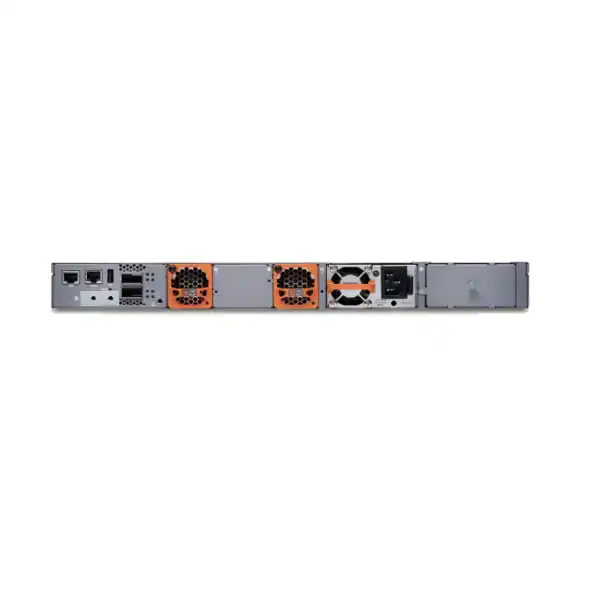
| Shipped AC power | One 2000 W AC PSU is normally preinstalled on the AC model | A second PSU may be needed for increased PoE capacity and/or power redundancy. |
| Built-in high-speed ports | 2 × 100GbE QSFP28 ports | Can support high-speed interconnect designs; optics, DACs and topology must be selected for the intended role. |
| Extension module options | Options include 4 × 10GbE SFP+, 4 × 25GbE SFP28 or 1 × 100GbE QSFP28 modules | Choose the uplink media and speed plan before finalizing optics, modules and aggregation interfaces. |
| Switching capacity | 348 Gbps unidirectional / 696 Gbps bidirectional | Provides the forwarding foundation for the access layer, while real design quality still depends on uplink ratios and traffic patterns. |
| Layer 2/3 throughput | Up to 517 Mpps with 64-byte packets | Relevant to platform capability, but not a substitute for end-to-end network sizing. |
| Virtual Chassis | Up to 10 EX4400 members | Useful when operational simplicity or a multi-switch logical system is preferred, subject to topology and Junos design. |
| Campus fabric | EVPN-VXLAN support | Supports modern campus fabric designs when the wider architecture, software and licensing are aligned. |
| Dimensions | Approximately 44.2 × 4.4 × 39.9 cm | Verify rack depth, PDU placement and cable clearance in dense cabinets. |
| Traffic visibility | sFlow, IPFIX and flow-based telemetry capabilities | Useful for operational visibility, subject to selected features, collectors and licensing where applicable. |
PoE planning is the central buying decision
Per-port power
The 48 copper ports support PoE-bt and can provide up to 90 W on a port. That figure is a ceiling, not the expected draw for every connected device. A design should use each endpoint’s negotiated or specified power requirement rather than multiplying 48 by 90 W and assuming that represents normal demand.
Total power budget
With appropriate dual 2000 W supplies and high-line AC input, the EX4400-48XP can reach a 3600 W PoE budget. With one PSU, the budget is lower. At 110 V input, published budgets are also lower than at 220 V. UAE projects should therefore confirm the actual rack power feed and PSU arrangement, not only the switch model.
Redundancy versus capacity
A second power supply can contribute to both load sharing and resilience, but the design intent must be explicit. If the full endpoint load can only be supported when both PSUs are active, a single PSU failure may force PoE shedding even though the switch itself remains powered. Critical endpoint classes should be prioritized accordingly.
Power distribution
A high-PoE switch can shift substantial electrical load into the network rack. PDU rating, socket type, circuit capacity, UPS sizing, heat load and power-source diversity should be checked with the facilities design. Treating PoE only as a network feature can create an avoidable installation bottleneck.
Endpoint lifecycle
PoE headroom can be valuable when endpoints evolve from phones and cameras toward higher-power access points, displays, room systems, sensors and building devices. The right headroom is deliberate capacity for a known roadmap, not an excuse to overbuy ports or power that will never be used.
Important: 90 W PoE does not mean 90 W is available on all 48 ports under every power condition
Juniper specifies up to 90 W per PoE-bt port, while the system PoE budget changes with power-supply count and AC input voltage. At high-line input, published figures for the EX4400-48XP are 1650 W with one 2000 W AC PSU and up to 3600 W with two. At 110 V, Juniper publishes substantially lower budgets. This is a crucial procurement detail because the switch can support the electrical class of a high-power endpoint without having enough aggregate budget to run forty-eight such endpoints simultaneously at maximum draw.
A good bill of materials begins with a PoE worksheet: device type, quantity, normal draw, maximum draw, boot-time behavior, redundancy priority and expected growth. That worksheet then determines whether one or two power supplies are appropriate, whether the UPS can sustain the switch during an outage, and whether the planned circuit has sufficient capacity. In large Dubai campus projects, this analysis should be repeated by closet rather than averaged across the building, because endpoint density can vary significantly between floors and areas.
Access ports: strong for 1GbE edge networks, but not multigigabit
Each of the forty-eight front-panel access ports is designed for 10/100/1000BASE-T Ethernet. That is a good match for large populations of devices whose practical data rates remain below 1Gbps: IP telephones, many cameras, access-control readers, building-management endpoints, printers, sensors, thin clients, ordinary office desktops and a wide range of wireless access points. For these use cases, the high PoE budget can matter far more than increasing the access-port line rate.
However, buyers planning high-performance wireless should separate radio capability from Ethernet backhaul capability. A modern access point can support aggregate wireless throughput that exceeds a 1GbE wired interface, and some enterprise AP platforms use 2.5GbE, 5GbE or 10GbE Ethernet specifically to avoid that bottleneck. If the intended AP model has a multigigabit Ethernet requirement, the EX4400-48XP’s 1GbE access ports may constrain the design even though its PoE capability is sufficient. In that situation, an EX4400 multigigabit model should be part of the comparison.
This is one of the most useful reasons to specify the exact endpoint models during quotation. Asking only for “48 ports with PoE++” can result in a technically valid but strategically weak design. Listing the access-point, camera and collaboration models allows the access speed and PoE requirement to be checked independently, which is especially important during Wi-Fi refreshes where the wireless platform may outlive the first switching configuration.
Uplink, stacking and expansion choices
The EX4400-48XP includes two built-in QSFP28 ports capable of 100GbE operation and also provides an extension-module slot. Juniper offers extension modules that can add four 10GbE SFP+ interfaces, four 25GbE SFP28 interfaces or one 100GbE QSFP28 interface. This modularity is valuable because the access layer can be matched to different aggregation designs instead of forcing every installation into the same uplink pattern.
The correct uplink choice depends on traffic concentration, oversubscription policy, physical distance, fibre type, aggregation-switch interfaces and redundancy architecture. A voice-and-camera floor may operate comfortably with lower aggregate uplink demand than a floor populated by high-density wireless, media workstations and local compute. Two 100GbE-capable ports do not automatically mean every deployment should use 100GbE uplinks; the optic cost, aggregation capacity and actual traffic profile should justify the speed. Conversely, choosing 10GbE merely because it is familiar can create an avoidable bottleneck when many access switches converge on the same aggregation layer.
Virtual Chassis design adds another decision. EX4400 switches can form a Virtual Chassis of up to ten EX4400 members, creating a single logical system for some operational purposes. That can simplify management and enable resilient multi-switch topologies, but the interconnection mode, cable type, physical rack distribution, member roles and failure domains should be planned rather than improvised. Juniper documentation also distinguishes default and HGoE Virtual Chassis behavior in relevant software releases, so software version and architecture should be aligned before a migration window is scheduled.
For procurement, uplinks should be treated as a complete connection set. The switch, extension module if required, transceivers or DACs, fibre type, patching, aggregation interfaces and software design must all match. Buying the chassis first and choosing optics later can delay commissioning when connector type, reach or supported transceiver families turn out to differ from the original assumption.
Juniper Mist Wired Assurance and management choices
Cloud-assisted operations
The EX4400 platform is designed to integrate with Juniper Mist Wired Assurance for cloud-based onboarding, configuration, monitoring and operational insight. For organizations standardizing on Mist across wired and wireless infrastructure, this can provide a common operational model and richer device experience data than a switch-by-switch workflow.
Cloud management is an architectural choice, not merely a checkbox. Confirm tenant ownership, subscription term, administrator roles, security policy, Internet reachability and handover procedures before deployment.
Traditional administration remains relevant
Juniper documents CLI and J-Web management in addition to Mist-based workflows. This matters for enterprises with established Junos operational practices, restricted cloud-management policies, staging requirements or migration plans that involve a period of conventional management.
The management method should be decided before building templates and change procedures. A technically capable switch can still become operationally expensive when it is introduced without aligning monitoring, backups, role-based access, logging and incident-response practices.
Licensing and subscriptions: confirm the feature tier before ordering
Juniper’s EX licensing model separates base switching capability from advanced feature tiers and cloud subscriptions. Juniper Mist Wired Assurance subscriptions are available for cloud-based operations, while Junos feature tiers determine access to certain advanced Layer 2 and Layer 3 functions. Juniper describes Standard, Advanced and Premium tiers, with higher tiers adding capabilities such as OSPF, VRF, BGP and IS-IS according to the relevant license model. Optional services such as Marvis for Wired and Premium Analytics can also affect the operational feature set.
For a 48-port EX4400, license class matters because Juniper groups switch licensing by port class. A quotation should therefore identify the intended functions, management platform and term rather than adding a subscription generically. If the switch is expected to participate in a routed-access design, campus fabric, advanced segmentation strategy or specific telemetry workflow, the required software entitlement should be validated against the planned Junos release and design.
This is also a lifecycle question. A one-year subscription may reduce initial commitment but create a near-term renewal event; longer terms can simplify budgeting where the switch is expected to remain in service for several years. The correct choice depends on procurement policy, network roadmap and whether the organization intends to use Mist continuously. FourTeck can structure the hardware and software discussion around the target features so the buyer can distinguish mandatory components from optional operational enhancements.
Performance and scale in practical terms
Juniper lists 348 Gbps unidirectional and 696 Gbps bidirectional switching capacity for the EX4400-48XP, with Layer 2/Layer 3 throughput up to 517 Mpps using 64-byte packets. It supports a large MAC table, thousands of VLANs and substantial routing scale for an enterprise access platform. Those figures establish that the switch is built for modern campus switching, but they should not be interpreted as a complete network performance guarantee. Application experience depends on endpoint speed, uplink design, congestion points, queueing behavior, aggregation capacity, routing topology and security policy.
For example, forty-eight 1GbE access ports could theoretically present a large aggregate demand to the uplinks, but most office edge devices do not transmit at line rate continuously. An uplink architecture can therefore be designed around realistic concurrency rather than simply adding all access-port speeds. High-density wireless, video surveillance, backup traffic and local content distribution can change that assumption and may justify faster or more numerous uplinks. Monitoring after deployment is valuable because it converts sizing assumptions into measured utilization data.
The switch also supports traffic visibility mechanisms such as sFlow, IPFIX and flow-based telemetry. When integrated into an appropriate monitoring architecture, these tools can help network teams understand conversations, identify abnormal utilization and establish whether uplink or application performance problems are local to the access layer. The operational value depends on having collectors, retention policy and staff workflows in place; enabling telemetry without a consumption plan simply creates more data.
Layer 2, Layer 3 and campus-fabric design
The EX4400 family is positioned for secure campus, branch and related enterprise networks and supports both traditional switching and modern fabric architectures. The EX4400-48XP can participate in EVPN-VXLAN campus designs, which can be attractive when organizations want scalable segmentation, policy consistency and a fabric-based operating model. The fact that a feature is supported, however, does not mean it should automatically be enabled in every deployment.
A traditional access layer with VLANs and routed aggregation may still be the simplest design for a small branch or a straightforward office floor. EVPN-VXLAN becomes more compelling when the campus scale, segmentation requirements, operational model or multi-building architecture justify the additional design framework. The transition should account for underlay routing, overlay policy, authentication, address management, gateway placement, multicast behavior and troubleshooting processes. Licensing can also affect which routing features are available.
Virtual Chassis and EVPN-VXLAN solve different problems. Virtual Chassis allows multiple EX4400 switches to operate as a logical system, while EVPN-VXLAN is a network-fabric approach. Some environments may use one, the other or both as part of a larger architecture. The buyer should define the desired failure domain, management boundary and segmentation model first, then select the feature set that supports those outcomes. This avoids deploying complexity simply because the hardware is capable of it.
Security capabilities and access-layer policy
Enterprise access switching is part of the security boundary because it is where users, phones, cameras, access points and building devices physically enter the network. The EX4400 family supports access-layer controls including DHCP snooping, dynamic ARP inspection, IP source guard, MAC limiting and other Junos security mechanisms. These features can reduce risks associated with rogue addressing, spoofing and unauthorized endpoint behavior when they are configured as part of a coherent policy.
The switch also supports MACsec capabilities in relevant high-speed interface configurations, but the exact supported ports, extension modules and software licensing should be confirmed for the planned link. MACsec is useful when Layer 2 link encryption is required between network devices, yet it should be designed with key management, interoperability and throughput expectations in mind. It is not a substitute for endpoint security or higher-layer encryption.
Microsegmentation and group-based policy capabilities in the broader EX4400/Mist ecosystem can help organizations move beyond large flat VLANs. The practical benefit is better control over which endpoint groups can communicate, but policy design has to start with identity and application requirements. Creating dozens of policy groups without a maintainable naming and ownership model can make troubleshooting harder rather than easier.
For UAE enterprises with mixed IT and operational-technology endpoints, the access layer is often the place where security assumptions collide with real device limitations. Cameras, controllers and building devices may have limited authentication capabilities. A switch design should therefore combine the strongest supported access control with realistic fallback mechanisms, monitoring and segmentation rather than relying on a single authentication method for every device class.
Resiliency: power, fans, uplinks and logical design
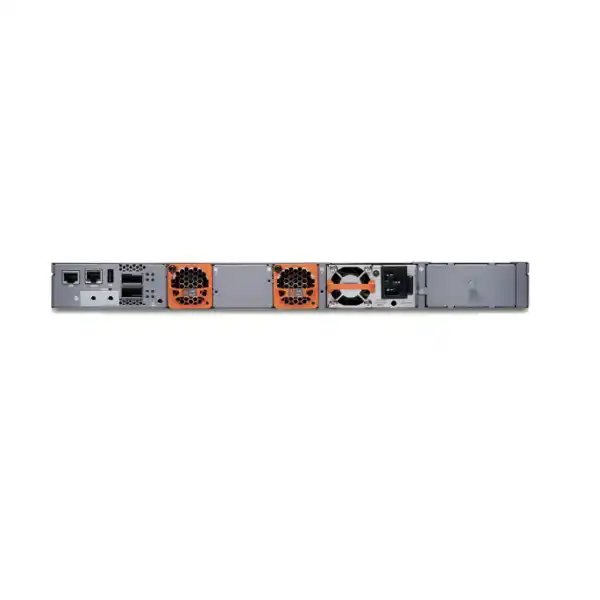
The EX4400-48XP provides two power-supply slots and uses redundant variable-speed fan modules. The AC model is normally supplied with one 2000 W power supply and two fan modules, leaving the second PSU position available. Adding a second appropriate PSU can improve resilience and increase the available PoE budget, but the power feeds should ideally come from independent protected sources where the facility design permits. Two PSUs connected to the same overloaded circuit do not deliver the same resilience as properly diversified feeds.
Uplink resilience is similarly architectural. Dual uplinks can connect to redundant aggregation devices or form part of a Virtual Chassis/fabric design, but loop prevention, link aggregation, routing convergence and failure behavior must be deliberate. If all access-switch uplinks converge on one aggregation chassis, the access switch may have redundant links without achieving end-to-end path diversity.
PoE resilience deserves special attention because switch availability and endpoint power availability are not identical. A switch may continue forwarding after a PSU failure while having insufficient power to keep every attached endpoint energized. Critical cameras, wireless APs and emergency communication devices should therefore be classified so that power priorities and UPS runtime can be planned. This is particularly important when the EX4400-48XP is selected precisely because the closet carries an unusually large powered-device load.
Physical installation and rack planning in Dubai
The EX4400-48XP occupies one rack unit and is approximately 44.2 cm wide, 4.4 cm high and 39.9 cm deep. The chassis depth is modest for enterprise switching, but installation planning still needs room for front patch cords, rear power cables, airflow and service access. Dense access closets can become difficult to maintain when patch panels, cable managers, UPS equipment and PDUs are added without a coordinated elevation plan.
The standard EX4400-48XP uses front-to-back airflow. That direction should align with the room or cabinet cooling strategy. In air-conditioned UAE facilities, the primary environmental risk is not simply high outdoor temperature; it is loss of cooling, recirculation inside a crowded cabinet, obstructed vents, dust ingress and excessive heat from concentrated PoE loads and UPS equipment. A high-power access switch can contribute materially to rack heat, particularly when it is feeding many powered endpoints.
Power cords and receptacles should be checked against the supplied PSU and local PDU design. A 2000 W-class PSU is not something to treat as a generic desktop load. For projects using two supplies, confirm whether the rack has the appropriate number of independent outlets and whether UPS capacity covers the intended runtime at realistic network load. Power planning should include the aggregation devices and other rack equipment, not just the EX4400-48XP in isolation.
Before installation, record rack position, patch-panel mapping, management addressing, serial number, switch claim information if Mist onboarding is planned, uplink fibre assignments and endpoint VLAN/policy templates. These simple preparation steps reduce commissioning time and make the handover easier for the operations team.
Cabling and endpoint compatibility
The forty-eight access interfaces use copper Ethernet, so structured cabling quality directly affects network reliability. Existing Cat5e infrastructure can support 1GbE in many environments when installed correctly, but age, termination quality, patching, cable length and electromagnetic conditions should be checked during refresh projects. Juniper supports time-domain reflectometry functions on the EX4400-48XP family for detecting certain cable faults, which can help troubleshooting, but cable testing and certification remain valuable during major renovations.
PoE adds another dimension. Higher-power delivery places more electrical demand on the cabling system, so cable category, bundle size, temperature, connector quality and relevant structured-cabling standards should be considered for installations expected to run high-power devices. The network switch can negotiate and supply PoE, but it cannot compensate for unsafe or poorly designed horizontal cabling.
On the fibre side, uplink compatibility must be planned around the chosen Juniper interfaces and the remote aggregation device. Multimode versus single-mode fibre, connector type, distance, optic wavelength and speed all need to match. If DACs or active optical cables are preferred within a rack or row, their supported lengths and compatibility should be checked before purchase.
Endpoint compatibility is broader than physical media. Some devices depend on LLDP for power negotiation or voice VLAN behavior; wireless access points may expect particular VLAN trunks; cameras can have multicast or QoS requirements. The most reliable deployment plan records these dependencies by device class and tests representative endpoints before a large cutover.
Use cases where the EX4400-48XP makes strong sense
High-density IP surveillance
Large camera populations can consume many PoE ports and create steady upstream traffic. The EX4400-48XP offers enough port density and high PoE headroom to consolidate camera connections, while the design can use high-speed uplinks to keep video traffic from overwhelming the access-to-aggregation path. Retention servers, multicast behavior and security segmentation should be sized separately.
Smart buildings
Sensors, controllers, displays, access-control devices and other building systems increasingly use Ethernet and PoE. A high-power access switch can simplify wiring and centralize backup power, but these endpoints often have long lifecycles and varied security characteristics, making segmentation, monitoring and documentation particularly important.
Enterprise wireless access
The model can power demanding wireless access points and supports modern campus operations, but buyers must verify whether their APs need multigigabit wired access. Where 1GbE is sufficient, the EX4400-48XP’s PoE budget is attractive. Where APs require 2.5GbE or higher, compare a multigigabit EX4400 model.
Collaboration-heavy offices
IP phones, room panels, conferencing units and other collaboration endpoints can create a mixed PoE environment. Forty-eight access ports provide useful density, and policy/QoS features can support voice and real-time traffic. The practical design still needs voice VLAN, authentication, DHCP and survivability decisions.
Campus access refresh
Organizations replacing older access switches can use the EX4400-48XP to increase PoE capacity, introduce Mist-managed operations, modernize uplinks and create a path toward EVPN-VXLAN. Migration planning should preserve existing endpoint behavior while progressively introducing new management and policy models.
Branch consolidation
A large branch may prefer one high-density switch for users, phones, cameras and wireless rather than several smaller access devices. The EX4400-48XP can fit that model when forty-eight 1GbE ports are appropriate. For small branches with much lower port demand, a 24-port option may be more economical and easier to power.
When the EX4400-48XP may be the wrong choice
A technically impressive specification does not make the EX4400-48XP the right switch for every access closet. If most endpoints are non-PoE and the project only needs ordinary 1GbE connectivity, the high-power architecture may add unnecessary cost and electrical capacity. A non-PoE EX4400 model could provide a cleaner fit. If the closet has only twenty or so permanent endpoints, a 24-port model may be more appropriate unless confirmed growth justifies forty-eight ports.
The other major mismatch is multigigabit access. The forty-eight access ports on the EX4400-48XP are 1GbE. If next-generation wireless access points, workstations or specialized devices need 2.5GbE, 5GbE or 10GbE copper, the EX4400-48MP or EX4400-48MXP should be evaluated. Those models combine multigigabit access with PoE, though their precise port mix and power architecture differ. The decision should be based on endpoint speed requirements, not model naming or headline PoE numbers.
A design may also call for fibre access ports rather than copper. Campuses with long horizontal links, electrically noisy areas or distributed fibre-to-the-desk designs should compare EX4400 fibre models. And where the switch is expected to operate in a very different thermal, power or airflow environment, the exact hardware variant and field-replaceable-unit configuration need verification.
The strongest procurement outcome is a shortlist in which each candidate is linked to a real requirement: port speed, port quantity, PoE demand, uplink media, management platform, redundancy and licensing. That makes it much easier to justify why the EX4400-48XP is selected—or why another EX4400 is more suitable.
EX4400-48XP compared with nearby EX4400 choices
| Model | Access emphasis | PoE emphasis | Consider when |
|---|---|---|---|
| EX4400-48XP | 48 × 1GbE copper | Very high, up to 3600 W with appropriate dual PSU/high-line configuration | Power density is high and 1GbE per endpoint is sufficient. |
| EX4400-48P | 48 × 1GbE copper | Lower total PoE budget than 48XP | Forty-eight 1GbE PoE ports are needed but the powered-device load does not justify the 48XP power architecture. |
| EX4400-48MP | Multigigabit copper mix | High PoE, below the 48XP/48MXP maximum architecture | Some or many endpoints need more than 1GbE and power demand is substantial. |
| EX4400-48MXP | High-performance multigigabit copper mix | Up to the same 3600 W class with appropriate power configuration | The project needs both very high PoE capacity and multigigabit access for devices such as higher-throughput APs. |
| EX4400-24P | 24 × 1GbE copper | PoE++ for smaller edge densities | A branch or closet does not need forty-eight ports and a smaller footprint in power/cost is preferable. |
How to size an EX4400-48XP deployment
- Count physical endpoints by closet. Start with current ports, add confirmed project devices and apply a realistic growth allowance. Keep spare ports available for moves, adds and troubleshooting, but avoid buying multiple half-empty switches without a capacity reason.
- Classify endpoint Ethernet speed. Mark which devices need only 100Mbps, which need 1GbE and which require multigigabit connectivity. Any meaningful population above 1GbE is a signal to compare a different access model.
- Build a PoE demand worksheet. Record maximum and typical wattage for each AP, camera, phone, panel and other powered endpoint. Include future devices likely to be added during the switch lifecycle.
- Define failure behavior. Decide whether all endpoints must remain powered after a PSU or circuit failure. If not, identify which PoE devices are critical and which may be shed. This determines whether redundancy is being designed for switch uptime, full PoE continuity or both.
- Size uplinks from traffic, not habit. Estimate camera streams, wireless throughput, workstation concurrency, server access and north-south traffic. Then choose 10GbE, 25GbE or 100GbE uplink options and corresponding aggregation interfaces.
- Select management and licensing. Decide whether the switch will be managed in Juniper Mist, by conventional Junos workflows or within a broader automation model. Map required routing, segmentation and analytics features to the correct entitlement.
- Check the facility. Confirm rack depth, airflow, power feed, UPS capacity, PDU sockets, grounding, structured cabling and fibre patching. The installation is ready only when the network and facilities designs agree.
Migration from an existing access switch
Replacing an access switch is rarely just a port-for-port exercise. Existing configurations can contain years of assumptions about VLANs, voice policies, trunking, spanning tree, DHCP protection, static MAC entries, multicast behavior, authentication, monitoring and naming. A controlled migration begins by inventorying those behaviors and deciding which ones should be preserved, modernized or retired.
If the project is moving toward Mist-based operations, templates and site assignments should be prepared before the cutover. Claiming and onboarding workflows should be tested with a representative switch where possible. If the environment is staying on conventional Junos management, baseline configuration, AAA, NTP, DNS, logging, SNMP or telemetry, backups and access controls should be staged so the new switch is observable immediately after it enters service.
PoE migrations require attention to endpoint reboot behavior. Cameras, access points and phones can all restart when moved to the new switch, potentially causing a concentrated boot-time power demand and service interruption. Staging ports in groups and verifying power negotiation can make troubleshooting easier than moving all forty-eight endpoints simultaneously. Wireless controller or cloud-management systems may also need time to rediscover access points.
Uplink migration should include rollback paths. If the new switch uses different optics or higher speeds, confirm that the aggregation side has compatible hardware and configuration before the access cutover. Link aggregation, VLAN allowance and native VLAN behavior should be checked on both ends. A simple pre-change validation checklist can prevent a switch replacement from turning into a wider campus outage.
Finally, update documentation as part of the migration rather than afterward. Port descriptions, rack elevation, serial numbers, asset records, IP addresses, cable IDs and support details are easiest to capture while engineers are physically working on the switch. Accurate records reduce operational cost over the much longer period after the installation team leaves.
Operational monitoring after deployment
The first weeks after deployment are the best time to validate the assumptions used during design. Track uplink utilization during busy periods, PoE consumption, error counters, interface flaps, optical levels where supported, CPU and memory trends, environmental status and endpoint experience. This turns the installation from a one-time hardware event into a verified access-layer service.
PoE monitoring is especially valuable on the EX4400-48XP because power is a major reason to select the model. Compare normal and peak draw against the available budget, identify ports with unexpectedly high consumption and confirm whether redundancy goals would still be met after losing a PSU. If the switch is operating far below its PoE capability, that is not necessarily a problem—headroom may be intentional—but the data can inform future closet designs.
Mist Wired Assurance can provide cloud-based visibility and operational insights when the required subscription and onboarding are in place. Traditional telemetry and flow technologies can complement that view for network-wide traffic analysis. Whichever tooling is selected, alerts should be tuned to actionable conditions. A monitoring platform that generates constant low-value notifications can hide the few events that need an engineer’s attention.
A useful operating baseline includes normal uplink utilization, typical PoE draw, expected device counts, firmware/Junos version, backup status and contact ownership. When an incident occurs months later, that baseline helps the team distinguish a real change from normal behavior.
Procurement details that affect quotation accuracy
The base chassis is only one element of a complete EX4400-48XP purchase. The correct quotation depends on how the switch will be powered, connected, licensed, mounted and supported. The standard AC unit is normally supplied with one 2000 W AC power supply and two fan modules. If the project requires maximum PoE budget or redundant power, the second power supply should be included explicitly. Power cords should match the installed PDU and regional electrical design.
High-speed connectivity also needs explicit line items. If the extension slot will be used, identify whether the project requires the 4-port 10GbE, 4-port 25GbE or 1-port 100GbE module. Then identify the optics or direct-attach cables at both ends. Fibre type, reach and connector details should be known before order placement. Virtual Chassis direct-attach connectivity may also be ordered separately depending on the chosen topology.
Licensing should be tied to intended features and duration. A switch managed through Mist Wired Assurance needs the appropriate subscription model, and advanced routing or analytics requirements may introduce additional entitlements. Quoting the lowest hardware-only price without the software required by the design can create a misleading budget and a commissioning delay.
Support requirements should also be identified early. Organizations with 24×7 operations, retail sites, healthcare environments, financial services or critical security systems may need a different support response objective than an ordinary office. The requested service level, spare strategy and lifecycle expectations all affect the commercial package. A complete quotation therefore starts with the network requirement, not just a model code.
Accessories and dependencies to review
Second power supply
Often required when the design needs increased PoE budget, PSU redundancy or both. The electrical feed and UPS must be sized alongside it.
Extension module
Select only when the intended uplink architecture needs the additional 10GbE, 25GbE or 100GbE interface option. Module choice and optics must align.
Transceivers or DACs
Required according to uplink speed, distance and media. Compatibility should be checked at both the EX4400 and aggregation ends.
Licenses and subscriptions
Define whether Mist Wired Assurance, advanced Junos features, Marvis or analytics services are part of the operating model and choose suitable terms.
Rack and power accessories
Confirm mounting components, cable management, PDU sockets, power cords, UPS runtime and grounding before equipment arrives on site.
Support coverage
Align service expectations with site criticality, spare strategy and change-window constraints so hardware support fits the actual operating risk.
Planning for Wi-Fi 6E and Wi-Fi 7
Juniper positions the EX4400-48XP as a high-power, Wi-Fi-ready access platform because 802.3bt PoE can meet the power needs of demanding access points. That is useful, but the access-port speed still needs separate validation. Wi-Fi 6E and Wi-Fi 7 access points can support wireless capacities that make a 1GbE wired uplink less desirable, particularly in high-density offices, education spaces, conference facilities and venues.
If the chosen AP has a 2.5GbE, 5GbE or 10GbE Ethernet interface and the design expects clients to use that capacity, a multigigabit switch should be considered. If the AP is being deployed mainly for coverage, spectrum efficiency, device density or feature improvements while expected throughput remains below 1Gbps, the EX4400-48XP may still be a sensible high-PoE choice. The answer depends on traffic engineering, not simply the Wi-Fi generation printed on the access point.
This is also a lifecycle consideration. Access switches commonly remain installed through more than one wireless refresh. A buyer expecting to replace access points again during the switch’s service life should ask whether 1GbE access remains acceptable for that future roadmap. Spending more on PoE headroom today while creating a bandwidth limitation tomorrow can be avoided by reviewing both dimensions at the same time.
Planning for IP cameras and surveillance networks
The EX4400-48XP is well suited to many surveillance designs because cameras usually require modest Ethernet bandwidth individually while large installations can have significant aggregate PoE and uplink requirements. Forty-eight PoE++ ports provide useful density, and the high total power budget can accommodate combinations of fixed cameras, PTZ cameras, illuminators and other security devices whose wattage varies widely.
A surveillance sizing exercise should calculate average and peak bitrate per camera, retention architecture, recording-server location and whether camera traffic crosses the core or remains local. Forty-eight cameras transmitting continuously can produce a predictable steady load, which is different from user traffic that tends to be bursty. Uplink selection should therefore be based on the camera profile and recording path rather than generic campus oversubscription ratios.
Power resilience is often more important than maximum speed. If cameras protect critical entrances or operational areas, identify which feeds must remain live during a PSU failure or UPS event. PoE priority can then be aligned with security requirements. A large headline PoE budget is valuable only when the switch, circuits and backup power are designed to preserve the right endpoints during a failure.
Security segmentation also matters. Camera networks should normally have controlled communication paths to management and recording systems instead of broad access to user VLANs. The EX4400’s access-control and segmentation capabilities can support this, but policy must be coordinated with firewalls, identity systems and the video platform.
Smart-building and IoT considerations
PoE is increasingly used for devices that were once connected to separate electrical or control systems. Building sensors, access controllers, signage, room panels, lighting components and environmental devices can all appear on the enterprise Ethernet edge. The EX4400-48XP’s power density makes it attractive for this convergence, especially where central UPS-backed power is desirable.
The challenge is that smart-building endpoints often have different support lifecycles and security capabilities from ordinary IT devices. Some may remain installed for a decade, use simple network stacks or depend on vendor-specific discovery methods. The access-layer design should therefore include durable segmentation, clear ownership, DHCP/DNS planning and a method for inventorying devices even when they cannot run standard endpoint-security agents.
Cable planning is also important because building devices may be installed above ceilings, in service areas or across long horizontal paths. Ensure the structured-cabling design supports the required PoE class and environmental conditions. When many powered endpoints are bundled together, thermal effects and installation standards deserve attention.
Operationally, centralizing many building systems on a single switch can simplify maintenance while increasing failure impact. Redundant power, UPS coverage, uplink diversity and a documented recovery procedure become more important as the switch powers more non-IT functions. The right design balances convergence benefits against the size of the failure domain.
Quality of service for voice, video and real-time applications
The EX4400 platform provides multiple QoS queues per port and supports the traffic-classification and scheduling mechanisms expected of an enterprise access switch. This matters when the same edge infrastructure carries interactive voice, video meetings, surveillance streams, business applications and ordinary data. QoS can protect sensitive traffic during congestion, but it cannot create bandwidth that does not exist.
A practical QoS design begins by deciding where markings are trusted. IP phones and managed access points may generate reliable DSCP values, while unmanaged endpoints may not. The switch can classify or remark traffic at the edge so that the policy remains consistent as packets move toward aggregation and WAN infrastructure. End-to-end consistency is essential; prioritizing voice on the access switch but discarding the marking at the WAN edge limits the benefit.
Surveillance traffic requires a different approach. Continuous video can consume significant bandwidth but is not always latency-sensitive in the same way as interactive voice. The policy should be based on business requirements, not on the assumption that all video deserves the highest priority. Monitoring queue drops under realistic load can verify whether the selected uplink capacity and QoS design are working as intended.
Virtual Chassis: where it helps and what to plan
Up to ten EX4400 switches can participate in an EX4400 Virtual Chassis. For campus access environments, this can reduce the number of independently managed logical devices and provide flexible ways to build resilient multi-switch systems. A floor with several access switches may therefore be operated more like one system than a collection of unrelated boxes.
The benefit is strongest when the physical topology supports it. Switches in the same closet are easy to interconnect, while members distributed across rooms or floors introduce fibre, distance and failure-domain considerations. The design should identify the member topology, Virtual Chassis port mode, interconnect speed, mastership behavior and recovery expectations. Software release consistency is also important.
Virtual Chassis should not be chosen solely because it allows ten members. Very large logical systems can simplify some tasks while increasing the scope of a configuration error or control-plane event. Some organizations prefer smaller stacks for fault isolation. Others value centralized operation enough to use larger groups. The optimal member count depends on operational practice and physical network layout.
When quoting multiple EX4400-48XP units, clarify whether they are standalone, in Virtual Chassis, or part of a campus fabric. That single design decision changes the required interconnects, uplinks, configuration approach and commissioning plan.
EVPN-VXLAN campus fabric considerations
EVPN-VXLAN can provide a scalable framework for carrying segmented Layer 2 and Layer 3 services across a campus fabric. On an EX4400-based access layer, it can support organizations that want more consistent policy and a cleaner separation between physical topology and endpoint segments. This can be valuable for large campuses, multi-building environments and networks with strict user, guest, IoT and operational-technology boundaries.
Fabric capability should be evaluated as part of an architecture, not purchased as an isolated switch feature. The design requires decisions about underlay routing, overlay roles, gateways, address allocation, authentication, route distribution, redundancy and operations. Aggregation or core devices must support the intended topology. Licensing and Junos software versions should also be checked against the exact feature set.
For a smaller office, a conventional VLAN and routed-uplink design may be easier to deploy and support. The EX4400-48XP can serve that simpler role without forcing a fabric. This flexibility is useful because organizations can standardize hardware while applying different network architectures to sites of different size, provided feature licensing and operational procedures are managed consistently.
Lifecycle, software and support planning
Enterprise switching decisions should consider the operating period after installation. Junos software release planning affects feature availability, bug fixes, interoperability and security. Organizations should use a supported release strategy and test upgrades against important network features, especially where Virtual Chassis, fabric functions, authentication or advanced routing are in use.
The EX4400-48XP hardware documentation identifies its first supported Junos release for the specific model, which is important when adding the switch to an environment that may be standardized on an older train. A new model cannot necessarily be dropped into an existing fleet running a release from before the hardware was introduced. This is a common migration dependency that should be identified before the maintenance window.
Support entitlement, spare strategy and replacement logistics should match site criticality. A headquarters core-access area with hundreds of users may justify different coverage from a small noncritical branch. For high-density PoE closets, consider not only replacing the chassis but also how quickly a compatible high-wattage PSU can be sourced if a power module fails.
Lifecycle planning also includes subscriptions. Mist and software subscription terms create renewal dates that should be recorded in procurement systems. Aligning switch subscription terms across a site or rollout can reduce administrative effort and avoid inconsistent feature access later.
UAE deployment and availability guidance
For Dubai and wider UAE deployments, the most useful purchasing conversation includes the destination site, required quantity and target deployment date. Enterprise switching projects often depend on more than chassis availability: power supplies, extension modules, transceivers, support entitlements and subscriptions may have different lead times. A technically complete bill of materials should therefore be confirmed before availability is treated as final.
Regional power conditions should be incorporated into PoE planning. UAE commercial facilities generally operate on high-line AC systems, which aligns with the higher PoE-budget figures published for the EX4400-48XP when suitable supplies and feeds are used. Nevertheless, the actual PDU, UPS and branch circuit serving the rack must be checked. A project should never assume that the building’s nominal voltage alone guarantees the required switch power budget.
Multi-site customers should consider standardization carefully. Using the same EX4400 model across every branch can simplify spares and operations, but small branches may not need the 48XP’s port or PoE capacity. A tiered standard—such as 24-port switches for small sites, EX4400-48P for normal offices and EX4400-48XP or multigigabit variants for high-power/high-bandwidth closets—can be more economical while preserving a common Junos and Mist operating model.
FourTeck can prepare the quotation around the final deployment bill rather than quoting the switch alone. Providing endpoint models, switch quantity, uplink topology and support expectations at the start generally produces a more accurate commercial and technical result.
Buyer questions about the Juniper EX4400-48XP
Does every access port support PoE++?
Yes. The 48 copper access ports support IEEE 802.3bt PoE. The port-level maximum can reach 90 W, but the total power available to all ports depends on the PSU configuration and input conditions.
Can it provide 90 W to all 48 ports?
Not simultaneously at the theoretical 90 W maximum, because 48 × 90 W exceeds the published system PoE budget. With dual supplies at high-line input, Juniper specifies up to 3600 W total, which averages 75 W per port if all 48 ports are loaded equally.
Is it a multigigabit switch?
No. Its forty-eight access ports are 10/100/1000BASE-T. If connected devices require 2.5GbE, 5GbE or 10GbE over copper, compare an EX4400 multigigabit model.
Does it include two power supplies?
The standard AC EX4400-48XP is normally shipped with one 2000 W AC power supply and two fan modules. The second power-supply position is available, and a second suitable PSU should be included when the design calls for it.
Can it be managed from Juniper Mist?
Yes. Juniper Mist Wired Assurance supports cloud-based onboarding, configuration and monitoring for the EX4400. The required subscription and tenant design should be included in the project scope.
Can it form a Virtual Chassis?
Yes. Juniper supports EX4400 Virtual Chassis configurations with up to ten EX4400 members. Interconnect design, software mode and cabling should be planned for the exact topology.
What uplink speeds are available?
The chassis has built-in high-speed QSFP28 connectivity and supports optional extension modules for additional 10GbE, 25GbE or 100GbE interfaces. The chosen module, optics and aggregation-side ports must be compatible.
Is the EX4400-48XP suitable for Wi-Fi 7 access points?
It can meet high PoE requirements, but suitability depends on the AP’s wired Ethernet speed. If the AP needs more than 1GbE to avoid a backhaul bottleneck, compare an EX4400 multigigabit model.
What is the biggest quotation mistake to avoid?
Quoting only the chassis. The final design may also require a second PSU, extension module, optics or DACs, support, power cords and software subscriptions. Those dependencies should be defined before the purchase order.
What should be checked before replacing an older Juniper switch?
Check Junos release support, port configuration, uplink optics, PoE demand, VLAN and routing behavior, authentication, management workflows and whether the new EX4400 model requires a software version newer than the existing fleet standard.
Deployment journey: from requirement to handover
Decision recap for an EX4400-48XP purchase
Model fit
Choose the 48XP when forty-eight 1GbE access ports and unusually high PoE capacity match the endpoint plan. Compare multigigabit models when edge bandwidth above 1GbE is required.
Power design
Calculate endpoint wattage, PSU count, input voltage, circuit capacity, UPS runtime and failure behavior. The 3600 W headline depends on the correct dual-PSU/high-line configuration.
Uplink architecture
Determine 10GbE, 25GbE or 100GbE requirements from real traffic and aggregation capability, then select the module, optics or DACs as a matched set.
Management and licensing
Decide on Mist versus conventional Junos operations, identify advanced routing or analytics needs and purchase the correct entitlement and term.
Deployment readiness
Check Junos release support, rack space, front-to-back airflow, PDU/UPS capacity, structured cabling, fibre paths and migration documentation before the change window.
What FourTeck needs for an accurate EX4400-48XP quotation
Providing the information below makes it easier to distinguish required hardware from optional expansion and prevents the quotation from omitting power, optics or licensing dependencies.
Build the EX4400-48XP around your actual access-layer requirement
The Juniper EX4400-48XP is most compelling when a 48-port 1GbE access layer needs serious PoE capacity, resilient enterprise switching and flexible uplink choices. A correct UAE deployment should confirm endpoint speed, PoE load, PSU redundancy, uplink media, Junos/Mist licensing, rack power and migration scope together. FourTeck can use those inputs to prepare a technically complete bill of materials and implementation discussion for your Dubai or UAE site.


Reviews
There are no reviews yet.