
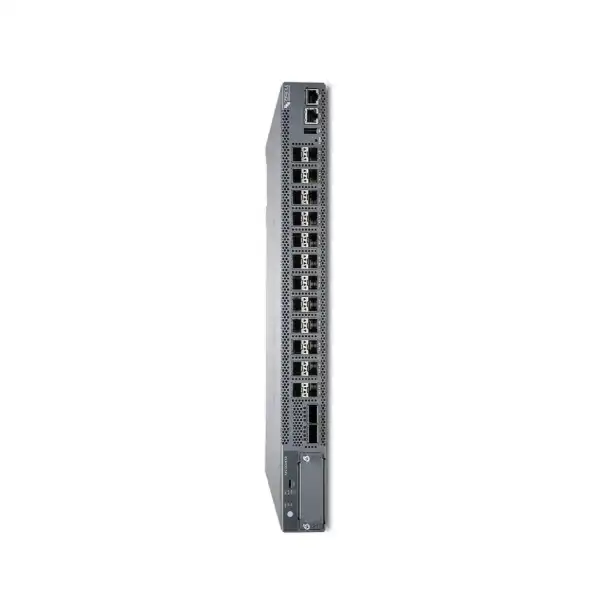
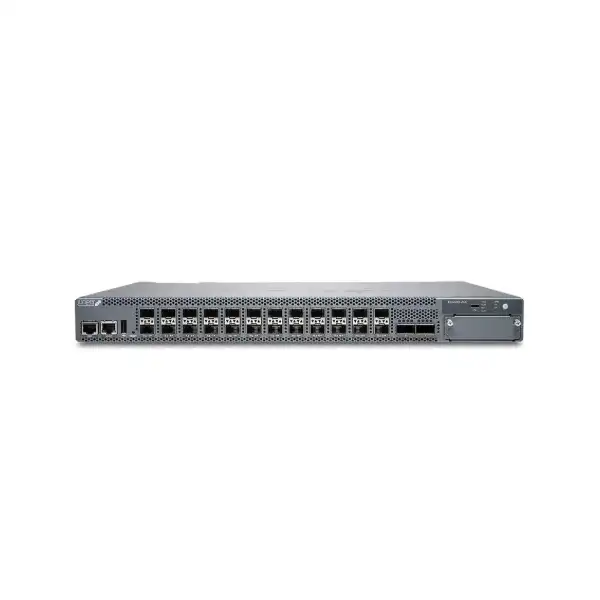
Juniper EX4400 Ethernet Switch Dubai
The Juniper EX4400 family is designed for organizations that need secure, cloud-ready switching with a broad choice of copper, PoE++, multigigabit and fiber access interfaces. It combines Junos OS, Juniper Mist Wired Assurance integration, EVPN-VXLAN capability, high-speed Virtual Chassis connectivity and model-specific power options for modern campus, branch and selected data-center designs.
Direct answer: what is the Juniper EX4400?
Why the EX4400 is a family-level buying decision
A request for a “Juniper EX4400” is only the first step in product selection. Unlike a single fixed switch SKU, EX4400 covers multiple hardware profiles aimed at different endpoint and cabling environments. The 24T and 48T models address conventional 1GbE copper access without PoE. The 24P, 48P and 48XP variants add PoE++ for powered endpoints. The 24MP, 48MP and 48MXP models introduce multigigabit copper for devices that need more than 1GbE, particularly high-performance wireless access points and other bandwidth-intensive endpoints. EX4400-48F provides a fiber-focused access profile, while EX4400-24X presents 24 SFP+ access or distribution ports for 1/10GbE fiber-oriented designs.
This breadth is valuable because it lets a network standardize around a common Junos and EX4400 operational model while selecting hardware that matches each wiring closet or role. It also creates a procurement risk if the family name is treated as the final SKU. A 48-port PoE switch and a 48-port non-PoE switch may occupy the same general access layer, yet their power supply sizing, heat output, endpoint suitability and quotation components differ. A multigigabit model may be justified in wireless-heavy areas but unnecessary for ordinary desktops. A fiber model may be ideal for long-run access or all-fiber environments but inappropriate where existing cabling is Category copper.
For Dubai and UAE projects, the practical outcome is straightforward: start with the exact physical requirement, not the family marketing name. Count ports, classify powered devices, identify required copper and fiber speeds, confirm uplink topology, then size power, optics, licenses and support. This reduces the likelihood of receiving an attractive switch price that later grows because essential power supplies, Virtual Chassis cables, uplink modules, optics or subscriptions were not included in the first comparison.
EX4400 model guide: match the access media and endpoint load
The following family map focuses on the buyer decision rather than treating every model as interchangeable. Exact power-supply and regional ordering details should be validated against the selected hardware SKU and current Juniper ordering documentation.
| Model | Access profile | PoE role | Best-fit buying context |
|---|---|---|---|
| EX4400-24T / 48T | 24 or 48 x 1GbE copper | No access-port PoE | Desktop, printer and appliance access where endpoint power is provided separately. |
| EX4400-24P / 48P | 24 or 48 x 1GbE copper | PoE++ capable, model/PSU budget dependent | Conventional enterprise access with APs, phones, cameras and powered IoT. |
| EX4400-48XP | 48 x 1GbE copper | High PoE budget, up to 3600 W with supported dual-PSU configuration | Dense powered-device deployments where port count and total PoE budget are both high. |
| EX4400-24MP | 24 x 100M/1/2.5/5/10GbE copper | PoE++ capable | High-performance wireless and multigigabit edge devices where every access port may need above 1GbE. |
| EX4400-48MP / 48MXP | 12 x up to 10GbE plus 36 x up to 2.5GbE copper | PoE++ capable; 48MXP supports the larger overall PoE budget profile | Mixed multigigabit access floors balancing premium high-speed ports with broader 2.5GbE density. |
| EX4400-48F | 36 x 1GbE SFP + 12 x 10GbE SFP+ | Not a copper PoE access model | Fiber access, extended-distance endpoint connectivity and environments standardizing on optical media. |
| EX4400-24X | 24 x 1/10GbE SFP+ | No copper endpoint PoE role | Fiber access or distribution where 10GbE density matters and two native 100GbE front-panel ports can support high-speed connectivity. |
Core EX4400 capabilities that matter in real network design
Junos OS foundation
EX4400 runs Junos OS, giving organizations familiar operational patterns for configuration, rollback, routing, switching, policy and automation. The value is strongest where Juniper is already part of the network because engineering teams can apply common procedures and governance instead of introducing another switch operating environment.
Mist Wired Assurance
The platform is designed for cloud onboarding and management through Juniper Mist Wired Assurance. This matters to teams that want standardized Day 0 claiming, template-led Day 1 configuration and Day 2 operational visibility rather than treating every access switch as an individually managed device.
EVPN-VXLAN
EX4400 extends standards-based EVPN-VXLAN into the access layer, supporting campus fabric architectures where Layer 3 underlay and overlay-based segmentation replace large traditional Layer 2 fault domains. This capability can be important for scalable segmentation and policy designs.
Virtual Chassis
Up to ten EX4400 switches can operate as one logical Virtual Chassis. This can simplify administration and provide chassis-like resiliency in distributed fixed-form-factor hardware, but design details such as cabling, protocol mode, topology and use of the 100GbE ports must be planned deliberately.
MACsec AES-256
IEEE 802.1AE MACsec with AES-256 can protect point-to-point traffic on supported interfaces. For regulated, shared-building or physically exposed links, this provides a useful link-layer security control, subject to the correct license and design compatibility.
Flow-based telemetry
Flow visibility, IPFIX and related telemetry can help operations teams understand traffic behavior and identify anomalies without relying only on interface counters. The practical value increases when telemetry is integrated into an operational process that defines baselines, alerts and response actions.
Port planning: choose the interface mix before choosing the quantity
Port count alone is a weak sizing method for EX4400. A 48-port switch can be wrong even when the project has exactly 48 endpoints, because endpoint speed, PoE class, cable medium and growth requirements can matter more than the simple number of jacks. Start by separating devices into categories: ordinary 1GbE clients, powered 1GbE clients, multigigabit access points, other multigigabit endpoints, fiber-attached devices and uplinks. This makes the correct hardware profile much easier to see.
For general office access, EX4400-24T or 48T can be efficient when no endpoint power is required. If phones, wireless access points or cameras depend on switch-delivered power, the P, XP, MP or MXP variants become more relevant. The multigigabit models should be evaluated when wireless or edge devices can exceed 1GbE on the wired side. Buying multigigabit everywhere can increase cost and power without creating a benefit for endpoints that remain 1GbE, while buying only 1GbE can create an avoidable bottleneck for newer high-performance access points.
Reserve operational headroom rather than designing to 100 percent port occupancy on day one. Spare ports absorb moves, adds, temporary devices and replacement activity. The right spare ratio depends on the site, but the principle is consistent: a switch with zero free ports creates an immediate change-management problem. In dense Dubai office towers, hospitals, hotels and education campuses, also map ports to physical telecommunications rooms. Concentrating all theoretical capacity in one rack does not help if horizontal copper distances or fiber topology make endpoints terminate elsewhere.
PoE++ sizing: budget watts, not only powered-port count
EX4400 PoE-capable models support IEEE 802.3af, 802.3at and 802.3bt power delivery, with up to 90 watts available on a supported access port. The total power available to all connected devices, however, depends on the exact switch model, installed power supplies and input voltage. This distinction is essential. A 48-port switch may support PoE++ on every access port yet still require a specific dual-PSU configuration to supply the aggregate load demanded by dozens of high-power devices.
Build a PoE worksheet before quotation. For every powered device, record its expected operating draw, its worst-case requirement, redundancy expectations and whether there is a deployment surge during boot. Add reasonable headroom for future endpoints and model changes. This is especially important for Wi-Fi 6E and Wi-Fi 7 access points, pan-tilt-zoom cameras, video endpoints, smart lighting gateways and building systems, where power requirements can be higher than legacy phones or basic cameras.
Juniper publishes different overall budgets across the family. For example, the EX4400-48XP and EX4400-48MXP can reach a 3600 W PoE budget with the supported two-power-supply configuration, while other P and MP models have different limits. Input voltage also matters to some AC configurations, so a design based only on a headline maximum can be misleading. UAE projects should align the proposed PSU and cord set with the actual facility distribution, UPS, PDU and rack power design.
Fast PoE and perpetual PoE are valuable operational features. Fast PoE can restore endpoint power rapidly when the switch receives power, while perpetual PoE can keep powered devices energized through certain switch reboot events. These features can reduce disruption for phones, cameras and access points, but they do not remove the need for upstream UPS planning. If the telecommunications room loses input power, the switch cannot continue powering endpoints without an external continuity strategy.
Multigigabit access and Wi-Fi 7 readiness
The strongest reason to consider the EX4400 MP or MXP variants is not simply that they are “faster switches.” Their value is the ability to provide more than 1GbE over supported copper access ports while also supplying PoE++. This addresses a common campus upgrade problem: modern wireless access points can aggregate client traffic beyond a 1GbE wired uplink, but replacing every horizontal copper run with fiber is often impractical. IEEE 802.3bz multigigabit Ethernet lets suitable cabling support intermediate and higher rates such as 2.5GbE and 5GbE, while selected EX4400 ports can extend to 10GbE.
The 24MP model offers 24 ports capable of 100M/1/2.5/5/10GbE. The 48MP and 48MXP use a mixed profile: 12 ports support up to 10GbE and 36 support up to 2.5GbE. That arrangement is useful where only part of the floor requires the highest multigigabit rate. A design team can reserve the premium ports for high-demand access points and use 2.5GbE for the broader wireless population, reducing unnecessary overspecification.
Cabling quality still governs the achievable link speed. Existing Category 5e, Category 6 or Category 6A installations vary in distance, termination quality, bundle conditions and electromagnetic environment. Do not assume that every old cable run will deliver the highest advertised rate simply because the switch port supports it. For a Wi-Fi refresh, validate representative cable runs, especially the longest and most difficult paths. Where a building already has certified structured cabling records, use them to plan speed targets instead of relying on nominal cable markings.
Finally, higher access speed pushes traffic toward the uplink. Twenty-four or forty-eight multigigabit ports can generate far more aggregate load than a legacy access layer. Uplink capacity, distribution switching, routing, firewall throughput and WAN design need to be checked as a system. The EX4400 gives the access layer room to grow, but the rest of the network must be able to absorb that growth.
Uplinks, extension modules and the role of 100GbE ports
EX4400 uplink design deserves its own decision because the family provides multiple paths. Most models can use optional extension modules that provide four 1/10GbE SFP+ ports, four 1/10/25GbE SFP28 ports, or one 100GbE QSFP28 interface. In addition, EX4400 systems include two dedicated 100GbE ports used for Virtual Chassis connectivity; those ports can also be reconfigured for Ethernet uplink use. The EX4400-24X places its two 100GbE ports on the front and differs from the other family members in how Virtual Chassis is formed.
The buyer should decide early whether those high-speed ports are reserved for stacking or consumed as network uplinks. A switch that appears to have generous 100GbE connectivity can become constrained if the same interfaces are needed for Virtual Chassis. Conversely, a standalone access switch may be able to repurpose the ports for fast aggregation and avoid an unnecessary extension module. This is a topology question, not a catalog question.
Optics and cables are separate design items. Fiber type, distance, connector, transceiver speed, breakout requirements and the optics supported by the exact hardware and software release all need validation. The EX4400-24X and EX4400-48F are particularly dependent on optical choices because much of their value comes from fiber interfaces. For short rack or row connections, direct-attach cabling may be appropriate where supported; for building or campus links, transceiver and fiber-plant compatibility dominate.
For procurement, specify the required uplink speed and physical reach in the RFQ rather than asking only for “uplink modules.” A precise line such as “two diverse 25GbE single-mode uplinks per access switch” creates a much better bill of materials than an ambiguous request. It also gives the supplier enough information to identify optics, patching and module quantities instead of leaving them as post-purchase surprises.
Virtual Chassis: scale fixed switches as one logical system
Juniper Virtual Chassis technology lets as many as ten EX4400 switches operate as one logical device. This can simplify configuration, monitoring and resilience by giving the group a shared control-plane model and consistent interface numbering. For buyers replacing a modular access chassis, Virtual Chassis can provide a familiar operational concept while retaining the deployment flexibility of fixed 1U switches.
The topology is not just “plug ten switches together.” The standard EX4400 models use dedicated 100GbE ports that are configured for Virtual Chassis by default, while EX4400-24X handles these ports differently and supports only HiGig over Ethernet for Virtual Chassis formation. A mixed Virtual Chassis containing EX4400-24X and other EX4400 members must use the compatible protocol mode. These details matter for migration plans and for organizations trying to combine models over time.
Resiliency also depends on physical design. Put Virtual Chassis links on deliberate paths, avoid creating a single cable-bundle failure domain, and consider how the member switches are distributed in the rack. The value of control-plane redundancy decreases if a single PDU, UPS, cable tray or maintenance action can remove all members at once. Where the business requires high availability, distribute power feeds and document which member is intended to act as the primary or backup Routing Engine.
Virtual Chassis is most attractive when the operational simplification is worth coupling several switches into one logical unit. Some environments instead prefer independent switches managed from Mist, especially when failure-domain isolation and maintenance independence are more important than chassis-like behavior. EX4400 supports both approaches, so the architecture should follow the site’s operational model rather than defaulting to stacking merely because the feature exists.
EVPN-VXLAN and campus fabric use
EX4400 supports EVPN-VXLAN into the access layer, allowing organizations to build a Layer 3 underlay with an overlay that carries Layer 2 and Layer 3 services. In a campus context, that changes the design conversation from stretching large VLANs across the physical topology toward using an IP fabric and logical overlays. This can improve scalability, segmentation and mobility, but it also introduces a different operational model that should be planned intentionally.
A key benefit is the ability to keep logical networks consistent even when endpoints move between physical locations. Another is group-based policy for standards-based microsegmentation, enabling policy to be applied closer to the user or device. This can be useful for enterprises separating corporate users, contractors, guest services, building systems, cameras and IoT without relying only on traditional VLAN boundaries. When integrated with identity and access policy, the fabric becomes a tool for consistent segmentation rather than just a way to transport traffic.
The design still needs appropriate routing, addressing, redundancy and control-plane planning. A campus fabric should not be adopted only because it is listed in a switch datasheet. Organizations with a small static network may find a conventional routed access or traditional VLAN design simpler to operate. Larger campuses, multi-building environments and sites with frequent user movement or complex segmentation can derive more value from the fabric model.
For a migration, EX4400 allows staged adoption. Juniper documents campus fabric approaches that can introduce EVPN-VXLAN at core and distribution before extending it all the way to access. That can reduce the need for a single forklift change. The right sequence depends on the existing switching estate, routing design, maintenance windows and skills available to the operations team.
Juniper Mist Wired Assurance: operational value beyond configuration
The EX4400 is built to integrate with Juniper Mist Wired Assurance. From a buyer perspective, the important point is not merely “cloud managed.” The benefit comes from the operating lifecycle: onboarding switches, applying standardized configuration, collecting detailed telemetry and using service-level insights to investigate user and device experience. This approach can reduce manual inconsistency across branch and campus access layers.
Day 0 workflows support claiming greenfield switches and bringing existing devices into the cloud-management model. Day 1 templates can help maintain consistent policy while still allowing site or switch-specific attributes. Dynamic Port Profiles can automate how ports are configured based on the connected endpoint context. On Day 2, telemetry and assurance functions can help operations teams move from “the port is up” toward questions such as whether clients are connecting successfully, whether switch health is normal, and where bandwidth or service expectations are not being met.
Cloud operations do not eliminate the need for sound network engineering. Templates can distribute a poor design just as quickly as a good one. Before large-scale deployment, define naming, sites, switch roles, VLANs or fabric policy, authentication behavior, port profiles, management access, software policy and change approval. Treat Mist as a control and visibility platform around the architecture, not a substitute for architecture.
Licensing is a commercial dependency. Juniper offers subscription licenses in different tiers and terms, including options that bundle Wired Assurance and virtual network assistant functions. The selected license should reflect the intended operational features, number of ports or switch class, support requirement and preferred term. If the project only compares switch hardware prices, it may not represent the complete cost of the desired cloud-managed operating model.
Security controls: link protection, access authentication and segmentation
EX4400 includes a set of controls relevant to zero-trust-oriented campus design, but each control solves a different problem. MACsec protects Ethernet traffic on supported point-to-point links. 802.1X and MAC authentication control who or what may use an access port. DHCP snooping, IPv6 source and router-advertisement protections help address common local-network threats. ACLs enforce traffic policy. EVPN-VXLAN with group-based policies can extend segmentation across the fabric. A strong design combines these functions around endpoint identity and network zones rather than expecting one feature to provide complete security.
MACsec is particularly relevant where physical interception of links is a concern. Juniper documents AES-256 MACsec support on EX4400 user-facing interfaces and supported extension modules, with the EX4400-24X also supporting MACsec on its native front-panel 100GbE ports. Because MACsec is link-layer encryption, it can protect data in transit between compatible devices while still allowing the switch to enforce network policies. Confirm licensing, peer compatibility and key-management design before including MACsec as a project requirement.
For wired access control, decide how corporate endpoints, phones, printers, cameras and unmanaged devices will authenticate. Pure 802.1X is not realistic for every device class, so many environments combine 802.1X with MAC-based authentication or controlled fallback. RADIUS policy, VLAN or role assignment, failure behavior and guest handling should be tested before a broad rollout. A switch purchase alone does not define this behavior; it depends on the identity and NAC architecture around the switch.
Security features also have operational consequences. Enabling controls without monitoring can turn legitimate failures into difficult help-desk incidents. Plan logging, RADIUS visibility, port-event history, telemetry and escalation procedures at the same time as the policy. EX4400 provides the switching enforcement points, while the complete security outcome depends on design, identity infrastructure and day-to-day operations.
Licensing: confirm feature rights before finalizing the bill of materials
Licensing is one of the most important EX4400 quotation dependencies because hardware capability and usable software features are not always the same thing. Juniper publishes perpetual licenses for Advanced, Premium, MACsec and Flow Based Telemetry functions, as well as subscription licenses that can include Juniper Mist Wired Assurance and virtual network assistant functionality. License classes differ for 24-port and 48-port switch categories, and subscription terms commonly include one-, three- and five-year choices.
Routing is a good example of why this matters. The platform supports substantial Layer 2 and Layer 3 capability, but Juniper documentation notes that OSPF and BGP IPv4/IPv6 routing are available with an Enhanced license. A buyer planning to use EX4400 only as a Layer 2 access switch may have different licensing needs from a buyer building routed access, EVPN-VXLAN fabric or a distribution role. Paying for capabilities that will never be used is unnecessary; omitting required entitlements can delay deployment.
Cloud management requires the same care. If the operational target includes Mist Wired Assurance, Marvis-related functions or higher-tier analytics, identify the desired workflow first and then select the subscription. Do not choose the tier only from the product name. Clarify whether the organization needs basic cloud management, advanced visibility, virtual network assistant capability, support bundled with the license, or a specific renewal structure aligned with corporate procurement.
For a clean RFQ, list hardware and software as separate lines. Ask the supplier to show the switch chassis, required power supplies, fans where applicable, uplink modules, optics, Virtual Chassis cables, software licenses, cloud subscriptions and support services independently. That makes competing quotations easier to compare and prevents a low hardware price from hiding a materially different license or support scope.
Routing, QoS and traffic engineering considerations
EX4400 is not limited to simple access-layer forwarding. Juniper documents IPv4 and IPv6 routing, OSPF, BGP and other Layer 3 functions, together with multicast, ACL and quality-of-service capabilities. This allows the family to participate in routed access and fabric designs where the access layer becomes an active Layer 3 boundary instead of carrying every VLAN toward a centralized distribution pair.
The most important design question is where routing should occur. If gateways remain centralized, access switches may primarily transport VLANs and enforce local edge policy. In routed access or EVPN-VXLAN, Layer 3 functions can move closer to endpoints, reducing Layer 2 failure domains and improving convergence behavior. The trade-off is greater configuration and routing complexity at the edge. Organizations should choose the architecture their operations team can support consistently.
QoS is equally relevant in converged networks. EX4400 provides multiple hardware queues per port and supports classification and marking based on common Layer 2 through Layer 4 criteria. Voice, video, collaboration, critical applications and best-effort traffic can therefore receive different forwarding treatment. The switch cannot create bandwidth that does not exist, so QoS policies should be coordinated end-to-end across access, aggregation, WAN and wireless rather than configured in isolation.
For multicast applications such as IPTV, market data or building video distribution, confirm protocol requirements, receiver density and upstream routing. IGMP and multicast routing support may be relevant, but the architecture should consider the total replication load and where multicast boundaries reside. This is another reason to collect application requirements before specifying only a port count.
High availability, power supplies, fans and airflow
EX4400 supports redundant, load-sharing, hot-swappable power supplies and hot-swappable fans, giving fixed 1U switches hardware-maintenance options normally associated with larger platforms. In a Virtual Chassis, Junos features such as graceful Routing Engine switchover, nonstop bridging and nonstop routing can further reduce disruption when the control plane changes roles. These capabilities are useful, but high availability is only achieved when the surrounding installation is also resilient.
A dual-PSU switch connected to one PDU is not protected against a PDU failure. Two PSUs connected to the same UPS may still share a single upstream electrical failure domain. For business-critical floors, map each PSU feed through the full power path and decide whether A/B PDUs, separate UPS systems or generator-backed circuits are required. PoE loads make this even more important because a switch failure can simultaneously remove network and electrical power from dozens of endpoints.
Airflow must also match rack design. Juniper offers front-to-back and certain back-to-front airflow variants across parts of the EX4400 line. Mixing airflow directions casually can create hot spots and undermine the intended hot-aisle/cold-aisle strategy. The RFQ should therefore state the required airflow direction when the telecommunications room or data center has a controlled cooling pattern.
Thermal planning is relevant in Dubai because external climate places more pressure on building cooling systems, even though enterprise switches normally operate inside controlled rooms. The correct response is not to select equipment based on outdoor temperature; it is to ensure the rack environment stays within the manufacturer’s stated operating limits, with adequate room cooling, unobstructed airflow, clean filters where used, and monitoring that alerts before temperature becomes a service issue.
EX4400-24X and EX4400-48F: when fiber is the access medium
The EX4400 family is often associated with copper campus access, but EX4400-24X and EX4400-48F serve different requirements. EX4400-24X provides 24 1/10GbE SFP+ interfaces and two native 100GbE ports, making it useful for fiber access or distribution where 10GbE density and faster uplinks are more important than copper PoE. EX4400-48F combines 36 1GbE SFP ports with 12 10GbE SFP+ ports, fitting environments that need a larger population of fiber-attached endpoints or extended-distance access connections.
Fiber access is common where copper distance is insufficient, electromagnetic conditions favor optical media, building-to-building links need isolation, or the site already has an all-fiber horizontal design. It can also appear in secure or industrial facilities where endpoint placement and cable pathways differ from a conventional office. The switch model must match the transceiver ecosystem and fiber plant, including single-mode versus multimode fiber, connector type, distance and patching.
Optics are typically ordered separately, which means a switch-only quote is incomplete for a new fiber deployment. Each link may require transceivers at both ends, and the remote equipment must support a compatible optical standard. When migrating an existing fiber access layer, inventory current optics rather than assuming they can be reused. Speed, wavelength, distance, digital diagnostics, vendor qualification and software support can all affect compatibility.
The EX4400-24X also differs operationally from other EX4400 members in Virtual Chassis details. Its 100GbE ports are front-mounted and it supports HiGig over Ethernet for Virtual Chassis formation. This becomes important if the project mixes 24X with other EX4400 models. A mixed design should be validated as a system, including VC protocol, cables or optics, port allocation and software release.
Where EX4400 fits best
Corporate campus access
Use T models for non-powered users and appliances, P/XP models for conventional powered access, and MP/MXP where high-performance wireless or multigigabit endpoints justify faster copper. Virtual Chassis and Mist can support standardized operations across multiple closets.
Branch standardization
A branch may use one or a small number of EX4400s to consolidate user access, APs, cameras and local services under a common Junos and Mist model. The main sizing question becomes whether branch resilience and PoE justify redundant PSUs or multiple switches.
Wireless-first buildings
MP and MXP variants are suited to floors where Wi-Fi traffic drives wired access above 1GbE and PoE++ is required. The design must also raise uplink and distribution capacity so the faster access layer does not simply move the bottleneck upstream.
Smart buildings and dense PoE
High-PoE variants can support cameras, sensors, wireless and other powered systems, but only after a detailed wattage worksheet. Power-supply redundancy and UPS design become part of network availability because the switch is also an endpoint power source.
Fiber access or distribution
EX4400-48F and 24X extend the family into optical designs. These models can fit long-distance or fiber-dense access, and 24X can serve selected distribution roles where 10GbE fiber access and 100GbE connectivity are appropriate.
Campus fabric edge
Where an organization is adopting EVPN-VXLAN, EX4400 can participate at the access layer and support group-based policy. The value is greatest when the project has clear segmentation, mobility and scale requirements rather than fabric being adopted only for feature parity.
When EX4400 may be more switch than the project needs
A balanced product evaluation includes cases where EX4400 is not the most economical answer. A small office that needs basic 1GbE Layer 2 access, modest PoE and no Mist, EVPN-VXLAN, MACsec or high-speed Virtual Chassis may not benefit from the full EX4400 feature set. In such cases, a lower-tier access platform could meet the business requirement with less capital cost and simpler licensing. The right comparison should be based on required outcomes, not on choosing the highest-capability switch available.
At the opposite extreme, EX4400 may be undersized for a core or aggregation role that needs substantially greater port density, larger high-speed interface counts or a different hardware architecture. EX4400-24X can address selected distribution use cases, but a design that requires many 40/100GbE or higher-speed interfaces should be compared with platforms intended for aggregation or data-center switching. Using an access switch outside its natural scale can create awkward expansion and cabling compromises.
The PoE family also needs restraint. Buying EX4400-48XP or 48MXP for a floor of ordinary desktops simply because the switches offer a large power budget wastes capacity. Conversely, selecting a lower-power PoE model for a smart-building project can create a hidden ceiling that appears only as more endpoints are added. The correct approach is to quantify the load and then pick the smallest model and PSU design that preserves sensible growth headroom.
Finally, organizations strongly committed to an on-premises-only management architecture should confirm whether the value they expect from EX4400 is still compelling without Mist-led operations. Junos CLI and other management methods remain available, but much of the platform’s differentiated operational story is tied to cloud assurance and telemetry. The management strategy should therefore be a purchasing input, not an afterthought.
Dubai and UAE deployment considerations
For UAE installations, local deployment planning should focus on power, rack conditions, cabling standards, delivery scope and support logistics rather than adding location names to a generic specification. The EX4400 hardware must be paired with the correct power supplies and regional cord set for the installation. High-PoE configurations can place meaningful load on rack PDUs and UPS systems, so electrical capacity should be checked before the switches arrive.
Telecommunications rooms should maintain manufacturer-compliant temperature and airflow. Dubai’s climate increases dependence on reliable building cooling, but the switch should still operate in a controlled indoor environment. Review rack front-to-back airflow, available rack units, cable-management space, PDU position and service access. Where an AFI airflow model is considered, confirm that it matches the site’s hot/cold aisle orientation rather than assuming airflow variants are interchangeable.
Structured cabling records are especially useful during office and hotel refurbishments. If an EX4400 multigigabit model is being purchased to support new wireless, validate existing copper runs before relying on 5GbE or 10GbE link expectations. For fiber links between floors or buildings, record fiber type, connector, strand availability, distance and patch-panel presentation. That information determines optics and helps avoid last-minute media converters or unexpected recabling.
Availability should be quoted for the exact SKU, not assumed from the family name. Stock can vary by PoE profile, power supply, airflow and optics. For projects with a fixed go-live date, ask for lead time on every critical line item and identify acceptable alternates within the EX4400 family only where the alternate preserves the required port speeds, PoE budget, airflow and software features.
Migration from an existing access switch environment
A successful EX4400 migration starts with discovery. Export the existing switch inventory, port descriptions, VLAN assignments, link aggregation, spanning-tree roles, routed interfaces, authentication settings, voice VLAN behavior, PoE load, uplink optics and management dependencies. Physical port counts alone do not reveal the dependencies that cause migration delays. Identify devices with static speed or duplex settings, unusual LLDP behavior, nonstandard optics and hard-coded ACLs before they are moved.
Next, decide whether the new environment will preserve the existing logical design or introduce a new architecture such as routed access, Mist-managed templates or EVPN-VXLAN. A like-for-like hardware replacement is simpler because application behavior changes less. A fabric or NAC redesign can deliver greater strategic value, but it should be treated as a network transformation project with lab testing, rollback and staged deployment rather than as a maintenance-window switch swap.
PoE migrations need special sequencing. Phones, cameras and wireless access points may reboot when moved, and some endpoints take several minutes to rejoin their controllers or cloud services. Document which ports support life-safety, security or operationally critical devices and schedule them carefully. Perpetual PoE can reduce disruption during later switch reboots, but it cannot prevent the initial outage caused by moving a cable from the old switch to the new one.
For each closet, prepare a port-by-port cut sheet. Include old switch/port, new switch/port, endpoint, VLAN or role, PoE requirement, expected speed and validation test. After migration, verify more than link state: confirm authentication, DHCP, DNS, application reachability, voice registration, camera streams, wireless AP status and uplink redundancy. This makes the change measurable and reduces the chance that a partially functioning endpoint is accepted as complete.
Finally, preserve a rollback path. Keep old configurations, label original cabling and define the threshold for reverting during the maintenance window. The best migration plans are not pessimistic; they simply recognize that access-layer changes touch many different endpoint types and therefore deserve a controlled recovery option.
Compatibility questions to resolve before ordering
Optics and DACs
Check exact transceiver or cable support against the selected EX4400 model and Junos release. Match fiber type, wavelength, reach and connector on both ends of every link.
Power supplies
Confirm PSU wattage, quantity, AC or DC input, airflow and regional power connection. High PoE budgets depend on specific supported PSU combinations and input conditions.
Wireless access points
Match AP Ethernet speed and maximum PoE requirement. A multigigabit port solves the wired bottleneck only when the cabling and upstream network can support the selected rate.
Virtual Chassis mix
Validate supported member combinations, cabling, VC protocol and software release, particularly when EX4400-24X is mixed with other EX4400 platforms.
Mist and licensing
Identify the required cloud-management and assurance functions, then choose the correct subscription tier, port class, support level and term instead of assuming hardware includes every feature.
Junos software
Standardize on an approved software release that supports the needed hardware, optics and features. Test production-critical functions before a broad rollout or mixed Virtual Chassis upgrade.
A practical EX4400 sizing method
A defensible switch design can be produced with a simple sequence. First, count physical endpoints per closet and classify them by copper or fiber. Second, record each endpoint’s required speed. Third, identify every powered endpoint and its expected wattage. Fourth, calculate current and forecast aggregate PoE load. Fifth, select an EX4400 access-port profile that meets those needs with realistic spare capacity. Sixth, size uplinks based on application behavior and expected concentration, not only access-port arithmetic. Seventh, choose redundancy and Virtual Chassis strategy. Eighth, add optics, power supplies, licenses and support.
For example, a floor with 30 ordinary desktops, 12 phones and six Wi-Fi 7 access points has 48 endpoints, but an EX4400-48T would fail because it cannot power phones or APs. An EX4400-48P may provide PoE but leaves the APs at 1GbE access. An EX4400-48MP or 48MXP can offer multigigabit for the wireless ports while still serving 1GbE devices, but the total PoE load and the number of ports needing above 2.5GbE must be checked. The endpoint mix, not the number 48, determines the appropriate model.
Now consider growth. If six more APs are planned, the initial 48-port switch is already full. The project may be better served by two switches, possibly with Virtual Chassis, to provide expansion and resilience. If the two switches share a single upstream connection, however, the new architecture may still have an uplink failure point. Sizing is therefore iterative: endpoint count affects switch count; switch count affects uplinks; uplinks affect distribution capacity; and powered endpoints affect UPS and PDU requirements.
This method also makes budgets more transparent. When a model choice increases cost, the business can see why: additional multigigabit ports, a larger PoE reserve, second power supply, 25GbE optics or advanced licensing. Procurement can then decide whether to fund the capability or alter the requirement, rather than comparing unexplained switch prices.
Operational management without losing local control
Cloud management is useful when it standardizes intent while preserving the ability to troubleshoot locally. EX4400 continues to provide Junos OS operational tools such as CLI access, configuration rollback, image rollback, SNMP, system logging, NTP, RADIUS, TACACS+ and SSH. This means teams can combine centralized Mist workflows with established network-engineering practices and out-of-band procedures.
A sensible operations design defines which changes are made through Mist templates, which are allowed through direct Junos configuration, and how those methods are reconciled. Without governance, administrators can create configuration drift or overwrite intentional site-specific settings. Treat the management platform as a source of intent, document exceptions and establish a review process for direct changes.
Logging and time synchronization should be part of the initial build. Accurate NTP, centralized syslog, authentication records and switch telemetry make incident reconstruction much easier. For larger estates, define retention and alert rules so engineers see meaningful anomalies rather than receiving thousands of low-value events. Mist assurance, SNMP and traditional monitoring can coexist, but overlapping alerts should be rationalized to prevent noise.
Out-of-band management is also worth planning for critical sites. A management Ethernet path that depends entirely on the production network can become inaccessible during the very incidents when engineers need it. Where business impact justifies the cost, provide a separate management path, console access strategy and documented recovery credentials. Resilience is not only about packet forwarding; it includes the ability to diagnose and repair the switch under failure conditions.
Procurement: what should appear on an accurate EX4400 quotation?
A complete quotation should start with the exact switch SKU and quantity, then separate all components that affect readiness for deployment. For a PoE design, this includes the power supply type and quantity needed for the calculated budget and redundancy. For a Virtual Chassis, include the required direct-attach cables or optics and verify their lengths. For uplinks, include the extension module if required and list each optic by speed and media type. Fiber-access models need endpoint-side transceivers or a clear statement that those components are supplied elsewhere.
Software deserves its own lines. Show perpetual feature licenses separately from Mist subscriptions. Identify the term, port class, support level and renewal assumptions. This gives finance and IT a clearer view of one-time versus recurring cost and prevents a three-year cloud subscription from being compared with another quotation that includes only hardware.
Support should specify the service level rather than using the word “warranty” generically. Determine whether the business needs return-to-factory service, next-business-day replacement, same-day response or another support package. Critical sites may justify holding a spare switch locally even when vendor support is strong, because replacement logistics and change windows can still extend outage duration.
Finally, include implementation scope when it is required. Rack installation, configuration, Mist onboarding, migration, testing, documentation and knowledge transfer are different services from hardware supply. A quote that clearly separates these services makes project ownership visible. It also prevents assumptions that the switch will arrive fully configured when the purchase order covered only equipment.
Common EX4400 purchasing mistakes to avoid
Ordering only “EX4400”
The family name does not define 24 versus 48 ports, copper versus fiber, PoE, multigigabit, airflow or power-supply requirement. Always use the exact hardware model on the purchase order.
Ignoring total PoE budget
Port-level PoE++ support does not guarantee that every port can draw its maximum simultaneously. Calculate the aggregate device load and match the PSU configuration to it.
Forgetting optics and VC cables
Switches may be delivered before links can be built if transceivers, direct-attach cables, breakout components or the required uplink module are missing.
Treating licenses as optional paperwork
Advanced routing, MACsec, telemetry and Mist operational features can depend on licensing. Validate the entitlement needed for the actual design before comparing prices.
Oversizing multigigabit ports
Not every endpoint benefits from 2.5/5/10GbE. Assign multigigabit capacity to devices that can use it and spend the saved budget on redundancy, optics or support where those improve availability.
Assuming airflow is universal
AFO and AFI variants should align with the rack cooling plan. The wrong direction can undermine data-center airflow and complicate support replacement.
EX4400 performance numbers: interpret them in the context of the model
Performance figures vary across the EX4400 family because port mixes differ. Juniper publishes bidirectional data-rate and packet-throughput figures for specific models rather than one universal number. For the traditional EX4400 line, published examples include 648 Gbps bidirectional data rate for 24-port P/T models and 696 Gbps for 48-port P/T models. EX4400-24X reaches a higher published profile, reflecting its 1/10GbE access interfaces and 100GbE connectivity. Multigigabit 24MP and 48MP models also have higher aggregate data-rate values than conventional 1GbE access variants.
These numbers are useful for understanding the hardware envelope but should not replace traffic design. Most enterprise access switches are not driven at line rate on every endpoint simultaneously. Office traffic is bursty; wireless, cameras, collaboration and storage can create different patterns. The important question is whether the selected switch and uplink architecture can carry the expected concurrent traffic without creating persistent bottlenecks.
Forwarding tables also matter in Layer 3 and fabric designs. Juniper publishes substantial MAC, route, ARP and VLAN capacities for EX4400, but exact requirements should be estimated if the switch will carry a large number of routes, overlay endpoints or tenants. A simple branch will never approach those limits, while a complex fabric or data-center top-of-rack use may care much more. Sizing should therefore use the operating role, not just the highest headline number.
For procurement comparisons, avoid mixing specifications from different EX4400 variants. A reseller sheet that lists one model’s port density and another model’s throughput can create an impossible combination. The correct reference point is the exact ordered SKU and its current Juniper hardware documentation.
Support and lifecycle planning
Switch lifecycle cost extends beyond the initial purchase. Decide how long the organization expects to keep the EX4400 estate, how software releases will be managed, what replacement service level is needed and whether cloud subscriptions should align to the hardware refresh cycle. A five-year hardware plan with one-year subscriptions creates annual renewal activity; a longer subscription term can simplify budgeting but reduces flexibility if architecture changes. The right term depends on procurement policy and confidence in the planned operating model.
Software maintenance should follow a tested release strategy rather than continuously chasing the newest Junos version. Maintain an approved release for each hardware group, review security advisories and feature requirements, then test upgrades against Virtual Chassis behavior, optics, NAC, routing, monitoring and automation. In a large estate, stagger upgrades so a software issue does not affect every site at once.
Spare strategy depends on business impact. A headquarters floor with hundreds of users, a hospital area or a security-camera aggregation point may justify an onsite spare. A small office may rely on vendor replacement. When holding spares, verify whether the spare is a complete system or a chassis that needs compatible power supplies and fans. Juniper offers spare chassis options across the EX4400 family, so the spare BOM should be explicit.
Before major procurement, check the manufacturer’s current lifecycle and support notices for the exact model and software train. Product families evolve, and a long-term project should not assume that every SKU remains orderable for the same period. Lifecycle verification is particularly important when standardization rollouts extend across multiple years.
How to compare EX4400 with nearby alternatives
The best alternative is usually determined by the constraint that makes EX4400 imperfect. If the requirement is lower-cost basic access, compare a simpler Juniper access switch with enough PoE and uplink capacity. If the requirement is a larger core or aggregation layer, compare a platform with more high-speed ports and a hardware profile designed for that role. If the requirement is multigigabit wireless access, compare the exact number of ports above 1GbE and the available PoE budget rather than comparing only 48-port switch names.
Within the EX4400 family, 48P versus 48XP is primarily a power-budget decision for many deployments. Both provide 48 1GbE copper PoE access ports, but 48XP is positioned for much higher aggregate PoE. Likewise, 48MP versus 48MXP is not simply a naming difference: both provide the same general multigigabit port-speed pattern, while the MXP option supports a higher overall power profile. That distinction can materially affect smart-building and dense wireless designs.
Between 24P and 24MP, the main question is whether 1GbE access is enough. If every powered endpoint is a phone or low-bandwidth camera, 24P may be sufficient. If the closet serves high-end APs or multigigabit appliances, 24MP offers up to 10GbE on each access port. The additional capability should be purchased where endpoint requirements justify it, not as a default.
For fiber, choose between 48F and 24X based on port-speed mix and role. The 48F offers more total fiber access ports with a mix of 1GbE and 10GbE, while 24X concentrates on 24 ports of 1/10GbE and can be used for access or distribution. This is a topology decision: count required 1GbE fiber endpoints, 10GbE endpoints and upstream high-speed links, then select the platform that minimizes unused or missing interface types.
Implementation journey: from requirement to stable operations
Inventory endpoints, port speeds, PoE loads, fiber links, existing VLANs, routing, authentication, uplinks, rack power and environmental constraints.
Choose the EX4400 variant that fits the access media and powered-device profile, then add spare capacity based on expected change and growth.
Allocate 100GbE and extension-module ports, decide standalone versus Virtual Chassis, plan A/B power where required, and validate distribution capacity.
Confirm Junos release, feature licenses, Mist subscription tier, NAC integration, configuration templates, telemetry and support entitlement.
Test representative endpoints, multigigabit links, PoE behavior, optics, authentication, failover, monitoring and operational workflows before a broad migration.
Monitor switch health and user experience, manage software deliberately, keep documentation current, review PoE growth and renew subscriptions before expiry.
Frequently asked questions about the Juniper EX4400
Is the EX4400 a Layer 2 or Layer 3 switch?
It supports both Layer 2 and Layer 3 functions. The exact routing features available to the intended design can depend on software licensing, so routed access, OSPF, BGP and EVPN-VXLAN requirements should be checked against the selected license tier.
Does every EX4400 provide PoE?
No. T, 24X and 48F variants are not conventional copper PoE access models. P, XP, MP and MXP variants provide PoE capabilities, with total power budget determined by the exact model, power-supply configuration and input conditions.
Which EX4400 is best for Wi-Fi 7?
Multigigabit PoE models are usually the first models to evaluate because they can provide more than 1GbE to supported access points and supply PoE++. Choose 24MP, 48MP or 48MXP based on port density, required speeds and total PoE budget. Validate the AP’s Ethernet and power requirements.
Can EX4400 switches be stacked?
Yes. Juniper Virtual Chassis supports up to ten EX4400 members operating as one logical unit. The 100GbE connectivity, cables or optics, topology and protocol mode should be designed explicitly, especially when EX4400-24X participates in the group.
Does EX4400 support 100GbE?
The family includes dedicated 100GbE ports used for Virtual Chassis and configurable for Ethernet use, plus a one-port 100GbE extension-module option on applicable models. EX4400-24X has two native front-panel 100GbE ports. Port allocation must account for whether those interfaces are needed for Virtual Chassis.
Are optics included?
Do not assume so. Fiber and high-speed uplink designs commonly require separately selected optics or direct-attach cables. The order should list media type, speed, reach, connector and quantity for both ends of each link where FourTeck is supplying the complete path.
Can EX4400 be managed without Mist?
EX4400 runs Junos OS and supports traditional management and operational methods including CLI, SNMP, logging and secure remote access. Mist Wired Assurance adds cloud onboarding, templates, assurance and telemetry-driven workflows. The choice should follow the organization’s desired operating model.
What does MACsec add?
MACsec provides link-layer encryption between compatible Ethernet peers, helping protect traffic on physical links from interception or manipulation. It is useful for sensitive links but requires correct licensing, supported interfaces and compatible peers; it is not a substitute for endpoint, application or firewall security.
Which EX4400 has the largest PoE budget?
Juniper publishes up to 3600 W for EX4400-48XP and EX4400-48MXP with the supported dual-power-supply configuration. Other PoE models have different aggregate budgets. Always size against the actual endpoint worksheet and facility input power.
Can EX4400 be used in a data center?
Juniper positions the family for campus, branch and selected data-center use. Whether it fits a specific rack depends on port media, speed, airflow, routing, redundancy and uplink requirements. High-density spine or aggregation roles may call for a different platform with more high-speed interfaces.
What information is needed for an EX4400 quote?
Provide the desired model if known, switch quantity, endpoint count, copper/fiber mix, PoE device list, uplink speed and distance, Virtual Chassis requirement, airflow, power redundancy, license or Mist term, support level and installation location. These inputs turn a family-level request into an accurate BOM.
Is a 48-port model always better value than two 24-port models?
Not necessarily. Two 24-port switches may provide better failure-domain separation, rack placement or spare capacity, while one 48-port switch may reduce hardware count and power. Compare resiliency, PoE budget, uplinks, management, rack layout and growth rather than only price per port.
Buyer decision notes for common project types
Office refresh: If most endpoints are desktops and phones with a smaller number of access points, start with 48P or 24P and then decide whether enough APs require multigigabit to justify MP. Do not automatically replace every legacy 1GbE port with 10GbE capability. Spend first on the ports and PoE features that active endpoints can use, while preserving spare capacity for planned wireless growth.
Wi-Fi-first headquarters: Build the design from the AP model. Record each AP’s highest practical Ethernet speed and maximum power draw, then count how many premium multigigabit ports are needed per closet. 48MP/48MXP can be efficient when only 12 ports require up to 10GbE and the rest can use up to 2.5GbE. If every AP connection may need 5/10GbE, 24MP offers a different density profile.
Security-camera deployment: Cameras are typically bandwidth-light compared with high-end APs, but they can be numerous and operationally sensitive. Focus on PoE budget, port count, UPS runtime, multicast or recording architecture, and redundant uplinks. High-speed multigigabit access may add little value unless specific camera models require it.
Hotel or mixed-use property: Expect a heterogeneous endpoint set: APs, phones, IPTV, cameras, room-control devices, building systems and administrative users. Segment endpoint classes, estimate PoE by device type and pay careful attention to physical closet placement. A common EX4400 operating model can simplify support, while different closets may legitimately use different variants.
Fiber campus: Start with the optical plant. If most access links are 1GbE fiber with a smaller set of 10GbE connections, 48F may align naturally. If 10GbE is the dominant access or distribution requirement, 24X becomes more attractive. The optics list can represent a significant part of project cost, so include it in comparisons from the beginning.
What a complete technical validation should cover
Before purchase approval, validate the design in four layers. At the physical layer, confirm rack space, airflow, power feeds, cables, optics and port media. At the link layer, confirm access speed, PoE negotiation, VLAN handling, LACP, spanning tree where used and MACsec requirements. At the network layer, confirm gateways, routing protocols, EVPN-VXLAN behavior, multicast and reachability. At the operational layer, confirm Mist onboarding, logging, authentication, monitoring, software lifecycle and support escalation.
This layered review catches mismatches that a datasheet comparison misses. A switch can have enough ports but the wrong airflow. It can support 25GbE but lack the required module in the quotation. It can support PoE++ but not provide enough total power with one PSU. It can support BGP but require a license not included in the initial purchase. It can be Mist-ready but lack the subscription term assumed by the operations team.
For brownfield sites, add interoperability testing. Connect representative third-party phones, cameras, access points and servers. Test 802.1X or MAC authentication against the existing RADIUS platform. Validate optics on both ends. If the project uses an older Juniper Virtual Chassis or mixed software environment, confirm the migration sequence and supported software versions before the maintenance window.
The outcome should be a signed design or BOM that names exact models and dependencies. This is the point at which procurement can compare offers confidently. If a supplier substitutes a PSU, optic or switch variant, the change can be assessed against explicit requirements instead of being accepted because the new line item still contains the word EX4400.
Decision recap: the six choices that define the right EX4400 order
What FourTeck needs for an accurate EX4400 quotation
A short requirement note is enough to begin, but the following inputs make the first quotation far more accurate and reduce revision cycles.
Build the right Juniper EX4400 bill of materials for your UAE network
The EX4400 becomes much easier to buy once the role is defined precisely. FourTeck can help translate your endpoint count, PoE worksheet, multigigabit requirements, fiber and uplink design, Virtual Chassis plan, licensing and support expectations into an exact model list for Dubai or other UAE deployments. The goal is a quote that includes what the network actually needs, without paying for unused capability or discovering missing optics, power, licenses or cables during implementation.

Reviews
There are no reviews yet.