
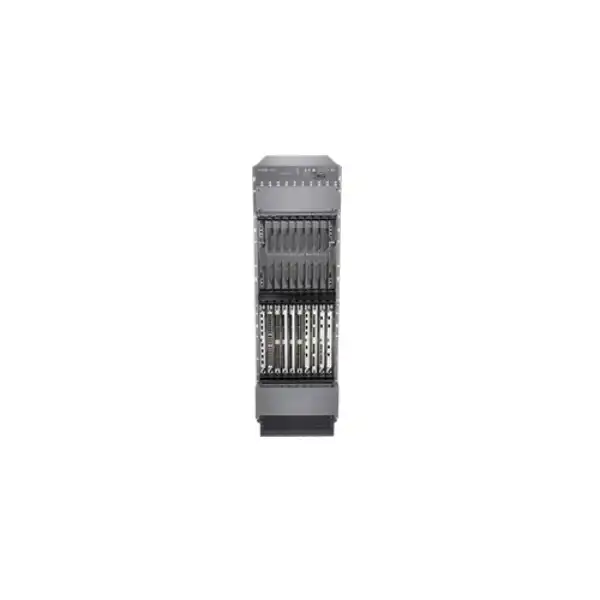
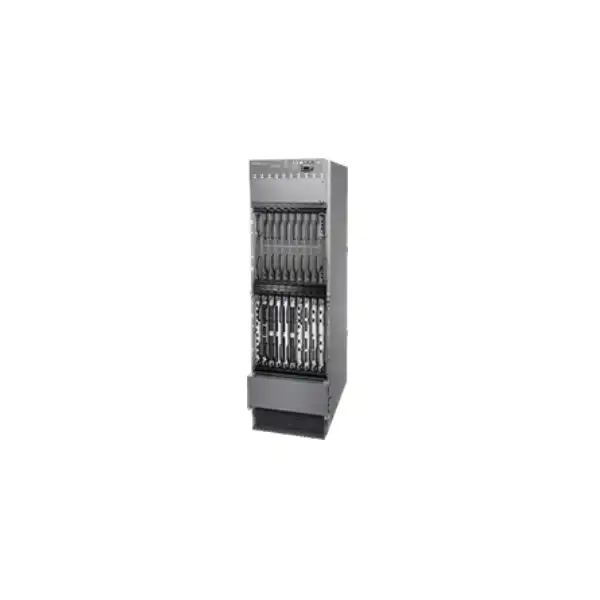
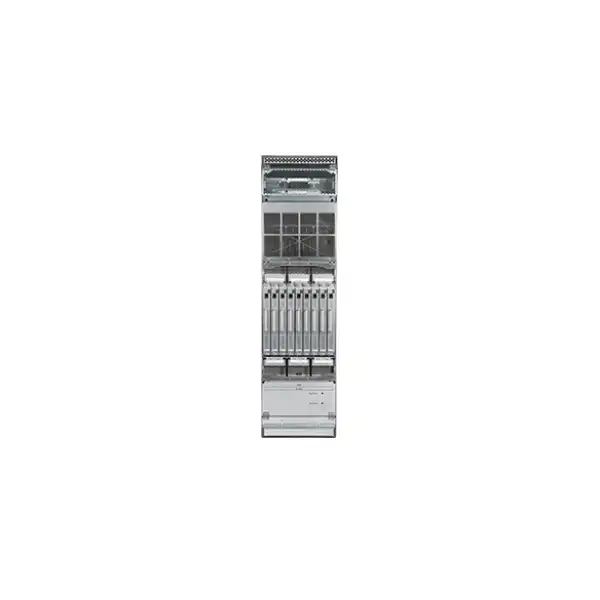
Juniper MX2010 Universal Routing Platform Dubai
The MX2010 is Juniper’s 10-slot MX2000 chassis for high-capacity multiservice edge and core networks. In current high-density configurations it scales to 40 Tbps of system capacity and can support up to 400 × 100GbE or 80 × 400GbE interfaces, making it relevant where routing scale, service density, resiliency and controlled growth matter more than a compact form factor.
Direct answer: what is the Juniper MX2010 and who is it for?
The Juniper MX2010 Universal Routing Platform is a modular, carrier-grade router in the MX2000 family. It is designed primarily for high-scale edge and core applications where a network operator needs a large forwarding capacity, a broad choice of line cards, strong chassis redundancy and the ability to run rich routing and service functions on Junos OS. Juniper positions it for business edge, broadband edge, mobile backhaul, provider edge and core roles, Internet peering and data-center interconnect, as well as data-center and campus-edge applications.
Organizations that should consider it include telecom operators, ISPs, cloud and colocation providers, government or critical-infrastructure networks, and large enterprises that genuinely need a modular routing platform at this scale. It is not a routine branch router and it should not be selected simply because maximum capacity sounds attractive. The most important factor to confirm is the complete configuration: chassis bundle, Routing Engines, switch fabric, exact MPC line cards, port speeds, optics, software feature entitlement, redundancy policy, power feeds, rack depth, cooling capacity and Junos release compatibility all affect whether the resulting system meets the design.
FourTeck can help a Dubai or UAE buyer turn a high-level requirement such as “10 × 400GbE now with growth to 40 × 400GbE” or “carrier-grade peering edge with dual control plane and redundant power” into a quotation-ready bill of materials. That configuration step matters because the MX2010 is a platform, not a single fixed-port appliance.
Why the MX2010 remains a serious modular routing platform
The strongest reason to evaluate the MX2010 is architectural headroom. A fixed router may be the right answer when the required ports, throughput and redundancy are known and unlikely to change. The MX2010 addresses a different problem: operators whose edge or core will evolve over several design cycles and who want to add or replace forwarding resources within a modular chassis rather than redesigning the site every time bandwidth requirements increase. Its ten line-card positions create room for staged deployments, diverse interface mixes and service growth, while the MX2000 switch-fabric and control architecture is built for high availability.
Juniper currently positions the MX2010 at up to 40 Tbps of system capacity and up to 400 100GbE or 80 400GbE interfaces when the chassis is built with the appropriate high-density line cards. Those numbers describe a maximum platform capability, not the capacity of every MX2010 that leaves a warehouse. The actual forwarding capacity and usable port count depend on installed MPCs, fabric generation, optics, software licensing and the operational design. That distinction is important in procurement: a chassis-only or base bundle is not equivalent to a fully populated 40 Tbps system.
The platform is also intended for networks that combine more than one forwarding role. A service-provider edge may need IP/MPLS, subscriber services, quality of service, timing, peering, DCI and encrypted links in the same overall architecture. A large enterprise might use the platform for high-capacity WAN aggregation, data-center edge or a core where long service life and modular expansion are more valuable than a small rack footprint. Junos OS provides the common operational environment, while the installed hardware determines the physical interfaces and a significant part of the scale envelope.
For UAE buyers, this makes the MX2010 a design-led purchase. The practical question is rarely “does it route?” The useful questions are: which port speeds are required today, what is the three-to-five-year growth curve, which protocols and services must be supported, what failure scenarios must the chassis survive, how much rack depth and power are available, and whether the required licenses and optics are included in the commercial scope. Answering those questions before issuing a purchase order is far less expensive than discovering a line-card, power or licensing mismatch during installation.
High-capacity edge
The MX2010 suits edge positions where many high-speed uplinks, peers or service interfaces converge and where a fixed platform could become a port-density constraint. Its value is strongest when modular growth and control-plane resiliency are part of the architecture rather than optional extras.
Provider core and P/PE
For MPLS and provider routing designs, the chassis offers the slot count and forwarding scale expected from a large modular system. Protocol and feature support must still be checked against the specific MPC generation and Junos release used in the final bill of materials.
Peering and DCI
Dense 100GbE and 400GbE options make the MX2010 relevant to Internet peering and data-center interconnect where port speed and route scale can grow quickly. Optical reach, fibre type, breakout plans and MACsec requirements should be defined before optics are selected.
Broadband and services edge
Juniper identifies broadband edge among MX2010 use cases. Subscriber scale, service profiles, QoS, lawful or regulatory requirements, address-family needs and operational tooling should be reviewed as a system design rather than inferred from raw chassis capacity.
Large enterprise aggregation
An enterprise with major WAN, campus-core or data-center aggregation requirements may benefit from the platform when modularity and failover justify the footprint. If the requirement is only a small number of high-speed links, a compact MX model may deliver better rack and power efficiency.
MX2010 architecture: chassis, forwarding, fabric and control
A correct MX2010 design starts with understanding the chassis as several cooperating subsystems. The forwarding cards provide the interface-facing packet-processing resources. Switch fabric boards move traffic between line cards. Routing Engines and control boards provide the control plane and system-management functions. Power distribution and power supply modules feed the chassis, while fan trays maintain the required front-to-back airflow. Each of these subsystems has its own redundancy and compatibility considerations.
The chassis provides ten line-card slots. That slot count is the practical basis for capacity planning because different MPC generations provide very different interface densities and forwarding bandwidth. The modern MX2K-MPC11E, for example, is a 4 Tbps line card. A design using ten of those cards is the configuration context behind the 40 Tbps system-capacity figure. Older MPC generations can still be relevant for specific interfaces, installed-base reuse or feature requirements, but they should not be assumed to provide the same per-slot capacity or the same 400GbE capability.
The switch fabric is equally important. Juniper documents MX2000 switch fabric boards and enhanced fabric generations for MX2010 and MX2020, with N+1 fabric redundancy available in the platform architecture. When an existing MX2010 is being expanded, the exact SFB generation already installed needs to be identified before newer line cards are quoted. A line card can be physically compatible with the chassis yet still require a particular fabric or software level to deliver the intended performance. Expansion therefore begins with a chassis inventory, not simply a port count.
The control plane can be designed with redundant Routing Engines. Juniper’s current ordering information distinguishes base bundles with one Routing Engine from premium configurations that include redundant Routing Engine capability. Redundancy is not just a checkbox; it changes the intended failure behavior, maintenance procedure and often the commercial bill of materials. Networks that cannot tolerate a control-plane outage should specify the redundant design explicitly and validate graceful or nonstop operational requirements against the Junos feature set used.
This modular structure is one reason the MX2010 works well in long-lived environments, but it also creates procurement discipline. A quotation should enumerate the chassis bundle, switch-fabric components, Routing Engines, each MPC, any required adapter cards, optical modules, breakout cables, power components, licensing and support. “MX2010” by itself does not describe a complete operational router.
Verified platform specifications that matter during design
| Specification | MX2010 detail | Buyer relevance |
|---|---|---|
| System capacity | Up to 40 Tbps | Maximum platform capability depends on installed line cards, fabric and software entitlement. |
| Line-card slots | 10 | Defines modular expansion space and helps map current versus future interface density. |
| Maximum high-speed density | Up to 400 × 100GbE or 80 × 400GbE in supported high-density configurations | Useful for growth modelling; exact port modes depend on the selected MPCs and optics. |
| Rack height | 34 RU / 59.5 in (151.1 cm) | A large installation requiring rack-space reservation and maintenance clearance. |
| Nominal chassis width | 17.5 in in the datasheet; hardware-guide mounting width includes flanges/brackets | Designed for standard four-post rack environments, but rack geometry should be checked. |
| Depth | About 36.2 in (91.95 cm) with standard maximum configuration; cable-management choices can increase required depth | Confirm cabinet depth, rear clearance and cable bend radius before delivery. |
| Maximum configured weight | Hardware guide lists 985 lb (446.79 kg); datasheet rounds to approximately 1,000 lb | Floor loading, rack rating, transport path and lifting method need planning. |
| Airflow | Front to back | Must match the data-center hot-aisle/cold-aisle plan. |
| Fan trays | 4 | Cooling is a chassis-level design item, not an afterthought once line cards are installed. |
| Mounting | Four-post rack mounting | Rack readiness and installation access should be verified before shipment. |
These figures are most useful as planning boundaries. A quotation should state the exact installed hardware rather than implying that every chassis automatically provides every maximum shown above.
Line-card strategy: where MX2010 performance is really determined
The line-card selection is the most consequential technical decision after the chassis itself. Juniper’s MX2000 family spans several generations of MPC hardware, and the MX2010 can be deployed with different combinations depending on interface requirements and migration history. A buyer should therefore avoid treating the ten slots as ten identical generic positions. Each slot becomes useful only when the selected card, fabric generation, optics, license and Junos release form a supported combination.
For current high-capacity designs, the MX2K-MPC11E is especially important. Juniper documents 4 Tbps of WAN bandwidth per MPC11E and positions the card for multirate 10/40/100/400GbE connectivity, including 400GbE through QSFP56-DD interfaces. Ten 4 Tbps cards align with the platform’s 40 Tbps headline capacity. The card is also MACsec-ready for secure connectivity at supported port speeds, but MACsec bandwidth licensing is a separate commercial consideration and should be included in the design if encrypted Ethernet links are required.
The headline 400GbE capability is useful for peering, DCI and high-capacity aggregation, but a good design starts from actual link requirements. For example, eight 400GbE links to a pair of data centers may require far fewer line cards than a deployment that needs hundreds of distributed 100GbE connections. Conversely, a network with mixed 10GbE, 40GbE and 100GbE services may prioritize port flexibility and breakout support over the maximum count of native 400GbE ports. Optical reach—short-reach, data-center single-mode, metro or longer distance—also affects transceiver choice and cost.
Older MPCs may still be relevant where an operator owns compatible inventory or requires a specific port format. Juniper’s MX2000 documentation notes that several earlier MPC families use an MX2000 adapter card, while newer MX2K cards such as MPC6E, MPC8E and MPC9E do not require that adapter. This has a direct purchasing implication: reusing a line card from another MX platform is not automatically a simple slide-in exercise. The required adapter, fabric support and software release need to be verified first.
The card generation can also affect feature scale. Juniper licensing material distinguishes, for example, between variants of MPC9E with different L2/L2.5, L3 and queuing entitlements or bundles. The correct choice depends on whether the MX2010 will act as a pure transit core, a provider edge, a subscriber edge, a peering router or a services platform. Two configurations with the same physical number of ports can therefore differ meaningfully in route scale, QoS behavior, service features and license requirements.
A useful quotation request should list the required interface counts by speed, desired oversubscription policy, expected traffic per slot, optic types, breakout needs, MACsec requirements and growth reserve. FourTeck can use that information to build a cleaner line-card map instead of quoting a generic “fully loaded” system that may include capacity the buyer does not need or omit a dependency that the design does need.
Resiliency: what carrier-grade means in practical MX2010 terms
N+1 fabric redundancy
Juniper identifies N+1 switch-fabric redundancy as a platform resiliency feature. The installed SFB generation and population should match the line-card and performance plan.
Control-plane redundancy
Redundant Routing Engines allow the chassis to be designed for control-plane resilience. Premium bundle choices and the final RE configuration should be explicit in the bill of materials.
Power-feed resilience
The MX2010 architecture supports redundant power designs, including N+N feed redundancy and N+1 power-supply-module redundancy when configured accordingly.
Operational redundancy
Hardware redundancy is only part of availability. Routing protocol design, software features, maintenance procedures, upstream diversity and testing determine whether the network actually survives the intended failures.
A resilient MX2010 should be specified around defined failure scenarios. If the requirement is to survive one Routing Engine failure, one power module failure, a fabric failure and a maintenance event without a traffic outage, each scenario needs a supported hardware and Junos design. Redundant parts that are physically installed but not correctly configured, powered from independent feeds or tested do not create meaningful availability. For critical UAE deployments, acceptance testing should therefore include planned switchover and failure simulations, not only “device powers on and passes traffic.”
Power, cooling, rack depth and facility planning in Dubai
The MX2010 is physically and electrically closer to data-center infrastructure than to a typical enterprise router. Its 34 RU height consumes a large part of a standard rack. At maximum configuration, Juniper’s hardware guide lists a weight of 985 lb (446.79 kg), while the product datasheet rounds the maximum to approximately 1,000 lb. That affects floor loading, cabinet specification, delivery route, lifting equipment and the number of people or mechanical aids required for safe installation. A site survey should identify these constraints before the chassis arrives.
Depth deserves separate attention. Juniper’s datasheet lists roughly 36.2 inches (91.95 cm) for the MX2010, and the hardware guide shows that cable-manager and AC/DC configuration can change the practical front-to-rear requirement. Extended cable management can increase the depth further. Buyers using enclosed cabinets should verify usable rail-to-door space, not merely the external cabinet depth. High-density optical cabling also needs enough bend radius and management clearance to avoid stressed fibre and blocked access.
Cooling follows a front-to-back airflow path and uses four fan trays. That makes the chassis suitable for conventional cold-aisle-to-hot-aisle data-center designs, provided the rack and room are arranged accordingly. In the UAE, facility temperature and HVAC resilience deserve careful attention because outside climatic conditions can place additional pressure on building cooling systems during failure events. The router itself should remain within Juniper’s documented environmental limits; the site should not be designed around optimistic assumptions about room temperature or airflow.
Power should be sized from the proposed component population rather than from a generic chassis figure. Juniper’s MX2010 AC power guidance recommends provisioning 2800 W for each AC power distribution module when the operator wants enough infrastructure headroom to support future hardware configurations without later upgrading the feed. That recommendation does not mean every installed system continuously consumes the same amount; actual demand depends on the installed cards and configuration. The important procurement point is to separate facility provisioning from expected operational consumption.
AC and DC base bundles are both documented, as are premium and premium-2 variants. The choice should follow the site’s power architecture. Telecom facilities often prefer DC distribution, while enterprise or colocation environments may standardize on AC. In a redundant design, independent feeds should be mapped so that a single upstream PDU, breaker or rectifier failure does not defeat the redundancy built into the chassis. The commissioning plan should confirm this physically and through chassis-environment monitoring.
For a Dubai installation, FourTeck’s pre-quotation checklist can include rack RU availability, rail type, cabinet depth, floor loading, AC or DC feed type, feed voltage, breaker capacity, A/B power topology, cold-aisle direction, expected ambient conditions and cable-entry preference. These are not logistics trivia; they determine whether a correctly specified router can actually be installed and operated safely at the target site.
Junos OS, automation and operations
The MX2010 runs Junos OS, which provides the routing, policy, management and operational framework around the hardware. For experienced Juniper environments, that consistency can reduce operational friction because engineers can apply familiar configuration concepts, routing-policy structures, telemetry methods and troubleshooting workflows across multiple MX platforms. It can also make the MX2010 easier to integrate into existing automation pipelines than a platform that introduces a completely separate operating model.
Automation is especially valuable on a router of this scale because manual configuration drift becomes expensive. Interface provisioning, BGP policies, MPLS services, class-of-service profiles, telemetry and compliance checks can involve large configuration sets. A deployment plan should decide which source of truth owns these settings, how configuration changes are validated, how rollback is performed and which operational metrics are exported. The platform’s raw capacity is useful only if the operating process can manage it safely.
Junos operational commands also expose chassis environment, line-card status, fabric state, power information, fan status and Routing Engine details. This gives network operations teams a structured way to monitor the health of the modular subsystems. In a production design, those telemetry points should feed the organization’s monitoring and alerting system so that a redundant component failure is detected before a second failure turns it into an outage.
Software release selection should be treated as a compatibility decision rather than an automatic “latest is best” choice. The required MPC generation, optical interfaces, protocols, feature scale, automation tooling and support policy should all be checked against the proposed Junos release. An existing network may also have standardized versions for operational reasons. For migrations, it is often safer to validate the target release and configuration in a lab or staging environment before moving high-value traffic.
Where high availability is required, the software design needs to complement hardware redundancy through the appropriate nonstop or graceful mechanisms, routing-protocol timers and operational procedures. Those details vary by service and release, so they should be included in the implementation design instead of being assumed from the phrase “dual Routing Engines.”
Routing and service roles: translating capacity into network outcomes
Juniper lists the MX2010 across several routing scenarios because the chassis can host a mix of interfaces and services. The best way to evaluate those scenarios is to connect the feature requirement to the physical design. A peering edge, for example, may be dominated by BGP route scale, 100/400GbE port density, traffic engineering and operational visibility. A broadband edge may place more emphasis on subscriber scale, policy, QoS and service integration. A provider core may prioritize deterministic forwarding, MPLS or segment-routing behavior, fast convergence and very high aggregate capacity.
Internet peering: The MX2010 can suit large peering environments where multiple high-speed external links terminate on a redundant platform. The design should identify full-table versus partial-route requirements, IPv4 and IPv6 policy, maximum expected peers, route-policy complexity, traffic-engineering method and DDoS operational workflow. Port count alone does not size a peering router. Control-plane scale and policy behavior are equally important.
Data-center interconnect: Dense 100GbE and 400GbE can be useful when moving large volumes between facilities. The optical design should state link distance, fibre type, redundancy path, encryption requirement and whether services are routed, MPLS-based or integrated with another overlay. If MACsec is required, the exact supported port and line-card combination plus bandwidth license must be included. A long-distance DCI may also involve external optical transport equipment, which should be treated as a separate layer in the design.
Business and provider edge: The modular architecture allows different interface types and services to meet at one platform. This can simplify aggregation, but it also increases the consequence of a chassis outage. Buyers should therefore decide whether services should converge in one highly redundant MX2010, be split across two chassis, or use a larger multi-chassis architecture. The correct answer depends on availability targets, maintenance windows and the failure domains the business can tolerate.
Mobile backhaul and aggregation: Juniper includes mobile backhaul among the MX2010’s roles. Here, timing, synchronization, QoS, fast convergence and service transport may matter as much as headline throughput. The required timing interfaces and software functions should be validated for the chosen hardware. If the router is aggregating many cell-site or metro devices, interface granularity and protection topology can dominate the design.
Large enterprise core: The platform can be appropriate for organizations with very high east-west or north-south capacity, multiple WAN carriers, large data centers or long-term modular growth. However, the 34 RU footprint and substantial maximum weight mean it is rarely the most efficient answer for a conventional office core. Enterprises should compare the MX2010 against more compact MX systems when the required number of high-speed ports is modest.
These examples show why the MX2010 should be sized from the service architecture inward. Start with traffic flows, protocol scale, interface counts, resiliency and lifecycle. Then map those requirements to chassis hardware. Starting with “40 Tbps sounds future-proof” risks buying an impressive system that is oversized for the actual network or incorrectly configured for the services that matter.
Licensing: a mandatory part of the MX2010 bill of materials
Juniper’s MX licensing model means hardware and feature entitlement must be reviewed together. Current documentation describes Advanced and Premium software tiers for enhanced features while standard software includes a broad baseline feature set. Modular MX hardware can also involve bandwidth-related licensing, and certain line cards have full-bandwidth or scale-on-demand options. Therefore, a price comparison that looks only at chassis and MPC hardware can be misleading.
For the MX2K-MPC11E, Juniper’s current ordering information states that the base line card requires a Flex Advanced or Premium license. Juniper licensing references also list full-bandwidth license families for the MPC11E and scale-on-demand licensing options for MX2000 platforms. The exact SKU varies with entitlement tier and term. A buyer should specify whether the requirement is perpetual or subscription-based where options exist, the desired feature tier, planned bandwidth activation and any renewal expectations.
MACsec is another example of why licensing must be tied to the design. Juniper documents MACsec bandwidth licenses for supported MX platforms and specifically identifies the MX2K-MPC11E among cards that require appropriate MACsec bandwidth entitlement when the feature is used. If encrypted 100GbE links are part of a DCI or peering design, the quote should include enough licensed MACsec bandwidth for the configured ports instead of assuming the hardware capability alone enables the entire requirement.
Licensing also changes lifecycle planning. A one-year subscription may lower initial commitment but creates renewal administration. A longer subscription can simplify budget planning but should align with the expected deployment life. A perpetual entitlement may suit some use cases but can differ in initial cost and support implications. The right choice depends on the buyer’s procurement model, network roadmap and Juniper’s available license terms at the time of quotation.
For an installed MX2010 that is being expanded, the existing license inventory should be captured before ordering new cards. That avoids buying duplicate entitlements or discovering that a planned feature is not covered. The inventory should include chassis software state, line-card licenses, MACsec entitlements, support status and any account-based licensing information required for activation.
A FourTeck quotation can therefore separate hardware, optics, licenses, support and services into identifiable lines. That makes technical review easier and helps procurement teams understand which costs are one-time, which may recur, and which are optional depending on the final service design.
Important compatibility note for upgrades and mixed generations
Do not assume that an MPC, optic or license used in another MX chassis will work in an MX2010 with the same performance and feature set. Compatibility can depend on the exact MPC generation, switch-fabric generation, adapter-card requirement, Junos release and licensing. Juniper specifically notes adapter-card requirements for several older MPC families, while newer MX2K cards are designed differently.
For brownfield expansion, provide the current chassis serial inventory, Routing Engine model, SFB model, installed MPC part numbers, Junos release, power configuration and license inventory. That information allows an upgrade design to preserve what is useful while identifying components that would constrain the target capacity.
Deployment planning: from delivery to production traffic
An MX2010 rollout benefits from a staged plan because physical installation, hardware validation, software readiness and network migration are separate activities. Treating them as one change window increases risk. A practical project starts with site readiness, then validates the chassis in a controlled state, then builds the configuration, and only then moves production traffic.
Rack, power and airflow
Reserve 34 RU, confirm four-post mounting, usable cabinet depth, floor loading, AC/DC feeds, A/B redundancy and front-to-back cooling. Verify the delivery path and lifting approach for a heavy chassis.
Install and inventory modules
Install Routing Engines, fabric, line cards, power components and optics according to the approved bill of materials. Record part numbers and slot placement for support and future capacity planning.
Junos, licenses and firmware
Confirm the planned Junos release supports the installed components and required services. Activate licenses and review chassis environment, fabric, power, fan and FPC status before service configuration.
Routing, policy and services
Build interfaces, routing protocols, policy, QoS, MPLS or subscriber functions in a controlled workflow. Validate configuration with peer devices and network-management systems.
Move traffic by defined stage
Migrate links or services in controlled groups with rollback criteria. Monitor route convergence, errors, optics, utilization and application reachability after each stage rather than waiting until the entire cutover is complete.
Test redundancy and hand over
Test agreed failure scenarios, document final software and hardware state, export backups and establish monitoring thresholds. Acceptance should demonstrate the design objectives, not only basic connectivity.
The migration plan should be tailored to the role. Peering cutovers need route-policy and session sequencing. Core migrations require careful IGP/MPLS or segment-routing convergence planning. Broadband edge migrations may need subscriber-session behavior and service continuity tests. DCI changes should include optical power and encryption validation. These are different projects even when the same MX2010 hardware is used.
For a replacement of an older modular router, preserving interface naming and policy structure can simplify migration, but it should not become a reason to copy obsolete configuration blindly. The new deployment is an opportunity to remove unused policy, standardize automation and document dependencies that may have accumulated over years.
Sizing the MX2010 without overbuying
A 40 Tbps platform can still be the wrong platform if the network uses only a tiny fraction of its slots and the power or footprint penalty outweighs the value of modular growth. Good sizing separates required day-one capacity, reserved resilience capacity and planned growth capacity. Those three numbers make it possible to decide how many slots should be populated initially and how many should remain available for later expansion.
Start with interface count by speed. Then apply realistic utilization rather than simply adding nominal port rates. A set of 100GbE customer or peer interfaces may have very different peak behavior from 100GbE DCI trunks. Add redundancy: a design intended to survive one line-card or link-group failure needs enough remaining capacity to carry traffic during that event. Then add growth based on actual forecasts rather than a generic percentage.
Route and service scale is the next layer. Number of BGP routes, peers, VRFs, MPLS labels, subscriber sessions, filters, policers, queues and telemetry flows can matter independently of raw throughput. The exact limits depend on hardware and software, so a high-scale requirement should be checked with Juniper’s current feature and scale documentation for the proposed configuration. This is especially important when the router will host several service types at once.
Finally, model the rack and power cost over the intended life. A large chassis can be economically sensible when it avoids repeated replacement and supports multiple expansion phases. It can be inefficient when only two or three high-speed links are ever expected. The comparison should therefore include hardware, optics, licenses, support, data-center power, rack space and operational complexity, not just purchase price.
This sizing discipline also clarifies whether the MX2010 or another MX platform is more appropriate. The goal is not to maximize the hardware specification; it is to match network risk, capacity and lifecycle with the smallest architecture that still provides safe growth.
MX2010 versus nearby platform choices
Choose MX2010 when
You need a ten-slot carrier-grade chassis, expect substantial 100/400GbE growth, want modular service-card options and can support a 34 RU platform with appropriate power and cooling. It is especially compelling when future expansion and redundancy justify a large chassis.
Evaluate MX2020 when
Your capacity roadmap genuinely exceeds the practical ten-slot envelope. Juniper positions MX2020 at 20 slots and up to 80 Tbps, so it can offer more expansion headroom at the cost of a substantially larger physical platform and facility commitment.
Evaluate compact MX options when
Your port count is modest, rack or power is constrained, or the network can scale horizontally with multiple smaller routers. A compact design may reduce facility cost while still delivering the required routing features, especially for enterprise rather than carrier-scale deployments.
A product comparison should use the real five-year interface and service plan. Bigger is not automatically safer: an oversized chassis can consume budget and facility capacity that would be more effectively invested in dual devices, diverse paths, better optics, automation or support.
Procurement guidance for Dubai and UAE buyers
The MX2010 should be quoted as a complete solution rather than a single model number. Juniper documents distinct ordering variants for AC and DC power, base and premium bundles, redundant components, switch-fabric boards, Routing Engines, MPCs and licenses. A quotation that states only “Juniper MX2010” can hide meaningful differences in resiliency, capacity and commercial scope.
For a greenfield project, begin with the network design and site constraints. The resulting bill of materials should identify chassis power type, Routing Engine count, fabric generation, line-card part numbers, optical transceivers, any adapter cards, cables, licenses and support coverage. For a brownfield expansion, add the existing hardware and software inventory so the new items can be checked for compatibility.
Optics deserve special care because they can represent a significant cost and operational dependency. State the interface speed, fibre type, connector, required reach, wavelength plan if relevant, and whether the link connects directly to another router or through transport equipment. For 400GbE, also identify the desired optical standard and peer compatibility. If breakout cables are planned, include the exact port mode and downstream interface requirement.
Support should match the business impact of the router. A chassis carrying core, peering or subscriber traffic typically needs a service level that reflects its criticality, along with access to Juniper software and technical support. Spares strategy can also be important. Some operators keep local spare optics or line cards to reduce recovery time, while others rely on a support contract with defined replacement service. The right balance depends on site criticality and budget.
Lead time should be confirmed for the entire configuration, not just the chassis. A project can be delayed by one specialized line card, optic or license even when the base chassis is available. For UAE projects with a fixed data-center migration window, procurement sequencing should therefore identify long-lead items early and avoid committing the change date until the critical hardware has been confirmed.
FourTeck can prepare a Dubai/UAE quotation around the required configuration and can separate optional growth items from the day-one build. That helps technical and procurement teams review the same architecture without mixing mandatory components with future expansion.
Common MX2010 buyer questions
Does every MX2010 provide 40 Tbps?
No. Forty terabits per second is the platform’s maximum system-capacity positioning with the appropriate high-capacity line cards and fabric configuration. A base chassis with fewer or older MPCs will have a lower installed capacity. The quotation should show the actual per-card bandwidth and total configured forwarding capacity.
How many 400GbE ports can it support?
Juniper positions the MX2010 for up to 80 × 400GbE interfaces in a supported high-density configuration. That figure assumes the appropriate line cards, optics, fabric, software and licenses. If only a smaller number of 400GbE links is needed, the chassis can be populated incrementally rather than fully on day one.
Is the MX2010 suitable for a normal office network?
Usually it is much larger than a conventional office requires. The 34 RU chassis, high weight and data-center power/cooling expectations are justified when the network has carrier-grade or very large enterprise requirements. Smaller MX platforms should be compared when space, power and port count are modest.
Does the chassis include redundant Routing Engines?
Not every ordering bundle is the same. Juniper lists base MX2010 bundles with one Routing Engine and premium options with redundant Routing Engine configuration. If control-plane redundancy is required, specify it explicitly and make sure the proposed bundle and spare strategy meet the availability target.
Can the MX2010 use older MX line cards?
Some older MPC families are supported with an MX2000 adapter card, while newer MX2K cards use different mechanics. Compatibility must be checked by exact part number, fabric and Junos release. Existing inventory can be valuable, but it should not be assumed compatible solely because it carries the MX name.
Does it support MACsec?
The MX2010 platform and supported line cards include MACsec capabilities, and Juniper specifically documents MACsec-ready operation on MPC11E for supported port speeds. Licensing is important: enough MACsec bandwidth entitlement must be present for the configured encrypted interfaces.
What power option should a UAE data center choose?
The correct choice follows the facility design. Juniper lists AC and DC MX2010 bundles. The data-center team should confirm feed type, voltage, A/B redundancy, breaker capacity and future growth. A redundant chassis should be connected so a single upstream power event does not remove all feeds.
How much rack space is required?
The MX2010 is a 34 RU chassis. Plan additional working clearance, cable management and access according to the rack design. Because the chassis can approach 447 kg at maximum configuration, the rack and floor must also be rated for the load.
What is the airflow direction?
Juniper specifies front-to-back airflow for the MX2010. The rack row should therefore support the same cold-aisle to hot-aisle direction. Do not block the intake or exhaust with dense cabling, doors or adjacent equipment.
Can I buy the chassis now and add capacity later?
That is one of the strengths of a modular chassis, but future expansion should still be planned. Reserve slots, power and cooling headroom and verify that the chosen fabric generation can support the intended later MPCs. A staged purchase is most effective when the target architecture is known from the beginning.
Are optics included with the router?
Optics should be treated as explicit bill-of-material items unless a particular bundle says otherwise. Select them by speed, reach, fibre type and peer compatibility. For large 100/400GbE deployments, optic choice can materially affect both project cost and delivery schedule.
Is licensing included with the hardware?
Do not assume so. Enhanced feature tiers, line-card bandwidth entitlements and MACsec can involve separate licenses. The quotation should show which features and bandwidth are licensed, the term where applicable and whether renewal is required.
What information is needed for an accurate MX2010 quote?
Provide port counts and speeds, expected traffic, required services, routing scale, redundancy target, optics/reach, AC or DC power, rack constraints, software and license requirements, support level and whether the project is greenfield or an expansion of an existing MX2010.
Design details that are easy to miss
Large router projects often fail on small dependencies rather than headline capabilities. Cable management is one example. A 400GbE-heavy chassis can have fewer physical cables than a dense 100GbE breakout design, even when aggregate bandwidth is similar. The routing platform therefore needs to be planned with the actual cabling map, not only a port-count spreadsheet. Front-door clearance, fibre bend radius, labeling and the path from router to optical distribution frame all influence serviceability.
Another is spare capacity location. Keeping two empty chassis slots does not guarantee useful future growth if the power system, switch fabric or rack cooling cannot support the new cards. Capacity reservation should cover all four dimensions: slots, fabric, electrical power and thermal load. This is especially important for high-power 4 Tbps MPCs.
Management access should also be designed independently of production forwarding. Console access, out-of-band management, AAA integration, role-based permissions, configuration backups and centralized logging are foundational controls on a system that can carry a large percentage of a network’s traffic. Remote-management paths should survive the same failures that the operations team expects to troubleshoot.
Optical diagnostics and cleaning procedures deserve operational documentation. High-speed links can be sensitive to contamination, receive-power margins and fibre quality. A migration runbook should include baseline optical power levels, error counters and interface statistics before and after cutover. This creates evidence that a link problem is physical rather than a routing or software issue.
Finally, software rollback needs the same attention as hardware redundancy. Know the approved configuration backup, Junos recovery procedure, license state and management access path before the change. A router designed to withstand hardware failures should not become difficult to recover from a configuration or software error.
Decision recap: six questions that determine MX2010 fit
What FourTeck needs for an accurate Juniper MX2010 quotation
A useful quote begins with engineering inputs. Send as much of the following as you already know; missing items can be clarified during consultation.
10/40/100/400GbE counts, breakout needs and expected growth.
Fibre type, link distance, connector and peer equipment.
Peering, core, PE, broadband edge, DCI, enterprise aggregation or mixed role.
Traffic, routes, peers, VRFs, services or subscriber expectations where relevant.
Single or dual Routing Engines, power-feed design and desired failure tolerance.
Feature tier, bandwidth activation, MACsec and preferred term.
Rack, depth, AC/DC feed, A/B power, airflow and deployment location.
For upgrades: current MPCs, SFBs, Routing Engines, Junos and license state.
Plan the right Juniper MX2010 configuration for your Dubai network
The MX2010 can be an excellent long-term routing platform when its ten slots, fabric, line cards, optics, licensing and redundancy are matched to a real capacity plan. The purchasing decision should therefore start with the service architecture and facility constraints, not with the chassis headline alone. FourTeck can help translate your interface map, growth target and availability requirements into a configuration suitable for technical review and quotation.


Reviews
There are no reviews yet.