
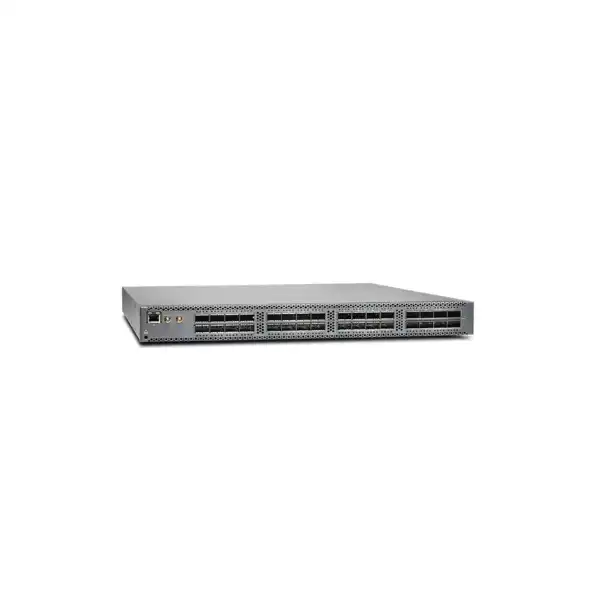
Juniper QFX5110-32Q Data Center Switch in Dubai
The QFX5110-32Q is Juniper Networks’ compact 40GbE/100GbE access and aggregation platform for data center fabrics and high-capacity campus core or distribution designs. It combines up to 2.56 Tbps of switching capacity with flexible QSFP+ breakout, four 100GbE-capable QSFP28 positions, Junos OS automation, and fabric capabilities that can support EVPN-VXLAN, MC-LAG and other resilient architectures when the required software features are licensed.
Up to 4 × 100GbE QSFP28
Up to 96 × 10GbE via breakout
2.56 Tbps / 1.44 Bpps
Direct answer: what is the Juniper QFX5110-32Q?
The Juniper QFX5110-32Q is a fixed 1U high-speed Ethernet switch built around QSFP+/QSFP28 interfaces. Its primary role is dense 40GbE switching with the ability to introduce 100GbE uplinks or break selected 40GbE ports into multiple 10GbE links. It is intended for organizations that need a low-latency data center leaf, aggregation or spine building block, or a high-capacity campus core/distribution platform. The most important point to confirm is the required port mode: the headline 32 × 40GbE, 4 × 100GbE and 96 × 10GbE figures describe supported configurations and breakout possibilities, not a single all-ports-active combination. FourTeck can help map the intended server, storage, firewall, router and inter-switch links to the correct port mode, optics, breakout cables, airflow variant, power type and Junos software license.
What it is
A 1U fixed-form-factor Juniper QFX switch with high-density QSFP+ and QSFP28 connectivity, designed around 10/40/100GbE data center requirements.
Main use
Leaf, aggregation, spine, collapsed-core or high-capacity distribution roles where 40GbE density, 100GbE uplinks and predictable low latency matter.
Who should consider it
Enterprises, service environments and data center operators with existing or planned QSFP-based infrastructure and a clear Junos operations model.
Confirm first
The exact 10/40/100GbE port map, because enabling 100GbE on the designated QSFP28 group affects which adjacent 40GbE ports remain available.
FourTeck can determine
Hardware suffix, airflow, AC/DC power, optics, breakouts, software tier, support coverage, rack readiness and migration sequencing for the Dubai/UAE deployment.
Why QFX5110-32Q is a specific data center choice
The QFX5110-32Q is not simply a generic 32-port fiber switch. Its value comes from the way Juniper combines 40GbE density, selectable 100GbE uplinks and 10GbE breakout in a single fixed 1U platform. That architecture makes it particularly relevant where an organization already has QSFP+ links, 40GbE server or storage interfaces, 40GbE firewall connections, or an existing fabric that needs compact aggregation. The platform can also provide a migration bridge for environments that still need substantial 10GbE density but want to retain a path to 40GbE and 100GbE interconnects.
A common buying mistake is to treat the port-density marketing numbers as if every advertised speed is simultaneously available. The QFX5110-32Q has 32 front-panel high-speed positions, but its system modes determine how those positions are used. In the all-40GbE case, the switch can provide 32 native 40GbE ports. In a configuration that uses the four QSFP28 positions for 100GbE, the available mix changes: the platform supports 20 QSFP+ 40GbE ports together with four 100GbE ports. The hardware guide also describes channelization behavior for breaking eligible 40GbE ports into four independent 10GbE interfaces. These details are central to design, because an apparently small change such as adding four 100GbE uplinks can alter the number and location of usable 40GbE and breakout ports.
For a new Dubai data center deployment, the useful question is therefore not “How many ports does the QFX5110-32Q have?” but “Which port mode supports the exact endpoint mix?” A design with eight 40GbE storage nodes, twelve 40GbE firewall or appliance links, four 100GbE spine uplinks and a group of 10GbE legacy servers must be mapped differently from a design that wants thirty-two 40GbE east-west connections. The answer affects breakout cable quantities, optic types, rack patching and how much spare capacity remains after day-one activation.
The model also sits in an important family position. The QFX5110-48S is oriented toward native 10GbE server access with 48 SFP+ ports and four 40/100GbE uplinks, while the QFX5110-32Q prioritizes QSFP-based 40GbE density. Buyers comparing the two should choose by interface mix, not just switching capacity. If native 25GbE server access or a denser modern 100GbE fabric is a requirement, a newer QFX family such as QFX5120 or later platforms may deserve comparison before committing to the QFX5110-32Q.
Port architecture: the decision that shapes the entire bill of materials
32 × 40GbE mode
Use this profile when maximum native 40GbE port density is the primary goal. It suits 40GbE-heavy fabrics and aggregation designs where 100GbE uplinks are not required on this chassis.
20 × 40GbE + 4 × 100GbE
This is the important mixed-speed profile for designs that need 100GbE uplinks. The designated QSFP28 positions operate at 100GbE and the switch makes a reduced set of 40GbE ports available.
10GbE breakout
Eligible QSFP+ ports can be channelized into four 10GbE interfaces using supported breakout cabling or optics. Juniper lists up to 96 supported 10GbE ports in suitable breakout configurations.
The system-mode behavior deserves careful treatment because it affects both capacity planning and physical patching. On supported Junos releases, the switch can auto-sense transceivers and set port speed, but the underlying mode rules still apply. Juniper’s hardware documentation explains that when a 100GbE optic is detected in the QSFP28 group at ports 28 through 31, ports 20 through 27 are disabled and the remaining QSFP+ group can be used according to the supported configuration. This is not a cosmetic software setting: it changes the physical resources available to the network design.
Breakout planning needs the same precision. A single 40GbE QSFP+ port broken into four 10GbE links is useful when consolidating legacy 10GbE servers or appliances, but it creates four logical interfaces and four remote endpoints that must be documented. The cable plant, labels, interface descriptions, LACP design and spare strategy should follow that logical expansion. It is also important to validate the exact breakout media against Juniper’s compatibility information rather than assuming any third-party QSFP-to-SFP+ assembly will behave identically.
For buyers with mixed environments, FourTeck’s recommended quotation input is a simple port schedule listing endpoint A, endpoint B, required speed, media type, approximate distance and redundancy requirement. That schedule can then be translated into native 40GbE, 100GbE QSFP28 and 4×10GbE breakout groups without discovering after delivery that the preferred port mode disables a block of ports needed for another purpose.
Performance, latency and forwarding scale
Juniper publishes up to 2.56 Tbps of bidirectional switching capacity and 1.44 billion packets per second of forwarding capacity for the QFX5110-32Q. The platform is designed for wire-speed packet handling and the QFX5110 family supports both cut-through and store-and-forward switching. Juniper cites latency as low as 550 nanoseconds, which is relevant for environments where microsecond-level network delay and jitter matter, including dense virtualization, distributed applications, high-performance storage traffic and east-west data center communication.
Those figures should be interpreted correctly. Switching capacity is a chassis capability, not a guarantee that an application will see a particular throughput. Real application performance also depends on server NIC capability, link negotiation, transceiver type, traffic distribution, frame size, queueing, congestion, routing policy, oversubscription and the architecture beyond the switch. If a 100GbE uplink feeds multiple lower-speed access links, the design still needs a realistic oversubscription model even when the switch fabric itself is nonblocking for the selected configuration.
The QFX5110-32Q includes a 16 MB packet buffer according to Juniper’s current specifications. This makes it important to understand the traffic profile rather than judging suitability only by headline port speed. Large bursts from many ingress ports toward a smaller number of egress links can create microbursts. For sustained storage replication, backup windows or high fan-in workloads, the uplink ratio and queueing policy deserve attention. If deep buffering is a primary requirement, the design should be compared against platforms specifically optimized for that traffic behavior rather than assuming every 100GbE-capable switch handles congestion in the same way.
Published scale also includes large Layer 2 and Layer 3 tables. Juniper lists 288,000 MAC addresses, IPv4 unicast/multicast route scale of 128,000/104,000, IPv6 unicast/multicast routes of 84,000/52,000, 48,000 ARP entries and 4,093 VLANs for the QFX5110 models. These figures help indicate the platform’s intended enterprise and data center class, but exact usable scale can depend on features, profiles and Junos release. A buyer planning a large EVPN fabric, extensive routing tables or many tenants should validate the combination of features rather than sizing from a single maximum table value in isolation.
In practical terms, the QFX5110-32Q fits best where high-speed interfaces and predictable forwarding are more important than massive port-speed diversity. It is especially coherent in networks that are already standardized on 40GbE and want selective 100GbE uplinks. Organizations starting a greenfield 25/100GbE server fabric should compare modern 25GbE-native alternatives because using 10GbE breakouts to connect a new generation of servers can lock the design into an older access-speed pattern.
Core hardware specifications for QFX5110-32Q
| Specification | QFX5110-32Q detail | Buyer relevance |
|---|---|---|
| Form factor | Fixed 1U | Dense rack deployment; confirm front/rear clearance and airflow direction. |
| Dimensions | 17.36 × 1.72 × 20.48 in (44.09 × 4.37 × 52.02 cm) | Check cabinet depth, rail fit and cable bend radius. |
| Weight | Approximately 24.6 lb / 11.16 kg | Relevant for rack handling and installation planning. |
| Switching capacity | Up to 2.56 Tbps bidirectional | Supports high-density 40GbE aggregation and mixed 100GbE uplinks. |
| Forwarding capacity | 1.44 Bpps | Important for small-packet workloads and high packet-rate applications. |
| Latency | As low as 550 ns | Suitable for latency-sensitive east-west traffic when the whole path is engineered appropriately. |
| Port options | Up to 32 × 40GbE; mixed 20 × 40GbE + 4 × 100GbE; up to 96 × 10GbE through supported breakout configurations | Port mode must be designed before optics and cables are ordered. |
| Buffer | 16 MB | Assess bursty or high fan-in traffic carefully. |
| Control plane | 1.8 GHz quad-core Intel CPU, 16 GB memory, 64 GB SSD | Supports Junos control-plane functions, automation and operational tooling. |
| Operating system | Junos OS | Align release, support status, configuration standards and team skills. |
Specification values should be validated against the intended Junos release and exact ordering SKU at quotation time, especially where a feature depends on licensing, optics or a specific system mode.
AC/DC power, redundant components and airflow direction
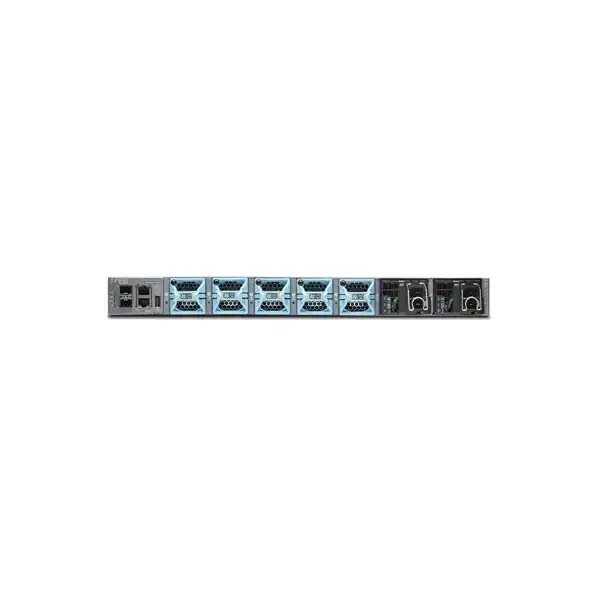
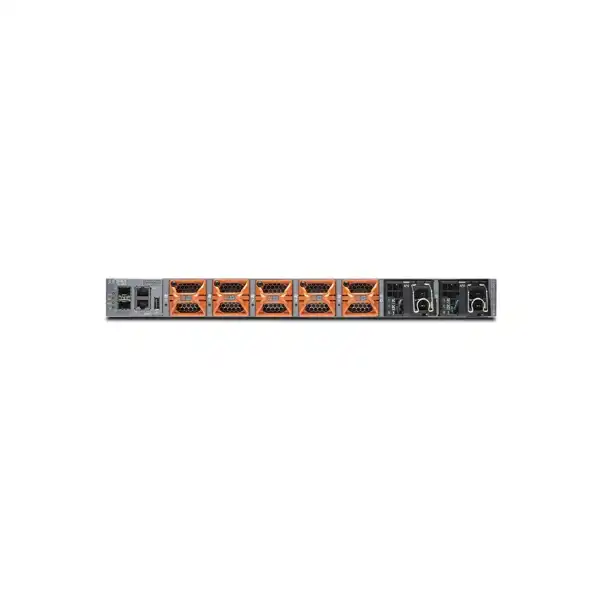
The QFX5110-32Q is available in AC and DC hardware variants and in two airflow directions. Juniper identifies airflow-in models, where air moves from the field-replaceable-unit side toward the ports, and airflow-out models, where air moves from the ports toward the FRU side. This suffix is not a minor ordering detail. In hot-aisle/cold-aisle data centers, choosing the wrong airflow can put the switch against the cabinet’s cooling design, raising inlet temperature and potentially affecting reliability.
Standard QFX5110-32Q variants ship with two power supplies and five fan modules, while the chassis-only QFX5110-32Q-CHAS requires the power supplies and fan modules to be ordered separately. Juniper documents AC airflow-in, AC airflow-out, DC airflow-in and DC airflow-out variants. The vendor specifically warns not to mix AC and DC power supplies in the same chassis and not to mix components with opposing airflow directions. A correct spare strategy therefore matches not just the wattage or form factor but also power type and airflow orientation.
With both power supplies installed, the platform provides full power redundancy. Each supply can support the switch, and a failed unit can be replaced while the second supply remains active. To obtain meaningful power-source resilience, the two installed supplies should be connected to independent feeds rather than the same upstream PDU circuit. The same principle applies to data center design generally: a dual-PSU switch is not truly power-path resilient if both cords terminate on a single nonredundant electrical source.
Power-consumption figures require a little care because Juniper publishes values using different test conditions in different documents. The current product specifications page lists higher maximum, typical and idle figures for the QFX5110-32Q, while the hardware power guide gives lower chassis values measured under defined traffic, temperature and transceiver assumptions and notes when optics are excluded. For rack power and heat-load calculations in Dubai, the safer approach is to use the current hardware documentation together with the planned optics population and local facility margin rather than designing to a single marketing number.
The physical installation also needs adequate grounding, compatible rack rails, cable-management space and enough rear/front clearance to maintain airflow. In a high-density cabinet, QSFP and breakout cabling can become physically bulky; good cable routing prevents fibers or DAC bundles from obstructing fan exhaust, FRU access or neighboring equipment. These practical details often determine whether a technically correct network design is easy to operate after handover.
Environmental requirements for UAE data center deployment
Juniper specifies normal QFX5110 operation from 0°C to 40°C and relative humidity from 5% to 90% noncondensing, with no performance degradation up to 2,000 meters altitude. The switch is intended for a dry, clean, well-ventilated, temperature-controlled rack or cabinet environment. For Dubai and UAE deployments, these limits make disciplined cooling and dust control important because ambient climate outside the white space can be much hotter and dustier than the switch’s intended operating conditions.
A data center operator should verify the actual cold-aisle inlet temperature at the intended rack position, not just the room thermostat. Dense racks can develop localized hot spots, particularly when high-power servers, storage arrays or security appliances occupy adjacent rack units. Matching the QFX5110 airflow suffix with the rack’s front-to-back or back-to-front thermal design helps avoid recirculation. Empty rack spaces should also be managed so hot exhaust is less likely to return directly to equipment intakes.
Dust matters because clogged vents and restricted airflow reduce cooling efficiency. The hardware guide explicitly advises a site that is as dust-free as possible. In a UAE facility, this means the switch should not be treated as suitable for an unconditioned utility room simply because it is a rugged enterprise product. A properly controlled telecom or data center room, maintained filters and normal preventive inspection are part of protecting the equipment.
Storage and transportation require separate consideration. Juniper lists a nonoperating shipping-container temperature range from –40°C to 70°C, but that should not be confused with the permitted powered operating range. Equipment arriving from a hot vehicle or warehouse should be allowed to acclimatize within the controlled installation environment before power-up, particularly if there is any possibility of condensation from rapid temperature change.
Junos OS software tiers and why licensing must be quoted correctly
The QFX5110-32Q runs Junos OS, giving it a consistent operating model with many Juniper routing, switching and security platforms. The base hardware purchase includes a set of fundamental Layer 2, basic Layer 3, multicast, automation, programmability, zero-touch provisioning and monitoring capabilities. However, advanced routing and fabric use cases may require a paid software tier. This is particularly important for buyers who choose the QFX5110 specifically for BGP, IS-IS, EVPN-VXLAN or MPLS.
Juniper’s QFX5110 datasheet describes Premium software as adding BGP, IS-IS and EVPN-VXLAN over the Base functionality, while Advanced adds MPLS on top of Premium. The datasheet references Class 1 perpetual license SKUs for QFX5110-48S and QFX5110-32Q. Juniper has also moved many hardware and software ordering structures toward transformed or Flex-aligned SKUs over time. For a current quotation, the responsible approach is to validate the presently orderable software SKU and entitlement rather than copying a historic license code from an older bill of materials.
Licensing should be matched to the architecture. A simple Layer 2 aggregation role may not need the same software entitlement as an EVPN-VXLAN leaf, BGP-speaking spine or MPLS edge. Conversely, buying the hardware without the license needed for the planned control plane can delay commissioning even when every optic and cable is correct. The design document should therefore identify protocols, not just “advanced features.” If the switch must terminate EVPN routes, act as a VXLAN gateway, run IS-IS as the underlay or participate in BGP routing, those requirements should be explicit in the request for quotation.
Junos release selection is another dependency. Feature behavior, supported optics, bug fixes, security updates and management integration can vary by release. Juniper recommends using a JTAC-suggested release for supported environments. A migration plan should document the target release before configuration conversion or staging begins. This is especially useful when the installed environment contains older QFX5100 family devices in a Virtual Chassis or when automation scripts rely on a particular command hierarchy.
FourTeck can structure the commercial request around the real use case: hardware SKU, software entitlement, support term, desired Junos release, and any management platform such as Mist or Apstra. That avoids a quote that appears complete at chassis level but omits the software needed to deliver the intended fabric design.
EVPN-VXLAN, MC-LAG and fabric design options
The QFX5110 family is designed to participate in multiple data center fabric architectures. Juniper documents EVPN-VXLAN support, MC-LAG, Virtual Chassis and Virtual Chassis Fabric options, and describes the QFX5110-32Q both as an access/aggregation switch and as a possible spine or campus core/distribution platform. These capabilities allow the same hardware family to serve different operational models, but the models should not be mixed casually: each has different control-plane, failure-domain and operational implications.
EVPN-VXLAN is attractive when an organization wants a standards-based routed underlay with VXLAN overlays and a control plane that distributes endpoint reachability. In that architecture, the QFX5110 can act as a leaf and, in supported topologies, a VXLAN Layer 2 or Layer 3 gateway; QFX5110-32Q switches can also be used as spines in certain Juniper examples. The exact role determines whether the switch needs to originate or terminate VXLAN, which routing protocols it must run, and how much route scale is consumed.
MC-LAG offers a different operational model. It can dual-home servers or downstream switches to two upstream QFX devices while allowing active/active link use and reducing dependence on Spanning Tree for the dual-homed path. It can be a practical choice for environments that need resilient pair-based aggregation without moving immediately to a full EVPN fabric. The tradeoff is that pair relationships, inter-chassis connectivity and state coordination must be designed carefully, and the operational model differs from a routed leaf-spine architecture.
Virtual Chassis presents multiple supported switches as a single logical system. Juniper documents QFX5110 Virtual Chassis with a primary, backup and additional members, with up to ten members in the supported design. Virtual Chassis Fabric expands the fabric concept further and Juniper describes management for up to twenty nodes. These approaches can simplify the management surface in suitable environments, but they also create a shared logical system whose upgrade and failure-domain behavior should be understood before deployment.
The right choice depends on operational goals. A small private cloud may prioritize simple dual-homing and predictable operations. A larger multi-rack environment may value EVPN-VXLAN for scalable Layer 2/Layer 3 services and distributed gateways. A campus collapsed core can use a pair of QFX5110 switches with EVPN multihoming or MC-LAG. The hardware can support several directions, but the architecture should be selected before software licenses, uplink count and configuration standards are finalized.
Optics, DACs, AOCs and breakout cabling
A QFX5110-32Q purchase is incomplete without an interface-media plan. The front panel is based on QSFP+ and QSFP28 connectivity, so every link must be matched to speed, distance, fiber type, connector type and the remote device. Juniper lists support across multiple QSFP+ and QSFP28 optical families, along with direct-attach copper, active optical cables and breakout options. The exact transceiver should always be validated in Juniper’s hardware compatibility information for the chosen switch and Junos release.
For short in-rack or adjacent-rack links, DACs can reduce cost and power compared with optical transceivers, provided the distance and cable-management constraints work. For somewhat longer but still contained links, active optical cables can offer a convenient factory-terminated option. Structured fiber is usually preferred where links traverse data halls, meet-me rooms or permanent patch panels because it separates the installed cabling from the replaceable transceiver and makes later speed migration easier.
Breakout is particularly important on this model. A 40GbE QSFP+ interface can be divided into four independent 10GbE channels with supported QSFP+-to-SFP+ breakout media. That can create up to four separate server or appliance connections from one front-panel port. The remote endpoints still need compatible 10GbE SFP+ interfaces, and the configuration must address each child interface correctly. Operational documentation should treat those four lanes as distinct links even though they share one physical QSFP connector at the QFX side.
For 100GbE, the four QSFP28-capable positions can be used for high-speed uplinks in the appropriate system configuration. Optic choice may include short-reach or long-reach variants depending on the physical path. A 100GbE SR-class module used across multimode fiber is not interchangeable with a long-reach single-mode design simply because both use QSFP28. Fiber polarity, MPO/MTP configuration, connector cleanliness and patch-panel type must all be matched.
The quotation should therefore list optics separately from the chassis. For each link, specify speed, approximate distance, multimode or single-mode fiber, existing patch-panel connector, and whether the link terminates on another Juniper switch or a third-party device. This prevents the common situation where a switch arrives on schedule but commissioning is blocked by missing or incompatible transceivers.
Sizing the QFX5110-32Q for a real network
Sizing should begin with endpoints and traffic flows rather than a desired switch quantity. Build a port inventory for the day-one network, then add realistic growth. Separate native 40GbE endpoints, native 100GbE links, 10GbE endpoints that will use breakout, inter-switch links, firewall/router links, storage links and spare ports. Mark which connections must be redundant to two different switches. This immediately reveals whether the QFX5110-32Q’s QSFP-heavy profile matches the environment.
Next, select the system mode that supports the required 100GbE count. If four 100GbE uplinks are essential, do not also assume that all thirty-two 40GbE positions remain usable. If 100GbE is not required, the all-40GbE configuration may maximize native port density. If a large number of 10GbE links are needed, calculate how many QSFP+ ports must be dedicated to breakout and verify that the required ports are channelizable in the target Junos release and mode.
Then examine oversubscription. A top-of-rack switch with many downstream 10GbE or 40GbE server links and only a small number of upstream links can be perfectly acceptable when workloads are statistically distributed, but it may be unsuitable for synchronized east-west bursts, storage replication or backup traffic. Estimate the busiest traffic direction and consider whether multiple 100GbE uplinks are needed. The QFX5110-32Q’s low latency does not eliminate congestion if the egress path is narrower than the offered load.
Control-plane scale should also be checked when the switch will participate in EVPN, large BGP tables or many tenant networks. Published maximums are useful reference points, but production sizing should account for the actual feature combination and recommended design limits. If the deployment requires substantially more 100GbE density, native 25GbE server access, MACsec on specific ports or a newer feature set, a QFX5120 or another current QFX platform may provide a cleaner long-term fit.
Finally, include non-port dependencies: license tier, support contract, optics, power leads, airflow, rails, console adapters if required, management IP addressing, out-of-band connectivity and software staging. A switch design is complete only when the device can be physically installed, powered, managed, licensed and connected to every intended endpoint.
Where the QFX5110-32Q fits well
40GbE-heavy data center aggregation
Organizations with many native 40GbE links can use the QFX5110-32Q as a compact concentration point. Its 32-port 40GbE mode aligns naturally with established QSFP+ infrastructure without forcing 10GbE-native access hardware.
Leaf-spine fabrics
The platform can operate as a leaf or, in supported designs, as a spine. Four 100GbE-capable uplinks allow a practical transition from 40GbE access toward 100GbE fabric interconnects.
Campus core or collapsed core
Juniper positions QFX5110-32Q for high-capacity campus core/distribution scenarios, including EVPN-VXLAN and multihoming designs where 40GbE density is useful.
10GbE consolidation with QSFP breakout
Existing 10GbE servers and appliances can be aggregated through supported four-lane breakouts, allowing the same switch to serve mixed generations of connectivity.
Junos-standardized operations
Teams already operating Juniper can preserve familiar configuration, telemetry, automation and support workflows instead of introducing a separate network operating model.
Automation-led infrastructure
Junos automation, Python support, ZTP and compatibility with Juniper management tooling make the switch suitable where repeatable provisioning and controlled configuration are part of the operating model.
When another switch may be a better fit
A balanced product decision includes the reasons not to choose the QFX5110-32Q. If the access layer is primarily native 1GbE or 10GbE SFP+, the QFX5110-48S may be easier to cable because it provides forty-eight native SFP+ ports and four high-speed uplinks. The 32Q can deliver 10GbE through breakout, but using breakout everywhere increases cable density and logical interface count. For a rack full of ordinary 10GbE servers, native SFP+ access can be operationally cleaner.
If the project is greenfield and servers use 25GbE NICs, the QFX5110-32Q is not the obvious first choice because its access-speed profile centers on 10GbE and 40GbE rather than native 25GbE. Juniper’s QFX5120 family includes models aimed at 1/10/25/40/100GbE use cases, so buyers should compare those platforms when 25GbE server access, newer fabric features or higher 100GbE density are central requirements.
If every rack requires many 100GbE server connections, four 100GbE-capable QSFP28 positions may be too limited. A switch designed around 32 × 100GbE or higher-density modern interfaces can provide a much more natural architecture. Likewise, if hardware encryption such as MACsec is a mandatory requirement on all production links, confirm exact platform support rather than assuming a QFX model name implies it.
Lifecycle and orderability also deserve current verification. Juniper continues to publish QFX5110 documentation and support information, and past QFX5110 ordering changes have included SKU transformations rather than a simple declaration that the entire product family is obsolete. Nevertheless, a quotation should verify the exact orderable hardware SKU, software entitlement, support term and recommended migration alternative. This is especially important for long-lived infrastructure where a five- to seven-year lifecycle is expected.
The goal is not to force every requirement onto the QFX5110-32Q because it is technically capable of switching traffic. The right switch should fit the planned interface speeds, feature set, lifecycle horizon and operations model with minimal workaround. A short comparison during design can prevent expensive recabling or premature replacement later.
Migration planning from an existing data center network
A successful QFX5110-32Q deployment starts with discovery. Export the current switch configurations, LLDP neighbors, VLAN database, routing adjacencies, LAG membership, spanning-tree roles, optics inventory and management dependencies. Record which links are single-homed and which are redundant. If the existing network is carrying storage, hypervisor migration or firewall clustering traffic, identify those flows because their maintenance sequence may be more sensitive than ordinary server access.
Next, normalize the target design. Decide whether the new QFX5110-32Q will be a Layer 2 aggregation switch, Layer 3 leaf, EVPN-VXLAN gateway, MC-LAG peer, Virtual Chassis member or spine. The same physical ports may be cabled differently depending on that role. Select the Junos release and software entitlement before converting configuration so the target syntax and features are known.
Optics should be staged before the cutover. Confirm each transceiver against both ends of the link and test fiber polarity. For breakout links, label all four lanes at both endpoints. For 100GbE links, validate that the chosen system mode leaves the required 40GbE ports available. A lab or staging rack is particularly valuable when migrating from a different switch vendor because LACP timers, VLAN tagging defaults, MTU, BGP policy and link-failure behavior may not match automatically.
Configuration migration should avoid a blind line-by-line translation. Instead, convert intent: VLAN membership, routing policy, QoS class, BGP neighbors, interface descriptions, telemetry, authentication, syslog, NTP, SNMP or streaming telemetry, and automation hooks. This produces a cleaner Junos configuration and avoids carrying obsolete commands into the new design.
The cutover plan should include rollback conditions. For each stage, define the expected routing adjacency, link state, reachability and application health. Keep the old path available until the new path has been validated. Where dual-homed endpoints permit, move one side at a time and observe traffic before moving the second. For nonredundant links, schedule a controlled outage and have the original cabling and configuration ready to restore.
After migration, verify not just link-up status but the intended forwarding path. Check error counters, optics levels, LACP state, routing tables, EVPN routes if used, MTU consistency, redundancy switchover, syslog and management reachability. A network can appear healthy while carrying traffic over a suboptimal backup path, so post-cutover validation should be based on design intent rather than green LEDs alone.
Management, automation and operational control
Junos OS gives the QFX5110-32Q a mature command-line and configuration model with support for automation. Juniper highlights Python programmability and zero-touch provisioning, which can reduce manual work when multiple devices are staged. In a controlled deployment, a switch can receive base configuration, management addressing and standardized services through repeatable tooling rather than individual console sessions.
The model is also listed by Juniper as supported hardware for Mist Wired Assurance, subject to the required Junos software level and onboarding procedures. This can add cloud-based operational visibility where the organization uses the Juniper Mist ecosystem. The decision to onboard should be made alongside security and change-management policy: management connectivity, user roles, telemetry and cloud access must fit the customer’s governance requirements.
Juniper Apstra is another relevant tool for data center intent-based operations and QFX onboarding. In a fabric managed through Apstra, the switch becomes part of a larger operational system that models topology, configuration intent and assurance. That can reduce configuration drift, but it also means the deployment should be designed around the supported device profile, cabling blueprint and software release rather than treating Apstra as an after-the-fact monitoring add-on.
Traditional operational disciplines remain essential regardless of management platform. The switch should have dedicated management addressing, secure administrative access, centralized authentication where appropriate, NTP, log forwarding, configuration backup, role-based access, monitored power and fan status, and defined software-upgrade procedures. Interface descriptions should identify remote device, remote port and circuit role. Breakout child interfaces need the same documentation rigor as native ports.
For organizations with strict change control, a golden configuration template can standardize login policy, management services, telemetry, NTP, DNS, syslog, SNMP or other monitoring, routing defaults and banner text while leaving device-specific sections for port and neighbor configuration. The result is easier troubleshooting and safer replacement because technicians know which configuration blocks are global standards and which are specific to one rack.
High availability and failure-domain planning
The QFX5110-32Q includes redundant hot-swappable power supplies and hot-swappable fan modules in standard non-chassis-only configurations. That protects against individual component failure, but network availability depends on a broader design. Two power supplies connected to one PDU do not protect against PDU failure. Two uplinks terminating on one upstream switch do not protect against upstream chassis failure. A resilient design maps power, switching and routing redundancy end to end.
For dual-switch access, MC-LAG or EVPN multihoming can allow downstream devices to connect to two QFX switches. The choice depends on architecture and software licensing. In an EVPN fabric, routed underlay diversity and multihoming can reduce reliance on a single pair relationship. In a smaller environment, a paired MC-LAG design may be easier to operate. Either way, link aggregation should use physically diverse switch members where resilience is required.
Maintenance strategy matters as much as failure response. If two QFX5110-32Q switches form a redundant pair, software upgrades and configuration changes should be sequenced so one forwarding path remains available. The applications and upstream/downstream devices must also tolerate that path transition. A firewall cluster with asymmetric-routing sensitivity, for example, may require more validation than a stateless server uplink.
Spare components should match the installed variant. Because airflow-in and airflow-out FRUs must not be mixed, a generic “QFX5110 spare PSU” line is insufficient. The spare list should record exact PSU and fan ordering codes, airflow, AC/DC type and quantity. If the deployment uses a chassis-only SKU, confirm that the initial bill of materials includes all required power supplies and fans rather than assuming they are bundled.
Finally, monitor redundancy in production. A switch can continue operating after one PSU fails, which is useful, but that also means the failure may go unnoticed unless alarms are integrated into monitoring. The same applies to fan degradation, optics errors and link-member failures. Redundancy is most valuable when the first failure triggers repair before a second failure removes service.
Procurement guidance for Juniper QFX5110-32Q in Dubai and the UAE
A useful QFX5110-32Q quotation should identify the exact hardware suffix, not only the base model name. The required line may be an AC airflow-in version, AC airflow-out version, DC airflow-in version or DC airflow-out version. If a chassis-only ordering code is proposed, verify that power supplies and fan modules are separately included. This single check can prevent a delivery that cannot be commissioned.
The quote should then list software. State whether the switch will be used for basic Layer 2/Layer 3 functions or needs BGP, IS-IS, EVPN-VXLAN, MPLS or other advanced capabilities. The current license mapping should be confirmed against Juniper’s current commercial model. Include the support entitlement and term expected by the organization, because hardware replacement, software access and technical assistance are operational requirements rather than optional paperwork for production data center equipment.
Optics and cabling should be itemized. Count native 40GbE links, 100GbE links and each breakout group. Specify whether short-reach multimode, long-reach single-mode, DAC or AOC is intended. Include any fiber patch cords, MPO/MTP assemblies or cable-management items needed to reach the cabinet patch panel. If third-party optics are being considered for budget reasons, document that choice and validate operational policy, support expectations and compatibility before purchase.
Power and rack accessories are also location-specific. Confirm the facility power connector, PDU type, AC voltage or DC feed, grounding method and rack depth. Juniper notes that country-specific AC power cords may be included with standard systems, but the actual delivered cord should match the UAE facility and the customer’s PDU standard. A technically compatible IEC cord is only useful if it reaches the correct redundant power feed and fits the deployed PDU receptacle.
Lead time and lifecycle should be verified for the exact SKU. Network projects often depend on a small number of overlooked items such as a specific 100GbE optic or airflow-matched PSU. A complete procurement plan tracks availability of the whole bill of materials, not just the chassis. If a current replacement model offers better availability or longer lifecycle for a greenfield project, that comparison should be made before the purchase order is issued.
For FourTeck to prepare an accurate Dubai/UAE quotation, provide quantity, desired hardware role, required port speeds, link distances, airflow direction, AC or DC power, software protocols, support term and whether installation or migration assistance is required. Where some items are unknown, the network topology and endpoint list are usually enough to derive them.
Implementation journey: from requirement to production
Build the endpoint map
List every server, storage, firewall, router and inter-switch connection with speed, media, distance and redundancy. This drives the real port-mode requirement.
Select topology and license
Define Layer 2, Layer 3, EVPN-VXLAN, MC-LAG, Virtual Chassis or spine/leaf role, then match the software entitlement to those protocols.
Lock hardware and media
Confirm AC/DC, airflow, full system or chassis-only SKU, optics, breakouts, rails, power cords, console accessories and support.
Load and validate Junos
Install the target recommended release, license required features, apply baseline management controls and test intended port modes with real media.
Move traffic in controlled stages
Use redundant paths where possible, maintain rollback, validate routing and LAG state after each phase and keep application owners informed.
Monitor the production state
Track optics, errors, PSU/fan health, routing adjacencies, configuration backup, logs and software lifecycle so redundancy remains effective.
Detailed buyer questions about the QFX5110-32Q
Does the QFX5110-32Q provide 32 × 40GbE and 4 × 100GbE at the same time?
No. The port-density figures describe supported modes and capabilities rather than one additive configuration. In the 100GbE mixed mode, Juniper documents a configuration with 20 QSFP+ 40GbE ports and four QSFP28 100GbE ports. The exact system mode must be matched to the desired port plan before cabling is ordered.
Can the switch connect ordinary 10GbE SFP+ servers?
Yes, through supported QSFP+ breakout configurations. An eligible 40GbE QSFP+ port can be channelized into four independent 10GbE interfaces using compatible breakout media. This is useful for mixed-generation racks, but native 10GbE-heavy deployments should also compare QFX5110-48S or other SFP+-oriented models.
Does QFX5110-32Q support EVPN-VXLAN?
The QFX5110 family supports EVPN-VXLAN, and Juniper documents QFX5110-32Q roles in data center and campus fabric designs. The required software entitlement and Junos release must be confirmed. Architecture also matters because the switch may act as a leaf, gateway or spine depending on the design.
Is BGP included automatically?
Do not assume it is included in the base hardware feature set. Juniper’s QFX5110 software description places BGP, IS-IS and EVPN-VXLAN in the Premium tier above Base. A current quotation should validate the current license SKU and entitlement mapping for the intended protocols.
Can the QFX5110-32Q use AC or DC power?
Yes. Juniper offers separate AC and DC hardware variants. The chassis must not mix AC and DC power supplies. The data center should specify the correct power source and redundant feed design at the time of ordering.
What does AFI or AFO mean?
The suffix identifies airflow direction. AFI is airflow in, with air moving from the FRU side toward the ports. AFO is airflow out, with air moving from the ports toward the FRU side. The correct choice should match the rack’s hot-aisle/cold-aisle design.
Are power supplies redundant?
Standard complete QFX5110-32Q variants include two power supplies and support full PSU redundancy when both are installed and connected correctly. The chassis-only SKU is different and requires separate FRUs. For true facility resilience, each PSU should connect to an independent upstream power feed.
What is the operating temperature range?
Juniper specifies normal operation from 0°C to 40°C in a dry, clean, well-ventilated and temperature-controlled environment. Dubai installations should therefore use proper data center or telecom-room cooling rather than unconditioned spaces.
Can it be used in a Virtual Chassis?
Yes. Juniper documents QFX5110 Virtual Chassis deployments with primary and backup members plus additional switches. Mixed QFX5110/QFX5100 combinations are supported in specific roles and models. Confirm the target Junos release and supported topology before building a mixed chassis.
Does it work with Mist?
Juniper lists QFX5110-32Q as supported for Mist Wired Assurance, with minimum Junos requirements that vary by model and feature. Organizations should validate the suggested Junos release and their cloud-management policy before onboarding.
Should a greenfield 25GbE data center choose QFX5110-32Q?
Not automatically. The QFX5110-32Q is strongest where 40GbE density and 10GbE breakout are useful. A new 25GbE server fabric should compare newer QFX models with native 25GbE access and greater 100GbE density to avoid unnecessary speed conversion or early redesign.
What should be supplied for an accurate quote?
Provide quantity, target role, 10/40/100GbE port counts, link distances, fiber type, AC or DC power, airflow direction, required protocols, support term and installation scope. If these are unknown, share the topology and endpoint list so the correct configuration can be derived.
Operational checks before the switch is accepted into production
Acceptance testing should start with hardware inventory. Confirm the exact chassis SKU, serial number, power-supply type, airflow direction, fan inventory and rack kit. Verify that both power supplies show healthy state when connected to independent feeds and that the system reports no airflow mismatch. Record these details in the asset register because replacement FRUs must match the installed orientation and power type.
Next, validate software and licenses. Confirm the intended Junos release, software entitlement and support contract. Check that required protocols such as BGP, IS-IS, EVPN-VXLAN or MPLS are actually available and licensed before the maintenance window. Back up the baseline configuration and store it in the organization’s standard configuration repository.
Every physical link should be tested. Confirm negotiated speed, breakout mapping, optic identification and interface error counters. Where optical power readings are available, compare them with the transceiver’s supported range and keep a baseline. A link that comes up with marginal receive power may fail later as connectors age or contamination increases. For DACs and AOCs, verify part compatibility and physical routing without excessive bend or tension.
Routing and redundancy tests should reflect the production architecture. For LACP, remove individual members and verify traffic continues. For dual-homed designs, test one switch or uplink failure. For dynamic routing, verify neighbor reconvergence and the expected path after a failure. In EVPN-VXLAN deployments, validate endpoint learning, route type exchange, VNI mapping and gateway behavior relevant to the design.
Management systems should receive the expected information. Confirm time synchronization, syslog, authentication, monitoring polls or telemetry, configuration backup and alerting for PSU/fan faults. If Mist or Apstra is used, make sure the device appears in the correct site or blueprint with healthy status and that operational ownership is clear.
Finally, test an application flow, not only network probes. A ping proves reachability but not necessarily MTU, routing symmetry, throughput or application policy. Validate representative server-to-server, server-to-storage, north-south and management flows according to the project scope. Capture the successful state as the post-installation baseline for future troubleshooting.
Common purchasing and design mistakes to avoid
Assuming all headline port counts are simultaneous: this is the most important QFX5110-32Q-specific mistake. The 32 × 40GbE, 4 × 100GbE and 96 × 10GbE values describe modes and breakout capability. Build the exact port map before finalizing optics.
Ignoring airflow suffix: an otherwise correct AC switch can still be wrong for the rack if the airflow direction opposes the hot-aisle/cold-aisle design. Fans and PSUs must also match the chassis airflow.
Buying hardware without required software entitlement: a project that expects EVPN-VXLAN or advanced routing should specify those protocols in the quote. Do not assume every Junos feature is included in the base hardware purchase.
Under-specifying optics: “four 100G optics” is not enough. Specify distance, fiber type, connector and remote device. For 40GbE breakout, count child links and remote SFP+ requirements.
Using one upstream PDU for both PSUs: the switch has redundant power supplies, but resilience is reduced if both are fed by the same electrical path. Map PSU A and PSU B to independent sources where the facility supports it.
Choosing the platform for a new 25GbE fabric without comparison: the QFX5110-32Q can be excellent in 40GbE-centric environments, but a greenfield 25/100GbE design may be better served by a newer native 25GbE platform.
Skipping lifecycle verification: the family remains documented by Juniper, but current orderability, transformed SKUs and support terms should be confirmed for the exact configuration. A production purchase should be based on current commercial data, not an old parts list.
QFX5110-32Q compared with nearby Juniper choices
| Model / family | Interface emphasis | Best comparison question |
|---|---|---|
| QFX5110-32Q | High-density 40GbE, selective 100GbE, 10GbE breakout | Do you need a QSFP-heavy 40GbE platform with flexible breakout? |
| QFX5110-48S | 48 native 10GbE SFP+ ports plus 40/100GbE uplinks | Would native SFP+ server access be simpler than extensive breakout? |
| QFX5120 family | Broader 1/10/25/40/100GbE options depending on model | Does the project need native 25GbE, more 100GbE density or a newer feature/lifecycle position? |
This comparison should be made at topology level. For example, a rack with forty native 10GbE servers and four 100GbE uplinks may favor QFX5110-48S because the physical cabling maps directly to SFP+ ports. A network with twenty 40GbE appliances and four 100GbE fabric links maps naturally to QFX5110-32Q. A new environment with forty-eight 25GbE servers likely belongs in a different design category entirely.
Cost comparisons should include optics and cabling, not just chassis price. A lower chassis price can be offset by more breakout assemblies, adapters or recabling. Similarly, a newer platform can have a higher acquisition price but lower migration cost if it directly supports the server NIC speeds planned for the next hardware refresh. The most useful commercial comparison is therefore total deployment fit, not a single line-item price.
Decision recap for Dubai buyers
Model fit
Best aligned with 40GbE-heavy data centers, mixed 10GbE breakout requirements and selective 100GbE uplinks.
Port capacity
Choose the system mode first. Do not add 32 × 40GbE and 4 × 100GbE as if all ports remain active simultaneously.
Licensing
State required routing and fabric protocols so the current Juniper software tier is included correctly.
Compatibility
Validate every optic, DAC, AOC and breakout against the selected speed, distance, fiber and remote endpoint.
Installation
Match AC/DC power and airflow direction to the rack, then connect redundant PSUs to independent feeds where possible.
Lifecycle
Confirm current orderable SKU, support entitlement and recommended Junos release at quotation time.
What FourTeck needs for an accurate QFX5110-32Q quotation
A precise quotation can usually be built from the information below. If some items are unknown, share the existing topology or a simple list of connected devices and FourTeck can help convert it into a port, optic and license schedule.
Number of QFX5110-32Q units and whether deployment is standalone, paired or fabric-based.
Required native 40GbE, 100GbE and breakout 10GbE links, including desired spare capacity.
Link distances, multimode or single-mode fiber, DAC/AOC preference and remote device interfaces.
AC or DC power plus airflow-in or airflow-out to match the data center rack design.
Layer 2 only, BGP, IS-IS, EVPN-VXLAN, MPLS, MC-LAG or other required control-plane features.
Required support coverage, response expectations and software-access requirements.
Dubai/UAE site, rack/cabinet details and whether installation is in an existing or new data hall.
Whether FourTeck should include staging, configuration, cutover, testing or post-migration support.
Plan the QFX5110-32Q around your real 10/40/100GbE topology
The right QFX5110-32Q purchase is defined by more than the chassis. Port mode, airflow, AC/DC power, optics, breakout media, Junos release, software entitlement and support all determine whether the switch is ready for production. FourTeck can turn your endpoint list or topology into a complete Dubai/UAE bill of materials and deployment plan, while also comparing a newer QFX option when the requirement points to native 25GbE or greater 100GbE density.

Reviews
There are no reviews yet.