
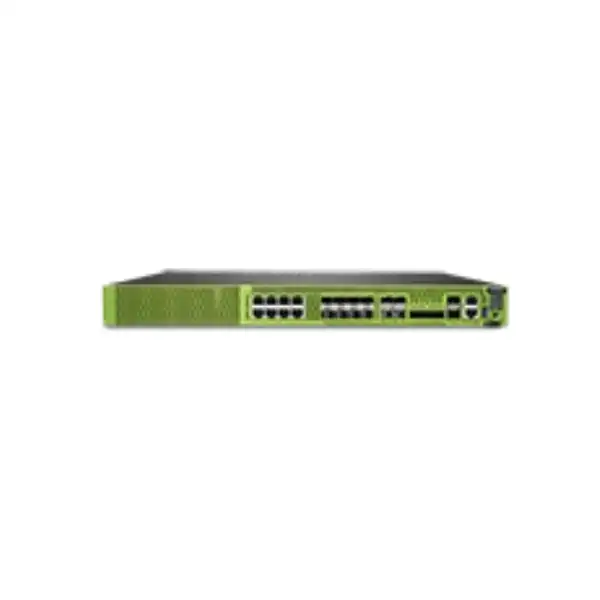
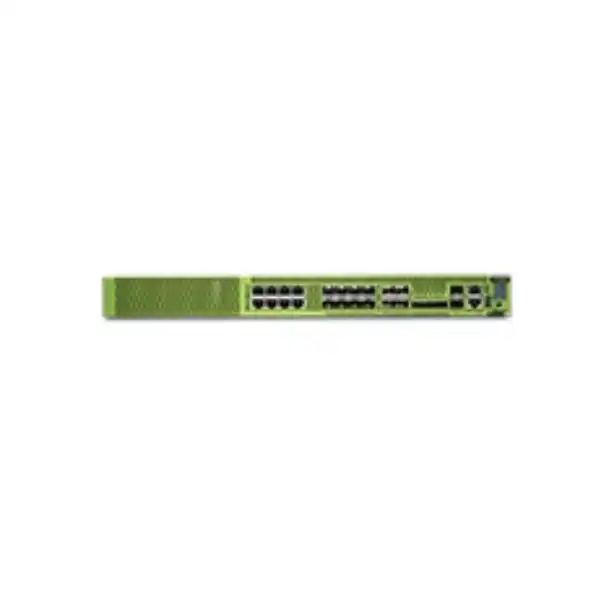
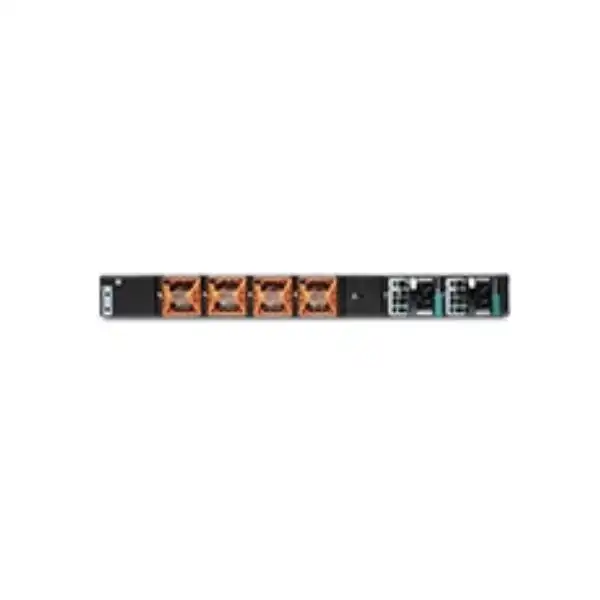
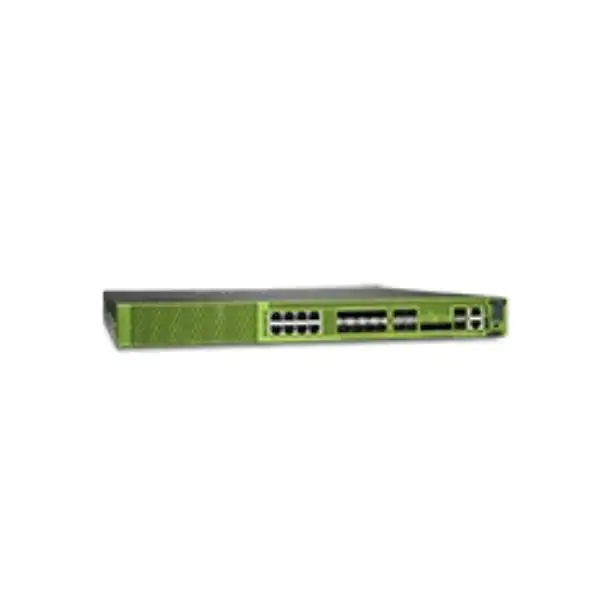
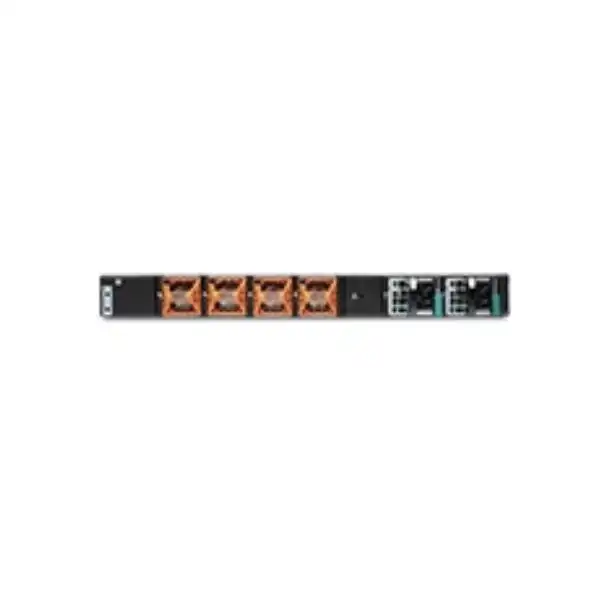
Juniper SRX2300 Firewall Dubai
The Juniper SRX2300 is a compact 1U next-generation firewall for organizations that need a serious step up in throughput, interface flexibility and security scale without moving immediately to a larger chassis platform. It combines Junos OS routing, firewalling, VPN, application security, threat-prevention integrations and automation in a platform designed for distributed enterprise networks and modern data-center fabrics.
Direct answer: what is the Juniper SRX2300?
The Juniper Networks SRX2300 is a mid-range, fixed-form-factor 1U firewall that consolidates next-generation firewall services with carrier-class routing, switching, IPsec VPN and automation. Juniper positions it for small-to-medium enterprise edge, campus edge and data-center edge use, while also supporting secure VPN router, roaming, large-branch SD-WAN and secure-hub scenarios. It is most relevant to organizations that have outgrown branch-class appliances but do not need the physical scale or modularity of a higher-end chassis firewall.
Its main buying attraction is the combination of performance and port diversity. The platform provides eight multi-gigabit BASE-T interfaces, eight SFP+ interfaces, four SFP28 interfaces and two QSFP28 interfaces, giving architects options for copper access, 10 GbE aggregation, 25 GbE uplinks and high-speed 40/100 GbE connectivity. Published figures include up to 39 Gbps firewall performance, up to 36 Gbps IPsec VPN performance, 35 Gbps IPS performance, five million concurrent sessions and up to 30,000 security policies. Those headline values are not interchangeable, so sizing must use the security functions that will actually be enabled and the traffic profile that will actually cross the device.
Organizations should consider the SRX2300 when they need a compact enterprise firewall with strong routing, VPN, high-speed interfaces, EVPN-VXLAN integration and centralized management. The most important factor to confirm before ordering is not simply the Internet circuit speed: it is the expected inspected traffic mix after enabling IPS, application security, URL controls, advanced threat services, VPN, logging and high availability. FourTeck can help determine whether the SRX2300 has the right capacity, ports, subscription tier, transceivers, power configuration and migration design for a Dubai or wider UAE deployment.
Where the SRX2300 fits in a real enterprise design
The SRX2300 sits in an important middle ground. It is considerably more capable than a typical branch firewall, yet it remains a compact fixed appliance rather than a large modular security chassis. That distinction matters for buyers. A branch firewall is often selected around one or two WAN links and a relatively modest number of users. A data-center-class platform, by contrast, must cope with higher session counts, multiple routed or switched handoffs, east-west segmentation, high-speed uplinks, complex routing and stronger resilience requirements. The SRX2300 is designed for organizations whose requirements are moving toward the latter but still fit comfortably within a 1U fixed system.
At a campus edge, the appliance can sit between core or distribution switching and Internet, private WAN or cloud connectivity. Its 10, 25 and 100 GbE-capable interfaces make it practical to avoid introducing a low-speed choke point when the campus core has already moved beyond 10 GbE. In a data-center edge role, the firewall can provide security policy enforcement between external networks, shared services, tenant segments or workload fabrics. Juniper specifically highlights EVPN-VXLAN integration, including EVPN Type 5 route support, as a way to insert security into a modern fabric without treating the firewall only as a traditional perimeter box.
For a large branch or secure SD-WAN hub, the value is different. Here the key questions are aggregate VPN demand, the number of tunnels, routing scale, application visibility and whether the organization needs centralized policy and automation. The SRX2300 supports up to 4,000 IPsec VPN tunnels and is built on Junos OS, which can be significant for teams already operating Juniper switching or routing because operational tooling, syntax patterns and automation practices can be shared across parts of the network.
The platform is therefore best treated as an architecture component rather than a simple replacement firewall. A successful purchase starts by mapping every physical link, logical zone, security service, VPN relationship, routing protocol, management dependency and failure scenario. If those requirements fit the SRX2300 comfortably with sensible growth headroom, the 1U form factor can provide a very efficient security edge. If they do not, moving up to a larger SRX platform before deployment is usually preferable to designing around a device that will be permanently close to its operational ceiling.
Key SRX2300 specifications buyers should understand
| Specification | Published SRX2300 value | Buyer interpretation |
|---|---|---|
| Form factor | 1U fixed chassis | Efficient for standard 19-inch racks, but port expansion is through onboard interfaces rather than modular line cards. |
| Firewall performance | Up to 39 Gbps; 28 Gbps IMIX in the datasheet | Use the packet-size and security-service profile that most closely resembles production rather than sizing from the largest number alone. |
| IPS performance | 35 Gbps on Juniper’s specification page | Relevant when intrusion prevention will be a core control; real results depend on policy, traffic and software conditions. |
| IPsec VPN performance | Up to 36 Gbps with 1400-byte traffic; 18 Gbps IMIX | Useful for hub, site-to-site and secure WAN planning, but crypto parameters and concurrent security inspection remain relevant. |
| Concurrent sessions | 5 million | Important for busy campuses, shared Internet edges and data centers where connection count may matter as much as bandwidth. |
| New sessions | 200,000 per second sustained TCP 3-way on current product specifications | A key metric for environments with many short-lived sessions. Do not confuse it with other connection-per-second test methods. |
| Security policies | Up to 30,000 | Allows substantial policy scale, but clean zone design and rule governance remain more valuable than simply having a high limit. |
| IPsec tunnels | 4,000 | Supports substantial distributed-network use cases; topology, route scale and aggregate encrypted traffic still determine fit. |
| IPv4 route scale | 2 million RIB / 1.2 million FIB | Important for routing-heavy designs, but actual routing architecture and software release support should be checked. |
| Storage | Two 120 GB SSDs | Juniper documents these internal SSDs as non-field-replaceable, which is relevant to lifecycle and service planning. |
Interface architecture: one of the SRX2300’s strongest design advantages
The SRX2300’s onboard interface mix is unusually important because the appliance has no Mini-PIM expansion slots. In other words, the network design should be validated against the ports built into the chassis before the purchase is placed. The system provides eight RJ-45 BASE-T ports supporting 1, 2.5, 5 and 10 GbE, eight SFP+ ports supporting 1 and 10 GbE, four SFP28 ports supporting 1, 10 and 25 GbE, and two QSFP28 interfaces. Current Juniper hardware documentation lists the QSFP28 family of speeds up to 100 GbE, while product marketing emphasizes 40/100 GbE. Exact supported breakout, optic, DAC and speed combinations should be checked in Juniper’s Hardware Compatibility Tool against the planned Junos OS release.
The eight multi-gigabit copper ports can simplify connections to appliances, upstream switches or service handoffs that are delivered on copper. Because they support intermediate 2.5 and 5 GbE speeds as well as 1 and 10 GbE, they give engineers more flexibility than an all-1G or all-10G copper design. However, the cabling plant and the device on the other side must support the selected rate. A 10 GbE-capable firewall port does not make an older cable run or switch interface 10 GbE-ready.
The SFP+ and SFP28 groups are useful when the firewall needs to connect directly into fiber distribution, data-center switching or carrier handoffs. Buyers should budget separately for compatible transceivers or DAC cables unless the quotation explicitly includes them. This is a common procurement gap: the chassis is ordered correctly, but the deployment is delayed because optical type, wavelength, reach or connector style was never mapped to the actual fiber path. For UAE projects involving multiple buildings or data-center cross-connects, the optic decision should be made from the physical link specification, not from the firewall model name alone.
The two QSFP28 ports make the platform suitable for designs where a 40 or 100 GbE physical handoff is required even if the inspected security throughput is lower than the raw port speed. That distinction is normal. High-speed interfaces can still be valuable for aggregation, redundancy, traffic bursts, segmentation and avoiding forced topology changes. The correct question is whether the aggregate security workload, not merely the port line rate, remains within the firewall’s intended operating envelope.
In addition to traffic interfaces, the SRX2300 includes a dedicated 1 GbE RJ-45 out-of-band management port, an RJ-45 console port, a USB 3.0 Type-A port and two dedicated 1 GbE SFP high-availability ports. Juniper also identifies all network ports, including the HA ports, as MACsec-capable. For architectures that use MACsec to protect data in motion on Ethernet links, this creates useful design options, but feature support, keys, peer compatibility and software requirements still need to be validated as part of the implementation plan.
Port planning checklist before a Dubai quotation
Copper handoffs
List every RJ-45 connection and required speed. Include ISP handoffs, switch uplinks, management networks and any migration-period links that must coexist temporarily.
Fiber and optics
Record speed, fiber type, wavelength, connector, distance and peer device. Validate each optic or DAC combination rather than assuming any generic SFP will be accepted.
40/100 GbE use
Decide whether QSFP28 ports are needed for production, HA-adjacent architecture, aggregation or future growth. Confirm supported speeds and cabling for the chosen Junos release.
Dedicated HA links
Include the two dedicated 1 GbE SFP HA ports in the cluster plan and confirm how control and fabric connectivity will be implemented for the selected topology.
No PoE / no Mini-PIM
The SRX2300 does not provide PoE+ and does not have Mini-PIM slots. If the design depends on powered edge devices or modular interface cards, another topology or platform may be more appropriate.
Performance sizing: why the 39 Gbps headline is only the start
Firewall throughput figures are useful, but enterprise sizing becomes inaccurate when a single headline number is treated as a guaranteed production rate for every workload. Juniper publishes multiple SRX2300 performance measurements because traffic behavior and enabled services change the amount of work the appliance must perform. The maximum firewall figure is 39 Gbps, while the datasheet also lists 28 Gbps for IMIX traffic. IPsec is listed at up to 36 Gbps with large packets and 18 Gbps with IMIX traffic. The same datasheet provides different values for application security, next-generation firewall testing, secure web access and advanced threat scenarios. These figures should be read as a performance profile rather than collapsed into one number.
A Dubai enterprise with a 10 Gbps Internet circuit, for example, should not automatically conclude that a 39 Gbps firewall is four times larger than required. The actual workload may include dual Internet links, private WAN traffic, site-to-site VPN, cloud egress, inter-zone traffic, application inspection, IPS, URL filtering, malware protection and substantial east-west flows that never appear in the ISP bandwidth figure. Conversely, an organization with a relatively simple policy set and predictable traffic may not require the full feature stack on every flow. The capacity exercise therefore begins with traffic paths and security controls, not with the ISP invoice.
Session scale is another part of the sizing picture. The SRX2300 supports up to five million concurrent IPv4 or IPv6 sessions. Current Juniper product specifications also list 200,000 new sessions per second using a sustained TCP three-way-handshake methodology. The datasheet separately references 450,000 connections per second for a 64-byte methodology. These values are not contradictory if the test definitions differ; they illustrate why a procurement document should specify which metric is being used. Environments with web proxies, APIs, microservices, public applications or high-volume client access can stress session creation independently of aggregate bandwidth.
Encrypted traffic deserves special attention. IPsec consumes processing resources, but modern security policy often also requires inspection of traffic after decryption, logging, threat intelligence lookups and application identification. SSL/TLS use can introduce additional demands depending on architecture and policy. Juniper lists 8,000 SSL connections per second for the SRX2300, which is a useful indicator for designs involving substantial encrypted-session processing. The implementation team should decide which traffic must be decrypted or inspected, which must bypass inspection for legal or technical reasons, and whether certificate deployment to endpoints is practical.
A sensible production design leaves headroom. Exact percentages depend on business growth, redundancy mode, traffic variability, maintenance procedures and the organization’s risk tolerance. The objective is to avoid a firewall that meets today’s average load but becomes difficult to operate during backups, incident-response events, link failover, seasonal peaks or a major policy expansion. FourTeck can translate measured current traffic and expected growth into a sizing discussion that is more defensible than buying against the largest published throughput figure.
Next-generation security capabilities and what they mean operationally
The SRX2300 runs Junos OS and supports the security functions buyers expect from a modern enterprise firewall, including stateful firewalling, application identification, user-aware controls, intrusion prevention and content-security functions. Juniper also integrates the platform with Advanced Threat Prevention Cloud for deeper threat analysis and mitigation. The practical value is not that every feature should be enabled everywhere. Good security architecture uses the appropriate controls on the traffic that benefits from them, then measures the performance, licensing and operational impact of that policy.
Application-aware control can improve policy quality because administrators are no longer limited to source address, destination address and port. A web application using TCP 443 may require different handling from a sanctioned business SaaS service, a remote-access tool or an unknown application that happens to use the same transport. Application visibility can therefore support better segmentation, reporting and policy decisions. It also creates an ongoing operational requirement: application signatures, rule logic and exceptions need governance rather than being treated as a one-time installation step.
Intrusion prevention is relevant when traffic must be inspected for exploit behavior and known attack patterns. Juniper lists 35 Gbps IPS performance on the SRX2300 specification page, but the production value will depend on traffic, software, signatures and the security profile. The choice of which signatures to enforce, monitor or exempt should follow the exposure of the protected services. A highly sensitive public-facing application segment may justify a different IPS posture from a trusted management network. Overly broad enforcement without tuning can create operational noise, while overly permissive policy can undermine the reason the feature was purchased.
Threat-intelligence and ATP functions extend the firewall’s decision-making beyond static local rules. Juniper’s current licensing model for SRX2300 includes different Advanced and Premium tiers, with premium options adding ATP Cloud capabilities. Depending on bundle, features can include application security, IPS, antivirus, web filtering, SecIntel, ATP Cloud, adaptive threat profiling, encrypted traffic insights, DNS security and IoT-related security functions. Because licensing changes over time and feature support depends on platform and software release, the quotation should name the exact subscription SKU and term rather than use a generic phrase such as “full security license.”
Built-in Zero Trust capabilities are another part of Juniper’s positioning. The SRX2300 includes a cryptographically signed device identity associated with TPM 2.0, intended to support hardware and software attestation and reduce device-spoofing or supply-chain risk. This is particularly relevant to organizations building automated onboarding and trust verification into their network lifecycle. It should not be confused with a complete Zero Trust program: identity, endpoint posture, access policy, segmentation, authentication and continuous verification still have to be designed across the wider environment.
The strongest security outcome comes from matching the SRX2300’s capabilities to a defined control model. Buyers should document which traffic needs basic stateful firewalling, which needs application visibility, which requires IPS or URL filtering, which should be inspected for malware, and which must use cloud threat services. That map becomes the basis for both license selection and realistic performance sizing.
SRX2300 licensing: specify the feature set, not just the appliance
A firewall hardware quotation is incomplete if the security entitlement is not tied to the business requirement. The SRX2300 includes Junos base functionality for core routing, firewall, switching, NAT, VPN and related platform functions, while advanced security capabilities are offered through subscription bundles. Juniper’s current licensing documentation includes Flex Tier next-generation licensing for the SRX2300 with Advanced 1, Advanced 2, Premium 1 and Premium 2 variants and subscription terms that can include one, three, five or seven years depending on the SKU family. Separate Data Protection and Edge Protection bundle terminology also appears in Juniper documentation for this class of SRX platform.
The distinction between tiers matters. Current Juniper licensing tables show IDP signatures and Juniper antivirus within the Advanced and Premium next-generation tiers. Web filtering and related web antivirus capabilities are associated with the “2” variants, while ATP Cloud appears in Premium tiers. Other licensing documentation for Data Protection and Edge Protection bundles describes combinations that can include application security, IPS, AI-predictive threat functions, SecIntel, Security Director Cloud, NextGen URL Filtering, ATP Cloud, adaptive threat profiling, encrypted traffic insights, DNS security and IoT capabilities. A buyer who requires one specific feature should validate the exact bundle rather than infer inclusion from a marketing label.
Management can also have a licensing dimension. Juniper documents Security Director Cloud subscription SKUs for SRX2300-class devices, with standard cloud management terms available in multiple durations. Organizations that already operate Security Director on-premises may have a different commercial path from those building a cloud-managed security estate. The decision should reflect the number of firewalls, operational model, change-control process, visibility requirements and whether centralized policy orchestration is a core requirement.
Subscription duration affects both budget and lifecycle planning. A three-year hardware deployment paired with a one-year security subscription creates an avoidable renewal event and a risk of feature expiry if ownership is unclear. On the other hand, committing to a long subscription without confirming architecture and feature adoption may reduce flexibility. Procurement teams should align the security term with the expected service life, support arrangement and financial planning cycle, and should record subscription renewal ownership at the time of purchase.
ATP Cloud has its own activation workflow. Juniper documentation explains that physical SRX devices associate the entitlement with the device serial number and cloud service rather than requiring the same local license-key installation workflow used by some virtual systems. This matters during replacement and RMA planning because the entitlement, device identity and cloud enrollment must be handled correctly. Deployment documentation should capture the relevant support accounts, authorization information and ownership process rather than leaving them with an individual engineer.
For FourTeck quotations, the most useful licensing input is a short list of required outcomes: IPS, application visibility, web filtering, malware protection, advanced threat analysis, DNS security, centralized management and desired subscription duration. From that list, the exact current Juniper bundle can be mapped more reliably than selecting a package by name first and discovering feature gaps later.
Routing, switching and network integration with Junos OS
One reason the SRX2300 is relevant to network teams is that it is not designed as a security appliance isolated from the routing architecture. Junos OS gives the platform extensive routing and switching capabilities, allowing it to participate directly in enterprise routing designs instead of requiring a separate router for every deployment. Juniper specifically describes carrier-class advanced routing and quality-of-service capabilities as part of the product proposition. This can simplify edge architectures when the firewall must exchange dynamic routes with service-provider circuits, data-center fabrics, WAN systems or internal core networks.
The published IPv4 routing scale reaches two million RIB entries and 1.2 million FIB entries. Those numbers indicate that the appliance is intended for routing-heavy environments, but they do not mean every buyer should import large routing tables. Route scale influences convergence, policy, operational troubleshooting and memory use. A design that only needs default routes or a limited set of private prefixes should remain simple. A design that needs BGP from multiple providers, large route sets, route filtering, communities or complex redistribution should be reviewed as a routing architecture as well as a firewall architecture.
Quality of Service also becomes relevant when VPN, Internet, voice, application and management traffic share interfaces. Security inspection does not remove the need for traffic engineering. If the organization depends on real-time applications or has contractual WAN classes, the implementation should map DSCP behavior, shaping, policing and queue requirements end to end. Any policy that changes encapsulation, encryption or routing paths should be tested to make sure QoS intent survives across the complete service.
The Junos operational model can be a strong fit for enterprises already using Juniper EX, QFX, MX, PTX or ACX platforms. Common configuration conventions, telemetry approaches and automation interfaces can reduce tool sprawl. Juniper also highlights Python, Junos OS event scripts, commit scripts and operational scripts as automation mechanisms. The advantage is not automatic just because the products share an operating system; teams still need version control, peer review, rollback plans and tested templates. But a consistent network operating model can make a multi-device estate easier to govern.
When migrating from another firewall vendor, routing behavior deserves its own workstream. Static routes, BGP policies, OSPF areas, route redistribution, VRFs, asymmetric paths, NAT dependencies and failover behavior should be documented before security rules are translated. Many migration issues blamed on firewall policy are actually path-selection or return-routing problems. Building a routing baseline first makes the later security cutover much more predictable.
EVPN-VXLAN and data-center fabric security
The SRX2300 is notable for Juniper’s emphasis on EVPN-VXLAN integration. Traditional firewalls are often deployed at a small number of north-south choke points, while modern data centers distribute workloads across leaf-spine fabrics and overlays. In those environments, security policy may need to follow traffic that moves between segments or exits the fabric at different points. Juniper’s Connected Security approach is designed to make the firewall part of that broader security fabric rather than an isolated perimeter device.
Juniper documents EVPN Type 5 route support and the ability to apply Layer 4 through Layer 7 security services to VXLAN-encapsulated traffic without requiring the same decapsulation model used in some traditional designs. For architects, the important point is that the SRX2300 can participate in routed overlay environments and can be evaluated as a security enforcement point for data-center fabrics. The precise architecture still depends on the leaf-spine design, routing instances, tenant separation, traffic steering and the Junos feature set in the deployed software version.
This capability is most useful when the data-center team and security team design together. If the network fabric carries tenant or application segmentation in VNIs while the firewall policy is built around zones and addresses with no shared source of truth, operational complexity rises quickly. A better approach maps application or tenant boundaries to routing and security constructs, defines which traffic must cross the firewall, and uses automation where repeatable policy placement is possible.
Not every SRX2300 deployment needs EVPN-VXLAN. A straightforward Internet edge may be better kept straightforward. The feature becomes compelling when the firewall must integrate directly with a modern fabric, when east-west security is required, or when the organization is already standardizing on EVPN-VXLAN across campus and data-center environments. The design value is therefore architectural flexibility rather than a reason to add overlay complexity to an environment that does not need it.
IPsec VPN, remote connectivity and secure-hub use cases
The SRX2300 is well suited to VPN-heavy roles because Juniper publishes up to 36 Gbps IPsec VPN throughput for large-packet testing, 18 Gbps for IMIX traffic and support for up to 4,000 IPsec tunnels. Those numbers make the appliance a candidate for aggregation points that terminate many branch, partner, cloud or site-to-site tunnels. The correct fit depends on the aggregate encrypted traffic, number of active tunnels, route exchange, failover behavior and security services applied after decryption.
A secure-hub design should model failure conditions, not only steady-state traffic. If two regional hubs normally share load but one must absorb the other’s tunnels during an outage, each hub may need to be sized for substantially more than its usual volume. The same principle applies to dual Internet providers or active/backup firewall clusters. Capacity reserved for failure is not wasted capacity; it is what makes the resilience design real.
Remote-user connectivity can be provided through Juniper Secure Connect and related Junos capabilities, but the project should distinguish remote-access VPN requirements from site-to-site VPN. User authentication, endpoint software, identity integration, split tunneling, DNS behavior, certificate management and user experience can dominate remote-access projects even when the firewall has ample throughput. Organizations with large mobile workforces should define the number of concurrent remote users and authentication architecture before assuming that site-to-site tunnel scale is the relevant metric.
Cryptographic standards also need to be specified. The approved IKE version, cipher suites, key-exchange groups, certificate or pre-shared-key approach, rekey timers and interoperability requirements should be agreed with peers. When connecting to third parties or cloud providers, the available parameters may be constrained by the remote side. A technically capable firewall cannot negotiate a tunnel if the two endpoints have no common configuration.
For migrations, the safe sequence is to inventory every existing tunnel, identify owners, remove obsolete relationships, document interesting traffic and routing, and schedule peer changes. VPN cutovers are often delayed by external parties rather than by the firewall itself. A project plan that treats each third-party tunnel as a dependency will produce a more realistic migration schedule.
High availability and hardware resilience
Chassis clustering
Juniper supports chassis-cluster high availability on the SRX2300, including active/active and active/backup scenarios. A resilient design should define which interfaces, routing adjacencies, VPNs and sessions must survive a node failure and how upstream/downstream networks detect the change.
Stateful synchronization is valuable because failover can preserve configuration and session state, but application behavior during a real outage still depends on timers, peer devices, routing convergence and the type of traffic in flight.
Power redundancy
The chassis supports 1+1 redundant power and hot-removable, hot-insertable PSUs. Juniper’s hardware guide notes that the SRX2300 may ship with one PSU and that the second PSU can be ordered separately. A quotation intended to deliver power redundancy should therefore state both PSUs explicitly.
AC and DC power supplies must not be mixed in the same chassis. The power architecture should match the rack, PDU and facility standard from the outset.
Fan and field replacement
Fans, PSUs and transceivers are field-replaceable components. Juniper documents four fan modules with 3+1 redundancy. Maintenance planning should include access to the rear or service side, spare strategy and a process for replacing failed components promptly.
The two internal 120 GB SSDs are not field replaceable, so storage-related faults should be considered in the support and RMA strategy.
AC or DC model: a facilities decision as much as a firewall decision
The SRX2300 is available in AC and DC power variants. That choice should be made from the facility standard, rack power design and resilience strategy, not simply from what is easiest to source. Juniper specifies 450 W AC power supplies and 650 W DC power supplies, with the DC input range documented from -44 VDC through -72 VDC. In a conventional enterprise server room, AC is often the straightforward choice. In telecommunications, service-provider or certain data-center environments, DC may align better with the installed power system.
The chassis supports two supplies for 1+1 redundancy, but the presence of two PSU bays does not guarantee that two PSUs are included in every commercial bundle. Juniper’s hardware documentation explicitly notes that systems can ship with one PSU and that the second can be ordered separately. Buyers who require redundant power should make “two matching PSUs” an explicit line item rather than relying on the word “redundant” in a specification table.
Power redundancy also depends on where the cables terminate. Two power supplies plugged into the same PDU or the same upstream circuit may protect against a PSU failure but not against a PDU or circuit failure. For critical deployments, each supply should normally be connected to an appropriate independent power path according to the facility design. The firewall procurement and rack-power design should therefore be reviewed together.
Cooling is front to back, and the device is designed for 0°C to 40°C operating temperature at the documented altitude range, with 5% to 90% non-condensing humidity. UAE installations should pay attention to conditioned rack environments, dust control and airflow management. The SRX2300 belongs in a properly cooled equipment space; published environmental limits should not be interpreted as permission to install an enterprise firewall in an uncontrolled room where ambient conditions can regularly exceed specification.
Physical deployment, rack space and installation readiness
The SRX2300 occupies one rack unit and measures approximately 17.28 inches wide, 1.74 inches high and 18.20 inches deep, excluding additional service clearance. Juniper’s Hardware Explorer lists a chassis depth with field-replaceable units of about 19.9 inches and recommends maintenance clearance. For most standard enterprise racks the footprint is straightforward, but compact wall cabinets, shallow racks and crowded legacy enclosures should be checked before delivery.
A deployment survey should confirm rack-unit availability, rail or mounting requirements, PDU outlet type, redundant power paths, cable entry direction, fiber management, console access and front-to-back airflow. These details are easy to overlook because they are not part of firewall policy design, yet they are frequent causes of installation-day delays. A device that arrives with the wrong power lead or without the required optic cannot be made production-ready by a perfect configuration.
Out-of-band management should be treated as part of the design rather than an optional convenience. The dedicated 1 GbE management port allows the firewall to connect to a management network that can remain reachable even when production data interfaces are being changed. For critical sites, that management path should ideally be accessible through a separate route or console system so engineers can recover from routing, policy or upgrade issues without relying entirely on the same firewall path they are troubleshooting.
Before installation, the project team should also decide the initial Junos OS version and upgrade policy. Hardware may arrive with a release different from the organization’s standard. The implementation should check feature support, recommended releases, open issues and compatibility with centralized management before production cutover. Software alignment is especially important in a high-availability pair because cluster members must be managed as a consistent system.
Management options: local control, centralized policy and automation
Juniper supports several management paths for the SRX2300, including the command-line interface, on-box web GUI, Juniper Security Director on-premises and Security Director Cloud. The best choice depends on the scale of the firewall estate and the operational maturity of the team. A single appliance can be operated locally, but organizations managing many SRX devices often benefit from centralized policy, visibility and consistent deployment workflows.
The on-box GUI can simplify common tasks such as firewall policy, NAT and IPsec VPN configuration. It is useful for teams that prefer visual workflows or need a direct management option during implementation. The CLI remains important for detailed troubleshooting, automation and experienced Junos operations. Rather than treating GUI and CLI as competing methods, many teams use both: visual tools for common operations and the CLI for validation, diagnostics or advanced configuration.
Security Director Cloud extends management across a larger environment and is part of Juniper’s unified security-management approach. Central management can support zero-touch provisioning, policy placement, common visibility and automation. The benefit is strongest when policies are standardized and device ownership is clear. Centralized tools do not remove the need for change control; they make it possible to apply change control consistently across more devices.
Automation is especially relevant for repeatable network and security changes. Junos supports scripting and Python-based workflows, and Juniper emphasizes automation across its networking portfolio. Organizations can use templates, APIs and version-controlled configuration practices to reduce manual error. The key is to automate validated intent rather than automate an undocumented configuration. A clean source of truth for interfaces, zones, addresses, routes and policies should come first.
For Dubai enterprises with multiple branches or data-center sites, the management decision can affect the total cost of ownership more than small differences in hardware price. Central visibility, standardized configuration and faster troubleshooting reduce operational effort over several years. That is why the management platform and subscription should be decided during procurement, not after the hardware has already been installed.
Practical SRX2300 deployment scenarios
Enterprise Internet edge
Use the SRX2300 where an organization needs multi-gigabit Internet security, dynamic routing, NAT, VPN and advanced inspection in a compact appliance. Size against inspected traffic and failover load, not just contracted bandwidth.
Campus edge
The mix of copper, 10 GbE, 25 GbE and 100 GbE interfaces can connect modern campus cores without forcing the security edge into a low-speed port design. Routing and segmentation can be consolidated where appropriate.
Data-center edge
High session scale, fast uplinks and EVPN-VXLAN support make the platform relevant to data-center perimeter and fabric-integrated security. The design should map traffic steering and tenant segmentation carefully.
VPN aggregation hub
With up to 4,000 IPsec tunnels and substantial encrypted throughput, the SRX2300 can aggregate branch or partner VPNs. Reserve capacity for failover and confirm crypto interoperability with remote peers.
Large branch / SD-WAN role
The appliance can support large-branch and secure-hub SD-WAN scenarios where branch-class hardware is no longer adequate. The decision should include centralized orchestration, routing scale and application-aware policy.
Segmentation gateway
The SRX2300 can enforce policy between internal security zones or high-value environments where segmentation needs routing, inspection and logging. This is often more demanding than simple north-south Internet firewalling.
Security policy design and segmentation
A firewall with capacity for 30,000 security policies can support complex environments, but policy quality matters more than raw rule count. The first design step should be a clear zone model. Internet, user, server, management, guest, partner, cloud and application environments should be separated according to actual trust boundaries rather than historical VLAN names. Once zones reflect business risk, policies can be expressed more cleanly and troubleshooting becomes easier.
Address objects and application objects should also follow a consistent naming standard. Migrations often import years of duplicate objects, temporary rules and undocumented exceptions. Copying all of that directly to a new SRX2300 transfers operational debt into the new platform. A controlled migration should identify used rules, remove obvious obsolete entries, record rule owners and use counters or traffic evidence where available to decide what genuinely needs to move.
Application-aware policy gives the team the option to write controls around business behavior rather than transport ports alone. That can improve security, but it requires staged deployment. A common practice is to observe application identification first, compare results with expected business use, then tighten policy after exceptions are understood. Enforcing a new application control at the same moment as a hardware cutover can make fault isolation unnecessarily difficult.
Logging strategy should be decided with the same care. Logging every allowed packet is rarely useful, while logging too little makes incident response difficult. The team should define which session starts or closes are logged, which threat events must be sent to SIEM, retention requirements, time synchronization, and how high-volume events will be filtered or aggregated. Central logging also needs enough network and storage capacity to handle peak event rates.
The SRX2300 provides the scale to support sophisticated policy, but the appliance cannot substitute for governance. Rule review, expiry dates for temporary access, owner attribution, naming standards and periodic recertification are the practices that keep a large policy base usable over time.
NAT, public services and Internet-facing applications
Network Address Translation remains a core requirement for many Internet-edge deployments. The SRX2300 can combine NAT with routing and security policy, which simplifies designs where public services, outbound users, partner connections and VPNs share the same edge. The migration challenge is not usually whether the firewall can perform NAT; it is making sure every existing translation, route, DNS dependency and application reference is documented.
Source NAT for outbound users may depend on one or more public address pools, while destination NAT for published services maps external addresses and ports to internal systems. Static NAT may be used where a consistent one-to-one relationship is required. During migration, these rules must be examined alongside ISP handoffs and routing because a translation can be technically correct yet unreachable if the provider routes the public prefix differently from the old design.
Public applications also create a security-policy question. A server exposed to the Internet should generally sit in an appropriate security zone, with access limited to required services and with logging and threat prevention selected according to the application risk. If TLS termination occurs elsewhere, the firewall may see different traffic characteristics than if encrypted sessions pass directly through. That decision affects inspection and troubleshooting.
Organizations using multiple ISPs should model how NAT behaves during failover. An application published through one provider address may not automatically remain reachable through a second provider unless DNS, route advertisements or alternate public addresses are part of the design. Outbound sessions may also change source address after failover, which some SaaS allowlists or partner systems may not accept.
A robust SRX2300 cutover document therefore links each NAT rule to its business service, public address, security policy, routing dependency, DNS record and validation test. This converts a long technical rule set into a testable migration plan.
Migration from an existing firewall to the SRX2300
Replacing an existing firewall is a systems-integration exercise, not a configuration-copy task. The source firewall may use different terminology for zones, objects, NAT, VPN, application control and high availability. Even when an automated converter is available, the resulting Junos configuration should be reviewed against the intended design. A successful migration preserves required business connectivity while removing obsolete or risky behavior where it can be safely identified.
Discovery should begin with the physical and logical topology. Record every production interface, VLAN, subinterface, routed link, port-channel or LAG, management path and HA connection. Then document routing: static routes, BGP peers, OSPF relationships, default routes, redistribution and policy filters. Next, map security zones, address objects, services, application rules and NAT. VPNs should be treated as a separate inventory because each peer may require coordination with another organization.
The migration team should also inventory non-obvious dependencies. Examples include DHCP relay, DNS forwarding, NTP, authentication servers, syslog, SNMP, SIEM feeds, monitoring, certificate services, vulnerability scanners, backup systems, API integrations and automation scripts. These functions may not appear in the main firewall rule review, yet losing one can create significant operational impact after cutover.
A staged build is preferable. Configure the management plane first, then interfaces, zones and routing, followed by base security policy, NAT, VPN and advanced security profiles. Validate configuration commits and expected routes before the change window. Where possible, pre-stage optics, cabling and upstream switch configuration. If the old and new firewalls can be connected in parallel without creating routing loops, limited testing before cutover can reduce risk.
The rollback plan should be explicit. Define the condition that triggers rollback, who makes the decision, how cables or routing are restored, how long old equipment will remain available, and how changes made during the new-firewall window are handled. For high-risk environments, a rollback plan that simply says “reconnect the old firewall” is not enough; the team must know whether external BGP, VPN peers, NAT states or DNS changes also need to be reversed.
After cutover, validation should test business services rather than only ping. Confirm Internet browsing, DNS, critical SaaS, inbound applications, site-to-site VPN, remote access, monitoring, logging, identity integrations and administrative access. Review traffic and threat logs for unexpected denies or application changes. Only after those checks should the migration be considered complete.
What can make the SRX2300 the wrong choice?
Sustained inspected demand is too high
If expected NGFW, advanced-threat or encrypted traffic sits too close to the platform’s practical capacity, a larger SRX model should be evaluated. Headroom is especially important for HA failover.
You need modular expansion
The SRX2300 is a fixed appliance with no Mini-PIM slots. If the design depends on specialized modular interfaces or greater physical expansion, another platform may fit better.
Port mix does not match the topology
A device can be powerful enough and still be the wrong choice if the required copper, fiber, 25 GbE or 100 GbE connections cannot be mapped cleanly to the onboard interfaces.
A smaller platform is sufficient
If the site has modest traffic, few tunnels, simple routing and no need for higher-speed interfaces, a smaller SRX may reduce acquisition and subscription cost without compromising the design.
Facility conditions are unsuitable
An enterprise firewall requires adequate rack depth, power, cooling and controlled environment. If the location cannot provide these, the installation design must change before hardware selection is final.
Choosing between a smaller, equal or larger SRX platform
The supplied model should never be recommended automatically simply because it appears on a purchasing request. The better approach is to position the SRX2300 against the actual requirement. If the organization needs multi-gigabit inspected throughput, high session scale, 25/100 GbE connectivity, extensive VPN aggregation or EVPN-VXLAN integration, the SRX2300 can be a strong candidate. If only a small branch circuit and a few basic policies are required, the platform may be oversized. If the site must process substantially more advanced-security traffic or requires more hardware scale, a larger model should be considered.
A smaller appliance may lower hardware and subscription cost, power consumption and operational complexity. The risk is buying too close to today’s needs and then replacing it early because a second ISP, cloud migration, office expansion or new inspection policy exceeds the original design. A larger appliance creates more headroom and may support additional interfaces or resilience, but it also increases cost and can introduce unnecessary complexity. The correct answer is the smallest platform that meets required performance, scale, interfaces and resilience with reasonable growth margin.
When comparing models, use the same metrics across all candidates. Do not compare a raw firewall number on one model against an advanced-threat number on another. Compare firewall IMIX to firewall IMIX, VPN to VPN, NGFW to NGFW, session scale to session scale, and port layouts side by side. Also compare subscription requirements and management compatibility because a lower hardware cost can be offset by a license bundle that does not match the intended features.
FourTeck can build the comparison around the specific deployment rather than a generic product hierarchy. Useful inputs include current peak throughput, three-year growth, enabled security services, VPN count, session count, route scale, physical handoffs, HA requirement and preferred management platform. That creates a shortlist based on architecture instead of brand positioning.
Optics, DACs and cable compatibility
Transceivers and cables are a small line item compared with an enterprise firewall, but they often decide whether the installation works on schedule. The SRX2300 provides SFP+, SFP28 and QSFP28 interfaces in addition to multi-gigabit copper. Each fiber link must be matched to the peer device and physical medium: speed, multimode or single-mode fiber, wavelength, reach, connector and any intermediate patching all matter.
Juniper directs customers to its Hardware Compatibility Tool for supported transceivers, optical interfaces and DAC cables. That is the correct reference because compatibility can depend on hardware and Junos OS release. Third-party optics may function in some environments, but support expectations should be understood. If a fault investigation points to an unqualified optic or cable, replacement with a supported equivalent may be required during troubleshooting.
For short in-rack links, a supported DAC can be simpler and more economical than separate optical transceivers and fiber patch leads. For longer links, the optical design must match the installed fiber. Data-center cross-connects should be specified from the meet-me-room or facility handoff details, and metro or building-to-building fiber may require different optics again.
The 100 GbE-capable QSFP28 ports deserve particular attention because high-speed optics and breakout behavior are more configuration-sensitive than basic 1 GbE links. Engineers should confirm whether the design needs a native 100 GbE peer, a 40 GbE peer, another supported speed or breakout. The switch on the other side must support the same mode, and the transceiver or cable must be qualified for both ends.
A complete FourTeck bill of materials can therefore include the firewall chassis, matching power supplies, rack accessories, approved transceivers or DACs and the security subscription as separate, visible components. That is preferable to a bare-chassis quote that leaves critical connectivity decisions unresolved.
Operations, logging and lifecycle planning
An enterprise firewall will usually remain in service for years, so the operational model should be defined before purchase. The SRX2300’s configuration, security subscriptions, Junos OS updates, threat signatures, backup process, monitoring and support entitlement all have lifecycle consequences. A successful deployment is one the operations team can maintain consistently after the installation project has ended.
Configuration backup should be automated or at least scheduled and verified. Backups are only useful if the team knows which version is current and can restore safely. In centrally managed environments, the management platform may maintain device state and policy history, but local recovery procedures still matter. Critical credentials, recovery access, console procedures and support-account ownership should be documented so that a staff change does not become a security incident.
Software upgrades require planned testing. Junos releases can introduce new features, security fixes, behavior changes and resolved defects. The team should identify an approved release train, review release notes, confirm compatibility with Security Director and other integrations, and test failover where clusters are used. In high-availability designs, maintenance procedures should be rehearsed so an upgrade does not unexpectedly reduce resilience.
Subscription renewal is another lifecycle dependency. IPS signatures, URL filtering, ATP Cloud and other advanced services may depend on active entitlements. Procurement and security teams should know renewal dates, budget owners and the operational impact of expiration. Multi-year terms can reduce administrative overhead, but they should match the expected device lifecycle and support strategy.
Hardware support should be considered alongside the fact that fans, PSUs and transceivers are field replaceable while the internal SSDs are not. Critical deployments may justify spare optics or a defined onsite replacement process. If the firewall is part of a chassis cluster, the cluster itself reduces service impact during some hardware failures, but it does not eliminate the need to replace a failed component or node.
Finally, operations teams should baseline normal behavior after go-live: CPU and memory utilization, sessions, throughput, VPN state, interface errors, routing neighbors, log volume and threat events. A baseline makes it much easier to distinguish a real incident from normal variation and provides evidence for future capacity planning.
Dubai and UAE deployment considerations
For organizations in Dubai and the wider UAE, the SRX2300 can serve in headquarters, enterprise campuses, colocation facilities, private data centers and regional hub sites. The local design questions are similar to those anywhere else, but procurement and implementation should account for the actual service-provider handoffs, data-center cross-connect standards, rack power, environmental control and support process available at the deployment location.
Internet circuits in enterprise buildings can be delivered on copper or fiber and may use static addressing, provider routing or BGP depending on the service. Colocation facilities commonly introduce additional cross-connect and optic requirements. The firewall quote should therefore be based on the exact carrier handoff, not simply the contracted bandwidth. If the provider gives a 10 GbE LR handoff, the bill of materials is different from a 10GBASE-T handoff even though the bandwidth is identical.
Data residency and regulatory obligations vary by sector. The firewall can enforce segmentation, VPN and threat controls, but the wider compliance design must consider where logs are stored, how administrators authenticate, which cloud security services are enabled and whether organizational policy permits specific data to be sent to external analysis services. These are governance decisions that should be addressed during design rather than assumed from the appliance’s technical capability.
Environmental conditions also matter. Even though the SRX2300 is specified for operation up to 40°C under stated conditions, enterprise equipment should be installed in a properly conditioned environment with clean airflow. UAE ambient outdoor temperatures are not the relevant benchmark for a rack-mounted firewall; the rack inlet temperature, airflow and facility resilience are what determine reliable operation.
FourTeck can support the commercial and technical preparation for UAE deployments by translating circuit, rack, security and management requirements into a complete bill of materials. Availability, lead time and pricing can vary, so those points should be confirmed at quotation rather than represented as fixed website claims.
Procurement risks to eliminate before purchase
The most expensive firewall procurement mistakes are often omissions rather than wrong model numbers. A buyer orders the correct chassis but forgets the second PSU, the optics, the security subscription, a management entitlement or the installation scope. The hardware then arrives but cannot be deployed as designed. The SRX2300’s flexible interface and licensing model make a complete bill of materials particularly important.
Start with the exact chassis power variant. AC and DC models are different operational choices, and AC and DC PSUs cannot be mixed in the same chassis. If redundant power is required, specify two matching power supplies even if the platform supports 1+1 redundancy. Confirm the required power cords and PDU compatibility for the deployment rack.
Next, list every optical or direct-attach connection. Do not place “SFP required” in a quote without speed and media. A 10 GbE SR optic, 10 GbE LR optic, 25 GbE optic and 100 GbE QSFP28 are different items. If a link connects to an existing switch, record that switch model and port type so compatibility can be checked.
Then define the security subscription by capability and term. If the requirement includes web filtering and ATP Cloud, the license tier must be selected accordingly. If centralized cloud management is required, include the appropriate Security Director Cloud entitlement. If only base routing, firewall, NAT and VPN features are needed, do not assume a premium bundle is automatically necessary.
Support and professional services should be separate decisions. Hardware support determines replacement and vendor-assistance options, while implementation services cover design, configuration, migration, testing and documentation. A complex migration may require far more engineering effort than a greenfield deployment even when the same appliance is purchased.
Finally, record commercial assumptions in the quotation: quantity, exact model, license duration, optics, power supplies, delivery location, installation requirement, migration scope and any exclusions. This makes offers from different suppliers easier to compare and reduces the risk that a cheaper quote is simply missing critical items.
Suggested implementation journey
Capture circuits, traffic, sessions, VPNs, routes, applications, zones, interfaces, compliance requirements and growth expectations.
Compare inspected throughput, session creation, concurrent sessions, route scale, VPN demand and failover load against the SRX2300 profile.
Choose AC or DC, PSU quantity, optics, DACs, security subscriptions, management licenses and support.
Define HA, routing, zones, NAT, VPN, security services, logging, management and rollback strategy.
Align Junos release, configure management, interfaces and policy, validate optics, load subscriptions and test representative traffic.
Execute the change plan, validate business services, review logs and keep the rollback path available until acceptance criteria are met.
Frequently asked buyer questions
Is the Juniper SRX2300 a branch firewall or a data-center firewall?
It can serve both higher-end distributed enterprise and data-center edge use cases. Juniper describes it as a mid-range firewall suitable for small-to-medium enterprise edge, campus edge, data-center edge and secure VPN router deployments, and also highlights large-branch and secure-hub scenarios. Whether it fits depends on throughput, sessions, interfaces and security services rather than the site label alone.
What is the maximum firewall throughput?
Juniper’s current specification page lists up to 39 Gbps firewall performance. The datasheet also provides 28 Gbps for an IMIX firewall test. Because packet sizes and enabled security services change performance, a production design should use the measurement closest to the intended workload rather than relying only on the maximum figure.
How much VPN capacity does the SRX2300 provide?
Juniper publishes up to 36 Gbps IPsec VPN throughput for 1400-byte traffic and 18 Gbps for IMIX traffic, with support for up to 4,000 IPsec VPN tunnels. VPN sizing should also consider encryption parameters, route scale, tunnel concurrency, failover and security inspection applied to decrypted traffic.
Does the SRX2300 support 100 GbE?
Yes. The appliance includes two QSFP28 interfaces and Juniper markets 40/100 GbE connectivity, while current hardware documentation lists supported QSFP28 speeds that extend up to 100 GbE. Exact optic, cable, breakout and software support should be checked for the planned configuration.
How many sessions can it handle?
The published maximum is five million concurrent IPv4 or IPv6 sessions. Juniper’s current product specification also lists 200,000 new sessions per second using a sustained TCP three-way-handshake metric. Application behavior should be assessed because high connection churn can be more demanding than steady long-lived sessions.
Does the SRX2300 include redundant power supplies?
The chassis supports 1+1 redundant, hot-swappable power supplies. However, Juniper hardware documentation notes that the firewall may ship with one PSU and the second can be ordered separately. If power redundancy is required, the quotation should explicitly include two matching AC or two matching DC PSUs.
Can AC and DC power supplies be mixed?
No. Juniper warns that AC and DC power supplies must not be mixed in the same SRX2300 chassis. Choose the power variant to match the rack and facility design.
Are transceivers included?
Do not assume so. The SRX2300 supports several optical interface types, but the required SFP+, SFP28, QSFP28 or DAC components should be defined from the actual link design and included in the bill of materials. Compatibility should be checked in Juniper’s hardware compatibility resources.
Does it provide PoE?
No. Juniper lists zero PoE+ ports on the SRX2300. Devices that need power over Ethernet should be powered through an appropriate switch or injector rather than from the firewall.
Does it have expansion slots?
The SRX2300 is a fixed platform and Juniper lists no Mini-PIM slots. Its onboard port mix is therefore a key selection criterion.
Which license should be ordered?
The answer depends on required security functions. Advanced and Premium tiers differ in web filtering, ATP Cloud and other services, and Juniper offers multiple term lengths. The quote should identify required features first, then map them to the current SRX2300 license SKU.
Can the SRX2300 be centrally managed?
Yes. Juniper supports Security Director Cloud and Security Director on-premises, in addition to on-box GUI and CLI management. Central management is especially useful for multi-firewall estates and policy standardization.
Is EVPN-VXLAN supported?
Juniper explicitly positions the SRX2300 for EVPN-VXLAN integration and documents EVPN Type 5 route support. This is useful for modern data-center fabrics, but the exact feature design should be validated against the deployed Junos OS release and fabric architecture.
What should I provide for an accurate Dubai quotation?
Provide quantity, deployment role, peak and expected throughput, required security services, VPN count, ISP or internal handoff speeds, copper/fiber details, HA requirement, AC or DC preference, subscription duration, centralized management requirement and whether migration or installation services are needed.
Decision recap: six points that determine whether the SRX2300 is the right fit
Match the design to the security services and traffic mix that will be active in production, with headroom for failover and growth.
Map every copper, SFP+, SFP28 and QSFP28 link. The fixed chassis has strong port diversity but no Mini-PIM expansion.
Choose the exact subscription tier and term from the required features, particularly IPS, web filtering, ATP Cloud and centralized management.
Decide whether a chassis cluster is required and make sure each node, circuit and power path can support the intended failure mode.
Confirm AC or DC, two PSUs if redundancy is required, correct optics or DACs, rack fit, cooling and management connectivity.
Routes, NAT, VPNs, policies, identity, logging and external dependencies determine implementation complexity more than device installation alone.
What FourTeck needs from you for an accurate SRX2300 quotation
A short technical brief is enough to produce a much cleaner bill of materials. Provide the information you already know; unknown items can be resolved during sizing.
Number of appliances, Dubai/UAE location and whether the deployment is single-node or HA.
Current peak, expected growth, Internet/WAN speeds and major east-west or inter-zone flows.
IPS, application control, web filtering, antivirus, ATP Cloud, DNS security and other required features.
Every copper/fiber handoff, required speed, fiber type, distance and peer-device interface.
Tunnel count, remote-user needs, BGP/OSPF/static routing, route scale and provider requirements.
AC or DC, redundant PSU requirement, rack depth, PDU type and facility redundancy.
Local management, Security Director Cloud, on-premises management, logging and SIEM integration.
Hardware supply only, staging, configuration, migration, onsite installation, testing or documentation.
Build the right Juniper SRX2300 solution for your Dubai network
The SRX2300 is a capable 1U platform, but the best result comes from selecting it as part of a complete architecture: correct throughput headroom, the right security subscription, compatible optics, resilient power, appropriate high availability and a migration plan that reflects the existing network. Share your circuit speeds, interface requirements, security features and deployment scope with FourTeck to receive a quotation built around the actual environment rather than a bare appliance.

Reviews
There are no reviews yet.