
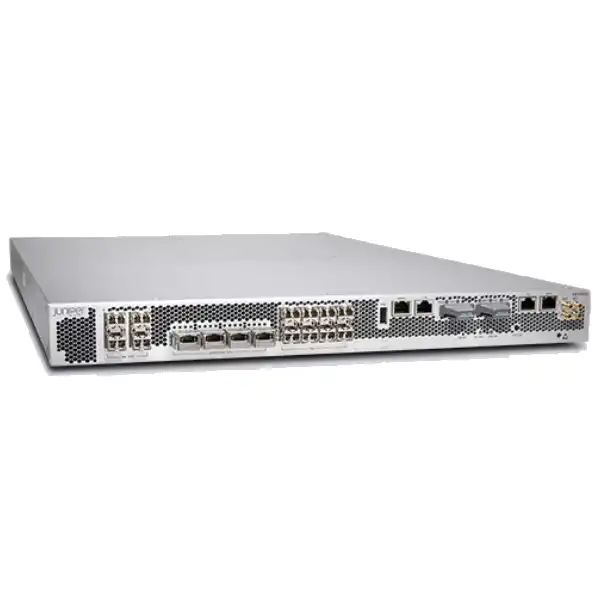
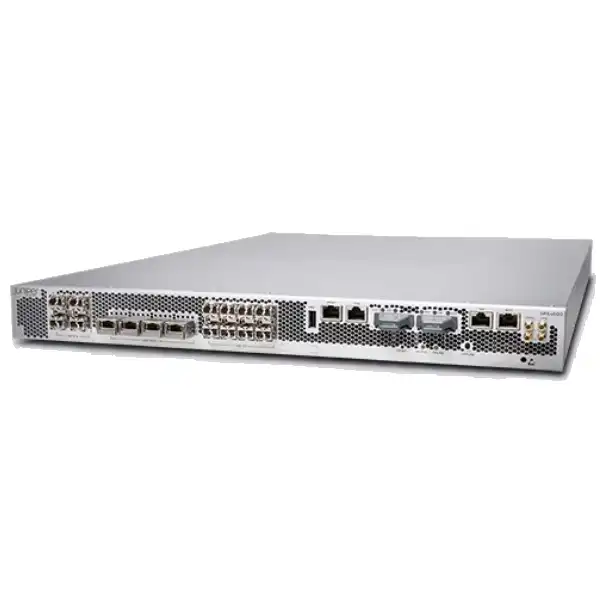
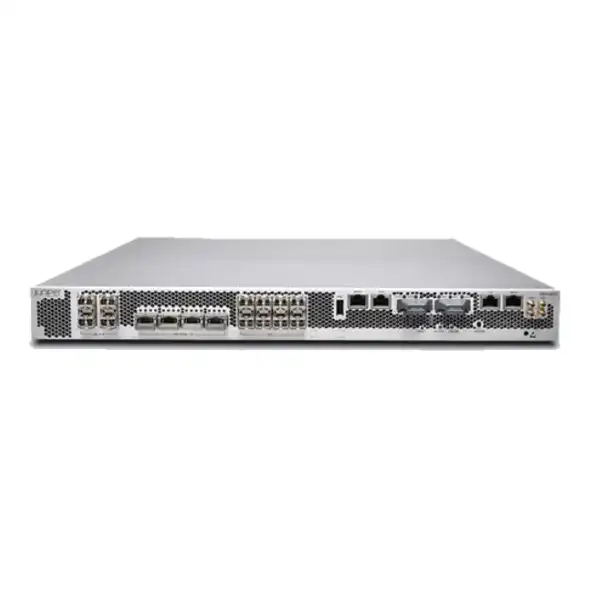
Juniper SRX4600 Firewall Dubai
A high-capacity 1U Juniper next-generation firewall for organizations that need dense 10/40/100GbE connectivity, large session scale, advanced security services, IPsec VPN and resilient data center or campus-edge enforcement without moving to a larger modular chassis.
Direct answer: what is the Juniper SRX4600?
The Juniper SRX4600 Firewall is a fixed 1U security appliance in the SRX Series, built for high-throughput enterprise, data center, cloud-provider and service-provider environments. It combines stateful firewalling, routing, IPsec VPN, application identification, intrusion prevention and optional advanced threat services on Junos OS. It is primarily used where an organization needs substantially more throughput, session capacity and high-speed optical interfaces than a branch-class firewall can deliver, while still preferring a compact fixed platform rather than a large modular security chassis.
Organizations should consider the SRX4600 when they have 10GbE, 40GbE or 100GbE connectivity requirements, large east-west or north-south traffic volumes, high connection counts, demanding VPN aggregation, chassis-cluster resilience, or a need to consolidate routing and security at a campus or data center boundary. The most important factor to confirm is not the headline 400 Gbps firewall figure by itself. Real sizing depends on the services enabled, traffic mix, encrypted traffic, connection rate, VPN requirements, interface mode, growth headroom and the exact Junos software and license combination.
FourTeck can help determine whether the SRX4600 is appropriately sized for the intended UAE deployment, how its QSFP28 and SFP+ ports should be allocated, which optics and breakout components are required, whether an HA pair is needed, and which security subscriptions and support term should be included in the commercial quotation.
Where the SRX4600 fits in a security architecture
The SRX4600 sits in an important middle ground. It is much more capable than a conventional branch firewall, yet it remains a compact fixed 1U system. That makes it attractive for organizations that have outgrown smaller perimeter devices but do not require the slot-based expansion, very large chassis scale or operational footprint of a modular platform. Typical placements include the Internet edge of a large enterprise, a campus core security boundary, a data center perimeter, a segmentation gateway between high-value network zones, a VPN concentration point, or a service-provider edge where large numbers of sessions and high interface speeds are expected.
The architectural decision should start with traffic flows rather than product branding. If the appliance will sit between two 100GbE domains, the design must account for whether all traffic is actually inspected, what security services are active, how much of the traffic is encrypted, and whether the links are used for aggregate peak capacity, short bursts, or sustained transfer. A firewall can have enough raw forwarding capacity yet still be incorrectly sized for a workload with intensive IPS, URL filtering, malware inspection, SSL decryption or extremely high new-session rates. Conversely, buying substantially more hardware than the security profile requires can waste budget and may introduce unnecessary port, power and support costs.
For Dubai and UAE buyers, the SRX4600 is therefore best treated as an architecture component rather than a box with a single throughput number. The correct bill of materials can include the chassis, region-appropriate power configuration, optical transceivers or direct-attach cables, breakout cabling where needed, subscriptions, support, management integration, implementation services and a second unit for high availability. A precise quote begins with the intended role and topology.
Key SRX4600 buyer signals
High-speed network edge
The platform provides eight dedicated 1/10GbE SFP+ ports and four QSFP28 positions that can operate in supported 40/100GbE or breakout modes. That makes it relevant when the firewall must connect to high-speed core, spine, aggregation or WAN infrastructure. Port-mode restrictions matter, so the physical interface plan should be validated before optics are ordered.
Large session environments
Juniper publishes a maximum concurrent-session figure of 60 million for the SRX4600. This makes the appliance suitable for designs where connection scale is as important as bandwidth, including large Internet gateways, provider networks and environments with many short-lived application flows. Session creation rate and inspection load still need separate sizing.
Advanced security inspection
The SRX4600 supports Juniper application security, IPS, URL filtering, security intelligence, malware-related services and additional threat capabilities according to the chosen software and subscription package. These services improve policy depth but change effective throughput and subscription requirements, so they must be included in capacity planning.
HA and resilient operations
Dedicated high-availability control and data interfaces, redundant power supplies and redundant fan architecture support resilient deployment. A chassis cluster can be designed for active/active or active/passive operational models, but topology, failure domains, switch connectivity and upgrade strategy should be planned as part of the implementation.
Routing plus security
Junos OS gives the SRX4600 strong routing capabilities alongside firewall services, including commonly required enterprise and service-provider protocols. This is useful when the appliance must participate directly in dynamic routing rather than operate only as a transparent security element. Route scale and design policy should be reviewed separately from firewall policy scale.
Juniper SRX4600 technical specifications
The following figures are based on Juniper’s published SRX4600 documentation. Performance figures are laboratory results under defined test methods, so they should be used as sizing references rather than guaranteed application throughput. Juniper has published different figures on different product pages and test profiles over time; the safest approach is to size against the current software release, enabled services and the intended traffic mix.
| Specification | Published SRX4600 detail | Buyer relevance |
|---|---|---|
| Form factor | 1U fixed chassis | Dense data center deployment without a large modular chassis. |
| Firewall throughput | Up to 400 Gbps IMIX; 400 Gbps with 1518-byte packets in Juniper’s published datasheet | Headline forwarding figure; do not use it alone for NGFW sizing. |
| IPsec VPN throughput | 44 Gbps IMIX and 71 Gbps at 1400 bytes in the cited datasheet test profile | Important for VPN hub, inter-site encryption and secure overlay planning. |
| NGFW performance | 90 Gbps TPS-method / 21 Gbps CPS-method in Juniper’s datasheet profile | Better indicator than raw firewall throughput when inspection is active. |
| Advanced Threat profile | 10.5 Gbps in the published multi-service test profile | Shows why full security-service sizing must be separated from raw forwarding capacity. |
| Concurrent sessions | Up to 60 million | Relevant to large user populations, NAT gateways and provider-style traffic. |
| Connections per second | 570,000 at 64-byte test conditions in the datasheet; Juniper’s product specs also publish 600,000 sustained TCP 3-way new sessions per second under a different profile | Check application behavior if workloads create many short-lived sessions. |
| IPsec tunnels | Up to 7,500 | Useful when evaluating hub-scale site connectivity and secure overlay designs. |
| Network ports | 8 × 1/10GbE SFP+ plus 4 × QSFP28 supporting defined 40/100GbE and breakout configurations | Optics, speed mode and breakout plan should be confirmed before purchase. |
| Dedicated HA ports | 2 × 1/10GbE SFP+ control and 2 × 1/10GbE SFP+ data | Supports chassis-cluster control and fabric functions without consuming ordinary traffic interfaces. |
| Management | RJ-45 1Gbps out-of-band management, RJ-45 console, Junos CLI/Web UI and Security Director Cloud support | Plan separate management connectivity and centralized policy operations. |
| Memory / storage | 256 GB system RAM; 2 × 1 TB M.2 SSD in the published datasheet | Supports platform scale and local system functions; logging architecture should still be planned separately. |
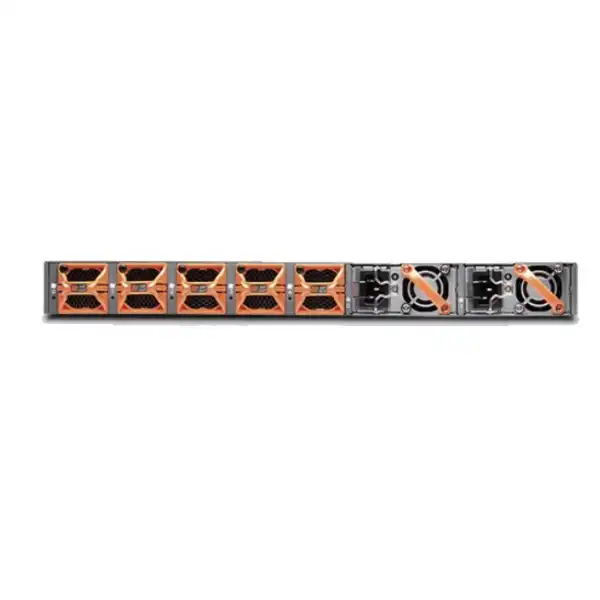
| Power redundancy | Two AC or two DC PSUs in 1+1 redundancy | Use separate power feeds where the facility design permits to reduce a shared failure point. |
| Cooling | Front-to-back airflow; five fan modules with 4+1 redundancy | Confirm rack airflow direction and environmental capacity before installation. |
Understanding the 400 Gbps performance figure
A common purchasing error with high-end firewalls is to compare products only by the largest throughput number on the datasheet. The SRX4600’s published firewall performance of up to 400 Gbps is important because it shows the capacity of the forwarding architecture under the defined test method. It does not mean that every production deployment will inspect 400 Gbps of mixed enterprise application traffic with all threat services enabled. Firewalling, IPsec, application inspection, IPS, URL filtering, malware protection, SSL inspection and advanced threat functions place different workloads on the system. Juniper therefore publishes multiple performance figures for different service combinations and test styles.
For a buyer, the correct question is: what security stack must remain enabled at the expected peak traffic rate? If the SRX4600 is used mainly for high-speed stateful segmentation with limited additional services, the achievable production rate may be very different from a deployment that performs extensive application-layer inspection on Internet traffic. If the design includes site-to-site IPsec, compare the expected encrypted throughput with VPN-specific figures. If the network sees extremely high volumes of short web or API connections, new-session performance can become more relevant than bulk throughput. If most traffic is long-lived data replication, packet size and flow behavior are different again.
There is also a useful lesson in Juniper’s own published material: current and historical product pages can show different IPS or VPN figures because software releases, test methodologies and feature combinations vary. That is not unusual for enterprise security platforms. It is a reason to document the design assumptions in the quotation rather than treating one web-page number as a contractual production guarantee. FourTeck can align the quote with the current Juniper datasheet and the intended Junos release, then reserve headroom for growth and failover.
A practical sizing exercise normally captures average traffic, 95th-percentile traffic, short peak bursts, anticipated growth over the support term, application mix, encrypted percentage, number of users or devices, concurrent sessions, new sessions per second, VPN volume, inspection services and HA behavior. If an HA pair is expected to carry the whole environment after one node fails, each unit must be able to handle that failure-state load within the chosen performance envelope.
Interface planning: 10GbE, 40GbE, 100GbE and breakout choices
The SRX4600’s interface density is one of its strongest reasons to exist as a distinct platform. Juniper documents eight dedicated SFP+ ports that operate at 1GbE or 10GbE, plus four QSFP28 positions that support specific combinations of 40GbE, 100GbE and 4×10GbE breakout operation. The total physical picture can therefore look like “up to 24 × 1/10GbE plus 4 × 40/100GbE,” but that shorthand must not be interpreted as all modes being simultaneously available without restriction. The platform has a maximum network-port capacity of 400 Gbps and the QSFP28 group has defined configuration rules.
Before ordering transceivers, map every intended link: Internet handoff, WAN, data center fabric, core switch, DMZ, server aggregation, management, HA control and HA fabric. For each link, record the speed, media type, connector, optic reach, fiber type, peer device and whether breakout is required. A 100GbE QSFP28 connection to a core switch has different optical and cabling requirements from a 4×10GbE breakout to four independent SFP+ switch ports. A design that changes a QSFP28 port from 100GbE to breakout mode may also affect which other port combinations are supported.
This matters commercially because optics and cables can represent a meaningful part of the bill of materials, particularly in high-speed data center deployments. The firewall chassis alone is not the complete connectivity solution. Buyers should specify whether they want Juniper-qualified optical transceivers, compatible direct-attach copper for short rack distances, active optical cabling, breakout assemblies, or a mixture. Fiber patching and the remote switch transceiver must also match the selected standard.
The safest approach is to freeze the interface map before the purchase order is finalized. FourTeck can use that map to validate port-mode assumptions and quote the required optics or cables alongside the SRX4600, reducing the risk of receiving the appliance while still missing the components needed to connect it to the production network.
Security capabilities and what they mean operationally
Stateful and zone-based firewalling
The SRX architecture supports stateful inspection and zone-based security policies. In a data center or campus design, zones can represent Internet, DMZ, user, server, partner, management or other trust boundaries. Good policy design keeps the rule base understandable, uses precise source and destination objects, and avoids turning a high-performance firewall into an unstructured collection of broad permit rules.
Application visibility and control
Application-aware policy can identify traffic beyond simple port numbers and help enforce rules based on application context. This is valuable when different applications use shared web ports or dynamic behavior. Application controls are most effective when they are tied to a clear policy objective, logging plan and exception process rather than enabled only as a reporting feature.
Intrusion prevention
IPS examines traffic for known exploit patterns and suspicious behavior using signature and policy mechanisms. It can materially reduce risk at exposed boundaries, but it also requires tuned profiles, signature updates, logging and exception handling. IPS should be included in throughput sizing if it will be active on production flows.
Threat intelligence and malware controls
Juniper offers security intelligence, advanced threat and malware-related services for supported SRX deployments. These functions can improve detection of malicious destinations and files, but they depend on the selected subscription and service architecture. A buyer should specify which protections are required rather than assuming every advertised security feature is permanently included with the chassis.
SSL and encrypted-traffic considerations
Encrypted traffic changes the inspection problem because the firewall may need to decrypt, inspect and re-encrypt sessions to apply deep controls. Certificate management, privacy requirements, application compatibility, exempt categories and computational cost all matter. If SSL inspection is in scope, it should be treated as a first-class sizing and migration workstream.
NAT and routing services
The platform supports enterprise routing functions and multiple NAT models, allowing it to combine security enforcement with route exchange and address translation. This can simplify some architectures, but it also means a migration may involve routing adjacencies, route policy, NAT state, asymmetric paths and application dependencies in addition to security-rule conversion.
Licensing and subscriptions: confirm this before ordering
The SRX4600 chassis provides the hardware platform and Junos OS foundation, but advanced security services are not something a buyer should assume are universally included forever. Juniper identifies application-security and threat-defense functions that are offered through advanced security subscription licensing. The commercial package can therefore change materially depending on whether the requirement is basic stateful firewalling and routing, or a full next-generation security deployment with application visibility, IPS, URL filtering, security intelligence, advanced threat prevention and related services.
Subscription term matters as much as feature scope. A one-year, three-year or longer security term changes both upfront cost and renewal planning. Support entitlement is a separate consideration and should be aligned with the organization’s service-level expectations. For a business-critical data center firewall, the buyer may want higher support coverage than for a lab system, especially if replacement logistics, software access and vendor escalation are important to the operating model.
Management can also affect licensing and architecture. Juniper Security Director Cloud provides centralized policy and management capabilities, while some organizations may use on-box management or existing Juniper management infrastructure. The decision should consider how many firewalls will be administered, whether policies are shared across sites, whether change control requires centralized workflow, how logs will be retained, and whether the organization is standardizing on Juniper’s broader security management approach.
For quotation accuracy, provide the desired security functions and term rather than asking only for “SRX4600 price.” Two quotes for the same chassis can differ substantially because one may include only base platform and support while another includes multi-year advanced security subscriptions, centralized management, optics, HA hardware and implementation services. FourTeck can structure the bill of materials so the hardware and license assumptions are visible instead of hidden inside a single total.
High availability and chassis-cluster planning
The SRX4600 supports stateful high availability using Juniper chassis-cluster capabilities, including active/passive and active/active deployment models. The platform includes dedicated high-availability control and data interfaces, and Juniper documents configuration synchronization and firewall session synchronization functions. This is important because a properly designed pair can maintain security services during device or path failures while preserving more session state than a simple independent-firewall arrangement.
Buying two appliances does not by itself create a resilient architecture. The surrounding network must be designed so that each firewall has independent, correctly cabled paths to upstream and downstream switches. Power supplies should be connected to separate facility feeds where practical. HA control and fabric links require appropriate connectivity. Routing and switching must converge predictably when a node, link or neighboring device fails. If active/active is chosen, traffic symmetry and state ownership need careful attention; if active/passive is chosen, the passive member still needs enough capacity to carry the full production load after failover.
Maintenance strategy also matters. Organizations often buy HA specifically to enable upgrades with reduced interruption, but software upgrade behavior depends on the current release, supported procedures, application tolerance and the exact cluster configuration. Before promising a zero-downtime change, test the upgrade approach against the deployed Junos versions and network dependencies. Some applications are far more sensitive to brief path changes than ordinary web traffic.
For a Dubai data center deployment, include rack position, A/B power, switch port availability, cross-connects, HA cabling, optics and management addresses in the implementation plan. The resulting design should be reviewed against failure scenarios: loss of one firewall, one power feed, one upstream switch, one downstream switch, one HA link and one WAN or Internet circuit. A resilient firewall pair is only as strong as the dependencies around it.
Six deployment patterns where SRX4600 may be a strong fit
1. Large enterprise Internet edge
A company with multiple high-speed Internet circuits may use SRX4600 as the perimeter enforcement point for stateful policy, NAT, application control and threat inspection. The key sizing inputs are aggregate Internet bandwidth, encrypted traffic, user count, peak connection rate, inbound services, security-service stack and growth. If two 100GbE links exist for resilience but the real inspected traffic is much lower, the interface requirement and inspection requirement must be sized separately.
2. Data center perimeter
At a data center boundary, the firewall may secure traffic between external networks and hosted workloads. High session counts, 40/100GbE core links and east-west dependencies can make the SRX4600 attractive. The design should classify which flows require deep inspection, which are trusted infrastructure flows, how asymmetric routing is prevented, and how logging is exported without overwhelming the operational platform.
3. Campus core segmentation
Large campuses can place a high-capacity firewall between user, server, guest, OT, research or administrative zones. The benefit is centralized policy visibility at a high-throughput control point. The risk is creating a bottleneck if all internal traffic is forced through inspection without adequate sizing or if routing design creates hairpin flows. Segmentation policy and expected east-west volume should be measured before final model selection.
4. VPN and secure-overlay hub
Juniper positions SRX4600 for IPsec VPN and SD-WAN hub roles. This can be useful for organizations aggregating many branches or partner tunnels into a regional location. Tunnel count is only one part of the calculation: total encrypted bandwidth, packet size, routing scale, failover behavior, key-management design and the number of simultaneously active remote sites all influence platform choice.
5. Service-provider security edge
The SRX4600’s session scale, routing capability, timing interfaces and high-speed ports make it relevant to some provider environments. Service-provider designs may also require large route tables, carrier-grade NAT behavior, telemetry and strict operational automation. The buyer should verify the exact service mix and release support rather than assuming an enterprise Internet-edge configuration can be reused unchanged.
6. High-capacity inter-zone firewall
Some organizations need a dedicated security gateway between production, development, backup, partner or regulated network domains. In this role, Internet-facing web filtering may be less important than predictable stateful throughput, granular policy, routing and logging. SRX4600 can be attractive if internal links are 40/100GbE and the organization wants a compact high-scale enforcement point.
Routing, VPN and network-service considerations
The SRX4600 is not limited to firewall policy enforcement. Juniper documents support for IPv4 and IPv6 routing and widely used routing protocols including OSPF, OSPFv3, BGP, IS-IS, RIP and multicast-related functions. It also supports route-based designs, ECMP and other network services used in enterprise and provider environments. This gives architects flexibility to make the firewall an active participant in the network rather than a passive bump in the wire.
That flexibility increases the importance of design discipline. A security-policy migration can become complicated if the old firewall also owns BGP peering, static routes, NAT, IPsec tunnels, DHCP relay functions, route redistribution and policy-based routing. Each of these functions has its own dependencies. For example, a BGP replacement needs neighbor parameters, authentication, routing policy, prefix filters, local preference and failover behavior. A NAT migration needs public-address ownership, persistence requirements and application testing. An IPsec migration needs peer coordination, encryption parameters, routing and maintenance windows.
For VPN, Juniper documents site-to-site, hub-and-spoke, dynamic endpoint and other IPsec options, plus Juniper Secure Connect for remote access in supported configurations. A buyer planning a VPN hub should provide the number of remote sites, expected aggregate encrypted throughput, tunnel routing model, redundancy design, authentication method and whether the new SRX4600 must interoperate with third-party firewalls. Interoperability is usually achievable with standards-based IPsec, but practical migration still requires matching IKE versions, proposals, lifetimes, PFS groups and routing behavior.
Where the SRX4600 replaces a router plus a firewall, consider whether consolidation improves operations or creates too much dependency on one platform. Consolidation can reduce devices and handoffs, but it can also concentrate routing and security change risk. The right answer depends on the organization’s operating model, skills, redundancy and change-control process.
Management, automation, logging and operational visibility
Juniper supports multiple operational methods for the SRX4600, including Junos CLI, Web UI functions, Security Director Cloud, SSH, SNMP, scripting and telemetry mechanisms. The best management approach depends on the number of firewalls, the maturity of the network team and the organization’s change-management requirements. A single SRX4600 can be operated locally, but larger environments usually benefit from centralized policy, configuration consistency, logging and governance.
Security logging deserves its own design. A high-capacity firewall can generate large volumes of session, threat and system logs, particularly when policies are configured to log both session start and session close or when IPS and URL events are numerous. Sending everything to a small syslog server can create blind spots precisely when the firewall is most active. Decide which events must be retained, where logs will be stored, how long they must remain available, what the SIEM expects, and whether logs need separate transport or collectors.
Automation is valuable for repeatable configuration, but it should be introduced with strong controls. Junos provides scripting and automation interfaces that can support standardized policy objects, change validation, telemetry and operational tasks. In regulated or business-critical environments, automation should include version control, peer review, rollback plans and tests against a lab or staged system. The goal is to reduce configuration drift without turning a scripting error into a high-speed outage.
Out-of-band management should also be planned from the beginning. The SRX4600 includes a dedicated 1Gbps RJ-45 management interface and console access. Connecting management to an independent administrative network improves recovery options when production routing or policy changes go wrong. If remote hands or data center staff will support the unit, document console-server access, rack position, device labels, power feeds and escalation contacts as part of the handover.
Physical installation and Dubai data center readiness
The SRX4600 is a standard 19-inch rack-mountable 1U appliance. Juniper’s hardware documentation lists a chassis height of about 1.72 inches, width of about 17.36 inches without the mounting brackets, and base depth of about 26.5 inches. The depth increases when rear field-replaceable components are included, and the DC model is deeper than the AC model with those components. As-shipped weight is approximately 38 lb for the AC model and 40 lb for the DC model. These numbers are manageable for enterprise racks, but the installation should still be planned with correct support, rack clearance and safe handling.
Cooling is front-to-back, using five fan modules with 4+1 redundancy. Rack airflow should match this direction; do not place the unit in a cabinet where recirculated hot air is pulled back into the front intake. Juniper specifies an operating temperature range of 0°C to 40°C and 5% to 90% non-condensing humidity in the published datasheet. A Dubai deployment is normally inside a climate-controlled data center, but rack hot spots, failed cooling zones and blocked airflow still matter. Environmental monitoring around high-density network racks is worthwhile.
Power must be selected deliberately. The SRX4600 is available with dual AC or dual DC supplies in 1+1 redundancy. Juniper documentation states that the AC model ships with two AC power supplies and the DC model with two DC supplies. For AC, each supply should be connected to a dedicated power source, and region-appropriate cords are required. For UAE deployments, confirm the supplied cord and facility receptacle type in the quotation rather than assuming a generic international cord will be correct.
Where the rack provides dual PDUs, connect the two power supplies to independent A and B sources if the facility design permits. This avoids losing both PSUs to a single PDU or feed failure. Grounding, cable management and ESD precautions should follow Juniper’s hardware instructions and local facility procedures. High-speed optical patching should be labeled at both ends, with sufficient bend radius and without blocking service access to fan or power modules.
A pre-installation checklist should include rack unit position, rail compatibility, available depth, front and rear clearance, power feed type, power cord, grounding, management port, console access, upstream and downstream switch ports, optics, fiber patch cords, HA links, IP addressing, Junos image and license entitlement. Resolving these items before the maintenance window turns installation into an execution task rather than a troubleshooting exercise.
Migration to SRX4600: a practical implementation journey
1. Discover the existing environment
Collect current firewall rules, objects, NAT, VPNs, dynamic routing, static routes, interfaces, VLANs, zones, authentication dependencies, logging destinations, monitoring, management access and HA behavior. Also capture traffic statistics. Configuration export alone is not enough because unused rules and historical objects can make the migration larger than the actual production requirement.
2. Build the target architecture
Define zones, physical and logical interfaces, port speeds, routing adjacencies, redundancy, management, logging and security-service policy. This is the point to decide whether to reproduce the old design exactly or improve it. A firewall replacement is often the best opportunity to remove obsolete NAT, simplify rule structures and document trust boundaries.
3. Validate licensing and software
Confirm the Junos release, entitlement, subscriptions and management method before configuration is finalized. Features used in the design should be explicitly mapped to the purchased licenses. If an existing security manager will control the new firewall, validate version compatibility and onboarding steps before cutover.
4. Stage and test offline
Configure management access, software, interfaces, zones, base policy, routing, NAT, VPN and logging in a staging environment where possible. Test administrative recovery, configuration rollback and HA status. Validate optics and link modes against the actual peer devices. Pre-staging greatly reduces the amount of work that has to happen during the maintenance window.
5. Execute controlled cutover
Use a detailed sequence covering cable moves, route changes, ARP or neighbor behavior, NAT activation, VPN peer changes, DNS or public-service dependencies, validation tests and rollback criteria. Assign clear responsibilities. For large environments, validate critical applications by business priority rather than relying only on ping tests or interface status.
6. Stabilize and optimize
After cutover, monitor CPU, memory, sessions, throughput, dropped traffic, IPS events, VPN stability, routing and HA. Review policy hits and unexpected denies. Tuning during the first operating period can remove migration exceptions, tighten broad temporary rules and confirm that the SRX4600 is behaving within the expected capacity envelope.
Sizing the SRX4600 for real traffic
A good sizing model separates several dimensions that are often collapsed into one bandwidth number. Start with throughput: what is the current average, busy-hour average and peak? Then consider growth for the intended lifecycle. Next, identify the percentage of traffic that needs only stateful firewalling versus application control, IPS, URL filtering, malware analysis, threat intelligence or SSL inspection. The ratio can be very different on an Internet edge compared with a data center segmentation firewall.
Session behavior is the next dimension. Some networks carry huge amounts of bandwidth in a relatively small number of long-lived flows, while others generate hundreds of thousands of new sessions per second from web, API, proxy, mobile or provider workloads. Juniper publishes both session capacity and connection-rate figures for the SRX4600 because both can become limiting factors. If the existing firewall exposes session statistics, capture them during representative busy periods rather than estimating from user count alone.
Encryption adds another dimension. IPsec throughput should be sized independently if the SRX4600 will aggregate site-to-site tunnels or secure overlays. SSL inspection is different again because it can involve cryptographic handshakes, certificate operations and application compatibility. If a large percentage of Internet traffic will be decrypted, collect SSL session rates and assess whether certain categories or applications must be exempted. The security policy is therefore part of the capacity calculation.
High availability should be sized for failure, not only normal operation. An active/passive pair typically expects one node to carry the full workload after failover. In active/active designs, traffic distribution can change when one member is unavailable. Growth headroom should remain after that failure-state consolidation. If the environment is already close to a published performance boundary on day one, the design has little operational margin for traffic spikes, new security features or future upgrades.
Finally, port requirements can disqualify an otherwise adequate firewall. Count every physical interface and speed, including HA, management and future links. Validate QSFP28 mode combinations. If the design needs more simultaneous 100GbE connections than the fixed SRX4600 supports, or requires interface types the chassis does not offer, a different model or architecture may be more appropriate even if the performance figures look sufficient.
When the SRX4600 may not be the right choice
A balanced product recommendation includes the conditions where another platform deserves evaluation. The SRX4600 may be excessive for a branch or small office where WAN bandwidth, session count and security workload are modest. In that case, a smaller SRX model can reduce hardware and subscription cost while providing the required features. Oversizing also increases power, support and optical-interface costs without automatically improving security.
At the other end of the spectrum, a fixed 1U appliance may be too constrained for an environment that needs more interface expansion, significantly higher advanced-security performance, more 100GbE connectivity, or a modular growth path. A larger SRX family platform or a different architecture should then be evaluated. If the requirement is primarily cloud-native security rather than physical data center enforcement, virtual or cloud-delivered security options may also be more operationally appropriate.
The SRX4600 is also not a PoE access device and does not provide conventional copper access-switch port density. Juniper’s published specification lists no PoE+ ports and no Mini-PIM slots. If the project requires direct copper LAN connectivity, integrated wireless access-point power, or branch-style modular WAN cards, another product category is likely a better fit. The SRX4600 is designed around high-speed data center and enterprise network interfaces.
A final reason to reconsider is operational fit. Organizations with no Junos experience may still deploy SRX successfully, but should account for training, implementation and management practices. If the existing security team is strongly standardized on another vendor ecosystem, the transition cost includes policy conversion, tooling, monitoring integration and skills. Hardware value should be judged together with lifecycle operations rather than purchase price alone.
Procurement checklist for a complete SRX4600 quotation
Chassis and power
Confirm SRX4600 AC or DC model, quantity, redundant power supplies, UAE-compatible AC cords where applicable, rack environment and whether the project needs a pair for high availability. Facility voltage, PDU type and A/B feed design should be known before installation.
Interfaces and optics
List every 1/10/40/100GbE connection, media type, fiber reach and peer device. Include QSFP28 breakout requirements, SFP+/QSFP28 transceivers, DAC or AOC cabling, patch cords and spare optics if operational policy requires them.
Security subscriptions
Specify the required next-generation services: application control, IPS, URL filtering, threat intelligence, malware or advanced threat functions, and any other subscribed capabilities. Provide the preferred term so the quote is comparable across options.
Support and software
Choose the vendor support level and term required by the business. For critical perimeter use, include expectations for replacement, escalation and software access. Validate the target Junos release and management-platform compatibility as part of the implementation plan.
Implementation scope
State whether the requirement is supply only, initial configuration, HA setup, migration from another firewall, VPN conversion, routing migration, policy cleanup, testing, cutover support, documentation or post-go-live assistance. Services should match the actual complexity.
Management and logging
Identify Security Director Cloud or other management requirements, SIEM integration, syslog destinations, SNMP/telemetry, administrative authentication and out-of-band management. These items affect both licensing and deployment effort.
Comparing SRX4600 with a smaller or larger option
A model comparison should be driven by requirements rather than a simple “higher number is better” rule. The SRX4600 is compelling when a buyer needs a compact fixed platform with very high stateful throughput, large sessions and 100GbE connectivity. A smaller SRX model may make better financial and operational sense when traffic is lower and the project does not need this interface scale. A larger or modular SRX platform should be evaluated when future capacity, interface expansion or advanced-service performance is expected to exceed the fixed appliance’s practical envelope.
| Decision | Consider a smaller SRX | SRX4600 sweet spot | Consider a larger / modular platform |
|---|---|---|---|
| Traffic scale | Moderate branch, office or smaller campus traffic. | High enterprise or data center throughput with room for substantial growth. | Requirements exceed fixed-platform inspection or forwarding envelope. |
| Interfaces | Mostly 1/10GbE with limited high-speed uplinks. | Need eight 1/10GbE plus defined 40/100GbE QSFP28 options. | Need more 100GbE links, modular line cards or broader interface expansion. |
| Sessions | Normal enterprise user/session scale. | Large session tables and high new-connection rates are important. | Provider or hyperscale behavior demands still greater capacity. |
| Expansion | Fixed platform is adequate and lower cost. | Fixed 1U density is an advantage and port set matches the architecture. | Chassis modularity and long-term interface growth are core requirements. |
| Budget efficiency | Avoid paying for unused high-end capacity. | Strong fit when high-speed performance and density justify the platform. | Higher acquisition cost may be justified by scale and expansion needs. |
UAE availability, lead time and quotation accuracy
Enterprise firewall availability can vary by exact hardware version, power option, subscription bundle, support term and optics. A request for “Juniper SRX4600 Dubai price” therefore needs more context than a retail product enquiry. The correct commercial response should identify whether the requirement is for one appliance or an HA pair, AC or DC, the security-service term, support level, optical components and whether professional services are included.
Lead time can also depend on the completeness of the bill of materials. It is possible for the main chassis and a particular optic or cable to have different availability. For a planned data center cutover, all critical components should be ordered and received before the change window is committed. If the project has a fixed migration date, state that date at quotation stage so sourcing options can be evaluated realistically.
Pricing for Juniper security subscriptions and support can depend on the selected term and SKU structure. FourTeck can prepare a quotation that separates chassis, optics, licenses, support and services so procurement teams can understand what is included. That structure is useful when comparing vendors because it prevents a lower headline price from appearing attractive only because subscriptions or implementation have been excluded.
For UAE projects outside Dubai, the same technical process applies. Deployment logistics, on-site service location and data center access should be included in the project scope. If installation requires after-hours access, security passes, remote-hands coordination or a specific change window, those operational details are best agreed before the final implementation quotation.
Security-policy design for a high-capacity firewall
A high-performance appliance does not improve security if the rule base is poorly designed. SRX4600 deployments benefit from a policy model that is understandable to operators and auditors. Start with explicit zones and traffic intent. Define which applications or services are allowed between each trust boundary, use named objects and groups consistently, and keep administrative access separate from production policy. Broad rules such as “any to any” should be rare and justified rather than used as permanent migration shortcuts.
Rule order and logging require operational attention. Logging every event can overwhelm collectors; logging too little can make incident investigation impossible. The policy should identify high-value flows, Internet exposure, administrative traffic, denied connections and threat events that need retention. Where compliance requires evidence of change and access, management logs and configuration audit trails are as important as packet-level security events.
Application identification can improve control but should be introduced carefully in environments with legacy or proprietary applications. Some traffic may be difficult to classify until enough packets are observed, and encrypted applications may require SSL inspection to reveal deeper context. During migration, it can be sensible to begin with visibility and logging for selected application controls before enforcing strict blocks, then tighten rules after behavior is understood.
For data center segmentation, avoid routing all traffic through the firewall merely because the appliance has capacity. Enforce policy where risk and business requirements justify inspection. East-west data replication, storage, backup or cluster traffic may have different security needs from user-to-server traffic. An architecture that combines selective inspection with clear network segmentation can be more scalable and easier to operate than forcing every internal flow through a single security chokepoint.
Operational lifecycle: updates, support and change management
The purchase decision should cover the full operating lifecycle, not only initial deployment. Junos software releases include new features, fixes, platform enhancements and security updates, while release notes can also document limitations and known issues. The production team should establish a standard for supported software versions, patch review, testing and upgrade cadence. Running indefinitely on the original installed image can leave security and stability improvements unused.
A strong change-management process uses staged validation. Keep configuration backups, document rollback, test new releases against critical features and schedule changes with application owners where necessary. In an HA pair, understand the recommended upgrade procedure for the exact release path rather than assuming every update behaves the same way. Monitor cluster state, routing, VPNs and application health before and after the change.
Hardware lifecycle also matters. The SRX4600 has field-replaceable power supplies, fans and storage components documented by Juniper, which supports serviceability. Spare strategy depends on support level and business impact. Some organizations rely entirely on vendor replacement entitlements; others hold local spares for optics, cables or other components that can cause an outage while not being part of the main chassis replacement process.
Before a multi-year purchase, confirm the current Juniper lifecycle status, support availability and software roadmap at the time of quotation. Lifecycle information changes over time, so it should not be assumed from an older proposal. FourTeck can align the quote with currently orderable components and the support term requested by the customer.
Frequently asked buyer questions
Is the Juniper SRX4600 really a 400 Gbps firewall?
Juniper publishes up to 400 Gbps firewall throughput for the SRX4600 under its defined test conditions. That is a valid platform figure, but it is not the same as 400 Gbps of every possible security service simultaneously. Next-generation firewall, VPN and advanced-threat profiles have separate published results. Production sizing should use the feature mix closest to the intended deployment and include headroom.
How many 100GbE ports does SRX4600 provide?
The platform has four QSFP28 port positions that support defined 40GbE/100GbE and breakout configurations. Juniper documents restrictions on simultaneous port modes because the platform’s maximum network-port capacity is 400 Gbps. Validate the exact interface combination before buying optics or committing switch ports.
Can the QSFP28 ports break out to 10GbE?
Yes, supported QSFP28 positions can use 4×10GbE breakout arrangements in defined configurations. The total port plan must follow Juniper’s supported port-mode rules. Buyers should specify whether breakout is required so the correct cables and peer-side connectivity can be included in the bill of materials.
Does SRX4600 support high availability?
Yes. Juniper documents stateful chassis-cluster features including active/active and active/passive operation, configuration synchronization and session synchronization. The appliance also has dedicated HA control and data interfaces. A production HA design normally requires two SRX4600 units plus appropriate network, power and HA connectivity.
Are redundant power supplies included?
Juniper’s hardware documentation states that the SRX4600 ships with two AC or two DC power supplies in a 1+1 redundant arrangement, depending on the model. The correct power type and regional cord should be confirmed on the order. For resilience, use independent facility power feeds where practical.
Does the firewall include IPS, URL filtering and advanced threat protection?
The SRX4600 supports these types of services, but advanced security capabilities are tied to the appropriate Juniper subscription licensing and current software support. A quotation should specify exactly which security functions and subscription term are required instead of assuming every advanced service is included with the base hardware.
Can SRX4600 act as a VPN hub?
Yes. Juniper positions the platform for high-scale IPsec VPN and secure-overlay roles and publishes a maximum of 7,500 IPsec tunnels in the referenced datasheet. Tunnel count should be evaluated together with aggregate encrypted throughput, topology, routing, cryptographic settings and failover requirements.
Can it replace both a router and a firewall?
In some designs, yes. Junos OS provides substantial routing functionality alongside security services. Whether consolidation is desirable depends on routing scale, operational ownership, resilience and change risk. A combined design can simplify the topology, but it also places more critical network functions on the same platform.
Is SRX4600 suitable for a normal branch office?
Usually it would be much larger than necessary for a typical branch. Its high throughput, session capacity, 100GbE interfaces and data center-oriented form factor are intended for larger environments. A smaller SRX model should be evaluated when WAN speed, user count and security workload do not justify the SRX4600.
What information is needed for an accurate Dubai quote?
Provide quantity, AC or DC power preference, HA requirement, interface speeds, optics, expected traffic, enabled security services, VPN requirements, subscription term, support level, management platform and installation or migration scope. These inputs allow the quote to reflect the real project rather than only the base chassis.
What to test before production cutover
A successful firewall project is measured by application behavior, not merely whether the interfaces turn green. Before the production cutover, define a test matrix that represents the major traffic categories. This normally includes outbound Internet access, inbound published applications, DNS, email, remote access, site-to-site VPN, cloud services, internal application flows, administrative access, routing adjacencies, monitoring and logging. For every test, identify the expected source, destination, service, NAT behavior and security policy.
Performance testing should match the project risk. A full laboratory benchmark is not always practical, but at minimum the team should verify interface speed and error counters, expected routing paths, HA status, VPN stability and whether enabled security services generate the intended logs. If the firewall will handle very high traffic, review live utilization and session metrics after cutover to ensure the observed profile matches the sizing assumptions.
Failover should be tested when the business impact permits. Simulate a node failure, uplink failure or power-feed loss according to the agreed plan and observe application behavior, route convergence and session continuity. A cluster that appears healthy in the dashboard can still reveal topology problems only when a real failure occurs. Test results should be documented so future operations teams know what behavior is expected.
Rollback is part of testing as well. Know which cable moves, route changes, NAT changes or DNS updates must be reversed if the new firewall cannot support a critical application. Set objective rollback criteria before the maintenance window. This prevents late-night debates about whether to continue troubleshooting while business services remain unavailable.
Why accurate optics and cabling selection matters
High-speed firewalls are often delayed by components that look secondary on the purchase order. The SRX4600 can connect through SFP+ and QSFP28 interfaces, but the correct transceiver depends on link speed, fiber type, distance and the peer device. A 10G short-reach multimode optic is not interchangeable with a long-reach single-mode optic, and a 100G QSFP28 link can use different optical standards depending on the infrastructure.
Breakout adds another layer. If a QSFP28 port is used as four 10GbE connections, the cable assembly and remote switch interfaces must match that mode, and the firewall’s supported port configuration must allow it. A procurement team looking only at port counts can easily order four separate SFP+ optics when the design actually needs a QSFP breakout assembly, or vice versa.
Operational policy should also decide whether optics must be Juniper-branded or approved compatible components. Some organizations standardize on vendor optics for support consistency; others use qualified third-party optics to reduce cost. The important point is to make that choice explicitly and verify compatibility. Keep serial and model details in the installation record so future troubleshooting does not start with uncertainty about what is installed.
For an HA pair, remember that the number of optical components roughly doubles for production links and may include additional HA connectivity. Spare policy should focus on components whose failure would cause downtime and whose replacement is not immediately available locally. A correctly specified optics list is part of the firewall design, not an accessory afterthought.
Planning for SIEM, monitoring and incident response
The SRX4600 will often sit at a point where security and network operations both depend on its telemetry. A useful monitoring plan should cover device health, interfaces, routing, HA state, VPNs, session utilization, packet drops, security events, CPU and memory, as well as power and fan status. SNMP, telemetry and logging can feed existing network and security platforms, but the collection architecture needs enough capacity for the volume generated by a high-throughput firewall.
SIEM integration should prioritize events that support detection and investigation. Threat events, denied connections at important boundaries, administrative changes, authentication activity and selected permitted sessions can all be valuable. Logging every permitted session start and close at large scale may create high storage cost and noise. Retention and filtering should reflect compliance, investigation needs and the organization’s ability to act on the data.
Incident-response procedures should include the firewall team. Security analysts need a clear process to request a temporary block, obtain logs, identify affected sessions and validate whether a rule change might disrupt critical services. Administrative access should use named accounts or centralized authentication where appropriate, with privilege controls and change records. Emergency access must be available but governed.
The management network deserves the same resilience discussion as the production network. If the only administrative path traverses the firewall itself, a routing or policy mistake can remove access when it is needed most. Out-of-band management and console connectivity provide an independent recovery path and should be tested before the device is placed into service.
Decision recap: is Juniper SRX4600 the right firewall?
What FourTeck needs for an accurate SRX4600 quote
The fastest way to obtain a useful quotation is to provide the project inputs that affect the hardware and software bill of materials. Exact answers are helpful, but estimated values are sufficient for an initial sizing discussion.
Plan the Juniper SRX4600 around your real Dubai network
The SRX4600 can be an excellent fit for high-speed enterprise and data center security when its interface modes, inspection workload, subscriptions and HA design are matched to the project. A correct proposal should explain not only what the firewall can do, but also which performance profile applies, which optics are required, what licenses are included and how the migration will be executed.

Reviews
There are no reviews yet.