
Juniper Networks • Enterprise & Data Center Security • Dubai, UAE
Juniper SRX5400 Firewall Dubai
A high-capacity 5U modular SRX Series firewall for organizations that need carrier-class security processing, large session scale, flexible high-speed interfaces, advanced threat controls, IPsec VPN services and a platform that can be engineered around demanding data-center or service-provider traffic patterns.
Up to 172 Gbps IPS
Up to 188 Gbps IPsec VPN
Approx. 91 million concurrent sessions
Direct answer: what is the Juniper SRX5400 and who should consider it?
The Juniper SRX5400 Firewall is a modular, high-performance security gateway in the SRX5000 line. It is intended for environments where firewalling is not merely an internet-edge function but a major infrastructure service: large enterprise data centers, high-volume campus cores, service-provider networks, public-sector environments, security-service aggregation points and networks that need very large session tables or substantial encrypted traffic handling.
Its main purpose is to combine stateful firewalling with advanced security services, IPsec VPN, network address translation, intrusion prevention, application-aware controls, routing and segmentation on a chassis architecture that can be built with service-processing and interface resources appropriate to the deployment. The SRX5400 should be considered when fixed-configuration appliances do not offer the required combination of throughput, interface scale, service density, operational resilience or room for growth.
The most important factor to confirm is the exact required chassis build. Buying only by the name “SRX5400” is not enough. Processing cards, interface cards, optics, power supplies, control components, software level, security subscriptions, support coverage and high-availability design directly affect what the final system can do. Maximum platform figures are not a promise that every card combination, security profile or packet mix will achieve the headline number.
FourTeck can help determine whether SRX5400 is the correct model, how much security processing and I/O are required, which subscriptions match the desired security functions, what rack and power preparation is necessary, how the device should integrate with the existing network, and whether a smaller or larger SRX platform would provide a better technical and commercial fit.
SRX5400 at a glance: a modular security platform rather than a fixed-port appliance
The SRX5400 belongs to a class of firewalls where the chassis is only the starting point. In a branch appliance, buyers can often compare a fixed list of copper, fibre and WAN ports and then select a security subscription. The SRX5400 is different. It is designed around modular service processing and modular I/O, so the usable performance and interface mix depend on the installed components. This architecture is one of the product’s strengths, but it also makes procurement more technical.
Juniper currently publishes the SRX5400 with maximum firewall performance up to 960 Gbps, maximum IPS performance up to 172 Gbps, IPsec VPN performance up to 188 Gbps and a very large concurrent-session scale of roughly 91 million. Those figures describe the potential of the properly configured platform under stated test conditions. Real designs must account for traffic mix, packet size, enabled services, encryption, policy complexity, software release, inspection depth and the available processing and interface resources.
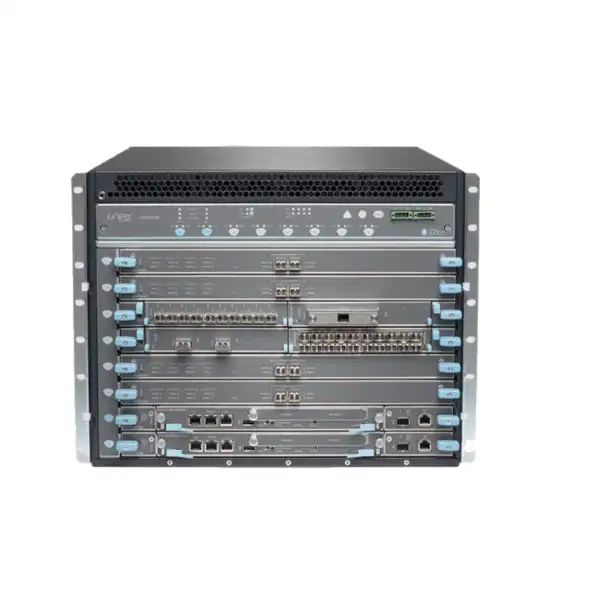
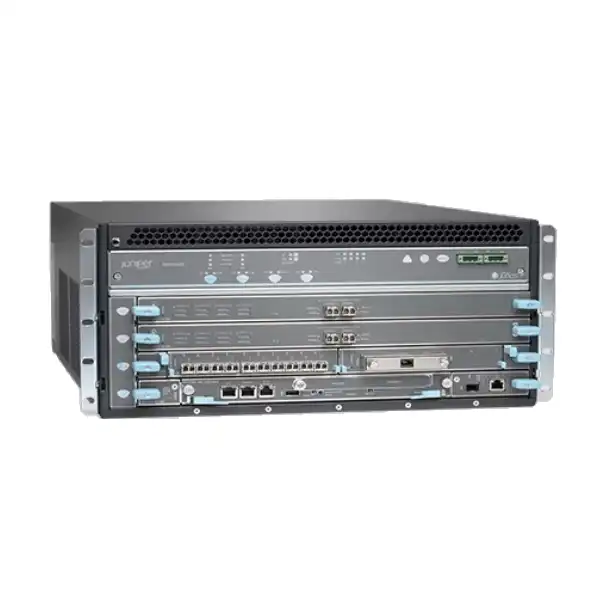
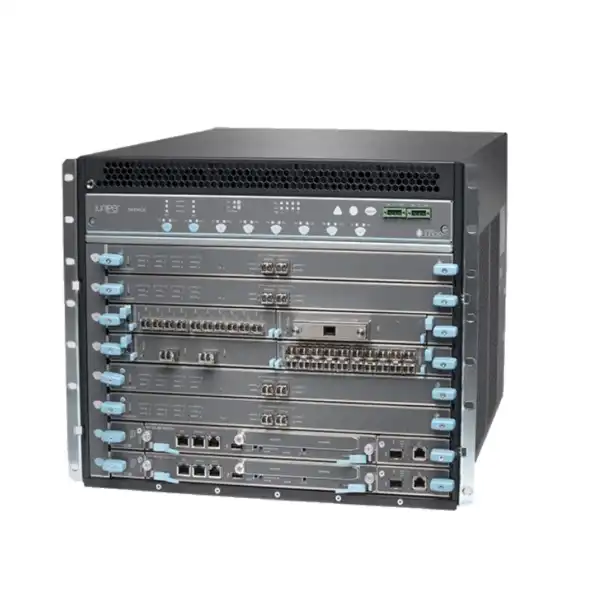
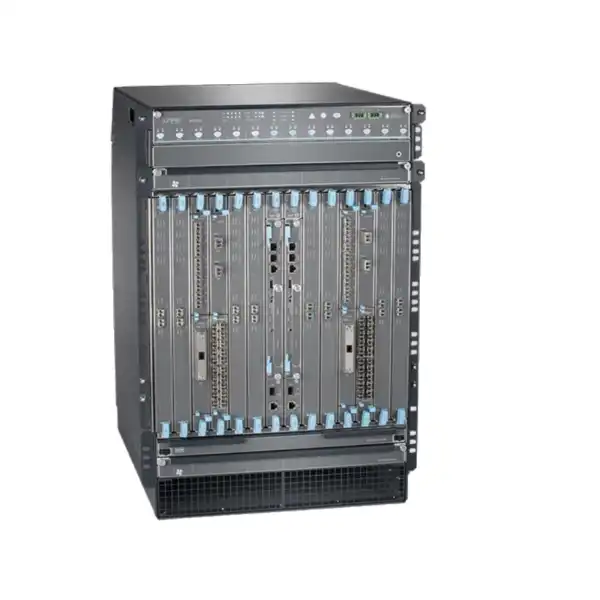
The chassis is 5 rack units high and is intended for proper data-center or telecom-style installation. Juniper documentation describes a modular internal layout using control, service-processing and interface cards. This means an SRX5400 project should be treated as a solution bill of materials rather than a single-box order. Buyers need to verify not only the main chassis SKU but also the compatible card generation, the required port types, supported optics, power architecture, spare or redundant components, support entitlement and software subscriptions.
For organizations in Dubai and across the UAE, this distinction matters because an incomplete bill of materials can delay installation even when the chassis itself is available. A good quotation should map each technical requirement to a specific component or license, identify what is included, identify what remains optional, and separate mandatory operation items from future-expansion items.
Published performance and what the numbers mean in a real network
960 Gbps firewall
The maximum IMIX firewall figure indicates the scale of the platform under Juniper’s tested conditions. Design capacity should still leave headroom for traffic growth, failures, bursts and services that consume additional processing.
172 Gbps IPS
Intrusion prevention is more processing-intensive than basic forwarding. This metric is more useful than raw firewall throughput when the planned design requires deep inspection of a substantial portion of traffic.
188 Gbps IPsec VPN
Encrypted traffic introduces cryptographic workload. Site-to-site VPN concentration, data-center interconnect and encrypted partner links should be sized from expected encrypted traffic rather than from unencrypted firewall performance.
About 91 million sessions
Large session capacity matters for internet-scale services, cloud workloads, carrier environments, east-west data-center traffic and designs where many short-lived connections are created by modern applications.
High session setup rate
Juniper publishes sustained new-session figures in the million-per-second range depending on the test definition. Buyers operating large public services should validate connection-rate requirements separately from bandwidth.
Low-latency design
The platform is built for high-performance security in core and data-center roles. Latency expectations should be tested with the actual inspection chain, because service activation and traffic characteristics affect results.
Why SRX5400 sizing cannot be reduced to a single throughput figure
A common procurement error is to take the internet circuit speed, compare it with the maximum firewall throughput, and conclude that the firewall is comfortably oversized. That method ignores how enterprise traffic is actually processed. A 40 Gbps or 100 Gbps uplink may carry a mixture of trusted internal traffic, untrusted internet traffic, site-to-site encrypted traffic, application flows requiring IPS, backup traffic, cloud replication and management traffic. Each category may traverse a different policy path and consume a different amount of security processing.
Sizing should begin with peak bidirectional traffic, not an average taken from a monthly graph. It should then separate traffic that requires basic stateful firewalling from traffic that requires intrusion prevention, application identification, URL controls, threat intelligence or other inspection. Encryption also needs its own figure. If the design includes a large number of IPsec tunnels, validate both aggregate encrypted throughput and the expected tunnel scale. For public-facing services, new connections per second can become a bottleneck before bandwidth does, especially with APIs, web farms, content services or large NAT environments.
High availability changes the calculation again. If two chassis operate as a cluster, the organization should decide whether each chassis must be able to carry the full production load after a failure. Designs that run both nodes close to maximum during normal operation may leave inadequate capacity when one node is unavailable. The safer approach is to size failure-state traffic deliberately and reserve capacity for software upgrades, maintenance windows and unexpected bursts.
Growth is the final part of the calculation. The SRX5400’s modular design can provide expansion options, but growth is not unlimited or automatic. Slot usage, supported card combinations, interface density, control-board generation and software compatibility can constrain later changes. A three-year traffic forecast and planned application changes are therefore useful inputs at the quotation stage.
Chassis architecture and the importance of compatible cards
The SRX5400 is a 5U modular platform. Juniper hardware documentation describes a chassis with a control-board position and additional slots used for services processing and network interfaces. Services Processing Cards provide the processing resources for functions such as firewalling, IPsec and intrusion-detection or prevention workloads, while modular interface cards and associated line-card architecture provide the physical Ethernet connectivity. The exact supported components depend on hardware generation and platform configuration.
This is where older installations require particular care. SRX5000 family deployments may contain different generations of Switch Control Boards, Routing Engines, services cards and interface cards. Juniper documentation explicitly ties some card support to particular control-board and Routing Engine combinations. A replacement, expansion or migration quote should therefore record the serialised platform generation and currently installed modules rather than assuming that every SRX5000 card can be inserted into every SRX5400 chassis.
The same principle applies to software. A hardware module can have a minimum supported Junos OS release, while a desired security feature can have a different software requirement. When expanding a production firewall, the change plan should confirm that the target Junos release supports both the old and new hardware modules and that the release is appropriate for the organization’s operational standard. This avoids a situation where an interface upgrade silently creates an operating-system upgrade project.
For a new SRX5400 purchase, the practical solution is to build the bill of materials from the intended topology. Start with required interface speeds and counts, map those to supported line cards and optics, calculate the processing resources required for the security services, define redundancy, and then verify software and subscription dependencies. The chassis name should be the result of the design process, not a substitute for it.
Interface planning: ports, line cards, optics and cabling
Start with the topology
List every planned physical connection: internet upstreams, data-center fabric links, core switches, partner networks, dedicated management, inter-site transport and any future connections already funded. Record required speed, media type, redundancy and connector expectations for each link.
Treat optics as part of the design
The firewall port is only one side of a fibre link. The optical module must match speed, fibre type, wavelength, reach and the device at the opposite end. Data-center cabling standards and patch-panel design should be confirmed before optics are ordered.
Check breakout and port-mode rules
Modern high-speed line cards can offer multiple interface modes, but not every combination is always available simultaneously. The exact card guide should be checked for supported port modes, transceiver types and any restrictions that apply to the chosen hardware generation.
Reserve expansion intelligently
Leaving every spare interface unused can increase initial cost, while filling every available slot can remove future flexibility. The right balance is to reserve capacity for credible expansion while keeping the initial build aligned with the network roadmap.
Juniper’s current SRX5000 family material includes line-card options that can provide 10GbE, 40GbE and 100GbE connectivity, with capabilities varying by card generation. Exact compatibility should be checked against the intended SRX5400 control and processing configuration. When replacing an older chassis, do not assume that existing optics or modules can be reused simply because the connectors look the same. Support status, speed mode, optical specification and software compatibility all matter.
Security services: choosing what will actually run on the firewall
The SRX5400 can act as much more than a stateful packet-filtering device. Juniper’s SRX software portfolio supports functions including intrusion prevention, application security, threat-intelligence integration, URL filtering, anti-malware options, advanced threat capabilities, NAT, IPsec VPN, routing and segmentation. The useful question for a buyer is not whether the platform family can support these functions, but which of them will be enabled on this specific system and what commercial subscription is required.
For a data-center east-west deployment, the priority may be high connection scale, application control and IPS around critical workloads. For an internet perimeter, URL filtering, threat intelligence, malware protection and encrypted-traffic strategy may become more important. A service-provider or hosted environment may emphasize virtual routing, multi-tenancy, high session scale and operational separation. An IPsec aggregation role may prioritize encryption performance and tunnel management. These use cases lead to different license and sizing decisions even when the chassis is the same.
Security inspection also changes capacity planning. When multiple security services are chained on the same flow, the relevant benchmark is not the basic firewall number. Buyers should base the design on the closest available performance profile and then add engineering headroom. Security policy structure, packet size, application mix, logging level and feature combination can all influence observed performance.
A useful design workshop identifies traffic classes and assigns required controls to each class. This prevents over-inspecting low-risk bulk flows while ensuring sensitive or untrusted traffic receives the correct protection. It also produces a clearer licensing requirement because the organization can distinguish mandatory security services from optional functions that may be added later.
Licensing and subscriptions: confirm the security tier before ordering
Juniper licensing for SRX platforms distinguishes the base system capabilities from subscription security services. Juniper documentation lists a Standard level associated with Junos base capabilities such as routing, firewall, switching, NAT, VPN and MPLS, while Advanced and Premium tiers add combinations of security intelligence, intrusion detection and prevention, application security, URL filtering, antivirus or cloud-based protection, and Advanced Threat Prevention functions. SRX5400, SRX5600 and SRX5800 appear in Juniper’s SRX5000 subscription families.
The correct tier depends on the security policy. An organization that needs the SRX5400 primarily as a high-performance stateful firewall and VPN gateway may not require the same subscription as an internet edge that must inspect applications, use IPS signatures, consume threat-intelligence feeds and scan content. Procurement should translate the security architecture into named capabilities and then map those capabilities to the current licensing program. License names can evolve, so the quote should use current part numbers rather than relying on an older bill of materials.
Subscription term is another commercial decision. One-, three- and five-year terms are common across security products, but availability can vary by bundle and sales program. A longer term can simplify budgeting and entitlement continuity, while a shorter term may be preferred during a transition or when architecture changes are expected. The important point is to align hardware support, software support and security subscriptions so the firewall does not enter production with mismatched coverage dates.
When requesting a Dubai quotation, specify the desired security functions rather than asking only for “full license.” A precise request such as “IPS, application control, threat intelligence and URL filtering for three years” is easier to validate, less likely to omit a required capability and gives the buyer a clear basis for comparing competing quotations.
IPsec VPN and encrypted traffic design
Juniper publishes IPsec VPN performance for the SRX5400 at up to 188 Gbps using the stated test profile. This makes the platform relevant to large encrypted inter-site links, data-center interconnects, cloud connectivity, service-provider aggregation and environments that consolidate many site-to-site tunnels. The practical sizing question is how much traffic will be encrypted at the same time, not the sum of every remote site’s access-circuit speed.
Tunnel count and connection behaviour should be documented separately from encrypted throughput. A network may have thousands of configured tunnels but only a fraction active at peak traffic, or it may have a smaller number of very high-bandwidth tunnels. Encryption algorithms, packet sizes, routing design and failover behaviour also matter. For regulated or security-sensitive environments, the approved cryptographic profile should be agreed before the final design so performance expectations can be evaluated against the required settings.
Routing over IPsec can introduce additional design choices. Some deployments use static routing, while others exchange routes dynamically across tunnel interfaces. Large environments may require route-policy controls, segmentation and careful failure detection. If the SRX5400 will terminate partner, cloud and internal tunnels simultaneously, address overlap, NAT exemptions, security-zone design and policy ownership should be resolved during migration planning rather than after cutover.
For high-availability deployments, failover must include the encrypted path. The network team should test not only whether a standby node becomes active, but whether tunnels re-establish or maintain state as expected, routing converges correctly and downstream devices accept the changed traffic path. This is especially important where the firewall is part of a business-critical WAN or data-center interconnect.
Routing, segmentation and policy scale
SRX platforms use Junos OS, giving the SRX5400 a routing foundation that is familiar to organizations already operating Juniper infrastructure. Depending on software and design, the firewall can participate in dynamic routing, maintain multiple routing contexts, perform NAT and enforce security policy between zones or logical segments. That makes it suitable for architectures where security and routing are closely integrated rather than separated into completely independent devices.
Segmentation is one of the strongest reasons to consider a large modular firewall. A data center may need separate trust boundaries for internet-facing services, application tiers, management networks, backup networks, partner access, tenant environments and shared infrastructure. The SRX5400 can be designed to enforce policy between these zones while retaining high session capacity. The challenge is policy governance: a technically capable platform can still become difficult to operate if hundreds or thousands of rules are created without naming standards, ownership and lifecycle processes.
Route scale should also be estimated. A service-provider edge receiving large BGP tables has a different routing requirement from a data-center firewall that sees only a controlled internal route set. If virtual routing or multiple tenants are part of the design, route-table growth and operational isolation should be tested against current platform documentation and the exact Junos release.
During migration, routing changes often represent a larger operational risk than the firewall policy itself. A good implementation plan therefore documents current next hops, dynamic-routing neighbors, route redistribution, default-route ownership, asymmetric path risks and failure convergence. Security and routing should be validated together because a perfectly correct firewall rule cannot fix a broken return path.
High availability and resilience planning
Design for the failed state
Capacity should be checked with one node, one uplink, one processing resource or another relevant component unavailable. Redundancy is valuable only when the surviving path can still carry the required production traffic.
Separate device and path redundancy
Two firewalls connected through the same upstream switch, power feed or fibre route do not eliminate that shared point of failure. Review the whole traffic path from power and racks through switching and WAN connectivity.
Plan maintenance without emergency changes
Software upgrades, card replacement and hardware maintenance should have an agreed traffic path. The goal is predictable service continuity, not simply having duplicate hardware installed.
Test stateful applications
Voice, long-lived TCP sessions, large file transfers, IPsec tunnels and latency-sensitive applications should be included in failover tests. A successful ping test does not prove business-session continuity.
The SRX5400 platform also includes redundant hardware design options at chassis level, including power configurations intended for resilience. However, redundancy depends on the selected bill of materials. For example, AC and DC power designs are different, and dedicated facility power feeds may be required. The purchasing process should clearly identify whether the target design is a single chassis with internal redundancy, a two-chassis cluster, or both.
Rack, weight, airflow and power requirements
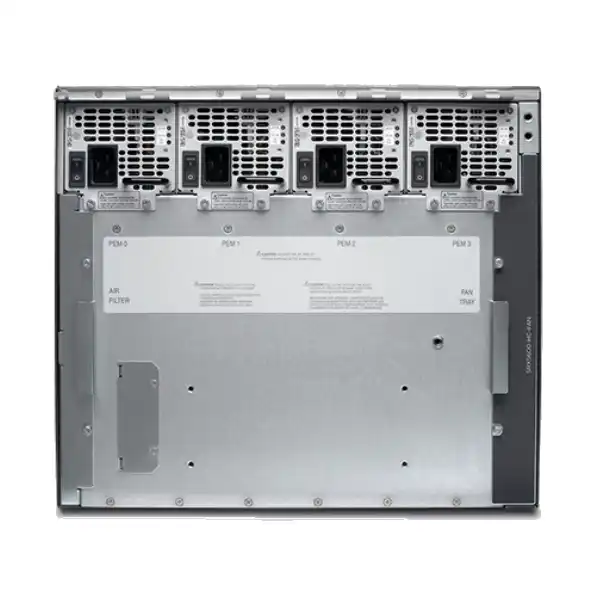
The SRX5400 is physically substantial infrastructure. Juniper lists the chassis at approximately 5U high, around 44.3 cm wide and about 62.2 cm deep from the front mounting bracket to the chassis rear, with greater total depth when cable management is included. A maximum configured weight can be significant, so rack loading and safe installation need to be treated as engineering tasks rather than routine desktop-appliance mounting.
Juniper’s installation documentation recommends adequate front and rear service clearance and emphasizes unrestricted cooling airflow. Before delivery, the data-center team should verify usable rack depth, rail or shelf requirements, nearby cable-management space, airflow direction, front and rear access and the structural capacity of the rack. A mechanical lift may be appropriate for installation depending on the exact configuration and local safety procedures.
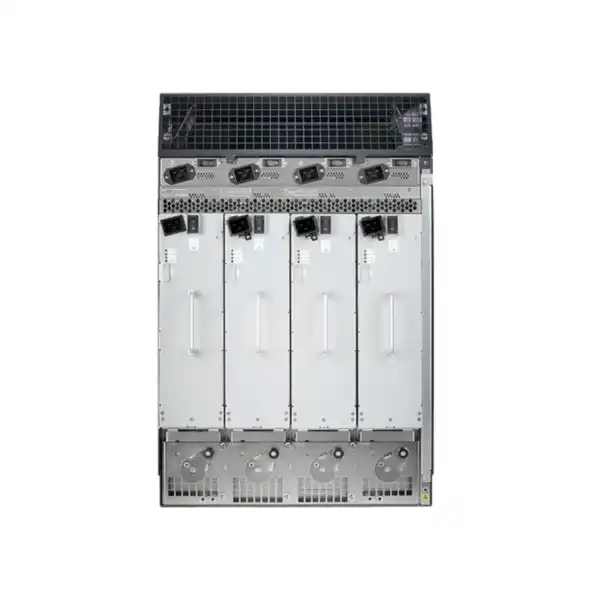
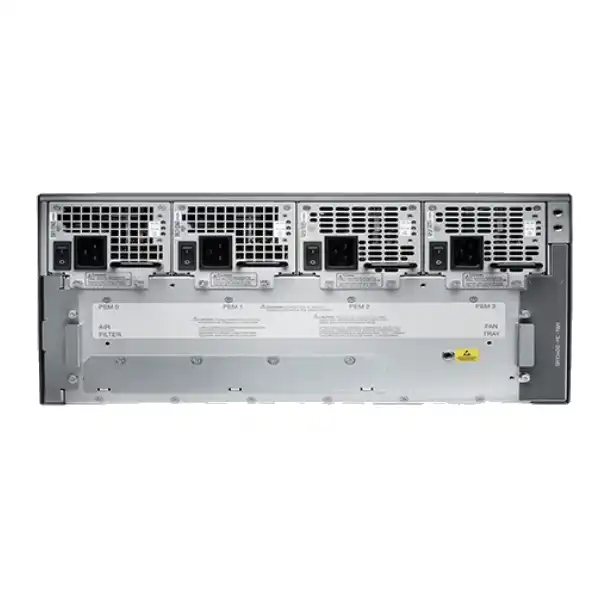
Power planning should be completed from the final card configuration. The SRX5400 supports AC or DC power systems; those power types are not mixed in normal operation. AC configurations can use multiple power supplies for redundancy, while DC configurations have their own feed and breaker requirements. The electrical design must follow local code, data-center standards and Juniper requirements, including proper chassis grounding before power is connected.
A common project delay occurs when the network equipment arrives before the facilities team has prepared the correct power feeds, sockets, breakers or grounding. The quotation and implementation scope should therefore include the expected power type and supply count. If the firewall will be installed in a colocation facility, confirm what power presentation the facility provides and whether any special cords, PDUs or change requests are required.
Cooling deserves the same attention. High-capacity security processing converts electrical power into heat, and a rack with inadequate cold-air supply or poor hot-air exhaust can reduce reliability. Capacity planning should include the complete rack, not only the firewall, especially where high-density switches, servers or storage systems share the same cabinet.
Management, monitoring and operational visibility
A firewall of this scale should be designed for operations from the beginning. Junos OS provides CLI-driven control, and Juniper’s management ecosystem can centralize security policy and operational workflows across supported devices. The exact management approach should match the number of firewalls, team structure, compliance requirements and existing automation tools.
Logging can become a major engineering consideration at SRX5400 traffic volumes. If every permitted connection, denied connection, IPS event and application event is logged, the event rate can be very high. The security team should define which events are operationally or legally useful, where logs will be sent, how long they will be retained and what downstream SIEM or analytics capacity is available. Excessive logging can create cost and storage issues; insufficient logging can make investigations impossible.
Out-of-band management should be part of the physical design. Juniper hardware documentation includes dedicated management connectivity on the Routing Engine. In a critical data center, this management path is preferably isolated from the production forwarding path so administrators can reach the firewall during routing incidents or major policy errors. Console access should also be planned for local or remote hands procedures.
Operational readiness includes configuration backup, change control, software-image management, access control for administrators, monitoring of power and fan status, hardware alarms, interface errors, session usage, CPU and memory indicators, security-service health and license status. A platform can have enough raw capacity but still become operationally fragile if alarms are not integrated into the organization’s monitoring process.
Where the SRX5400 fits well
Large enterprise data center
Suitable when internet-edge, north-south or selected east-west security needs exceed the scale of fixed appliances and the organization values modular I/O and processing capacity.
Service-provider security edge
Large session tables, high connection rates, routing scale and modular interfaces can make the platform relevant to providers consolidating security at major aggregation points.
High-capacity VPN hub
The published IPsec performance and platform scale suit designs that aggregate substantial encrypted traffic, subject to tunnel count, cryptographic profile and routing requirements.
Public-sector core security
Large organizations with strict segmentation, high availability and centralized policy needs can use the chassis as a high-capacity control point between major network zones.
Cloud and hosted infrastructure
Workloads that generate many connections and require large-scale security segmentation may benefit from the SRX5400’s session capacity and modular architecture.
Security-service consolidation
Where multiple perimeter or segmentation functions can be rationalized onto a resilient platform, the SRX5400 may reduce architectural complexity—provided failure domains are carefully considered.
When the SRX5400 may be the wrong choice
A powerful platform is not automatically the best platform. If the required inspected throughput is modest, port density is simple and growth is limited, a smaller fixed-configuration SRX model can reduce capital cost, rack space, power consumption and operational complexity. Buying a chassis platform for a workload that never needs its modularity can create unnecessary overhead.
The SRX5400 may also be unsuitable when the organization specifically wants the newest high-performance compact architecture available in the vendor portfolio. Juniper’s current SRX range includes newer fixed-form-factor data-center models that may offer high throughput per rack unit and different interface characteristics. A buyer comparing a new project should examine the SRX4600 and SRX4700 as well as larger SRX5000 chassis options, depending on capacity and feature requirements.
At the other end of the scale, an SRX5600 or SRX5800 may be more appropriate if the design requires substantially more processing, interface capacity, redundancy options or long-term expansion. The SRX5400 should not be forced into a design where every slot and resource is consumed on day one with no comfortable failure-state headroom.
Finally, organizations without staff familiar with Junos, chassis firewalls and structured change control should include implementation and operational enablement in the project scope. The platform is designed for enterprise and service-provider environments; its flexibility is valuable when managed by a team with appropriate processes.
Comparing SRX5400 with nearby Juniper options
| Platform | Published firewall scale | General positioning | Buyer question |
|---|---|---|---|
| SRX4600 | Up to 400 Gbps | Compact enterprise/data-center NGFW | Can a smaller fixed platform meet the inspected-throughput and interface requirement? |
| SRX4700 | Up to 1.4 Tbps | Newer compact high-performance data-center/campus platform | Is rack efficiency or a newer fixed architecture more important than SRX5000 modularity? |
| SRX5400 | Up to 960 Gbps | 5U modular high-capacity firewall | Does the project benefit from modular service and interface expansion with very large session scale? |
| SRX5600 | Up to 1.44 Tbps | Larger modular SRX5000 platform | Will SRX5400 slot or processing limits constrain growth or failure-state capacity? |
| SRX5800 | Up to 3.36 Tbps | Highest-scale modular SRX5000 option | Is the environment large enough that additional chassis capacity justifies the larger platform? |
Published maximum figures are useful for orientation but should not be the sole comparison criterion. Form factor, I/O type, supported security services, software roadmap, power draw, existing operational skills, migration complexity and the expected life of the design can be more important than raw firewall throughput. A greenfield project may reach a different conclusion from an expansion of an installed SRX5000 environment because module reuse and operational consistency can carry significant value.
Migration from an existing firewall to SRX5400
A firewall migration should be treated as a controlled network change, not simply a configuration conversion. The first step is discovery. Export the current security policies, objects, NAT rules, VPN definitions, routing configuration, interface addressing, virtual contexts, administrator roles, logging destinations and monitoring dependencies. Then identify which objects and rules are still in use. Migrating years of obsolete policy creates unnecessary risk and makes future operations harder.
Policy semantics must be reviewed when moving from another vendor. Features that look similar in two interfaces may be evaluated at different points in the packet-processing path. NAT order, zone behavior, application identification, session handling and VPN definitions may require redesign rather than one-to-one translation. Where possible, validate representative flows in a lab or staging environment before the production cutover.
The physical migration plan should identify every cable and port. Label existing links, document transceiver types, verify VLAN and LAG configuration on adjacent switches, pre-stage optics and confirm link-speed compatibility. For large data-center systems, seemingly minor details such as fibre polarity, patch-panel mapping or a mismatched optic can delay a change window even when the firewall configuration is correct.
Routing should be rehearsed. If BGP or OSPF neighbors move to the SRX5400, define the sequence in which neighbors are brought up and old paths are withdrawn. If static routes are used, prepare rollback commands. Monitor return traffic for asymmetry, especially where multiple firewalls, load balancers, WAN routers or cloud gateways can advertise alternative paths.
Finally, agree success criteria before the cutover starts. These should include critical application reachability, internet access, inbound published services, VPN connectivity, DNS, authentication, monitoring, logging, high-availability status and performance indicators. A rollback decision should be based on predefined conditions rather than on pressure late in the maintenance window.
A practical SRX5400 implementation journey
Discovery and traffic baseline
Collect current peak traffic, security-service usage, session counts, connection rates, VPN load, interface utilization, routing scale, existing policy count and growth assumptions. The objective is to size from observed demand rather than from circuit labels alone.
Architecture and bill of materials
Define chassis count, processing resources, interface cards, optics, power type, redundancy, licensing, support and spares. Validate component compatibility as one complete system rather than as independent line items.
Rack, power and cabling preparation
Confirm rack space, structural capacity, service clearance, cooling, grounding, PDU and breaker requirements, cable routes and transceiver compatibility. Facilities work should be completed before the hardware installation date.
Staging and base configuration
Install the agreed Junos release, configure secure administrative access, management networking, NTP, DNS if required, logging, monitoring, routing foundations and high-availability settings. Apply licenses and verify entitlement before production traffic is introduced.
Policy, NAT, routing and VPN migration
Build security zones and policies, translate necessary NAT rules, stage routing and VPN definitions, remove obsolete objects where agreed and perform peer review. Configuration quality is easier to improve before the cutover than during it.
Cutover, validation and handover
Move traffic in a controlled sequence, validate business services, examine session and interface health, test failover, confirm logs and alerts, document deviations and hand over final diagrams, backups and operating procedures.
Procurement details that materially change the quotation
For a chassis firewall, quotation accuracy depends on more than quantity. The supplier needs to know whether the requirement is a new complete system, an additional node for an existing cluster, a spare chassis, an interface expansion, a processing upgrade or a replacement for an installed component. The same product family name can produce very different bills of materials.
For a new deployment, state the required link speeds and port counts, expected inspected throughput, encrypted throughput, high-availability requirement, security services, subscription term, power type, optics and support term. If the firewall will connect to existing Juniper or third-party switches, include their interface types. If the unit will be installed in a colocation facility, mention the facility power and rack constraints.
For an expansion of an installed SRX5400, provide the current hardware inventory or chassis output showing control board, Routing Engine, processing and I/O components. This allows compatibility to be checked before adding new modules. A photograph of the chassis can help identify physical occupancy, but software inventory is more reliable for exact part identification.
Support should be specified explicitly. Enterprise firewalls normally require access to software updates, technical support and hardware replacement services appropriate to the business criticality. The desired replacement time and coverage window can affect cost. Organizations operating 24×7 services should compare support levels against their recovery objectives rather than selecting the lowest-cost contract by default.
Lead time can also differ by chassis, card, optic and license. A complete quote should therefore separate physical items from electronically delivered entitlements and identify any component that can affect the planned installation date. This is particularly important for multi-site UAE projects where staged delivery and synchronized cutovers may be required.
Support and lifecycle considerations for a long-lived data-center firewall
Large modular firewalls often remain in service for many years, so lifecycle planning should begin before purchase. The organization should confirm the current Junos software train intended for production, the available security subscriptions, hardware support entitlement and the lifecycle of major modules in the proposed configuration. A chassis family can remain supported while a particular line card, Routing Engine or license bundle follows a different commercial timeline.
Software maintenance is not only about new features. Security updates, bug fixes, hardware support, routing behavior and compatibility with management systems all depend on the operating-system release. Enterprises typically choose a release based on vendor guidance, internal qualification and interoperability testing rather than automatically running the newest build. The change process should include release-note review and a rollback plan.
Spares strategy depends on business impact and support level. Some organizations rely entirely on vendor replacement, while others keep critical optics, power supplies or selected modules locally. In environments with tight recovery objectives, the cost of a spare can be modest compared with the cost of waiting for replacement logistics. The correct approach depends on service criticality and the support contract.
For existing SRX5400 owners, expansion decisions should be compared with a platform refresh. Adding capacity may be economical when the current chassis has adequate lifecycle runway and compatible slots. If the system is approaching a broader refresh point, investment in additional modules should be weighed against migrating to a newer architecture. FourTeck can help frame this comparison around the installed base, required capacity and support horizon.
Dubai and UAE deployment considerations
The underlying SRX5400 technology is global, but project execution in the UAE still benefits from local planning. Enterprise installations may involve corporate data centers in Dubai, colocation facilities, disaster-recovery sites in another emirate, branches connected over managed WAN services and cloud environments linked through private or encrypted connectivity. The firewall design should account for how those locations exchange traffic rather than treating each site as an isolated purchase.
Data-center access procedures can affect installation. Colocation sites often require advance work permits, equipment manifests, rack-and-stack bookings, remote-hands coordination and approved power changes. Heavy chassis equipment may need specific handling arrangements. Planning these tasks alongside hardware delivery reduces the chance that valuable maintenance time is lost on access or facilities issues.
For organizations using multiple telecom providers, internet links or private circuits, routing and failover design should be agreed with the carriers before cutover. BGP parameters, handoff media, VLAN tags, IP addressing and optical presentation must match the firewall and adjacent network equipment. A hardware quote cannot solve an undocumented carrier handoff.
FourTeck’s role can include product sourcing, bill-of-material validation, licensing guidance, compatibility review, installation planning, configuration, migration and support coordination according to the agreed project scope. The most useful first step is to share the target topology and performance requirement so the quotation reflects the complete system rather than only the SRX5400 chassis name.
Frequently asked buyer questions about Juniper SRX5400
Is the SRX5400 a next-generation firewall?
Yes. Juniper positions the SRX5400 within its next-generation SRX firewall portfolio for large data-center, service-provider and public-sector use. Beyond stateful firewalling, supported software and subscriptions can provide intrusion prevention, application-aware controls, threat-intelligence functions, URL filtering, advanced threat capabilities and other security services. The exact features available to a particular deployment depend on the Junos release, licenses and subscriptions selected. Buyers should therefore define the required inspection functions before requesting a license quote.
What is the maximum firewall throughput of the SRX5400?
Current Juniper product material lists maximum firewall performance up to 960 Gbps for the SRX5400 under the vendor’s test conditions. That is a platform maximum, not a guaranteed production result for every configuration. Actual throughput depends on installed processing and I/O resources, packet mix, traffic direction, enabled security services, software release and policy behavior. If intrusion prevention, application security or encryption is central to the design, use the relevant inspected or VPN performance figures rather than sizing from raw firewall throughput.
How many concurrent sessions can it handle?
Juniper’s current comparison and datasheet material lists approximately 91 million concurrent sessions for the SRX5400. Session capacity is especially relevant for service providers, large internet-facing services, cloud and data-center environments with many short-lived connections, and networks performing large-scale NAT. Session count is only one capacity dimension; new-session rate, bandwidth, policy processing, routing scale and security inspection must also be checked.
Does the chassis include all ports required for deployment?
Not necessarily. The SRX5400 is modular, and the final network connectivity depends on the installed interface architecture and compatible line cards. A quotation must state required interface speeds, quantities and media types so the correct cards and optical transceivers can be selected. Existing SRX5000 components should not be assumed compatible without checking the installed control and Routing Engine generation, card support and target Junos release.
Can the SRX5400 be used as a VPN concentrator?
Yes. Juniper publishes up to 188 Gbps IPsec VPN performance for the SRX5400 under the stated test profile, making it suitable for substantial encrypted workloads. The design should still validate the required tunnel count, encryption algorithms, aggregate encrypted bandwidth, routing across tunnels and failover behavior. A deployment with thousands of low-bandwidth tunnels has different engineering requirements from a smaller number of very high-bandwidth encrypted data-center links.
Does SRX5400 require security subscriptions?
Base Junos capabilities and advanced security services are licensed differently. Juniper documentation identifies Standard, Advanced and Premium approaches with different combinations of routing, firewalling, NAT, VPN, IPS, application security, threat intelligence, URL filtering, antivirus and advanced threat functions. If the project needs advanced inspection, the appropriate subscription and term must be included. The safest procurement method is to list the required functions and have the current license SKUs mapped to them.
Can SRX5400 be deployed in high availability?
Yes, SRX platforms support resilient deployment designs, and the SRX5400 is intended for business-critical environments. High availability should be engineered at more than one layer: firewall node redundancy, internal power resilience, diverse upstream and downstream paths, independent power feeds where possible, management reachability and sufficient performance for failure-state traffic. The final architecture should be validated against the exact Junos and hardware configuration.
How much rack space is required?
The SRX5400 chassis is approximately 5U high. Rack planning must also consider chassis depth, cable management, front and rear service clearance, airflow and the weight of the configured system. Juniper’s installation guidance recommends proper mounting hardware and emphasizes safe handling because the device is heavier than fixed-configuration appliances. Data-center facilities and rack teams should review the installation guide before delivery.
Should a new project compare SRX5400 with SRX4700?
Yes, especially for a greenfield data-center project. The SRX4700 is a newer compact high-performance model, while the SRX5400 is a modular chassis platform. The correct choice depends on required security throughput, interface types, modular expansion, rack density, operational consistency with existing SRX5000 systems and the planned lifecycle. A project that values compact performance may prefer one architecture; an installed base that relies on SRX5000 modularity may value the other.
What information is needed for an accurate UAE quotation?
Provide the target role, peak traffic, inspected traffic, VPN traffic, expected sessions, interface speeds and quantities, high-availability requirement, power preference, required security services, subscription term, support level, installation location and migration scope. For an existing SRX5400 expansion, include the installed card inventory and Junos release. These details allow the quote to identify a complete compatible bill of materials rather than an incomplete chassis-only price.
Technical specification summary
| Product | Juniper SRX5400 Firewall / Services Gateway |
|---|---|
| Form factor | 5U modular chassis |
| Maximum firewall performance | Up to 960 Gbps under Juniper test conditions |
| Maximum IPS performance | Up to 172 Gbps |
| IPsec VPN performance | Up to 188 Gbps in Juniper’s stated test profile |
| Concurrent sessions | Approximately 91 million maximum in current Juniper material |
| Operating system | Junos OS; supported release depends on the installed hardware generation and feature requirements |
| Architecture | Modular service-processing and interface architecture; exact card combinations must be validated |
| Typical roles | Large data-center perimeter, enterprise core segmentation, service-provider security, public-sector networks, large VPN aggregation |
| Power | AC or DC configurations are supported; final supply count and facility requirements depend on the selected build |
| Advanced security licensing | Subscription-dependent. Confirm IPS, application security, threat intelligence, URL filtering, anti-malware and advanced threat requirements before ordering |
Performance numbers are vendor-published maximums from controlled test conditions. Actual production results vary by software release, configuration, traffic profile and enabled services. Final specifications should be checked against the current Juniper documentation and the exact quoted bill of materials.
Decision recap: the six questions that determine whether SRX5400 is the right fit
1. Capacity
What are peak firewall, IPS and encrypted traffic requirements today, during failure and over the planned growth period?
2. Interfaces
Which 10/40/100GbE or other supported connections are required, and what optics, fibre type and port density must be delivered?
3. Security services
Will traffic use basic firewalling only, or IPS, application security, threat intelligence, URL filtering and advanced threat functions?
4. Compatibility
For an existing platform, are the current control, processing, interface and software generations compatible with the planned expansion?
5. Installation
Is rack space, weight capacity, cooling, grounding, power feed, access clearance and cabling ready for a 5U modular chassis?
6. Alternatives
Would a compact SRX4600/SRX4700 or a larger SRX5600/SRX5800 provide a better balance of density, scale and lifecycle?
What FourTeck needs for an accurate Juniper SRX5400 quotation
A precise quotation is easier to produce when the technical requirement is documented in practical terms. The following inputs help distinguish mandatory components from optional growth items and reduce the risk of missing optics, licenses or infrastructure dependencies.
Plan the Juniper SRX5400 as a complete security system
The SRX5400 can deliver very high firewall, IPS, VPN and session scale, but the value of the platform depends on the accuracy of the configuration around it. Share your traffic profile, interface requirements, security services, high-availability objectives and installation constraints with FourTeck so the proposed bill of materials can be checked for capacity, compatibility, licensing and deployment readiness before purchase.

Reviews
There are no reviews yet.