
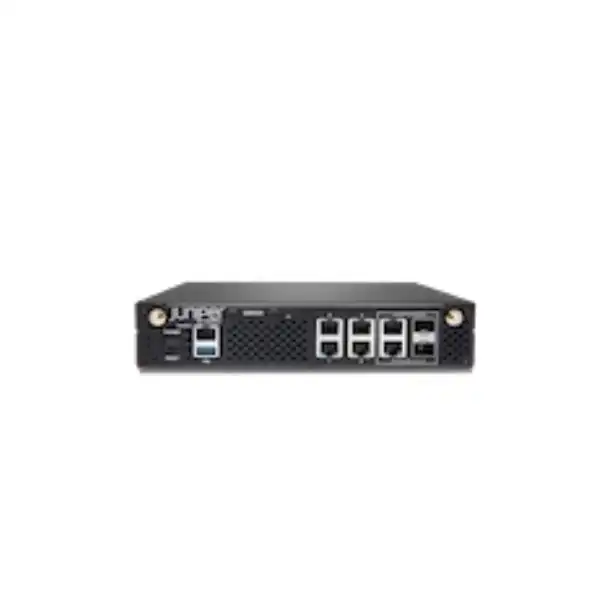
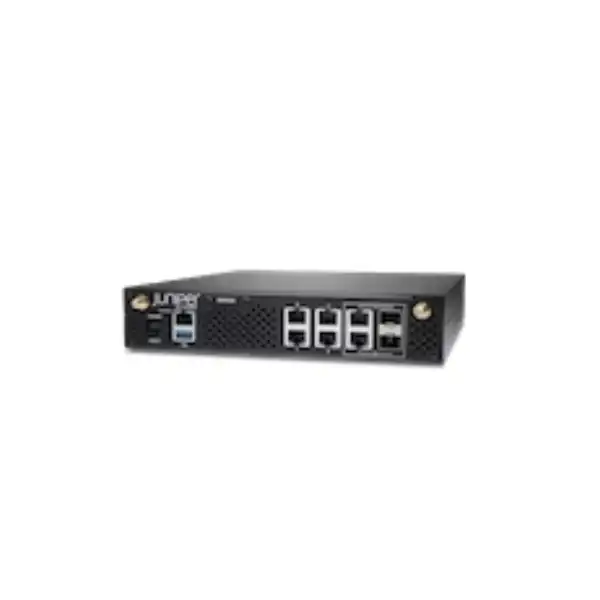
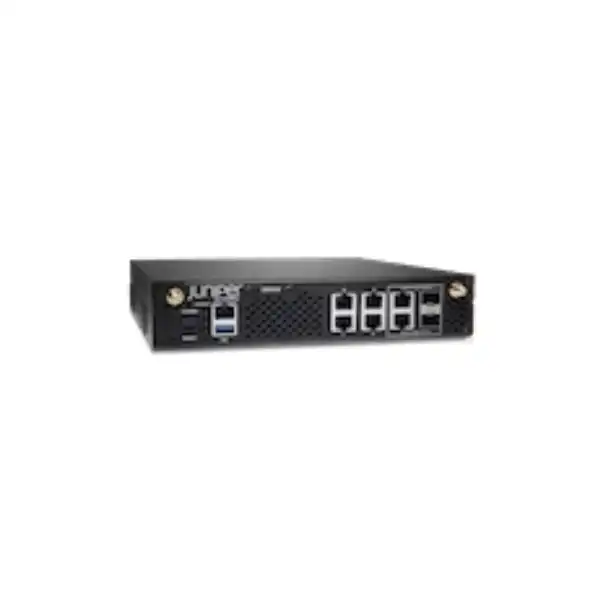
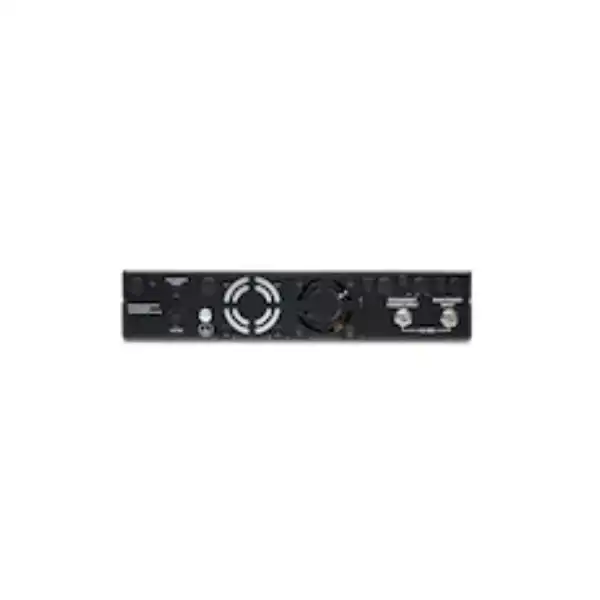
Juniper SSR120 Session Smart Router Dubai
The Juniper Networks SSR120 is a compact, software-driven branch appliance for secure WAN connectivity and Juniper Session Smart Routing. It is positioned for small branches, combines six 1GbE network interfaces in a compact desktop chassis, and supports Juniper’s application-aware, policy-driven SD-WAN approach without relying on conventional tunnel overlays for every routed session.
Direct answer for buyers evaluating the SSR120
The SSR120 is a fixed-configuration Juniper Session Smart Router appliance in the SSR branch portfolio. Juniper specifies four 1GbE RJ-45 ports, two 1GbE RJ-45/SFP combo ports, 8GB of memory and a 120GB enterprise-grade SSD. The base SSR120 does not include LTE; separate SSR120-AE and SSR120-AA models add integrated cellular capability for defined regions.
Its primary role is secure small-branch WAN connectivity, including SD-WAN traffic steering, policy-based routing, resilient use of multiple WAN paths, application-aware forwarding, encryption and integrated stateful security functions within the Session Smart architecture.
Organizations with small offices, retail or service branches, compact remote sites and distributed enterprise locations should evaluate the SSR120 when 1GbE connectivity and the appliance’s measured throughput envelope match the expected traffic. Larger branches or sites with heavier encrypted traffic should compare the SSR130 or higher platforms.
Do not size the platform from port speed alone. Confirm the real traffic profile, encryption and HMAC requirements, packet sizes, WAN link speeds, number of paths, expected growth and software subscription. Juniper’s published performance differs materially between unencrypted, encrypted-only and encrypted-plus-HMAC workloads.
FourTeck can help map the branch requirement to the correct SSR120 hardware variant, required software or WAN Assurance subscription, copper or fibre handoff, transceiver needs, LTE requirement, mounting choice, migration plan and UAE deployment scope before a commercial quotation is prepared.
Why the Juniper SSR120 is a distinct small-branch platform
The SSR120 is not simply a generic six-port router with an SD-WAN label. Its value comes from the relationship between dedicated branch hardware and Juniper Session Smart Router software. Juniper positions the platform for small branches and rates the SSR120 at up to 1.5Gbps aggregate unencrypted throughput with IMIX traffic, while encrypted workloads have different published results. That makes the appliance suitable for a defined class of branch rather than every office that happens to use 1GbE access links.
The Session Smart design is service- and session-aware. Instead of treating every destination merely as an IP reachability problem, policy can be tied to services, applications and network paths. Juniper’s Session Smart architecture uses Secure Vector Routing and is designed around a tunnel-free forwarding model. For a buyer, the practical point is not the terminology itself; it is that the branch can make forwarding decisions with knowledge of session context, application policy and path conditions while avoiding the operational overhead associated with building a large collection of conventional overlay tunnels.
Hardware is intentionally compact. The chassis is approximately 8.74 inches wide, 9.49 inches deep and 1.73 inches high, with a shipping weight of about 3.68lb or 1.67-1.69kg depending on the Juniper document. It can therefore sit on a suitable level surface and Juniper also documents rack and wall or surface mounting options. A separately orderable SSR100-RMK rack-mount kit is listed for rack installation. This matters in Dubai branch projects where the WAN edge may be installed in anything from a full communications rack to a compact IT enclosure.
The appliance is also deliberately subscription-dependent. Juniper states that an SSR software subscription license must be purchased separately to use the appliance. When Mist cloud management and WAN Assurance are part of the design, the appropriate subscription and organization setup are also prerequisites to cloud onboarding. For procurement, this means that buying only the hardware chassis is not a complete deployment plan. The correct commercial bill of materials needs to pair the hardware with the management and software entitlement that matches the intended operating model.
Core capabilities and what they mean in a branch network
Session-aware SD-WAN
The SSR platform makes routing decisions with awareness of sessions and services rather than relying only on static destination prefixes. In a distributed enterprise, this can support branch policies that prefer one WAN link for selected business traffic, use another link for backup or lower-priority sessions, and react to path quality. The buyer should define application classes, branch criticality and the available WAN circuits before design, because the value of intelligent steering depends on having meaningful paths and policies to choose between.
Zero Trust policy foundation
Juniper describes the SSR120 as providing Zero Trust Security through authenticated routes, access rules and encrypted session traffic. The software includes stateful firewall functions and traffic filtering. In practical terms, branch connectivity can be expressed in terms of permitted services rather than assuming unrestricted reachability between network segments. The exact security policy still requires careful design: application definitions, user or device context, segmentation boundaries and allowed destinations must be aligned with the organization’s security model.
Adaptive encryption
The SSR120 can identify traffic already encrypted with technologies such as HTTPS or IPsec and can avoid needless re-encryption in applicable Session Smart designs. The purpose is to reduce the overhead of encrypting traffic twice when the original session already provides appropriate protection. Buyers should still decide which traffic needs SSR encryption, which traffic can remain as-is and what compliance requirements apply, because performance expectations change depending on the selected security treatment.
Multipath resilience
Application- and policy-based multipath routing allows the appliance to use more than one WAN path and monitor path quality. This is relevant where a branch has primary fibre or Ethernet connectivity plus a second fixed circuit or cellular backup. Resilience is not created by the router alone: the WAN links must be diverse enough to avoid common failures, and critical applications need policies that define how failover, recovery and path preference should work.
Flexible copper or fibre handoff
Four onboard ports are 1GbE RJ-45 and two additional interfaces are 1GbE RJ-45/SFP combo ports. The combo design gives the branch flexibility when a service provider presents copper at one site and fibre at another. An SFP transceiver is not implied simply because an SFP slot is present. The exact optic, fibre type, connector and reach must match the carrier handoff and local cabling design, and combo-port behavior should be planned so only the intended media interface is used.
Mist-ready operations
Juniper documents the SSR120 as ready for onboarding through the Mist cloud portal. Claim codes, organization inventory, site assignment and WAN Edge templates can be used for repeatable branch provisioning. This is valuable when many branches should follow a common baseline. Cloud management requires the appropriate subscription and Internet reachability during onboarding, while Conductor-managed SSR deployments follow a different operational model. The management architecture should be selected before rollout rather than treated as a post-installation detail.
Juniper SSR120 hardware and performance specifications
The values below are based on Juniper’s current SSR120 hardware documentation and SSR100-series specifications. Performance figures are not interchangeable: IMIX results represent a mixed packet-size profile, while 1500/1518-byte results are larger-packet conditions. Encryption and HMAC materially reduce the throughput envelope compared with unencrypted forwarding, so sizing must use the workload that most closely resembles the planned branch.
| Specification | SSR120 detail | Buyer relevance |
|---|---|---|
| Target deployment | Small branch | Use the designation as a starting point, then validate traffic and security load. |
| Onboard Ethernet | 4 × 1GbE RJ-45 | Useful for common copper LAN and WAN handoffs; there are no 2.5GbE or 10GbE onboard interfaces. |
| Combo interfaces | 2 × 1GbE RJ-45/SFP combo | Allows copper or compatible SFP media; optics must be selected for the actual fibre service. |
| Memory | 8 GB | Fixed platform resource; sizing should follow Juniper’s model positioning rather than assuming memory upgrades. |
| Storage | 120 GB enterprise-grade SSD | Supports the appliance software and operational data; it is not a general-purpose branch file-storage device. |
| Unencrypted aggregate IMIX | 1.5 Gbps | A useful headline ceiling for mixed-packet unencrypted forwarding, not a guarantee for every production policy set. |
| Unencrypted aggregate large packets | 2 Gbps line-rate-on-ports class result | Large-packet tests can be substantially higher than IMIX; do not size branch traffic from this figure alone. |
| Encrypted aggregate IMIX | 750 Mbps | Important where the branch expects significant SSR encryption across WAN paths. |
| Encrypted + HMAC aggregate IMIX | 250 Mbps | Critical sizing figure when HMAC-protected encrypted services dominate the traffic profile. |
| USB | USB 3.0 | Operational interface; project use should follow Juniper’s documented procedures. |
| Console | RJ-45 console interface | Useful for local administrative access and troubleshooting when remote management is unavailable. |
| PoE+ | Not supported | Access points, phones and cameras still require a PoE switch or separate power source. |
| Form factor | Desktop fixed chassis | Rack installation is possible with the appropriate separately orderable mounting kit. |
| Dimensions | 8.74 in W × 9.49 in D × 1.73 in H | Compact footprint, but airflow and cable clearance still need to be planned. |
| Maximum estimated power draw | 32.5 W | Useful for branch UPS and cabinet power budgeting. |
| Operating temperature | 0°C to 40°C | A temperature-controlled communications area is important in the UAE; do not treat the appliance as outdoor or uncontrolled-space equipment. |
Performance sizing: why 1GbE ports do not automatically mean a 1Gbps secure branch
One of the most important SSR120 purchasing decisions is separating interface capacity from actual forwarding capacity under the intended security profile. The appliance has multiple 1GbE interfaces, but Juniper publishes several performance figures rather than one universal number. With unencrypted IMIX traffic, the SSR120 is rated at 1.5Gbps aggregate. With encrypted IMIX traffic, the figure is 750Mbps. When encryption and HMAC are both included, the IMIX figure drops to 250Mbps. Large-packet tests are higher: Juniper reports 2Gbps for encrypted-only aggregate traffic at 1500/1518-byte packet size and 500Mbps for encrypted-plus-HMAC at 1500/1518-byte size.
This distinction is not a technical footnote. Consider a branch ordering a 1Gbps Internet connection because the edge appliance has 1GbE interfaces. If most business traffic will traverse a Session Smart service with security settings closer to Juniper’s encrypted-plus-HMAC profile, the router should not be assumed to sustain the full access-circuit rate under all packet mixes. Conversely, a small office with a 200Mbps or 300Mbps primary circuit and a moderate encrypted workload may sit comfortably inside the model’s expected range. The correct conclusion comes from the traffic profile, not from the connector label.
Packet size also matters. IMIX is designed to represent a mixture of packet sizes rather than a stream composed entirely of large frames. Smaller packets create more per-packet processing work for the same number of transmitted bits. Real branch traffic includes voice, web transactions, SaaS sessions, DNS, collaboration, updates and bulk transfers, so a mixed profile is often a more conservative planning reference than a single large-frame benchmark. Actual production throughput can also be influenced by software release, enabled services, policy complexity, routing behavior and traffic distribution.
Growth should be included in the decision. A branch that currently uses 300Mbps may be planning a 1Gbps circuit upgrade, local Internet breakout for cloud applications, a larger office, additional cameras, or a shift from MPLS to dual broadband. If the target design will approach the SSR120’s security-constrained performance ceiling during normal business hours, choosing a larger platform at initial deployment may be more economical than replacing the router shortly after installation. Juniper positions the SSR130 for medium branches and publishes substantially higher encrypted-plus-HMAC IMIX performance for that model.
Ports, fibre handoffs and branch connectivity planning
The SSR120’s interface mix is practical for small-branch designs because it supports common copper Ethernet while retaining two 1GbE combo interfaces that can accept compatible SFP optics. The four dedicated RJ-45 ports are straightforward for short copper connections to an ISP device, firewall migration bridge, LAN switch or other Ethernet equipment. The two combo ports allow either RJ-45 or SFP media, which can reduce the need for an external media converter when a provider delivers a suitable 1GbE optical handoff.
A combo port is one logical interface with alternate physical media choices; it should not be planned as two independent ports simply because both an RJ-45 socket and an SFP cage are visible. The chosen medium must match the intended configuration. For fibre, the transceiver has to be compatible with the appliance and with the optical service: single-mode versus multimode fibre, wavelength, connector style, reach and provider presentation all matter. FourTeck should therefore receive the carrier handoff specification or a photo and technical description from the service provider before an optic is added to a bill of materials.
The SSR120 does not provide PoE+. That means it cannot replace a PoE access switch simply because it has multiple Ethernet ports. IP phones, wireless access points, cameras and other powered endpoints still need a suitable PoE switch or individual injectors. In a new branch, separating WAN-edge routing from access switching is usually cleaner because switch-port count, VLAN access policy and PoE power budget can then be sized independently from the WAN platform.
For Mist zero-touch onboarding, Juniper’s quick-start procedure identifies port 0, ge-0-0, as the default WAN port used to contact Mist and port 3, ge-0-3, as the initial LAN-side connection in the basic workflow. The WAN link needs DHCP address assignment and Internet reachability to Mist for this default process. These defaults are part of the onboarding method rather than a permanent architectural restriction; the production template and interface roles should be designed for the organization’s actual WAN and LAN scheme.
Base SSR120 or LTE-enabled SSR120-AE for the UAE?
The product named on this page is the base SSR120, which does not include integrated LTE. Juniper also offers cellular variants. For EMEA, Juniper identifies the SSR120-AE as the regional integrated-LTE model; its modem supports 4G LTE Category 6 and 3G technologies on a defined set of frequency bands. The SSR120-AA is the APAC/Australia/New Zealand cellular variant and uses a different band set. Because the UAE is normally treated within EMEA commercial and regulatory planning, the SSR120-AE is the variant that should be evaluated when integrated LTE is required, subject to current Juniper availability and local mobile-operator compatibility.
Choose the base SSR120 when
The branch has adequate fixed-line WAN diversity or an external cellular device is already part of the design; integrated LTE is not required; the project wants the simplest hardware SKU; or a separate carrier-managed 4G/5G gateway provides the backup service.
Evaluate SSR120-AE when
The branch needs an integrated cellular path for backup, temporary connectivity or path diversity and the local carrier supports the modem’s relevant bands and SIM requirements. Juniper documents one micro-SIM and two external LTE antennas for the integrated module.
Integrated cellular is convenient, but it does not remove the need for radio planning. Building construction, rack position, metal cabinets, antenna orientation, local carrier coverage, SIM provisioning, data-plan policy and signal quality all affect real performance. Juniper’s LTE module supports a pair of external swivel-mount antennas, allowing orientation adjustments. If the router is installed deep inside a building or shielded communications room, cellular signal quality should be assessed before assuming that integrated LTE will provide dependable failover.
The cellular module is integrated rather than a field-configurable add-on, so the decision between base and LTE hardware should be made at ordering time. A branch that may require cellular later should either select the appropriate LTE model from the start or deliberately design an external cellular handoff that can be added independently. This is a procurement choice with lifecycle consequences, not merely a software checkbox.
Session Smart software, licensing and management choices
Juniper explicitly states that the SSR software subscription license is sold separately from the SSR120 appliance. This is the first licensing point a buyer should capture in the bill of materials. A chassis without the appropriate subscription should not be treated as a complete deployable solution. Subscription term, support entitlement, management architecture and any required WAN Assurance service should be aligned with the organization’s operational plan and procurement cycle.
Juniper Session Smart Router can be managed through the Mist platform or through Session Smart Conductor, depending on the software release and chosen architecture. Current Juniper documentation describes Mist-managed routers using SSR software version 6.x and later, while certain 5.4.x-and-later deployments can remain Conductor-managed. The relevant point for a buyer is that a migration from an existing conductor-operated environment to Mist is not the same project as deploying a new Mist-first branch. Device claiming, site assignment, templates, telemetry, administrative roles and operational workflows all need to reflect the selected management plane.
For Mist onboarding, the organization and sites must exist and the required subscriptions must be activated. The device is claimed into inventory using a claim code; it can then be assigned to a site and associated with a WAN Edge template. Templates can predefine basic WAN interfaces, LAN interfaces, traffic steering and application policies, giving multi-site operators a repeatable starting point. That consistency is particularly valuable for retail or branch rollouts in which ten, twenty or hundreds of offices should not be configured manually one at a time.
Zero-touch provisioning still depends on the branch having a viable bootstrap path. Juniper’s default procedure uses the SSR120’s port 0 connected to an Ethernet WAN service that supplies DHCP and Internet reachability to Mist. Firewalls or upstream devices must permit the required cloud communication. If a branch cannot provide DHCP or open Internet connectivity during staging, the rollout method needs to account for that before a technician arrives on site. A “cloud-managed” label does not eliminate basic WAN bootstrap dependencies.
Administration design should also cover role-based access, change control, configuration templates, log retention, event response and escalation. The router can produce useful WAN telemetry, but operations teams still need to decide who owns WAN incidents, who can modify steering policy, how after-hours changes are approved, and what monitoring system receives alarms. In a managed-service arrangement, these responsibilities should be stated in the service scope rather than assumed.
Software release planning matters over the appliance lifecycle. New features, resolved issues and limitations are documented in SSR release notes. Before a major branch rollout, the organization should standardize a tested software version and validate application behavior, routing adjacencies, high-availability design, LTE functionality where used, and management integration. Upgrading every branch immediately when a new release appears is rarely as sound as maintaining a controlled, supportable software policy.
Security functions: useful capabilities, but not a substitute for architecture
Juniper describes the SSR120 software as providing FIPS 140-2 Level 1-compliant capabilities through Session Smart software and lists stateful firewall functions across session layers, including traffic filtering, NAT, VPN, encryption and DoS/DDoS protections. Session Smart’s Zero Trust approach uses deny-by-default concepts and policy checkpoints rather than assuming that any reachable network should automatically be trusted. This can reduce lateral exposure when branch services are designed with explicit access rules.
For procurement, however, “integrated security” should not be interpreted as a guarantee that the SSR120 replaces every dedicated security control in every environment. Organizations with advanced threat-prevention, web filtering, sandboxing, regulated inspection, data-loss prevention or specialized firewall requirements should map those functions explicitly to the planned security stack. Session Smart routing may be the WAN edge while another security platform provides controls that are outside the intended SSR feature set. The correct architecture depends on the organization’s security policy and inspection requirements.
Segmentation policy deserves similar care. A small branch may contain corporate users, guest Wi-Fi, IP telephony, security cameras, building management devices and local servers. These networks should not be treated as one trusted LAN merely because they share the same physical site. Session-aware policy can support differentiated connectivity, but VLAN design, access switching, identity sources, routing boundaries and permitted services must all align. The WAN router can enforce policy only for traffic that traverses the relevant routing and security path.
Encryption should be selected according to data sensitivity and performance requirements. Juniper’s adaptive encryption capability can avoid double-encrypting sessions already protected by HTTPS or IPsec in applicable designs, improving efficiency. That does not mean all encrypted-looking traffic can automatically be exempted from every organizational requirement. Compliance teams may mandate transport protection between sites irrespective of application-layer encryption. The branch design should reconcile security policy with the SSR120’s published throughput under the chosen cryptographic treatment.
Deployment journey for a Dubai or UAE branch
Define the branch traffic
Document current and planned WAN speeds, application mix, SaaS usage, local Internet breakout, voice, backups, cloud access and peak simultaneous traffic. Separate ordinary Internet use from traffic that will be encrypted or authenticated by Session Smart policies. This determines whether SSR120 performance headroom is appropriate.
Confirm WAN handoffs
Identify every circuit, provider device, IP addressing method, VLAN tagging requirement and physical presentation. For optical handoffs, confirm fibre type, wavelength, connector and supported transceiver. For LTE backup, decide whether integrated SSR120-AE or an external cellular gateway is more suitable.
Choose management and subscription
Decide whether the deployment will be Mist-managed or part of a Conductor-managed Session Smart environment. Select the required SSR software and, when applicable, WAN Assurance subscription term. Align entitlement dates with hardware delivery and rollout so the appliance is not waiting for licensing at installation time.
Prepare the site
The SSR120 should operate in a dry, clean, well-ventilated and temperature-controlled location. Juniper lists an operating range of 0°C to 40°C. Dubai summer conditions make cabinet cooling and room air-conditioning important. Provide safe grounding, power, cable management and adequate airflow around the chassis.
Stage policy and onboarding
Create the Mist organization, sites and WAN Edge templates or prepare Conductor configuration before field work. Verify bootstrap Internet access, DHCP assumptions, claim codes, management credentials and any upstream firewall rules. A controlled staging process makes repeat deployments faster and reduces the time a technician spends troubleshooting basic access.
Validate production behavior
After cutover, test each WAN path, application steering, DNS, business SaaS access, voice quality, failover and recovery. Confirm telemetry and alerting are visible to the operations team. Record circuit identifiers, interface assignments, support contacts, software release and configuration ownership in the site’s operational documentation.
Installation, mounting and UAE environmental considerations
The SSR120 is physically small, but good edge design still requires disciplined installation. Juniper documents desk or level-surface mounting as well as wall/surface and rack options. The SSR100-RMK rack-mount kit is separately orderable. In a communications rack, the router should be mounted so that cables are supported, airflow is not blocked and service personnel can reach the interfaces and power connection without disturbing adjacent equipment. In a shelf installation, the surface must be stable and the appliance should not be buried under other equipment.
Power is supplied through an external AC/DC adapter. Juniper lists a 100-240V AC, 50-60Hz input and 12V DC, 5A adapter output, with estimated maximum SSR120 power draw of 32.5W. The appliance documentation instructs use of the main power input rather than the redundant input for the standard connection procedure. A branch that needs higher power resilience should therefore consider the complete power architecture, including a suitable UPS, circuit protection and any supported redundant-power strategy rather than assuming appliance redundancy from a second connector alone.
Temperature is especially important in Dubai and the wider UAE. Juniper specifies an operating temperature range from 0°C to 40°C and states that the unit should be installed in a dry, clean, well-ventilated and temperature-controlled environment. A small unconditioned storeroom, roof enclosure or cabinet exposed to direct solar heat may exceed the appliance’s normal operating envelope even when the office itself is comfortable. IT planners should consider cabinet fan performance, room cooling during weekends, dust ingress and the impact of power outages on air-conditioning.
Grounding and cable safety also matter. Juniper recommends permanent grounding during operation. Power and network cables should be routed so they do not block airflow, strain connectors or create trip hazards. Copper Ethernet cabling should match the intended 1GbE distance and quality requirements. Fibre patch leads should respect bend radius and connector cleanliness. These are routine installation disciplines, but they often determine whether an otherwise correct router deployment remains reliable after months of operation.
For LTE-equipped variants, antenna positioning introduces another site variable. The external antennas can be rotated to improve signal strength, but the best orientation depends on local radio conditions. If the router is mounted in a metal rack or internal equipment room, antenna placement may need to be adjusted or the cellular design reconsidered. A cellular backup path should be tested under failover conditions, not merely judged from a visible signal indicator.
Where the SSR120 fits well — and where it may not
Retail and service branches
A small branch with point-of-sale, corporate workstations, SaaS applications, IP telephony and guest services can benefit from application-aware WAN steering and centralized templates. The SSR120 becomes attractive when the site has one or two moderate-speed WAN links and the traffic profile remains within the platform’s encrypted performance envelope. Access switching and PoE should be supplied separately.
Professional office
Accountancy, consulting, legal and similar offices often depend heavily on Microsoft 365, cloud CRM, video meetings and secure access to headquarters. A Session Smart edge can classify and steer those services across available paths. Sizing should consider collaboration peaks and any centralized data transfer rather than using average Internet utilization.
Temporary or rapidly deployed site
A project office or short-term branch can use centralized policy and zero-touch workflows to reduce local configuration effort. When fixed connectivity is delayed, an LTE-enabled SSR120-AE may be considered if carrier support and expected cellular throughput are suitable. A temporary site still needs controlled power, temperature and secure physical placement.
Heavy encrypted branch
If the branch expects hundreds of megabits of encrypted-plus-HMAC traffic at mixed packet sizes, the 250Mbps published SSR120 figure becomes a critical constraint. A buyer should compare SSR130 rather than forcing the smaller platform into a role with little capacity margin. Port count alone will not reveal this limitation.
Multi-gigabit or 10GbE requirement
The SSR120 uses 1GbE interfaces. A site that needs 2.5GbE, 5GbE or 10GbE handoffs, or expects sustained traffic above the platform’s forwarding envelope, should evaluate a different model. External link aggregation does not turn 1GbE physical interfaces into a native multi-gigabit port.
Converged Wi-Fi and PoE expectation
The SSR120 is not an all-in-one Wi-Fi access point or PoE access switch. If a branch wants integrated wireless, switching and newer cellular capabilities in one platform family, Juniper’s SSR400 line may be relevant to compare. The exact choice should reflect WLAN density, PoE budget, switch-port requirements and WAN edge performance.
SSR120 versus SSR130: when the next model is worth evaluating
| Decision area | SSR120 | SSR130 |
|---|---|---|
| Juniper positioning | Small branch | Medium branch |
| Dedicated 1GbE RJ-45 | 4 | 6 |
| 1GbE RJ-45/SFP combo | 2 | 2 |
| Unencrypted IMIX aggregate | 1.5 Gbps | 2 Gbps, line-rate-on-ports class |
| Encrypted + HMAC IMIX | 250 Mbps | 1 Gbps |
| Best reason to step up | Lower branch traffic and moderate secure-WAN demand | More copper interfaces and much greater headroom for encrypted-plus-HMAC mixed traffic |
The SSR130 is not automatically the better purchase just because its performance is higher. If a small branch has two modest WAN circuits and realistic growth remains inside the SSR120 envelope, the SSR120 may be the more proportionate platform. The step up becomes compelling when secure traffic approaches the SSR120 ceiling, more copper interfaces are required, or the branch is expected to grow materially. A quotation should compare total lifecycle fit rather than hardware price in isolation.
Migration from an existing branch router or SD-WAN edge
Replacing an existing router is usually more complex than installing a new appliance on an empty network. The migration plan should inventory WAN addressing, provider VLANs, BGP or static routes, DHCP services, NAT rules, site-to-site connectivity, DNS dependencies, voice services, guest networks, monitoring, firewall policy and any routes learned from the LAN. A configuration can appear simple at the legacy router while still containing years of exceptions that business applications quietly depend on.
The safest design identifies which existing functions will move to Session Smart and which will remain elsewhere. For example, DHCP may stay on a Windows server, security inspection may remain on a dedicated firewall, and the SSR120 may become the WAN policy and path-selection point. In another branch, the SSR can provide more of the edge functions directly. Either approach can work when the boundaries are explicit. Problems arise when the project assumes that every existing rule should be copied literally without considering whether Session Smart expresses the service in a different and more useful way.
Cutover planning should include a rollback path. Preserve the old router configuration, document the carrier cabling, label WAN links and pre-stage the SSR120 before the maintenance window. If practical, validate cloud claiming and software version before the device reaches the branch. During cutover, test DNS, Internet, critical SaaS, private applications, voice, inbound requirements and each failover path. The router should not be considered complete merely because it shows online in a management portal.
Organizations moving from conventional tunnel-based SD-WAN should also review their policy assumptions. Session Smart’s architecture is different enough that a one-to-one translation of every tunnel or VPN construct may not produce the cleanest design. The migration is an opportunity to map business services, application priorities and segmentation intent directly to Session Smart policies. That usually produces a more maintainable result than trying to imitate a previous overlay at all costs.
For multi-site migrations, pilot a small number of representative branches first. Include at least one simple site and one branch with more demanding traffic or unusual carrier connectivity. Measure user experience, failover timing, telemetry, help-desk workflow and operational effort. Lessons from the pilot should be incorporated into templates and runbooks before the bulk rollout begins.
Compatibility, accessories and procurement dependencies
The hardware price is only one part of an SSR120 deployment. Start with the exact appliance variant: base SSR120 without LTE, SSR120-AE for integrated LTE in AMER/EMEA, SSR120-AA for the APAC cellular band set, or a relevant TAA-compliant SKU when procurement rules require it. The model must be chosen deliberately because the integrated cellular module is not a field-configurable option that can simply be inserted later.
Next, add the required Session Smart software subscription. If Mist WAN Assurance is part of the management design, include the correct subscription and term. Confirm whether the organization already has a Mist tenant and appropriate administrative ownership. Subscription dates should align with the deployment program; for phased rollouts, the commercial strategy may need to avoid consuming months of entitlement while equipment waits in storage.
For rack deployment, Juniper identifies the SSR100-RMK rack-mount kit as separately orderable. If the appliance will sit on a desk or shelf, the project still needs a secure, ventilated location. For fibre links, compatible SFP transceivers and patch cords may be required. The quote should not guess the optic. The carrier’s Ethernet handoff documentation should specify media and optical parameters so the correct transceiver can be selected.
For LTE-enabled models, antennas are supplied with applicable SSR120-AE and SSR120-AA shipments according to Juniper’s hardware documentation, but the project still needs a compatible micro-SIM, active data service and local carrier support. Verify the cellular frequency bands and planned operator before procurement. A mobile contract with restrictive NAT or inbound limitations may also influence the services that can use the cellular path.
Power resilience is another dependency. The appliance uses an external power adapter and has relatively modest power draw, making it straightforward to support with a branch UPS. The UPS itself should be sized for the complete communications stack: router, carrier ONT or modem, access switch, wireless access points if powered by the switch, and any other device required to keep connectivity alive. Protecting only the SSR120 while the provider termination loses power delivers little practical availability.
Finally, include installation and support scope. Decide whether the quotation covers hardware supply only, configuration, on-site installation, migration, testing, documentation, post-cutover support, or ongoing managed operations. Clear scope prevents misunderstandings about whether cabling, optics, carrier coordination or legacy-device removal is included.
Buyer questions about the Juniper SSR120
Is the SSR120 a firewall?
Session Smart software includes stateful firewall and traffic-filtering functions, NAT, encryption, VPN functions and DoS/DDoS-related protections. Whether it replaces a dedicated next-generation firewall depends on the exact security controls your organization requires. If advanced threat inspection, web security, sandboxing or other specialized controls are mandatory, map those functions explicitly before consolidating devices.
Does the SSR120 include the software license?
No. Juniper’s documentation states that the SSR software subscription license is sold separately. The commercial proposal should include the required subscription and, when Mist cloud operations are planned, the appropriate WAN Assurance entitlement and term.
Can it handle a 1Gbps Internet circuit?
It has 1GbE interfaces, but secure throughput depends on traffic treatment. Juniper publishes 1.5Gbps aggregate unencrypted IMIX, 750Mbps encrypted IMIX and 250Mbps encrypted-plus-HMAC IMIX for the SSR120. A 1Gbps access circuit can therefore be physically connected, yet the router should only be selected after checking the expected encrypted workload and packet profile.
Does it support fibre?
Yes, two network interfaces are 1GbE RJ-45/SFP combo ports. A compatible SFP transceiver is required for fibre and must match the carrier or LAN optical specification. The presence of the SFP cage does not identify the correct optic automatically.
Does the base SSR120 have LTE?
No. The base SSR120 is the non-LTE model. Juniper provides SSR120-AE and SSR120-AA cellular variants. For an EMEA deployment such as the UAE, the SSR120-AE is the integrated-LTE variant to evaluate, subject to current Juniper supply and compatibility with the chosen mobile operator.
Can I add LTE later to a base SSR120?
The integrated LTE module is associated with specific appliance SKUs and is not described as a field-configurable add-on. If later cellular connectivity is likely, choose the correct LTE model initially or plan for an external cellular gateway that presents Ethernet to the router.
Does the SSR120 provide PoE for access points or phones?
No. Juniper lists PoE+ as not supported on the SSR120. A PoE-capable switch or separate injector is needed for powered endpoints. This should be included in a greenfield branch bill of materials if the site does not already have suitable switching.
Can the SSR120 be rack mounted?
Yes. Juniper documents a separately orderable SSR100-RMK rack-mount kit. The compact appliance can also be mounted on a desk or other suitable level surface, with wall or surface mounting documented in the hardware guide. Airflow, cable support and service access should guide the physical choice.
Is the SSR120 suitable for an unconditioned equipment room in Dubai?
It should not be assumed suitable. Juniper specifies a 0°C to 40°C operating range and calls for a dry, clean, well-ventilated, temperature-controlled environment. UAE site design should account for air-conditioning outages, cabinet heat, dust and direct solar exposure.
How is it onboarded to Mist?
Juniper’s quick-start workflow uses the device claim code, organization inventory, site assignment and WAN Edge templates. Port 0 is the default bootstrap WAN interface and needs DHCP plus Internet reachability to Mist. The organization, sites and required subscriptions should be prepared first.
When should I choose SSR130 instead?
Compare SSR130 when the branch needs more copper ports, more growth headroom or materially higher secure throughput. Juniper publishes 1Gbps encrypted-plus-HMAC IMIX for SSR130 versus 250Mbps for SSR120, a major difference for heavily protected WAN traffic.
What information is needed for an accurate Dubai quote?
Provide quantity, exact branch locations, WAN circuit speeds and handoffs, expected secure traffic, LTE requirement, software or WAN Assurance term, mounting method, optic requirements, desired installation scope and whether the project is a new deployment or migration from an existing router.
UAE procurement and support planning
For a Dubai purchase, the most useful quotation is one that identifies the full operational requirement rather than listing only “Juniper SSR120.” Start with hardware quantity and exact deployment location. A single Dubai branch is a different project from a national rollout across Abu Dhabi, Sharjah, Ras Al Khaimah and other Emirates because staging, delivery, field installation and carrier coordination can differ by site. The technical model may remain the same, but the deployment service should be scoped to the actual footprint.
Availability and lead time should be confirmed at quotation rather than assumed from a generic product listing. Enterprise networking inventory changes, regional SKUs may have different availability, and subscription entitlements need to match the hardware and intended management system. FourTeck can prepare a bill of materials based on the project requirement, but the final model, price, delivery estimate and support terms should be treated as quotation-specific.
Support planning should include both hardware replacement expectations and software expertise. Juniper notes that installation-base data should be kept current because hardware replacement service levels can depend on accurate site records. For a distributed network, asset records should include serial number, model, site, software release, subscription term, circuit IDs and local contact. This information greatly reduces time lost during incident escalation.
If the branch is business-critical, define what happens when the router fails, when a WAN link fails and when the branch loses power. These are separate events. Hardware support can address device failure, a second WAN circuit or LTE path can address carrier failure, and a UPS can address short power interruptions. A resilient branch design combines those layers according to the business’s acceptable downtime rather than expecting one product to solve every availability risk.
Finally, decide whether configuration ownership stays with the internal IT team, a managed service provider or a shared model. The organization should know who can alter routing policy, who receives Mist or SSR alarms, who coordinates with the ISP, who authorizes software upgrades and who supports branch users during a cutover. Clear operating responsibility is as important as the hardware choice in maintaining a stable SD-WAN deployment.
Decision recap before ordering the Juniper SSR120
What FourTeck needs for an accurate SSR120 quotation
Plan the right SSR120 deployment for your Dubai branch
The Juniper SSR120 is a strong small-branch Session Smart platform when its secure throughput, interfaces, subscription and deployment model match the site. Send FourTeck your circuit speeds, quantity, security profile, management preference and LTE requirement to validate the bill of materials before ordering.

Reviews
There are no reviews yet.