
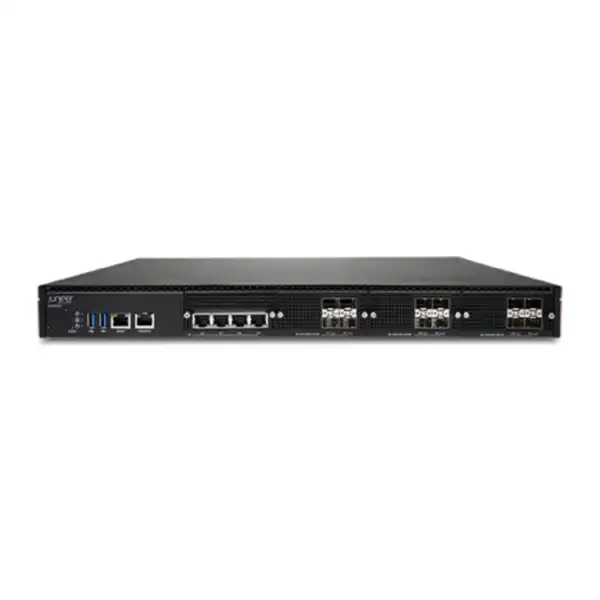
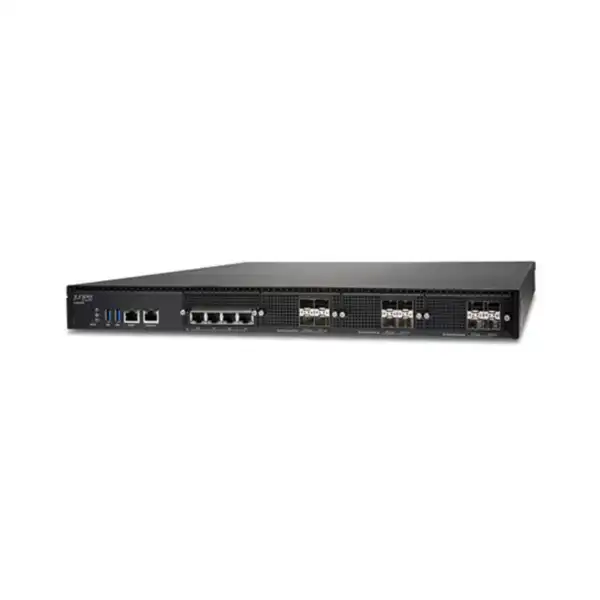
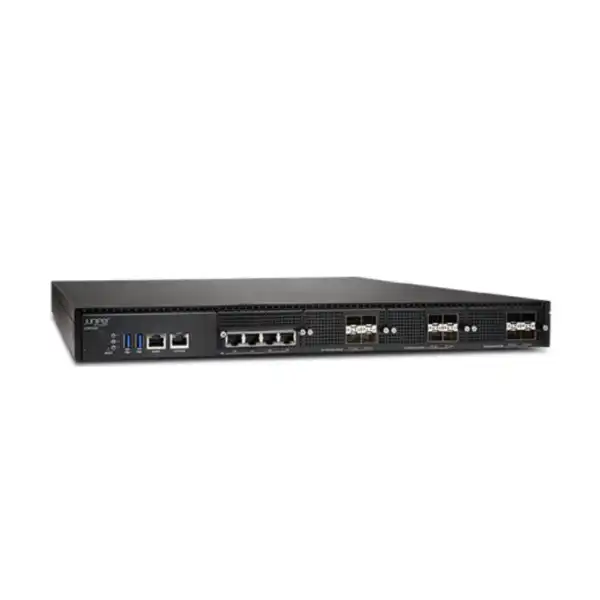
Juniper SSR1500 Session Smart Router Dubai
The Juniper SSR1500 is the highest-capacity appliance in the SSR1000 hardware line, designed for very large campus and data-center WAN-edge roles where dense 1/10/25GbE connectivity, resilient power, application-aware routing and secure SD-WAN are required. It is a serious infrastructure platform rather than a plug-and-play branch router, so performance targets, optics, subscription bandwidth, high-availability design, management architecture and migration requirements should be validated before a quotation is finalized.
Direct answer: what the SSR1500 is and when it makes sense
What exactly is it? The Juniper SSR1500 is a 1U fixed-configuration hardware appliance running Juniper Session Smart Router software. It sits in the SSR1000 family and is intended for the largest campus and data-center use cases in that appliance range.
What is it mainly used for? It is used as a high-capacity WAN edge, SD-WAN hub, data-center or campus routing platform where policy, segmentation, application awareness, encryption, traffic engineering and resilient connectivity must be applied at substantial throughput.
Who should consider it? Enterprises with high aggregate WAN traffic, numerous high-speed uplinks, central hubs, large campuses, data-center interconnect requirements or a Session Smart architecture that would exceed the practical sizing of smaller SSR1200, SSR1300 or SSR1400 appliances.
What is the most important factor to confirm? Do not size from the headline 50 Gbps figure alone. Confirm packet profile, encryption and HMAC requirements, active interfaces, expected growth, redundancy model and subscription bandwidth.
What can FourTeck help determine? FourTeck can help map the required port mix, compatible optics, software subscription term and throughput tier, HA requirements, deployment location, migration scope and support expectations into a quotation suitable for the UAE environment.
Why the SSR1500 is a different buying decision from a normal branch router
A high-capacity Session Smart Router should be evaluated as part of a WAN architecture, not simply as a box with Ethernet ports. The SSR1500 is designed for environments where the router may aggregate traffic from many branches, cloud connections, campus networks, data-center segments or application zones. That changes the purchasing process. The correct hardware model is only one part of the decision; the network design must also account for how sessions are classified, how traffic is steered, whether encryption is required across specific paths, what resilience is needed during link or node failure, and how the platform will be operated after deployment.
Juniper positions Session Smart Networking around a session-aware, application-aware architecture rather than a conventional tunnel-heavy SD-WAN model. The practical buyer implication is that design discussions should start with business services and traffic behavior. A central WAN hub carrying SaaS, private cloud, ERP, voice, video, branch internet breakout and inter-data-center flows can have very different packet-size distributions even when the total bandwidth looks similar on a spreadsheet. Small packets, cryptographic processing, stateful security functions and simultaneous bidirectional traffic can alter real throughput. For this reason, a 50 Gbps published ceiling does not mean every deployment should be designed to operate continuously at 50 Gbps of mixed production traffic.
The SSR1500 becomes attractive when the organization genuinely needs the headroom, interface density and platform resources that distinguish it from smaller SSR1000 appliances. It may also be justified by growth plans, hub consolidation or a desire to reduce the number of physical WAN-edge systems. Conversely, an organization with modest traffic and only a few uplinks may obtain a more economical and operationally simpler solution from an SSR1200, SSR1300 or SSR1400. Accurate sizing protects the customer from both under-provisioning and paying for unused hardware capacity.
SSR1500 hardware specifications that matter to UAE buyers
| Area | SSR1500 detail | Buyer relevance |
|---|---|---|
| Form factor | 1U fixed appliance, approximately 438 × 610 × 44 mm | Confirm rack depth, cable radius, front/rear maintenance clearance and airflow direction. |
| Weight | About 22 kg | Important for rack planning and safe installation in data-center cabinets. |
| Network ports | 4 × 1GbE RJ-45 plus 12 × 1/10/25GbE SFP28 | The port mix suits dense WAN, LAN and HA connectivity, but optical modules or DACs must match the intended media and speed. |
| Management / console | Dedicated 1GbE management, RJ-45 console and 2 × USB 3.0 | Useful for out-of-band operations, Mist onboarding workflows and local service access. |
| Memory | 512 GB RAM | Supports the platform’s high-capacity session-processing role. |
| Storage | 1 TB enterprise SSD | Provides local storage for the appliance operating environment and operational data. |
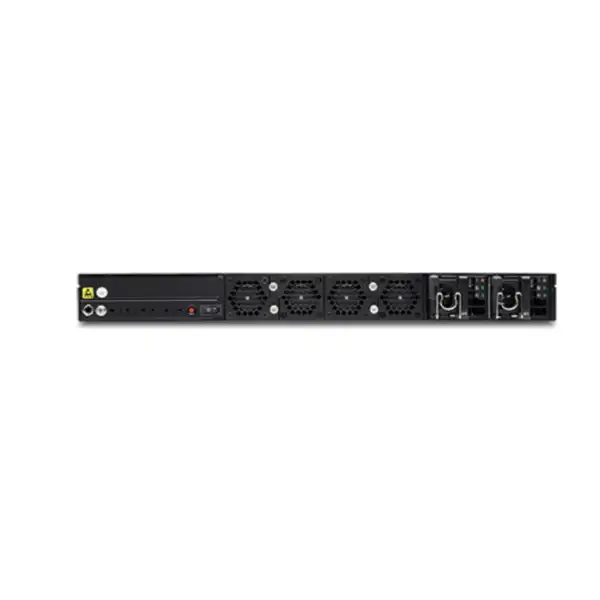
| Power | Dual hot-swappable AC PSUs, 1+1 redundancy, 100–240 VAC, 50–60 Hz | Use separate rack PDUs or power feeds when the facility design requires true power-path resilience. |
| Maximum power | About 545.62 W published maximum | Include in rack power and cooling calculations rather than treating the router as a low-power branch appliance. |
| Cooling | Front-to-back airflow with five removable fan modules | Cabinet airflow direction must be compatible with neighboring equipment and hot/cold aisle practice. |
| Operating temperature | 0°C to 40°C | For Dubai installations, controlled data-center cooling and unobstructed airflow are essential; ambient room temperature should not be confused with outside climate. |
Published hardware specifications are a starting point, not a substitute for site planning. Rack depth, rail compatibility, power-cord type, PDU availability, optical reach, patching method, grounding and maintenance clearance all affect whether an appliance can be installed cleanly in an existing UAE facility.
Understanding the 50 Gbps performance figure
Juniper publishes the SSR1500 at up to 50 Gbps aggregate throughput in several test profiles, including unencrypted traffic and large-frame encrypted traffic. The same published information shows lower results for more demanding mixed-packet and cryptographic profiles. For example, encrypted traffic using an IMIX packet distribution is listed below the large-frame figure, and encrypted plus HMAC processing with IMIX is lower again. These distinctions are not academic: they are exactly why enterprise WAN sizing should be based on the traffic a network will actually carry.
IMIX represents a blend of packet sizes rather than a stream of consistently large Ethernet frames. Smaller packets increase packet-per-second processing demand, so a device can reach a processing limit before the physical interfaces reach their theoretical line rate. Encryption, integrity verification, stateful functions, NAT, policy evaluation and telemetry can add additional work. A data center dominated by large backups or storage replication may therefore behave differently from a campus hub handling voice, collaboration, SaaS, DNS, web traffic and many short-lived sessions.
A good sizing exercise begins with measured peak traffic on current WAN and data-center interfaces, then separates average utilization from burst demand. It should identify the proportion of traffic expected to be encrypted by the SSR, the number of active uplinks, expected packet size characteristics, number of branches or services converging on the node, growth over the planned lifecycle, and the failure-state load when one link or one node is unavailable. If a pair of routers is deployed for high availability, each member must be able to sustain the required traffic state during maintenance or failure according to the chosen design.
This approach also prevents a common procurement error: buying the highest appliance merely because it has the highest number. If current and forecast demand is well below the smaller platforms’ capability, another SSR1000 model may provide better value. If demand is close to the SSR1500’s practical ceiling under the customer’s own encrypted mixed-traffic conditions, architects should consider whether additional nodes, traffic distribution or a different design is safer than planning continuous operation at the edge of a single appliance’s capacity.
Port architecture: how the 16 network-facing ports affect design
The SSR1500 combines four fixed 1GbE RJ-45 Ethernet ports with twelve SFP28 ports capable of 1GbE, 10GbE or 25GbE operation. This is a useful mix for large hubs because it can support lower-speed copper handoffs alongside dense high-speed optical or direct-attach connectivity. The hardware also includes a dedicated management interface, an RJ-45 console port and two USB 3.0 ports. Buyers should distinguish those management interfaces from the production forwarding interfaces when documenting the port plan.
Copper 1GbE roles
The four RJ-45 interfaces can be useful for carrier handoffs, management-adjacent network segments, HA synchronization roles or environments where 1GbE copper remains operationally convenient. Their value is not only speed; they can simplify integration with existing switches and circuits that do not present optical interfaces.
SFP28 flexibility
The twelve SFP28 positions provide the density that differentiates the SSR1500 for data-center and campus aggregation. They can support 1, 10 or 25GbE depending on the compatible optic or cable and network design, enabling a mix of high-speed WAN, LAN, fabric and HA connections.
Optics are a separate decision
The hardware-only router specification does not mean every optical connection is ready on delivery. The quotation should identify required transceiver type, speed, fiber mode, reach, connector standard and quantity. DAC or other supported interconnect choices may also be appropriate for short in-rack or adjacent-rack links.
The default port mapping in Juniper documentation assigns specific roles to several interfaces for initial workflows, including WAN, LAN and HA functions. That default is useful for deployment planning, but the intended production topology should still be documented explicitly. Label every carrier circuit, upstream switch, downstream fabric, HA link and management path before installation. In a dense 25GbE environment, this avoids an otherwise easy mistake: ordering the correct router but the wrong optical types, fiber patch cords or quantities.
Optics, DACs and compatibility: what should be confirmed before ordering
The SSR1500’s twelve SFP28 slots are a major reason to choose the platform, but they also introduce one of the most important procurement dependencies. A port that supports 1/10/25GbE does not remove the need to select a compatible physical interface. The correct choice depends on distance, fiber type, connectorization, neighboring switch or carrier equipment, desired speed, optical budget and Juniper’s hardware compatibility information. Multimode links inside a data center have different requirements from single-mode links across a campus or to a provider meet-me room.
For each SFP28 link, the buyer should record the peer device, required link speed, medium, approximate distance and connector type. If a direct attach cable is being considered, confirm the supported cable type and length as well as the interface capability of both ends. If the peer is a third-party switch or optical transport platform, interoperability should be checked rather than assumed from the shared Ethernet speed label. Where carrier services are involved, confirm whether the provider supplies an optical handoff or expects the customer to provide the module.
Spares are another decision. A critical hub with many optical uplinks may justify holding a small number of spare transceivers or DACs locally, especially when the organization has strict recovery objectives. The correct spare strategy depends on how many links use the same optic and how quickly replacement components can be sourced. A single universal spare is rarely realistic if the design mixes short-reach multimode, long-reach single-mode and different speeds.
FourTeck quotations can therefore be more accurate when the request includes a simple port schedule rather than only the router model. A port schedule does not need to be complicated: “two 25GbE single-mode uplinks to core, four 10GbE multimode links to distribution, two 25GbE DAC links to HA peer, remaining ports reserved” is already much more useful than “SSR1500 with optics.” The more precise the physical-layer plan, the lower the risk of receiving a chassis that cannot be connected on installation day.
Licensing is mandatory: hardware alone is not a usable Session Smart deployment
Juniper states that the SSR1500 requires a Session Smart software subscription license purchased separately. This is a fundamental ordering point. The hardware SKU provides the appliance platform, but the operational rights and software functionality are tied to Session Smart Networking subscription licensing. A buyer comparing prices from different suppliers should therefore check whether one quotation is hardware-only while another includes the required software term, support entitlements or WAN Assurance-related subscriptions.
Session Smart Router licensing is associated with bandwidth entitlement and deployment type. Juniper licensing documentation describes simplex and high-availability licensing, with subscription terms commonly structured for one, three or five years. In an HA design, the correct licensing combination should be validated for both the primary routing instance and the redundant member. The exact commercial SKU depends on the required maximum bandwidth and the current Juniper licensing catalog, so a quotation should not be built by copying a historical software SKU from an older project.
Management architecture also affects the subscription discussion. Juniper supports Mist-managed SSR deployments and Conductor-managed models, with WAN Assurance capabilities available according to the software and management approach. If the organization already uses Juniper Mist for wired, wireless or WAN operations, bringing the SSR1500 into the same operational environment may be valuable. If the organization has an established Session Smart Conductor architecture, integration steps, software release compatibility and onboarding method should be reviewed before a migration window is scheduled.
For procurement teams, the safest approach is to request a bill of materials that clearly separates hardware, software subscription, HA entitlement where required, optics, support or service items and installation. That makes competing quotations easier to compare and reduces the chance that a low headline price omits a mandatory component.
Session Smart routing: what the architecture changes for the buyer
Juniper Session Smart Routing is built around the concept of sessions and services rather than treating every packet as an independent forwarding event. The platform uses Secure Vector Routing and policy to understand the relationship between endpoints, applications and network services. For a business buyer, the benefit is not a new protocol name; the value lies in being able to express WAN behavior around application intent, service reachability, preferred paths and security policy instead of relying only on static destination-based routing and large collections of conventional overlay tunnels.
This matters most in distributed organizations. A branch may need one policy for Microsoft 365, another for private ERP traffic, another for voice, and a restricted path for sensitive management services. At a central SSR1500 hub, those sessions can converge at high scale. The router’s role is therefore both connectivity and policy enforcement. During design, architects should identify which services are reachable from which sites, which traffic can break out locally, which traffic must traverse a data center, which paths are preferred or prohibited, and what should happen when an underlay link degrades.
A tunnel-free design can reduce some of the overhead and operational complexity associated with building a traditional full overlay of point-to-point tunnels. It does not remove the need for good routing and security architecture. Prefix planning, dynamic routing, NAT requirements, access policy, application classification, quality objectives, failover behavior and logging still require deliberate configuration. A simplified data plane is most useful when the policy model is equally disciplined.
For customers migrating from a conventional router or firewall-centric WAN, the change can be architectural rather than purely technical. Existing ACLs and route maps may not translate one-for-one into the best Session Smart policy model. Before implementation, document the business intent behind legacy configuration. Rules such as “permit this subnet to that subnet through this MPLS path” should be understood in terms of the application or service requirement they were intended to achieve. This reduces the risk of recreating years of legacy complexity on a new platform.
Security functions and the limits of “router versus firewall” comparisons
Juniper documents the SSR1500 as supporting stateful firewall functions across Layers 2 through 5, including traffic filtering, NAT, VPN-related functions, encryption and protections against certain denial-of-service behaviors. Session Smart policy can also apply zero-trust principles by allowing sessions only when they comply with configured access rules. These capabilities make the platform substantially more than a basic IP router.
However, buyers should not assume that every “next-generation firewall” feature from a dedicated security appliance is automatically equivalent. If the requirement includes full proxy inspection, specialized malware analysis, sandboxing, specific intrusion-prevention subscriptions, advanced web security or another dedicated security service, those capabilities should be compared against the exact Session Smart feature set and licensing rather than inferred from the phrase “stateful firewall.”
The right architectural question is where each security control belongs. In some environments, the SSR1500 can consolidate WAN routing, segmentation, encryption and stateful policy at the edge, while a dedicated firewall cluster provides deeper internet or data-center security services. In others, the Session Smart policy model may satisfy the required controls without a separate device on every WAN path.
Security teams should review zone and service boundaries, encryption domains, key management, logging destinations, compliance evidence, east-west versus north-south flows, internet breakout, remote management and incident-response requirements. A clear responsibility matrix prevents overlapping products from creating inconsistent policy or, conversely, leaving an inspection gap because each team assumed another platform covered it.
Adaptive encryption and why traffic classification matters
Juniper highlights adaptive encryption as a Session Smart capability: traffic that is already protected by mechanisms such as HTTPS or IPsec can be recognized so the system can avoid unnecessary additional encryption in appropriate designs. The goal is to reduce the processing and bandwidth overhead of double encryption while still applying the intended routing and policy behavior. This is especially relevant at a high-capacity hub, where repeatedly encrypting traffic that is already cryptographically protected can consume resources without adding meaningful confidentiality.
The buyer should still treat encryption policy as a security design decision, not simply a performance optimization. Existing encryption may terminate before the traffic reaches the end destination, and not every application’s use of TLS provides the same trust boundary as network-layer encryption between sites. Regulatory or internal policy may also require encryption at a particular network layer regardless of application behavior. The right design depends on where data is exposed, which organizations control the intermediate networks and how the security team defines protected transport.
For sizing, classify major traffic groups into those that will require Session Smart encryption, those that may be eligible for adaptive handling and those that remain unencrypted by design. This produces a more realistic performance estimate than multiplying a single encrypted throughput number by total WAN bandwidth. It also improves troubleshooting later because the operations team knows what cryptographic treatment was intended for each service.
When encryption policy is documented alongside route and service policy, network changes become easier to review. A new SaaS application, private-cloud link or partner connection can be assessed in terms of destination, trust boundary, preferred path and encryption requirement together. That is a better operational model than discovering months later that a bandwidth issue was caused by an unintended combination of nested encryption and traffic steering.
Mist WAN Assurance, Conductor and operational management
The SSR1500 can be onboarded and managed in Juniper Mist workflows, and Juniper also supports Conductor-managed Session Smart environments. This gives organizations more than one operational model, but it means the management choice should be made before deployment rather than after the hardware is racked. The design should define where configuration authority lives, who owns the Mist organization or Conductor, how sites are represented, how administrators authenticate, where telemetry is retained and how change control is handled.
For Mist-managed onboarding, Juniper documents a claim-code workflow and zero-touch provisioning. The dedicated management interface can obtain network connectivity and reach the Mist cloud for initial provisioning. This can reduce staging effort for new devices, especially when hardware is being installed by local data-center staff rather than the network engineering team. It still requires prerequisites: the organization, site, subscription and administrative access must exist, management networking must provide the required DHCP or reachability behavior, and security policy must allow the router to communicate with the cloud service.
Conductor-managed environments have their own onboarding and configuration sequence. Depending on software version and architecture, the router configuration and identifying information must be prepared so the new device can be correctly adopted. Enterprises with an existing SSR estate should confirm the target software version, management model and upgrade policy before introducing a new SSR1500. A high-capacity hub should not become the place where management-model inconsistencies are discovered during a maintenance window.
Operationally, the key benefit of centralized management is consistency. A large WAN may contain dozens or hundreds of sites, and the SSR1500 may represent a critical convergence point. Standardized policy, telemetry, event visibility and zero-touch workflows can reduce manual drift. The platform choice should therefore be evaluated not only against Day 1 installation effort but also against Day 2 monitoring, incident response, configuration review, software lifecycle and staff skills.
High availability: build for the failure state, not only normal traffic
The SSR1500 hardware includes redundant hot-swappable AC power supplies, which protects against a single PSU failure when the power design is implemented correctly. It also provides dedicated interfaces in the default port map for HA synchronization and HA fabric roles. These are useful platform characteristics, but hardware redundancy inside one chassis is not the same as node redundancy. If the WAN edge must survive a complete appliance failure or maintenance event, the architecture should evaluate an HA pair or another redundant topology.
In an HA pair, failure-state capacity is one of the most important sizing considerations. It is not enough for two nodes to share normal traffic comfortably if one surviving node cannot handle the entire required load during a failure. Calculate expected peak traffic with one node out of service, then apply realistic packet-size and encryption assumptions. Also consider link convergence: if one node or one upstream switch fails, the remaining path may suddenly carry traffic that normally uses several interfaces.
Power resilience should extend beyond the dual PSUs. Where the facility supports independent A and B feeds, connect each PSU to a different protected power path according to the data-center design. If both PSUs connect to the same PDU, the power supplies are redundant but the PDU remains a common failure point. The same principle applies to network links. Two WAN circuits that enter the building through the same carrier duct or terminate on the same provider device may not provide meaningful path diversity.
Licensing must also reflect the HA design. Juniper licensing distinguishes simplex and HA entitlements, so the bill of materials should be validated for the intended pair rather than assuming the second chassis alone creates a fully entitled redundant deployment. When requesting a quotation, state explicitly whether the requirement is one standalone SSR1500, two independent routers or a high-availability pair. That single sentence can prevent significant commercial and design ambiguity.
Where the SSR1500 sits in the SSR1000 family
| Model | Typical Juniper positioning | Published max unencrypted throughput | When to compare |
|---|---|---|---|
| SSR1200 | Large branch or small campus/data center | 10 Gbps | Lower-capacity edge where 25GbE density is not required. |
| SSR1300 | Medium campus/data center | 20 Gbps | Medium hub where the SSR1200 lacks capacity but the SSR1500 would be excessive. |
| SSR1400 | Large campus/data center | 40 Gbps | Strong alternative when 40 Gbps-class capacity and fewer high-speed interfaces meet the design. |
| SSR1500 | Very large / extra-large campus or data center | 50 Gbps | Choose when high throughput, 12 SFP28 ports, platform resources and growth justify the top appliance. |
The closest alternative is often the SSR1400, not because the products are identical but because many large environments fall between their capacity tiers. The SSR1500 adds greater memory, storage and SFP28 density and carries the family’s highest published throughput. If a project requires only a few 10GbE links and well under 40 Gbps of realistic traffic, the SSR1400 may deserve serious consideration. If the network expects many 25GbE-facing links, high central aggregation or rapid growth, the SSR1500 can provide more useful headroom. The correct choice should be made from measured requirements rather than the prestige of the larger model.
Data-center and large-campus use cases
Regional SD-WAN hub
A UAE headquarters or data center can use an SSR1500 as a high-capacity aggregation point for many branches. This design is most compelling when the hub must process large combined traffic volumes and enforce consistent service, security and path policy. Sizing should include branch growth, cloud-bound traffic, internet breakout architecture and the load during circuit or node failure.
Large campus WAN edge
A campus with multiple distribution blocks, internet services, private WAN links and cloud connectivity may need more interface density than a branch platform provides. The SSR1500 can connect at 10 or 25GbE speeds while applying Session Smart policy. The campus design should still separate routing, security and switching responsibilities clearly.
Data-center WAN consolidation
Organizations replacing several legacy WAN routers may consider consolidating service routing and SD-WAN onto fewer high-capacity nodes. Consolidation can reduce device count and policy fragmentation, but it also increases the importance of HA, maintenance procedures and failure-domain analysis. The design should prove that a consolidated pair can absorb peak demand safely.
Cloud and multicloud edge
The Session Smart architecture can participate in connectivity between enterprise sites, data centers and cloud environments. The hardware appliance is appropriate where physical high-speed links terminate on-premises. Cloud-side virtual components, routing domains, security controls and carrier connectivity should be included in the overall design rather than treated as separate projects.
Secure segmentation hub
Large enterprises often need to keep business units, operational technology, guest services, partners and administrative networks logically separate while still sharing WAN infrastructure. Session-aware policy can support controlled service reachability, but the policy model should be developed with security stakeholders and tested before production cutover.
When the SSR1500 may be unsuitable
The SSR1500 is not automatically the best choice simply because it is the largest appliance in its family. It may be unnecessarily expensive or operationally excessive for a small branch, modest campus or data center with only a few gigabits of WAN traffic. In such cases, the SSR1200, SSR1300 or SSR1400 may provide sufficient throughput and interfaces while reducing capital cost, power draw and licensing requirements. A right-sized smaller router can also be easier to justify when the organization expects limited growth.
It may also be the wrong platform if the primary requirement is a dedicated next-generation firewall with a specific inspection feature set not covered by Session Smart functionality, or if the design requires a modular chassis, DC power or interface types outside the SSR1500’s fixed port architecture. The SSR1500 uses AC power supplies and a fixed set of copper and SFP28 ports. Projects with specialized physical interfaces should validate compatibility early rather than expecting adapters to solve every mismatch.
Another reason to reconsider is architectural fit. An organization that does not intend to adopt Session Smart Routing, its licensing model or its management workflows may gain little from buying Session Smart hardware. Likewise, if a network is committed to a different SD-WAN control plane for strategic reasons, introducing a single unrelated hub could increase operational complexity rather than reduce it.
Balanced procurement means treating “not suitable” as a useful result. The purpose of a sizing discussion is to find the correct platform, not to justify the largest one. FourTeck can compare the SSR1500 with nearby SSR1000 models based on actual throughput, port density, resilience and subscription requirements before the bill of materials is locked.
Dubai and UAE deployment considerations
The SSR1500’s published operating range is 0°C to 40°C, so UAE installations should be planned for controlled indoor technical spaces rather than exposure to outdoor ambient conditions. In a properly designed data center, Dubai’s external climate is not directly experienced by the router, but it increases the importance of reliable cooling infrastructure and correct rack airflow. The SSR1500 uses front-to-back airflow. If neighboring equipment is installed with opposing airflow direction, hot exhaust can be recirculated into an intake and reduce thermal margin.
Rack space should be evaluated beyond the 1U height. The chassis is roughly 610 mm deep and requires working clearance for cabling and component replacement. Fiber bend radius, power cords, rear access and neighboring PDUs can consume additional practical depth. Before delivery to a colocation facility, confirm cabinet dimensions, rail mounting, permitted power draw, available C13-compatible power-cord arrangement and the facility’s change-management procedure.
Carrier diversity is another UAE-specific operational consideration for hub deployments. If the SSR1500 will terminate multiple internet, MPLS, Ethernet or cloud-connect circuits, document the demarcation point and handoff type for each provider. Two circuits from different commercial services are not necessarily physically diverse. Organizations with strict availability objectives should ask carriers and facility operators about building entry, meet-me-room, cross-connect and upstream path diversity.
Finally, support logistics should match the criticality of the site. A central data-center router may justify stricter replacement and spare strategies than an individual branch. The correct plan depends on Juniper support entitlement, local spares policy, maintenance windows and internal engineering coverage. These operational details are easier to address during procurement than during an outage.
Rack, power and cooling planning in practical terms
A 1U label can create the impression that installation is trivial, but dense data-center equipment needs careful mechanical planning. The SSR1500 weighs approximately 22 kg, so technicians should use the supplied rack-mounting hardware and the facility’s approved installation method rather than supporting the chassis only by front ears. Check the cabinet’s usable depth and ensure rear doors, PDUs or cable managers do not interfere with the chassis or power supplies.
Juniper’s site guidance calls for substantial maintenance clearance around the appliance. That matters because hot-swappable power supplies and fan modules are valuable only if technicians can physically reach and remove them. Cabling should be dressed so a failed component can be replaced without unplugging unrelated links. Optical patch cords in particular should be routed with appropriate bend radius and labels visible from the service position.
The maximum published power draw of roughly 545.62 W should be included in rack-level power calculations. The actual draw may be lower in normal operation, but planning should consider worst-case capacity and the facility’s derating rules. In a redundant power design, each power path should be capable of carrying the full appliance load if the other path is lost. This is a general resilience principle that is sometimes missed when teams divide expected wattage equally across two feeds.
Cooling should be reviewed at the rack, row and room level. The appliance uses front-to-back airflow, so it aligns naturally with many cold-aisle/hot-aisle layouts. Do not block intake or exhaust with dense cable bundles. When installing two SSR1500 units as an HA pair, remember that their combined heat and power demand is approximately twice that of one chassis. Capacity planning should cover the pair and any future expansion rather than only the first unit being installed.
Migration from legacy WAN routers or SD-WAN appliances
Replacing an existing WAN edge with the SSR1500 is rarely a simple cable swap. Legacy routers may contain years of routing policy, NAT rules, access lists, QoS definitions, static routes, BGP policy, tracking objects, VPNs and operational workarounds. The safest migration starts by classifying those functions according to business intent. Identify which rules are still required, which are obsolete and which can be expressed more cleanly in the Session Smart service and policy model.
Create a dependency inventory before configuring the new router. Record upstream carriers, dynamic-routing neighbors, VLANs, LAN prefixes, internet breakout paths, DNS dependencies, management systems, syslog or SIEM destinations, authentication services, monitoring tools and any firewall rules that explicitly reference the old router’s addresses. This prevents a technically successful routing cutover from breaking monitoring, remote administration or security logging.
A phased migration is often preferable at a central hub. Where the topology allows it, bring the SSR1500 online in parallel, establish management and telemetry, test routing adjacencies, validate selected services and then move traffic in controlled groups. Parallel operation is not always possible, but the principle is useful: separate hardware installation, platform onboarding, control-plane validation and production traffic migration into distinct checkpoints.
Rollback planning deserves the same detail as the forward plan. Define what conditions trigger rollback, which configuration is restored, how carrier handoffs are moved back, what DNS or routing convergence delay is expected and who has authority to make the decision. If an HA pair is involved, test both node failure and restoration behavior before declaring the migration complete.
Finally, use the migration as an opportunity to clean the architecture. Recreating every legacy exception can erase much of the benefit of moving to a session-aware platform. A good project retains necessary controls while reducing unnecessary policy layers, duplicate routes and outdated dependencies.
Routing, segmentation and service-policy design
The SSR1500 can participate in static and dynamic routing while applying Session Smart service policy. That combination is powerful at a central hub because routing determines reachability and path exchange while Session Smart logic can influence how specific services use the available paths. Good design keeps those layers understandable. Avoid creating a situation in which underlay routing, service policy and security rules each try to solve the same problem in different ways.
Start with routing domains and trust boundaries. Define which networks belong together, which must remain isolated and where controlled communication is required. For a diversified enterprise, finance, guest, production, management, partner and OT traffic may have different access requirements even if they share the same physical WAN. Segmentation should reflect those business boundaries and be documented in a way security and network teams can both review.
Next, define path policy from measurable outcomes. “Send voice over the best path” is incomplete until the organization defines what “best” means and what should happen when latency, packet loss or jitter changes. Likewise, “send internet traffic locally” should identify exceptions such as centralized security inspection or applications that require fixed source addresses. Session-aware routing provides sophisticated policy tools, but a policy engine can only be as clear as the intent supplied to it.
At the SSR1500 scale, change control becomes especially important because one central node may affect many sites. Use naming conventions for services, tenants, routing contexts and policies. Maintain a test and peer-review process for major changes. The goal is not merely to make the router work on Day 1 but to keep the design understandable to an engineer who did not participate in the original deployment two years later.
Logging, telemetry and operational visibility
A high-capacity WAN edge should be observable before production traffic is migrated. Monitoring should cover device health, interface utilization, packet loss, session behavior, path quality, routing adjacency status, power and fan state, software events and policy outcomes. Mist WAN Assurance can provide operational telemetry in supported management designs, while enterprise monitoring and logging systems may also need integration.
Decide what data must be retained and where. Network operations may need short-term high-resolution telemetry for troubleshooting, while security teams may require longer retention of events or session records according to internal policy. If logs are forwarded to a SIEM, estimate volume and make sure the collection path remains available during WAN incidents. Sending all management traffic through the same failing production path can make troubleshooting harder.
Alerting should focus on actionable conditions. High CPU or memory alarms are useful, but WAN operations often benefit more from service-impact signals: loss of a critical path, sustained interface errors, an unexpected increase in latency, routing neighbor failure, power-supply loss or a significant change in session success. Establish thresholds during commissioning and refine them after observing real traffic.
Include operational verification in acceptance testing. A project is not complete when packets pass through the router; it is complete when the team can see health, identify a failed link, confirm traffic moved to the expected path, review an event and access the device securely. This is particularly important for an SSR1500 because its role is typically central enough that a monitoring gap could affect many users at once.
Software lifecycle, support and change management
An enterprise router is a lifecycle commitment. The SSR1500 should be purchased with a plan for software updates, security fixes, subscription renewal, configuration backups, spare strategy and support escalation. The software subscription includes important operational entitlements, so renewal dates should be tracked by procurement and network operations rather than left to an individual engineer’s calendar.
Before upgrading Session Smart software, review release notes and compatibility with the management environment. A central hub may have many dependent sites, so upgrade sequencing and rollback are important. In an HA design, maintenance can be structured to reduce service impact, but the failover behavior should be tested periodically rather than assumed from initial commissioning.
Configuration backups should include more than a snapshot of the running router. Preserve documentation of physical port mapping, circuit IDs, optic types, IP addressing, routing neighbors, policy intent, licensing information and management ownership. During a hardware replacement, those details can save more time than the raw configuration alone.
Support level should reflect business impact. A router serving as a regional hub or data-center edge can have a much larger outage cost than a single branch device. Determine whether the organization relies on vendor replacement, keeps an on-site spare, uses an integrator for first response or maintains internal engineering coverage. There is no universal answer, but the support model should be deliberate and included in total cost of ownership.
Procurement checklist for an accurate SSR1500 quotation
Implementation journey from requirement to production
Stage 1 — Discovery
Collect circuit inventory, current utilization, traffic classes, encryption requirements, branch count, cloud connectivity, security controls, routing protocols and growth assumptions. The objective is to determine whether SSR1500 capacity is justified and what the design must accomplish.
Stage 2 — Bill of materials
Define chassis quantity, Session Smart subscription entitlement, HA licensing, optics or DACs, rack accessories, power-cord requirements and support. Resolve any interface compatibility issues before the purchase order.
Stage 3 — Staging
Prepare the management organization, site, Conductor or Mist workflow, software baseline and initial configuration. Validate device claiming, administrative access, logging and required cloud reachability before the production change.
Stage 4 — Physical deployment
Install the appliance with correct airflow, power diversity and cable management. Verify optics, link speed, interface labeling and out-of-band management. In an HA pair, validate peer and fabric connectivity before carrying production traffic.
Stage 5 — Migration and acceptance
Move selected services, confirm routing and policy, test failure scenarios, review telemetry, validate application reachability and document rollback conditions. Acceptance should include both normal and degraded-state behavior.
Frequently asked buyer questions
Is the Juniper SSR1500 a firewall?
It includes stateful firewall, NAT, encryption, traffic filtering and Session Smart security functions, but buyers should not assume it is identical to every dedicated next-generation firewall. If the project requires specialized inspection, malware analysis, IPS or other security subscriptions, compare those exact requirements with the current Session Smart feature set and decide whether a separate firewall remains appropriate.
Does the SSR1500 include the software license?
No. Juniper identifies the hardware and the Session Smart software subscription as separate purchasing components. The required subscription should be quoted for the needed bandwidth, term and deployment model. HA architectures need the licensing structure reviewed carefully so both members are entitled correctly.
Are SFP28 optics included?
The SSR1500 hardware provides the SFP28 cages, while optics are selected separately. The exact modules depend on link speed, fiber type, distance and the peer interface. A quotation should list optical modules or supported DACs explicitly instead of assuming they are bundled with the chassis.
Can every SFP28 port run at 25GbE?
The twelve SFP28 interfaces are specified for 1/10/25GbE operation, but the usable mode depends on compatible transceivers or cables, peer equipment and software configuration. A design should confirm the exact intended speed and physical media for each port.
Is 50 Gbps guaranteed for all traffic?
No single headline throughput figure should be treated as a guarantee for every workload. Juniper publishes different SSR1500 performance results depending on packet profile and cryptographic processing. Real sizing should use the expected mix of packet sizes, encryption, HMAC, stateful functions, session rate and failure-state demand.
Can the SSR1500 be managed through Juniper Mist?
Yes. Juniper documents Mist onboarding and WAN Assurance workflows for the SSR1500. The management design still requires the correct subscriptions, organization and site setup, administrative access and network reachability. Existing Conductor-managed environments have a different operational model that should be considered during design.
Does it have redundant power?
Yes. The appliance has dual hot-swappable AC power supplies configured for 1+1 redundancy. To benefit fully, connect them to independent facility power paths where available. Two PSUs connected to the same PDU still share that PDU as a single point of failure.
Does the SSR1500 support DC power?
The published SSR1500 appliance specification is based on redundant AC power supplies. If a project has a mandatory DC-power requirement, that should be treated as a design constraint and an alternative platform should be evaluated rather than assuming a DC PSU option exists.
What rack depth is required?
The chassis is about 610 mm deep, but cabinet planning should allow additional space for rails, power leads, fiber bend radius and maintenance. Juniper also specifies service clearance around the appliance. A cabinet that is technically deeper than the chassis can still be impractical if rear PDUs obstruct removal or cabling.
Should I buy one SSR1500 or an HA pair?
That depends on service availability requirements. A single chassis has redundant power supplies but remains one physical routing node. A critical regional hub or data-center edge often warrants node-level redundancy. The decision should consider outage cost, maintenance needs, carrier diversity and the ability of one surviving node to carry peak traffic.
How do I know whether an SSR1400 is enough?
Compare real encrypted and unencrypted traffic, growth, number of high-speed interfaces and failure-state load. The SSR1400 has a lower published capacity and less platform memory/storage than the SSR1500. If it has sufficient headroom and port density for the design, it can be a more economical choice.
Can FourTeck supply and install it in Dubai?
FourTeck can prepare a UAE-focused quotation based on the required appliance quantity, software subscription, optics, support and implementation scope. For installation or migration, provide the rack location, carrier handoffs, existing router details, routing protocols, maintenance window and required acceptance tests so the service scope can be defined accurately.
Detailed sizing questions for network architects
A robust SSR1500 sizing worksheet should go deeper than “current bandwidth plus 20 percent.” Start by listing each WAN and data-center link with its committed and physical rate. Then identify which links can be active simultaneously. A router with twelve 25GbE-capable interfaces obviously has more theoretical physical bandwidth than its published aggregate forwarding capacity, so link speed must not be confused with aggregate processing throughput.
Measure packet rates as well as bit rates if the existing monitoring platform exposes them. A traffic pattern dominated by 64-byte or other small packets creates a different processing load from large sequential transfers. Review peak concurrent sessions and any application behavior that produces large numbers of short-lived flows. If the router will serve as a hub for many branches, aggregate session counts and packet rates can matter even when no single site uses substantial bandwidth.
Document the security treatment for each major flow. Which traffic will be encrypted by Session Smart? Which is already protected at the application layer? Which requires NAT? Which crosses stateful policy boundaries? Which needs traffic engineering based on service or path quality? The more processing stages a flow requires, the less useful it is to size solely from the unencrypted large-frame maximum.
Include operational growth. If the appliance is expected to remain in service for several years, project new branches, cloud services, higher-speed carrier circuits and application changes. Growth estimates should be realistic rather than arbitrary. A company consolidating regional data centers may have a known increase in hub traffic; a stable campus may not. Build headroom around specific planned changes wherever possible.
Finally, test the failure model mathematically. If two 25GbE uplinks normally share traffic and one is lost, can the remaining link carry the required peak? If two routers share traffic, can one carry the necessary load during maintenance? If a carrier fails, does backup internet traffic require additional encryption or different routing that changes processing demand? These questions turn sizing from a marketing exercise into an engineering decision.
Designing the management network
The dedicated management port is easy to overlook because it does not carry production forwarding traffic, yet it can be one of the most valuable interfaces during deployment and incident response. Decide whether the SSR1500 will use a dedicated out-of-band management network, a shared infrastructure management VLAN or another path. The management network should provide reliable access to the systems needed for the chosen Mist or Conductor workflow without exposing administrative services unnecessarily.
For Mist onboarding, Juniper documents that the dedicated management port can use DHCP and reach the cloud during zero-touch provisioning. That means the staging plan should include a working management network before the production WAN circuits are migrated. In secured data centers, outbound firewall policy, DNS, DHCP and proxy rules can prevent onboarding if they have not been prepared.
Out-of-band management becomes particularly valuable during routing incidents because it separates administrative reachability from the forwarding plane being diagnosed. If budget and facility design permit, the management path should avoid the same carrier and switching dependencies as the production data path. At minimum, document how engineers will reach the router when normal WAN routing is unavailable.
Administrative security is equally important. Use organization-approved authentication, role separation and change logging. Restrict management access to known networks and operations staff. A high-capacity hub can affect many sites, so protecting the management plane is not merely a device-hardening task; it is part of business continuity.
What should be tested before go-live?
Acceptance testing should be based on the intended business services. Begin with physical checks: both power supplies active, fan status normal, management reachable, interfaces at the expected speed and optics recognized. Confirm that patching and labels match the approved port schedule. Verify system time and logging early because inaccurate timestamps make later troubleshooting unnecessarily difficult.
Next, validate routing. Check all expected static and dynamic routes, neighbor adjacencies, advertised prefixes, received prefixes and route preferences. Confirm that no unexpected routes are being redistributed between domains. If the SSR1500 replaces a legacy hub, compare the final routing table with the migration design rather than assuming connectivity alone proves correctness.
Then test Session Smart policy. Use representative applications from different business groups and confirm path selection, access control, NAT, encryption and failover behavior. A simple ping can verify reachability but cannot prove that an application is taking the intended WAN path or receiving the expected policy. Where possible, use application-level tests and examine telemetry at the same time.
Failure testing should be planned, not improvised. Disconnect or disable one WAN path and confirm traffic moves as designed. In an HA pair, test node failure and restoration. Remove one power feed if the facility allows controlled testing and verify the appliance remains stable. Observe whether alerts reach the monitoring platform and whether operations staff can access the surviving path.
Complete the project with documentation: final diagrams, interface map, circuit IDs, software version, subscription details, backup procedure, support contacts, rollback record and known limitations. A router is easier to operate when the commissioning evidence is preserved rather than left in engineers’ chat messages.
Decision recap
What FourTeck needs from you for a precise quotation
The fastest way to obtain a useful SSR1500 quotation is to provide the engineering inputs that affect the bill of materials. You do not need a finished design; even approximate information allows obvious gaps to be identified before pricing is prepared.
Plan the Juniper SSR1500 around your real WAN, not only the model number
For a Dubai data center, regional WAN hub or very large campus, the SSR1500 can provide substantial Session Smart capacity and high-speed interface density. The best outcome comes from matching the appliance with the correct subscription, optics, failure-state capacity, rack environment and migration plan. Share your traffic, interface and resilience requirements and FourTeck can help turn them into a clear bill of materials and deployment scope.

Reviews
There are no reviews yet.