
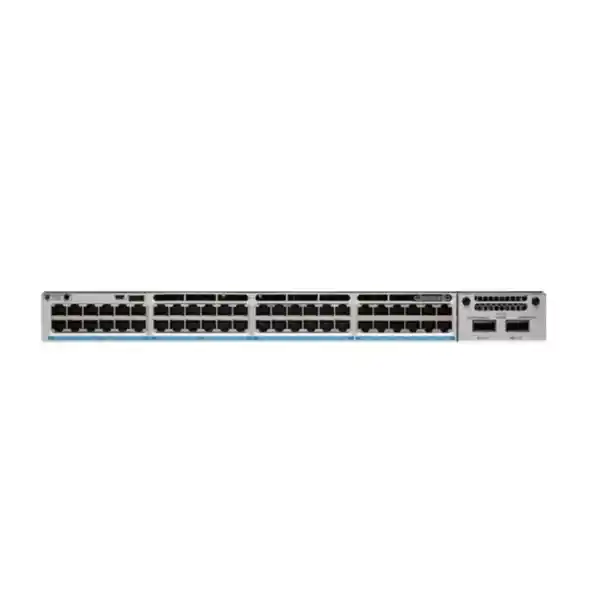
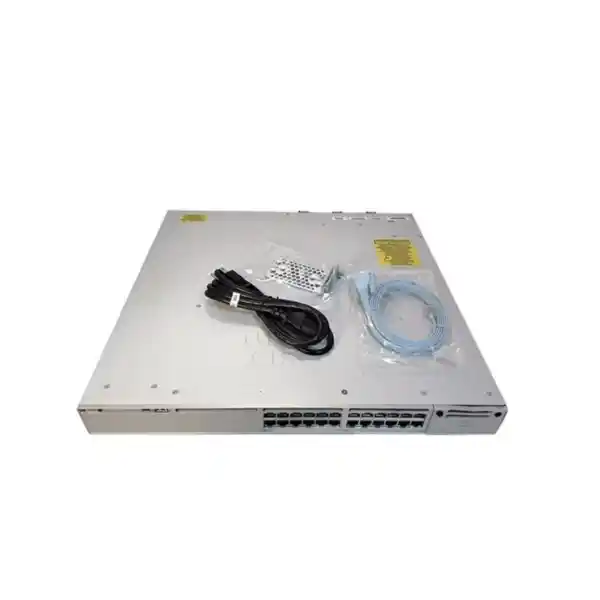
Cisco Catalyst C9300-48U Network Switch
A high-density 48-port Gigabit Ethernet access switch built for enterprise campuses, branch networks, IP telephony, Wi-Fi access layers, surveillance, IoT and converged power-and-data deployments. The C9300-48U combines Cisco UPOE, modular uplinks, StackWise-480, StackPower, Cisco IOS XE and programmable UADP 2.0 forwarding in a resilient 1RU platform.
256 Gbps switching capacity
190.48 Mpps forwarding rate
480 Gbps StackWise bandwidth
822 W default PoE budget
Direct answer: what is the Cisco Catalyst C9300-48U?
The Cisco Catalyst C9300-48U is a modular-uplink, stackable enterprise access switch with forty-eight 10/100/1000 Mbps copper downlink ports that support Cisco Universal Power over Ethernet. It is designed for organizations that want a single access-layer platform to connect and power business endpoints while retaining enterprise-grade routing, segmentation, security, telemetry, high availability and automation. In practical UAE deployments, that means one switch can serve desks, IP phones, wireless access points, cameras, access-control readers, thin clients, digital signage, building-management endpoints and other powered devices without requiring separate local power adapters for every endpoint.
The model is particularly useful when ordinary PoE+ is not enough. Cisco UPOE can deliver up to 60 watts to supported powered devices, while the switch’s actual aggregate PoE output depends on the installed power supplies and the chosen power-redundancy design. With the default 1100 W AC power supply, the C9300-48U provides an 822 W PoE budget. Additional compatible power supplies and StackPower design choices can increase the power pool, provide redundancy, or support a larger number of high-draw endpoints. The distinction between per-port capability and the shared power budget is essential when sizing the switch.
For buyers comparing enterprise access switches in Dubai, Abu Dhabi, Sharjah or other UAE locations, the C9300-48U should be viewed as a resilient campus platform rather than simply a 48-port PoE device. It supports StackWise-480 data stacking, StackPower power pooling, field-replaceable fans, dual power-supply bays, modular uplinks and Cisco IOS XE. That combination is aimed at access networks where uptime, policy enforcement, troubleshooting visibility and future uplink flexibility are more important than the lowest initial hardware cost.
C9300-48U technical specification summary
| Specification | Cisco Catalyst C9300-48U | Deployment meaning |
|---|---|---|
| Access ports | 48 × 10/100/1000 Mbps copper | High-density Gigabit Ethernet edge connectivity for users and powered endpoints. |
| Power over Ethernet | Cisco UPOE, up to 60 W per supported port | Suitable for higher-power devices while remaining backward compatible with lower PoE classes. |
| Default PoE budget | 822 W with default 1100 W AC PSU | Budget must be allocated across all connected powered devices; redundancy choices affect usable power. |
| Uplink architecture | Field-replaceable modular uplink slot | Lets the same chassis support 1G, multigigabit, 10G, 25G or 40G uplink options through compatible modules. |
| Switching capacity | 256 Gbps | Wire-speed access switching for typical enterprise traffic patterns. |
| Forwarding rate | 190.48 Mpps | Rated using 64-byte IPv4 packets, useful when comparing packet-processing capability. |
| Stacking | StackWise-480, up to eight compatible stack members | Multiple physical switches can operate as one logical switching system. |
| Stacked bandwidth figure | 736 Gbps switching capacity with stacking | Includes access switching plus the 480 Gbps stack fabric in Cisco’s platform metric. |
| Packet buffer | 16 MB for 48-port Gigabit Ethernet C9300 models | Supports normal enterprise access-layer burst absorption and QoS queuing. |
| Memory / flash | 8 GB DRAM / 16 GB flash | Resources for IOS XE, control-plane services, telemetry and supported application hosting. |
| MAC scale | Up to 32,000 MAC addresses | Suitable for large access domains and stacked edge designs. |
| VLAN IDs | 4094 | Broad segmentation capability for enterprise network architecture. |
| SVI scale | Up to 1000 switched virtual interfaces | Supports routed access and extensive VLAN gateway designs subject to license and architecture. |
| Jumbo frame size | 9198 bytes | Useful for selected storage, virtualization and data-intensive use cases when end-to-end MTU is aligned. |
| Chassis height | 1.73 in / 1RU | Standard rack deployment with attention to PSU depth and airflow clearance. |
| Operating system | Cisco IOS XE | Enterprise switching, routing, automation, security, programmability and telemetry platform. |
Specifications can vary by IOS XE release, installed uplink module, power-supply combination, license tier, optics and feature configuration. Final BOM validation should be performed against the required deployment design.
Why the C9300-48U is different from an ordinary 48-port PoE switch
Power delivery beyond PoE+
UPOE gives the access layer enough per-port power headroom for devices that exceed conventional 30 W PoE+ requirements. This is valuable for advanced access points, pan-tilt-zoom cameras, videoconferencing endpoints, digital signage, compact computers and selected building systems.
Real chassis resiliency
Two power-supply bays, three field-replaceable fans, StackWise-480, StackPower and stack-level resiliency features let the design engineer address device, link and power failure domains rather than depending on a single fixed configuration.
Modular uplink investment protection
The uplink slot is not permanently tied to one speed. Organizations can align uplink density to current requirements and preserve a migration path when aggregation interfaces, traffic volumes or fiber architectures change.
Programmable enterprise operating system
Cisco IOS XE provides mature Layer 2 and Layer 3 functions together with APIs, model-driven telemetry, NETCONF, RESTCONF, YANG, automation hooks and security capabilities suitable for centrally governed enterprise networks.
UPOE design: how to size power correctly
Power over Ethernet is often the deciding reason to specify the C9300-48U, yet PoE sizing is also where incorrect BOMs are most common. Every one of the forty-eight access interfaces is a UPOE-capable copper port, but that does not mean a switch with one default power supply can deliver 60 watts simultaneously to all forty-eight endpoints. Per-port capability and chassis power budget are different engineering limits. The per-port rating describes what an interface can negotiate and supply to a compatible endpoint; the PoE budget describes the total pool available to all powered devices at the same time.
With the default 1100 W AC power supply, Cisco specifies an 822 W PoE budget for the C9300-48U. A simple design might include forty IP phones averaging 7 to 12 W, several cameras drawing 15 to 25 W and a few higher-power wireless or video endpoints. In that environment, 822 W may be more than adequate. A different design with many 45 to 60 W powered devices could exhaust the shared budget long before all forty-eight ports are occupied. The correct approach is to build a device-by-device power schedule using maximum negotiated requirements, not only typical consumption.
For a conservative quotation, divide endpoints into power classes. First list mission-critical devices such as access-control panels, emergency phones, security cameras and essential wireless access points. Then list normal business endpoints such as desk phones, room schedulers and standard access points. Finally identify high-draw devices such as cameras with heaters, advanced radios, videoconferencing units or edge compute devices. Calculate maximum required watts, add reasonable growth headroom and decide whether the second power-supply bay is being used for higher usable power, N+1 redundancy, or both. If the design requires UPOE at 60 W across a large proportion of ports, verify the exact dual-power configuration rather than assuming the default PSU is sufficient.
Cisco also supports Perpetual PoE and Fast PoE behavior on the Catalyst 9300 family. Perpetual PoE is important where powered endpoints should remain energized through a switch reload, reducing the operational impact on devices such as IoT lighting or selected control systems. Fast PoE allows power to begin reaching endpoints quickly after switch power is restored rather than waiting for the complete operating system boot process. These features do not eliminate the need for UPS design, but they can materially reduce endpoint recovery time and simplify maintenance behavior in a converged infrastructure.
StackPower adds another design dimension. Instead of treating every chassis power supply as an isolated resource, compatible stack members can share power through StackPower connections. This allows an engineer to pool capacity and build redundancy at stack level. It can be particularly useful in UAE enterprise closets where several access switches are installed together and the objective is to reduce stranded power while maintaining a predictable failure policy. StackPower should be engineered alongside UPS capacity, PDU ratings, circuit diversity and thermal design; it is not a substitute for facility-level electrical resilience.
Modular uplinks: choose bandwidth for the actual topology
The C9300-48U belongs to the modular-uplink C9300 family. The default chassis does not include a network module, so the uplink module must be selected as part of the bill of materials. That is a major advantage for lifecycle planning because the access switch is not permanently tied to a fixed four-port uplink arrangement. Current Cisco module choices for the classic C9300 platform include the C9300-NM-4G with four 1G interfaces, C9300-NM-4M with four multigigabit interfaces, C9300-NM-8X with eight 1G/10G interfaces, C9300-NM-2Q with two 40G interfaces, and C9300-NM-2Y with two 1G/10G/25G interfaces. Module and optic compatibility should always be checked against the targeted IOS XE release and network design.
1G uplinks
Appropriate for low-utilization branches or legacy aggregation where upstream interfaces are still Gigabit Ethernet. They minimize optics cost but provide limited headroom for a dense 48-port access layer.
10G uplinks
A common enterprise choice because dual 10G links provide useful oversubscription ratios for office access, voice, Wi-Fi and moderate camera deployments while integrating easily with distribution switches.
25G uplinks
Useful where the organization expects sustained aggregation growth, wants fewer uplink ports at higher speed or is standardizing a modern 25G-capable distribution architecture.
40G uplinks
Suitable for high-throughput aggregation and selected collapsed-core designs. Optics, fiber type, distance and upstream port availability must be coordinated before ordering.
The right uplink speed depends on more than the number of access ports. Consider traffic locality, wireless density, camera bitrate, east-west traffic, backup windows, cloud usage, voice traffic, local servers, multicast, and whether endpoints are continuously active or bursty. Forty-eight 1G access ports do not automatically require forty-eight gigabits of upstream capacity, but under-sizing uplinks can create congestion that is incorrectly blamed on the access switch. A common approach is to model the busy-hour aggregate, apply expected growth for three to five years, then choose redundant uplinks that preserve acceptable utilization after one link fails.
Dual-homing to two distribution devices using EtherChannel or a resilient routed design can reduce a major failure domain. In stacked C9300 deployments, cross-stack EtherChannel lets member switches contribute physical uplinks to the same logical bundle. That means a cable, optic, uplink port or individual stack member can fail without necessarily isolating the access block. The exact topology should align with upstream platform capability and the organization’s convergence target.
StackWise-480: turning multiple switches into one access system
The C9300-48U supports Cisco StackWise-480, providing a dedicated 480 Gbps back-panel stacking fabric for compatible modular-uplink Catalyst 9300 switches. Up to eight compatible members can be configured in a stack. From an operational perspective, the stack behaves as a single logical switching system with common management and coordinated forwarding. For a full eight-member stack of 48-port C9300-48U switches, the physical access-port count can reach 384 copper ports, although PoE, uplink, feature scale and resiliency should still be engineered rather than assumed from raw port count.
Stacking provides important benefits in wiring closets. It reduces the number of independent management planes, lets VLAN and interface configuration be coordinated centrally, and supports cross-stack link aggregation. It also provides a platform for Stateful Switchover and Nonstop Forwarding behavior that can improve control-plane resiliency. Cisco documents sub-50-ms failover for the platform’s NSF/SSO architecture under supported conditions. For applications such as voice, access control and corporate Wi-Fi, reducing failure-domain duration can be more valuable than simply adding spare ports.
A stack should be cabled as a resilient ring, not as a fragile daisy chain. Stack cable lengths, rack placement and service loops matter. Cisco offers StackWise cabling in 0.5 m, 1 m and 3 m lengths for the modular-uplink C9300 family. Where switches span adjacent rack units, short cables can keep the rear of the rack orderly. Where chassis are distributed within a larger cabinet, longer cables may be necessary. The cabling plan should keep power cords, StackPower links, stack data cables and uplink fibers serviceable without blocking fan modules or power-supply removal.
Model compatibility also matters. The term “Catalyst 9300” includes classic C9300, fixed-uplink C9300L/LM, higher-scale variants and C9300X platforms. Not every family can be mixed in every data-stack combination. A C9300-48U should be quoted with compatible stack members and accessories based on Cisco’s current stacking rules. Treating all C9300-branded models as interchangeable can create an invalid BOM even though the product names look similar.
UADP 2.0 architecture, memory and forwarding scale
The classic Catalyst 9300 platform is based on Cisco’s UADP 2.0 ASIC architecture. UADP, or Unified Access Data Plane, is designed around a programmable forwarding pipeline rather than a rigid feature-specific forwarding path. The benefit for enterprise buyers is not that they need to program the ASIC themselves, but that the platform can allocate hardware resources for Layer 2 forwarding, Layer 3 routing, access-control policies and Quality of Service according to supported templates. That makes the switch suitable for networks whose edge requirements evolve from simple VLAN switching toward routed access, segmentation, telemetry and security enforcement.
The C9300 modular-uplink family provides 8 GB of DRAM and 16 GB of flash. These resources support the IOS XE control plane, software images, configuration, logging and supported operational services. Cisco also provides an external USB 3.0 SSD option on the family for application-hosting use cases. That architecture is relevant for organizations adopting edge-hosted network applications, although application compatibility, license requirements and storage accessories must be validated separately from the base switch purchase.
For the 48-port Gigabit Ethernet C9300 models, Cisco specifies a 16 MB packet buffer. The C9300-48U supports up to 32,000 MAC addresses, up to 32,000 IPv4 routes in the platform scale model, 16,000 IPv6 routing entries, 8,000 multicast routing entries, 5,120 QoS scale entries, 5,120 ACL scale entries, 64,000 Flexible NetFlow entries, 4094 VLAN IDs, 300 PVST instances, 13,000 STP virtual ports, and up to 1000 switched virtual interfaces. Feature templates, software release and license level influence how these resources are used, so the headline maximums should not be interpreted as simultaneously available in every possible configuration.
The C9300-48U switching capacity is 256 Gbps and its forwarding rate is 190.48 million packets per second. Cisco’s forwarding-rate figure is measured with 64-byte IPv4 packets. With stacking included, Cisco lists 736 Gbps switching capacity and 547.62 Mpps forwarding. These figures matter because small packets stress packet-processing capability more heavily than large frames. For normal office networks, throughput is often limited elsewhere, such as uplink oversubscription, WAN bandwidth, wireless airtime, firewall throughput or server performance. However, a well-sized access platform should not introduce an avoidable packet-processing bottleneck.
Jumbo frame support up to 9198 bytes can be useful for selected workflows, but jumbo MTU should only be enabled where the entire traffic path is understood. An oversized frame that crosses a lower-MTU hop can create fragmentation or dropped traffic depending on the protocol and configuration. For most end-user VLANs, the standard Ethernet MTU remains appropriate. Storage, virtualization, imaging or specialized application networks may justify a larger MTU after end-to-end validation.
Layer 2 access design for enterprise campuses
At Layer 2, the C9300-48U can support the familiar enterprise access architecture built around VLAN segmentation, trunk links, link aggregation, Spanning Tree variants, private VLANs, storm control and endpoint security. That makes it a straightforward replacement platform for older Catalyst access switches while also providing a path to more modern routed or software-defined designs. A common deployment assigns dedicated VLANs for corporate users, voice, wireless management, cameras, building systems, guest devices and network management, then applies access policies based on organizational security requirements.
Rapid Spanning Tree or Multiple Spanning Tree can protect against Layer 2 loops while providing faster convergence than legacy STP. The Catalyst 9300 family supports PVRST+ and MSTP, and a stack behaves as one spanning-tree node. That simplifies access-layer topology because multiple physical stack members do not appear as separate bridges to the upstream network. However, spanning-tree design still requires clear root placement, port roles, BPDU protections and loop-guarding strategy. A powerful switch cannot compensate for an accidental uncontrolled Layer 2 domain.
EtherChannel can aggregate multiple physical uplinks into one logical interface for bandwidth and redundancy. Cross-stack EtherChannel is especially useful because links can originate from different stack members. For example, one 10G uplink can leave the first stack member and another can leave the second, terminating on an upstream distribution pair that supports the chosen multi-chassis architecture. This reduces dependency on a single member, network module or physical cable path. Where the upstream platform does not support a multi-chassis aggregation mechanism, routed uplinks or alternate designs may provide cleaner failure characteristics.
Access-port templates should be standardized. A well-governed C9300 rollout typically defines separate templates for user-plus-phone ports, access points, cameras, printers, infrastructure devices and trunk-connected appliances. Each template can set the expected VLAN, authentication behavior, PoE policy, spanning-tree protections, QoS trust boundary, storm-control thresholds and port-security logic. Consistent templates make troubleshooting faster and lower the risk of one-off configurations accumulating across dozens of closets.
Layer 3 and routed-access capabilities
The C9300-48U can operate as much more than a Layer 2 edge switch. Depending on the selected Network Essentials or Network Advantage license and the IOS XE release, the platform supports routed access, static routing and dynamic routing functions. Cisco’s current feature packaging places foundational routed-access functions in Essentials and more advanced protocols and scale in Advantage. This distinction matters during procurement because the same physical chassis can be ordered with different perpetual network feature tiers.
Routed access can reduce large Layer 2 failure domains by moving the Layer 3 boundary closer to users. Instead of stretching VLANs across multiple closets, each access block can terminate its own VLAN gateways and use routed uplinks toward distribution. This can improve convergence, simplify spanning-tree dependency and make fault domains more deterministic. It is particularly attractive in new campuses, large schools, healthcare facilities, warehouses and multi-building enterprises where the physical network is easier to manage when Layer 3 boundaries correspond to logical zones.
Network Advantage adds advanced capabilities including broader routing-protocol support and segmentation technologies such as VRF, VXLAN, LISP and Cisco TrustSec features. Those capabilities become relevant for software-defined access, complex multi-tenant segmentation, large routed campus designs or environments that need policy to follow users and devices rather than being tied only to IP subnets. If the requirement is limited to basic switching, voice VLANs, standard 802.1X and modest routed access, an Essentials design may be sufficient. If the environment needs advanced routing, segmentation or fabric functionality, Advantage should be evaluated from the beginning to avoid an incomplete software bill of materials.
The design decision should therefore start with required functions, not with license names. Document whether the switch must run HSRP, BGP, full OSPF, VRFs, fabric roles, advanced multicast, MACsec-256, sophisticated automation or SD-Access. Then map those requirements to the current Cisco feature matrix for the selected IOS XE train. This protects the project from assuming that a feature shown for the Catalyst 9300 family is automatically included in every license tier.
Security architecture at the wired edge
The enterprise access switch is a security enforcement point because nearly every user and device enters the network through it. The C9300-48U supports capabilities such as 802.1X authentication, MAC Authentication Bypass workflows, Control Plane Policing, First Hop Security features, security-group based segmentation, MACsec and integration with identity-based policy architectures. The exact feature set depends on software and licensing, but the platform is designed to participate in a zero-trust-oriented campus rather than merely forwarding traffic after a cable is connected.
For user access, 802.1X can authenticate a workstation or phone against an identity platform before normal network access is granted. Devices that cannot perform 802.1X, such as certain cameras or IoT equipment, can be handled through controlled alternatives such as MAB, profiling and restricted authorization. This lets the network differentiate an employee laptop from a camera, printer, building controller or unknown device, then apply policy accordingly. The switch becomes part of the admission-control process instead of treating every physical port as equally trusted.
Cisco TrustSec and Security Group Tags can decouple policy from physical subnet location in supported architectures. Instead of writing every access rule around source and destination IP addresses, policy can use identity-oriented groups such as finance users, contractors, cameras, facilities systems or servers. This is especially valuable when users move between floors or buildings because their access intent does not have to change each time their IP subnet changes. Advanced TrustSec and segmentation functionality should be mapped carefully to Network Advantage and the associated management and identity components.
MACsec can protect Ethernet links against interception and tampering by encrypting frames between participating devices. Cisco lists MACsec-128 within foundational switching capabilities and MACsec-256 in the advanced feature tier. Link encryption can be relevant between access and distribution switches in regulated environments or on fiber routes that pass through shared physical spaces. It is not a replacement for application encryption, but it can strengthen the security of the transport layer.
The Catalyst 9300 family also incorporates hardware-rooted trust features such as secure boot and Secure Unique Device Identification. These controls help validate platform identity and software integrity during startup and provisioning. For procurement teams, genuine supply chain, serial-number traceability, valid licensing and support entitlement therefore matter. Security architecture starts before configuration: sourcing, support coverage, software provenance and lifecycle management are part of the control environment.
QoS for voice, video, wireless and business applications
A 48-port access switch often carries many traffic types simultaneously. Desk phones generate latency-sensitive RTP streams, wireless access points aggregate hundreds of client flows, cameras produce persistent video streams, business systems generate bursts, and backup or software-distribution traffic can consume large amounts of bandwidth. Quality of Service is how the switch protects important traffic when an interface or uplink becomes congested. The C9300 platform provides classification, marking, policing, scheduling and queuing functions, including eight egress queues per port.
QoS begins with the trust boundary. A managed IP phone may be permitted to mark voice traffic with an appropriate DSCP value, while an untrusted workstation should not be allowed to self-declare all traffic as high priority. Wireless access points may transport multiple QoS classes inside tunneled or bridged traffic. Cameras usually need predictable throughput but not the same ultra-low latency treatment as interactive voice. By classifying traffic at the access edge, the network can preserve markings as flows move toward the core or WAN.
Oversubscription calculations should be linked to QoS policy. Suppose a switch has dual 10G uplinks but several hundred client flows arrive through a stack. During normal operation there may be ample bandwidth; during a failure, one uplink may need to carry the total load. QoS should be designed for the degraded state, not only the healthy state. This is especially important for branches where the campus switch feeds a much slower WAN circuit. In such cases, congestion may occur downstream at the firewall or router rather than on the C9300 itself, requiring consistent end-to-end classification.
For organizations standardizing Cisco campus infrastructure, QoS templates can be deployed consistently across multiple C9300 switches. Voice, signaling, critical business apps, network control, scavenger traffic and default data can each receive defined treatment. Validation should include packet captures, interface queue counters and real user experience rather than relying only on configuration review. Good QoS is measurable: it should reduce loss and latency for priority services without starving ordinary traffic.
Visibility, NetFlow and application-aware operations
Troubleshooting a modern access network requires more than link-up and link-down status. The Catalyst 9300 family supports Flexible NetFlow, model-driven telemetry, SPAN/RSPAN and application visibility features that can help engineers understand who is communicating, which applications dominate traffic, where congestion develops and whether performance changes over time. On 48-port Gigabit Ethernet C9300 models, Cisco lists up to 64,000 Flexible NetFlow entries at the platform scale.
NetFlow records summarize conversations rather than storing packet payloads. A collector can use this information to identify heavy talkers, unexpected protocols, unusual source-to-destination relationships and capacity trends. That is useful during incidents and planning. For example, if an uplink experiences recurring morning congestion, flow data can show whether the cause is cloud backup, software distribution, camera traffic, user synchronization or another service. Without flow visibility, the same issue may look like an unexplained “slow network.”
Cisco NBAR2 adds application classification for supported application signatures and can work with Flexible NetFlow to report application behavior. This is valuable when traffic is no longer easily understood from TCP or UDP port numbers alone. Cloud services, collaboration applications and encrypted traffic often share common transport patterns, so application-aware classification can provide more context for policy and troubleshooting. Availability of specific advanced telemetry functions depends on licensing and software.
For larger deployments, telemetry should feed a consistent operations platform rather than separate one-off collectors in every location. Interface errors, optical power, PoE allocation, client health, CPU and memory, stack state, routing adjacencies and environmental alarms can all be incorporated into monitoring. The value of the C9300-48U increases when its operational data is used proactively: trending can reveal power-budget pressure, rising uplink utilization, repeated port flaps or software anomalies before users experience a major outage.
Automation and programmability with Cisco IOS XE
Cisco IOS XE supports modern network automation approaches including NETCONF, RESTCONF, YANG models, gRPC-based functions, model-driven telemetry, Plug and Play workflows and on-box scripting capabilities. These features allow enterprises to move from manually configuring every interface toward controlled templates, APIs and source-of-truth-driven operations. The benefit becomes substantial when a project includes dozens or hundreds of switches across UAE offices, campuses, schools, hospitals, retail locations or industrial sites.
A simple automation objective is consistency. Instead of an engineer typing a slightly different access-port configuration on each switch, a validated template can define AAA, NTP, DNS, management VRF, logging, SNMP or telemetry, 802.1X behavior, QoS, VLAN standards and security controls. Automated validation can then check the intended configuration against the running state. This reduces human error and makes post-change audits more defensible.
Day-zero provisioning can also be accelerated. Cisco Plug and Play can help bring new devices under centralized management without manually building every configuration at the console. In a distributed organization, the switch can be shipped to a site, physically installed and connected according to a predefined deployment process while centralized systems handle a significant portion of provisioning. This is useful when remote sites do not have senior network engineers on location.
Automation should still be governed. Production changes need version control, peer review, maintenance-window planning, rollback logic and telemetry-based verification. A programmable switch makes it possible to move faster; it does not remove the need for change discipline. FourTeck can align switching implementation with broader UAE IT services where customers need structured deployment, migration and operational support rather than hardware supply alone.
High availability beyond basic stacking
Enterprise access availability is created by layering multiple protections. StackWise-480 addresses switch control and forwarding architecture, dual power-supply bays address chassis power, StackPower can share electrical resources, multiple uplinks address link failure, EtherChannel can aggregate links, and redundant upstream switches address distribution failure. The C9300-48U is attractive because these mechanisms can be combined into a coherent access design.
Cisco supports Nonstop Forwarding and Stateful Switchover behavior on the platform, along with cross-stack EtherChannel, MSTP, PVRST+, interface auto-recovery and extended fast software-upgrade capabilities. These mechanisms have different purposes. SSO protects control-plane state during an active-role transition in a stack. NSF aims to preserve forwarding relationships during control-plane events. Cross-stack EtherChannel protects against member and link failures. Spanning-tree protocols protect Layer 2 topology. A mature design chooses the right protection for each failure mode.
Maintenance also deserves attention. Network availability is frequently affected by planned changes rather than hardware failure. Software upgrades, stack-member replacement, optics changes, UPS work and rack maintenance should each have a documented procedure. Before a production upgrade, engineers should validate the recommended IOS XE release, ROMMON dependencies where applicable, stack compatibility, free flash space, boot variables, configuration backups and support advisories. After the upgrade, they should check stack state, interfaces, routing, PoE, authentication, telemetry and application experience.
For critical UAE sites, consider spare strategy as part of availability. A local spare power supply, fan, stack cable or complete switch can reduce mean time to repair. The appropriate spare level depends on service-level objectives, geographic coverage and vendor support. Where a 24×7 environment cannot tolerate a long replacement window, hardware redundancy and local spares should be budgeted at procurement time instead of treated as an afterthought.
Best-fit C9300-48U use cases in the UAE
Enterprise office floors
One access layer can serve employee workstations, IP phones, room systems, printers and Wi-Fi access points. UPOE helps avoid separate power bricks, while modular uplinks and stacking provide a growth path for larger floor plates.
Hospitality and mixed-use properties
Hotels and commercial towers often combine guest networks, voice, cameras, access control, BMS devices, IPTV and staff systems. Segmentation and PoE capacity make the platform useful when many endpoint categories share structured cabling.
Education campuses
Schools and universities may require dense classroom connectivity, Wi-Fi coverage, surveillance, digital signage and voice. Stacking simplifies closet scale, while policy and authentication capabilities can separate staff, students, guests and IoT systems.
Healthcare networks
Hospitals and clinics need resilient access for voice, wireless mobility, cameras and operational endpoints. Redundant power, stacking and segmentation are valuable, subject to the organization’s clinical-device and regulatory design requirements.
Warehouses and logistics
Distribution facilities can use the C9300-48U for wireless APs, cameras, access-control devices, desk areas and operational terminals. UPOE headroom is useful where endpoints are spread across large powered-network zones.
Security and surveillance aggregation
Persistent camera traffic benefits from predictable PoE allocation, redundant uplinks and careful QoS. The switch can power many IP cameras, but total wattage and sustained video bitrate must be calculated before finalizing the design.
Deployment topology 1: stacked access with redundant distribution
A common campus design places two to six C9300 switches in each floor or building communications room. The switches form a StackWise-480 ring and present one logical switching system. Two or more high-speed uplinks connect the stack toward the distribution layer. Where the upstream design supports it, physical uplinks are split across different stack members and different distribution switches. This minimizes dependence on one access chassis, one uplink module or one fiber path.
The access stack can remain Layer 2 with VLAN gateways at distribution, or it can terminate Layer 3 locally in a routed-access architecture. Layer 2 designs are familiar and can simplify certain mobility requirements, but they may extend fault domains. Routed access can provide faster deterministic convergence and smaller broadcast domains but may require advanced routing capabilities and different operational skills. The C9300-48U can support either approach when appropriately licensed and configured.
For PoE-heavy stacks, StackPower can be included to pool available power. Facility design should provide suitable UPS runtime and consider distributing PSUs across independent PDUs or electrical circuits where the rack design allows. Power redundancy is only meaningful when upstream electrical dependencies are also diverse. Two switch PSUs plugged into the same failing PDU do not provide full path resilience.
Deployment topology 2: resilient branch or standalone access
Not every site needs a stack. A branch with 20 to 40 active endpoints may deploy one C9300-48U with a second power supply and redundant uplinks to a firewall, router or collapsed-core pair. This design preserves the advantages of UPOE, IOS XE, modular uplinks and enterprise security while avoiding the cost of multiple switches. Spare capacity can accommodate future desks, cameras or access points without replacing the chassis.
The branch design should consider WAN failure, not only switch failure. If cloud and internet traffic depend on a single firewall or carrier circuit, adding switch redundancy may not improve the complete service path. Availability decisions should be based on the end-to-end chain: client, access switch, uplink, firewall or router, ISP, DNS, identity services and application. The C9300 can remove the access switch as a weak point, but it cannot make an external dependency redundant.
A standalone unit also needs a defined replacement strategy. Configuration should be backed up, a golden IOS XE version documented, licenses associated correctly, and replacement procedures tested. For important branches, keeping a preapproved spare switch can provide a faster recovery path than waiting for hardware shipment even when vendor support is active.
Deployment topology 3: voice, Wi-Fi and IoT convergence
The C9300-48U is well suited to converged access because one copper port can provide both network connectivity and electrical power. In an office, the port may power an IP phone with a workstation connected through the phone. In the ceiling, it may power a wireless access point. In a security zone, it may feed a camera or door controller. Convergence reduces separate electrical work at the endpoint but places greater importance on switch power, UPS runtime, PoE prioritization and network segmentation.
Voice deployments should define a dedicated voice policy, appropriate QoS marking and reliable call-control reachability. Wireless deployments should consider the aggregate throughput of each AP; although the C9300-48U access ports are 1G, modern high-performance APs may be capable of more than 1G and may be better served by multigigabit Catalyst models where wired uplink speed is critical. This is an important model-selection point: choose the C9300-48U when 1G copper access is appropriate and UPOE power is the priority, not when every AP requires 2.5G, 5G or 10G access.
IoT devices should be treated as distinct security identities. Cameras, room panels, sensors and building controllers often have different patching lifecycles from user laptops. Place them in appropriate VLANs or policy groups, restrict communication to required services, monitor traffic behavior and avoid granting broad east-west access merely because they connect to the same physical switch. The Catalyst 9300’s identity, segmentation and telemetry functions can support this architecture when combined with the relevant management and policy systems.
How to size the C9300-48U for a real project
Start with port count, but do not stop there. Count active copper endpoints, then reserve ports for growth, temporary devices, failed cable moves and future services. A 48-port switch should not be considered “full” only when port 48 is occupied. Operational headroom is useful because moves and changes are easier when spare interfaces remain available. Many enterprises target an initial utilization below absolute capacity, especially in closets where expansion would otherwise require immediate stack growth.
Next calculate PoE. Build a spreadsheet listing each powered device, quantity, negotiated maximum wattage, normal draw, business criticality and redundancy requirement. Add the maximum values to determine worst-case budget. Compare the result with the 822 W default PoE budget and the selected additional power-supply architecture. If a device vendor gives only “PoE+” or “UPOE” instead of watts, identify its actual power class before purchasing. Never size from average draw alone if the endpoint can request substantially more power during startup or feature activation.
Then calculate uplink demand. Estimate sustained and peak traffic from users, cameras, APs, backups and local services. Apply growth. Decide whether one uplink failure must still leave enough bandwidth. If so, the surviving links should handle the expected degraded-state load. Choose the network module after this exercise. An 8 × 10G module may be attractive when many links or split uplinks are needed; a 2 × 25G or 2 × 40G design may be more efficient for high-bandwidth aggregation. The upstream switch must support matching speeds and optics.
Then check feature scale. Most office networks will not approach 32,000 MAC addresses or 1000 SVIs on a single access stack, but large campuses, multi-tenant buildings, fabric designs and IoT-heavy environments can consume resources in less obvious ways. ACL entries, QoS policies, NetFlow records, multicast groups and routes all use hardware tables. If the deployment is unusually large or policy-dense, validate the chosen SDM or forwarding template and feature interactions against Cisco design guidance.
Finally validate physical infrastructure. Confirm rack depth for the chassis plus 1100 W power supply, front-to-back service clearance, ventilation, patch-panel layout, copper cable category, fiber type, optic distance, PDU sockets, UPS loading and grounding. The C9300-48U chassis is 1.73 inches high and 17.5 inches wide; with the 1100 W supply, Cisco lists a depth of about 19.2 inches. Rack doors, rear PDUs and cable-management arms can reduce usable depth, so the cabinet should be checked in the field.
Cabling, optics and physical-layer planning
The C9300-48U access interfaces are copper Gigabit Ethernet. Structured cabling quality therefore determines whether the switch can consistently deliver 1G links and PoE over the intended distance. Existing cabling should be certified rather than assumed healthy, particularly in older buildings where pair damage, split pairs, poor patch cords or undocumented extensions can create intermittent faults. PoE adds another consideration because conductor resistance contributes to voltage drop and heat.
For uplinks, the optic and fiber plant must be engineered as a pair. Multimode and single-mode transceivers have different distance profiles and fiber requirements. Connector type, patch-panel loss, splice count, wavelength and optical budget all matter. When upgrading from 1G to 10G, 25G or 40G, do not assume an existing fiber path will support the new optic merely because it has the correct connector. Fiber grade and total link loss should be verified.
Optic standardization can reduce operational complexity. If the enterprise already uses a defined set of Cisco-compatible 10G short-range and long-range modules, aligning new C9300 uplinks with those standards simplifies spares and troubleshooting. Where 25G or 40G is introduced, document the new optic types and ensure upstream ports support the chosen mode. Breakout arrangements and dual-rate optics can be useful, but they should be tested against both ends of the link.
Physical labels should identify switch name, stack member, interface, patch-panel port, destination and cable purpose. In stacked racks, label StackWise and StackPower cables as clearly as data uplinks. During an outage, engineers need to know which rear cable can be removed without breaking the stack ring or power topology. Good labeling is inexpensive compared with the downtime created by disconnecting the wrong cable.
Power-supply, UPS and thermal considerations in UAE racks
The C9300-48U normally ships with one 1100 W AC power supply, and it provides two power-supply bays. A second compatible supply can be ordered for redundancy or additional available PoE power depending on design. The correct decision starts with the endpoint power schedule and the organization’s service-level objective. If a single PSU failure must not drop powered devices, usable PoE under the failed-PSU condition must still cover the critical load. That can require keeping normal operation below the theoretical total of both supplies.
UPS sizing must include the switch itself plus delivered PoE power, not only the chassis base draw. A switch powering hundreds of watts of phones, cameras and access points transfers that load to the UPS. During a mains outage, the UPS is therefore supporting both network electronics and endpoint devices. This can be beneficial because one centrally protected UPS keeps many endpoints alive, but only when runtime calculations account for the complete load.
In UAE equipment rooms, cooling reliability is especially important. Outdoor temperature is not the same as rack inlet temperature; well-designed data rooms remain within equipment operating limits. However, air-conditioning failure can raise cabinet temperature quickly, particularly in dense PoE stacks. Maintain clear airflow, avoid blocking fan intakes or exhaust, keep blanking and cable management orderly, and monitor environmental conditions. Three field-replaceable fans with N+1 design improve device-level resilience, but they do not compensate for inadequate room cooling.
Electrical circuits and PDUs should be documented. Where dual PSU redundancy is required, connect supplies to appropriately independent sources when possible. If both supplies connect to one overloaded extension strip, the hardware has redundant PSUs but the rack does not have redundant power. The strongest design treats utility feed, UPS, PDU, power cord, PSU and StackPower path as one end-to-end electrical system.
Cisco licensing: Essentials, Advantage and subscription choices
Cisco Catalyst 9300 purchasing includes software choices as well as hardware. The classic ordering model provides a perpetual Network Essentials or Network Advantage license tied to the hardware, together with a term-based Cisco software subscription selected at order time. Cisco’s current portfolio also describes unified switching subscription options. Because licensing has evolved over the Catalyst 9300 lifecycle, quotations should use Cisco’s current ordering guide and the required management model rather than copying an old license bundle from a previous project.
Network Essentials covers foundational switching capabilities and selected routed-access features. Network Advantage adds advanced routing, segmentation, automation, resiliency and security capabilities. For example, Cisco’s current feature tables place technologies such as BGP, full EIGRP, HSRP, IS-IS, VRF, VXLAN, LISP, Cisco TrustSec segmentation, advanced automation and MACsec-256 in the Advantage tier. That makes Advantage appropriate for sophisticated campus architectures, SD-Access and advanced routed edge designs.
Term-based Cisco DNA or Catalyst software subscriptions are available in multi-year durations, commonly three, five or seven years in Cisco’s Catalyst ordering model. Subscription tiers influence access to automation, assurance, analytics and management capabilities. Advantage subscriptions can include additional observability and policy benefits depending on the current offer. The subscription should be chosen according to the customer’s operational plan rather than treated only as a mandatory line item.
Smart Licensing is used across the Catalyst 9000 family. The customer should have an appropriate Cisco Smart Account and ensure license ownership, device association and renewal processes are assigned to a responsible team. Licenses should not remain tied to an unmanaged employee account or undocumented reseller workflow. Good license governance makes future RMA, upgrade and audit activities significantly easier.
For every C9300-48U quotation, define four items explicitly: the hardware model and perpetual network tier, the selected subscription tier and term, the intended management platform, and the required support service. This avoids a situation where the switch arrives correctly but advanced features, support coverage or centralized management entitlements do not match the project design.
Cisco Catalyst Center, Meraki management and operational models
Cisco Catalyst 9300 platforms can be integrated into centralized management architectures, including Cisco Catalyst Center for automation and assurance. Current Catalyst software options also support cloud-oriented Meraki management paths for compatible models and licensing. The best management model depends on whether the organization prioritizes traditional IOS XE control, policy-driven campus automation, cloud dashboard simplicity or a hybrid operational approach.
Catalyst Center is particularly relevant for large enterprises that need inventory, topology, software-image management, Plug and Play onboarding, assurance, health analytics and SD-Access functions. It can reduce manual tasks and provide a consistent operational view across the campus. The value grows with scale; a handful of switches can be managed well with conventional tools, while hundreds of devices create a stronger case for centralized automation and assurance.
Cloud management can appeal to distributed organizations that want a centralized dashboard across many sites. However, the licensing and migration path should be confirmed for the exact C9300-48U SKU and software state. Do not assume every existing Catalyst configuration maps one-for-one into a different management mode. Features, command-line access, templates and operating processes may change.
FourTeck can position the switch within a broader UAE enterprise networking strategy that includes access switching, security, wireless, servers and implementation services. Management-platform selection should be made together with the network architecture because it affects licensing, provisioning, monitoring and long-term support workflows.
Migration from older Catalyst access switches
Organizations replacing Catalyst 2960, 3560, 3750, 3650 or 3850 generation access switches should treat migration as a design refresh, not simply a port-for-port hardware swap. Older configurations often contain years of exceptions, abandoned VLANs, unused trunks, inconsistent QoS, legacy authentication methods and undocumented static routes. Copying those configurations directly into a new C9300 platform can preserve technical debt and create compatibility problems.
Begin with an inventory of active ports, VLANs, routing functions, PoE endpoints, uplinks, optics and authentication dependencies. Capture interface descriptions, CDP/LLDP neighbors, MAC tables, PoE consumption, error counters and traffic utilization. This establishes what the old switch is actually doing, which is often different from what the original design document says. Classify configuration elements as required, obsolete or needing redesign.
Next build a clean C9300 configuration using current security and operations standards. Standardize AAA, secure management, logging, NTP, SNMP or telemetry, interface templates, QoS and spanning-tree protections. Validate feature syntax against the intended IOS XE version. If migrating to 802.1X, SD-Access or routed access at the same time, stage those changes carefully; combining a hardware swap with a major architecture change can increase troubleshooting complexity.
Perform a pilot on a representative access block before mass rollout. Measure phone registration, wireless connectivity, authentication, camera streams, DHCP, DNS, application reachability and monitoring. Verify PoE power allocation and UPS loading under normal conditions. Once the pilot is stable, repeat the proven process across remaining closets using templates and checklists.
Legacy network modules and optics require special review. Cisco documentation notes compatibility between selected Catalyst 3850 and C9300 network modules, but support should be validated for the exact part number and software release. Reusing old optics may save cost, yet an unsupported or aging transceiver can undermine the reliability expected from a new switching platform. BOM decisions should weigh short-term reuse against lifecycle support.
When the C9300-48U is the right model — and when it is not
Choose the C9300-48U when the project needs forty-eight 1G copper access ports, substantial PoE capability, up to 60 W UPOE per supported interface, modular high-speed uplinks, enterprise stacking, dual power supplies, StackPower, IOS XE and advanced policy or telemetry potential. It is a strong fit for organizations standardizing Cisco enterprise campus architecture and expecting the access layer to remain in service through multiple generations of endpoints.
Do not choose it merely because “C9300 is enterprise.” If many endpoints require 2.5G, 5G or 10G copper access, a multigigabit Catalyst model may be more appropriate. Modern high-throughput Wi-Fi access points can exceed a 1G wired interface under demanding conditions. If the project is primarily wireless and every AP must have multigigabit backhaul, the 48U’s 1G access ports may become the limiting factor even though its PoE capability is excellent.
Likewise, if the site only needs basic non-PoE Gigabit connectivity and has no stacking, advanced security, automation or high availability requirement, a less capable access platform may be more economical. The C9300-48U provides value when its resiliency, UPOE, uplink flexibility and enterprise software features are used. Buying it for a small unmanaged network can increase cost and complexity without delivering proportional benefit.
For projects combining switch refresh with firewall or secure edge modernization, see FourTeck’s Firewall Dubai resources. Access switching and security should be designed together so VLANs, routing, identity policy, uplink capacity and firewall segmentation align from the start.
UAE procurement and quotation considerations
A complete Cisco C9300-48U quotation is more than one chassis SKU. The bill of materials can include the switch, perpetual network license tier, software subscription, uplink network module, SFP/SFP+/SFP28/QSFP optics as applicable, second power supply, StackWise cables, StackPower cables, power cords, rack accessories, support coverage and implementation services. Omitting any of these components can delay deployment even when the main switch is in stock.
For Dubai and UAE projects, specify the site and electrical requirements so the correct power cord and PSU arrangement are included. Confirm whether the rack has C13/C14 or other PDU conventions, whether redundant PDUs are available, and whether UPS runtime must sustain powered endpoints. If the switch will be installed in a remote branch, include spare planning and remote-hands requirements in the support model.
Optics should be quoted by link, not by switch. Each uplink requires compatible transceivers at both ends unless a direct-attach or other supported medium is used. Record distance, fiber type and upstream interface for every link. A common procurement mistake is ordering the correct access switch and network module but forgetting the matching optics or assuming existing optics are compatible.
Licensing should identify whether Network Essentials or Network Advantage is required and which subscription term is being supplied. If the customer uses Cisco Catalyst Center, Cisco ISE, ThousandEyes or another Cisco platform, ensure the planned switch entitlements align with the broader environment. Support coverage should also be explicit, including replacement objectives and access to software updates or TAC according to the selected service.
Where the switch is part of a new equipment room or data-room build, server and infrastructure planning can be coordinated with Server Dubai solutions. Rack power, UPS capacity, cooling, structured cabling and network switching interact physically, so coordinated planning reduces rework during installation.
Operational checklist after installation
Commissioning should verify the complete system, not only that interfaces are green. Start with hardware inventory: confirm model, serial numbers, power supplies, fan status, uplink module, stack cables and StackPower connections. Record the installed IOS XE release and license state. Verify that each stack member has the intended member number and priority, and that the stack ring is operating without a topology fault.
Next validate interfaces. Check speed and duplex, error counters, CRCs, link flaps, PoE negotiation, LLDP/CDP neighbors and interface descriptions. For fiber uplinks, inspect optical levels where supported. For EtherChannel, confirm every member is bundled and forwarding. For redundant links, perform controlled failover tests rather than assuming redundancy works because both links show up.
Validate Layer 2 and Layer 3 behavior. Confirm VLANs, trunks, spanning-tree root placement, SVIs, routes, first-hop redundancy, DHCP relay and multicast as applicable. Test endpoint authentication and dynamic policy. Verify voice VLAN behavior with actual phones and wireless VLAN behavior with real clients. For cameras and IoT systems, confirm only authorized destinations are reachable.
Validate PoE under load. Review total available power, allocated power and per-interface draw. Simulate a PSU failure if the change plan permits and verify critical devices remain powered according to design. Check UPS runtime at realistic load. A redundant switch power design is incomplete if the UPS drops sooner than the service objective.
Finally integrate monitoring and backup. Send logs to the operational platform, configure time synchronization, telemetry or SNMP as required, back up configuration, document the rack and create an as-built diagram. Add the device to software-image, vulnerability and support-lifecycle processes. A switch becomes part of production only when operations can see, support and recover it.
Frequently asked technical questions
Does the C9300-48U have 48 multigigabit ports?
No. Its forty-eight access ports are 10/100/1000 Mbps copper. If endpoint access above 1G is required, compare multigigabit C9300 models rather than assuming the “U” designation means multigigabit.
Can every port provide 60 W at the same time?
Per-port UPOE capability is up to 60 W, but simultaneous delivery is limited by the aggregate PoE budget and PSU configuration. With the default 1100 W PSU, Cisco specifies an 822 W PoE budget.
Does the switch include uplink ports by default?
The C9300 modular-uplink chassis requires a compatible network module to provide the desired uplink interfaces. Select the module according to 1G, 10G, 25G, 40G or multigigabit requirements.
How many switches can be stacked?
Up to eight compatible C9300 modular-uplink switches can participate in a StackWise-480 data stack, subject to Cisco’s model compatibility rules and correct stack cabling.
What is the difference between StackWise and StackPower?
StackWise is the data and control stacking architecture that makes multiple switches operate as one logical system. StackPower pools power-supply resources across compatible switches for redundancy and supplemental power.
Can I use the C9300-48U for routed access?
Yes. IOS XE and the Catalyst 9300 platform support routed-access functions. The required protocol and scale determine whether Network Essentials or Network Advantage is appropriate.
Is it suitable for Wi-Fi 6 or newer APs?
It can power compatible APs, but its access interfaces are 1G. If an AP requires multigigabit wired throughput to meet design objectives, select a Catalyst model with multigigabit access ports.
Does it support MACsec?
The Catalyst 9300 family supports MACsec. Cisco’s current licensing tables place MACsec-128 in foundational capabilities and MACsec-256 in the advanced network tier; validate the intended license and release.
What PSU is standard?
Cisco lists a 1100 W AC power supply as the default for the C9300-48U. The chassis has two power-supply bays, allowing a second compatible PSU to be added based on redundancy and PoE requirements.
Can it be centrally automated?
Yes. IOS XE supports model-driven programmability and integration with Cisco management systems. Exact automation, assurance and fabric functions depend on the chosen software subscription and license tier.
Design notes for voice, surveillance and access control
Voice endpoints are typically low-to-moderate PoE consumers, but their service sensitivity is high. If power fails, telephony may fail at the same time as data. Prioritize critical phones in the PoE policy, provide adequate UPS runtime and validate emergency calling requirements separately. Where a PC connects through the phone, use a consistent switch-port template that handles voice and data VLANs, authentication and QoS trust correctly.
Surveillance places a different load profile on the network. Cameras generate continuous traffic, often twenty-four hours per day, and high-resolution models can consume significant upstream bandwidth. Pan-tilt-zoom mechanisms, infrared illumination, heaters or analytics can also increase PoE draw. Build camera budgets from vendor maximums and calculate aggregate bitrate toward the recording servers. Large camera networks may benefit from separating surveillance uplinks or applying defined QoS so bursts from other users do not interfere with video retention.
Access-control and building systems may consume relatively little bandwidth but are operationally critical. Segment these endpoints from user networks, restrict access to management servers, and avoid dependence on unnecessary internet services. If the endpoint must remain powered during switch reloads, assess Perpetual PoE support and UPS design. Because many facilities devices have long hardware lifecycles, network segmentation can reduce risk when firmware cannot be updated as quickly as standard IT systems.
When all three endpoint categories share one C9300-48U, operational clarity is essential. Use port descriptions, VLAN naming, monitoring tags and physical documentation to identify which interfaces affect life-safety-adjacent or security systems. Maintenance windows should consider those services separately from normal office connectivity.
Lifecycle planning and software strategy
Enterprise switches often remain deployed for many years, so lifecycle planning should begin at purchase. Standardize on a recommended IOS XE train, maintain a testing process for maintenance releases and track security advisories. Do not upgrade solely because a newer release exists; upgrade when required for security, bug fixes, hardware support or needed features, and validate the release against the organization’s installed optics, modules, stack topology and management platform.
Maintain a golden configuration baseline and automate compliance checks. Over time, emergency changes and troubleshooting can introduce divergence between switches. Regular comparison against the approved baseline identifies unauthorized trunk changes, disabled security controls, outdated NTP servers or unexpected local accounts. This is especially important in large environments where manually reviewing every switch is impractical.
Track license subscriptions and support expiry separately from hardware age. A perpetual network license can continue to provide base functionality after a term subscription expires, but subscription-based features and support benefits may change. Budget owners should receive renewal notice well before expiry so the network team is not forced into an urgent decision. Smart Account governance should be part of asset management.
Keep a current hardware inventory including serial number, site, rack, stack member, PSU models, network module, optics and support entitlement. This information speeds RMA and incident response. For organizations operating multiple countries or regional sites, FourTeck’s global technology infrastructure presence can help align common network standards across locations while keeping UAE implementation requirements visible.
Decision recap: should you specify the Cisco C9300-48U?
Strong match when
You need 48 × 1G copper access ports, high PoE power capability, modular uplinks, stack resilience, dual PSUs, IOS XE, enterprise security and an access platform that can support automation and policy-based operations.
Recheck the model when
Many endpoints require multigigabit wired access, the site needs only basic unmanaged-style switching, or the project cannot justify enterprise licensing, support and operational complexity.
Most important BOM items
Network license tier, software subscription, uplink network module, optics, second PSU, stack cables, StackPower cables, power cords, support and implementation scope.
Most important sizing inputs
Active port count, endpoint wattage, growth, degraded-state uplink traffic, routing and segmentation features, rack depth, UPS capacity, fiber type and required availability.
Quotation input checklist for an accurate C9300-48U BOM
Number of switches, Dubai/UAE site locations, rack identifiers and whether each unit is standalone or stacked.
Users, IP phones, access points, cameras, IoT devices and any special high-power endpoints.
Maximum watts per powered endpoint, growth allowance and which devices must remain powered after a PSU failure.
Required 1G, 10G, 25G or 40G interfaces, quantity of links, upstream switch model and redundancy method.
Single-mode or multimode fiber, connector type, link distance and any existing optics proposed for reuse.
Essentials or Advantage needs, routing protocols, TrustSec, VRF/VXLAN/LISP, automation, assurance and management platform.
Single or dual PSU, StackPower, UPS runtime, PDU type and whether redundant electrical sources are available.
Business hours or 24×7 operation, required replacement target, spare hardware strategy and implementation support.
FourTeck consultation for Cisco Catalyst C9300-48U in Dubai and UAE
A reliable C9300-48U deployment starts with the correct combination of chassis, license, power supplies, uplink module, optics, stack accessories and support. FourTeck can help translate port counts, PoE loads, fiber distances, routing requirements and availability targets into a practical bill of materials for new deployments or switch refresh projects.
For the most accurate quotation, provide the checklist above together with any existing network diagram, switch models being replaced, camera/AP/phone counts and upstream switch information. This allows the design to address real bandwidth and power requirements instead of relying on a generic 48-port configuration.

Reviews
There are no reviews yet.