
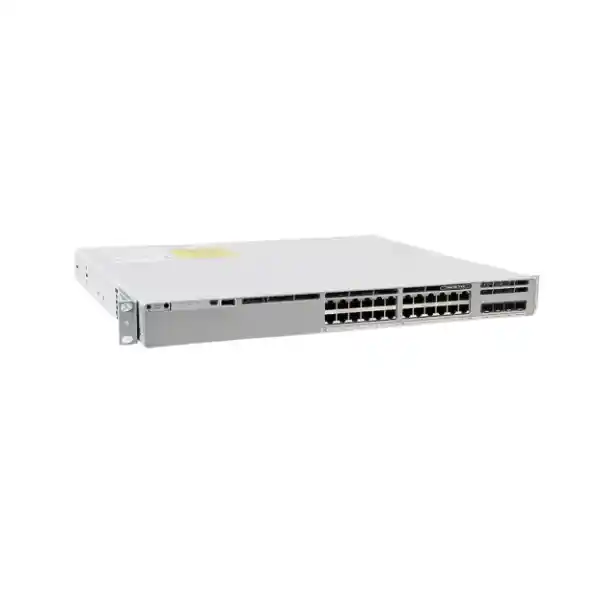
Cisco Catalyst C9300L-24T-4G Network Switch
A compact, stackable Catalyst 9300L access platform for organizations that need twenty-four copper Gigabit Ethernet data ports, four fixed 1G SFP uplinks, resilient Cisco IOS XE operations and StackWise-320 without paying for PoE capability they do not need.
Choose C9300L-24T-4G when your access layer is based on standard 1G copper endpoints, your uplink requirement is satisfied by 1G SFP connectivity, and endpoint power is supplied independently. If you require PoE+ or 10G uplinks, a different C9300L variant should be selected before quotation.
What the C9300L-24T-4G is designed to do
The Cisco Catalyst C9300L-24T-4G belongs to the fixed-uplink Catalyst 9300L family and is built for enterprise access-layer switching. Its job is straightforward but strategically important: connect desktops, printers, thin clients, building controllers, security appliances, servers with 1G copper interfaces, management devices and other Ethernet endpoints to a policy-controlled campus or branch network while providing the operational consistency of the Catalyst 9000 software platform. The model supplies 24 copper 10/100/1000 Mbps data ports and four fixed 1 Gigabit Ethernet SFP uplink ports. Cisco specifies a 350W AC power supply for this data-only configuration and support for StackWise-320.
The word data matters. C9300L-24T-4G does not deliver Power over Ethernet. It is therefore a strong choice where endpoints use local power, where PoE is intentionally separated onto another switch tier, or where the switch is serving racks populated mainly by computers, non-PoE appliances and management interfaces. It is not the correct model when a project expects the access switch to energize IP phones, cameras, wireless access points or IoT devices over the Ethernet cable. Selecting the data-only model for a PoE requirement can create expensive remedial work, so FourTeck treats endpoint power as a first-stage sizing question rather than an afterthought.
The second defining characteristic is the fixed 4x1G SFP uplink block. This is efficient for sites whose distribution or firewall connections are designed around 1G fiber or compatible copper transceivers, but it should not be confused with the C9300L-24T-4X, which provides 10G-capable fixed uplinks. For UAE projects with substantial east-west traffic, high-density virtualization, large file-transfer workloads, multiple high-throughput Wi-Fi access points on downstream switches, or plans to aggregate several access switches onto one uplink pair, FourTeck evaluates the uplink headroom before committing the 4G model.
Key platform characteristics at a glance
Twenty-four 10/100/1000 Mbps Ethernet access ports provide conventional Gigabit connectivity for business endpoints and infrastructure devices that do not need switch-supplied power.
Four fixed 1 Gigabit Ethernet SFP ports support fiber-based or approved transceiver-based uplink designs without the separate network-module selection required by modular-uplink Catalyst models.
Hardware stacking allows multiple compatible switches to operate as a coordinated system, simplifying management and enabling resilient multi-switch access designs when correctly cabled and configured.
Cisco lists 56 Gbps standalone switching capacity and 41.66 Mpps standalone forwarding performance for C9300L-24T-4G, with higher aggregate figures when stacking is included.
The model is supplied around a 350W AC power architecture because it has no PoE load. The PSU rating is capacity, not a statement that the switch continuously consumes 350 watts.
Catalyst IOS XE provides the programmable operating environment for switching, routing, telemetry, automation, security controls and integration with Cisco management architectures, subject to license and release.
Access-layer architecture: why this model fits conventional enterprise edge networks
Modern access switching is no longer only a matter of counting Ethernet sockets. The switch sits at the control point between users and the rest of the enterprise network. It must classify traffic, enforce segmentation policy, protect the Layer 2 domain against common failure modes, maintain deterministic uplink behavior, expose operational telemetry and remain manageable during software change. The C9300L-24T-4G is suitable when those enterprise requirements are present but the physical interface plan remains conventional: 1G copper at the edge and 1G fiber at the uplink.
That profile is common in UAE branch offices, retail back offices, professional-services floors, schools, clinics, warehouses with separately powered endpoints, industrial administration zones and compact data or management networks. Twenty-four ports align naturally with one patch-panel block, a small telecom room or a dedicated function such as facilities management. The fixed uplink design reduces the number of ordering variables because the uplink ports are built into the unit rather than supplied through a separate modular network interface. That simplicity can be valuable in standardized rollouts where the same switch specification is replicated across many sites.
The trade-off is that fixed architecture must be sized correctly on day one. A modular platform can sometimes be adapted later by replacing an uplink module, whereas C9300L-24T-4G remains a 4x1G uplink design. FourTeck therefore treats uplink speed, fiber type, optical reach, expected growth and distribution-switch compatibility as design inputs before the SKU is finalized. A low port count does not automatically imply low traffic; twenty-four endpoints can still generate aggregate demand beyond a single 1G uplink if they include engineering workstations, backup targets, high-resolution media systems or local storage.
Understanding the 24 copper access ports
Each access interface supports standard Ethernet rates up to 1 Gbps over appropriate twisted-pair cabling. In a typical office deployment, ports are configured as access ports assigned to user, printer, voice-adjacent, facilities or management VLANs. In more advanced designs, selected interfaces may be trunks to downstream devices, hypervisors, security appliances or specialized controllers. The switch can participate in policy-driven segmentation and network automation, but the physical port itself is still a conventional Gigabit copper interface. It is not a multigigabit port and should not be specified for 2.5G or 5G access requirements.
Port planning should include more than the current device count. A 24-port switch installed with 23 active endpoints has almost no room for growth, temporary testing, redundant appliance links or moves and changes. In practical projects, FourTeck usually reserves a percentage of ports according to the expected life of the site and the difficulty of adding another switch. Spare capacity is especially useful in leased Dubai offices where fit-out changes can happen quickly and after-hours access to telecom rooms may be restricted.
Cabling quality remains critical. Gigabit Ethernet relies on all four pairs in the copper cable and is more sensitive to poor terminations than 100 Mbps legacy networks. Structured cabling should be tested to the appropriate category and installation standard, patch cords should be controlled, and patch-panel records should align with switch-port labels. A stable Catalyst access layer cannot compensate for intermittent cabling faults, damaged connectors or incorrectly bonded shielding. For critical deployments, commissioning should include link-speed verification, error-counter monitoring and documentation of patch-panel-to-port mapping.
Four fixed 1G SFP uplinks: design implications
The four SFP uplink ports are one of the most important reasons to choose or reject this model. They enable fiber connectivity to distribution switches, core switches, routed aggregation points or firewalls, depending on the topology and transceiver support. Multiple uplinks can be used for redundancy, link aggregation or separate network functions, but the available physical speed remains 1 Gbps per port. When a port-channel is used, traffic can be distributed across member links according to hashing behavior; a single flow does not normally become a multi-gigabit flow simply because several 1G members exist.
For a small branch with ordinary productivity applications, SaaS traffic, moderate file access and a 1G WAN or firewall handoff, this uplink class can be entirely appropriate. For a busy campus floor with many high-throughput users, large local backups or server traffic traversing the uplink, the 4G variant may become the constraint. The correct sizing metric is not only Internet bandwidth. East-west traffic toward local servers, inter-VLAN routing placement, wireless traffic aggregation, replication, monitoring and software distribution should also be considered.
Optical selection must match both ends of the link. Fiber type, connector presentation, distance, wavelength, supported SFP part number and remote-device compatibility all matter. A multimode optic cannot simply replace a single-mode optic without considering the installed fiber plant. Likewise, using third-party optics may affect support expectations. FourTeck can coordinate switch, transceiver and fiber requirements as one bill of materials so a shipment does not arrive with the correct switch but the wrong optical layer. For broader UAE network architecture and equipment planning, visit FourTeck UAE.
StackWise-320 and the operational value of stacking
Stacking changes the way multiple access switches are operated. Instead of treating every chassis as an independent island, compatible Catalyst switches can be interconnected through the supported stack architecture and managed as a coordinated logical system. C9300L-24T-4G supports StackWise-320. Cisco publishes a standalone switching capacity of 56 Gbps for this model and a switching capacity figure of 376 Gbps when stacking is included, with corresponding forwarding figures of 41.66 Mpps standalone and 279.76 Mpps with stacking.
The practical benefit is not that every user port suddenly becomes faster than 1G. The value lies in system-level resiliency, simplified management and cross-member design options. A stack can support uplink patterns in which different physical members connect to upstream infrastructure, reducing dependency on one chassis. It can also simplify configuration consistency and allow a group of switches in the same rack to be treated as one operational unit. This is useful in campus telecom rooms where 48, 72, 96 or more copper ports are needed but administrators want a coherent control structure.
Stacking must be designed deliberately. Physical member order, cable length, stack-ring closure, priority, software compatibility, role election, maintenance procedure and uplink distribution all affect resilience. A stack with only one upstream connection is still dependent on that link. A stack cabled as a chain rather than a resilient ring has different failure behavior. Software upgrades and member replacement procedures should be documented before production. FourTeck also recommends labeling each stack cable at both ends and recording serial numbers, member numbers and rack positions, because physical troubleshooting is much faster when logical and physical information agree.
Compatibility should be validated before mixing different Catalyst 9300-family variants in the same stack. A model being part of the same broad family does not automatically guarantee that every stacking combination is supported. The exact hardware mix, software train and feature set should be checked against current Cisco documentation before procurement.
Switching performance: interpreting 56 Gbps and 41.66 Mpps
Switching capacity describes the aggregate bandwidth capability of the switching fabric under the vendor’s measurement methodology, while forwarding rate expresses packet-processing capability. For C9300L-24T-4G, Cisco lists 56 Gbps switching capacity and 41.66 million packets per second forwarding rate in standalone operation. These figures align with a platform built around twenty-four 1G access ports plus four 1G uplinks. They are useful for comparing models, but they should not be mistaken for guaranteed application throughput in every topology.
Real application performance depends on frame sizes, oversubscription, traffic direction, policy features, routing location, queuing, congestion, upstream links, endpoint behavior and protocol overhead. A network can experience poor application response while the access switch is far below theoretical fabric capacity if an uplink is congested, a server is overloaded or a WAN circuit has latency. Conversely, a well-designed switch can carry highly consistent user traffic without approaching the platform’s maximum packet rate.
Sizing therefore starts with traffic paths. If users on the same switch communicate locally within the same VLAN, much of the traffic can remain inside the access switch. If every user transaction must traverse an upstream firewall for segmentation, the uplink becomes much more significant. If inter-VLAN routing occurs on an upstream distribution switch, routed traffic leaves the access switch even when the destination is in the same building. FourTeck maps these flows before recommending uplink count and speed. Where sustained aggregate demand is expected to exceed the practical headroom of the 1G uplink design, the 4X variant or another Catalyst platform is a more appropriate starting point.
Cisco IOS XE, programmability and operational consistency
Catalyst 9300 Series switches run Cisco IOS XE, giving network teams a common operational model for configuration, monitoring, troubleshooting and automation. For organizations that already manage Catalyst 9000 infrastructure, this consistency can reduce training overhead and simplify standard templates. Interfaces, VLANs, spanning-tree controls, routing features, AAA integration, logging, telemetry and software management can be handled through established enterprise workflows while modern APIs and controller-based architectures can be introduced where appropriate.
The value of programmability is strongest at scale. A network with one switch can be configured manually, but a network with dozens or hundreds of access switches benefits from repeatable intent. Templates reduce configuration drift. Automated checks can validate NTP, syslog, authentication servers, VLAN definitions, trunk allowed lists, port-security controls and software versions. Telemetry can feed monitoring platforms that identify rising errors or interface saturation before users report a problem.
Software planning should be treated as part of hardware procurement. Different IOS XE releases can introduce new functionality, change supported features or carry different lifecycle status. A production standard should normally specify an approved software train, maintenance window policy, configuration backup method and rollback procedure. When switches are deployed in stacks, release consistency becomes even more important because members need a supported common software state.
Licensing also interacts with software capabilities. The C9300L-24T-4G base hardware is ordered in variants associated with Network Essentials or Network Advantage, and Cisco’s current switching licensing strategy also includes subscription-based offerings. The correct entitlement depends on features, management platform, purchase program and software release. FourTeck therefore separates hardware fit from license fit during quotation rather than assuming the same license is appropriate for every customer.
Layer 2 design: VLANs, trunks and spanning-tree discipline
Most C9300L-24T-4G deployments begin with Layer 2 segmentation. User devices, printers, building systems, guest infrastructure, management interfaces and specialized endpoints should not automatically share one broadcast domain. VLANs create logical separation, while routing and security policy determine how those segments communicate. A good access design uses a clear VLAN naming and numbering convention, avoids unnecessary VLAN extension, and documents which services are reachable from each segment.
Trunk ports carry multiple VLANs between switching or security devices. Their allowed VLAN lists should be explicit rather than overly broad. Native VLAN handling should be standardized. Misconfigured trunks can expose traffic to the wrong part of the network or create troubleshooting complexity. Where a downstream device requires only one untagged network, an access configuration is generally simpler and safer than a trunk.
Spanning Tree Protocol remains essential wherever Layer 2 redundancy exists. The goal is to permit resilient physical paths without allowing forwarding loops. Root placement should be intentional, edge ports should use appropriate edge protections, and unexpected bridge devices should not be allowed to alter topology freely. Features commonly used in enterprise Catalyst designs can help protect against accidental loops or rogue bridge behavior, but they must be deployed with an understanding of the connected device type.
Link aggregation can provide redundancy and aggregate bandwidth when both ends are configured consistently. LACP-based EtherChannels are often preferable because they provide negotiation and operational visibility. However, designers should understand hashing. Four 1G members create an aggregate bundle with more total capacity, but one conversation may still be limited to a single member’s bandwidth depending on the traffic pattern. This is another reason to compare the 4G and 4X models based on actual workload rather than only port count.
Layer 3 capability and license-aware routing design
Catalyst 9300 platforms can participate in routed access designs, but the exact routing feature set should be matched to the ordered license tier and software release. Network Essentials provides foundational Layer 2 and Layer 3 capabilities, while Network Advantage is intended for more advanced routing, segmentation, multicast, scale and security functions. If a project requires a specific dynamic routing protocol, policy function, virtual network design or advanced segmentation feature, that requirement should be written into the bill of materials rather than assumed from the Catalyst family name.
There are several valid architecture choices. In a traditional design, the C9300L can operate primarily as a Layer 2 access switch while a distribution pair performs inter-VLAN routing. In a routed-access design, Layer 3 boundaries may move closer to the edge to reduce spanning-tree dependence and improve failure isolation. In a branch, the switch may connect routed links toward a firewall, SD-WAN appliance or router. Each pattern has different requirements for addressing, convergence, first-hop redundancy, route control and troubleshooting.
Routing scale should not be judged only by whether a feature exists. The number of routes, neighbors, access control entries, multicast groups and policy objects matters. Hardware resource profiles and platform limits vary. For compact office networks, these limits are rarely stressed, but larger campus or segmentation-heavy projects should be validated against the exact data-sheet scale tables and software design guidance.
FourTeck’s approach is to start with business traffic paths. Which VLANs need local communication? Which flows must pass through a firewall? Is there a guest network? Are servers local or cloud-hosted? Is the site connected by MPLS, SD-WAN or Internet VPN? The routing design then follows the policy requirement. This avoids enabling complex features simply because the switch supports them and keeps operational ownership clear between the switching, firewall and WAN layers.
Security controls at the access edge
The access switch is where endpoints first enter the enterprise network, so it should contribute to defense in depth. Security begins with management-plane hygiene: strong administrative authentication, role separation, encrypted management protocols, restricted management source networks, accurate time synchronization, centralized logging and configuration backup. Shared local passwords and unrestricted management access create unnecessary risk regardless of the switching hardware.
At the port level, enterprise Catalyst designs can use techniques such as authentication, endpoint profiling, access control, DHCP-snooping-related protections, source validation, storm control and spanning-tree safeguards. The exact functions depend on software, license and broader architecture. They should be introduced systematically because aggressive edge controls can disrupt legitimate devices if prerequisites such as DHCP behavior, identity services or voice endpoint workflows are not understood.
Segmentation is often more important than any single feature. A facilities controller does not necessarily need direct access to user laptops; printers do not require unrestricted reachability to sensitive servers; guest devices should not enter internal networks. VLANs create the boundaries, while routed policy and firewall rules enforce permitted communication. When strong application-layer inspection is required, an upstream security appliance remains a central control point. FourTeck can align Catalyst segmentation with firewall policy through its Firewall Dubai practice so switching and security rules are designed as one system rather than as independent configurations.
Physical security should also be considered. Telecom rooms should be access-controlled, unused switch ports disabled or placed in a restricted state, console access protected and rack cabling documented. In shared commercial buildings, the access switch may be located far from the main IT team, so remote manageability and clear incident procedures become operational security requirements as well as convenience features.
Automation, assurance and management choices
Catalyst 9300 environments can be managed through conventional CLI-based processes, controller-assisted workflows, automation frameworks and supported cloud or on-premises management options depending on licensing and software. The best choice depends on scale and operational maturity. A small organization may prioritize a controlled CLI standard with configuration backups. A multi-site enterprise may need centralized inventory, template deployment, compliance checks, software-image management, health analytics and assurance.
Automation should reduce variance, not merely accelerate change. A poorly tested configuration pushed quickly to many switches creates a larger outage. FourTeck recommends staged automation: establish a gold configuration, validate it on a pilot, back up the current state, use deterministic variables for site-specific values, check post-change health and maintain a rollback path. This applies whether tools are Cisco-native or third-party.
Telemetry is valuable because access problems are often intermittent. Interface counters, link transitions, CPU and memory trends, stack state, spanning-tree changes, authentication events and uplink utilization provide evidence that can distinguish cabling faults from network-policy issues. Monitoring should not generate noise for every harmless event. Alert thresholds and event correlation should reflect the service impact and the site’s support model.
Organizations that want deployment, monitoring, configuration, migration and operational assistance can engage FourTeck IT Services UAE for broader infrastructure support around the switching platform.
Quality of Service for predictable application behavior
Quality of Service becomes important when traffic competes for a constrained link. The access ports may each operate at 1G, but several active devices can converge on a 1G uplink. If delay-sensitive voice, interactive video, control traffic and bulk transfers all contend for that uplink without an intentional policy, congestion can affect application experience. QoS classifies traffic, marks or trusts appropriate markings, and applies queuing and scheduling behavior so important flows receive predictable treatment under contention.
A good QoS design is end to end. Marking traffic on the access switch achieves little if the upstream firewall, WAN router or service provider rewrites or ignores those markings. Trust boundaries should be clear. User devices should not automatically be trusted to claim the highest priority. Voice systems may have established signaling and media classifications; critical business applications may need measured treatment based on actual traffic behavior rather than broad port-based assumptions.
QoS does not create bandwidth. If a site consistently needs 2 Gbps of throughput across a 1G uplink, prioritization can protect selected classes but cannot make the physical link carry the full demand. Sustained congestion is a capacity problem. For this reason, FourTeck combines interface-utilization measurements with QoS design during migrations. If the existing switch already shows uplinks routinely approaching saturation, C9300L-24T-4G may be technically compatible but strategically undersized compared with a 10G-uplink alternative.
Multicast, broadcast control and specialized endpoint networks
Enterprise access networks may carry multicast for media distribution, conferencing, discovery protocols, industrial systems or building applications. Uncontrolled multicast and broadcast traffic can consume unnecessary capacity across a VLAN, particularly where many endpoints are connected. Layer 2 multicast optimization and correctly designed Layer 3 multicast routing can reduce flooding, but they must match the application behavior and license tier.
Broadcast storms are another risk. They can be caused by loops, malfunctioning devices or incorrect bridging. Spanning-tree safeguards, storm-control mechanisms and disciplined port configuration help contain these events. Monitoring should look for abnormal broadcast and multicast percentages rather than only total bandwidth, because a modest number of packets can indicate a topology problem if they propagate continuously.
Specialized networks deserve their own design review. CCTV systems, building management controllers, digital signage and industrial endpoints may use discovery or multicast patterns that differ from ordinary office traffic. Some also expect PoE, which this model does not supply. Before using C9300L-24T-4G for such a segment, confirm power method, VLAN behavior, multicast requirement, management access and uplink bandwidth. A switch chosen solely because it has enough Ethernet ports can still be the wrong platform for the application.
High availability: designing beyond the switch chassis
Resilience is a system property. StackWise-320 can reduce the operational impact of individual member failures in a correctly built stack, but availability also depends on power, cabling, uplinks, upstream devices, software and configuration. A redundant stack that connects through one fiber to one distribution switch still has a single upstream failure point. Likewise, two uplinks that share the same physical fiber route can fail together if that pathway is damaged.
For critical UAE offices, a resilient design can distribute upstream links across stack members and upstream devices, use link aggregation or routed paths as appropriate, place power on suitable UPS circuits and document failover behavior. The exact design depends on business impact. A reception-area switch may tolerate an hour of downtime; a switch serving operational control systems may require maintenance without user interruption. The availability target should be stated before equipment is selected.
Software maintenance is part of availability. Change windows should include pre-checks of stack health, uplink redundancy, configuration backup and rollback. If redundancy exists only on paper but one member is already degraded, an upgrade can expose the latent fault. Post-change validation should confirm interface state, routing or spanning-tree neighbors, endpoint reachability, authentication services, monitoring and log health.
Environmental resilience matters in the region as well. Telecom rooms in Dubai and the wider UAE should maintain suitable cooling, dust control and stable power. The switch is enterprise equipment, but it should not be treated as an outdoor or unconditioned device. Rack airflow should remain unobstructed, unused cable bundles should not block ventilation, and cabinet loading should account for heat from neighboring equipment.
Power, rack space and physical installation planning
C9300L-24T-4G uses a 350W AC power-supply class because it does not need to reserve hundreds of watts for powered endpoints. The power-supply rating represents available supply capacity, not continuous operating consumption. Actual draw varies with configuration, traffic, optics, software and environmental conditions. For UPS sizing, engineers should use vendor power data and include appropriate headroom rather than multiplying switch quantity by the PSU label as if every unit were always at maximum output.
The chassis is approximately one rack unit high, about 17.5 inches wide and roughly 16.1 inches deep with the standard power configuration, making it suitable for conventional enterprise racks and many wall cabinets with adequate depth. Cable bend radius, front clearance, rear service access and power-cord routing should be checked. A cabinet that nominally accepts a 19-inch rack device may still be too shallow once connectors and cable management are included.
The switch weighs around 6.78 kg before the effect of additional cabling and accessories. Individual weight is manageable, but stacks of switches plus patch panels, UPS systems and fiber shelves can create significant rack loading. Mounting hardware should be installed correctly and heavy UPS equipment should generally occupy lower rack positions. Separate horizontal or vertical cable management helps keep copper patch leads from obstructing the switch face and makes port identification easier.
For facilities planning, record power feed, UPS source, rack unit, patch-panel range, switch hostname, management address and stack member number. These details reduce ambiguity during support visits, especially in multi-tenant buildings where several telecom rooms may look similar.
SFP optics, fiber and uplink cabling validation
An SFP uplink is not complete until the optical and fiber details are defined. The transceiver must be supported by the switch and software release, the far-end device must support a compatible optic, the wavelength and reach must match, and the installed fiber must be suitable. Multimode and single-mode fiber are not interchangeable design labels. Connector type, patch-panel presentation, polarity, insertion loss and physical path also matter.
Within a building, multimode fiber may be appropriate where existing OM-rated cabling and distances support the chosen 1G optic. Across longer campus paths, single-mode fiber is often preferred. Copper SFP modules may be used in some designs when supported, but they change cabling and distance considerations and can have different thermal characteristics. Direct attachment methods associated with higher-speed SFP+ interfaces should not be assumed to apply to a 1G SFP-only uplink in the same way.
FourTeck asks for the far-end switch model, port type, fiber category, connector, approximate route distance and number of desired links before finalizing optics. If that information is unavailable, a site survey or inspection of existing transceivers can prevent ordering errors. Optical receive levels can also be checked during commissioning when diagnostic information is available. A link that comes up with marginal optical power may fail intermittently as connectors age or temperature changes.
For server-room and rack infrastructure projects that combine access switching with compute and connectivity, customers can also review Server Dubai for complementary infrastructure planning.
Where the C9300L-24T-4G fits in common UAE deployment topologies
Small branch access
A branch with 10 to 20 staff, locally powered desktops and printers can use the switch as its main wired access platform. One or two 1G uplinks may connect to a firewall or aggregation device. The key checks are whether any phones or access points require PoE and whether expected local or WAN traffic can remain comfortably within the uplink design.
Campus telecom room
Several C9300L units can be stacked to serve a floor or department. Uplinks can be distributed across members for resilience. This is attractive where the endpoint mix is primarily wired and non-PoE. If the same closet also powers many access points and phones, PoE variants may be more practical.
Management network
Twenty-four data ports can support out-of-band or infrastructure management connections for servers, UPS systems, environmental monitors, console servers and security appliances when those devices present 1G or lower copper interfaces and use their own power.
Secure appliance zone
The model can aggregate management or service interfaces around firewalls, VPN appliances and network services. VLAN and routing policy must be designed carefully, and throughput should be checked if substantial production traffic is expected to cross 1G uplinks.
Retail and service locations
Point-of-sale controllers, office PCs, printers and local business systems can fit the port profile when endpoint power is independent. Segmentation between payment, corporate, guest and facilities traffic should be planned from the start rather than added after deployment.
Legacy switch refresh
Organizations replacing older 24-port Gigabit switches can retain familiar edge speeds while gaining the Catalyst 9000 operational platform. Migration planning should still verify optics, licenses, VLANs, spanning tree, port-security behavior, management tools and rack depth rather than assuming drop-in equivalence.
Voice, wireless and camera networks: the non-PoE limitation is decisive
Many modern access switches are purchased primarily to power edge devices. C9300L-24T-4G is not one of them. It can carry Ethernet traffic for an IP phone, access point or camera if that endpoint receives power from an external injector or local adapter, but the switch itself does not provide PoE. In a greenfield office, that usually makes a PoE-capable C9300L variant more convenient for unified communications, wireless or CCTV. External injectors add power bricks, sockets, failure points and cable-management complexity.
There are exceptions. Some enterprises intentionally separate user switching from PoE switching, perhaps dedicating one stack to desktops and another to phones or access points. A data-only model can then reduce unnecessary power-supply capacity on the wired-user tier. It can also be appropriate for back-office networks where all devices are locally powered. The decision should be architectural rather than accidental.
Wireless deserves an additional bandwidth check. Even if an access point is externally powered, modern APs may support multigigabit Ethernet and can generate more than 1 Gbps of aggregate wireless traffic. Connecting such an AP to a 1G data port imposes a wired bottleneck. If the wireless design expects multigigabit access, a C9300L multigigabit variant or another suitable model should be selected.
For voice systems, confirm whether the phones use PoE, whether a separate voice VLAN is needed, how QoS markings are trusted, and whether PC passthrough ports are used. A switch model decision should support the complete endpoint workflow, not only the count of RJ45 connectors.
Integration with firewalls, routers and server networks
An access switch rarely operates alone. It connects upstream to a distribution layer, firewall, router or data-center network. The boundary between these systems determines where routing, security policy and fault domains sit. In a small branch, the switch may trunk several VLANs directly to a firewall, allowing the firewall to route and inspect traffic between them. This provides clear security enforcement but can concentrate all inter-VLAN traffic on the 1G uplink and firewall interfaces.
In a larger campus, routing may occur on a distribution layer, while firewalls inspect traffic that crosses defined security zones. This avoids forcing every local flow through a security appliance but requires careful ACL, routing and segmentation design. Routed access can move boundaries further toward the edge. There is no universally correct topology; the design should match security requirements, scale, operational skills and application paths.
Server connectivity should also be evaluated carefully. The C9300L-24T-4G can connect 1G server interfaces, management ports and appliances, but it is not a data-center top-of-rack switch. Servers with 10G, 25G or higher interfaces, storage networks, high-volume backup traffic and latency-sensitive east-west workloads generally belong on switching platforms designed for those speeds and buffer requirements.
When the C9300L is used to connect server management, hypervisor administration or appliance management ports, separating that traffic into dedicated management segments can improve security and troubleshooting. Access to management VLANs should be tightly controlled from approved administrative networks.
Migration from an existing access switch
A successful switch replacement starts with discovery. Export the current configuration, interface descriptions, VLAN database, spanning-tree role, trunk lists, EtherChannels, routing configuration, ACLs, authentication settings, SNMP or telemetry configuration, syslog destinations, NTP servers and management addressing. Collect interface counters and utilization history where possible. These reveal whether the old switch is carrying more than its documentation suggests.
Next, map physical ports. Interface descriptions are useful but may be stale. Compare them with patch-panel labels, MAC address tables, LLDP or CDP neighbor information and endpoint inventories. Identify devices that need PoE; finding these after installing a data-only replacement is a common avoidable problem. Identify any legacy endpoints that negotiate at 10 or 100 Mbps, because they may still be business-critical even though most ports run at 1G.
Validate uplinks separately. Record optic part numbers, fiber type, far-end ports, EtherChannel configuration, native VLANs and allowed VLAN lists. If the existing switch uses 10G uplinks, C9300L-24T-4G is not a like-for-like replacement. If it uses modular optics that are not supported in the new platform or software release, new transceivers may be required.
Build and stage the new switch before the change window. Load the approved software, apply the base configuration, add licenses and management integration, configure VLANs and uplinks, and verify stack behavior where applicable. During cutover, move cables in controlled groups and test representative endpoints from every network. Post-migration checks should include error counters, uplink utilization, spanning-tree state, routing adjacency, DHCP behavior, DNS reachability, authentication and monitoring.
Finally, preserve rollback ability until the service is accepted. An old switch that remains powered down but intact for the initial validation window can be a useful contingency, provided security policy allows it and the change plan documents when it will be removed.
Sizing methodology before ordering
A switch quote should be the output of a sizing exercise, not the starting point. FourTeck uses a practical checklist that begins with endpoint count and then moves into power, speed, uplink, redundancy, license, optics and operations. The twenty-four access ports must cover active endpoints plus growth. A site with sixteen current devices and six planned devices is already close to the limit once spare ports for testing or future expansion are considered.
Power is binary for this model: there is no PoE budget. If even a few endpoints require switch-supplied power, decide whether external power is operationally acceptable or whether a PoE model is preferable. Do not calculate a PoE budget for C9300L-24T-4G because the relevant value is zero.
Access speed is the next filter. Standard computers and printers usually fit 1G, while modern high-performance access points, specialized workstations and some storage devices may require multigigabit or higher speeds. Uplink capacity then determines whether the aggregate design works. Estimate normal and peak traffic, identify large scheduled transfers such as backups, and understand whether local traffic stays on the switch or crosses the uplinks.
Redundancy determines switch quantity and topology. A single switch is simpler but represents one hardware fault domain. A stack can improve manageability and resilience, but it adds stack cables and operational planning. Upstream redundancy may require two distribution switches or firewall interfaces. Power resilience may require appropriate secondary power arrangements and UPS design, depending on the exact platform configuration and business requirement.
Licensing should be tied to named features. If the requirement is basic enterprise access switching, an Essentials tier may be sufficient. If advanced routing, segmentation, analytics or policy features are needed, Advantage may be appropriate. Current Cisco subscription models and term requirements can affect the bill of materials, so license selection should be confirmed at quotation time rather than copied from an old project.
Finally, verify optics and support. Count each fiber link, identify the required SFP type, confirm spares, determine support coverage and define who owns software upgrades. A complete bill of materials is easier to approve and deploy than a low initial hardware price followed by separate orders for stack cables, optics or licenses.
Dubai and UAE procurement considerations
Enterprise networking projects in the UAE often have schedule constraints driven by office handovers, fit-out completion, branch openings, audits or maintenance windows. Procurement should therefore identify not only the switch model but also every dependency that can delay installation: licenses, stack accessories, optics, fiber patch cords, rack hardware, console access, UPS capacity and upstream ports. A switch arriving without the correct SFPs can leave the entire site waiting even though the primary chassis is physically present.
Model naming must be handled carefully. C9300L-24T-4G identifies the hardware family and port/uplink profile, while orderable SKUs may include suffixes that indicate Network Essentials or Network Advantage. A quotation should state the exact orderable part, software entitlement, subscription term where applicable and support option. Reusing a shortened model number from an older inventory list can hide these commercial distinctions.
Organizations operating across multiple UAE sites should standardize where possible. A consistent access-switch template reduces spare-parts variety, training requirements and configuration drift. However, standardization should not force the wrong model into a site. A headquarters floor with 10G uplink demand may require a different variant than a small branch. The standard can therefore define approved profiles—for example data-only 1G uplink, PoE+ 1G uplink, and 10G uplink—rather than one universal SKU.
Lifecycle and support status should be checked at the time of purchase, particularly for projects that expect many years of service. Cisco product families evolve, and software release recommendations change. FourTeck can help align current ordering, software and support with the customer’s deployment date. For organizations with regional operations beyond the UAE, FourTeck Global provides a broader coordination point.
Environmental planning is also region-specific. Equipment should be installed in conditioned telecom spaces with stable power, suitable UPS protection and controlled dust exposure. Network cabinets placed in warehouse corners, rooftops or unconditioned service areas require additional engineering review because commercial access switches are designed for specified environmental ranges, not uncontrolled outdoor conditions.
Implementation blueprint for a controlled deployment
1. Discovery and design. Confirm endpoint count, PoE requirements, copper speeds, VLANs, uplink bandwidth, fiber type, routing location, security policy, management platform, licensing tier and availability target. Document the desired topology before converting it into a bill of materials.
2. Bill of materials validation. Confirm the exact C9300L-24T-4G orderable variant, required license tier, subscription items, support, stack accessories, SFP optics, patch cords and power accessories. Verify compatibility with the upstream switch or firewall. This stage prevents the common problem of purchasing the correct chassis but incomplete connectivity.
3. Staging. Power the switch in a controlled environment, verify hardware inventory, load the approved IOS XE release, create the management configuration, set time synchronization, logging, AAA and monitoring, and configure the initial VLAN/uplink framework. For stacks, assemble members in the intended order and verify stack health before shipping to site.
4. Security baseline. Restrict management access, disable unnecessary services, establish secure administration, configure edge protections appropriate to the endpoint types, and define unused-port behavior. Integrate with identity services if required. Security changes that can block endpoints should be tested with representative devices.
5. Physical installation. Mount the switch with correct rack hardware, maintain airflow, connect power to the designed UPS or circuit, install stack cables where applicable, label fiber and copper links, and keep cable management clear. Confirm that the cabinet depth accommodates rear connectors and service access.
6. Cutover. Move uplinks first or according to the planned sequence, verify upstream adjacency, then migrate endpoint ports in controlled batches. Test DHCP, DNS, gateway reachability, core applications, printing, authentication and monitoring. Check interface errors immediately; cabling faults often surface when links renegotiate on new equipment.
7. Acceptance. Confirm stack state, uplink utilization, spanning-tree topology, routing neighbors, logs, monitoring and redundancy. Record serial numbers, software version, configuration backup and support details. Update network diagrams and rack elevations while the deployment information is still fresh.
8. Operational handover. Define how configuration changes are approved, where backups are stored, who receives alerts, how software upgrades are scheduled and what evidence is collected before replacing a failed member. Good handover turns an installed switch into a manageable production service.
Operational monitoring and troubleshooting priorities
After deployment, monitor the conditions that predict user impact. Uplink utilization should be reviewed over time rather than only during incidents. If 1G links routinely run near saturation, packet loss and queuing can appear during busy periods. Interface error counters can identify bad cabling, optics or negotiation problems. Frequent link flaps may indicate physical faults or endpoint power issues. Stack events require attention because a partially degraded stack may continue serving traffic until the next failure exposes the missing redundancy.
Logs should be centralized and time synchronized. Accurate timestamps allow switch events to be correlated with firewall, server and application logs. SNMP or streaming telemetry can provide performance data, while configuration archives show what changed before an incident. The monitoring system should know the expected topology so that an uplink failure receives higher priority than an unused access port going down.
Troubleshooting should proceed from physical to logical. Verify link state, speed, duplex and errors. Confirm the port VLAN or trunk configuration. Check spanning-tree forwarding state and EtherChannel membership. Validate MAC learning, ARP or neighbor information, routing and ACLs. Then test upstream services such as DHCP, DNS and gateway reachability. This sequence avoids spending time on application diagnostics when the underlying port is in the wrong VLAN.
Baseline data is extremely valuable. If engineers know normal uplink utilization, CPU levels, interface error counts and stack state, abnormal behavior is easier to recognize. Without a baseline, every incident begins with uncertainty about whether the observed values are new or normal for that site.
C9300L-24T-4G versus nearby Catalyst 9300L choices
| Model profile | Access | Uplink | Best fit |
|---|---|---|---|
| C9300L-24T-4G | 24 × 1G data | 4 × 1G SFP | Non-PoE edge with 1G uplink requirements |
| C9300L-24T-4X | 24 × 1G data | 4 × 10G/1G SFP+ | Same data-port profile with higher uplink headroom |
| C9300L-24P-4G | 24 × 1G PoE+ | 4 × 1G SFP | Phones, APs and cameras needing PoE+ |
| C9300L-48T-4G | 48 × 1G data | 4 × 1G SFP | Higher copper density where 1G uplinks remain sufficient |
The right comparison depends on the constraint you are trying to solve. If the only problem is port count, a 48-port model may be efficient. If the problem is uplink congestion, moving from 24T-4G to 48T-4G increases edge density but does not raise per-uplink speed. If devices need PoE, a P-series variant addresses power. If future bandwidth is the main concern, the 4X variant deserves serious consideration even when current traffic is moderate.
Frequently asked technical questions
Does the Cisco C9300L-24T-4G provide PoE?
No. It is a data-only model. The 24 copper access ports carry Ethernet data but do not supply Power over Ethernet. If your project includes IP phones, wireless access points, cameras, door controllers or other PoE-powered devices, either provide an external power method or select a PoE-capable C9300L variant. In most new office deployments, using a PoE switch is operationally cleaner than deploying many individual injectors.
Are the four uplinks 10 Gigabit?
No. The 4G suffix identifies four fixed 1G SFP uplinks. If your distribution layer requires 10G access-switch uplinks, consider the C9300L-24T-4X, which has four fixed 10G/1G SFP+ uplinks, or another model aligned with the bandwidth requirement. This distinction should be checked before purchasing optics because 1G SFP and 10G SFP+ designs have different capabilities.
Can C9300L-24T-4G be stacked?
Yes. Cisco lists support for StackWise-320. Stacking can simplify management and improve access-layer resilience when members, stack cables, software and uplinks are designed correctly. The stack should normally be cabled to preserve resiliency, member roles should be documented, and uplinks should be distributed so the loss of one member does not isolate the entire stack.
What is the switching capacity?
Cisco lists 56 Gbps standalone switching capacity and 41.66 Mpps standalone forwarding rate for C9300L-24T-4G. With stacking included, Cisco lists 376 Gbps switching capacity and 279.76 Mpps forwarding rate. These are platform metrics; application performance also depends on traffic patterns, frame sizes, uplink congestion, policy features and upstream network design.
Which license should we buy?
The correct license depends on required capabilities. Network Essentials is intended for foundational switching and routing functions, while Network Advantage adds more advanced routing, segmentation, multicast, scale and security features. Cisco also offers current subscription-based switching licensing. Because ordering programs and software support evolve, the bill of materials should be validated against the exact features and purchase date rather than assuming an old license bundle remains current.
Can it connect directly to a firewall?
Yes, provided the firewall interface type, transceiver and speed are compatible. The connection may be an access link, trunk, EtherChannel or routed link depending on the design. If multiple VLANs are trunked to the firewall for inter-VLAN inspection, remember that traffic from those VLANs shares the available uplink capacity. High east-west traffic may justify faster uplinks or routing elsewhere.
Is it suitable for servers?
It is suitable for server management ports, appliances and workloads that genuinely require only 1G copper access. It is not a substitute for a modern high-speed data-center top-of-rack switch when servers use 10G, 25G or faster interfaces or when storage and virtualization traffic demand deep buffers and high east-west capacity. Match the switch class to the workload rather than the physical rack location.
Can we reuse existing SFP optics?
Possibly, but compatibility must be checked. Confirm the exact optic part number, fiber type, wavelength, connector, remote device and IOS XE support. An optic that worked in an older switch is not automatically guaranteed for the new platform. Reusing optics without verification can create unsupported configurations or intermittent links, especially when the existing fiber plant is not documented accurately.
How many switches should be deployed for 40 users?
Two 24-port switches can provide sufficient physical ports, but the correct answer depends on spare-port policy, stack design, endpoint power and growth. If 40 users each have a desktop plus a phone, the port requirement may be very different depending on phone passthrough and PoE. If wireless APs, printers and facilities devices are included, count those separately. A port schedule is more reliable than a user count.
Is a 1G uplink enough for 24 users?
Often yes for ordinary office workloads, but not always. Twenty-four users rarely transmit at 1G simultaneously, so statistical multiplexing works well. However, large file transfers, local backups, engineering data, imaging, media workflows or traffic forced through an upstream firewall can create bursts or sustained congestion. Review current interface utilization and application behavior. If growth is expected, 10G uplink capability may offer better lifecycle headroom.
What should be included in the quote besides the switch?
A complete quote may include the exact license tier and subscription, support coverage, StackWise cables where stacking is planned, supported SFP optics, fiber patch leads, rack accessories, power accessories and implementation services. The upstream device must have compatible ports. For migrations, configuration, staging and after-hours cutover support can also be included. Defining these items upfront reduces follow-up purchase orders and deployment delays.
Why choose Catalyst 9300L instead of a basic unmanaged or SMB switch?
The value is enterprise control and lifecycle consistency. Catalyst 9300L supports managed segmentation, resilient stacking, enterprise software operations, security controls, telemetry, automation and integration with Cisco network-management architectures. A low-cost switch may provide Ethernet connectivity, but it may not meet requirements for centralized policy, operational visibility, configuration standards, high availability or enterprise support. The business case should be based on service requirements, not only the number of ports.
Lifecycle planning and supportability
Enterprise switches commonly remain in production for many years, so lifecycle planning should begin before installation. Record the procurement date, support contract, serial number, license ownership, software standard and responsible operational team. Maintain a hardware inventory that links each serial number to a site, rack and stack member. This information accelerates support cases and replacement planning.
Software maintenance should follow an approved lifecycle rather than ad hoc upgrades. New releases may fix defects and vulnerabilities, but they can also introduce behavioral changes. Organizations should define how releases are selected, tested, approved and rolled out. A pilot switch or non-critical site is useful for validating an update before wider deployment. Configuration backups should be stored outside the switch so they remain available after hardware failure.
Spares strategy depends on business criticality and site count. A company with many identical C9300L-24T-4G units across the UAE may benefit from holding a pre-staged spare with a suitable software image. A single small office with strong vendor support may prefer replacement coverage instead. Spare optics and stack cables can be equally important because a small accessory failure may disrupt redundancy even when the chassis is healthy.
Capacity should be revisited periodically. Port utilization, uplink saturation, growth in wireless traffic, new security inspection paths and additional cloud services can change the suitability of a 1G uplink design over time. A switch that is right today should be monitored for the conditions that would trigger an upgrade rather than kept indefinitely without reassessment.
Decision recap: when C9300L-24T-4G is the right purchase
Strong fit
Choose it for 24-port-class enterprise access where endpoints use standard 1G copper, do not need switch-supplied PoE, and the network is intentionally designed around 1G SFP uplinks. It is especially attractive for branch data networks, campus user access, management networks and non-PoE infrastructure segments that benefit from Catalyst IOS XE and StackWise-320.
Reconsider the model
Select another variant if phones, access points or cameras need PoE; if endpoints require multigigabit access; if uplinks must run at 10G; if traffic forecasts show sustained 1G aggregation pressure; or if the desired feature set requires a license or platform scale not supported by the chosen configuration.
The most important buying decision is not whether Catalyst 9300 is an enterprise platform—it is. The decision is whether this exact 24T-4G interface and power profile matches the site for the full expected lifecycle. FourTeck can validate that fit before the order is placed, helping avoid a switch that is technically capable yet constrained by the wrong uplink or endpoint-power specification.
Quotation input checklist
For an accurate Cisco Catalyst C9300L-24T-4G quotation in Dubai or elsewhere in the UAE, provide the following project information. A complete input set lets the bill of materials include the correct switch variant, licenses, optics and services on the first pass.
Location, number of telecom rooms, switch count, rack type and target installation date.
Current devices, planned growth, copper speed, PoE requirement and any multigigabit endpoints.
Far-end device, required speed, number of links, fiber type, connector, distance and desired optics.
Required routing, segmentation, automation, management and assurance capabilities plus subscription preference.
Standalone or stack, uplink redundancy, upstream device redundancy, UPS policy and maintenance expectations.
Staging, configuration, migration, rack installation, after-hours cutover, documentation and ongoing support requirements.
FourTeck consultation and deployment support
FourTeck can support the Cisco Catalyst C9300L-24T-4G from specification through production handover. Engagement can include access-layer design, SKU and license validation, SFP selection, stack topology, VLAN and routing design, security baseline, configuration staging, site installation, migration from legacy switching, firewall integration, acceptance testing and operational documentation.
For organizations refreshing multiple sites, we can help define repeatable switch profiles so branch offices receive consistent configuration while preserving site-specific uplink and power requirements. For existing networks, utilization and configuration review can identify whether the 4x1G uplink architecture has sufficient headroom or whether the 4X model should be considered before investment is committed.
When requesting a quote, include endpoint count, PoE requirements, uplink speed, fiber type, desired license tier and whether stacking is required. Those six inputs resolve most of the major specification decisions and allow a more complete procurement package.

Reviews
There are no reviews yet.