
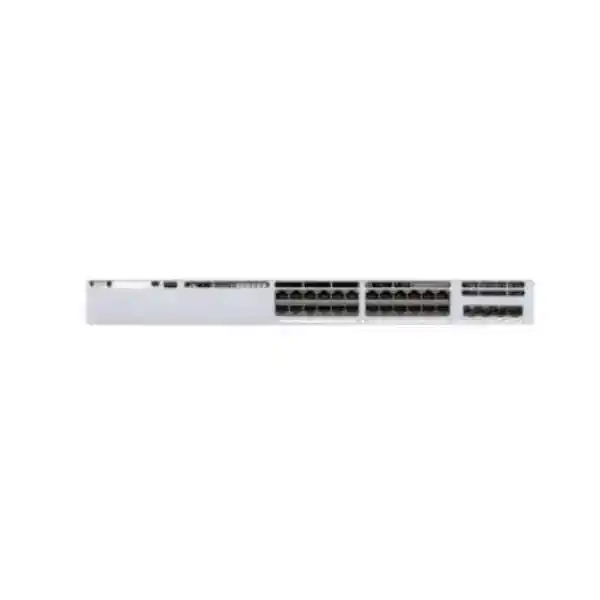
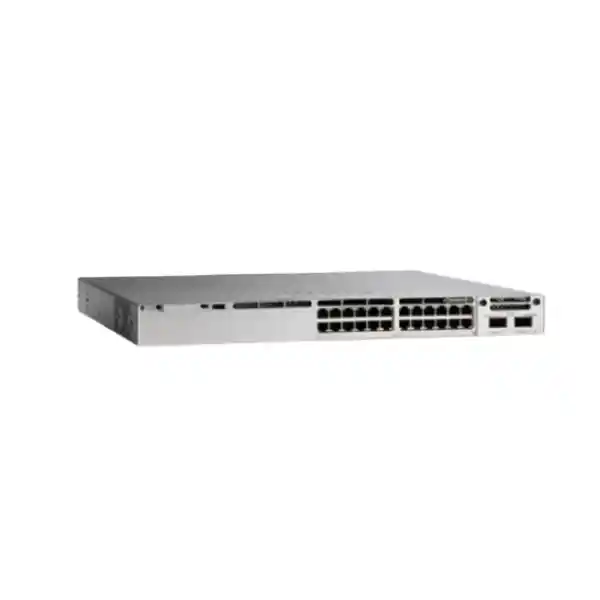
Cisco Catalyst C9300L-24UXG-4X Network Switch
The Cisco Catalyst C9300L-24UXG-4X is a fixed-uplink enterprise campus switch built for networks that are moving beyond conventional 1 Gigabit access. It combines twenty-four Cisco UPOE-capable copper access ports, eight multigigabit interfaces able to negotiate from 100 Mbps through 10 Gbps, sixteen standard 10/100/1000 interfaces, four fixed 1G/10G SFP+ uplinks, an 1100W AC power supply and optional StackWise-320 stacking. For UAE organizations deploying high-performance wireless access points, IP phones, surveillance cameras, building automation, collaborative workspaces and other powered edge systems, this combination creates a practical path to higher access-layer throughput without requiring every endpoint or cable run to move to fiber.
Why the C9300L-24UXG-4X is a strong fit for modern UAE access networks
Enterprise access networks in Dubai, Abu Dhabi, Sharjah and other UAE business centers are increasingly expected to support several demanding traffic profiles at the same time. A single wiring closet may need to feed wireless access points that exceed 1 Gbps of real throughput, video-surveillance cameras that require reliable continuous power, voice endpoints that depend on predictable quality of service, collaboration rooms carrying latency-sensitive audio and video, and building systems that are gradually moving from isolated field networks onto managed Ethernet. A traditional 24-port PoE+ switch can still serve many endpoints, but it may become the limiting component when Wi-Fi, edge compute and high-resolution media begin to consume multiple gigabits per access point or device.
The C9300L-24UXG-4X addresses this transition by mixing multigigabit and 1 Gigabit interfaces in one 1RU enterprise platform. Eight front-panel copper ports can negotiate 100M, 1G, 2.5G, 5G or 10G, while the remaining sixteen copper ports support 10M, 100M and 1G. That split is useful because most networks do not need 10 Gigabit copper on every desk or device. Instead, the highest-speed ports can be reserved for wireless access points, workstation clusters, media systems, high-bandwidth appliances or edge servers, while conventional phones, printers, cameras and user endpoints remain on standard Gigabit ports. This allows capital to be directed at the ports that genuinely need higher throughput.
The switch also combines data and power delivery through Cisco UPOE, making the access layer easier to consolidate. A design team can plan switching, powered-device budgets, uplink bandwidth, segmentation, visibility and operational controls as one system rather than buying separate hardware for each requirement. For organizations standardizing their UAE network architecture, FourTeck can align the switch with upstream routing, security, wireless, racks, optics and structured cabling through the FourTeck UAE portfolio.
Technical specification snapshot
| Specification | Cisco Catalyst C9300L-24UXG-4X |
|---|---|
| Access ports | 24 copper Cisco UPOE ports |
| Multigigabit density | 8 × 100M/1G/2.5G/5G/10G RJ-45 |
| Standard copper ports | 16 × 10M/100M/1G RJ-45 |
| Fixed uplinks | 4 × 1G/10G SFP+ |
| Default power supply | 1100W AC |
| Available PoE budget | 880W with the default 1100W AC supply |
| Stacking | Optional StackWise-320, up to eight compatible C9300L/C9300LM switches subject to license-level compatibility |
| ASIC architecture | 2 × Cisco UADP 2.0 ASICs |
| Switching capacity | 272 Gbps standalone; 592 Gbps with stacking |
| Forwarding rate | 202.38 Mpps standalone; 440.47 Mpps with stacking |
| Dimensions, H × W × D | Approximately 4.4 × 44.5 × 40.9 cm with default supply configuration |
| Weight | Approximately 7.13 kg with default power supply |
The specification profile makes the C9300L-24UXG-4X particularly useful when the edge needs a combination of high PoE capacity, selected 10GBASE-T access, resilient fiber uplinks and enterprise campus software. Exact feature entitlement, subscription requirements, optics, stack accessories and software release compatibility should be verified against the final bill of materials before purchase.
Port architecture: eight multigigabit interfaces where bandwidth matters most
The front-panel design is one of the most important reasons to select this model instead of a conventional 24-port Gigabit switch. Sixteen ports handle 10/100/1000 Ethernet, while eight ports add 2.5G, 5G and 10G operation in addition to 100M and 1G. From a design perspective, this mixed-density approach allows a network architect to place high-throughput endpoints intentionally. A wireless access point with multiple spatial streams, a content-creation workstation, a digital-signage controller, a local storage appliance or a specialized edge system can use a multigigabit interface. Lower-bandwidth endpoints remain on the standard Gigabit interfaces without consuming more expensive high-speed access capacity.
Multigigabit negotiation is especially useful in buildings where replacing horizontal copper is difficult, disruptive or expensive. Existing Category 5e or Category 6 plants may support greater than 1 Gbps over appropriate distances and conditions, while 10G operation requires particular attention to cable category, length, alien crosstalk and installation quality. Cisco specifically calls out Category 6A or Category 7 for 10G operation on this platform class. In practice, a predeployment cabling audit is recommended before promising 5G or 10G to every intended port. Certification should measure more than continuity; it should confirm the installed link meets the relevant category performance for the target data rate.
The eight multigigabit ports also help extend the useful life of a wiring closet. A network might deploy 2.5G access points today, then move selected units to 5G or 10G later without replacing the switch. Similarly, high-performance desktops can start at 1G and migrate upward as endpoint NICs and application requirements change. This phased approach is particularly attractive for UAE campuses where tenancy changes, office renovations and wireless refreshes occur on different timelines.
Port planning should therefore be done as a matrix rather than a simple count. For each endpoint, record its maximum Ethernet rate, expected sustained traffic, burst traffic, PoE requirement, VLAN or VRF assignment, redundancy expectation and anticipated lifecycle. The resulting port map reveals whether eight multigigabit interfaces are sufficient or whether a 48-port or higher-density Catalyst design is more appropriate. This sizing discipline prevents two common mistakes: buying excessive multigigabit density that remains unused, or underestimating future wireless bandwidth and needing an early switch replacement.
Cisco UPOE and the 880W power budget
The C9300L-24UXG-4X provides Cisco UPOE across its twenty-four copper access ports and ships with an 1100W AC power supply configuration that delivers an 880W PoE budget. That budget is a design resource, not merely a headline number. A correct bill of materials should calculate the worst-case powered-device requirement, not only the typical consumption shown in dashboards. Wireless access points often draw less than their maximum during ordinary use, but feature enablement, radio load, USB peripherals or environmental conditions can increase power. Cameras may activate heaters or infrared illuminators. Collaboration endpoints can change consumption when displays or peripherals are attached. Designing only around average draw can create instability at the moment the network is under maximum operational load.
A practical sizing method starts by grouping devices into power classes. For example, reserve the highest-wattage UPOE allocation for access points or room systems that genuinely need it; allocate PoE+ class budgets to cameras and phones where appropriate; and leave explicit spare capacity for growth. Add a design margin so the closet is not expected to run permanently at the absolute power ceiling. The goal is not simply to fit the arithmetic below 880W, but to retain enough headroom for endpoint replacement, firmware changes and unplanned additions.
Power redundancy should be considered separately from data redundancy. A stack can continue forwarding after some component failures, but that does not automatically mean every powered endpoint remains energized under all power-supply failure scenarios. The final design should define what must remain powered during a PSU failure, UPS transfer or facility power event. Critical wireless coverage, emergency phones, access-control devices and essential cameras may need stricter resiliency than ordinary desk phones. The switch power supply, UPS runtime, branch circuit and rack power distribution unit should therefore be sized as a coordinated system.
For sites where network power is part of wider security or smart-building infrastructure, integration with the organization’s resilience plan is important. FourTeck can coordinate access switching with firewall, rack and network-service requirements through FourTeck IT Services UAE, helping ensure that PoE design, uplink topology, VLAN segmentation and implementation sequencing are treated as one deployment rather than disconnected purchases.
Four fixed 1G/10G SFP+ uplinks: bandwidth and topology implications
The C9300L-24UXG-4X uses four fixed SFP+ uplink interfaces that operate at 1G or 10G. Fixed uplinks reduce ordering complexity compared with a modular uplink architecture, but they also make early topology planning important because the uplink speed ceiling is defined by the chassis. Four 10G ports are well matched to many access-layer designs: two links can form a port channel to one distribution pair, or uplinks can be divided across redundant upstream devices depending on the campus architecture and software design. The available interfaces also provide flexibility for staged migrations where an old 1G distribution layer is retained temporarily before moving to 10G.
When eight downstream ports can each operate up to 10G, it is essential to understand oversubscription. The access layer is rarely engineered so every endpoint can transmit at line rate to the core simultaneously. Wireless clients, office users and IoT systems have bursty utilization, which allows efficient statistical multiplexing. However, a design that aggregates high-throughput storage, video production, laboratory traffic or dense wireless into the same closet may create sustained uplink demand. Before finalizing the switch, review realistic traffic behavior and calculate peak northbound requirements rather than comparing only the sum of port labels.
Optical transceiver selection should match the fiber plant. Short-reach multimode links, longer single-mode runs and direct-attach cabling inside a rack have different part numbers, loss budgets and distance limits. The patch panel, connector type, fiber grade and existing optics at the far end must be documented. Mixed or unverified optics can lead to intermittent link problems that are difficult to distinguish from software issues. A procurement quote should therefore list both ends of each uplink, not just the access switch.
Link aggregation, spanning-tree design and Layer 3 routed-access options also influence how the four uplinks are used. In a classic Layer 2 campus, redundant uplinks require careful STP root placement and EtherChannel design. In a routed-access architecture, point-to-point or routed port channels can reduce the Layer 2 failure domain and improve convergence. The appropriate model depends on existing distribution equipment, organizational standards, license level and operational expertise. The C9300L platform can support both conventional and more advanced campus designs, but the final topology should be intentional rather than inherited by default.
StackWise-320: scaling access ports without managing every switch as an island
Catalyst 9300L fixed-uplink models support optional StackWise-320. With the appropriate stack kit and dedicated rear stacking cables, compatible C9300L and C9300LM switches can operate in a stack with up to eight members, subject to license-level compatibility and supported software combinations. The 320 Gbps stack fabric gives the access layer a high-speed interconnect that is separate from the normal front-panel uplinks. From an operations perspective, stacking can reduce the number of independently managed switch systems in a closet and can simplify link aggregation across physical members.
The value of a stack is not just port count. A carefully designed stack can place user access, wireless, voice and building systems across multiple physical units while maintaining a consistent operational model. Uplink EtherChannels can be spread across members, reducing the chance that one switch hardware failure removes every upstream path. Maintenance planning can be improved because ports can be distributed with awareness of critical endpoints. However, stacking should not be treated as a substitute for all forms of redundancy. Stack members still share a logical control domain, and software changes, power events, cabling mistakes or design errors can affect multiple units.
Physical stack layout matters. The correct stack adapters and cable lengths must be ordered, and cabling should form the supported redundant ring rather than a fragile daisy chain. Rack elevation should account for cable reach and bend radius. If a stack spans multiple rack units with patching in between, the installation drawing should show rear access and service clearance. It is also sensible to label stack member numbers and cable directions so a technician can replace hardware without relying on trial and error.
Capacity planning should consider stack traffic as well as endpoint count. The published performance figures for this model are 272 Gbps switching capacity standalone and 592 Gbps with stacking, with forwarding rates of 202.38 Mpps standalone and 440.47 Mpps with stacking. Those numbers describe platform capability under defined conditions; actual network performance also depends on traffic patterns, policy features, uplink design and endpoint behavior. For many enterprise access deployments, the more important question is whether the distribution links and upstream services can absorb the aggregated traffic created by additional stack members.
UADP 2.0 architecture and hardware-based forwarding
The C9300L-24UXG-4X is based on two Cisco UADP 2.0 ASICs. UADP, or Unified Access Data Plane, is central to the Catalyst 9000 architecture because it provides programmable hardware forwarding for campus features that would otherwise place greater load on general-purpose CPU resources. This matters when a switch must simultaneously perform Layer 2 forwarding, Layer 3 routing, quality of service, access control, telemetry, segmentation and security functions at enterprise scale.
In practical terms, the data plane determines how packets are classified, forwarded and acted upon once the relevant tables and policies are programmed. An ASIC-based switch is designed to apply supported forwarding decisions at high speed and predictable latency. The control plane runs routing protocols, management functions and system processes, while the forwarding hardware handles established packet paths. This separation is important in a campus environment where thousands of endpoint conversations may be active even though the number of configuration changes per second is comparatively small.
The 24UXG model’s architecture also reflects its mix of access speeds. High-rate multigigabit ports place more demand on internal forwarding resources than standard 1G interfaces. The use of two UADP 2.0 ASICs gives the platform a hardware foundation suitable for this mixed-speed access role. It is still necessary to understand feature scale, because hardware tables are finite. MAC addresses, IPv4 and IPv6 routes, access-control entries, security group information and NetFlow records all consume resources. Enterprise design should therefore compare expected scale with Cisco’s documented limits for the selected software release and license.
Programmability is another advantage of the Catalyst architecture. Cisco IOS XE exposes model-driven interfaces such as NETCONF, RESTCONF, YANG and telemetry capabilities, depending on license and feature set. This allows a mature operations team to move from device-by-device CLI configuration toward templates, automation pipelines and state validation. The business benefit is consistency: if twenty access closets must follow the same VLAN, QoS, authentication and telemetry standards, automation reduces variation and makes auditing easier. The switch therefore supports both traditional CLI-centric operations and a more automated enterprise model.
Performance: 272 Gbps switching and 202.38 Mpps forwarding
Cisco specifies the C9300L-24UXG-4X at 272 Gbps of standalone switching capacity and 202.38 million packets per second of forwarding, measured under the vendor’s stated conditions. With stacking, the corresponding figures are 592 Gbps and 440.47 Mpps. These values provide a useful way to compare platforms, but they should not replace traffic engineering. Packet rate and throughput stress different resources: millions of small packets can consume forwarding capacity even when total gigabits per second remain modest, while large-frame bulk transfers may approach interface bandwidth with a lower packet rate.
For office and campus networks, sustained line-rate demand across every access interface is uncommon. What matters more is whether the switch can absorb bursts, apply policy without creating a bottleneck, and feed the distribution layer efficiently. Wireless traffic can be especially bursty because many clients share each access point. A cloud backup event, operating-system update or large file transfer can temporarily drive a multigigabit port much harder than its daily average. If several access points burst simultaneously, a 10G uplink may become the limiting resource even though the access ports themselves have substantial capacity.
Performance planning should therefore use measured or estimated busy-hour utilization. Gather interface data from the existing network, identify the 95th percentile rather than relying on daily averages, and apply expected growth for the planned lifecycle. If the site has no reliable baseline, model conservative scenarios: concurrent wireless uploads, video calls, security camera streams, backups and cloud application traffic. This creates a stronger design basis than simply adding the theoretical maximum of every endpoint.
Security architecture for the access layer
The access switch sits at one of the most security-sensitive points in an enterprise network because it is where users, phones, cameras, access points, printers and IoT systems first connect. Treating the switch as a passive Layer 2 device wastes an opportunity to enforce identity, segmentation and infrastructure protection close to the endpoint. The C9300L platform supports enterprise controls such as 802.1X authentication, control-plane policing, first-hop security features, MACsec options and policy integration. The exact feature set varies with Network Essentials, Network Advantage and associated Cisco software entitlements, so the license should be selected based on the security architecture rather than price alone.
802.1X is a foundational control for wired access because it can require a user or device to authenticate before receiving normal network permissions. Combined with Cisco ISE and appropriate endpoint profiling, a network can assign different policy to managed computers, IP phones, cameras, printers and guest or unknown systems. Where 802.1X is not practical, MAC Authentication Bypass may be used for certain devices, but it should be accompanied by profiling, monitoring and restrictive policy rather than considered equivalent to certificate-based authentication.
MACsec provides encryption and integrity protection at Ethernet links. Cisco lists AES-128 MACsec in the Essentials feature package and AES-256 MACsec under Advantage-level capabilities. Whether MACsec should be enabled on access or uplink links depends on threat model, peer support and operational design. It is particularly relevant where fiber or copper traverses shared spaces, inter-building pathways or environments in which interception risk is a concern.
Platform trust is equally important. Catalyst 9300 uses secure boot and hardware trust technologies to validate software authenticity and help protect the boot chain. Signed images reduce the risk of unauthorized firmware. These mechanisms are not a replacement for patching, configuration control or privileged-access security, but they create a stronger base on which the operating system and network policy can run.
Security architecture should also include the upstream firewall and internet edge. The access switch enforces local identity and segmentation, while the firewall controls inter-zone, internet and application traffic according to policy. For organizations refreshing both layers, FourTeck can align switching with security architecture through the Firewall Dubai practice, allowing VLAN, routing, security-zone and high-availability requirements to be defined together.
Network Essentials, Network Advantage and management choices
The C9300L-24UXG-4X is available in multiple ordering variants. Network Essentials and Network Advantage editions target Cisco IOS XE campus operation, while Cisco also lists Meraki Advanced or Enterprise orderability for the 10G uplink C9300L models. The hardware model may be similar, but the intended management experience, feature entitlement and subscription structure are not interchangeable. A procurement request should therefore identify not only the base model but also the required software edition and management architecture.
Network Essentials is appropriate for many access-layer requirements that center on Layer 2 switching, routed-access fundamentals, selected OSPF scale, policy-based routing, first-hop security, 802.1X, MACsec-128, telemetry basics and standard high-availability features. Network Advantage adds more advanced routing and segmentation capabilities such as BGP, broader EIGRP and OSPF functions, HSRP, IS-IS, VRF, VXLAN, LISP, TrustSec and additional automation or resiliency features. Cisco’s licensing matrices evolve across releases, so the project should validate the precise feature requirement against the current software release selected for deployment.
The correct choice should follow the network design. If the switch operates as a conventional Layer 2 access device with simple uplinks to a distribution pair, Essentials may cover many requirements. If the design uses routed access, advanced segmentation, SD-Access, complex dynamic routing, advanced automation or 256-bit MACsec, Advantage may be necessary. Buying a higher license without using the features increases cost; buying too little can force a disruptive licensing change during implementation.
Management platform is also a strategic choice. Cisco Catalyst Center can provide centralized automation, inventory, assurance and policy workflows in Cisco campus environments. Meraki cloud management offers a different operational model centered on cloud-based configuration and visibility. Organizations should avoid choosing a management platform based only on familiarity with a dashboard. Consider operational ownership, internet dependency, compliance constraints, API integration, change-control workflow, existing wireless management, telemetry needs and the skills of the team that will support the network after handover.
For multi-site organizations, consistency often delivers more value than isolated feature maximization. Standardizing on one software edition, template set, telemetry policy and naming convention can reduce incident resolution time and make spare handling easier. The switch should therefore be treated as part of a lifecycle operating model that includes image management, configuration backup, credential governance, logging, monitoring and periodic entitlement review.
Automation, telemetry and Cisco IOS XE operations
Cisco IOS XE provides a modern operating environment for the Catalyst 9300 family, with traditional CLI operations alongside model-driven programmability. Supported mechanisms include NETCONF, RESTCONF, YANG data models, streaming telemetry and on-box scripting capabilities, with exact availability depending on license and release. These tools matter because enterprise networks are increasingly too large and change too frequently for every configuration to be typed manually and validated by visual inspection.
A template-driven deployment can encode interface standards for access points, phones, cameras, printers and ordinary user ports. Each template can define VLAN behavior, 802.1X or MAB policy, storm control, spanning-tree protections, QoS markings, PoE settings, logging and descriptions. Instead of relying on a technician to remember dozens of commands, the system generates a consistent configuration and can compare the live state against the intended standard. This improves auditability and reduces configuration drift across many UAE branches or campus buildings.
Streaming telemetry improves visibility because the switch can export structured operational data at regular intervals rather than requiring an NMS to poll every counter through legacy methods. Interface errors, queue behavior, route state, environmental conditions and endpoint information can feed dashboards or analytics platforms. The value is not data volume; it is the ability to detect deviations early. A rising CRC error count may indicate a cable or optic problem before users report an outage. A gradual increase in uplink utilization may signal that a distribution upgrade should be budgeted before congestion becomes visible.
Automation should be introduced with safeguards. Device APIs must be protected by strong credentials or certificates, management-plane access should be isolated, and configuration pipelines should include review, version control and rollback. A script that can configure one switch incorrectly can configure fifty switches incorrectly much faster. Mature teams therefore use staged deployment, test environments, compliance checks and change windows even when the underlying tooling makes configuration nearly instantaneous.
For organizations that still prefer CLI operation, IOS XE preserves familiar Cisco workflows. The practical advantage is that the platform can evolve with the operations team. A network can begin with controlled manual configuration, then adopt templates, APIs and telemetry progressively without replacing the access hardware simply to gain a modern automation interface.
Wireless access: why multigigabit matters for modern AP uplinks
High-performance enterprise Wi-Fi is one of the most compelling use cases for the C9300L-24UXG-4X. Modern wireless access points can aggregate traffic from dozens or hundreds of clients and can exceed the practical throughput of a single 1 Gigabit Ethernet link. When an AP supports 2.5G, 5G or 10G Ethernet, connecting it to a standard Gigabit switch creates a wired bottleneck before the wireless platform reaches its potential. The eight multigigabit ports on this switch allow selected APs to run faster without requiring fiber to each ceiling location.
Power delivery is equally relevant. High-radio-count access points may need more than conventional PoE budgets, particularly when all radios, USB accessories or auxiliary functions are enabled. Cisco UPOE provides additional power capability compared with basic PoE. The result is a single copper cable that can deliver both the negotiated multigigabit data rate and the power required by a capable wireless endpoint. This simplifies physical deployment and makes central UPS protection possible because the AP receives power from the wiring closet.
Wireless design should not, however, assume that every AP needs a 10G switchport. The correct Ethernet speed depends on radio configuration, expected concurrent clients, application mix and actual aggregate throughput. In many offices, 2.5G provides substantial headroom. Large auditoriums, high-density education environments, event venues or advanced collaboration spaces may justify 5G or 10G. Mapping APs by predicted load helps use the eight multigigabit ports efficiently.
The uplink layer must then be sized for the aggregate wireless load. Eight APs connected at multigigabit speeds can collectively generate more traffic than one 10G uplink can carry. Link aggregation across multiple SFP+ ports may be appropriate, but redundancy and upstream port availability must be considered. Wireless controller architecture, internet bandwidth, firewall throughput and cloud application paths can also become bottlenecks. The access switch is only one part of the end-to-end wireless performance chain.
Finally, cabling certification is essential when reusing older copper. A link may negotiate at 2.5G or 5G yet still experience errors under sustained load if termination quality is poor. Post-installation validation should include negotiated speed, PoE draw, error counters and throughput tests on representative APs. This confirms that the switch, cable and endpoint are operating as one reliable system rather than merely showing a link light.
Deployment scenarios in Dubai, Abu Dhabi and across the UAE
Corporate campus access
Use multigigabit ports for premium wireless zones and collaboration rooms, with standard 1G ports for desks, phones and printers.
Hospitality and mixed-use buildings
Combine powered APs, cameras, access-control systems, room devices and staff networks under segmented policy.
Education
Support dense classroom wireless, lecture capture, IP phones and secure administrative access with strong PoE headroom.
Healthcare and clinics
Segment clinical, corporate, guest, voice and building devices while maintaining high availability for critical connectivity.
Retail and branch networks
Consolidate wireless, POS-adjacent infrastructure, surveillance and back-office endpoints on a manageable access platform.
Media and creative floors
Assign 5G or 10G copper to high-bandwidth workstations or edge appliances while retaining Gigabit connectivity for ordinary users.
In a corporate campus, the C9300L-24UXG-4X can serve as a premium access switch for floors where wireless density and collaboration demand are higher than average. Eight multigigabit interfaces can be reserved for access points or specialized workstations, while sixteen 1G ports support phones, printers and conventional desktop users. If more than twenty-four endpoints are required, multiple switches can be stacked or a 48-port model can be considered. The design decision should account for rack space, PoE density, spare ports and failure domains rather than simply selecting the chassis with the highest port count.
Hotels and mixed-use developments often have a particularly diverse edge. Guest Wi-Fi, staff Wi-Fi, cameras, phones, access control, IPTV-related systems, building management devices and office endpoints may all share the same closet. The switch can physically support these devices, but logical separation is vital. Guest traffic should not share unrestricted access with building or administrative systems. Voice should receive appropriate QoS. Cameras may need restricted communication paths to recording servers. Wireless management, AP tunneling or local switching behavior must be considered when defining VLANs and uplink bandwidth.
Education environments can benefit from the combination of multigigabit and high PoE capacity because dense classroom wireless can generate significant throughput and lecture halls may contain multiple powered systems. Segmentation can isolate student, faculty, administration, voice, surveillance and laboratory devices. A StackWise design can simplify management across a larger wiring closet, while uplink aggregation can provide additional distribution bandwidth.
Healthcare and clinic deployments require particular attention to change control and availability. The network may support corporate computing, medical systems, voice, cameras, guest access and building infrastructure. Not every device is suited to 802.1X, so identity strategy may combine certificate authentication, MAB, profiling and static policy. Maintenance windows should account for clinical operations, and critical powered devices should be mapped to UPS-backed power. The switch’s enterprise capabilities are valuable only when implemented through a disciplined operational process.
Retail and branch locations may use fewer multigigabit endpoints today but can still benefit from the model when wireless is central to customer and employee operations. The fixed 10G uplinks allow connection to a local core, firewall or aggregation layer with more headroom than 1G-only access switches. In branches where internet bandwidth remains below 1G, the extra uplink capacity can still be useful for local server, storage, backup or surveillance traffic.
Media, engineering and design teams are another strong match. A small number of workstations may routinely move large files to local storage while the rest of the floor uses ordinary productivity applications. Rather than deploy a separate 10G access switch for a handful of users, the C9300L-24UXG-4X can mix those high-bandwidth copper links with standard Gigabit access. The result is a more compact access layer, provided the upstream storage path and uplinks are engineered to carry the additional traffic.
High availability: designing beyond a single switch
A resilient campus network requires more than reliable hardware. The C9300L-24UXG-4X can participate in a robust architecture through stacking, redundant uplinks, link aggregation, dynamic routing and appropriate first-hop or distribution-layer redundancy. The correct combination depends on whether the access layer is Layer 2 or Layer 3 and on the capabilities of the upstream switches. The objective is to eliminate avoidable single points of failure while keeping the topology understandable enough to troubleshoot quickly.
For a StackWise deployment, distribute uplinks across physical members so the stack retains an upstream path if one chassis fails. Similarly, distribute critical powered endpoints where practical rather than connecting every access point or security device to one member. This can reduce the blast radius of a hardware fault. The stack ring should be complete and correctly cabled so a single stack-cable failure does not partition the system.
Upstream design is equally important. Two 10G links to a single distribution switch provide bandwidth but do not protect against failure of that distribution device. Dual upstream switches provide device diversity, but the exact EtherChannel or routed-link design must be compatible with the upstream architecture. Multi-chassis technologies, routed access and first-hop redundancy each have different operational implications. The implementation should follow a documented reference design rather than mixing techniques ad hoc.
Power availability must be engineered at the facility level. A switch with redundant power options still depends on the rack PDU, UPS and building feed. Ideally, redundant power supplies terminate on independent protected power paths where the facility design supports it. UPS runtime should be based on actual switch and PoE load, not just chassis idle consumption. If the access switch powers emergency communications or security endpoints, the runtime requirement may be longer than for ordinary office networking.
Finally, high availability includes software lifecycle. Redundancy cannot compensate for a configuration that is not backed up or an upgrade performed without compatibility checks. Maintain current configurations, validate images, read release notes, test critical features and have a rollback plan. Resilience is the product of hardware, topology, power, software and operational discipline working together.
Cabling and optics engineering
A multigigabit switch should be purchased with a cabling plan, because access speed depends on the full channel between switch and endpoint. The eight multigigabit RJ-45 interfaces can negotiate at several rates, but the highest usable speed is limited by cable category, distance, termination quality, patch cords and electromagnetic environment. Cisco recommends Category 6A or Category 7 for 10G operation on this model. Existing Category 5e or Category 6 may be valuable for 2.5G or 5G migrations, subject to the characteristics of the installed channel, but assumptions should be replaced with certification results wherever performance is critical.
A cable certification exercise should map every intended multigigabit endpoint to the patch panel, outlet and switchport. Record permanent-link length, cable category, patch-cord type and test result. Pay particular attention to older installations where bundles are dense or terminations have been modified repeatedly. Alien crosstalk and poor patching can become more significant at higher data rates. A network that operates flawlessly at 1G can reveal hidden physical-layer weaknesses when moved to 5G or 10G.
The SFP+ uplinks require a separate optics plan. Determine whether each path uses multimode fiber, single-mode fiber or direct-attach copper. Match transceivers at both ends and confirm the receiving platform supports the chosen optic. For multimode links, document OM grade and distance; for single-mode, document path length and loss budget. Cleanliness is critical: contaminated fiber end faces can create intermittent errors even when light levels initially appear acceptable.
Structured labeling reduces operational errors. Each switchport description should reference the room, outlet or endpoint. Fiber patch panels should show destination and strand. Stack cables, power feeds and uplinks should use consistent labels that match the as-built drawing. During an outage, clear labeling can save more time than any software feature because technicians can identify the correct physical path immediately.
For new UAE fit-outs, it is often economical to install higher-grade horizontal cabling and sufficient fiber strands during construction rather than retrofit later. The switch may be replaced in several years, but structured cabling can remain in service across multiple hardware generations. Designing the passive infrastructure with headroom protects the value of the active network investment.
Rack, power, cooling and environmental planning
The C9300L-24UXG-4X is a 1RU-class access switch with published dimensions of approximately 4.4 cm high, 44.5 cm wide and 40.9 cm deep in its default power configuration, and a weight of about 7.13 kg with the default supply. Those dimensions make it suitable for standard enterprise racks, but the rack plan should include more than the chassis envelope. Rear stack adapters, power cords and cable bend radius require service space, while front copper and fiber patch cords require disciplined routing to avoid obstructing airflow or status visibility.
High PoE use increases power and cooling requirements because energy delivered to endpoints originates in the switch power system. A closet supporting an 880W PoE load, multiple stacked switches and other active equipment can produce substantial heat. HVAC design should account for worst-case equipment load and local ambient temperature, not only the average utilization observed after commissioning. This is particularly important in UAE sites where telecom rooms may be adjacent to warmer service areas or experience building cooling setbacks outside normal office hours.
UPS sizing should use VA and wattage calculations based on the actual planned chassis load plus PoE delivery, with conversion efficiency and battery aging considered. Determine required runtime from business needs: a few minutes may be sufficient to bridge generator start-up in one facility, while another site may require longer autonomous operation. If a switch powers wireless, security and voice systems, losing it during a short utility interruption can have a larger operational impact than losing ordinary desktop power.
Power distribution should be documented down to the outlet or PDU. Avoid plugging every redundant component into the same UPS branch, which can create hidden common-mode failure. Where the building provides A and B protected feeds, map switch power supplies accordingly. Ensure the PDU connector and current rating match the final power-supply configuration and local electrical standards.
Rack layout should also reserve capacity for patch panels, cable managers, UPS or PDU components, stack growth and upstream devices. A design that fills every rack unit on day one leaves no practical service margin. A small amount of planned space can simplify later additions, make cooling more predictable and reduce the risk that emergency expansions turn into poorly routed cabling.
Migration from legacy Catalyst access switches
Migrating to a C9300L-24UXG-4X is an opportunity to improve the access architecture rather than copy an old configuration line for line. Legacy Catalyst networks may contain years of accumulated VLANs, unused trunks, static port-security entries, outdated QoS syntax, old SNMP communities and access lists whose original purpose is no longer clear. Replicating all of that onto a new platform can preserve technical debt. A structured migration starts by documenting which services are still required and which can be retired.
Create an existing-state port inventory. For each port, record endpoint type, VLAN, voice VLAN, PoE consumption, negotiated speed, error counters, authentication method and utilization. This inventory identifies candidates for the eight multigigabit ports and helps determine whether the 880W power budget is sufficient. It also reveals dormant ports that do not need to be migrated. If old switches have only 1G uplinks, collect traffic statistics to determine whether the new 10G uplinks should be activated immediately or in a later distribution refresh.
Configuration conversion should be tested in a lab or staging area. Cisco IOS XE syntax and behavior may differ from older IOS platforms for certain features. Authentication order, spanning-tree protections, QoS policy, DHCP snooping, device tracking and management-plane controls deserve special attention. The correct target software release should be selected before staging, and the production image should be installed consistently across all switches in a stack.
Physical migration should be planned by service group. Move redundant uplinks and validate the stack before moving endpoints. Migrate a small representative set of phones, APs and user devices, then confirm DHCP, DNS, authentication, voice registration, PoE and application reachability. Once the test group is stable, continue in controlled batches. This reduces troubleshooting complexity because any issue can be associated with a limited set of recent changes.
After cutover, compare operational state with the baseline. Verify uplink errors, spanning-tree state, routing neighbors, PoE allocation, endpoint authentication, stack health, interface speeds and monitoring telemetry. A migration is not complete when the last patch cord is moved; it is complete when the new network demonstrates stable service under normal workload and the documentation reflects the as-built state.
For customers consolidating servers, virtualization or local storage as part of the same refresh, switching should be coordinated with the compute layer. The Server Dubai portfolio can be used alongside campus switching design when access, server-room and uplink requirements need to be sized as one architecture.
Routing, segmentation and campus design choices
The Catalyst 9300 family supports hardware-based IPv4 and IPv6 forwarding, and Cisco lists dual-stack operation with wire-rate forwarding capabilities. For many networks, this makes the access layer capable of doing more than simple VLAN switching. The design may retain traditional Layer 2 access with gateways at the distribution layer, or it may use routed access to move Layer 3 boundaries closer to users. Each approach has valid use cases.
Layer 2 access remains common because it is familiar and integrates well with centralized gateway services. VLANs extend from access switches to a redundant distribution pair, where first-hop redundancy and routing are handled. The main design risks are large broadcast domains, spanning-tree complexity and wider failure domains if VLANs stretch too far. Proper root-bridge placement, trunk pruning and protection features are essential.
Routed access can simplify Layer 2 topology by using Layer 3 links from each access switch or stack to the distribution layer. Dynamic routing can provide equal-cost paths and fast convergence without spanning-tree blocking. This model may require Network Advantage for advanced routing capabilities depending on the protocol and scale. It also changes how endpoint VLANs and default gateways are placed, so migration should be planned carefully.
Segmentation is increasingly important because the access layer connects many device classes with different trust levels. At a minimum, use VLAN and access-control policy to separate corporate users, voice, wireless infrastructure, cameras, printers, building systems and guests. More advanced designs can use VRFs, TrustSec security group tags, VXLAN or SD-Access to separate policy from physical topology. These features are powerful, but operational readiness is as important as technical capability. The network team must understand how to troubleshoot policy paths when a device can authenticate successfully yet still be blocked by segmentation.
IPv6 should be included in the architecture even if the organization primarily uses IPv4 today. Dual-stack networks need equivalent security controls for both protocol families. Router advertisements, DHCPv6 behavior, first-hop security and ACL policy should be planned deliberately. An access switch that supports IPv6 in hardware provides a platform for gradual migration, but successful deployment still depends on addressing design, DNS, security and monitoring.
Quality of service is another campus design element. Voice and interactive video may require trusted or remarked DSCP values, while bulk backups should not starve real-time traffic during congestion. QoS should be designed end to end across access, uplink, distribution and WAN boundaries. Applying a complex policy only on the access switch without understanding upstream queues can create the appearance of prioritization without delivering consistent application behavior.
Sizing methodology: is one C9300L-24UXG-4X enough?
Selecting the correct access switch begins with endpoint inventory, not port count alone. A site with twenty devices may appear to fit comfortably on a 24-port switch, but the model could still be undersized if twelve devices need multigigabit connectivity, if the PoE demand exceeds 880W or if the project requires extensive spare capacity. Conversely, a 48-port switch may be unnecessary where only a small number of endpoints exist and growth is limited. A disciplined sizing process evaluates six dimensions: physical ports, multigigabit ports, power, uplink bandwidth, feature license and resilience.
Physical ports: count every endpoint, including infrastructure ports that are easy to forget such as access points, cameras, door controllers, environmental sensors, UPS management interfaces and out-of-band devices. Reserve realistic growth capacity. In a fast-changing office, 20 to 30 percent spare access ports can be sensible; in a stable industrial or branch environment, a smaller reserve may be acceptable.
Multigigabit ports: identify devices that truly need more than 1G. Wireless APs are common candidates, but high-performance workstations and edge appliances may also qualify. If more than eight endpoints need multigigabit service now or during the expected lifecycle, consider whether multiple C9300L-24UXG-4X switches, a 48-port UXG model or another Catalyst platform provides a cleaner design.
PoE: sum the maximum planned draw for powered devices, then add headroom. Do not assume that because twenty-four ports support UPOE the switch can necessarily deliver the maximum power class to every port simultaneously from the default budget. Compare total allocation with the 880W available PoE budget and define what must remain powered during a supply or UPS event.
Uplinks: estimate busy-hour traffic and growth. A small office with eight multigigabit APs may still use only a few gigabits northbound under ordinary load, while a creative studio could sustain far more. Decide whether one 10G link, a 20G port channel or additional distribution capacity is appropriate. Also reserve uplink ports if the topology requires separate paths, services or migration links.
License: map required features to Essentials or Advantage before ordering. If the design uses BGP, advanced OSPF functions, VRFs, TrustSec or SD-Access capabilities, confirm entitlement. If the switch is intended for Meraki cloud management, order the appropriate variant and subscription rather than assuming a conventional Catalyst license can simply be converted later without planning.
Resilience: determine whether one switch failure can be tolerated. A single 24-port unit may be adequate for a small noncritical branch. A campus floor may require a stack with cross-member uplinks. A healthcare or security environment may need separate failure domains and independent power. Sizing is therefore an availability decision as much as a capacity calculation.
Operations, monitoring and lifecycle management
The long-term value of an enterprise switch depends heavily on how it is operated after installation. A C9300L-24UXG-4X can expose rich telemetry and diagnostics, but those capabilities only help if they are integrated into a monitoring and maintenance process. At minimum, the operations team should monitor interface state, CRC and input errors, discards, PoE allocation, temperature, fan and power-supply status, stack health, CPU and memory utilization, routing neighbors, spanning-tree changes and authentication failures.
Baselines are particularly useful. Record normal uplink utilization, typical PoE draw and the number of active endpoints during a representative business period. When an incident occurs, compare current values with the baseline. A sudden increase in CRC errors points toward a physical-layer problem. A gradual increase in output drops may indicate congestion. Frequent AP port renegotiation may suggest cabling or power instability. Without a baseline, operators often know only that a metric is nonzero, not whether it is abnormal.
Software lifecycle should follow a planned cadence. Maintain an inventory of IOS XE versions and stack membership. Review security advisories and release notes. Standardize on tested releases rather than allowing every closet to run a different image. Before upgrades, confirm feature support, stack compatibility and boot variables, and back up both configuration and relevant operational state. After upgrades, validate routing, PoE, authentication and telemetry rather than assuming success because the switch is reachable.
Configuration backup should be automated where possible. Versioned copies allow teams to identify when a change was introduced and to recover quickly after hardware replacement. Combine backups with compliance checks that flag unauthorized trunk ports, missing authentication, incorrect NTP, insecure management protocols or drift from standard templates. This turns configuration management from reactive recovery into continuous governance.
Physical maintenance remains important. Keep fiber connectors clean, inspect patch cords, maintain front and rear cable management, and ensure ventilation paths are unobstructed. Label spare optics and stack cables. Maintain a replacement procedure that records stack member numbers, software versions and licensing steps so a failed unit can be swapped predictably.
Organizations operating multiple countries or business units can also standardize procurement and support through the FourTeck global network. A consistent bill of materials, naming standard and support process can reduce troubleshooting variation when the same access architecture is deployed beyond the UAE.
Procurement guidance for UAE projects
A professional quote for the Cisco Catalyst C9300L-24UXG-4X should include more than the chassis line item. The base switch needs the correct software edition, subscription or management choice, power configuration, uplink optics, stack accessories where required, rack hardware, patching and support coverage. Omitting any of these can delay installation even when the switch itself is physically available.
Begin with the exact ordering suffix. Network Essentials and Network Advantage variants have different feature entitlements, while cloud-managed Meraki options follow a different operational model. The project should state whether the switch will be managed through standard Cisco IOS XE workflows, Catalyst Center or Meraki cloud management. It should also identify any feature that depends on Advantage-level licensing, such as advanced routing or segmentation capabilities.
Next define the uplink bill of materials. Each of the four fixed SFP+ interfaces can support 1G or 10G, but the correct transceiver depends on the media and remote device. A quote should document optic type, quantity, wavelength or reach category and compatibility at both ends. If direct-attach cables are used inside a rack, specify length. If the site uses structured fiber, confirm connector and patch-panel requirements.
For stacking, include the correct C9300L stack kit and cable length. Standard accessories may not fit every rack arrangement, especially when switches are separated by patch panels or cable managers. The stack should be drawn before purchase so cable lengths are selected deliberately. If a future second switch is likely, ordering the stack components during the initial project can reduce later downtime.
Support coverage is another key procurement decision. Enterprise networks benefit from clear entitlement to software updates, vendor support and hardware replacement according to business criticality. The required service level should align with the site’s tolerance for downtime and local spare strategy. A branch with an onsite spare may accept a different replacement objective than a central campus serving hundreds of users.
Finally, validate commercial and logistical details for the UAE: delivery location, import or local-stock status, warranty path, installation window, rack readiness, power availability and the person responsible for receiving equipment. Technical projects frequently slip because these operational details are considered after the hardware arrives. Treat procurement, staging and implementation as one timeline.
How the C9300L-24UXG-4X compares with adjacent design choices
The C9300L-24UXG-4X is not the right switch for every access closet. Its strongest value appears when a site needs a meaningful combination of UPOE, eight multigigabit ports and four 10G uplinks in a 24-port form factor. If every endpoint is a conventional 1G desktop and power requirements are modest, a less specialized Catalyst 9300L PoE model may be more economical. If nearly every endpoint requires multigigabit bandwidth, a higher-density UX or UXG platform may reduce the number of switches needed.
The 24UXG-2Q variant is closely related but uses two fixed 40G uplinks instead of four fixed 10G uplinks. That can be attractive where the distribution layer already provides 40G connectivity and aggregate traffic is high. The 24UXG-4X may be preferable when the network needs more discrete uplink interfaces, when 10G optics are standardized, or when the distribution architecture does not support 40G. The decision should be driven by the upstream design, not by the higher headline number alone.
The 48UXG models provide more access ports and a larger number of multigigabit interfaces, which may suit dense floors. However, higher port density can increase the impact of a single chassis failure and may create larger PoE and cabling concentrations. Two 24-port switches can offer different failure-domain and rack-layout advantages compared with one 48-port unit. Cost per port is only one part of the comparison.
Modular-uplink Catalyst 9300 models provide different flexibility and stacking characteristics. Organizations that expect uplink requirements to change substantially during the hardware lifecycle may prefer a modular architecture. The C9300L line, by contrast, offers a simpler fixed-uplink model with StackWise-320. Its predictability can be an advantage when the 10G uplink requirement is well understood and standardization matters more than future uplink-module changes.
A design review should therefore compare the C9300L-24UXG-4X against at least one lower-cost and one higher-capacity option. If the chosen model remains the best fit after evaluating port speed, power, uplinks, stack bandwidth, licensing, rack density and lifecycle growth, the decision is much more defensible than selecting it solely because it is a premium Catalyst model.
Implementation checklist before the maintenance window
A pre-staged switch dramatically reduces change-window risk. The team can validate boot behavior, stack membership, software licensing, uplink negotiation and management reachability before the production network is touched. This is particularly valuable when a UAE site has limited after-hours access or where multiple vendors must coordinate building, wireless, firewall and switching work in the same maintenance period.
Common design mistakes to avoid
Using eight multigigabit ports without verifying cable quality: higher link rates can expose problems hidden at 1G. Certify the installed channel, especially for 5G and 10G targets.
Treating the 880W PoE budget as unlimited: calculate worst-case endpoint allocation and include growth. A switch with twenty-four UPOE-capable ports cannot necessarily deliver the highest power level to all devices simultaneously within the default budget.
Ignoring uplink oversubscription: eight multigigabit ports plus sixteen Gigabit ports can create more aggregate demand than a single 10G uplink. Use traffic measurements and design the uplink port channel accordingly.
Ordering the wrong license: advanced routing, segmentation, automation and security capabilities may require Network Advantage or associated software entitlements. Define the feature set before purchasing the suffix.
Building a stack without a physical cable plan: stack kit type, cable length, rack position and redundant ring topology should be documented before installation.
Assuming redundancy because two cables exist: two uplinks to the same upstream device still leave a device-level single point of failure. Redundancy must be evaluated end to end.
Copying legacy configuration blindly: use migration as an opportunity to remove dead VLANs, outdated management protocols and unnecessary exceptions.
Skipping post-cutover validation: confirm PoE draw, negotiated speeds, errors, stack health, routes, authentication and monitoring after users return. Many problems are visible in counters before they become service-impacting.
Lifecycle value and total cost of ownership
The purchase price of a switch is only one component of network cost. Over a multi-year lifecycle, operational labor, cabling changes, outage impact, software support, power consumption, spare inventory and upgrade frequency can exceed the initial hardware delta between models. The C9300L-24UXG-4X can deliver lifecycle value when its multigigabit and UPOE capabilities postpone a future access-layer replacement or eliminate the need for separate high-speed and powered switches.
For example, an organization deploying new wireless may be tempted to keep an existing 1G PoE access layer and replace it later. That creates two installation cycles, two change windows and potentially two rounds of optics, patching and configuration work. Deploying a multigigabit-capable access switch during the wireless refresh can cost more initially but may reduce duplicate labor. The financial comparison should include implementation effort and downtime, not only unit price.
Standardization can also reduce cost. If multiple branches use the same Catalyst model family, the network team can reuse templates, software qualification results, spare optics, troubleshooting procedures and training. A spare switch may cover several sites. Engineers become familiar with common alarms and upgrade workflows. These operational efficiencies are difficult to express in a product price but can materially affect service quality.
Power should be considered realistically. High PoE capability does not mean the switch always consumes the full budget; consumption follows actual load. However, a design with many powered devices shifts electricity and UPS requirements into the network closet. Facility teams should be included early so rack power and cooling are sized correctly. Avoiding emergency HVAC or UPS upgrades later can protect project economics.
Finally, lifecycle value depends on supportability. Maintaining current software, support entitlement, accurate documentation and a tested replacement process reduces the business impact of hardware or software events. A high-capability switch that is poorly documented can be more expensive to own than a simpler platform operated consistently. Process and architecture determine whether the hardware’s technical capabilities translate into business value.
Decision recap: when to choose the Cisco Catalyst C9300L-24UXG-4X
The C9300L-24UXG-4X is best viewed as a premium mixed-speed access platform. It does not attempt to provide 10G on every copper port; instead, it gives a practical concentration of eight high-speed interfaces where modern wireless and selected endpoints need them, while preserving sixteen standard Gigabit ports for mainstream access. Four fixed 10G uplinks provide a strong match to common campus distribution designs, and the 880W PoE budget supports substantial powered-device density.
Its enterprise value extends beyond port speed. UADP 2.0 hardware, Cisco IOS XE, StackWise-320, identity controls, telemetry, automation and advanced licensing options give the platform a role in broader campus architecture. Organizations can use it as a conventional access switch today and evolve toward more automated, segmented or routed designs later, provided the appropriate licenses and operational tools are in place.
The strongest deployments begin with an accurate bill of materials and an end-to-end design. Verify endpoint count, cable quality, PoE load, uplink traffic, distribution compatibility, software entitlement and rack power. When those elements are aligned, the C9300L-24UXG-4X can provide a high-performance access foundation for demanding UAE networks without overbuilding every port.
Quotation input checklist
To receive an accurate project quotation, provide the information below. These inputs allow the switching bill of materials to include the correct software, optics, stack and power components rather than quoting only the chassis.
UAE location, number of closets and required switch quantity.
Number of users, APs, phones, cameras, IoT and other connected devices.
How many devices require 2.5G, 5G or 10G copper.
Endpoint power ratings and any critical-power or UPS runtime target.
Fiber type, distance, remote switch model and desired 10G link count.
Standalone or stack, expected member count and rack layout.
Network Essentials, Network Advantage or Meraki management requirement.
Staging, installation, migration, configuration, support and documentation scope.
Plan the C9300L-24UXG-4X as part of the complete network, not as an isolated purchase
The most reliable result comes from validating access switching against wireless throughput, firewall design, server and cloud traffic, fiber uplinks, rack power, UPS capacity, structured cabling and software operations. FourTeck can support product selection, bill-of-material validation, migration planning and implementation for UAE projects. For broader infrastructure and technology sourcing, visit the UAE solutions portal or review multi-market capabilities through FourTeck Global.
When requesting a quote, include the intended license edition, number of multigigabit endpoints, maximum PoE demand, required stack size, uplink fiber type and upstream switch model. Those details allow the final proposal to include the correct switch suffix, optics, stack accessories, support and implementation scope.

Reviews
There are no reviews yet.