
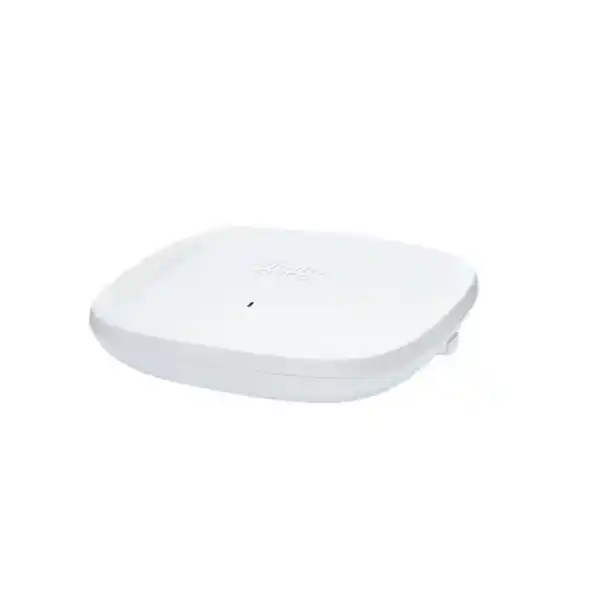
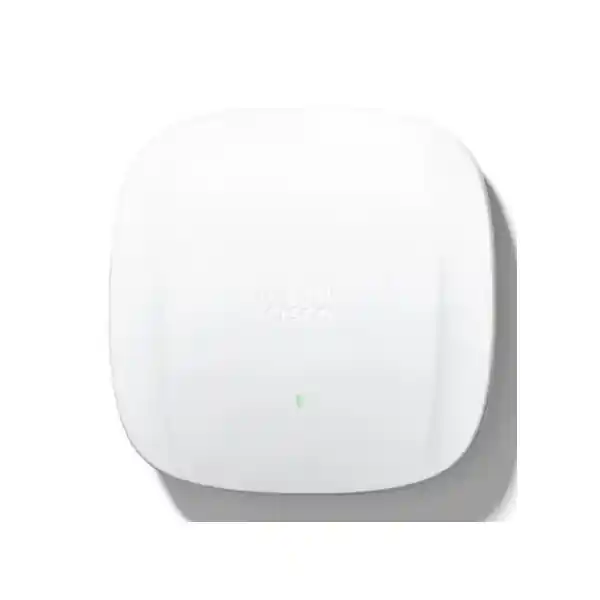
Cisco Catalyst CW9162I Wi-Fi 6E Access Point in the UAE
The Cisco Catalyst CW9162I is a general-purpose enterprise Wi-Fi 6E access point engineered for smaller sites and distributed deployments that need modern 6 GHz capacity without moving to a larger, higher-radio-chain platform. It integrates dedicated 2.4 GHz, 5 GHz and 6 GHz client-serving radios, each operating with 2×2 spatial-stream capability, and combines them with enterprise security, flexible controller or cloud management, a multigigabit wired uplink, location and IoT functions, and Cisco’s broader wireless assurance ecosystem. For organizations in Dubai, Abu Dhabi, Sharjah and other UAE locations, the CW9162I is particularly relevant when a refresh program must support newer Wi-Fi 6E clients while maintaining practical coexistence with established Wi-Fi 5 and Wi-Fi 6 endpoints on the traditional bands.
2.4 GHz + 5 GHz + 6 GHz client service, up to 3.9 Gbps aggregate PHY rate, 2.5GbE uplink, WPA3, BLE 5.1 and flexible Catalyst or Meraki operation.
What the CW9162I is designed to solve
Enterprise wireless design has moved beyond the question of whether an access point can simply provide acceptable signal. Modern UAE workplaces need predictable application performance, security controls that can be tied to identity, cleaner roaming for collaboration traffic, more efficient use of spectrum, better observability and a migration path that does not force every client refresh to happen at the same time. The CW9162I addresses that requirement with a balanced radio architecture rather than a maximum-capacity architecture. Cisco positions the 9162 family for small to medium deployments, and that positioning matters: it is intended to provide contemporary Wi-Fi 6E capability in offices, branches and distributed indoor locations where three 2×2 client radios are sufficient and where cost, power budget, switch-port density and physical scale all influence the design.
The platform supports 802.11ax operation across 2.4 GHz, 5 GHz and 6 GHz, with the 6 GHz radio extending Wi-Fi 6 technology into additional spectrum. In a mixed-client environment, older devices can remain on 2.4 GHz or 5 GHz while Wi-Fi 6E-capable endpoints can use 6 GHz when country regulations, software support, licensing and WLAN policy permit. This gives the wireless architect an additional design lever. Instead of forcing latency-sensitive newer devices to compete entirely inside long-established 5 GHz channel reuse patterns, suitable clients can be moved into 6 GHz, where cleaner spectrum and wider channel options can materially improve user experience when RF design and wired backhaul are engineered correctly.
The CW9162I is therefore best evaluated as part of a complete network system. Its radios depend on correct channel and power planning. Its 2.5GbE uplink is most useful when the access switch can negotiate a multigigabit connection. Full radio capability depends on adequate PoE. Security outcomes depend on authentication design and upstream policy enforcement. Management experience depends on whether the organization chooses an on-premises Catalyst architecture or Meraki cloud operations. FourTeck approaches the product from this complete-system perspective rather than treating the AP as an isolated ceiling device.
Three client bands
Dedicated 2.4 GHz, 5 GHz and 6 GHz client service lets designers separate legacy compatibility, mainstream capacity and Wi-Fi 6E growth rather than forcing every endpoint into a single radio plan.
2.5GbE wired edge
A 100M/1G/2.5G multigigabit RJ-45 uplink helps prevent the wired edge from becoming an unnecessary bottleneck when aggregate wireless utilization increases.
Enterprise security
WPA2-Enterprise, WPA3-Personal, WPA3-Enterprise, Enhanced Open and a broad EAP portfolio support identity-based corporate, guest and device access designs.
Flexible operations
The same hardware family can support Catalyst controller-led or Meraki cloud-managed approaches, allowing the operational model to be aligned with the organization rather than chosen only around the radio hardware.
Radio architecture: three 2×2 client-serving radios plus dedicated support functions
The CW9162I uses a tri-band radio design in which the 2.4 GHz, 5 GHz and 6 GHz client-serving radios each support two spatial streams. In practical terms, that gives the AP the ability to maintain broad compatibility while also introducing Wi-Fi 6E capacity. The 2.4 GHz band remains important for older devices, IoT endpoints and clients whose range requirements outweigh their throughput needs. The 5 GHz band remains the principal enterprise band for a very large installed base of Wi-Fi 5 and Wi-Fi 6 endpoints. The 6 GHz band is the growth layer for Wi-Fi 6E-capable devices, offering additional spectrum that can reduce contention when properly planned.
Cisco specifies 2×2 uplink and downlink MU-MIMO capability for 6 GHz and 2×2 downlink MU-MIMO for 2.4 GHz and 5 GHz, together with uplink and downlink OFDMA. OFDMA is particularly relevant in environments where many clients exchange smaller units of traffic instead of transmitting large continuous streams. Rather than requiring one client to occupy an entire channel resource for every transmission opportunity, the scheduler can divide channel resources into smaller resource units. This improves efficiency under the right client and traffic conditions and can reduce avoidable airtime waste in collaboration-heavy, cloud-application and mobile-device environments.
The radio feature set also includes Target Wake Time, BSS coloring, beamforming, packet aggregation, dynamic frequency selection support and other 802.11ax mechanisms. These technologies are not substitutes for RF design. They are efficiency tools. BSS coloring can help radios distinguish overlapping basic service sets in dense reuse environments. Beamforming can improve signal delivery toward compatible clients. A-MPDU and A-MSDU aggregation reduce protocol overhead by grouping data. TWT can help appropriate battery-powered clients manage sleep and wake schedules more efficiently. The result is a platform built for modern shared-spectrum behavior rather than only peak benchmark throughput.
The CW9162I also includes support radios for functions beyond normal client forwarding. Cisco documents a scanning capability across the wireless bands and an integrated 2.4 GHz IoT/Bluetooth Low Energy radio. Depending on the selected operating mode, controller, software release and license, these support radios can contribute to spectrum intelligence, wireless security monitoring, location services and IoT use cases. For design purposes, this is valuable because security and visibility tasks can be handled without treating every client-serving radio as a purely passive sensor.
Wi-Fi 6E and the 6 GHz opportunity in UAE indoor networks
Wi-Fi 6E is Wi-Fi 6 extended into the 6 GHz band. The change is important because 6 GHz is not just another marketing label placed on the same crowded spectrum. It gives compatible devices access to additional channels that are not occupied by legacy Wi-Fi generations. In the United Arab Emirates, the telecommunications regulator has made 5925 MHz to 6425 MHz available for indoor Wi-Fi use under defined conditions. That creates an attractive design opportunity for offices, education environments, meeting-intensive workplaces, hospitality properties and other indoor sites where newer endpoints can benefit from cleaner spectrum.
However, a professional deployment should never assume that the existence of national 6 GHz authorization automatically means every AP software combination will expose every desired 6 GHz configuration. Cisco regulatory-domain behavior, country code, AP product identifier, controller software, regulatory database and firmware release all matter. Cisco’s documentation explicitly requires customers to verify country approval and the regulatory domain corresponding to the country of operation. FourTeck therefore treats 6 GHz enablement as a controlled engineering item during staging: confirm the exact CW9162I regulatory model, confirm the intended UAE country configuration, validate the controller or cloud-management release, verify allowed channels and transmit-power behavior, and only then finalize the RF plan.
The 6 GHz radio supports 20, 40, 80 and 160 MHz channels. Wider channels can increase PHY rate for capable clients, but they consume more spectrum and reduce the number of independent reuse channels available in the deployment. A small executive office with a few high-performance devices may justify 80 or 160 MHz operation in selected areas. A multi-floor office with many adjacent APs often benefits from narrower channels to increase reuse and reduce co-channel competition. The correct channel width is therefore a capacity-planning decision, not a simple maximum-speed setting.
One of the strongest reasons to introduce 6 GHz is client segmentation by capability. Newer laptops, tablets and collaboration devices can be encouraged toward 6 GHz while 5 GHz continues to serve the larger installed base. This can reduce pressure on 5 GHz and create a more orderly migration path. It also means that an RF survey for a Wi-Fi 6E deployment must consider more than the old 2.4/5 GHz model: attenuation at 6 GHz, client transmit characteristics, roaming thresholds, wall materials, ceiling construction and power constraints all need explicit review.
Direct answer for UAE buyers
If your requirement is an indoor Cisco Wi-Fi 6E access point for a small or midsize site, with 2×2 tri-band radios, 2.5GbE, modern WPA3 security and the option to use either Catalyst controller infrastructure or Meraki cloud management, the CW9162I is a strong fit. If the requirement is very high client density, larger spatial-stream counts, higher uplink bandwidth, directional coverage or specialized outdoor operation, another Cisco access-point model may be more appropriate and should be evaluated before procurement.
Aggregate wireless performance and what the 3.9 Gbps figure really means
Cisco lists a maximum aggregate PHY data rate of up to 3.9 Gbps when combining the capabilities of the three client bands under their supported channel-width conditions. That specification is useful for platform comparison, but it is not the same as the throughput of one laptop, one radio or one application. Wireless is a half-duplex shared medium. Protocol overhead, channel contention, client capabilities, signal quality, modulation rate, retransmissions, frame aggregation, encryption, roaming, traffic direction and the wired uplink all influence actual application throughput. A correct design uses the 3.9 Gbps figure as an architectural ceiling rather than a guaranteed user speed.
On 2.4 GHz the CW9162I supports 20 MHz channels, which is normally the correct enterprise approach because the band has limited clean spectrum and substantial interference from non-Wi-Fi devices. On 5 GHz the AP supports 20, 40 and 80 MHz channels. On 6 GHz it adds 160 MHz support. Choosing a wider channel increases the potential PHY rate of a compatible client, but also increases the RF footprint of the channel and reduces the number of independent channels that can be reused. In a dense UAE office tower, narrower channels can often produce better aggregate performance because more AP cells can operate without sharing the same channel.
The 2.5GbE port is an important complement to the wireless architecture. A 1GbE uplink can still be adequate for many real-world branch sites, particularly when traffic is distributed across bands and WAN capacity is lower than local Wi-Fi capacity. Yet a new Wi-Fi 6E deployment should avoid building in an unnecessary 1Gbps ceiling if the switching platform already supports 2.5GbE. When several high-rate clients transfer traffic at the same time, when local applications reside on a high-speed LAN, or when the AP is used in a dense collaboration area, the multigigabit uplink gives the access layer additional headroom.
Performance validation should therefore include both wireless and wired measurements. FourTeck normally considers RSSI, SNR, channel utilization, retry rates, client distribution by band, modulation behavior, uplink negotiation, PoE state, switch oversubscription, DHCP and DNS responsiveness, authentication timing and application-level latency. A user reporting “slow Wi-Fi” may actually be affected by upstream Internet congestion, a 1Gbps switch-port negotiation, poor DNS, an overloaded security appliance, a roaming problem or asymmetric RF rather than a raw access-point throughput issue.
Wired interfaces and physical connectivity
Multigigabit Ethernet
One RJ-45 data interface supports 100 Mbps, 1 Gbps and 2.5 Gbps operation. For new deployments, the target design should normally provide 2.5GbE-capable access switching where traffic profiles justify the additional headroom.
Console access
A management console port supports local service and troubleshooting workflows where direct access to the device is required during staging or support.
USB 2.0
The integrated USB 2.0 interface can provide up to 4.5 W in supported full-power modes and can support approved IoT or application-hosting use cases depending on deployment architecture.
Status indication
The AP status LED provides visual feedback for boot, association and operating states, useful during installation and first-line diagnostics.
PoE design is critical: full functionality versus reduced-power operation
One of the most important CW9162I design considerations is PoE. The AP can be powered using 802.3bt, Cisco Universal PoE, 802.3at PoE+, supported Cisco power injectors, 802.3af PoE or an appropriate 12 V DC source. The important point is that not all power sources produce the same operating capability. With 802.3at PoE+ or 802.3bt/UPOE, Cisco specifies all three client-serving radios at 2×2, a 2.5GbE link and USB availability, with maximum PoE consumption listed at 25.5 W. With 802.3af, the AP moves into a materially reduced configuration.
Under 802.3af operation, the 2.4 GHz client radio is disabled, the 5 GHz and 6 GHz radios operate at 1×1, the Ethernet link is reduced to 1GbE and USB is unavailable. This is not a minor reduction. It changes the capacity model, radio plan and potentially the user experience. A switch that can electrically power the AP is therefore not necessarily a switch that can power the AP in the intended design state. Every retrofit should include a port-level PoE audit rather than relying on the fact that the previous access point successfully powered up.
PoE planning must also consider switch-wide power budget. A 48-port access switch may support PoE+ on every interface in terms of port capability but still have a chassis power budget that cannot deliver maximum power to every port at the same time. The wireless bill of materials should therefore be checked against the actual switch model, installed power supplies, stacking arrangement, redundancy policy and other PoE devices such as phones, cameras and IoT gateways. Where redundant power is part of the business requirement, the design should consider the worst-case power state after a supply failure rather than only normal operation.
Cisco recommends enabling LLDP or CDP so the AP and switch can correctly negotiate power. During commissioning, the engineer should confirm the negotiated PoE class and actual AP radio state instead of assuming full operation from a green LED. A reduced-power AP may appear healthy while silently operating with fewer spatial streams, a disabled band and a lower wired uplink rate.
For UAE projects involving access-switch modernization, FourTeck can align the wireless refresh with switching, cabling and power design through FourTeck UAE. This is especially useful where the AP upgrade is part of a wider branch modernization, campus refresh or office relocation and where PoE budget, multigigabit switching and structured cabling need to be validated as one design.
Power-mode engineering summary
| Power source | 2.4 GHz | 5 GHz | 6 GHz | Uplink | USB |
|---|---|---|---|---|---|
| 802.3bt / UPOE | 2×2 | 2×2 | 2×2 | 2.5G | Available, up to 4.5 W |
| 802.3at PoE+ | 2×2 | 2×2 | 2×2 | 2.5G | Available, up to 4.5 W |
| 802.3af PoE | Off | 1×1 | 1×1 | 1G | Off |
| 30 W DC | 2×2 | 2×2 | 2×2 | 2.5G | Available, up to 4.5 W |
Design rule: size for PoE+ or better when the project expects the CW9162I to deliver its full tri-band 2×2 capability. Use 802.3af only when the resulting reduced radio, uplink and USB behavior is explicitly acceptable.
Integrated antennas, RF behavior and access-point placement
The CW9162I is an internal-antenna access point intended for indoor deployments. Cisco specifies peak gain of approximately 4 dBi on 2.4 GHz and 5 dBi on both 5 GHz and 6 GHz, with omnidirectional behavior in azimuth for the integrated client-serving antennas. This makes the unit well suited to conventional ceiling-mounted office coverage, but “omnidirectional” should not be interpreted as identical signal in every three-dimensional direction. Ceiling material, mounting orientation, ducting, metal infrastructure, glass, partition density and adjacent floors all affect the effective cell.
Wi-Fi 6E adds another layer to placement planning because 6 GHz propagation and penetration behavior can differ from lower bands. If an AP location was originally chosen years ago for 2.4 GHz coverage, simply replacing the old AP one-for-one may not produce the desired 6 GHz experience. A legacy layout may have oversized cells, too few APs for current capacity or positions selected around old cabling limitations. The wireless refresh is the right time to reassess placement rather than preserving historical geometry by default.
A predictive design can estimate coverage using floor plans, wall materials, antenna patterns and expected client characteristics. A post-install validation then confirms real conditions. For critical voice, collaboration, warehouse office, healthcare or executive applications, physical survey measurements remain valuable because floor plans rarely capture every source of attenuation or interference. The engineer should verify not only RSSI but SNR, retry rates, roaming boundaries, channel utilization and client band selection.
Mounting height also matters. An AP placed excessively high above occupied space may look clean architecturally but can create a large RF footprint, increase overlap and make troubleshooting more difficult. An AP hidden above metallic ceiling systems can experience substantial attenuation. A desk installation may be valid for temporary or specialized use but creates different coverage than a ceiling mount. FourTeck therefore aligns physical mounting with the coverage objective rather than choosing a location solely because cable is already available.
802.11ax efficiency features that matter in real networks
OFDMA
Allows channel resources to be divided into smaller resource units, helping improve efficiency when many compatible clients transmit varied traffic patterns.
MU-MIMO
Supports multi-user transmission behavior so the radio can communicate more efficiently with multiple compatible clients under suitable channel conditions.
BSS coloring
Helps distinguish overlapping Wi-Fi networks using the same channel, improving spatial-reuse decisions when neighboring cells are visible.
Target Wake Time
Provides scheduling mechanisms that can improve power behavior for compatible battery-operated devices and IoT endpoints.
Beamforming
Improves transmission focus toward supported clients, contributing to better link quality when channel conditions permit.
Frame aggregation
A-MPDU and A-MSDU aggregation reduce overhead by combining multiple data units, improving airtime efficiency during larger transfers.
Security architecture: WPA3, 802.1X and trusted platform controls
The CW9162I supports modern enterprise wireless security including WPA2-Personal, WPA2-Enterprise with 802.1X, WPA3-Personal, WPA3-Enterprise, WPA3 Enhanced Open using Opportunistic Wireless Encryption and AES-based security. It also supports a wide set of Extensible Authentication Protocol methods, including certificate-oriented and tunneled approaches such as EAP-TLS, PEAP, EAP-FAST, EAP-TTLS and related methods. The correct authentication design depends on device ownership, identity source, certificate infrastructure, mobile-device management and segmentation requirements.
For managed corporate laptops, certificate-based 802.1X is often attractive because it can reduce reliance on shared credentials and tie network access to a managed endpoint identity. For BYOD or guest environments, the appropriate mechanism may differ. A wireless security design should consider how users onboard, how credentials are revoked, whether unmanaged devices are permitted, how IoT devices authenticate, what happens when RADIUS services are unavailable and how traffic is segmented after successful association. Security cannot be reduced to choosing WPA3 from a dropdown.
Cisco also emphasizes hardware and software trust through technologies such as image signing, Secure Boot and the Cisco Trust Anchor module. These controls help protect platform integrity and establish confidence in the software running on the AP. In enterprise procurement, this matters because the wireless edge is a distributed infrastructure layer that is physically installed throughout the site. Trustworthy boot, signed software and controlled update processes strengthen the foundation on which identity and network policy depend.
Wireless intrusion detection and prevention capabilities depend on the chosen management mode and feature set. Dedicated scanning capabilities can support RF monitoring and threat-detection functions without using the client-serving radios solely for that task. Where a customer requires rogue AP detection, containment policy, spectrum analysis, location analytics or deeper assurance, the exact feature matrix should be mapped against the intended Catalyst or Meraki architecture and license before the bill of materials is finalized.
Security should also be integrated with firewall and segmentation policy. FourTeck’s Firewall Dubai practice can align WLAN segmentation with perimeter and internal security controls, helping ensure that employee, guest, voice, IoT and operational traffic do not converge into one unrestricted trust zone simply because they share the same access-point hardware.
Choose the management model: Catalyst 9800 or Meraki cloud
A major differentiator of the Catalyst 9162 family is the option to align the hardware with either an on-premises Catalyst control model or a cloud-managed Meraki model. Cisco specifically positions the platform so organizations can choose management based on operational requirements and, where supported, transition management models later. This flexibility is useful for enterprises that are consolidating management platforms, standardizing distributed branches or gradually moving from controller-centric operations toward cloud-managed networking.
In a Catalyst architecture, the CW9162I is designed to operate with Cisco Catalyst 9800 Series Wireless Controllers. This is suitable for organizations that already use Cisco campus infrastructure, require detailed centralized policy control, integrate with Cisco Identity Services Engine, use Software-Defined Access or prefer controller-based operational models. Catalyst Center can add automation, visibility and assurance workflows depending on licensing and deployment. The operational team retains a familiar enterprise WLAN architecture with centralized control, telemetry and policy integration.
In Meraki cloud-managed operation, administrators gain dashboard-driven visibility, centralized configuration and cloud-based operational workflows. This can be especially attractive for distributed organizations with many smaller offices and limited local IT presence. Features such as RF optimization, health monitoring, application-aware controls, security monitoring and location analytics depend on software, licensing and deployment context, so the exact desired capabilities should be confirmed against the current Meraki feature matrix before purchase.
The management choice should be made based on existing skills, security architecture, WAN design, change-control requirements, controller investment, reporting needs, branch scale and licensing strategy. A customer with an established Catalyst 9800 and ISE environment may gain little from changing operating models during an AP refresh. A retail or branch-heavy organization may value the operational simplicity of cloud management. A merger may even have both models in different parts of the business and need a phased convergence plan.
FourTeck can design, deploy and support the surrounding infrastructure through its UAE IT services practice, including WLAN discovery, switch readiness, controller integration, SSID migration, authentication testing, documentation, post-change validation and user-acceptance support.
Licensing strategy and why it should be decided before ordering
Cisco’s wireless software model offers multiple licensing paths, including unified wireless licensing through Cisco Networking Subscription and Cisco DNA licensing models. Cisco documents Wireless Essentials and Wireless Advantage tiers under the subscription model, while DNA wireless licensing is traditionally offered in Essentials and Advantage levels with multi-year terms. The exact licensing route available to a specific order can depend on the commercial program, software generation, management platform, contract and date of purchase.
The critical procurement principle is to define required capabilities before selecting the license tier. If the project only needs foundational wireless management, monitoring and standard enterprise WLAN functions, an Essentials-level entitlement may be suitable. If advanced assurance, analytics, segmentation, application experience, policy automation or location-driven capabilities are part of the design, an Advantage-level feature set may be appropriate. Because feature matrices evolve, FourTeck validates current entitlement requirements against the planned controller or Meraki architecture rather than relying on old bill-of-material templates.
License duration also affects total lifecycle cost. A lower hardware price does not automatically create a lower five-year cost if the software, support and operational model are mismatched. Procurement teams should compare the complete term: AP hardware, required subscriptions, support coverage, controller or cloud platform, switch upgrades, PoE injectors if used, cabling changes, survey services and deployment labor. This produces a defendable budget instead of an access-point-only price that omits the components required for production use.
Organizations with Cisco Smart Accounts should also plan entitlement ownership and assignment early. The account structure used by procurement, reseller, IT operations and regional subsidiaries can affect how easily licenses are activated and managed. A clean Smart Account process reduces delays during staging and prevents projects from reaching installation day with hardware available but licensing administration unresolved.
Sizing the number of CW9162I access points
A professional WLAN design should never size access points using floor area alone. Statements such as “one AP covers 300 square meters” are too simplistic for enterprise work because capacity and application requirements often become limiting before raw signal coverage. The correct AP count depends on building layout, wall attenuation, floor construction, client count, client capabilities, application mix, desired minimum data rate, roaming requirements, channel plan, expected concurrency and the number of devices capable of using 6 GHz.
The first step is to define service objectives. A normal office using email, web applications, cloud file sharing and video meetings has different requirements from a training center where every seat may stream content simultaneously. A healthcare environment with mobile clinical applications has different roaming sensitivity from a warehouse administration block. A hospitality property may have high transient client counts and guest-service expectations. A school can experience abrupt density changes when classes begin or end. The same CW9162I hardware may be appropriate in all of these environments, but the cell size and AP count will differ.
Capacity planning should estimate the number of active devices per AP rather than only registered devices. A floor with 200 users may have 500 associated devices because each person carries a laptop, smartphone and sometimes a tablet or wearable. Yet only a subset are active at one time. The application model should estimate concurrent throughput, traffic direction and airtime consumption. A few large file transfers can consume more airtime than many idle associated clients. Voice and real-time collaboration are more sensitive to latency, jitter and retries than background synchronization traffic.
RF planning then converts that service model into AP placement and channel reuse. The designer selects target cell edge, minimum data rate, preferred band behavior and channel width. In high-density areas, 20 or 40 MHz channels may be chosen to improve reuse. In low-density areas, wider channels may be acceptable. The 6 GHz layer should be evaluated separately because not every endpoint can use it, and because wall attenuation and client transmit characteristics can create smaller practical cells.
Finally, the design is validated after installation. If real client distribution shows too much load on 2.4 GHz, excessive channel utilization in 5 GHz or poor 6 GHz roaming, configuration and sometimes placement should be adjusted. WLAN engineering is iterative; the initial predictive design is a strong starting model, not the final truth about a live building.
High-density design: know when the CW9162I is enough and when to move up
The CW9162I is intentionally positioned as a general-purpose model with 2×2 radios. That makes it an efficient choice for many normal-density offices and branches, but it is not automatically the right platform for every auditorium, conference center, large lecture hall, crowded event space or mission-critical high-density floor. Higher-end Cisco Wi-Fi 6E access points can provide additional spatial streams, different radio flexibility and higher wired uplink capacity. The goal is not to deploy the largest AP everywhere; it is to match radio architecture to the actual density and service objective.
A dense space can fail even with excellent RSSI because too many clients share the same airtime. When every user can hear the AP clearly but hundreds of devices compete for limited channel time, throughput and latency can degrade sharply. The remedy may require more APs at lower power, narrower channels, careful antenna choices, high minimum data rates, optimized roaming policy and a model with more radio capacity. Adding transmit power alone can make the problem worse by increasing cell overlap.
For meeting rooms and collaboration zones, estimate simultaneous camera use, screen sharing, cloud conferencing and device count. In education, model maximum occupied seats rather than average enrollment. In hotels, consider guest-room partition attenuation and device count per room. In executive areas, prioritize consistent latency and roaming, not just a speed test. In open-plan offices, understand how adjacent APs reuse channels across floors. These design questions determine whether the CW9162I is the correct platform and how many units should be installed.
A useful procurement process therefore includes a model-selection checkpoint. If the predictive design shows that the required capacity can be met with CW9162I at a reasonable AP density and PoE budget, it is a cost-effective modern choice. If the design requires unusual AP density or very wide channels to meet demand, consider a higher-capacity model before purchase rather than trying to compensate after installation.
Roaming, voice and collaboration readiness
Modern offices increasingly depend on real-time collaboration over Wi-Fi. Teams, Webex, Zoom, softphones and mobile enterprise applications all expose roaming and latency problems quickly. The CW9162I provides the radio foundation for these workloads, but successful mobility depends on end-to-end WLAN tuning. Client devices ultimately decide when to roam, while the infrastructure can provide mechanisms and RF conditions that make the decision easier and faster.
Cell overlap must be sufficient for roaming but not so excessive that clients remain attached to distant APs. Minimum data rates can help reduce oversized cells and discourage very low-rate associations. Band steering and WLAN policy can encourage capable clients away from 2.4 GHz. 802.11k, 802.11v and 802.11r behavior should be considered against the actual client fleet and security method. Fast transition can improve roaming in supported environments, but compatibility testing is important where older or specialized endpoints remain in use.
Voice design should include QoS from the wireless client through the AP, switch, routed network, firewall and WAN. Markings need to be preserved appropriately, queues must be configured, and congestion points must be understood. A well-designed WLAN cannot guarantee good voice if the upstream WAN is saturated or if security inspection introduces uncontrolled latency. Conversely, a high-speed WAN cannot compensate for excessive retries or weak roaming at the RF layer.
During acceptance testing, FourTeck can perform roaming walks with representative devices, review authentication delays, monitor packet loss, inspect channel utilization and verify application behavior across handoffs. This matters more than a static speed test from one desk because enterprise users move, change bands, enter meeting rooms and traverse AP boundaries throughout the day.
Guest Wi-Fi, BYOD and segmented access
The CW9162I can support multiple WLAN service types, but access policy should be built around business roles rather than simply broadcasting many SSIDs. Every additional SSID creates management overhead and contributes beacon traffic, especially on lower-speed bands. A cleaner enterprise design minimizes unnecessary SSIDs and uses authentication, policy and segmentation to differentiate users and devices.
Corporate users may authenticate with 802.1X using directory-backed or certificate-based identity. Guests may use a captive workflow or other approved onboarding process and should normally be isolated from internal resources. BYOD devices may require a separate policy path with restricted access. IoT devices that cannot support modern enterprise authentication may need dedicated onboarding controls, device profiling, private pre-shared keys or other compensating measures depending on the management architecture.
Segmentation can be implemented through VLANs, policy tags, identity services and software-defined access mechanisms. The goal is to ensure that authentication results in a meaningful network authorization decision. A user who successfully authenticates should receive only the resources appropriate to that role. Guest traffic should not share the same trust level as managed corporate endpoints. Building-management sensors should not have unrestricted access to finance systems. Printers should not become a bridge between otherwise separated user networks.
For distributed branches, policy consistency is especially important. A wireless experience that is secure in headquarters but loosely configured in remote offices creates risk. Central management through Catalyst or Meraki can help standardize configuration, but templates still need a well-designed policy model. FourTeck can document SSID purpose, authentication method, address plan, VLAN or segment mapping, firewall policy, DHCP dependencies, DNS behavior and failover expectations so operations teams inherit a supportable design.
BLE 5.1, IoT and location-oriented use cases
The CW9162I includes an integrated Bluetooth Low Energy 5.1 radio. BLE can support location-oriented use cases such as asset tracking, wayfinding and analytics when combined with the appropriate application platform, tags, licensing and design. This does not mean the AP automatically becomes a complete real-time location system. Accuracy depends on AP placement, tag behavior, calibration, client density and the selected location service. However, the presence of the radio provides an infrastructure foundation for organizations that want to develop these capabilities later.
Healthcare facilities may use BLE-enabled workflows for equipment visibility. Corporate campuses may support indoor wayfinding or room-experience applications. Retail and hospitality sites may analyze occupancy and movement trends subject to privacy and policy requirements. Warehouses may integrate sensor or asset data. The value comes from using the wireless network as a shared digital infrastructure rather than building a separate overlay for every low-power use case.
Cisco also supports application hosting and USB-connected modules in appropriate architectures. Containerized applications can bring selected processing functions closer to the edge, reducing the need for separate local appliances. This capability should be treated as an advanced design option: compute requirements, software support, USB power availability, security policy and lifecycle management must all be checked before an IoT project depends on the AP as an application-hosting platform.
For buyers whose current goal is simply enterprise Wi-Fi, these IoT features do not create operational burden when unused. They provide future flexibility. A site can deploy the AP today for normal client access and later evaluate location, sensing or edge application use cases without replacing the base wireless hardware solely because the business requirement evolved.
Physical specifications and environmental limits
The CW9162I has a compact enterprise indoor form factor measuring approximately 200 x 200 x 44.45 mm without mounting brackets and weighs about 0.93 kg. These dimensions are appropriate for standard office ceiling installations, where the AP must integrate with ceiling grids or approved brackets while remaining serviceable. The installation plan should confirm bracket compatibility, ceiling type, tile strength, cable pathway, grounding practices where applicable and access for future replacement.
Cisco specifies an operating temperature range of 0°C to 50°C and operating humidity from 10% to 90% noncondensing. Storage temperature is specified from -30°C to 70°C. The AP is an indoor product, so UAE deployment planning should account for ceiling void temperatures, especially in areas close to roofs, plant rooms, poorly ventilated service spaces or locations where air-conditioning is shut down outside business hours. Ambient room temperature can be comfortable while a sealed ceiling cavity is significantly hotter.
Environmental limits are not merely warranty data; they influence reliability. Wireless electronics continuously dissipate heat, and sustained operation near limits can reduce margin. For sites with unusual thermal conditions, industrial dust, moisture, outdoor exposure or corrosive environments, an indoor office AP may not be suitable even if it can physically be mounted there. A purpose-built rugged or outdoor platform should be selected instead.
The platform includes 2048 MB of DRAM and 1024 MB of flash memory and carries Cisco’s limited lifetime hardware warranty for the series, subject to Cisco warranty terms. Support contracts and software entitlements should still be evaluated separately because warranty replacement, software access and advanced technical support are different commercial components.
Migration from Wi-Fi 5 or earlier Cisco access points
Replacing older access points with CW9162I hardware can deliver a significant capability improvement, but a one-for-one hardware swap is not always the right migration plan. Older sites may use controller software that does not support the new AP, legacy PoE switches that force reduced power mode, 1GbE-only access ports, outdated security methods, oversized 2.4 GHz cells and SSID structures that have accumulated over years. A successful refresh uses the new AP project as an opportunity to remove these constraints.
Start by inventorying the current environment: AP models, controller platform, software release, switch model, PoE capability, uplink speed, cabling category, SSIDs, authentication method, RADIUS infrastructure, VLANs, DHCP scopes, firewall paths and client device generations. Then identify dependencies. If the controller must be upgraded, test that change before replacing hundreds of APs. If switch PoE is insufficient, decide whether to replace switches, add injectors temporarily or phase the rollout by floor. If cabling cannot support 2.5GbE reliably, certify it before blaming the AP.
Client readiness is equally important. A new Wi-Fi 6E AP does not make an old Wi-Fi 5 laptop a 6 GHz client. Device drivers, operating-system versions and wireless adapters determine client capability. A mixed estate should therefore keep 5 GHz strong while gradually enabling 6 GHz for eligible devices. Aggressive configuration that assumes every device supports newer security or roaming functions can create avoidable help-desk incidents.
A staged rollout is usually safer than a big-bang replacement. Deploy a pilot area with representative users and applications, observe client behavior, tune RF and authentication, document the final configuration and then scale. During each phase, monitor association failures, authentication delays, retry levels, channel utilization and support tickets. The goal is not only to install new APs but to prove that the user experience improved.
For multi-country organizations, FourTeck’s global FourTeck team can help standardize architecture while still respecting local regulatory domains, country-specific procurement requirements and regional support needs.
Common deployment mistakes to avoid
Treating PoE as binary
An AP that powers on over 802.3af is not operating like an AP receiving PoE+. Reduced power disables the 2.4 GHz client radio, limits 5/6 GHz to 1×1, reduces uplink speed and removes USB availability.
Copying an old AP map
A layout designed around legacy 2.4 GHz coverage may not satisfy 6 GHz capacity and roaming targets. Revalidate placement instead of replacing hardware one for one by habit.
Using maximum channel width everywhere
160 MHz can be useful, but wide channels reduce reuse. Dense offices often perform better with narrower channels and a cleaner reuse pattern.
Ignoring regulatory specifics
6 GHz availability depends on country rules, AP regulatory domain, software and controller configuration. Verify the UAE operating profile before finalizing channels.
Designing only for coverage
Strong signal does not guarantee enough airtime. Client concurrency and application demand must be part of AP count and channel planning.
Ordering before licensing review
Management mode, license tier, controller software and subscription term should be selected before procurement to avoid delays or entitlement gaps.
Deployment topology options
Small office or branch: A group of CW9162I access points can connect to PoE+ multigigabit access switching, use local VLANs and route through the branch firewall while being centrally managed. In a cloud-led operational model, Meraki management can simplify visibility across many remote offices. In a Catalyst-led model, branch APs can participate in the organization’s controller architecture according to the selected topology and WAN design.
Campus access layer: The APs connect to stacked or redundant Catalyst access switches with sufficient PoE budget and multigigabit ports. Wireless policy, identity, segmentation and assurance integrate with centralized controller infrastructure. The CW9162I can be deployed in normal-density offices while higher-capacity models are selectively used in auditoriums or other dense zones. This mixed-model strategy often provides better cost efficiency than forcing one AP type across the entire campus.
Hospitality or serviced office: AP placement is driven by partition attenuation, room density, guest concurrency and roaming. Central policy separates guest, staff, building systems and operational devices. 6 GHz can serve newer guest and corporate devices, while 5 GHz remains essential for the broader client base. Monitoring and remote management are valuable because support teams may not be physically present at every location.
Education and training: Classrooms can have bursty high concurrency when many users begin streaming, downloading or joining a session at once. AP count and channel reuse should be based on occupied-seat demand, not corridor coverage. 6 GHz helps add capacity for compatible devices, while 5 GHz remains necessary for mixed student hardware. Controller policy can segment staff, students, guests and IoT.
Healthcare and professional services: Mobility, secure identity and predictable roaming often matter more than benchmark speed. The wireless architecture should prioritize redundancy, authentication resilience, RF validation and application testing. The CW9162I can be an effective building block in general-use areas where its 2×2 architecture meets capacity objectives.
Operational assurance and troubleshooting methodology
Once deployed, the wireless network should be operated using measurable service indicators rather than anecdotal complaints alone. Controller or cloud telemetry can reveal association failures, authentication delays, weak-signal clients, high channel utilization, interference, excessive retries and abnormal traffic patterns. The support workflow should separate RF problems from infrastructure problems so engineering effort is directed to the correct layer.
A client that cannot connect should first be classified by stage: discovery, authentication, address assignment, DNS, policy enforcement or application reachability. If many clients fail authentication, inspect RADIUS and identity services. If only one AP is affected, inspect switch port, power, cabling and radio state. If performance degrades only at certain times, examine channel utilization and WAN congestion. If users complain while moving, inspect roaming boundaries and authentication handoff. If 6 GHz clients fall back unexpectedly, verify client drivers, SSID security requirements, country configuration and band policy.
Switch telemetry is part of wireless troubleshooting. Confirm 2.5GbE negotiation where expected, PoE allocation, errors, drops and VLAN state. A damaged cable can force lower negotiated speed or introduce frame errors. An oversubscribed uplink can create latency even when the radio is clean. Incorrect native VLAN or trunk configuration can prevent AP onboarding or client service. The wireless dashboard does not replace basic Ethernet troubleshooting.
Change control is equally important. Firmware and controller upgrades should be tested against representative client types before broad rollout. Cisco publishes field notices and software guidance that should be reviewed as part of maintenance. Organizations should maintain a supported release strategy rather than allowing AP and controller software to drift indefinitely. Backup, rollback and maintenance-window plans reduce operational risk.
FourTeck can provide lifecycle support that includes configuration backup, software review, health checks, RF optimization and escalation coordination. The objective is to keep the WLAN predictable after deployment rather than treating the installation date as the end of the project.
How to compare CW9162I with other Cisco access-point options
The right comparison is not simply “which Cisco AP is fastest.” A model comparison should consider spatial streams per band, supported channel widths, wired uplink speed, PoE requirement, antenna type, scanning and IoT radios, environmental rating, mounting requirements, management compatibility, licensing and intended density. The CW9162I’s strength is balance: tri-band Wi-Fi 6E, 2×2 radios and 2.5GbE in a compact indoor platform intended for general-purpose smaller-site deployment.
A higher-end 4×4 model may make sense in a high-density conference facility or a site with heavier local traffic. A directional-antenna model may be needed where RF should be focused into a defined seating area. An outdoor or industrial platform is appropriate where heat, moisture, dust or exposure exceed indoor specifications. A Wi-Fi 7 platform may be chosen for greenfield projects with long lifecycle targets and a client roadmap that justifies newer capabilities. Conversely, buying the most advanced model can be unnecessary if the client base, WAN and applications cannot use the additional capacity.
The CW9162I is especially attractive where the organization wants to introduce 6 GHz without dramatically increasing access-switch requirements. A 2.5GbE PoE+ port is common on modern enterprise switches and provides a practical match. The AP does not require a 5GbE or 10GbE edge connection to reach its intended role. This can simplify refresh projects in which switching has already been modernized but the customer wants to avoid replacing the entire access layer again.
For model selection, FourTeck can produce a simple capacity matrix based on user count, endpoint mix, floor plan, application demand, expected service life and switch infrastructure. That makes the final choice defendable to both technical and procurement teams.
UAE procurement and implementation considerations
Wireless procurement in the UAE should include regulatory correctness, supply-chain traceability and lifecycle planning. The CW9162I uses country and regulatory-domain specific product identifiers. Ordering the wrong regulatory variant can create operational and support problems even if the hardware appears physically identical. Procurement teams should therefore avoid substituting grey-market stock from another region purely on price. The model suffix, country support and intended controller software must be validated before shipment.
Lead time should be considered together with project dependencies. Access points may arrive before PoE switches, licenses or mounting accessories. A staged procurement plan can reduce idle hardware and protect the installation schedule. For office moves, coordinate AP delivery with ceiling closure and structured-cabling completion. For live-site refreshes, prepare a rollback plan and keep spare units available during the change window.
Local support requirements also matter. If the site is business-critical, define spare strategy, escalation path, warranty registration and support contract before go-live. Determine whether the organization needs next-business-day replacement, software support, remote engineering or onsite response. The limited lifetime hardware warranty is valuable but should not be confused with a complete operational support agreement.
Project documentation should include AP names, serial numbers, switch ports, cable IDs, locations, floor plans, controller assignments, IP addressing, management VLANs, PoE state, radio settings, SSIDs, authentication dependencies and license ownership. This documentation becomes essential months later when staff change or when a support incident occurs outside the original project team.
For broader infrastructure procurement, network integration and enterprise technology sourcing, FourTeck’s UAE team can coordinate wireless, switching, firewall, server and communications requirements under a unified project scope.
Recommended FourTeck deployment workflow
Collect floor plans, user counts, device types, applications, current APs, switch models, PoE budget, controller details and security dependencies.
Build RF, capacity, channel, power and wired-uplink models; select management mode and define required licensing.
Confirm UAE regulatory support, exact product identifier, controller or cloud release, 6 GHz behavior, brackets, injectors and switch compatibility.
Stage a representative area, test authentication, roaming, application performance, PoE state, multigigabit negotiation and client band selection.
Roll out by floor or branch with controlled change windows, documentation, cable labeling and post-install health checks.
Review real client telemetry, tune channel width and transmit power, confirm roaming, adjust policies and establish operational baselines.
Technical specification reference
| Category | CW9162I specification |
|---|---|
| Wireless standard | IEEE 802.11ax Wi-Fi 6 / Wi-Fi 6E with backward support for established 802.11 modes on applicable bands. |
| Client radios | 2.4 GHz 2×2, 5 GHz 2×2 and 6 GHz 2×2. |
| Aggregate PHY rate | Up to 3.9 Gbps under supported maximum radio/channel configurations. |
| Channel widths | 2.4 GHz: 20 MHz; 5 GHz: 20/40/80 MHz; 6 GHz: 20/40/80/160 MHz. |
| Ethernet | One 100M/1G/2.5G multigigabit RJ-45 port. |
| USB | USB 2.0, up to 4.5 W when full-power mode permits. |
| PoE | 802.3bt/UPOE, 802.3at PoE+ and 802.3af PoE with reduced operation under 802.3af; supported injectors and 12 V DC options available. |
| Maximum PoE consumption | Up to 25.5 W in supported full-power PoE modes. |
| Antenna gain | Approx. 4 dBi peak at 2.4 GHz and 5 dBi peak at 5 GHz and 6 GHz with integrated antennas. |
| BLE | Integrated Bluetooth Low Energy 5.1 radio. |
| Security | WPA2, WPA3, Enhanced Open, AES and enterprise 802.1X/EAP methods, subject to deployment configuration. |
| Management | Cisco Catalyst 9800 controller architecture or Meraki cloud-managed mode, depending on software and licensing. |
| Dimensions | Approximately 200 x 200 x 44.45 mm without mounting brackets. |
| Weight | Approximately 0.93 kg. |
| Operating temperature | 0°C to 50°C. |
| Operating humidity | 10% to 90% noncondensing. |
| System memory | 2048 MB DRAM and 1024 MB flash. |
| Warranty | Cisco limited lifetime hardware warranty for the series, subject to Cisco terms. |
Questions technical buyers should ask before issuing a purchase order
First, confirm the exact management architecture. Is the new WLAN joining an existing Catalyst 9800 environment, moving to Meraki cloud management or being deployed as part of a greenfield network? The answer affects software, licenses, configuration standards and staging. Second, confirm the regulatory model and UAE support state. Do not accept a substitute product suffix without checking country compatibility. Third, review the switch layer. Every proposed AP port should be checked for PoE+ capacity, switch power budget, 2.5GbE capability and cabling condition.
Fourth, define the client mix. How many devices are Wi-Fi 6E capable today? What percentage will become 6 GHz capable during the expected service life? Are there legacy scanners, printers or IoT endpoints that require 2.4 GHz? Are there device-driver restrictions? Fifth, define the application mix. Is the WLAN supporting normal office productivity, real-time voice, high-resolution collaboration, media production, classroom streaming, guest access or industrial applications? These answers determine capacity and QoS requirements.
Sixth, decide the security model. Will corporate devices use 802.1X and certificates? How will guests onboard? How are IoT devices identified? Does the organization use Cisco ISE? What firewall segmentation is required? Seventh, define availability objectives. Is a single controller acceptable? What happens during WAN failure? Does the site require redundant switching and power? Are spare APs held locally?
Eighth, define validation criteria. The project should have measurable acceptance targets such as minimum coverage, maximum retry percentage, roaming behavior, required application performance and successful client authentication. Without acceptance criteria, disagreements after installation become subjective. Ninth, document support ownership. Clarify whether the customer, FourTeck, Cisco TAC or another managed service provider handles first-line monitoring, software upgrades and incident response.
These questions convert the AP from a commodity purchase into an engineered service. They also prevent common project delays caused by missing licenses, insufficient PoE, incompatible software or untested client requirements.
Frequently asked technical questions
Does the CW9162I support all three Wi-Fi bands at the same time?
Yes, when the AP is supplied with sufficient power and configured for supported country operation, the 2.4 GHz, 5 GHz and 6 GHz client radios can operate concurrently. Under 802.3af reduced-power operation, the 2.4 GHz client radio is disabled and the 5/6 GHz radios are reduced to 1×1, so full tri-band design assumes PoE+ or better.
Can a Wi-Fi 5 device connect to the CW9162I?
Yes, compatible legacy devices can use the established 2.4 GHz or 5 GHz bands according to their capabilities and WLAN security settings. Wi-Fi 6E itself is associated with 6 GHz operation and requires clients designed for that band.
Is a 2.5GbE switch mandatory?
The AP can negotiate lower Ethernet rates, but a 2.5GbE access port provides better headroom and avoids an unnecessary 1Gbps ceiling. The business need depends on local traffic, concurrency and uplink design. If the AP is intentionally used in 802.3af mode, Cisco documents the wired link as reduced to 1GbE.
Can the CW9162I run from standard PoE?
It can operate from 802.3af PoE, but with significant feature reduction. For normal production design, PoE+ or better is recommended when full 2×2 tri-band capability and 2.5GbE are required.
Does UAE regulation allow 6 GHz indoor Wi-Fi?
The UAE regulator has designated 5925-6425 MHz for indoor Wi-Fi under specified conditions. The final AP configuration must still match Cisco’s supported regulatory domain, country code and software state, so project staging should include explicit validation of the exact CW9162I SKU and controller or cloud release.
Can the same AP hardware be used with Catalyst and Meraki?
The Catalyst 9162 family is designed around flexible management choices, including Catalyst 9800 controller-based and Meraki cloud-managed operation. Exact migration procedures, license requirements and supported features depend on software generation and current Cisco policy, so the desired lifecycle path should be validated before deployment.
Why a 6 GHz deployment still needs strong 5 GHz design
Wi-Fi 6E does not eliminate the 5 GHz band. In most organizations, 5 GHz remains the primary band for a large portion of the device estate for several years because many laptops, phones, handheld terminals and embedded devices do not support 6 GHz. A good CW9162I deployment treats 6 GHz as additional capacity rather than a replacement for 5 GHz. The 5 GHz plan must remain clean, stable and properly sized.
This has important implications for channel width. It may be tempting to allocate very wide 5 GHz channels to maximize speed-test results, but that can reduce channel reuse and create high co-channel contention in larger offices. In many dense enterprise deployments, 20 or 40 MHz channels provide better overall airtime efficiency. The 6 GHz band can then be used more selectively for wider channels where client density and spectrum availability support them.
Band steering can encourage compatible clients toward preferred bands, but client behavior varies. Some endpoints make conservative roaming or band-selection decisions. Driver versions matter. Power-saving policy can matter. For this reason, telemetry should be used to observe actual distribution after deployment rather than assuming the client estate will behave exactly as predicted.
A mature wireless design therefore has three distinct layers: 2.4 GHz for compatibility and selected IoT use, 5 GHz as the mainstream enterprise capacity band, and 6 GHz as a clean expansion band for capable devices. The CW9162I’s three 2×2 radios fit this layered strategy well in normal-density environments.
Lifecycle planning: design for the next five years, not only today
Most enterprise access points remain in service for several years. The purchase decision should therefore consider expected client refresh, application growth, office changes and software strategy. A site where only 10 percent of devices support 6 GHz today may have a majority of 6 GHz-capable laptops within two hardware-refresh cycles. Deploying Wi-Fi 6E now can create headroom for that transition without forcing another infrastructure replacement as soon as the endpoint fleet modernizes.
At the same time, avoid designing around hypothetical future demand that the surrounding network cannot support. A 2.5GbE AP uplink is useful only if the switch and upstream network are sized appropriately. Advanced assurance features create value only if operations teams use them. Location services require platform integration and application ownership. The right lifecycle plan invests in options that have a plausible business path rather than accumulating unused technical features.
Software maintenance should be part of that lifecycle. Plan regular controller or cloud updates, track Cisco advisories and field notices, maintain configuration backups and test critical client types before major upgrades. Establish a process for replacing failed APs, including spare stock and configuration inheritance. Keep floor plans and asset records current so a failed device can be located quickly.
When these operational practices are included from the beginning, the CW9162I becomes more than a one-time capital purchase. It becomes a manageable component of an enterprise wireless service with known performance targets, documented dependencies and a controlled upgrade path.
FourTeck value for CW9162I projects in Dubai and across the UAE
FourTeck can supply the Cisco Catalyst CW9162I as part of a complete wireless project rather than an isolated hardware shipment. The engagement can begin with a requirements review, floor-plan assessment and existing-network audit. From there, the design can address AP count, placement, switch-port readiness, PoE budget, controller compatibility, licensing, segmentation and migration sequencing. This reduces the risk of purchasing an access point that is technically correct in isolation but constrained by an older switch, wrong regulatory domain or missing software entitlement.
For new offices, FourTeck can coordinate with structured-cabling and fit-out teams so AP locations are installed where the RF design requires them rather than where the ceiling contractor finds convenient. For existing sites, the team can map old AP locations, test cabling, identify PoE constraints and build a phased migration. For distributed organizations, standard templates can be created so branches receive consistent SSIDs, security and monitoring while still allowing local RF tuning.
After installation, validation can include access-point health, PoE state, uplink speed, SSID broadcast, authentication, DHCP, DNS, firewall reachability, roaming and application tests. Where wireless assurance tools are available, telemetry can be reviewed to identify weak-signal clients, excessive retries, high channel utilization or authentication delays. The final project documentation can include AP inventory, switch-port mapping, floor plans, configuration notes and support procedures.
Customers with regional expansion plans can also coordinate procurement and technology standards across markets through FourTeck’s broader network practices, while keeping local regulatory and logistics requirements separate where necessary.
Decision recap: is the Cisco Catalyst CW9162I right for your project?
Choose it when
You need indoor enterprise Wi-Fi 6E, normal-density 2×2 capacity, integrated antennas, 2.5GbE, WPA3, BLE and a modern Cisco management path for smaller sites or general office areas.
Validate first when
You are reusing older switches, have uncertain PoE budget, need 6 GHz in a specific UAE software release, have unusual client devices or are migrating between Catalyst and Meraki management.
Consider a higher model when
The environment is very high density, requires additional spatial streams, specialized antennas, higher wired uplink capacity, outdoor environmental protection or other capabilities outside the CW9162I’s general-purpose role.
Protect the investment by
Designing RF and PoE correctly, selecting the right regulatory SKU, documenting licensing, validating a pilot and using telemetry after go-live to tune the real client environment.
Quotation input checklist for an accurate CW9162I proposal
To receive a technically accurate quotation rather than a hardware-only estimate, provide as much of the following information as possible. These inputs let the engineering and sales teams validate AP quantity, licensing, power, switching and implementation scope before the order is placed.
Site and floor plan
City, building type, number of floors, usable area, CAD/PDF floor plans if available, ceiling type and any restricted mounting zones.
Users and devices
Peak users, estimated devices per user, Wi-Fi 6E client percentage, legacy 2.4 GHz devices, voice endpoints and specialized scanners or IoT equipment.
Switching and cabling
Access-switch models, available multigigabit ports, PoE budget, installed power supplies, cable category and existing AP-port mapping.
Management platform
Existing Catalyst 9800 controller, Catalyst Center, Meraki organization or greenfield requirement, including current software versions if known.
Security and identity
SSID count, 802.1X requirements, Cisco ISE, certificate use, guest access, BYOD, VLAN or segmentation policy and firewall dependencies.
Services and support
Supply only, staging, onsite installation, migration, survey, post-deployment optimization, documentation, support contract and required project timeline.
Plan the CW9162I as part of the complete wireless edge
The Cisco Catalyst CW9162I is a capable modern access point, but its value depends on how it is integrated. Full tri-band performance requires appropriate PoE. Higher wireless throughput deserves a multigigabit switch edge. 6 GHz requires correct UAE regulatory configuration. Enterprise security requires identity and segmentation design. Reliable collaboration requires RF, QoS and roaming validation. Management features require the correct controller or cloud architecture and license.
FourTeck can help turn those dependencies into a validated bill of materials and deployment plan. Share the floor plan, current switch models, expected user count, controller preference and security requirements, and the proposal can be sized around the real environment rather than a generic AP-per-square-meter assumption.
Best-fit summary
Environment: Indoor office, branch, education, healthcare, hospitality and general enterprise spaces.
Wireless: 2.4/5/6 GHz Wi-Fi 6E with 2×2 client radios.
Wired edge: 2.5GbE preferred, PoE+ or better for full capability.
Management: Catalyst 9800 or Meraki cloud, subject to design and licensing.

Reviews
There are no reviews yet.