
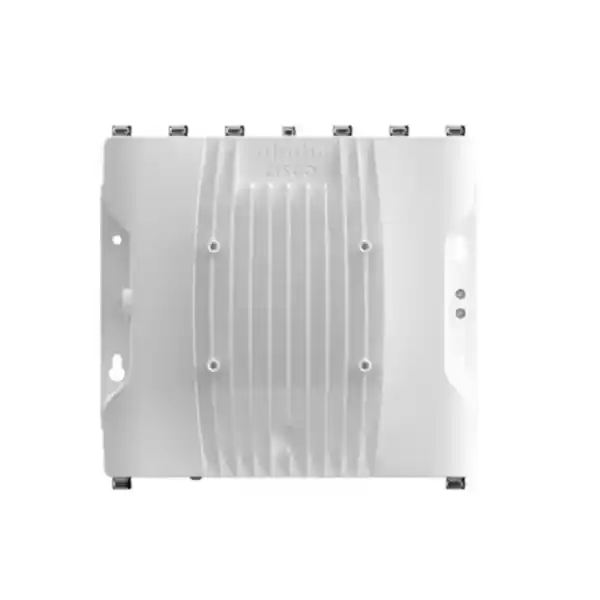
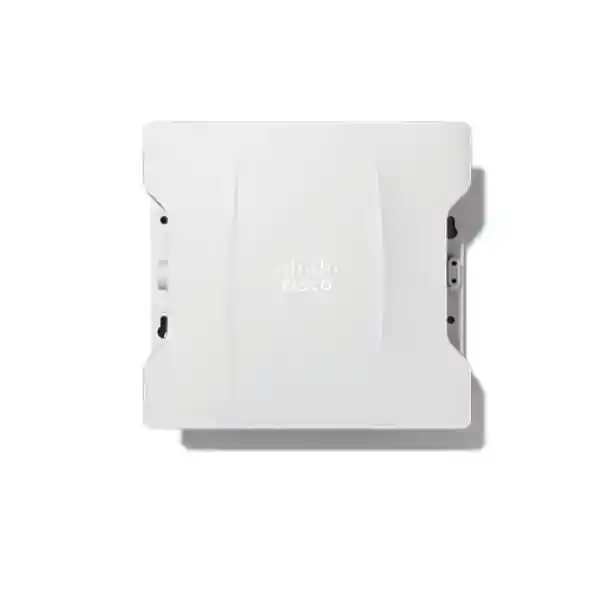
Cisco Catalyst IW9167E Industrial Access Point
A rugged, high-capacity wireless platform for industrial mobility, outdoor enterprise coverage, connected vehicles, autonomous systems and resilient backhaul. The IW9167E combines tri-radio 4×4 Wi-Fi architecture with external antenna flexibility, IP66/IP67 protection, multigigabit Ethernet, 10G-capable SFP connectivity, GNSS, Bluetooth Low Energy and Cisco industrial wireless operating modes.
Designed for demanding projects where ordinary indoor access points are not suitable and where RF reliability, environmental tolerance, mobility behavior, power design and serviceability must be engineered as one system.
What the Cisco Catalyst IW9167E is designed to solve
Industrial wireless is not simply enterprise Wi-Fi installed in a tougher enclosure. A manufacturing floor, port, yard, process facility, rail environment, warehouse automation zone or outdoor logistics campus can impose continuous vibration, airborne dust, condensation, heat, direct solar loading, long cable distances, metallic multipath, high-power machinery interference and rapidly changing client geometry. Mobile equipment also creates a different reliability problem from laptops and phones. Automated guided vehicles, autonomous mobile robots, cranes, inspection devices, telemetry gateways, cameras and embedded controllers may need predictable connectivity while moving between cells. The Cisco Catalyst IW9167E is built to address these conditions as an industrial access point rather than as an office access point adapted after the fact.
The platform is especially useful where one physical wireless device may need to serve different roles during the life of a project. It can operate in Cisco enterprise Wi-Fi mode, Workgroup Bridge mode, or Cisco Ultra-Reliable Wireless Backhaul mode, subject to the selected software, licensing and supported release. That flexibility allows an engineering team to standardize on a rugged hardware family while assigning distinct functions to different units. For example, one deployment can use conventional Wi-Fi for handheld terminals and tablets, WGB for Ethernet-connected industrial equipment that must join an existing WLAN, and URWB for mobile or point-to-point applications where highly deterministic handoff behavior and redundant wireless paths are more important than ordinary client roaming.
For Dubai and wider UAE projects, this versatility matters because industrial sites often evolve quickly. A warehouse may begin with barcode and voice mobility, then add autonomous vehicles, machine vision, condition monitoring and outdoor yard automation. A transport operator may need temporary wireless backhaul during civil works, followed later by permanent fiber. A utility may require hardened nodes across exposed locations while retaining the ability to change antenna patterns or network roles. The IW9167E gives designers a platform that can be integrated into these phases without treating every requirement as a separate hardware island.
Core platform architecture
Tri-radio 4×4 design
The IW9167E uses three 4×4 radio chains. The architecture includes a 2.4 GHz 4×4 radio, a 5 GHz 4×4 radio, and a flexible 5/6 GHz 4×4 radio. The 2.4 GHz radio uses 20 MHz channels, the 5 GHz radio supports 20, 40 and 80 MHz channels, and the flexible 5/6 GHz radio supports 20, 40, 80 and 160 MHz operation where permitted. This gives RF designers a broad toolset for balancing coverage, capacity and coexistence.
Wi-Fi 6 and Wi-Fi 6E hardware capability
IEEE 802.11ax features include uplink and downlink OFDMA, uplink and downlink MU-MIMO, BSS coloring, Target Wake Time, beamforming and four spatial streams. The additional 6 GHz capability can provide cleaner spectrum and wider channels for compatible clients, but 6 GHz use is always subject to country-specific approvals, regulatory domain selection and permitted indoor or outdoor operating rules.
Industrial connectivity choices
A multigigabit copper interface can operate at 100M, 1G, 2.5G or 5G and supports PoE input. A separate SFP interface supports copper or fiber options, including 1G/10G fiber. This matters in plants and outdoor sites where fiber may be preferred for distance, galvanic isolation, lightning-risk reduction, EMI resistance or integration with an industrial switching layer.
External antenna engineering
Eight N-type antenna ports allow project-specific selection of omnidirectional, directional, sector or other supported antenna systems. A TNC GNSS antenna port is also provided. Cisco self-identifying antenna support can simplify antenna information handling with compatible accessories, reducing manual configuration errors in deployments where gain values and RF design parameters must be controlled carefully.
Wi-Fi 6/6E performance for industrial client density
The value of Wi-Fi 6 in industrial environments is not limited to a higher headline PHY rate. Many operational networks contain a mixture of low-bandwidth telemetry devices, high-bandwidth cameras, handheld scanners, voice terminals, laptops, tablets and automation endpoints. The challenge is to schedule airtime efficiently when many clients share the same RF cell. OFDMA helps divide channel resources into smaller units so multiple clients can be served more efficiently. MU-MIMO allows spatial streams to be used across multiple compatible clients, while BSS coloring improves spatial reuse by helping devices distinguish overlapping basic service sets. Together, these features can increase usable capacity in dense or interference-prone environments when client capabilities, channel planning and RF design are aligned.
The IW9167E supports four spatial streams and a platform PHY data rate of up to 7.8 Gbps under the supported high-end channel configuration. That figure is a PHY capability, not an application throughput guarantee. Real throughput depends on channel width, spectrum availability, regulatory limits, client radio capability, coding rate, signal-to-noise ratio, airtime contention, protocol overhead, uplink design, controller architecture and traffic mix. For industrial design, FourTeck recommends treating PHY rate as one input to capacity planning rather than using it as a direct substitute for expected application throughput.
The 6 GHz radio capability is significant because 6 GHz can provide additional spectrum and wider channels with fewer legacy-device constraints. However, 6 GHz availability differs by country and may also differ between indoor low-power and outdoor standard-power use. A UAE deployment should therefore be engineered using the Cisco regulatory domain and software release approved for the intended location, while verifying the current Telecommunications and Digital Government Regulatory Authority requirements and Cisco country approval status at the time of procurement. This prevents a common planning error in which a global data sheet is interpreted as permission to use every frequency and power level in every country.
For mixed industrial estates, a practical design may reserve 2.4 GHz for legacy or low-bandwidth devices that require range, use 5 GHz as the primary enterprise mobility layer, and adopt 6 GHz selectively for compatible high-capacity clients where regulations and propagation conditions allow. Wide 160 MHz channels can deliver very high peak rates, but they are not automatically the best choice. In large multi-cell deployments, narrower channels can provide greater channel reuse, lower co-channel contention and more predictable cell planning. The correct channel width is a design decision driven by application behavior and spectrum geometry.
URWB: when ordinary roaming is not enough
Cisco Ultra-Reliable Wireless Backhaul is one of the most distinctive capabilities associated with the IW9167E. In URWB mode, the platform is intended for industrial applications where assets move, where fiber cannot be installed economically, or where a wireless path must behave more like resilient transport infrastructure than a conventional user-access WLAN. Cisco describes URWB as providing near-zero latency below 10 milliseconds with seamless handoffs and zero packet loss under supported design conditions. These characteristics are particularly relevant to AGVs, AMRs, train or rail-side communications, cranes, autonomous equipment, real-time video and operational technology flows that are sensitive to interruption during mobility.
A key concept is that mobility is designed as part of the network rather than left entirely to client roaming logic. Conventional Wi-Fi clients often decide when to roam and can remain attached to a weak access point longer than desired. Industrial mobile endpoints may use embedded wireless clients whose roaming algorithms vary greatly. URWB changes the architecture by using Cisco industrial wireless mechanisms engineered for deterministic handoff behavior. This can reduce the operational uncertainty associated with standard client-driven roaming when the application cannot tolerate a visible break in connectivity.
Multipath Operations can add another layer of resilience in URWB deployments by duplicating high-priority traffic across multiple wireless paths. This technique can reduce the effect of interference, path obstruction or component failure because two copies of critical packets can travel independently. The engineering tradeoff is increased airtime and infrastructure complexity, so multipath should be reserved for flows whose operational value justifies redundant transmission. It is most useful when the application cost of packet loss or handoff disruption is higher than the cost of additional RF resources.
URWB licensing, topology and software release should be selected early in the design. Standalone URWB licensing has multiple network tiers, and integration features vary by release. Projects should define whether the network will be standalone URWB, enterprise Wi-Fi, WGB, or a supported integrated architecture before producing the final bill of materials. The physical IW9167E hardware is flexible, but licensing and software mode determine how the device is operationally managed.
Workgroup Bridge mode for Ethernet-connected industrial equipment
Many industrial machines are designed with wired Ethernet but no enterprise-grade wireless client. Replacing or modifying the machine can be undesirable because of warranty, certification, operational validation or vendor support constraints. Workgroup Bridge mode addresses this problem by allowing the IW9167E to associate to a compatible wireless infrastructure while providing connectivity to equipment attached behind its Ethernet interface. The machine continues to use Ethernet locally while the IW9167E becomes the wireless bridge into the network.
This is useful for mobile carts, cabinets, vehicles, test equipment, kiosks, process skids, temporary work cells and machinery that must be repositioned. Instead of deploying a consumer bridge with limited environmental tolerance, the network team can use an industrial Cisco platform with rugged power, hardened enclosure options, external antenna design and enterprise management alignment. WGB can also simplify migration projects where a wired asset must become mobile without redesigning the asset itself.
The design must still consider client count behind the bridge, Layer 2 behavior, VLAN requirements, authentication method, roaming behavior, uplink resilience and application sensitivity. WGB is not a universal substitute for a native wireless client, but it can be an effective engineering tool when the operational technology endpoint must remain Ethernet-based. FourTeck can help determine whether WGB, standard Wi-Fi or URWB is the better fit by examining movement speed, latency tolerance, expected packet loss, authentication, number of downstream devices and physical installation constraints.
Environmental and mechanical engineering
Ingress protection
The IW9167E carries EN/IEC 60529 IP66 and IP67 environmental ratings when installed with the required glands or approved interface conversion hardware. This makes sealing details part of the system design. Leaving an interface improperly sealed, using an unsuitable cable gland or routing water toward a connector can compromise an otherwise rugged installation.
Temperature envelope
Cisco specifies operation from -40°C to +70°C with solar load and still air for the IW9167E, with an extended DC-powered range from -50°C to +75°C without solar loading and with cold-start limitations. UAE outdoor projects should consider direct sun, radiant heat from metal structures and enclosure proximity rather than relying on ambient air temperature alone.
Humidity and altitude
The platform is specified for 0% to 100% condensing humidity and operating altitude up to 4,500 meters. Condensing-humidity capability is valuable around coastal, wash-down and temperature-transition environments, although cable entries, drip loops, grounding and mounting practice remain essential for long-term reliability.
Wind and mounting
Cisco specifies resistance to sustained winds up to 160 mph / 257 km/h for the access point, but the complete installed assembly also includes antennas, brackets, mast hardware and cables. Structural suitability therefore depends on the full wind-loading calculation, not only the AP enclosure specification.
The enclosure dimensions are approximately 29.2 × 26.7 × 7.1 cm and the IW9167E weighs about 4.2 kg before adding antennas, brackets and cabling. These values matter when planning pole strength, service access, rooftop penetrations, industrial cabinet mounting and lifting procedures. In large outdoor deployments, installers should also define a repeatable mounting orientation, cable bend radius, grounding method, drip-loop position, antenna separation and label scheme so every node can be inspected and serviced consistently.
Power architecture: design for full radio capability
The IW9167E can be powered through 24 to 48 VDC, with a maximum DC input range of 18 to 60 VDC, or through supported Power over Ethernet methods. Cisco identifies 802.3at PoE+, 802.3bt and Cisco UPOE as power-input options. The power source is not just an electrical convenience: it influences available radio chains and uplink behavior. With 24–48 VDC or supported high-power PoE, the platform can operate its three radios at 4×4 and use the 5 Gbps copper interface with SFP capability, with a specified draw around 48 watts. Under 802.3at PoE+, Cisco shows a reduced-power profile using 2×2 radio operation and 1 Gbps copper, with around 25 watts of power draw.
This is a critical procurement detail. A project can purchase a 4×4 access point and still fail to realize the intended 4×4 design if the upstream switch or injector provides only the lower power tier. Power budgeting must therefore begin with the desired radio configuration, not with whatever PoE port is already available. The switch must have sufficient per-port power and total PoE budget, and cable length or environmental factors may increase the amount of power required at the PSE. If long outdoor copper runs are planned, designers should evaluate cable category, conductor resistance, temperature, surge exposure and local earthing practice.
Direct DC power may be attractive in industrial control environments where regulated DC is already available. It can also simplify designs in cabinets, vehicles or remote equipment locations where an industrial DC source is more practical than a PoE switch. The specified power accessories include Cisco industrial power adapters and injectors, but the final choice should match the topology, electrical environment and support requirements. DC circuits should be protected, correctly fused and installed in accordance with site electrical standards.
For UAE outdoor sites, surge protection and grounding deserve explicit design review. Cisco specifies surge protection capabilities on the DC input and Ethernet/SFP copper interfaces, but site-level protection may still require upstream surge protective devices, shielded cabling, bonding, lightning protection and fiber isolation depending on risk. In exposed yards, rooftops and mast installations, fiber backhaul is often attractive because it avoids a long conductive Ethernet path between buildings or grounding zones.
Port map and uplink planning
The physical choice between copper and fiber should be made with the entire path in mind. A 5 Gbps copper interface is useful when a nearby multigigabit PoE switch can power the AP. A 10G fiber option becomes attractive where the access point is remote from the switching room, where there is strong electromagnetic interference, where electrical isolation is beneficial, or where the same location contains high-bandwidth cameras or backhaul traffic. The SFP port also allows the wireless node to fit naturally into industrial fiber rings and outdoor aggregation architectures. Exact transceiver support should always be matched to the active Cisco compatibility documentation and software release.
External antenna design: where the IW9167E becomes highly project-specific
The IW9167E differs from an integrated-antenna outdoor AP because it gives RF engineers control over antenna pattern. Eight N-type antenna ports support external antenna systems, and the platform supports Cisco Self-Identifying Antenna functionality with compatible models. This makes it possible to select radiation patterns for aisles, yards, roadways, rail corridors, loading bays, ports, process areas, stadium-type sectors or broad outdoor cells instead of accepting a fixed omnidirectional pattern.
Antenna choice should be driven by geometry and link budget. An omnidirectional antenna can be appropriate when clients surround a pole or when broad local coverage is required. A directional panel or sector can concentrate energy into a yard, corridor or defined operating area while reducing unwanted coverage behind the AP. High-gain antennas can extend link budget, but gain changes the beamwidth and can create coverage holes close to the mast or above and below the primary lobe. The antenna must also be approved for the regulatory domain and used within the allowed effective radiated power.
Cable loss is another common source of field underperformance. A high-gain outdoor antenna connected through a long coaxial run can lose a significant part of its benefit before RF reaches the antenna. Whenever possible, the access point should be mounted close enough to the antenna to keep RF cable loss controlled, while still allowing service access and safe installation. Outdoor-rated coax, weatherproof connectors, proper strain relief and correct sealing are essential. Antenna diversity and MIMO also require careful mapping of ports to antenna elements; mixing ports casually can degrade spatial-stream performance.
GNSS location support can help the access point report position and can be relevant to services that require location information, including regulatory mechanisms for standard-power 6 GHz where applicable. The GNSS antenna location should have a suitable view of the sky and should not be treated like a normal Wi-Fi antenna. During planning, FourTeck can review antenna model, gain, polarization, mounting height, azimuth, downtilt, cable length, regulatory limits and expected client antenna orientation to create a coherent RF design instead of an accessory-only bill of materials.
Industrial use cases in Dubai and the UAE
Warehouses and automation
Large fulfillment centers can use IW9167E nodes to support scanners, vehicle-mounted terminals, AMRs, AGVs, maintenance tablets and machine connectivity. External antennas allow coverage to be shaped around high-bay racking, long aisles and loading zones. URWB can be considered where autonomous systems need more deterministic handoffs than conventional client roaming provides.
Ports, yards and logistics
Container yards and transport terminals combine moving vehicles, large metal obstacles and wide outdoor spaces. Directional antennas, rugged enclosures and fiber-fed mounting points can create controlled cells. The design can support cameras, handheld operations, vehicle telemetry and backhaul across zones where trenching fiber to every endpoint may be impractical.
Manufacturing and process sites
Factories can use the platform around production lines, robotic cells, maintenance areas and outdoor process equipment. The industrial enclosure and antenna flexibility help in environments with steel, machinery and variable layouts. Hazardous-area projects should specify the separate IW9167E-HZ variant where the required certifications and local approvals apply rather than assuming the standard IW9167E can be installed in a classified zone.
Transport and rail
Rail and transportation networks may require trackside connectivity, station yards, depots, maintenance facilities, onboard links or resilient mobile backhaul. The IW9167E supports industrial certifications including EN 50155-related use on the standard platform, while the exact installation must still be validated against project-specific transport standards and local requirements.
Security architecture and operational trust
Industrial wireless security must protect both user access and the infrastructure itself. Cisco builds the IW9167 Series on Trust Anchor technologies that include image signing, Secure Boot and the Cisco Trust Anchor module. These mechanisms are designed to help establish hardware and software authenticity and protect the boot process against unauthorized software. For operational technology environments where a compromised network node could affect production, this hardware-rooted trust model is an important complement to WLAN authentication and segmentation.
In Wi-Fi mode, the platform supports WPA3 and integrates with Cisco Catalyst wireless architecture. A secure deployment should still be designed around identities and policy rather than relying on encryption alone. Typical controls may include 802.1X authentication, certificate-based device identity, network access control, role-based segmentation, protected management, secure logging and separation of operational technology from general user traffic. The exact mechanism depends on controllers, identity services, industrial endpoints and compliance requirements.
The dedicated scanning capability can support RF visibility features such as Cisco CleanAir and wireless intrusion prevention functions in applicable Wi-Fi deployments. This helps the network team detect interference sources, classify RF conditions and monitor the airspace. Industrial environments benefit from continuous RF awareness because interference can be intermittent and tied to machinery cycles, temporary equipment, wireless cameras, neighboring networks or maintenance activity. A site survey captures a moment in time; ongoing spectrum intelligence helps detect changes after commissioning.
Security operations should also cover software lifecycle. The IW9167E has active Cisco software and configuration documentation across recent IOS XE and industrial wireless releases. Maintenance windows, controller compatibility, security advisories, software image validation and configuration backups should be incorporated into the operating model. FourTeck can align the wireless design with broader UAE infrastructure and security services through FourTeck IT Services UAE when the project extends beyond AP procurement into implementation, hardening, monitoring or lifecycle support.
Important UAE 6 GHz planning note
The IW9167E hardware is capable of operation in the 6 GHz band, but 6 GHz must never be treated as globally uniform. Cisco explicitly notes that 6 GHz functionality depends on country regulatory approval. Channel availability, permitted power, indoor or outdoor use and automated frequency coordination requirements can differ by regulatory domain and software release. A project in Dubai, Abu Dhabi, Sharjah or another Emirate should therefore verify the current approved Cisco regulatory domain and the current UAE regulatory rules before finalizing antennas, channel plan or coverage assumptions.
This is especially important for outdoor standard-power designs. Do not purchase the AP solely because a global specification lists 6 GHz and assume every listed channel can be enabled locally. FourTeck can help map the intended location, controller software, regulatory domain, antenna system and use case to the orderable configuration. Where 6 GHz is not available for the planned mode or location, the IW9167E can still provide substantial value through 2.4 GHz, 5 GHz, WGB and URWB capabilities.
Controller integration and software modes
In enterprise Wi-Fi mode, Cisco lists support for Catalyst 9800 Series Wireless Controllers, including physical or virtual controller options. This allows the IW9167E to participate in a modern Cisco WLAN architecture with centralized policy, RF management and software lifecycle. The access point’s Wi-Fi software baseline begins with supported Cisco IOS XE releases, while URWB and WGB use supported Cisco Unified Industrial Wireless software. Because feature availability evolves by release, an industrial design should freeze a tested software matrix before commissioning rather than treating every capability in the data sheet as automatically active in every version.
Licensing follows the operating model. Cisco identifies Industrial Wireless Cisco DNA Essentials and Advantage licenses for Wi-Fi deployments, while standalone URWB uses separate Network Essentials, Network Advantage or Network Premier licensing plus service options. A quotation should therefore include not just the hardware part number but also the selected controller architecture, license tier, support term and any URWB software entitlement required by the use case.
Mode selection should be driven by application behavior. Standard Wi-Fi is appropriate for enterprise clients and general industrial devices that follow Wi-Fi roaming behavior. WGB is appropriate when wired assets must connect through a bridge to Wi-Fi infrastructure. URWB is intended for high-reliability industrial mobility and backhaul cases. In some current releases, Cisco also supports integrated wireless-with-URWB capabilities, but the exact feature set should be validated against the selected IOS XE release and controller design before it is placed in an RFP or acceptance test.
For multi-site customers, standardization is valuable. A repeatable template can define AP naming, controller tags, VLANs, SSIDs, authentication, quality of service, RF profiles, logging, time synchronization, firmware lifecycle, antenna records and physical labels. FourTeck can coordinate this architecture with broader switching, server and infrastructure requirements available through Server Dubai solutions where the project also includes local compute, virtualization, management systems or on-premises services.
Capacity and AP quantity sizing methodology
Access point quantity should not be estimated only from square meters. Industrial coverage is shaped by ceiling or mast height, racking, machinery, containers, vehicles, concrete, metal partitions, process equipment, client antenna quality, movement path and required modulation rate. Capacity adds another dimension: a cell that covers an area may still be overloaded by high-resolution video, large file transfer, dense handheld traffic or many simultaneous automation clients. The correct design therefore combines coverage, capacity and mobility constraints.
1. Define applications
List each traffic class: scanners, voice, cameras, PLC or telemetry, maintenance tablets, AGVs, AMRs, machine vision and backhaul. Record bandwidth, latency, jitter, packet-loss and roaming tolerance for each class.
2. Map client geometry
Identify where clients operate, their mounting height, movement path, speed, antenna orientation and expected density. A roof-mounted vehicle antenna behaves differently from a handheld device next to a worker’s body.
3. Establish RF targets
Set minimum RSSI, SNR, modulation and overlap targets based on the most demanding client. Avoid using a generic coverage threshold for every application.
4. Validate with survey data
Use predictive design, on-site measurements and post-install validation. For moving assets, test along the entire route at operational speed and load, not only from stationary checkpoints.
For backhaul or URWB designs, link budget must consider transmit power, antenna gain, cable loss, path loss, fade margin, Fresnel-zone clearance, interference and redundancy. A visually unobstructed path does not always guarantee RF clearance, especially over long distances or near large structures. The planned modulation rate should remain stable under expected weather and movement conditions, with enough fade margin to prevent the link from operating permanently near its sensitivity threshold.
FourTeck can assist with a bill of materials only after these engineering assumptions are defined. This prevents both oversizing and undersizing. Too many APs can create co-channel contention and unstable roaming, while too few can force low data rates, increase airtime consumption and create coverage gaps. The objective is controlled cell geometry with enough capacity and overlap for the application, not maximum AP density.
Designing for AGVs, AMRs and autonomous operations
Autonomous mobile systems are among the strongest reasons to use an industrial wireless platform. An AGV or AMR may exchange navigation data, fleet-control messages, safety states, telemetry and video while moving through metal-rich environments. The operational consequence of a connectivity interruption may range from a brief slowdown to an emergency stop or production blockage. This makes wireless behavior part of the automation system, not just an IT service.
Start by identifying what happens during packet loss. Some vehicles can buffer traffic and recover gracefully. Others require continuous command-and-control. Determine the maximum acceptable outage during a handoff, the maximum round-trip latency, the tolerated packet-loss burst and whether duplicate paths are valuable. If the application is highly sensitive, URWB and Multipath Operations may be appropriate. If the vehicle uses native Wi-Fi and has a proven roaming client, standard Wi-Fi may be sufficient. The decision should be based on measured application behavior rather than on a general preference for one technology.
Vehicle antenna placement has major impact. A radio mounted inside a metal cabinet can perform poorly even when the infrastructure signal looks strong on a handheld survey tool. Antennas should have a clear RF view, appropriate polarization and protected cable routing. The client antenna pattern should be considered together with the AP antenna pattern because a good infrastructure design cannot compensate fully for a poorly installed client antenna.
Finally, test under realistic motion. Drive or run the autonomous platform through aisles, intersections, loading doors and turning zones while carrying real traffic. Evaluate roaming or handoff events, packet-loss bursts, latency, retransmissions and application alarms. Repeat during busy production periods because forklifts, people, moving racks, vehicles and machinery can change RF conditions. Acceptance criteria should be written before testing so wireless performance can be validated objectively.
Outdoor UAE deployment considerations
Dubai and the wider UAE can combine very high ambient temperatures, strong solar radiation, airborne dust, humidity, coastal salinity and large temperature differences between day, night and conditioned spaces. The IW9167E’s hardened environmental specification is suitable for demanding conditions, but the installation still needs local engineering. Direct sunlight can raise enclosure temperature above ambient, and nearby dark metal surfaces can radiate additional heat. Mounting should preserve airflow and avoid heat traps whenever possible.
Dust and water protection depend on correctly installed glands, connectors and caps. Outdoor cabling should form drip loops so water does not run directly into connectors. Coax connections should be weather sealed using approved methods, while all unused ports should remain protected. In coastal or industrial-corrosive locations, bracket and fastener material should be checked for environmental compatibility. Routine inspection should look for cracked seals, loose connectors, corrosion, damaged cable jackets and movement caused by wind or vibration.
Lightning and surge risk must be assessed at site level. Even where the access point includes internal surge resilience, long conductive cables can introduce large transient voltages. Fiber is often the preferred uplink for isolated outdoor poles or inter-building links because it removes a metallic data path. Antenna grounding, mast bonding, protective earth, surge protection and cable routing should follow applicable UAE electrical and safety requirements and the Cisco installation instructions.
Outdoor RF design should also account for future site changes. A clear yard may later receive containers, steel structures, temporary cabins or construction equipment that blocks line-of-sight links. Where a wireless backhaul is operationally critical, redundant paths and physically separated routes can improve resilience. A design review should document the primary path, backup path, expected fade margin and maintenance access so the network can be operated predictably after handover.
Bluetooth, GNSS, scanning and edge capabilities
The IW9167E is more than a three-radio access point. The platform includes Bluetooth Low Energy 5.1 capability for location-oriented use cases, a GNSS receiver for geographic coordinates, and a dedicated scanning function for RF visibility. These auxiliary capabilities can reduce the need for separate infrastructure in some designs, but they should be evaluated against the exact software mode and application support required.
BLE can support asset-tracking, wayfinding or analytics scenarios when combined with the appropriate application ecosystem. In industrial settings, this can help identify tools, pallets, equipment or personnel badges within a broader location architecture. BLE location accuracy is influenced by beacon placement, antenna pattern, reflection and environmental changes, so it should not be assumed to provide precision positioning without a dedicated design.
The GNSS receiver provides location coordinates for the access point. Accurate location data can support asset inventory and, in some regulatory contexts, functions associated with 6 GHz standard-power operation. Outdoor mounting should provide sufficient sky visibility for the GNSS antenna. A GNSS connection placed deep inside a metal structure or under dense roofing may not provide the expected location performance.
Cisco also lists container support for edge applications on the host access point. Edge computing can be useful when IoT logic, protocol handling or localized processing should run close to field devices, reducing dependence on a distant data center for every operation. Any containerized workload should still be evaluated for lifecycle, security, CPU and memory impact, support boundaries and software compatibility. The access point includes 2048 MB of DRAM and 1024 MB of flash; these resources support the platform software and should not be treated as a general-purpose server replacement.
Detailed specification summary
| Platform | Cisco Catalyst IW9167E Heavy Duty industrial/outdoor access point with external antennas |
| Operating modes | Wi-Fi 6, Workgroup Bridge and Cisco Ultra-Reliable Wireless Backhaul, subject to software and licensing |
| Radio architecture | 2.4 GHz 4×4, 5 GHz 4×4, flexible 5/6 GHz 4×4 |
| Spatial streams | Up to four spatial streams per supported radio configuration |
| 802.11ax channel widths | 20 MHz on 2.4 GHz; 20/40/80 MHz on 5 GHz; 20/40/80/160 MHz on flexible 5/6 GHz radio where supported |
| Maximum platform PHY rate | Up to 7.8 Gbps under the supported high-end 802.11ax configuration; actual throughput is lower and design-dependent |
| Antennas | 8 × N-type external antenna ports plus 1 × TNC GNSS antenna port; self-identifying antenna support with compatible Cisco antennas |
| Copper uplink | 100M / 1G / 2.5G / 5G multigigabit Ethernet with supported PoE input |
| SFP connectivity | Copper multigigabit options including 10G or fiber 1G/10G, based on supported transceiver and configuration |
| Power | 24–48 VDC nominal, 802.3at PoE+, 802.3bt or Cisco UPOE; full-performance profile approximately 48 W |
| Environmental rating | EN/IEC 60529 IP66 and IP67 when installed using required sealing hardware |
| Operating temperature | -40°C to +70°C with solar load and still air; extended DC-powered operation to +75°C without solar loading, subject to cold-start limitations |
| Humidity | 0% to 100% condensing |
| Dimensions | Approximately 29.2 × 26.7 × 7.1 cm |
| Weight | Approximately 4.2 kg for the IW9167E base unit |
| Management in Wi-Fi mode | Cisco Catalyst 9800 Series Wireless Controllers, physical or virtual, subject to software compatibility |
| Auxiliary capabilities | BLE 5.1, GNSS, scanning radio, Cisco security trust features and edge container support |
High availability and resilient topology design
Resilience should be designed at multiple layers. At the RF layer, overlapping cells and alternative paths can reduce the impact of blockage or interference. At the wired layer, fiber rings, redundant industrial switches or dual upstream paths can protect the AP infrastructure from a single cable or switch failure. At the controller layer, enterprise Wi-Fi designs can use supported Catalyst 9800 high-availability architectures. At the application layer, critical systems may include buffering, retry logic or dual network interfaces. No single feature should be expected to provide complete availability on its own.
URWB designs can use multipath behavior to transmit duplicate high-priority packets across separate wireless routes. To gain real resilience, those routes should be physically and spectrally diverse where possible. Two paths mounted on the same pole and using the same obstructed corridor may fail together. A better design may use different AP locations, antenna directions or channels so one path survives the event that affects the other. This is analogous to fiber-route diversity: logical redundancy is most valuable when the physical failure domains are also separated.
Power redundancy should also be considered. A remote outdoor AP fed by one PoE switch is unavailable if that switch loses power. Industrial projects may use UPS-backed PoE, redundant DC systems or resilient upstream switching depending on criticality. The required architecture should be based on recovery-time objectives and operational consequences. A CCTV backhaul for evidence recording may justify different resilience than guest Wi-Fi in an outdoor area.
Acceptance testing should include controlled failure scenarios. Disconnect an uplink, remove a wireless path, reboot a node and observe how the application behaves. Measure failover time, packet loss and alarms rather than relying only on topology diagrams. For mission-critical systems, a network is not truly resilient until the failure behavior has been tested under load.
Procurement engineering: what should be included in the quote
An IW9167E quotation should not be reduced to one AP part number. A complete industrial wireless bill of materials includes the correct regulatory-domain hardware, software mode, license tier, support entitlement, antenna system, mounting hardware, cable glands or M12 conversion accessories, power method, SFP optics where needed, surge protection, grounding components and installation materials. Missing one of these elements can delay commissioning even when the AP itself is available.
FourTeck UAE can coordinate the industrial wireless bill of materials with switching, security, compute and structured infrastructure requirements. For broader enterprise procurement, visit FourTeck UAE. For organizations that also operate industrial and enterprise infrastructure across African markets, FourTeck Africa provides a regional point of reference for multi-country projects.
Installation workflow for a professional deployment
Stage 1 — survey and design. Begin with drawings, operating zones, client inventory and application requirements. Perform predictive RF planning and validate difficult areas with measurements. Select mounting locations that provide coverage while remaining accessible for maintenance. Check line of sight and Fresnel clearance for directional backhaul. Record power availability, cable routes, grounding points and environmental exposure.
Stage 2 — bench configuration. Before field installation, validate hardware identity, software release, licensing, controller join behavior and basic radio operation. Apply naming conventions, management addressing, authentication, RF profile and monitoring settings. Bench testing reduces expensive troubleshooting on lifts, rooftops and masts. For URWB, prepare node roles, path parameters and management access before deployment.
Stage 3 — physical installation. Mount the AP using Cisco-approved hardware and suitable structural support. Install antennas according to the RF plan, preserving polarization and port mapping. Seal connectors and cable entries correctly. Provide drip loops, strain relief, grounding and surge protection. Keep service loops neat and avoid tight coax bends. Label the AP, cables and antenna sectors so future engineers can understand the installation without tracing every path.
Stage 4 — commissioning. Confirm power mode and radio stream configuration, especially where PoE may limit the AP. Verify copper or fiber link speed, controller registration, software version, antenna configuration and regulatory domain. Check RF channel, transmit power and client association. For outdoor 6 GHz, validate that the intended operation is supported by the local regulatory configuration rather than relying on a lab profile.
Stage 5 — validation and handover. Perform post-install survey and application testing. For mobile systems, measure handoff behavior while assets move at normal speed. For backhaul, record RSSI, SNR, modulation, throughput, latency and path redundancy. Produce as-built documentation containing node locations, serial numbers, software, licenses, antenna models, cable routes and test results. This turns the wireless installation into an operable asset rather than a set of mounted devices.
Operations, monitoring and lifecycle management
Industrial access points often remain in service for years, so operational design is as important as initial deployment. The network team should monitor reachability, radio utilization, channel changes, client health, uplink errors, temperature-related events, authentication failures, roaming statistics and software status. In URWB networks, operators should also track link quality, path redundancy, handoff behavior and any multipath-specific telemetry that indicates loss of diversity.
Configuration control prevents drift. Use standardized templates and document exceptions. A technician replacing an AP should be able to identify the correct antenna map, software image, license, management settings and physical orientation. Spare units should be maintained with compatible software and accessories so a failure can be recovered without waiting for specialized mounting or connector parts.
Firmware lifecycle should be planned around Cisco support recommendations, security advisories, controller compatibility and maintenance windows. Industrial plants may not be able to upgrade whenever a new release appears, so a staged process is useful: lab validation, pilot group, controlled production rollout and post-upgrade monitoring. Record rollback procedures before every major change.
Physical inspection should be part of preventive maintenance, especially outdoors. Check brackets, antenna alignment, cable seals, lightning-protection connections, corrosion, water ingress indicators and cable damage. A network can appear healthy electronically while a mechanical issue is developing. Regular inspection is particularly important on vibrating structures, exposed poles and locations subject to maintenance activity.
How IW9167E compares with ordinary outdoor enterprise access points
A conventional outdoor enterprise AP can be excellent for campus Wi-Fi, public spaces and outdoor user coverage. The IW9167E is better suited when the project needs industrial mobility, external antenna specialization, rugged power options, fiber connectivity and a choice of industrial wireless operating modes. Its ability to run URWB or WGB in addition to Wi-Fi changes the design possibilities considerably. The same hardware family can support users, wired industrial assets, moving machinery and resilient backhaul with the appropriate software role.
The presence of a 10G-capable SFP interface also differentiates the platform from many APs that expect all connectivity and power through copper Ethernet. Fiber can be a decisive requirement in rail, utilities, large yards and inter-building installations. Likewise, eight N-type antenna ports give engineers much more control over pattern and polarization than a fixed integrated-antenna design, although this flexibility also increases the responsibility to select and install antennas correctly.
The tradeoff is that IW9167E projects require more engineering. Antennas, power, uplink, licenses, regulatory domain and operating mode must be specified deliberately. If the requirement is simply to provide outdoor guest Wi-Fi around a small office courtyard, a simpler outdoor AP may be more economical. If the requirement involves autonomous vehicles, industrial machines, harsh process areas, high-capacity outdoor links or resilient wireless transport, the IW9167E’s specialized capabilities are more relevant.
Frequently asked technical questions
Is the IW9167E a Wi-Fi 6E access point?
The hardware supports Wi-Fi 6 and 6 GHz capability through its flexible 5/6 GHz radio. Actual 6 GHz operation depends on country approval, regulatory domain, software and permitted indoor or outdoor use. For UAE projects, verify current local approval before designing around 6 GHz.
Does it have built-in Wi-Fi antennas?
The IW9167E is designed for external antennas and provides eight N-type antenna ports. This is one of its main advantages for industrial engineering because antenna patterns can be selected to suit yards, corridors, aisles or point-to-point requirements.
Can it use fiber?
Yes. The SFP interface supports fiber operation at 1G or 10G with supported optics. Fiber is useful for long-distance outdoor nodes and areas where EMI or electrical isolation is a concern.
Can it be powered by standard PoE+?
It can accept 802.3at PoE+, but Cisco specifies a reduced-power profile under PoE+ with 2×2 radio operation and 1G copper. Full 4×4 operation is associated with DC or higher-power PoE options. The upstream power design should therefore match the required performance.
Is it suitable for hazardous locations?
The standard IW9167E should not be assumed to meet hazardous-location requirements. Cisco offers a separate IW9167E-HZ variant with hazardous-location certifications. The required model must be selected according to the classified zone and local compliance requirements.
What controller does Wi-Fi mode use?
Cisco lists Catalyst 9800 Series Wireless Controllers, including physical and virtual options. Controller and AP software compatibility should be confirmed before deployment.
What is URWB used for?
URWB is intended for highly reliable industrial mobility and wireless backhaul, including moving assets and locations where fiber is impractical. It supports fast seamless handoff behavior and can use multipath redundancy for selected high-priority traffic.
Can FourTeck provide a full deployment BOM?
Yes. A complete BOM can include AP hardware, regulatory domain, antennas, brackets, power, optics, cabling, controller architecture, licensing, support, installation accessories and survey or commissioning services based on project requirements.
Why purchase the Cisco Catalyst IW9167E through FourTeck
Industrial wireless procurement has a higher engineering dependency than ordinary access-point procurement. Selecting the wrong regulatory domain, antenna family, license, PoE source or optic can leave the AP unusable for the intended design. FourTeck approaches the IW9167E as a system component and can help define the complete configuration around the application, physical site and network architecture.
For UAE projects, the first step is to identify the operating mode and environment. A warehouse mobility project may need enterprise Wi-Fi with directional aisle coverage. An AGV project may need URWB with carefully planned handoff zones and redundant paths. A mobile machine with an Ethernet controller may require WGB. A remote outdoor pole may require DC power and fiber uplink. Each scenario produces a different bill of materials even though the central AP model is the same.
FourTeck can also coordinate adjacent infrastructure so the AP is not specified in isolation. Upstream switches must provide sufficient PoE budget or the site must provide suitable DC. Fiber nodes need compatible optics and patching. Controllers and licensing must match the chosen software. Security policy must integrate with identity and segmentation. Mounting crews need the correct brackets, glands, grounding materials and weatherproofing. Treating these items as one solution reduces commissioning risk.
When requesting pricing, provide project location, quantity, intended use, existing Cisco controller model and version if present, desired antenna coverage, power source, copper or fiber uplink requirement, mounting height and any hazardous-area or transport certification requirements. This information allows FourTeck to prepare a more accurate technical quotation and identify design questions before material is ordered.
Decision guide: when the IW9167E is the right fit
Strong fit
- Outdoor or industrial sites requiring IP66/IP67-rated hardware.
- AGV, AMR or mobile-asset networks requiring industrial mobility engineering.
- Projects requiring URWB or Workgroup Bridge functionality.
- Installations needing project-specific external antenna patterns.
- Fiber-fed access points or 10G-capable optical uplinks.
- High-density Wi-Fi 6 environments with future 6 GHz potential where locally permitted.
Consider a simpler model if
- The environment is a normal indoor office with no industrial exposure.
- Only basic outdoor guest Wi-Fi is required with no special antenna or backhaul design.
- There is no need for URWB, WGB, fiber or rugged industrial interfaces.
- Project budget favors a conventional enterprise AP and the application has standard roaming tolerance.
- An integrated-antenna outdoor model provides adequate coverage with lower installation complexity.
- The site cannot provide the power, mounting or cabling required for a full industrial deployment.
Technical due diligence before final order
Before a purchase order is issued, verify the exact Cisco orderable part number for the UAE and confirm that the intended frequency bands are approved for the installation. Confirm software support for the selected mode and controller release. If the project requires a feature that was introduced in a later software train, state that minimum release in the design document. If the existing controller runs an older train, include the controller upgrade impact in the project plan.
Verify power at every location. A site drawing that simply says “PoE” is not sufficient because PoE class determines the available radio and uplink profile. Record whether the AP will use 802.3at, 802.3bt/UPOE or direct DC. For PoE, confirm both per-port capability and total switch power budget. For DC, confirm voltage, current capacity, protection and grounding.
Verify antenna compatibility and all mechanical accessories. Check antenna gain, cable loss, connector type, mounting bracket, wind load and MIMO port mapping. Ensure weatherproofing materials and approved glands are included. For fiber, specify optic type, wavelength, connector, distance and fiber strand availability. Do not leave optic selection for the installer to improvise on site.
Finally, define acceptance criteria. The project should state required coverage, RSSI or SNR thresholds, client data rates, application latency, roaming or handoff performance, packet loss and backhaul throughput. If the solution supports autonomous systems, test the actual vehicle or robot under production conditions. A clear acceptance plan protects both the customer and integrator by turning vague expectations into measurable engineering outcomes.
FourTeck deployment approach
FourTeck can support the IW9167E lifecycle from requirement definition through quotation, deployment and handover. The engineering process begins by separating business requirements from RF assumptions. Instead of starting with a guessed AP count, we identify applications, movement paths, network criticality, existing switching and controller architecture, physical installation constraints and regulatory requirements. This produces a design basis that can be reviewed before equipment is purchased.
The next phase converts the design into a complete bill of materials. This includes the correct access point regulatory domain, antenna system, mounting accessories, power source, copper or fiber uplink, optics, software mode, licensing and support. Where a project spans enterprise networking and operational technology, responsibilities are documented clearly so that controller configuration, switching, security policy, physical installation and automation-system testing are coordinated rather than executed as disconnected tasks.
After installation, validation should compare measured results against the design basis. Coverage is checked where clients actually operate. Mobile paths are tested while equipment moves. Backhaul links are measured under load. Power mode and uplink speed are verified. As-built documentation is delivered so future engineers can maintain the network. This structured approach reduces the likelihood that a technically capable industrial access point underperforms because of antenna, power, cabling or configuration mistakes.
Technical reference for planners and RFP teams
When writing an RFP around the IW9167E, specify functional outcomes rather than copying a data-sheet feature list. For example, state the required number of spatial streams, supported Wi-Fi standard, outdoor ingress rating, operating temperature, external antenna requirement, uplink speeds, power methods, controller integration, mobility behavior and fiber connectivity. If URWB is required, state the resilience and handoff objectives. If WGB is required, state the number and type of Ethernet-connected clients behind the bridge. If 6 GHz is required, state that operation must comply with current UAE regulations and approved Cisco regulatory configuration.
Avoid requirements that force unsafe or unrealistic designs. A single RSSI target without SNR or interference criteria can hide poor channel quality. A maximum AP count can lead to oversized cells and weak mobility. A request for 160 MHz channels everywhere can waste spectrum in a dense multi-cell network. An expectation of application throughput equal to the aggregate PHY rate ignores Wi-Fi overhead and client limitations. Engineering criteria should reflect real application performance.
For maintenance, require a documentation pack containing AP locations, asset identifiers, regulatory-domain part numbers, antenna models, antenna orientation, cable type and length, controller assignment, software versions, license information, IP addressing, VLAN mapping, switch ports, PoE status and test results. This dataset allows a replacement AP to be configured correctly years after the original deployment team has moved on.
For critical systems, include periodic health review in the operational plan. RF conditions change as facilities evolve. New machinery, racks, walls, neighboring wireless systems or temporary structures can alter coverage. A scheduled review can compare current performance to the original acceptance baseline and identify whether channel plans, antenna direction or cell placement should be adjusted.
Compatibility questions FourTeck can review before quotation
Lifecycle economics and total cost of ownership
Industrial wireless should be evaluated on lifecycle cost rather than AP purchase price alone. The cost of a failed network can include stopped production, manual fallback processes, delayed shipments, vehicle downtime, safety risk and emergency engineering. A rugged platform can reduce risk, but only when it is installed and operated correctly. Antenna quality, power resilience, fiber design, controller availability and spare strategy all contribute to lifecycle economics.
The IW9167E’s multi-mode capability can protect investment by allowing the same hardware family to be assigned different wireless roles over time. A unit deployed today as Wi-Fi hardware may be repurposed for a supported WGB or URWB application after the network evolves, subject to software and licensing. Standardizing on one rugged platform can also simplify spares, mounting practices and technician training across a large industrial estate.
Energy design matters as well. Cisco includes Smart AP power-management concepts in the platform feature set, while the physical power source determines full or reduced radio operation. For large deployments, the network team should understand both typical and maximum draw so UPS capacity, PoE budget and thermal design are realistic. Overprovisioning every electrical component adds cost, while underprovisioning can silently reduce radio performance.
Support and software lifecycle are another part of TCO. Include the desired hardware support response, software entitlement and operational ownership in the quotation. For critical networks, keeping one or more pre-qualified spare units on site can reduce recovery time more effectively than relying only on shipping replacement hardware after failure. The spare should include compatible accessories and a documented replacement procedure.
Common design mistakes to avoid
Lower-power PoE can place the AP into a reduced performance profile. Specify 802.3bt/UPOE or suitable DC if the design requires full radio and uplink capability.
Antenna pattern and AP placement must be designed together. Direction, gain, polarization and cable loss affect the cell geometry and link budget.
Frequency use is country-specific. Verify Cisco regulatory-domain approval and current UAE rules before relying on 6 GHz for an outdoor or standard-power design.
A high-end laptop or survey adapter may outperform the actual AGV or handheld client. Validate with the real endpoint or with a test device calibrated to its radio characteristics.
The installed system depends on correct glands, sealing, cable routing and connectors. Installation quality is part of the environmental rating in practice.
An AP mounted where technicians cannot safely access console, cabling or antennas becomes expensive to maintain. Include maintenance access in the original mounting decision.
Recommended information for RF survey and design
For a new site, provide floor plans or yard drawings with dimensions and ceiling heights. Mark racks, machinery, containers, walls, cranes, production equipment and outdoor structures. Identify where clients operate and whether they move. Include photos of difficult locations and the available mounting structures. If the site has existing Wi-Fi, provide controller outputs or current survey data where available.
For mobile assets, provide route maps, maximum speed, stop points and antenna installation details. Record the vehicle or robot model, wireless chipset, operating system or driver if known, supported bands and number of spatial streams. State whether traffic includes voice, control, video or bulk transfer. This information helps determine whether standard Wi-Fi, WGB or URWB is the appropriate architecture.
For backhaul, provide endpoint coordinates, mounting heights, distance, known obstacles and required throughput. If the path crosses a yard or road, identify future construction or moving objects that can obstruct the Fresnel zone. State whether a redundant path is required and whether both paths must remain operational during maintenance. Fiber availability at each endpoint and power-source details should also be included.
For brownfield upgrades, export the current AP list, controller version, SSIDs, VLANs, authentication method and approximate client counts. Note known problem zones and any applications that are sensitive to roaming. The existing infrastructure often contains valuable clues about interference, cabling and operational constraints that can reduce uncertainty in the new design.
Decision recap for Cisco Catalyst IW9167E buyers in UAE
Choose the IW9167E when your project needs a rugged industrial radio platform rather than a basic outdoor access point. Its principal strengths are the three 4×4 radios, Wi-Fi 6/6E hardware capability, external antenna flexibility, support for Wi-Fi, WGB and URWB roles, multigigabit copper, 1/10G fiber, multiple power options, GNSS, BLE and an IP66/IP67 enclosure. These features make it appropriate for high-value industrial and operational networks where RF behavior and environmental resilience matter.
Do not select it from the headline specifications alone. Confirm the power source if full 4×4 performance is required. Confirm the correct antenna package. Confirm controller and software compatibility. Confirm the licensing tier. Confirm the exact regulatory-domain part number and current UAE permissions for any 6 GHz requirement. If the installation is in a hazardous zone, evaluate the dedicated IW9167E-HZ model and local certification requirements.
The strongest projects treat the AP, antenna, power, uplink, controller, license, mounting and acceptance test as one engineered system. FourTeck can support this complete process, reducing the risk of mismatched accessories or unvalidated design assumptions.
Quotation input checklist
Plan your IW9167E deployment with FourTeck
For a technically accurate quotation, send the project location, required quantity, operating mode, controller information, client/application details, preferred antenna coverage, power method and uplink type. FourTeck can then review regulatory-domain selection, licensing, antenna compatibility, power budget and installation accessories before pricing the final configuration.
A well-engineered IW9167E deployment can provide resilient industrial wireless across challenging environments, but the result depends on system design as much as on the access point itself. Use the consultation process to validate assumptions before equipment is ordered, especially where autonomous mobility, fiber backhaul, outdoor 6 GHz, hazardous areas or high-availability requirements are involved.
✓ RF and mobility requirements
✓ Correct power architecture
✓ Approved antenna design
✓ Controller and license alignment
✓ Measurable acceptance criteria

Reviews
There are no reviews yet.