
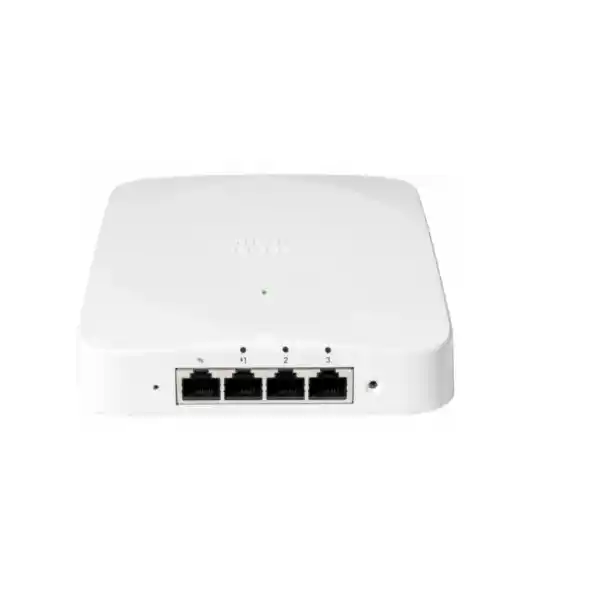
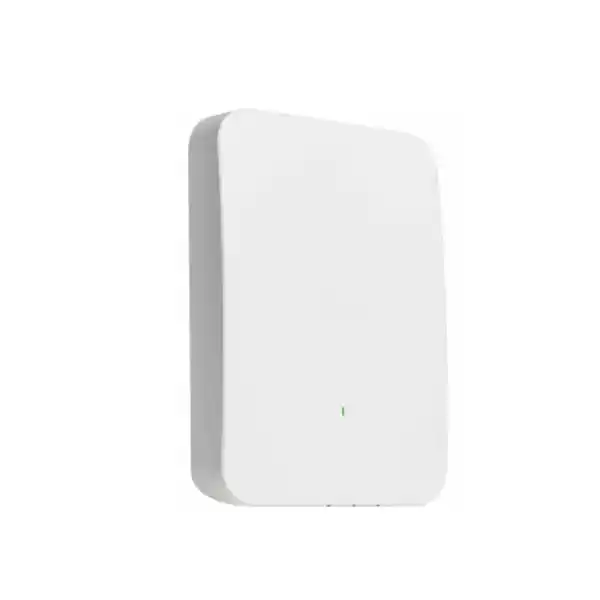
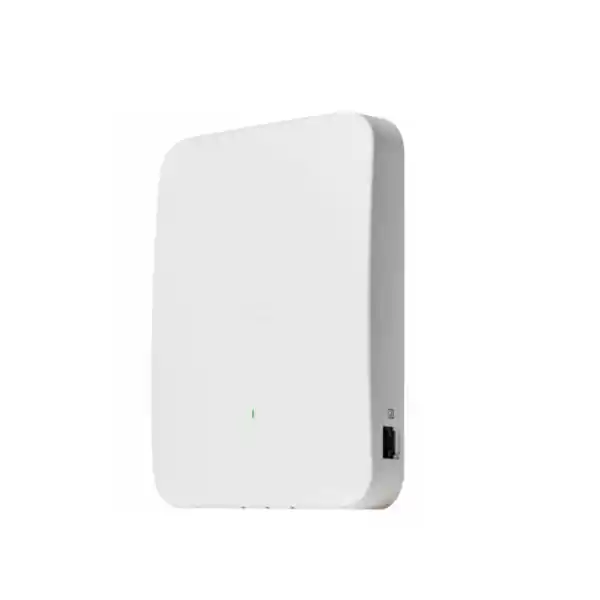
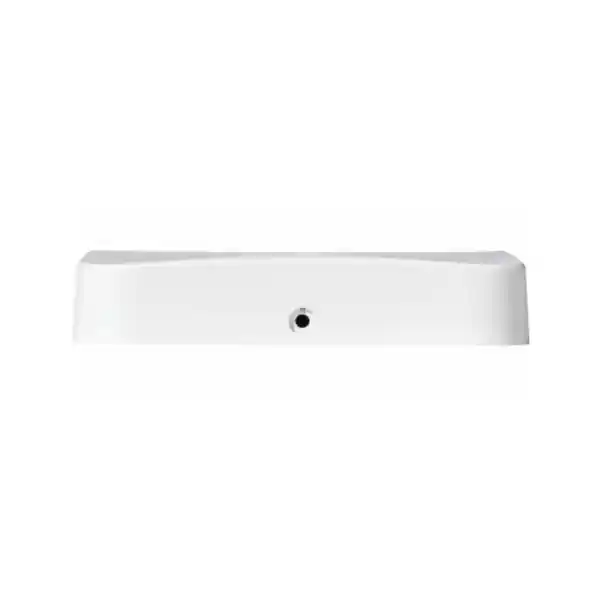
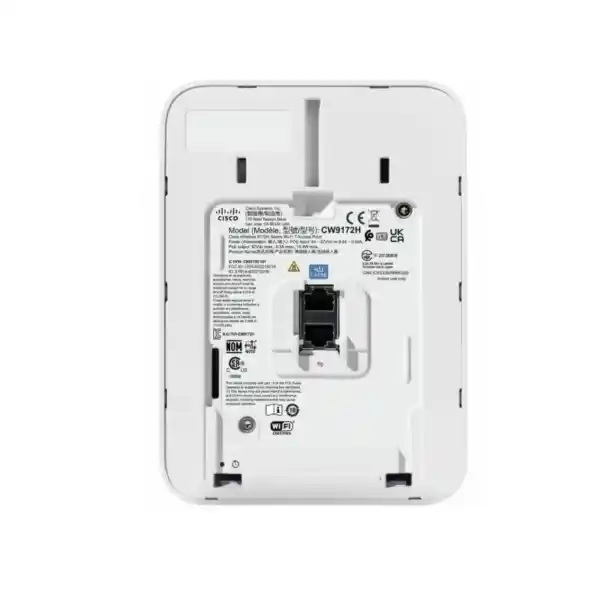
Cisco Meraki CW9172H Wi‑Fi 7 Wall-Plate Access Point Dubai
A room-focused enterprise access point that combines tri-band Wi‑Fi 7 with local wired access, multigigabit uplink connectivity, dedicated RF scanning and flexible cloud or Cisco-managed deployment choices. The CW9172H is especially relevant where each guest room, residence, treatment room, classroom or branch workspace needs dependable wireless coverage plus convenient Ethernet connectivity close to users.
2×2:2 per client band
Up to 9 Gbps aggregate frame rate
2.5 GbE uplink + 3 x 1 GbE LAN
Direct answer: what is the Cisco Meraki CW9172H?
The Cisco Wireless CW9172H is an indoor enterprise Wi‑Fi 7 wall-plate access point built around three simultaneous client-serving radios: 2.4 GHz, 5 GHz and 6 GHz. Each client band uses a 2×2:2 radio design, and Cisco specifies a combined tri-radio aggregate frame rate of up to 9 Gbps. The unit also contains a dedicated scanning radio for RF visibility and wireless security functions, together with a Bluetooth Low Energy radio for supported location and IoT use cases. This makes it different from a basic room AP: it provides both wireless service and useful wired connectivity at the edge of the room.
Main use: the CW9172H is primarily suited to hospitality, multi-dwelling accommodation, clinics, education spaces, retail outlets, remote work hubs and distributed branches where a wall-mounted AP can serve nearby users while also presenting Ethernet ports for televisions, IP phones, point-of-sale equipment, workstations, gateways or other wired devices. It is particularly attractive in projects where replacing an older wall-plate AP is easier than re-cabling for a ceiling AP at every room.
Who should consider it: organizations planning Wi‑Fi 7 refreshes, new hotel or residence deployments, branch standardization, room-by-room wireless upgrades, or installations where wired and wireless access should share one compact edge device. It is not automatically the best choice for every high-density hall, warehouse or large open-plan office; those environments may benefit from other antenna patterns, higher spatial-stream counts or different mounting positions.
Most important factor to confirm: power, management and licensing must be designed together. The AP supports different PoE operating levels, and full feature availability depends on the power delivered by the switch or injector. The management choice also determines the appropriate subscription or Meraki access-point licensing path. In addition, 6 GHz use in the UAE follows the local regulatory domain, so channel availability should be validated in the actual country configuration rather than assumed from a global headline specification.
What FourTeck can determine: the correct AP quantity, room placement, switch-port and PoE requirements, license tier and term, migration compatibility, mounting accessories, wired-port use, cabling readiness and quotation structure for a Dubai or wider UAE deployment.
Why the CW9172H is a distinct Wi‑Fi 7 buying decision
The CW9172H should not be evaluated only as “another Wi‑Fi 7 access point.” Its wall-plate form factor, local LAN ports, PoE output capability and backward-conscious mounting options create a deployment profile that differs materially from ceiling-oriented access points. The value is strongest when the network design benefits from bringing connectivity directly into individual rooms or small zones. In a hotel, for example, one device may provide in-room Wi‑Fi while offering Ethernet for an IPTV endpoint, desk phone or other room technology. In a clinic, it can combine wireless access with a convenient local port for a fixed endpoint. In a branch, it can simplify the edge when only a modest number of local wired devices need connectivity close to the user area.
Room-centric architecture
A wall-plate AP can shorten the RF path between the access point and users inside a room. That can be preferable to forcing coverage through several walls from a corridor AP. The design decision should still be validated with floor plans and a survey because building materials, room size, furniture, doors and neighboring AP placement affect real RF behavior.
Wireless plus wired edge
Three 1 GbE LAN access ports mean the unit can support nearby wired endpoints without requiring a separate room switch for every small zone. One LAN port can provide 802.3af PoE output when the overall power design supports it. That is useful, but it makes PoE budgeting more important because the upstream switch must supply enough power for the AP and any downstream powered device.
Modern multiband radio design
The three client radios cover 2.4, 5 and 6 GHz, giving designers a path to support legacy and current endpoints while introducing Wi‑Fi 7 capabilities for compatible clients. The 6 GHz band can provide cleaner spectrum and wider channel options, but the exact usable spectrum, permitted power and channel widths are determined by local regulations and the configured regulatory domain.
Operational visibility
A separate scanning radio allows RF analysis and wireless security monitoring without requiring the client-serving radios to give up their primary role. In Meraki-managed deployments, features such as dashboard monitoring, RF optimization, Air Marshal capabilities, client analytics and remote troubleshooting can improve day-to-day operations across distributed sites.
Flexible migration path
The CW9172H supports the supplied wall mounting approach and is also documented as compatible with certain existing Cisco Catalyst and Meraki wall-mount brackets. That can reduce physical rework in refresh projects, but a migration plan still needs to verify bracket model, cable exit, switch capability, firmware, licensing and the operational management mode selected for the new AP.
Cisco Meraki CW9172H specifications that matter to buyers
Specifications are useful only when they are connected to deployment decisions. The table below highlights the practical facts that normally influence an enterprise quotation, switch design, room plan or license conversation.
| Category | CW9172H detail and buyer relevance |
|---|---|
| Wireless generation | 802.11be / Wi‑Fi 7 compatible platform with support for earlier Wi‑Fi generations. Wi‑Fi 7 benefits depend on compatible clients, enabled features, firmware and permitted local spectrum. |
| Client radios | 2.4 GHz 2×2:2, 5 GHz 2×2:2 and 6 GHz 2×2:2 client-serving radios operating concurrently. |
| Aggregate frame rate | Cisco states up to 9 Gbps across the three client radios. This is a radio capability figure, not a guarantee of application throughput for one client or one wired uplink. |
| Wi‑Fi 7 channel options | 20 MHz on 2.4 GHz; up to 160 MHz on 5 GHz; up to 320 MHz on 6 GHz where the regulatory domain and network design permit. |
| Wi‑Fi 7 functions | MLO, 4096-QAM and multiple resource unit allocation are among the documented 802.11be capabilities. Client support and software configuration remain relevant. |
| Uplink | 1 x 100/1000/2.5GBASE-T RJ45. A 2.5 GbE-capable access switch is appropriate when the design intends to remove a 1 GbE uplink bottleneck. |
| Local LAN ports | 3 x 10/100/1000BASE-T LAN ports, with one LAN port capable of 802.3af PoE output when sufficient upstream power is available. |
| Additional wired connection | 1 x pass-through RJ45 connection plus an RJ45 console port. Pass-through use should be planned with the room cabling topology. |
| Power | PoE input supports 802.3af/at/bt ranges. Cisco documentation identifies up to 32 W device requirement for full AP operation in one published installation reference, while broader family guidance distinguishes additional power needs for downstream PoE-out use. The exact switch PoE design should therefore be validated against the intended feature set and current Cisco power table. |
| Dedicated scanning radio | Tri-band scanning for RF analytics, location-related functions and wireless intrusion detection/prevention workflows in supported management mode. |
| BLE | Integrated Bluetooth Low Energy radio for supported beaconing, scanning and IoT/location integrations. |
| Dimensions | Approximately 13 x 18 x 2.6 cm. Compact wall-plate geometry is central to its room-based deployment role. |
| Warranty | Cisco documents a lifetime hardware warranty with advanced replacement for the indoor access point, subject to the applicable Cisco terms and entitlement conditions. |
| License requirement | A Cisco subscription or Meraki access-point license is required. The correct entitlement depends on the chosen management and licensing model. |
Understanding the Wi‑Fi 7 radio capability without overestimating real throughput
The CW9172H carries a headline aggregate frame rate of up to 9 Gbps, built from the theoretical radio capabilities of the 2.4, 5 and 6 GHz client radios. Cisco documents up to 344 Mbps on 2.4 GHz, 2882 Mbps on 5 GHz and 5764 Mbps on 6 GHz. Those numbers are useful for understanding the chipset’s maximum over-the-air capability, but they should not be read as a promise that one laptop will move 9 Gbps of application data through the AP. Real throughput is lower because Wi‑Fi is a shared medium and because protocol overhead, client radio design, signal conditions, channel width, interference, uplink capacity, application behavior and network policy all influence results.
The 2×2:2 design is an important sizing point. Many business laptops and mobile devices are themselves 2×2 clients, so a 2×2 access point can be well matched to room-level deployments. At the same time, a large lecture hall, conference venue or dense open floor with many simultaneous high-throughput users may justify comparison with higher-capacity models, different antenna systems or a denser AP layout. The correct design is not determined by the Wi‑Fi generation alone; concurrency, airtime demand, client capability and RF reuse matter more than a simple maximum-speed label.
Wi‑Fi 7 introduces features such as Multi-Link Operation, which can allow capable devices to use links across more than one band as part of the same logical connection. It also introduces higher-order modulation such as 4096-QAM and supports wider channels in 6 GHz. These features can improve throughput, latency behavior or link resilience under suitable conditions, but they require support on both the infrastructure and client side. A Wi‑Fi 6 or Wi‑Fi 6E device can still connect according to its own supported standard, but it will not suddenly gain Wi‑Fi 7-only behavior because the AP is newer.
For procurement, the practical question is therefore not “does it support Wi‑Fi 7?” but “does the room, client population and wired network allow us to benefit from the Wi‑Fi 7 capability?” FourTeck can review client types, expected user concurrency, switch uplink speed, cabling category, application demand and room geometry before deciding whether the CW9172H is appropriately sized or whether another Cisco access point should be considered.
6 GHz and 320 MHz in the UAE
The 6 GHz radio is one of the most important reasons to evaluate the CW9172H, because 6 GHz can provide additional clean spectrum for modern clients. In the UAE, current TDRA short-range-device rules identify indoor wireless access operation in a defined portion of the 6 GHz range. That local allocation is narrower than the full 1200 MHz 6 GHz allocation available in some other markets, so network planners should not copy a channel plan from another country.
Cisco documents support for 20, 40, 80, 160 and 320 MHz channels on the CW9172H 6 GHz radio. However, channel width is only one part of performance planning. Very wide channels consume more spectrum and can reduce the number of non-overlapping channels available for neighboring APs. In a room-dense hotel or residence, narrower channels can sometimes produce better total-system capacity because more APs can reuse spectrum without co-channel contention.
The correct regulatory country code, firmware and RF profile should be applied before enabling wide-channel Wi‑Fi 7 features. For UAE deployments, the safe purchasing approach is to treat 320 MHz as a supported radio capability whose practical availability and desirability must be checked against the local regulatory domain and the actual RF design.
When wider is not automatically better
- A single very wide 6 GHz channel can deliver high peak rates to compatible clients, but it consumes a larger share of the available spectrum.
- Dense room layouts often need careful channel reuse across many neighboring access points.
- Client support for 6 GHz, 320 MHz channels and Wi‑Fi 7 features varies by device generation, operating system, regulatory setting and driver.
- A 2.5 GbE uplink helps prevent an unnecessary 1 GbE wired bottleneck, but it does not turn an RF headline rate into guaranteed application throughput.
- RF design should prioritize user experience, airtime efficiency and predictable roaming rather than the largest channel width available in a menu.
Wired ports, multigigabit uplink and PoE-out: the features that change the room design
The CW9172H has one 2.5 GbE-capable uplink and three local 1 GbE LAN ports. That combination is a strong fit for rooms where the AP is also the connectivity point for fixed devices. The 2.5 GbE uplink is particularly valuable in a Wi‑Fi 7 design because a 1 GbE uplink can become a practical ceiling when multiple wireless clients and local LAN devices are active. Whether a 2.5 GbE switch port is necessary on every AP should still be decided from traffic demand and project budget, but installing the access layer with multigigabit capability protects the design from an avoidable bottleneck.
The three 1 GbE LAN ports can connect nearby equipment, reducing the need for a separate miniature switch in each room. This is useful for hospitality IPTV endpoints, smart-room controllers, desk phones, workstations, payment terminals, nurse-station devices or other fixed systems. Those uses must still be mapped into the VLAN and policy design. A wired device attached to the AP is not automatically trusted simply because it is physically inside a room. Segmentation, port profiles, authentication requirements and guest-versus-corporate policy should be defined according to the organization’s security architecture.
One LAN port can provide 802.3af PoE output. This can simplify deployment of a compatible low-power downstream device, but it also changes the upstream power calculation. The AP itself draws power from PoE, and the upstream switch or injector must negotiate and deliver enough capacity for the intended operating mode. Cisco documentation for the CW9172H shows PoE support across 802.3af, 802.3at and 802.3bt ranges and identifies higher power for full-feature operation. Separate Cisco family documentation also distinguishes the power needed when enabling PoE output. Because power tables and feature behavior can evolve with software and product documentation, a production bill of materials should use the current Cisco power requirement for the exact operating mode rather than assuming that any PoE switch port is sufficient.
CDP or LLDP should be available where required for correct power negotiation. The switch design should also consider total chassis PoE budget, not only per-port rating. A switch with forty-eight nominally capable ports can still run out of aggregate power if every room AP and downstream powered device draws near its maximum. This becomes a real issue in hotels and residences, where hundreds of wall-plate APs may be powered from multiple access switches. Accurate quotations therefore need the number of APs per switch, intended PoE-out use, switch model, available PSU configuration and redundancy expectations.
Cabling matters as well. The uplink supports up to 2.5 GbE over copper, but the installed cabling, patch panels, terminations and cable length must be suitable. Existing Cat 5e may support 2.5GBASE-T in many standard deployments, yet older or poorly terminated cabling can create negotiation or error problems. A large refresh should include cable qualification where the existing structured cabling history is uncertain.
Licensing and management must be selected before the purchase order
Cisco documents the CW9172H as supporting flexible management options, including Meraki cloud management and Cisco enterprise wireless management paths. For a buyer, this choice is not a cosmetic preference because it affects operational workflows, licensing, monitoring, software lifecycle and how the AP is integrated into an existing estate. A company already standardized on the Meraki Dashboard may value a cloud-managed deployment with centralized monitoring, zero-touch provisioning, remote diagnostics and Meraki wireless features. An organization centered on Catalyst controllers and Cisco enterprise management may have different reasons to align the AP with that architecture.
For Meraki-managed operation, valid licensing is essential. Current Cisco Meraki documentation lists CW9172H within the Wi‑Fi 7 licensing family and describes subscription tiers such as Essential and Advantage for supported deployments. Meraki’s established co-termination licensing model also includes MR Enterprise and MR Advanced product editions, with different feature sets and organizational rules. The exact commercial path depends on whether the customer is purchasing into a subscription organization, renewing an existing co-term organization or following another supported entitlement model. A quote should therefore identify the customer’s current Meraki organization and licensing model before selecting a license SKU.
Feature tiers can matter. Core capabilities such as centralized management, firmware updates, APIs and enterprise support are covered in standard subscription structures, while advanced functions such as AI-RRM, Adaptive Policy or enhanced capture workflows may sit in higher tiers or carry firmware requirements. A customer should not pay for an advanced tier merely because it sounds more capable; the tier should be tied to specific operational requirements. Conversely, a project that explicitly depends on advanced policy or assurance features should not be quoted with an entitlement that omits them.
License term is another procurement variable. A one-year term may reduce initial commitment but creates more frequent renewal events. Multi-year terms can align with building leases, managed-service contracts, hotel refurbishment cycles or corporate refresh plans. For large multi-site rollouts, a consistent renewal strategy often reduces administrative risk. The correct term should also consider the customer’s existing co-termination date if applicable, because adding licenses can affect organizational entitlement calculations.
A Cisco subscription or Meraki access-point license should therefore appear as an explicit line in the bill of materials rather than being treated as an afterthought. Buyers should also clarify who will own the dashboard organization, who has administrative access, whether the network already exists, whether licenses will be claimed by the customer or service provider, and whether the project requires migration from an older Meraki organization or a different wireless platform.
If the management mode has not yet been chosen, FourTeck can compare the operational implications before the hardware order is finalized. That avoids a common procurement mistake: buying the right radio hardware with the wrong licensing or management assumptions.
Security, RF monitoring and guest access considerations
The CW9172H includes a dedicated scanning radio that can support continuous RF visibility and wireless security functions without consuming the client-serving radio role. In Meraki-managed deployments, Air Marshal capabilities can identify rogue or potentially unsafe wireless activity, while RF analytics help administrators understand interference and channel conditions. This dedicated scanning architecture is particularly useful in distributed environments because the same infrastructure can provide service and telemetry across many rooms or branches.
Cisco lists support for enterprise authentication, WPA2 and WPA3 options, 802.1X methods, guest isolation, VLAN tagging and other policy controls. The presence of these capabilities does not by itself define a secure design. The organization still needs an authentication model, certificate strategy where applicable, RADIUS or identity integration, guest policy, VLAN architecture, firewall policy and device onboarding process. For hotels or residences, guest traffic usually requires strong isolation from management systems and back-office devices. For clinics, user and device segmentation may need to separate staff, medical systems, visitors and building technology. Retail deployments may add payment-system segmentation and compliance requirements.
The local LAN ports deserve the same security attention as the wireless SSIDs. If a wall-plate AP is installed in a guest room or publicly accessible area, a user may be physically close to its Ethernet ports. Port profiles, VLAN assignment and authentication should therefore be designed so that connecting a cable does not provide unintended access. Cisco offers a port-lock accessory for CW9172H deployments where physical cable security is important, which can be useful in hospitality or other semi-public spaces.
Run Dark mode can disable visible LED illumination for environments where light from the AP is undesirable or where the organization wants a less conspicuous installation. Physical security still depends on mounting and access control. The supplied and optional mounting approaches include security screws, and certain accessories can improve resistance to casual tampering. These measures are practical complements to network security rather than substitutes for it.
A well-designed deployment connects wireless security, switch policy and firewall policy. The AP can identify and enforce many edge conditions, but upstream security architecture still controls broader network access. Customers planning a wider segmentation or firewall refresh can also review Firewall Dubai by FourTeck as a related UAE network-security resource.
Installation and mounting: where the wall-plate form factor earns its value
The standard CW9172H package includes the cloud-managed access point, a wall-plate mounting bracket, a pass-through cable jumper, a security release tool and security hardware. The device is designed to mount directly to suitable wall infrastructure, including common junction-box arrangements described by Cisco. This is valuable in hotel and residence projects because the AP can often be placed where a room already has structured cabling, reducing the need for ceiling work inside every unit.
The mounting location still affects RF performance. A wall-plate AP installed behind a large television, inside furniture, close to metal structures or near sources of interference may not perform like the same AP mounted in a clearer position. Designers should consider the dominant client locations, wall construction, room depth and corridor leakage. The goal is usually to keep useful RF energy inside the intended room while still supporting roaming between adjacent areas. That balance is different from a ceiling AP strategy, where an access point may intentionally cover a larger shared area.
Cisco documents compatibility with the Cisco Catalyst AIR-AP-BRACKET-W4 and the Meraki MA-MNT-MR-H1A mounting approach in relevant migration scenarios. This can materially reduce labor when upgrading older wall-plate estates, because an existing bracket may be reusable. Nevertheless, a site audit should confirm the installed bracket part number rather than assuming all previous wall APs use the same hardware. Cable position, wall condition, junction-box geometry and security requirements should also be checked.
Optional accessories expand the installation choices. A wall spacer can provide additional cable-routing flexibility where the existing wall outlet or cable path does not align neatly with the AP. A port-lock accessory can protect wired connections from tampering. A desktop accessory allows the CW9172H to be used on a desk rather than mounted on the wall and includes physical security provisions for appropriate deployments. These accessories should be quoted only where the installation actually needs them; including every accessory by default increases cost without buyer value.
Pre-staging is strongly recommended for large projects. The AP should be claimed into the correct organization or controller workflow, connected to the intended management platform, updated to the required firmware and tested before mass installation. For Meraki cloud management, upstream firewall rules must allow the required outbound connectivity. The IP addressing method should also be decided in advance, whether the AP receives DHCP addressing, DHCP reservations or another supported configuration.
After installation, validation should go beyond seeing a green or blue LED. A commissioning process should verify uplink negotiation, PoE level, SSID availability, 6 GHz behavior where intended, VLAN mapping, local LAN port profiles, downstream PoE-out operation if used, roaming, coverage and application performance. In hospitality, it is useful to test representative guest devices in several room types because corner rooms, suites and rooms behind service shafts can behave differently.
Where a customer needs cabling validation, switch configuration, rack work or structured rollout assistance, FourTeck IT Services UAE is a relevant companion resource for implementation planning.
Best-fit use cases for the CW9172H
Hotels and serviced apartments
Room-by-room placement can provide strong local coverage while wired LAN ports support IPTV, room controllers, desk phones or other fixed services. The design should account for room construction, guest isolation, AP visibility, port security, PoE availability and the number of APs per floor switch.
Student housing and residences
Individual-room or small-zone coverage can reduce the need to push high data rates through multiple walls. Wired ports are useful for gaming consoles, desktops or smart devices, but policy must prevent one resident from gaining visibility into another resident’s network segment.
Clinics and healthcare spaces
Treatment rooms, consultation rooms and administrative areas can benefit from localized coverage plus Ethernet for fixed equipment. Healthcare buyers should map wireless and wired segmentation to clinical, staff, guest and building-system policies rather than treating all room devices as one network.
Retail and compact branches
A small branch may use the AP for staff wireless, guest access and a few wired endpoints without adding another room switch. The exact fit depends on local user count, payment-system architecture, voice requirements, switch uplink capacity and required redundancy.
Remote work hubs and meeting suites
The combination of Wi‑Fi 7 and local wired ports can suit executive offices, training rooms, collaboration rooms or managed workspaces where a few fixed endpoints sit beside mobile users. Voice and video performance still depends on WAN quality, QoS and client behavior beyond the AP itself.
Wall-plate refresh projects
The CW9172H can be particularly compelling when an existing Cisco or Meraki wall-plate estate needs a Wi‑Fi 7 refresh and some mounting infrastructure may be reusable. A survey should compare old and new coverage, bracket compatibility, cabling, switch PoE, license model and downtime plan.
When the CW9172H may not be the right access point
A balanced wireless design should include reasons not to choose a product. The CW9172H is optimized around a compact wall-plate architecture and 2×2:2 client radios. If a project involves a very large open space, a high-density auditorium, an industrial environment, outdoor coverage, directional coverage or a requirement for a different antenna pattern, another model may be more appropriate. The correct alternative could be a ceiling-mounted indoor AP, an external-antenna model, an outdoor unit or a higher-capacity radio platform depending on the requirement.
The local wired ports are valuable only when they solve a real problem. If a branch already has abundant switch ports close to users and a ceiling AP can serve the space more efficiently, a wall-plate unit may add complexity without benefit. Conversely, if a room requires more wired ports, higher downstream PoE capacity or a dedicated local switch with advanced access features, the AP’s three LAN ports may not replace that switch.
The 2.5 GbE uplink can support the aggregate demand of the AP better than a 1 GbE uplink, but a design that expects sustained multi-gigabit wired throughput from many attached devices may need a different edge architecture. Likewise, organizations with a strict requirement for a specific controller version, analytics function or policy feature should confirm software support rather than assuming that all Wi‑Fi 7 hardware exposes identical functions in every management mode.
A good shortlist compares the CW9172H against at least one nearby Cisco model selected for the actual environment. In room-centric hospitality or residential deployments, the comparison should focus on wall-plate versus ceiling architecture. In branches, it may focus on local LAN-port value versus simpler ceiling APs. In high-density spaces, the comparison should emphasize spatial streams, antenna design, expected client count and RF reuse rather than only price.
Migration planning from older Cisco or Meraki wall access points
A Wi‑Fi 7 refresh is an opportunity to improve more than the radio. Older room deployments may have 1 GbE access switches, lower PoE budgets, aging cabling, outdated VLAN structures or licensing that was designed around a different operational model. Replacing only the AP can leave these constraints untouched. Before ordering CW9172H units at scale, the existing environment should be inventoried from the wall plate back to the core network.
The first migration check is physical compatibility. Identify the current AP model, bracket, wall box, cable entrance and security method. Where the documented Catalyst or Meraki bracket compatibility applies, labor can be reduced, but the existing hardware should be confirmed by part number. The second check is cabling. Determine whether each room has one uplink cable, whether pass-through wiring is used, whether additional room devices are cabled through the AP location, and whether the existing copper can reliably negotiate 2.5 GbE.
The third check is power. An older access point may have operated comfortably from 802.3af or a modest PoE budget. A Wi‑Fi 7 AP with full radio operation and downstream PoE-out use can place a greater demand on the access switch. Review per-port capability, total switch power budget, redundant power supplies and thermal headroom. If hundreds of APs are involved, even a small change in average per-port consumption can affect how many switches or power supplies are required.
The fourth check is management. If the existing network is Meraki-managed, confirm organization licensing, firmware strategy, SSIDs, RF profiles, group policies, port profiles and template usage. If the project moves from a Catalyst controller architecture or another vendor, define the operational cutover, authentication integration and monitoring ownership. A staged pilot with representative room types is preferable to a full-building cutover based only on laboratory testing.
The fifth check is client readiness. Wi‑Fi 7 APs provide backward compatibility, so older clients do not have to be replaced immediately, but the project’s business case should identify how many clients can actually use 6 GHz or Wi‑Fi 7 features. If almost every endpoint is still limited to 2.4 and 5 GHz, the upgrade may still make sense for lifecycle, manageability and future readiness, but projected performance improvements should be realistic.
Finally, define rollback. In a hotel or residence, room downtime has an operational cost. A migration plan should specify how an AP is replaced, how quickly the old service can be restored if cabling or power fails, and how commissioning data is recorded. This turns a hardware refresh into a controlled infrastructure program rather than a room-by-room troubleshooting exercise.
Sizing the number of CW9172H access points
There is no reliable universal formula such as “one CW9172H covers a fixed number of square metres.” Coverage depends on transmit power, client power, wall material, furniture, door construction, interference, channel plan, AP placement, regulatory limits and performance target. A room AP that provides excellent service in a lightweight partitioned residence may perform differently in a hotel with reinforced concrete walls or metalized glass.
For hospitality and residential projects, AP count is often driven by room geometry rather than by open-area square footage. One AP per room can provide strong local coverage and dedicated wired ports, but adjacent-room RF overlap must be managed. In some buildings, one AP may cover more than one small room, while in others thick walls make that approach unreliable. The best design balances coverage, capacity, roaming and channel reuse rather than minimizing the number of access points at any cost.
Capacity sizing starts with people and devices. Estimate occupied rooms, average devices per guest or resident, staff devices, fixed Wi‑Fi equipment and peak concurrency. Then classify traffic: web and messaging consume relatively modest airtime, while cloud backup, 4K streaming, video conferencing and large file transfers are more demanding. Voice and real-time applications may not use the most bandwidth, but they are sensitive to latency, roaming and packet loss.
The wired side must be sized at the same time. If every AP uses a 2.5 GbE uplink, the access switch needs sufficient multigigabit ports. If only some high-demand locations need 2.5 GbE and others are expected to remain below 1 GbE, a mixed switch design may be possible. The distribution and core network must also absorb the aggregate traffic from many room APs. A building with hundreds of access points can create significant upstream demand even though each individual room is lightly loaded most of the time.
RF design for 6 GHz deserves special attention. The shorter wavelength and higher attenuation through some materials mean 6 GHz coverage may not extend as far as 2.4 or 5 GHz. That is often an advantage in room-based designs because it can improve spatial reuse, but it means the AP should be close to the users who need 6 GHz performance. A corridor AP strategy designed around 2.4 GHz coverage can leave 6 GHz clients with very different results.
A predictive design is a useful starting point when accurate floor plans and material assumptions are available. For high-value or difficult sites, an on-site survey and pilot provide stronger evidence. After installation, validation should compare measured RSSI, SNR, channel utilization, roaming behavior and application experience against the design target. The process should not stop at “devices can connect.”
For quotation purposes, FourTeck normally needs floor plans, number and type of rooms, expected users and devices, existing switch models, PoE requirements, current AP platform, cabling information, desired management mode and any special wired devices attached at the room edge. Those inputs produce a more defensible AP and switch quantity than a simple square-metre estimate.
Accessories and dependencies to include in a complete bill of materials
An accurate CW9172H quotation is more than the AP hardware line. Depending on the site, the bill of materials may need a Cisco or Meraki license or subscription, PoE-capable access switching, injectors for exceptional locations, power cords for injectors, patch leads, mounting accessories, port-lock accessories, wall spacers, desktop mounts, cable remediation and professional installation services.
Cisco documents several injector options, including multigigabit 802.3bt-capable injectors. Injectors are useful when an existing switch cannot provide suitable PoE, but they add power supplies and cabling at the installation location. In a large hotel or residence, upgrading the access switch is often operationally cleaner than deploying an injector in every room. Injectors make more sense for isolated APs, pilots, temporary installations or sites where replacing the switch is not practical.
Mounting accessories should be selected from the physical survey. The standard wall plate may be sufficient for many installations. The wall spacer is useful where cable routing needs additional clearance. The port-lock accessory is valuable where exposed Ethernet ports need physical protection. The desktop mount is relevant when wall installation is unsuitable. Reusing existing compatible brackets can reduce labor in migration projects, but only after confirming the exact installed bracket.
Switching is often the largest hidden dependency. To take advantage of the 2.5 GbE uplink, choose access switches with sufficient mGig ports. Verify per-port PoE class, total PoE budget, stacking or uplink architecture, switch licensing and redundancy. If the downstream PoE-out port will power a phone, camera or other endpoint, document that endpoint’s power class as part of the switch calculation.
Operational dependencies belong in the bill of materials too. A Meraki-managed AP needs the correct license and dashboard ownership. A controller-managed deployment needs compatible software, controller capacity and the appropriate Cisco entitlement path. Authentication may require RADIUS or Cisco ISE integration. Guest networks may rely on firewall, DNS, DHCP and Internet capacity outside the AP. The strongest quotation makes these dependencies visible so the buyer can distinguish hardware cost from the complete deployed solution.
Dubai and UAE procurement guidance
For UAE buyers, procurement should confirm the exact regulatory and commercial configuration rather than ordering a generic global part from an unknown channel. Wireless products operate under country-specific radio rules, and the configured regulatory domain affects 6 GHz availability, transmit power and channel selection. The UAE’s current 6 GHz indoor wireless allocation should be reflected in the deployed country code and firmware behavior. This is one reason to source enterprise wireless equipment through a channel that can support local configuration and lifecycle questions.
The quotation should identify whether the buyer needs hardware only, hardware plus licensing, or a complete deployed solution. A complete project may include switches, optics for uplinks, patching, rack work, wireless design, configuration, installation, testing, documentation and support. Separating these line items makes the purchase easier to evaluate and helps prevent assumptions about what is included.
Stock status and lead times change, especially for larger quantities. For projects involving dozens or hundreds of APs, provide the required quantity, target delivery date and whether partial delivery is acceptable. Large hospitality or residential projects may also benefit from phased delivery aligned with floor handover. If licenses are required at the same time as hardware, their start date should be coordinated with staging and go-live so the customer does not lose usable subscription term during a long construction phase.
Support expectations should be stated before purchase. Some customers want vendor support entitlement only; others need a local partner for configuration, incident handling and onsite assistance. The CW9172H’s remote-manageability can reduce site visits, but cabling faults, switch failures, physical damage and room access still require local operational processes. A support plan should define who owns first-line troubleshooting, dashboard access and escalation.
For general UAE technology sourcing and infrastructure discussions, buyers can use FourTeck as a wider company resource. For local procurement and project coordination, the UAE site linked in the hero provides a regional entry point. These references are complementary to the product consultation rather than substitutes for a model-specific bill of materials.
When requesting a CW9172H quote, include the current network platform, quantity, deployment type, floor plans if available, required license term, switch model, PoE-out requirement, any existing wall-plate AP model and whether installation is required. That information allows the quote to address the full project instead of returning only a hardware unit price.
Practical buyer questions and detailed answers
Is the CW9172H a true Wi‑Fi 7 access point?
Yes. Cisco identifies the CW9172H as an 802.11be / Wi‑Fi 7 compatible tri-band access point. It supports 802.11be capabilities across its client radios, including MLO and up to 4096-QAM, with channel-width support extending to 320 MHz on 6 GHz where permitted. The meaningful caveat is that Wi‑Fi 7 performance requires compatible clients and appropriate firmware, configuration and regulatory conditions. Older Wi‑Fi clients can still connect according to the standards they support, but they do not gain Wi‑Fi 7-only capabilities.
Can the CW9172H use 2.4, 5 and 6 GHz at the same time?
Yes. Its design includes concurrent client-serving radios in all three bands. The 2.4 GHz radio helps support broad compatibility and some IoT or legacy clients, 5 GHz remains an important mainstream enterprise band, and 6 GHz provides additional spectrum for compatible modern devices. The network should not treat all three bands identically. Channel width, transmit power, client steering and SSID strategy should reflect the physical environment and device population.
Does every client get 9 Gbps?
No. The 9 Gbps figure is the documented maximum aggregate radio frame-rate capability across the client radios, not a guaranteed per-client application speed. A single client is limited by its own radio streams, supported channel width, modulation, signal quality and band. The AP’s 2.5 GbE uplink and network path also affect end-to-end performance. For buyer planning, the figure is useful as a platform capability indicator, while realistic throughput should be validated against client type and environment.
Why does a wall-plate AP have three LAN ports?
The local LAN ports let the CW9172H act as a small connectivity hub within the room. Typical uses include IPTV endpoints, desk phones, workstations, payment systems, room controllers or other fixed devices. This reduces the need for an extra access switch in many rooms. The ports still require proper VLAN and security policy, and their aggregate traffic shares the AP’s uplink path. One port can also provide PoE output when the upstream power design supports it.
What PoE switch is required?
The answer depends on the intended feature set. Cisco documentation shows support for 802.3af, 802.3at and 802.3bt input levels, with higher power associated with fuller operation and downstream PoE-out scenarios. For a production design, select a switch that supports the required per-port PoE level and has enough total chassis budget for all connected APs. Multigigabit switch ports are recommended where the 2.5 GbE uplink is expected to operate at full link capability.
Can I connect a PoE phone or other device to the AP?
One CW9172H LAN port is documented as capable of 802.3af PoE output. That can be useful for a compatible low-power endpoint. The design must verify the downstream device’s power demand and the AP’s upstream PoE input because the access switch has to power both the AP and the forwarded PoE load. This should be calculated per port and across the full switch to avoid an installation that works during testing but exceeds the chassis budget at scale.
Does the CW9172H require a Meraki license?
A valid Cisco subscription or Meraki access-point license is required according to the selected management model. For Meraki cloud management, current licensing paths include subscription tiers and established Meraki licensing models. The exact SKU should be chosen only after confirming the customer organization’s licensing model, desired feature tier and term. Buying hardware first and deciding licensing later can delay deployment or produce an unnecessary entitlement mismatch.
Can the CW9172H be managed only from Meraki Dashboard?
Cisco positions the 9172 family with flexible management options, including Meraki cloud and Cisco enterprise wireless management paths. The exact mode, software release and entitlement path should be chosen to fit the customer’s existing architecture. An organization already standardized on Meraki will usually value Dashboard workflows, while a large Cisco controller estate may have different operational reasons for another supported mode. Management should be decided before ordering because it shapes the license and rollout plan.
Is 320 MHz available in Dubai?
The CW9172H radio supports up to 320 MHz channels in 6 GHz, but a deployment must follow the UAE regulatory domain. Current TDRA rules define the indoor 6 GHz wireless-access allocation used in the country, and that allocation is not identical to every international market. The Dashboard or controller should be configured with the correct country settings, and the RF plan should confirm whether a 320 MHz channel is both permitted and desirable. In dense buildings, smaller channels may produce better aggregate capacity.
Can it replace an older MR36H or Cisco wall AP without new mounting work?
Cisco documents compatibility with specific existing wall-mount brackets, including the MA-MNT-MR-H1A and AIR-AP-BRACKET-W4 in relevant scenarios. That can simplify refreshes, but the installed bracket must be verified. A physical audit should also check cable location, wall box, security hardware and clearance. Even if the bracket is reusable, the switch may need an upgrade for higher PoE requirements or a 2.5 GbE uplink.
Is the CW9172H suitable for a large ballroom or auditorium?
Not automatically. Its wall-plate form factor and 2×2:2 radios are well aligned with room-centric and moderate-density use cases. A ballroom, auditorium or high-density event space often benefits from a purpose-designed high-density RF strategy, different mounting positions, more spatial streams or specialized antenna choices. The product should be shortlisted only after considering audience size, seating layout, application demand, channel reuse, mounting restrictions and the available Cisco alternatives.
What should be tested after installation?
Commissioning should confirm AP reachability, firmware, license status, 2.5 GbE negotiation where expected, PoE level, SSID operation, authentication, VLAN assignment, local LAN ports, downstream PoE-out if used, guest isolation, roaming and representative application performance. RF validation should look at signal quality, noise, channel utilization and neighboring AP behavior. In hotels and residences, testing several room types is important because the most difficult room may not be represented by the first room installed.
What information is needed for an accurate Dubai quotation?
Provide quantity, building type, room or floor count, floor plans where possible, current AP models, existing switch models, available PoE budget, uplink-speed target, intended use of the LAN ports, whether PoE-out is required, preferred management mode, current Meraki licensing model if applicable, license term, delivery target, installation scope and support requirement. For refresh projects, include photos or part numbers of existing wall brackets and information about structured cabling.
Decision recap before you approve a CW9172H purchase
Model fit
Choose CW9172H when a wall-plate Wi‑Fi 7 design with local Ethernet ports solves a real room or branch requirement. Compare another model for high-density open areas, outdoor sites or specialized antenna needs.
Power
Validate the switch’s per-port PoE capability and total budget, especially if the AP’s PoE-out port will power another endpoint.
Uplink
Confirm 2.5 GbE switch-port availability and cabling quality if the design expects multigigabit uplink operation.
License and management
Select the management mode, feature tier, licensing model and term before the purchase order so the entitlement matches the operational design.
RF and UAE regulation
Use the correct UAE regulatory profile. Treat 6 GHz and 320 MHz as design variables, not assumptions copied from another country.
Installation
Confirm bracket compatibility, wall condition, cable routing, optional port security, commissioning method and the room types included in pilot testing.
What FourTeck needs from the buyer for a precise quotation
The fastest route to an accurate CW9172H quotation is to provide the project information that affects hardware, licensing, power and installation. The following inputs prevent unnecessary assumptions and help identify whether the CW9172H is the right model or merely one candidate.
Plan the CW9172H as a complete wireless edge, not a standalone access point
The CW9172H is strongest when the project genuinely benefits from a wall-mounted Wi‑Fi 7 AP with local Ethernet, multigigabit uplink capacity and centralized enterprise management. The final design should connect RF planning, switching, PoE, local port policy, licensing, UAE regulatory settings, mounting and migration into one bill of materials. That is the difference between buying a capable AP and deploying a dependable room network.
For wider regional capability and company information, see the approved FourTeck resources linked throughout this page, including UAE infrastructure services and the global FourTeck site.


Reviews
There are no reviews yet.