
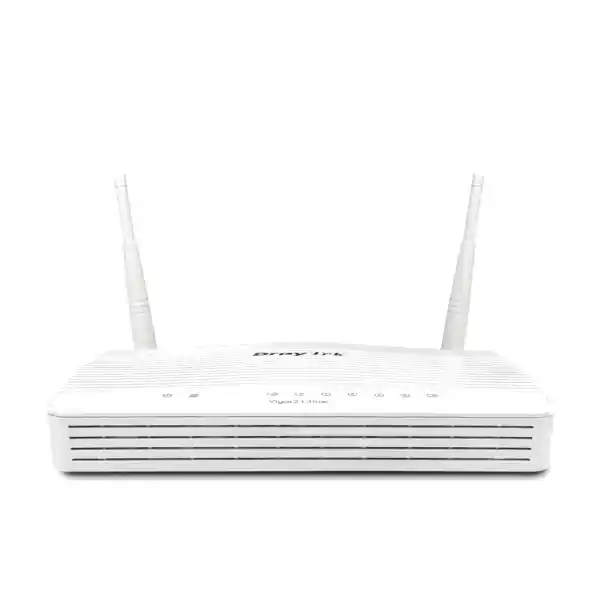
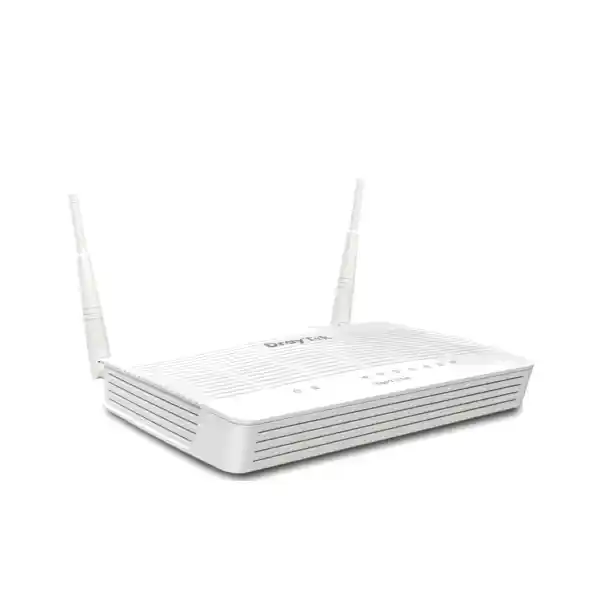
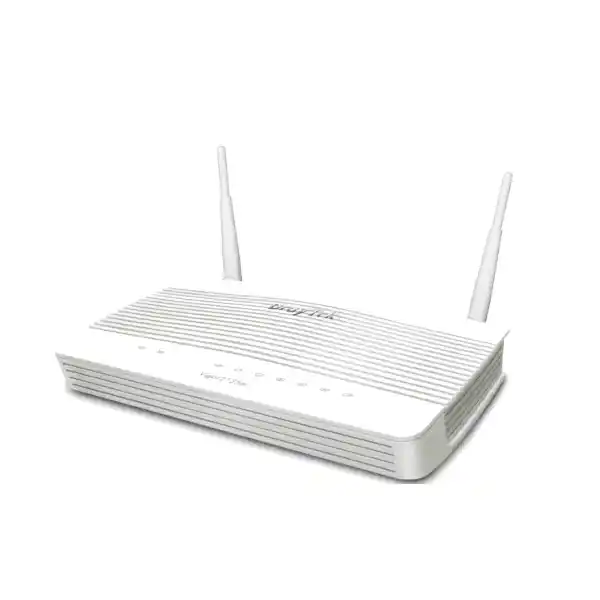
Business Broadband Firewall & VPN Router for the UAE
DrayTek Vigor2135 in Dubai and the UAE
The DrayTek Vigor2135 is a purpose-built Gigabit broadband router for professional users who need more control than a typical ISP gateway can provide. It combines a dedicated Gigabit Ethernet WAN interface, four Gigabit LAN ports, hardware-accelerated routing, enterprise-style firewall controls, VPN connectivity, policy routing, VLAN segmentation, quality-of-service tools and centralized management capabilities in a compact platform suitable for small offices, retail branches, professional home offices, laboratories, clinics, workshops and distributed business sites.
For UAE organizations, the practical value of the Vigor2135 is not simply raw throughput. Its stronger proposition is operational control: administrators can separate users and devices into logical networks, define which applications receive priority, establish secure encrypted tunnels to head office, build content and access policies, use multiple addressing and routing strategies, and monitor the edge router as part of a managed environment. FourTeck can supply, configure and integrate the DrayTek Vigor2135 for Dubai and UAE projects where a compact wired security router is required at the internet edge.
Direct answer: who is it for?
Choose the Vigor2135 when the site needs a wired Gigabit-class internet router with business firewall, VPN, VLAN and traffic-management features but does not require an integrated wireless access point.
It is particularly well matched to networks of roughly thirty active hosts when application mix, VPN load, security policy and session count are consistent with DrayTek’s published sizing guidance.
Dedicated Gigabit RJ-45 WAN interface for Ethernet broadband handoff.
Four fixed Gigabit Ethernet LAN ports for local switching and VLAN-aware network design.
Published maximum NAT performance with hardware acceleration under DrayTek test conditions.
Published IPsec VPN throughput, with support for modern and legacy tunnel options.
Why the DrayTek Vigor2135 fits professional UAE broadband deployments
Many small networks begin with the router supplied by the internet service provider. That arrangement may be sufficient for basic browsing, but it can become restrictive when a business adds IP phones, cloud applications, remote users, surveillance systems, guest devices, point-of-sale terminals, printers, building-control equipment, development systems or multiple internal departments. The Vigor2135 is designed for the point at which the internet edge must become a managed network service rather than an unmanaged utility. It gives the administrator visibility into routing and traffic policy while retaining a compact physical footprint and a straightforward Ethernet WAN architecture.
The base Vigor2135 model is intentionally wired. That can be an advantage in professionally designed networks because routing and wireless coverage can be separated into different layers. The router can sit at the WAN edge, while dedicated access points are positioned according to RF coverage, capacity and roaming requirements. Separating those functions also avoids forcing the internet router to be installed in the middle of an office simply because Wi-Fi coverage is needed there. In a Dubai office, for example, the Vigor2135 can remain in a structured cabling cabinet with the optical network terminal, ISP handoff, UPS and Ethernet switch, while ceiling-mounted access points serve the occupied areas.
DrayTek positions the series as a broadband firewall and VPN router with business-grade features such as web content filtering, route policy and application-based QoS. The hardware accelerator is intended to preserve high forwarding performance while selected bandwidth-management functions are active. DrayTek publishes up to 940 Mbps NAT performance with hardware acceleration and notes that real performance depends on network conditions and enabled applications. This distinction matters during procurement: a quoted laboratory maximum should not be interpreted as a guarantee that every combination of VPN, filtering, logging, QoS and concurrent traffic will run at exactly the same rate.
For organizations comparing a compact security router with a simple unmanaged gateway, the Vigor2135 also provides a broader administrative toolkit. IPv4 and IPv6 connectivity, DHCP services, multiple subnets, 802.1Q VLAN design, policy-based routing, firewall rules, NAT services, content filtering, VPN tunnelling, local authentication options, SNMP, syslog, NetFlow-family export and VigorACS support give network teams tools for building repeatable branch designs. Those capabilities are useful when a company wants one standard edge template that can be reproduced across multiple UAE locations.
FourTeck can integrate the router into a wider infrastructure project rather than treating it as a standalone box. Customers planning switching, Wi-Fi, structured cabling or broader enterprise connectivity can review the wider portfolio at FourTeck UAE. Where the requirement includes implementation, troubleshooting, site migration or ongoing technical assistance, the FourTeck IT Services UAE team can be considered as part of the deployment scope.
Hardware architecture and physical interfaces
Gigabit WAN handoff
The base DrayTek Vigor2135 uses one Gigabit Ethernet RJ-45 WAN port. This makes it suitable for broadband services presented as Ethernet from an ISP modem, media converter, optical network terminal or upstream managed demarcation device. The router supports common internet access methods including PPPoE, DHCP and static addressing, allowing it to fit a wide range of UAE fixed-line broadband designs.
A dedicated WAN port keeps the physical topology easy to understand and document. The uplink from the service provider terminates on WAN, while local networks remain on the four LAN ports. For companies migrating from an ISP router, the critical planning step is to confirm whether the provider uses DHCP, static addressing, PPPoE credentials, VLAN tagging or a bridged handoff before changing the edge device.
Four Gigabit LAN ports
Four fixed Gigabit LAN interfaces provide local Ethernet connectivity. A very small office may connect endpoints directly, but most commercial deployments should treat these ports as edge-facing switch links, management connections or segmented interfaces feeding a managed Ethernet switch. That model leaves room for future growth and enables VLANs to be extended to access switches and wireless access points.
Because the LAN side supports multiple IP subnets and VLAN functions, the four physical connectors should not be viewed merely as four independent user sockets. They are part of a logical segmentation design. A port may carry one access network or, depending on the chosen topology and configuration, participate in a tagged VLAN environment connected to downstream infrastructure.
USB expansion and cellular resilience
The Vigor2135 hardware includes two USB 2.0 interfaces. DrayTek lists support for a cellular WAN through USB, giving administrators an option to build backup connectivity with a compatible USB cellular modem where appropriate. Compatibility, mobile operator settings, firmware support and the exact modem model should always be validated before procurement.
In practical branch design, USB cellular connectivity can provide a useful secondary path for essential applications during a fixed-line outage. It should be sized as a resilience link rather than automatically assumed to match the throughput and latency of the primary Ethernet service. Traffic priorities can be designed so that critical business services continue while nonessential transfers are restricted during failover.
Compact power and environmental profile
For the wired Vigor2135, DrayTek lists a 12 V DC, 1 A power input, maximum power consumption of 11.6 watts and dimensions of approximately 207 x 131 x 42 mm. The published operating temperature range is 0 to 45 degrees Celsius, with non-condensing operating humidity from 10 to 90 percent.
Those figures make cabinet planning straightforward, but UAE installations still require environmental discipline. Networking equipment should be kept in a ventilated, air-conditioned communications location and protected from direct solar heat, dust accumulation and unstable utility power. A suitable UPS and surge-protection strategy can improve service continuity and protect the wider network edge.
Performance: what the published numbers mean in a real network
DrayTek publishes a maximum NAT rate of 600 Mbps without the stated hardware-acceleration figure and up to 940 Mbps with hardware acceleration for the Vigor2135 series. The manufacturer also describes support for around fifty thousand NAT sessions and recommends the platform for networks of about thirty hosts. These values are useful references, but responsible sizing looks beyond a single headline throughput number. Routing performance changes with packet size, connection count, traffic direction, protocol mix, logging, security policies, content inspection, QoS decisions, VPN encryption and firmware behavior.
A branch that mainly runs Microsoft 365, browser-based ERP, cloud accounting, messaging and ordinary web traffic can create a very different load from a design with hundreds of surveillance flows, peer-to-peer transfers, many simultaneous tunnels or a dense guest network. Session count is particularly important because modern web applications may open many short-lived connections per endpoint. Thirty employees can therefore represent many thousands of live sessions depending on applications and background services. Conversely, a site with more than thirty devices may still be light if most endpoints are idle IoT devices. Host count is a sizing indicator, not an absolute engineering boundary.
The up-to-940-Mbps hardware-accelerated NAT figure also needs to be interpreted in relation to service speed. For a 100, 250, 500 or 750 Mbps internet circuit, the router has enough published accelerated forwarding headroom for many conventional small-site workloads. For an ISP service sold as approximately 1 Gbps, line-rate expectations should be discussed carefully because Ethernet overhead, test method, traffic mix and enabled services influence the measured application throughput. When full symmetric Gigabit security processing under heavy policy load is mandatory, a larger platform may be the better engineering choice.
The correct procurement process therefore starts with traffic requirements rather than the model name. Document the WAN service speed, expected number of users, peak concurrent devices, VPN usage, cloud applications, voice requirements, guest access, surveillance traffic, remote backup schedules and business-critical services. Then determine which features must remain active during peak periods. This approach prevents a common mistake: selecting an edge router only by nominal WAN rate and discovering later that the actual workload is dominated by encrypted remote access, high session density or complex policy rules.
FourTeck can review the Vigor2135 as part of a broader firewall and routing requirement. For customers comparing edge-security solutions or planning migration from another router family, additional security product context is available through Firewall Dubai by FourTeck. International organizations standardizing across multiple markets can also reference FourTeck Global for wider technology sourcing context.
Firewall policy, NAT and controlled internet access
A professional edge router must do more than translate private addresses to a public IP. The Vigor2135 provides firewall and NAT functions that allow administrators to define how traffic crosses from trusted LAN networks to the internet and how selected inbound services are exposed when a business application requires them. DrayTek lists NAT mechanisms such as port redirection, open ports, port triggering, DMZ host and UPnP, alongside application-layer gateway assistance for protocols including SIP, RTSP, FTP and H.323. The presence of these functions does not mean they should all be enabled. A secure configuration keeps the inbound surface as small as possible and creates only the translations needed for verified business services.
Firewall policy should be organized around business intent. For example, an employee VLAN may be allowed to reach cloud applications and selected infrastructure services; a guest VLAN may receive internet access but no route to corporate networks; surveillance devices may reach a recorder and approved time or update servers but not user workstations; and management interfaces may be reachable only from an administrative network. This model is more reliable than creating one broad LAN and attempting to solve every risk with endpoint software.
DrayTek also identifies content-control functions covering applications, URLs, keywords, DNS keywords, web features and category-based filtering, with some web category services requiring subscription. Content policy should be applied with a clear operational objective. Blocking known unwanted categories, restricting risky or nonbusiness applications and limiting unmanaged devices can reduce exposure, but filtering is not a substitute for endpoint protection, DNS security, patch management, identity controls and user awareness. In regulated environments, organizations should also ensure that logging and filtering practices align with applicable UAE rules and their own internal privacy and acceptable-use policies.
For inbound publishing, the preferred modern design is often to avoid direct exposure altogether. Remote users can connect by VPN, or a cloud reverse proxy and application security service can terminate public access. If port forwarding is necessary, administrators should map only the required service, restrict source addresses where practical, keep the target server patched, maintain strong authentication and monitor logs. UPnP should be considered carefully in business networks because automatic port opening may conflict with change-control and security policy.
The router also supports anti-spoofing and access-control concepts through mechanisms such as ARP controls, strict ARP behavior, ping handling and management access restrictions. A hardened deployment changes default administrative credentials immediately, uses HTTPS or SSH rather than clear-text management where possible, limits management to trusted networks, backs up the approved configuration and sends logs to a central system. Security is strongest when the edge router forms one part of a layered control architecture rather than being expected to solve every threat by itself.
VPN capabilities for branches, administrators and remote users
VPN support is a central reason to choose a business router over a basic consumer gateway. DrayTek lists support on the Vigor2135 for PPTP, L2TP, IPsec, L2TP over IPsec, SSL VPN, IKEv2, IKEv2-EAP, IPsec XAuth, OpenVPN and WireGuard. Not every protocol should be treated equally. Modern deployments generally prioritize well-supported, strongly encrypted protocols such as IKEv2/IPsec or WireGuard, while older protocols may remain available for compatibility with legacy systems. The precise choice depends on peer compatibility, authentication model, client platform, corporate standards and the security policy of the organization.
DrayTek publishes IPsec throughput up to 150 Mbps for the series. That figure makes the unit relevant to small branch-to-head-office links and remote-access scenarios where the encrypted traffic load is materially below the raw WAN speed. The sizing question is the peak encrypted traffic requirement rather than the number printed on the broadband contract. A 500 Mbps branch circuit may still be adequately served by a 150 Mbps VPN ceiling if only a minority of traffic crosses the tunnel, while a site performing continuous encrypted replication at several hundred megabits per second would require a more powerful VPN platform.
A site-to-site design can create a persistent secure tunnel between a Dubai branch and headquarters, a data center or another office. Routing policy then decides which networks use the encrypted path. This is useful for centralized file services, private applications, voice systems, directory services, monitoring platforms and management traffic. A split-tunnel design can send public cloud traffic directly to the internet while keeping private subnets inside the VPN, reducing load on the central site. A full-tunnel design can send all traffic through the corporate security stack. The right choice depends on risk, bandwidth, application architecture and compliance requirements.
Authentication also deserves attention. DrayTek lists local RADIUS and mobile one-time-password capabilities in the platform specifications, as well as pre-shared-key and X.509 options for relevant VPN modes. A small site may begin with a pre-shared key for a site-to-site tunnel, but larger or higher-security environments often benefit from certificate-based identities and centralized authentication. Credentials should be unique, rotated under change control and stored securely. Remote-access users should use multifactor authentication wherever the selected protocol and organizational architecture permit it.
VPN troubleshooting should be approached methodically. Confirm peer public addresses, NAT conditions, encryption proposals, authentication method, local and remote subnets, route priorities, firewall permissions, DNS behavior and MTU constraints. Logging on both peers normally provides the fastest route to identifying phase negotiation or routing problems. FourTeck can assist with migration from an existing tunnel, branch VPN standardization and deployment validation when the Vigor2135 is introduced into an established corporate network.
VLAN segmentation and multi-subnet network design
The Vigor2135 supports 802.1Q tag-based VLANs, port-based VLAN concepts and multiple LAN subnets, with DrayTek listing support for up to eight VLANs on the wired base model. VLAN capability is one of the most important features in a modern small-business router because it allows security boundaries to be created without installing a separate physical router for every device group. A properly segmented branch can isolate corporate workstations, voice endpoints, guest Wi-Fi, cameras, building automation, printers and management equipment while still allowing selected services to communicate through controlled inter-VLAN policies.
A practical example is a professional office with four logical networks. VLAN 10 may contain employee PCs and laptops; VLAN 20 may contain voice or collaboration devices; VLAN 30 may be a guest network with internet-only access; and VLAN 40 may hold cameras and other infrastructure. The router provides gateway services for the subnets, while a managed switch carries tagged VLANs to access ports and wireless access points. Firewall rules then define which flows can cross between the networks. Guests can be denied access to all private address ranges, while an administrator workstation can be allowed to manage cameras and switches.
Segmentation also improves troubleshooting. When broadcast-heavy devices or misconfigured endpoints are confined to their own subnet, they are less likely to disrupt unrelated systems. Address plans become easier to document because each function receives a predictable subnet. DHCP scopes can be customized per network, and static reservations or bind-IP-to-MAC mechanisms can help retain stable addresses for devices that need them. The Vigor2135 also supports a local DNS server and conditional DNS forwarding, enabling branch name-resolution designs to be aligned with private and public domains.
The most important caution is that a VLAN is not automatically a security boundary merely because a VLAN ID exists. If the router permits unrestricted inter-VLAN routing, every subnet may still communicate. Security depends on explicit policy. Administrators should document permitted flows, create deny-by-default rules where appropriate, allow only necessary services, and test from endpoints in each segment. Managed switches and access points must also be configured consistently so that native VLANs, tagged VLANs and access ports match the router design.
For UAE sites with a mix of corporate and guest wireless networks, the wired base Vigor2135 can operate effectively behind dedicated access points. Each SSID can map to a VLAN, and the trunk from the switch or access point can carry the appropriate tags toward the router. This architecture separates RF design from edge routing and gives the organization freedom to upgrade wireless technology later without replacing the internet router solely to obtain newer Wi-Fi features.
Quality of Service, application control and bandwidth engineering
Bandwidth management becomes essential when business-critical real-time traffic shares a circuit with large downloads, cloud backups, software updates and guest activity. DrayTek describes application-based QoS and supports classification using parameters such as ToS, DSCP, 802.1p, IP address, port and application. The objective of QoS is not to create additional bandwidth; it is to make better decisions about which traffic receives preferred treatment when a link approaches congestion.
Voice and interactive meetings are sensitive to latency, jitter and packet loss. A single large upstream transfer can fill the queue on a broadband connection and create poor call quality even when the nominal line speed is high. By identifying trusted voice traffic and giving it priority, the router can reduce the impact of competing flows. Similar logic can protect remote desktop, transactional applications or business-critical SaaS traffic. The policy should remain simple enough to understand and support; dozens of overlapping rules can make performance harder to predict.
Accurate bandwidth settings matter. If a QoS scheduler is configured for a speed higher than the real WAN capacity, congestion may occur upstream of the router where the router can no longer control the queue. Administrators should measure stable upstream and downstream performance, leave reasonable headroom, and then define classes based on business impact. For asymmetric services, the upstream rate often requires particular attention because it may be much lower than download capacity.
Policy routing complements QoS by deciding where traffic goes. DrayTek lists route policy functions that can match protocol, IP address, port, domain and country. In a design with a backup cellular path or multiple logical WAN behaviors, policy routing can keep selected services on the preferred path or steer traffic according to business requirements. Route policy should be documented alongside firewall policy because a path decision can affect NAT, DNS, VPN reachability and failure behavior.
Bandwidth engineering should also account for backups and software distribution. Large scheduled transfers can be placed outside business hours, rate-limited or deprioritized. Guest access may be given a controlled share so that visitors do not affect corporate applications. In a branch with cloud-managed cameras or large media uploads, those flows can be isolated from interactive business traffic. The result is a more predictable user experience without the cost of immediately upgrading the internet circuit.
IPv4, IPv6, DHCP and routing services
The Vigor2135 supports both IPv4 and IPv6 internet connectivity and includes routing functions suitable for small professional networks. On IPv4, common WAN connection modes include PPPoE, DHCP, static IP and selected tunnel-based access methods. IPv6 support includes DHCPv6, static IPv6 and several transition or tunnel mechanisms. The exact configuration depends on what the service provider delivers. UAE organizations planning IPv6 should confirm prefix delegation, DNS behavior, firewall policy and whether downstream devices are expected to use SLAAC, DHCPv6 or a combination.
Dual-stack deployment changes the security model because IPv6-capable endpoints may obtain globally routable addresses even though IPv4 remains behind NAT. Administrators should therefore configure IPv6 firewall rules deliberately rather than relying on the assumption that NAT provides an implicit boundary. Monitoring, DNS filtering, endpoint controls and access policies should cover both protocol families. If IPv6 is not required, the organization should decide whether to disable it consistently rather than leaving an unmanaged parallel path.
On the LAN, DHCP can automate endpoint addressing while custom options and multiple IP subnet functions support more advanced environments. Static addressing is best reserved for infrastructure that truly requires it, such as network devices, servers or controllers. DHCP reservations can often provide the same operational stability with simpler documentation. A clear IP addressing plan also reduces conflicts during VPN deployment, where overlapping private ranges between branches can cause routing problems.
Static routes and policy routes can direct traffic toward internal next hops, remote networks or specific WAN behaviors. The platform also lists RIP v1/v2, though modern small networks commonly prefer static or centrally controlled routes unless dynamic routing is explicitly needed. Inter-VLAN routing allows local subnets to communicate through the router according to firewall policy. Administrators should avoid adding routes casually; every route creates an assumption about reachability and should be reflected in network diagrams and change records.
DNS strategy is equally important. The router can participate in local DNS and conditional forwarding designs, but many businesses now combine local resolution with security-focused recursive DNS or cloud DNS filtering. Whichever model is selected, clients should receive consistent DNS servers, private names should resolve only where intended, and guest networks should not accidentally gain access to internal namespaces. DNS failures are often mistaken for internet outages, so monitoring and documentation can significantly shorten troubleshooting time.
Monitoring, logging and centralized VigorACS management
A router becomes much easier to support when its health and events are visible. The Vigor2135 supports syslog, SNMP versions 1, 2c and 3, and flow-export formats including NetFlow v5, v9 and IPFIX. These mechanisms can feed a monitoring or security platform with interface status, traffic observations and event information. For managed service providers and internal IT teams, centralized telemetry makes it possible to distinguish a local LAN issue from a WAN outage, identify unusual utilization and review events without logging into every branch router manually.
SNMPv3 is generally preferred over older SNMP versions when supported by the monitoring environment because it can provide stronger authentication and privacy. Syslog destinations should be placed on reliable infrastructure with sufficient retention. Flow data can reveal which endpoints and applications consume bandwidth, though retention and analysis should follow organizational privacy and security policy. Monitoring should focus on actionable signals: WAN state, packet loss, latency, VPN tunnel health, CPU or resource indicators where available, interface errors and configuration events.
DrayTek lists VigorACS support for the Vigor2135 from specified firmware versions, and the broader VigorACS platform is designed for centralized provisioning and management of compatible DrayTek equipment. This can be useful when multiple branches need consistent settings. A central management workflow can reduce configuration drift, simplify firmware rollouts and create better operational visibility. As with any remote management system, access should be protected with strong authentication, restricted administrative roles where available and secure transport.
Configuration backup and restore capabilities are basic but essential operational controls. Before a major change, export a known-good configuration and record the current firmware release. After deployment, retain a baseline backup in controlled storage and document any credentials or certificates using the organization’s password-management process. Avoid keeping sensitive configuration files in unsecured shared folders or email threads. During troubleshooting, knowing when a configuration changed is often as valuable as knowing what the current setting is.
Firmware maintenance should be part of the lifecycle plan. DrayTek continues to publish firmware resources for the Vigor2135 series, so administrators should review release notes, security advisories and compatibility considerations before upgrades. Schedule upgrades inside a maintenance window, back up configuration first, confirm power stability and test essential services after reboot. For multi-site estates, upgrade a pilot location before applying the same version broadly.
Deployment topologies for Dubai offices and UAE branch sites
Topology 1: compact professional office
Internet service terminates on the Vigor2135 WAN port. One LAN port connects to a managed Gigabit switch, and the switch serves user PCs, printers, phones and wireless access points. Corporate and guest SSIDs map to separate VLANs. The router provides DHCP, inter-VLAN policy, NAT, content rules and QoS. This design keeps the edge simple while allowing the access layer to expand.
This is a strong fit for accounting offices, consultancies, clinics and small agencies where the router must deliver dependable policy control without becoming a large rack appliance. The key is to ensure that expected host count and session load remain within an appropriate range for the platform.
Topology 2: branch connected to headquarters
The local WAN provides direct internet access while an IPsec or other approved VPN tunnel carries private corporate traffic to headquarters. Route policy decides which networks use the tunnel. Voice or remote-desktop traffic receives priority, and local cloud applications break out directly when corporate policy permits.
This design reduces backhaul load while preserving access to central resources. Before deployment, engineers should verify that private IP ranges do not overlap, the central firewall supports the chosen VPN proposal and the required encrypted throughput is comfortably below the Vigor2135’s published VPN ceiling.
Topology 3: segmented retail or service site
Separate VLANs isolate point-of-sale devices, employee systems, guest Wi-Fi and surveillance equipment. Only approved flows are allowed between segments. Guest traffic uses the internet only, cameras reach the recorder or approved cloud service, and management interfaces remain accessible from a restricted administrative network.
The advantage is containment. If an unmanaged or low-trust device is compromised, segmentation reduces its ability to reach sensitive systems. This topology depends on correct switch VLAN configuration and disciplined firewall rules, not merely on creating VLAN IDs.
Topology 4: primary fixed line with cellular backup
The main Ethernet broadband service remains the preferred path, while a compatible USB cellular modem is prepared as a contingency. During a fixed-line outage, critical traffic can be allowed over mobile broadband while backups, guest traffic and bulk transfers are limited.
The success of this approach depends on modem compatibility, mobile signal, data allowance, carrier NAT behavior and policy routing. It should be tested before an outage rather than assumed to work when the primary service fails.
Sizing methodology: deciding whether Vigor2135 is the right model
The most reliable sizing process uses a workload profile rather than a generic statement such as “we have twenty users.” Begin with internet service characteristics. Record the contracted downstream and upstream rates, whether the service is symmetric, whether the ISP provides a static public IP, how the handoff is presented, and whether VLAN tags or PPPoE credentials are required. Then record current utilization during busy periods. An office with a 500 Mbps circuit that rarely exceeds 120 Mbps has a very different requirement from one that sustains 450 Mbps for hours.
Next, profile applications. Identify real-time voice and meetings, transactional systems, large file transfers, cloud backup, surveillance, VPN traffic, software distribution and guest use. Determine which traffic is essential during an outage and which can be delayed. If substantial traffic must be encrypted through site-to-site VPN, compare the required rate with the published IPsec performance, not the NAT headline. If VPN use is light but internet browsing is heavy, session capacity and accelerated NAT performance become more important.
Count active hosts, but classify them. Thirty office users with laptops, smartphones and collaboration applications may generate a heavier session load than fifty low-bandwidth sensors. Conversely, a small software-development team can create very high internet utilization through container downloads, source repositories and cloud workloads. DrayTek’s recommendation of around thirty hosts is therefore best used as a practical reference point, not a hard licensing limit.
Assess future growth. If the organization expects to double headcount, move to multi-Gigabit broadband, run high-speed encrypted replication or consolidate many branch VPNs, selecting a larger router now may reduce later disruption. If the site is stable and the requirement is a controlled wired edge for a moderate user population, the Vigor2135 can be a cost-effective fit. Technical sizing should always include at least one growth scenario, not just today’s traffic.
Finally, examine operational requirements. Does the site need centralized management, SNMP monitoring, syslog, flow export, remote configuration backup and scheduled firmware maintenance? Are there internal security standards for VPN ciphers, administrative authentication or segmentation? Does the site need high availability that a single appliance cannot provide? Product selection is correct only when it satisfies the operational model as well as the throughput target.
FourTeck can use this information to determine whether the Vigor2135 is suitable or whether a larger firewall/router should be specified. This avoids both under-sizing, which creates performance and support issues, and unnecessary over-sizing, which increases project cost without delivering meaningful value.
Security hardening checklist for production deployment
Administration
Change default credentials, use unique strong passwords, prefer secure management protocols, limit administration to trusted subnets and restrict remote management from the internet unless there is a documented need. Where remote administration is necessary, use VPN access or tightly limited source addresses.
Firmware
Deploy a supported firmware release after reviewing release notes. Back up configuration before every upgrade, perform changes during an approved maintenance window and validate WAN, DNS, DHCP, VPN, VLAN and monitoring functions after reboot.
Firewall policy
Use least-privilege rules between VLANs and toward published services. Remove unused port forwards, avoid exposing management interfaces, document exceptions and review rules periodically so temporary access does not become permanent technical debt.
VPN
Prefer modern, supported encryption methods, use unique credentials, rotate pre-shared keys, validate certificates, restrict remote users to required subnets and monitor tunnel events. Retire obsolete protocols when compatibility no longer requires them.
Logging
Send useful security and system events to a central logging platform, synchronize time accurately and define retention appropriate to business requirements. Logs are most useful when alerts and investigation procedures already exist.
Resilience
Protect the router and upstream termination equipment with appropriate UPS power, document recovery steps, retain configuration backups and test cellular or alternate-path failover before it is required in a real outage.
Installation workflow for a controlled migration
A router replacement should be treated as a planned network change rather than a simple cable swap. Before touching the existing gateway, capture the WAN configuration, public IP details, PPPoE credentials if applicable, DNS settings, current DHCP scope, static reservations, port forwards, VPN peers, VLANs, Wi-Fi dependencies, remote-management settings and any unusual routing. Photograph the cabling and export the existing configuration if the old platform allows it. This information creates a rollback path and prevents hidden services from being discovered only after users complain.
Stage the Vigor2135 offline. Upgrade to the approved firmware, change administrator credentials, set the management subnet, configure LAN addressing and build VLANs. Define DHCP scopes and reservations, then create firewall rules and internet-access policies. Configure VPN tunnels with placeholder or staged peer settings where possible. Establish logging and monitoring before cutover so that diagnostic data exists immediately when the new router becomes active.
During the maintenance window, move the ISP Ethernet handoff to the Vigor2135 WAN port and connect the LAN uplink to the managed switch. Confirm physical link negotiation, WAN address acquisition and internet reachability. Test DNS from a client, confirm DHCP leases, verify each VLAN gateway and validate inter-VLAN restrictions. Then test business applications, voice, cloud services and any inbound published services. VPN tunnels should be brought up and tested from both directions using known target hosts.
Performance testing should use more than a single browser speed test. Measure latency, packet loss, upstream and downstream rates and VPN throughput where relevant. Run tests from a wired client to remove Wi-Fi variability. If QoS is configured, create controlled competing traffic and verify that the critical application remains usable. If a USB cellular backup is part of the design, simulate primary-link failure and confirm that the intended services move to the backup path while restricted traffic remains blocked or deprioritized.
After successful migration, save a final configuration backup and update the network diagram. Record router serial details, firmware, management address, WAN information, VLAN IDs, subnets, VPN peers and monitoring destinations. Label cables and cabinet positions. A one-page operational summary can save significant time during future incidents, especially when different engineers support the site.
For business-critical sites, schedule a post-change review after normal traffic has run through the device. Check session levels, WAN utilization, logs, dropped traffic, QoS behavior and user feedback. A deployment is complete only when the network performs correctly during the real working day, not merely when the internet opens during the maintenance window.
How Vigor2135 differs from wireless Vigor2135-series variants
The Vigor2135 name refers to a series with several variants, so procurement descriptions need to be precise. The base DrayTek Vigor2135 addressed on this page is the wired model without integrated Wi-Fi. DrayTek also lists models such as Vigor2135ac and Vigor2135ax with built-in wireless capabilities, as well as voice and fiber variants in selected markets. Those additional suffixes change hardware features and should not be assumed to exist on the base unit.
For example, the Vigor2135ax series variant supports Wi-Fi 6 with 2×2 radio configurations and published link rates that differ substantially from the wired model because the base Vigor2135 has no wireless radio. Similarly, certain Vac or FVac variants add voice interfaces or fiber WAN capabilities. A buyer who needs Wi-Fi, integrated FXS voice ports or an SFP WAN should specify that requirement before ordering rather than assuming it is included because another product in the family supports it.
The wired model often makes the most sense when a site already has dedicated wireless access points or when wireless coverage needs to be engineered separately. An office with multiple rooms, concrete walls or a large floor area may require several ceiling-mounted access points regardless of whether the router contains a radio. In that situation, paying attention to the router’s routing, VPN and policy capabilities can be more important than integrated Wi-Fi.
When requesting a quotation, state the exact model “DrayTek Vigor2135” and list any required accessories or alternate-series features separately. FourTeck can help validate the requested model against the deployment design so that the supplied hardware matches WAN media, wireless architecture and voice requirements.
UAE procurement and project planning considerations
A successful router purchase includes more than selecting a model and quantity. UAE businesses should define the installation site, WAN service, rack or cabinet conditions, switch environment, wireless design, power protection, support expectations and migration window. If the router will replace an ISP gateway, verify whether the provider permits customer-owned routing equipment and whether the optical terminal or modem can operate in bridge mode. Obtain static-IP information, PPP credentials and VLAN parameters before the scheduled change.
For branch rollouts, standardization can lower support cost. Use the same LAN addressing pattern, VLAN numbering, firewall rule order, monitoring settings and configuration naming convention at every site where practical. Maintain a site-specific variable sheet containing public IP, local subnets, VPN peer addresses and carrier details. This lets engineers clone a validated baseline while still controlling the values that must remain unique.
Environmental planning is particularly relevant in the Gulf. Networking hardware should not be installed in unconditioned ceiling voids, direct sunlight or poorly ventilated enclosures. Maintain the manufacturer’s operating limits and provide cable management so vents are not obstructed. A compact router still benefits from a stable UPS because short power interruptions can disrupt VPNs, voice calls, cloud sessions and remote management even when the internet circuit itself remains operational.
Support planning should identify who owns the configuration after handover. Some customers prefer an internal IT administrator; others require a managed services partner. In either case, maintain controlled credential access, current backups and a documented escalation path. If the site is in a mall, warehouse, clinic or regulated facility, the maintenance window may require landlord, facilities or business-owner coordination in addition to IT approval.
FourTeck can support product supply together with configuration and integration services, allowing the router to be delivered as part of a wider network project. This is useful for new offices, branch refreshes and migrations where cabling, switching, access points, endpoint connectivity and firewall policy all need to be coordinated rather than purchased as isolated components.
Frequently asked technical questions
Does the base Vigor2135 include Wi-Fi?
No. The base Vigor2135 is the wired model. Wireless capability belongs to separately suffixed models such as the Vigor2135ac or Vigor2135ax. For a professional deployment, the wired model can be paired with dedicated access points connected through a managed switch.
Can it handle a Gigabit internet service?
DrayTek publishes hardware-accelerated NAT performance up to 940 Mbps under its test conditions. Actual application throughput depends on enabled services, traffic patterns, Ethernet overhead and policy complexity. For sustained full-Gigabit security workloads, sizing should be based on the exact feature set rather than the headline number.
What is the published IPsec VPN performance?
DrayTek lists IPsec performance up to 150 Mbps for the series. Use this value as a laboratory reference and size the router according to expected encrypted traffic, protocol overhead and the processing requirements of enabled features.
How many LAN ports are provided?
The base Vigor2135 provides four Gigabit Ethernet RJ-45 LAN ports. Larger environments normally connect one or more ports to managed switches so that access switching, PoE and VLAN distribution can scale beyond the router’s integrated interfaces.
Can it create separate guest and corporate networks?
Yes. The platform supports multiple subnets and 802.1Q VLAN functions. Security still depends on correct firewall rules, switch configuration and wireless SSID mapping. A VLAN alone does not automatically block inter-network traffic.
Can it use cellular backup internet?
DrayTek lists cellular WAN via USB. A deployment should verify modem model compatibility, firmware support, SIM data plan, carrier settings and signal quality. Test failover in advance and define which traffic is permitted over the backup path.
Does it support IPv6?
Yes. The Vigor2135 supports IPv6 connectivity and related addressing options. IPv6 should be included in firewall and monitoring policies because globally addressed IPv6 endpoints require deliberate security controls even when IPv4 uses NAT.
Can it be centrally managed?
The product supports DrayTek’s VigorACS management ecosystem on supported firmware. This can assist with provisioning, monitoring and maintenance across multiple compatible DrayTek devices, subject to the selected management platform and licensing arrangement.
Technical specification summary
| Model | DrayTek Vigor2135 base wired model |
| WAN | 1 x Gigabit Ethernet RJ-45 |
| LAN | 4 x Gigabit Ethernet RJ-45 |
| USB | 2 x USB 2.0; cellular WAN support subject to compatible modem |
| Maximum NAT | Up to 940 Mbps with hardware acceleration under manufacturer test conditions |
| NAT sessions | Approximately 50,000 published session capacity |
| Published sizing reference | About 30 hosts, with actual suitability depending on workload |
| IPsec VPN throughput | Up to 150 Mbps published |
| VPN protocols | PPTP, L2TP, IPsec, L2TP over IPsec, SSL, IKEv2, IKEv2-EAP, IPsec XAuth, OpenVPN and WireGuard |
| VLAN | 802.1Q tag-based and port-based functions; up to 8 VLANs listed for base model |
| Monitoring | SNMP v1/v2c/v3, syslog, NetFlow v5/v9, IPFIX |
| Management | Web UI, SSH v2, TR-069 and VigorACS support on compatible firmware |
| Power input | DC 12 V @ 1 A |
| Maximum power consumption | 11.6 W published for wired base model |
| Dimensions | Approximately 207 x 131 x 42 mm |
| Operating temperature | 0 to 45 degrees Celsius |
| Operating humidity | 10 to 90 percent, non-condensing |
Performance values are manufacturer maximums measured under controlled conditions and may vary with firmware, traffic mix, activated applications, packet size and network conditions. Confirm current model specifications and accessory compatibility before final procurement.
Decision recap: when to select the DrayTek Vigor2135
Strong fit
Select the Vigor2135 when the site needs a compact wired broadband firewall/router with Gigabit Ethernet, VLAN segmentation, flexible VPN support, traffic policy, QoS, web controls and centralized management potential.
It is especially attractive for professional small offices and branches that already use dedicated wireless access points and need more routing control than a standard ISP gateway provides.
Consider a larger platform
Move up to a more powerful router or firewall when the design requires sustained full-Gigabit advanced inspection, several hundred megabits of encrypted VPN traffic, many high-volume users, large site-to-site aggregation, redundant appliances or multi-Gigabit WAN interfaces.
The right decision should be based on measured application load and future growth, not only the advertised internet speed.
Quotation input checklist
For an accurate UAE quotation and implementation scope, prepare the following information. Providing these details helps verify whether the Vigor2135 is correctly sized and reduces surprises during installation.
ISP name, service speed, static or dynamic IP, PPPoE details if used, handoff type and any VLAN tagging.
Employees, computers, phones, cameras, printers, access points, guest devices and expected concurrent users.
Site-to-site peers, remote users, required protocols, expected encrypted throughput and central firewall model.
Required VLANs, IP subnets, guest access, IoT or CCTV isolation and any inter-VLAN application dependencies.
Any inbound applications, port forwards, remote-access requirements, domain names and source restrictions.
Monitoring platform, syslog destination, VigorACS requirement, backup policy, maintenance window and support ownership.
FourTeck consultation for DrayTek Vigor2135 UAE deployments
FourTeck can support the DrayTek Vigor2135 as a complete edge-network project: product supply, ISP handoff preparation, LAN addressing, VLAN design, VPN configuration, QoS, firewall policy, monitoring, documentation and controlled migration. The objective is to deliver a router configuration that reflects how the business actually uses the network rather than installing a generic template.
For a new office, we can help define the router, switch and access-point topology before cabling is finalized. For an existing branch, we can review the current gateway configuration and translate necessary routes, DHCP settings, VPNs and security rules into a cleaner target design. For multi-site organizations, we can help standardize addressing, templates, monitoring and change control across locations.
Share the site location within the UAE, internet circuit details, approximate device count, required VPN links and any VLAN or application requirements. This information allows the Vigor2135 to be assessed against the real workload and helps determine whether the base wired model or another platform is the most suitable choice.


Reviews
There are no reviews yet.