
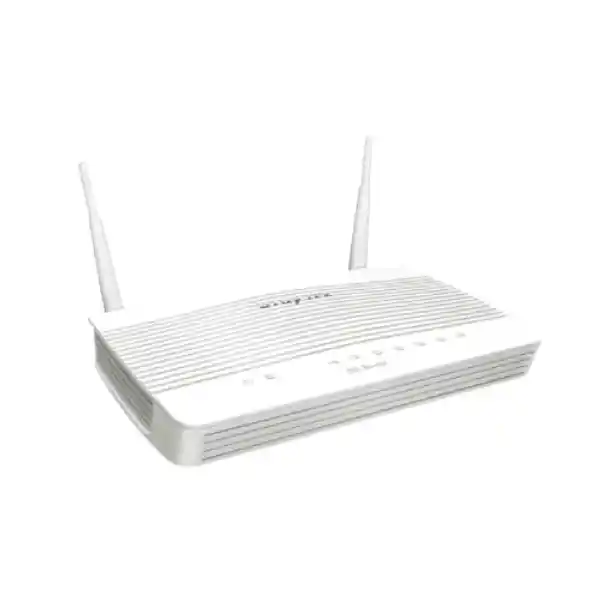
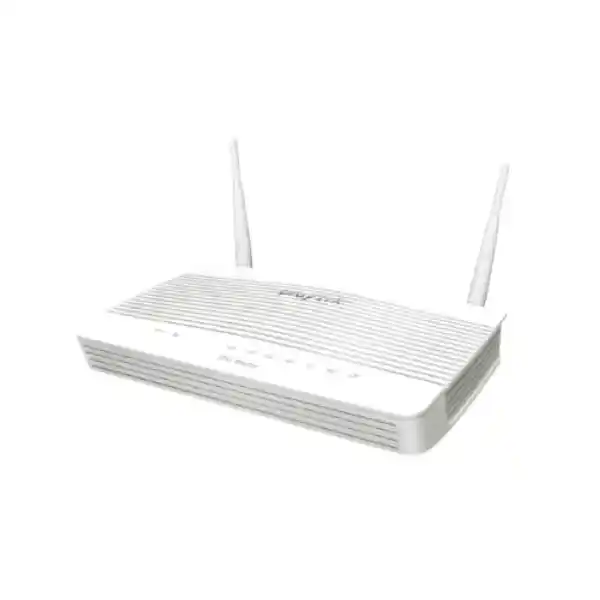
DrayTek Vigor2763ac in UAE
The DrayTek Vigor2763ac is an integrated VDSL2/ADSL2+ modem, security router, VPN gateway and dual-band 802.11ac Wave 2 wireless platform designed for small offices, branch locations and professionally managed edge networks. For UAE deployments where an existing copper DSL service, Ethernet handoff, backup internet path, segmented LAN and centrally controlled wireless all need to coexist in a compact appliance, the Vigor2763ac provides an unusually complete networking stack without forcing the customer into an oversized enterprise firewall.
What the DrayTek Vigor2763ac is designed to solve
Many UAE small and medium networks do not need a large rack-mounted security appliance, but they still need considerably more control than an ISP-supplied modem. A typical branch office may have a DSL circuit, a future migration path to Ethernet or fibre through an external ONT, a requirement to keep staff, guest, voice and management traffic separated, several remote users who need protected access, and a mix of laptops, phones, printers, cameras, point-of-sale devices and cloud applications. The Vigor2763ac is aimed at that middle ground: it brings routing, modem functions, policy enforcement, VPN and wireless into one manageable edge device.
The integrated VDSL2 modem removes the need for a separate bridge modem on compatible services. When the site later receives an Ethernet handoff, or when a second wired internet path is available, the switchable Gigabit Ethernet interface gives the design more flexibility. This is particularly useful for offices moving between legacy DSL access and newer provider services because the router can stay central to the LAN architecture even while the WAN medium changes. The result is simpler lifecycle planning, fewer devices to power and a consistent policy framework for addressing, VLANs, firewall rules and VPN.
The product should be selected as a controlled business router rather than as a high-density enterprise wireless controller. Its built-in radio is appropriate for compact areas and modest client loads. Larger villas, warehouses, clinics, schools or multi-floor offices usually benefit from dedicated access points, while the Vigor2763ac remains the routing and policy anchor. That distinction is important: good network design uses the router for what it does best and adds distributed wireless only where radio coverage, roaming or user density genuinely demands it.
Hardware interfaces and physical architecture
DSL interface
The dedicated RJ-11 WAN interface supports VDSL2 and ADSL-family access. DrayTek documents VDSL2 profiles including 8a, 8b, 8c, 8d, 12a, 12b, 17a and 30a on the global specification set. It also supports the relevant ADSL, ADSL2 and ADSL2+ standards for fallback where a provider and line support them. This allows one edge platform to cover a broad range of copper broadband deployments without an external modem.
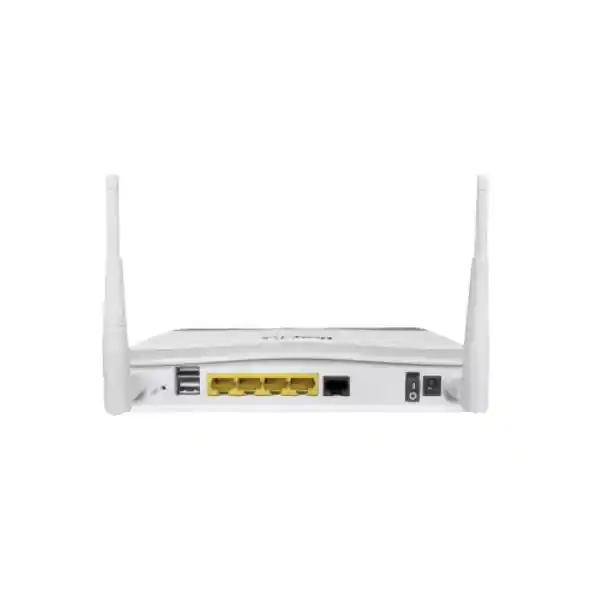
Gigabit Ethernet ports
The router provides four Gigabit Ethernet RJ-45 ports when operated as a conventional LAN switch. One of those ports is switchable for Ethernet WAN service, leaving three wired LAN interfaces while that alternate WAN role is active. This is useful when migrating from DSL to an Ethernet-based service or when engineering WAN resilience around a secondary upstream device.
USB connectivity
Two USB 2.0 ports can be used for supported peripherals and selected network functions. Depending on firmware, regional compatibility and the attached device, typical use cases can include USB storage, printer sharing, environmental accessories or compatible cellular modem connectivity. Any LTE or 5G modem should be checked against DrayTek’s supported-device list before procurement.
Wireless antennas
The “ac” model uses two removable external dipole antennas. DrayTek lists 2 dBi gain for 2.4 GHz and 4 dBi for 5 GHz on current published specifications. The physical antenna arrangement supports the router’s 2×2 wireless design and gives installers more predictable orientation than fully internal antennas in small-office placements.
The chassis is compact enough for desktop, shelf or communications-cabinet placement, but radio performance should always take physical surroundings into account. Metal enclosures, dense concrete walls, utility rooms, low cabinets and nearby RF sources can sharply reduce practical wireless range. Where the router must sit in a rack or telecom room for cabling reasons, use separate access points rather than compromising Wi-Fi coverage.
WAN performance, hardware acceleration and realistic sizing
DrayTek’s current documentation positions the Vigor2763 platform at approximately 100 Mbps maximum VDSL2 sync-rate class and around 950 Mbps Ethernet-WAN NAT throughput with hardware acceleration in UK documentation, while the global specification table lists up to roughly 940 Mbps under hardware-accelerated NAT conditions. These figures are laboratory maximums, not guaranteed application throughput. Real traffic depends on packet size, enabled services, firewall policy complexity, VPN encryption, QoS, content inspection, WAN encapsulation, provider behaviour and the endpoint mix. FourTeck therefore sizes the router by workload and feature set instead of relying on a single headline number.
Hardware acceleration matters because routine forwarding and supported policy operations can be handled more efficiently than a pure software path. This is valuable on Ethernet WAN connections approaching several hundred megabits per second. However, any design that requires every flow to pass through CPU-intensive processing should be tested against the expected service stack. Features such as encrypted tunnels, detailed logging, complex shaping or additional inspection can become the practical bottleneck before the physical Gigabit interface does.
The platform is commonly associated with up to 50,000 NAT sessions in manufacturer documentation. Session capacity is useful for judging whether many client devices, browser connections, cloud applications and IoT endpoints can coexist without the router exhausting state tables. It should not be confused with simultaneous user count. A single modern laptop may create hundreds of sessions, while a point-of-sale terminal may use very few. For a typical office of roughly a few dozen active endpoints, the Vigor2763ac can be an appropriate fit when traffic volumes and security requirements remain within its class.
For UAE customers taking a 500 Mbps or 1 Gbps Ethernet service, the important question is whether the router’s full feature profile still meets the expected throughput. If the site requires sustained near-gigabit encrypted VPN, advanced threat inspection, hundreds of users or multi-gigabit LAN routing, a higher-tier firewall is the better engineering choice. The Vigor2763ac is strongest where practical branch connectivity, DSL integration and policy control are more important than extreme aggregate throughput.
Dual-band AC1300-class Wi-Fi: where it fits and how to deploy it
The Vigor2763ac incorporates Wi-Fi 5 generation radio technology, using 802.11n on 2.4 GHz and 802.11ac Wave 2 on 5 GHz with a 2×2 architecture. Manufacturer literature describes the product as AC1300 class. Published regional specifications commonly show up to 867 Mbps link rate on 5 GHz, while 2.4 GHz figures vary in documentation according to market and firmware presentation. Link rate is a physical-layer association figure rather than user throughput; normal protocol overhead, RF conditions and client capability mean real application speeds are lower.
The 5 GHz band is generally the preferred band for capable laptops, phones and tablets because it offers wider channel options and lower congestion in many indoor environments. The Vigor2763ac supports up to 80 MHz channel width on 5 GHz in the published global specification. Wave 2 MU-MIMO can improve efficiency when compatible clients are active, but it does not eliminate the normal airtime limits of a two-stream access point. For voice, video and cloud collaboration, good signal quality and channel planning remain more important than the theoretical maximum rate printed on the carton.
The 2.4 GHz band remains valuable for legacy devices, IoT hardware and clients that need greater propagation through walls. Its spectrum is narrower and more crowded, so UAE office deployments should avoid treating 2.4 GHz as the primary high-throughput band. Where many neighbouring networks are visible, fixed channel planning using the non-overlapping channel set appropriate to the regulatory domain is often preferable to repeatedly changing channels. Always configure the router for the correct regional regulatory profile.
Security options in DrayTek’s current global specification include WPA3 as well as WPA2 and enterprise authentication options such as 802.1X, subject to firmware and client compatibility. Access controls can include SSID hiding, schedules, client isolation and access lists. Those controls are especially useful for guest or device-specific networks, although proper VLAN separation and firewall policy should remain the primary security boundary rather than relying only on wireless settings.
VLAN segmentation for staff, guests, voice and devices
A major advantage of the Vigor2763ac over a simple residential modem is its ability to form multiple logical LAN segments. DrayTek specifies 802.1Q tag-based VLAN and port-based VLAN capability, along with multiple IP subnets. This allows the router to become the policy boundary between different device classes rather than placing every endpoint into one flat broadcast domain.
A common professional configuration uses one VLAN for trusted staff computers, a second for guest Wi-Fi, a third for IP phones, and a fourth for cameras, building-management or IoT devices. The router can then restrict which segments can communicate. Guest clients may be permitted to reach only the internet. Cameras can be limited to an NVR or management station. Voice handsets can reach the PBX and required provider services without having direct access to accounting PCs. Management interfaces can be isolated so that only an administrator subnet can open the router, switches or access-point consoles.
The exact maximum VLAN and subnet count depends on firmware and product-generation limits, so the deployment should be mapped against the current firmware release before final configuration. The global product specification currently lists up to eight VLANs and multiple LAN subnets. That is sufficient for many compact offices, but organisations that need dozens of tenant networks or highly granular segmentation should move to a platform designed for larger policy tables and enterprise access switching.
For tagged VLAN operation, the connected switch and any downstream access points must also understand 802.1Q. A VLAN design is not complete until port modes are defined end to end. Trunk links carry multiple tagged networks; access ports normally present one untagged network to endpoints; management VLANs require deliberate reachability rules. FourTeck engineers can align the router, managed switches and wireless APs so that VLAN IDs, DHCP scopes, DNS settings and firewall rules remain consistent across the whole branch.
Firewall policy and edge security
The Vigor2763ac provides IP-based firewall policy, NAT functions, application-layer gateway support for selected protocols, VPN pass-through, DoS defence and spoofing protection. These capabilities allow an administrator to create explicit rules around source, destination, service and traffic direction rather than relying on the minimal filtering found in many ISP gateways. In a business setting, that control should be used deliberately: allow what is required, restrict unnecessary cross-network access, and log sensitive policy boundaries for troubleshooting.
NAT services include common functions such as port redirection, open-port rules, port triggering, DMZ-host options and UPnP. For professional networks, UPnP should be enabled only where there is a defined requirement because automatic port creation reduces administrative control. Public services such as CCTV portals, web interfaces or internal management pages should generally not be exposed directly to the internet. A VPN, reverse proxy, cloud broker or properly secured application gateway is usually preferable to broad inbound forwarding.
Content controls can use application, URL, DNS keyword and web-feature policies, with web-category filtering depending on the relevant subscription and firmware support. These mechanisms are useful for acceptable-use enforcement and basic risk reduction, but they should not be represented as a complete next-generation threat prevention stack. Organisations that need sandboxing, advanced malware inspection, TLS decryption, intrusion prevention or identity-rich application control across large user bases should consider a dedicated security appliance.
Security also depends on operational discipline. Change default administrative credentials, restrict the management plane to trusted networks, prefer HTTPS or SSH where appropriate, disable unused services, maintain firmware, back up configuration after controlled changes and monitor logs. No router feature can compensate for weak administration. The Vigor2763ac becomes substantially more defensible when its management interfaces are isolated and when remote administration is exposed only through approved methods.
VPN architecture for branches and remote users
DrayTek’s Vigor2763 family supports a broad set of VPN technologies, with current manufacturer specifications listing IPsec, L2TP, L2TP over IPsec, SSL VPN, IKEv2, IKEv2-EAP, IPsec XAuth, OpenVPN and WireGuard among supported protocol options, depending on firmware. The device is specified for a maximum of two concurrent VPN tunnels, making it a good fit for a small branch or a limited remote-access requirement rather than a large remote-work concentrator.
Published throughput varies by firmware generation and regional documentation. Current DrayTek pages commonly state around 150 Mbps IPsec AES-256 performance, with SSL VPN figures in the 80–100 Mbps range depending on the cited regional specification. These are best-case test figures and should be treated as design references, not service-level guarantees. Real encrypted performance is affected by packet size, cipher selection, peer hardware, WAN latency, MTU, NAT traversal, concurrent traffic and the processing load created by other router features.
For a site-to-site tunnel, the Vigor2763ac can connect a branch subnet to a head office or cloud-connected edge, enabling internal applications to traverse the public internet inside encrypted traffic. Route definitions must be planned to prevent subnet overlap. If both offices use the same private addressing, tunnel deployment becomes more complicated and may require renumbering or translation. For new sites, FourTeck normally assigns non-overlapping address ranges from the beginning so that future VPN growth remains straightforward.
Remote-access VPN design should consider user identity and endpoint security in addition to encryption. Strong credentials, multi-factor methods where supported by the chosen workflow, restricted user groups and least-privilege firewall rules are preferable to placing a remote user directly into the full office LAN. A finance user, support engineer and third-party vendor usually need different access scopes. Even with only a small number of tunnels, role-aware routing and policy can significantly reduce risk.
The router also supports NAT traversal and mechanisms intended to simplify tunnel establishment in common edge scenarios. VPN Matcher is one of DrayTek’s tools for assisting router-to-router connections where devices may sit behind NAT. Whether it is appropriate depends on the specific topology and security policy. For controlled corporate networks, explicit public addressing and deterministic site-to-site configuration remain easier to audit whenever the provider permits them.
QoS, bandwidth limits and application behaviour
A branch can have enough internet bandwidth overall and still suffer poor user experience if a few endpoints consume the entire uplink. The Vigor2763ac includes IP-based bandwidth limits, session controls and Quality of Service mechanisms. DrayTek documents classification methods involving ToS, DSCP, 802.1p, IP address, port and application criteria. This lets the router give more predictable treatment to voice, interactive business applications and other priority traffic.
QoS is most valuable at a real congestion point. On a VDSL circuit, upstream bandwidth may be far lower than downstream capacity, so cloud backup, camera uploads or large file transfers can increase latency even though download speed appears healthy. Shaping the upload near the true provider rate and reserving priority for voice or interactive traffic can reduce jitter. Similar principles apply to asymmetric LTE backup connections and shared branch internet services.
Bandwidth limiting is different from prioritisation. A hard limit sets a ceiling for a user or subnet; QoS determines how traffic competes when the link is busy. Guest Wi-Fi often benefits from a reasonable per-client or per-network cap so visitors cannot dominate the connection. Business-critical staff may be permitted higher throughput but assigned priority classes for Teams, Zoom, SIP or ERP traffic. The exact policy should reflect actual application use rather than generic assumptions.
Session limiting can also be useful for noisy clients, peer-to-peer software or compromised devices that create excessive connections. It should be applied conservatively because modern browsers and cloud services legitimately create many parallel sessions. Monitoring first, then setting thresholds based on observed behaviour, is safer than imposing low limits that cause unexplained application failures.
Multi-WAN strategy: DSL primary, Ethernet primary or backup design
The Vigor2763ac is useful during access transitions because the built-in DSL interface and switchable Ethernet WAN support different provider handoffs. A small office may continue using VDSL as the primary service and introduce Ethernet as a second path, or it may move Ethernet to primary status while retaining DSL for resilience. The correct arrangement depends on contract speed, public addressing, provider CPE and which physical path actually fails independently.
Failover should be based on meaningful connectivity detection rather than only physical link state. A router can still have Ethernet carrier while the provider’s upstream path is broken. DrayTek supports connection-detection methods such as PPP, ARP and ping checks, allowing failover logic to use a more useful definition of service availability. Targets should be chosen carefully so that a single remote host outage does not trigger unnecessary path changes.
When a USB cellular modem is part of the design, treat it as a constrained emergency path unless the data plan and radio conditions justify broader use. Business applications, voice and remote management may need to stay available, while large updates, cloud backup and guest browsing can be suppressed. A WAN data budget can help prevent accidental consumption on metered services. Compatibility of the USB modem must be confirmed before purchase; not every mobile broadband device operates as a supported modem on every router firmware.
For organisations that need true active-active multi-gigabit WAN, complex SD-WAN steering or multiple independent Ethernet interfaces, a larger edge appliance is preferable. The Vigor2763ac’s strength is pragmatic small-site resilience: keep a business online through a secondary method without introducing an unnecessarily complex architecture.
Routing, IPv6 and local network services
Beyond internet access, the Vigor2763ac provides static routing, policy routing, inter-VLAN routing and RIP v1/v2 according to the manufacturer’s current global specification. Static routes are appropriate when a branch contains another routed network behind a downstream firewall, Layer-3 switch or specialised appliance. Policy routes can steer selected traffic according to protocol, address, port, domain or other supported matching criteria, enabling more deliberate WAN selection than a simple default route.
IPv6 support is important even in networks still dominated by IPv4. DrayTek lists DHCPv6, static IPv6 and several tunnelling mechanisms among available connectivity options. Actual deployment depends on the ISP’s prefix delegation model and the customer’s internal security strategy. IPv6 should not be enabled casually without corresponding firewall policy because devices can receive globally routable addresses even though administrators are accustomed to thinking in NAT-centric IPv4 terms.
DHCP can be used to provide addressing and custom options to local clients. Bind-IP-to-MAC functions can keep specific devices on predictable addresses while retaining central DHCP administration. Local DNS behaviour and conditional forwarding can support small office name-resolution workflows. These features simplify sites that do not have dedicated DHCP or DNS servers, though larger Active Directory environments usually retain those roles on central server infrastructure.
IGMP proxy, snooping and related multicast controls can help where IPTV or multicast applications are present. They should be configured only when needed; uncontrolled multicast can produce unnecessary traffic on constrained networks. As with every advanced feature, clarity is preferable to enabling options simply because they exist.
Wireless guest access and hotspot workflows
The Vigor2763ac can support multiple SSID profiles and guest-oriented controls, allowing a business to create a distinct visitor network instead of sharing staff credentials. Current global specifications list four hotspot web portal profiles and authentication methods such as click-through, social login, SMS PIN, RADIUS and external portal server options, with exact behaviour depending on firmware and the chosen service integration.
A guest SSID should normally map to its own VLAN or subnet. Firewall policy can block access from that guest network to staff PCs, printers, storage systems, cameras and router-management interfaces. DNS filtering or category controls can then be applied independently. Bandwidth caps keep visitors from saturating the office uplink. Client isolation can further restrict direct communication between guest devices on the same wireless network.
For a reception area, small clinic, consultancy or retail showroom, the built-in wireless may be sufficient to provide both employee and visitor access. For hotels, larger restaurants, schools or multi-floor offices, the router should hand guest VLANs to dedicated access points. This keeps the gateway policy central while moving radio coverage to equipment designed for distributed placement and roaming.
Guest portals can also be used for messaging or basic terms-of-use acceptance, but businesses should consider privacy obligations before collecting unnecessary personal information. The networking requirement is to separate and control access, not to gather more data than operationally required.
Central management, monitoring and operational visibility
Local management
The router supports browser-based administration and other local management services documented by DrayTek, including HTTPS, SSH and selected legacy protocols. In a hardened deployment, enable only the services that administrators actually use, restrict source networks, and avoid exposing the management plane directly to the public internet.
Logging and telemetry
Syslog, SNMP and NetFlow-family export options can provide visibility beyond the router’s local dashboard. Sending logs to a central collector makes troubleshooting easier and preserves events after a reboot. SNMP can feed network monitoring systems, while flow data helps identify top talkers and unexpected traffic patterns.
Configuration lifecycle
Backup and restore capabilities should be part of the change process. Export a known-good configuration before firmware upgrades or major VLAN, VPN and firewall changes. Record which firmware version generated the backup because cross-version restoration can have limitations on any networking platform.
VigorACS readiness
DrayTek lists VigorACS management support for the platform from specified firmware versions. For organisations or service providers managing multiple DrayTek routers, central provisioning, monitoring and policy consistency can reduce travel and configuration drift. Licensing and platform requirements should be confirmed for the intended deployment.
Using the Vigor2763ac as an AP and mesh management point
The router can do more than provide its own Wi-Fi. DrayTek’s management architecture allows compatible Vigor access points to be discovered, provisioned and monitored from supported router models. The global specification for the Vigor2763ac lists AP management for up to two access points and mesh management capability for a small number of nodes, while product literature describes the “ac” model as capable of acting as a mesh root. Exact limits should be validated against the current firmware used in the UAE deployment.
This is attractive for a compact office where one or two extra access points are enough to extend coverage. Rather than logging into each device individually, the administrator can maintain a more unified view. SSID names, security settings and channel strategy can be coordinated, reducing the chance that one AP drifts into an inconsistent configuration.
Mesh should not be treated as a substitute for Ethernet cabling when cable is practical. A wired backhaul preserves more radio capacity for clients and gives predictable latency. Wireless mesh is valuable in areas where running cable is difficult, such as finished offices, leased retail spaces or temporary deployments, but every wireless hop consumes airtime and may reduce effective throughput. For voice-heavy or high-density workspaces, wired AP uplinks remain the preferred design.
When coverage requirements exceed the router’s management scale, a dedicated WLAN controller, cloud-managed AP platform or larger DrayTek architecture may be more appropriate. The Vigor2763ac should be viewed as a small-site control point, not a campus wireless controller.
UAE deployment scenarios
Professional office: A consultancy, accounting practice, real-estate office or legal branch can use the router to terminate a DSL or Ethernet service, separate corporate and guest traffic, prioritise voice and collaboration traffic, and provide one or two secure VPN paths. Wired desktops and printers can connect through the integrated Gigabit ports or a managed switch, while wireless clients use distinct staff and guest SSIDs.
Retail and point of sale: A store can isolate POS terminals from customer Wi-Fi and general staff devices. Internet failover can be engineered through a secondary Ethernet or compatible cellular path. Bandwidth policy can keep guest streaming from affecting payment or inventory traffic. Remote support should occur through VPN rather than uncontrolled port forwarding.
Small clinic or medical practice: The gateway can separate administrative PCs, practitioner devices, guest access and networked equipment into distinct segments. This does not itself create regulatory compliance, but segmentation and controlled remote access contribute to a stronger security architecture. Sensitive systems should still be protected by endpoint security, encryption, access control and documented operational policy.
Managed apartment or villa: The product can support a professional home-office environment with multiple subnets, guest wireless, cameras, smart-home devices and remote access. For large properties, dedicated ceiling or wall access points should provide coverage while the Vigor2763ac handles routing and policy.
Small branch connected to headquarters: A site-to-site IPsec tunnel can carry internal business traffic back to the main office. Local internet breakout can serve cloud applications while policy routes or DNS controls keep selected systems aligned with central services. The two-tunnel ceiling should be considered during design if future connectivity to multiple data centres or cloud environments is expected.
A practical port and topology plan
In a simple DSL deployment, the RJ-11 VDSL/ADSL interface connects to the provider line, leaving all four Gigabit Ethernet ports available for LAN equipment. One port might connect directly to a desktop or printer, but a managed Gigabit switch is usually a better foundation when the site has more than a few endpoints. The switch can carry tagged VLANs to access points, phones and downstream infrastructure while the router provides inter-VLAN policy and internet access.
If Ethernet WAN is used, the switchable port becomes the provider-facing interface and three integrated ports remain for local devices. The provider handoff may come from an ONT, media converter, managed CPE or Ethernet demarcation point. The WAN connection type could be DHCP, static addressing, PPPoE or another supported method, depending on the ISP. Never assume that an Ethernet cable from the provider is plug-and-play; VLAN tags, credentials or fixed IP details may be required.
One LAN port can carry a VLAN trunk to a managed switch. The switch then delivers untagged access ports for ordinary endpoints and tagged or trunk ports to wireless APs. A second LAN port can be reserved for a management workstation or local server. The third can connect to a voice gateway, NVR or other infrastructure segment. This design preserves clear physical and logical boundaries without wasting router ports on every endpoint.
For resiliency, power matters as much as connectivity. The router, ONT or modem, switch and critical access point should be supported by an appropriately sized UPS. A dual-WAN router provides little benefit if a brief power interruption takes down both upstream paths. In retail, healthcare and customer-facing offices, a small UPS often improves real availability more than complex routing features.
Security hardening checklist for production deployment
A router should not go into production with only internet connectivity tested. Start by updating to the appropriate stable firmware for the exact regional hardware. Save the original configuration, record the firmware build, and verify WAN operation before changing advanced settings. After the final configuration is complete, export a second known-good backup and store it securely with the site documentation.
Administrative credentials should be unique and strong. Management access should be restricted to a trusted VLAN or defined source addresses. Disable HTTP, Telnet, FTP or other legacy management services when they are not required. Prefer HTTPS and SSH. If remote management is necessary, use a VPN or centrally managed platform rather than opening the administration interface broadly to the internet.
Create explicit network zones or subnets. Staff, guests, cameras, IoT, voice and management equipment should not share unrestricted Layer-3 access. Apply rules from least privilege: start with the necessary destinations and ports, then expand only when a real business application requires it. Document every inbound NAT rule and remove obsolete mappings promptly.
Disable WPS unless operational requirements justify it. Use WPA2 or WPA3 according to client compatibility, and avoid legacy encryption modes. Guest wireless should have client isolation where appropriate and no access to management services. If 802.1X is used, ensure the RADIUS path remains reliable because authentication infrastructure becomes part of user connectivity.
Monitor system logs and link status after go-live. A stable router can still experience provider line errors, DHCP renewal problems, DNS failures or radio interference. Baseline normal behaviour so that unusual session counts, repeated login attempts or frequent WAN reconnections stand out. For managed customers, exporting logs and SNMP metrics to a central platform improves fault resolution.
Finally, treat configuration as controlled infrastructure. Avoid undocumented emergency changes. Record the reason for VLAN, VPN, QoS and firewall rules so another engineer can understand the design months later. This operational discipline is especially important in smaller businesses where the original installer may not be present when a future provider migration or office expansion occurs.
VPN and firewall sizing: when the Vigor2763ac is enough
The right question is not whether the router has VPN and firewall features; it is whether those features match the site’s workload. A five-to-thirty-user office with normal web traffic, cloud email, a few SaaS platforms, IP telephony and one branch tunnel is very different from a security operations centre sending hundreds of megabits of encrypted traffic to multiple clouds. The Vigor2763ac is built for the former class.
For IPsec, DrayTek publishes performance around 150 Mbps in current product pages for AES-256 testing. That is strong for a compact DSL-centric router but not enough for a branch that expects to encrypt an entire gigabit service at line rate. If only ERP, file access or management traffic traverses the tunnel and normal internet traffic breaks out locally, the required VPN bandwidth may be much lower than the WAN speed.
The two-tunnel limit is another design boundary. A branch that needs one permanent site-to-site connection and occasional remote support can fit comfortably. A site expected to maintain tunnels to headquarters, disaster recovery, Azure, AWS, a security provider and multiple teleworkers simultaneously needs a higher-capacity VPN gateway. Planning for tomorrow matters because replacing the edge later can interrupt operations.
Firewall rule count, logging requirements and future segmentation also influence platform choice. If the customer expects substantial growth, FourTeck can compare the Vigor2763ac with larger DrayTek routers or dedicated next-generation firewalls. For qualified firewall selection and UAE deployment assistance, explore the FourTeck Firewall Dubai portfolio.
Wi-Fi planning beyond the built-in radio
The Vigor2763ac’s integrated Wi-Fi is convenient, but wireless design should be based on coverage, capacity and roaming rather than the number of antennas on the router. A compact open office may need only the built-in access point. A long villa, warehouse, clinic with treatment rooms or office behind thick concrete walls may need two or more access points even when the total client count is small.
Start with placement. Wireless signals work best when the AP is central, elevated and away from metal obstacles, electrical cabinets and dense service rooms. If the DSL socket is at one edge of the premises, do not automatically accept that as the best Wi-Fi location. Run Ethernet from the router to properly placed access points. The cost of one cable is often lower than years of unreliable wireless.
Client capability sets an upper bound. A one-stream smartphone will not use a two-stream AP at its full link rate. Older 2.4 GHz devices may force slower airtime behaviour. Channel width also trades peak rate for spectrum reuse. In a dense office area, 80 MHz channels can overlap neighbours and produce worse real performance than narrower, cleaner channels. A spectrum-aware design therefore prioritises stable airtime over headline speed.
For larger WLAN projects, FourTeck can provide design and implementation services through FourTeck IT Services UAE, including structured network planning, managed switching, access-point deployment and secure segmentation around the router.
DSL engineering considerations in UAE installations
DSL performance depends heavily on copper quality, loop length, provider profile and noise conditions. The router may support a particular VDSL2 profile, but the negotiated rate is determined by the line and DSLAM. An unstable circuit should not be “fixed” by repeatedly rebooting the router. Review SNR margin, attenuation, attainable rate, error counters and retrain history, then coordinate with the service provider where line characteristics indicate a physical problem.
Internal cabling also matters. Poor splitters, damaged telephone cable, long extension leads and untidy parallel wiring can introduce errors before the signal reaches the router. For business sites, place the modem router at the correct termination point and keep the DSL lead short. Where voice and data share legacy copper, use the provider-required filtering arrangement. Avoid routing the DSL pair alongside high-noise power equipment where possible.
VDSL sync rate is not the same as speed-test throughput. Protocol overhead, provider shaping, congestion and test-server capacity reduce observed application speed. A well-performing 100 Mbps sync might deliver a lower IP throughput figure, and an ADSL fallback circuit can be dramatically slower. Network expectations should therefore be based on the contracted service and actual line statistics.
If the business depends on cloud applications, include an alternate WAN strategy rather than assuming DSL will always remain available. The Vigor2763ac provides a practical platform for this because Ethernet WAN can become the main or backup route, and compatible USB mobile broadband can support another recovery method where design and firmware allow it.
IPv4, public addresses, NAT and hosted services
Many UAE SMB internet services place the customer router behind a provider-managed addressing model or assign one public IPv4 address. Hosted services and inbound VPN can depend on whether that address is genuinely public and whether the ISP blocks or translates inbound traffic. Before designing port forwarding or site-to-site tunnels, confirm the circuit’s address type and whether a static IP option is required.
Where the Vigor2763ac receives a public address directly, NAT rules can publish selected internal services. This should be done sparingly. Opening a TCP port to a camera recorder, remote desktop server or web administration page creates an externally reachable target. VPN access is usually safer because it authenticates the user before exposing internal resources. If public hosting is unavoidable, limit source addresses where possible and keep the target system patched.
Double NAT occurs when an upstream ISP router and the Vigor2763ac both perform address translation. It may work for ordinary browsing but complicate inbound services, IPsec and some voice or gaming applications. The preferred design is often to place the provider device into bridge or passthrough mode when supported, letting the Vigor2763ac own the WAN session and security policy. Provider restrictions may prevent this, so actual topology must be checked before installation.
For internal addressing, choose RFC1918 subnets that do not collide with common remote-office ranges. Using the same 192.168.1.0/24 network at every branch makes later VPN deployment harder. A structured scheme such as site-specific /24 networks under a planned private block makes routing and troubleshooting much cleaner.
DNS, DHCP and identity-aware network operations
Small offices often rely on the router for DNS forwarding and DHCP. That is appropriate when there is no Windows domain or dedicated infrastructure server. DHCP pools can be segmented by subnet, while reserved or MAC-bound addresses keep printers, phones, controllers and other fixed devices predictable. A consistent addressing plan reduces support time because an engineer can identify a device class from its subnet and expected range.
DNS is also a security and reliability dependency. If users cannot resolve cloud services, the network appears “offline” even when IP connectivity is healthy. Use reliable upstream resolvers, document any conditional forwarding, and test both IPv4 and IPv6 behaviour if dual stack is enabled. DNS filtering can add policy controls, but business-critical domains should be tested to avoid accidental blocking.
Where Active Directory or another identity platform is present, clients should normally use the DNS servers required by that environment rather than bypassing them for public resolvers. The router can still provide internet forwarding, but domain-member devices need internal name resolution for authentication and service discovery. Incorrect DNS design is one of the most common causes of seemingly random domain issues.
The Vigor2763ac can also interact with RADIUS-based authentication in supported workflows. RADIUS adds central identity control to wireless or VPN access, but it creates another dependency that must be monitored. Certificate validity, shared secrets, time synchronisation and firewall paths all need to be correct for reliable authentication.
Performance interpretation: avoiding misleading numbers
Router specifications mix several different performance measurements. NAT throughput measures routed internet traffic without encryption under defined test conditions. VDSL sync rate reflects the modem line. Wi-Fi link rate describes the radio connection between client and access point. VPN throughput measures encrypted traffic with a particular cipher. None of these numbers is interchangeable, and none represents guaranteed application speed.
For example, a laptop could associate to 5 GHz Wi-Fi at several hundred megabits per second while the site’s DSL circuit is only 80 Mbps. The wireless link is not the bottleneck; the WAN is. Conversely, a Gigabit Ethernet WAN could deliver hundreds of megabits while a distant 2.4 GHz client sees only a fraction of that because of interference and low signal. A VPN flow may be limited by encryption processing even though ordinary NAT traffic is much faster.
DrayTek explicitly notes that published throughput figures are maximums from internal testing under optimal conditions and that actual performance varies with network conditions and enabled applications. FourTeck follows the same practical approach: we treat published numbers as capacity indicators and build margin around expected production traffic.
When sizing, list the true requirements: contracted WAN rate, number of endpoints, peak concurrent sessions, number of VPN tunnels, encrypted traffic volume, VLAN count, Wi-Fi coverage area, guest access, remote management and future growth. A router chosen from that matrix will perform more predictably than one selected only because its Ethernet port says “Gigabit.”
Firmware, lifecycle and compatibility control
Firmware is part of the product, not an afterthought. DrayTek continues to publish firmware and resources for the Vigor2763 series, and release selection can affect modem code, VPN behaviour, wireless features and management compatibility. Before upgrading a production router, read the release notes and confirm whether the package is intended for the exact hardware and regional modem type.
A controlled update procedure should include a configuration backup, maintenance window, local recovery path and post-upgrade validation. Check WAN sync, public addressing, DNS, DHCP, VLANs, inter-VLAN policy, VPN tunnels, Wi-Fi SSIDs, QoS and remote monitoring. For a branch that depends on a site-to-site VPN, ensure an onsite user or alternate path is available in case the remote tunnel does not return automatically.
Compatibility also applies to USB modems, APs and management systems. A peripheral that worked on one firmware build may require specific support on another. VigorACS support starts from manufacturer-defined firmware levels, and features shown in newer global documentation may not exist in an older installed build. Procurement should therefore include a firmware and interoperability check, not just hardware stock availability.
Lifecycle planning is equally important. If a new office expects multi-gigabit broadband or Wi-Fi 6/6E density within the near term, buying a legacy-class edge purely because it is available may create an early replacement. The Vigor2763ac remains a good fit when its DSL integration, AC-class wireless and small-branch security envelope align with the actual requirement.
Procurement guidance for Dubai and the wider UAE
When purchasing a Vigor2763ac for a UAE deployment, specify the complete intended environment rather than only the model number. The key details are provider and access type, whether the WAN is VDSL/ADSL or Ethernet, expected bandwidth, public-IP requirements, user and device counts, number of VPN tunnels, whether guest Wi-Fi is required, and whether additional managed switches or access points will be installed.
Power adapter and regional hardware variants should be confirmed with the supplier. DSL modem code can differ by market, and the exact packaging may vary. If the router will replace an existing provider gateway, gather PPP credentials, VLAN tags, static IP information and any voice-service dependencies before installation day. Some providers keep telephony tied to their own CPE, which may influence whether the DrayTek sits behind, beside or instead of that device.
For business continuity, consider a spare power supply, UPS and documented configuration backup. For multi-site customers, standardise firmware, subnet patterns, VLAN IDs and naming so that support engineers do not have to reverse-engineer every branch. If the site is remote from Dubai or Abu Dhabi, central logging and remote management reduce the number of physical visits required.
FourTeck supports UAE network and security procurement through FourTeck UAE and can also support broader project coordination through the FourTeck global site. Availability, lead time, warranty handling and exact regional bundle should be confirmed at quotation stage.
Technical specification summary
| Product | DrayTek Vigor2763ac VDSL2/ADSL2+ VPN router with dual-band 802.11ac Wave 2 wireless |
| DSL WAN | 1 × RJ-11 VDSL2/ADSL2+ interface; supported VDSL2 profiles include 8a/b/c/d, 12a/b, 17a and 30a in current global documentation |
| Ethernet interfaces | 4 × Gigabit RJ-45 in LAN mode; one port is switchable for Gigabit Ethernet WAN use |
| USB | 2 × USB 2.0 for supported peripherals and compatible modem functions |
| Wireless | 2.4 GHz 802.11n 2×2; 5 GHz 802.11ac Wave 2 2×2 MU-MIMO; AC1300-class product positioning |
| Antennas | 2 × external dipole; published gain approximately 2 dBi at 2.4 GHz and 4 dBi at 5 GHz |
| Ethernet NAT performance | Manufacturer publications cite roughly 940–950 Mbps maximum with hardware acceleration under test conditions |
| NAT sessions | Up to approximately 50,000 in manufacturer documentation |
| VPN | IPsec, SSL VPN and additional supported methods including IKEv2, OpenVPN and WireGuard depending on firmware; maximum 2 concurrent tunnels |
| IPsec performance | Current manufacturer product pages commonly cite around 150 Mbps AES-256 test throughput |
| VLAN | 802.1Q tag-based and port-based VLAN support; current global specification lists up to 8 VLANs |
| QoS | Bandwidth limit, session limit, DSCP/ToS/802.1p and application-aware classification features |
| Management | Web administration, configuration backup/restore, SNMP, Syslog, NetFlow-family export and VigorACS compatibility from supported firmware |
| Physical | Published global dimensions approximately 207 × 131 × 39 mm; 12 V DC power input; up to 19 W listed maximum consumption |
Performance figures are manufacturer laboratory maximums and can vary by firmware, hardware region, enabled features, traffic profile, WAN medium and network conditions. Confirm the exact current regional specification at quotation and deployment time.
Deployment methodology for a clean UAE rollout
A professional installation begins before the router is powered on. First document the existing circuit and provider equipment. Capture WAN addressing, PPP credentials, VLAN tags, DNS requirements, public-IP details and whether voice service shares the current modem. Record the present LAN subnet, DHCP scope, static devices and any inbound NAT rules. This avoids losing a critical printer, camera or remote-access service during migration.
Next build the new logical design. Decide which devices belong to trusted users, guests, voice, cameras, servers and management. Assign subnet ranges and VLAN IDs. Define which networks may reach each other and which should be internet-only. Decide whether DHCP will run on the Vigor2763ac or another server. Map wireless SSIDs to the correct VLANs and determine whether the built-in radio is enough for coverage.
Then configure WAN and validate raw connectivity before adding complex policy. On DSL, verify line synchronisation and error counters. On Ethernet, confirm the expected negotiated speed, public address and gateway. Test DNS, outbound browsing and a sustained transfer. If a backup WAN exists, simulate a failure and confirm that the router detects it under realistic conditions.
After the WAN is stable, implement VLANs and firewall rules. Test from one endpoint in each subnet. A guest client should not reach the staff LAN. A camera network should reach only approved destinations. A management workstation should be able to administer infrastructure while ordinary users cannot. Only after routing and policy are correct should VPN and QoS be introduced.
VPN testing should include both connectivity and access boundaries. Confirm not only that the tunnel reports “up,” but that intended applications work and unintended networks are blocked. For site-to-site IPsec, test DNS, MTU-sensitive traffic and large transfers. For remote access, verify user authentication and route scope from an external network, not from inside the office.
Finally, baseline and document. Save the configuration, record firmware, export screenshots or configuration notes for VLANs and WAN settings, label cables and note ISP contacts. A good handover allows another engineer to support the site without guessing how it was built.
When to choose the Vigor2763ac — and when to choose something larger
Choose it when: the site has VDSL2/ADSL2+ or needs an integrated DSL migration path; the endpoint count is modest; one or two VPN tunnels are sufficient; AC-class wireless meets the coverage requirement; VLAN segmentation and QoS are needed; and Ethernet-WAN throughput under normal branch workloads is within the router’s performance envelope.
Consider a larger DrayTek platform when: the branch needs more VPN tunnels, more managed APs, multiple dedicated WAN ports, faster encrypted throughput, higher route capacity or Wi-Fi 6 integration. A larger platform also makes sense when the site will grow beyond a few dozen active users and the router must carry more sophisticated policies.
Consider a dedicated next-generation firewall when: the customer requires advanced IPS, malware analysis, application inspection, central security fabric integration, SSL inspection at scale or large numbers of identity-aware policies. The Vigor2763ac has strong small-business routing and firewall controls, but it is not intended to replace a high-end UTM/NGFW in a threat-intensive enterprise.
The best purchase is therefore not the “most powerful” device in isolation; it is the smallest platform that meets the full technical requirement with sensible growth margin. FourTeck can review line type, bandwidth, endpoint count, VPN load and wireless design before quotation so the selected appliance is neither undersized nor unnecessarily expensive.
Frequently asked technical questions
Does it work without DSL?
Yes. The switchable Gigabit Ethernet interface can be used as an Ethernet WAN, making the router suitable behind compatible ONTs, provider Ethernet handoffs or upstream devices. Exact ISP settings still need to be configured.
Is it a Wi-Fi 6 router?
No. The Vigor2763ac is a Wi-Fi 5 / 802.11ac Wave 2 model. Customers requiring 802.11ax should select a newer ax-class router or use suitable external Wi-Fi 6 access points.
Can it provide a guest network?
Yes. Multiple SSIDs, VLANs, hotspot features, client isolation and firewall policy can be combined to build a separated guest environment rather than sharing the trusted business LAN.
Can it support branch VPN?
Yes. It supports site-to-site and remote-access VPN methods, but the platform is limited to a small number of simultaneous tunnels. Current manufacturer documentation lists two concurrent VPN tunnels.
Can it reach Gigabit internet speed?
On Ethernet WAN, published hardware-accelerated NAT figures are close to Gigabit under ideal tests. Production results depend on enabled services and traffic. Encrypted or heavily processed traffic can be much slower.
Does it replace managed switches?
No. It provides integrated Gigabit LAN ports and VLAN routing, but larger networks still need managed switches to distribute VLANs, PoE, access ports and uplinks throughout the premises.
Operational troubleshooting framework
When users report “the internet is slow,” isolate the layer before changing settings. Check WAN synchronisation or Ethernet link first. Compare the provider speed with a wired test client. Review CPU load, active sessions and QoS state. Then test wireless separately. If wired performance is normal but Wi-Fi is poor, changing DSL or NAT configuration will not solve the problem.
For intermittent DSL, inspect line statistics over time. Frequent retrains, rising CRC errors or unstable SNR indicate a line-quality issue. For Ethernet WAN, inspect interface negotiation and packet errors. A damaged cable can produce unstable performance even while the link remains up. If failover triggers unexpectedly, review health-check targets and thresholds before blaming the secondary circuit.
For VPN issues, confirm public addressing, peer reachability, matching encryption proposals, pre-shared keys or certificates, local and remote subnet definitions, NAT traversal and firewall rules. A tunnel can negotiate successfully while application traffic fails because routes overlap or policies block the intended subnet. Packet captures and logs are more useful than repeated configuration changes.
For wireless, check signal strength, channel utilisation, band selection and client capability. A single old device or distant client can consume disproportionate airtime. Test close to the router on 5 GHz with a known-good modern client, then compare to the affected location. If the issue is coverage, add an access point instead of increasing transmit power indiscriminately.
For DNS complaints, test by IP address and by hostname. If IP works but names do not, the WAN may be healthy while DNS is failing. If both fail, look lower in the stack. Structured troubleshooting prevents accidental changes that create new faults.
Why this model remains useful in mixed-generation networks
Networks rarely modernise all at once. A branch may still receive VDSL while its laptops are modern, its cameras are older 2.4 GHz devices, its switches are Gigabit and its applications run in the cloud. The Vigor2763ac bridges those generations. It speaks legacy ADSL/VDSL on the WAN side, Gigabit Ethernet on the LAN, Wi-Fi 5 for mainstream clients, and current VPN methods in firmware-supported configurations.
That mixed-generation capability can reduce migration risk. A customer can replace an under-featured ISP router today, keep the DSL service, introduce VLANs and VPN, then move to an Ethernet circuit later without rebuilding the internal network. Managed switches and external APs can continue to serve after the WAN changes. The gateway remains the policy point until growth justifies a larger appliance.
The trade-off is that the platform is not the newest wireless generation and does not target multi-gigabit edge speeds. That is acceptable when the site’s actual bottleneck is a sub-gigabit WAN and the primary objective is control, resilience and segmentation. It is less attractive for a greenfield office purchasing multi-gigabit internet and hundreds of Wi-Fi 6 clients.
A technical procurement process should therefore value architecture fit over specification age. The Vigor2763ac can still be the right tool for a defined DSL-centric or modest Ethernet branch, especially when the customer wants a familiar DrayTek management model and compact all-in-one hardware.
Decision recap: is the DrayTek Vigor2763ac right for your UAE site?
Strong fit
Choose the Vigor2763ac for a small office or branch that needs integrated VDSL2/ADSL2+, optional Ethernet WAN, Gigabit LAN, AC1300-class wireless, VLANs, QoS, content controls and up to two VPN tunnels in one compact platform.
Review carefully
Check a higher model if the site expects sustained near-gigabit encrypted traffic, many VPN tunnels, more AP management, large user counts, advanced security inspection or rapid growth beyond the router’s small-branch design envelope.
Quotation input checklist
To receive an accurate UAE quotation and deployment recommendation, prepare the following technical inputs. Supplying them at the beginning reduces assumptions and helps FourTeck confirm whether the Vigor2763ac is the right model or whether another platform offers a better lifecycle fit.
FourTeck consultation for DrayTek Vigor2763ac UAE deployments
FourTeck can supply and integrate the DrayTek Vigor2763ac as part of a complete branch network rather than treating the router as an isolated box. A typical engagement can include WAN migration planning, provider handoff review, VLAN and IP addressing design, managed switching, wireless coverage, VPN commissioning, QoS, failover testing, configuration hardening and documentation.
The objective is a network that remains understandable after installation. Every VLAN should have a reason, every firewall exception should have an owner, and every failover path should be tested. That approach makes future ISP changes, staff growth and security reviews easier because the architecture is deliberate rather than accumulated through emergency fixes.
For Dubai, Abu Dhabi, Sharjah and wider UAE requirements, share the circuit details and site profile from the checklist above. FourTeck can then determine whether the Vigor2763ac fits the workload, identify required accessories or switching, and prepare a solution that aligns router capacity with the actual branch requirement.

Reviews
There are no reviews yet.