
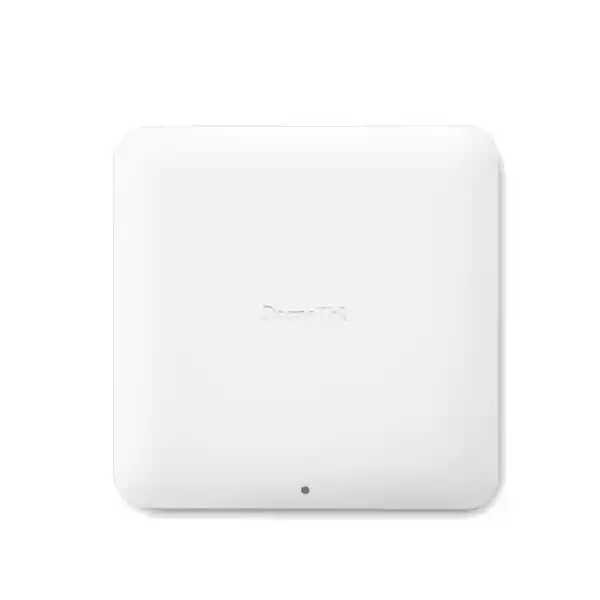
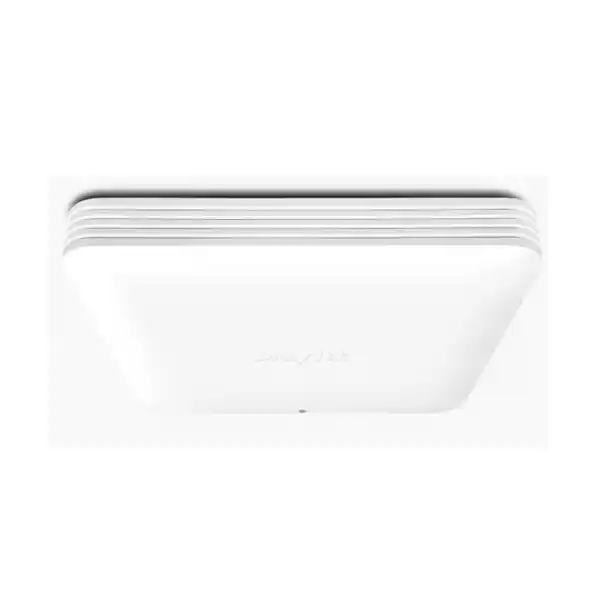
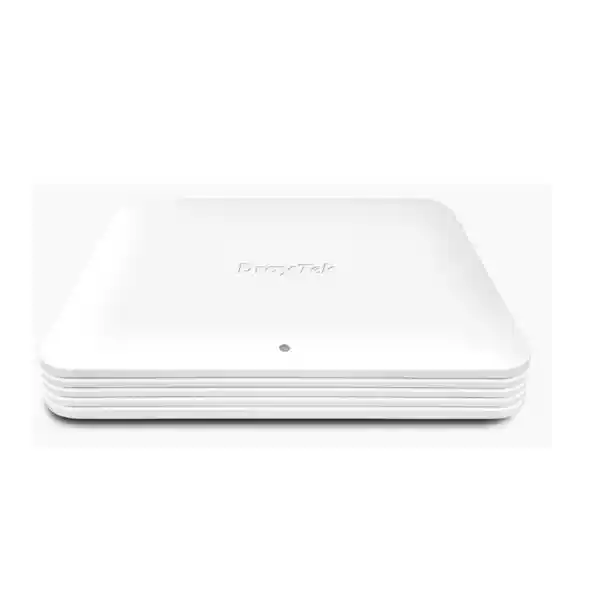
DrayTek VigorAP 1070C in Dubai, UAE
The DrayTek VigorAP 1070C is a high-capacity ceiling-mount Wi‑Fi 7 access point designed for business networks that are moving beyond gigabit wireless. It combines concurrent 2.4 GHz, 5 GHz and 6 GHz radios with Multi-Link Operation, 4K-QAM, OFDMA, Multi-RU capability, Zero-Wait DFS, enterprise security, assisted roaming, mesh options and a wired edge built around 10GbE and 2.5GbE Ethernet. For Dubai organizations planning dense collaboration, cloud-first workflows, media-rich applications and a longer wireless refresh cycle, the VigorAP 1070C provides a practical bridge between Wi‑Fi 7 client capability and multi-gigabit campus switching.
Concurrent tri-band 2.4 GHz, 5 GHz and 6 GHz operation for mixed-generation client estates.
One 10GbE RJ‑45 LAN port with PoE-PD support plus one multi-gigabit 2.5GbE LAN port.
Shared client capacity across radios, subject to RF design, application load, airtime and endpoint behavior.
PoE input supports 802.3af/at/bt; maximum published consumption is 36 W, with 12 V DC input also supported.
Direct answer: what is the VigorAP 1070C built for?
The VigorAP 1070C is built for indoor business environments where a standard dual-band access point and a 1GbE uplink can become bottlenecks. Its three simultaneous radio bands let administrators keep compatibility on 2.4 GHz, serve mainstream Wi‑Fi 5/6/7 clients on 5 GHz, and introduce the cleaner 6 GHz spectrum for compatible Wi‑Fi 6E and Wi‑Fi 7 devices. The access point is especially relevant where client density, low-latency application traffic and aggregate throughput matter more than headline coverage distance. Typical examples include meeting-heavy offices, training centers, executive floors, creative studios, classrooms, hospitality common areas and modern branch locations with multi-gigabit switching.
The strongest reason to specify this model is not simply “Wi‑Fi 7.” It is the combination of Wi‑Fi 7 radio capability with a 10GbE PoE-capable uplink, a secondary 2.5GbE interface, enterprise WLAN segmentation, multiple security modes, assisted roaming, mesh roles and centralized administration. That combination lets the wireless edge scale with new client devices without forcing an immediate redesign of every network function. It also gives project teams several deployment choices: a high-performance wired AP, a managed fleet under DrayTek infrastructure, a mesh root or node where cabling is constrained, or a range extender in smaller scenarios. For most enterprise deployments, wired backhaul remains the preferred design because it preserves spectrum for client traffic and makes performance more predictable.
Published technical specification snapshot
| Wireless generation | IEEE 802.11be Wi‑Fi 7 with backward-compatible operation on supported 2.4 GHz and 5 GHz standards |
| Radio bands | Concurrent 2.4 GHz, 5 GHz and 6 GHz |
| Maximum published link rates | 2.4 GHz: 1,376 Mbps; 5 GHz: 5,765 Mbps; 6 GHz: 11,530 Mbps |
| Ethernet | 1 × 10GbE RJ‑45 with PoE-PD support; 1 × 2.5GbE/1GbE/100M/10M RJ‑45 |
| USB | 1 × USB 2.0 |
| Maximum clients | Up to 512 wireless clients shared across all radios |
| SSID scale | 24 total, up to 8 per band |
| Security | OWE, WPA, WPA2/WPA, WPA2, WPA3/WPA2 and WPA3; Personal and Enterprise authentication |
| Roaming | AP-assisted roaming, pre-authentication, 802.11r and 802.11k; DrayTek also describes 802.11v roaming behavior in product documentation |
| Operating modes | AP, Mesh Root, Mesh Node and Range Extender |
| Power | PoE++ input supporting 802.3af/at/bt; 48 V @ 0.78 A PoE input specification; 12 V DC @ 3 A input; 36 W maximum published consumption |
| Mounting / environment | Indoor, ceiling mount; 225 × 225 × 43 mm; 0 to 40 °C operating temperature; 10–90% non-condensing humidity |
Published radio rates are theoretical link rates under supported configurations, not guaranteed application throughput. Real performance depends on client capability, channel width, regulatory domain, interference, RF design, Ethernet path, security processing, network services and application behavior.
Wi‑Fi 7 architecture: what changes in practical business networks
Wi‑Fi 7 is an evolution of the scheduling and spectrum-efficiency improvements introduced with Wi‑Fi 6 and Wi‑Fi 6E. On the VigorAP 1070C, the important design features include 4K-QAM, Multi-Link Operation, OFDMA enhancements, Multi-RU operation and support for very wide channels where the regulatory domain and client combination permit them. These features should be viewed as a toolbox rather than a guarantee that every device will connect at the highest published rate. A Wi‑Fi 6 laptop may never use MLO; a Wi‑Fi 7 phone may support only a subset of the widest channel options; and a location with high interference may perform better with narrower channels and more deliberate reuse than with maximum-width channels everywhere.
The network architect therefore gains flexibility. The 2.4 GHz band can remain a compatibility and IoT layer, 5 GHz can carry broad corporate client traffic, and 6 GHz can be reserved for newer endpoints that benefit from cleaner spectrum and wider channels. Because the VigorAP 1070C presents all three bands concurrently, an organization does not need to force an all-or-nothing client migration. It can move high-value Wi‑Fi 7 endpoints to the most capable radio environment while retaining older devices on bands they understand. That is particularly useful for UAE enterprises with mixed hardware refresh cycles across departments, guest devices and building systems.
DrayTek does not publicly expose the low-level radio chipset or packet-processing ASIC details required for a credible component-level architecture analysis, so procurement decisions should not be based on invented chipset claims. What is verifiable and more operationally relevant is the functional architecture: three simultaneous Wi‑Fi bands, internal antennas, a dedicated 5 GHz antenna used for Zero-Wait DFS scanning, a 10GbE PoE-capable port, an additional 2.5GbE port, and DrayOS 5 software features for WLAN control and monitoring. That combination tells a network designer how the product can be cabled, powered, segmented, managed and integrated without speculating about undocumented silicon.
Multi-Link Operation
MLO is one of the most meaningful Wi‑Fi 7 capabilities for latency-sensitive and high-throughput client designs. Instead of treating each band as an entirely separate connection opportunity, a compatible Wi‑Fi 7 client and AP can use multiple links in a coordinated way. The exact behavior depends on the client implementation and negotiated mode, but the design goal is better resilience, more efficient use of spectrum and lower latency than a single-link relationship can provide under congestion.
For office collaboration, this can help reduce the probability that a real-time flow is trapped behind transient contention on one band. For large local transfers, multi-link capability can increase the amount of usable radio capacity available to a capable endpoint. MLO should still be validated with the actual laptop, handset and driver versions in the project because client-side support varies widely.
4K-QAM
4096-QAM increases the number of bits represented by each modulation symbol compared with 1024-QAM used in Wi‑Fi 6. The theoretical efficiency gain is valuable, but higher-order modulation requires a strong signal-to-noise ratio and good RF conditions. It is most realistic at shorter ranges or in well-designed cells, not at the edge of coverage through multiple walls.
That makes physical AP placement important. A project that buys Wi‑Fi 7 APs but retains sparse legacy spacing may not realize the expected modulation advantage. Capacity-oriented design, clean cabling, controlled transmit power and a sensible cell plan usually matter more than simply enabling the widest channel and highest power.
OFDMA and Multi-RU
OFDMA lets an AP schedule portions of a channel for multiple users instead of making every small transaction occupy the entire channel resource. Wi‑Fi 7 expands scheduling flexibility with Multi-RU, allowing compatible clients to use multiple resource units. In high-client environments this can improve efficiency, particularly when many endpoints generate short, bursty flows rather than one continuous stream.
The benefit appears as better airtime use and responsiveness, not as a magical multiplication of WAN speed. The wired gateway, switch fabric, Internet circuit and application servers must still be sized for the combined traffic the wireless edge can generate.
Wide channels and 6 GHz
Wi‑Fi 7 can support 320 MHz-wide channels in the 6 GHz band where regulations, channel plans and client capability allow. A very wide channel can deliver impressive single-client rates, but it consumes significant spectrum. In multi-AP offices, narrower channel plans may create more reusable cells and better aggregate capacity than deploying maximum width everywhere.
In Dubai and the wider UAE, the exact available 6 GHz channels and transmit-power limits must follow the current TDRA regulatory domain and the approved regional device configuration. A professional survey should validate the channel plan rather than copying a US or European template.
Why the 10GbE uplink matters on a BE19000 access point
A frequent weakness in high-end wireless deployments is an uplink that is much slower than the aggregate radio capability. The VigorAP 1070C addresses that by providing a 10GbE RJ‑45 interface in addition to a 2.5GbE port. The 10GbE connection is the natural primary choice for performance-focused deployments because it gives the AP enough wired headroom to serve multiple fast wireless clients at once without immediately encountering a 1GbE or 2.5GbE ceiling. It also reduces the risk that a future increase in client capability forces another switch refresh shortly after the AP installation.
That does not mean every VigorAP 1070C installation requires a 10GbE switch port on day one. A branch with a 1 Gbps Internet service and modest local traffic may operate acceptably on a lower-speed Ethernet path, especially if the primary reason for selecting Wi‑Fi 7 is client lifecycle and 6 GHz availability rather than maximum aggregate throughput. However, if the project includes local NAS transfers, creative media workloads, large software distribution, virtual desktop traffic, dense video use or multiple multi-gigabit clients, a 10GbE access layer becomes much more relevant.
Cabling is part of that decision. Existing copper should be certified for the intended 10GBASE‑T distance, patch panels, patch leads and horizontal cabling. Cat6A is the preferred conservative choice for new 10GbE structured-cabling installations at full channel length. Older cabling may support 10GbE over shorter distances but should be tested rather than assumed. The switch must also provide an adequate PoE class and total power budget. A multi-gigabit port that cannot deliver the required power is not a complete AP uplink solution.
PoE design, power budgeting and thermal planning
DrayTek specifies PoE input support across 802.3af, 802.3at and 802.3bt categories and publishes a maximum power consumption of 36 W. The practical design target should therefore be a switch infrastructure that can supply the AP without forcing power-saving compromises. A project should check the exact PoE negotiation behavior supported by the switch, the available wattage per port, the switch’s overall PoE budget and any derating that applies at higher ambient temperatures. It is not enough to count physical PoE ports; the available power supply capacity must cover all active APs, phones, cameras and other powered devices simultaneously.
For example, a 24-port PoE switch with a 370 W power budget cannot be treated as though every port can continuously deliver 36 W. If twelve VigorAP 1070C units were engineered at the published maximum, the planning figure would already be 432 W before adding any other powered endpoints or design reserve. Real consumption can be lower, but enterprise designs should not rely on best-case draw when calculating worst-case resiliency. The right switch model, redundant power supplies where required, and UPS runtime should be selected from the total electrical design.
Ceiling spaces in the UAE can also become thermally challenging. The VigorAP 1070C is specified for indoor operation from 0 to 40 °C. APs should not be installed inside unventilated ceiling cavities where local temperatures exceed the product rating. Mounting should maintain airflow and comply with building, fire and access requirements. In warehouses or semi-outdoor areas, an indoor AP should not be substituted for an outdoor-rated model simply because it is physically protected from rain; humidity, dust and temperature can still be outside specification.
Client capacity: interpreting “up to 512” correctly
The published maximum of 512 wireless clients is a device association scale across the radios, not a recommendation to place 512 heavily active users on one AP. Real design capacity is governed by airtime, application profiles, concurrency, minimum data rates, client radio capability, interference and required user experience. Five hundred idle sensors represent a radically different load from five hundred laptops on video calls. An experienced WLAN design therefore sizes by expected active clients and application demand, then validates with survey data and post-installation measurements.
For a meeting room floor, the key question may be how many clients can simultaneously sustain voice and video with acceptable latency and jitter. In a classroom, the challenge may be dozens of similar laptops starting cloud applications at the same moment. In hospitality, the load is often bursty and distributed across guests carrying multiple personal devices. In a warehouse, fewer devices may be active, but roaming consistency and RF coverage along aisles can be more important than peak throughput. The same VigorAP 1070C can participate in all of those designs, but the cell size, channel plan and AP count should be different.
Capacity planning should include a target minimum RSSI, a target signal-to-noise ratio, the number of active clients per radio, channel utilization thresholds, retry rates and application-level performance. Where possible, disable unnecessarily low legacy data rates and avoid keeping outdated 2.4 GHz-only clients on the corporate WLAN. Steering newer devices toward 5 GHz and 6 GHz helps preserve 2.4 GHz for devices that genuinely require it. Airtime Fairness and band steering can support this objective, but policy should be tested because client behavior ultimately influences association decisions.
SSID and VLAN architecture for business segmentation
The VigorAP 1070C supports up to 24 SSIDs in total, with up to eight per band, and 802.1Q VLAN tagging. That is enough logical flexibility for most branch and campus edge designs, but more SSIDs are not automatically better. Every transmitted SSID introduces management overhead and consumes airtime through beaconing, especially when many APs share the same RF environment. A cleaner design usually consolidates users into a small number of SSIDs and uses VLANs, authentication and access policy to separate traffic.
A practical office might use a corporate SSID mapped to an employee VLAN, a guest SSID mapped to an Internet-only network, an IoT SSID for building or AV devices, and perhaps a dedicated operational SSID for scanners or specialist systems. Enterprise authentication with RADIUS can reduce the need for department-specific SSIDs because user identity can inform downstream policy. The switch uplink to the AP should be configured as an 802.1Q trunk carrying only the VLANs required by that AP, with a carefully defined native or management VLAN based on the overall network standard.
Segmentation should continue beyond the access point. A VLAN without firewall policy is only a broadcast-domain boundary. Organizations can use their gateway and firewall platform to control inter-VLAN flows, isolate guests, restrict IoT access and protect management interfaces. FourTeck can align WLAN rollout with broader UAE infrastructure through Firewall Dubai for security-layer planning and FourTeck IT Services UAE for switching, structured cabling and deployment work.
WPA3 and transition modes
The AP supports WPA3 as well as mixed WPA3/WPA2 operation, which is useful during phased client migrations. WPA3-only can provide the cleanest modern security posture where every endpoint supports it, while transition mode can reduce disruption in mixed environments. Security mode should be chosen according to endpoint capability, authentication design and application requirements rather than convenience alone.
Enterprise authentication
Personal and Enterprise authentication options let organizations move beyond one shared passphrase. 802.1X with RADIUS can provide per-user or per-device authentication and works well with central identity policies. Certificate-based EAP methods can further reduce password exposure, but they require proper PKI, client provisioning and certificate lifecycle management.
OWE for open access
Opportunistic Wireless Encryption can improve privacy for suitable open WLAN scenarios by encrypting traffic over the wireless link without using a shared password. It does not replace identity authentication or downstream firewall policy. Guest design should still include Internet-only segmentation, abuse controls, DNS policy and any captive-portal process required by the organization.
MAC filtering
The product supports MAC filtering with published limits of up to 128 entries per SSID. MAC filtering can be useful for administrative convenience or niche device control, but a MAC address is not a strong credential because it can be observed and imitated. It should complement stronger authentication rather than be treated as the main wireless security boundary.
Roaming for voice, video and mobile work
In a multi-AP network, roaming is primarily a client decision. The access point can supply information, steering support and fast-transition mechanisms, but the client driver chooses when and where to move. DrayTek includes AP-assisted roaming, pre-authentication and standards such as 802.11r and 802.11k, while its product material also discusses 802.11v in the roaming design. These mechanisms can reduce handoff delays and help a compatible endpoint identify a stronger neighboring AP rather than remaining attached to a weak cell.
Good roaming begins with RF design. If two APs are too far apart, there is no strong target for the client to select. If transmit power is excessive, a client may continue hearing the old AP long after its return path has become weak. If adjacent APs are all on overlapping channels, the handoff may occur but the user still experiences contention. Designing reasonable cell overlap, channel reuse and power levels is therefore essential. Minimum RSSI features should be tuned carefully so devices are not disconnected aggressively when no better neighboring AP is available.
For Wi‑Fi voice or real-time collaboration, testing should include actual handsets and softphone devices while moving through corridors, meeting areas and stair or lift transition zones. A stationary throughput test beside the AP does not validate roaming. Measure packet loss, call continuity and authentication delay while moving. Where fast roaming is enabled, check compatibility with older or embedded clients before enabling it across every SSID.
Zero-Wait DFS and 5 GHz continuity
Some 5 GHz channels are subject to Dynamic Frequency Selection requirements because Wi‑Fi equipment must coexist with radar systems. Traditional DFS operation can cause an AP to pause or move channel when radar is detected, which may interrupt clients. The VigorAP 1070C uses a dedicated internal 5 GHz antenna for Zero-Wait DFS scanning. DrayTek’s implementation can monitor candidate DFS spectrum while the service radio remains active, allowing the AP to move to a pre-cleared channel block more quickly when required.
This is useful in dense business WLANs where losing a wide 5 GHz channel unexpectedly can affect many devices. It does not remove DFS obligations or guarantee that every local channel can always be used. Radar events, regulatory restrictions and the available channel set still govern operation. Administrators should allow the AP to honor the regulatory domain rather than forcing unsupported channel behavior.
The dedicated scanning function is another reason to avoid generic specification comparisons based only on the combined Wi‑Fi number. Two APs can both be marketed as Wi‑Fi 7 yet offer different operational behavior around DFS, management and wired uplinks. For enterprise procurement, those implementation details can matter more than a nominal peak rate.
Mesh: where it fits and where wired backhaul is better
The VigorAP 1070C can operate as an AP, Mesh Root, Mesh Node or Range Extender. DrayTek documents a mesh design of one root plus up to seven nodes and up to three wireless hops. Mesh is useful when a temporary location, heritage property, small branch or difficult retrofit makes Ethernet cabling impractical. It can also accelerate a staged deployment while structured cabling is being completed.
For a performance-oriented permanent deployment, wired Ethernet backhaul is still the preferred architecture. Wireless mesh consumes radio resources for AP-to-AP transport and introduces another variable into latency and capacity. Each additional wireless hop can reduce the capacity available to end clients, particularly when the same spectrum is carrying both backhaul and access traffic. A 10GbE-capable Wi‑Fi 7 AP delivers its strongest value when connected to a high-speed wired access layer.
If mesh is necessary, place the root where it has a reliable wired uplink and design nodes for strong inter-AP signal rather than merely acceptable client coverage. Avoid hiding nodes behind dense concrete, metal partitions or service shafts. Treat backhaul quality as its own RF requirement. For larger offices and multi-floor properties, budget for cabling first and use mesh selectively rather than as the default topology.
DrayOS 5 management and operating model
The VigorAP 1070C runs DrayOS 5 and supports multiple management paths. Administrators can manage the AP directly, use an AP-based virtual controller, integrate with compatible DrayTek router-based AP management, or use VigorACS for centralized remote operations. The product also exposes common operational functions such as monitoring client lists, DHCP and ARP information, LLDP neighbors, syslog, ping and trace tools, SNMP, firmware upgrades and configuration backup/restore.
DrayTek’s AP-based management model allows a root AP to manage up to 50 devices, which can simplify branch environments that want centralized WLAN consistency without deploying a separate hardware wireless controller. Router-based management can align AP configuration with a broader DrayTek edge design. VigorACS is relevant for organizations or service providers managing multiple sites from a central platform. Project teams should confirm current VigorACS service terms, edition requirements and entitlement details at quotation time rather than assuming that every cloud-management function is bundled indefinitely.
Operationally, the management design should be decided before installation. Define the management VLAN, administrator roles, secure protocols, SNMP version, syslog destination, backup cadence, firmware approval process and remote-access method. Avoid exposing the AP management interface directly to the public Internet. Where remote support is needed, use a secure management platform, VPN or other controlled path. FourTeck’s UAE infrastructure team can incorporate WLAN management into the same documentation and handover process used for switching, firewalling and branch connectivity.
RF planning for Dubai offices and commercial buildings
Wireless design in Dubai buildings is strongly influenced by construction. Reinforced concrete, lift shafts, fire doors, metalized glass, dense fit-out partitions and service areas can attenuate signals in ways that floor-plan distance alone does not reveal. A ceiling-mounted AP may cover an open workspace well but perform poorly through a core wall into a meeting suite. The correct AP count should therefore come from predictive design followed by an onsite validation survey, not from a fixed square-meter rule.
The three radio bands propagate differently. 2.4 GHz travels farther and penetrates obstacles better, but it has less clean spectrum and greater interference exposure. 5 GHz offers a strong balance of capacity and compatibility. 6 GHz can provide cleaner channels and excellent performance for compatible devices, but higher path loss and building attenuation mean the effective cell can be smaller. That is not a defect; smaller 6 GHz cells can be advantageous for capacity when AP density is planned correctly.
A design should start with business requirements: target applications, device counts, expected concurrent users, voice requirements, desired minimum data rates and critical coverage areas. AP locations then follow those objectives. Place access points near users rather than only where cabling is easiest. Avoid mounting directly beside large metal objects, above dense ceiling services or inside cabinets. If aesthetics require concealed installation, verify that the enclosure does not block airflow or introduce unacceptable RF loss.
After installation, validate more than signal level. Record SNR, channel utilization, retries, noise, negotiated rates and roaming behavior. Test at peak occupancy where possible because a quiet office at midnight does not reproduce daytime contention. Establish baseline measurements so future support teams can distinguish a new interference problem from an original design condition.
UAE 6 GHz planning and regulatory domain
The UAE has historically made 5925–6425 MHz available for indoor Wi‑Fi under defined conditions, but spectrum policy evolves and equipment must operate according to the current TDRA framework, approved regional configuration and firmware regulatory domain. The VigorAP 1070C is a tri-band product capable of 6 GHz operation; the exact channels, transmit power and channel widths exposed in a UAE unit should be validated during commissioning rather than assumed from a global datasheet.
This matters because online Wi‑Fi guidance is frequently written for the United States, where the available 6 GHz spectrum framework differs, or for European markets with their own constraints. Copying channel numbers from those regions can create non-compliant settings or poor capacity planning. A UAE project should use local regulatory settings, current manufacturer firmware and approved equipment. Procurement should also confirm local type-approval requirements for the exact SKU being supplied.
The practical benefit of 6 GHz remains substantial even when the locally available spectrum is narrower than in some markets. Newer clients can be moved away from crowded 5 GHz environments, while the AP’s 5 GHz and 2.4 GHz radios continue serving legacy endpoints. The resulting three-band architecture gives administrators more tools for balancing device generations and application classes across the available RF resources.
Switching requirements: designing the wired access layer
A Wi‑Fi 7 refresh can expose weaknesses in the LAN that were hidden by older wireless bottlenecks. To make use of the VigorAP 1070C’s 10GbE capability, the access switch must support 10GBASE‑T on the intended ports, enough PoE power, the required VLAN trunking and an upstream architecture capable of carrying the resulting traffic. If several APs connect at 10GbE but the switch has a single congested 10GbE uplink to the core, the bottleneck has merely moved upstream.
For a new high-density floor, consider aggregate oversubscription. Ten APs with 10GbE edge links do not necessarily require 100GbE of guaranteed core capacity because wireless clients rarely drive every radio at peak simultaneously, but the uplinks should reflect real application demand and growth. Dual 25GbE or 40/100GbE uplinks may be more appropriate in high-performance campuses than a single 10GbE trunk. In smaller branches, 10GbE switching with a 10GbE firewall or router path may be sufficient.
VLAN design should be consistent across the switch and AP configuration. Trunks should allow only necessary VLANs, spanning-tree settings should be appropriate for an edge AP port, and port security should not inadvertently block legitimate AP behavior. LLDP can assist operational visibility. Management traffic should be isolated from guest and general client traffic, and switch access should use the same secure administrative standards as the APs.
For organizations with a mixed vendor environment, interoperability at the Ethernet and VLAN layer is straightforward as long as standards are implemented correctly. A DrayTek AP can connect to a third-party managed switch, but management integration features may be richer when using compatible DrayTek infrastructure. Select the switch based on port speed, PoE budget, uplinks, resiliency and operations—not brand matching alone.
Gateway, firewall and Internet sizing
A fast WLAN can push significantly more traffic toward the gateway, especially after a laptop refresh. If the existing firewall was selected when every AP had a 1GbE uplink, a move to Wi‑Fi 7 may reveal limitations in firewall throughput, SSL inspection, IPS processing, VPN performance or WAN capacity. The correct sizing metric is the security services that will be enabled, not the firewall’s theoretical raw forwarding number.
Guest traffic can be particularly bursty because personal devices synchronize photos, stream media and update applications automatically. Corporate traffic may include Microsoft 365, Google Workspace, video conferencing, cloud backup and SaaS platforms. Local server or NAS traffic can add another large east-west component that does not traverse the Internet but still loads the switching fabric. Monitoring existing flow data before the refresh helps forecast which part of the network will become the next constraint.
If the objective is to deliver multi-gigabit Internet to wireless users, every path component must support it: AP Ethernet, switch port, switch uplink, firewall interfaces, firewall inspected throughput, WAN handoff and ISP circuit. FourTeck can coordinate the wireless project with broader multi-vendor network modernization through FourTeck global network solutions, while UAE implementation and onsite requirements can be handled locally.
Modern office floors
Open offices benefit from capacity-focused AP placement, especially when each desk has a laptop plus a phone and meeting rooms add concentrated bursts of client activity. Wi‑Fi 7 can create extra headroom for new devices, while 6 GHz provides an additional place to move capable endpoints. The most important design step is to size meeting rooms separately from open workspace averages because a 20-person boardroom can temporarily create a dense RF hotspot.
Education and training
Classrooms create synchronized demand: many devices wake, authenticate, open the same cloud application and download similar content at once. The VigorAP 1070C’s scheduling features and multi-gigabit backhaul are useful, but AP density and channel reuse must be designed around simultaneous active clients. High client limits should not be used as a reason to reduce the number of APs below what capacity planning requires.
Hospitality common areas
Lobbies, conference spaces and lounges can see rapidly changing client populations and multiple devices per guest. A segmented guest WLAN, sensible client isolation, Internet policy and capacity planning matter as much as radio speed. 6 GHz-capable guests may gain cleaner spectrum while older devices continue using established bands. Guest authentication and local compliance requirements should be incorporated into the design.
Creative and technical teams
Teams working with large design files, local media storage, software builds or test images can benefit from the combination of high-rate Wi‑Fi 7 and a 10GbE AP uplink, especially when the content remains on the LAN rather than crossing an Internet bottleneck. For sustained multi-gigabit workflows, validate storage throughput, client adapters and switch uplinks so the AP is not blamed for constraints elsewhere.
Application experience: video, cloud and real-time traffic
Real-time applications care about latency, jitter and packet loss, not just throughput. A Wi‑Fi client can show a high negotiated rate and still produce a poor meeting experience if the channel is overloaded, retries are high or roaming is unstable. MLO, OFDMA, modern modulation and improved scheduling give Wi‑Fi 7 more tools to manage contention, but the WLAN still needs a clean RF environment and correctly engineered QoS.
WMM support helps map traffic into appropriate wireless access categories. Upstream switches and routers should preserve a coherent QoS policy where business requirements justify it. Marking every application as high priority defeats the purpose, so classify only traffic that genuinely needs preferential treatment. For voice and interactive video, consistent latency often matters more than allowing one file transfer to consume every available bit of capacity.
Cloud applications also depend on DNS performance, WAN latency and Internet peering. A user may report “slow Wi‑Fi” when the radio link is excellent but the SaaS service or WAN path is delayed. Wireless monitoring should therefore be integrated with switching, firewall and Internet observability. Client lists, switch statistics, gateway flow data and application telemetry together provide a more accurate diagnosis than signal bars.
For business-critical environments, perform acceptance tests with representative applications. Test large downloads, cloud synchronization, conferencing, roaming calls and local file transfers. Use several different client models because a WLAN is a two-sided system: AP capability can only be realized to the extent the client radio and driver support it.
Wi‑Fi 7 client compatibility and migration strategy
The VigorAP 1070C can be deployed before every client device is Wi‑Fi 7. That is often the sensible enterprise approach because AP refresh cycles are longer than endpoint refresh cycles. Existing Wi‑Fi 5 and Wi‑Fi 6 devices can continue using compatible 5 GHz operation, while Wi‑Fi 6E and Wi‑Fi 7 endpoints can take advantage of 6 GHz where their regulatory domain and hardware support it. The organization gains immediate benefits from newer infrastructure without requiring an overnight device replacement program.
During migration, collect inventory data on client capabilities. Operating systems may report whether an adapter supports 6 GHz or 802.11be, but driver version matters. Some early Wi‑Fi 7 clients may ship with features that become fully usable only after updates. Corporate endpoint management should keep wireless drivers and firmware current, especially for laptops used in high-value collaboration roles.
Do not judge the AP by a legacy client speed test. A two-stream Wi‑Fi 6 laptop using an 80 MHz channel will not reproduce the headline rate of a multi-stream Wi‑Fi 7 client on a much wider channel. Capacity should be evaluated across the real client mix. The best business outcome is not one laboratory device reaching a record rate; it is hundreds of ordinary users receiving predictable, stable service during the working day.
Antenna design and placement
DrayTek specifies internal antennas for the VigorAP 1070C, including four internal dual-band elements, four internal 6 GHz elements and a dedicated internal 5 GHz antenna for Zero-Wait DFS scanning. Published antenna gain is 4 dBi on 2.4 GHz and 5 dBi on both 5 GHz and 6 GHz. Because these are internal antennas in a ceiling-oriented enclosure, the AP is designed to be mounted in the orientation intended by the manufacturer rather than placed casually on a shelf or hidden vertically in a rack.
Ceiling placement generally provides an unobstructed path into the occupied area and a predictable radiation pattern. Keep distance from large ducts, metal cable trays and electrical equipment where possible. In open ceilings, mounting below major obstructions can be preferable to placing the AP above dense mechanical services. In aesthetic fit-outs, decorative ceiling features should be checked for metallic or RF-attenuating materials.
The access point’s antenna gain is only one part of the link budget. Client devices usually have smaller antennas and lower transmit power than an AP, so increasing AP power does not automatically extend usable coverage. A client may hear the AP but fail to transmit back reliably. Balanced power and sufficient AP density create more symmetric links and improve roaming.
Channel-width strategy: maximum speed versus reusable capacity
Channel width is one of the most misunderstood WLAN settings. Wider channels can raise the peak rate for a compatible client, but they consume more spectrum and reduce the number of independent channels available for neighboring APs. In a small isolated office with only one or two APs, wide channels may be attractive. In a multi-floor enterprise with dozens of APs, excessively wide channels can create co-channel contention and reduce total system capacity.
For 5 GHz, many business deployments choose 40 or 80 MHz based on density and spectrum conditions rather than maximizing width. For 6 GHz, 160 MHz or 320 MHz may be viable in selected zones, but the local regulatory channel set and number of neighboring cells should guide the decision. A boardroom with a few high-performance APs may use a different plan from an open office floor with dense reuse.
Automatic radio management can help, but design intent should be documented. Administrators should know the allowed channel set, preferred widths and reasons for any exclusions. After go-live, monitor channel utilization and retry rates. If a location appears slow despite strong signal, reducing channel width can sometimes improve total capacity by creating cleaner reuse.
Procurement and bill-of-materials considerations
A correct access-point quotation should include more than the AP unit. The project bill of materials may need compatible PoE++ switching, 10GbE copper ports, patch panels, Cat6A cabling, patch leads, racks, UPS capacity, fiber or high-speed switch uplinks, gateway upgrades and professional survey services. If the VigorAP 1070C is replacing legacy 1GbE APs, the existing switch and cabling should be audited before ordering so the new AP is not constrained by an overlooked layer.
The standard product package includes a ceiling mount bracket, mounting screws, an Ethernet cable and a quick start guide. Project teams should still verify the exact regional box contents with the distributor because packaging can vary by market or revision. If DC power will be used instead of PoE, confirm whether the required power adapter is included in the specific SKU. In enterprise ceilings, PoE is generally cleaner because it centralizes power at the switch and simplifies UPS backup.
For UAE procurement, confirm model authenticity, warranty channel, local type approval where applicable, firmware region and support route. Avoid buying a non-UAE region unit solely because it appears cheaper online; regulatory-domain mismatches can affect 6 GHz channel availability, transmit power and supportability. A formal quotation should identify the exact model and region rather than only the marketing family name.
For multi-site rollouts, standardize the configuration template, switch port profile, naming convention and documentation set. Bulk installation becomes faster and less error-prone when every site follows the same AP naming, VLAN mapping and management policy, with exceptions documented rather than improvised.
Licensing and lifecycle planning
Wireless infrastructure has two lifecycle dimensions: hardware support and management software. The VigorAP 1070C supports local administration, virtual-controller functions and VigorACS management. Organizations should decide which model they intend to use and confirm any associated VigorACS subscription, license or service terms in the commercial proposal. This avoids discovering after deployment that a desired cloud or remote-management workflow requires a separate entitlement.
Firmware lifecycle is equally important. Wi‑Fi 7 is a relatively new ecosystem, and client interoperability continues to mature through AP firmware, operating-system updates and wireless driver releases. A business should define a controlled update process: review release notes, test on a small AP group, validate critical client types, schedule a maintenance window and retain a backup or rollback plan where supported. Updating every production AP immediately after a new firmware release is not always the safest operational practice.
Maintain an asset list that records serial number, location, switch port, management IP, firmware version, support status and configuration owner. For larger estates, central management and monitoring can reduce the operational cost of that lifecycle. A technically advanced AP still needs disciplined operations to remain secure and reliable over several years.
Deployment topology 1: high-performance wired office
In the preferred enterprise topology, each VigorAP 1070C connects by certified copper to a PoE++ multi-gigabit access switch. Corporate, guest and IoT VLANs are trunked to the AP, while the management VLAN is restricted to administrative systems. The access switches uplink at 10GbE, 25GbE or higher depending on the number of APs and traffic profile. The firewall or router provides inter-VLAN policy, Internet security and WAN services. This design gives every AP a predictable wired backhaul and keeps wireless spectrum focused on client traffic.
The 10GbE AP port should be used where switch capability and cabling allow. The 2.5GbE port gives additional flexibility for alternate network designs and can be useful in environments where 10GbE access switching is not yet available. The final port role should follow DrayTek’s supported configuration and the project architecture.
This topology is ideal for Dubai offices undergoing a structured-cabling refresh because the same project can modernize Wi‑Fi, switching and PoE. It provides the best foundation for multi-gigabit local workflows and makes troubleshooting simpler because the AP-to-switch path is deterministic.
Deployment topology 2: phased upgrade with existing switching
Some organizations want Wi‑Fi 7 now but cannot replace every switch immediately. In a phased design, the VigorAP 1070C can be installed on the best available compatible Ethernet and PoE infrastructure while the core and access layers are upgraded in stages. This provides immediate access to newer radio features and allows endpoint migration to begin, but the project documentation should clearly identify where the wired network constrains performance.
For example, an AP connected at 2.5GbE can still serve many users very effectively, but it cannot deliver more than the practical capacity of that Ethernet path to the rest of the LAN. If the existing PoE switch cannot provide the required power class, an approved injector or DC power plan may be needed, although a switch refresh is usually cleaner for larger estates. Old Cat5e cabling may be adequate for some multi-gigabit speeds depending on distance and installation quality, but should be certified rather than assumed.
The phased strategy is valid when budget cycles demand it, but the final target architecture should be defined from the beginning. Otherwise the “temporary” bottleneck can remain for years and obscure the value of the AP investment.
Deployment topology 3: selective mesh for difficult areas
A selective mesh topology can extend service into a location where adding cable is temporarily impossible. A wired VigorAP 1070C acts as the mesh root, while one or more nodes connect wirelessly. This can be useful in a rental office awaiting landlord cabling approval, a temporary event area or a section of a building where opening the ceiling is not practical.
The mesh root should have a strong wired uplink and be positioned so the node receives an excellent backhaul signal. Avoid chaining multiple hops unless there is no practical alternative. DrayTek supports up to three wireless hops, but each hop adds performance and reliability variables. For a high-bandwidth design, the goal is not to use the maximum number of supported hops; it is to minimize them.
Once permanent cabling becomes available, convert mesh nodes to wired APs where possible. The radios can then dedicate more capacity to users, and network monitoring becomes easier. Mesh is a valuable capability, but it should complement structured cabling rather than replace it in a premium Wi‑Fi 7 installation.
Performance expectations: link rate versus real throughput
The VigorAP 1070C is marketed with maximum link rates of 1,376 Mbps on 2.4 GHz, 5,765 Mbps on 5 GHz and 11,530 Mbps on 6 GHz, producing the BE19000 class label. These values describe the maximum physical-layer link capability across supported radio configurations. They are not a promise that one application will transfer data at 19 Gbps. Protocol overhead, half-duplex airtime, client spatial streams, channel width, signal quality, interference and wired path constraints all reduce application throughput.
Most client devices have fewer spatial streams than an enterprise AP. A two-stream laptop will negotiate according to its own radio limits, not the full aggregate AP capability. This is why a Wi‑Fi 7 AP’s value is often capacity across many devices rather than a single-client benchmark. The AP can serve different clients on different bands, schedule resources efficiently and keep the wired uplink from becoming an early bottleneck.
For acceptance testing, record both the negotiated PHY rate and actual TCP/UDP throughput. Use a local high-speed test server on the same LAN to isolate wireless performance from Internet limitations. Then test real business applications separately. A WAN speed test cannot identify whether a 900 Mbps result is caused by the AP, the firewall, the ISP or the remote test server.
Security hardening checklist for production deployment
Before go-live, change default administrative credentials and restrict management to trusted networks. Use HTTPS for administration, disable unused management services, prefer SNMPv3 when SNMP is required, send logs to a central system where appropriate and keep firmware current through a controlled change process. Separate the AP management plane from guest traffic and general user networks.
For corporate WLANs, prefer WPA3-Enterprise or an appropriately designed WPA2/WPA3 enterprise transition where endpoint support requires it. Use a trusted RADIUS service, strong EAP methods and certificate validation. A common enterprise mistake is configuring 802.1X without ensuring clients validate the authentication server certificate, which can weaken protection against credential theft. Endpoint policy should explicitly define trusted RADIUS identities or certificate authorities.
Guest networks should be isolated from corporate and management VLANs. IoT networks should be permitted only the destinations they need. Avoid using one broad WLAN for employees, printers, cameras, AV devices and visitors simply because it is easy to configure. Segmentation reduces lateral movement and makes troubleshooting easier.
Finally, back up the configuration after commissioning and again after major changes. Document administrator roles, recovery procedures and physical reset access. Wireless security is an ongoing operating discipline, not a one-time checkbox at installation.
Monitoring and troubleshooting methodology
When a user reports poor Wi‑Fi, start by identifying the client, AP, band, channel, RSSI, SNR, negotiated rate and retry condition. Then check whether the problem affects one device, one AP, one VLAN, one application or the whole site. This immediately narrows the fault domain. The VigorAP 1070C’s client monitoring, ARP/DHCP views, LLDP information, syslog, ping, trace and SNMP support can contribute useful data.
A strong signal with low throughput may indicate interference, high channel utilization, excessive retries, a slow wired uplink or an application bottleneck. A weak signal may point to placement or building attenuation. Frequent reauthentication may indicate RADIUS, certificate or roaming configuration. A client that stays on 2.4 GHz despite a strong 5/6 GHz signal may need driver updates or steering adjustments.
Trend data is more valuable than one snapshot. Establish baselines for client counts, utilization and error rates. If a new neighboring WLAN or building system creates interference, trend graphs can show when conditions changed. For managed service environments, alerts for offline APs, abnormal client behavior and firmware compliance can reduce mean time to repair.
Do not troubleshoot Wi‑Fi exclusively from the controller. Walk the site with representative devices. RF is physical: a moved partition, new display wall, metal shelving or temporary event structure can change propagation even when the configuration is untouched.
Migration from Wi‑Fi 5 or Wi‑Fi 6
A migration should begin by documenting the existing WLAN: AP locations, cable categories, switch ports, PoE budget, SSIDs, VLANs, authentication, RF channels, client counts and problem areas. Reusing old AP positions without analysis can preserve legacy design mistakes. Wi‑Fi 7, especially with 6 GHz, may justify denser placement because the higher-frequency band has less range through obstacles.
Next, identify which existing network elements can remain. A modern Cat6A plant and multi-gigabit PoE switch may be ready for the VigorAP 1070C. A 1GbE-only switch with limited PoE budget may need replacement. The gateway may also require an upgrade if WAN speeds or inspection loads have increased. Build a phased cutover plan that avoids changing APs, VLANs, RADIUS and firewall rules simultaneously unless the project has enough testing and rollback capacity.
During cutover, keep SSID naming and authentication consistent where the goal is a transparent migration. Clients can then reconnect without manual reconfiguration. If security is also being modernized, such as moving from WPA2-Personal to enterprise authentication, stage the change and communicate it clearly to users.
After migration, revisit RF power and channel settings rather than assuming automatic defaults are optimal. Compare user experience and telemetry with the pre-change baseline. The success criterion should be fewer complaints, better roaming, higher usable capacity and an architecture ready for the next endpoint refresh.
When the VigorAP 1070C is a strong fit
The VigorAP 1070C is a strong fit when an organization wants tri-band Wi‑Fi 7 with a wired uplink that can keep pace with high aggregate radio capacity. It is particularly attractive for sites already planning 10GbE copper access switching or where local traffic is heavy enough that 2.5GbE could become a near-term bottleneck. The combination of 6 GHz, MLO, Zero-Wait DFS, enterprise authentication, VLAN mapping, roaming and centralized management makes it suitable for managed business WLANs rather than only consumer-style high-speed access.
It is also appropriate when the AP lifecycle needs to extend through several generations of client devices. Buying a Wi‑Fi 7 AP while most clients are still Wi‑Fi 6 can be rational if the wired infrastructure and budget support it, because laptops and phones will gradually gain 6 GHz and Wi‑Fi 7 capability over the next refresh cycles.
The model may be excessive for a small site with a low-speed Internet circuit, very few users and no multi-gigabit switching plans. In that case, a lower-tier AP could deliver the required experience at lower total project cost. The right selection depends on user density, application demand, refresh horizon and infrastructure—not the desire to buy the highest Wi‑Fi number available.
When to choose a different access-point class
Choose a different class of AP if the environment is outdoor, exposed to dust or moisture beyond indoor specifications, or requires special industrial temperature tolerance. The VigorAP 1070C is specified as an indoor ceiling-mount product. An outdoor-rated model should be used for terraces, external yards, open parking structures or other environments where humidity, temperature and ingress conditions exceed the indoor rating.
A simpler AP may also be more economical for small branches where the switching stack is 1GbE and there is no plan to upgrade. Conversely, an organization with very large campus requirements may prioritize a WLAN architecture with a dedicated enterprise controller, advanced location services or other specialized features. The VigorAP 1070C should be evaluated in the context of the whole management and support model.
FourTeck can compare the required coverage, capacity and management workflow before finalizing the bill of materials. The goal is to select the AP class that meets the service objective without paying for unused capabilities or under-sizing the network.
Installation workflow for a professional UAE rollout
A professional deployment starts with discovery. Collect architectural drawings, user counts, application requirements, existing AP locations, ceiling details and cabling information. Perform a predictive design and identify areas requiring onsite validation. Confirm switch port speed, PoE capacity and uplink bandwidth. Define VLANs, SSIDs, security modes, RADIUS integration and management addressing before equipment arrives onsite.
During installation, label both ends of every AP cable, certify new cabling, mount APs in the planned orientation and record the exact ceiling location. Connect APs to the intended switch ports and verify negotiated Ethernet speed and PoE state. Apply the approved configuration template, upgrade to the approved firmware release and test each SSID from a representative client.
After all APs are online, perform RF validation. Check coverage, SNR, interference, channel allocation and roaming paths. Adjust transmit power and channel width where necessary. Test authentication, guest isolation, inter-VLAN policy, Internet access, local resources and application QoS. Run local throughput tests at selected points, but do not use speed alone as the acceptance metric.
Complete the project with as-built drawings, AP inventory, switch-port mapping, VLAN/SSID documentation, management credentials handover under secure procedure, configuration backups and a support escalation path. A well-documented WLAN is much easier to operate and expand.
Sizing example: a 100-user Dubai office
Consider a 100-user office where each employee carries a laptop and smartphone, meeting rooms host frequent Teams or Zoom sessions, guests require Internet access and a small number of IoT or AV devices remain on 2.4 GHz. The design might involve several VigorAP 1070C units rather than one or two high-power APs. The exact count would be determined by floor layout and RF survey, but the objective is to distribute clients across multiple cells and bands so no single radio becomes the bottleneck.
Corporate laptops can use 5 GHz or 6 GHz based on capability, newer Wi‑Fi 7 devices can benefit from MLO, phones can roam between APs and low-bandwidth IoT devices can remain on a restricted 2.4 GHz SSID. Each AP connects to a multi-gigabit PoE switch, ideally at 10GbE where the access layer supports it. The switch uplinks to the core with enough aggregate capacity for local and Internet traffic.
The important lesson is that AP count is driven by cell geometry and active demand, not merely the 512-client association limit. A well-designed six-AP network can outperform a badly placed two-AP network even though both are theoretically capable of associating every device. Capacity comes from reuse, clean spectrum and balanced client distribution.
Sizing example: training center or classroom floor
A training center can have lower average occupancy than a corporate office but higher synchronization. Thirty students may arrive together, connect identical laptops, authenticate, open the same learning platform and download the same files within minutes. If several classrooms do this at the same time, the load appears as sudden bursts across multiple radios. APs should be distributed so each room or group of rooms has predictable capacity and neighboring cells do not all share the same channel.
The 10GbE uplink is valuable when local content servers or software images are used. For cloud-only training, the Internet circuit and firewall may be the limiting factors. A local caching or content-distribution strategy can reduce WAN dependence for repeated large downloads. Enterprise authentication can identify staff and students separately while VLAN or policy rules control access to internal resources.
Post-installation validation should be performed with a real class in session, not an empty room. Human bodies absorb RF energy, and dozens of active clients create contention that cannot be simulated by a single engineer’s laptop.
Business continuity and resilient design
Wireless availability depends on more than the AP. A resilient design considers switch failure, PoE power, UPS runtime, core uplinks, firewall high availability, RADIUS availability, DHCP, DNS and Internet circuits. If every AP on a floor connects to one access switch, that switch becomes a common failure point regardless of how many APs are installed. Critical environments may distribute APs across redundant switches or switch stacks where architecture allows.
Authentication services should also be redundant. An enterprise WLAN using RADIUS can fail new authentications even when the APs and switches are healthy if the identity service is unavailable. DHCP scope exhaustion can produce a similar symptom. Monitoring should therefore include the supporting services, not only AP reachability.
UPS design should account for switch PoE load. A switch carrying multiple 36 W-class devices can draw substantially more power during an outage than a data-only switch. Battery runtime calculations should use realistic maximum loads and include the firewall, core and ISP equipment required for users to remain productive.
Operational policies worth defining before handover
Define who can create or modify SSIDs, who can change RF settings, who approves firmware upgrades and who can access the management VLAN. Role-based privilege support should be used so routine help-desk tasks do not require unrestricted administrator credentials. Central logging can create an audit trail for configuration and security events.
Set naming standards for APs and switch ports. A name such as DXB-HQ-L07-AP03 is more useful than “AP3” because it communicates site and location. Keep floor-plan identifiers consistent with labels in the controller and on the switch. When a support ticket says a user in Meeting Room 7 has poor coverage, the engineer should be able to identify the serving AP immediately.
Establish a guest Wi‑Fi policy covering access duration, bandwidth, acceptable use and support ownership. Define how corporate devices receive credentials or certificates. Decide which IoT devices are permitted and how they are onboarded. These operating policies often determine long-term WLAN quality more than small differences in radio benchmarks.
Why professional survey and commissioning still matter with Wi‑Fi 7
Advanced radio features do not eliminate RF physics. Wi‑Fi 7 can improve efficiency, but it cannot send reliable high-order modulation through unlimited concrete or overcome a badly saturated channel plan. A professional survey translates the product’s capability into a building-specific design by measuring attenuation, interference and usable signal across the actual space.
Predictive design is valuable early because it identifies likely AP counts and cable locations before ceilings close. An onsite validation survey then confirms the model against real construction. After installation, a post-deployment survey verifies that the planned coverage and capacity were achieved. This three-stage approach is much more reliable than buying APs first and moving them around after complaints.
FourTeck can combine access-point supply with network design, structured cabling, switching, security integration and onsite commissioning. That is particularly useful when a Wi‑Fi 7 project exposes the need for 10GbE access ports, more PoE capacity or new firewall throughput. Treating the WLAN as part of the full LAN architecture avoids fragmented responsibility.
Frequently asked technical questions
Does the VigorAP 1070C require a 10GbE switch?
No, but a 10GbE switch port is the best match for deployments intended to exploit high aggregate throughput. Lower-speed connections can work but create a lower wired ceiling. Verify compatible Ethernet speed and PoE delivery for the chosen switch.
Can older Wi‑Fi clients connect?
Yes, the 2.4 GHz and 5 GHz radios support earlier Wi‑Fi generations within the published standards. Older devices will operate according to their own capabilities and will not gain Wi‑Fi 7 features such as MLO.
Can I use 6 GHz in Dubai?
6 GHz operation must follow the current UAE TDRA rules, approved regional SKU and firmware regulatory domain. The UAE has made portions of 6 GHz available for indoor Wi‑Fi, but exact channels and power settings should be confirmed at deployment.
Is 512 clients a recommended design target?
No. It is a published maximum association scale. Active-client design should be based on airtime, applications, RF conditions and user-experience targets. High-density environments normally use multiple APs to distribute load.
Does it support enterprise authentication?
Yes. DrayTek lists Personal and Enterprise authentication, RADIUS authentication and security modes including WPA3, WPA3/WPA2, WPA2 and OWE. The exact EAP method design depends on the organization’s RADIUS and endpoint environment.
Can it be used as a mesh node?
Yes. Supported operating modes include Mesh Root and Mesh Node. Mesh is useful where cabling is difficult, but wired backhaul is preferable when maximum performance and predictable latency are priorities.
Decision recap for Dubai and UAE buyers
Choose the DrayTek VigorAP 1070C when the project needs a high-capacity indoor Wi‑Fi 7 platform with tri-band service, 6 GHz capability, a 10GbE PoE-capable uplink, an additional 2.5GbE port, enterprise authentication, VLAN segmentation, roaming and centralized management options. Its strongest use case is a business network that is modernizing both wireless and wired access so the AP is not constrained by legacy 1GbE switching.
Quotation input checklist
For an accurate VigorAP 1070C quotation and deployment design, provide the information below. Supplying these details helps determine AP count, switch requirements and installation scope without over- or under-sizing the solution.
Dubai/UAE location, number of floors, usable area, ceiling type and major wall materials.
Staff count, guest peaks, laptops, phones, tablets, IoT, scanners and expected Wi‑Fi 7 adoption.
Video calls, cloud applications, voice, local file transfer, VDI, streaming, training content and specialist workflows.
Switch model, available 10GbE/2.5GbE ports, PoE standard, total PoE budget and uplink speed.
Cat5e/Cat6/Cat6A, approximate run lengths, patch-panel details and whether certification reports are available.
Corporate, guest and IoT VLAN requirements, RADIUS, firewall platform and remote-access policy.
Standalone, DrayTek virtual controller, router-based management or VigorACS central management.
Supply only, predictive survey, onsite survey, installation, cabling, configuration, commissioning, training or support.
FourTeck consultation and deployment scope
FourTeck can support the DrayTek VigorAP 1070C as part of a complete Dubai/UAE WLAN project rather than an isolated hardware purchase. The engagement can include requirement discovery, RF design, AP quantity planning, multi-gigabit switching, PoE budgeting, structured cabling, firewall and VLAN integration, RADIUS coordination, installation, commissioning, documentation and post-deployment support.
For broader infrastructure requirements, visit FourTeck UAE. For multi-region projects and vendor-neutral enterprise network coordination, see FourTeck Global. The goal is to ensure that the AP, switch, cabling and security layers are sized as one system.
1. Confirm the regional VigorAP 1070C SKU and current UAE type-approval status.
2. Validate the 6 GHz channel plan under the current TDRA regulatory domain.
3. Confirm 10GbE copper capability and PoE budget on every planned switch port.
4. Survey the site for coverage, capacity, interference and roaming requirements.
5. Define SSID, VLAN, RADIUS, guest and management policies before installation.
Final technical summary
The DrayTek VigorAP 1070C is a business-class indoor Wi‑Fi 7 access point built for organizations that want more than a simple radio refresh. Its combination of tri-band 2.4/5/6 GHz operation, BE19000-class link rates, MLO, 4K-QAM, OFDMA, Multi-RU, Zero-Wait DFS, enterprise authentication, 24-SSID scale, assisted roaming, mesh support, 10GbE PoE-PD and secondary 2.5GbE makes it suitable for high-performance WLAN projects where the wired LAN is also being modernized.
The model should be engineered as part of a complete system. A 10GbE AP connected to an underpowered switch, old cabling, a saturated firewall or poorly planned RF channels will not deliver the expected experience. Conversely, when paired with properly sized switching, strong PoE, clean VLAN/security design and a validated RF plan, the VigorAP 1070C offers substantial headroom for current Wi‑Fi 6 clients and the growing population of Wi‑Fi 7 endpoints.
For Dubai and UAE buyers, the final design should explicitly confirm TDRA regulatory-domain behavior for 6 GHz, the exact regional SKU, warranty and support route, and the current firmware and management model. FourTeck can prepare the bill of materials around the building, users and applications rather than forcing a generic AP-per-square-meter formula.

Reviews
There are no reviews yet.