
DrayTek VigorSwitch P2542xh Dubai – High-Density PoE+ Switching for Enterprise Networks
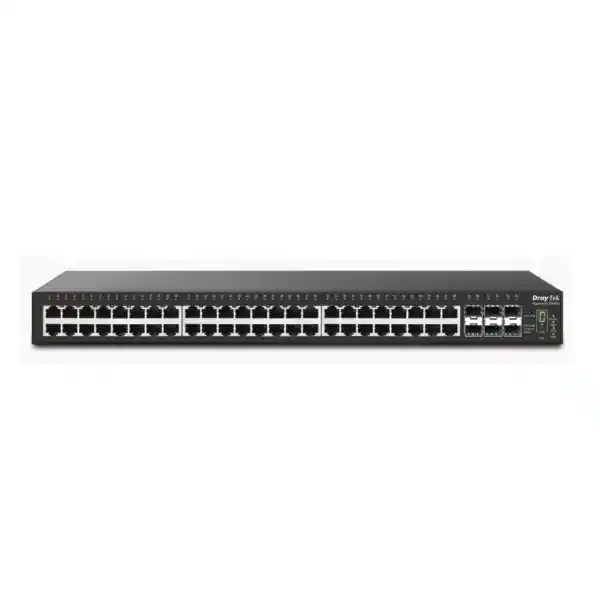
The DrayTek VigorSwitch P2542xh is built for networks where endpoint density, PoE headroom, uplink capacity and operational control must coexist in a single rack unit. With 48 Gigabit Ethernet PoE/PoE+ access ports, six 1G/10G SFP+ slots, a 680-watt PoE budget and 216 Gbps of switching capacity, it is positioned for demanding office, hospitality, education, healthcare, retail, surveillance and multi-site enterprise environments in Dubai and across the UAE.
A practical core-access platform for Dubai and UAE deployments
Modern enterprise access networks are no longer defined only by the number of copper ports. A single floor or facility may need to power dozens of Wi-Fi access points, IP phones, CCTV cameras, door controllers, digital signage endpoints, thin clients and other connected devices while carrying increasing east-west traffic toward local servers, NVRs and application platforms. The VigorSwitch P2542xh addresses this combination with a high port count, a large shared PoE budget and multiple 10GbE uplinks that can be assigned to servers, distribution switches, aggregation layers or resilient fiber paths.
For UAE projects, that combination is particularly useful when the rack must remain compact while endpoint counts grow. A 48-port PoE+ switch with six SFP+ uplinks can reduce the need for separate access and uplink appliances in smaller sites, while larger sites can use multiple units as standardized access blocks. The model is also suited to integrators who need predictable VLAN segmentation, Layer 2 loop protection, local inter-VLAN routing, authentication controls and centralized administration. Organizations evaluating complete UAE infrastructure can also coordinate switching with broader network, firewall and professional-service requirements through FourTeck UAE.
Hardware architecture and port map
48× Gigabit PoE/PoE+
The forty-eight RJ-45 access ports support 10/100/1000 Mbps Ethernet and IEEE 802.3af/802.3at power delivery. That creates one dense access layer for cameras, phones, access points and standard Ethernet devices without requiring separate midspan injectors for routine PoE and PoE+ endpoint classes.
6× SFP+ uplinks
Six fiber slots support 1Gbps or 10Gbps operation, giving designers several ways to build high-bandwidth uplinks, server-facing links, inter-switch trunks or resilient aggregation paths. The number of uplinks is especially valuable when a single switch must connect to more than one distribution point or local high-speed appliance.
Console and status controls
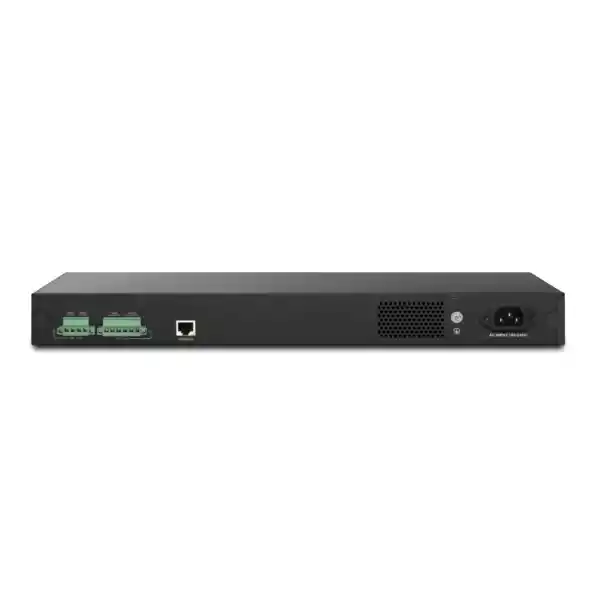
A dedicated RJ-45 console interface supports direct administrative access. Front-panel link and PoE status controls, stack indication and a stacking button simplify rack-side troubleshooting where engineers need immediate visual confirmation before opening the management interface.
1U rack format
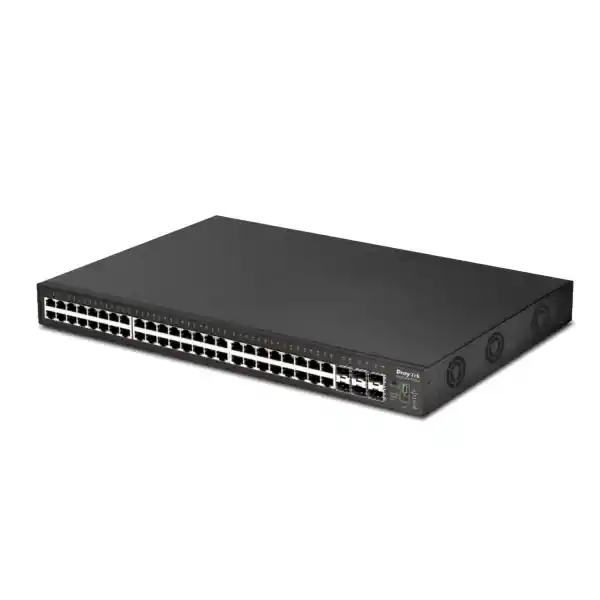
At approximately 440 × 346 × 44 mm and around 6 kg, the chassis fits a standard 19-inch rack in a 1U footprint. This density helps planners preserve rack space for gateways, patch panels, UPS systems, storage, servers and optical termination hardware.
Understanding the 680-watt PoE budget
The defining difference of the P2542xh is its 680-watt shared PoE power budget. A high budget matters because a 48-port switch can become power constrained well before it becomes port constrained. Forty-eight connected devices may each draw only a few watts in steady state, but the design must account for device class, boot-up behavior, future expansion, replacement models and seasonal or operational peaks. The switch supports IEEE 802.3af PoE and IEEE 802.3at PoE+, allowing compatible endpoints to negotiate power through the same copper cable used for data.
A practical sizing exercise begins by listing every planned powered device and its maximum expected draw, not merely its average consumption. For example, cameras with infrared illumination can draw more power at night than during the day. Access points may increase power use when radios, USB functions or additional spatial streams are active. Video phones and door devices can also exhibit startup peaks. The correct design therefore includes reserve margin rather than allocating the full 680 watts on paper.
PoE scheduling can be used where business policy allows devices to be shut down during known idle periods. Port priority settings help the switch preserve higher-priority endpoints if total requested power approaches the platform limit. These controls are valuable in UAE facilities where dense CCTV, voice and wireless estates share one switch and where uptime for selected devices is more important than providing equal power priority to every port.
Switching performance: what 216 Gbps means in design terms
DrayTek specifies 216 Gbps of switching capacity and approximately 160.7 million packets per second forwarding performance for 64-byte frames. Those figures describe the internal switching capability under the vendor’s stated test conditions and give architects a baseline for high-density access planning. They should not be treated as guaranteed application throughput because real traffic includes different frame sizes, protocol overhead, congestion patterns, access-control processing and topology choices.
The port mix explains why this capacity is important. Forty-eight 1GbE access ports can generate substantial aggregate traffic, while six 10GbE SFP+ ports create up to 60 Gbps of high-speed one-way uplink interface capacity. In ordinary enterprise networks, every access port rarely saturates simultaneously, but surveillance recording, backups, imaging, virtualization traffic and large file transfers can create concentrated bursts. The six SFP+ interfaces allow traffic to be distributed across multiple uplinks instead of forcing every workload through one or two 10GbE paths.
A 16 Mbit packet buffer, 32K MAC address table and support for jumbo frames up to 12 KB further position the switch for environments with many endpoints and mixed traffic profiles. Jumbo frames can be useful in selected storage or server workflows, but they must be configured consistently across the complete path. A mismatch between switch ports, servers, hypervisors and storage systems can create fragmentation or connectivity issues, so MTU changes should be planned rather than enabled indiscriminately.
Layer 2+ design: VLAN routing without overloading the gateway
The VigorSwitch P2542xh includes Layer 2+ functions that move it beyond basic access switching. Static routing and VLAN routing allow selected inter-VLAN traffic to be handled on the switch rather than traversing an external firewall or router for every local communication. This can be useful when a large amount of traffic stays inside the campus. CCTV cameras may stream to an NVR, IP phones may register to a local PBX, staff devices may access file servers, and management stations may communicate with infrastructure interfaces. Keeping appropriate local traffic within the switching fabric can reduce unnecessary load on the WAN gateway.
DrayTek specifies support for up to 512 Layer 3 routes. That is ample for many SME, branch, campus and multi-building designs, but routing policy should remain deliberate. Security boundaries that require deep inspection should still traverse the firewall. A common design is to route low-risk or infrastructure-specific east-west traffic locally while preserving firewall inspection for user-to-server, guest-to-corporate and other sensitive crossings. The right approach depends on regulatory requirements, logging objectives and the organization’s threat model.
For sites that need coordinated perimeter security and switching architecture, FourTeck’s Firewall Dubai platform can be used as a reference point for aligning firewall, VLAN and segmentation requirements with the access network.
VLAN capacity and segmentation strategy
The platform supports up to 512 VLANs and multiple VLAN assignment methods, including 802.1Q tag-based VLANs, MAC-based VLANs, protocol-based VLANs, management VLAN, voice VLAN and surveillance VLAN functions. For most organizations, the objective is not to create hundreds of VLANs simply because the switch can support them. The more important goal is to build a segmentation model that is understandable, auditable and consistent across sites.
A Dubai office might separate corporate users, voice, wireless management, employee Wi-Fi, guest Wi-Fi, CCTV, access control, printers, building systems, servers and network-management interfaces. A school may divide staff, classrooms, labs, cameras, phones and student wireless. A hotel may segment guest services, front desk, IPTV, cameras, staff, building management and back-office systems. The P2542xh provides the Layer 2 mechanisms needed for these patterns, while the firewall and routing policy determine which segments are allowed to communicate.
QinQ support can be relevant when an operator, campus or service provider needs to carry customer or tenant VLANs through an additional service VLAN. GVRP is also available for VLAN registration workflows. These features should be introduced only when the broader network design requires them, because simpler VLAN configurations are easier to troubleshoot. Clear naming, port descriptions, VLAN documentation and consistent native/untagged policies significantly reduce operational mistakes in multi-switch environments.
DHCP services and address management
The VigorSwitch P2542xh can operate as a DHCP server for multiple VLANs, with DrayTek describing support for dynamic address assignment across up to eight VLANs. This is useful for branch environments, lab networks, infrastructure segments or continuity scenarios where local address allocation is desirable. A switch-hosted DHCP service can also reduce dependence on a remote router for basic LAN operation when the design intentionally keeps selected resources local.
IP-to-MAC binding allows administrators to reserve predictable addresses for important endpoints. That is useful for printers, controllers, cameras, NVRs, management interfaces and other systems that benefit from stable addressing. However, a binding strategy should be coordinated with DNS, monitoring, IP address management and security policy. Manual reservations scattered across many devices become difficult to audit, so centralized documentation remains important even when the switch performs the allocation.
The switch also provides protections such as DHCP snooping and IP Source Guard. These help reduce the risk of unauthorized DHCP servers or source-address spoofing within the LAN. Dynamic ARP Inspection can complement this by validating ARP behavior against trusted information. Together, these controls form part of a layered access-security design; they do not replace endpoint security or firewall inspection, but they can make the local Ethernet environment more resistant to common misconfiguration and spoofing problems.
Link aggregation and 10GbE uplink planning
LACP and static trunks
The switch supports static and LACP-based link aggregation, with up to eight groups and up to eight members per group. Link aggregation can increase aggregate capacity across multiple flows and provide redundancy when the upstream device is configured compatibly. It does not normally make a single ordinary flow exceed the speed of one member link because traffic is distributed by a hashing method.
Fiber distance and media
The SFP+ slots accept appropriate 1G or 10G transceivers, allowing the physical medium to be selected for the required distance and fiber plant. Multimode links can suit shorter building runs, while single-mode optics are common for longer campus paths. Always validate optic type, wavelength, fiber category and connector arrangement as one end-to-end design.
Six SFP+ interfaces provide flexibility that many 48-port access switches lack. Two ports might be reserved for redundant distribution uplinks, two for servers or NVRs, and the remaining two for stack or additional backbone connectivity. Another site may use four in an aggregated uplink and keep two available for resilience or expansion. The correct layout depends on oversubscription targets and failure domains.
When uplinks connect to a virtualization host, server, NAS or backup platform, confirm whether the endpoint truly requires Layer 2 aggregation, multiple independent VLAN trunks or routed interfaces. High-speed ports are valuable, but poor design can create one oversized broadcast domain or an unnecessarily complex spanning-tree topology. The strongest deployment is the one that uses 10GbE where traffic concentration justifies it while keeping access and routing boundaries explicit.
Stacking for scale and simplified administration
DrayTek supports switch stacking on the VigorSwitch P2542xh with compatible firmware, allowing up to four supported units to operate as a coordinated stack. The vendor’s current stacking documentation describes line and ring topologies, single-IP management, centralized status visibility and configuration synchronization. Stacking is useful when a site needs more than forty-eight PoE ports but wants the operational experience to remain closer to managing one logical switching system.
A ring design can improve resilience because the stack has an alternate path if one stack link fails. The design must still consider failures of power, upstream connectivity and the switch itself. Stacking should therefore be combined with redundant uplinks where appropriate and with a realistic power strategy. If every switch in a stack shares the same UPS or upstream device, the stack may simplify management without removing those shared failure points.
Firmware compatibility is critical. DrayTek has published stacking requirements that depend on software versions and compatible models, and all units in a stack should be aligned to the same supported release. Before a production change, confirm the latest release notes, back up configurations and define rollback steps. A stack upgrade affects multiple access domains at once, so maintenance planning should be more disciplined than for a single isolated switch.
For a four-switch P2542xh deployment, the physical capacity reaches 192 Gigabit PoE+ access ports with a large cumulative PoE budget. That scale is attractive for campuses, hospitality properties, schools, warehouses and surveillance-heavy sites, but port naming and documentation become essential. Use structured rack, switch, port and endpoint labels so a technician can identify the correct physical port even when administration is centralized.
Spanning Tree, loop prevention and resilient Layer 2 design
The switch supports STP, RSTP and MSTP. These protocols protect Ethernet networks against bridging loops, which can create broadcast storms and rapidly consume switching capacity. RSTP generally converges faster than classic STP, while MSTP allows multiple spanning-tree instances to be associated with VLAN groups in more complex environments. The appropriate mode should match the upstream and downstream infrastructure rather than being selected in isolation.
Loop protection provides another safeguard against accidental cabling loops at the edge. This is especially relevant in meeting rooms, classrooms, retail areas and temporary workspaces where unmanaged switches or patch leads may be connected by users. Storm-control capabilities can limit abnormal broadcast, multicast or unknown-unicast levels, reducing the impact of faults before they become site-wide incidents.
Resilience does not mean turning on every protection mechanism at maximum sensitivity. Thresholds that are too aggressive can interrupt legitimate bursts, and inconsistent spanning-tree priority can cause the wrong switch to become root. A deployment plan should identify root and secondary root devices, edge ports, trunk ports, loop-sensitive areas and expected failover paths. Testing a redundant design under controlled conditions is the best way to confirm that the documented topology behaves as expected during real link failures.
Access security: 802.1X, RADIUS, TACACS+ and ACL controls
Enterprise switching security starts at the point where a device connects. The P2542xh supports 802.1X and MAC-based authentication, enabling organizations to validate users or endpoints before granting normal network access. RADIUS can provide centralized authentication for network access, while TACACS+ support is useful for controlling administrative access according to the organization’s AAA design.
Access control lists can filter traffic using IP- or MAC-oriented policy. ACLs are valuable for infrastructure protection, device isolation and limiting traffic paths, but they require disciplined rule management. An undocumented switch ACL can be difficult to diagnose because it may block traffic before a firewall or server log ever sees the connection. Every ACL should therefore have an owner, purpose, scope and review process.
The switch also includes DoS-defense and traffic-control functions, IP conflict prevention, DHCP snooping, Dynamic ARP Inspection and IP Source Guard. These mechanisms address different parts of the local attack and misconfiguration surface. DHCP snooping helps establish trusted address-assignment information; DAI can use that information to validate ARP; Source Guard can restrict packets with unexpected source bindings; and IP conflict prevention helps reduce operational outages caused by duplicate addressing.
For sensitive environments, keep switch management on a dedicated management VLAN, restrict administrative source networks, prefer HTTPS and SSH over clear-text methods, use SNMPv3 where practical, and integrate logs or alerts with the organization’s monitoring workflow. Access security is strongest when switching controls, endpoint identity, firewall policy and administrative procedures reinforce each other.
Quality of Service for voice, video and business applications
The VigorSwitch P2542xh provides eight QoS queues with SPQ and WRR scheduling options, along with classification using CoS, DSCP, CoS-to-DSCP and IP precedence information. QoS becomes important when a network carries latency-sensitive voice or video alongside large transfers, backups or guest traffic. The objective is not to create bandwidth that does not exist; it is to decide which packets should be served first when a link becomes congested.
LLDP-MED helps the switch identify and communicate with compatible voice endpoints. Voice VLAN functionality can simplify placement of IP phones into the correct VLAN, while QoS markings help protect call quality. A well-designed voice deployment also requires correct call-server, gateway, DHCP and DNS settings. If the organization is building or refreshing its telephony environment, the FourTeck IP Phone resource can complement the switch selection process.
Surveillance traffic has different characteristics. Camera streams can be continuous and bandwidth-heavy rather than delay-sensitive in the same way as voice. QoS policy should consider recording paths, live monitoring, uplink oversubscription and the NVR’s aggregate ingestion capacity. Merely marking all camera traffic as highest priority can harm other services. Capacity planning and segment design should carry the bulk of the load, with QoS used to manage congestion rather than compensate for undersized uplinks.
ONVIF-friendly surveillance management
A major use case for a 48-port high-budget PoE+ switch is IP surveillance. DrayTek includes ONVIF-aware features intended to simplify visibility of compatible camera and recording devices. The switch can discover ONVIF endpoints, display surveillance topology information and, with supported devices, provide convenient access to live video and maintenance information from the switch interface.
This does not replace a full VMS or NVR platform. Instead, it gives network administrators an infrastructure-oriented view that links camera behavior to switch ports. When a camera stops responding, the engineer can correlate the problem with PoE status, link state and the physical port. DrayTek also provides device-check functionality that can ping LAN devices and, on PoE models, cycle power to a port if a monitored endpoint stops responding, depending on configuration.
For surveillance design, power is only one dimension. Calculate aggregate camera bitrate, retention requirements, NVR write throughput, uplink utilization and redundancy. A 48-camera switch can create several hundred megabits per second of continuous traffic depending on resolution, codec, frame rate and scene complexity. Six 10GbE uplinks offer substantial headroom, but the end-to-end recording platform must be sized to match.
Segment cameras into dedicated VLANs, restrict their access to management and recording systems, and disable unnecessary services on the endpoints. Where remote viewing is required, publish access through an authenticated application or secure gateway rather than exposing camera management ports directly to the Internet.
Multicast handling for IPTV, video and service discovery
The P2542xh supports IGMP Snooping, an IGMP Querier, MLD Snooping for IPv6 multicast and multicast controls such as group filtering or throttling. DrayTek lists support for up to 256 multicast groups. These features are relevant to IPTV, digital signage, multimedia distribution and applications that rely on multicast delivery.
Without multicast awareness, a switch may flood multicast frames more broadly than necessary, making the traffic behave closer to broadcast and consuming bandwidth on ports that do not need it. IGMP Snooping allows the switch to learn which ports have receivers for particular multicast groups. In networks where no router is acting as querier, an IGMP Querier function can help maintain group-membership state.
Multicast is sensitive to topology and VLAN design. The querier location, version compatibility, routing boundary and application behavior must be understood. For hospitality deployments, IPTV is often separated from guest Internet access and operational networks. For corporate video distribution, the same principle applies: keep service-specific multicast controlled, monitor group counts and verify that redundant paths do not create duplicate streams or unexpected flooding.
IPv6 readiness and dual-stack operations
The switch is IPv6-ready and supports management and multicast functions that fit dual-stack enterprise networks. IPv6 deployment should be treated as an active design choice rather than a background checkbox. Even organizations that primarily use IPv4 may already have IPv6 enabled on endpoints. That means security teams should understand how router advertisements, IPv6 addressing and multicast behavior operate on the LAN.
When IPv6 is intentionally deployed, document addressing, gateway roles, DNS behavior and security policy in parallel with IPv4. Ensure firewall rules and monitoring tools understand both protocol families. When IPv6 is not part of the operational design, simply ignoring it can create a blind spot because endpoints may still form link-local relationships. The switching layer should be included in the organization’s IPv6 governance, logging and change-management procedures.
The P2542xh’s support for MLD Snooping is useful for controlling IPv6 multicast at Layer 2. Combined with a structured VLAN model, this helps keep traffic localized. As with IPv4 multicast, test applications and failover behavior before production deployment, especially where service discovery or conferencing tools depend on multicast mechanisms.
Management interfaces and monitoring options
Web GUI
A graphical web interface gives administrators visibility of ports, status and configuration without requiring command-line-only workflows. Use HTTPS for routine access and restrict management to trusted networks.
SSH and console
SSH v2 and the physical console interface provide alternative administrative paths for engineers. The console port is particularly valuable during initial deployment, recovery or management-network failures.
SNMP and RMON
SNMP v1, v2c and v3 support enables integration with network-monitoring systems. RMON groups and interface statistics can help operations teams observe utilization and identify developing congestion.
sFlow
sFlow can provide sampled traffic visibility for flow-analysis platforms. This helps identify top talkers, unusual traffic patterns and capacity trends without requiring full packet capture on every interface.
The platform also supports configuration backup and restore, dual firmware images, mail alerts, SNTP time synchronization, LLDP and two levels of administrative privilege. These features become most useful when embedded in an operations process. Time should be synchronized before logs are relied on for incident analysis. Configurations should be backed up after approved changes. Monitoring should alert on meaningful conditions rather than every transient event. Administrative accounts should be named, least-privileged and reviewed periodically.
Centralized management with DrayTek ecosystem tools
Organizations already using compatible DrayTek routers can use Switch Management capabilities for discovery, provisioning, monitoring and selected maintenance workflows. Central visibility is useful in branch estates where local staff may not have network expertise. Administrators can identify managed switches, push supported profiles and obtain a hierarchical view of connected DrayTek equipment.
DrayTek also positions VigorACS for broader centralized management. Depending on the supported firmware and licensed platform version, this can provide provisioning, monitoring, alarms, maintenance and reporting across compatible routers, access points and switches. For multi-site UAE organizations, centralized tools can reduce the need to log into individual switch interfaces for routine tasks.
Centralization should not eliminate local recovery planning. Keep configuration backups, document console access, maintain current credentials securely and ensure a technician can recover the switch if the management platform or WAN link becomes unavailable. In regulated or security-conscious environments, verify where management data is stored, how administrative access is protected and whether the platform aligns with internal compliance requirements.
If the broader project includes deployment, configuration, structured cabling, monitoring integration or ongoing network support, FourTeck IT Services UAE can be incorporated into the procurement and implementation scope.
Power input, backup power and rack planning
The P2542xh accepts AC input rated at 100–240 V and also provides DC backup power inputs according to DrayTek’s published specifications. The high PoE budget means electrical and thermal planning matters more than it does for a low-power access switch. DrayTek lists a maximum power consumption of approximately 790.1 watts, which reflects the chassis plus powered-device demand under high-load conditions.
The rack circuit, PDU and UPS should be sized with realistic load and reserve. A common mistake is sizing a UPS only around the switch’s base electronics while ignoring the PoE endpoints that draw through it. If the switch is carrying hundreds of watts to cameras or access points, the UPS must support that complete load for the desired runtime. Also consider upstream switches, firewall, NVR, server and optical equipment that must remain powered for the service to function during an outage.
DrayTek lists DC backup inputs of 12 V and 54 V with separate current ratings. The backup-power design should follow the vendor’s current installation guidance and use appropriate, protected power sources. Do not improvise DC feeds solely from connector fit or nominal voltage. Power-system integration should be handled by qualified personnel who understand grounding, polarity, current capacity and local electrical standards.
Thermal management matters in UAE equipment rooms. The published operating-temperature range is 0°C to 50°C, but a rack should not be designed to run continually near the upper limit. Maintain controlled ambient conditions, front-to-back airflow, clean filters where applicable and adequate clearance around high-heat equipment. Monitoring rack temperature can reveal cooling problems before devices begin to throttle, alarm or fail.
High-density Wi-Fi access layer
Wi-Fi networks frequently drive PoE switch upgrades. A site may start with a modest number of access points and then increase density to support conference rooms, public spaces, warehouse aisles, classrooms or high-client areas. The P2542xh offers the port count and PoE+ support needed for many enterprise AP deployments, while the 680-watt budget provides more headroom than a lower-budget 48-port model.
However, power and throughput must be assessed separately. The copper access ports on this model are Gigabit Ethernet. If a selected access point can generate more than 1 Gbps of practical wired throughput or requires 2.5GbE/5GbE uplinks for full capability, a multigigabit switch may be a better fit for those specific APs. The P2542xh is strongest where 1GbE per access point is appropriate and where aggregate traffic can be moved through the six 10GbE SFP+ uplinks.
Wireless VLANs should be trunked deliberately, with management traffic separated from client networks. Guest users normally require firewall isolation from corporate resources. Voice-over-Wi-Fi may justify QoS policy, while high-density environments need RF planning as much as switching capacity. A good network design therefore treats the switch as one part of a complete wired-and-wireless architecture rather than assuming that a large PoE budget alone guarantees Wi-Fi performance.
IP telephony and unified communications deployment
Forty-eight PoE+ access ports allow one P2542xh to support a large number of desk phones and related endpoints. LLDP-MED and voice VLAN capabilities can simplify phone discovery and segmentation. QoS classification can preserve call traffic during periods of congestion. These capabilities are useful in offices, contact centers, clinics, schools and hospitality environments where wired phones remain an important business service.
A voice network should be designed around more than the switch. DHCP options, DNS, time services, call control, SIP trunks, SBC policy and emergency-calling requirements all affect service quality. If a phone includes a PC passthrough port, confirm whether the workstation and phone should share the same physical switch port but use separate VLANs. This is a common deployment pattern and should be validated with the handset vendor’s configuration guidance.
Where a project also requires PBX or unified communications infrastructure, FourTeck’s IP PBX Dubai resource can support the wider design conversation. The network team should coordinate closely with the voice team so that VLAN, QoS, DHCP and redundancy assumptions are agreed before phones are deployed at scale.
Server, storage and NVR connectivity considerations
The six SFP+ interfaces can be valuable for local servers, NVRs, storage or virtualization hosts, but server connectivity should be planned around the service architecture. A surveillance NVR may benefit from 10GbE when dozens of cameras stream continuously and multiple operators also review footage. A backup server can generate large bursts that would congest a 1GbE interface. A virtualization host may require separate logical networks for management, storage, migration and application traffic.
The switch supports VLAN trunks and link aggregation, enabling multiple network roles to share a physical high-speed interface where the server platform supports that design. Alternatively, separate SFP+ ports can provide stronger traffic separation or simpler troubleshooting. Consider failure behavior: if several critical services share one LACP bundle, a member failure reduces total capacity but may preserve connectivity; if services use separate links, one failure may affect only one function.
Storage traffic is particularly sensitive to latency, MTU consistency and oversubscription. Jumbo frames may help selected workloads, but every device in the path must support the chosen MTU. Do not assume a 10GbE link automatically makes the switch appropriate for a specialized storage fabric; validate protocol requirements, loss tolerance and vendor support first.
Projects that include rack servers, storage and related infrastructure can also reference Server Dubai by FourTeck to coordinate compute and switching requirements rather than sizing each layer independently.
Recommended deployment topologies
Single-switch branch: Use the P2542xh as the primary access switch for up to forty-eight wired endpoints, with one or two 10GbE uplinks toward the firewall, router or upstream distribution layer. Separate users, voice, cameras, guest wireless and management into VLANs. This design is compact and easy to operate, but the switch remains a single point of access-layer failure.
Dual-switch resilient access block: Deploy two switches with redundant upstream links. Endpoints can be distributed between them so a chassis failure affects only part of the floor. Where supported and appropriate, stacking can simplify management. Critical servers or NVRs may use dual interfaces connected across the access pair if the endpoint and network design support resilient teaming.
Surveillance aggregation: Connect cameras across the PoE+ ports and reserve one or more SFP+ links for NVR and upstream connectivity. Use a dedicated surveillance VLAN, restrict management access, monitor PoE draw and keep spare power budget for cameras that increase consumption at night.
Campus building access: Use fiber SFP+ uplinks back to a distribution or core switch. Select optics according to fiber type and distance. If redundant fiber paths exist, configure spanning tree, LACP or routed designs in accordance with the overall architecture.
High-density voice and Wi-Fi: Combine phone and 1GbE access-point connectivity on the PoE ports, use voice and wireless VLANs, and monitor aggregate uplink usage. Confirm the selected access points do not require multigigabit Ethernet for their intended performance target.
Capacity planning methodology before ordering
The fastest way to select the wrong switch is to size only by current port count. A robust design considers port quantity, PoE demand, uplink capacity, VLAN count, fault tolerance, growth, rack power and management requirements together. Start with an endpoint schedule that lists every current and planned device, its location, port speed, PoE class, expected maximum wattage, VLAN and criticality.
Next, calculate PoE demand using realistic maximum figures. Add a reserve margin for hardware replacement and growth. Compare that result with the 680-watt budget. If the switch will be installed in phases, model both day-one and end-state power. Make sure the UPS and rack circuit can supply the resulting load.
Then estimate bandwidth concentration. Forty-eight 1GbE devices do not usually require forty-eight gigabits of continuous uplink capacity, but traffic patterns matter. Surveillance streams are steady; backups are bursty; voice is low-bandwidth but latency-sensitive; wireless can be highly variable; storage may be both high-throughput and latency-sensitive. Allocate the six SFP+ interfaces according to these patterns rather than simply bonding every available uplink.
Finally, document failure requirements. Decide whether a switch failure, an uplink failure or a power failure must be tolerated. If redundancy is required, identify whether it exists at chassis, link, power and upstream layers. A stack can simplify control but is not a substitute for independent power and upstream resilience. The final bill of materials should therefore include optics, DACs, patch leads, rack accessories, UPS capacity and monitoring requirements, not only the switch chassis.
This methodology keeps the purchase aligned with the actual service objective and helps avoid late project changes caused by insufficient power, incompatible optics or underestimated uplink demand.
Technical specification summary
| Category | DrayTek VigorSwitch P2542xh |
|---|---|
| Copper ports | 48 × 10/100/1000 Mbps RJ-45 with PoE/PoE+ |
| Fiber uplinks | 6 × SFP+ supporting 1GbE/10GbE |
| PoE budget | 680 watts shared |
| Switching capacity | 216 Gbps |
| Forwarding rate | Approximately 160.7 Mpps at 64-byte frames |
| Packet buffer | 16 Mbit |
| MAC table | 32K addresses |
| Jumbo frame | Up to 12 KB |
| VLAN scale | Up to 512 VLANs |
| Routing | Static routing, VLAN routing, up to 512 routes |
| Link aggregation | Static/LACP, up to 8 groups and 8 members per group |
| Spanning tree | STP, RSTP, MSTP |
| Multicast | IGMP Snooping/Querier, MLD Snooping, up to 256 multicast groups |
| QoS | 8 queues, SPQ/WRR, CoS, DSCP, IP precedence |
| Authentication | RADIUS, TACACS+, 802.1X/MAC authentication |
| Management | HTTP/HTTPS, Telnet, SSH v2, SNMP v1/v2c/v3, sFlow, RMON, LLDP/LLDP-MED |
| Rack size | 1U |
| Dimensions | 440 × 346 × 44 mm |
| Approx. weight | 6 kg |
| Operating temperature | 0°C to 50°C |
| Storage temperature | -20°C to 70°C |
Published specifications can change with hardware revisions and firmware. Validate the current DrayTek datasheet, firmware notes and supported optics before final procurement or production rollout.
Physical installation checklist for UAE racks
Before installing the switch, verify that the cabinet provides enough usable depth for the 346 mm chassis plus cable-bend radius, power connectors and rear clearance. A nominally deep rack can still become difficult to service if vertical PDUs, cable managers or rear rails obstruct the switch. Fit the rack-mount brackets correctly and support the chassis during installation rather than allowing its weight to hang from one side.
Plan patch-panel positioning so forty-eight copper cables do not block airflow or obscure port labels. Horizontal cable managers can improve serviceability. Use cable lengths appropriate to the rack and avoid tight bends that stress plugs. For SFP+ fiber, maintain the required bend radius and use clean, capped optical connectors. Label both ends of every copper and fiber connection.
Power cabling should be separated from data where practical. Connect the switch to an appropriately rated PDU and confirm UPS capacity after including the expected PoE endpoint load. If backup DC power is used, follow the manufacturer guidance and local electrical practice. Confirm grounding and environmental conditions before powering the device.
After installation, record the switch serial information, rack position, management address, firmware version, uplink ports, VLAN trunks and power source. Photographing the completed rack can be useful for remote support, provided sensitive labels or credentials are not exposed. Good installation records reduce diagnosis time later and make expansion easier for engineers who were not present during the original deployment.
Commissioning sequence for a clean production rollout
A structured commissioning sequence reduces avoidable outages. Begin on an isolated management network or bench environment. Confirm the installed firmware and review the vendor’s current release notes. Change default administrative credentials, configure secure management access and set the management IP, subnet, gateway and time synchronization. Back up the baseline configuration before adding service-specific settings.
Create VLANs, management interfaces and trunks next. Assign access ports in logical groups and use meaningful descriptions such as camera location, access-point ID or desk zone. Configure spanning-tree roles and LACP trunks before connecting redundant uplinks. Then add security controls such as 802.1X, DHCP snooping, DAI, IP Source Guard or ACLs in stages so that each function can be validated.
For PoE endpoints, connect a sample of each device type first. Confirm negotiated link speed, PoE delivery, VLAN placement, DHCP behavior and reachability to required services. Verify that the switch’s power-monitoring figures align with the planned budget. Cameras should be checked under conditions that trigger their higher-power modes where possible, and access points should be tested with intended radios and features enabled.
Test uplink redundancy, stack behavior where used and failure recovery. Disconnect one link at a time in a controlled maintenance window and observe convergence. Confirm monitoring alerts, SNMP visibility, sFlow data if used and log timestamps. Save a post-commissioning backup after the configuration is signed off.
Finally, update the network diagram and handover documentation. A switch should not be considered fully commissioned merely because endpoints can reach the Internet. Production readiness includes recoverability, monitoring, documentation, access control and confirmation that the actual behavior matches the intended design.
Operational monitoring and lifecycle management
Once the P2542xh is in production, monitor more than simple up/down status. Track interface utilization, errors, discards, PoE consumption, temperature, CPU or resource indicators exposed by the platform, link flaps and uplink congestion. These trends reveal whether the network is approaching a limit before users notice persistent service degradation.
SNMP provides conventional polling and alert integration, while sFlow can help characterize traffic. Mail alerts and local logs can add context, but they should feed a broader operational workflow rather than relying on one engineer to notice every message. The monitoring platform should distinguish urgent events, such as uplink failure or power exhaustion, from lower-priority conditions such as a user port going down.
Review firmware periodically and subscribe to relevant vendor security or product notices. Firmware should not be upgraded solely because a new version exists; evaluate fixes, new features, known issues and compatibility first. Conversely, leaving infrastructure on old software indefinitely can expose the network to resolved defects or security weaknesses. Maintain a tested process for backup, upgrade, validation and rollback.
Capacity reviews are also important. A switch installed with 250 watts of PoE load today may approach the 680-watt ceiling after a camera or AP expansion. Uplinks that run at 20 percent may later sustain 70 or 80 percent during backup windows. Quarterly or semiannual trend reviews help identify when another switch, additional uplink or architecture change is warranted.
Security hardening recommendations
A production switch is part of the security boundary and should be hardened accordingly. Place its management interface in a dedicated administrative VLAN rather than the user network. Restrict that VLAN to authorized management stations or jump hosts. Prefer HTTPS and SSH for administration. Disable or limit clear-text services such as Telnet and HTTP if they are not required.
Use named administrative accounts where supported and assign the lowest privilege level that fits each role. Integrate with centralized AAA when it improves accountability. Strong credentials should be stored in an approved password-management system, not embedded in documentation. Review accounts after staff or vendor changes.
Enable SNMPv3 where monitoring systems support it because it can provide authentication and encryption not available in older community-string approaches. If legacy SNMP versions must remain, limit source addresses and use dedicated management networks. Protect configuration backups because they can contain topology, addressing and credential-related information.
Use 802.1X or MAC authentication where the endpoint environment supports it. Apply port security and access controls in a staged manner, beginning with well-understood device groups. Enable DHCP snooping and related source-validation controls only after trusted uplinks and expected DHCP paths are mapped, otherwise legitimate traffic can be unintentionally blocked.
Finally, maintain physical security. A locked communications room, controlled rack access and accurate patching records reduce the risk of unauthorized devices or accidental changes. Security is strongest when physical controls, switch configuration, firewall policy and endpoint identity are managed as one system.
When the P2542xh is the right choice—and when to select something else
The VigorSwitch P2542xh is well matched to projects that need close to forty-eight powered Gigabit endpoints, substantial PoE headroom and several 10GbE uplinks in one rack unit. It is especially attractive when IP cameras, Wi-Fi access points and phones are concentrated in one cabinet and when Layer 2+ routing, VLAN segmentation, centralized management and enterprise security controls are required.
Choose the higher-budget P2542xh rather than a lower-PoE variant when the endpoint power model justifies the extra capacity. The 680-watt budget can provide meaningful reserve for dense deployments. On the other hand, if only a small number of ports require PoE, a lower-density switch may be more economical and easier to power.
If many endpoints require 2.5GbE or 5GbE copper, particularly next-generation Wi-Fi access points, this Gigabit-access model may not be the optimal platform despite its strong PoE budget. A multigigabit switch should be evaluated. Similarly, devices requiring IEEE 802.3bt PoE++ should be checked carefully because the P2542xh is specified for 802.3af/at PoE/PoE+ rather than general PoE++ delivery.
If the site needs full dynamic routing protocols or advanced data-center features, a higher-layer or specialized switch may be appropriate. The P2542xh’s Layer 2+ routing is intended for practical static and inter-VLAN use cases, not to replace every function of an enterprise core router.
The correct selection therefore depends on the intersection of port speed, power class, Layer 3 requirements, management model and growth plan. A product can be powerful yet still be wrong for a project if one of those constraints is mismatched.
Dubai and UAE procurement considerations
For UAE procurement, technical selection should be accompanied by confirmation of supply channel, warranty handling, hardware revision, included power accessories and lead time. Network switches are infrastructure components, so sourcing from a reliable channel matters. Grey-market hardware can create complications with warranty entitlement, regional support and firmware expectations.
Confirm the exact model suffix before purchase. The P2542xh is the high-PoE-budget model and should not be confused with closely related versions that share much of the same port architecture but have different PoE capacity. The purchase order, quotation and delivery note should all identify the complete model name.
Optics should also be quoted explicitly. SFP+ ports require compatible modules or DAC cables, and the correct choice depends on media, distance and upstream hardware. A switch quotation that excludes optics may appear complete but still be unusable on installation day. Include spare modules for critical links where service requirements justify them.
For projects with planned deployment dates, account for staging, firmware preparation, labeling, rack work and acceptance testing. Do not schedule cutover immediately after delivery if the switch has not been bench-tested. A short staging process catches damaged hardware, wrong optics and configuration issues before technicians are working in a production maintenance window.
FourTeck can align hardware supply with project services so that the quote reflects not just the chassis but also the transceivers, cabling, implementation and support scope required to place the switch into production.
Migration from an existing 48-port switch
Replacing an existing 48-port switch with the P2542xh should be treated as a controlled migration rather than a cable-for-cable swap. Export the current VLAN list, trunk configuration, port descriptions, LACP groups, spanning-tree settings, PoE requirements, ACLs and management configuration. Identify any legacy behavior that may not be documented, such as untagged VLAN assumptions or manually configured phone ports.
Build the new switch configuration in advance. Map old port numbers to new port numbers and create a patching sheet. Where possible, move services in logical groups rather than all at once. For example, migrate one camera block, then one access-point block, then user ports. This makes troubleshooting easier because any issue can be associated with a smaller change set.
Verify that PoE endpoints negotiate correctly. Some older devices may use unusual power behavior or cabling. Check SFP/SFP+ compatibility rather than assuming modules from the previous switch will operate in the new platform. Test uplink trunks and spanning-tree state before moving the bulk of endpoints.
Keep the previous switch powered and available during the maintenance window if practical, with the old configuration saved. That provides a rollback path if an unexpected interoperability issue occurs. Once migration is complete, validate application connectivity, voice, surveillance recording, wireless services, DHCP, monitoring and management access before declaring the change successful.
Troubleshooting framework
No link: Check cable integrity, transceiver compatibility, endpoint power, administrative port state and speed/duplex negotiation. For fiber, verify matching optic types and transmit/receive polarity.
Link but no network access: Confirm access VLAN or trunk tagging, DHCP assignment, gateway, ACLs, 802.1X state, DHCP snooping and IP Source Guard. Determine whether the endpoint receives the expected address before testing higher-layer services.
PoE device does not power: Check whether the endpoint supports IEEE 802.3af/at, examine per-port PoE state, total power consumption and port priority. Try a known-good cable and validate the device on another port. A switch with available aggregate budget can still have a local cabling or endpoint problem.
Intermittent voice or video: Inspect errors, drops, congestion, QoS classification and uplink utilization. For cameras, review aggregate bitrate and NVR performance. For voice, check jitter and packet loss across the full path rather than only the local switch.
Broadcast storm or instability: Investigate spanning-tree events, loop-protection alerts, port flaps and recent cabling changes. Isolate the suspected segment methodically rather than rebooting the entire switch without evidence.
Management unreachable: Use the console interface where necessary, verify management VLAN tagging and upstream reachability, and confirm that ACLs or source restrictions have not blocked the administrator. Maintain console access procedures for exactly this scenario.
Sustainability and Energy Efficient Ethernet
The P2542xh supports IEEE 802.3az Energy Efficient Ethernet, which can reduce interface energy use during low-activity periods on compatible links. In a high-density PoE environment, however, the largest energy component is often the powered endpoint estate rather than the switching silicon itself. Cameras, access points and phones may operate continuously, so the best energy strategy combines efficient networking hardware with deliberate endpoint and PoE policy.
PoE scheduling can shut down nonessential devices outside business hours where operational requirements permit. This is practical for selected phones, signage or test equipment, but it may be inappropriate for security cameras, emergency phones, access-control systems or wireless infrastructure that must remain available. Every schedule should therefore be aligned with service ownership rather than applied globally.
Energy planning is also useful for UPS design. Reducing unnecessary PoE load can extend backup runtime during outages. Monitor actual draw over time and compare it with the original design estimate. This creates better data for future capacity planning and helps identify abnormal devices whose consumption has changed.
Frequently asked technical questions
Does the VigorSwitch P2542xh provide PoE on all 48 copper ports?
Yes. DrayTek specifies all forty-eight Gigabit RJ-45 access ports for IEEE 802.3af/at PoE/PoE+ delivery, subject to the switch’s shared 680-watt power budget and the configured per-port policies.
Can the SFP+ ports run at 1GbE?
DrayTek lists the six SFP+ slots as supporting 1Gbps and 10Gbps operation. Use compatible optics and confirm support for the exact module and link partner before deployment.
Is this a Layer 3 switch?
DrayTek classifies it as a Layer 2+ managed switch. It includes static routing, VLAN routing and DHCP server capabilities, but it should not be assumed to replace a full enterprise router with dynamic routing and advanced security functions.
Can it stack with other DrayTek switches?
DrayTek supports stacking for selected compatible models and firmware releases, with up to four units. Compatibility and minimum firmware are release-dependent, so check the latest DrayTek stacking documentation before implementation.
Is 680 watts enough for 48 PoE+ devices?
It depends on the endpoint draw. Forty-eight devices drawing an average of 10 watts would use roughly 480 watts before reserve. Forty-eight devices near the upper PoE+ range could exceed the shared budget. Size from maximum expected device consumption and keep a safety margin.
Does it support PoE++?
The P2542xh is specified for IEEE 802.3af PoE and 802.3at PoE+. If endpoints require IEEE 802.3bt PoE++, select a model explicitly supporting that standard.
Can it be used for CCTV?
Yes. Its high PoE budget, ONVIF-oriented tools, surveillance VLAN capability, device-check features and 10GbE uplinks make it well suited to many IP-camera networks. NVR capacity, camera bitrate and security segmentation must still be sized separately.
Can it serve as the only switch in a branch?
In many branches, yes, if forty-eight access ports, Gigabit edge speed and Layer 2+ capabilities meet requirements. If the branch needs chassis redundancy, multigigabit access or advanced dynamic routing, additional infrastructure may be required.
Design notes for hospitality, education, healthcare and retail
Hospitality: Hotels can use high-density PoE for phones, cameras, access points and service endpoints. VLAN design should separate guest services, staff, CCTV, building systems and voice. Fiber uplinks may connect floor or building cabinets back to a core. IPTV requirements should be assessed with IGMP and multicast design.
Education: Schools and training centers often combine classroom access points, IP phones, cameras and lab devices on the same access layer. PoE scheduling may be suitable for selected classroom devices, while surveillance and emergency systems remain continuously powered. 802.1X can support controlled access where identity infrastructure is available.
Healthcare: Clinics and healthcare facilities need reliable voice, wireless and security connectivity. Segment administrative users, guest access, cameras and building systems. Any medical-device network should follow the medical equipment vendor’s requirements and the organization’s cybersecurity policy rather than being treated like an ordinary office VLAN.
Retail: Stores can combine POS-supporting LANs, cameras, phones, staff Wi-Fi, guest Wi-Fi and digital signage. Critical payment systems should be segmented according to the organization’s payment-security requirements. Centralized management can be helpful across many branches, but local recovery and configuration standards should remain documented.
What is included and what else may be required
DrayTek’s product information lists rack-mount accessories, extended bracket hardware, a console cable, power cord and quick-start documentation in the box. Exact regional packaging should be confirmed at time of purchase. The switch itself does not remove the need to specify the rest of the network bill of materials.
For copper access, confirm patch panels, Category 5e/6/6A cabling as appropriate, patch cords, labeling and certification. For 10GbE fiber, select the correct SFP+ transceivers, DAC cables or optical patch leads. Confirm whether the upstream switch, firewall, server or NVR uses matching interfaces. Do not mix multimode and single-mode assumptions.
Power design may require a suitable UPS, metered PDU, dedicated circuit and backup-power components. Monitoring may require an SNMP or flow-analysis platform. Centralized DrayTek management may require separate platform licensing or infrastructure depending on the chosen solution and deployment size.
A complete quotation should therefore distinguish the switch chassis, optics, cables, installation, configuration, testing, support and any management platform. This gives procurement teams a transparent view of the actual project cost instead of comparing chassis-only prices that omit essential components.
Decision recap: where the VigorSwitch P2542xh fits best
Choose it for density
Forty-eight powered Gigabit access ports in 1U suit racks where cameras, phones, Wi-Fi and general LAN endpoints must be consolidated.
Choose it for PoE headroom
A 680-watt shared budget gives substantially more power capacity than lower-budget 48-port PoE switches and supports growth when endpoint demand is modeled correctly.
Choose it for uplink flexibility
Six 10G-capable SFP+ ports support resilient aggregation, server or NVR connections and multiple high-bandwidth paths.
Validate edge speed
The access ports are Gigabit Ethernet. If many endpoints need 2.5GbE or faster copper, evaluate a multigigabit alternative before ordering.
Quotation input checklist
To prepare an accurate UAE quotation and implementation scope, provide the project team with the information below. These inputs help determine whether the P2542xh is correctly sized and identify the optics, power and services that must accompany it.
Consultation and deployment planning for DrayTek VigorSwitch P2542xh Dubai
The VigorSwitch P2542xh is a capable high-density PoE+ platform, but the best results come from correct sizing and disciplined design. FourTeck can help validate endpoint power demand, VLAN layout, 10GbE uplink strategy, optics, rack power, UPS capacity, stacking, surveillance integration, voice requirements and migration planning before the switch enters production.
For procurement, share the endpoint schedule and required installation location. For an implementation project, include existing topology diagrams, current switch configuration where available and the expected cutover window. This allows the solution to be quoted with the accessories and services needed for a complete deployment rather than a chassis-only purchase.

Reviews
There are no reviews yet.