
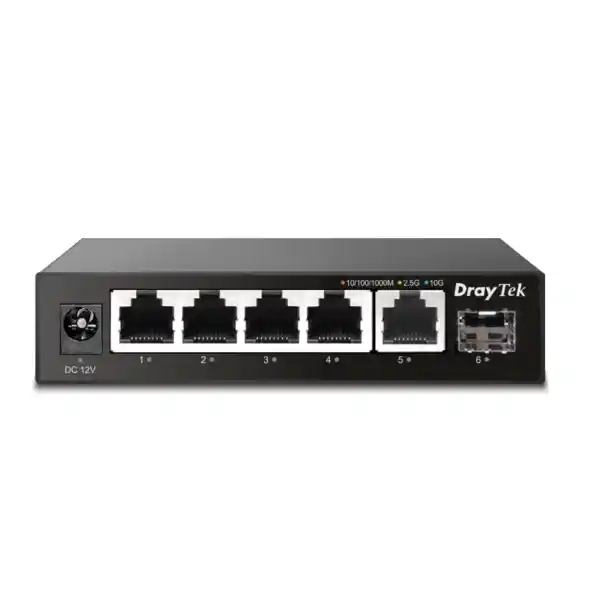
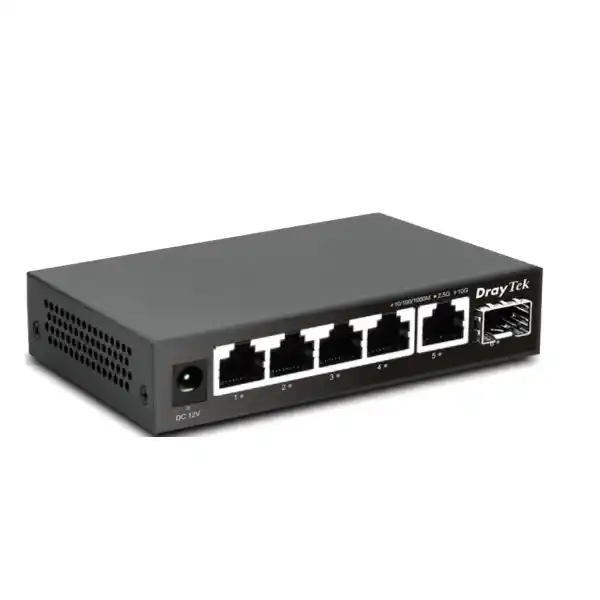
DrayTek VigorSwitch Q60x — 5-Port 2.5GbE with 10G SFP+ Uplink
The DrayTek VigorSwitch Q60x is a palm-sized unmanaged multi-gigabit switch designed for organizations that have outgrown ordinary 1GbE connectivity but do not need the operating overhead of a managed access switch. Five copper ports negotiate at 10Mbps, 100Mbps, 1Gbps or 2.5Gbps, while the dedicated SFP+ slot supports 1G, 2.5G and 10G fiber or compatible direct-attach connectivity. This combination makes the Q60x particularly useful as a compact aggregation point for modern Wi-Fi access points, high-performance desktops, NAS appliances, video-production workstations, NVR platforms, mini servers and router uplinks.
For Dubai businesses, the important value is not simply the headline port speed. The Q60x offers a practical migration path from Gigabit Ethernet while allowing existing lower-speed Ethernet devices to continue operating on the same switch. It can be deployed under a desk, in a small communications cabinet, on a wall or beside a router, and its fanless metal enclosure keeps acoustic noise to a minimum while providing a robust heat-dissipation surface.
Q60x at a Glance
What the DrayTek VigorSwitch Q60x Is Designed to Do
The Q60x is best understood as a simple multi-gigabit traffic-forwarding platform. It does not ask an administrator to create VLANs, configure trunks, build link-aggregation groups, assign management addresses or maintain a separate switch configuration. Instead, it learns Ethernet MAC addresses, forwards frames between the correct interfaces and negotiates each copper connection at the highest common speed supported by the endpoint and cabling. For small networks, project rooms, home offices, media suites, branch installations and edge segments, this plug-and-play behavior removes several steps from deployment.
The five RJ-45 interfaces support 10/100/1000/2500Mbps Ethernet, so a single Q60x can host a mixture of older Gigabit devices and newer 2.5GbE systems. A workstation with a 2.5GbE NIC can connect at full 2.5Gbps while a printer, older PC or basic IP appliance on another port can remain at 1Gbps or 100Mbps. This mixed-speed capability is useful during staged refresh cycles because an organization does not have to replace every endpoint simultaneously.
The SFP+ port is the architectural feature that differentiates the Q60x from many compact five-port multi-gig switches. It can operate at 1G, 2.5G or 10G, creating an uplink path that is faster than any single copper access port. In a small office, that uplink can lead to a core switch, router, server, storage system or another compatible aggregation device. In a media environment, it can provide a 10Gbps path toward centralized storage while several 2.5GbE editors share the available bandwidth. In a branch office, it can connect a cluster of fast local devices to a higher-capacity distribution layer without requiring a full-size rack switch.
Verified Hardware and Performance Specifications
Copper Interfaces
Five RJ-45 Ethernet ports support 10Mbps, 100Mbps, 1Gbps and 2.5Gbps operation. Auto-negotiation allows each connected device to establish the highest mutually supported link speed, helping mixed-generation networks migrate toward multi-gigabit connectivity without abandoning compatible Gigabit endpoints.
Optical / Uplink Interface
One SFP+ slot supports 1G, 2.5G and 10G operation. This port can be used as a high-speed uplink to a compatible switch, storage system, router or server interface, subject to the selected transceiver, direct-attach cable and far-end device compatibility.
Switching Fabric
The Q60x provides 45Gbps of switching capacity. That figure is appropriate for a compact device with five 2.5GbE copper ports and a 10Gbps-capable SFP+ interface, giving the switch sufficient internal bandwidth to support demanding combinations of simultaneous ingress and egress traffic.
Forwarding Performance
The rated forwarding performance is 33.5 million packets per second using 64-byte frames. Packet-per-second capability matters where traffic includes many small frames because such workloads can place greater pressure on switching logic than large sequential data transfers.
Buffer and MAC Table
An 8Mbit packet buffer provides temporary frame storage during short bursts and contention events, while a 4K MAC address table is more than adequate for the small edge networks and compact aggregation scenarios for which the Q60x is intended.
Jumbo Frames
Support for jumbo frames up to 12KB can be valuable in storage, virtualization and large-file workflows where all devices on the path are configured to use a compatible MTU. Jumbo frames are not automatically required for high throughput, but they can reduce per-packet overhead in suitable environments.
Why 2.5GbE Matters in a Modern UAE LAN
Gigabit Ethernet remains sufficient for many endpoints, but several common business workloads now exceed what a 1Gbps connection can deliver comfortably. High-resolution media files, multi-user NAS access, local backup jobs, virtual machine images, large CAD projects, surveillance exports, content-production libraries and high-speed wireless backhaul can all generate sustained traffic that approaches or exceeds the effective payload capacity of a Gigabit link. Moving from 1GbE to 2.5GbE raises the theoretical line rate by two and a half times while retaining familiar RJ-45 copper connectivity.
This makes 2.5GbE especially attractive for incremental upgrades. Many business PCs, compact servers, modern motherboards, Wi-Fi 6 and Wi-Fi 6E access points, NAS appliances and USB or Thunderbolt network adapters already provide 2.5GbE interfaces. Where the installed cabling is suitable, organizations can often obtain a significant bandwidth improvement without immediately moving every endpoint to 10GbE. The Q60x fits this middle ground by providing five multi-rate copper ports and a faster SFP+ uplink.
The practical benefit is better concurrency. A single 2.5GbE workstation copying data from a NAS can operate well above Gigabit speeds, but the 10G uplink also allows multiple 2.5GbE clients to reach a suitably provisioned storage or core network without forcing all of them through a single 2.5GbE bottleneck. The uplink does not guarantee that every access port can simultaneously sustain its maximum rate to one destination; server performance, storage media, TCP behavior, SFP+ media, cabling and far-end interfaces still matter. However, the architecture gives a small network substantially more headroom than a traditional five-port Gigabit switch.
Port-by-Port Deployment Logic
A useful way to plan the Q60x is to assign the SFP+ interface to the highest-bandwidth upstream or shared resource and use the five copper ports for local devices. For example, the SFP+ port can link at 10Gbps to a central aggregation switch. Copper port one can serve a 2.5GbE NAS, port two a 2.5GbE workstation, port three a 2.5GbE Wi-Fi access point, port four an NVR and port five a second workstation. In that topology, the Q60x behaves as a compact multi-gigabit edge block feeding a faster distribution path.
In a small creative studio, a different arrangement might place the NAS on the 10G SFP+ interface, leaving all five 2.5GbE RJ-45 ports for editors, render nodes or ingest stations. This can be a cost-effective alternative to putting 10GbE adapters on every workstation. Each endpoint receives up to 2.5Gbps, while the shared storage path has enough link capacity to service several clients concurrently when the NAS CPU, disks or SSDs, filesystem and protocol stack can keep pace.
For a branch location, the SFP+ interface might connect to a local firewall or upstream switch if that device provides a compatible SFP/SFP+ port. The copper ports can then be reserved for fast local devices. If the branch gateway only has 1GbE interfaces, the Q60x still functions, but the Internet or inter-VLAN path may become the throughput ceiling. This is why switch selection should be matched to the entire topology rather than judged only by access-port speed.
When planning the uplink, confirm the exact optical module or direct-attach cable required by both ends. SFP+ slots are mechanically standardized, but transceiver support, wavelength, fiber type, distance, connector type, digital diagnostics and vendor compatibility can differ. A 10G SR optical module over multimode fiber solves a different requirement from a short direct-attach copper cable inside a rack, and both are different again from a 1G SFP uplink. FourTeck can help align the Q60x with the existing core, firewall, server or storage interfaces before procurement.
Understanding the 45Gbps Switching Capacity
Switching capacity describes the internal bandwidth available to move frames through the switching fabric. On the Q60x, DrayTek specifies 45Gbps. This value should not be interpreted as a single user receiving a 45Gbps connection. Instead, it represents aggregate fabric capability across the switch interfaces. The individual RJ-45 ports still negotiate up to 2.5Gbps each, and the SFP+ interface operates up to 10Gbps.
In full-duplex Ethernet, traffic can be transmitted and received simultaneously. Capacity calculations therefore consider both directions of active ports. The Q60x is engineered so that its internal fabric can support the traffic patterns expected from five 2.5GbE access interfaces and one 10Gbps uplink without creating an unnecessarily small internal bottleneck. Real application throughput will still be lower than theoretical line rate because Ethernet framing, IP and transport overhead, host performance and application behavior consume part of the available bandwidth.
The 33.5Mpps forwarding figure complements the switching-capacity specification. Large sequential transfers are often limited by bits per second, whereas small-packet workloads can be limited by how many frames the device can process each second. A forwarding rate in millions of packets per second therefore helps describe the switch’s ability to sustain traffic composed of very small Ethernet frames. For the intended edge and small-network role, the combination of 45Gbps switching and 33.5Mpps forwarding provides substantial headroom over basic Gigabit desktop switching.
The 8Mbit packet buffer also contributes to short-term traffic handling. Buffers absorb temporary bursts when frames arrive on multiple interfaces faster than a destination port can transmit them. No finite buffer can eliminate congestion if a slower destination remains oversubscribed for a long period, but an appropriately sized buffer can smooth brief microbursts. In practice, this matters when several clients simultaneously access storage, when high-speed wireless traffic converges onto an uplink or when endpoint traffic is bursty rather than perfectly even.
Unmanaged Architecture: Simplicity by Design
What You Gain
The unmanaged design means there is no switch management interface to commission. You connect power, attach Ethernet devices and allow link auto-negotiation and MAC learning to occur automatically. This reduces deployment time and removes the need for switch passwords, management VLAN design, firmware configuration workflows or backup files for a small edge segment.
For offices where the requirement is simply “add several fast wired devices,” that simplicity can be an advantage. It also reduces the chance that an accidental VLAN, trunk or spanning-tree change will disrupt a small local network. The device performs the core Layer 2 forwarding function without asking the installer to build a policy framework around it.
What You Do Not Get
The same simplicity means the Q60x should not be selected when the access layer itself must enforce VLAN segmentation, managed QoS policy, link aggregation, spanning-tree control, port authentication, SNMP monitoring or other enterprise switch-management functions. Those requirements call for a managed model rather than an unmanaged one.
The Q60x also provides no Layer 3 routing table and no PoE power budget. It forwards Ethernet traffic; it does not replace a router, firewall, managed distribution switch or PoE access switch. Correctly defining those boundaries prevents over-specification and under-specification during design.
NAS, Storage and Backup Workloads
Network-attached storage is one of the strongest use cases for the VigorSwitch Q60x. A modern NAS equipped with 2.5GbE or 10GbE can move significantly more data than a legacy Gigabit Ethernet path, provided its disks or SSDs, RAID layout, CPU and protocol implementation can sustain the load. When a NAS has a 10GbE SFP+ interface, the Q60x can provide a high-capacity connection from storage to several 2.5GbE clients. When the NAS itself is limited to 2.5GbE, it can simply occupy one copper port while the SFP+ interface serves as the uplink to the rest of the network.
For backup workflows, the extra bandwidth can shorten the period during which endpoints are heavily occupied by data transfer. This is useful for design files, video projects, database exports, virtual machine images and workstation backup sets. However, the switch should be viewed as only one component of the data path. A laptop connected through a slow USB storage device, a NAS using low-performance disks or a server limited by CPU encryption can remain the bottleneck even after the network link is upgraded.
The Q60x supports jumbo frames up to 12KB, which may be relevant for controlled storage environments. Jumbo frames can reduce packet-processing overhead by carrying more payload in each Ethernet frame, but every device on the relevant Layer 2 path must support and be configured for a compatible MTU. A mismatched MTU can create connectivity or performance issues, so jumbo frames should be implemented only where the administrator understands the entire path. The presence of jumbo support is useful; it is not a requirement to enable jumbo frames for ordinary 2.5GbE use.
For organizations building local storage around higher-speed Ethernet, FourTeck can also help align switch connectivity with server and storage infrastructure available through FourTeck Server Dubai. This is particularly useful when NIC type, SFP+ optics, storage media, rack location and backup design need to be considered as one system rather than as separate product purchases.
Wi-Fi 6, Wi-Fi 6E and Multi-Gigabit AP Uplinks
Modern wireless access points increasingly use 2.5GbE uplinks because aggregate radio capacity can exceed the practical ceiling of a single Gigabit Ethernet connection. The Q60x can provide data connectivity for such an access point if the AP has its own power source or is powered by a separate injector. This distinction is important because the Q60x has no PoE ports and therefore does not supply electrical power over Ethernet.
In a small office, several externally powered access points can connect to Q60x copper ports, with the SFP+ interface carrying aggregated traffic toward the firewall or core. Whether this architecture is appropriate depends on the wireless design. Enterprise AP deployments often require VLANs, PoE, LLDP, monitoring and managed switch controls, in which case a managed PoE switch is usually a better access-layer choice. The Q60x is more appropriate when the goal is a straightforward high-speed Ethernet handoff and power is handled elsewhere.
The multi-rate copper ports are useful when AP generations are mixed. An older access point can negotiate at 1Gbps while a newer device connects at 2.5Gbps. This allows the wired infrastructure to evolve without forcing every wireless device to be replaced at once. It also provides flexibility for temporary project networks, labs, demo environments and specialist rooms where a compact fanless switch is preferable to a full rack-mounted platform.
For a wider network rollout involving wireless, routing, security and structured deployment services, organizations can coordinate with FourTeck IT Services UAE so that access-point placement, uplink capacity, copper cabling, fiber interconnects and gateway throughput are considered together.
Video Surveillance and NVR Connectivity
A surveillance environment can generate sustained network traffic when multiple cameras stream continuously to a network video recorder. The Q60x can be used in selected surveillance topologies, especially around NVRs, viewing stations or uplinks, but its lack of PoE must be planned carefully. Cameras that depend on 802.3af, 802.3at or 802.3bt power should be connected to a separate PoE switch or injector. The Q60x itself contributes data switching only.
One useful application is to place a high-performance NVR with a 2.5GbE adapter on one copper port while using the 10G SFP+ interface toward the camera aggregation layer or core network. Another is to connect multiple analyst workstations that review or export recorded video from a storage system. Because exported footage can involve large sequential files, the additional bandwidth above Gigabit Ethernet can make a noticeable difference when the storage subsystem can deliver the required throughput.
Surveillance design is sensitive to aggregate bitrate, retention targets, codec selection, camera resolution, frame rate and simultaneous playback demand. A switch with faster interfaces cannot compensate for insufficient NVR storage performance or undersized upstream links. Conversely, an NVR with fast disks and a multi-gigabit NIC can be constrained unnecessarily if it is connected through an old 1GbE switch. The Q60x offers a compact way to remove that local bottleneck in appropriately designed networks.
When security systems share infrastructure with business applications, segmentation and managed policy may become mandatory. In that case, the Q60x can still serve as a simple isolated edge component in some designs, but a managed switch should be considered wherever VLAN boundaries, port controls or monitoring are required. FourTeck’s Firewall Dubai team can help evaluate how the switching layer interacts with network security, routing and gateway capacity.
Cabling for 2.5GbE: Reuse Where Sensible, Validate Where Critical
One reason 2.5GbE is attractive is that it was designed to provide higher throughput over familiar balanced copper cabling used in existing Ethernet installations. The Q60x therefore does not require exotic connectors on its RJ-45 ports. However, actual link quality depends on cable category, termination quality, length, patch panels, couplers, electromagnetic environment and the condition of the installed plant. A cable that has carried 1GbE successfully may still have installation defects that become more visible when link speed increases.
For permanent commercial installations, the sensible approach is to verify the existing structured cabling rather than assume every run will behave identically. Poorly terminated connectors, excessive untwisting at jacks, damaged patch cords and undocumented extensions can produce intermittent errors. In a small desktop environment, testing may be as simple as checking negotiated link speed and observing transfer stability. In a larger rollout, certification records and structured cabling tests are more appropriate.
Cable selection should also consider the physical environment. Dubai offices may contain dense power distribution, AV cabling, access-control wiring and other sources of interference. Good pathway separation, correct termination practices and suitable cable construction support stable multi-gigabit operation. For long-term infrastructure planning, specifying cabling with headroom for future speeds can reduce the cost and disruption of later upgrades.
The SFP+ interface has different media considerations. A short in-rack connection may use a compatible direct-attach cable, while links between rooms or cabinets may require optical transceivers and fiber. Multimode versus single-mode fiber, connector type, wavelength and distance must be matched at both ends. The Q60x’s SFP+ slot provides flexibility, but the transceiver choice should be treated as part of the system design rather than as an interchangeable afterthought.
Fanless Metal Chassis and Low-Power Operation
The Q60x is physically compact at approximately 114 × 90 × 25mm and weighs about 250 grams. Those dimensions make it suitable for places where a 19-inch rack switch would be unnecessary or impossible to accommodate. It can sit near a workstation cluster, beside a router, inside a small network enclosure or on a wall. The compact size is particularly useful for branch counters, reception areas, creative desks, retail back offices, temporary project spaces and villas where networking equipment must remain unobtrusive.
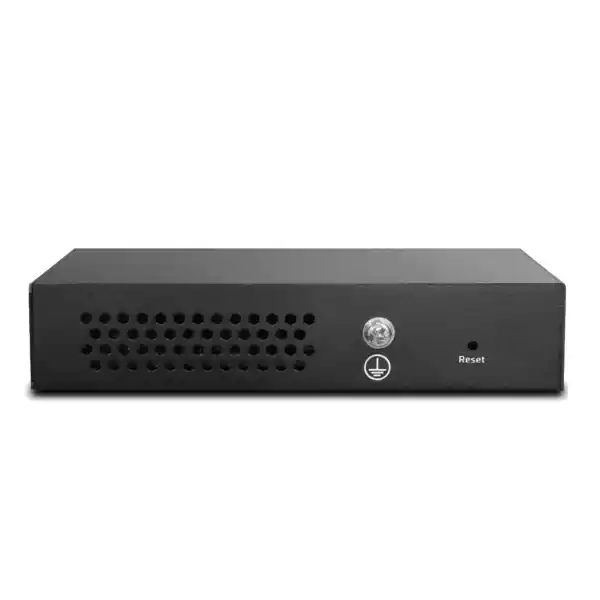
DrayTek uses a metal case, which contributes mechanical durability and assists heat dissipation. The switch is fanless, so it does not introduce fan noise into quiet rooms, studios or office desks. Fanless operation also eliminates a moving component that can accumulate dust or fail mechanically. As with all passively cooled electronics, the device still needs adequate surrounding airflow and should not be buried beneath papers, installed against heat sources or placed in a sealed enclosure that exceeds its environmental limits.
Maximum power consumption is specified at only 4.85 watts. This low demand is notable for a switch that provides five 2.5GbE copper interfaces and a 10G-capable SFP+ port. The Q60x also supports IEEE 802.3az Energy Efficient Ethernet as part of its standards compliance. In practical terms, the design is well suited to always-on edge locations where energy use, heat output and acoustic noise matter.
The specified operating range is 0°C to 45°C with 10% to 90% non-condensing humidity. Storage temperature is specified from -40°C to 70°C with 5% to 95% non-condensing humidity. These figures are equipment limits, not a recommendation to place the unit in uncontrolled outdoor heat. In the UAE, communications equipment should be deployed in cooled indoor spaces or appropriately engineered cabinets. Direct sunlight, roof spaces, poorly ventilated ceiling voids and outdoor enclosures can exceed the switch’s operating specification even when ambient weather conditions appear manageable.
Ethernet Standards Supported by the Q60x
The switch supports IEEE 802.3u for 100Base-T, IEEE 802.3ab for 1000Base-T, IEEE 802.3bz for 2.5GBase-T, IEEE 802.3z for 1000Base-X and IEEE 802.3ae for 10GBase-X. It also supports IEEE 802.3x flow control, Ethernet auto-negotiation and IEEE 802.3az Energy Efficient Ethernet. These standards provide the interoperability foundation that allows the Q60x to operate with common Ethernet endpoints at different generations of link speed.
IEEE 802.3bz is especially important because it defines 2.5GBase-T and related multi-gigabit copper operation. For Q60x users, that means the five RJ-45 ports can step beyond 1Gbps without requiring an immediate shift to optical interfaces for every endpoint. IEEE 802.3ae provides the basis for 10 Gigabit Ethernet over fiber-related physical layers used through the SFP+ interface, while 802.3z supports Gigabit Ethernet fiber operation.
Flow control can help manage short periods when a receiving interface or downstream device is temporarily unable to accept traffic at the arriving rate. It should not be confused with managed quality-of-service policy. Similarly, auto-negotiation chooses compatible link parameters; it does not perform network access control or VLAN assignment. These distinctions matter because standards compliance sometimes looks like a long feature list even when the actual product role is intentionally simple.
For procurement, the standards list confirms that the Q60x belongs in conventional Ethernet environments. The main design questions are therefore not whether it uses proprietary cabling or protocols, but whether the number of ports, uplink media, speed mix, management model and lack of PoE match the site requirement.
Sizing the Q60x for Workstations and Creative Teams
For designers, architects, video editors, photographers, software teams and engineering users, the decision to adopt multi-gigabit Ethernet is often driven by file size rather than Internet speed. A 500Mbps Internet connection does not require a 2.5GbE switch by itself, but transferring hundreds of gigabytes between a workstation and local storage can. The Q60x can therefore improve local productivity even when the WAN remains below Gigabit speed.
Consider a five-seat project team. If each workstation has a 2.5GbE adapter and regularly exchanges files with a 10GbE-capable NAS, the Q60x provides an economical physical topology: five copper access connections and one faster storage/uplink path. Not every workflow will sustain full 2.5Gbps because storage speed and application behavior vary, but the network stops being artificially capped at 1Gbps per workstation.
For content creation, sequential read and write speed often matters. A fast SSD array can exceed Gigabit Ethernet with ease, which means a legacy switch may become the slowest component in the workflow. Moving to 2.5GbE raises the ceiling while avoiding the cost of putting 10GbE ports on every desk. At the same time, the 10G SFP+ interface keeps open a higher-speed path to shared infrastructure.
Another benefit is compactness. Creative teams often operate in rooms where the network switch sits near desks rather than in a dedicated rack. The Q60x’s fanless operation avoids adding acoustic noise, and its metal wall-mountable chassis reduces placement constraints. Power consumption is also low enough that the switch does not become a meaningful thermal load in a small room.
If the team requires isolated client networks, authenticated ports, centralized monitoring or redundant uplinks, then a managed switch should replace or sit upstream of the Q60x. The right choice depends on whether the edge requirement is pure bandwidth expansion or policy enforcement as well.
Small Office, Retail and Branch Use in Dubai
Many Dubai branch and retail sites need only a handful of high-speed wired connections. A compact firewall may already provide routing, VPN and security services, while the local environment needs extra Ethernet ports for a back-office workstation, NAS, NVR, local server or high-performance wireless system. In that context, the Q60x can extend the LAN without adding another management plane.
The key is to separate roles clearly. The firewall remains responsible for Internet access, security inspection, VPN, routing and policy. A managed core switch, where present, remains responsible for VLAN segmentation and infrastructure controls. The Q60x simply provides additional local Layer 2 connectivity at speeds up to 2.5GbE on copper with a 10G-capable SFP+ interface for upstream traffic. That clarity makes troubleshooting easier because the device has a narrow function.
For retail operations, local data traffic may include POS back-office systems, digital signage content, CCTV export, inventory synchronization and local storage. Not all of those endpoints need 2.5GbE, but the Q60x lets faster and slower devices coexist. A standard Gigabit endpoint continues to work, while a newer workstation or storage appliance can use multi-gigabit speed.
FourTeck supports broader UAE deployments through FourTeck UAE, allowing procurement teams to treat the Q60x as one item within a complete branch package that may also include gateways, optics, network adapters, racks, patching, servers and services. For multi-country organizations extending similar designs outside the UAE, FourTeck Africa provides a regional reference point for coordinated infrastructure requirements.
When the Q60x Is the Right Fit — and When It Is Not
Strong Fit
Choose the Q60x when the primary requirement is simple, compact, silent multi-gigabit connectivity. It is well matched to one-room offices, fast desktop clusters, NAS access, editing suites, lab benches, small branch installations, high-speed router handoffs and environments where a 10G SFP+ uplink is useful but switch management is unnecessary.
It is also a strong fit for phased upgrades. Existing 100Mbps or 1Gbps devices can remain connected while newer endpoints use 2.5GbE. This reduces the pressure to replace all network adapters and endpoints simultaneously.
The fanless metal chassis and low power demand make it attractive for desk-side or wall-mounted locations where noise, heat and space matter.
Look at a Different Switch
Select a managed model if the switch itself must provide VLAN configuration, spanning-tree control, LACP, SNMP monitoring, access control, managed QoS, port mirroring or centralized administration. The Q60x is intentionally unmanaged and should not be forced into a role it was not designed to perform.
Choose a PoE or PoE+ switch if cameras, phones or wireless access points need electrical power through their Ethernet cable. The Q60x provides a zero-watt PoE budget.
Choose a larger platform if you need more than five copper access ports, redundant power, rack mounting, multiple 10G uplinks or enterprise high-availability features.
No PoE: Why This Specification Must Be Planned Up Front
The Q60x has no PoE, PoE+ or PoE++ output capability. This means it cannot power a wireless access point, IP camera, VoIP phone or other powered device through the Ethernet cable. Some buyers focus on the multi-gigabit port count and overlook power delivery, so this point should be checked before ordering.
There are several valid ways to build around the absence of PoE. An access point may have a local DC adapter, or a suitable multi-gigabit PoE injector may be placed in line. Cameras may already connect to a separate PoE surveillance switch. A VoIP phone may use its own power supply. In those cases, the Q60x can still carry data. The important rule is that power must come from another source.
If multiple powered endpoints are part of the design, a dedicated PoE switch is usually cleaner. It reduces the number of injectors, centralizes power budgeting and can often support UPS-backed operation more elegantly. For AP deployments, check not only the PoE standard but also whether the PoE switch provides 2.5GbE on the same port; a Gigabit PoE switch can power a multi-gig AP yet still limit its wired throughput.
The Q60x should therefore be seen as a high-speed data switch, not a converged power-and-data access switch. This makes it particularly appropriate for workstations, storage, servers, routers and externally powered appliances.
SFP+ Optics and Direct-Attach Planning
The SFP+ slot is one of the most useful features on the Q60x, but it also introduces a procurement choice. SFP+ is a modular interface rather than a fixed connector standard for a single cable type. The correct module or cable depends on distance, medium and the interface at the other end. A short server-to-switch link in the same rack may use a direct-attach copper cable. A link across a building may use optical transceivers and fiber. A connection to older infrastructure may operate at 1G rather than 10G.
For optical links, the installer must match transceiver wavelength and fiber type. Short-reach multimode applications commonly use different optics from long-distance single-mode links. Connector cleanliness also matters; contamination on fiber end faces can cause attenuation and intermittent errors. Proper patching, labeling and bend-radius control are basic but important installation practices.
Direct-attach cables simplify short links because the transceiver assemblies are integrated into the cable ends. However, compatibility should still be checked at both endpoints. The Q60x may connect to equipment from another vendor, and each device may have its own module support expectations. Procurement teams should identify the exact far-end model, desired link speed and physical distance before selecting the SFP+ accessory.
When the SFP+ port is used as a 10G uplink, it creates useful oversubscription headroom for the five 2.5GbE copper ports. The combined theoretical ingress from all five access ports can exceed 10Gbps, so sustained simultaneous full-rate traffic toward one 10G destination can still create contention. This is normal network engineering: the value of the 10G uplink is that it is far less restrictive than a 1G or 2.5G uplink for typical mixed workloads.
Performance Expectations in Real Applications
Ethernet link speed and real file-transfer speed are not identical. A 2.5Gbps link is a signaling rate. Application throughput is lower because Ethernet framing, IP headers, TCP or UDP overhead, protocol behavior and host processing consume part of the line rate. Storage transfers are further limited by source and destination media. A mechanical hard drive may not sustain enough throughput to saturate 2.5GbE, while an SSD array can exceed it.
TCP performance depends on latency, window sizing, CPU offload behavior and packet loss. File-sharing protocols add their own overhead, and encryption can shift the bottleneck to the host CPU. This is why a network upgrade should be evaluated end to end. The Q60x removes the 1GbE ceiling at its access ports, but the rest of the system still determines the final user experience.
For NAS testing, it is useful to compare large sequential transfers with smaller random workloads. Large files tend to show the benefit of faster links more clearly, whereas many tiny files can become limited by filesystem metadata and storage latency. For creative teams, test the actual application workflow rather than only a synthetic speed test. For backup systems, measure the full backup window and restore performance.
For wireless backhaul, client radio conditions and AP capacity determine how much of the 2.5GbE wired link is used. A single Wi-Fi client may never approach the Ethernet port’s line rate, but many clients sharing one AP can produce aggregate traffic that justifies a multi-gig uplink. The switch provides capacity; the application environment decides how much of that capacity is realized.
The Q60x specification should therefore be interpreted as the maximum switching platform capability under appropriate conditions. It is an excellent building block for faster local networking, but it does not override limits elsewhere in the architecture.
UAE Environmental and Installation Considerations
The manufacturer’s operating-temperature range tops out at 45°C, which is especially relevant in the UAE. Indoor air-conditioned offices generally remain comfortably below this limit, but unconditioned service rooms, ceiling voids, warehouse corners, kiosk enclosures and outdoor cabinets can become much hotter. A compact fanless switch relies on passive heat dissipation, so surrounding air temperature and ventilation are important.
Install the Q60x on a stable surface or wall with enough clearance for air to circulate around the metal enclosure. Avoid placing it directly on top of a hot router, power supply, NVR or other heat-producing equipment. Do not cover the chassis with documents or mount it inside a tightly sealed plastic box. If the site has high airborne dust, periodic inspection of the surrounding area can help keep passive cooling effective even though there is no fan intake.
Power quality should also be considered. The unit is supplied through an external power adapter. Where the network supports critical business operations, connect the switch and its upstream equipment to a suitable UPS so brief outages do not interrupt local connectivity. The UPS should be sized for the complete device set, including firewall, switch, storage and any separate PoE injectors or power supplies.
Humidity specifications are non-condensing. In air-conditioned environments, condensation can occur when equipment moves rapidly between hot humid outdoor air and cold indoor spaces. Allow equipment to acclimatize before powering it if condensation is possible. The storage range is wider than the operating range, but equipment should still be protected from moisture, direct sun and corrosive environments.
For permanent installations in commercial premises, cable labeling and power documentation are worth doing even for a small unmanaged switch. A simple label showing the upstream port, NAS port and workstation ports can make future troubleshooting faster because there is no management interface to identify connected devices remotely.
Migration from a Traditional Gigabit Switch
Replacing a small Gigabit switch with the Q60x can be straightforward because lower-speed Ethernet devices remain supported on the copper ports. Before migration, identify which endpoints can use 2.5GbE, which remain at 1GbE and whether the uplink can take advantage of SFP+. This inventory avoids purchasing a multi-gig switch only to discover that every connected device is still limited by a Gigabit NIC.
Next, inspect the cable plant and patch cords. If the high-speed devices are close together, temporary testing can be performed with known-good patch leads. Confirm that each 2.5GbE endpoint negotiates at 2.5Gbps. If a device falls back to 1Gbps, check NIC settings, driver versions, cabling and any intermediate wall jacks. Do not assume the switch is at fault until the full physical path has been tested.
Then evaluate the uplink. A 10G SFP+ path to the core or storage provides the most headroom. If the far end is limited to 1GbE, local device-to-device traffic on the Q60x can still benefit from 2.5GbE, but traffic leaving the switch will encounter the slower uplink. A 2.5G SFP path can be appropriate in some environments, but the 10G option is typically more useful when multiple clients share upstream resources.
After migration, test representative workflows. Copy a large file to the NAS, run a backup, export surveillance footage or test the target application. Synthetic throughput tools can diagnose network capacity, but business workflows reveal whether the upgrade solves the real problem. Monitor endpoint CPU load and storage performance during tests because those components may become the new bottleneck once Gigabit Ethernet is removed from the path.
Because the Q60x is unmanaged, there is no configuration migration from the old switch. This is an advantage when replacing another unmanaged device, but it is a warning when replacing a managed switch. If the previous unit carried VLANs, trunks, access control or spanning-tree settings, the Q60x is not a functional substitute.
Using the Q60x with Firewalls and Routers
A multi-gigabit switch and a firewall perform different jobs. The Q60x forwards Ethernet frames within the local Layer 2 segment, while the firewall or router moves traffic between networks and typically provides Internet security, NAT, VPN and policy enforcement. If the gateway supports a 2.5GbE or 10G-compatible LAN interface, the Q60x can help preserve multi-gigabit capacity between local devices and the gateway.
Internet bandwidth should be considered separately from LAN bandwidth. A business with a 500Mbps WAN connection may still benefit from 2.5GbE locally because workstation-to-NAS and workstation-to-server transfers remain inside the LAN. Conversely, a multi-gigabit Internet circuit can be constrained if the firewall LAN interface or switch uplink is only 1Gbps. The topology must be balanced around the highest-priority traffic flows.
When the firewall performs inter-VLAN routing, the Q60x’s unmanaged nature becomes important. It does not provide configurable VLAN trunks or access ports. If the network requires multiple VLANs at the edge, place a managed switch in that role. The Q60x is better suited to a single simple Ethernet segment or to a design where any required segmentation occurs elsewhere and the connected path is intentionally untagged and straightforward.
Security teams should also avoid treating physical speed as a security feature. A 10G uplink does not provide inspection, filtering or authentication. It only increases available transport capacity. Network security architecture still depends on the gateway, managed switching where needed, endpoint controls and operational policy.
Procurement Checklist for DrayTek VigorSwitch Q60x Dubai
Before placing an order, confirm six practical details. First, count the required copper devices. The Q60x offers five RJ-45 ports; if you need six or more local copper connections, either another switch or a larger model is required. Second, identify which devices genuinely support 2.5GbE. Third, define the purpose of the SFP+ slot and the required link speed. Fourth, confirm whether any endpoint needs PoE. Fifth, determine whether managed features such as VLANs or LACP are required. Sixth, verify environmental and mounting conditions.
For the SFP+ port, specify the far-end equipment model, distance and media type. This lets the supplier determine whether you need a direct-attach cable, multimode optics, single-mode optics or another supported option. For copper ports, note whether structured cabling already exists and whether 2.5GbE operation has been validated on the required runs.
For storage use, document the NAS or server NIC speed and connector type. A NAS with RJ-45 10GBase-T cannot plug directly into an SFP+ slot without an appropriate compatible module, and thermal or compatibility considerations may apply. A server with an SFP+ NIC may connect more directly with suitable optics or DAC. Precise interface matching prevents last-minute adapter problems.
For Wi-Fi access points or cameras, state whether the device receives power from an injector, local adapter or PoE switch. If you expect the Q60x to power the device, the design must change because the switch has no PoE capability. This single detail is one of the most important pre-purchase checks.
Finally, decide whether the Q60x will be a standalone desktop device or part of a larger network build. In a complete project, optics, patching, racks, UPS capacity, firewall interfaces, server NICs and installation services should be quoted together so the final topology is compatible end to end.
Frequently Asked Technical Questions
Is the Q60x managed?
No. It is an unmanaged switch intended for plug-and-play Ethernet forwarding. It does not provide the normal configuration interface and policy controls associated with managed switches.
Does it support PoE?
No. Its PoE power budget is zero. Access points, cameras, phones and other powered devices require separate power adapters, injectors or a different PoE-capable switch.
Can Gigabit devices connect?
Yes. The five copper ports are multi-rate and support 10Mbps, 100Mbps, 1Gbps and 2.5Gbps. A Gigabit endpoint can therefore operate normally beside a 2.5GbE endpoint.
How fast is the SFP+ port?
The current DrayTek specification lists 1G, 2.5G and 10G support on the SFP+ slot. Actual operation depends on the module or cable and the capabilities of the connected device.
Can it route between networks?
No. The Q60x has no Layer 3 routing table. Routing remains the responsibility of a router, firewall or Layer 3 switch elsewhere in the design.
Is it suitable beside a desk?
Yes. Its compact fanless metal enclosure, low 4.85W power draw and 250g weight make it well suited to desktop, shelf and wall-mounted installations where acoustic noise should be minimal.
Does it support jumbo frames?
Yes, up to 12KB. Jumbo frames can help selected storage and high-throughput environments, but the entire traffic path must use a compatible MTU to avoid communication problems.
What is the MAC table size?
The switch supports a 4K MAC address table, which is appropriate for its role as a small multi-gigabit edge switch rather than a large campus aggregation platform.
Decision Recap: Match the Switch to the Job
The DrayTek VigorSwitch Q60x is a specialized answer to a common networking problem: a small number of local devices need faster-than-Gigabit connectivity, but the site does not need a large managed switch. Its five 2.5GbE RJ-45 ports provide a practical performance step for modern workstations, NAS appliances, access points, NVRs and compact servers. Its 10G-capable SFP+ interface provides a higher-speed path to shared infrastructure. The 45Gbps switching fabric, 33.5Mpps forwarding rate, 8Mbit buffer, 4K MAC table and 12KB jumbo-frame support give the platform credible performance for its compact edge role.
The decision becomes straightforward when the boundaries are equally clear. The Q60x does not supply PoE, does not provide managed VLAN configuration, does not perform Layer 3 routing and is not a rack-scale aggregation platform. If any of those functions are mandatory, choose a different switch category. If the requirement is silent, compact, low-power multi-gigabit Ethernet with a fast SFP+ uplink and minimal configuration effort, the Q60x is closely aligned to the task.
Quotation Input Checklist
To receive an accurate quote for the DrayTek VigorSwitch Q60x in Dubai or elsewhere in the UAE, provide the following project details. This prevents under-ordering accessories and helps confirm whether the Q60x is the correct model before the equipment reaches site.
Plan the Q60x as Part of the Complete Network, Not in Isolation
A successful multi-gigabit upgrade depends on more than the switch. Endpoint NICs, copper cabling, SFP+ media, router or firewall interfaces, storage performance, UPS capacity and application traffic all shape the result. FourTeck can help validate those dependencies before procurement so the Q60x is deployed where its five 2.5GbE ports and 10G-capable uplink deliver a measurable benefit.
For Dubai and UAE projects, share the endpoint list, existing topology and desired uplink method. The engineering team can then determine whether the unmanaged Q60x is sufficient or whether a managed, PoE or higher-port-count alternative is more appropriate. The objective is to match the switch to the workload, avoid unnecessary complexity and ensure that every purchased component fits the final network design.
• Endpoint and uplink speeds
• SFP+ optics or DAC compatibility
• Copper cabling readiness
• PoE and management requirements
• Firewall, NAS and server bottlenecks

Reviews
There are no reviews yet.