
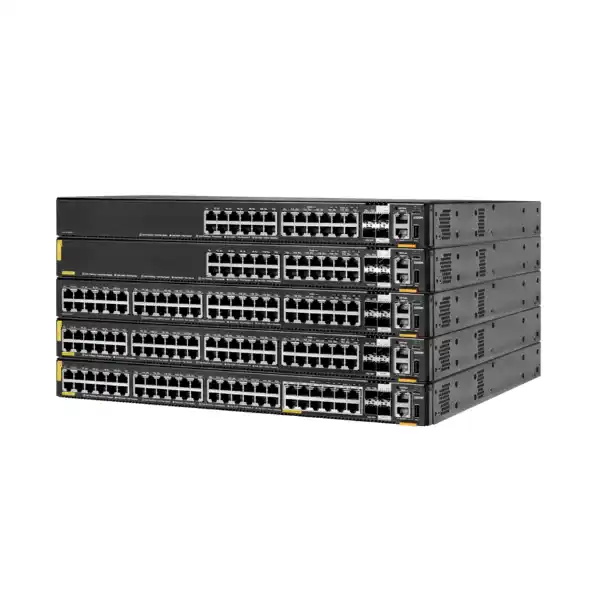
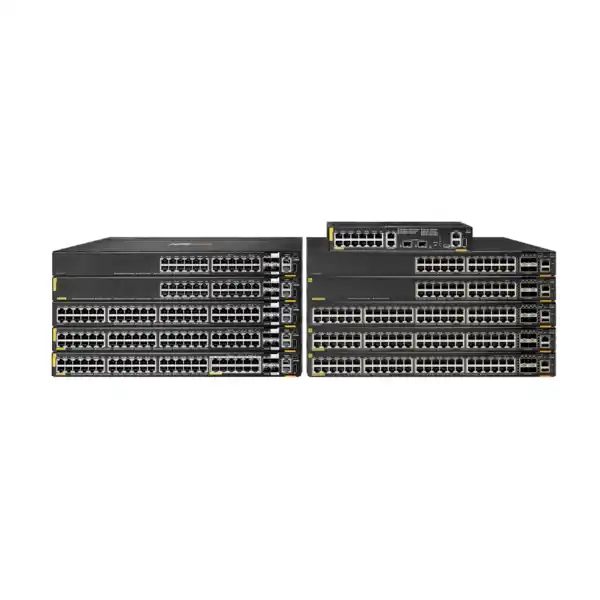
HPE Aruba Networking CX 6200M 36G 12SR5 Class6 PoE 4SFP+ Switch
The R8Q71A combines forty-eight copper access ports, including twelve Smart Rate multigigabit ports, with Class 6 PoE and four 1/10G SFP uplinks. It is aimed at access-layer designs where wireless access points, cameras, phones and other powered endpoints create higher bandwidth and power requirements than a basic 1GbE switch can comfortably address.
The switch supports a maximum 1440W PoE budget, but the selected power supplies, required redundancy and endpoint draw determine the practical design.
Direct answer: what is the CX 6200M R8Q71A?
The HPE Aruba Networking CX 6200M R8Q71A is a stackable Layer 2/Layer 3 enterprise access switch with 36 Gigabit PoE copper ports, 12 multigigabit Smart Rate 1/2.5/5G PoE ports and four 1/10G SFP uplinks. It is mainly used where a business needs to connect and power a mix of ordinary wired devices and higher-bandwidth endpoints such as modern wireless access points. Organisations with dense PoE requirements, campus access closets, branch infrastructure or converged wired and wireless networks should consider it. The most important item to confirm before ordering is the complete power and connectivity design: endpoint PoE draw, PSU selection, redundancy, uplink media and management method. FourTeck can help translate those requirements into the correct switch, power supplies, optics, licensing and deployment scope for a UAE quotation.
Why this exact CX 6200M model is different
The R8Q71A is not simply a forty-eight-port Gigabit PoE switch. Its defining design choice is the split between thirty-six conventional 10/100/1000BASE-T access ports and twelve HPE Smart Rate ports that can negotiate at 1, 2.5 or 5Gbps. All forty-eight copper ports are specified as Class 6 PoE ports capable of supplying up to 60W per port, while the twelve Smart Rate interfaces add extra bandwidth for endpoints that can use more than 1Gbps over compatible copper cabling. The result is a useful access-layer option for networks that are not ready to make every desk port multigigabit, but do need a meaningful pool of higher-speed, higher-power edge connections.
That port mix matters because network upgrades are often driven by a small number of demanding devices rather than by every endpoint. A typical office may still have hundreds of phones, printers, workstations and low-bandwidth building systems that operate comfortably at 1Gbps, while Wi-Fi access points or selected cameras can benefit from multigigabit links. Choosing a switch with twelve Smart Rate ports can therefore be more efficient than paying for forty-eight multigigabit ports when only part of the access layer needs them. Conversely, a site planning a dense Wi-Fi deployment in which more than twelve devices per switch require multigigabit links should compare another model or architecture rather than assuming this port mix will remain sufficient.
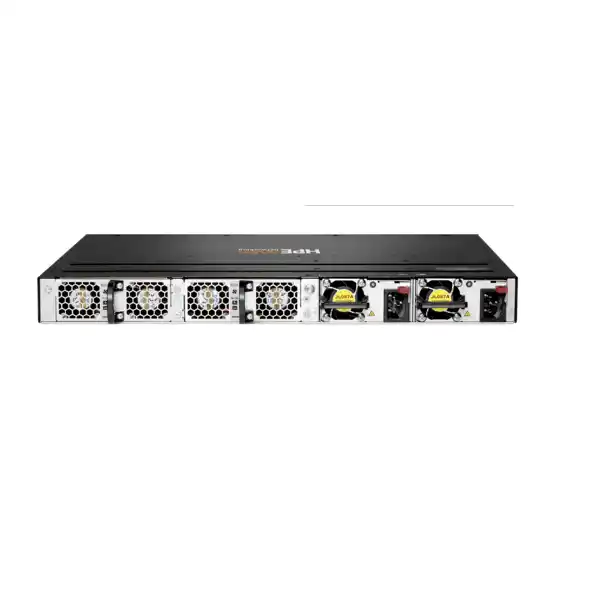
The CX 6200M designation is also important. Within the CX 6200 family, the modular M models provide field-replaceable power-supply capability and a fan-tray design intended to improve serviceability and resilience compared with fixed-power models. For the R8Q71A, HPE specifies two hot-swappable power-supply slots, with at least one supported PSU required and ordered separately. A second supply can be considered for redundancy and for PoE budget planning. The hardware therefore needs to be treated as a configured solution rather than as a complete power-ready bill of materials by itself.
Port architecture and what it means for the network
36 standard Gigabit PoE ports
These ports are appropriate for endpoints that do not need more than 1Gbps but may still require substantial PoE. Business phones, standard workstations, badge readers, thin clients, many IP cameras and numerous building devices can sit on this portion of the switch. The key point is that standard speed does not mean low power: the R8Q71A specification lists Class 6 PoE capability on these ports, so the design can support powered devices whose consumption exceeds ordinary PoE+ levels, subject to the total switch budget and endpoint negotiation.
12 Smart Rate 1/2.5/5G ports
The twelve Smart Rate interfaces are the main reason to shortlist this model for modern wireless access. They can operate above 1Gbps without requiring fiber to the endpoint, helping support devices whose aggregate traffic can exceed a single Gigabit link. Before ordering, confirm the maximum Ethernet rate supported by each access point, the installed copper category and distance, expected PoE class, and how many multigigabit endpoints will terminate in each closet. A switch is only a good fit when the port count matches the physical distribution of those devices.
4 × 1/10G SFP uplinks
Four SFP-based uplink interfaces provide 1Gbps or 10Gbps connectivity for distribution links, stacking designs or other supported network roles. The correct optic, DAC or fiber type must be selected for the peer device, distance and cabling plant. The switch should not be quoted with generic transceivers merely because the physical connector appears compatible. A clean bill of materials identifies the uplink media, required reach, fiber mode, connector type, peer switch and any stacking use before the optics are selected.
Smart Rate planning for Wi-Fi and high-bandwidth endpoints
A multigigabit port is most valuable when the connected device, cable run and upstream network can all use the additional capacity. For wireless projects, start with the access-point model rather than with a switch port count. Check the AP’s Ethernet interface speed, its maximum PoE requirement, whether it uses one or multiple Ethernet connections, and the expected traffic profile. An access point with a 2.5GbE or 5GbE interface can make direct use of the R8Q71A Smart Rate ports, while an AP limited to 1GbE will still work at its supported speed but will not gain bandwidth from the multigigabit capability.
Cabling is equally important. Existing copper infrastructure may have been installed for Gigabit Ethernet years ago, and actual multigigabit performance depends on cable category, installation quality, channel length, patching and electromagnetic conditions. A switch purchase should therefore be coordinated with cabling verification when the project depends on 2.5Gbps or 5Gbps links. This is especially relevant in older offices, hotels, education sites and retrofits where AP locations may use long or repeatedly re-terminated cable paths.
The twelve-port Smart Rate count should also be mapped physically. If a floor has nine multigigabit APs today and three more planned, the R8Q71A can align closely with that requirement. If a future refresh could raise the count to twenty or thirty multigigabit devices in the same closet, the design may be better served by a switch family with a larger multigigabit density or by splitting endpoints across additional access switches. The decision should account for planned wireless refresh cycles, not only the devices installed on the day the switch is purchased.
Finally, higher edge speeds increase uplink design pressure. Twelve 5Gbps-capable access ports do not mean every endpoint will transmit at line rate simultaneously, but they can create bursts and aggregate demand that deserve proper oversubscription analysis. Four 10G-capable SFP uplinks provide flexible design options, yet the number of active uplinks, link aggregation strategy, stacking use and distribution-layer capacity must be considered together. FourTeck can help review those dependencies before the switch and optics are finalized.
PoE design: 60W ports do not remove the need for a power budget
The R8Q71A supports IEEE 802.3af, 802.3at and 802.3bt PoE, with the copper interfaces specified for up to 60W per port. That is useful for higher-power wireless access points, pan-tilt-zoom cameras, video devices and other equipment whose demand can exceed traditional PoE+ levels. However, per-port capability and total chassis power are different measurements. Forty-eight ports each capable of up to 60W would represent a theoretical endpoint demand far above the switch’s stated maximum PoE capability. The practical design must therefore allocate power according to the actual mix of connected devices.
HPE lists a maximum PoE capability of 1440W for this model and two field-replaceable power-supply slots. At least one supported power supply is required and is ordered separately. Supported supplies include the X372 JL086A 680W unit and JL087A 1050W unit. The available PoE budget depends on the selected supply configuration, the switch’s own consumption, redundancy policy and operational conditions. The safest procurement approach is to build an endpoint power schedule: list every powered device, its maximum negotiated requirement, quantity, port location and growth allowance, then use that schedule to select the power supplies.
Redundancy changes the calculation. Installing two supplies does not automatically mean the complete combined wattage can be treated as available to endpoints if the design requires the switch to survive the loss of one supply while continuing to power critical devices. In a resilient design, the remaining PSU after a failure must be able to sustain the required network and PoE load, or the business must define which devices may shed power. This distinction is important in surveillance and wireless deployments where a supply failure should not disable a large portion of the edge infrastructure.
Power draw should also be assessed by device class and real project requirements rather than by multiplying the average observed consumption. Access points and cameras can draw more during boot, radio activation, heater operation, IR illumination or feature changes. A design based only on average power can therefore be too optimistic. For quotation, FourTeck should receive the endpoint model numbers or at least the expected maximum watts per device so that the PSU configuration can be checked against a realistic upper bound.
The switch’s own electrical figures are separate from the endpoint PoE load. HPE’s exact-model data lists 76W at 230VAC as a switch power-consumption figure, while the PoE budget can reach much higher when powered devices are attached. Facility planning should consider the complete load, UPS capacity, PDU outlets, rack power distribution and cooling. In Dubai and the UAE, equipment-room temperature and airflow planning deserve particular attention because the switch is specified for operation from 0°C to 45°C up to 1,525m, with derating at higher altitudes. A properly cooled communications room is part of the deployment requirement, not an optional detail.
Verified R8Q71A technical specifications
| Manufacturer | HPE Aruba Networking |
|---|---|
| Product number | R8Q71A |
| Product family | HPE Aruba Networking CX 6200 Switch Series, CX 6200M modular model |
| Standard copper ports | 36 × 10/100/1000BASE-T Class 6 PoE, up to 60W per port |
| Smart Rate ports | 12 × 1/2.5/5G Base-T Class 6 PoE, up to 60W per port |
| Uplinks | 4 × 1/10G SFP ports; two are listed with LRM and two with LRM/MACsec 256 capability |
| PoE standards | IEEE 802.3af, 802.3at and 802.3bt, up to 60W per supported port |
| Maximum PoE capability | 1440W maximum; available budget depends on power-supply configuration |
| Power-supply slots | 2 field-replaceable, hot-swappable slots; minimum 1 PSU required and ordered separately |
| Supported PSUs | JL086A X372 680W and JL087A X372 1050W |
| Switching capacity | 272Gbps |
| Throughput | Up to 130.9Mpps in the current exact-model digital data sheet |
| Latency | 1Gbps: 2.28μs; 10Gbps: 1.46μs |
| Processor and memory | Quad-core Arm Cortex-A72 at 1.8GHz; 8GB DDR4 memory; 16GB eMMC flash |
| Stacking | Up to 8 members using HPE Aruba Networking Virtual Stacking Framework for supported CX 6200 models |
| Management interfaces | 1 × USB-C console, 1 × USB Type-A host, 1 × OOBM, 1 × RJ-45 console |
| Management methods | HPE Aruba Networking Central, web GUI, CLI and HPE Aruba Networking Switch Multi-Edit Software; subscriptions or licensing should be confirmed for the chosen management service |
| Dimensions | 44.2cm W × 38.5cm D × 4.4cm H |
| Weight | Approximately 6.31kg in the documented configuration |
| Operating temperature | 0°C to 45°C up to 1,525m, with altitude derating above that level; brief temperature excursion support is documented separately |
| Warranty guidance | HPE lists a limited lifetime warranty; exact regional terms and service entitlement should be confirmed for the supplied unit |
Performance and access-layer role
The switch is designed as an access-layer platform rather than as a high-capacity data-center aggregation switch. Its 272Gbps switching capacity, 1/10G SFP uplinks and multigigabit downlinks are aligned with campus, branch and business edge requirements where large numbers of endpoints need secure connectivity and power. The performance specification should be interpreted alongside the expected traffic pattern, uplink architecture and redundancy model. A branch with moderate east-west traffic and resilient uplinks presents a different demand profile from a dense wireless floor where many APs can drive substantial north-south traffic toward centralized services.
Latency figures of 2.28 microseconds at 1Gbps and 1.46 microseconds at 10Gbps indicate the platform is built for responsive access switching, but a project should not select the model from latency alone. User experience is often shaped more by endpoint speed, wireless design, uplink contention, WAN latency, policy enforcement and application location. The value of the R8Q71A lies in combining a practical forty-eight-port access density with a subset of faster copper ports and substantial PoE capability inside the CX operating model.
For networks that expect rapid growth, stacking can simplify expansion. HPE Aruba Networking VSF can combine supported CX 6200 switches into a logical stack of up to eight members, providing a common operational view and a way to scale port count without managing every unit as an unrelated island. Stack design still requires attention to uplink-port allocation, supported transceivers or cabling, software compatibility, physical placement and failure-domain planning. If several switches share one closet, a stack can be operationally attractive; if they are distributed across separate buildings, a routed or other resilient architecture may be more appropriate depending on distance and design objectives.
Management with AOS-CX and HPE Aruba Networking Central
The CX 6200 family runs HPE Aruba Networking’s AOS-CX software platform and is designed for consistent operational workflows across the CX switching portfolio. For a buyer, the relevant question is not only which interface exists, but how the switch will be operated after installation. HPE lists local web GUI and command-line management as well as HPE Aruba Networking Central and Switch Multi-Edit Software. That flexibility allows the R8Q71A to fit both locally managed networks and organizations standardizing on centralized cloud-based operations.
HPE Aruba Networking Central should be treated as a management service with its own licensing or subscription considerations, not as an assumption that every desired cloud feature is automatically included with bare hardware. Before quotation, confirm whether the customer already has a Central tenant, which subscription tier or term is required, who owns the tenant, and whether the new switch will be added to an existing group, site or template structure. This avoids a common procurement gap in which the hardware is correct but the management entitlement has not been included in the project.
Local management remains important for installation, troubleshooting and organizations that do not plan to use cloud operations. Console access is available through both USB-C and RJ-45 interfaces, and the model also includes an out-of-band management interface. Out-of-band management can be valuable when the production data path is unavailable because it provides a separate route to the switch’s management plane, provided the customer has an appropriate management network. That feature only delivers resilience when the OOBM path, addressing, authentication and remote-access controls are actually designed and connected.
Automation capabilities within the CX architecture can reduce repetitive changes and improve consistency, but automation should follow a controlled configuration standard. Network teams should define naming, VLANs, spanning-tree or routed-access policy, authentication, logging, time synchronization, monitoring, backups and firmware practices before bulk deployment. FourTeck can help turn those requirements into an agreed configuration scope rather than treating installation as simply mounting the switch and connecting cables.
Security, segmentation and policy considerations
Access switches sit at the point where users and devices enter the network, so security requirements should be part of model selection and configuration. The CX 6200 series supports access-control and policy capabilities intended to help control traffic at the edge. HPE also positions Dynamic Segmentation as part of the platform approach, allowing role-based policy to be applied across wired and wireless access. The practical outcome is that a device can be treated according to its identity or role rather than only according to the physical port into which it is connected, when the required network design and services are in place.
For a real deployment, this requires more than enabling a checkbox. The organization should decide how users and devices are identified, whether 802.1X or MAC-based methods are used, where authentication is performed, how guest and IoT devices are handled, which VLAN or role is assigned, and how exceptions are controlled. If ClearPass or another policy system is part of the environment, compatibility and integration should be reviewed in the context of the customer’s current versions and policy model. A switch can support the necessary functions while the overall access-control project still depends on identity services, certificates, endpoint behavior and operational procedures.
MACsec is another model-specific consideration. HPE documentation for the R8Q71A states that MACsec 256 capability on downlink ports is limited to ports 37 through 48, which are the twelve Smart Rate interfaces. The CX 6200M family also supports MACsec on selected uplink ports. This matters if encryption on specific physical links is a requirement. A buyer should map which links actually need MACsec and ensure they are assigned to capable interfaces rather than assuming every copper port has identical encryption behavior.
Security also depends on software maintenance and configuration. Firmware version, management access controls, administrator authentication, secure protocols, logging destinations and configuration backup all influence operational risk. For projects in Dubai and the UAE, FourTeck can include configuration and handover tasks in the quotation when required, but the exact security policy should be agreed with the customer’s network or security team before implementation.
Product-fit matrix for R8Q71A
| Requirement | Suitable when | Confirm before ordering |
|---|---|---|
| Multigigabit edge access | Up to twelve endpoints per switch need 2.5G or 5G copper links. | Endpoint NIC/AP speed, cable quality, channel length and future multigigabit count. |
| High-power PoE | Endpoints may require up to 60W and total draw can be covered by the chosen PSU plan. | Per-device maximum draw, total budget, redundancy requirement and UPS capacity. |
| 48-port access density | One rack unit with forty-eight copper edge connections suits the closet layout. | Patch-panel mapping, spare-port allowance and projected expansion. |
| 10G uplinks | Distribution connectivity can be designed around 1/10G SFP ports. | Optic/DAC compatibility, fiber type, distance, peer device and number of uplinks reserved for stacking. |
| Stacked access layer | Supported CX 6200 members can be grouped using VSF, up to eight members. | Member models, software version, stack topology, link media and failure-domain requirements. |
| Centralized cloud operations | The organization intends to manage wired infrastructure through HPE Aruba Networking Central. | Tenant ownership, subscription tier/term, onboarding method and operational responsibility. |
Where this switch fits well
Wi-Fi access-layer refresh
A campus or office replacing older access points may need more than 1Gbps to selected APs while keeping ordinary users and devices on Gigabit links. Twelve Smart Rate ports provide a targeted multigigabit pool, and Class 6 PoE supports higher-power AP requirements. The design is strongest when the AP count per closet fits within those twelve ports and the PoE budget is calculated against the selected supplies.
Converged office infrastructure
Many offices need a single access platform for phones, desktop devices, printers, access points, cameras and building systems. The R8Q71A provides forty-eight copper ports with power capability across the port set, allowing a consistent access policy while reserving the faster interfaces for endpoints that need them. VLAN, QoS, authentication and PoE priorities should be defined before rollout.
IP surveillance and smart-building edge
High-power cameras and building devices can create substantial PoE demand. The model’s maximum 1440W PoE capability is relevant, but the final number of supported devices depends on their actual maximum draw and the PSU configuration. Surveillance projects should also check uplink bandwidth, multicast behavior where applicable, storage path requirements and power continuity expectations.
Branch or remote office standardization
Organizations standardizing on AOS-CX may use the CX 6200M at branches that need enterprise access features, local resiliency and centralized management. Cloud operations through HPE Aruba Networking Central can be attractive where local IT staffing is limited, but the subscription plan, WAN reachability and ownership of configuration changes should be decided before deployment.
When another switch should be evaluated
The R8Q71A is a strong fit only when its particular balance of port speed, PoE and uplink capacity matches the design. Another option should be evaluated when the requirement differs materially. If more than twelve edge devices per switch need multigigabit Ethernet, a model with a higher density of 2.5G, 5G or 10G copper ports may reduce compromises and patching complexity. If none of the endpoints need multigigabit links or 60W PoE, a simpler CX 6200 model may meet the need at lower configured cost and with a less demanding power design.
A higher-tier switching family may also be more appropriate when the access layer requires faster than 10G uplinks, broader advanced routing capability, different redundancy architecture, larger scale, additional interface types or specialized campus features not required by a typical CX 6200 deployment. The correct comparison depends on the network role; selecting a more capable switch simply because it has larger numbers can increase cost and operational complexity without improving the actual service delivered to users.
A smaller or fanless model may make more sense for compact branches or quiet spaces where port count and PoE demand are modest. The R8Q71A is a rack-oriented enterprise switch with active cooling and modular power. It should not be chosen for a desk-side environment merely because it has spare capacity. Conversely, if a critical closet requires resilient power and a large PoE budget, the modular CX 6200M architecture can be more appropriate than a fixed-power access model.
FourTeck can compare the R8Q71A against nearby CX 6200 models or other HPE Aruba Networking switch families after receiving the endpoint count, required port speeds, PoE schedule, uplink target and management preference. That comparison is more useful than choosing from headline port counts alone.
Uplinks, optics and stacking design
The four 1/10G SFP interfaces can serve several different purposes, and those purposes compete for physical ports. A design might use two uplinks in a redundant aggregation arrangement and reserve two interfaces for VSF stacking, or use a different topology depending on the number of switches and distribution architecture. Because the available uplink count is finite, the stack and uplink design should be documented before optics are purchased. It is easier to adjust a diagram than to discover during installation that every SFP port has already been allocated to another function.
Optic selection should be based on the link, not just the switch. Confirm whether the connection is short-reach multimode fiber, longer-reach single-mode fiber, a compatible direct-attach cable, or another supported medium. The peer switch interface must support the same speed and physical standard. Fiber connector type, patch-panel path, existing transceiver standard and distance should be captured in the bill of materials. Long-range transceivers can extend supported stacking distances in appropriate configurations, but the exact design and approved transceiver combination should be verified before ordering.
For resilience, think beyond two cables. If both uplinks terminate on the same distribution device or share the same fiber path, the design still has common failure points. Where business continuity is important, consider distribution redundancy, link aggregation or multi-chassis design supported by the broader architecture, separate fiber routes where practical, redundant power, and documented failover behavior. The access switch provides interfaces and protocols, but the full network design determines the fault tolerance experienced by users.
MACsec requirements should also be placed on the port map before deployment. HPE’s model-specific documentation indicates MACsec 256 capability on the twelve Smart Rate downlink ports and selected uplink ports. If link-layer encryption is required between network devices, confirm that the chosen physical interfaces and software design support it. Do not assume that moving a cable from one port to another is operationally neutral when a security feature depends on particular interfaces.
Power supplies, fan trays and serviceability
A key procurement distinction of the CX 6200M is that the chassis and power supplies are separate ordering decisions. HPE specifies two hot-swappable PSU slots for the R8Q71A and requires at least one supported PSU. The JL086A is a 680W X372 supply, while the JL087A is a 1050W X372 supply. The correct choice depends on the PoE load, AC input, redundancy objective and required operating margin. Buyers should therefore avoid treating the switch part number as a self-contained power configuration.
The same principle applies to redundancy. A second supply may be used to improve resilience, but the design should define what happens when one supply is removed or fails. If all critical powered endpoints must remain online, the surviving power source must cover the intended protected load. If some noncritical devices can be shed, the network team should define the prioritization policy and document which devices are allowed to lose power. This is especially important in environments where wireless access, phones and surveillance share the same switch.
HPE’s detailed CX 6200M QuickSpecs describe a two-slot fan-tray arrangement for these modular models, with one fan tray included and an optional second tray available for supported configurations. Because vendor documentation can be revised by region or hardware revision, the exact fan and spare configuration should be confirmed against the current order documentation when field-replaceability is a procurement requirement. The important buyer point is that the M-series platform is designed for serviceable power and cooling components rather than a fully fixed internal architecture.
Maintenance planning should include access to the rear of the rack, correct airflow, spare strategy and change procedures. Hot-swappable components reduce the need for an immediate shutdown when supported conditions are met, but they do not replace operational planning. A technician still needs the correct replacement part, safe access, monitoring and confirmation that redundancy is healthy before removing a component.
Rack, electrical and environmental planning
The R8Q71A is a one-rack-unit class switch measuring approximately 44.2cm wide, 38.5cm deep and 4.4cm high. HPE documents a configuration weight of about 6.31kg. Those figures are manageable in standard communications racks, but depth, cable bend radius, rear clearance, airflow and PDU placement still need to be checked. A rack that can physically accept a 1U device may still be unsuitable if patching or power cables block ventilation or service access.
The switch accepts power through the selected modular PSU. Input range varies by supported supply, so the exact PSU and site circuit should be matched. For UAE installations, the quotation should also identify the correct power cords or PDU connection method rather than relying on a cord intended for another market. Where the switch supports many high-power endpoints, the circuit and UPS design should account for the complete expected PoE load, not just the chassis base consumption.
HPE specifies an operating range of 0°C to 45°C up to 1,525m, with temperature derating as altitude increases. Communications rooms in Dubai can be exposed to high ambient temperatures if cooling is inadequate or interrupted, so environmental monitoring and HVAC reliability are important. The switch should not be installed in a cabinet that traps hot exhaust air or draws heated air from other equipment. Rack layout should preserve the documented airflow direction and allow enough clearance for service.
Noise can also matter. This is an actively cooled enterprise switch intended for equipment areas, not a silent desktop appliance. If the proposed location is a meeting room, reception area or occupied office, confirm that the acoustic profile is acceptable or move the switch into an appropriate telecom room. Environmental fit is part of product fit; a technically capable switch can still be the wrong choice if the physical installation conditions are unsuitable.
Licensing and subscription questions to settle before purchase
The base hardware provides switching functionality through AOS-CX, but centralized cloud operations through HPE Aruba Networking Central involve subscription and service choices. Buyers should separate three items in the quotation: the physical switch and its required hardware components, any software or cloud management subscription, and implementation or support services. Blending these into one vague line item makes renewals and ownership harder to manage later.
If HPE Aruba Networking Central will be used, confirm the intended subscription tier, term and quantity for the exact device. Also confirm whether the customer already has a tenant and whether the switch will be claimed by an internal administrator, FourTeck as part of an agreed service, or another managed-service provider. Renewal ownership should be clear from the start. A switch can continue to be physically installed after a cloud subscription term ends, but the effect on management services depends on the subscription and should be reviewed against current HPE terms.
For local-only administration, confirm the required AOS-CX release, configuration method and support entitlement. Some projects have change-control policies that restrict software versions; others standardize on a tested release across all access switches. That release decision may also affect feature behavior and interoperability. The project should therefore capture firmware requirements alongside VLAN, routing, authentication and monitoring configuration rather than treating software version as an afterthought.
If advanced policy, monitoring or security functions are part of the requirement, describe the function explicitly to FourTeck. Terms such as “full Aruba management” or “advanced security” are too broad for an accurate bill of materials. State what the network must do—for example centralized configuration, user-role assignment, 802.1X authentication, cloud monitoring, API integration or specific reporting—so the required platform components and subscriptions can be checked.
Compatibility and integration checks
Compatibility should be reviewed at four levels: endpoint, cabling, uplink and management. At the endpoint level, confirm Ethernet speed and PoE requirements. A device may connect successfully but fail to receive full functionality if it needs more power than the budget allows, or it may negotiate at 1Gbps when a project expected 2.5Gbps because the endpoint or cable path cannot support the faster rate. Recording exact AP, camera and phone models reduces that uncertainty.
At the cabling level, confirm copper category, length and condition for the twelve Smart Rate links. For fiber uplinks, document the fiber type, connector, distance and existing optic standard. Avoid assuming that an SFP or SFP+ transceiver used in another vendor’s switch will be supported simply because it fits mechanically. Vendor-supported optics and software behavior should be checked against the current HPE compatibility information and the peer equipment.
At the network level, confirm VLAN design, spanning-tree or routed-access approach, link aggregation, addressing, DHCP relay, multicast requirements, QoS and security policy. A switch replacement is rarely only a physical port-for-port swap if the existing environment has accumulated nonstandard configuration over time. Capturing the current running configuration and intended target architecture makes migration more predictable.
At the management level, check HPE Aruba Networking Central, monitoring platform, syslog, SNMP or telemetry requirements, authentication servers, NTP, DNS and configuration backup. If API-driven automation is planned, define credential handling, change control and rollback. FourTeck can help review the BOM and configuration scope, but access credentials, IP plans, customer policies and integration decisions must be supplied or approved by the organization.
Where R8Q71A sits in the CX 6200 family
The CX 6200 family includes fixed and modular access switches with different port counts, PoE options and power architectures. The R8Q71A occupies a distinctive position because it combines a full forty-eight copper access-port count with twelve Smart Rate 1/2.5/5G interfaces and Class 6 PoE. Other CX 6200M models are available with 24 or 48 Gigabit ports and with or without PoE, but they do not all provide the same Smart Rate downlink mix. This makes R8Q71A a targeted choice rather than simply the largest or most capable model in every dimension.
If the project needs only conventional 1GbE PoE, a 48-port Class 4 PoE CX 6200M model may be worth comparing because its port profile may align more closely with ordinary phones, workstations and lower-power APs. If the project does not require PoE at all, non-PoE CX 6200M variants can avoid unnecessary power infrastructure. If the requirement is compact, a 24-port option can reduce unused capacity. Model choice should follow the actual endpoint and power map rather than a preference for maximum specification.
The fixed CX 6200F models are another comparison point. They can be appropriate when a fixed power design is sufficient and the exact port configuration matches the site. The CX 6200M platform becomes more attractive when modular power, higher PoE planning flexibility or field-serviceable architecture matters. A project with critical access-layer availability should consider the complete resilience design, including PSU configuration, fan strategy, stack design, upstream redundancy and UPS protection, rather than treating the M suffix alone as a guarantee of end-to-end redundancy.
If the required uplink speeds, routing scale, feature set or multigigabit density exceed the CX 6200 design target, a higher CX family should be evaluated. FourTeck can help compare models after receiving the requirement, but the comparison should be based on supported interfaces and operational needs rather than on product hierarchy alone.
Deployment considerations for an access-switch replacement
Replacing an existing access switch can look straightforward until the current configuration is reviewed. Legacy switches may contain voice VLANs, manually assigned access ports, trunks, spanning-tree adjustments, port-security settings, DHCP snooping, LLDP behavior, monitoring communities and undocumented exceptions. Before a migration to R8Q71A, capture the current configuration, label connected devices, identify uplink dependencies and decide which old settings should be reproduced versus cleaned up.
A port-mapping worksheet is useful. For each physical port, record the endpoint, VLAN or role, speed, PoE requirement, special policy and expected destination port on the new switch. Place multigigabit APs or other high-speed endpoints on the Smart Rate interfaces and reserve any required MACsec-capable downlinks accordingly. This prevents the final installation from turning into a live troubleshooting exercise where devices are moved between ports until they happen to work.
The uplink cutover should have a rollback plan. Confirm the peer interface configuration, VLAN tagging, link aggregation settings and optic type before moving production traffic. If the switch is being introduced into a VSF stack, form and validate the stack according to the agreed design before migrating all endpoints. Firmware versions across stack members should be compatible, and the final stack topology should be documented for future support.
PoE endpoints may reboot during migration, so the business should approve the maintenance window based on affected services. Phones, access points, cameras and access-control devices can have operational impact beyond ordinary user connectivity. A surveillance camera may require time to re-register with its recorder; an AP may need time to rejoin the controller or cloud service; a phone may need DHCP and call-manager registration. Testing should therefore verify service recovery, not just link lights.
After cutover, validate management reachability, NTP, DNS, logging, monitoring, configuration backup, interface errors, uplink utilization and PoE status. Check that Smart Rate endpoints negotiated at their expected speeds and that PoE consumption remains within the planned budget. A short post-change observation period can identify cabling or endpoint issues that are not visible during the initial link-up.
A practical sizing method for the R8Q71A
Start by counting endpoints, but do not stop there. Divide them into four groups: ordinary non-PoE devices, ordinary PoE devices, multigigabit PoE devices and special links such as uplinks or infrastructure connections. The R8Q71A offers forty-eight copper access ports, so a raw count under forty-eight may appear acceptable. However, if thirteen or more devices specifically require 2.5G or 5G, the twelve Smart Rate ports become the limiting factor before the total copper count is exhausted.
Next calculate power. Use the maximum expected power draw of each device rather than a rough average. Sum those values, add planned growth and decide whether the design must sustain the full protected load after one PSU fails. This step determines whether one or two supplies are appropriate and which supported wattage should be selected. It also informs UPS and PDU sizing. If the customer cannot provide exact endpoint models, FourTeck can still create a preliminary estimate, but the final power design should be confirmed before order.
Then evaluate bandwidth. Estimate how much traffic the twelve Smart Rate devices and the remaining access ports can generate during busy periods, where that traffic is headed, and what uplink capacity is available. This does not require assuming every port runs at line rate at once. Instead, consider real applications: wireless client concentration, video streams, backups, local servers, voice and cloud traffic. The goal is to ensure that the uplink architecture is sensible for the expected aggregate demand.
Finally, include operational growth. A switch that is exactly full on day one creates avoidable pressure. Reserve ports for expected AP additions, new cameras, workspace changes or spare capacity. Also reserve SFP interfaces according to the stack and uplink plan. If the design requires all four SFP ports from the outset and has no alternative for future changes, the next model or architecture may be a better fit even if the current traffic technically works.
Buyer questions to answer before the quotation
Do all forty-eight copper ports support up to 60W PoE?
HPE specifies the 36 Gigabit and 12 Smart Rate copper ports as Class 6 PoE ports supporting up to 60W per port. That per-port capability does not mean 60W can be supplied to every port simultaneously. The total available PoE is constrained by the switch’s maximum PoE capability and the selected power supplies. A device-by-device power budget is required.
Are the power supplies included with R8Q71A?
No power supply should be assumed as included in the base switch order. HPE documents a minimum of one supported power supply, ordered separately, with two PSU slots available. The exact PSU quantity and wattage must be selected according to PoE load and redundancy requirements.
Can every copper port run at 2.5G or 5G?
No. The Smart Rate capability applies to twelve ports. The other thirty-six copper access ports are 10/100/1000BASE-T. This distinction is central to model selection because a network requiring more than twelve multigigabit endpoints per switch may need another design.
Is HPE Aruba Networking Central mandatory?
The switch supports local management methods including CLI and web GUI, while HPE Aruba Networking Central is available for centralized cloud management. If Central is required, the appropriate subscription or licensing should be included and matched to the customer’s tenant and term.
Can the switch join a stack?
Yes. HPE documents VSF stacking for up to eight supported CX 6200 members. The exact member models, software versions, SFP port allocation, topology and interconnect media should be confirmed before installation.
What information is needed to choose transceivers?
Provide the peer device and interface, desired speed, fiber type, connector, distance and whether the link is an uplink or stack connection. This allows the optic or DAC choice to be checked against supported combinations instead of selecting by connector appearance alone.
Procurement checklist for HPE Aruba CX 6200M R8Q71A
Confirm R8Q71A rather than a nearby CX 6200M or TAA variant.
State the number of switches and where each unit will be installed.
Identify how many endpoints need 2.5G or 5G and where they connect.
List powered devices and their maximum expected wattage.
Choose supported PSU wattage, quantity and redundancy objective.
Define speed, fiber type, distance, peer interface and transceiver requirements.
Confirm whether the switch will operate standalone or in a supported stack.
Specify local management, HPE Aruba Networking Central or mixed operations.
Where Central is used, confirm tier, term and tenant ownership.
Identify 802.1X, role-based policy, MACsec or other access-control needs.
Confirm rack mounting, patching, labeling, configuration, testing and handover needs.
Confirm desired HPE support entitlement, local service expectations and spares policy.
What FourTeck needs for an accurate R8Q71A quotation
A useful quotation starts with the requirement rather than a single hardware line. Send FourTeck the quantity of switches, site location, endpoint count, expected Smart Rate device count, PoE endpoint models or wattage, uplink media and distance, and whether the switch will be standalone or part of a VSF stack. If the project is replacing existing equipment, providing the current switch model and a sanitized port or configuration summary can help identify migration dependencies.
For power planning, state whether a second PSU is required for redundancy and whether critical PoE devices must remain powered after a supply failure. If the design has a UPS, include available capacity and preferred PDU connection. For cloud management, state whether an HPE Aruba Networking Central tenant already exists and the desired subscription term. If the customer is unsure about the tier, describe the management outcome needed so that the licensing can be reviewed.
For optics, provide the distribution-switch model, fiber type and link distance. If the switch is part of a stack, describe the physical location of stack members and how many SFP ports must remain available for uplinks. For installation services, identify the rack readiness, power availability, patching status, maintenance window and whether FourTeck is expected to configure, migrate and test the switch or only supply the hardware.
This information reduces the risk of missing power supplies, optics, subscriptions or services. It also makes it easier to compare R8Q71A with a nearby model when the final requirement shows that the twelve Smart Rate ports or PoE profile are not the best match.
Suggested deployment workflow
Confirm endpoint numbers, Smart Rate needs, PoE draw, uplinks, stacking, management and security requirements. This is where the team decides whether R8Q71A is the correct model rather than assuming it from a product list.
Build the complete BOM including switch quantity, supported PSU configuration, optics or DACs, any required Central subscription, rack accessories, support and implementation services.
Define VLANs, access roles, uplinks, VSF, addressing, authentication, monitoring, logging, time synchronization and software version. Map Smart Rate and any MACsec-dependent links to the correct interfaces.
When project scope allows, power the hardware, verify inventory, apply the agreed software, build or validate the stack, load configuration and confirm management connectivity before taking the switch to the production rack.
Rack the switch, connect power and uplinks, migrate endpoints according to the port map and validate link speed, PoE delivery, VLAN access and upstream reachability during the approved maintenance window.
Check interface errors, PoE totals, uplink utilization, management, monitoring, configuration backup and service recovery. Record the final port map, software version, PSU setup and support details for future operations.
Operational considerations after deployment
A well-selected switch still needs disciplined operations. Monitor PoE utilization as new devices are added, especially when wireless access points are upgraded or cameras are replaced with models that draw more power. If the network was sized close to the available budget, a seemingly small endpoint change can alter the redundancy margin. Periodic review of PSU status and power consumption helps keep the original resilience assumptions valid.
Monitor Smart Rate ports for negotiated speed and errors. A device expected to operate at 5Gbps but repeatedly falling back to 1Gbps may indicate a cabling issue, endpoint limitation or configuration problem. Capturing baseline interface statistics after installation makes later troubleshooting easier. The same applies to 10G uplinks: utilization, errors, optical power where available and aggregation state should be monitored so congestion or physical problems are identified before users experience persistent service degradation.
Software lifecycle management should be planned. AOS-CX updates can include fixes, security improvements and feature changes, but upgrades should be tested and scheduled according to the organization’s change policy. Stack upgrades, in particular, should be planned with awareness of service impact and rollback procedures. Configuration backups and current network diagrams should be maintained so a hardware replacement or software issue can be handled efficiently.
If HPE Aruba Networking Central is used, review device status, alerts and subscription renewal dates as part of normal operations. Cloud visibility is useful only when someone is responsible for acting on the information. Define ownership for alerts, firmware decisions, configuration changes and renewal tasks. For organizations without an internal network team, FourTeck can discuss a support scope suited to the environment rather than assuming that hardware supply alone addresses ongoing operations.
Dubai and UAE procurement considerations
For a UAE project, current availability should be confirmed against the exact R8Q71A part number, required power supplies, optics, subscriptions and quantity. Lead time can vary between the switch chassis and its accessories, so a quote should be reviewed as a complete bill of materials. Avoid committing an installation date until all critical components and licensing requirements have been confirmed.
Site power and cooling also matter in the UAE. The communications room should provide stable power, appropriate UPS capacity and environmental conditions within the manufacturer’s operating specifications. Where the switch will deliver a large PoE load, include endpoint power in electrical planning. Cabinet ventilation and HVAC should be evaluated under realistic summer conditions rather than only under a lightly loaded staging environment.
FourTeck can coordinate product selection, quotation, configuration scope and deployment planning in Dubai and the wider UAE. Delivery, installation and support scope should be agreed after the requirement, site readiness and product availability are confirmed. Contact FourTeck to check the current supply position for R8Q71A and the associated components needed for the intended network design.
How FourTeck can assist
FourTeck can help turn the R8Q71A product requirement into a complete purchase and deployment specification. That can include checking whether twelve Smart Rate ports are enough for the planned endpoint mix, calculating the PoE requirement, selecting a supported PSU strategy, reviewing uplink transceivers, identifying HPE Aruba Networking Central subscription needs, and defining installation or configuration services. The aim is to prevent the common gap between buying a switch and buying a switch configuration that is actually ready for the project.
For migration projects, FourTeck can discuss the current network, proposed port map, uplink design, VLAN and authentication requirements, staging approach, cutover window and post-installation checks. The exact service scope depends on the customer environment and should be documented in the quotation. Where another CX model is a better fit, FourTeck can compare that option rather than treating R8Q71A as the automatic recommendation.
Useful starting points include the FourTeck product portfolio, network installation and configuration services, and the FourTeck contact team for sizing and quotation. Organizations planning broader infrastructure projects can also review FourTeck UAE technology solutions.
Frequently asked questions
What is the exact HPE part number for this switch?
The non-TAA model discussed on this page is R8Q71A, officially named HPE Aruba Networking CX 6200M 36G 12SR5 Class6 PoE 4SFP+ Switch. A TAA-compliant variant uses a different product number, so procurement teams should confirm which version the project actually requires.
How many multigigabit ports does R8Q71A have?
It has twelve HPE Smart Rate copper ports that support 1, 2.5 and 5Gbps. The remaining thirty-six copper ports support 10/100/1000BASE-T. If more than twelve endpoints in the same switch need multigigabit speed, compare another model or redesign the access distribution.
What is the maximum PoE output?
HPE lists a maximum PoE capability of 1440W for the model. The practical power available to connected devices depends on the selected PSU configuration, switch consumption and redundancy policy. The correct method is to calculate the endpoint power schedule before choosing power supplies.
Which power supplies are supported?
HPE lists JL086A X372 680W and JL087A X372 1050W supplies for this model. There are two field-replaceable, hot-swappable PSU slots, and at least one PSU is required and ordered separately. Confirm quantity, wattage, regional power cord and redundancy before purchase.
Does the switch support Wi-Fi 6E or Wi-Fi 7 access points?
The switch’s Smart Rate and high-power PoE profile is designed to support modern access points that need multigigabit Ethernet and higher power. Compatibility still depends on the exact AP model, Ethernet interface, PoE requirement, cabling and network design. Provide the AP part number so the port speed and power requirements can be checked.
Can R8Q71A be managed through HPE Aruba Networking Central?
Yes, HPE lists HPE Aruba Networking Central as a supported management option. The desired Central service requires the appropriate subscription or entitlement, so the cloud-management term and tier should be confirmed in the quotation rather than assumed to be part of the switch hardware.
Does the R8Q71A support stacking?
Yes. The CX 6200 platform supports HPE Aruba Networking Virtual Stacking Framework with up to eight supported members. The stack topology, compatible models, software release and SFP port allocation should be planned before deployment because stacking and uplink needs share physical resources.
Is MACsec available on every downlink?
No. HPE documentation specifically identifies MACsec 256 on downlink ports 37 through 48 for R8Q71A, corresponding to the twelve Smart Rate ports. If link encryption is required on selected edge connections, those interfaces must be included in the port map and the complete configuration should be validated.
Is the switch currently available in Dubai?
Availability should be confirmed at the time of quotation. It can vary by exact part number, quantity, PSU choice, optics, subscriptions and vendor lead time. FourTeck can check current UAE availability after the required bill of materials is defined.
What should be included in an installation quote?
Define rack mounting, power connection, patching, labeling, firmware, base configuration, VLANs, uplinks, VSF, authentication, Central onboarding, migration, testing and documentation as required. The service scope should also state the maintenance window, customer inputs and any work excluded from the quotation.
Decision recap for the CX 6200M R8Q71A
What FourTeck needs to finalize the right configuration
Send the core design inputs below. These details allow the quote to cover the complete deployment rather than only the switch chassis.
Confirm the switch, power and uplink design before ordering
FourTeck can help confirm whether the HPE Aruba Networking CX 6200M R8Q71A is the right fit for your endpoint mix, then align the PSU configuration, PoE budget, Smart Rate usage, SFP uplinks and HPE Aruba Networking Central requirements. For Dubai and UAE projects, the same review can include quotation, delivery coordination and an agreed installation or configuration scope. Current availability and lead time should be confirmed for the complete bill of materials.

Reviews
There are no reviews yet.