
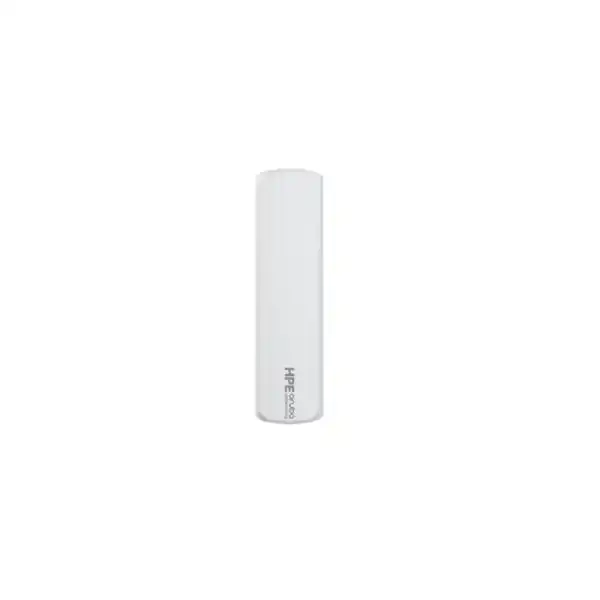
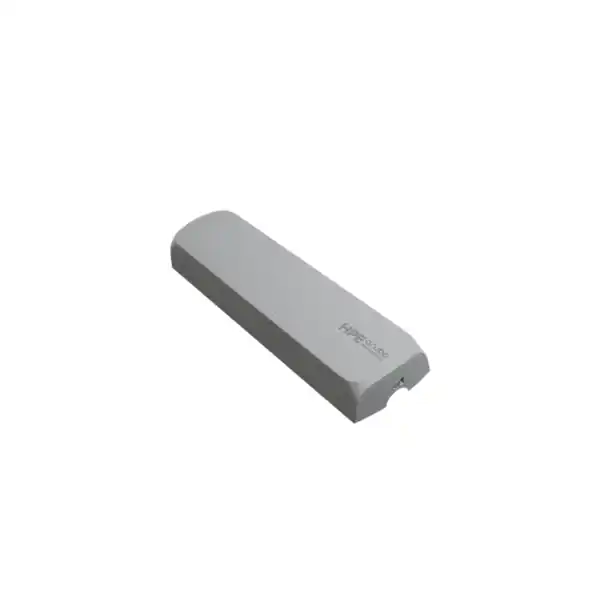
HPE Aruba Networking UXI Wi-Fi 6E Ethernet Cellular Sensor
A purpose-built digital experience monitoring sensor for organizations that need to see wired, Wi-Fi 6E and application performance from the same perspective as an end user—while retaining cellular connectivity for onboarding and resilient visibility.
Direct answer for IT and procurement teams
The HPE Aruba Networking UXI G6EC is a physical User Experience Insight sensor, part number S0U52A, combining Ethernet, Wi-Fi 6E monitoring and cellular connectivity.
It continuously runs synthetic network and application tests so IT can observe connectivity, authentication and service quality from an end-user location.
Enterprises, branches, retailers, campuses and distributed organizations that need always-on digital experience monitoring rather than occasional troubleshooting.
Confirm the required UXI cloud and LTE subscription terms, plus whether Wi-Fi 6E is sufficient or a Wi-Fi 7 UXI sensor is more appropriate.
Sensor count, placement, PoE or AC power, mounting accessories, subscription duration, cellular requirement, 6 GHz operating expectations and the most suitable UXI generation for your sites in Dubai or elsewhere in the UAE.
Why the G6EC is different from a normal network probe
The value of the UXI G6EC comes from where it sits in the troubleshooting chain. Traditional monitoring systems often start from switches, access points, controllers, servers or cloud services. Those tools are essential, but they do not always reproduce what a user experiences at a particular desk, branch counter, meeting room or service area. UXI approaches the problem from the edge. The sensor joins a network as an endpoint and performs scheduled synthetic tests, giving operations teams a persistent reference point even when no employee has opened a ticket.
For a Dubai organization with multiple floors, branches or customer-facing sites, that endpoint perspective can shorten the gap between “the infrastructure looks healthy” and “users are still having a problem.” The sensor is not an access point, wireless controller, firewall or internet router. It is a monitoring endpoint designed to expose experience quality and service reachability. That distinction matters during procurement because the business case is observability and faster diagnosis, not additional Wi-Fi capacity.
Core buyer signals
What the sensor can monitor
Wireless experience
The G6EC supports 802.11a/b/g/n/ac/ax monitoring across 2.4 GHz, 5 GHz and 6 GHz. It is therefore suited to organizations validating Wi-Fi 6E deployments while retaining visibility into earlier Wi-Fi generations. The dual-radio design also supports enhanced analysis such as off-band monitoring and client monitoring.
Ethernet experience
A Gigabit Ethernet interface allows the platform to test wired connectivity from the same site. HPE states that one sensor can test up to four networks in total: one through Ethernet and up to three Wi-Fi SSIDs. That makes each sensor useful where both wired and wireless service quality need a common reference point.
Applications and services
UXI is designed for automated synthetic testing of network and application experience. Instead of waiting for a user to report that an application is slow or inaccessible, teams can run repeatable tests and correlate a service problem with local network conditions, WAN reachability or application response behavior.
Path and cloud visibility
UXI capabilities include path analysis for Layer 3 traffic journeys and cloud-hosted reporting. For distributed enterprises this can help distinguish a local access issue from an upstream WAN, internet or application-path problem, especially when the same service is tested consistently from several sites.
HPE Aruba Networking UXI G6EC technical specifications
The following details are useful when validating power, mounting, environmental conditions and wireless scope before a quotation. For a purchase order, the exact regional bundle and subscription line items should be checked together rather than treating the sensor as a standalone appliance.
| Item | G6EC detail | Buyer relevance |
|---|---|---|
| Part number | S0U52A | Use this identifier to distinguish the cellular Wi-Fi 6E model from non-cellular G6E and Wi-Fi 7 models. |
| Wireless | Dual-radio 802.11a/b/g/n/ac/ax, 2.4 / 5 / 6 GHz, two spatial streams | Suitable for Wi-Fi 6E and earlier-generation experience monitoring. |
| Ethernet | 10/100/1000 Ethernet | Supports wired network testing and PoE-based deployment. |
| Bluetooth | BLE 5.1 | Used as part of the sensor setup/onboarding workflow. |
| Cellular | 3G/LTE connection with managed SIM/service on G6EC | Supports rapid onboarding and backup visibility when primary connectivity is impaired. |
| Power | 802.3af PoE; compatible AC adapter option; 12 W consumption | Confirm PoE availability or the required AC power arrangement at each placement point. |
| Power backup | G6EC: at least 60 seconds | Helps preserve continuity during short power transitions; it is not a substitute for site UPS design. |
| Dimensions with bracket | 85 mm W × 47 mm D × 306 mm H | Check wall, pillar or ceiling location and nearby cable routing. |
| Weight | Approximately 752 g for G6EC | Relevant for mounting surface and installation planning. |
| Operating environment | 0°C to 40°C; 5% to 93% RH, non-condensing | Indoor placement must remain within the specified operating range. |
| 6 GHz operating note | Low Power Indoor supported; Standard Power client operation not supported | Important for buyers designing 6 GHz validation around specific regulatory or power modes. |
Cellular is for monitoring continuity—not branch internet service
The “cellular” part of the G6EC name can be misunderstood. Its managed mobile connection is there to simplify onboarding and keep the sensor reachable when it cannot use the Wi-Fi network, cannot authenticate, or when the Wi-Fi backhaul is unavailable. This is operationally valuable because a monitoring sensor that disappears at the same moment as a site outage provides less evidence.
It should not be purchased as a replacement for a 4G/5G router, SD-WAN circuit or user-facing mobile broadband service. If a branch needs WAN failover for employees and applications, that is a separate architecture decision. The G6EC cellular capability protects observability of the sensor itself and enables quicker deployment.
Subscription planning is part of the hardware decision
UXI is not a buy-once appliance that remains fully functional without cloud service. HPE requires a valid cloud subscription for each sensor, with one-, three- and five-year options available. For the cellular G6EC, a valid LTE subscription is also required. If subscriptions expire, service access must be reactivated with the appropriate cloud and LTE entitlement.
For budgeting, align the software term with the organization’s support and lifecycle policy. A three- or five-year term may simplify renewals across a stable rollout; a one-year term may suit a pilot or short evaluation. The key point is to include subscription duration in the original quotation so the delivered sensor is matched to the intended operational period.
Where to place UXI sensors
Sensor placement should represent actual user experience rather than simply follow access-point locations. HPE’s deployment guidance gives useful starting ratios, but final quantity depends on building layout, user density, network-device density, critical applications and the number of experience zones that need independent evidence.
For physical mounting, HPE recommends placement around 4 to 5 feet, approximately 1.5 metres, from the floor on a wall, pillar or similar position. The G6E/G6EC supports a bracket and Kensington lock slot, nonskid feet for flat placement, and an optional T-bar mounting kit (R3T84A). Good placement should expose the same RF and service conditions users experience rather than hide the sensor inside a communications cabinet.
A practical deployment journey
Define the experience to measure
List the Wi-Fi SSIDs, wired service, critical SaaS applications, internal applications and business locations that require independent monitoring. This determines whether one sensor per site is enough or whether multiple user zones need coverage.
Confirm Wi-Fi generation and security
G6EC is appropriate when the monitoring requirement covers Wi-Fi 6E and previous standards. Review authentication requirements, WPA mode and enterprise credentials before rollout. If Wi-Fi 7 client behavior must be directly tested, compare the UX-7/UX-7C generation instead.
Plan power and physical location
Use 802.3af PoE where suitable, or confirm the compatible power supply arrangement. Select a location representative of users and within the 0°C to 40°C operating range. Where ceiling or T-bar placement is needed, include the correct mounting accessory.
Activate cloud and LTE subscriptions
The subscription is operationally mandatory, not optional support. Align entitlement dates with the planned go-live date so the sensor can be onboarded, managed and viewed in the dashboard from deployment day.
Build tests and alert ownership
Define which network and application tests will run, the acceptable thresholds, and who will receive alerts. Monitoring creates value only when results lead to a clear operational response. Integrations and webhooks can also connect UXI results with service-management workflows.
Security, authentication and multivendor fit
The sensor is designed to operate in HPE Aruba Networking as well as third-party network environments. That multivendor position is useful for organizations where the WLAN, switching, WAN and application estate is mixed, or where UXI is being introduced before a broader network refresh. The monitoring decision does not require every access point to be Aruba-branded.
HPE lists support for open networks, WPA2 PSK, WPA3 SAE, WPA2 Enterprise, Enhanced Open (OWE), WPA3 Enterprise and WPA3 Enterprise CNSA modes. QuickSpecs also list EAP-PEAP, EAP-LEAP and EAP-TTLS. Authentication compatibility should still be validated against the exact enterprise policy, identity platform and certificate workflow used at the target site.
Where HPE Aruba Networking Central integration is part of the design, validate the supported sensor model and the relevant Central/AOS workflow for the planned onboarding method. Central integration can improve the ability to correlate network infrastructure context with the experience data captured by UXI, but the design should be checked against the software version and deployment mode in use.
Important 6 GHz check
G6EC supports Low Power Indoor operation for 6 GHz. HPE states that Standard Power client operation is not supported for this sensor generation.
For Dubai/UAE deployment, confirm the intended 6 GHz radio design, regulatory domain and WLAN configuration before treating the sensor as evidence for every possible 6 GHz deployment mode.
Typical business use cases
Office and headquarters floors
Use sensors to track meeting-room, desk-area or common-space experience continuously. This is particularly useful when users report intermittent Wi-Fi or SaaS performance that cannot be reproduced by infrastructure dashboards alone.
Branches and distributed sites
A sensor at each site can become a consistent remote troubleshooting reference. Cellular connectivity is especially valuable where IT staff are not physically present and the primary LAN or WLAN may be the source of the outage.
Retail and customer-facing locations
Validate access to payment-supporting services, internal applications, internet services and staff WLANs from the store edge. Persistent tests can help distinguish a local site problem from a central application issue.
Campus and education environments
Place sensors in representative buildings or user zones to compare experience across a large WLAN. The goal is not RF surveying; it is continuous service experience evidence from known endpoints.
Wi-Fi 6E rollout validation
Keep a permanent test endpoint in 6 GHz-enabled areas to observe real service behavior after the deployment team leaves. This can complement survey and infrastructure data with recurring authentication and application tests.
Service desk escalation reduction
When a complaint arrives, support teams can review historical sensor results for the same site and time window. That can provide useful evidence before asking the user to repeat tests or wait for an engineer visit.
G6EC versus nearby UXI options
| Model | Wireless scope | Cellular | Best fit |
|---|---|---|---|
| UXI G6E – S0U51A | Wi-Fi 6E and earlier, Ethernet | No | Sites where wired/Wi-Fi monitoring is needed and cellular onboarding/backup is unnecessary. |
| UXI G6EC – S0U52A | Wi-Fi 6E and earlier, Ethernet | Yes | Distributed or business-critical sites that benefit from managed cellular onboarding and resilient monitoring connectivity. |
| UXI 7C – S4W53A | Wi-Fi 7 and earlier, Ethernet | Yes | New Wi-Fi 7 environments where 802.11be client monitoring and the newer UXI sensor capabilities are required. |
The G6EC remains a logical choice when Wi-Fi 6E is the highest client generation the organization needs to monitor and cellular continuity is valuable. A buyer planning a new Wi-Fi 7 campus should compare the UX-7C before standardizing, because buying a Wi-Fi 6E sensor for a Wi-Fi 7 validation requirement can create an avoidable capability gap. Conversely, if cellular resilience is unnecessary, the non-cellular G6E may reduce complexity because it requires only the cloud subscription rather than both cloud and LTE subscriptions.
What can make G6EC the wrong choice?
Evaluate UX-7/UX-7C instead of assuming a Wi-Fi 6E sensor is sufficient for an 802.11be-focused deployment.
UXI requires an active cloud subscription; the cellular model additionally needs LTE entitlement. A subscription-free monitoring strategy would require a different platform.
UXI focuses on digital experience monitoring and synthetic testing. Specialized packet analysis or formal wireless survey requirements may require complementary tools.
The stated operating range is 0°C to 40°C and 5% to 93% non-condensing humidity, so unconditioned or exposed locations need careful review.
Dubai and UAE procurement considerations
For UAE projects, quote preparation should identify the exact site locations, sensor quantity and whether each location has suitable PoE. The S0U52A description includes the cellular G6EC model with a power supply, but a complete commercial order still needs the required cloud and LTE subscription terms. If the project includes several branches, synchronize entitlement duration and renewal ownership across the fleet.
Wi-Fi 6E projects should also be checked against the deployed 6 GHz regulatory configuration and the actual WLAN design. The G6EC supports Low Power Indoor 6 GHz operation; it should not be assumed to cover Standard Power client scenarios. This is especially important when the sensor is being purchased specifically as proof that a 6 GHz user environment meets a design target.
Availability, lead time and exact bundle contents can vary, so procurement should use the current HPE part number and the final bill of materials rather than relying only on the marketing name.
Support and lifecycle planning
HPE lists a one-year replacement warranty with 10-day shipment for the sensor hardware, with software support included through the subscription and additional hardware support available through HPE Aruba Networking Foundational Care. Organizations with strict replacement-time objectives should examine the support level rather than assuming the standard warranty matches their SLA.
Lifecycle planning also means reviewing the WLAN roadmap. If the organization expects Wi-Fi 7 to become standard during the sensor’s planned operating period, compare the cost of buying G6EC now and replacing later against adopting UX-7C at the start. If the environment will remain predominantly Wi-Fi 6E for the monitoring horizon, G6EC can still be the more proportionate fit.
The subscription renewal date should be recorded alongside hardware asset data. Because dashboard access and cellular service depend on entitlement, an unnoticed expiration can remove monitoring coverage even though the physical sensor remains installed.
Common buyer questions
Does G6EC provide Wi-Fi to users?
No. It behaves as a monitored endpoint for digital experience testing. It does not replace an access point or add WLAN client capacity.
Can one sensor test both wired and wireless networks?
Yes. HPE states that one sensor can test up to four networks: one through Ethernet and up to three Wi-Fi SSIDs. Test design should still reflect the applications and authentication paths that matter to the business.
Is cellular optional after buying G6EC?
The physical model includes cellular capability, and HPE states that cellular sensors require both a valid cloud subscription and an LTE subscription to operate as intended. If cellular is not needed, compare the G6E non-cellular model.
Can it monitor third-party WLANs?
Yes. UXI is positioned as multivendor monitoring and can be used in HPE Aruba Networking or third-party network environments. Specific authentication and policy compatibility should be checked before rollout.
Should every access point have a sensor?
Usually no. HPE provides starting guidance such as one sensor for every five APs in a typical carpeted office, one per branch/retail site, or one per ten APs in a large public venue. Final quantity is based on user zones and monitoring goals.
What is the biggest ordering mistake?
Ordering the hardware without matching subscriptions, or selecting G6EC when the actual requirement is Wi-Fi 7 monitoring. A complete bill of materials should include hardware, subscription duration, LTE entitlement, power and mounting needs.
Decision recap
What FourTeck needs for an accurate UXI quotation
A useful quotation should solve the deployment requirement, not merely price a sensor SKU. Send the information below and the proposed bill of materials can be aligned to the sites, subscriptions and installation approach.
Plan the right UXI sensor set for your Dubai network
For a straightforward G6EC purchase, provide quantity and subscription term. For a multi-site rollout, FourTeck can also help translate access-point density, Wi-Fi generation, application priorities, power and mounting constraints into a practical UXI sensor plan. The objective is to buy enough visibility to be useful without over-deploying sensors or locking into a Wi-Fi generation that no longer matches the network roadmap.


Reviews
There are no reviews yet.