
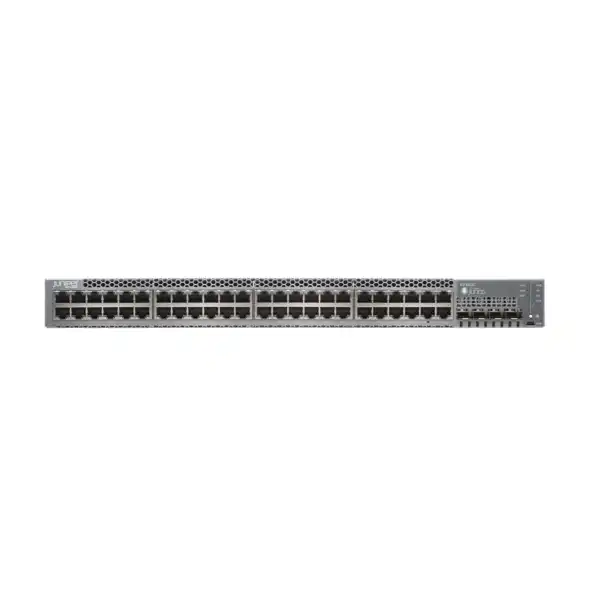
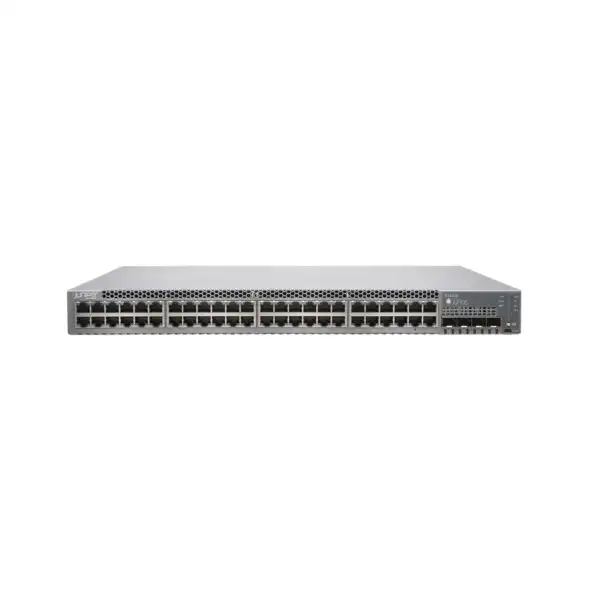
Juniper EX3400 Ethernet Switch Dubai
The Juniper EX3400 is a fixed 1U access-switch family designed for enterprise campus, branch and converged wired networks. It combines 24- or 48-port Gigabit Ethernet access, optional PoE+, four 1/10GbE SFP/SFP+ uplinks, two 40GbE QSFP+ interfaces, Virtual Chassis scale and Junos-based operations, with cloud management available through Juniper Mist Wired Assurance.
Direct answer: what is the Juniper EX3400 and who should consider it?
The Juniper EX3400 is a fixed-configuration enterprise Ethernet access switch family. Its main job is to connect endpoints such as desktop computers, IP phones, printers, servers, cameras, access points and other Ethernet devices to a managed campus or branch network while providing VLAN, quality-of-service, security and routing functions appropriate to an enterprise access layer. Organisations should consider it when they need a 24-port or 48-port 1GbE access platform with higher-speed fibre uplinks, optional PoE+ and the ability to operate several physical switches as a single logical Virtual Chassis.
The most important factor to confirm before ordering is the exact EX3400 model and deployment requirement. Port count alone is not enough. The quotation should also reflect whether endpoints need PoE+, the total PoE power budget, airflow direction, AC or DC power, redundancy requirements, SFP/SFP+/QSFP+ optics, Virtual Chassis links, Junos feature licensing, Mist Wired Assurance subscriptions and support coverage. FourTeck can help translate those requirements into a model-level bill of materials for Dubai and UAE deployment.
Why the EX3400 needs model-level selection rather than a generic switch quote
A request for “Juniper EX3400” describes a family, not a complete orderable configuration. Within the family, a buyer may require a 24-port non-PoE switch for ordinary data access, a 24-port PoE+ model for phones and wireless access points, a 48-port PoE+ model for a dense user floor, a DC-powered version for a specific infrastructure environment, or a 48-port non-PoE model with reverse airflow for a rack designed around back-to-front cooling. These choices affect hardware cost, power architecture, heat output, rack planning and the accessories that must be included in the quotation.
The same is true for uplinks. The EX3400 provides physical uplink interfaces, but an interface is not the same thing as a complete optical link. Fibre type, distance, connector type, transceiver speed, upstream switch compatibility and whether a port will be used for ordinary uplink traffic or Virtual Chassis connectivity all need to be considered. A switch can be perfectly correct as a base chassis and still be unusable on installation day if the required optics, cables or upstream port types are missing.
Licensing is another reason to treat the product as an engineered purchase. The switch can operate with its standard software capabilities, while additional Junos functions and cloud-management outcomes depend on the selected software tier and subscription model. A buyer planning standalone Junos administration has different commercial inputs from a buyer planning Mist-managed switching with Wired Assurance and optional advanced services. The procurement goal should therefore be an exact, deployable configuration rather than simply the lowest quoted EX3400 chassis price.
EX3400 model family at a glance
| Model | Access ports | PoE+ | Power / airflow position | Typical selection logic |
|---|---|---|---|---|
| EX3400-24T | 24 x 10/100/1000BASE-T | No | AC, front-to-back | Smaller access closets where endpoint power is not required. |
| EX3400-24P | 24 x 10/100/1000BASE-T | Yes, up to 30 W per supported port under PoE+ | AC, front-to-back | User access with IP phones, cameras or compatible wireless APs. |
| EX3400-48T | 48 x 10/100/1000BASE-T | No | AC, front-to-back | Higher copper-port density without endpoint power delivery. |
| EX3400-48P | 48 x 10/100/1000BASE-T | Yes, up to 30 W per supported port under PoE+ | AC, front-to-back | Dense PoE+ access floors and converged voice/wireless/security edge deployments. |
| EX3400-48T-AFI | 48 x 10/100/1000BASE-T | No | AC, back-to-front airflow | Racks where airflow direction must align with a reverse-cooling design. |
| EX3400-24T-DC / EX3400-48T-DC | 24 or 48 x 10/100/1000BASE-T | No | DC, front-to-back | Environments engineered around DC power rather than standard AC rack power. |
All listed family members use the EX3400 access-switch architecture, but the exact included power supply, available spare PSU, airflow compatibility and any market-specific ordering constraints should be checked against the final bill of materials.
Core hardware capabilities that matter in an enterprise access layer
1GbE endpoint access
The family provides either 24 or 48 10/100/1000BASE-T copper access ports. That makes it appropriate where the installed endpoint estate is predominantly Gigabit Ethernet and where the access-layer objective is dependable wired connectivity rather than multigigabit copper to every desk or access point.
1/10GbE fibre uplinks
Four front-panel uplink ports can operate with compatible SFP or SFP+ transceivers, giving a practical path from 1GbE optics to 10GbE uplinks. Optics are a separate design decision: media type, distance, connector, upstream port support and transceiver compatibility must match the installed fibre plant.
Two 40GbE QSFP+ ports
Two QSFP+ interfaces provide 40GbE connectivity and are configured by default as Virtual Chassis ports. They can also be used in uplink roles when the network design calls for that use. This dual role is valuable but should be planned because consuming an interface for stacking changes the uplink resources available for other purposes.
Virtual Chassis scale
Up to 10 EX3400 switches can be interconnected into a Virtual Chassis and managed as one logical device. This can simplify configuration and operational handling across a larger access stack, while still requiring careful design for member roles, software consistency, cabling and physical rack topology.
Redundant power capability
The platform supports field-replaceable power supplies and can be configured with redundant supplies. For PoE models, the second supply can do more than improve resilience: it can also increase the available PoE power budget. The chosen PSU type therefore affects both availability and endpoint-power capacity.
Junos and Mist operations
EX3400 can be administered with Junos OS and can also be onboarded to Juniper Mist for cloud-based wired operations. The preferred management model affects subscriptions, operational processes, administrator skills, configuration standards and how telemetry or assurance services are consumed.
Port density and switching performance: read the numbers in context
For 24-port EX3400 models, Juniper lists a maximum bidirectional packet-switching capacity of 288 Gbps and wire-speed throughput of approximately 214 Mpps. The 48-port models are specified at up to 336 Gbps bidirectional capacity and approximately 250 Mpps. These figures establish the platform’s switching-engine capability, but they do not mean every endpoint will transmit at maximum line rate at the same time in a real office. Practical access-layer design is normally driven by user traffic patterns, uplink oversubscription, application behaviour, server locality, wireless aggregation, voice and video requirements, and the resilience expected between access and distribution layers.
A 48-port model is therefore not automatically better than a 24-port model. In a small communications room, a 24-port unit may preserve rack space, power and port-management simplicity when only a limited number of outlets are active. In a high-density floor, a 48-port unit can improve rack efficiency and reduce the number of separate switch members needed. The correct choice also depends on growth assumptions: leaving a modest number of spare access ports can be sensible, while buying far more unused PoE ports than the site will ever need can shift budget away from optics, redundancy, licensing or support.
The uplink design should be evaluated alongside access density. Four 10GbE-capable SFP+ interfaces provide substantial flexibility for connections to distribution switches, servers or other network devices, while the 40GbE QSFP+ ports can serve Virtual Chassis or uplink functions. When several switches are stacked, uplink placement and link aggregation should be planned across members to avoid making a single member, power supply or cable path an unnecessary point of failure.
PoE+ planning for EX3400-24P and EX3400-48P
The EX3400-24P and EX3400-48P provide IEEE 802.3af PoE and 802.3at PoE+ support on their RJ-45 access ports. That is useful for IP telephony, cameras, video endpoints and compatible wireless access points because power and data can be delivered over the Ethernet cabling. The important procurement point is that “PoE+ on all ports” does not mean every connected device can draw the maximum PoE+ wattage without reference to the switch’s total available PoE budget.
Juniper specifies the EX3400-24P with a 370 W PoE budget using one applicable 600 W power supply and up to 720 W with two. For the EX3400-48P, the stated budget is 740 W with one applicable 920 W power supply and up to 1440 W with two. Those figures make the PSU configuration a direct sizing input. If a 24-port site has a handful of phones and several moderate-power access points, one power supply may be enough from a PoE perspective even if a second is still wanted for resilience. A dense camera or wireless deployment can require the second supply for capacity as well as availability.
A useful PoE survey records the exact powered-device model or at least its worst-case draw, the number of devices, whether every device can be active at once, and the growth allowance. It should also identify devices that require standards or power levels beyond what 802.3at PoE+ provides. The EX3400 PoE models are not a substitute for a platform designed for higher-power 802.3bt endpoints. If the project includes new-generation wireless access points, displays, building systems or other high-draw devices, their requirements should be checked before the switch is selected.
The result of that calculation can change the model recommendation. A non-PoE EX3400 may be perfectly suitable for a server-management network or ordinary office data outlets, while a PoE model may materially simplify installation where phones and cameras would otherwise need local adapters. Conversely, a network that expects a future transition to multigigabit or higher-power access could justify evaluating a newer access-switch family rather than purchasing solely around today’s 1GbE PoE+ requirement.
Virtual Chassis: when a logical stack helps and what must be designed
Juniper Virtual Chassis is one of the defining operational capabilities of the EX3400 family. Up to 10 EX3400 units can be interconnected and managed as a single logical device with a common management view. This can reduce repetitive configuration and make a multi-switch access closet behave more like one chassis from the administrator’s perspective. It is particularly relevant when an office floor, campus building or branch requires more access ports than one fixed switch can provide.
The physical connectivity is important. The two QSFP+ ports are configured by default for Virtual Chassis use, and compatible SFP+ uplink ports can also be configured as Virtual Chassis ports. Juniper specifically notes that SFP transceivers cannot be used to form the Virtual Chassis. That distinction matters because “the uplink port accepts SFP” does not mean a 1GbE SFP is appropriate for stacking. A correct design identifies the required Virtual Chassis port type, cable or optics, physical member order and distances between units.
Operationally, the Virtual Chassis elects primary and backup roles and maintains the logical system across members. This creates opportunities for resilient uplinking: rather than connecting every upstream path through one physical member, the network can distribute uplinks across different members and use link aggregation or an architecture appropriate to the distribution layer. The exact topology should align with the upstream switches and the organisation’s failure-domain objectives.
Virtual Chassis is not mandatory. A small branch with one switch gains little from designing a stack simply because the feature exists. Likewise, some organisations prefer individually managed access switches or a fabric-based architecture. The right question is whether unified configuration, member scale and chassis-like operations reduce operational complexity for the specific site. If the answer is yes, stacking cables or optics, member count, uplink placement and software version alignment should all appear in the implementation plan.
Uplink optics, fibre and compatibility decisions
The EX3400’s four dual-mode SFP/SFP+ uplink interfaces and two QSFP+ interfaces provide flexible physical connectivity, but they also create a common purchasing trap: the switch chassis does not automatically define the right optic. An SFP or SFP+ module must match the target speed, fibre medium, wavelength, reach and connector type. The same principle applies to QSFP+ connectivity. Ordering “two 10G optics” without confirming the installed fibre and the remote interface can result in a link that cannot come up even though both switches are functioning normally.
For an existing building, the fibre survey should establish whether the run is multimode or single-mode, the approximate distance, patch-panel connector type, patch-lead requirements and whether spare strands are available. The upstream device model and port must also be checked. If the far end is another vendor’s switch, interoperability should be confirmed at the Ethernet-standard level as well as within each manufacturer’s supported-transceiver policies. Where supportability is important, using approved Juniper optics on the EX3400 side avoids turning an inexpensive transceiver decision into a difficult troubleshooting question.
A 10GbE uplink is often appropriate for aggregating a 24- or 48-port access switch, but actual bandwidth planning should reflect traffic concentration. A user floor dominated by SaaS, email and voice can behave differently from a creative-production network moving large files to local storage. Wireless access points can also shift traffic patterns toward the uplink, especially where many users share high-capacity radios. The existence of four SFP+ ports gives options for multiple uplinks and link aggregation, but the distribution design determines whether that capacity can be used efficiently.
The two 40GbE QSFP+ ports deserve similar planning because they may already be allocated to Virtual Chassis operation. If the project expects them to act as 40GbE uplinks, the stack design must preserve that role. A quotation should therefore list not only the switch models but also each required SFP/SFP+/QSFP+ optic or cable and its intended link purpose. That makes the bill of materials understandable to both the network engineer and the procurement team.
Junos OS, feature licensing and Juniper Mist Wired Assurance
The EX3400 runs Junos OS, giving administrators a familiar operational model across supported Juniper switching platforms. Standard software provides substantial Layer 2 and Layer 3 functionality, while additional functions can be associated with Advanced or Premium licensing tiers. Juniper’s current licensing framework separates 24-port EX3400 models into Class 2 and 48-port models into Class 3 for relevant software and subscription ordering. That class distinction is important when building a quote because a software SKU appropriate for a 24-port device is not automatically the correct commercial item for a 48-port device.
Juniper also supports Mist-based management for the EX3400. Wired Assurance can provide cloud-based onboarding, provisioning, visibility and operational workflows for supported EX switches. Organisations that already use Mist for wireless networks may value a common cloud-management environment for wired access. Organisations with established Junos CLI, automation and on-premises operational procedures may instead prefer standalone management. Neither approach should be chosen solely from marketing language; the decision should reflect administrator workflow, subscription policy, telemetry requirements, cloud-governance rules and the desired level of operational assurance.
Subscription terms and optional associated services need explicit confirmation. Wired Assurance subscriptions are available according to device class and term, while Juniper also offers Flex licensing models and optional services such as Marvis for Wired in appropriate configurations. Features such as advanced routing protocols or specific analytics capabilities can depend on license tier. Because software packaging can change over a product’s commercial life, the project team should map each required function to the current Juniper licensing matrix at quotation time instead of reusing an old SKU from a previous purchase.
For a straightforward Layer 2 access deployment, the base capabilities may be sufficient. For a routed-access design, advanced multicast requirement, specialised telemetry objective or Mist-managed estate, licensing becomes a first-class design item. FourTeck can structure the quotation around the required function rather than assuming every buyer needs the highest software tier.
Important licensing note for procurement teams
Do not treat the chassis SKU, support service and software entitlement as interchangeable items. The chassis provides the physical switching platform. The selected Junos feature level determines entitlement to particular advanced functions. Mist Wired Assurance and related cloud services introduce subscription terms and service choices. Support coverage is another separate commercial decision. A complete quotation may therefore contain several line items even when the physical deployment consists of only one switch.
Before purchase, document which features are actually required, whether the switch will be managed standalone or through Mist, the desired subscription duration, the support level, and whether existing organisational subscriptions can be reused or must be extended. This prevents both under-licensing and unnecessary software spend.
Layer 2 and Layer 3 role in a campus design
At its most common deployment point, the EX3400 sits at the access layer. It terminates user and device Ethernet connections, assigns them to VLANs, applies policy and quality-of-service controls, and forwards traffic toward distribution or core switching. The platform supports comprehensive Layer 2 functions and standard routing capabilities, with the exact advanced feature set dependent on software entitlement. This allows it to serve both conventional switched access and selected routed-access designs where the organisation has an appropriate architecture and licensing plan.
For ordinary office networks, VLAN segmentation is often the first practical requirement. User data, voice, printers, cameras, wireless infrastructure, building systems and management traffic may need separate broadcast domains and security policies. The switch configuration should align those VLANs with the upstream network, DHCP and IP addressing plan, firewall policy and identity services. Buying a switch does not by itself create segmentation; the value comes from implementing a coherent design across access, routing and security layers.
Quality of service matters in converged environments. Voice and real-time video can be sensitive to delay and congestion, while ordinary data transfers are usually more tolerant. The EX3400 provides multiple QoS queues per port and supports enterprise traffic-handling functions. A useful implementation maps endpoint markings, switch classification and upstream policy consistently rather than applying an isolated access-switch template that conflicts with the rest of the network.
For advanced routed campus designs, the switch’s supported protocols and license tier should be checked against the architecture. Not every feature offered by higher-end Juniper switching families belongs on the EX3400. If the project requires extensive EVPN-VXLAN edge functions, multigigabit access, higher-speed access ports or capabilities beyond the EX3400 feature set, an EX4100 or EX4400-family comparison may be appropriate. Selecting the access platform based on the architecture avoids expensive redesign after installation.
High availability: distinguish switch resilience from full service resilience
The EX3400 supports redundant, field-replaceable power supplies, redundant fans and Virtual Chassis capabilities that can improve availability. These features are valuable, but resilient hardware should not be mistaken for an end-to-end availability design. A switch with two power supplies is still exposed if both supplies connect to the same failed power strip. A Virtual Chassis can still lose upstream connectivity if every uplink terminates on a single distribution switch. An access network becomes resilient only when power, stacking, uplinks, upstream switching and configuration have been considered together.
For critical closets, the power design can connect redundant PSUs to separate PDUs or power sources where the facility supports that architecture. The network design can distribute uplinks across different Virtual Chassis members and, where the upstream architecture allows it, across redundant distribution devices. Configuration backups, software lifecycle procedures and spare-hardware strategy also contribute to operational recovery.
Not every site needs maximum redundancy. A small noncritical branch may accept a single power supply and a single uplink if the business impact of an outage is low and replacement can be arranged quickly. A headquarters floor supporting hundreds of users, voice and wireless access may justify a much stronger design. The cost discussion is therefore better framed around downtime tolerance than around whether a second PSU is “optional.”
The EX3400 supports the building blocks for a resilient access layer, but the service-level outcome depends on how those blocks are assembled. FourTeck can scope redundant power supplies, Virtual Chassis links, uplink optics and installation work as separate, visible quotation items so the buyer can understand exactly what level of resilience is being purchased.
Rack, cooling, environmental and power planning in Dubai
The EX3400 is a 1U fixed access switch with published dimensions of approximately 43.7 cm wide, 4.4 cm high and 35 cm deep. Rack depth is therefore rarely the most difficult issue, but a professional installation still needs front and rear clearance for cables, power cords and airflow. The switch family includes front-to-back airflow models and a selected back-to-front 48-port variant. Airflow direction should match the rack and room design, especially in data-centre or high-density environments where hot-air recirculation can reduce cooling efficiency.
Juniper specifies an operating temperature range from 0°C to 45°C for the EX3400. In Dubai and across the UAE, that makes environmental control more than a formality. A communications room that is comfortable during working hours can exceed equipment limits if building air conditioning is reduced after hours, if a local cooling unit fails, or if hot exhaust from multiple devices is trapped in a poorly ventilated cabinet. The design should therefore consider the room’s worst-case condition, not only the temperature observed during a site visit.
Power planning differs significantly between non-PoE and PoE models. A non-PoE switch has relatively modest chassis consumption compared with a PoE unit supplying many endpoints. For PoE models, the rack power circuit must support both the switch electronics and the delivered endpoint power, with suitable allowance for redundancy. Using two power supplies can also affect how power is distributed across PDUs and how the PoE budget is engineered.
The installation survey should document rack space, PDU outlet type, available power, grounding, airflow direction, ambient conditions and cable-management routes. These are practical details, but they determine whether the switch can be installed cleanly and supported over its service life. A technically correct switch model still needs a physically correct environment.
Console, management and operational access
EX3400 hardware includes an RJ-45 console port and a Mini-USB Type-B console port. Console access remains important during first-time configuration, recovery and troubleshooting because it provides local management even when ordinary network reachability is unavailable. Installation teams should therefore arrive with the correct console cable and terminal tools rather than assuming that cloud onboarding or IP-based management will always be possible from the first minute.
For ongoing operation, the management approach should be standardised. A Junos-managed environment may use CLI, automation, configuration templates, logging and monitoring systems. A Mist-managed environment introduces cloud onboarding and assurance workflows. In both cases, the switch should receive a documented management IP strategy, authentication method, administrator-access policy, time synchronisation, logging destinations and configuration-backup process.
Operational security is equally important. Management interfaces should not be exposed unnecessarily to user networks. Administrator access can be separated through a management VLAN or dedicated management architecture, and credentials should align with the organisation’s identity and privileged-access practices. Where central AAA, TACACS+ or RADIUS is part of the standard, the switch configuration should be planned before rollout so local emergency access and central authentication work together.
These tasks are not glamorous, but they determine whether the device can be supported during an incident. A well-installed switch is not only one that forwards packets; it is one that administrators can identify, authenticate to, monitor, back up and recover predictably.
Endpoint fit: phones, cameras, access points and ordinary office devices
IP telephony
PoE+ EX3400 models are a natural fit for standards-based IP phones that operate within the available per-port and total power budget. Voice VLANs, LLDP/LLDP-MED, QoS markings and upstream call-control connectivity should be coordinated so the switch does more than simply power the handset.
IP surveillance
PoE+ can simplify camera installation, but surveillance design should account for continuous traffic, recording-server paths, multicast or unicast behaviour, camera power draw and the consequence of losing one access switch. Large camera estates may justify dedicated switching or additional uplink resilience.
Wireless access points
Many enterprise APs can operate over 1GbE and PoE+, making EX3400-P models useful in established wireless environments. However, newer APs may benefit from multigigabit copper or higher-power PoE standards. The exact AP model should therefore be checked rather than assuming every current or future wireless device is an ideal EX3400 match.
Desktops, printers and general devices
For ordinary Gigabit Ethernet endpoints, both PoE and non-PoE models provide suitable copper access. The selection should be based on port count, VLAN policy, security requirements and growth rather than on a belief that a powered switch is inherently better for devices that do not need PoE.
Security and segmentation considerations
An enterprise access switch is often the first managed network device that sees an endpoint, so its configuration plays a significant part in network security. The EX3400 can support access controls, VLAN segmentation, authentication-related functions and traffic policies appropriate to an enterprise switching environment. The exact control set should be selected according to Junos version and licensing rather than assumed from a generic feature list.
A practical security design starts by classifying endpoint types. Employee computers, guest devices, IP phones, cameras, printers, building controllers and infrastructure management interfaces often have different trust levels. Placing them all in one flat VLAN because they share the same access switch creates unnecessary lateral movement risk. The switch can enforce separation at the access layer, while firewalls or routed policy points control communication between segments.
Port authentication and identity integration can further improve access control where the organisation has the supporting systems. The network team should decide how unknown devices are handled, whether phones and attached PCs require different policies, what happens when authentication infrastructure is unavailable, and how device onboarding is supported. Those policy decisions should be tested on a limited set of ports before broad deployment.
Physical port security remains relevant as well. Unused switch ports can be administratively disabled, descriptions can identify patch-panel destinations, and configuration standards can prevent accidental trunking or unauthorised VLAN access. The switch is one component of the security architecture, not a replacement for firewalling or endpoint protection, but disciplined access-layer controls reduce avoidable exposure.
Migration from an existing switch estate
Replacing access switches is rarely a simple rack swap because the old device contains years of operational assumptions. A successful EX3400 migration begins with the existing configuration: VLANs, trunks, spanning-tree behaviour, link aggregation, voice settings, PoE state, port security, authentication, QoS, management addressing, monitoring, syslog, time settings and any local routing. Each function needs to be mapped to the equivalent Junos implementation and validated against the target design.
Physical cabling should be inventoried at the same time. Patch-panel port numbers, uplink fibre strands, optic types, cable lengths and powered-device connections can all affect the cutover. If the old switch uses vendor-specific stacking cables, those cannot simply be moved to the EX3400. If the existing uplinks use 1GbE optics but the new design expects 10GbE, the far-end ports and optics must be upgraded as part of the same change.
Migration sequencing depends on business tolerance. A small branch may accept one planned outage while every cable is moved. A larger office can migrate floor by floor or stack by stack, with preconfigured switches, labelled patch leads and rollback steps. Voice, wireless and security-camera services should be included in testing because a user may report “the network is down” even when wired desktop access is working but a dependent PoE service is not.
For organisations moving from another vendor to Juniper, administrator readiness is another dependency. Junos configuration style and operational commands differ from other network operating systems. Training, templates and documented troubleshooting procedures reduce the risk that a technically sound migration creates an operational support gap after handover.
Installation workflow for a controlled EX3400 rollout
Monitoring, telemetry and troubleshooting readiness
Switch monitoring should be designed before an incident. At a minimum, operations teams generally need visibility into device reachability, interface state, errors, bandwidth utilisation, environmental alarms, power-supply status, fan health, PoE consumption and Virtual Chassis member state. The EX3400 supports standard operational monitoring approaches and sFlow traffic monitoring, while Mist-managed deployments can add cloud-based assurance workflows depending on subscription.
Logs should be sent to a central system where practical. A local log buffer can be lost with the device or may be difficult to review during a widespread incident. Central syslog, accurate NTP time and consistent device naming make events easier to correlate with firewall, server and wireless logs. Interface descriptions are equally valuable: a port labelled with a room, patch-panel outlet or device role is far easier to troubleshoot than an anonymous ge-0/0/x interface.
Cable diagnostics can help identify physical faults such as breaks or shorts on copper runs, but they should be considered one troubleshooting tool rather than proof that every layer is healthy. Duplex negotiation, VLAN configuration, endpoint drivers, PoE state, optic compatibility and upstream policy can all create symptoms that appear to be “a bad port.” A support process should therefore progress from physical state through switching, IP reachability and application behaviour systematically.
If the organisation uses Juniper Mist, the value proposition includes operational visibility and experience-oriented workflows rather than merely remote configuration. That can be useful for distributed sites where local network expertise is limited. The commercial value should still be tested against the organisation’s scale, support model and existing monitoring platforms.
When the EX3400 is a strong fit
Established 1GbE access
The endpoint estate is primarily standard Gigabit Ethernet, and there is no near-term requirement for multigigabit copper on a large portion of ports.
PoE+ voice and edge devices
IP phones, cameras and compatible APs fit within 802.3at PoE+ power levels and the chosen model’s total PoE budget.
Junos operational standard
The network team already uses Juniper, wants Junos consistency or values a common configuration and operational approach across switching layers.
Virtual Chassis access closets
Multiple fixed switches need to operate as a logical system to simplify access-stack administration and provide scalable port density.
Mist-managed wired networks
The organisation is adopting Juniper Mist and wants supported cloud onboarding, configuration and wired assurance capabilities for its access switches.
When to compare another switch family before buying
The EX3400 should not be selected simply because it is familiar or available. If the endpoint roadmap includes widespread 2.5GbE, 5GbE or 10GbE copper access, if new wireless access points need higher-power PoE standards, or if the campus architecture requires functions outside the EX3400’s supported feature set, a newer Juniper access family may provide a cleaner long-term fit. The additional purchase cost can be justified if it avoids replacing access switches again when endpoint requirements change.
A comparison is also sensible when the project prioritises higher uplink speeds, a different resilience model, newer hardware lifecycle positioning or advanced campus-fabric roles. The EX4100 and EX4400 families are common points of comparison in Juniper access architectures, although the correct alternative depends on port type, PoE need, software architecture and budget. A smaller branch with very simple requirements might also find a lower-tier access switch sufficient.
The useful procurement question is not “Is EX3400 good?” but “Does EX3400 match this site’s five-year access, power, uplink and management plan?” FourTeck can compare that requirement against nearby Juniper options rather than automatically recommending the supplied model.
EX3400 versus a newer access-switch evaluation
| Decision area | EX3400 is compelling when… | Evaluate a newer family when… |
|---|---|---|
| Access speed | 1GbE copper is appropriate for the endpoint estate. | Multigigabit copper is a material current or planned requirement. |
| PoE | 802.3af/at power is sufficient for phones, cameras and APs. | The endpoint plan requires higher-power PoE beyond 802.3at. |
| Uplink | Four 1/10GbE SFP/SFP+ and two 40GbE QSFP+ ports meet aggregation needs. | The topology needs greater uplink speed, density or a different interface mix. |
| Architecture | Conventional access or supported Juniper campus roles fit the requirement. | The design requires features not supported on the EX3400 platform. |
| Lifecycle strategy | The model aligns with the organisation’s approved standards, support window and budget. | The project prioritises a newer hardware generation for a long refresh cycle. |
Procurement details that should appear on an EX3400 quotation
A useful quotation should make the configuration auditable. The exact switch model is the first line, but it should not be the last. For a PoE deployment, the bill of materials should show the intended power-supply configuration because that affects resilience and available power budget. For a fibre-connected site, each required optic or direct-attach connection should be identified rather than hidden inside a vague “accessories” line. If Virtual Chassis is planned, the connection method should be visible as well.
Software and support should be equally clear. The buyer should be able to see whether the price includes only the standard switch entitlement or also an Advanced/Premium feature tier, Mist Wired Assurance subscription, optional associated subscription and Juniper support. Subscription term matters because a lower first-year price and a multi-year operational commitment are different purchasing decisions. Where the project uses existing enterprise agreements, the quotation can state which services are customer-provided and which are newly supplied.
Installation is another separate scope. Delivery of hardware does not necessarily include rack mounting, configuration, migration, after-hours cutover, structured-cabling work, optic installation, testing or documentation. A business buyer comparing quotes should normalise these services before judging one supplier to be cheaper. A complete deployment price can be more valuable than a low chassis price that leaves major implementation tasks uncosted.
Finally, the quotation should state the delivery location, quantity, warranty/support basis and any assumptions that could change price. This level of detail protects both procurement and engineering teams because everyone can see what is being purchased and what remains outside scope.
Support, software lifecycle and maintenance planning
Network switches normally remain in service for years, so lifecycle planning belongs in the purchase decision. The organisation should confirm the current Juniper support status of the exact EX3400 SKU, the supported Junos release strategy and the service level available for the intended deployment period. Lifecycle dates and recommended software releases can change, so they should be checked from current Juniper sources at quotation and implementation time rather than copied from an old internal document.
Software maintenance should be deliberate. Upgrades can address defects, security issues and feature requirements, but an access-switch update can affect many users if applied without testing. Virtual Chassis environments add another consideration because members should operate with compatible software and the upgrade plan needs to preserve stack stability. A sensible process reviews release notes, validates configuration compatibility, backs up the switch, schedules a maintenance window and confirms rollback options.
Spares can also reduce downtime. Depending on business impact and site count, an organisation may keep a spare power supply, optic, fan or complete switch. The right spare strategy depends on support replacement times and how interchangeable the deployed models are. A standardised fleet is easier to support than a collection of unique switch variants that each need different spares.
FourTeck can include support coverage and recommended spare components in the commercial discussion, but the correct level should be driven by outage cost. A branch that can tolerate next-business-day replacement has a different requirement from a facility where an access-switch failure interrupts critical operations.
Capacity planning beyond the first installation
Port count should be planned against both current use and realistic growth. Start with the number of active patch-panel outlets, then add known near-term devices such as new desks, phones, access points, cameras and building systems. Spare capacity is useful for moves and changes, but it should be purposeful. A 48-port model may be appropriate when thirty or more ports are immediately needed, while two 24-port switches may be preferred when resilience, physical distribution or staged growth matters more than rack-unit efficiency.
PoE growth can be more restrictive than copper port growth. An empty RJ-45 port uses little power, but a future camera or access point can add a meaningful continuous load. A PoE budget should therefore include expected device additions and not merely the equipment installed on day one. Adding a second power supply later may increase available PoE budget on supported models, but it also requires available rack power and may need procurement approval.
Uplink growth should be considered as well. A floor may start comfortably on one 10GbE uplink and later add more high-traffic wireless clients, local servers or media workflows. The four SFP+ interfaces provide room for additional uplinks or link aggregation, but the upstream switch must have matching capacity and ports. Capacity planning should therefore cover the entire path from access switch to core or services, not only the EX3400 itself.
Finally, evaluate technology growth. If the five-year roadmap includes Wi-Fi access points that need 2.5GbE copper, the limiting factor is not spare port count but port type. A switch can have dozens of unused 1GbE interfaces and still be the wrong platform for the next endpoint generation. This is the main reason to compare the EX3400 against newer access families before committing to a long refresh cycle.
Typical Dubai and UAE deployment scenarios
Corporate office floor
A 48-port EX3400 can consolidate user desks, printers and IP phones in a floor communications room. A PoE model becomes attractive when phones or APs need power. The design should reserve ports for growth, provide resilient uplinks to distribution and confirm cooling for a continuously occupied rack.
Multi-switch campus closet
Several EX3400 units can form a Virtual Chassis for a building with many access ports. The project should design member interconnects, primary/backup behaviour, uplink distribution and maintenance procedures so the logical stack simplifies operations rather than creating undocumented dependencies.
Retail or branch network
A 24-port model can serve a branch where wired devices, phones, APs and local infrastructure fit within a compact access layer. Central Junos standards or Mist management can help a small IT team operate many remote branches consistently.
Camera and security edge
A PoE+ EX3400 can power compatible surveillance devices while carrying traffic to recorders or security platforms. The design must check continuous PoE draw, uplink bandwidth, security segmentation and the operational effect of placing many cameras behind one switch.
Technical specification summary
| Form factor | Fixed 1U access switch; approximately 43.7 x 4.4 x 35 cm. |
|---|---|
| Access ports | 24 or 48 x 10/100/1000BASE-T depending on model. |
| PoE models | EX3400-24P and EX3400-48P, supporting 802.3af and 802.3at PoE+ on RJ-45 ports. |
| SFP/SFP+ uplinks | 4 dual-mode ports supporting compatible 1GbE SFP or 10GbE SFP+ transceivers. |
| QSFP+ ports | 2 x 40GbE QSFP+, configured as Virtual Chassis ports by default and usable in supported uplink roles. |
| Virtual Chassis | Up to 10 EX3400 switches in one logical Virtual Chassis. |
| Switching capacity | Up to 288 Gbps bidirectional for 24-port models and 336 Gbps bidirectional for 48-port models. |
| Throughput | Approximately 214 Mpps for 24-port models and 250 Mpps for 48-port models at wire speed. |
| MAC addresses | Up to 32,000. |
| VLANs | Up to 4,096. |
| Jumbo frames | Up to 9,216 bytes. |
| Memory | 2 GB DRAM with ECC and 2 GB flash. |
| CPU | Dual-core 1 GHz. |
| Operating temperature | 0°C to 45°C. |
| Management | Junos OS; supported onboarding and cloud management through Juniper Mist Wired Assurance with appropriate subscriptions. |
Buyer questions that should be answered before approval
Do I need 24 or 48 ports?
Count current live connections, planned devices and sensible spare capacity. Then compare rack efficiency and resilience. Two smaller switches can offer different failure-domain characteristics from one larger unit, while a 48-port switch can reduce rack space and management objects.
Do I need a P or T model?
Choose P when endpoints require switch-delivered PoE/PoE+ and the budget supports their combined draw. Choose T when endpoint power is unnecessary. Avoid buying PoE merely as a label; size it against actual devices and future needs.
Are optics included?
The uplink interfaces are present, but required pluggable transceivers are selected according to link type. Treat optics, fibre patch leads and Virtual Chassis cables as explicit bill-of-material items.
Can I manage it from Mist?
Yes, EX3400 is supported for Juniper Mist wired management. The required Wired Assurance or Flex subscription and any optional associated service should be selected according to device class, desired features and term.
Can I stack EX3400 switches?
Juniper Virtual Chassis supports up to 10 EX3400 members. Use supported QSFP+ or configured SFP+ Virtual Chassis connectivity. Do not assume a 1GbE SFP can form the stack.
Should I buy redundant PSUs?
Use the site’s outage tolerance to decide. On PoE models, a second compatible PSU can also increase power budget, so the decision may be about capacity as well as redundancy.
Frequently asked questions about Juniper EX3400 in Dubai
Is the EX3400 suitable for enterprise campus access?
Yes. Juniper positions the EX3400 for enterprise access environments supporting converged data, voice and video. Its 24/48-port access options, PoE+ variants, higher-speed uplinks and Virtual Chassis capabilities make it appropriate for many campus closets. Suitability still depends on whether 1GbE copper and 802.3at PoE+ match the organisation’s current and planned endpoints.
How many EX3400 switches can operate in one Virtual Chassis?
Up to 10 EX3400 switches can participate in a Virtual Chassis. The physical interconnection and member topology should be designed using supported ports and transceivers, and the operational plan should include software consistency, uplink distribution and failure testing.
What uplinks are available?
The platform provides four dual-mode 1GbE/10GbE SFP/SFP+ uplink ports and two 40GbE QSFP+ ports. The QSFP+ ports are configured as Virtual Chassis ports by default but can be used for supported uplink purposes. Required optics are selected separately to match the link.
Does every EX3400 provide PoE?
No. The EX3400-24P and EX3400-48P are PoE+ models. T models are non-PoE. The quotation should identify the correct suffix because an otherwise similar port count can represent a materially different power-delivery capability.
What PoE budget is available?
Juniper lists the EX3400-24P at 370 W with one applicable 600 W PSU and up to 720 W with two. The EX3400-48P is listed at 740 W with one applicable 920 W PSU and up to 1440 W with two. Actual project sizing should use the connected-device requirements and the selected PSU configuration.
Does EX3400 support Juniper Mist?
Yes. The EX3400 can be onboarded to Juniper Mist and managed through Wired Assurance with appropriate subscriptions. Buyers should select the correct subscription class for 24-port or 48-port hardware and confirm the required term and feature tier.
Is EX3400 suitable for new Wi-Fi access points?
It can be suitable when the AP operates within 1GbE Ethernet and 802.3at PoE+ requirements. Some newer APs benefit from multigigabit copper and higher-power PoE. Always check the exact AP data sheet before assuming compatibility with the desired performance and power mode.
Can the EX3400 use redundant power supplies?
Yes, the platform supports redundant field-replaceable power supplies. The exact PSU part number depends on switch model, power type and airflow. For PoE switches, the second supply can also increase the maximum PoE budget.
What should I provide for a Dubai quotation?
Provide the required port count, number and type of PoE devices, uplink speed and fibre type, quantity of switches, desired redundancy, management preference, licensing term, installation location and whether configuration or migration services are needed. That information is usually enough to identify the correct EX3400 variant and the main accessory lines.
Dubai availability and quotation guidance
For Dubai and wider UAE procurement, availability should be checked against the exact EX3400 SKU rather than the family name. Different models can have different sourcing conditions, and accessories such as power supplies, optics or subscription SKUs may have separate lead times. A buyer that needs a complete stack should therefore request availability for the full bill of materials, not only the switch chassis.
Commercial comparison should also distinguish new authorised supply, support eligibility, included warranty or service, and the condition of any hardware offered. Enterprise switching purchases are sensitive to software entitlement and supportability, so an unusually low price deserves a model-level check. The correct question is whether the supplied unit, software rights and support path meet the organisation’s policy.
FourTeck can prepare a Dubai/UAE quotation covering the switch, required PSUs, optics, Virtual Chassis connectivity, licenses/subscriptions, support and optional installation. Supplying the intended use and exact endpoint requirements helps avoid over-specification while still protecting the project from missing accessories.
Decision recap: six points that determine whether EX3400 is the right purchase
What FourTeck needs from the buyer for an accurate EX3400 quotation
Number of switches and deployment sites.
Current and planned RJ-45 connections per closet.
Phone, camera, AP or other powered-device count and model where known.
1GbE, 10GbE or 40GbE role, fibre type, distance and remote device.
Standalone units or multi-member logical stacks.
AC/DC requirement, PSU redundancy and rack airflow direction.
Standalone Junos, Mist Wired Assurance or an existing Juniper standard.
Required software tier, subscription duration and support coverage.
Existing switch vendor/model, configuration complexity and permitted downtime.
Dubai/UAE site, rack condition, access restrictions and preferred cutover window.
Build the right Juniper EX3400 configuration for your Dubai network
A dependable EX3400 purchase starts with the exact model, PoE budget, uplink media, Virtual Chassis design, power supplies, licensing and operational plan. Share your port count, powered-device requirements, fibre details and preferred management approach, and FourTeck can prepare a configuration-focused quotation rather than a generic chassis-only offer.

Reviews
There are no reviews yet.