
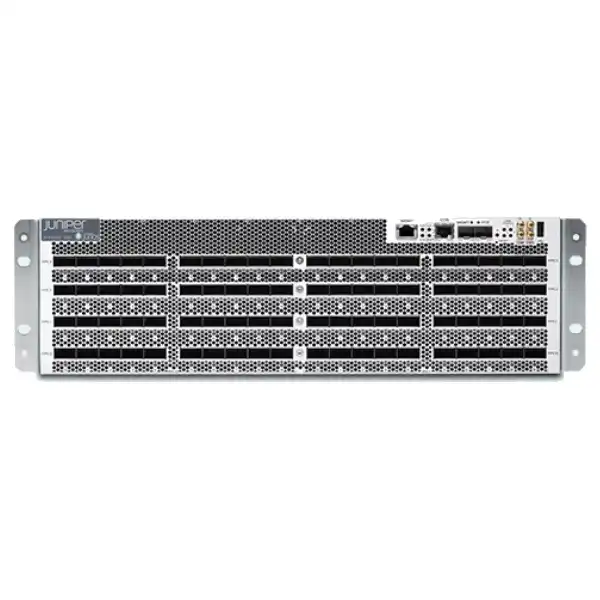
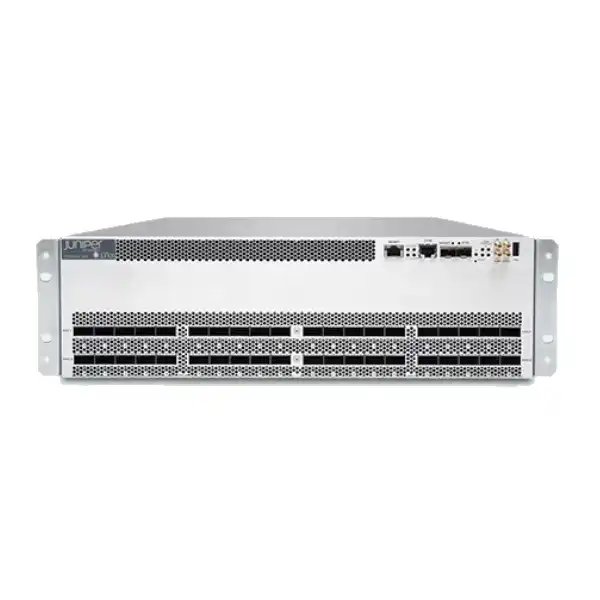
8 Tbps or 16 Tbps
Multi-rate QSFP-DD
Juniper PTX10003 Packet Transport Router Dubai
A high-density packet transport platform for core routing, peering, IP/MPLS transport and distributed network architectures where 100GbE and 400GbE scale must be delivered in a compact footprint. The most important buying decision is not simply choosing “PTX10003”; it is selecting the correct 80C or 160C capacity, power type, port-speed layout, optics, licensing and support combination for the intended network design.
Direct answer for buyers
What is it? The Juniper PTX10003 is a fixed-configuration, 3U packet transport router offered in two primary capacities: the PTX10003-80C at 8 Tbps and the PTX10003-160C at 16 Tbps.
What is it mainly used for? It is designed for high-throughput core and peering roles, distributed core architectures, content delivery networks, service-provider transport, cloud networks and other environments that need dense 100GbE and 400GbE connectivity with IP/MPLS capabilities.
Who should consider it? Network operators, service providers, large digital platforms, cloud and content operators, Internet exchange or peering environments, and enterprises with genuinely high backbone traffic requirements should evaluate it.
What is the most important factor to confirm? Confirm the required aggregate capacity and the exact optical interface plan. The physical QSFP-DD ports are grouped around forwarding resources, and 400GbE operation has specific placement and neighboring-port constraints. A capacity figure alone is therefore not enough to create an accurate bill of materials.
What can FourTeck help determine? FourTeck can help Dubai and UAE buyers map traffic targets to the 80C or 160C model, choose AC or DC power, identify compatible transceivers and breakout options, review software and support requirements, and define rack, cooling, cabling and migration needs before a commercial quotation is prepared.
Why the PTX10003 is a specific infrastructure decision
The PTX10003 sits in a different purchasing category from an ordinary enterprise WAN router. Its value is concentrated in very high forwarding density, compact core deployment, high-speed optics and the ability to build substantial packet-transport capacity into three rack units. That makes it attractive where rack space, power efficiency, peering scale and high-speed interface density matter at the same time. It also means that a poorly planned order can be expensive to correct. The chassis, software, optics, breakout cabling, power feeds, rack environment and topology must be considered as one design rather than as independent line items.
Juniper positions the platform for critical core and peering functions. The 80C and 160C variants share the same 3U physical dimensions but offer different forwarding capacity, optical-port counts, fan counts, power-supply arrangements and overall power requirements. The practical question for a Dubai deployment is therefore not “Is the PTX10003 fast?” but “Which PTX10003 configuration delivers the required traffic pattern without forcing unnecessary power, optics or capacity cost?” A network that requires a limited number of 400G interconnects can have a very different optimum configuration from one that needs a large 100G fan-out, even when both have a similar headline traffic total.
The platform also requires awareness of Junos OS Evolved and its operational model. Existing Juniper teams will recognize the Junos-style CLI and familiar management concepts, but the operating system architecture is Junos OS Evolved rather than a conventional Junos OS image. Software release selection, feature validation, support entitlement and upgrade planning should therefore be part of the design review. In production carrier or content networks, the correct software train is as important as the correct chassis SKU.
PTX10003-80C
8 Tbps system throughput, up to 5.3 Bpps forwarding capacity, 40 physical QSFP-DD optical interfaces, up to 80 100GbE interfaces in a double-density configuration or up to 16 native 400GbE interfaces under supported port rules.
PTX10003-160C
16 Tbps system throughput, up to 10.6 Bpps forwarding capacity, 80 physical QSFP-DD optical interfaces, up to 160 100GbE interfaces in a double-density configuration or up to 32 native 400GbE interfaces under supported port rules.
3U footprint
Both primary variants occupy 3U and are designed for a four-post 19-inch rack. That compact density is useful in core, peering and remote network locations where a larger modular chassis is undesirable or impractical.
Junos OS Evolved
The platform runs Junos OS Evolved. Buyers should validate the required software release, features, license tier and support term against the intended routing, automation and operational design before deployment.
PTX10003-80C vs PTX10003-160C: choosing the right capacity
| Buyer criterion | PTX10003-80C | PTX10003-160C |
|---|---|---|
| System throughput | 8 Tbps | 16 Tbps |
| Forwarding capacity | Up to 5.3 Bpps | Up to 10.6 Bpps |
| Physical optical interfaces | 40 QSFP-DD interfaces | 80 QSFP-DD interfaces |
| Maximum 100GbE density | Up to 80 100GbE using supported double-density configurations | Up to 160 100GbE using supported double-density configurations |
| Maximum native 400GbE density | Up to 16 400GbE | Up to 32 400GbE |
| Packet buffer | 64 Gb | 128 Gb |
| Typical power draw | Approximately 1600 W | Approximately 3100 W |
| Maximum power draw | Approximately 2500 W | Approximately 4000 W |
| Power-supply arrangement | Two 3000 W supplies, 1+1 redundancy in normal design | Four 3000 W supplies, 2+2 redundancy in normal design |
| Typical selection logic | Best evaluated when 8 Tbps and the lower port/power envelope satisfy the medium-term design without constraining resilience or growth. | Best evaluated when higher 100G/400G density, 16 Tbps capacity or a larger growth envelope is needed in the same 3U footprint. |
Choosing between the two models should start with the five-year traffic and interface plan, not only current utilization. A lightly loaded 160C is not automatically a better investment, because the higher-capacity model also changes power, heat and component requirements. Conversely, selecting an 80C solely to reduce initial cost can create an avoidable replacement project if the planned 100G or 400G port count approaches its supported ceiling. The correct decision considers total traffic, traffic distribution, the number of physical peerings, required breakout ratios, redundancy design and the expected rate of interface growth.
The port architecture matters more than the headline port count
A common mistake when specifying a dense core router is to treat every front-panel port as if it were an independent socket with identical bandwidth rules. The PTX10003 does not work that way. Its optical interfaces are organized into groups associated with Juniper forwarding silicon, and each group has a defined throughput budget. The 160C has 80 physical optical interfaces and the 80C has 40. These interfaces are arranged as logical FPCs and PICs, with groups of five QSFP-DD ports. Each five-port group is connected to forwarding resources that provide an aggregate 1 Tbps for that group. The port mix must therefore be engineered within that budget.
This is particularly important for 400GbE. On each logical PIC, only ports 0, 4, 5 and 9 are the supported positions for native 400GbE or 4x100GbE operation. When certain outer ports are configured for 400GbE, the middle port of the relevant five-port group must be set unused, and adjacent-port bandwidth is constrained. The maximum 400GbE counts advertised for the chassis are real, but they come from supported port arrangements, not from turning every physical cage into 400GbE. A buyer who needs a mixed layout of 400G transit, 100G peers and lower-speed breakouts should create the intended per-PIC port map before ordering optics.
The same architecture is an advantage when used correctly because it supports multiple Ethernet rates in a compact front panel. QSFP+, QSFP28, QSFP28-DD and QSFP56-DD families can be used according to supported configurations, allowing the platform to bridge generations of network connectivity. Existing 100G and 40G connections can coexist with newer 400G backbone links, which can make the PTX10003 useful in phased backbone upgrades. However, transceiver compatibility, supported Junos OS Evolved release and exact channelization must be checked for each optic and intended mode.
For quotation accuracy, provide FourTeck with a simple port schedule showing desired speed, quantity, reach and fiber type for each connection class. For example, list the number of 400G long-reach backbone links, 100G single-mode peerings, any 100G breakout groups, and lower-speed connections that must be preserved during migration. This lets the physical port plan be validated before the bill of materials is finalized and reduces the risk of purchasing optics that cannot be placed in the intended pattern.
Supported interface speeds and channelization planning
10GbE and 40GbE
QSFP+ based configurations can provide 40GbE natively or break out to multiple 10GbE interfaces. This is relevant where older routers, transport equipment or service handoffs must remain connected during a staged backbone refresh.
25GbE and 100GbE
QSFP28 and QSFP28-DD options support 100GbE and channelized 25GbE use cases. Double-density 2x100GbE configurations are central to the published maximum 100GbE densities of the 80C and 160C.
200GbE and 400GbE
The platform supports high-speed QSFP-DD modes including 200GbE and 400GbE, with specific forwarding-group rules. Native 400GbE is supported only on defined outer positions within each logical PIC.
Channelization is not simply a cabling choice; it changes the logical interface plan and can affect how forwarding capacity is consumed. When a 100G optic is broken into 25G channels, or a 40G interface is broken into 10G channels, the downstream device, breakout assembly and Junos configuration must all match. Similarly, a QSFP-DD optic carrying multiple logical 100G channels can require different patching from a native single-lane service. For this reason, the optics list should be generated from an approved low-level design rather than from a generic “number of 100G ports” estimate.
Optics, reach and fiber: what must be confirmed before ordering
The PTX10003 supports a broad range of pluggable optics, but the correct module depends on more than interface speed. Buyers need to specify optical reach, fiber type, connector presentation, link loss budget, whether breakout is required, and the exact peer equipment at the far end. A 100GbE requirement could correspond to short-reach multimode inside one room, single-mode connections across a campus, metro-distance interconnects, or coherent transport through an optical system. Those scenarios can require very different modules and costs.
Juniper’s Hardware Compatibility Tool should be used for final validation of supported transceivers, direct-attach cables and relevant platform/software combinations. This is especially important for a platform whose port behavior has evolved across Junos OS Evolved releases. A module that fits physically into a QSFP-family cage is not automatically a supported production choice. The transceiver part number, operating mode and software release should be checked together. Where third-party optics are being considered, the organization should also define its support policy and acceptance criteria rather than assuming equivalent behavior.
Fiber loss calculations also matter for long links. Connector count, splice loss, patch panels, aging margin and plant condition can reduce the usable optical budget. A procurement list that specifies only “LR” or “long reach” without confirming actual path loss can lead to commissioning problems. For UAE carrier and data-center interconnects, it is sensible to obtain the documented handoff specification from the colocation provider or carrier and match the router-side optic to that presentation.
For an accurate FourTeck quote, provide interface speed, quantity, nominal distance, fiber type and far-end device for every optics class. If the design will use breakout, include the required child-interface count and connector type at the far end. If dark fiber or a transport system sits between endpoints, state that as well. This information helps separate chassis requirements from optics and cabling requirements, which is important because high-speed transceivers can represent a significant part of the overall project cost.
Core routing, peering and transport use cases
Distributed core
The 3U footprint can be useful where core capacity must be placed in multiple sites rather than concentrated in one large modular chassis. This can suit regional backbone nodes, remote core locations and sites with constrained rack allocation.
Internet peering
High 100G and 400G density, large routing-table scale and compact installation make the platform relevant to Internet exchange and private peering designs. Route scale, policy complexity and redundancy should be validated against the planned peer count.
IP/MPLS transport
The PTX family is built for packet transport and Juniper positions the PTX10003 for full IP/MPLS and SPRING applications. This makes it relevant to service-provider backbone designs where label-switched transport and high-speed core links are central.
CDN and content core
Content networks with large east-west and north-south traffic flows can use dense high-speed interfaces to aggregate cache, edge and interconnect capacity. The traffic matrix should be evaluated so that 400G and 100G ports are distributed correctly across forwarding groups.
Cloud backbone
Cloud operators may value predictable high-throughput forwarding, compact density and automation-friendly operations. Integration requirements should include existing routing policy, telemetry, provisioning workflows and support practices.
High-capacity enterprise backbone
A very large enterprise or digital platform may consider the PTX10003 when conventional enterprise routers no longer provide the required core density. It is usually excessive for ordinary branch, campus edge or modest WAN aggregation duties.
Peering scale and why route-table design still matters
Juniper documents substantial peering scale for the PTX10003, including up to four million Forwarding Information Base routes and up to sixty million Routing Information Base routes. Those numbers can be relevant to operators receiving multiple full Internet tables, maintaining many policy paths, or hosting large numbers of peers. They should not, however, be treated as a substitute for a route-scale design. The actual requirement depends on address families, policy, path diversity, route reflection architecture, convergence expectations and the way routes are distributed across the network.
For a peering deployment, document the number of external peers, expected full-table feeds, IPv4 and IPv6 requirements, whether the router will also participate in an internal transport control plane, and the intended redundancy architecture. Consider route growth over the expected service life. A platform that comfortably handles the current table should still have operational margin for additional peers, more specific routes, policy expansion and future traffic engineering.
Control-plane scale also interacts with operational processes. Large policy sets, frequent BGP changes and many external sessions increase the importance of disciplined configuration management, route-policy testing and maintenance procedures. Organizations migrating from smaller peering routers should plan staged policy transfer and route validation rather than copying configuration wholesale. Hardware capacity can be abundant while a migration still fails because of policy errors, prefix-filter mismatches or incomplete management integration.
When requesting a quote for a peering role, include a short control-plane profile as well as the port count. The model should state the approximate number of peers, whether full routing tables are expected, address families, expected growth and whether the device is acting purely as an edge/peering router or also carrying core transport responsibilities. This provides useful context for selecting the appropriate platform and software/support combination.
Inline MACsec: useful capability, but confirm exact speed and licensing needs
The PTX10003 is built on Juniper ExpressPlus silicon and supports inline AES-256 MACsec. Juniper documentation describes MACsec support at up to 100GbE line rate on the platform, while current product and licensing material should be checked carefully when a project requires encryption at specific interface speeds. The commercial bill of materials can include separate MACsec license SKUs for certain high-speed functions, so encryption requirements should be declared at quotation stage rather than added late in the project.
MACsec can be valuable when the organization wants Layer 2 link encryption across data-center interconnects, carrier Ethernet handoffs or other point-to-point Ethernet paths. Its purpose is different from IPsec: it protects Ethernet links and is normally designed as part of a hop-by-hop connectivity architecture. The peer device must support a compatible mode and keys must be managed appropriately. If the intended security requirement is end-to-end encryption across routed networks, the security architecture may call for a different mechanism or a combination of controls.
For procurement, specify which interfaces require encryption, the interface speed, the far-end device and the desired key-management approach. FourTeck can then separate the base router requirement from any additional licensing, optics and integration dependencies. This avoids assuming that an encryption feature is universally enabled on every proposed port without commercial or technical prerequisites.
Junos OS Evolved and operational integration
The PTX10003 runs Junos OS Evolved, Juniper’s modernized network operating system architecture. For teams familiar with Junos, this is helpful because Juniper maintains a familiar CLI approach, application code base and management model. However, the infrastructure beneath the interface is different, and change procedures should be written for the specific software family. Release notes, feature support and upgrade paths need to be reviewed as part of deployment acceptance.
A production deployment should begin with a supported target release rather than simply the newest image available. Operators commonly standardize on approved release trains after validating routing features, optics, telemetry, automation, interoperability and defect advisories in a lab or controlled rollout. The PTX10003 has been supported across multiple Junos OS Evolved releases, so the appropriate version depends on the organization’s feature requirements and support policy. Directly upgrading across many releases can also have constraints; the documented upgrade and downgrade policy for Junos OS Evolved should be followed.
Operational integration should include out-of-band management, console access, AAA, time synchronization, logging, monitoring, configuration backup, telemetry or polling systems, and the organization’s change-control tooling. The hardware management panel includes out-of-band management and console connectivity as well as status indicators and timing-related interfaces. These are not decorative details: reliable out-of-band access is especially important during software upgrades or recovery, when in-band reachability may be interrupted.
Automation teams should also decide how the router will enter the source-of-truth workflow. If configurations are generated centrally, interface naming, breakout structure and logical port mapping need to be modeled correctly before deployment. Channelized ports create multiple logical interfaces from one physical optic, and the automation system must understand those relationships. A configuration template that assumes one physical cage equals one interface can cause inventory and monitoring errors.
For a migration project, ask for a software readiness checklist that includes target release, required features, approved optics, configuration conversion, management integration and rollback procedure. This turns the purchase from a hardware transaction into an operable network change, which is the more meaningful measure of project success.
Physical specifications and data-center impact
| Specification | PTX10003-80C | PTX10003-160C |
|---|---|---|
| Form factor | 3U fixed chassis | 3U fixed chassis |
| Dimensions | 17.4 × 5.25 × 31 in (44.2 × 13.3 × 78.7 cm) | 17.4 × 5.25 × 31 in (44.2 × 13.3 × 78.7 cm) |
| Weight | Approximately 88 lb / 40 kg | Approximately 110 lb / 50 kg |
| Cooling direction | Front to back | Front to back |
| Fan modules | 3 hot-swappable fan modules | 5 hot-swappable fan modules |
| Operating temperature | 0°C to 46°C according to published platform specifications; site design should maintain suitable inlet conditions and airflow margin. | |
| Operating humidity | 5% to 90% relative humidity, noncondensing. | |
The identical 3U size can obscure the fact that the two variants have different facility impact. The 160C is heavier and can draw considerably more power and produce more heat. Data-center planning should therefore be based on the ordered variant, not a generic PTX10003 description. Rack load, power-feed capacity, PDU outlets, breaker sizing, cooling and cabling density should all be validated before delivery.
Power design: AC, DC and redundancy choices
Juniper supplies the PTX10003 with 3000 W power modules in AC/HVDC or DC configurations. The PTX10003-80C normally uses two supplies to provide 1+1 redundancy, while the PTX10003-160C uses four supplies for a 2+2 redundant arrangement. The modules are hot-removable and hot-insertable, allowing a failed supply to be replaced without intentionally shutting down the router when redundancy is intact. This is appropriate for core-network environments, but the facility power design must preserve the intended redundancy.
For AC installations, separate redundant feeds should ideally originate from appropriate independent power paths according to the site standard. Plugging every power module into one PDU may satisfy connector count while defeating the resilience objective. For DC telecom environments, confirm voltage range, distribution method, cable requirements, earthing and local electrical practice. Juniper specifically warns against mixing AC/HVDC and DC power supplies in one chassis, so the power type needs to be decided before ordering.
Capacity planning should use both typical and maximum draw. The 80C is documented at approximately 1600 W typical and 2500 W maximum; the 160C at approximately 3100 W typical and 4000 W maximum. These figures affect PDU sizing, UPS/generator calculations and cooling. A design that has enough steady-state power but no headroom for maximum draw, redundancy loss or future nearby equipment can create avoidable operational risk.
For Dubai deployments, include the rack location, available supply type, PDU connector standard, redundant-feed arrangement and data-center power allocation in the pre-sales information. If the device is being installed in a colocation facility, request the rack power specification from the provider before finalizing the order. This is especially important for the 160C, whose compact physical size can make its electrical and thermal density easy to underestimate.
Cooling, airflow and rack placement
The PTX10003 uses front-to-back airflow. Fan modules are located at the rear and pull air through the front around the optical interfaces. The 80C has three hot-swappable fan modules, while the 160C has five. Power supplies also use front-to-back airflow. This aligns well with common hot-aisle/cold-aisle data-center practice, provided the router is mounted with its intake facing the cold side and exhaust facing the hot side.
High optical density can influence practical cooling because many transceivers are installed across the front panel. Cable management should avoid blocking intake paths or creating a dense bundle that makes optic access difficult. The rack should also leave adequate working clearance at the rear for fan and power-supply replacement. A router that technically fits in 3U can still be operationally difficult if rear access is restricted by the cabinet or adjacent equipment.
The platform does not rely on field-serviceable air filters in the same way some equipment does, so data-center cleanliness and correct airflow are important. The inlet temperature specification should not be interpreted as a target operating temperature. Running near the upper environmental limit reduces facility margin and may increase fan activity. In UAE environments, especially sites outside tightly controlled carrier or hyperscale facilities, review cooling redundancy and seasonal ambient conditions rather than assuming nominal room temperature is sufficient.
A site survey for a PTX10003 should therefore verify rack depth, four-post support, cold-aisle orientation, rear service clearance, cable-management space, power-feed position and the path for high-count fiber jumpers. These practical details can determine whether the compact platform is easy to operate or becomes difficult to service after installation.
Rack installation requirements
Juniper specifies a four-post 19-inch rack for the PTX10003. The chassis depth is about 31 inches, and the larger 160C weighs about 50 kg before considering packaging or attached cabling. Installation therefore requires proper handling and rack preparation. Juniper’s hardware instructions call for more than one person during mounting and securing operations, reflecting the weight and size of the device. This should be included in implementation planning rather than left to an engineer arriving alone on installation day.
The rack must have suitable mounting-hole spacing and sufficient structural capacity. Depth and rail compatibility should be checked against the exact cabinet model, particularly in older telecom rooms where rack depth may be less than in modern data centers. The device should not be supported by front ears alone when the prescribed four-post arrangement is available. Fiber-management hardware above or below the chassis may also be justified when many 100G or 400G ports are used.
Console accessories also deserve attention. Juniper documentation notes that certain console cable/adaptor items may not be included with the router package and can be ordered separately. A commissioning kit should therefore include the correct console interface for the engineer’s laptop, management patching, ESD equipment and any site-specific power or grounding accessories. Small accessory omissions are inexpensive compared with the router itself but can still delay a maintenance window.
Management, timing and out-of-band access
The PTX10003 management panel provides console and out-of-band management connectivity as well as status indicators, USB support and timing-related interfaces. For a carrier-class or high-availability backbone, these management features should be integrated from day one. The device should remain reachable for troubleshooting when the production forwarding plane or in-band routing is unavailable. This means the out-of-band management network requires its own resilient design, addressing, authentication and monitoring.
Console access is particularly valuable during initial setup, recovery and software maintenance. Juniper advises that software upgrades can interrupt in-band connections, so planning an out-of-band method before the first upgrade is prudent. In colocations, organizations may use a console server connected to a separate management network. The console-server port, cabling and authentication ownership should be documented as part of the rack build.
Timing requirements depend on the network architecture. The presence of timing interfaces does not mean every deployment needs them. If the PTX10003 is part of a network carrying synchronization-sensitive services, the solution architect should define the timing source, redundancy, clock quality and monitoring expectations. If timing is not required, those interfaces can remain outside the scope. The important point is to make the decision explicitly instead of discovering timing dependencies during commissioning.
Operationally, define who owns configuration, who monitors alarms, how backups are stored, how emergency access works and what data must be collected for support cases. High-end routers are usually shared infrastructure, and ambiguous operational ownership creates more risk than any single hardware component. A clear runbook should exist before production cutover.
Software licensing and support: treat them as part of the architecture
PTX10003 base systems are sold with a standard-tier right-to-use license, while Juniper also lists Advanced and Premium license tiers in different commercial forms and support terms. The exact feature entitlement required for a project depends on the intended routing and service functions, and the available SKUs can evolve. Buyers should therefore avoid assuming that every desired capability is included indefinitely in the base hardware purchase.
The commercial choice can include perpetual right-to-use licenses without software support or term-based options with software support, depending on the SKU and current Juniper program. That distinction affects both initial cost and lifecycle planning. A five-year infrastructure project should model the desired software-support coverage over the same period, not just the hardware acquisition. If a feature requires a higher tier, the design should identify it before pricing so that the quotation reflects the usable solution rather than a base chassis that cannot deliver the intended service set.
Support entitlement is also operationally important for access to software, technical assistance and replacement processes. Large networks usually align critical routers to support levels that match business impact. A lab system, secondary site and core Internet gateway may justify different response expectations, but those choices should be made consciously. Confirm the required support start date, term, coverage and registered end-customer details when ordering.
Licensing should be reviewed again when adding features later. For example, introducing encrypted links, new routing functionality or a higher-capacity architecture may change entitlement requirements even if the hardware remains the same. Keep license records linked to device serial numbers and the organization’s asset-management system so that future operations teams can distinguish installed software from purchased rights.
For a FourTeck quotation, describe the intended functions in plain terms: core transit, peering, MPLS transport, encryption, automation, specific services and support duration. This allows the licensing conversation to follow the architecture instead of the other way around.
A practical PTX10003 sizing method
1. Build the traffic matrix
Record current peak traffic by direction, expected annual growth, resilience assumptions and any planned new services. Distinguish aggregate chassis traffic from individual link utilization so that both fabric capacity and port count are sized.
2. Define the interface inventory
List every required 400G, 200G, 100G, 40G, 25G and 10G connection, including planned breakouts, temporary migration links and spares. Add optical reach and peer device for each class.
3. Map the port groups
Place high-speed interfaces into supported positions and verify the 1 Tbps group budget. Check the unused-center-port and adjacent-port rules around native 400G configurations before committing the physical design.
4. Add growth and failure scenarios
Model traffic when a peer, link or chassis is unavailable. A design that fits only during normal operation may overload remaining links during maintenance or failure. Reserve sensible headroom for growth and convergence events.
5. Validate facility capacity
Check rack depth, four-post mounting, PDU feeds, maximum power, cooling and fiber-management space for the exact variant. Physical constraints can change the preferred architecture even when network capacity looks correct.
6. Confirm software and support
Validate required features against the selected Junos OS Evolved release and license tier, then align support coverage to business criticality. The final bill of materials should represent the operational solution, not only the chassis.
High availability is a system design, not a single-router feature
The PTX10003 includes serviceability features such as redundant power arrangements and hot-swappable fan and power components, but a highly available network requires more than internal component redundancy. Core routers are usually deployed in pairs or as part of a topology where traffic can reroute around a full-node failure. The choice of 80C or 160C should therefore consider the capacity available after the loss of one link, one peer path or one entire router.
If two routers share the normal traffic load equally, it can be tempting to size each at exactly half the aggregate requirement. That may leave no margin when one device is unavailable. A more useful approach calculates the expected traffic during maintenance or failure and verifies that surviving links and forwarding resources remain within acceptable utilization. This is especially important for 400G backbones, where losing one interface can move a large amount of traffic onto fewer remaining paths.
Control-plane redundancy also matters. Peering sessions, internal routing adjacencies, route reflectors, route policy and failure-detection timers should be designed so that traffic converges predictably. Very aggressive timers can accelerate detection but also increase control-plane sensitivity. The correct values depend on the wider network architecture and should be validated under realistic failure scenarios.
For procurement, note whether the request is for one chassis, a redundant pair, or a larger multi-site architecture. Include expected N+1 or N+N design objectives. FourTeck can then help align hardware quantity, optics, support and spare strategy with the actual resilience requirement instead of treating each router as an isolated purchase.
Migration from existing 100G or lower-speed core infrastructure
One strength of the PTX10003 is its ability to support several interface generations, which can reduce pressure for a “big bang” core migration. A network may introduce 400G between new core nodes while retaining 100G, 40G or selected lower-speed connections to legacy devices during a transition. The practical benefit is that backbone capacity can move forward without requiring every neighboring platform to be replaced on the same night.
A staged migration should nevertheless be designed carefully. Start by documenting the current physical ports, optics, VLAN or logical-interface structure, routing adjacencies, policy, MPLS roles and monitoring dependencies. Identify which links can move directly, which require new optics or breakout cables, and which legacy speeds may consume valuable high-speed port resources. The port-group constraints should be mapped with both the final architecture and temporary migration state in mind.
Configuration migration is another major workstream. Existing Junos configuration can provide a useful conceptual baseline, but the new platform should be validated against Junos OS Evolved syntax, supported features and intended interface layout. Avoid carrying years of obsolete policy or unused configuration into the new router. A migration is an opportunity to simplify naming, normalize routing policy and update management standards.
Testing should cover routing convergence, expected forwarding paths, MTU, optics health, error counters, route-policy results, telemetry and failover. For peering migrations, confirm accepted and advertised prefix counts. For MPLS or transport migrations, validate label-switched paths and service reachability according to the actual design. Rollback conditions should be defined before the maintenance window begins.
The procurement list should include any temporary optics or cables needed only during migration. These items are easy to miss because they do not appear in the final diagram. Calling them out separately helps prevent a well-designed chassis from being stranded during cutover because one transitional link cannot be connected.
When the PTX10003 may be the wrong choice
The PTX10003 is not automatically the correct router simply because it is a high-performance Juniper platform. It may be oversized for branch routing, ordinary campus cores, modest enterprise WANs or networks that only require a small number of 10G or 100G connections. In those cases, the power, optics and operational complexity of the platform may not be justified.
It may also be unsuitable when the project needs a different physical architecture. The PTX10003 is fixed configuration. If the buyer requires modular slot expansion, very different interface families, integrated service cards or a growth model based on adding line cards to a long-lived chassis, a modular PTX or another Juniper routing family should be evaluated. Conversely, where a compact fixed system is preferred, a smaller PTX model may provide adequate capacity with lower facility impact.
The 80C can be a poor fit if the anticipated 100G/400G port growth or aggregate traffic will quickly approach its ceiling. The 160C can be a poor fit if its extra capacity remains unused while consuming more power and budget. Neither model should be selected by model hierarchy alone. The right choice is the one that provides sufficient forwarding, interfaces, resilience and growth margin with a justified total cost.
A balanced evaluation should compare the PTX10003 with at least one smaller and one larger or more modular alternative when the requirement is not obvious. This protects the procurement process from anchoring on a single part number before the network need has been translated into measurable criteria.
Nearby Juniper options worth comparing
Within Juniper’s packet transport portfolio, the PTX10001-36MR is a useful comparison when the buyer wants high-speed 100G/400G routing in a smaller 1U form factor and does not require the same 8 Tbps or 16 Tbps PTX10003 port envelope. Its physical density and power profile differ, so it can be attractive for smaller nodes, edge/core roles or deployments where rack footprint is the dominant constraint. It should not be assumed to be a direct substitute because its interface count and forwarding architecture are different.
At the other end of the decision, larger PTX10000 family systems can be considered where a modular chassis, greater aggregate scale or a different growth model is required. Modular systems can provide expansion flexibility but consume more rack space and may carry different power, cooling and acquisition characteristics. The business case depends on whether growth is better handled by adding capacity inside one chassis or by deploying multiple compact fixed systems across the network.
Juniper MX platforms may also enter the discussion when the requirement emphasizes broad service-edge functionality rather than pure packet-transport density. The correct family depends on the intended role. A core transport device, a peering router, a broadband edge, a multiservice edge and an enterprise WAN router can have overlapping speeds while requiring different software functions and operational features.
FourTeck can compare these alternatives from the requirement backward. The useful comparison is not a table of which model has the largest number; it is an evaluation of ports, services, routing scale, software, power, physical footprint, support and growth path. This helps ensure the PTX10003 is selected because it fits the architecture rather than because it is familiar or readily named in a tender.
UAE and Dubai deployment considerations
Colocation power
Confirm the exact kW allocation, A/B feed arrangement and outlet type for the chosen variant. The 160C can have a significantly higher facility requirement than the 80C even though both occupy 3U.
Carrier handoffs
Obtain the service-provider handoff speed, optic specification, fiber connector and demarcation details. Match the PTX optic to the documented handoff rather than assuming a generic single-mode module.
Environmental control
High-quality data-center cooling is expected for a dense core router. For nonstandard facilities, validate inlet temperature, cooling redundancy and front-to-back airflow under UAE summer conditions and utility-failure scenarios.
Lead time and project dates
High-end routing hardware, specific power variants and high-speed optics can have different lead times. Quote the complete solution early enough to align delivery, data-center access, cross-connects and migration windows.
Support registration
Provide correct end-customer and installation details so support coverage and entitlement can be associated properly. Core-network equipment should enter service with support status clear to operations.
Procurement risks that can increase project cost
The first risk is buying only the base chassis and postponing optics selection. High-speed optics, breakout assemblies and cabling can materially affect the project budget and delivery schedule. They also determine whether the intended port topology is physically possible. A complete quotation should therefore separate chassis, power, software, support, transceivers, cables, installation and optional services while still presenting them as one engineered bill of materials.
The second risk is specifying interface counts without a port map. Because 400G placement affects neighboring ports and center-port availability, a raw count can hide an invalid arrangement. The solution should be validated at the logical PIC and port-group level before purchase. This is especially important when 400G and multiple forms of 100G channelization are mixed in the same chassis.
The third risk is underestimating facility requirements. A 3U label can suggest a small appliance, but the 160C can require up to about 4 kW and weighs around 50 kg. Power, cooling, rack depth and handling must match the exact variant. The facility team should review the final model before the order is released.
The fourth risk is unclear licensing. If advanced features or specific encryption capabilities are required, entitlement should be confirmed in writing. Base hardware pricing without the necessary software tier can produce a misleading comparison between suppliers. Support term and software coverage should also be consistent across bids.
The fifth risk is treating deployment as an accessory. In a core migration, design review, configuration preparation, staging, change planning and validation may be more important to service continuity than the physical rack installation. Procurement should state which party is responsible for each activity so that there is no gap between equipment delivery and production readiness.
Suggested implementation journey
Discovery: define traffic, topology, peer counts, route scale, security requirements, availability target, site constraints and target go-live date. The output should be a concise requirement set with measurable acceptance criteria.
Low-level design: choose the 80C or 160C, build the per-port map, select optics and breakouts, define power feeds, software release, licensing, management, routing and migration method. Validate dependencies against current Juniper documentation and compatibility data.
Staging: inspect hardware, verify serials and support entitlement, install the approved Junos OS Evolved release, load baseline configuration, test optics, validate out-of-band management and perform agreed functional tests. Where possible, simulate peer and failover behavior before shipping to the production site.
Installation: mount the chassis in the prepared four-post rack, connect redundant power, management and console, install optics, dress fiber without restricting airflow, verify alarms and confirm that all physical links match the port plan.
Migration: move links and routing functions in controlled stages, validate route counts and forwarding paths after each stage, monitor errors and traffic, and retain a documented rollback point until the new platform has passed acceptance.
Handover: capture the final configuration, software version, port schedule, optics inventory, support details, rack/power information, operational contacts and maintenance procedure. A completed handover package is the foundation for reliable support later.
Buyer questions and practical answers
Does every physical port support 400GbE?
No. The platform uses groups of five QSFP-DD ports and native 400GbE is supported on defined outer positions within each logical PIC. Center and adjacent port rules apply, so the 400G layout must be mapped before ordering.
Can the router connect to existing 100G equipment?
Yes, supported 100GbE configurations are a major part of the platform. The exact optic, fiber reach, channelization and software support should be validated for each connection.
Is the 160C always better than the 80C?
No. The 160C doubles system capacity but also increases power, weight and component count. The 80C can be the more efficient choice when its port and traffic envelope provides sufficient growth margin.
Does the PTX10003 use ordinary Junos OS?
It runs Junos OS Evolved. The operational experience retains familiar Junos concepts, but release, feature and upgrade planning should follow Junos OS Evolved documentation for the platform.
Are optics included with the chassis?
Do not assume the required network transceivers are included. Build an explicit optics and cabling list based on speed, reach, fiber type, breakout and peer compatibility.
Can AC and DC power modules be mixed?
No. The platform documentation states that AC/HVDC and DC power supplies must not be mixed in the same chassis. Select the site-appropriate power variant before purchase.
More questions UAE buyers commonly ask
How much rack space should be reserved?
The chassis uses 3U, but reserve appropriate front and rear working clearance and consider adjacent fiber-management hardware. The cabinet must be a suitable four-post 19-inch rack with sufficient depth and load capacity.
How much power does it use?
Published typical draw is about 1600 W for the 80C and 3100 W for the 160C, with higher maximum figures of about 2500 W and 4000 W respectively. Use maximum and redundancy requirements for facility sizing.
Does it support front-to-back cooling?
Yes. The platform uses front-to-back airflow, which should be aligned with the cold-aisle and hot-aisle arrangement of the selected rack location.
Can it be used for Internet peering?
Yes. Peering is one of Juniper’s stated use cases, and the platform provides substantial routing-table scale. The design should still validate peer count, policies, address families and growth.
Can FourTeck supply installation as well as hardware?
The quotation can be structured around the required scope, including hardware, optics, licensing, support, rack installation, configuration assistance and migration services where agreed. State the desired responsibilities when requesting pricing.
What information is needed for a fast quote?
Provide 80C or 160C preference if known, quantity, AC or DC power, required port speeds, optic reaches, license/support term, installation location and whether configuration or migration services are required.
Lifecycle and support planning
A core router should be procured with its expected operational life in mind. Hardware availability, support milestones, software release support and security/defect advisories can change over time. Before placing an order, verify the current Juniper lifecycle status for the exact PTX10003 SKU and confirm that the planned support term aligns with the organization’s intended service period. The fact that a platform remains listed in the current product portfolio is useful, but project governance should still record the lifecycle evidence reviewed at purchase time.
Software lifecycle deserves separate attention because Junos OS Evolved releases have their own engineering and support windows. Operations teams should maintain a release plan rather than leaving the router on its initial software indefinitely. The plan should include periodic review of recommended releases, feature needs, security advisories and upgrade-path constraints. Core maintenance windows are easier to manage when upgrades are scheduled proactively instead of being forced by an expiring software release.
Spares strategy should reflect the topology. In a fully redundant dual-router design with rapid vendor replacement, a complete on-site spare chassis may not be financially necessary, but selected field-replaceable components or optics may justify local stock. In remote or high-impact sites, a stronger spare policy can reduce restoration time. Optics are often worth evaluating separately because a failed high-speed transceiver can take down a large amount of capacity even when the router itself remains healthy.
Maintain asset records for chassis serial numbers, power modules, optics, software version, license entitlement and support contract. This information accelerates support cases, replacement requests and audits. The operational documentation should be handed to the team that will actually maintain the router rather than remaining only in a project folder.
What an accurate FourTeck quotation should define
A strong quotation should make the chosen configuration understandable without requiring the buyer to decode a collection of part numbers. At minimum, it should identify the exact chassis variant, AC or DC power form, included base licensing, any additional software tier, support term, optics, breakout cables or adapters, power cords where applicable, installation services and any professional-services scope. Items that depend on final design should be marked clearly rather than hidden in assumptions.
The quotation should also distinguish quantities per router from quantities for the whole project. In redundant deployments, it is easy to misread optics totals when the same interface pattern appears twice. A port schedule or bill-of-material notes can make the relationship clear. Where spares are included, they should be labeled separately so the operations team knows they are not required for initial assembly.
For services, define whether the scope includes only physical rack-and-stack, baseline configuration, full low-level design, migration planning, remote assistance, on-site cutover or post-change monitoring. Different buyers need different levels of support. A customer with an experienced Juniper backbone team may want supply and support only, while a first deployment of Junos OS Evolved may benefit from more design and staging assistance.
Finally, record the assumptions that can change price: optic reach, support duration, license tier, delivery location, taxes or duties where applicable, and target schedule. This creates a quotation that can survive internal technical and commercial review without ambiguity.
Detailed procurement checklist
Router and capacity
- PTX10003-80C or PTX10003-160C
- Quantity and redundant-node design
- Current and five-year traffic target
- Required forwarding margin during failures
- Expected routing and peering scale
Interfaces and optics
- Port speed and quantity by connection class
- 400G placement and port-group validation
- 100G/25G or 40G/10G breakout requirements
- Fiber type, reach and connector presentation
- Far-end device compatibility
Power and facilities
- AC/HVDC or DC variant
- A/B feed capacity and connector standard
- Maximum kW allocation
- Four-post rack depth and load capacity
- Front-to-back cooling and service clearance
Software and support
- Target Junos OS Evolved release
- Required feature and license tier
- MACsec or other special requirements
- Software/hardware support term
- End-customer registration details
Decision recap: the six points that should be approved before purchase
Model fit
Confirm whether 8 Tbps 80C or 16 Tbps 160C capacity provides the correct traffic, port and growth envelope.
Port map
Approve the actual per-PIC arrangement, especially any native 400G and double-density 100G configuration.
Optics
Validate every transceiver and breakout against reach, fiber plant, far-end device and supported platform/software combinations.
Facility
Confirm four-post rack, power feeds, maximum draw, cooling direction and installation access for the selected variant.
Software
Choose the Junos OS Evolved release, feature set and license tier based on the actual network function, not defaults.
Operations
Define support, spares, out-of-band access, migration, rollback and handover responsibilities before go-live.
What FourTeck needs from the buyer
To prepare a technically meaningful Juniper PTX10003 quotation for Dubai or another UAE location, send as much of the following information as is available. An incomplete request can still be discussed, but these inputs reduce assumptions and make the first commercial response more accurate.
Build the PTX10003 bill of materials around your actual network
For Juniper PTX10003 projects in Dubai and the UAE, FourTeck can help translate capacity, peering, optics, power, licensing and migration requirements into a clear configuration for quotation. Send the target port speeds, site details and expected network role, and the discussion can focus on whether the PTX10003-80C, PTX10003-160C or another Juniper option is the better fit.


Reviews
There are no reviews yet.