
Juniper QFX Series · Copper access/leaf switching · Dubai, UAE
Juniper QFX5120-48T Data Center Switch
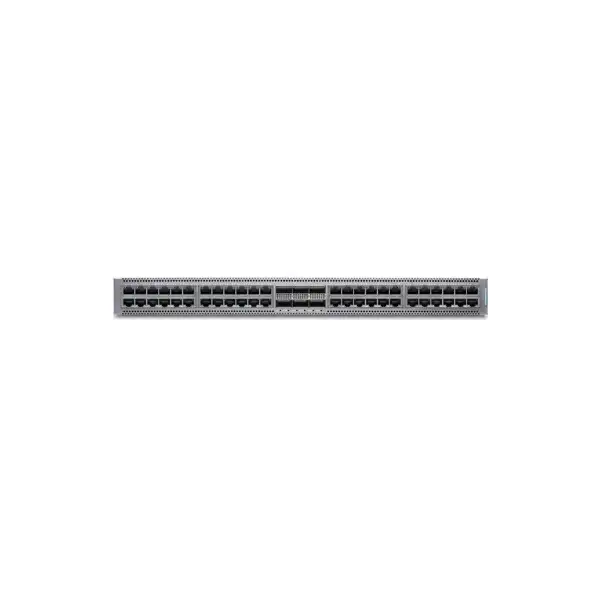
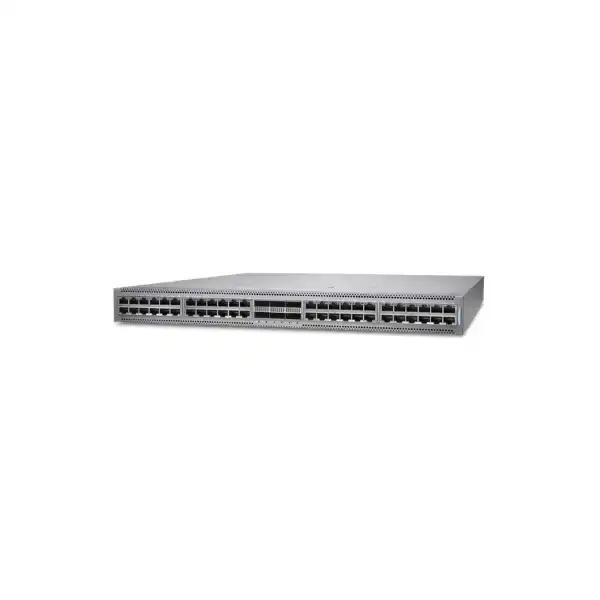
A 1U fixed data center access/leaf switch for organizations that still need high-density 1/10GbE RJ-45 server or appliance connectivity while moving the uplink side of the rack to 40GbE or 100GbE. The QFX5120-48T combines forty-eight copper-facing ports, six QSFP28 uplinks, Junos OS automation and routing features, and a design that can participate in modern IP-fabric and EVPN-VXLAN architectures when the required software licensing and supported Junos release are selected.
Direct answer for buyers evaluating the QFX5120-48T
The Juniper QFX5120-48T is a fixed 1U data center switch positioned for access or leaf roles. Its defining characteristic is the combination of forty-eight 1/10GbE RJ-45 interfaces with six 40/100GbE QSFP28 uplinks. That makes it particularly relevant when a rack contains servers, storage appliances, security platforms, virtualization hosts, out-of-band aggregation systems, or specialist equipment that uses copper Ethernet but still needs a high-capacity path into a leaf-spine fabric.
Organizations should consider it when preserving or expanding 10GBASE-T connectivity is more practical than converting every endpoint to SFP+ or SFP28. The most important purchasing factor is not simply the switch model name: the exact airflow direction, power-supply combination, software tier, Junos release, uplink optics or breakout design, rack depth, cabling distance, support plan, and desired fabric features all need to be aligned with the deployment.
FourTeck can help translate the intended server count, copper-versus-fibre mix, uplink architecture, redundancy method, EVPN-VXLAN requirement, installation location, and support expectations into a quote that identifies the correct hardware configuration and dependencies rather than treating the chassis as an isolated line item.
Why the QFX5120-48T is a distinct choice inside the QFX5120 family
The model suffix matters. The QFX5120 family contains variants designed around different interface densities and data center roles, and the QFX5120-48T is the copper-oriented member. Its forty-eight downlink interfaces are RJ-45 ports operating at 1GbE or 10GbE, while the uplink block provides six ports capable of 40GbE or 100GbE. This is materially different from a fibre-centric leaf switch where most server-facing ports expect SFP-class optics or direct-attach cables. A buyer who overlooks that distinction can end up with a technically powerful platform that does not match the physical interfaces already installed on servers and appliances.
That copper density can be highly practical in mixed-generation data centers. Many enterprise racks contain a blend of new systems, legacy appliances, backup devices, security equipment, management nodes, hyperconverged platforms, and vendor-specific hardware. Some use embedded 10GBASE-T adapters, some fall back to 1GbE, and some cannot easily be converted to fibre without replacing NICs or adding transceivers. In such a rack, the QFX5120-48T can reduce endpoint-side media conversion and keep the physical server connection familiar while still giving the rack high-speed uplink capacity.
The tradeoff is equally important. Copper 10GbE has different cabling, reach, power, thermal, and operational considerations from SFP+ direct attach or optical 10GbE. A buyer planning a new greenfield environment with predominantly 25GbE server adapters may find another QFX model more appropriate. Similarly, a deployment whose primary requirement is dense 100GbE may be better served by a model designed around a higher concentration of QSFP-class ports. The QFX5120-48T is strongest when its 48-port copper access block is genuinely useful, not merely because the QFX5120 name is familiar.
For this reason, an accurate quote begins with interface reality. Count how many endpoints require 1GbE copper, how many require 10GbE copper, what cable categories and lengths are present, and how much traffic must move northbound. That information determines whether this switch is the right fit and whether one or more high-speed uplinks should be used as routed fabric links, aggregated links, breakout connections, or dedicated service paths.
Verified hardware and scale characteristics
| Item | QFX5120-48T detail | Buyer relevance |
|---|---|---|
| Form factor | Fixed 1U access/leaf switch | Fits dense top-of-rack or end-of-row designs where one rack unit can provide forty-eight copper downlinks. |
| Downlink interfaces | 48 × 1/10GbE RJ-45 | Suited to servers and appliances that expose standard copper Ethernet rather than pluggable optical interfaces. |
| Uplinks | 6 × 40/100GbE | Provides high-speed fabric or aggregation connectivity and supports designs with substantial northbound bandwidth. |
| Switching capacity | 2.16 Tbps bidirectional | Useful when assessing whether the platform matches the planned access-port and uplink utilization rather than relying on port count alone. |
| Forwarding rate | 1 billion packets per second | Relevant to packet-intensive workloads and fabric sizing, especially where traffic patterns include many small flows. |
| Buffer capacity | 32 MB | Traffic burst behavior still depends on queueing, workload patterns, congestion points, and configuration; buffer size should not be treated as an isolated performance guarantee. |
| MAC addresses | 288,000 | Provides scale for dense Layer 2 environments, though actual design limits should be checked against the precise Junos release and feature combination. |
| IPv4 unicast / multicast routes | 351,000 / 104,000 | Useful for routed leaf and fabric planning where the switch is expected to carry a meaningful control-plane and forwarding-table load. |
| IPv6 unicast / multicast routes | 168,000 / 52,000 | Important for dual-stack or IPv6-focused designs where route scale must be validated before deployment. |
| VLANs | 4,093 | Provides conventional VLAN scale for enterprise and data center segmentation, subject to the chosen architecture. |
| Dimensions | 1.72 × 17.36 × 20.48 in. (4.37 × 44.09 × 52.02 cm) | Rack depth and service clearance must be checked; the outer mounting brackets extend the installed width to standard 19-inch rack spacing. |
| Weight | About 24.25 lb (11 kg) with two power supplies and fans installed | Relevant to rack loading, handling, installation planning, and site safety. |
| Typical / maximum power | 213 W typical / 218 W maximum load | Helps estimate rack power and cooling, while actual facility design should include power-supply efficiency, redundancy, environmental conditions, and connected equipment. |
These figures describe the QFX5120-48T platform at the product level. Feature-specific scale, protocol behavior, interoperability, and release support should still be checked for the exact Junos software train selected for the deployment.
Understanding the 48 × 1/10GbE copper access block
The main reason to shortlist the QFX5120-48T is its server-facing copper port density. Each RJ-45 port can operate at 1GbE or 10GbE, which is valuable in racks where endpoint interfaces are not uniform. A migration can therefore preserve connectivity for older 1GbE systems while allowing capable servers and appliances to move to 10GbE without introducing a second access switch merely to handle another media type. This can simplify physical design, but it does not eliminate the need to inspect cabling and endpoint capabilities.
For 10GbE over twisted-pair copper, cable category, length, pathway quality, patch-panel condition, electromagnetic environment, connector termination, and NIC capability can influence link reliability. A data center that has historically run 1GbE on older horizontal cabling should not assume every installed run will deliver the same experience at 10GbE. When the switch will connect to devices within the same rack, short structured copper or suitable direct server patching can be straightforward. When runs leave the rack or traverse older patching infrastructure, physical-layer validation becomes more important.
Copper also changes the operational profile compared with SFP+ direct-attach cabling. RJ-45 connections are familiar, easy to service, and common on appliances, but 10GBASE-T electronics typically have different latency and power characteristics from passive direct-attach designs. Those characteristics may be entirely acceptable for enterprise workloads, virtualization clusters, backup networks, security tools, or infrastructure appliances, but ultra-low-latency environments should assess the complete end-to-end design instead of treating all 10GbE media as interchangeable.
Port count should be interpreted conservatively. Forty-eight physical interfaces do not mean that every rack should be filled to forty-eight active 10GbE endpoints without reviewing oversubscription, cable-management density, failure-domain design, spare-port strategy, and expected traffic concurrency. In many production environments, retaining some spare ports simplifies maintenance and growth. A rack with forty active hosts today may justify one switch if single-homing is acceptable, while the same rack may require two switches when every server is dual-homed for resilience.
The right decision is therefore based on endpoint topology, not just inventory. List the servers and appliances, identify their NIC speeds, determine whether each endpoint is single- or dual-connected, note cable length and category, and identify which devices exchange heavy east-west traffic. That exercise reveals whether one QFX5120-48T is enough, whether two are required for redundancy, or whether a fibre/25GbE-oriented leaf would better match the next hardware refresh cycle.
Designing the six 40/100GbE uplinks
The six QSFP28 uplink ports give the QFX5120-48T a substantially faster northbound path than its individual copper downlinks. In a typical leaf-spine design, one or more uplinks connect the rack to separate spine switches so that failure of one link or one spine does not isolate the rack. The exact number of active uplinks should be determined from expected traffic rather than automatically enabling every port. Two 100GbE links may be sufficient for one workload profile, while another rack may benefit from four or more high-speed connections because of storage replication, virtualization traffic, backup windows, east-west application flows, or fabric convergence requirements.
Oversubscription should be calculated from realistic concurrency. Forty-eight 10GbE access ports represent 480Gbps of nominal one-direction endpoint capacity if every port is operating at 10GbE. A pair of 100GbE uplinks offers 200Gbps of nominal one-direction uplink capacity before protocol overhead and design considerations. That does not automatically mean the configuration is inadequate: most servers do not sustain line rate simultaneously, and much traffic may stay within the rack or be distributed across multiple paths. However, the ratio gives the architect a starting point for evaluating whether traffic peaks are likely to create congestion.
The uplink ports can also support channelization in supported configurations. Breakout can be useful when the design needs multiple lower-speed interfaces from a QSFP-class port, but breakout planning must include the correct cable or optical assembly, Junos configuration, port-mode limitations, and peer compatibility. A quote that includes only the switch and assumes existing transceivers will fit may produce a deployment delay if the current optics, fibre type, connector format, reach, or breakout wiring do not match the new port design.
For short in-rack or adjacent-rack connections, direct-attach copper or active optical assemblies may be attractive depending on distance and vendor support. For structured fibre runs, the required 40GbE or 100GbE optical standard must match the fibre plant and the receiving switch. Multimode and single-mode optics solve different distance and cabling requirements, and connector types can differ across optic families. Buyers should identify each intended uplink peer, the link distance, available fibre type, patching path, and whether the design needs native 100GbE, native 40GbE, or breakout connectivity.
This uplink planning is one of the most important differences between a box-level purchase and a deployment-ready solution. The QFX5120-48T can provide strong leaf capacity, but the useful result depends on how those six high-speed ports are integrated into the wider fabric.
Junos OS, routing, automation and operational consistency
QFX Series switches run Junos OS, which gives the QFX5120-48T a familiar operational model for organizations already using Juniper routing, switching, or security infrastructure. That consistency can matter more than a single specification line. Network teams can apply established practices around configuration hierarchy, commit workflows, rollback, policy definition, routing protocols, logging, telemetry, automation, and change control instead of building an entirely separate operational process for the data center access layer.
The platform supports automation capabilities associated with modern Junos environments, including mechanisms such as Python, Ansible, YANG-based tooling, and zero-touch provisioning. The value is not simply that automation exists; it is that repeated leaf-switch configuration can be converted from hand-built CLI work into controlled templates and workflows. In a multi-rack deployment, this helps reduce drift between switches, improves repeatability, and makes it easier to audit whether VLAN, routing, interface, policy, telemetry, and management settings align with the approved design.
Routing capabilities become especially relevant when the switch acts as a routed leaf rather than a purely Layer 2 access switch. Depending on the license tier and Junos support, protocols and features such as BGP, OSPF, IS-IS, VRF, VRRP, EVPN-VXLAN, Layer 3 multicast, and other advanced functions may be available. The key procurement point is that a hardware feature list should not be interpreted as a promise that every capability is included in the base software entitlement. Juniper’s current QFX licensing framework separates standard, advanced, and premium functions, and that software decision needs to be included in the commercial scope.
Change-management policy should also define the Junos release rather than accepting whichever image happens to ship. The release must support the intended features and should align with the organization’s lifecycle policy, validated interoperability, security update practice, and operational tooling. In fabrics, consistency across leaf and spine software trains can simplify troubleshooting and feature behavior. In brownfield environments, the new switch may need to align with a release already standardized across the network.
A useful implementation plan therefore treats the switch, software version, license tier, configuration template, backup strategy, telemetry, and support entitlement as one operational package. That approach is more resilient than purchasing hardware first and discovering software dependencies during commissioning.
EVPN-VXLAN: capability, license dependency and design fit
The QFX5120-48T can participate in EVPN-VXLAN data center designs, but buyers should treat this as an architecture decision rather than a checkbox. EVPN provides a control-plane method for distributing reachability information, while VXLAN provides the overlay data-plane encapsulation used to extend Layer 2 or Layer 3 tenant networks across an IP fabric. On a leaf switch, this can support modern segmentation and workload mobility models without stretching traditional spanning-tree domains across the entire data center.
Juniper’s current QFX licensing documentation places EVPN-VXLAN within the Advanced 2 tier for QFX Class 1 and Class 2 models, and the QFX5120-48T is listed as a Class 1 device. That means an organization planning an EVPN-VXLAN fabric should include the appropriate license in commercial planning and verify the exact feature support against the selected Junos release. The same licensing framework distinguishes standard features from Advanced 1, Advanced 2, and Premium 1 capabilities, so a quote for a basic Layer 2 access deployment can differ materially from a quote for a feature-rich fabric.
The architecture must also decide where routing occurs. Some EVPN-VXLAN designs use distributed anycast gateways on leaf switches, while others centralize particular functions. Multihoming, multicast treatment, routing policy, underlay protocol, VTEP addressing, MTU, failure convergence, and integration with firewalls or external routers all influence the final configuration. The QFX5120-48T should therefore be validated as part of the intended topology, especially when the deployment uses advanced multicast, IPv6 underlay, data center interconnect, or release-specific features.
For buyers who do not need overlays, the existence of EVPN-VXLAN should not force unnecessary complexity. A conventional routed or Layer 2 design may be easier to operate and cheaper to license. The best choice is the simplest architecture that meets segmentation, scale, mobility, resilience, and automation requirements over the expected service life.
Software licensing: what must be decided before ordering
Standard software
Suitable for fundamental switching and basic Layer 3 forwarding requirements. Typical baseline functions include standard Layer 2 behavior, static Layer 3 forwarding, filters, QoS and SNMP. This can be appropriate where the QFX5120-48T is used as a straightforward access switch and the design does not require an advanced routed fabric.
Advanced 1
Adds routing and fabric-oriented capabilities such as BGP, IS-IS, OSPF, VRF, VRRP and related functions defined by the current QFX license matrix. It is relevant where the switch becomes part of a routed data center fabric but does not require every Advanced 2 feature.
Advanced 2
Includes Advanced 1 capabilities plus features such as EVPN-VXLAN, ESI-LAG, Layer 3 multicast, OAM, PTP and Virtual Chassis according to Juniper’s current class-based licensing documentation. This tier is commonly relevant to richer leaf-fabric deployments.
Premium 1
Adds features intended for advanced edge, interconnect, or MPLS-oriented use cases, including capabilities listed by Juniper for EVPN-MPLS, Layer 2 circuit, Layer 3 VPN, LDP, RSVP and segment routing. It should only be selected when the architecture actually needs those functions.
Juniper offers subscription and perpetual licensing options in its current Flex model. Terms and available SKUs can change over a product’s commercial lifecycle, so the quotation should identify the required tier, term, quantity, and support conditions rather than relying on an old bill of materials. If two switches are deployed as a supported Virtual Chassis, advanced or premium licenses in use should be installed consistently across members. Juniper’s documentation notes that the QFX5120-48T supports a maximum of two Virtual Chassis members.
The practical question is not simply “Do we need a license?” It is “Which exact network behavior do we intend to configure?” A requirements list containing routing protocols, EVPN-VXLAN, multicast, timing, telemetry, virtual chassis, MPLS, or segmentation features allows the correct tier to be selected with far less risk of either under-licensing or purchasing capability that the design will never use.
Redundancy choices: dual leaf, Virtual Chassis, or independent switching
A production data center rarely evaluates a leaf switch in isolation. The more important question is how the rack behaves when a switch, power feed, uplink, transceiver, cable, software process, or maintenance event affects service. The QFX5120-48T can be deployed as a standalone access switch, as one of two independent leaves, or in supported configurations that use Virtual Chassis. Each method has different operational and licensing implications.
Two independent leaf switches are often attractive in modern fabrics because each device remains a separate control-plane element. Dual-homed servers can connect one interface to each leaf, while the fabric provides multiple routed paths northbound. This model can align well with EVPN multihoming or other redundancy mechanisms where supported. It also keeps failure domains distinct, though it may require more sophisticated host bonding, routing, or overlay design.
Virtual Chassis can simplify some operational models by allowing supported switches to function as a coordinated system, but it should not be chosen merely because it reduces the apparent device count. Juniper’s current licensing information states that the QFX5120-48T supports up to two members in a Virtual Chassis. Buyers should validate topology, interconnect requirements, software version, license consistency, upgrade procedure, failure behavior, and operational preferences before deciding that this is the best redundancy model.
Power redundancy is another layer. QFX5120 platforms support redundant, load-sharing power supplies when compatible supplies are installed. A resilient rack should normally feed the two supplies from separate power distribution units or independent facility circuits where available. Connecting both power supplies to the same PDU provides protection against a PSU failure but not against loss of that PDU or upstream circuit.
The final high-availability design should therefore map every important failure point: server NICs, access ports, switches, power supplies, PDUs, uplinks, spine devices, optics, fibre paths, and upstream services. The QFX5120-48T provides building blocks for resilient designs, but resilience comes from architecture and installation discipline rather than from the chassis alone.
Power supplies, airflow direction and thermal planning
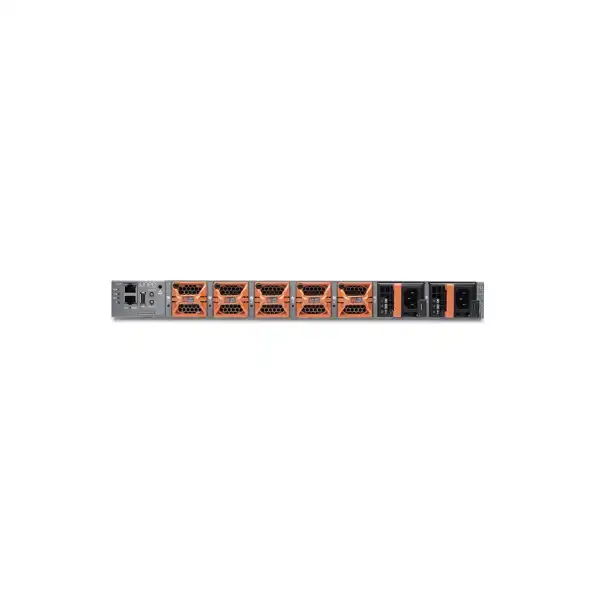
Airflow is a purchase-critical detail on this platform. Juniper supplies QFX5120-48T systems with fan modules and power supplies that are designed for a specific airflow direction. Front-to-back variants draw cold air through the port side and exhaust through the rear, while back-to-front variants reverse that direction. The fan modules and power supplies must match. Mixing airflow directions can create alarms and, more importantly, can undermine the intended hot-aisle/cold-aisle strategy.
The QFX5120-48T uses five fan modules in a 4+1 redundant arrangement. This provides fan redundancy, but it does not remove the requirement to maintain proper clearances and ambient conditions. A failed fan should be replaced in accordance with Juniper’s maintenance guidance, and technicians should avoid leaving multiple fan bays open. Airflow direction must also be coordinated with neighboring devices so that the exhaust from one chassis is not fed directly into the intake of another.
Juniper documents support for two 650W AC or DC power supplies on the QFX5120-48T and also documents 850W high-voltage power-supply options for this model. Compatible supplies in the same chassis must use the same power type and airflow direction, and 650W and 850W units should not be mixed. The exact commercial SKU and facility power design should therefore be confirmed before ordering rather than inferred from a generic product photo.
The platform’s stated typical power consumption is about 213W, with a maximum load figure of about 218W in Juniper’s product specifications. Facility planners should not use that number as the entire rack power budget. The rack calculation must include the servers, storage, firewalls, optics, PDUs, management equipment, conversion losses, environmental margin, and redundancy policy. In Dubai and other UAE data centers, cooling design is especially important because outdoor climate places a premium on dependable facility HVAC even though the equipment itself should operate in a controlled indoor environment.
When requesting a quote, specify the required airflow direction explicitly. A simple note such as “port-side intake” or “port-side exhaust” should be reconciled with the exact Juniper airflow SKU terminology before the order is placed. This small step prevents one of the most disruptive installation-day surprises: receiving a switch whose airflow is opposite to the rack standard.
Rack dimensions, clearances and installation conditions
The QFX5120-48T is a one-rack-unit switch, but “1U” describes only vertical space. Depth, rail spacing, service access, cable bend radius, power-cord clearance, and airflow clearance still need to be checked. Juniper lists the chassis at approximately 20.48 inches (52.02 cm) deep excluding fan and power-supply handles. The mounting arrangement for the QFX5120-48T, QFX5120-48Y and QFX5120-48YM also has specific front-post-to-rear-post spacing ranges depending on whether the unit is mounted flush or recessed.
For a flush installation, Juniper’s hardware guidance specifies a front-to-rear post distance between approximately 27.5 and 30.5 inches (69.9 to 77.5 cm). For recessed mounting, the documented range is approximately 29.5 to 32.5 inches (75 to 82.6 cm). These dimensions should be compared with the actual rack rather than relying on the nominal external cabinet depth, because rail position can vary.
Juniper also recommends keeping airflow unrestricted and leaving at least 6 inches of clearance in front of and behind the chassis for airflow, along with sufficient clearance for grounding and service access. The hardware guide identifies larger working clearances for service personnel. In practice, an installation plan should account for where copper patch cords exit, how QSFP cables are dressed, whether cable-management fingers reduce bend space, and whether the rear PDUs or vertical managers interfere with fan or PSU removal.
Grounding should be designed according to the facility standard and local electrical practice. Rack stability, equipment weight, bonding, redundant power feeds, labeling, and documented port allocation are all part of a professional installation. The switch itself weighs about 11 kg with two power supplies and fans installed, so handling procedures should reflect the equipment weight and rack position.
A pre-installation site survey can be as simple as recording rack model, free U position, rail spacing, front and rear clearance, airflow direction, PDU outlet type, available power feeds, patch-panel location, uplink fibre type, and grounding point. That information gives the installation team a clear checklist and reduces the chance that a network change window is lost to a mechanical or facility issue.
Optics, DACs, breakouts and copper cabling: items often missing from the first quote
A complete switch order is rarely just a chassis. The six high-speed QSFP28 ports may need optical transceivers, direct-attach cables, active optical cables, breakout assemblies, fibre patch cords, or a combination of these. The correct choice depends on link speed, distance, peer device, fibre type, connector format, structured-cabling design, and whether the link remains inside a rack, crosses a row, or travels through a campus or data center fibre plant.
The safest way to specify uplink components is per link. For each of the six ports that will be used, note the peer switch model and port type, desired speed, approximate cable distance, available fibre medium, connector type, and redundancy path. If a port will be broken into multiple lower-speed connections, record the breakout arrangement and confirm support on both ends. This avoids generic requests such as “six 100G modules,” which can still be ambiguous because 100GbE optics are available for multiple reaches and fibre types.
The forty-eight RJ-45 ports also deserve cabling attention. Existing patch cords and structured cabling should be rated and installed appropriately for the intended Ethernet speed and distance. Patch-panel age, cable bundles, termination quality, and pathway conditions can influence 10GbE copper performance. For a new rack, consistent patch-cord lengths and labeling improve airflow and serviceability. For a brownfield upgrade, testing questionable runs before migration can save hours of troubleshooting after the switch change.
Spare transceivers and cables may be sensible for critical environments, particularly where the installed link type is specialized or replacements are not stored onsite. The spare strategy should match the actual failure impact and support SLA. A facility with twenty identical leaf uplinks may justify local spare optics, while a small office data room may prefer rapid supplier replacement instead.
FourTeck can build these accessories into the same commercial scope when the physical topology is known. Providing a simple port map with endpoint and uplink details is often enough to move from a chassis-only quote to a deployable bill of materials.
Common deployment patterns for the QFX5120-48T
Copper-heavy server rack
A rack of virtualization hosts, storage appliances, backup systems, or security devices already equipped with 10GBASE-T adapters can connect directly to the forty-eight RJ-45 ports. One or more 100GbE uplinks then carry traffic into the spine or aggregation layer. This pattern minimizes endpoint media conversion and is a natural fit for the model.
Mixed 1GbE and 10GbE appliance row
Enterprise appliance rows often contain devices with different interface generations. The 1/10GbE access ports allow slower systems to coexist with newer 10GbE devices during refresh cycles. The design remains useful while legacy equipment is phased out, although long-term growth toward 25GbE should be considered.
Dual-leaf resilient rack
Two QFX5120-48T switches can provide redundant top-of-rack connectivity for dual-NIC servers. Each switch can connect to multiple upstream fabric devices, reducing dependence on one access switch or one uplink. Host bonding, EVPN multihoming, routing design, or another supported redundancy method determines how traffic fails over.
Brownfield data center modernization
An organization can preserve copper-connected servers while modernizing the fabric layer to routed 40/100GbE links. This can reduce the scope of a migration because server NIC replacement is not required on day one. It is particularly useful when application migration and network modernization must occur in separate phases.
EVPN-VXLAN leaf
With the appropriate Junos support and software licensing, the switch can operate in an EVPN-VXLAN fabric. This is relevant when the data center needs overlay segmentation, distributed gateway functions, or modern leaf-spine operational patterns. Fabric design and license selection are prerequisites, not afterthoughts.
Service or security appliance aggregation
Firewalls, load balancers, monitoring probes, backup targets, management appliances, and other infrastructure devices often retain RJ-45 interfaces longer than general-purpose servers. The QFX5120-48T can aggregate these systems while giving the service block high-speed connectivity to the rest of the network.
When the QFX5120-48T may not be the best fit
A balanced product evaluation includes reasons not to buy. If most new servers use 25GbE SFP28 interfaces, a fibre-oriented leaf with native 25GbE downlinks may reduce adapters, simplify cabling, and provide a better performance roadmap. The QFX5120-48T cannot convert its forty-eight RJ-45 access ports into native 25GbE server interfaces, so a greenfield 25GbE requirement should be treated as a different design problem.
Likewise, very high-density 100GbE environments may need a platform with more QSFP28 ports and a different switching-capacity profile. The QFX5120-48T provides six 40/100GbE uplinks, which is strong for a copper access leaf but not intended to replace a dense 100GbE spine. If the network requirement is primarily spine switching or high-density 100GbE aggregation, the QFX5120-32C or a newer high-capacity QFX platform may deserve comparison depending on the architecture and current product availability.
Organizations with extremely small port counts may also be oversizing. If a rack contains only eight or twelve 10GbE devices and growth is modest, a forty-eight-port leaf may provide unnecessary density and cost. Conversely, a rack with more than forty-eight server links or a dual-homing requirement can require two switches even when one chassis seems to have enough raw bandwidth.
Finally, feature licensing can change the economics. A buyer comparing switches only on hardware price may find that the desired EVPN-VXLAN, routing, timing, multicast, or premium functions require additional software entitlements. The correct comparison should therefore use the complete bill of materials: chassis, power, airflow, optics, cabling, licenses, support, installation, and migration effort.
The QFX5120-48T makes most sense when its copper port block solves a real endpoint requirement and the six high-speed uplinks align with the intended fabric. That is a clearer buying criterion than simply selecting the model because it belongs to a respected data center switching family.
QFX5120-48T compared with nearby QFX5120 options
| Model | Primary port profile | Published bidirectional capacity | Best reason to compare |
|---|---|---|---|
| QFX5120-48T | 48 × 1/10GbE RJ-45 plus 6 × 40/100GbE | 2.16 Tbps | Choose when dense copper server/appliance connectivity is the defining requirement. |
| QFX5120-48Y | 48 × 1/10/25GbE plus 8 × 40/100GbE | 4 Tbps | Compare for fibre-centric server access, native 25GbE downlinks, or higher aggregate capacity. |
| QFX5120-32C | 32 × 40/100GbE | 6.4 Tbps | Compare for spine, high-density 100GbE, or architectures that need substantially more QSFP-class interfaces. |
The comparison shows why a model-number-only selection is risky. The QFX5120-48T is not a lower-capacity substitute for every other QFX5120 variant; it is a different physical connectivity proposition. If the server edge is copper, its 48T layout can be exactly what the rack needs. If the server edge is 25GbE optical or the role is spine switching, another model may be a cleaner fit.
Migration planning for an existing data center rack
Replacing an access switch is a service migration, not merely a hardware swap. The current configuration should be inventoried before the new QFX5120-48T is installed. Capture VLAN assignments, trunk and access modes, link aggregation, routing adjacencies, MTU, spanning-tree behavior, quality-of-service settings, ACLs or filters, management addressing, NTP, DNS, AAA, SNMP or telemetry, logging, port descriptions, LLDP expectations, and any specialized settings used by storage or clustered systems.
Physical connectivity should be mapped at the same time. A port list that records device name, NIC identifier, current switch port, speed, VLAN or trunk role, cable path, redundancy partner, and target QFX5120-48T port turns migration night into a controlled sequence rather than an improvisation. It also exposes endpoints that are undocumented, running at unexpected speed, or dependent on a specific legacy configuration.
The new switch can then be staged before the maintenance window. Staging typically includes validating the Junos release, loading the approved configuration, testing management access, confirming license state, checking fan and PSU health, verifying interface mode, preparing uplink optics, and testing reachability in a safe environment. If automation is used, the staging process should also validate the template variables and ensure the device receives the correct site-specific values.
During cutover, move uplinks and endpoints in an order that preserves the rollback path. Critical dual-homed systems can often be migrated one link at a time, allowing the remaining connection to carry traffic while the new path is verified. Single-homed systems require a clear outage window. After each group, verify link state, VLAN membership, LACP or routing adjacency, gateway reachability, DNS and application connectivity rather than waiting until every cable has been moved.
Post-migration validation should include error counters, interface negotiation, uplink utilization, routing tables, MAC learning, logs, environmental sensors, telemetry, and application-owner checks. A rollback configuration and old-switch port map should remain available until the migration is formally accepted. The old device should not be wiped or removed from the rack until the organization is satisfied that the new topology is stable.
This level of planning may sound detailed for a 1U switch, but it is exactly what protects production services. The QFX5120-48T can modernize an access layer with minimal endpoint disruption when its copper interfaces are used to preserve the existing server edge while the upstream fabric is upgraded.
Capacity planning: translating port speeds into real workload requirements
Network capacity should be sized from traffic behavior, not from the sum of interface labels. A host connected at 10GbE might average only a few hundred megabits per second, then burst during backup, storage replication, virtual-machine migration, patch distribution, database operations, or analytics jobs. Another host may sustain several gigabits continuously. Understanding those patterns is more useful than assuming every 10GbE port is either idle or permanently saturated.
Begin with north-south and east-west separation. North-south traffic enters or leaves the rack toward users, internet services, firewalls, WAN gateways, or external networks. East-west traffic flows between servers, storage, clusters, or application tiers. If most traffic is east-west but remains inside the same leaf domain, some flows may not consume uplink bandwidth in the same way as remote-rack traffic. In an overlay fabric, path selection and distributed routing can further change where bandwidth is consumed.
Then look at burst windows. Backup jobs that start at midnight, replication after business hours, software distribution, vulnerability scanning, and large data transfers can create synchronized peaks. A design that appears lightly utilized during daytime monitoring may still experience congestion at predictable intervals. Capturing at least several days of utilization from the current network can reveal these peaks and help determine whether two 100GbE uplinks are adequate or whether additional links should be activated.
Failure-state capacity is equally important. If two 100GbE uplinks normally share load, the network should consider what happens when one fails. The surviving link may need to carry the full rack load until repair. A fabric that operates comfortably at 40 percent utilization per link under normal conditions may approach 80 percent after a failure, which can still be reasonable. A design already running near capacity may experience severe congestion when redundancy is actually needed.
The six available high-speed ports give architects flexibility to increase fabric connectivity, but each added link has a cost in optics, cabling, peer ports, configuration, and operational complexity. Capacity planning should therefore identify a target oversubscription ratio and a growth horizon. If server count or workload demand is expected to rise significantly within two or three years, installing additional uplink capacity during the initial deployment may be more efficient than revisiting the rack later.
For quotation purposes, the most useful inputs are current peak bandwidth, number of 10GbE endpoints, expected growth, backup or replication windows, uplink peer model, and resilience objective. These convert the conversation from “How many uplinks can the switch take?” to “How many uplinks does this workload need?”
Segmentation, policy and security considerations
A data center switch is part of the security architecture even when it is not a firewall. VLANs, routed boundaries, VRFs, ACL-style filters, EVPN segments, group-based policy where supported, and network telemetry all influence how workloads are separated and how suspicious behavior is detected. The QFX5120-48T can participate in these designs, but the chosen controls should be based on threat model and application requirements rather than turning on every available feature.
For conventional enterprise environments, segmentation may begin with separate VLANs or VRFs for production, management, backup, storage, test, and infrastructure systems. Routing between those segments can occur on the leaf, a firewall, an upstream router, or another service node depending on policy. If inspection is required between zones, placing the routing boundary directly on the switch can bypass a firewall unless traffic is deliberately steered through security services. The logical topology must therefore be agreed with the security team.
EVPN-VXLAN provides more scalable segmentation tools for larger fabrics. Virtual networks can be extended across racks without extending a single traditional Layer 2 control domain in the same way. Group-based policy capabilities are also supported on QFX5120 platforms in suitable Junos releases and license tiers. These features can improve policy abstraction, but they add design and operational requirements that need to be documented clearly.
Management-plane security deserves specific attention. Administrative access should use approved AAA methods, encrypted management protocols, restricted source networks, role-based permissions where applicable, centralized logging, time synchronization, and configuration backup. The dedicated management path should be designed so that engineers can reach the switch during data-plane incidents without exposing management interfaces broadly.
Finally, software maintenance is a security control. The selected Junos release should be supported and kept within the organization’s patch and vulnerability-management process. Hardware support alone does not replace software governance. A secure deployment combines appropriate segmentation, controlled management, visibility, change review, and a lifecycle plan for updates.
Monitoring, telemetry and troubleshooting readiness
The value of a high-performance switch is reduced if operations teams cannot see what it is doing. Monitoring should be planned before go-live so that interface errors, link flaps, congestion, environmental alarms, routing changes, fan or PSU events, and unexpected utilization are visible from the first production day. Junos environments support established mechanisms such as SNMP, syslog and telemetry, with advanced telemetry features available on QFX5120 platforms under applicable licensing.
Baseline data is especially useful. During the first stable week, record normal utilization by access port and uplink, CPU and memory trends, temperature readings, error counters, routing neighbor stability, MAC-table behavior, and expected log volume. Later, an incident can be compared with this baseline. Without it, teams may know that a metric is “high” but not whether the value is unusual for that rack.
Interface troubleshooting should distinguish physical, data-link, and network-layer symptoms. A 10GbE copper port with increasing errors may indicate cabling or connector problems even though the link stays up. An uplink with clean physical counters but intermittent routing adjacency may point toward control-plane or configuration issues. Congestion with no physical errors may require queue, traffic-pattern, or oversubscription analysis rather than cable replacement.
Logging should be sent off-box so events remain available after a reboot or device failure. Time synchronization is essential because troubleshooting across switches, firewalls, servers, and applications depends on accurate event ordering. Configuration backups should also be automated or at least scheduled, with change history tied to the organization’s approval process.
For multi-switch deployments, consistent monitoring templates reduce operational friction. The same interface descriptions, telemetry policy, syslog destinations, NTP configuration, authentication method, and alert thresholds can be applied across leaves. This is where the QFX5120-48T’s automation capabilities can provide operational value well beyond initial configuration.
Procurement details that affect the final QFX5120-48T quotation
An enterprise quote should describe the solution in enough detail that the installation team knows what is arriving. The exact switch model is only the first line. The bill of materials may need to identify airflow direction, AC or DC power type, PSU variant, mounting accessories, required license tier and term, support level, high-speed transceivers or DACs, breakout assemblies, fibre patching, spare components, installation service, staging, migration, and post-cutover support.
Quantity should also reflect the redundancy design. A requirement described as “48 servers” could mean one switch if every server is single-connected, two switches if every server is dual-homed, or more than two if capacity must be divided across failure domains. Counting network links rather than physical servers avoids this ambiguity. For example, twenty-four dual-homed servers consume forty-eight access ports across the pair, not twenty-four total ports.
Support terms should be selected according to business impact. A lab switch may tolerate next-business-day replacement or a lower service level. A production leaf supporting critical applications may require stronger hardware replacement and technical support coverage. Buyers should confirm entitlement registration, support start date, device serial handling, software download access, escalation process, and whether onsite spares are part of the risk plan.
Commercial availability can change over a platform’s lifecycle. A product may remain technically suitable while particular SKUs, licenses, power variants, or support terms evolve. For that reason, a current quote should validate part numbers and entitlement options rather than copying an older purchase order. The network architecture can still be designed around the QFX5120-48T, but procurement should confirm that the exact required configuration is orderable in the intended timeframe.
For Dubai and UAE projects, include the deployment location and requested delivery or installation scope. This helps distinguish supply-only requirements from projects that also need rack installation, cabling, configuration, migration, testing, documentation, and support coordination.
Lifecycle and support planning
Data center switches are long-lived assets, so a purchase decision should include software and support lifecycle planning. The QFX5120-48T first gained support in Junos OS Release 20.2R1 according to Juniper’s hardware documentation. Since then, additional features and licensing frameworks have evolved. A buyer deploying the switch today should select a currently supported software release that provides the required features and fits the organization’s validated upgrade policy.
Hardware support is not just about replacement time. It also affects access to technical assistance, software downloads, entitlement, and escalation when a complex routing or fabric issue occurs. The support level should reflect how quickly the business needs to recover from a failure and whether the organization keeps spare units or critical optics onsite. For a dual-leaf design, redundancy may reduce immediate outage risk, but prolonged operation on one device still reduces resilience and should not become the normal state.
Software upgrades should be rehearsed where possible, especially in EVPN-VXLAN or multi-device fabrics. Release notes, feature compatibility, known issues, configuration changes, and upgrade sequencing can all influence the maintenance plan. The network team should know how long a device reboot takes, how traffic fails over, how to verify protocol recovery, and what rollback method will be used if the upgrade does not behave as expected.
Documentation should outlive the implementation team. Keep the final bill of materials, serial numbers, license entitlements, support contract details, port maps, rack elevations, airflow direction, software version, configuration backups, management addresses, uplink diagrams, and change history in the organization’s operational repository. This reduces dependency on individual engineers and simplifies future support cases.
A good lifecycle plan also defines the trigger for the next architecture review. That trigger may be server adoption of 25GbE or faster interfaces, sustained uplink utilization, end-of-support milestones, growth beyond available access ports, expansion of the EVPN fabric, or a change in security architecture. The QFX5120-48T can serve effectively for years when its role remains aligned with the endpoint and fabric requirements it was chosen to solve.
Implementation journey: from requirement to stable production leaf
Frequently asked buyer questions
Is the QFX5120-48T mainly a 10GbE switch?
Its distinguishing access block is forty-eight RJ-45 ports that support 1GbE or 10GbE, so it is commonly used for 10GbE copper server and appliance connectivity. The six uplink ports support 40GbE or 100GbE, allowing the rack to connect to a higher-speed fabric.
Can it connect directly to servers with normal RJ-45 NICs?
Yes, when those NICs and the cabling support 1GbE or 10GbE Ethernet. For 10GbE, verify cable category, distance and physical installation quality. Existing 1GbE-only devices can also use the access ports at the lower supported speed.
Does the QFX5120-48T support 25GbE server downlinks?
The forty-eight RJ-45 access ports are specified for 1/10GbE, not native 25GbE. If the server strategy is moving to 25GbE SFP28 connectivity, compare a fibre-oriented model such as the QFX5120-48Y or another current platform appropriate to the architecture.
How many 100GbE uplinks are available?
The model provides six 40/100GbE uplink ports. The number that should be activated depends on traffic demand, oversubscription target, failure-state capacity, fabric topology, peer-port availability and cost of optics or cabling.
Is EVPN-VXLAN included automatically?
The hardware supports EVPN-VXLAN designs in suitable Junos releases, but Juniper’s current QFX licensing matrix places EVPN-VXLAN in the Advanced 2 tier for the device class that includes the QFX5120-48T. Confirm current entitlement and release support when quoting the feature.
Can two QFX5120-48T switches form a Virtual Chassis?
Juniper’s current licensing documentation states that the QFX5120-48T supports up to two Virtual Chassis members on supported configurations. Verify the intended Junos release, interconnect design and license consistency before choosing this model.
What is the switch’s published capacity?
Juniper publishes 2.16 Tbps of bidirectional switching capacity and 1 billion packets per second for the QFX5120-48T. Workload design should still consider uplink oversubscription, traffic locality, feature use and failure-state bandwidth.
What airflow options should be specified?
The platform supports front-to-back and back-to-front airflow variants. Fan modules and power supplies must use the same airflow direction. The ordered direction should match the rack’s cold-aisle and hot-aisle layout.
Are the power supplies redundant?
The platform supports two compatible load-sharing power supplies, providing power redundancy when both are installed and operating. For meaningful facility resilience, connect them to separate PDUs or independent feeds where the site design permits.
Can AC and DC power supplies be mixed?
No. Juniper’s hardware guidance cautions against mixing AC and DC supplies in the same chassis. It also cautions against mixing 650W and 850W supplies in the QFX5120-48T and against mixing airflow directions.
How deep is the chassis?
The chassis depth is approximately 20.48 inches (52.02 cm) excluding fan and power-supply handles. Rail spacing and service clearances are greater than the chassis depth, so the actual rack must be checked against Juniper’s mounting requirements.
Does the quote need optics?
Usually, yes, unless compatible optics or DAC/AOC assemblies are already available. Uplink components should be chosen per link based on speed, distance, peer device, fibre type, connector and any breakout requirement.
Is this model suitable for a new 25GbE data center?
Not as the most natural server-facing choice if 25GbE is the baseline endpoint speed. Its value is the dense 1/10GbE copper access block. A new 25GbE design should compare native 25GbE leaf platforms before deciding.
What information gives the fastest accurate quote?
Provide quantity, number and speed of server links, single- or dual-homing, airflow direction, AC/DC requirement, uplink count and distance, peer switch model, required routing or EVPN features, license term, support level, rack location, and whether installation or migration is required.
Decision recap: the six points that should be settled before purchase
What FourTeck needs for an accurate Dubai / UAE quotation
A concise requirement set is enough to turn the QFX5120-48T into a precise bill of materials. Share the information below where available; unknown items can be resolved during technical consultation.
Build the QFX5120-48T configuration around your actual rack
The Juniper QFX5120-48T is a strong choice when forty-eight 1/10GbE copper access ports solve a real endpoint requirement and the six 40/100GbE uplinks match the fabric. The purchase becomes reliable when airflow, power, software licensing, optics, rack conditions, redundancy and support are confirmed at the same time. FourTeck can help Dubai and UAE organizations turn those inputs into a deployment-ready quotation for supply, licensing, accessories and implementation services.

Reviews
There are no reviews yet.