
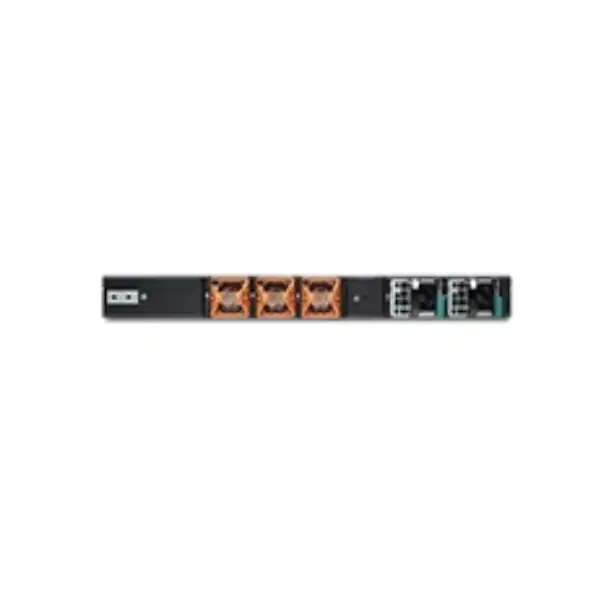
Juniper SRX1600 Firewall Dubai
The Juniper SRX1600 is built for organizations that need a compact next-generation firewall with strong routing, security, VPN, high port density, and a practical path to centrally managed policy. It fits enterprise campus edges, smaller data center perimeters, secure large-branch designs, and distributed environments where 10GbE or 25GbE uplinks, high session scale, and Junos-based operations matter.
Direct answer: what is the Juniper SRX1600?
The Juniper SRX1600 is a 1U next-generation firewall and security gateway in the SRX Series. It combines stateful firewalling, routing, switching, application-aware security, intrusion prevention, VPN, content-security functions, MACsec-capable high-speed interfaces, centralized management options, and Junos OS in a fixed-form-factor appliance. Juniper positions it for small-to-medium enterprise edge, campus edge, data center edge, secure VPN routing, large-branch SD-WAN, and secure-hub use cases.
It should be considered by organizations that need materially more scale and uplink flexibility than an entry-level branch appliance, but do not automatically require the higher capacity of larger SRX platforms. The most important factor to confirm is not the headline 24 Gbps number by itself. Buyers should validate real traffic composition, enabled security services, encrypted traffic, session creation rate, inspection profile, growth margin, link speeds, HA design, and the Juniper subscription features required by policy.
FourTeck can help determine whether one SRX1600, an SRX1600 high-availability pair, or a larger/smaller SRX model is the better fit, and can align the quotation with optics, power supplies, licenses, software support, deployment, migration, and UAE site requirements.
Why the SRX1600 deserves a close look
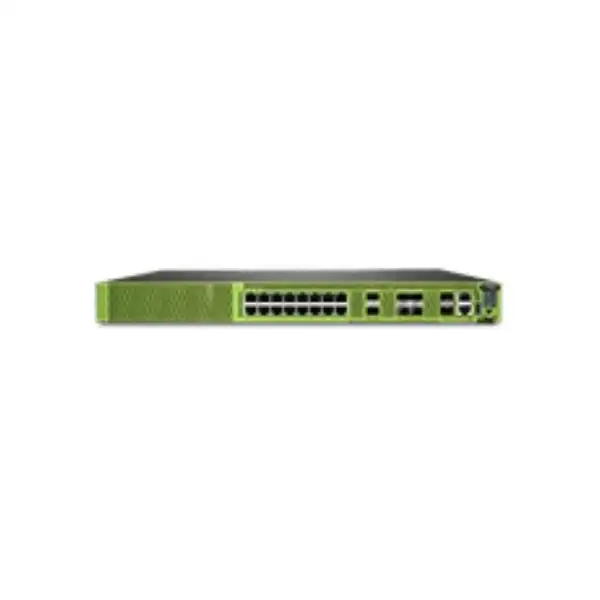
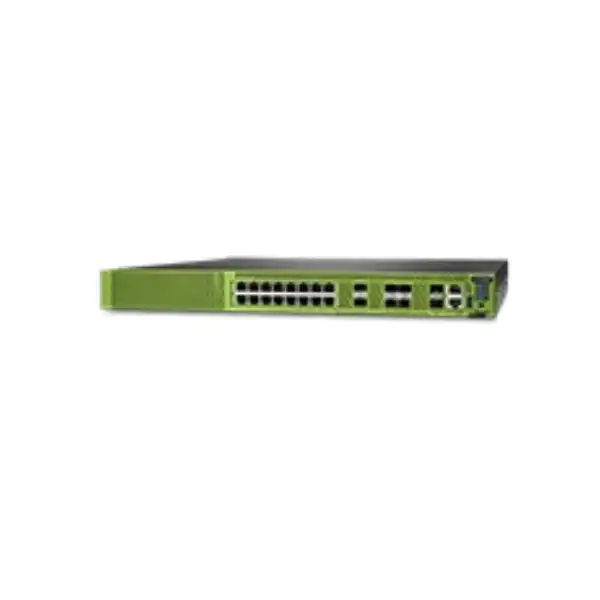
The value of the SRX1600 is the combination of scale and interface density in a compact chassis. Many firewall purchases become difficult when the security appliance has adequate processing power but forces compromises elsewhere: too few copper ports, no 25GbE uplink option, awkward dependence on an external switch for every local connection, insufficient session scale, or a management model that does not fit existing network operations. The SRX1600 addresses several of those concerns in one 1U platform. It offers sixteen 1GbE BASE-T interfaces for conventional Ethernet connectivity, four 1/10GbE SFP+ interfaces, and two 1/10/25GbE SFP28 interfaces, allowing a design to combine legacy edge connectivity with faster uplinks or core-facing links.
For a Dubai enterprise, this matters when a firewall refresh is being driven by more than internet bandwidth. A site may have 1Gbps ISP links today while internal east-west traffic, private data center connectivity, WAN aggregation, backup replication, cloud interconnect, or future internet capacity is already moving toward 10GbE and 25GbE. Selecting a firewall only for present WAN speed can create an unnecessary replacement cycle. The SRX1600 gives architects a broader interface envelope, although compatible optics or DACs must still be selected for the actual cabling, distance, speed, and transceiver support requirements.
It is also a Junos platform, which can be strategically important for organizations already operating Juniper switching or routing. Common operational concepts, structured configuration, routing depth, security policy, automation options, and centralized management can reduce the number of unrelated platforms the network team must maintain. That does not remove the need for firewall-specific design and security expertise, but it can make the SRX1600 more attractive where the network and security functions are expected to work together rather than exist as isolated appliances.
Core SRX1600 specifications at a glance
| Specification | Juniper SRX1600 |
|---|---|
| Form factor | 1U fixed chassis for standard 19-inch rack installation |
| Maximum firewall performance | Up to 24 Gbps under Juniper’s published test conditions |
| IPS performance | Up to 21 Gbps published performance |
| VPN performance | Up to 18 Gbps published performance |
| Concurrent sessions | Up to 2 million |
| New sessions per second | Up to 95,000 sustained TCP 3-way sessions per second in the published specification |
| Security policies | Up to 15,000 |
| Copper interfaces | 16 × 1GbE BASE-T |
| SFP+ interfaces | 4 × 1/10GbE SFP+ |
| SFP28 interfaces | 2 × 1/10/25GbE SFP28 |
| Dedicated HA connectivity | 2 × 1GbE SFP HA interfaces with MACsec capability |
| Storage | 120 GB internal SSD, not field-replaceable |
| Dimensions | Approx. 4.42 cm H × 43.89 cm W × 46.23 cm D |
| Weight | Approx. 7.2 kg with one PSU; approx. 8.1 kg with two PSUs |
| Operating temperature | 0°C to 40°C in Juniper’s published environmental specification |
Performance figures are vendor-published values measured under defined test conditions. Real production throughput can be lower when traffic mix, packet size, SSL/TLS decryption, logging, threat services, VPN encryption, application inspection, routing functions, policy complexity, and software configuration are considered.
Interface design: where the SRX1600 is unusually flexible
16 × 1GbE copper
The sixteen BASE-T ports can be useful for handoffs to access switches, ISP CPE, management segments, service networks, legacy routers, or low-speed server connections without requiring an optical transceiver for each port. This density is particularly relevant when the firewall is expected to terminate multiple routed or security zones directly. It should not be interpreted as a replacement for a proper access switching layer, because the topology, VLAN scale, PoE requirements, spanning-tree design, and operational ownership may still favour dedicated switching.
4 × 1/10GbE SFP+
Four SFP+ interfaces give the platform practical 10GbE connectivity for distribution switches, server aggregation, WAN routers, metro Ethernet handoffs, or inter-zone links. The ports support selected Juniper-qualified optical and cable options, so the quotation should identify media type, fibre mode, connector, reach, and whether the link is expected to operate at 1GbE or 10GbE. Existing third-party optics should not be assumed compatible merely because the physical format matches.
2 × 1/10/25GbE SFP28
The SFP28 ports are important for designs that need 25GbE-ready uplinks while retaining flexibility for lower speeds. A pair can support high-speed northbound and southbound connectivity, dual-switch attachment, or other resilient designs depending on architecture. The presence of a 25GbE interface does not mean every inspection workload will sustain 25 Gbps of fully enabled security processing, so capacity planning must compare interface rate with the relevant security-service performance rather than treating them as the same metric.
Performance planning: headline throughput is only the first number
Firewall appliances are frequently undersized because procurement starts with internet bandwidth and ends with a comparison of maximum stateful firewall throughput. That approach misses how a production security policy actually consumes resources. The SRX1600’s published maximum firewall performance of 24 Gbps is valuable as a top-line indicator, while Juniper also publishes dedicated IPS and VPN figures. However, the appropriate sizing figure for a real deployment depends on the combination of controls turned on at the same time. Application identification, intrusion prevention, antivirus, web filtering, Advanced Threat Prevention integration, IPsec, NAT, logging, TLS inspection where supported and configured, and complex policy evaluation all change the processing profile.
Packet size also matters. Large-packet laboratory throughput is not equivalent to mixed enterprise traffic containing short web transactions, DNS, collaboration traffic, SaaS connections, API requests, voice, video, remote-access sessions, and application flows that establish and close frequently. This is why the new-session rate and concurrent-session limit deserve attention alongside Gbps. A business with 2 Gbps of WAN capacity can still be demanding if it has very high connection churn, large numbers of devices, many public-facing services, or heavy proxy and security-service use.
A sound sizing exercise therefore starts with observed traffic, expected growth, peak-to-average ratio, sessions, application mix, encryption, number of zones, VPN design, planned inspection services, and resilience. For HA, it is usually wise to verify whether one node must carry the full production load during failover. FourTeck can use these inputs to determine whether the SRX1600 has enough operational headroom or whether the next platform class should be evaluated.
Security functions and what they mean to the buyer
Stateful firewall & policy
The SRX1600 enforces security policy between zones and networks while maintaining session state. For buyers, the important work is not simply migrating old allow/deny rules. It is confirming whether policy can be simplified, whether obsolete objects should be removed, and whether application-aware controls can replace overly broad port-based permissions. A firewall refresh is an opportunity to reduce rule sprawl rather than copy it unchanged.
Intrusion prevention
IPS adds signature and policy-based inspection intended to detect or block malicious traffic and exploit patterns. The feature is security-sensitive and performance-sensitive. The deployment team should decide which traffic requires inspection, how signatures are updated, how false positives are handled, what logging is retained, and what subscription tier supplies the required entitlement.
Application visibility
Application-aware controls help a security team reason about traffic by application rather than only IP address and port. This is especially useful for SaaS-heavy environments where multiple services share HTTPS. Licensing and platform support should be confirmed for the exact application-security functions required, and policy should be tested against business-critical applications before a production cutover.
Content security
Depending on license selection and configuration, SRX security services can include antivirus and web-filtering capabilities. These are not features to assume are automatically active merely because the hardware supports them. The procurement scope must align the subscription tier with the controls the security policy actually requires, including renewal term and operational responsibility for updates.
Advanced threat protection
Juniper ATP Cloud integration can extend the security architecture to advanced threat detection and mitigation. Juniper’s current Flex licensing distinguishes tiers that include ATP Cloud from tiers that do not, so a buyer requiring this capability should specify it explicitly. The design must also account for internet reachability, policy integration, logging, privacy requirements, and operational response to detections.
MACsec on supported ports
MACsec capability on the relevant SFP and HA interfaces can be valuable when organizations want Layer 2 link encryption for selected connections. It is not a substitute for every form of VPN or end-to-end application encryption. Both ends of a link, the interface mode, software support, and operational keying design must align before MACsec is treated as a deployment requirement.
Junos OS: an important part of the SRX1600 value proposition
The SRX1600 runs Junos OS, and Juniper documents the platform from Junos OS 23.4R1 onward. The operating system matters because firewall hardware is only one part of a security deployment. Routing protocols, interface behaviour, security zones, policies, NAT, VPN, high availability, logging, automation, software lifecycle, and day-two troubleshooting all depend on the software platform. Organizations with Junos experience may benefit from familiar operational conventions, while organizations moving from another firewall vendor should plan for configuration translation and staff enablement rather than assuming a direct one-to-one mapping of commands or objects.
Software release selection should be deliberate. The newest release is not automatically the best release for every production environment, and an old release should not be retained simply because it is familiar. The chosen version should be supported on the SRX1600, compatible with required features, aligned with Juniper’s recommended software guidance where applicable, and validated against the wider environment. Features such as clustering, VPN, dynamic routing, management integration, security services, and transceiver operation can have release-specific considerations.
A deployment plan should therefore include baseline configuration, software version, rollback strategy, backup, upgrade procedure, configuration validation, security hardening, admin authentication, NTP, DNS, syslog, SNMP or telemetry, management-plane restrictions, and change control. This is one of the practical areas where an experienced implementation can be more valuable than simply receiving a boxed appliance.
Licensing: specify the security outcome, not only the appliance
The SRX1600 supports Juniper licensing models that can include subscription-based security entitlements. Juniper’s Flex Tier Next Generation licensing for the SRX1600 family includes A1, A2, P1, and P2 tiers with 1-, 3-, 5-, or 7-year terms listed in current licensing documentation. The exact capabilities vary by tier. For the SRX1600 grouping, Juniper lists IDP signature entitlement and Juniper antivirus across A1, A2, P1, and P2; web filtering and Sophos web antivirus in A2 and P2; and ATP Cloud in P1 and P2. Licensing documentation also warns that inclusion of a feature in a license does not itself guarantee every feature is supported on every hardware model or software release.
That distinction is crucial in procurement. A buyer asking for “SRX1600 with three-year security” has not yet defined a complete bill of materials. The quotation should state the chosen tier, subscription length, support service if applicable, management subscription if required, and any separately licensed service. It should also state what is not included. This prevents a common post-purchase problem in which the hardware arrives but a required security function, cloud management entitlement, or service term was not part of the order.
The most efficient approach is to translate the security policy into entitlements. If the requirement is IPS plus antivirus, one set of tiers may be enough. If the requirement also includes web filtering, another tier may be appropriate. If ATP Cloud is required, a premium tier may be necessary. FourTeck can map the requirement to the current Juniper SKU structure rather than relying on an old bundle name copied from a previous project.
High availability: when one SRX1600 is not enough
For critical internet edges, data center boundaries, and regional hubs, the firewall itself should not become an avoidable single point of failure. Junos supports chassis clustering on SRX Series firewalls, and Juniper documentation uses the SRX1600 in cluster configuration examples. Two devices can operate as a coordinated HA pair, synchronizing configuration and state so the secondary node can assume forwarding responsibilities after a failure. Active/passive is a common design because it is operationally straightforward and keeps one node ready to take over the service load.
HA design affects much more than the quantity of appliances. Both devices should be the same model and aligned on software. Control and fabric connectivity must be designed correctly. Upstream and downstream switching must support the chosen redundant Ethernet topology. Routing timers, link monitoring, redundancy-group priorities, interface monitoring, VPN behaviour, NAT, and asymmetric traffic must be tested. A cluster that boots successfully is not automatically a resilient production design.
Capacity planning should also consider failover state. If both nodes are normally active for different services, the remaining node may need to absorb additional load after a failure. If the design is active/passive, the active node should already have enough headroom to carry the required traffic without relying on both units’ combined capacity. This is why HA should be part of initial sizing rather than added after the single-unit design is complete.
HA quotation checklist
- Two identical SRX1600 appliances
- Correct HA/control/fabric connectivity
- Required transceivers or DAC cables
- Matching software and subscriptions
- Dual PSU requirement per node
- Redundant upstream/downstream switches
- Failover and session-persistence testing
- Documented rollback and maintenance plan
Power supplies, cooling, and rack planning in UAE environments
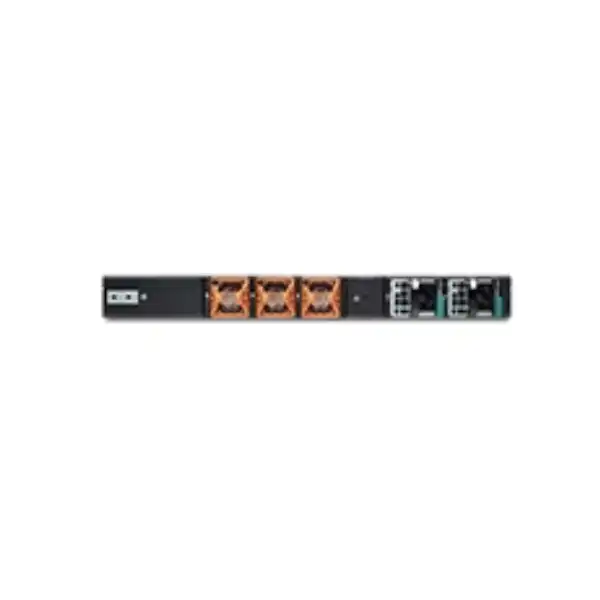
The SRX1600 is a 1U rack-mountable appliance with front-to-back airflow and three fan modules arranged with 2+1 redundancy. Juniper’s current hardware documentation states that the device ships with one power supply and provides a second PSU slot for 1+1 power redundancy. A second PSU can be ordered separately. AC and DC power supply types must not be mixed in the same chassis. These details should be resolved during quotation because a production edge firewall installed with a single PSU may not meet an organization’s resilience standard even when the appliance itself supports redundant power.
The chassis is approximately 43.89 cm wide, 46.23 cm deep, and 4.42 cm high. Juniper lists a weight of about 7.2 kg with one PSU and around 8.1 kg with two. In a Dubai data room or UAE data center, rack depth, front/rear clearance, cable management, PDU socket type, grounding, airflow direction, hot/cold aisle arrangement, and ambient temperature are all practical installation inputs. Juniper’s published operating range is 0°C to 40°C. The appliance should therefore be deployed in an appropriately cooled environment; the region’s outdoor temperature is irrelevant if the rack and room conditions are correctly engineered, while poor cooling or recirculated exhaust can still create risk inside an air-conditioned facility.
If the site uses redundant A/B power feeds, the bill of materials should include two matching PSUs and appropriate power cords for the target PDU. If the deployment uses DC power, the electrical design should be checked against Juniper’s DC input specifications and local site practice. Power and rack questions are inexpensive to solve before delivery and disruptive to discover during installation.
Management options: choose an operational model before rollout
Junos CLI
The command-line interface is a core operational method for experienced Junos teams, offering detailed configuration, diagnostics, operational commands, and automation-friendly workflows. It is powerful but should be governed by role-based access, change control, configuration archival, and documented standards so that direct CLI changes do not bypass policy or become difficult to audit.
J-Web
Juniper supports on-box graphical management for SRX1600, including common administration and security workflows. J-Web can be useful for local operations or teams that prefer a GUI, but the security design should still define who may access it, from which management network, using what authentication, and whether central tools are the authoritative configuration source.
Security Director
Juniper Security Director on-premises can centralize policy and operational management for organizations that want local management infrastructure. The value increases as firewall count grows, because common policy, templates, logging integration, and change workflows are easier to govern centrally than by managing appliances one at a time.
Security Director Cloud
Security Director Cloud provides cloud-based central management across supported Juniper firewall deployments. For buyers, the decision involves entitlement, internet access, administrative model, data governance, operational workflows, and whether cloud management aligns with the organization’s wider security architecture.
Routing and secure edge consolidation
One reason enterprises choose SRX rather than a firewall platform designed only around security inspection is the depth of routing integration available through Junos. The SRX1600 can participate in enterprise routing designs where the firewall is also a meaningful Layer 3 boundary. This can reduce dependency on separate routers in some architectures, although consolidation should be evaluated carefully. If the firewall carries internet edge routing, private WAN routes, dynamic routing, VPN overlay routes, and inter-zone policies at the same time, the operational importance of the device increases and HA becomes more consequential.
The right architecture depends on failure domains. In a simple branch, combining routing and firewall functions may reduce equipment and simplify cabling. In a larger data center, keeping internet routing, core switching, and security policy on separate systems may provide cleaner fault isolation. The SRX1600’s capabilities allow either approach to be considered rather than forcing a single topology. What matters is defining route ownership, convergence expectations, BGP or OSPF requirements where applicable, NAT design, default-route behaviour, upstream redundancy, and how a firewall failover interacts with the routing control plane.
For migrations, route validation is as important as security policy validation. A new firewall can pass every intended rule and still cause an outage if route preference, redistribution, static routes, asymmetric return paths, or upstream next-hop behaviour are different from the existing platform. The implementation plan should include a route inventory, pre-cutover comparison, and post-cutover reachability checks.
IPsec VPN and secure connectivity
Juniper publishes up to 18 Gbps VPN performance for the SRX1600 and lists support for a substantial number of IPsec VPN tunnels in its hardware specifications. These figures make the appliance relevant for secure site-to-site connectivity, hub functions, data center access, and distributed enterprise designs. As with firewall throughput, the published maximum should not be treated as a guarantee for every encryption profile. Cryptographic algorithms, packet sizes, tunnel count, routing, NAT traversal, logging, security inspection, and concurrent service use can influence practical results.
A site-to-site VPN quotation should identify the peer platforms, number of tunnels, expected throughput, high-availability behaviour, IKE version, encryption requirements, routing method, addressing, overlapping networks, failover path, and whether dynamic routing runs through the tunnels. For regulated or security-sensitive environments, cryptographic policy and software mode may also matter. These details determine configuration effort and test scope even when they do not materially change the hardware bill of materials.
Remote-access requirements should be treated separately from site-to-site VPN. Juniper Secure Connect and related remote-access licensing have their own entitlement and capacity considerations. The number of concurrent remote users, endpoint operating systems, authentication method, MFA integration, split-tunnel policy, endpoint posture expectations, and access-control model should be defined before assuming the base firewall purchase covers the complete remote-work requirement.
EVPN-VXLAN and data center fabric relevance
The SRX1600 is notable for support within Juniper’s EVPN-VXLAN security architecture. Juniper positions SRX Series firewalls as able to integrate with EVPN-VXLAN fabrics, including use of EVPN Type 5 routing in data center environments. For buyers already deploying modern leaf-spine fabrics, this can provide a more integrated security boundary than attaching a traditional firewall as an unrelated device at the edge of the fabric. The practical benefit is architectural consistency: security can participate in the routed fabric rather than forcing awkward Layer 2 extensions merely to reach a firewall pair.
This capability is most valuable when the network design is already mature enough to use it. An organization running simple VLANs and static routing does not need EVPN-VXLAN merely because the firewall supports it. Conversely, a data center team standardizing on EVPN-VXLAN should confirm which roles the SRX1600 will perform, the Junos release, route exchange, security zoning, redundancy, underlay and overlay integration, and whether the capacity of the SRX1600 matches traffic entering and leaving the fabric.
FourTeck can scope the firewall as part of the wider fabric rather than quoting only the appliance. This is particularly useful when the same project includes Juniper switching, migration from a legacy data center topology, or a new campus/data center interconnect where routing and security boundaries are being redesigned together.
Where the SRX1600 fits best
Enterprise campus edge
A campus with multi-gigabit internet, several network zones, public services, SaaS-heavy users, and a requirement for stronger inspection can use the SRX1600 as a resilient perimeter. The 10GbE and 25GbE-capable interfaces help avoid immediately constraining the firewall to 1GbE physical connectivity as upstream capacity grows.
Small/midsize data center edge
The platform can protect north-south traffic for smaller data centers where 1U density, higher-speed optical uplinks, routing integration, and large session scale are relevant. Designers should compare inspected throughput against peak data center flows, backup windows, internet egress, published services, and inter-site replication rather than using ISP speed alone.
Large branch / regional office
A regional hub with many local segments, multiple WAN circuits, VPN connectivity, and more traffic than a typical branch can benefit from the SRX1600’s interface mix and security scale. It may be excessive for a small office with modest broadband, but appropriate when the branch is operationally important or functions as an aggregation point.
Secure VPN hub
Organizations with many remote sites can use the appliance as a VPN termination point when tunnel scale and aggregate encrypted throughput fit the design. The correct model depends on tunnel count, per-tunnel traffic, routing, failover, encryption suite, and whether the same device is also carrying internet edge security.
SD-WAN secure hub
Juniper includes large-branch and secure-hub SD-WAN use cases in SRX1600 positioning. Buyers should treat SD-WAN as an architecture rather than a checkbox: controller/management requirements, underlay circuits, application steering, SLA measurement, tunnel scale, security policy, and operational ownership all need to be defined.
When the SRX1600 may be the wrong size
A technically capable firewall is not automatically the correct firewall. The SRX1600 may be larger than necessary for a small branch with a few hundred megabits of internet traffic, limited security inspection, no 10/25GbE requirement, and modest session counts. In that case, a smaller SRX platform may reduce purchase cost, subscription cost, rack requirements, and operational complexity while still providing adequate security. Oversizing is not free if license pricing, support, and deployment effort scale with the platform.
The opposite risk is more serious. If a data center is already pushing multi-10-gigabit inspected traffic, expects substantial TLS decryption, needs several high-speed interfaces, has very high connection rates, or requires significantly more than two million concurrent sessions, the SRX1600 may not provide enough headroom. Juniper’s SRX2300, for example, sits above the SRX1600 and publishes higher firewall, IPS, VPN, and session figures. Larger platforms should be compared when growth, security-service load, HA failover capacity, or interface scale approaches the limits of the SRX1600.
The correct selection is therefore a capacity decision, not a branding decision. FourTeck can compare current traffic measurements and future requirements against the relevant SRX models so the recommendation is based on usable headroom and architecture rather than buying the nearest model name.
SRX1600 versus SRX2300: a practical family comparison
| Decision point | SRX1600 | SRX2300 |
|---|---|---|
| Published max firewall performance | 24 Gbps | 39 Gbps |
| Published IPS performance | 21 Gbps | 35 Gbps |
| Published VPN performance | 18 Gbps | 36 Gbps |
| Maximum concurrent sessions | 2 million | 5 million |
| Buyer implication | Strong fit for many enterprise campus, large branch, and smaller data center edges where 24 Gbps maximum firewall performance and 2M sessions provide sufficient margin. | Worth evaluating when the design needs significantly more throughput, VPN capacity, session scale, or growth headroom. |
This comparison is intentionally focused on headline capacity. A full selection should also compare exact interface layout, feature support, software release, licensing, power, optics, support term, and total project cost. A larger platform is not automatically better if the workload does not need it; a smaller platform is not economical if it causes an early replacement or operates too close to its limits.
Optics, DACs, and cabling: small items that can stop an installation
The SRX1600’s SFP+ and SFP28 interfaces are one of its strongest hardware attributes, but optical connectivity creates procurement dependencies. Transceivers are not interchangeable simply because they fit the same cage. The correct module depends on interface speed, fibre type, wavelength, connector, link distance, peer device, and Juniper hardware compatibility. Direct-attach copper may be preferable inside the same rack or between adjacent racks if supported and within distance limits; optical transceivers may be needed for longer links or structured fibre plant.
Before ordering, list every non-copper interface with both endpoints. For each link, record SRX port speed, peer model, peer port type, fibre mode, connector, approximate distance, and redundancy role. This creates a transceiver schedule that can be checked against Juniper’s Hardware Compatibility Tool. It also prevents the common situation where an appliance is delivered on time but cannot be commissioned because the correct SFP, SFP+, SFP28, patch lead, or polarity is missing.
For 25GbE specifically, confirm whether the peer device supports 25GbE on the selected port and whether auto-negotiation or fixed speed settings are required. For 10GbE links, confirm whether existing optics are qualified and whether the fibre plant is suitable. For HA links, follow Juniper’s platform-specific guidance rather than repurposing arbitrary ports based only on physical availability.
Migration from an existing firewall
Replacing a firewall is rarely a simple device swap. Existing platforms accumulate years of policy objects, NAT rules, VPNs, static routes, dynamic routing, address groups, service objects, certificates, administrative accounts, monitoring integrations, exceptions, and undocumented dependencies. Moving that configuration to an SRX1600 should begin with discovery and cleanup. Rules that have not been hit for years may be obsolete. Address objects may duplicate one another. Temporary exceptions may have become permanent. Legacy VPNs may use weak cryptography. A migration that reproduces every historical artifact can bring the new firewall live with the same operational debt as the old one.
Policy translation also requires semantic care. Different vendors express zones, NAT order, application matching, identity, UTM services, routing, and VPN settings differently. An automated conversion tool can accelerate work, but the result still needs human validation. Each critical flow should be mapped from source, destination, service or application, NAT behaviour, security profile, logging requirement, and business owner. Public services require particular attention because destination NAT, reverse-path routing, certificates, DNS, and upstream access lists can interact.
A robust cutover plan includes configuration freeze, final delta capture, backup, staged SRX configuration, offline review, maintenance window, physical cabling plan, routing transition, test scripts, monitoring, rollback criteria, and stakeholder sign-off. The cost of this planning is usually far lower than the business impact of discovering an undocumented dependency during the outage window.
Security policy design after the migration
Once the SRX1600 is in place, the policy should be treated as a living security control rather than a static artifact. The first objective is least privilege with enough clarity that administrators can understand why each rule exists. Descriptive names, grouped objects, explicit logging choices, owner references in documentation, and a consistent zone model reduce troubleshooting time and improve auditability. Broad any-to-any permissions should have an identified business justification and a plan for reduction where possible.
Application-aware and threat-prevention features should be introduced with measured policy. Turning on every inspection option globally can create unnecessary performance load or business disruption. A better approach is to identify the traffic that benefits most from deeper inspection, apply suitable profiles, monitor events, tune false positives, and expand coverage in controlled stages. Internet-bound user traffic, public-facing servers, privileged administration, and high-risk inter-zone flows may require different policy treatments.
Logging strategy also matters. Recording every event without a retention and analysis plan can generate volume without visibility. The security team should define what is sent to SIEM or log collectors, which denies require alerts, which high-risk signatures demand response, how long logs are retained, and who reviews them. The SRX1600 becomes more valuable when its controls are connected to an operating process, not when it is merely configured and forgotten.
Zero-trust relevance without marketing shortcuts
Juniper positions the SRX1600 with built-in zero-trust capabilities and includes a cryptographically signed device identity based on the IEEE 802.1AR concept stored with TPM 2.0. These are meaningful platform attributes, but buying a zero-trust-capable firewall does not itself create a zero-trust architecture. Zero trust is an operating model involving identity, device posture, segmentation, least privilege, continuous validation, telemetry, policy enforcement, and governance across multiple systems.
The SRX1600 can serve as an enforcement point in that model. It can separate trust zones, restrict east-west and north-south flows, apply application-aware policy, integrate threat intelligence, and support centralized security operations. Whether those controls are effective depends on the surrounding identity sources, endpoint controls, switching, cloud policy, logging, and incident processes. Buyers should therefore ask where the firewall sits in the trust architecture and what decision signals it will use, rather than asking whether the appliance simply “has zero trust.”
A useful design workshop maps users, devices, workloads, applications, and data flows, then identifies which boundaries the SRX1600 should enforce. That produces clearer policy requirements and helps avoid both under-segmentation and unnecessary complexity.
Logging, monitoring, and operational visibility
A firewall deployment is incomplete until operations can detect when something changes. At minimum, the SRX1600 should be integrated with appropriate monitoring for interface status, CPU and memory trends, session utilization, routing adjacency, VPN state, HA health, power and fan condition, software events, and security alerts. The specific tooling may include Juniper management platforms, SNMP, telemetry, syslog, SIEM, or a combination depending on the organization’s architecture.
Thresholds should be meaningful. Alerting on every minor event creates noise; waiting until the firewall stops forwarding creates avoidable outages. Capacity alerts are especially useful because rising session count, sustained throughput, or repeated CPU peaks can indicate that a platform sized correctly two years ago is approaching a new operating boundary. Monitoring also supports license and subscription planning by showing which security features are actively used and which alerts require operational response.
For HA pairs, monitor both nodes, not only the active unit. A failed fan, missing power feed, disabled interface, or degraded control link on the standby can quietly remove redundancy while production traffic continues normally. Regular health checks and failover tests turn the HA design from a diagram into an operational capability.
Security subscriptions and renewal planning
Subscription term is a procurement decision with operational consequences. One-year terms may reduce initial commitment but create more frequent renewal administration and price exposure. Three- or five-year terms can align with a normal infrastructure lifecycle and reduce the chance that a critical security entitlement expires unexpectedly. Juniper’s current Next Generation tier definitions also list seven-year terms for the relevant SRX model group, which may be useful for organizations with longer planning horizons, subject to current SKU availability and support policy at quotation time.
The security team should maintain a license register that identifies device serial number, subscription tier, start and end date, support coverage, management entitlement, and owner. Renewal dates should be tracked well before expiry. A firewall can continue forwarding basic traffic while a subscription-dependent protection or update service has lapsed, creating a dangerous situation where the network appears healthy but security coverage has changed.
For a new SRX1600 project, it is usually cleaner to align hardware, security subscription, and support term where practical. FourTeck can quote different term options so the buyer can compare not only the acquisition price but also administrative simplicity and multi-year cost.
Procurement questions that materially affect the final quote
One appliance or HA pair?
Quantity changes the hardware, license, optics, power, rack, and implementation scope. Critical sites should make the resilience requirement explicit instead of leaving it to assumption.
AC or DC power?
The power architecture must match the facility. Juniper states that AC and DC PSUs must not be mixed in one chassis, so this is a bill-of-materials decision, not an installer preference.
Single or dual PSU?
The SRX1600 ships with one PSU in Juniper’s hardware documentation. Buyers needing power redundancy should include a second matching supply and the correct power-cord arrangement.
Which security tier?
A1, A2, P1, and P2 tiers differ in included services. The right tier depends on whether the design requires web filtering, ATP Cloud, and other subscription-backed controls.
Which optics and cables?
Every SFP+/SFP28 link should have a defined speed, media, reach, connector, and peer. Compatible transceivers and DACs can then be added accurately.
Hardware only or deployment?
Configuration, migration, HA setup, testing, documentation, onsite installation, and post-cutover support are separate project activities and should be scoped to match the internal team’s capability.
Deployment approach for a new SRX1600
Discover
Capture circuits, zones, routes, NAT, policies, VPNs, users, applications, logs, HA, rack, power, and growth requirements.
Design
Select software, subscriptions, interfaces, optics, zones, routing, management, logging, HA topology, and migration method.
Stage
Rack or bench-test the appliance, update software, apply baseline hardening, load configuration, verify licenses, and validate links.
Cut over
Move circuits and routing under an approved change window, run business test cases, verify security events, and retain a rollback path.
Operate
Monitor health and capacity, tune security profiles, review policy, back up configuration, test HA, and plan renewals and upgrades.
Detailed staging and pre-cutover checks
Staging is where avoidable installation problems should be found. The SRX1600 should be inspected against the bill of materials, including chassis, PSUs, power cords, rack kit, transceivers, cables, and licensing. Device identity and serial information should be recorded for asset management and support registration. The software should be aligned to the approved release, and the configuration should be applied in a controlled environment with management access restricted to the intended administrative network.
Interface testing should verify copper link speeds, optical light levels where relevant, transceiver recognition, port speed configuration, VLAN tagging, LACP if used, and peer compatibility. Routing should be validated using a test topology where possible. VPNs can be preconfigured with inactive or isolated peers, while certificates and trust chains should be checked before the maintenance window. Security subscriptions should be activated and updates confirmed so that IPS, antivirus, web filtering, or ATP-dependent controls are not first tested in production.
For HA pairs, form the cluster during staging and test planned failure conditions: loss of monitored interface, node reboot, PSU removal where permitted by procedure, and restoration. Confirm that configuration synchronization, session handling, routing adjacency, and management access behave as expected. A written acceptance checklist turns these tests into repeatable evidence rather than relying on a technician’s memory.
Application and TLS inspection considerations
Modern enterprise traffic is dominated by encrypted applications, which changes what a firewall can see and how much processing is required to inspect it. Application identification can classify many flows without full decryption, but deeper content inspection of TLS traffic may require decryption depending on the feature and security objective. Decryption is not simply a performance switch. It introduces certificate management, endpoint trust, privacy, legal, application compatibility, exception handling, and operational troubleshooting requirements.
If TLS inspection is part of the SRX1600 project, the sizing conversation should explicitly include it. The organization should estimate what proportion of traffic will be decrypted, which destinations or categories are exempt, how certificate pinning and unsupported applications are handled, and which security profiles are applied after decryption. Sensitive categories such as banking, healthcare, or personal services may require policy exceptions according to organizational and legal requirements.
The design should be piloted with representative user groups rather than enabled across the entire organization in one step. This provides evidence for performance, compatibility, help-desk impact, and security value. Where decryption demand is high, it can materially influence whether the SRX1600 has enough headroom or whether a higher-capacity platform is appropriate.
Branch and SD-WAN considerations
Juniper positions the SRX1600 for large-branch and secure-hub SD-WAN use cases, which can be compelling when the branch is large enough to need serious security and routing capacity. A regional office may have dual internet circuits, MPLS or private WAN, direct cloud access, local servers, voice, guest networks, and hundreds or thousands of endpoints. In that environment the firewall becomes both a security control and a path-selection point, so bandwidth alone is an incomplete sizing metric.
An SD-WAN design should define application classes, business-critical paths, link-quality thresholds, failover behaviour, brownout handling, encryption, central orchestration, routing exchange, and security inspection. The hub may require much more capacity than a branch because it aggregates tunnels and traffic from many sites. If the SRX1600 is proposed as a hub, the total number of sites, aggregate encrypted throughput, session count, and expected growth should be modelled rather than extrapolated from one branch.
Operationally, SD-WAN works best when circuit inventory and monitoring are disciplined. Each ISP link should have documented bandwidth, SLA, handoff, IP allocation, provider escalation, and routing method. Central management should make it clear which configuration is global and which is site-specific. These process details determine whether the technology reduces WAN complexity or simply adds another layer to troubleshoot.
Data center edge considerations
At a data center edge, the SRX1600 may sit between internet circuits and public services, between a campus and server environment, or at a boundary between security zones and an EVPN-VXLAN fabric. These roles can be very different in traffic pattern. Internet egress may be user-heavy and application-diverse; public-service ingress may have fewer destinations but stringent availability and inspection requirements; east-west segmentation may involve high volumes of short internal flows. The capacity plan must reflect the actual role.
Public-facing services require particular attention to NAT, load balancers, reverse proxies, certificates, DNS, DDoS strategy, upstream filtering, and logging. If the firewall is expected to protect a DMZ, the rule base should clearly separate management, application, database, backup, and internet paths. If it is also the default gateway for server networks, routing convergence and HA become tightly coupled to application availability.
For a colocation facility, practical details include remote-hands procedures, rack-unit allocation, cross-connect media, provider handoff, out-of-band management, dual power feeds, spare optics, and access approvals. FourTeck can incorporate these into the implementation scope so the firewall is supplied as part of an installable solution rather than as an isolated SKU.
Campus edge considerations
At a campus edge, the SRX1600 often protects a diverse mix of employee, guest, voice, IoT, building systems, management, server, and wireless traffic. Segmentation strategy determines how much of that traffic actually traverses the firewall. If every inter-VLAN flow is inspected, internal throughput can become more important than internet bandwidth. If the firewall only protects north-south traffic, core switching and campus segmentation may carry most east-west flows outside the appliance.
The sixteen 1GbE copper ports can simplify connectivity to multiple services, but a campus design should still avoid using the firewall as an accidental replacement for access switching. Dedicated switches are usually better suited for user density, PoE, redundant access layers, and broad Layer 2 functionality. The firewall ports are most valuable when they terminate meaningful security zones, WAN handoffs, management links, or a limited number of routed connections.
Guest internet, wireless controller traffic, identity integration, DNS security, SaaS access, and remote administration are common policy areas to test. The project should also coordinate with the wireless and switching teams because a change in gateway placement, VLAN tagging, or routing can affect far more than the firewall itself.
Support and lifecycle planning
Enterprise firewall procurement should include a support strategy. Hardware replacement, software downloads, technical assistance, security updates, and lifecycle information may depend on support and subscription coverage. The exact service level should match business criticality. A small non-critical branch might accept standard replacement timing, while a data center perimeter or headquarters edge may require a more aggressive support level and local spares strategy.
Lifecycle planning starts on day one. Record the installation date, software baseline, subscription expiry, support entitlement, asset owner, rack location, HA peer, management address, and configuration-backup process. Review Juniper lifecycle announcements periodically rather than waiting for end-of-support pressure. A well-managed firewall should have an upgrade path and budget window long before the hardware becomes obsolete.
Software maintenance is equally important. Security devices cannot remain indefinitely on an old release because change feels risky. Instead, maintain a tested upgrade process with lab or staging validation where possible, backups, release-note review, maintenance windows, and rollback criteria. The SRX1600’s usefulness over its lifetime depends as much on disciplined software operation as on its original hardware specification.
What affects real-world sizing in Dubai and the UAE?
There is no unique “Dubai traffic profile,” but there are recurring enterprise deployment patterns in the UAE that affect firewall sizing: multi-site organizations connected over private WAN and internet VPN, cloud-heavy applications, regional headquarters with large guest and wireless populations, data center interconnects, managed service requirements, and high availability expectations. International SaaS and cloud traffic can also make internet performance and latency more visible to users, encouraging organizations to upgrade circuits faster than firewall refresh cycles.
For sizing, collect peak WAN utilization from each circuit, not just contracted bandwidth. Record internal flows expected to traverse the firewall, especially backup, replication, server-to-server, and user-to-data-center traffic. Measure concurrent sessions and connection rate on the existing device if available. Identify the percentage of traffic using VPN and the amount likely to require IPS, antivirus, web filtering, application controls, or TLS decryption. Then add realistic growth headroom based on business plans, office expansion, cloud migration, or new sites.
This information can show that a 24 Gbps headline firewall is comfortably sized for a 5 Gbps edge—or that a seemingly modest 3 Gbps deployment is actually demanding because deep inspection, high session churn, and HA failover load are substantial. The objective is evidence-based headroom, not a fixed multiplier applied to ISP speed.
Compatibility checks before purchase
Compatibility is broader than transceivers. The SRX1600 must fit the network’s routing, switching, authentication, logging, management, certificate, VPN, and support ecosystem. If the organization uses TACACS+ or RADIUS for administrator access, confirm the intended integration. If logs go to a SIEM, define message transport, source addressing, parsing, retention, and event volume. If management is through Security Director Cloud or on-premises Security Director, confirm entitlement and software support. If automation is used, validate the API or configuration workflow against the chosen Junos version.
VPN interoperability deserves its own test plan when the peers are from other vendors. Standards-based IPsec is broadly interoperable, but differences in defaults, proposals, lifetimes, route-based versus policy-based behaviour, traffic selectors, dead-peer detection, and NAT traversal can create deployment issues. Dynamic routing across tunnels adds another layer that should be validated before cutover.
Physical compatibility includes rack depth, airflow, PDU, grounding, cable reach, optics, fibre type, and the switch-side port configuration. These checks are straightforward when they are part of procurement and expensive when they are discovered during a maintenance window.
Operational security hardening
The management plane should be protected as carefully as the traffic plane. Administrative access should originate only from trusted management networks or approved remote-access paths. Default credentials must be removed, strong authentication enforced, role permissions minimized, and unused services disabled. Where organizational policy supports it, centralized AAA and MFA should be used so administrator access is attributable and revocable without relying only on local accounts.
Time synchronization is essential for logs and incident analysis. NTP should be configured from reliable sources. DNS should be controlled if the firewall relies on name resolution for services. Syslog or centralized logging should be transmitted to trusted collectors, and configuration backups should be stored securely. Management interfaces should not be exposed to untrusted networks simply for convenience.
Configuration changes should follow review and rollback practices. Junos supports structured configuration workflows, but process still matters: who approves a change, how the before/after state is captured, when a commit is made, what validation is performed, and how an emergency rollback is initiated. For an HA pair, changes should be evaluated for both nodes and failover state. Security hardening is therefore a combination of platform settings and operational discipline.
Backup, recovery, and configuration governance
A firewall configuration is operationally valuable data. It contains routing, security policy, NAT, VPN, identity integration, certificates, logging targets, and management settings that may take significant effort to reconstruct. The SRX1600 deployment should therefore include automated or regularly scheduled configuration backup, secure storage, version history, and a documented restore process. Backups should be protected because they can also contain sensitive network information.
Recovery planning should distinguish hardware failure from configuration error. HA protects against many device faults but can replicate a bad configuration to both nodes. A saved configuration and controlled rollback process are needed for human error. Conversely, a perfect backup does not provide instant service restoration if replacement hardware, optics, power supplies, or site access are unavailable. The business continuity plan should consider both scenarios.
Organizations using configuration automation or Infrastructure-as-Code concepts should define the source of truth. If the central repository is authoritative, direct device changes must be reconciled or prevented. If the device is authoritative, backups should be captured after every approved change. Ambiguous ownership creates drift and makes incident recovery harder.
Performance validation after go-live
A successful cutover proves connectivity, not capacity. During the first days and weeks after deployment, monitor utilization during business peaks, backup periods, VPN bursts, and known high-traffic events. Compare observed throughput with CPU, session count, new-session rate, interface errors, packet drops, security-service load, and latency. This creates a production baseline that can later show whether growth or configuration changes are affecting headroom.
Security features should be validated too. Confirm IPS signatures are current, expected events are logged, web or application policies behave as intended, ATP integration is healthy if licensed, and exception rules are documented. A feature enabled in configuration but not producing expected logs or updates may not be delivering the assumed protection. Conversely, overly aggressive profiles can create false positives and support tickets.
For HA, schedule a controlled failover after the environment is stable. Observe whether sessions survive as expected, dynamic routing reconverges correctly, VPNs recover, monitoring alerts are generated, and the standby unit becomes active within the operational objective. This test provides far more confidence than leaving redundancy untested until a real failure occurs.
Common SRX1600 purchasing mistakes to avoid
Sizing only from ISP speed
Internal routed traffic, security services, VPN, connection rate, and failover load can matter as much as internet bandwidth.
Assuming all security is included
IPS, antivirus, web filtering, ATP, management, and remote-access requirements should be mapped to current Juniper license terms.
Forgetting the second PSU
If redundant power is required, include the second matching PSU and appropriate A/B-feed power cords in the order.
Ordering optics late
Define every optical or DAC link before shipment so transceivers, fibre and peer compatibility do not delay installation.
Copying the old rule base blindly
Migration should remove obsolete objects and confirm business ownership rather than preserving years of unnecessary policy debt.
Treating HA as two appliances only
True resilience includes links, switches, power, routing, subscriptions, monitoring, failover testing, and spare capacity on the surviving node.
Questions buyers often ask about the Juniper SRX1600
Is the SRX1600 suitable for a 10Gbps internet connection?
Potentially, but link speed alone is not enough to confirm suitability. The SRX1600 has 10GbE and 25GbE-capable interfaces and Juniper publishes up to 24 Gbps firewall performance, but the required security services, packet mix, VPN, TLS inspection, application traffic, session rate, and HA failover load determine whether a 10Gbps service can be protected with appropriate headroom. A measured sizing exercise should be completed before purchase.
Does it support 25GbE?
Yes. The platform includes two SFP28 interfaces that support 1GbE, 10GbE, or 25GbE operation according to Juniper documentation. The peer port, transceiver or DAC, cable type, and selected speed must be compatible. A 25GbE physical interface does not imply that every full-security inspection profile processes 25 Gbps.
Does the SRX1600 include redundant power supplies?
The chassis supports 1+1 power redundancy, but Juniper’s hardware guide states that the SRX1600 is shipped with one PSU and a second can be ordered separately. If the deployment requires dual power, this should be stated in the quotation. AC and DC PSU types must not be mixed in the same chassis.
Can two SRX1600 firewalls be configured for HA?
Yes. Juniper documents chassis clustering for SRX1600, allowing a pair of devices to operate with coordinated redundancy. The design requires matching hardware/software, correct control and fabric connectivity, redundant network topology, and testing. Chassis clustering itself should not be confused with subscription licensing for other security functions.
Do I need a security subscription?
That depends on the required services. The hardware provides the firewall platform, while functions such as signature updates, web filtering, ATP Cloud, and other advanced security services are associated with Juniper licensing tiers and subscriptions. The correct tier should be chosen from the required security outcomes and current Juniper licensing rules.
Can the SRX1600 replace a router as well as a firewall?
In some designs, yes. Junos provides substantial routing capability, and the SRX1600 can act as a secure routing platform. Whether consolidation is wise depends on architecture, redundancy, routing scale, operational ownership, and failure-domain requirements. Large data centers may still prefer separate routing and firewall roles; branches may benefit more from consolidation.
Can FourTeck migrate from another firewall brand?
Migration can be scoped to include discovery, policy and object conversion, NAT, VPN, routing, security profiles, HA, staging, cutover, testing, and documentation. The effort depends on the complexity and quality of the existing configuration. A configuration export is useful, but business flow validation is still required.
UAE availability and quotation guidance
For Dubai and UAE buyers, the SRX1600 should be quoted as a complete deployment bill of materials rather than as an isolated chassis price. Availability can change by distributor, power variant, support entitlement, license term, and transceiver requirement. Because the platform may be ordered with different subscription levels and accessories, a low headline price from an incomplete listing may not represent the cost of a production-ready solution.
An accurate FourTeck quotation can include the SRX1600 appliance, required second PSU, rack accessories, supported optics or DACs, security subscription tier and term, management entitlement where required, support coverage, HA quantity, installation, configuration, migration, testing, documentation, and onsite or remote engineering. Buyers should also identify whether the deployment is in an office server room, enterprise data center, or colocation facility because access, rack, power, and cross-connect requirements can change the service scope.
Pricing should therefore be requested against a defined requirement. This avoids comparing a hardware-only SKU with a fully licensed HA solution and assuming they are equivalent. FourTeck can help normalize competing quotes by separating appliance, licenses, support, accessories, and services into understandable components.
How to prepare a useful SRX1600 sizing brief
A short but structured sizing brief can dramatically improve recommendation quality. Start with current and planned WAN links, including contracted speed and observed peak utilization. Add the number of users, endpoints, servers, sites, security zones, public services, VPN tunnels, and concurrent remote-access users. Record current session count and connections per second if the existing firewall exposes them. Note whether traffic is primarily user internet, server publishing, site-to-site VPN, data center interconnect, or a mix.
Next list the security services expected at launch: IPS, antivirus, web filtering, application control, ATP Cloud, TLS decryption, DNS or other policy features, and logging. Identify which traffic will receive which profiles rather than simply saying “all security enabled.” Include anticipated annual growth and any known project that will change traffic materially, such as a new ERP system, cloud migration, branch consolidation, new data center, additional ISP circuit, or large remote-work program.
Finally, describe resilience and operations: single device or HA, AC or DC power, dual PSU, central management, SIEM integration, preferred Junos release policy, remote or onsite implementation, and target cutover date. With these inputs, the SRX1600 can be evaluated as part of a real network design instead of by generic product-category assumptions.
Installation considerations for offices, data rooms, and colocations
The same SRX1600 can be installed in very different physical environments. In an office server room, the priorities may be rack space, noise, cooling, UPS power, access control, and manageable cable runs to switches and ISP routers. In a corporate data center, the design may add dual PDUs, structured fibre, A/B network fabrics, environmental monitoring, formal change windows, and out-of-band access. In a colocation facility, remote-hands procedures, access approval, cross-connect demarcation, and exact rack-unit placement become important because a small cabling issue can require a scheduled visit.
The SRX1600 uses front-to-back airflow, so rack orientation and hot/cold aisle practice should match that direction. Do not block intake or exhaust with cable bundles. Maintain the clearance recommended by Juniper for service access. If a second PSU is fitted, connect it to a genuinely independent power source where the site design provides A/B feeds; plugging both PSUs into the same PDU protects against a PSU failure but not a PDU or upstream power failure.
Out-of-band management should be considered for critical sites. If the production network or routing fails, administrators still need a secure way to reach the firewall for diagnosis. Depending on site design, that can involve a dedicated management network, console server, separate management circuit, or controlled local access.
Policy and object cleanup during migration
Policy cleanup is one of the highest-value activities in a firewall refresh because it improves both security and maintainability without requiring new hardware. Begin by identifying rules that are disabled, shadowed, duplicated, expired, or unused. Check whether address objects still resolve to active systems. Confirm service groups have meaningful names and do not include excessive port ranges. Review any rule that permits very broad source or destination networks, especially administrative protocols and public-to-private access.
For NAT, map every translated public address to its business owner and destination service. Legacy static NAT entries can remain long after an application is retired, creating unnecessary exposure. For VPN, remove peers that no longer exist and update weak cryptographic settings where policy requires. For routing, validate static routes that point to decommissioned networks. This produces a smaller, clearer SRX1600 configuration and reduces the number of things that can fail during cutover.
Cleanup should be evidence-based. Do not delete a rule solely because it has not been used recently if the related business process is seasonal or only active during disaster recovery. Where ownership is unclear, flag the item for review. The result should be a migration workbook that records keep, modify, remove, and investigate decisions before production change.
Capacity headroom and growth planning
A firewall should not be selected to run permanently near its maximum. Capacity headroom absorbs traffic bursts, feature expansion, software overhead, failover events, and business growth. The correct margin depends on risk tolerance and workload. An organization expecting rapid cloud adoption or new office openings may justify more spare capacity than a stable environment with predictable traffic. Similarly, an active/passive HA pair should be sized so the active unit can comfortably handle production load without assuming the standby contributes normal forwarding capacity.
Headroom should be measured across several dimensions. Throughput may be comfortable while session count is high. Sessions may be low while new connections per second spike during web or API bursts. Interfaces may have enough total bandwidth but insufficient physical port count or speed for a new topology. Security services may be the actual constraint even though basic firewall forwarding remains far below 24 Gbps.
A useful design records the expected year-one and year-three profile and identifies a trigger for review, such as sustained utilization above an agreed percentage, session count approaching a threshold, planned circuit upgrade, or new inspection requirement. This creates an upgrade decision before performance becomes a user-visible problem.
Decision recap: is the SRX1600 the right firewall?
Model fit
Choose the SRX1600 when 1U density, up to 24 Gbps firewall performance, 2M sessions, and 10/25GbE connectivity align with measured requirements and growth.
Security tier
Match A1, A2, P1, or P2 licensing to the services the policy requires; do not assume advanced protections are included with hardware alone.
Resilience
Define whether the site needs an HA pair, dual PSUs, dual uplinks, redundant switches, dual circuits, and tested failover.
Interfaces
Map every copper, SFP+, and SFP28 connection and specify compatible optics, DACs, fibre, speed, peer port, and distance.
Deployment
Decide whether FourTeck is supplying hardware only or also staging, migration, rack installation, configuration, testing, documentation, and support.
Alternative model check
Compare a smaller SRX if the workload is modest, or SRX2300/larger options if inspected throughput, VPN, sessions, or growth demands more headroom.
What FourTeck needs for an accurate SRX1600 quotation
The following information lets the quotation reflect a deployable solution rather than a generic chassis price. Provide what you know; unknown items can be confirmed during the consultation.
Plan the Juniper SRX1600 around your real network, not a generic specification
FourTeck can help you validate SRX1600 capacity, select the appropriate Juniper security subscription, specify compatible 10/25GbE optics, design single-device or HA deployment, plan migration from an existing firewall, and build a quotation that includes the accessories and services required for a production-ready installation in Dubai or elsewhere in the UAE.

Reviews
There are no reviews yet.