
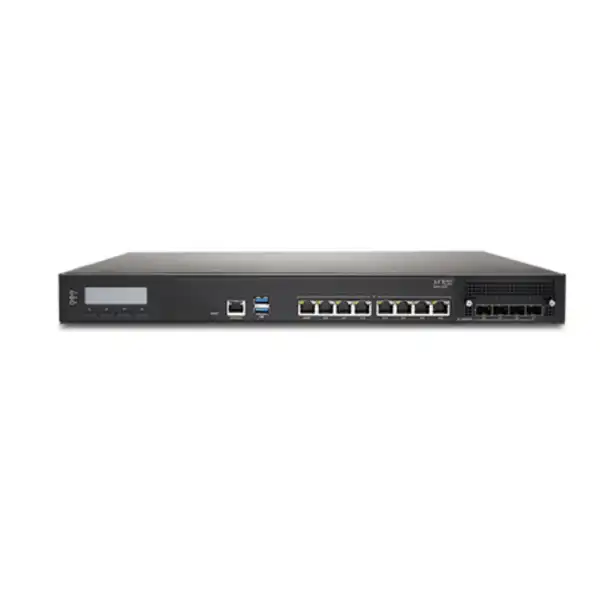
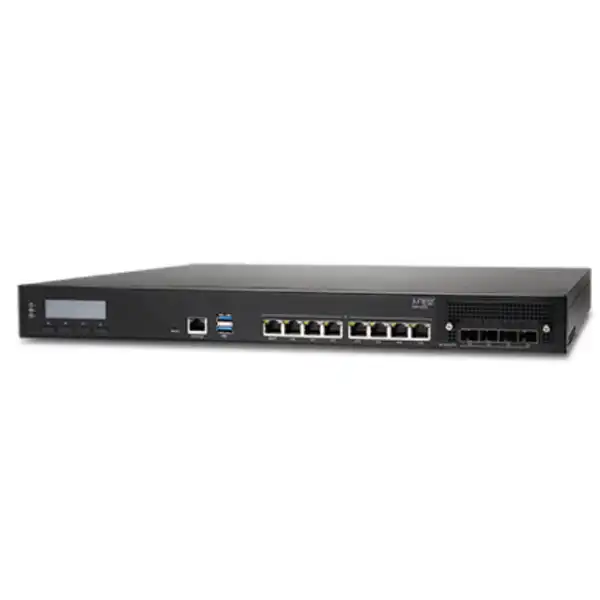
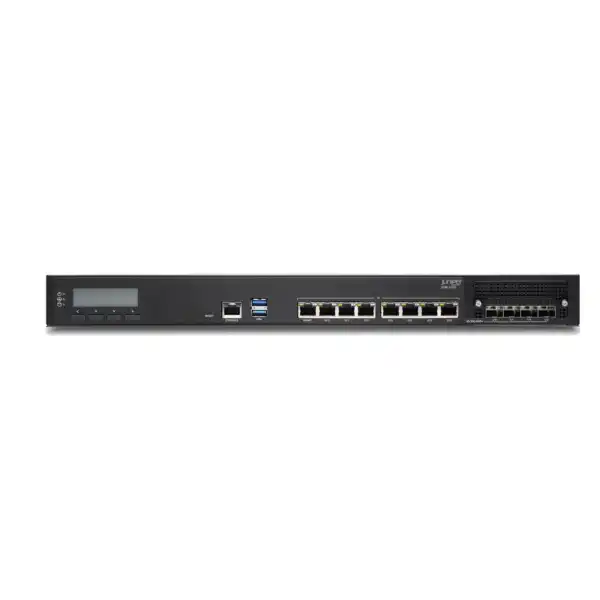
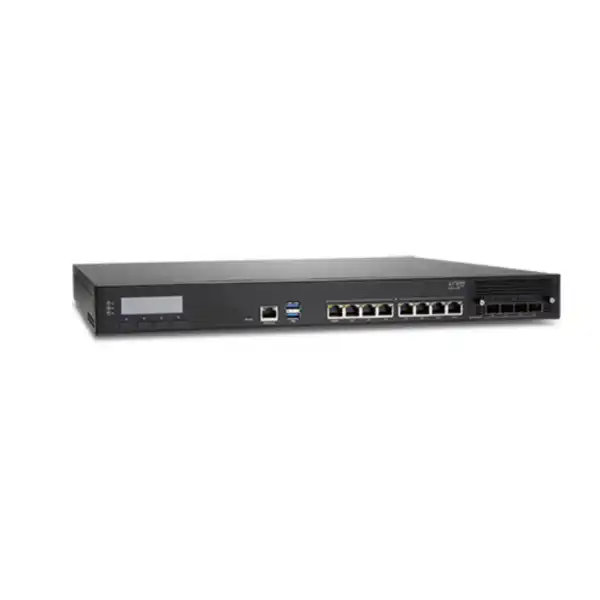
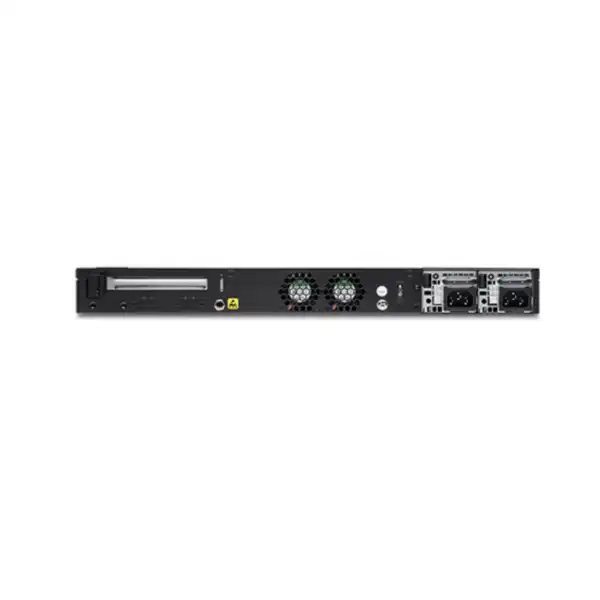
Juniper SSR1200 Session Smart Router in Dubai, UAE
The Juniper SSR1200 is the entry platform in the SSR1000 family for organisations that need more WAN capacity, interface flexibility and appliance resilience than a small-branch router normally provides. It is a 1U fixed-configuration system with seven 1GbE copper interfaces, four 1/10GbE SFP+ interfaces, 64GB RAM, a 256GB enterprise-grade SSD and redundant AC power supplies. It runs Juniper Session Smart Router software and can participate in a Mist-managed or Conductor-managed architecture, depending on the operational model and software design selected.
Direct answer for buyers
What is the Juniper SSR1200? It is a fixed-configuration 1U enterprise routing appliance in Juniper’s SSR1000 family, intended primarily for large branches and smaller campus, hub or data-center environments where Session Smart routing is required.
What is it mainly used for? The SSR1200 provides secure and resilient WAN connectivity, policy-driven routing, application-aware path selection, firewall functions, encryption, VPN services and an edge platform for Juniper’s Session Smart architecture.
Who should consider it? Organisations that have outgrown compact branch hardware, need a mix of 1GbE copper and 10GbE-capable SFP+ connectivity, want a rack-mounted dual-power platform, or are standardising a larger site on Juniper Session Smart and Mist WAN Assurance should evaluate the SSR1200.
What is the most important factor to confirm? Hardware capacity is only one part of the decision. The required Session Smart software subscription, licensed bandwidth, WAN Assurance requirement, traffic profile, encryption load, optics and high-availability design must be confirmed before the bill of materials is finalised.
What can FourTeck help determine? FourTeck can help map the number and type of WAN circuits, expected aggregate traffic, interface media, licensing term, HA requirements, migration approach and UAE deployment conditions into an SSR1200 quotation or identify when another SSR1000 model should be considered.
Where the SSR1200 fits in Juniper’s Session Smart portfolio
The SSR1200 sits at an important boundary in the Juniper Session Smart family. Juniper positions it for large branch and small data-center or campus deployments, while the larger SSR1300, SSR1400 and SSR1500 increase platform capacity and interface scale for progressively larger environments. That positioning is useful because it tells a buyer what the SSR1200 is designed to be: not a desktop branch appliance and not the highest-capacity data-center edge, but a rack-mounted enterprise WAN platform for sites where the branch is operationally important, bandwidth is substantial, and physical resiliency matters.
For a Dubai head office, regional branch, distribution facility, hospitality property, education campus, healthcare site or small data-center edge, the distinction is practical. A small appliance can appear cost-effective when only the present Internet circuit is considered, yet the actual requirement may include two or more service-provider links, private WAN connectivity, 10GbE handoff to the LAN or core, encrypted site-to-site traffic, segmented business services, cloud applications, voice and video, and operational visibility through Mist. In that environment, the router must be sized around the combined service design rather than one headline circuit speed.
The SSR1200 therefore makes most sense when the buyer values a mix of copper and SFP+ interfaces, a 1U rack form factor, dual AC power supplies and the processing headroom associated with the SSR1000 line. It can also be a useful standardisation point for organisations that want the same Session Smart operating model across several important sites without immediately moving to higher SSR1000 hardware. The right comparison is not simply “SSR1200 versus any firewall” or “SSR1200 versus any SD-WAN box.” The better question is whether the site needs the Session Smart architecture, the available port mix, the measured performance envelope and the resilience characteristics of this specific model.
If expected encrypted throughput, interface density or future growth is materially beyond the SSR1200’s practical design point, the SSR1300 or higher models deserve evaluation. Conversely, a small branch with modest bandwidth and fewer physical interfaces may be better served by a smaller SSR platform. Accurate sizing prevents two common procurement errors: paying for capacity that will never be used, or choosing an undersized edge that must be replaced when circuits, traffic or security requirements expand.
Juniper SSR1200 hardware specifications
The table below focuses on hardware characteristics published by Juniper for the SSR1200. Where performance is discussed later on this page, treat published throughput values as test observations under stated software and traffic conditions rather than as a universal guarantee for every production design.
| Specification | SSR1200 detail | Buyer relevance |
|---|---|---|
| Platform type | Fixed-configuration 1U appliance | Designed for rack deployment rather than desktop branch placement. |
| Primary positioning | Large branch; small campus, hub or data-center role | Use the site traffic, port mix and resilience requirement to confirm fit. |
| RJ-45 data ports | 7 × 1GbE | Useful for copper WAN/LAN handoffs and direct edge connectivity where 1GbE is appropriate. |
| SFP+ data ports | 4 × 1GbE/10GbE SFP+ | Allows fibre or supported transceiver choices and 10GbE-capable uplinks; optics are selected separately. |
| Management | 1 × 1GbE RJ-45 management port for Mist operations | Provides a dedicated path for onboarding and cloud management workflows. |
| Console / USB | Console interface and 2 × USB 3.0 | Supports local administration and maintenance workflows. |
| Memory | 64GB RAM | Part of the platform capacity profile; do not size solely from memory. |
| Storage | 256GB enterprise-grade SSD | Provides appliance-local storage for the software platform and operational data. |
| Power | Redundant AC PSUs, 1+1 | Supports power-feed redundancy when the installation uses two appropriate power sources. |
| AC input | 100–240 VAC, 50–60Hz | Suitable for common enterprise AC environments when correct regional power cords and grounding are used. |
| System dimensions | 438 × 431 × 44mm (W × D × H) | Confirm rack depth, cable bend radius and service clearance. |
| System weight | 16.5kg | Rack loading and two-person handling should be planned during installation. |
| Operating temperature | 0°C to 40°C | Important for UAE comms rooms; cooling and unrestricted airflow must be maintained. |
| LTE / PoE+ | Not supported as onboard features | External design choices are required if cellular backup or powered edge devices are part of the requirement. |
Understanding SSR1200 performance without oversimplifying the numbers
Juniper publishes observed performance figures for the SSR1000 family under specific Session Smart software versions and traffic profiles. For the SSR1200, the published table for Session Smart software v5.4.4 shows aggregate encrypted plus HMAC performance of 2.5Gbps with IMIX traffic and 5Gbps with 1500-byte traffic. Encrypted-only figures are higher at 7Gbps IMIX and 17Gbps with 1500-byte traffic, while unencrypted results are 10Gbps IMIX and 20Gbps with 1500-byte traffic, with the latter constrained by the maximum throughput of a single NIC. These values are valuable for comparison, but they should not be copied directly into a capacity plan as though every enterprise traffic mix will behave identically.
Real deployments combine packet sizes, encryption requirements, routing services, policy processing, application recognition, session establishment rates and path conditions. The point of the performance table is therefore to establish an engineering envelope and illustrate the effect of security processing, not to guarantee that any particular user application will achieve the top line rate. A site carrying many small packets can behave differently from a large-file transfer environment. A branch with a very large number of short-lived sessions can create a different load profile from a site where a few high-throughput data flows dominate. Similarly, an architecture that encrypts most traffic should be evaluated against encrypted figures, not against the highest unencrypted number.
For procurement, begin by documenting every WAN circuit and the realistic peak utilisation you expect during the licence term. Add expected traffic growth rather than sizing to today’s average. Separate traffic that must be encrypted from traffic that is already encrypted or otherwise treated under the Session Smart design. Identify whether the router will act as a hub receiving traffic from many remote sites, because hub aggregation can create higher concurrent load than a single branch circuit suggests. Then consider whether two SSR1200 appliances will be deployed in a high-availability arrangement, and how traffic behaves during a node or path failure.
This method is more defensible than purchasing purely from a “10GbE port” label. A physical 10GbE interface tells you the link speed the port can negotiate; it does not by itself state the application throughput the complete routing and security workload will sustain. FourTeck can help build the sizing conversation around the published performance profile, the requested software tier and the customer’s traffic assumptions so that the quotation reflects the service requirement rather than only the connector speed.
Port design: seven copper interfaces plus four 1/10GbE SFP+ ports
1GbE RJ-45 data connectivity
Seven onboard 1GbE copper data ports give the SSR1200 useful flexibility for common Ethernet handoffs. Depending on the topology, these interfaces may be assigned to Internet access, MPLS or private WAN handoffs, LAN transit, DMZ segments or other routed services. The important design step is to map logical roles to physical ports before ordering and staging, especially where two carriers, diverse LAN paths and out-of-band management must coexist.
1/10GbE SFP+ flexibility
Four SFP+ interfaces support 1GbE or 10GbE operation and are important when the carrier, core switch or distribution layer uses fibre or when a 10GbE handoff is needed. The physical port does not include every possible optic. Buyers should identify fibre type, distance, connector standard, partner equipment and any required direct-attach or optical transceiver before the bill of materials is locked.
Dedicated management path
The SSR1200 includes a 1GbE management port used for Mist operations. Juniper’s onboarding guidance uses this interface to obtain DHCP addressing and reach the Mist cloud for zero-touch provisioning. Network teams should therefore plan management reachability, DHCP where required, Internet access policies and the intended operational separation between management and production traffic.
No onboard LTE or PoE+
The SSR1200 does not provide an onboard LTE module and does not provide PoE+ data ports. If the design calls for cellular resilience, that requirement should be addressed through an appropriate external service or another platform design. Likewise, endpoint power should be delivered by switching or dedicated power equipment rather than expecting the SSR1200 to act as a PoE access switch.
A port plan should also account for failover. It is easy to consume interfaces quickly when a site uses dual Internet circuits, a private WAN, two core-switch connections, separate DMZ connectivity and dedicated HA or management paths. The SSR1200 has a useful mix, but because the NICs and onboard data ports are fixed rather than field-configurable, future interface growth should be considered at design time. If the planned topology already approaches the available interface count or requires more 10GbE connectivity than the SSR1200 provides, moving up the SSR1000 family can be more economical than engineering around a tight port constraint.
Session Smart routing: what changes compared with conventional tunnel-heavy SD-WAN
The value of the SSR1200 is tied to the Session Smart software architecture rather than the chassis alone. Juniper describes Session Smart Router as a service-centric platform built around secure vector routing, where the network understands sessions and can apply policy to them. In practical terms, an enterprise can build WAN behaviour around the service being delivered rather than treating every packet as an isolated routing event. The platform can identify session context, apply security and routing policy, and make path decisions that align with application or business intent.
This matters for organisations considering SD-WAN because many legacy overlays create persistent tunnels between sites. Session Smart is designed differently. The architecture can deliver sessions without the same dependence on traditional tunnel constructs, reducing some of the overhead associated with maintaining large numbers of overlays. That does not mean all design complexity disappears. The network still requires clean addressing, routing, service definitions, security policy, path availability, DNS and application dependencies. The benefit is that these components can be expressed in a service-aware model rather than being forced into a purely tunnel-centric operational framework.
The SSR1000 line also supports Layer 2 through Layer 5 stateful firewall functions, including traffic filtering, NAT, VPN, encryption and DoS/DDoS protection capabilities. These functions can reduce the need for separate WAN-edge boxes in some designs, but buyers should avoid assuming that “router with firewall functions” is automatically equivalent to every dedicated next-generation firewall use case. If the requirement includes advanced threat inspection, malware analysis, specialised IPS signatures, proxy services or other deep security functions, the complete security architecture should be reviewed instead of relying on a product-category label.
For many enterprise WAN projects, the best approach is to define responsibilities clearly. The SSR1200 can act as the intelligent WAN edge and deliver Session Smart routing, path steering, encryption and policy. A dedicated security platform may still perform Internet-edge inspection or specialised controls if required. In other environments, the SSR’s built-in stateful functions may be enough for the defined risk model. The design should follow the security requirements, not an assumption that every feature must be consolidated into one appliance.
Security capabilities and the zero-trust model
Juniper positions the SSR1000 family around zero-trust security, including route authentication and session traffic encryption within the Session Smart architecture. The objective is to ensure that a user, device or application does not simply gain reachability because a network path exists. Policy and service definitions determine what sessions are allowed and how they are treated. This is especially relevant in distributed organisations where traditional “inside versus outside” boundaries are less meaningful because users, workloads and cloud services span many locations.
The platform also uses adaptive encryption. Juniper states that SSR can detect traffic already encrypted through protocols such as HTTPS or IPsec and avoid re-encrypting that traffic. Avoiding unnecessary double encryption can reduce processing overhead and preserve performance. The buyer implication is not that encryption planning can be ignored; instead, encryption policy should be aligned with application requirements, regulatory controls and traffic sensitivity. Security teams should document which services need Session Smart encryption, which services already have adequate protection, and whether any application or network middlebox relies on visibility that would be affected by encryption.
Stateful firewall functions, NAT, VPN and traffic filtering allow the SSR1200 to participate directly in segmentation and edge enforcement. A good implementation will define business services and tenants explicitly rather than reproducing a flat IP network with broad any-to-any rules. This is one of the strongest opportunities in a migration: instead of using SD-WAN merely to replace circuits, the project can tighten connectivity so that branch devices, corporate users, guest services, operational technology and cloud applications receive only the paths they require.
Security design should also include management access. Mist or Conductor connectivity, administrative roles, logging destinations, authentication, software lifecycle, backup, change control and incident procedures need to be planned before go-live. The SSR1200 provides the platform, but operational security depends on how the organisation manages identities, privileges, updates and policy over the life of the deployment.
Mist WAN Assurance and Conductor management options
The SSR1200 can be deployed within Juniper Mist WAN Assurance, and Juniper’s current onboarding documentation describes a cloud-ready workflow based on claiming the appliance, assigning it to an organisation and site, and using WAN Edge Templates to build consistent configuration. The appliance includes a claim code and supports QR-code-assisted onboarding. For distributed estates, this helps reduce the number of one-off configurations because a template can establish common WAN, LAN, traffic-steering and application-policy settings.
Mist WAN Assurance is especially relevant where the same IT team already manages Juniper wireless or switching in the Mist platform. Consolidated visibility can make troubleshooting easier because the operator is not jumping between unrelated tools for each layer of the user experience. WAN insights can help correlate application or path behaviour with site-level events. However, the value depends on the subscriptions purchased and the organisation’s operating model, so the licence design needs to be confirmed rather than assuming cloud management is automatically included with the hardware.
Juniper also supports Conductor-managed Session Smart deployments. A Conductor provides central control and configuration functions for SSR deployments, and Juniper documentation describes WAN Assurance telemetry options for Conductor-managed systems. This matters for buyers with an established on-premises Session Smart architecture, regulatory preferences, existing automation or operational processes built around the Conductor model. The choice between Mist-managed and Conductor-managed operation should be made deliberately because it affects onboarding, subscriptions, change workflows and the skills expected from the operations team.
Before the SSR1200 is ordered, decide who will administer the WAN, where the control and monitoring functions should live, what level of cloud service is acceptable, how role-based access will be organised and which alerts or telemetry must integrate with existing NOC tools. The appliance itself can fit either strategy, but the project succeeds when hardware, licences and operations are designed as one system.
Licensing is a mandatory procurement decision, not an optional add-on
Juniper explicitly states that the SSR1200 hardware requires a Session Smart software subscription licence that is sold separately. This is one of the most important commercial details on the product page because buying the appliance alone does not define the complete operational entitlement. The software programme is licensed by functional tier and bandwidth, and Juniper publishes term options that can include one-, three- and five-year subscriptions. Current licence structures should always be checked at quotation time because product programmes can evolve.
The bandwidth dimension means the correct subscription should reflect the service capacity the customer intends to run, not merely the physical port speed. An SSR1200 with 10GbE-capable interfaces may be paired with a lower or higher subscription according to the approved design and Juniper licensing rules. A buyer planning two 1Gbps Internet circuits, for example, should not assume the physical chassis alone entitles every Session Smart feature at any aggregate capacity. Conversely, selecting a licence purely from the fastest available interface can lead to unnecessary cost if the actual traffic requirement is much lower.
WAN Assurance adds another commercial layer. Juniper publishes WAN Assurance subscriptions for Session Smart Routers and also offers AIWAN SaaS bundles in supported tiers that can combine Session Smart licensing with WAN Assurance. Some optional analytics or Marvis capabilities may require additional subscription choices. High-availability deployments can also affect licence counts and subscription SKUs. Because the exact package depends on functional tier, bandwidth, management method, term and HA topology, the safest buying process is to request a bill of materials that names both the hardware and the software subscriptions rather than accepting a quotation that contains only “SSR1200.”
High availability: distinguish power redundancy from router redundancy
The SSR1200 ships with redundant AC power supplies in a 1+1 arrangement. This protects against a single PSU failure when both supplies are installed and operating, and Juniper documents the power supplies as hot-removable and hot-insertable field-replaceable units. That is useful, but it is only component-level resilience inside one appliance. It does not protect against a complete chassis failure, a software fault affecting the node, loss of all links connected to that router, maintenance that requires the whole system to be unavailable, or a rack-level event.
A business that requires router-level high availability should therefore evaluate a two-node SSR design rather than treating the dual PSUs as full HA. The exact topology depends on the LAN and WAN environment. Carrier handoffs may need to be available to both nodes, upstream switching may need redundant paths, IP addressing and routing adjacencies must support failover, and software subscriptions need to match the HA architecture. Juniper’s licence documentation includes HA-related subscription structures, so the second appliance is not the only commercial consideration.
Physical design is equally important. For real power resilience, connect each PSU to an independent supported power source where the site infrastructure allows it, ideally through separate UPS or PDU paths. If both PSUs feed the same single point of failure, the presence of two modules improves serviceability but does not create end-to-end electrical redundancy. Likewise, dual routers installed in the same rack still share environmental and rack-level risks. Critical sites may need diversity at multiple layers.
When requesting an SSR1200 quote, state the recovery objective. A non-critical branch that can tolerate a maintenance window may use one appliance. A revenue-generating site, hub, healthcare environment or operation with strict uptime commitments may justify two nodes and diverse circuits. The answer should be based on business impact, not a generic rule that every edge needs the same redundancy.
Common deployment patterns for the SSR1200
Large enterprise branch
A large branch may have dual broadband or DIA circuits, a private WAN, cloud applications, voice, video, corporate and guest networks, local servers and strict availability expectations. The SSR1200 provides enough interface variety to separate multiple edge roles while giving the site a rack-mounted platform with redundant power. The design should still check encrypted throughput, concurrent traffic patterns and how many uplinks must remain connected during failover.
Small campus WAN edge
A campus may use the SSR1200 between the core/distribution layer and multiple service-provider circuits. The 10GbE-capable SFP+ interfaces can suit higher-speed handoffs while 1GbE copper remains available for other links. Because campus traffic often grows quickly, planners should model peak east-west and north-south demand, cloud breakout, remote-site aggregation and resilience rather than treating the device as a simple Internet router.
Small data-center or hub edge
When deployed as a hub, the SSR1200 may aggregate sessions from many branches. Aggregate demand and connections-per-second behaviour can matter more than the speed of any one remote circuit. Hub designs should also evaluate route scale, service diversity, encryption, failure-state traffic and whether the SSR1300 or larger platform offers a more comfortable growth margin.
SD-WAN transformation
The SSR1200 can replace or consolidate traditional WAN-edge routing functions when an organisation adopts Session Smart. A migration may combine MPLS, Internet and cloud connectivity while moving application steering into a common policy framework. Success depends on a staged plan that preserves routing reachability, security controls, DNS, voice quality, SaaS access and legacy application dependencies during the cutover.
Mist-managed WAN standardisation
For organisations already using Mist, the SSR1200 can extend a common operational experience into the WAN layer. Claim-code onboarding, WAN Edge Templates and site assignment simplify repeat deployments. The strongest benefit appears when the organisation defines reusable standards for interfaces, policies, naming, monitoring and support rather than treating each site as a custom exception.
How to size an SSR1200 properly
Sizing starts with traffic, but it should not end there. The first number to gather is aggregate WAN demand during busy periods. Include every circuit that can carry traffic at the same time. If two 1Gbps Internet links are active-active, the edge can see more than 1Gbps of aggregate traffic. If a third private circuit is also present, include the flows that may traverse it. Then project growth over the expected subscription and hardware lifecycle. A three- or five-year design that uses today’s average traffic without growth allowance can create an expensive mid-term upgrade.
Next, separate traffic by security treatment. Juniper’s published SSR1200 performance differs significantly between unencrypted, encrypted-only and encrypted-plus-HMAC conditions. The correct comparison therefore depends on the service policy. A high-throughput backup application that is already encrypted end to end may not create the same processing profile as traffic that Session Smart must protect. Small-packet workloads and high session-creation rates can also change behaviour. If the environment is unusually session intensive, use representative traffic assumptions rather than relying on a simple Mbps calculation.
Third, count physical interfaces. List every WAN handoff, every LAN or core connection, every DMZ/transit requirement and the dedicated management connection. Note whether each link is copper or optical and whether it needs 1GbE or 10GbE. Check fibre type and distance. The SSR1200’s fixed interface set cannot be expanded like a modular chassis, so a design that already uses nearly every port has limited room for future circuits or topology changes.
Fourth, classify the site role. A large branch mainly originates local sessions. A hub or small data center may terminate traffic from many branches and can experience concentrated demand during failovers. A regional hub may also be a route redistribution point between SD-WAN, campus, data-center and cloud environments. These roles require different performance margins even if the access circuits look similar on paper.
Fifth, model failure states. If one of two WAN circuits fails, can the remaining circuit carry the business-critical load? If one of two SSR nodes fails, will the surviving node have enough licensed and physical capacity? If a 10GbE core uplink fails and traffic moves to a second link, does the topology remain within port and performance limits? Sizing only the healthy steady state can leave the network weakest precisely when resilience is needed.
Finally, align capacity with the software licence. The hardware may have sufficient processing headroom while the selected subscription is licensed for a lower bandwidth tier, or a high bandwidth entitlement may be wasted on a site whose carrier circuits cannot approach it. Hardware, software and carrier capacity should be treated as a matched set. FourTeck can use this sizing information to prepare a more accurate UAE bill of materials and, where necessary, compare the SSR1200 with higher SSR1000 options.
Installation planning for Dubai and UAE sites
The SSR1200 is a 1U rack appliance measuring approximately 438mm wide, 431mm deep and 44mm high, with a system weight of 16.5kg. Juniper’s hardware guidance calls for adequate rack support and service clearance. Buyers should reserve suitable rack space, confirm the rack can support the appliance safely, and ensure there is room for power and data cable bend radius. Juniper recommends clearance at the front and rear for maintenance, so a tightly packed communications cabinet should be checked before the equipment arrives.
Environmental planning is particularly important in the UAE. The published operating temperature range is 0°C to 40°C. That range applies to the device environment, not outdoor ambient temperature. The network room therefore needs reliable cooling, clean airflow and protection from dust. Air intake or exhaust should not be blocked by cable bundles or adjacent equipment. In sites where building cooling is turned down after business hours, confirm that the rack environment remains within specification continuously, because WAN equipment often runs 24 hours a day even when the office is closed.
Power design should make use of the two AC PSUs. The SSR1200 supports 100–240VAC at 50–60Hz. Juniper’s current SSR1000 datasheet lists an estimated maximum power draw of 232.26W for the SSR1200, while the hardware guide lists a 300W maximum power-supply specification. These values describe different aspects of the power system, so rack and UPS planning should use the applicable engineering guidance rather than assuming the lower number is a hard upper limit for every power calculation. Grounding must follow Juniper’s safety instructions and local electrical practice.
Optics and cabling should be purchased only after the physical path is known. For SFP+ connections, confirm whether the link uses single-mode fibre, multimode fibre, DAC or another supported medium, the required distance, connector type and compatibility with the peer device. Do not order a generic “10G SFP” based solely on speed. Incorrect optics are a common cause of delayed installations even when the router itself is correct.
Finally, plan the management network before arrival. Mist onboarding commonly uses the dedicated management port with DHCP and Internet reachability to the Mist cloud. If a site applies strict egress filtering, proxy requirements or separate management VLANs, those controls should be prepared so zero-touch provisioning can complete. A staged appliance can be fully documented with serial number, claim code, intended site, template, circuit labels and port map before the field engineer mounts it.
A practical SSR1200 migration approach
Migrating to Session Smart is not only a hardware replacement. The safest projects treat the change as a WAN architecture transition. Start by documenting the current state: carrier circuits, WAN IP addresses, BGP or static routes, VLANs, NAT rules, VPNs, firewall dependencies, DNS behaviour, voice paths, cloud connectivity, monitoring, authentication and any applications that use fixed source addresses. This inventory reduces the risk of discovering a hidden dependency during the cutover window.
Next, translate business traffic into services and policy. Identify applications that require low latency, traffic that can tolerate Internet path changes, services that need private connectivity, segments that should never communicate, and destinations that must retain a consistent source path. Session Smart creates value when these requirements become explicit. Simply copying a legacy route table into a new appliance may move traffic successfully, but it misses much of the service-centric advantage.
Build the WAN circuit and port map before configuration. Each interface should have a documented role, carrier, addressing method, speed, duplex or optical expectation and upstream/downstream device. If the site will use the four SFP+ ports, stage the correct optics and fibre. If a carrier provides a managed NTE, confirm whether the handoff is copper or optical, whether VLAN tagging is required and who owns Layer 2 troubleshooting. These details often determine the cutover timeline more than the router configuration itself.
For critical sites, use a parallel migration where practical. Install the SSR1200, onboard it to Mist or Conductor, verify software and licences, test WAN reachability, validate routing and confirm monitoring before moving production traffic. Then migrate selected services or circuits in a controlled sequence. Keep rollback criteria clear. The goal is not merely to have a backup configuration file; the team must know which physical connections and routing changes restore the old path if validation fails.
After cutover, monitor more than reachability. Verify application experience, path selection, packet loss, latency, voice quality, cloud access, Internet breakout, DNS, security logs and policy hits. Compare actual peak traffic with the sizing assumptions used during procurement. The first days of production provide valuable data for tuning policies and confirming that the selected hardware and licence tier have comfortable headroom.
Operational lifecycle, maintenance and support
Enterprise routers are purchased for years of service, so the operational model matters as much as day-one specifications. Juniper documents the SSR1200 power supplies and transceivers as field-replaceable components, while the fans on this model are not treated as removable field-replaceable trays in the same way as on larger SSR1000 platforms. If another internal hardware component fails, support escalation may be required. That makes support coverage and spare strategy important for sites with strict restoration targets.
Juniper lists Enhanced Limited Lifetime Warranty coverage for the SSR100 and SSR1000 lines and also publishes Juniper Care service options for next-day and same-day replacement, subject to service terms and availability. For the SSR1200, service SKUs include SVC-ND-SSR1200 and SVC-SD-SSR1200. UAE availability, service-level eligibility and delivery commitments should be confirmed in the commercial quotation rather than inferred from a global datasheet, particularly for remote Emirates, secure sites or locations with restricted delivery access.
Preventive maintenance is straightforward but still necessary. Keep the installation area clean, watch for dust accumulation, maintain unobstructed airflow, inspect cables and ensure power connections remain secure. Review platform alarms and telemetry instead of waiting for a complete outage. Redundant PSUs are most valuable when failures are detected and replaced promptly; an unnoticed failed power module silently converts a redundant design into a single-feed risk.
Software lifecycle should be governed through planned maintenance windows. Track the deployed Session Smart release, Juniper release notes, known issues, recommended upgrades and compatibility with Mist or Conductor functions. Before an upgrade, validate configuration backup, HA behaviour where applicable, rollback procedures and any plugin or integration dependencies. Large estates benefit from a canary approach in which a small number of representative sites are upgraded before broad rollout.
Operations teams should also define what information must be retained for support cases: serial numbers, software release, recent configuration changes, topology, circuit IDs, timestamps, alarms and relevant logs. Good operational records shorten troubleshooting and make vendor escalation more effective. A technically capable router cannot compensate for missing ownership, undocumented circuits or unclear escalation paths.
When the SSR1200 may be a good fit — and when to evaluate another model
SSR1200 is worth shortlisting when
- The site is a large branch, smaller campus, hub or small data-center edge.
- Seven 1GbE copper data ports and four 1/10GbE SFP+ ports match the physical topology.
- A 1U rack appliance with dual AC power supplies is preferred.
- The organisation is adopting Juniper Session Smart routing and needs Mist or Conductor-based operations.
- The measured encrypted and unencrypted traffic profile fits the published SSR1200 performance envelope with suitable headroom.
- There is a clear plan for the required software subscription, bandwidth tier and support coverage.
Evaluate another design when
- Projected encrypted throughput or hub aggregation leaves little performance margin.
- The site needs more 10GbE ports, 25GbE interfaces or additional fixed connectivity.
- Built-in cellular WAN is a hard requirement rather than an external design option.
- The location is a small branch whose traffic and interface needs are far below the SSR1200’s intended role.
- The security requirement depends on specialised inspection functions that should remain on a dedicated security platform.
- The procurement team has not yet defined the Session Smart licence and operational management model.
Within the SSR1000 family, the SSR1300 is the natural next comparison when higher capacity or more interfaces are needed. Juniper positions it for medium campus or data-center deployments and equips it with more memory and additional 10GbE connectivity. The SSR1400 adds still greater capacity and 25GbE-capable interfaces, while the SSR1500 is intended for extra-large environments. A proper comparison therefore focuses on the expected service load, port geometry and growth margin rather than assuming the next model is automatically “better.”
SSR1200 versus SSR1300: the first family comparison to make
| Decision area | SSR1200 | SSR1300 | What it means |
|---|---|---|---|
| Suggested role | Large branch / small campus or data center | Medium campus or data center | Start from workload and site role, not model numbering. |
| 1GbE RJ-45 data ports | 7 | 4 | SSR1200 can suit designs needing more onboard 1GbE copper despite being the smaller model. |
| SFP/SFP+ connectivity | 4 × 1/10GbE SFP+ | 4 × 10GbE SFP+ plus 4 × 1/10GbE SFP+ | SSR1300 offers materially more high-speed optical connectivity. |
| RAM | 64GB | 128GB | Part of the higher platform capacity profile of the SSR1300. |
| Unencrypted IMIX observed | 10Gbps | 20Gbps, max throughput on single NIC | Higher throughput requirements are a clear reason to evaluate SSR1300. |
| System depth | 431mm | 650mm | The SSR1200 is physically shallower, which can matter in constrained racks. |
The comparison shows why a larger model is not merely the same appliance with a higher number. The SSR1300 increases 10GbE interface density and platform capacity but is deeper and has a different port balance. A buyer with many copper 1GbE handoffs and moderate throughput may prefer the SSR1200, while a site with dense 10GbE connectivity or higher aggregate processing demand may be better aligned with SSR1300. Beyond that point, SSR1400 and SSR1500 should be considered when 25GbE interfaces or substantially higher capacity become part of the design.
Procurement details that should appear on a UAE quotation
A complete SSR1200 procurement request should be more specific than “one Juniper router.” The base hardware SKU is SSR1200, and Juniper’s ordering information describes it as hardware only with the 1U chassis, 64GB RAM, 256GB SSD, redundant power, seven 1GbE RJ-45 ports and four 1/10GbE SFP+ ports. Session Smart software licensing and optics are separate commercial items. Juniper also publishes SSR1200-RMK for the rackmount kit and SSR1200-CHAS for the chassis without AC PSUs and rackmount components, so the exact SKU matters.
For a standard new deployment, the quotation should state whether rackmount hardware and the two AC power supplies are included in the offered configuration. It should identify the required regional power cords and any optical transceivers. If support beyond the standard warranty is requested, the quotation should list the chosen Juniper Care service and term. If the project is HA, the quantity of appliances and all related licences should be explicit.
The software section should name the Session Smart tier, licensed bandwidth and subscription duration. If Mist WAN Assurance is required, that should appear as a distinct entitlement or within the approved bundle. Avoid accepting vague descriptions such as “software included” unless the exact entitlement and term are documented. Subscription clarity is essential for budgeting renewals and ensuring the delivered system can be activated as designed.
Logistics information also matters in the UAE. State the delivery Emirate, site access restrictions, whether equipment is going to a free zone, secure facility or remote site, and whether installation is required. For projects with a fixed cutover date, confirm stock and licensing lead times before scheduling engineers. If the site needs after-hours work, rack-and-stack, cable dressing, configuration, migration, testing or documentation, include those services in the scope rather than assuming they are part of the hardware price.
FourTeck can prepare the bill of materials around these inputs so the buyer sees hardware, subscriptions, optics, support and services as separate but coordinated elements. That format makes vendor comparisons more meaningful because two quotes that both say “SSR1200” can differ substantially in what is actually included.
Important limitations and dependencies to know before ordering
Frequently asked questions about the Juniper SSR1200
Is the SSR1200 a firewall or a router?
It is primarily a Session Smart Router, but Juniper documents Layer 2 through Layer 5 stateful firewall functions that include traffic filtering, NAT, encryption, VPN and DoS/DDoS protection capabilities. Whether those functions replace a separate security appliance depends on the organisation’s threat-inspection, compliance and operational requirements. For a project that requires advanced security inspection beyond the defined SSR feature set, keep the roles separate or evaluate an integrated architecture with the security team.
Does the Juniper SSR1200 include its software licence?
No. Juniper states that a Session Smart software subscription licence is sold separately. The required entitlement is selected according to the approved feature tier, bandwidth and subscription term. If Mist WAN Assurance is part of the design, its subscription or an appropriate bundled licence must also be included. Buyers should request exact licence SKUs in the quotation.
How many Ethernet ports does the SSR1200 provide?
The appliance provides seven 1GbE RJ-45 data ports, four 1/10GbE SFP+ data ports and a dedicated 1GbE RJ-45 management port for Mist operations. It also includes a console interface and two USB 3.0 ports. The fixed interface set should be mapped against the planned WAN, LAN, DMZ and management topology before order placement.
Are SFP+ optics included?
The SSR1200 has four SFP+ ports, but Juniper ordering information states that optics are sold separately. The required module depends on link speed, fibre type, distance, connector and compatibility with the peer device. For accurate procurement, provide the carrier or switch handoff specification rather than requesting an unspecified “10G optic.”
Can the SSR1200 be managed through Juniper Mist?
Yes. Juniper provides Mist onboarding and WAN Assurance support for the SSR1200. The cloud-ready workflow uses the appliance claim code or QR code and assigns the device to a Mist organisation and site. The dedicated management interface is commonly used for initial connectivity. Appropriate subscriptions and software versions are required, so those should be confirmed during staging.
Can it be managed with Session Smart Conductor instead?
Yes. Juniper supports Conductor-managed Session Smart deployments, and its WAN Assurance documentation also describes telemetry integration for compatible Conductor-managed software versions. Existing Session Smart customers may prefer this model if operational workflows, automation or policy are already built around Conductor. The management strategy should be selected before licence and staging decisions are finalised.
What throughput should I expect?
Juniper publishes observed SSR1200 performance under Session Smart software v5.4.4. Its table lists 2.5Gbps IMIX and 5Gbps 1500-byte for encrypted plus HMAC traffic, 7Gbps IMIX and 17Gbps 1500-byte for encrypted-only traffic, and 10Gbps IMIX and 20Gbps 1500-byte for unencrypted traffic. These numbers are test references. Actual production performance depends on traffic profile, packet size, security processing, session behaviour, routing services and the complete design.
Does the SSR1200 have redundant power?
Yes. The appliance includes two AC power supplies in a 1+1 redundant configuration. Juniper documents these PSUs as hot-removable and hot-insertable when the second supply is operating. For genuine electrical resilience, the two power supplies should connect to independent supported power paths where the site design permits. Dual PSUs do not replace a second router when chassis-level HA is required.
Does the SSR1200 support LTE or 5G?
The published SSR1200 hardware specifications list onboard LTE modules as not supported. If cellular backup is required, the network design must use another supported component or platform. Buyers with cellular as a primary branch requirement should compare other Session Smart hardware or an external modem/gateway architecture rather than assuming an internal module can be added.
Does it provide PoE for phones or access points?
No. Juniper lists PoE+ as not supported on the SSR1200. Power for IP phones, access points, cameras or other endpoints should come from a suitable PoE switch or injector. The SSR1200 is designed as a routing appliance, not as a replacement for an access-layer PoE switch.
What rack space and cooling does it need?
The SSR1200 occupies 1U and measures about 438 × 431 × 44mm. Juniper lists a 0°C to 40°C operating range and requires unrestricted airflow plus adequate front and rear service clearance. For UAE installations, the communications room should maintain controlled temperature continuously, remain clean and dust-managed, and provide rack space that allows cables and power supplies to be serviced safely.
Is the SSR1200 suitable for a data center?
Juniper positions the SSR1200 for small data-center or campus environments as well as large branches. Whether it fits a particular data center depends on aggregate traffic, encryption, number of remote sites, port requirements, redundancy and growth. A hub receiving substantial traffic from many branches may justify the SSR1300, SSR1400 or SSR1500 even if the local Internet circuit alone looks modest.
What is the difference between the SSR1200 and SSR1200-CHAS?
Juniper’s ordering information distinguishes the full SSR1200 hardware SKU from SSR1200-CHAS. The SSR1200 product description includes the main hardware, redundant power and rackmount components, whereas SSR1200-CHAS is the chassis without AC power supply units and without the rackmount kit. Procurement teams should verify the exact part number on a quotation so an accessory or chassis-only SKU is not mistaken for a complete new appliance.
Can I use the SSR1200 for dual ISP connections?
Yes, the physical interface count and Session Smart architecture can support multi-path WAN designs, subject to configuration, licensing and the exact carrier handoffs. The important step is to map both ISPs, any private WAN, LAN uplinks and management interfaces into the port plan. If the site also requires router-level HA, check how every carrier connects to both nodes and how failover changes aggregate traffic.
What information is needed for an accurate Dubai quote?
Provide the required quantity, site role, total and per-circuit bandwidth, WAN types, encryption requirement, copper versus fibre handoffs, optic distances, desired subscription term, Mist or Conductor management preference, HA requirement, support SLA, delivery Emirate and whether installation or migration is included. With these details, the hardware and subscription can be sized together instead of quoting an incomplete standalone appliance.
Buyer decision recap
What FourTeck needs from the buyer for an accurate quotation
A small amount of design information makes the SSR1200 quotation much more accurate and helps avoid missing licences, optics or services. Send the points below when available; estimates are acceptable during the first discussion, but final values should be confirmed before order placement.
How many SSR1200 units are required and whether each site is a branch, campus edge, hub or data-center location.
Carrier count, service type, bandwidth, copper or optical handoff, IP addressing and whether circuits run active-active or active-standby.
Expected peak aggregate traffic, growth, major applications, encryption requirements and any high-session-rate workloads.
Number of 1GbE copper, 1GbE fibre and 10GbE connections, fibre type, distance and peer-device specifications.
Preferred one-, three- or five-year term, functional requirements, licensed bandwidth and whether Mist WAN Assurance is required.
Whether the site needs one appliance or two-node HA, plus the required recovery objective and diversity of power and WAN circuits.
Standard warranty expectations, next-day or same-day service needs, and any internal SLA the network team must meet.
Delivery Emirate, rack readiness, access restrictions, installation scope, migration requirement, cutover window and documentation needs.
Plan the Juniper SSR1200 around your WAN, not around a part number
The SSR1200 can be a strong fit for a large branch or smaller campus and data-center edge when its port mix, throughput profile, licensing and resilience match the real requirement. The most useful next step is to turn your circuit speeds, encryption needs, fibre handoffs, growth plan and management preference into a complete bill of materials. That identifies whether one SSR1200 is sufficient, whether two are needed for high availability, which software subscription is appropriate, which optics must be included and whether a larger SSR1000 platform should be compared before purchase.


Reviews
There are no reviews yet.