

Flexible UniFi Wi-Fi 6 coverage
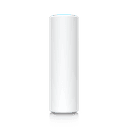
Ubiquiti U6 Mesh U6-Mesh in Dubai, UAE
The U6-Mesh is a compact dual-band Wi-Fi 6 access point for indoor and outdoor deployments where conventional ceiling placement is inconvenient, visually unsuitable, or technically limiting. It combines a six-spatial-stream radio design, a Gigabit Ethernet uplink, PoE power, wireless meshing support, and UniFi Network management in a slim cylindrical enclosure. For business buyers, the important question is not simply whether the device is fast, but whether its coverage pattern, mounting position, backhaul design, client mix, and power arrangement suit the actual site.
Buyer action panel
Share the floor plan, intended mounting location, expected device count, existing UniFi environment, and whether Ethernet cabling reaches the proposed access-point position. FourTeck can use this information to prepare a more accurate bill of materials and quotation.
Dual-band Wi-Fi 6
Indoor or outdoor
PoE, 13W maximum
UniFi Network
1 × Gigabit Ethernet
Direct answer for business buyers
The Ubiquiti U6 Mesh is a managed Wi-Fi 6 access point intended to extend business or residential wireless coverage from a flexible wall, pole, table, or suitable outdoor position. It is worth considering when a project needs UniFi management, indoor-outdoor continuity, wireless meshing capability, or a less conventional form factor than a ceiling disc. Before proceeding, confirm whether the site will use a wired Gigabit uplink or wireless mesh backhaul, how PoE will be supplied, where the unit will be mounted, the expected number and type of connected devices, and whether the environmental exposure is consistent with the product’s installation requirements. Coverage and capacity figures should be treated as planning references, not guarantees.
What the U6-Mesh does
The device creates a centrally managed wireless access layer for compatible client devices on the 2.4 GHz and 5 GHz bands. It can connect to the wired network through its Gigabit Ethernet port and receive power over the same cable. In deployments where cabling is difficult, it can also participate in a wireless mesh topology with other supported UniFi access points, although wireless backhaul uses radio capacity and should be planned carefully. UniFi Network provides administration, radio settings, SSIDs, guest controls, VLAN-related features, client visibility, updates, and site-wide policy management.
Who should consider it
The U6-Mesh may suit small and medium offices, hospitality venues, villas, cafés, retail spaces, training centres, clinics, branch locations, terraces, sheltered courtyards, reception areas, and mixed-use sites already using or planning to use the UniFi platform. It is particularly relevant where the access point must be mounted on a wall or pole, positioned on a shelf or counter, or placed in a weather-exposed area within the stated installation guidance. It may be less suitable when the project requires multi-gigabit wired uplinks, Wi-Fi 6E or Wi-Fi 7 operation, highly directional coverage, or very dense venue-scale capacity.
Business challenges this access point can help address
Awkward mounting positions
Some sites cannot support ceiling-mounted access points because of exposed ceilings, heritage finishes, rented premises, outdoor zones, or access restrictions. The cylindrical U6-Mesh form and included wall or pole mounting options provide additional placement choices, subject to correct orientation, cabling, power, and environmental conditions.
Coverage across mixed spaces
Businesses often need one wireless design to serve internal rooms, reception areas, terraces, corridors, and outdoor seating zones. The U6-Mesh can contribute to a unified UniFi-managed design, but the quantity and position of access points should be based on survey findings, floor plans, obstructions, and expected usage.
Centralised administration
Managing individual consumer-grade wireless devices creates inconsistent settings and limited visibility. UniFi Network allows U6-Mesh units and other compatible UniFi network devices to be managed through a common application, helping administrators apply coordinated SSIDs, guest policies, radio settings, and maintenance procedures.
Cable-limited expansion
Wireless meshing can help extend coverage when a wired uplink is temporarily unavailable or difficult to install. It should not automatically replace structured cabling, because mesh backhaul can reduce usable capacity and is influenced by distance, interference, obstructions, and the radio relationship between access points.
Core capability band
Six spatial streams
The official design combines four spatial streams on 5 GHz and two on 2.4 GHz. Actual client throughput depends on client radio capability, channel width, distance, interference, protocol overhead, and airtime sharing.
160 MHz support
The 5 GHz radio supports channel widths up to 160 MHz. Wider channels can increase headline rates for compatible clients but consume more spectrum and may be unsuitable in congested or multi-access-point environments.
Indoor and outdoor use
The enclosure carries IPX5 weatherproofing. Outdoor suitability depends on correct LED-up orientation, the included mount, cable entry treatment, surge planning, and exposure conditions.
UniFi policy control
Supported functions include band steering, roaming assistance, guest portal options, client isolation, Wi-Fi schedules, private pre-shared keys, RADIUS-related functions, and traffic speed controls.
Product-fit matrix
| Requirement | Suitable when | Confirm before ordering |
|---|---|---|
| Flexible indoor mounting | A wall, pole, shelf, counter, or non-ceiling position better fits the space. | Cable path, PoE source, orientation, security, and visual impact. |
| Outdoor wireless coverage | The installation is within the IPX5 and operating-environment limits. | Exposure, mounting direction, surge protection, grounding, and cable protection. |
| UniFi-managed site | The organisation already uses or intends to deploy UniFi Network. | Controller or console choice, software version, remote access policy, and administrator ownership. |
| Wireless mesh extension | A wired uplink is unavailable and radio conditions support a stable mesh path. | Parent access point, hop count, signal quality, expected throughput, and future cabling plan. |
| High-density or multi-gigabit demand | Only when a survey shows that a Gigabit uplink and this radio platform meet the requirement. | Concurrent users, application mix, wired bottleneck, channel reuse, and whether a newer or higher-capacity model is more appropriate. |
Verified technical information
| Brand | Ubiquiti |
|---|---|
| Product name | UniFi U6 Mesh |
| Model | U6-Mesh |
| Product type | Indoor/outdoor dual-band Wi-Fi 6 access point |
| Dimensions | 48.5 mm diameter × 159.5 mm height |
| Weight | 400 g |
| Wi-Fi standard | 802.11ax Wi-Fi 6, with supported legacy Wi-Fi 5 and Wi-Fi 4 data rates |
| Spatial streams | 6 total: 4 × 4 on 5 GHz and 2 × 2 on 2.4 GHz |
| Maximum radio data rate | Up to 4.8 Gbps on 5 GHz at 160 MHz and 573.5 Mbps on 2.4 GHz at 40 MHz; not equivalent to application throughput |
| Coverage reference | Up to 140 m² according to manufacturer planning data; actual coverage is site dependent |
| Client reference | 250+ clients according to manufacturer data; practical capacity depends heavily on traffic and radio design |
| Network interface | 1 × Gigabit Ethernet RJ45 |
| Power method | PoE, supported voltage 44–57V DC |
| Maximum power consumption | 13W |
| PoE adapter | Included according to current official technical information; confirm regional package contents before ordering |
| Mounting | Wall and pole mounts included; optional mounting accessories may be available |
| Weatherproofing | IPX5 when installed in the prescribed orientation and manner |
| Operating temperature | -30°C to 60°C |
| Management application | UniFi Network 6.0.45 or later |
| Important note | Regional radio rules, package contents, firmware, and availability should be confirmed for the destination market. |
Compatibility and dependency notice
The U6-Mesh is not a standalone internet service and does not replace the router, firewall, switch, structured cabling, or broadband connection required by the wider network. It needs a compatible UniFi Network management environment for configuration and ongoing administration. A PoE-capable switch or suitable injector must provide power. The official technical information currently lists a PoE adapter in the package, but package contents can vary by region or sales channel, so the quotation should identify exactly what is included.
Wireless meshing also depends on another supported UniFi access point with a suitable radio path. Walls, coated glass, metal structures, lift shafts, kitchens, outdoor heat, neighbouring networks, and the distance between mesh nodes can all affect performance. For critical business coverage, a wired uplink is generally easier to predict and troubleshoot than wireless backhaul. Compatibility with VLANs, RADIUS, guest portals, captive portal integrations, existing switching, and upstream security policy should be reviewed as part of the design rather than assumed from the access point alone.
A practical purchase and deployment journey
Define the service area
Identify the rooms, outdoor zones, floors, and transition areas that require coverage. Note the construction materials, ceiling heights, possible mounting points, Ethernet outlets, existing switches, and sources of radio obstruction. A plan marked with user concentrations and application types is more useful than a simple square-metre estimate.
Select wired or mesh backhaul
Where practical, plan a wired Gigabit uplink for predictable capacity and simpler fault isolation. Use wireless meshing when cabling is unavailable, temporary, or genuinely impractical. For mesh designs, confirm the parent access point, expected signal path, hop count, and whether the retained throughput will support the intended users.
Confirm power and switching
Check the PoE budget, switch standards, cable category, cable length, outdoor cable suitability, surge protection, and whether the supplied injector or a managed PoE switch will be used. A Gigabit switch port is important because the access point has a Gigabit Ethernet uplink.
Design configuration and policy
Decide which SSIDs are required, how staff and guest traffic will be separated, whether VLANs or RADIUS are involved, which roaming options are appropriate, how updates will be controlled, and who will own the UniFi administrator account. Avoid creating more SSIDs than the business actually needs because each SSID consumes airtime.
Install, validate, and document
Mount the device in the approved orientation, adopt it into UniFi Network, apply the configuration, and test coverage with representative client devices. Validate roaming paths, guest access, VLAN reachability, internet performance, and mesh stability where used. Record the device name, switch port, cable route, IP information, firmware policy, and administrator handover details.
Radio capacity, channel width, and realistic performance
The U6-Mesh advertises high maximum radio data rates, but buyers should understand what those figures represent. A radio link rate is the negotiated physical connection between the access point and a client under specific channel, signal, and protocol conditions. It is not the same as the speed a user will see in an application. Protocol overhead, retransmissions, shared airtime, network congestion, client capability, switch uplink capacity, internet service, security inspection, and distance all reduce practical throughput.
The 5 GHz radio can use channel widths up to 160 MHz. A wide channel can be helpful for a small number of compatible clients in a clean radio environment, but it uses a large portion of the available spectrum. In offices, apartment buildings, hospitality venues, and multi-access-point sites, 80 MHz or narrower channels may produce more stable and reusable coverage. Wider is not automatically better. The correct choice depends on neighbouring networks, regulatory channels, access-point quantity, required client capacity, and the applications in use.
The 2.4 GHz band travels farther and is supported by many older and Internet-of-Things devices, but it has fewer non-overlapping channels and is commonly congested. The 5 GHz band offers more channel capacity and is usually preferred for modern laptops and phones, although its signal attenuates more quickly through walls. Band steering can encourage suitable clients toward 5 GHz, but client devices ultimately make many roaming and band-selection decisions. A balanced deployment therefore relies on coverage overlap, transmit-power planning, clean channel allocation, and realistic expectations rather than one setting applied to every site.
UniFi management and operational control
The value of the U6-Mesh extends beyond the radio hardware because it participates in the UniFi Network management environment. Administrators can define wireless networks, review connected clients, inspect signal and usage information, update firmware, manage guest access, and coordinate settings across multiple access points. For a business with several branches or coverage zones, a common management approach can reduce the inconsistency that comes from configuring unrelated standalone devices.
Management architecture should still be planned carefully. The organisation needs to decide whether UniFi Network will run on a UniFi console, a suitable gateway, a hosted instance, or another supported platform. Administrator access should use named accounts, strong authentication, appropriate permissions, and an agreed ownership model. A business should avoid leaving the network dependent on a personal account belonging to a former contractor or employee. Backup, update, remote access, and change-control procedures should be agreed during deployment.
Features such as private pre-shared keys, RADIUS integration, guest isolation, captive portals, client isolation, speed limiting, schedules, and dynamic VLAN assignment can support useful business policies. Their successful use depends on the wider network. A VLAN configured in the wireless application must also be carried and allowed by the switch, gateway, firewall, DHCP service, and any authentication systems. FourTeck can help clarify these dependencies and distinguish basic access-point configuration from broader network integration work.
Indoor-outdoor deployment flexibility
The slim cylindrical enclosure makes the U6-Mesh useful in locations where a ceiling-mounted access point would be difficult or visually intrusive. It may be fixed to a wall or pole using the included mounting options, or positioned in an appropriate indoor location where the cable and device can be protected. For outdoor deployment, weatherproofing is conditional on correct installation. The official product guidance states that the device should be installed LED side up with the included pole or wall mount to retain its weatherproof characteristics.
An IPX5 rating addresses water exposure but does not remove the need for professional installation judgement. The cable path, connector entry, drip loops, enclosure orientation, direct sun, ambient temperature, dust, salt air, irrigation, cleaning equipment, accidental impact, vandalism, and surge exposure should all be considered. In exposed outdoor sites, an Ethernet surge-protection strategy and proper grounding may be required as part of the broader network design. Electrical and data-cabling work should follow local requirements and site standards.
The official operating-temperature range extends to 60°C, but measured ambient temperature is not always the same as the temperature experienced by a device mounted in direct sun or next to a heat-reflective surface. Dubai and wider GCC projects should therefore consider shade, airflow, enclosure colour, mounting surface, and seasonal conditions. A site survey and installation review are preferable to assuming that a published temperature limit guarantees performance in every exposed position.
Ideal business environments and use cases
Hospitality and cafés
A U6-Mesh can help connect indoor seating, terraces, reception zones, and service areas under one UniFi-managed wireless design. The final design should separate staff and guest access, account for peak occupancy, and verify coverage around kitchens, glass façades, outdoor furniture, and neighbouring networks.
Small and medium offices
The access point may suit meeting rooms, open offices, reception areas, and covered outdoor spaces where flexible placement is useful. Buyers should assess collaboration traffic, cloud applications, voice calls, visitor access, and whether the Gigabit uplink is sufficient for the planned number of users.
Retail and branch locations
A centrally managed access point can support staff devices, point-of-sale connectivity, handheld terminals, and guest access, subject to application and security requirements. Critical payment systems should be designed with appropriate segmentation, resilience, monitoring, and fallback arrangements.
Villas and premium residences
The form factor can work well in living areas, garden-facing spaces, terraces, and locations where visible ceiling equipment is undesirable. A residential design should consider concrete walls, floor separation, smart-home devices, television streaming, security cameras, and outdoor coverage requirements.
Education and training rooms
Training centres can use the U6-Mesh as part of a managed design for instructor and learner devices. The deployment should be sized for concurrent sessions, software downloads, online assessments, video content, and roaming between rooms rather than based only on the client-count headline.
Temporary or evolving layouts
The device can support sites where furniture, partitions, event arrangements, or tenant layouts change. Wireless meshing may provide temporary flexibility, but permanent business installations should review whether structured cabling will deliver better long-term capacity and supportability.
Integration and operational considerations
A successful access-point project involves more than mounting the hardware. The switch must provide the correct PoE and network connectivity. The gateway or firewall must route and secure the wireless VLANs. DHCP and DNS services must be available. Authentication systems must be reachable when enterprise or RADIUS-based access is used. Guest portals may require internet access, domain allowances, certificates, external portal systems, or privacy notices. Monitoring and alerting should be configured so administrators can identify disconnected access points, uplink problems, unusually high client loads, and recurring interference.
Firmware management also matters. Updates can improve stability, security, and functionality, but changes should be reviewed and scheduled rather than applied blindly during busy periods. Businesses may prefer staged updates, beginning with a non-critical unit before rolling changes across the site. Configuration backups and documentation reduce recovery time after controller changes or hardware replacement.
Roaming should be tested with the actual client devices used by the organisation. Standards such as 802.11k, 802.11v, and 802.11r can assist roaming, but client support and behaviour vary. Aggressive minimum-signal thresholds, excessive transmit power, or poor access-point overlap can create disconnections rather than improve movement. Voice handsets, warehouse scanners, tablets, and older IoT devices may require different tuning from modern phones and laptops.
Buyer questions to resolve before ordering
Confirm the exact indoor or outdoor position, mounting surface, orientation, cable entry, physical security, and access for maintenance.
A wired uplink is preferred for predictable capacity. When meshing is required, identify the parent access point and expected radio path.
Count simultaneous users and devices, then describe their applications. Video, backups, voice, and large downloads have different airtime demands.
Confirm the existing console, gateway, cloud host, or controller and whether its software version supports the product.
List staff, guest, IoT, voice, and operational networks, together with VLAN, firewall, portal, RADIUS, and bandwidth-control needs.
The radio platform can advertise aggregate rates above one gigabit, but the wired interface is Gigabit Ethernet. Review real application requirements.
Procurement checklist
- Confirm the exact model U6-Mesh and regional version.
- State the required quantity and planned spare quantity.
- Share the site address and indoor or outdoor deployment zones.
- Confirm wired uplink or wireless mesh requirements.
- Verify PoE switch capacity or injector requirements.
- Check mounting hardware and optional accessory needs.
- Identify the UniFi Network management platform.
- List SSIDs, VLANs, guest access, and RADIUS requirements.
- Estimate concurrent clients and application traffic.
- Review outdoor cable, surge, and grounding requirements.
- Define installation, configuration, testing, and documentation scope.
- Request confirmation of package contents, warranty route, lead time, and delivery coordination.
FourTeck consultation and project assistance
FourTeck can help translate a general Wi-Fi requirement into a clearer product and deployment scope. The process may include reviewing floor plans, identifying likely access-point positions, estimating quantities, confirming the preferred UniFi management architecture, checking PoE and switching requirements, and preparing a bill of materials. Where the project includes existing UniFi equipment, the review can also consider controller ownership, software compatibility, current access-point models, VLAN design, and upgrade sequencing.
Quotation requests are more accurate when buyers provide the exact location, number of floors, approximate floor area, construction type, user count, device types, application profile, indoor-outdoor coverage requirement, available cabling, switch details, internet service, and expected deployment schedule. Installation and configuration should be stated explicitly because they are separate from product supply and may involve cabling, mounting, switch configuration, firewall changes, testing, documentation, and user handover.
For broader infrastructure planning, buyers can review the FourTeck product portfolio, explore available technology services, or send the project details through the FourTeck contact page. General company and solution information is also available from the FourTeck UAE website.
UAE availability and support guidance
Contact FourTeck to confirm current UAE availability for the Ubiquiti U6 Mesh U6-Mesh. Availability may depend on the regional hardware version, quantity, vendor lead time, package contents, and the distribution channel used for the quotation. A current quotation should identify the exact model, currency, tax treatment, delivery basis, included accessories, and warranty route. Product pricing shown in structured data is an indicative market reference rather than a confirmed FourTeck selling price.
FourTeck can coordinate requirements for Dubai, Abu Dhabi, Sharjah, and Ajman through one combined project discussion. Buyers should share the deployment address, quantity, desired timeline, installation requirements, access restrictions, and any requirement for controller setup, VLAN configuration, testing, documentation, or support. Delivery and project coordination can be discussed after the exact scope is confirmed. No installation date, stock position, or delivery commitment should be assumed until it appears in an approved quotation.
GCC Availability
Organisations planning U6-Mesh deployments elsewhere in the Gulf can contact FourTeck for requirement review, model confirmation, quotation coordination, and deployment planning. Projects may involve the United Arab Emirates, Saudi Arabia, Kuwait, Qatar, Bahrain, or Oman, but product availability, radio-region rules, package contents, service scope, and lead times can vary by destination. A buyer should provide the destination country, exact quantity, planned deployment location, required mounting accessories, UniFi management platform, PoE arrangement, and target schedule. Where installation or configuration is requested, the scope should clarify whether work includes cabling, mounting, switching, gateway or firewall changes, wireless tuning, testing, and documentation. FourTeck can also discuss regional procurement coordination and related services through its GCC technology information portal. Customs clearance, local stock, country-specific certification, and fixed service dates should be confirmed separately and are not implied by this page.
Africa Availability
FourTeck can assist organisations evaluating the U6-Mesh for selected African projects, including requirements in East Africa and other regions where a coordinated wireless deployment is being planned. Buyers should share the destination country, quantity, intended indoor or outdoor use, power and PoE arrangement, mounting requirements, UniFi management method, expected user count, and preferred implementation schedule. Fulfilment can depend on the exact model, regional radio requirements, shipping route, vendor lead time, local electrical conditions, installation scope, and project access. FourTeck can help review product fit, accessories, network dependencies, configuration scope, and support expectations before a quotation is prepared. Regional information is available through the FourTeck Africa technology site, with additional project context for Kenya and Uganda. Local inventory, customs outcomes, delivery times, onsite coverage, and certification must be verified for each destination rather than assumed.
Related products, services, and alternatives to evaluate
UniFi PoE switching
A managed PoE switch can power the U6-Mesh and connect it to the wired network. Select the switch by port count, PoE standard, total power budget, uplink needs, and management architecture.
UniFi gateway or console
A compatible UniFi platform may provide the Network application and, depending on model, routing, security, remote management, and application hosting. Confirm which functions the project requires.
U6 Mesh Pro or newer outdoor models
Projects requiring a different antenna pattern, pass-through connectivity, newer Wi-Fi generation, or another form factor should compare current UniFi outdoor models rather than assuming the U6-Mesh is the only option.
Structured cabling and survey
Cabling, site survey, heat mapping, and installation planning can be as important as access-point selection. These services help determine whether wired backhaul, access-point quantity, and mounting positions are practical.
Configuration and migration support
Businesses moving from consumer Wi-Fi or another managed platform may need SSID migration, VLAN mapping, controller setup, phased cutover, testing, and handover documentation.
Why businesses contact FourTeck
Business buyers often need help separating a product specification from a complete working solution. FourTeck can review whether the U6-Mesh is appropriate for the proposed environment, whether a different UniFi model should be considered, how many units may be required, and what switching, PoE, mounting, cabling, gateway, and management components belong in the bill of materials.
FourTeck can also help define installation and configuration boundaries, confirm the information required for a quotation, coordinate product and service requirements, and identify issues that should be resolved before purchase. This approach is intended to reduce ambiguity around package contents, regional versions, compatibility, controller ownership, mesh expectations, and support responsibilities. It does not replace a formal wireless survey where the site or service requirement is complex.
Frequently asked questions
Is the U6-Mesh suitable for outdoor installation?
Yes, it is designed for indoor and outdoor use and carries an IPX5 rating. Outdoor weatherproofing depends on correct installation, including LED-up orientation with the included wall or pole mount. Site exposure, cable protection, surge risk, direct sunlight, and local environmental conditions should still be reviewed.
Does U6-Mesh require an Ethernet cable?
It requires PoE power, normally delivered over Ethernet. For network backhaul, a wired Gigabit connection is preferred. The access point can use wireless meshing with a compatible UniFi access point, but mesh performance depends on radio conditions and may provide less usable capacity than a wired uplink.
Is a PoE adapter included?
Current official technical information lists a PoE adapter as included. Package contents may vary by region or seller, so the approved quotation should state whether the adapter, wall mount, pole mount, and any other accessories are included.
Can it be managed without UniFi Network?
The product is designed for UniFi Network management, with the official requirement currently listed as version 6.0.45 or later. Buyers should decide where the application will run and who will own the administrator credentials, backups, updates, and remote-access policy.
How much area can one U6-Mesh cover?
The manufacturer provides a planning reference of up to 140 square metres. Actual coverage can be significantly different because of wall construction, mounting height, interference, transmit-power settings, client radios, outdoor exposure, and the required data rate at the edge of coverage.
Can it support more than 250 clients?
The official specification provides a 250-plus client reference, but that number does not mean 250 users can all run demanding applications at high speed. Practical capacity depends on airtime, traffic mix, channel plan, signal quality, client capability, uplink capacity, and acceptable user experience.
Does the U6-Mesh have a multi-gigabit Ethernet port?
No. The official specification lists one Gigabit Ethernet RJ45 port. Buyers expecting sustained throughput beyond a gigabit from a single access point should consider the wired uplink limit and compare other current models where necessary.
What information is needed for a Dubai quotation?
Provide the quantity, deployment address, indoor or outdoor use, floor plan, expected client count, existing UniFi equipment, PoE switch details, mounting preference, required accessories, installation scope, configuration requirements, and desired delivery or project timeline.
Is the visible schema price a confirmed FourTeck price?
No. The structured-data price is an indicative dummy market average prepared from available UAE online references. Current FourTeck pricing, tax, availability, delivery, package contents, and warranty route must be confirmed in a formal quotation.
Confirm product fit before you order
Send FourTeck your floor plan, quantity, mounting locations, user estimate, existing UniFi equipment, and PoE details. The team can help review whether the U6-Mesh is the right model, identify related components, and prepare a quotation with the required supply, installation, and configuration scope.

Reviews
There are no reviews yet.